Похожие презентации:






Networks and telecommunications
1. Networks and telecommunications
• Computer network A collection ofcomputing devices that are connected in
various ways in order to communicate and
share resources
2. Types of Networks
1.Local-area network (LAN) A networkthat connects a relatively small number of
machines in a relatively close geographical
area
15-2
3. Types of Networks
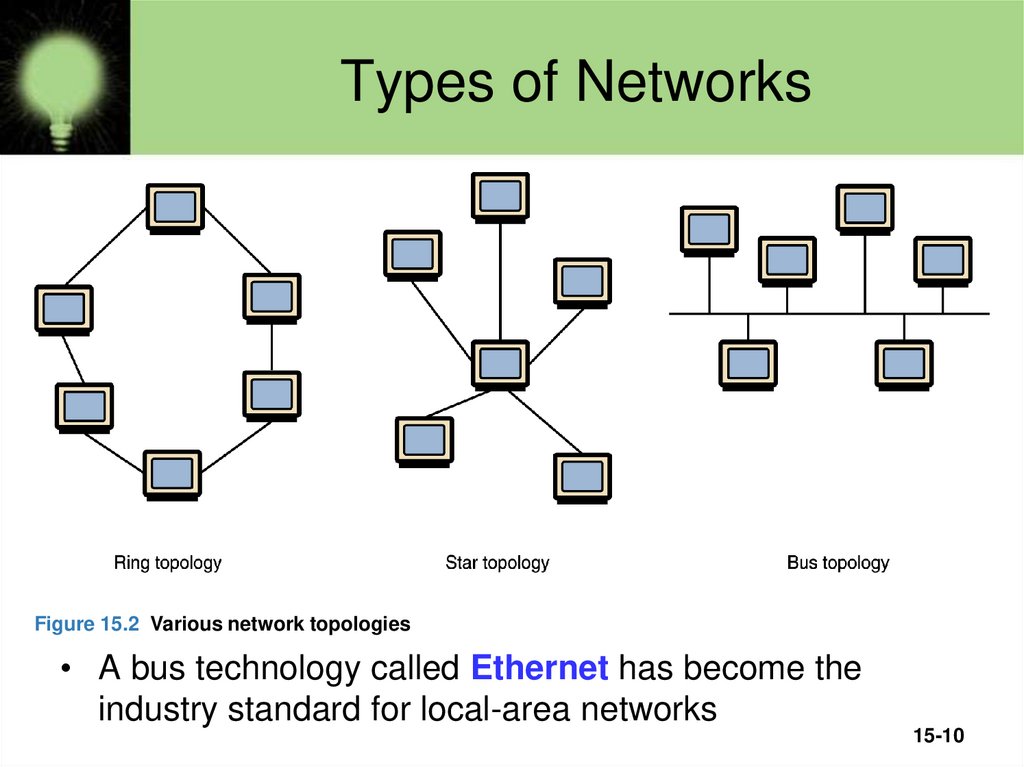
• Various configurations, called topologies, havebeen used to administer LANs
– Ring topology A configuration that connects all
nodes in a closed loop on which messages travel in
one direction
– Star topology A configuration that centers around
one node to which all others are connected and
through which all messages are sent
– Bus topology All nodes are connected to a single
communication line that carries messages in both
directions
15-3
4. Types of Networks
Figure 15.2 Various network topologies• A bus technology called Ethernet has become the
industry standard for local-area networks
15-10
5. Types of Networks
1. Wide-area network (WAN) A network thatconnects two or more local-area networks over a
potentially large geographic distance.
15-5
6. Types of Networks
3. Metropolitan-area network (MAN) Thecommunication infrastructures that have
been developed in and around large cities
15-6
7. TCP/IP
IP stands for Internet ProtocolIP software deals with the routing of packets
through the maze of interconnected networks
to their final destination.
• Network software translates a hostname
into its corresponding IP address
For example
205.39.145.18
15-7
8. Network Addresses
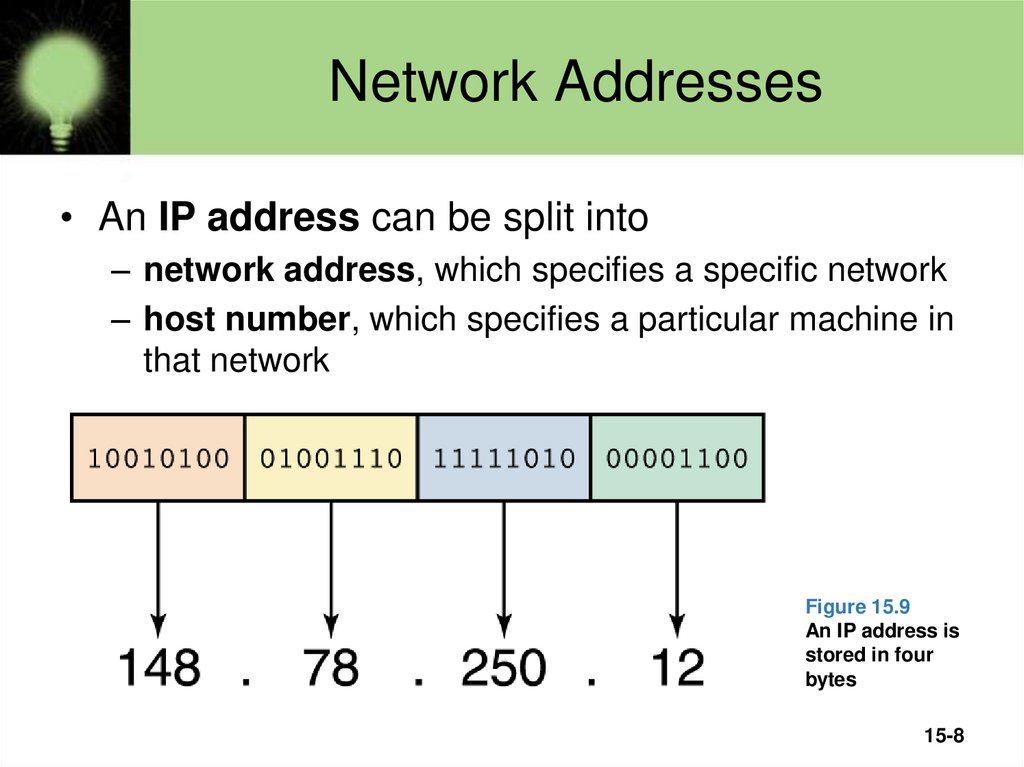
• An IP address can be split into– network address, which specifies a specific network
– host number, which specifies a particular machine in
that network
Figure 15.9
An IP address is
stored in four
bytes
15-8
9. Domain Name System
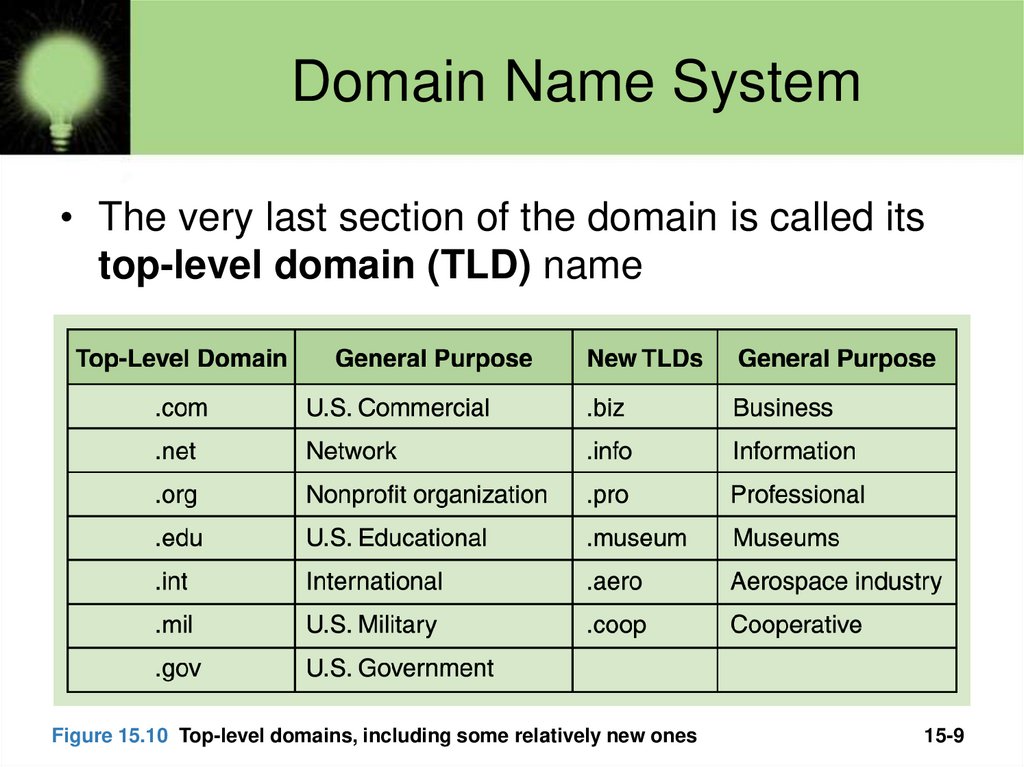
• The very last section of the domain is called itstop-level domain (TLD) name
Figure 15.10 Top-level domains, including some relatively new ones
15-9
10. Domain Name System
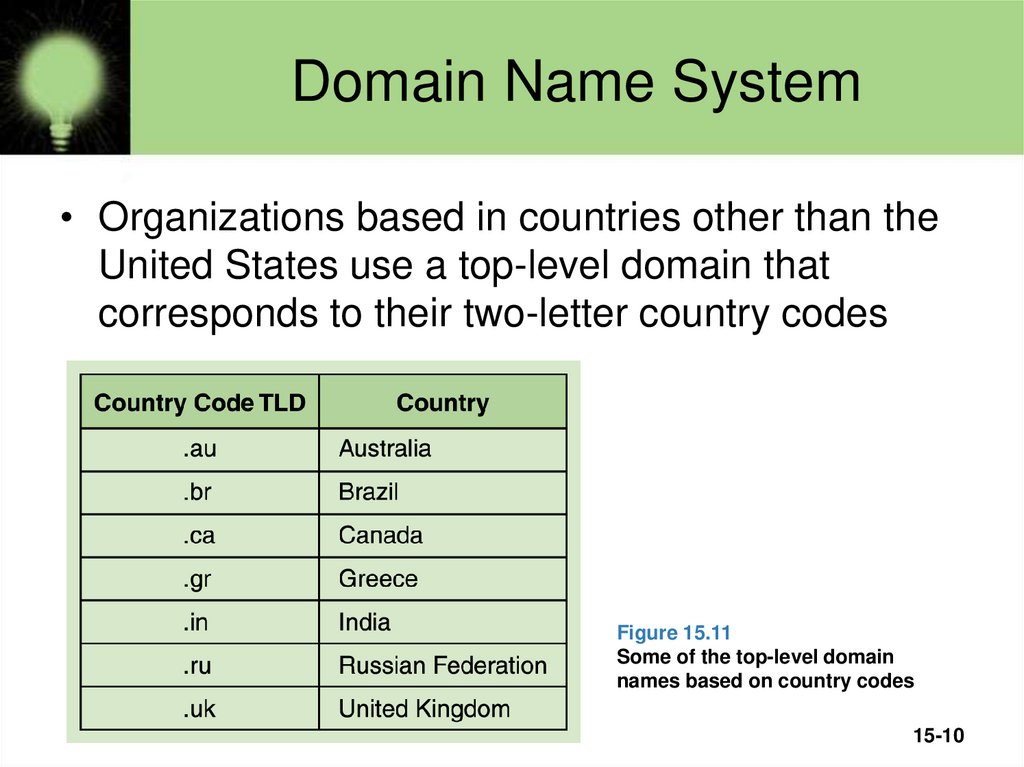
• Organizations based in countries other than theUnited States use a top-level domain that
corresponds to their two-letter country codes
Figure 15.11
Some of the top-level domain
names based on country codes
15-10