

 Экономика
Похожие презентации:




Global Form Management System (GFMS)
1.
Global FormManagement System
(GFMS)
Oct 08, 2024
2.
TCC 178 AlertSummary
U.S., UK, Australia, Canada, and New Zealand (known as the
“Export Enforcement Five” or “E5”) have identified the
common list of high priority items which now require
additional due-diligence for shipments to outside E5 and
partnership countries and issued a guidance on how to
identify Russian export control evasion tactics
The caution and additional due diligence are required from
exporters to ensure that the listed high priority items are
not destined to Russia through third countries outside the
Global Export Controls Coalition (GECC[1])
3.
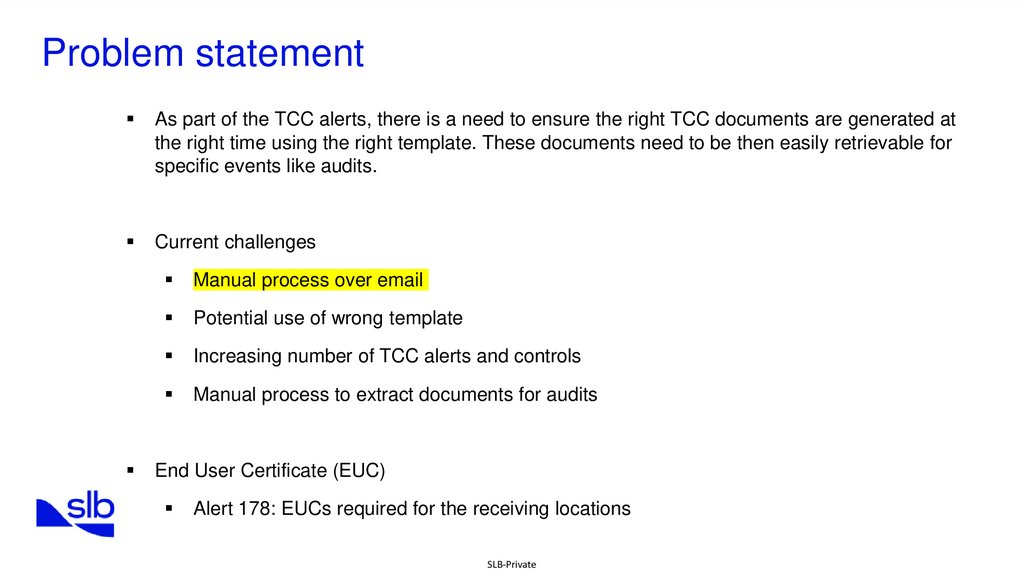
Problem statementAs part of the TCC alerts, there is a need to ensure the right TCC documents are generated at
the right time using the right template. These documents need to be then easily retrievable for
specific events like audits.
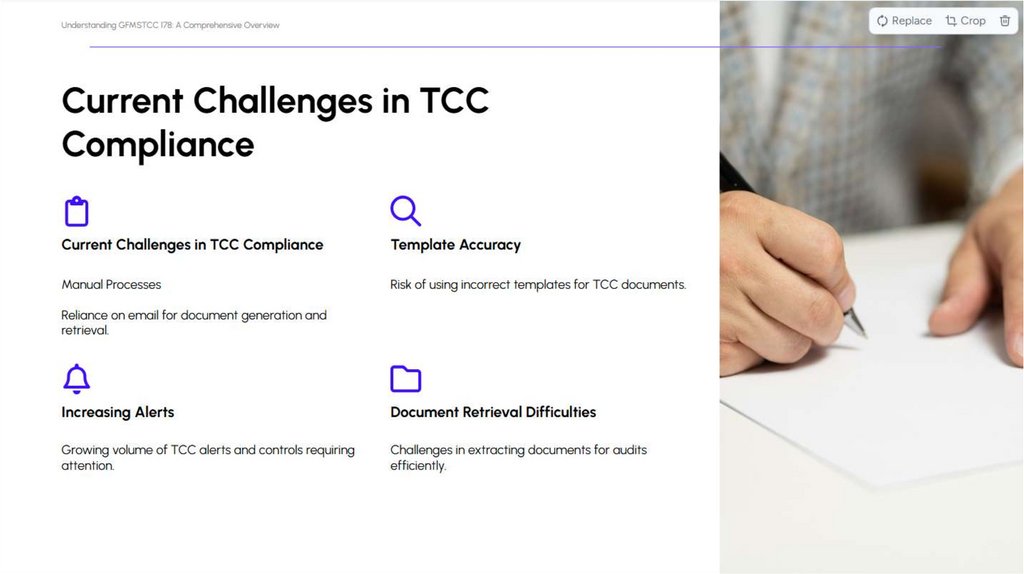
Current challenges
Manual process over email
Potential use of wrong template
Increasing number of TCC alerts and controls
Manual process to extract documents for audits
End User Certificate (EUC)
Alert 178: EUCs required for the receiving locations
SLB-Private
4.
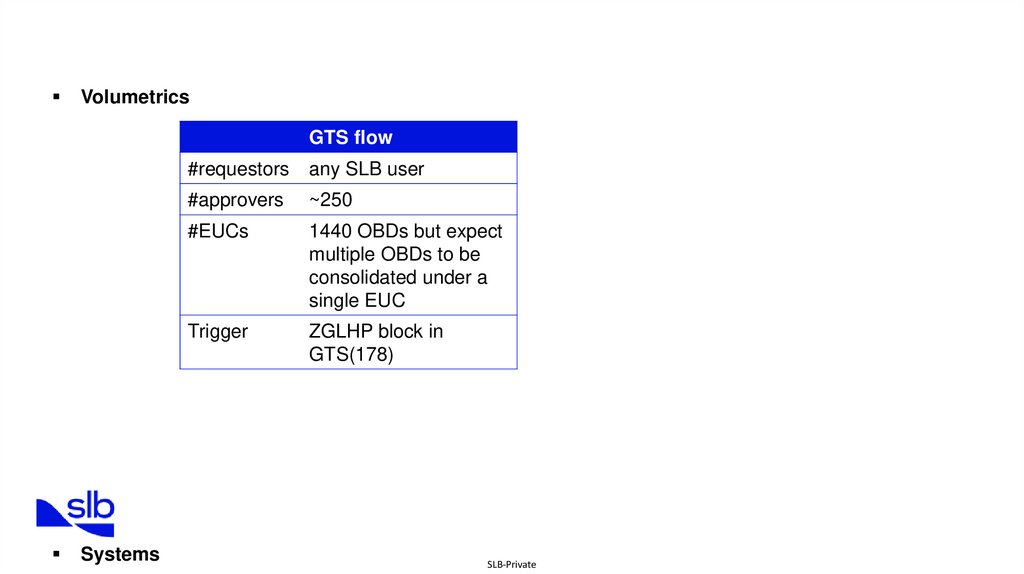
VolumetricsGTS flow
Systems
#requestors
any SLB user
#approvers
~250
#EUCs
1440 OBDs but expect
multiple OBDs to be
consolidated under a
single EUC
Trigger
ZGLHP block in
GTS(178)
SLB-Private
5.
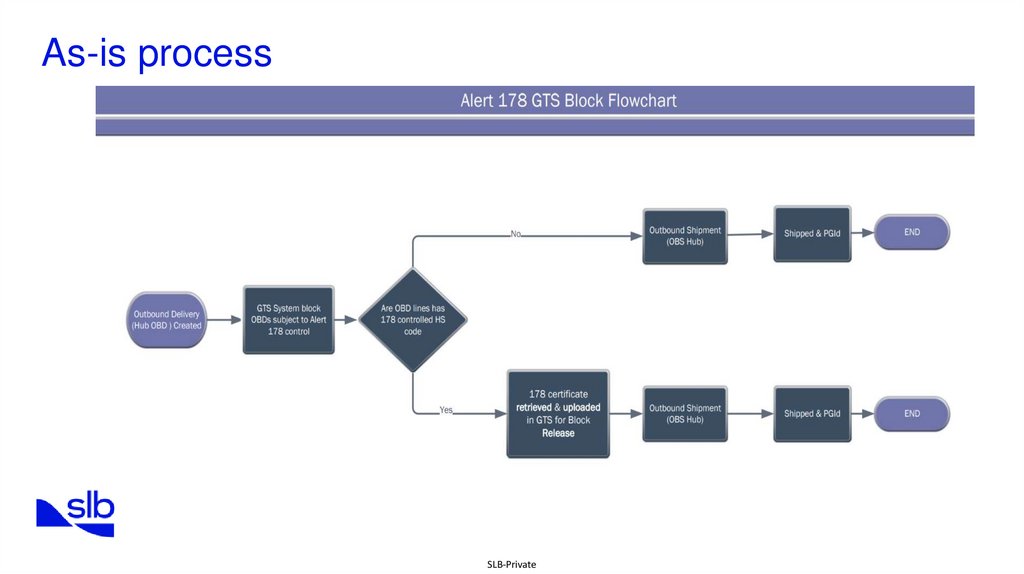
As-is processSLB-Private
6.
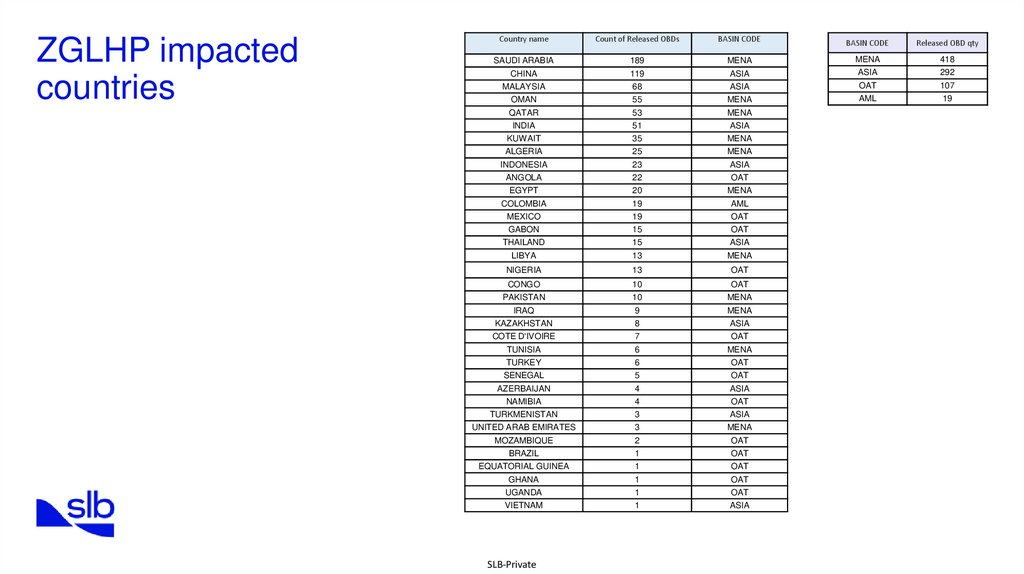
ZGLHP impactedcountries
Country name
Count of Released OBDs
BASIN CODE
BASIN CODE
Released OBD qty
418
SAUDI ARABIA
189
MENA
MENA
CHINA
119
ASIA
ASIA
292
MALAYSIA
68
ASIA
OAT
107
OMAN
55
MENA
AML
19
QATAR
53
MENA
INDIA
51
ASIA
KUWAIT
35
MENA
ALGERIA
25
MENA
INDONESIA
23
ASIA
ANGOLA
22
OAT
EGYPT
20
MENA
COLOMBIA
19
AML
MEXICO
19
OAT
GABON
15
OAT
THAILAND
15
ASIA
LIBYA
13
MENA
NIGERIA
13
OAT
CONGO
10
OAT
PAKISTAN
10
MENA
IRAQ
9
MENA
KAZAKHSTAN
8
ASIA
COTE D'IVOIRE
7
OAT
TUNISIA
6
MENA
OAT
TURKEY
6
SENEGAL
5
OAT
AZERBAIJAN
4
ASIA
NAMIBIA
4
OAT
TURKMENISTAN
3
ASIA
UNITED ARAB EMIRATES
3
MENA
MOZAMBIQUE
2
OAT
BRAZIL
1
OAT
EQUATORIAL GUINEA
1
OAT
GHANA
1
OAT
UGANDA
1
OAT
VIETNAM
1
ASIA
SLB-Private
7.
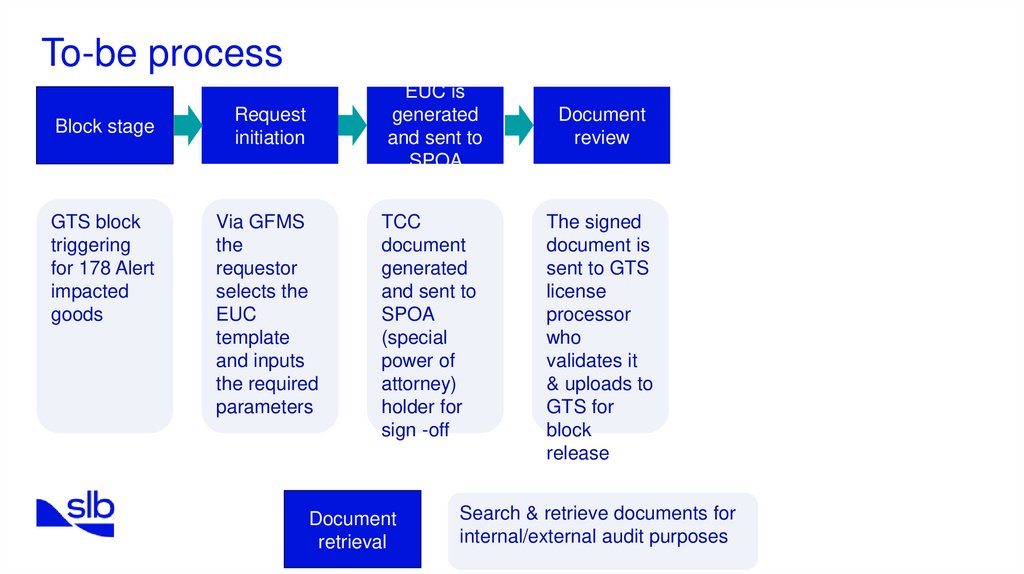
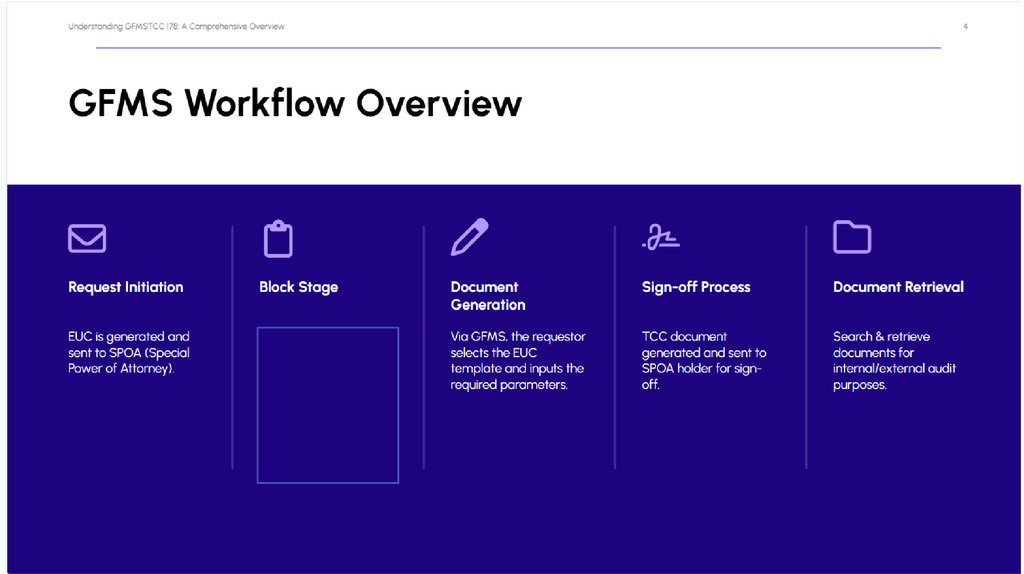
To-be processBlock stage
GTS block
triggering
for 178 Alert
impacted
goods
EUC is
generated
and sent to
SPOA
Request
initiation
Via GFMS
the
requestor
selects the
EUC
template
and inputs
the required
parameters
Document
review
TCC
document
generated
and sent to
SPOA
(special
power of
attorney)
holder for
sign -off
Document
retrieval
The signed
document is
sent to GTS
license
processor
who
validates it
& uploads to
GTS for
block
release
Search & retrieve documents for
internal/external audit purposes
SLB-Private
8.
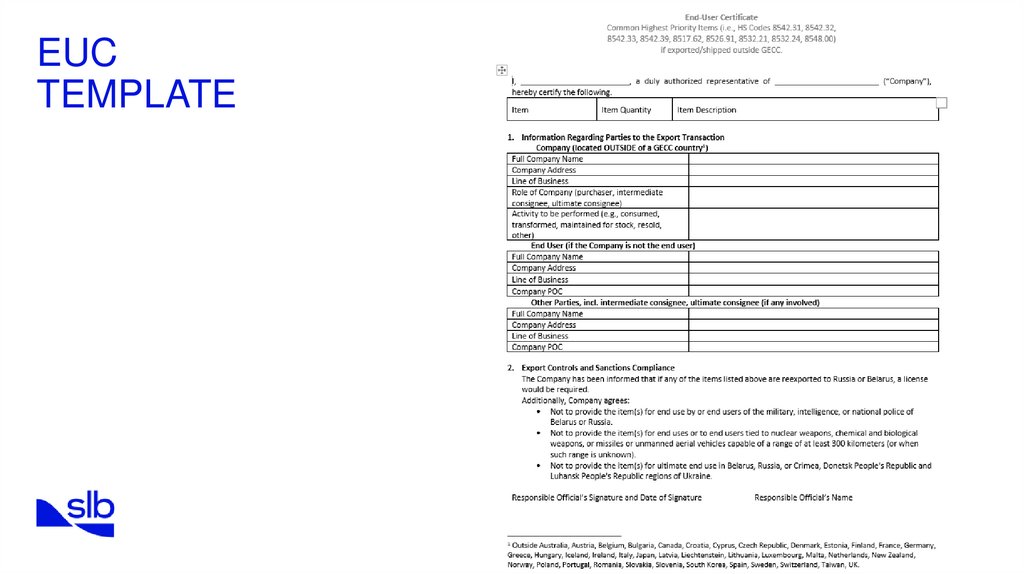
EUCTEMPLATE
SLB-Private
9.
Choose EUCtemplate based on
regulation
“Title” is the EUC unique number generated by system once Requestor is clicking on “Save draft”
or “Submit”. Example “EUC-HP(“high priority” or other type)- WC(division)-05(month)-23(year)0001(sequence number)”. EUC-HP-WC-05-23-0001
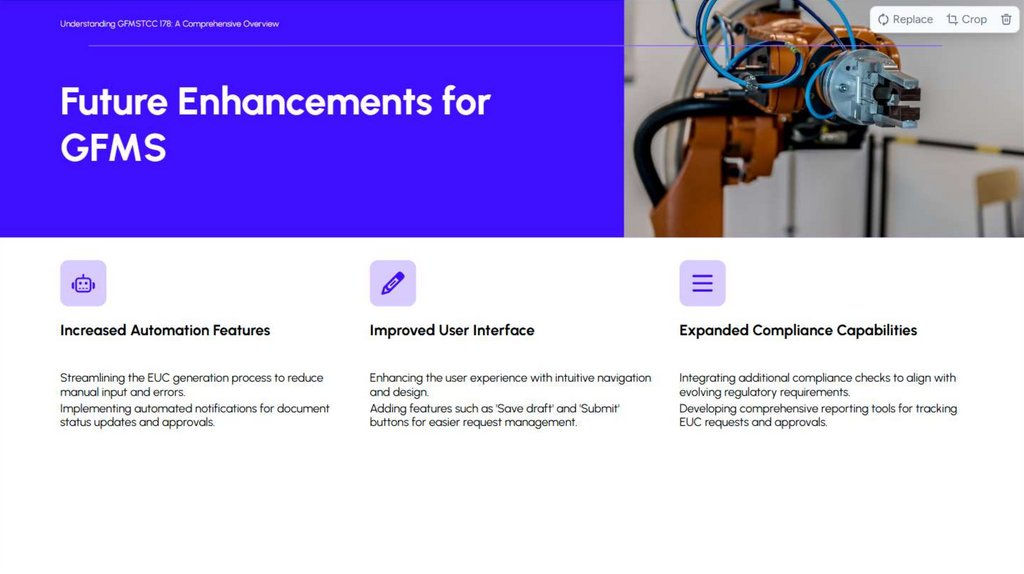
The request status. Statuses: “draft” (once you click “save draft” and
before further submission); “created” (after request submission and
prior approver review); “rejected” or “signed” (after approver
decision).
“Save draft” button for
saving request, giving
unique number but not
sending it for review to
approver
“submit” button for
sending request to
approver for review.
Must be active ONLY
if all information was
added to fields marked
with red star (*).
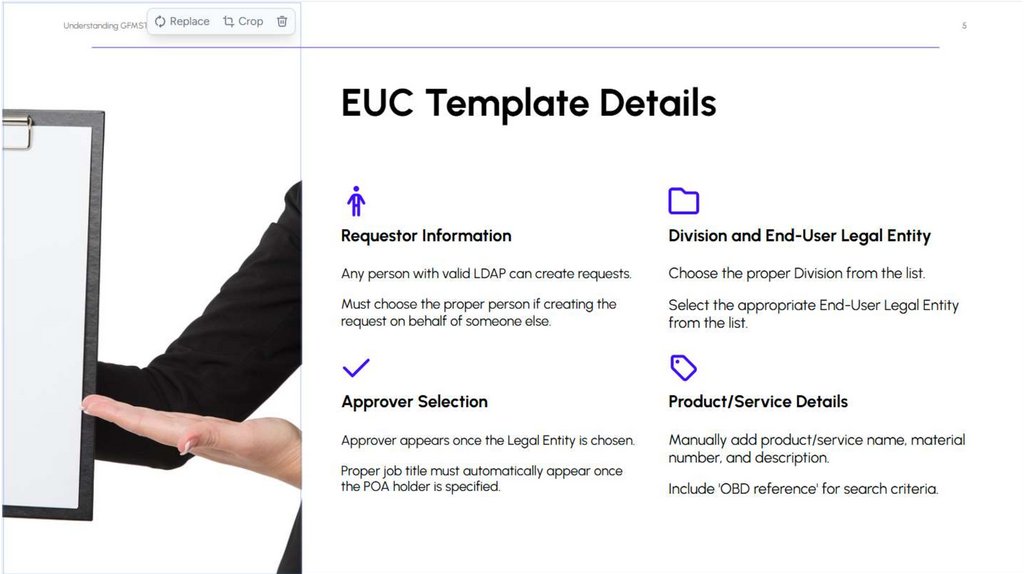
Requestor- any person with valid LDAP. In case if you
are creating the request on behalf of someone – you
must choose proper person
Choose proper Division from the list
Geo Unit + Division +
Job Code must be
parameters to
determine proper
Approver
Choose proper EndUser LE from the list
Choose Approver
from the list.
Approver is
appearing once you
choose LE.
In case if proper
Approver is on
vacation/ temporary
replaced by another
person – you can
bypass the direct
approval process by
attaching email with
approval. In this case
request must be sent
to TCC manager
review!
Proper job title must
be automatically
appeared once POA
holder specified
“OBD reference” that
will be used for
search criteria
Product/service
name, material
number and
description that you
should add manually
Transaction type must
be identified based on
PO details. After that
you must choose
Buyer purpose from
dropdown menu.
Comments that you
can add manually
INITIAL MOCK UP
SLB-Private
10.
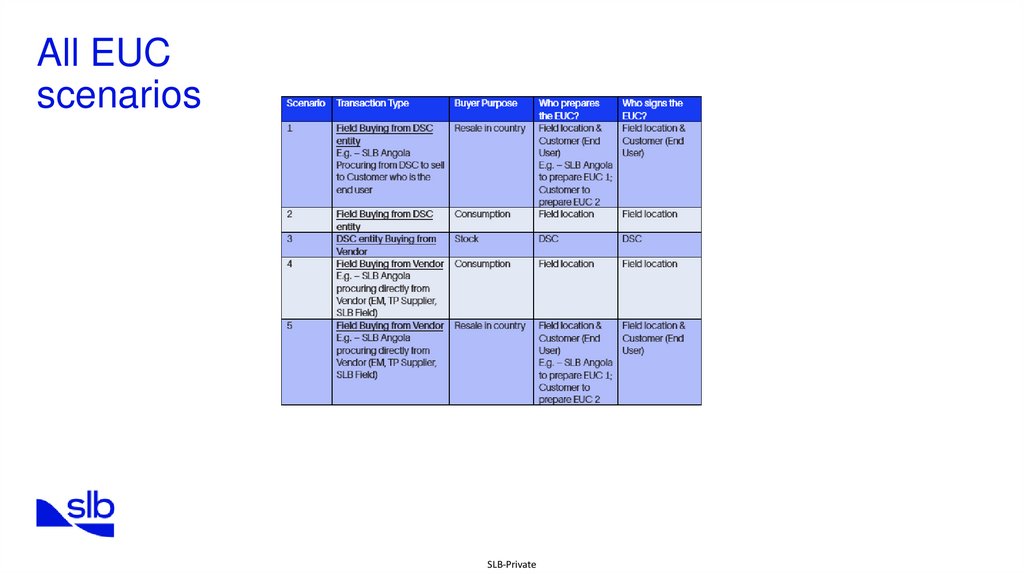
All EUCscenarios
SLB-Private
11.
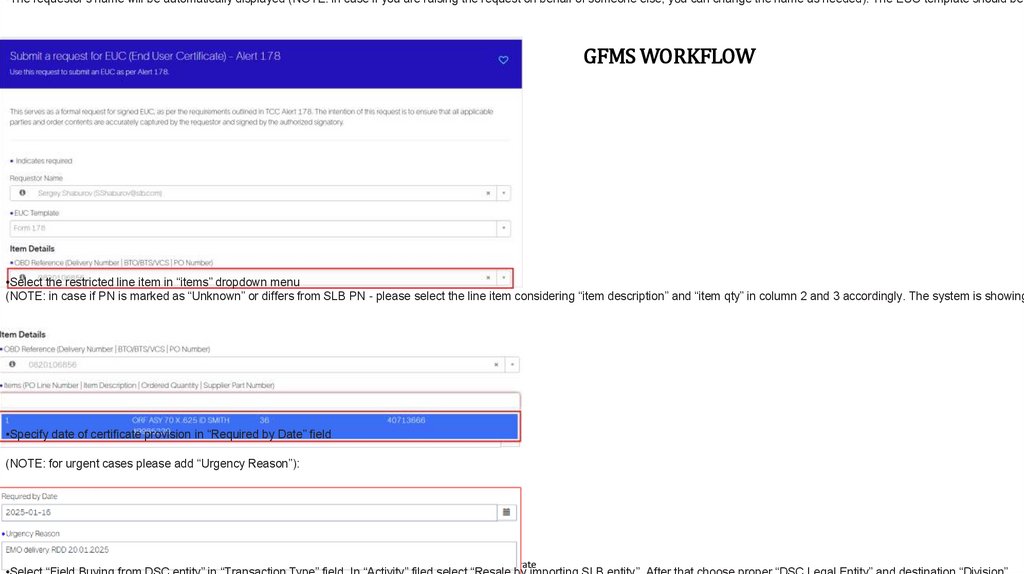
•The requestor’s name will be automatically displayed (NOTE: in case if you are raising the request on behalf of someone else, you can change the name as needed). The EUC template should beGFMS WORKFLOW
•Select the restricted line item in “items” dropdown menu
(NOTE: in case if PN is marked as “Unknown” or differs from SLB PN - please select the line item considering “item description” and “item qty” in column 2 and 3 accordingly. The system is showing
•Specify date of certificate provision in “Required by Date” field
(NOTE: for urgent cases please add “Urgency Reason”):
SLB-Private