
 Программирование
Похожие презентации:







Application Programming in Java. SOC2030
1. SOC2030 Application Programming in Java
Dr. Andrei Dragunov2. What is Java?
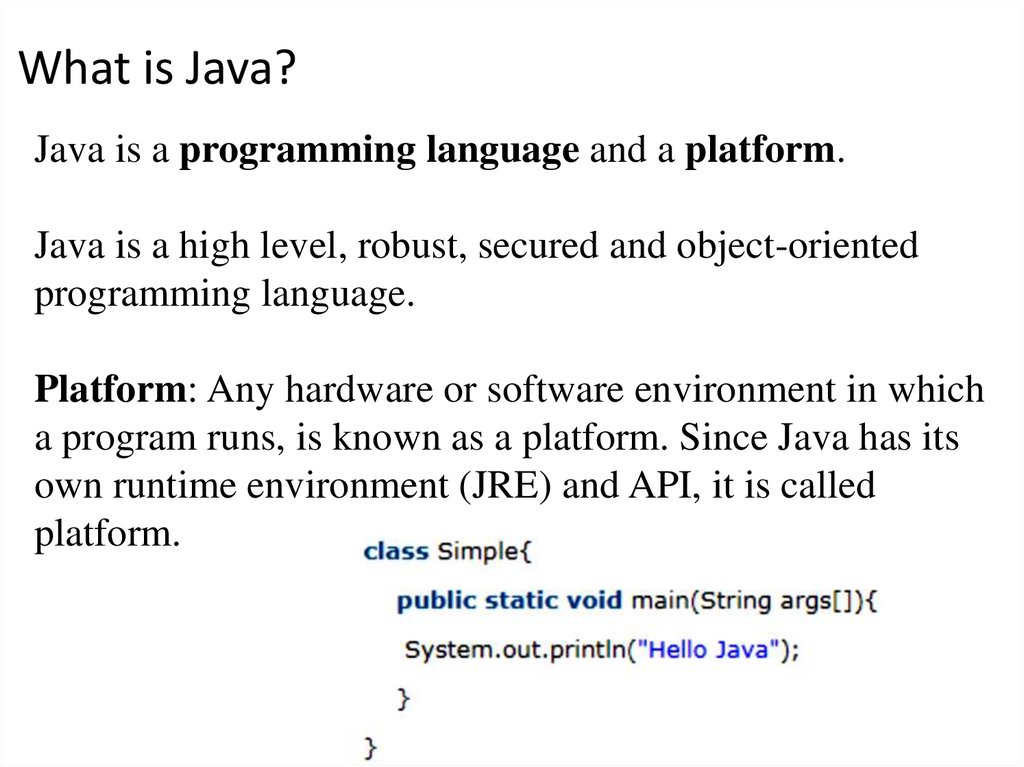
Java is a programming language and a platform.Java is a high level, robust, secured and object-oriented
programming language.
Platform: Any hardware or software environment in which
a program runs, is known as a platform. Since Java has its
own runtime environment (JRE) and API, it is called
platform.
2
3. Where it is used?
According to Sun, 3 billion devices run java. There aremany devices where Java is currently used. Some of them
are as follows:
• Desktop Applications such as acrobat reader, media
player, antivirus etc.
• Web Applications.
• Enterprise Applications such as banking applications.
• Mobile Applications
• Embedded System
• Smart Card
• Robotics
• Games etc.
3
4. Types of Java Applications
1) Standalone ApplicationIt is also known as desktop application or window-based
application. An application that we need to install on every
machine such as media player, antivirus etc. AWT and
Swing are used in java for creating standalone applications.
2) Web Application
An application that runs on the server side and creates
dynamic page, is called web application. Currently, servlet,
jsp, struts, jsf etc. technologies are used for creating web
applications in java.
4
5. Types of Java Applications
3) Enterprise ApplicationAn application that is distributed in nature, such as banking
applications etc. It has the advantage of high level security,
load balancing and clustering. In java, EJB is used for
creating enterprise applications.
4) Mobile Application
An application that is created for mobile devices. Currently
Android and Java ME are used for creating mobile
applications.
5
6.
6
7. Syllabus
8.
9. Machine Languages hierarchy
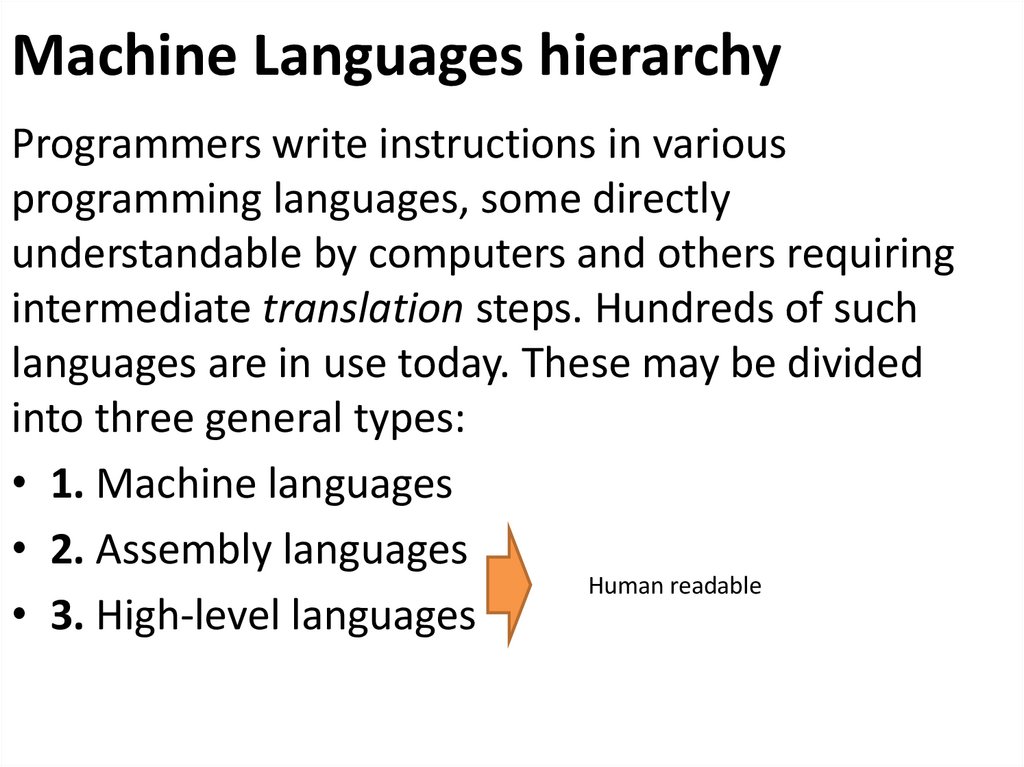
Programmers write instructions in variousprogramming languages, some directly
understandable by computers and others requiring
intermediate translation steps. Hundreds of such
languages are in use today. These may be divided
into three general types:
• 1. Machine languages
• 2. Assembly languages
Human readable
• 3. High-level languages
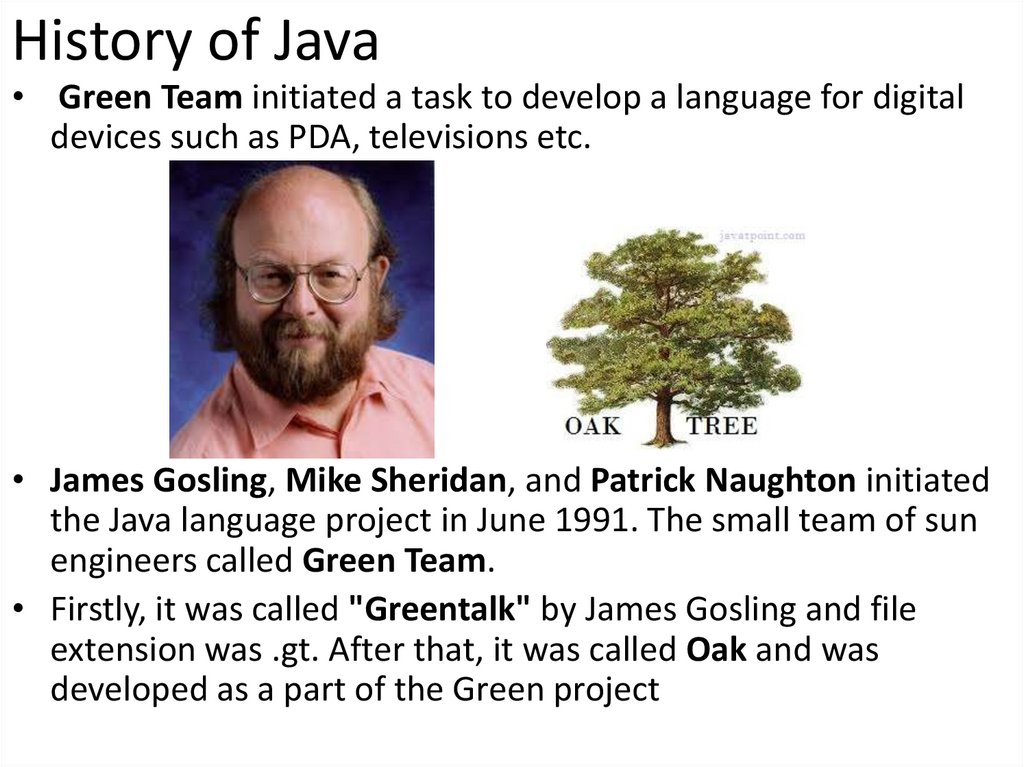
10. History of Java
• Green Team initiated a task to develop a language for digitaldevices such as PDA, televisions etc.
• James Gosling, Mike Sheridan, and Patrick Naughton initiated
the Java language project in June 1991. The small team of sun
engineers called Green Team.
• Firstly, it was called "Greentalk" by James Gosling and file
extension was .gt. After that, it was called Oak and was
developed as a part of the Green project
11. Why had they choosen java name for java language?
According to James Gosling "Java was one of the topchoices along with Silk". Since java was so unique,
most of the team members preferred java.
1) Java is an island of Indonesia where first coffee was
produced (called java coffee).
2) Notice that Java is just a name not an acronym.
3) Originally developed by James Gosling at Sun
Microsystems (which is now a subsidiary of Oracle
Corporation) and released in 1995.
4) In 1995, Time magazine called Java one of the Ten
Best Products of 1995.
5) JDK 1.0 released in(January 23, 1996).
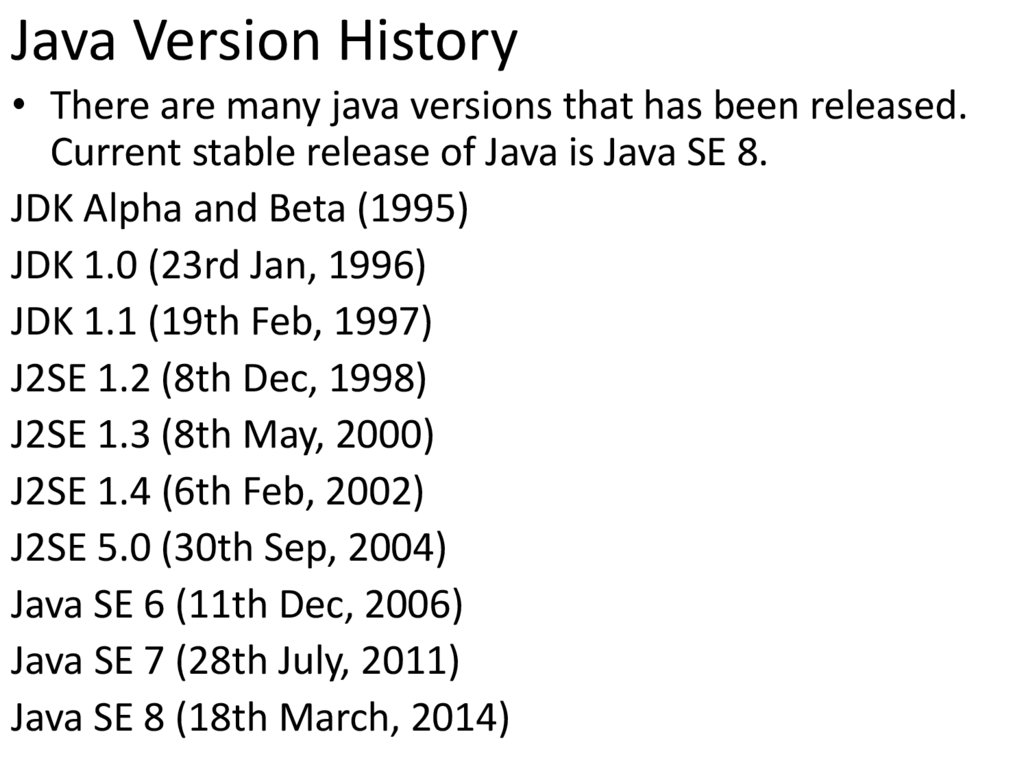
12. Java Version History
• There are many java versions that has been released.Current stable release of Java is Java SE 8.
JDK Alpha and Beta (1995)
JDK 1.0 (23rd Jan, 1996)
JDK 1.1 (19th Feb, 1997)
J2SE 1.2 (8th Dec, 1998)
J2SE 1.3 (8th May, 2000)
J2SE 1.4 (6th Feb, 2002)
J2SE 5.0 (30th Sep, 2004)
Java SE 6 (11th Dec, 2006)
Java SE 7 (28th July, 2011)
Java SE 8 (18th March, 2014)
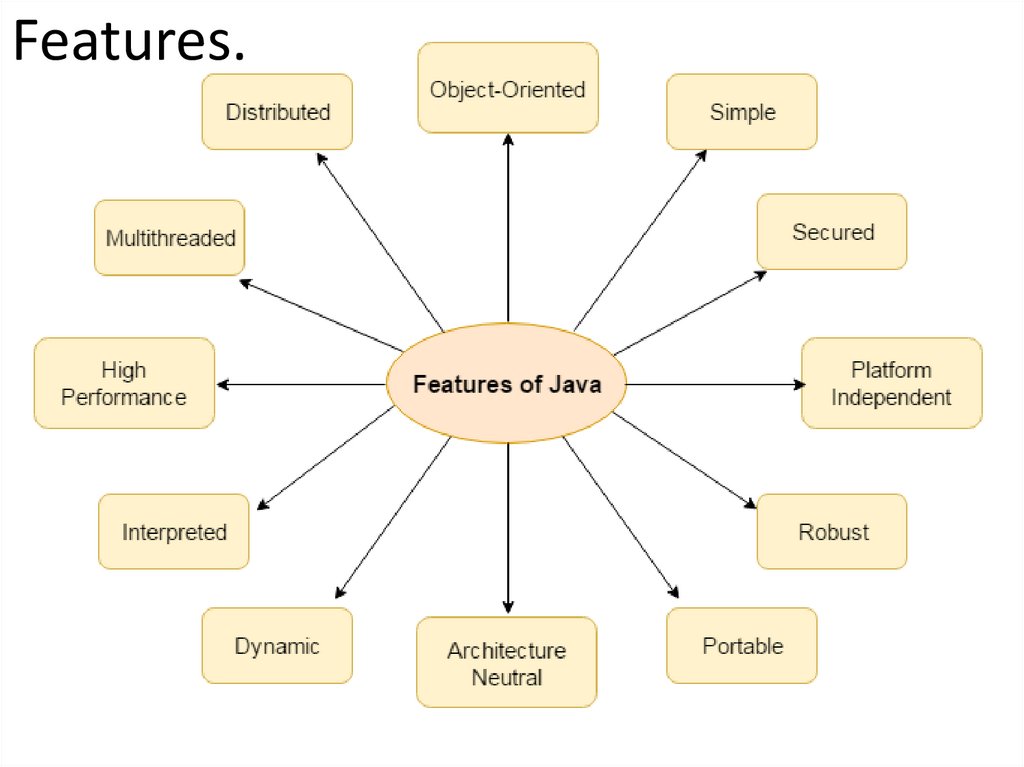
13. Features.
14.
• Simple. Why Java is simple?– syntax is based on C++
– removed many confusing and/or rarely-used features
e.g., explicit pointers, operator overloading etc.
– No need to remove unreferenced objects because there
is Automatic Garbage Collection in java.
• Object-oriented
Object-oriented means we organize our software as a
combination of different types of objects that
incorporates both data and behaviour.
15.
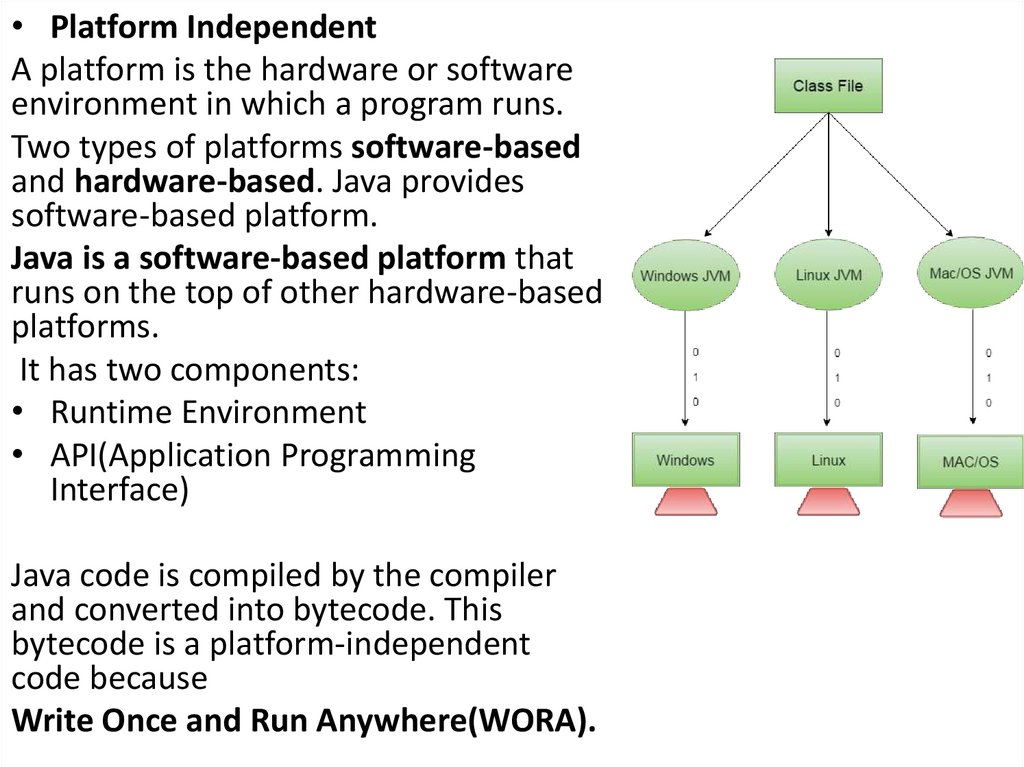
• Platform IndependentA platform is the hardware or software
environment in which a program runs.
Two types of platforms software-based
and hardware-based. Java provides
software-based platform.
Java is a software-based platform that
runs on the top of other hardware-based
platforms.
It has two components:
• Runtime Environment
• API(Application Programming
Interface)
Java code is compiled by the compiler
and converted into bytecode. This
bytecode is a platform-independent
code because
Write Once and Run Anywhere(WORA).
16.
• Robust• Robust simply means strong. Java uses strong memory management. There are
lack of pointers that avoids security problem. There is automatic garbage collection
in java. There is exception handling and type checking mechanism in java. All these
points makes java robust.
• Architecture neutral.
• There is no implementation dependent features e.g. size of primitive types is fixed.
• Portable
• We may carry the java bytecode to any platform.
• High-performance
• Java is faster than traditional interpretation since byte code is "close" to native
code still somewhat slower than a compiled language (e.g., C++)
• Distributed
• We can create distributed applications in java.
• Multi-threaded
17.
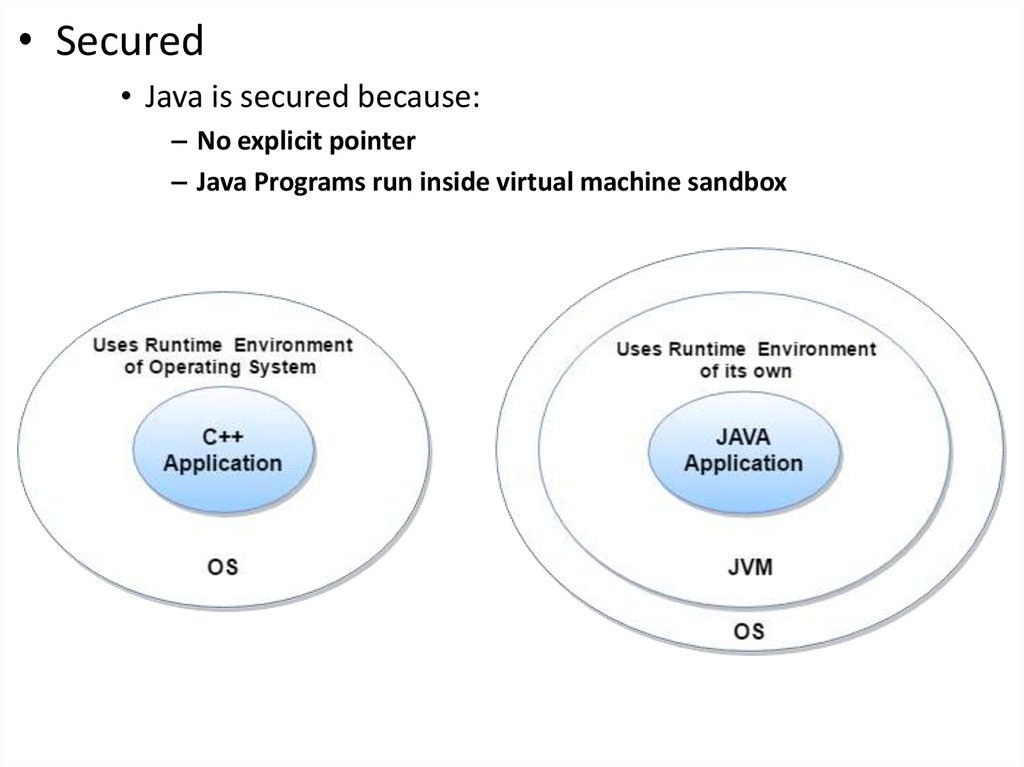
• Secured• Java is secured because:
– No explicit pointer
– Java Programs run inside virtual machine sandbox
18. Difference between JDK, JRE and JVM
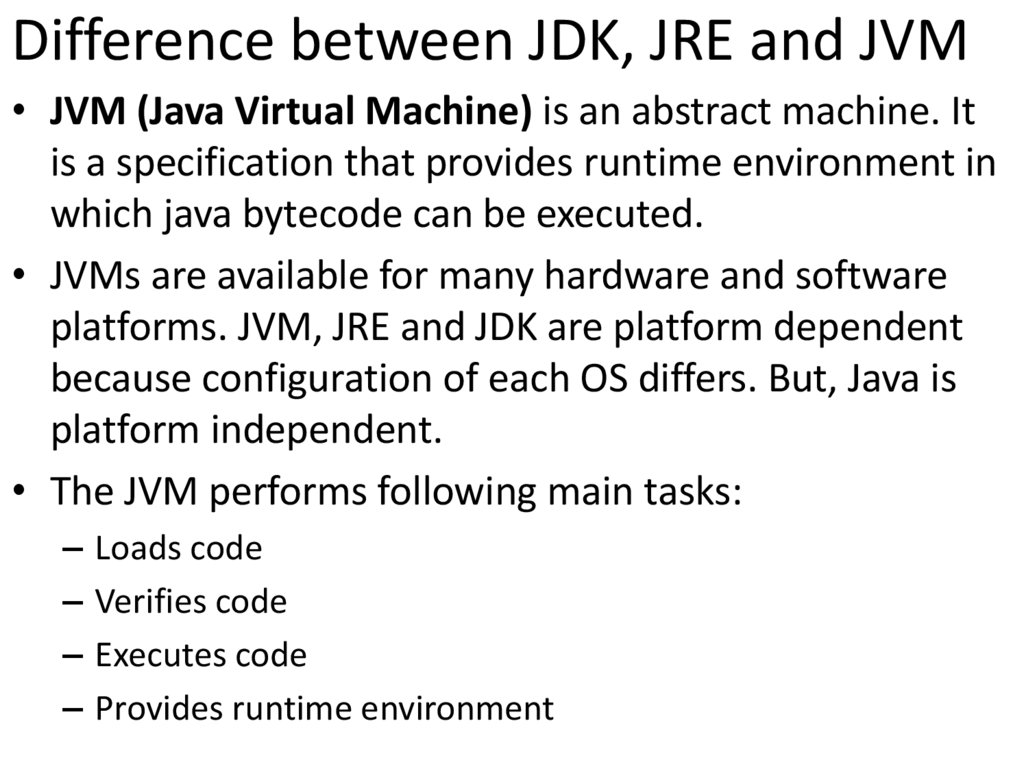
• JVM (Java Virtual Machine) is an abstract machine. Itis a specification that provides runtime environment in
which java bytecode can be executed.
• JVMs are available for many hardware and software
platforms. JVM, JRE and JDK are platform dependent
because configuration of each OS differs. But, Java is
platform independent.
• The JVM performs following main tasks:
– Loads code
– Verifies code
– Executes code
– Provides runtime environment
19. Difference between JDK, JRE and JVM
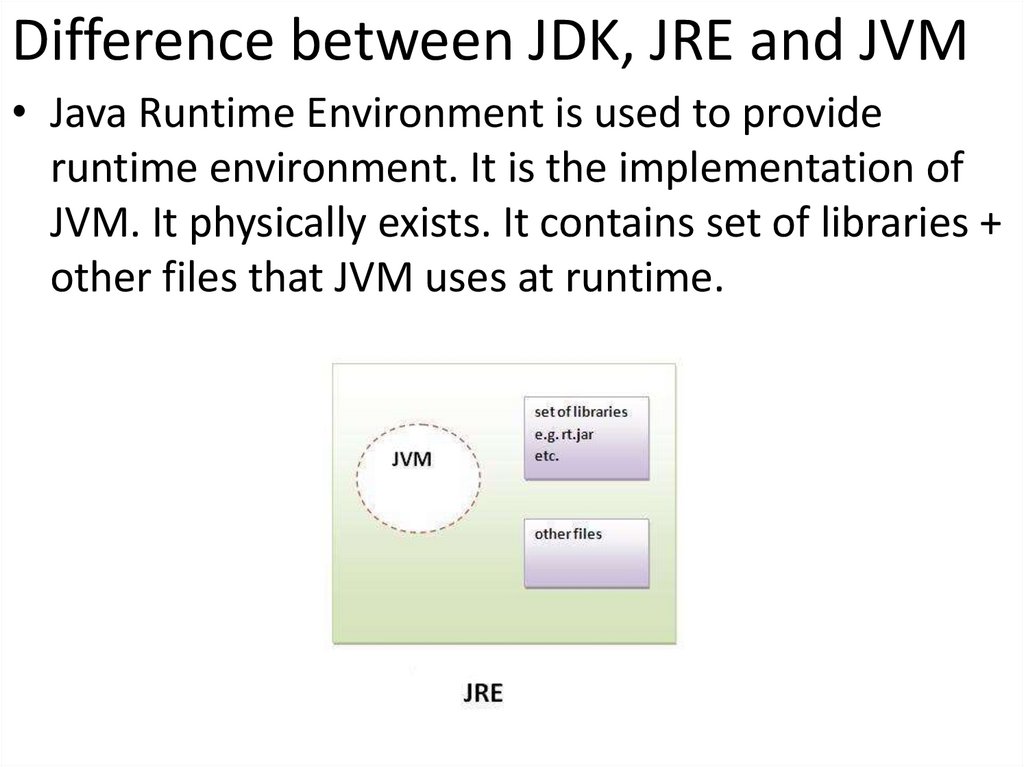
• Java Runtime Environment is used to provideruntime environment. It is the implementation of
JVM. It physically exists. It contains set of libraries +
other files that JVM uses at runtime.
20. Difference between JDK, JRE and JVM
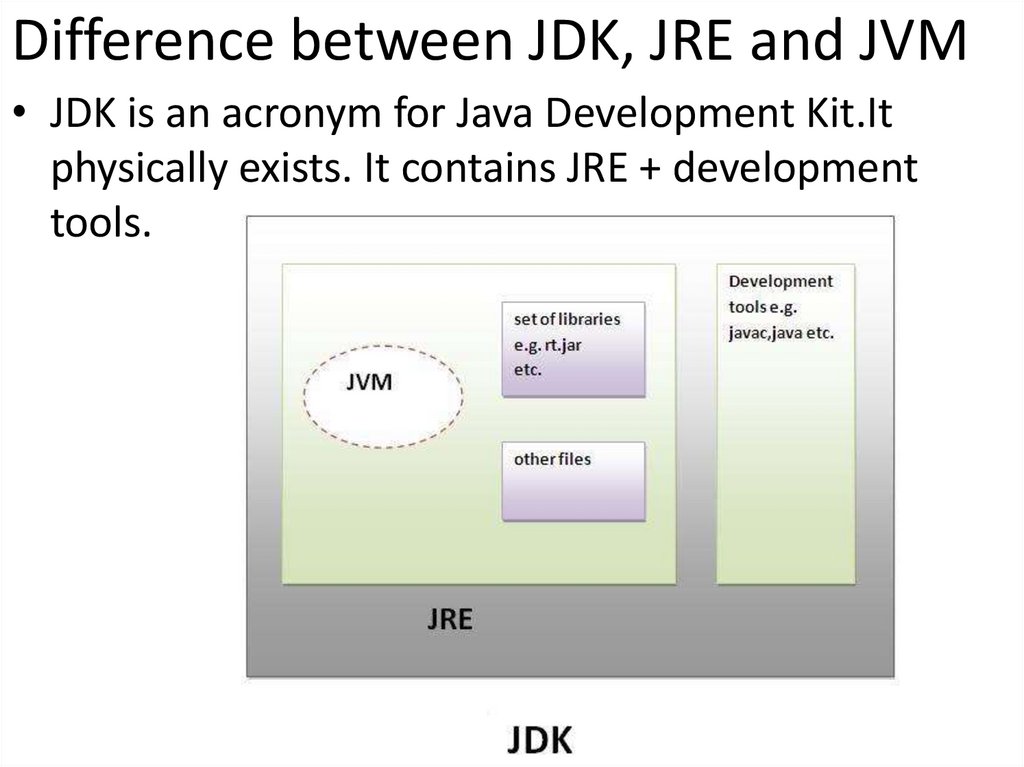
• JDK is an acronym for Java Development Kit.Itphysically exists. It contains JRE + development
tools.
21. Java’s editions.
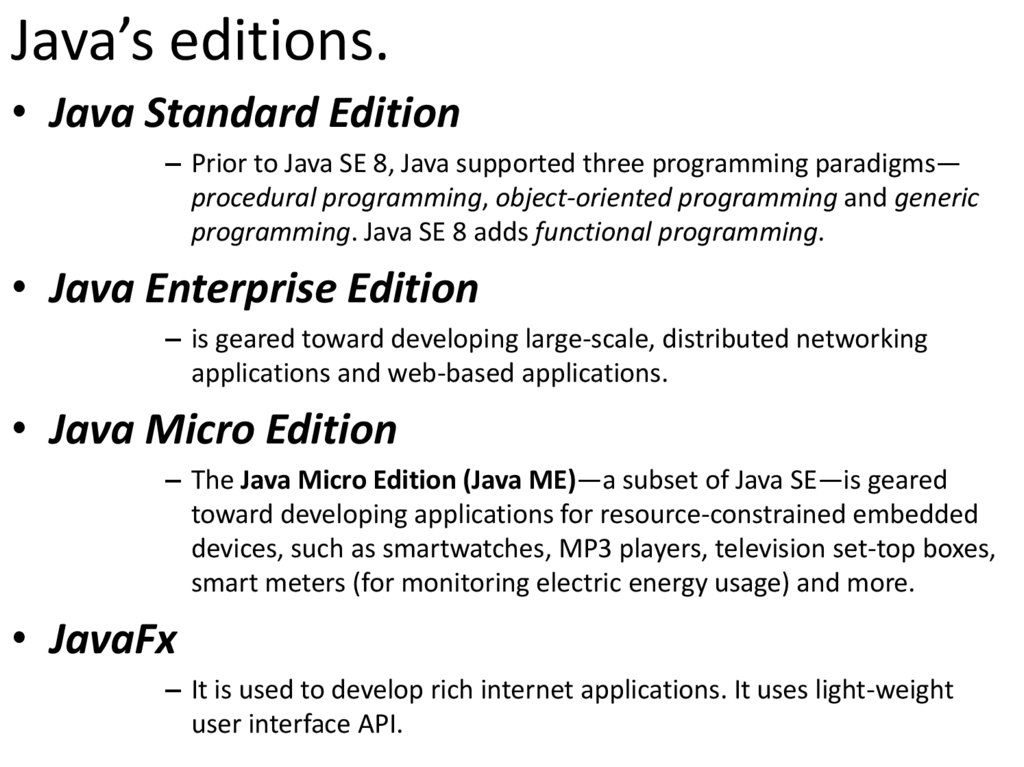
• Java Standard Edition– Prior to Java SE 8, Java supported three programming paradigms—
procedural programming, object-oriented programming and generic
programming. Java SE 8 adds functional programming.
• Java Enterprise Edition
– is geared toward developing large-scale, distributed networking
applications and web-based applications.
• Java Micro Edition
– The Java Micro Edition (Java ME)—a subset of Java SE—is geared
toward developing applications for resource-constrained embedded
devices, such as smartwatches, MP3 players, television set-top boxes,
smart meters (for monitoring electric energy usage) and more.
• JavaFx
– It is used to develop rich internet applications. It uses light-weight
user interface API.
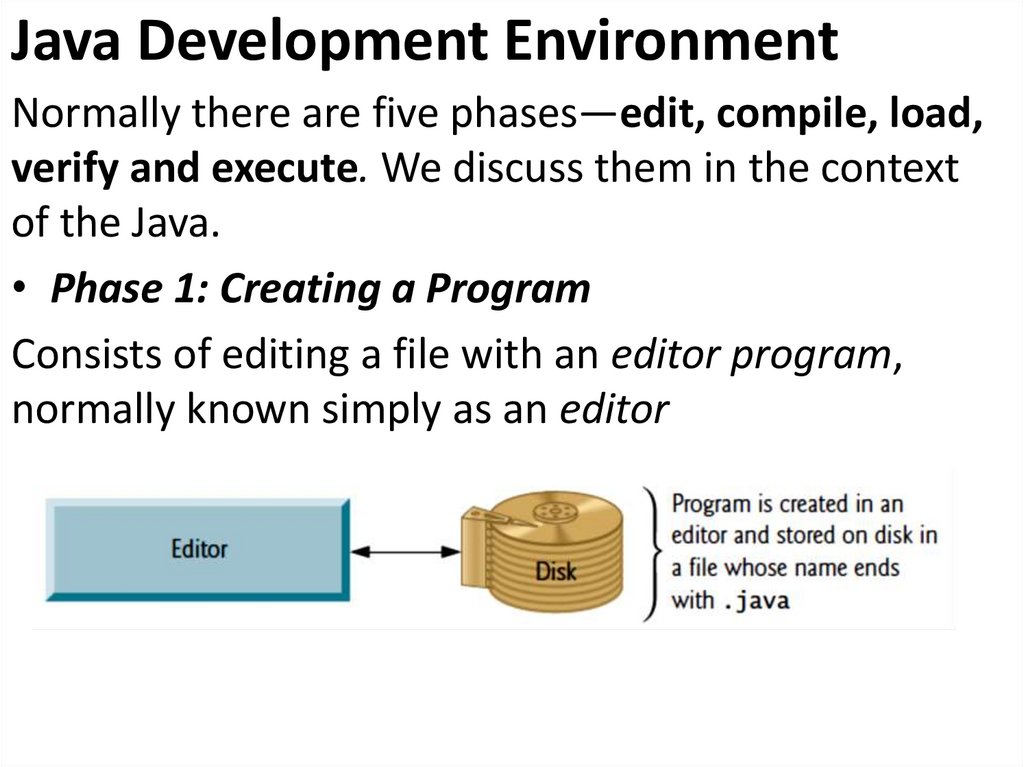
22. Java Development Environment
Normally there are five phases—edit, compile, load,verify and execute. We discuss them in the context
of the Java.
• Phase 1: Creating a Program
Consists of editing a file with an editor program,
normally known simply as an editor
23.
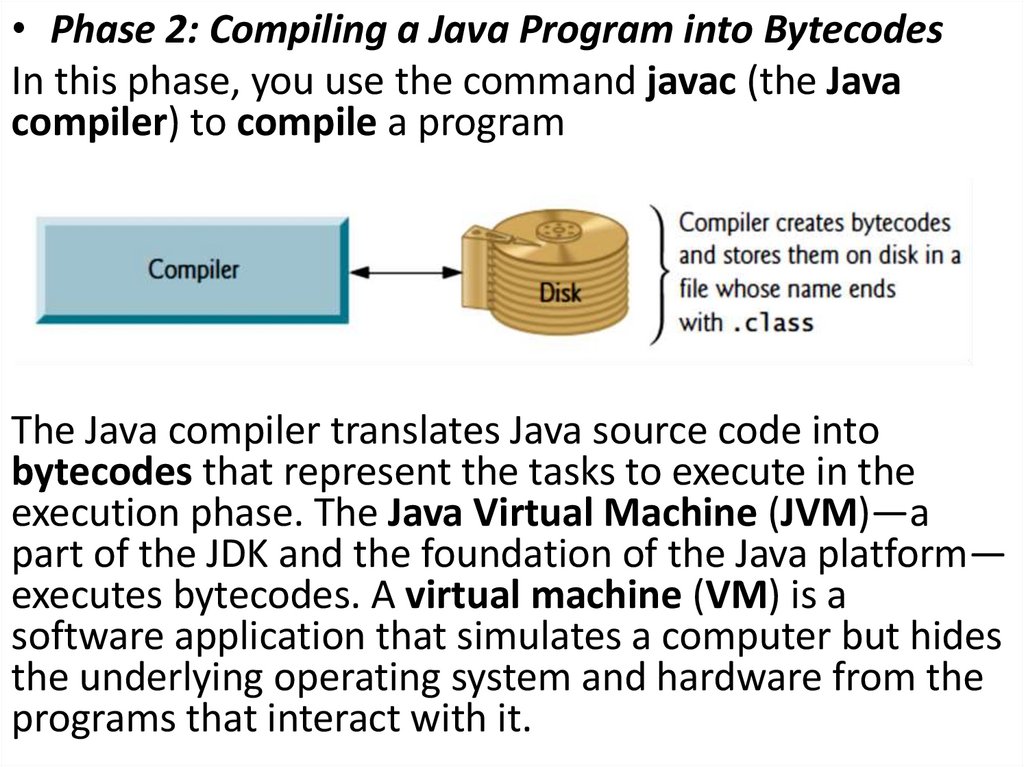
• Phase 2: Compiling a Java Program into BytecodesIn this phase, you use the command javac (the Java
compiler) to compile a program
The Java compiler translates Java source code into
bytecodes that represent the tasks to execute in the
execution phase. The Java Virtual Machine (JVM)—a
part of the JDK and the foundation of the Java platform—
executes bytecodes. A virtual machine (VM) is a
software application that simulates a computer but hides
the underlying operating system and hardware from the
programs that interact with it.
24.
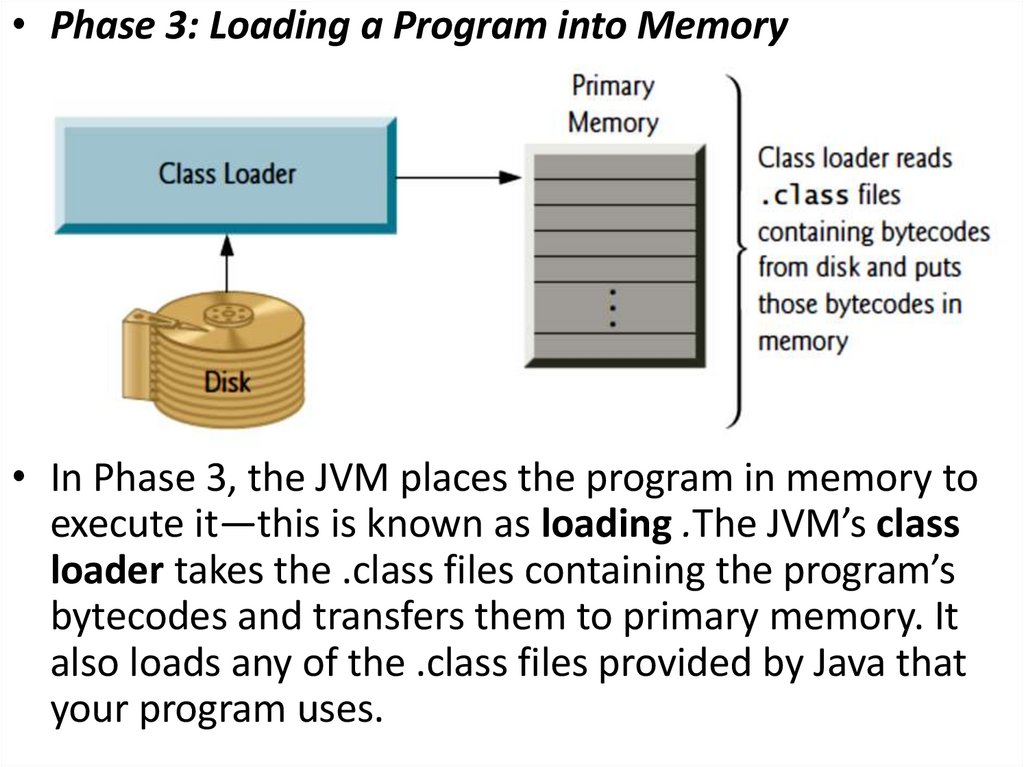
• Phase 3: Loading a Program into Memory• In Phase 3, the JVM places the program in memory to
execute it—this is known as loading .The JVM’s class
loader takes the .class files containing the program’s
bytecodes and transfers them to primary memory. It
also loads any of the .class files provided by Java that
your program uses.
25.
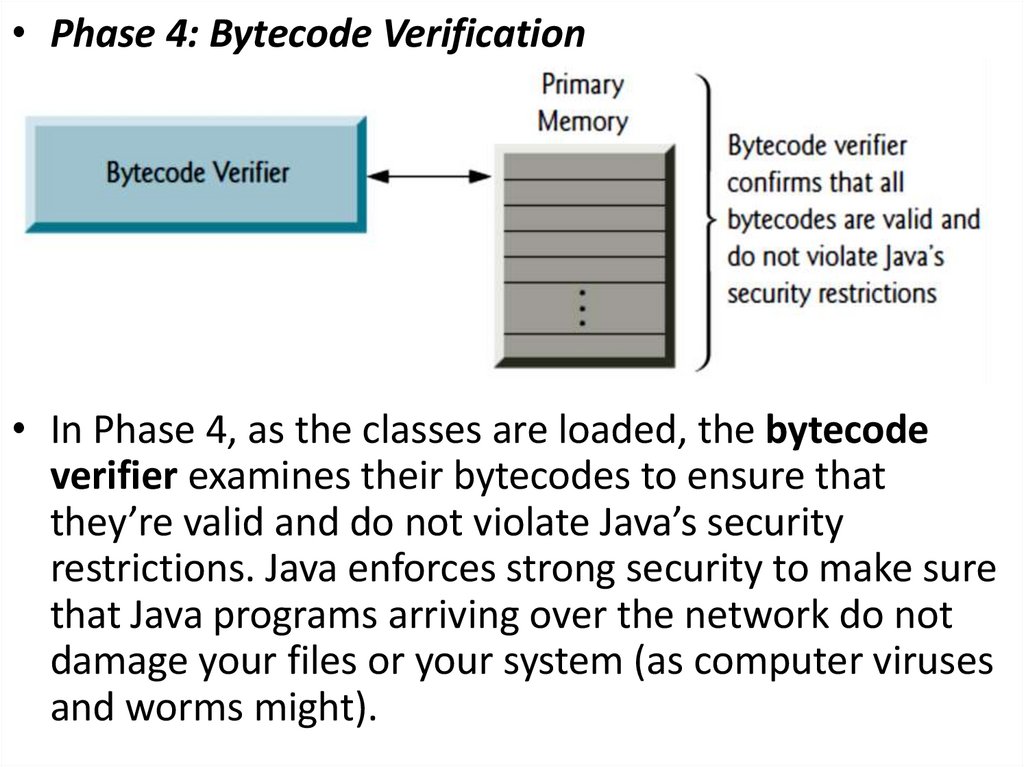
• Phase 4: Bytecode Verification• In Phase 4, as the classes are loaded, the bytecode
verifier examines their bytecodes to ensure that
they’re valid and do not violate Java’s security
restrictions. Java enforces strong security to make sure
that Java programs arriving over the network do not
damage your files or your system (as computer viruses
and worms might).
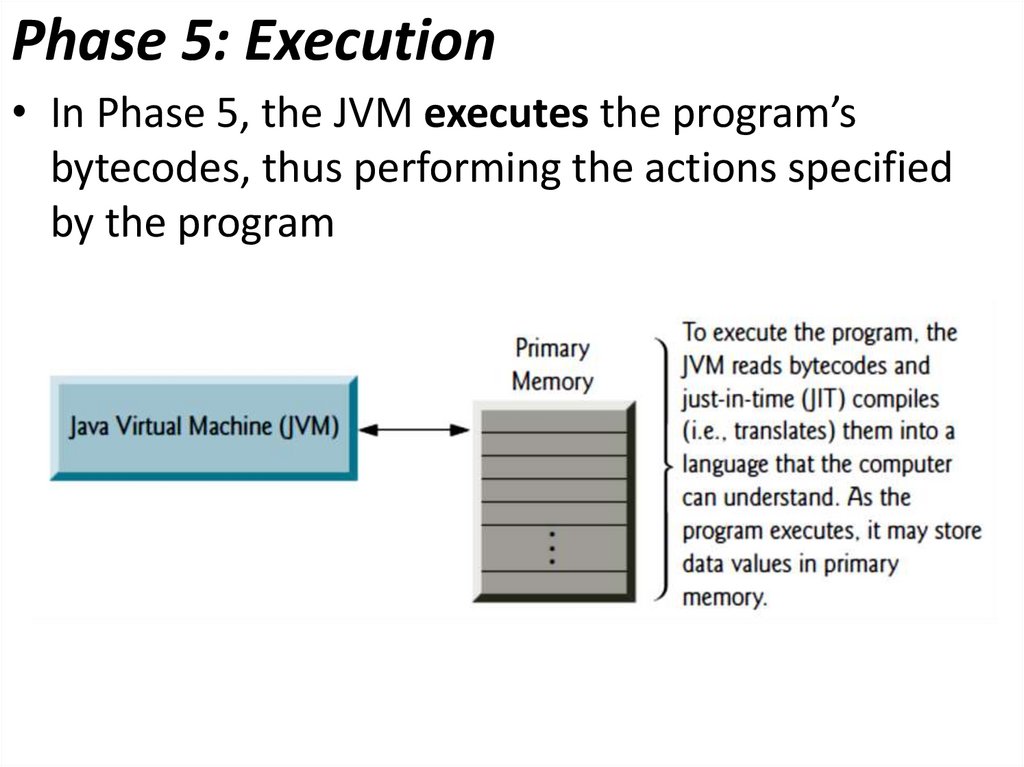
26. Phase 5: Execution
• In Phase 5, the JVM executes the program’sbytecodes, thus performing the actions specified
by the program
27. “Hello world!” Java Example
• For executing any java program, you need to installthe JDK if you don't have installed it, download the
JDK and install it.
http://www.oracle.com/technetwork/java/javase/downloads/index.html
• set path of the jdk/bin directory.
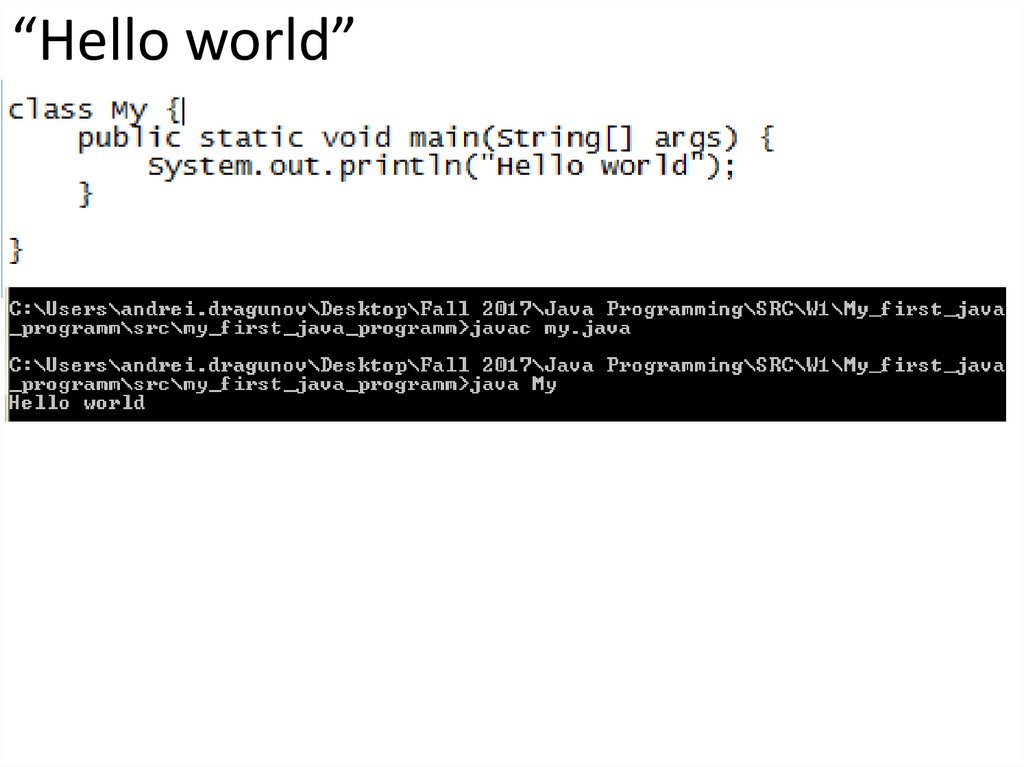
• create the java program
• compile and run the java program
28. “Hello world”
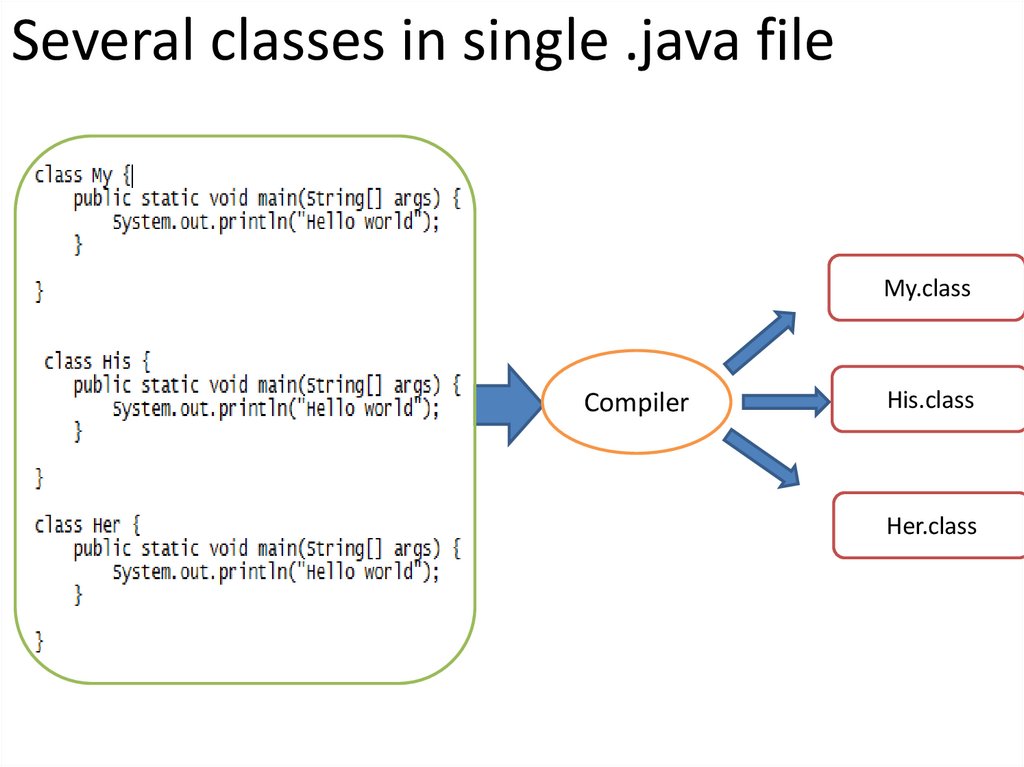
29. Several classes in single .java file
My.classCompiler
His.class
Her.class
30. Lets make it easy…
• You may use whatever you want.31.
0 Lab assignment:• Download and Install JDK
• Download and install preferable IDE
• Implement “Hello world program”