 Интернет
Похожие презентации:








Computer Networking
1. Computer Networking Lecture 1 – part 1
COMPUTER NETWORKINGLECTURE 1 – PART 1
Module information
Introduction to networks
2. attendance
• Myattendance.wlv.ac.uk3. Module structure
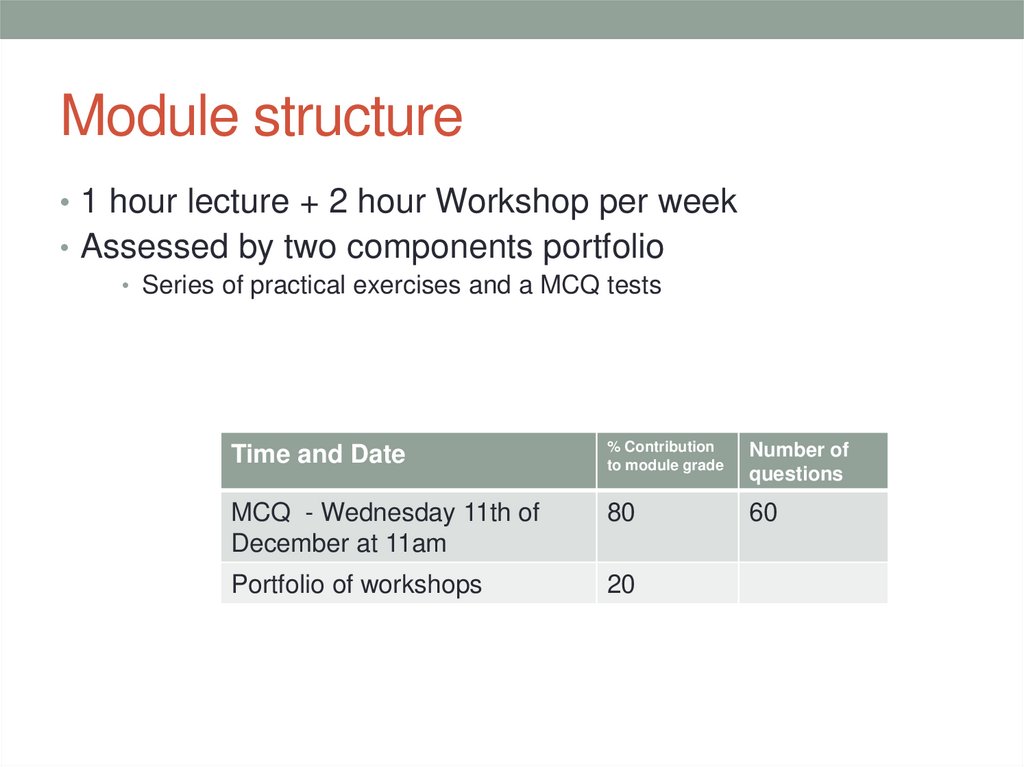
• 1 hour lecture + 2 hour Workshop per week• Assessed by two components portfolio
• Series of practical exercises and a MCQ tests
Time and Date
% Contribution
to module grade
Number of
questions
MCQ - Wednesday 11th of
December at 11am
80
60
Portfolio of workshops
20
4. Typical questions
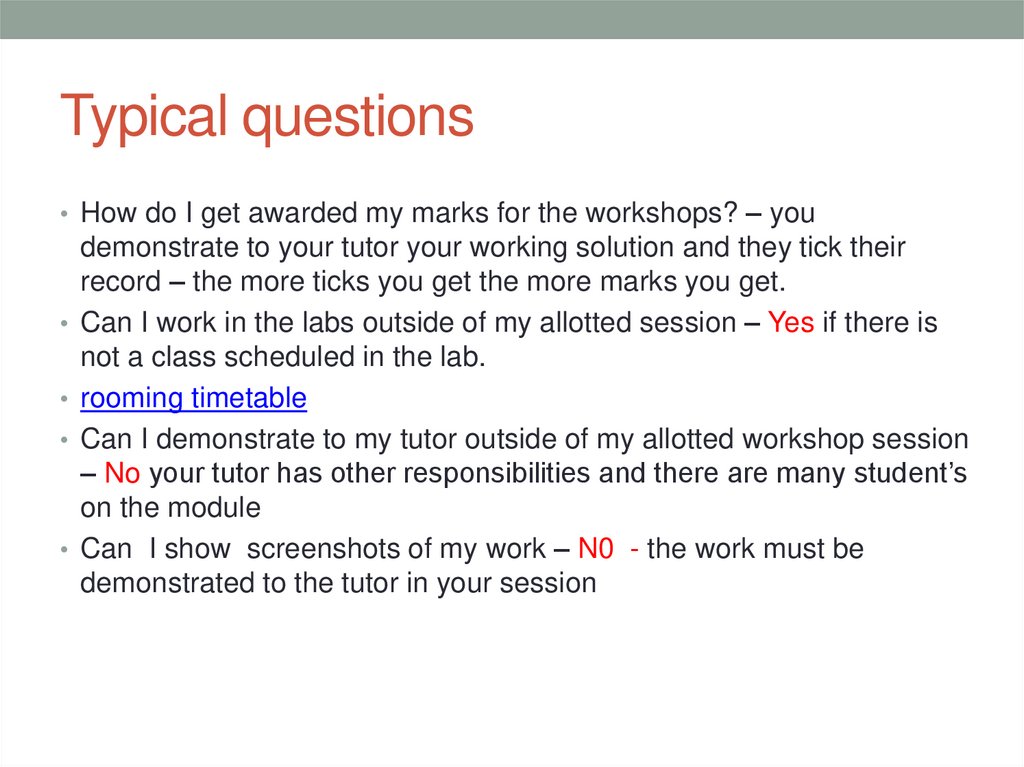
• How do I get awarded my marks for the workshops? – youdemonstrate to your tutor your working solution and they tick their
record – the more ticks you get the more marks you get.
• Can I work in the labs outside of my allotted session – Yes if there is
not a class scheduled in the lab.
• rooming timetable
• Can I demonstrate to my tutor outside of my allotted workshop session
– No your tutor has other responsibilities and there are many student’s
on the module
• Can I show screenshots of my work – N0 - the work must be
demonstrated to the tutor in your session
5. Module aims
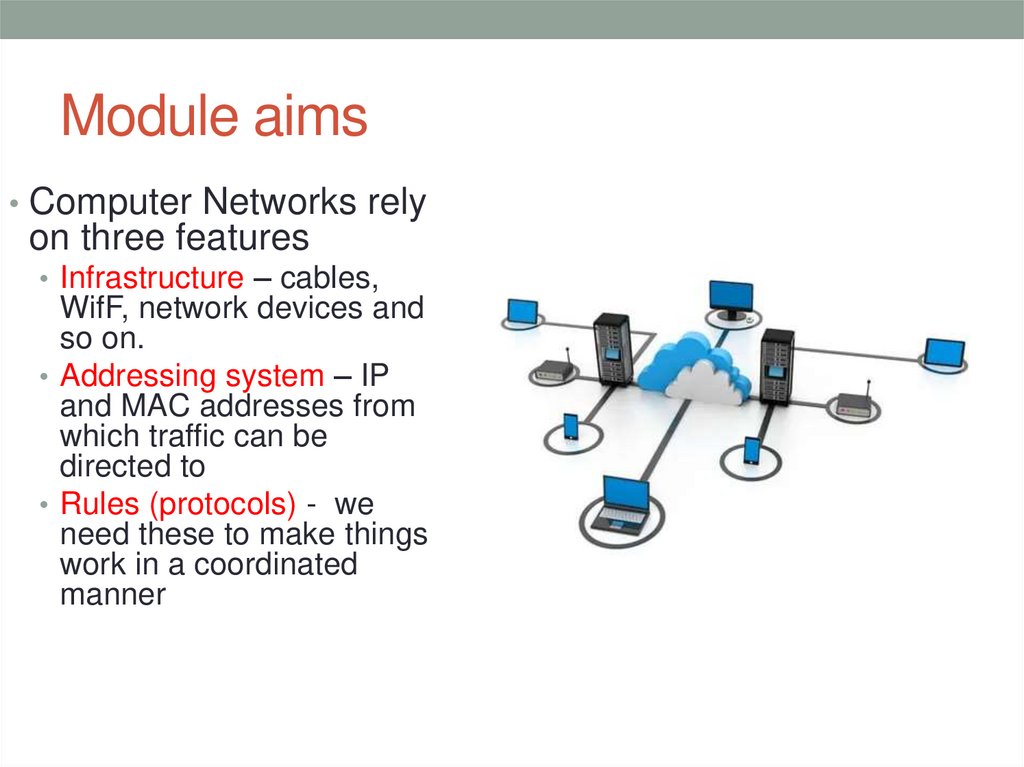
• Computer Networks relyon three features
• Infrastructure – cables,
WifF, network devices and
so on.
• Addressing system – IP
and MAC addresses from
which traffic can be
directed to
• Rules (protocols) - we
need these to make things
work in a coordinated
manner
6.
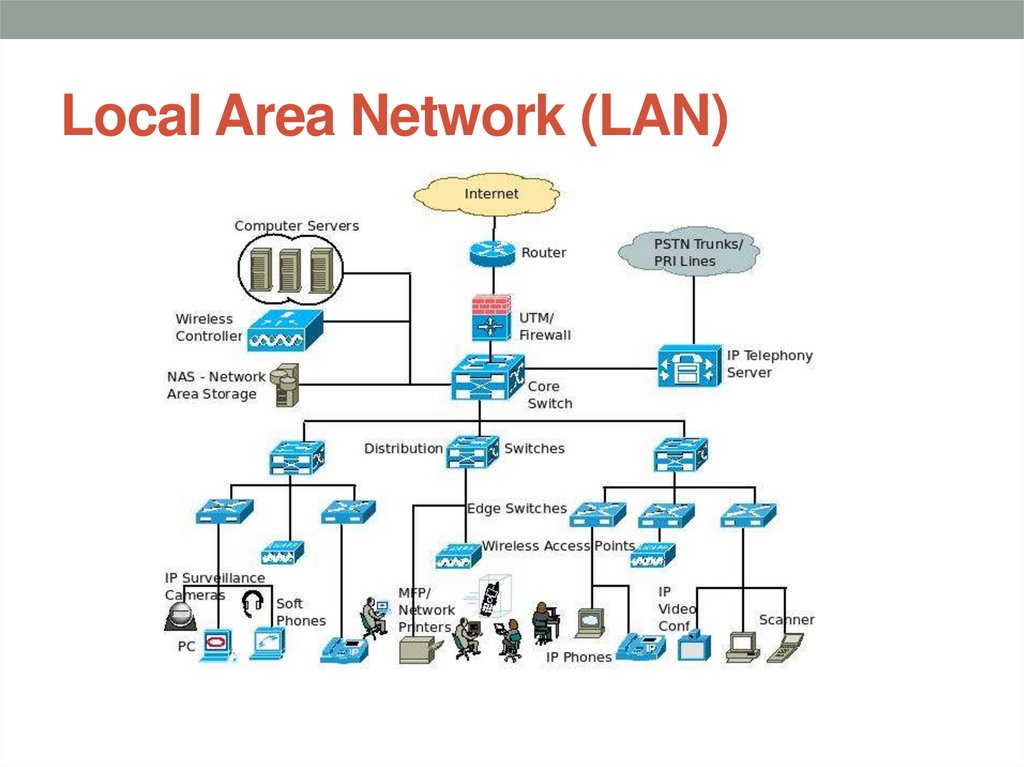
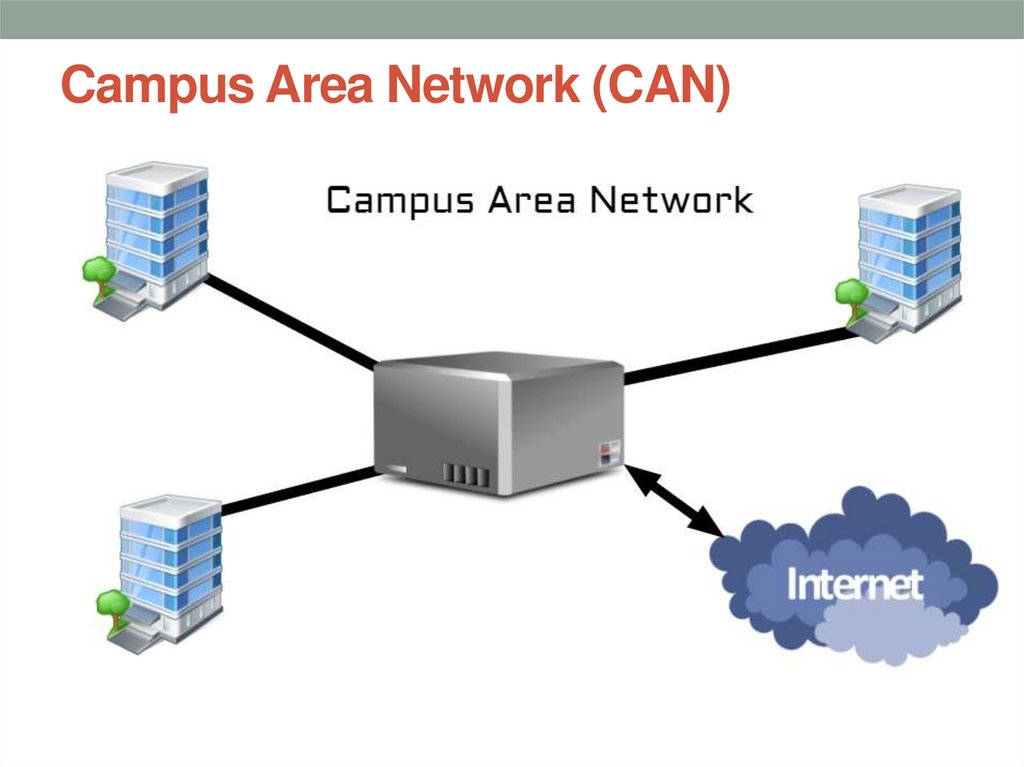
• We will consider the fundamentals of these and howtogether we can make networks operate within and
enterprise like the University (LANs), and how we can
connect to other campuses of the University (WANs) and
make use of the internet etc to connect to other people
etc.,
• Will look at the concepts of how networks and their
services work and the current and future technologies
used
• Gain real life practical skills on industry standard
equipment
7. Passing data across the network
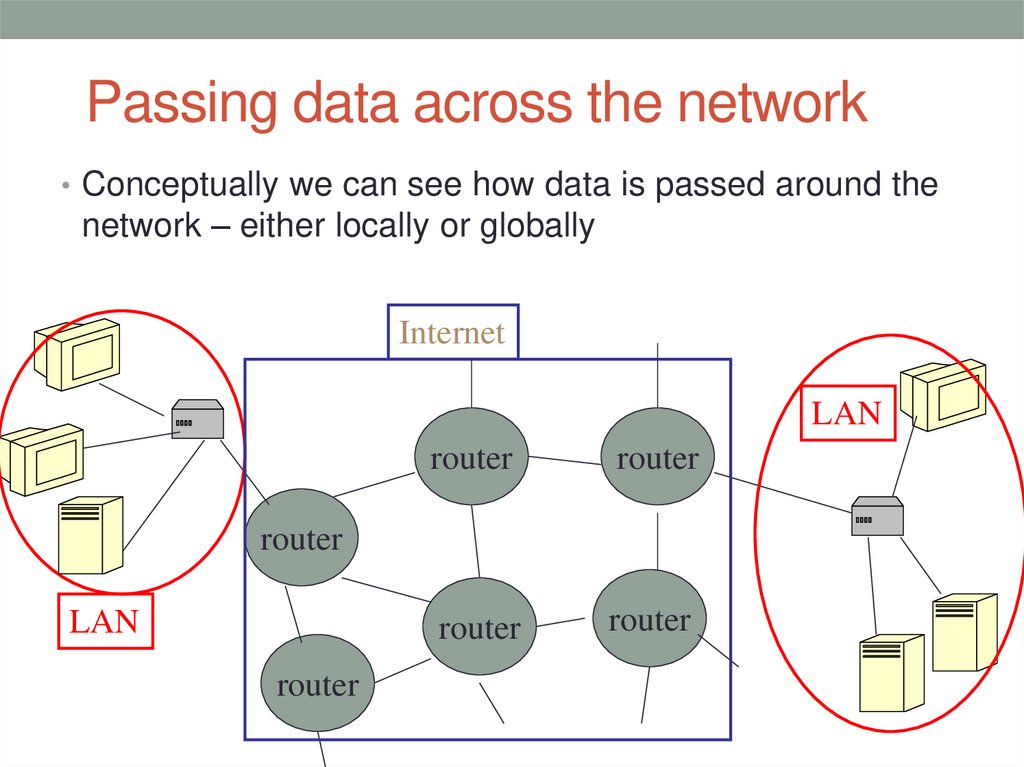
• Conceptually we can see how data is passed around thenetwork – either locally or globally
Internet
LAN
router
router
router
router
router
LAN
router
8. Sending data around the network
SENDING DATA AROUND THENETWORK
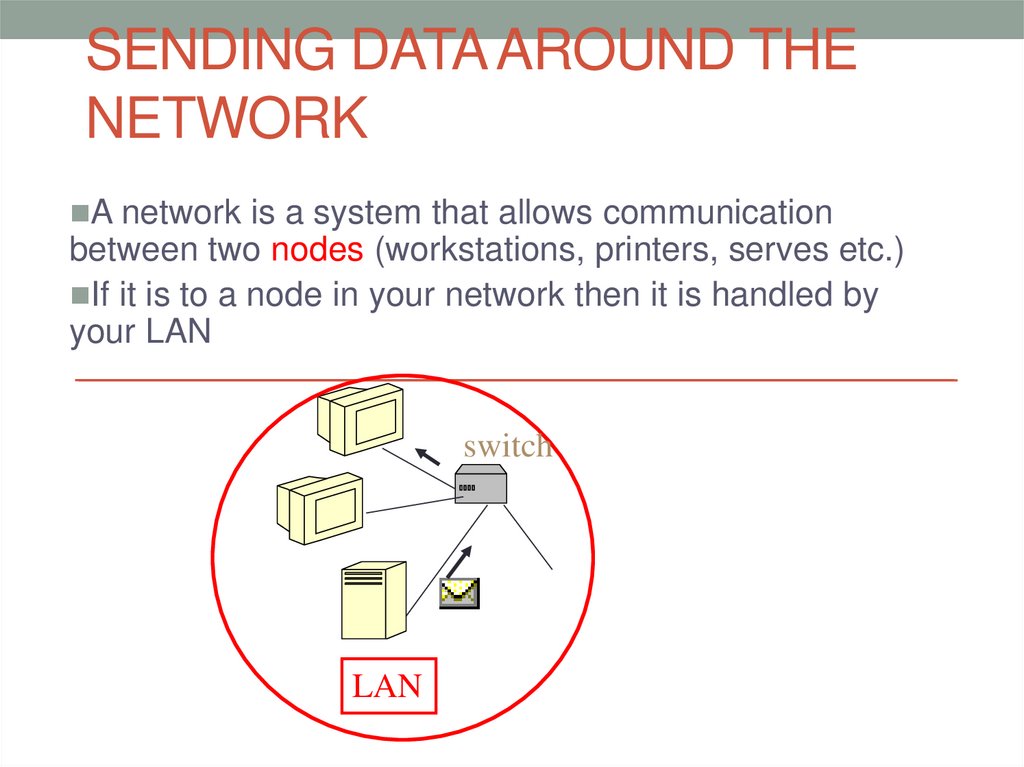
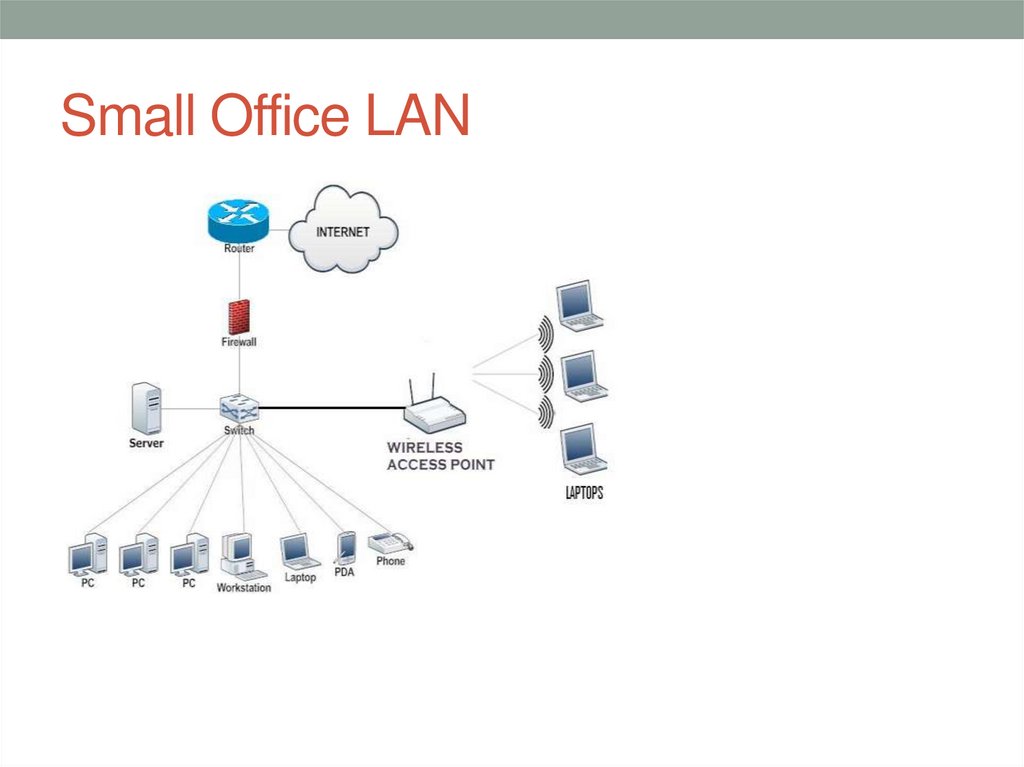
A network is a system that allows communication
between two nodes (workstations, printers, serves etc.)
If it is to a node in your network then it is handled by
your LAN
switch
LAN
9. Passing data around the network
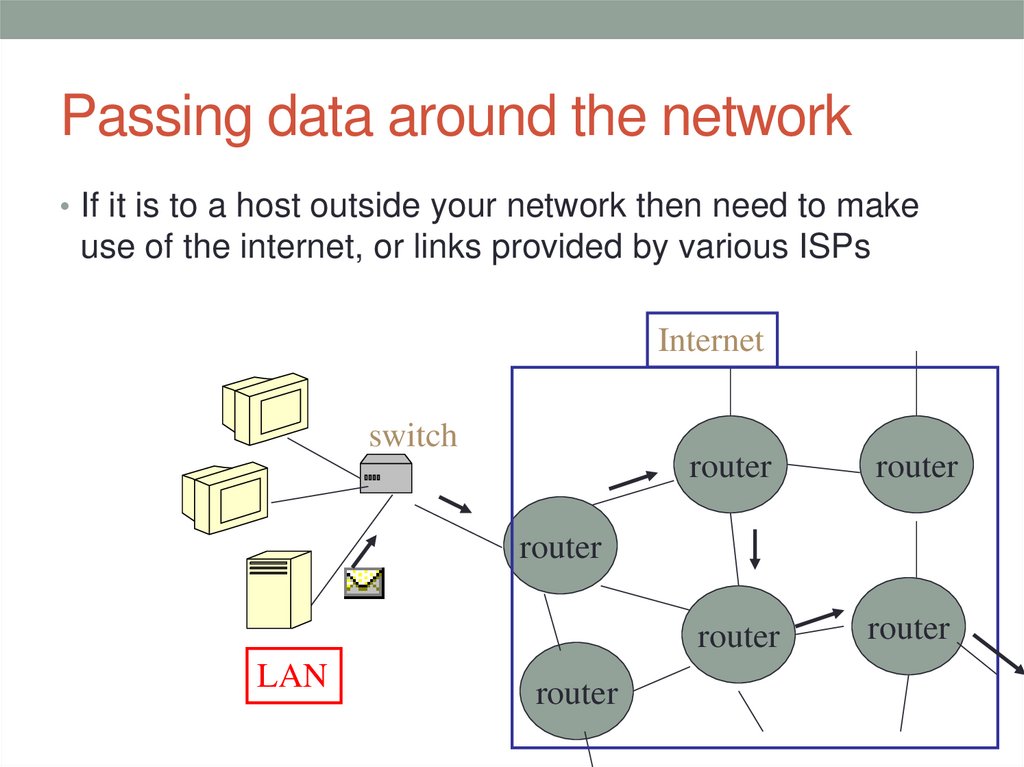
• If it is to a host outside your network then need to makeuse of the internet, or links provided by various ISPs
Internet
switch
router
router
router
router
router
LAN
router
10. File broken into small data packets
• rather than have a connection between your machineand a server for duration of file transfer– would
monopolise all resources between them
• File broken into small packets –each numbered and
has source and destination address – put back
together at destination
• Means equipment can handle other packets from
another communication – sort of multiplexing
11. Handling lots of packets
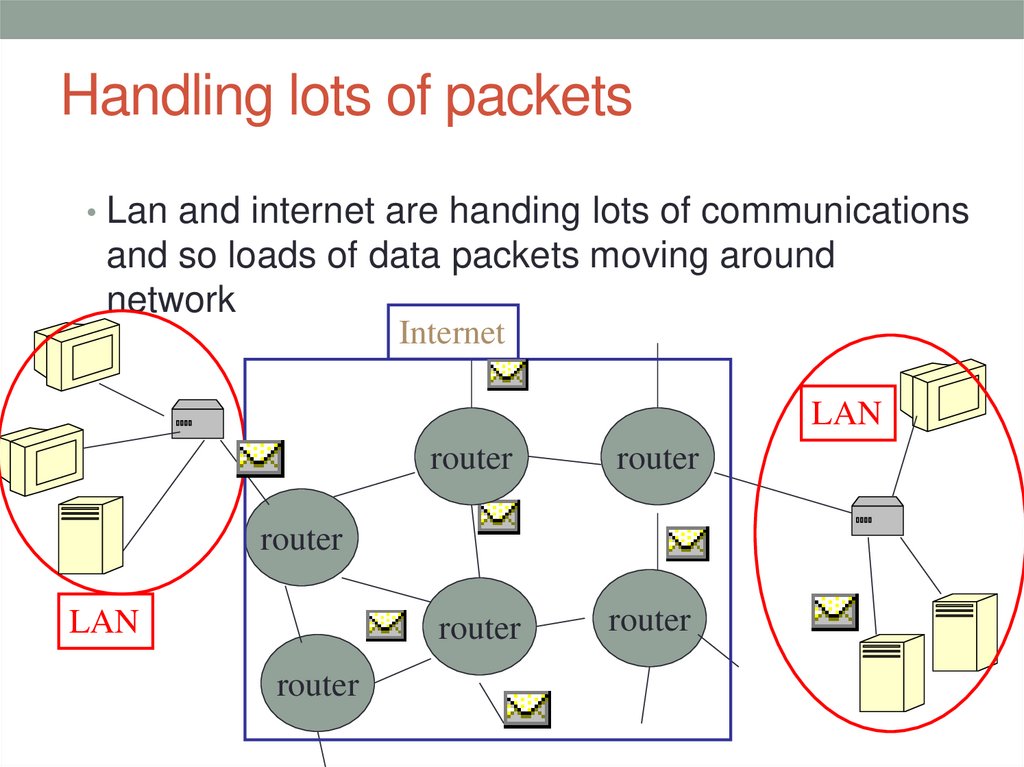
• Lan and internet are handing lots of communicationsand so loads of data packets moving around
network
Internet
LAN
router
router
router
router
router
LAN
router
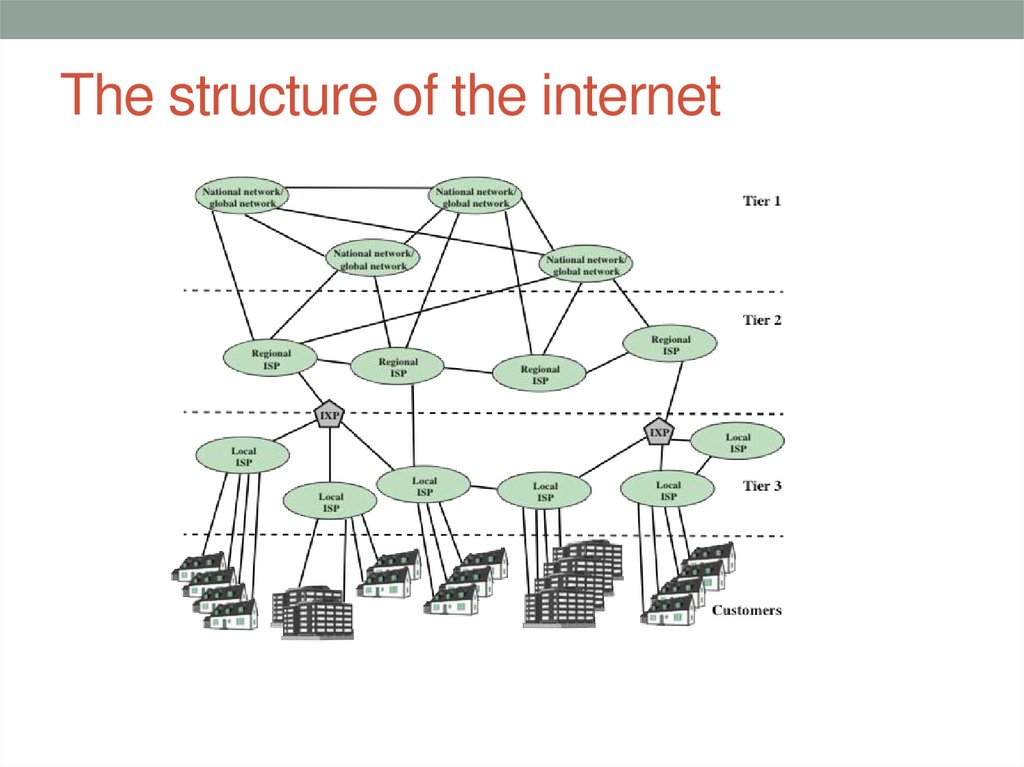
12. The structure of the internet
13. Tier 1 network providers
• At the highest level allow traffic to pass through theirbackbones for free.
• Tier 1 is in fact the backbone of the internet
• Tier 2 networks may have to pay fees to access Tier 1 and
will peer with other tier 2 networks
• Tier 3 networks always pay fees to access tier 2 and
through that to tier 1
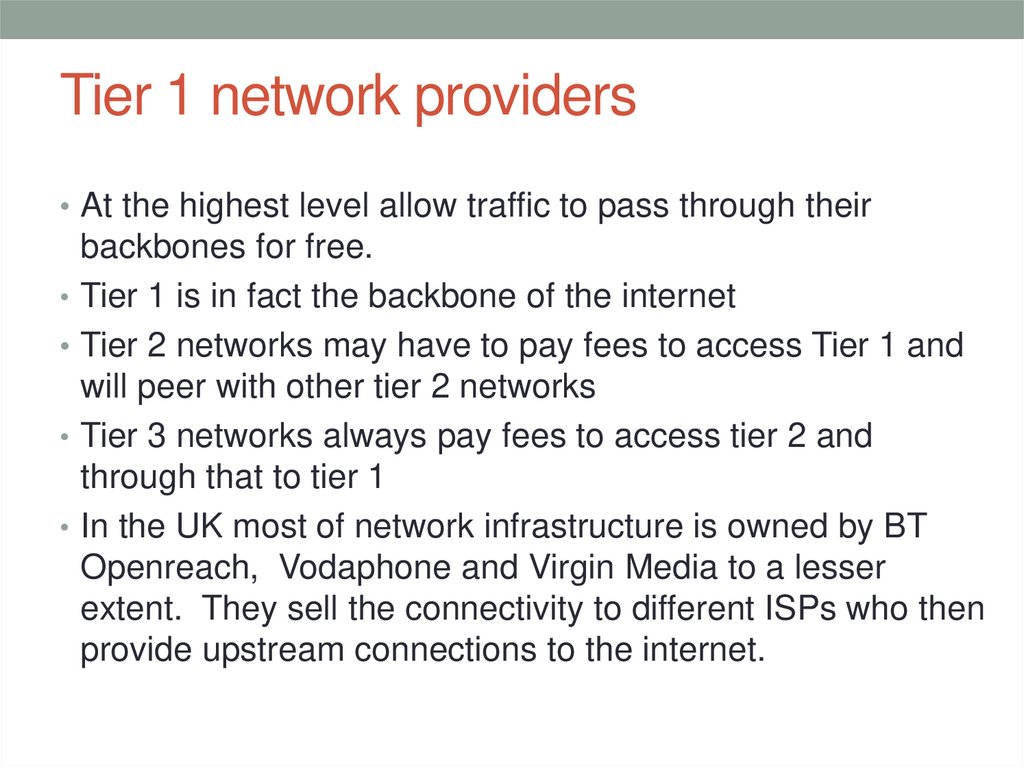
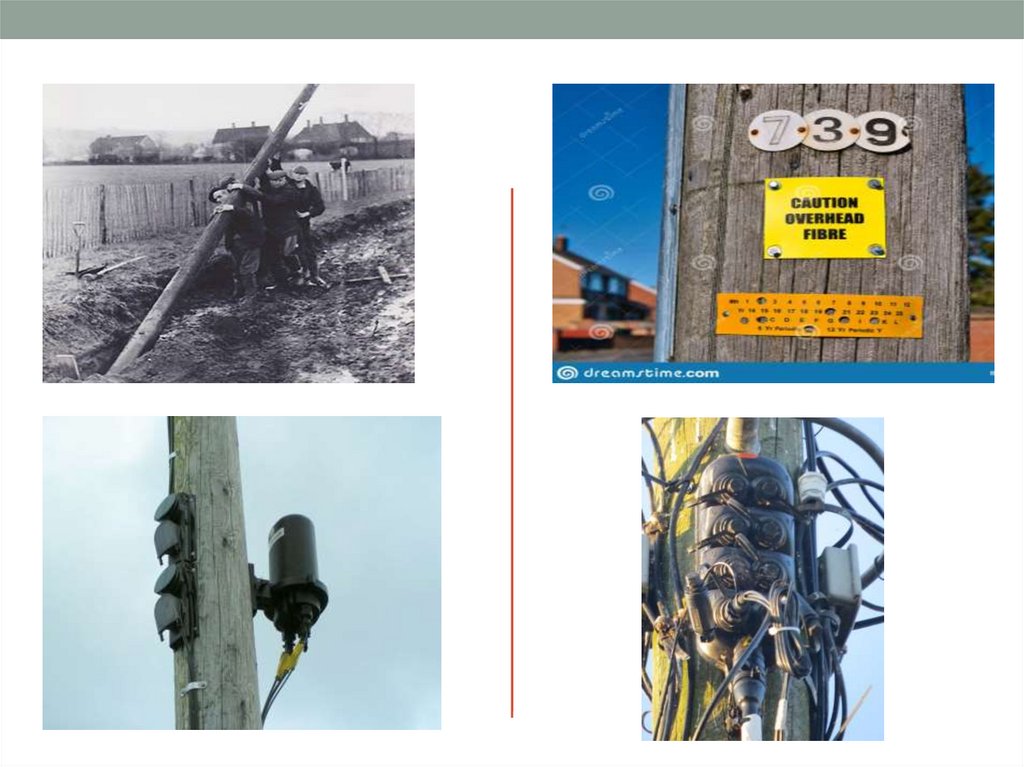
• In the UK most of network infrastructure is owned by BT
Openreach, Vodaphone and Virgin Media to a lesser
extent. They sell the connectivity to different ISPs who then
provide upstream connections to the internet.
14.
15. What do you need to for high bandwidth connection to the internet at home
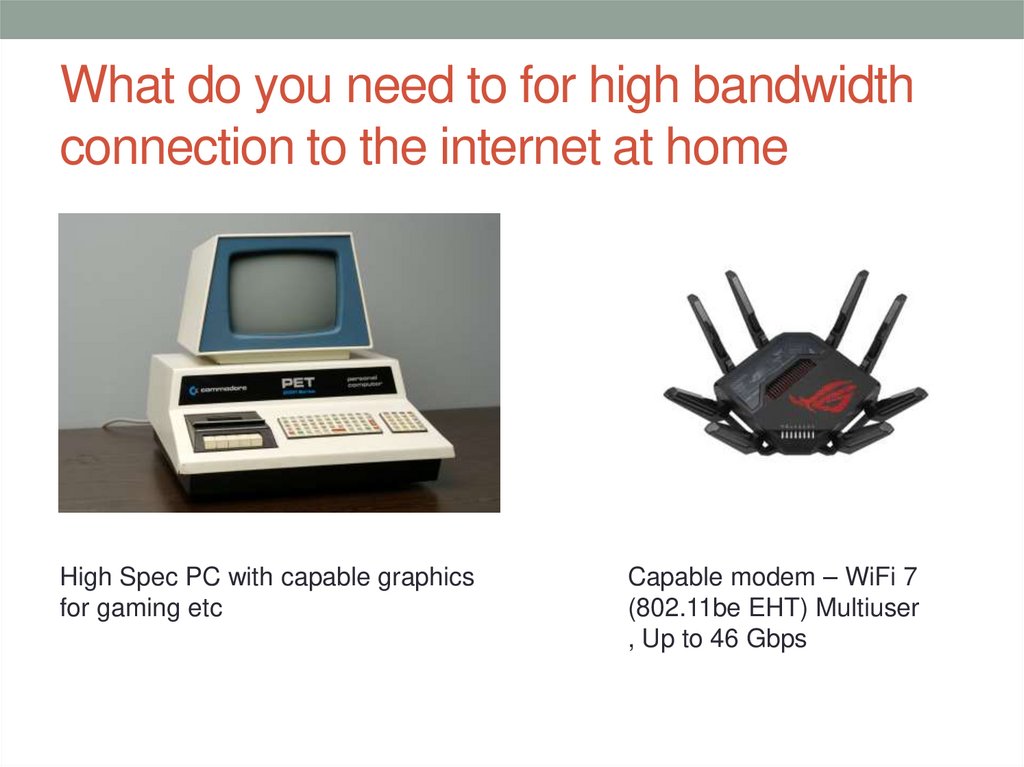
High Spec PC with capable graphicsfor gaming etc
Capable modem – WiFi 7
(802.11be EHT) Multiuser
, Up to 46 Gbps
16. Small Office LAN
17. Local Area Network (LAN)
18. Wireless Local Area Network (WLAN)
19. Campus Area Network (CAN)
20. Wide Area Network (WAN)
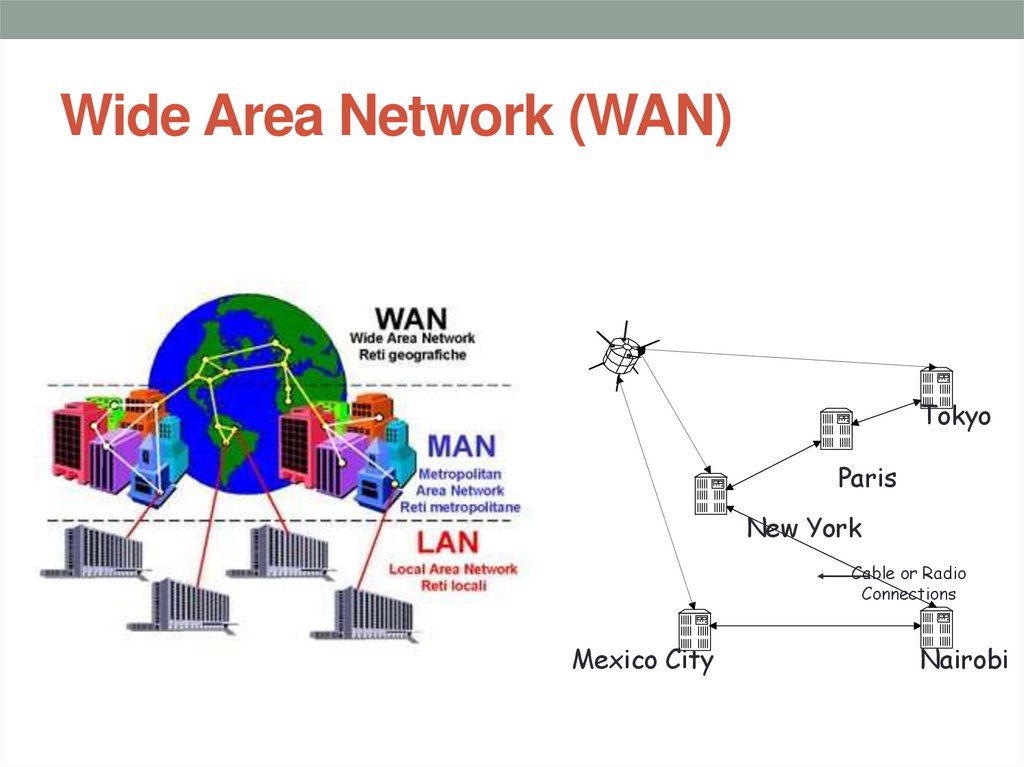
TokyoParis
New York
Cable or Radio
Connections
Mexico City
Nairobi