





 Программное обеспечение
Похожие презентации:









FrameGraph: Extensible Rendering Architecture in Frostbite
1. FrameGraph: Extensible Rendering Architecture in Frostbite Yuriy O’Donnell Rendering Engineer Frostbite
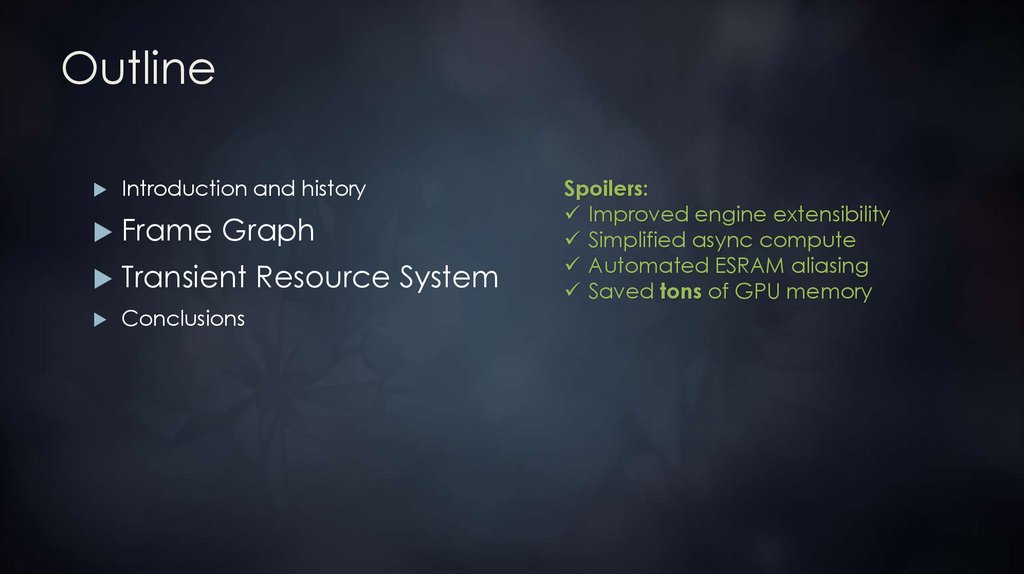
2. Outline
Introduction and historyFrame Graph
Transient Resource System
Conclusions
Spoilers:
Improved engine extensibility
Simplified async compute
Automated ESRAM aliasing
Saved tons of GPU memory
3. Introduction
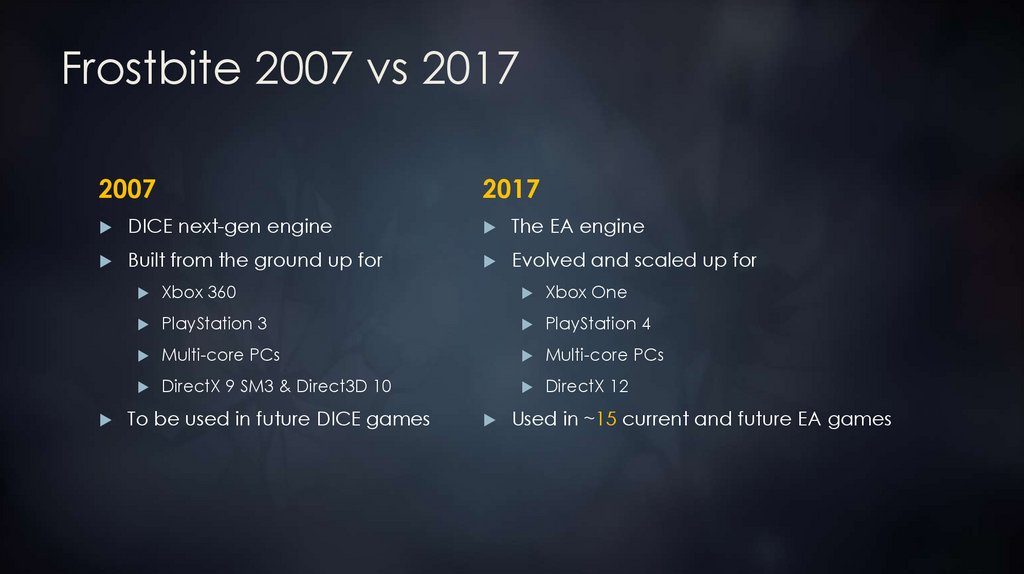
FROSTBITE EVOLUTION OVER THE LAST DECADE4. Frostbite 2007 vs 2017
20072017
DICE next-gen engine
The EA engine
Built from the ground up for
Evolved and scaled up for
Xbox 360
Xbox One
PlayStation 3
PlayStation 4
Multi-core PCs
Multi-core PCs
DirectX 9 SM3 & Direct3D 10
DirectX 12
To be used in future DICE games
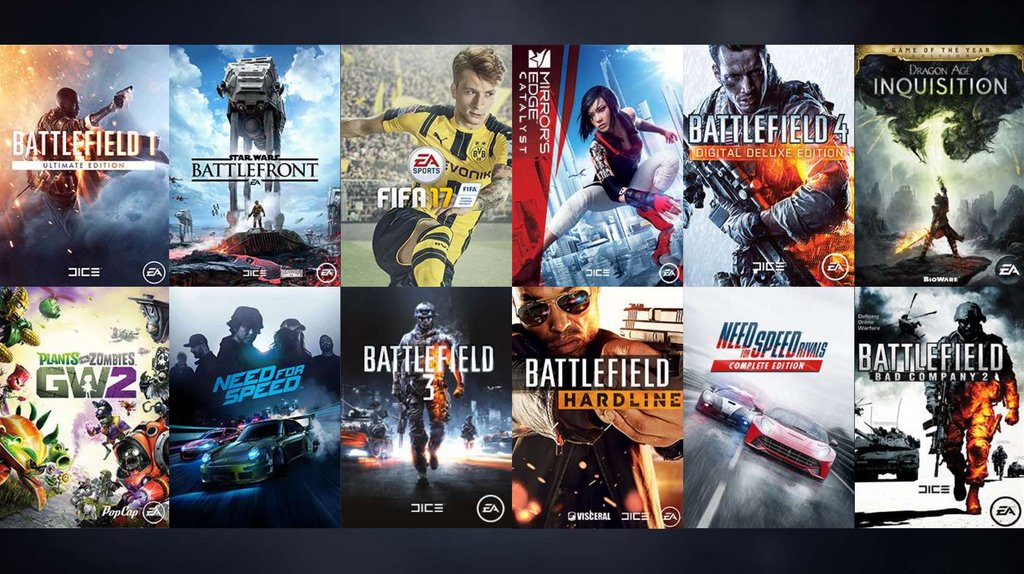
Used in ~15 current and future EA games
5.
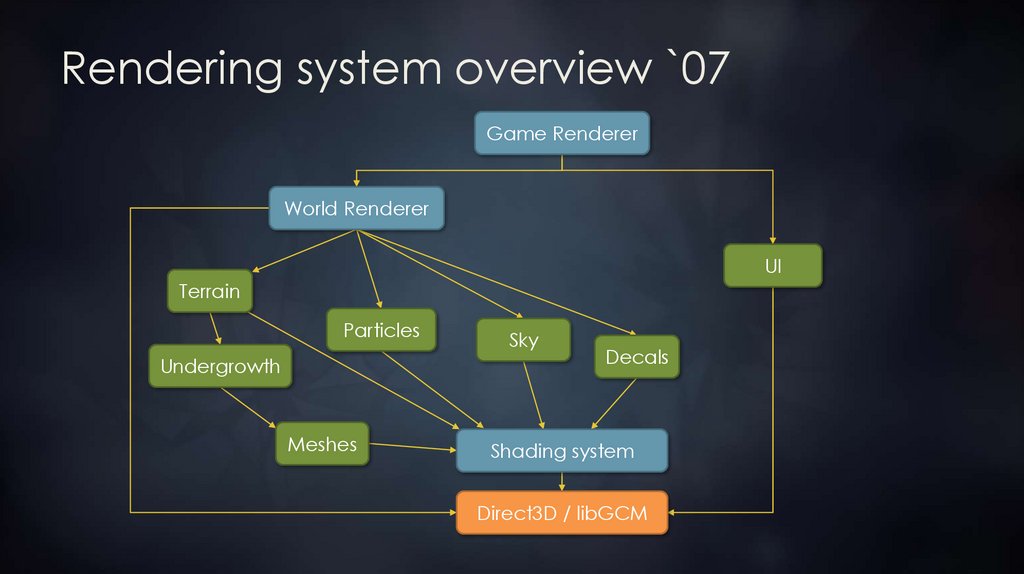
6. Rendering system overview `07
Game RendererWorld Renderer
UI
Terrain
Particles
Undergrowth
Meshes
Sky
Decals
Shading system
Direct3D / libGCM
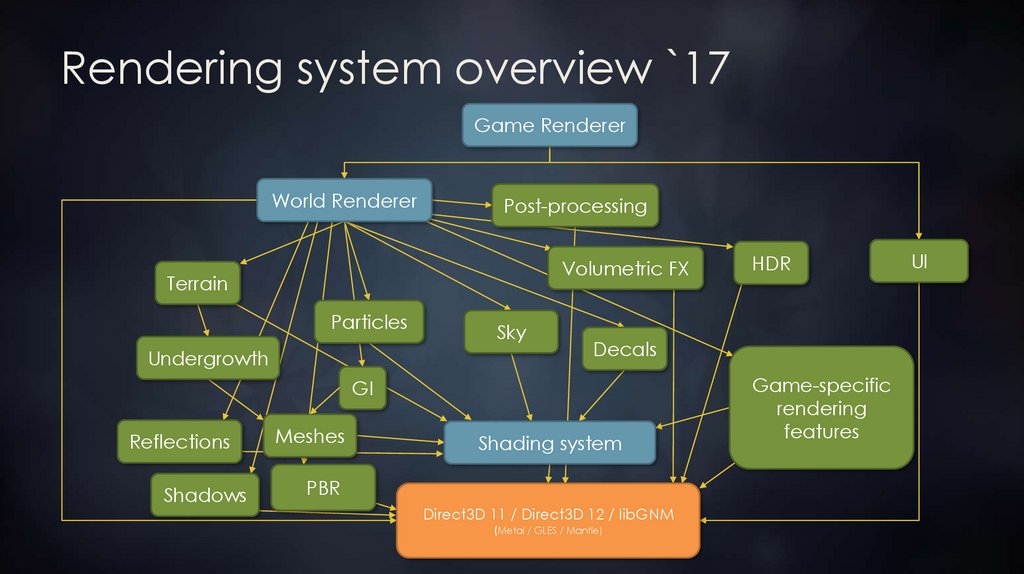
7. Rendering system overview `17
Game RendererWorld Renderer
Post-processing
Volumetric FX
Terrain
Particles
Undergrowth
Sky
Decals
GI
Reflections
Shadows
Meshes
HDR
Shading system
PBR
Direct3D 11 / Direct3D 12 / libGNM
(Metal / GLES / Mantle)
Game-specific
rendering
features
UI
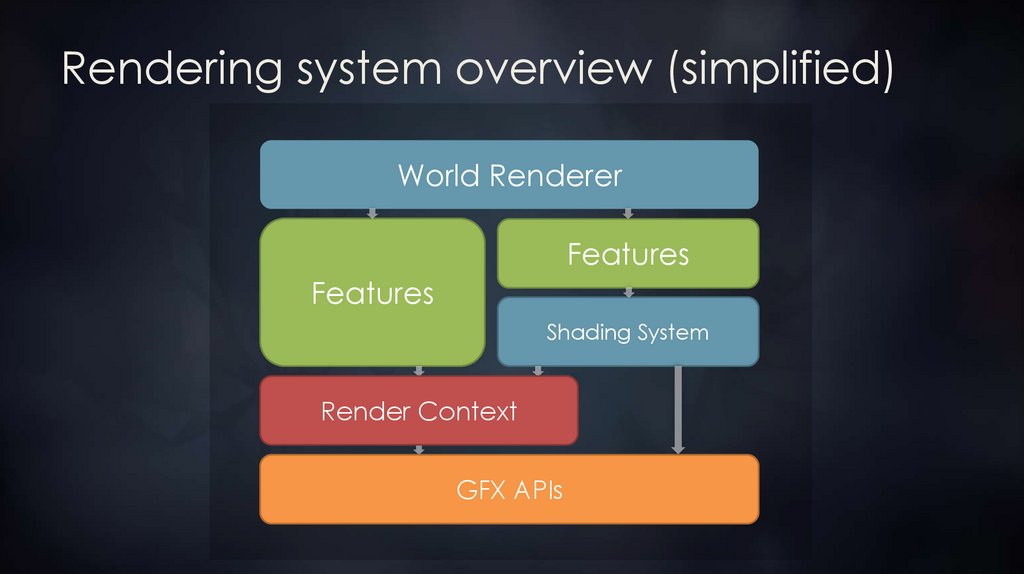
8. Rendering system overview (simplified)
World RendererFeatures
Features
Shading System
Render Context
GFX APIs
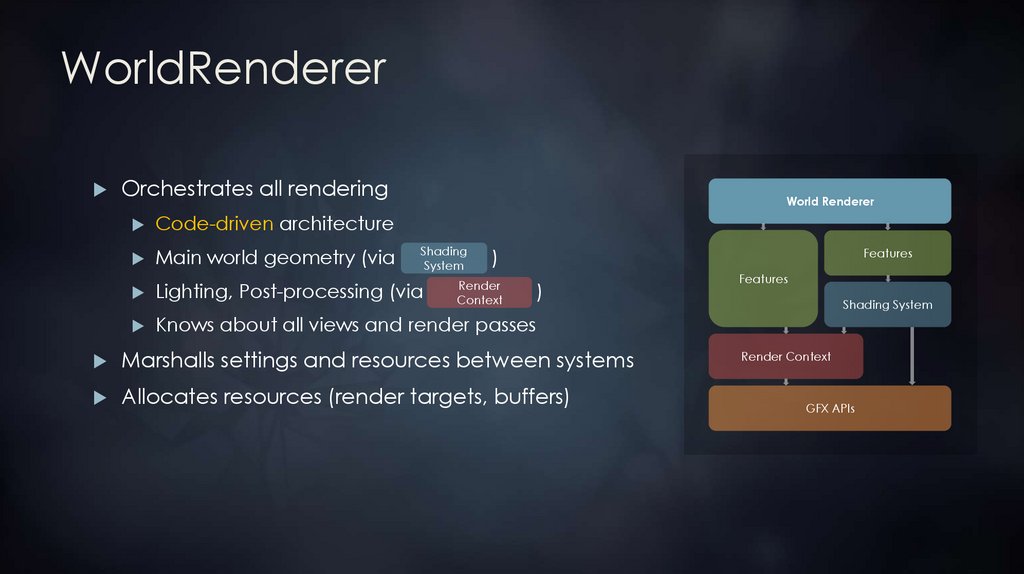
9. WorldRenderer
Orchestrates all renderingWorld Renderer
Code-driven architecture
Main world geometry (via
Shading
System
Lighting, Post-processing (via
)
Render
Context
Features
)
Features
Shading System
Knows about all views and render passes
Marshalls settings and resources between systems
Allocates resources (render targets, buffers)
Render Context
GFX APIs
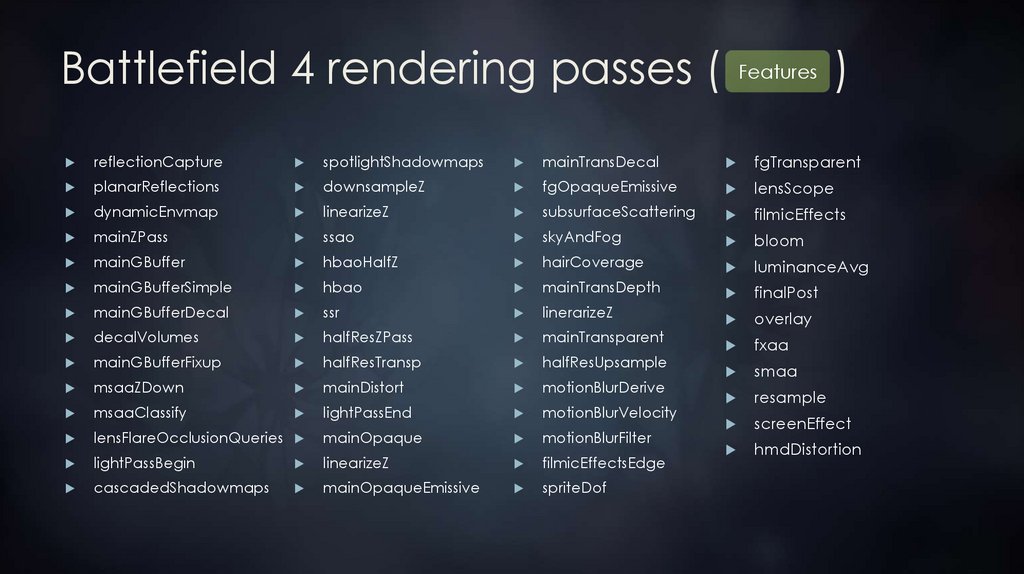
10. Battlefield 4 rendering passes ( )
Battlefield 4 rendering passes ( Features )reflectionCapture
spotlightShadowmaps
mainTransDecal
fgTransparent
planarReflections
downsampleZ
fgOpaqueEmissive
lensScope
dynamicEnvmap
linearizeZ
subsurfaceScattering
filmicEffects
mainZPass
ssao
skyAndFog
bloom
mainGBuffer
hbaoHalfZ
hairCoverage
luminanceAvg
mainGBufferSimple
hbao
mainTransDepth
finalPost
mainGBufferDecal
ssr
linerarizeZ
decalVolumes
halfResZPass
mainTransparent
overlay
halfResTransp
halfResUpsample
fxaa
mainGBufferFixup
mainDistort
motionBlurDerive
smaa
msaaZDown
lightPassEnd
motionBlurVelocity
resample
msaaClassify
lensFlareOcclusionQueries
mainOpaque
motionBlurFilter
screenEffect
lightPassBegin
linearizeZ
filmicEffectsEdge
hmdDistortion
cascadedShadowmaps
mainOpaqueEmissive
spriteDof
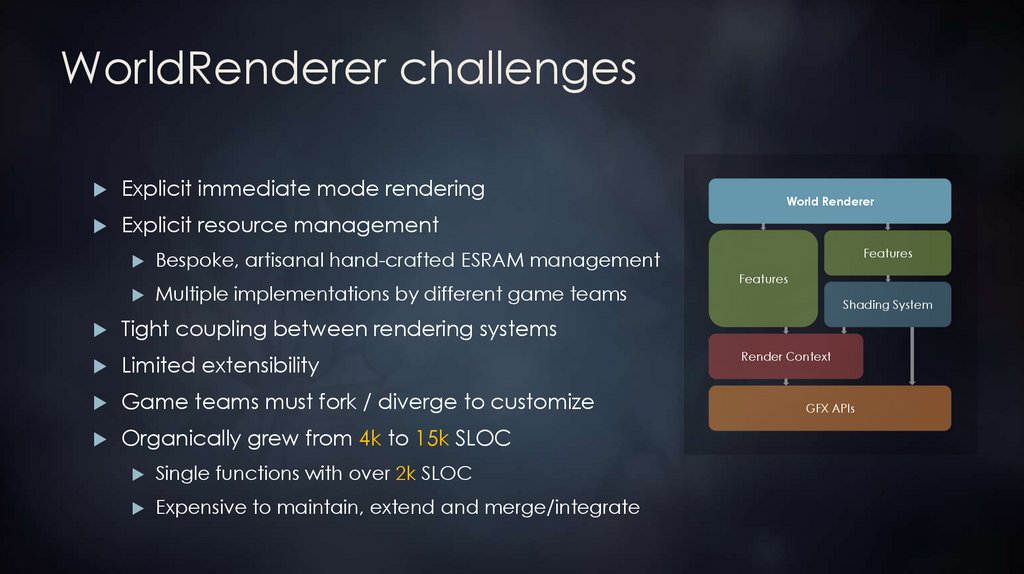
11. WorldRenderer challenges
Explicit immediate mode renderingExplicit resource management
World Renderer
Features
Bespoke, artisanal hand-crafted ESRAM management
Multiple implementations by different game teams
Tight coupling between rendering systems
Limited extensibility
Game teams must fork / diverge to customize
Organically grew from 4k to 15k SLOC
Single functions with over 2k SLOC
Expensive to maintain, extend and merge/integrate
Features
Shading System
Render Context
GFX APIs
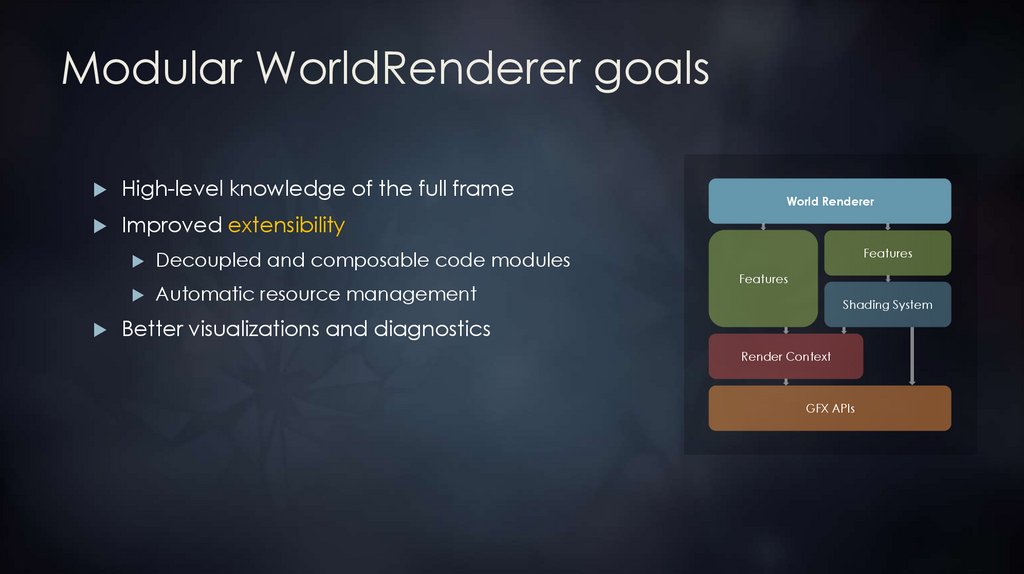
12. Modular WorldRenderer goals
High-level knowledge of the full frameImproved extensibility
World Renderer
Features
Decoupled and composable code modules
Automatic resource management
Features
Shading System
Better visualizations and diagnostics
Render Context
GFX APIs
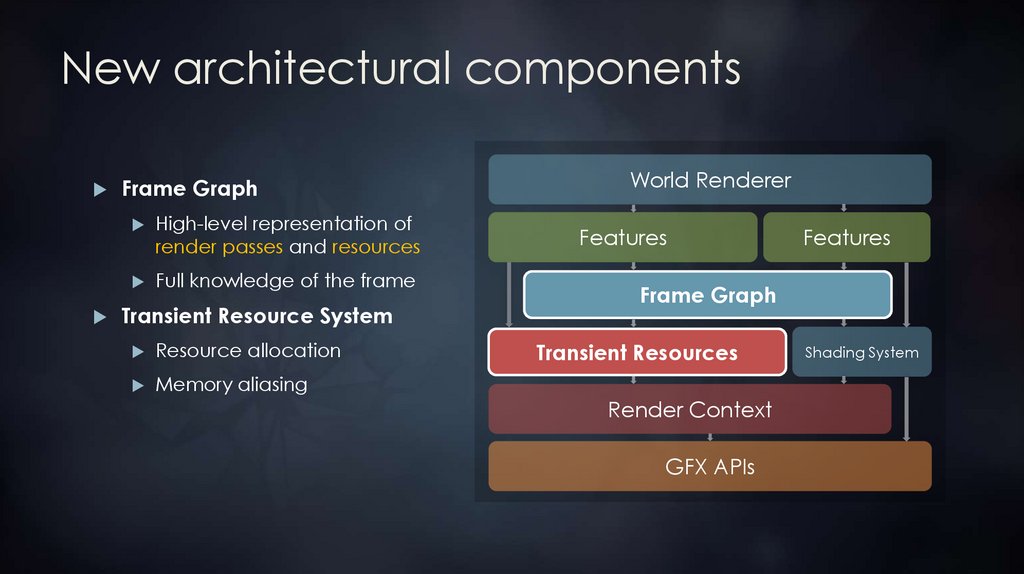
13. New architectural components
Frame GraphHigh-level representation of
render passes and resources
Full knowledge of the frame
Transient Resource System
Resource allocation
World Renderer
Features
Features
Frame Graph
Transient Resources
Memory aliasing
Render Context
GFX APIs
Shading System
14. Frame Graph
15. Frame Graph goals
Build high-level knowledge of the entire frameSimplify resource management
Simplify rendering pipeline configuration
Simplify async compute and resource barriers
Allow self-contained and efficient rendering modules
Visualize and debug complex rendering pipelines
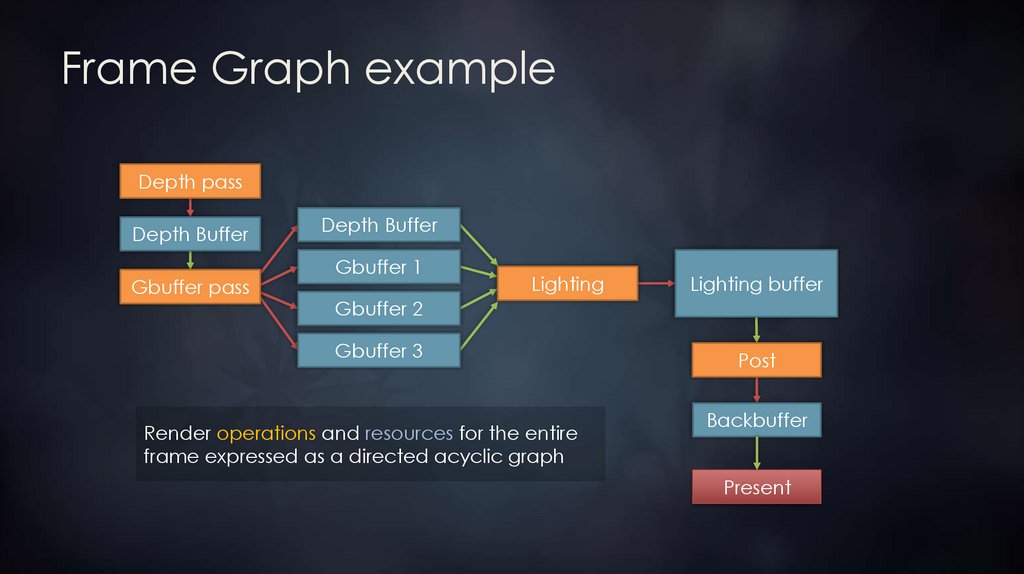
16. Frame Graph example
Depth passDepth Buffer
Gbuffer pass
Depth Buffer
Gbuffer 1
Lighting
Lighting buffer
Gbuffer 2
Gbuffer 3
Render operations and resources for the entire
frame expressed as a directed acyclic graph
Post
Backbuffer
Present
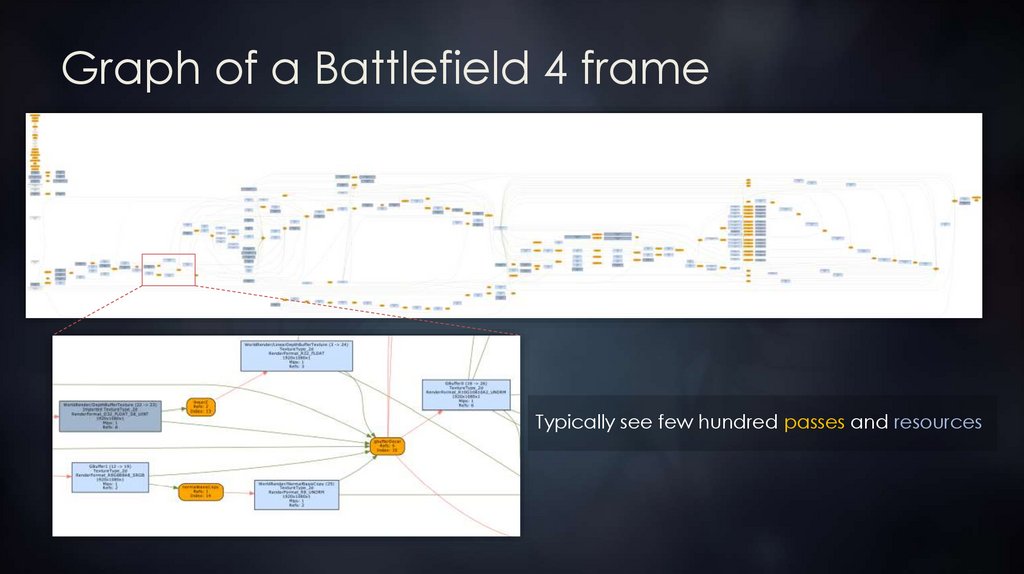
17. Graph of a Battlefield 4 frame
Typically see few hundred passes and resources18.
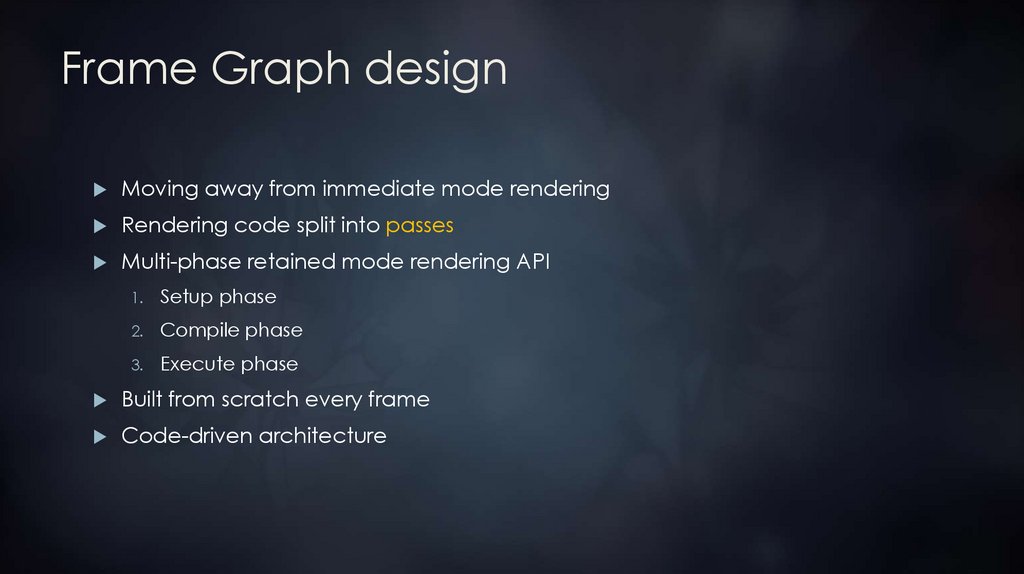
19. Frame Graph design
Moving away from immediate mode renderingRendering code split into passes
Multi-phase retained mode rendering API
1.
Setup phase
2.
Compile phase
3.
Execute phase
Built from scratch every frame
Code-driven architecture
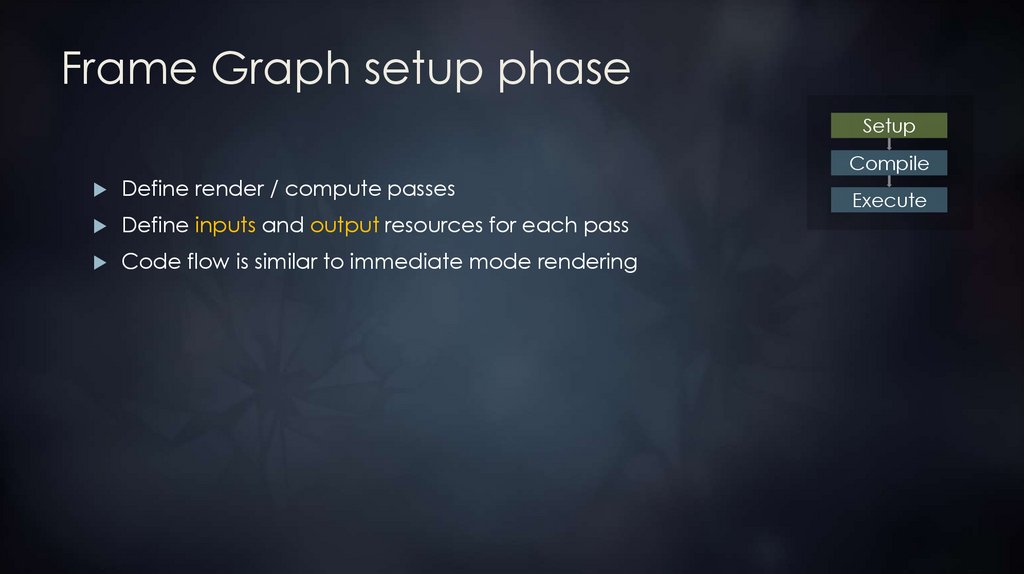
20. Frame Graph setup phase
SetupCompile
Define render / compute passes
Define inputs and output resources for each pass
Code flow is similar to immediate mode rendering
Execute
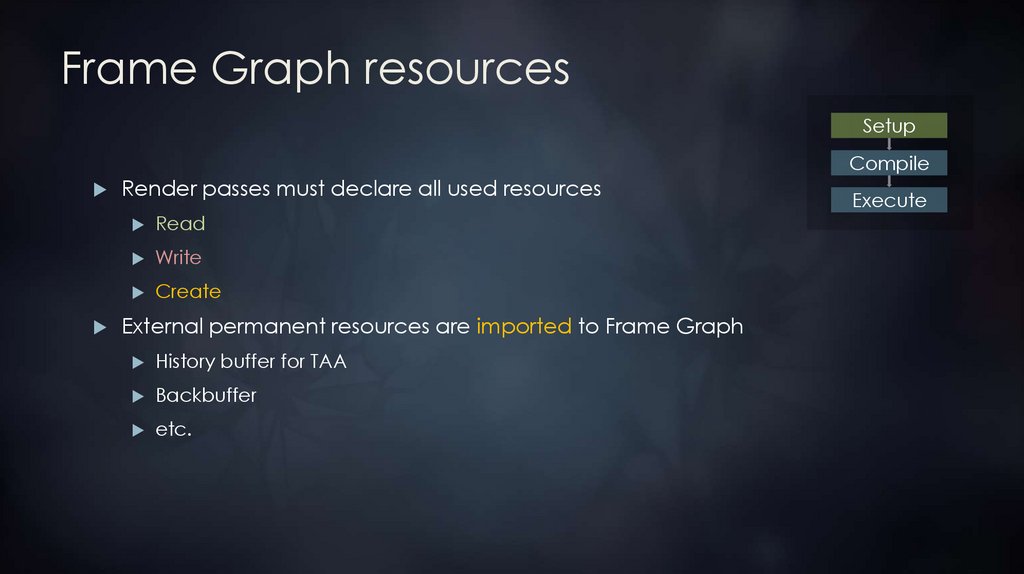
21. Frame Graph resources
SetupCompile
Render passes must declare all used resources
Read
Write
Create
External permanent resources are imported to Frame Graph
History buffer for TAA
Backbuffer
etc.
Execute
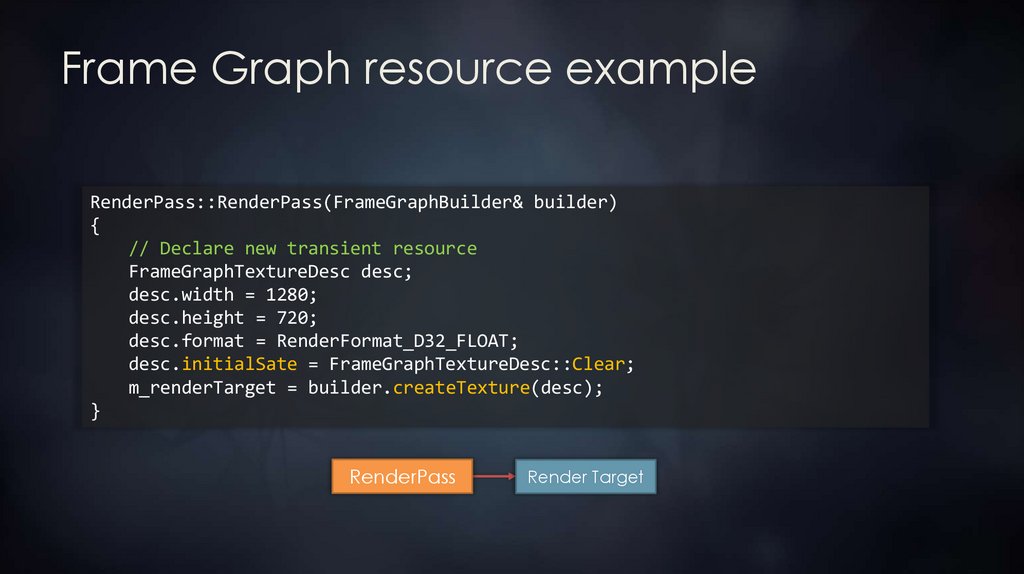
22. Frame Graph resource example
RenderPass::RenderPass(FrameGraphBuilder& builder){
// Declare new transient resource
FrameGraphTextureDesc desc;
desc.width = 1280;
desc.height = 720;
desc.format = RenderFormat_D32_FLOAT;
desc.initialSate = FrameGraphTextureDesc::Clear;
m_renderTarget = builder.createTexture(desc);
}
RenderPass
Render Target
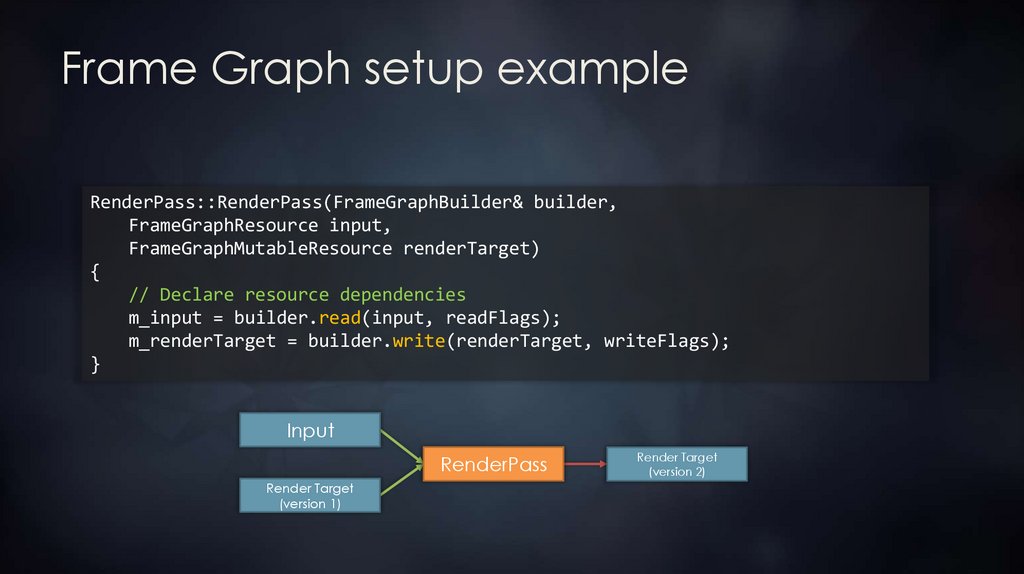
23. Frame Graph setup example
RenderPass::RenderPass(FrameGraphBuilder& builder,FrameGraphResource input,
FrameGraphMutableResource renderTarget)
{
// Declare resource dependencies
m_input = builder.read(input, readFlags);
m_renderTarget = builder.write(renderTarget, writeFlags);
}
Input
RenderPass
Render Target
(version 1)
Render Target
(version 2)
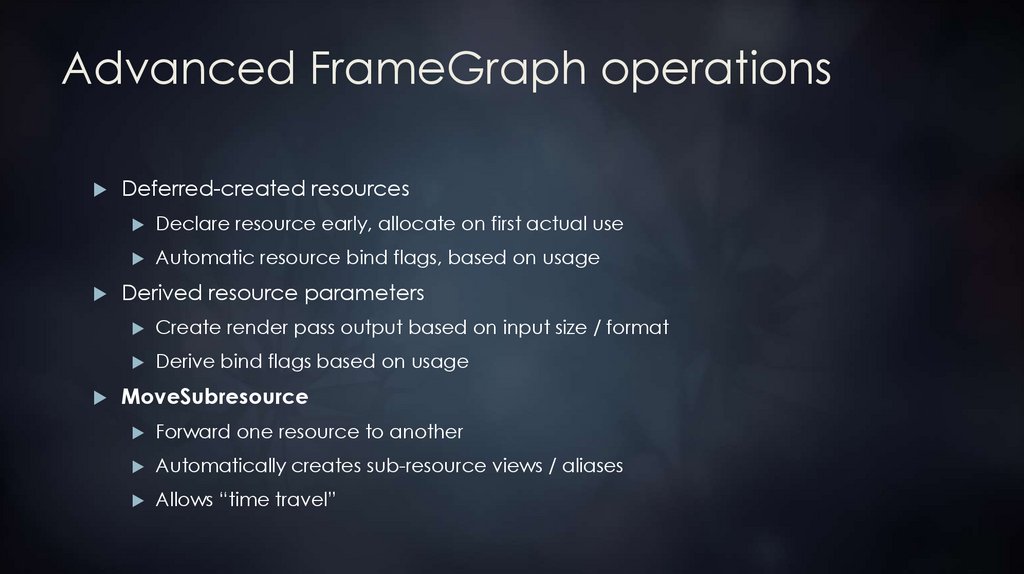
24. Advanced FrameGraph operations
Deferred-created resourcesDeclare resource early, allocate on first actual use
Automatic resource bind flags, based on usage
Derived resource parameters
Create render pass output based on input size / format
Derive bind flags based on usage
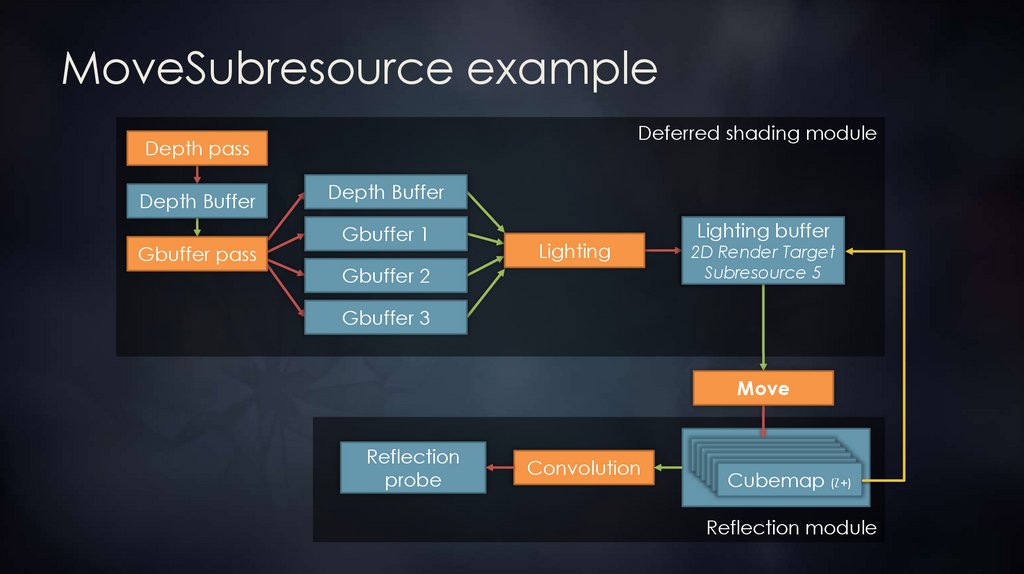
MoveSubresource
Forward one resource to another
Automatically creates sub-resource views / aliases
Allows “time travel”
25. MoveSubresource example
Deferred shading moduleDepth pass
Depth Buffer
Gbuffer pass
Depth Buffer
Gbuffer 1
Lighting
Gbuffer 2
Lighting buffer
Lighting buffer
2D Render Target
2D Render Target
Subresource 5
Gbuffer 3
Move
Reflection
probe
Convolution
Cubemap
X+
Cubemap
X+
Cubemap
X+
Cubemap
X+
Cubemap
CubemapX+
(Z+)
Reflection module
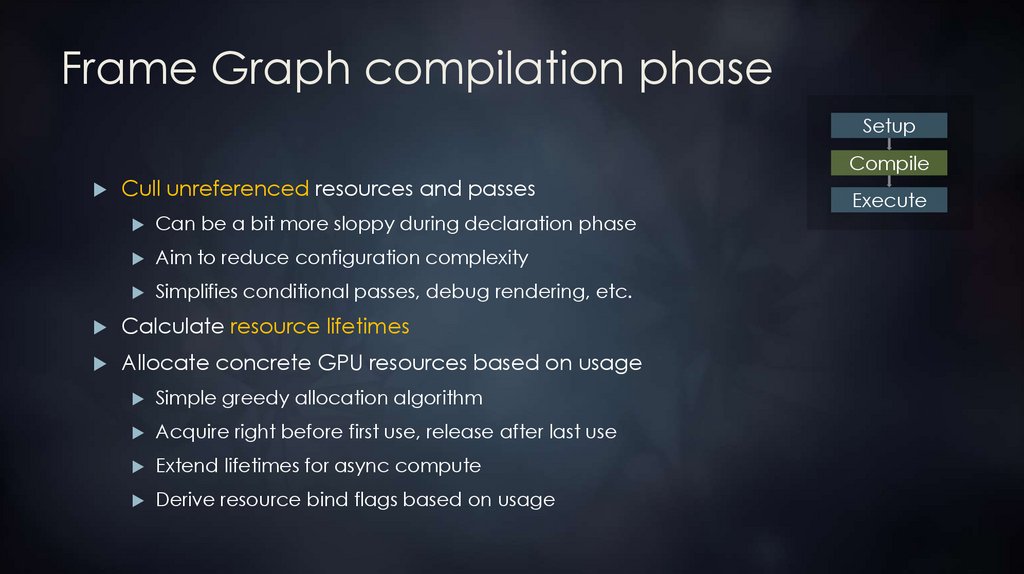
26. Frame Graph compilation phase
SetupCompile
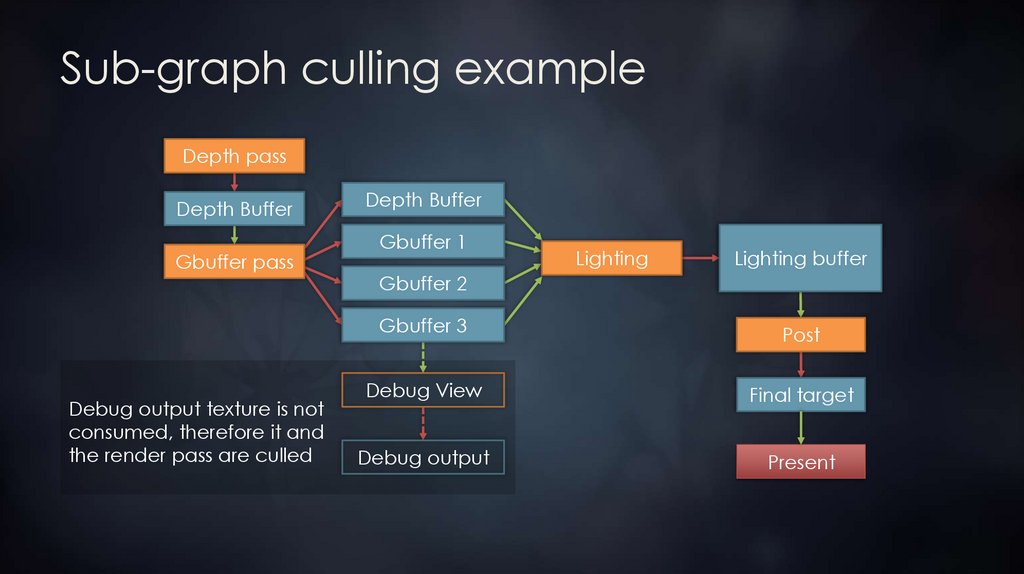
Cull unreferenced resources and passes
Can be a bit more sloppy during declaration phase
Aim to reduce configuration complexity
Simplifies conditional passes, debug rendering, etc.
Calculate resource lifetimes
Allocate concrete GPU resources based on usage
Simple greedy allocation algorithm
Acquire right before first use, release after last use
Extend lifetimes for async compute
Derive resource bind flags based on usage
Execute
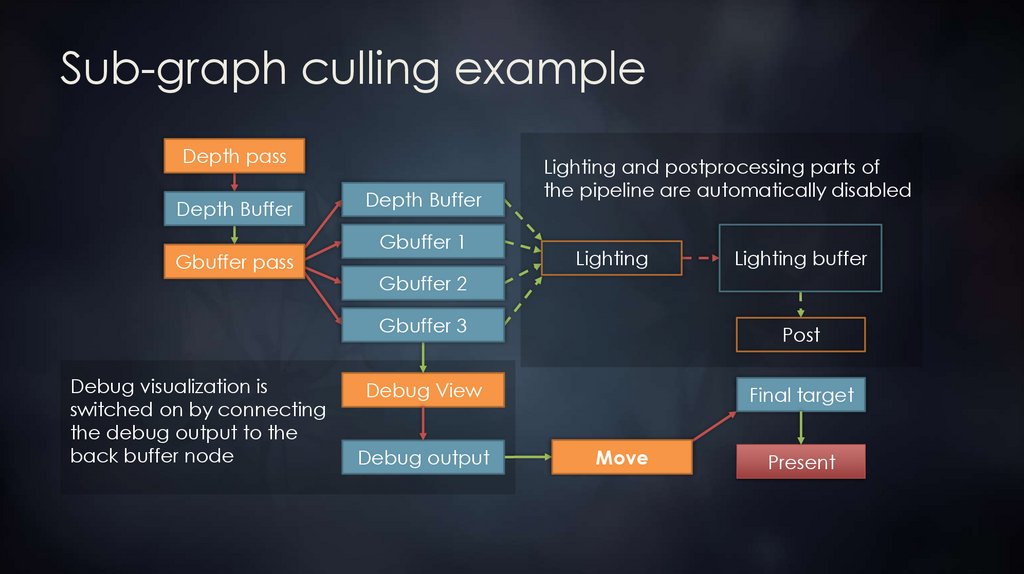
27. Sub-graph culling example
Depth passDepth Buffer
Gbuffer pass
Depth Buffer
Gbuffer 1
Lighting buffer
Gbuffer 2
Gbuffer 3
Debug output texture is not
consumed, therefore it and
the render pass are culled
Lighting
Post
Debug View
Final target
Debug output
Present
28. Sub-graph culling example
Depth passDepth Buffer
Gbuffer pass
Depth Buffer
Gbuffer 1
Lighting and postprocessing parts of
the pipeline are automatically disabled
Lighting
Gbuffer 2
Gbuffer 3
Debug visualization is
switched on by connecting
the debug output to the
back buffer node
Lighting buffer
Post
Debug View
Debug output
Final target
Move
Present
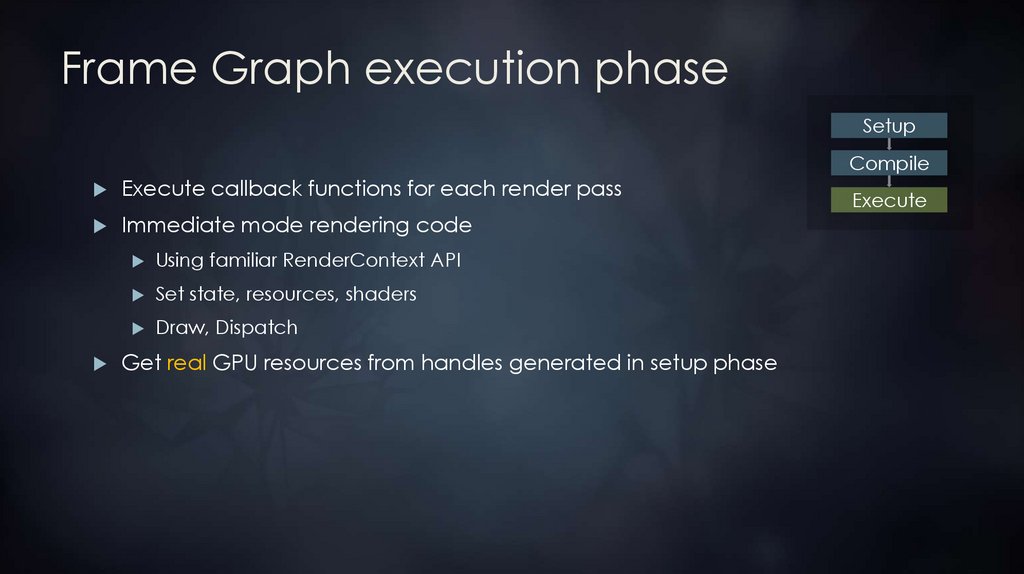
29. Frame Graph execution phase
SetupCompile
Execute callback functions for each render pass
Immediate mode rendering code
Using familiar RenderContext API
Set state, resources, shaders
Draw, Dispatch
Get real GPU resources from handles generated in setup phase
Execute
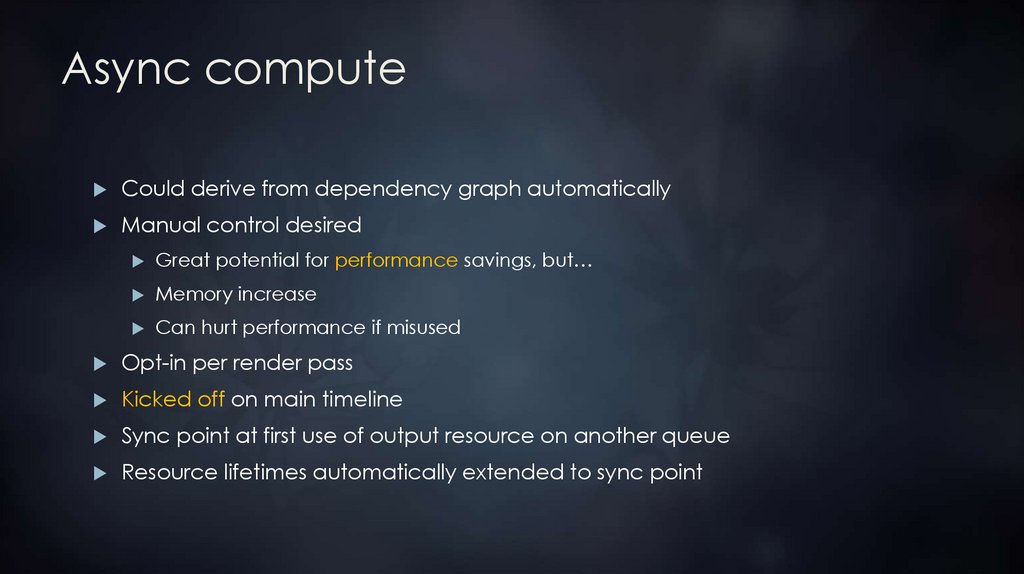
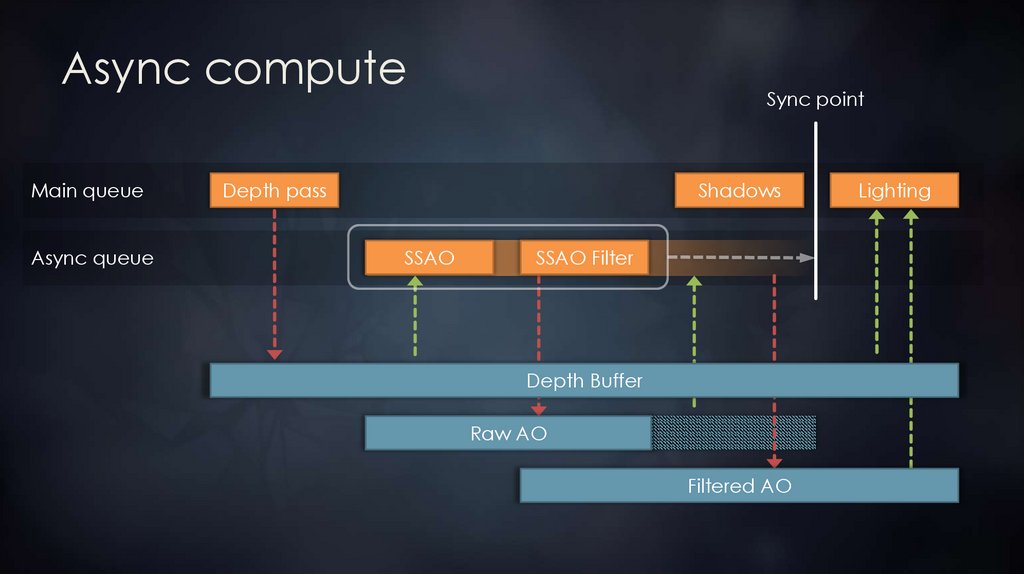
30. Async compute
Could derive from dependency graph automaticallyManual control desired
Great potential for performance savings, but…
Memory increase
Can hurt performance if misused
Opt-in per render pass
Kicked off on main timeline
Sync point at first use of output resource on another queue
Resource lifetimes automatically extended to sync point
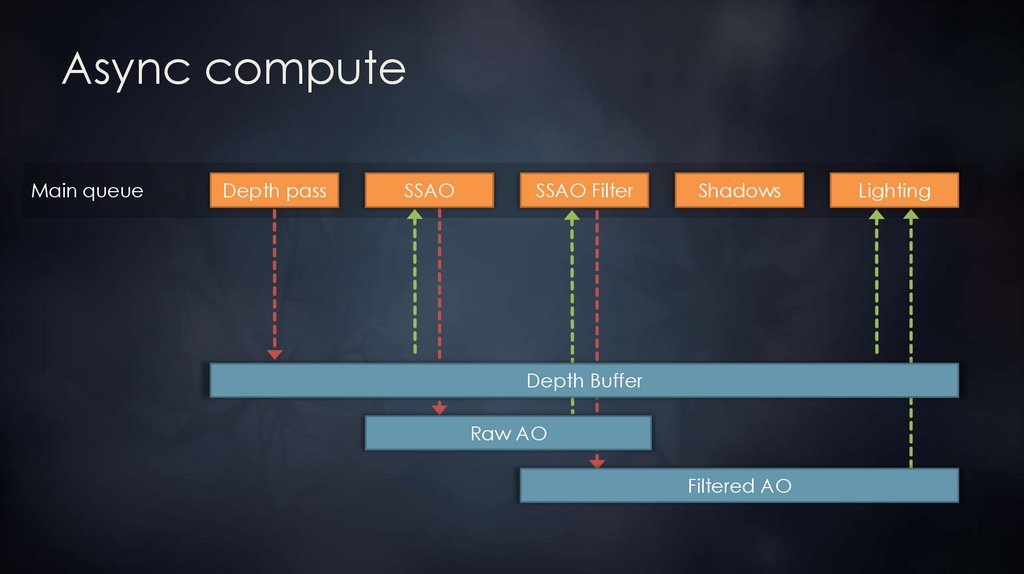
31. Async compute
Main queueDepth pass
SSAO
SSAO Filter
Shadows
Depth Buffer
Raw AO
Filtered AO
Lighting
32. Async compute
Main queueAsync queue
Sync point
Depth pass
Shadows
SSAO
SSAO Filter
Depth Buffer
Raw AO
Filtered AO
Lighting
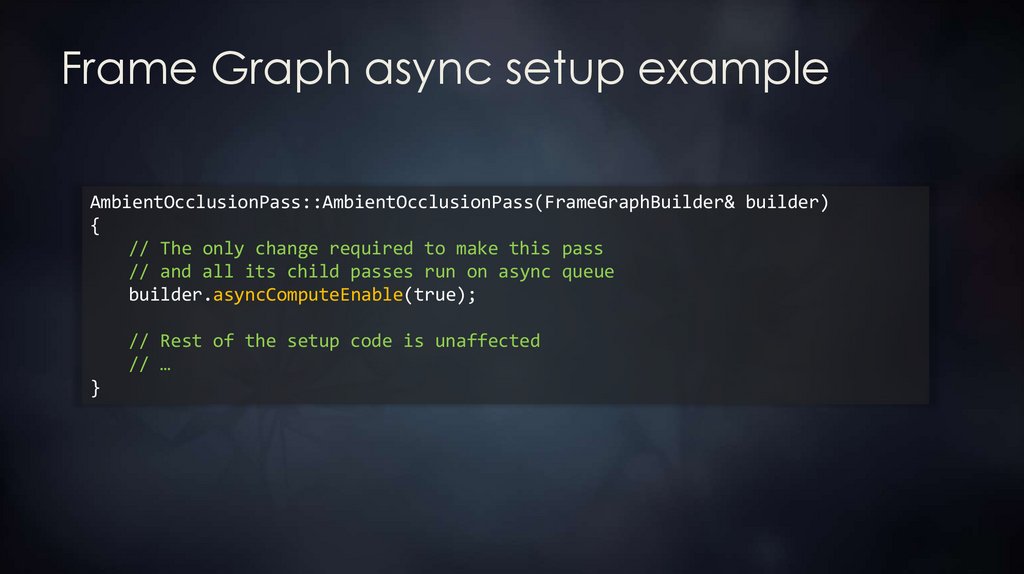
33. Frame Graph async setup example
AmbientOcclusionPass::AmbientOcclusionPass(FrameGraphBuilder& builder){
// The only change required to make this pass
// and all its child passes run on async queue
builder.asyncComputeEnable(true);
// Rest of the setup code is unaffected
// …
}
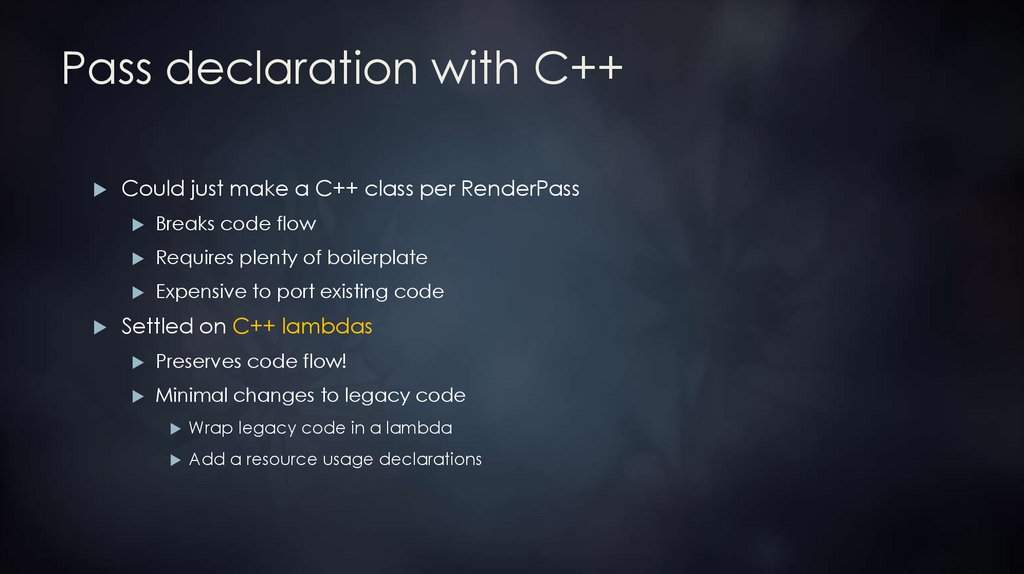
34. Pass declaration with C++
Could just make a C++ class per RenderPassBreaks code flow
Requires plenty of boilerplate
Expensive to port existing code
Settled on C++ lambdas
Preserves code flow!
Minimal changes to legacy code
Wrap legacy code in a lambda
Add a resource usage declarations
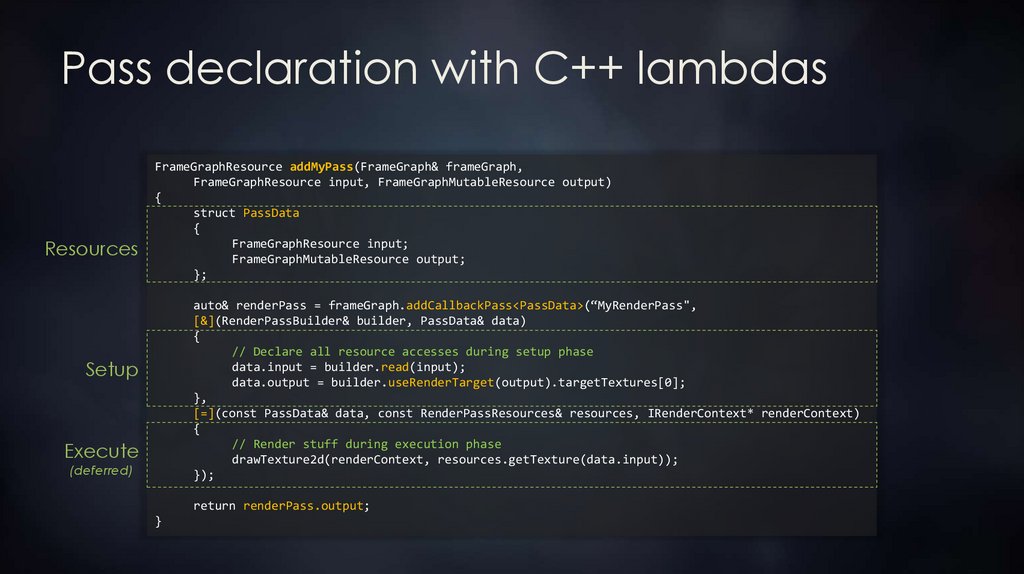
35. Pass declaration with C++ lambdas
ResourcesFrameGraphResource addMyPass(FrameGraph& frameGraph,
FrameGraphResource input, FrameGraphMutableResource output)
{
struct PassData
{
FrameGraphResource input;
FrameGraphMutableResource output;
};
auto& renderPass = frameGraph.addCallbackPass<PassData>(“MyRenderPass",
[&](RenderPassBuilder& builder, PassData& data)
{
// Declare all resource accesses during setup phase
data.input = builder.read(input);
data.output = builder.useRenderTarget(output).targetTextures[0];
},
[=](const PassData& data, const RenderPassResources& resources, IRenderContext* renderContext)
{
// Render stuff during execution phase
drawTexture2d(renderContext, resources.getTexture(data.input));
});
Setup
Execute
(deferred)
return renderPass.output;
}
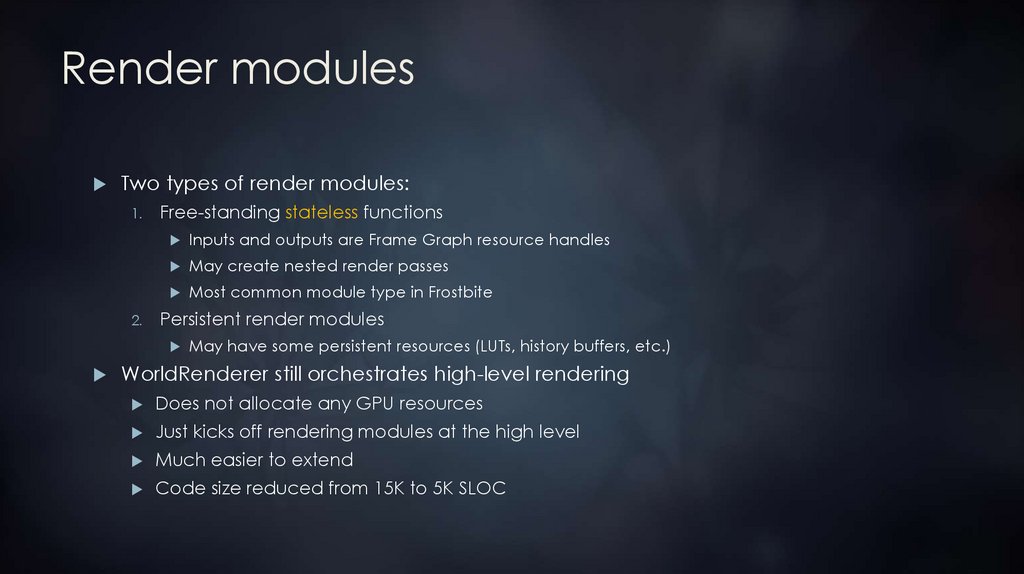
36. Render modules
Two types of render modules:1.
Free-standing stateless functions
Inputs and outputs are Frame Graph resource handles
May create nested render passes
Most common module type in Frostbite
2.
Persistent render modules
May have some persistent resources (LUTs, history buffers, etc.)
WorldRenderer still orchestrates high-level rendering
Does not allocate any GPU resources
Just kicks off rendering modules at the high level
Much easier to extend
Code size reduced from 15K to 5K SLOC
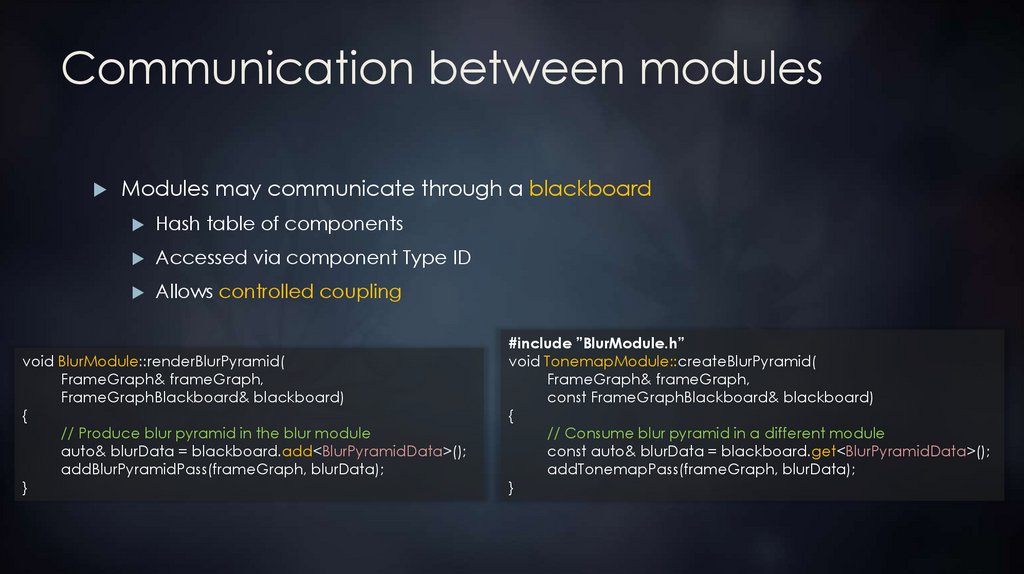
37. Communication between modules
Modules may communicate through a blackboardHash table of components
Accessed via component Type ID
Allows controlled coupling
void BlurModule::renderBlurPyramid(
FrameGraph& frameGraph,
FrameGraphBlackboard& blackboard)
{
// Produce blur pyramid in the blur module
auto& blurData = blackboard.add<BlurPyramidData>();
addBlurPyramidPass(frameGraph, blurData);
}
#include ”BlurModule.h”
void TonemapModule::createBlurPyramid(
FrameGraph& frameGraph,
const FrameGraphBlackboard& blackboard)
{
// Consume blur pyramid in a different module
const auto& blurData = blackboard.get<BlurPyramidData>();
addTonemapPass(frameGraph, blurData);
}
38. Transient Resource System
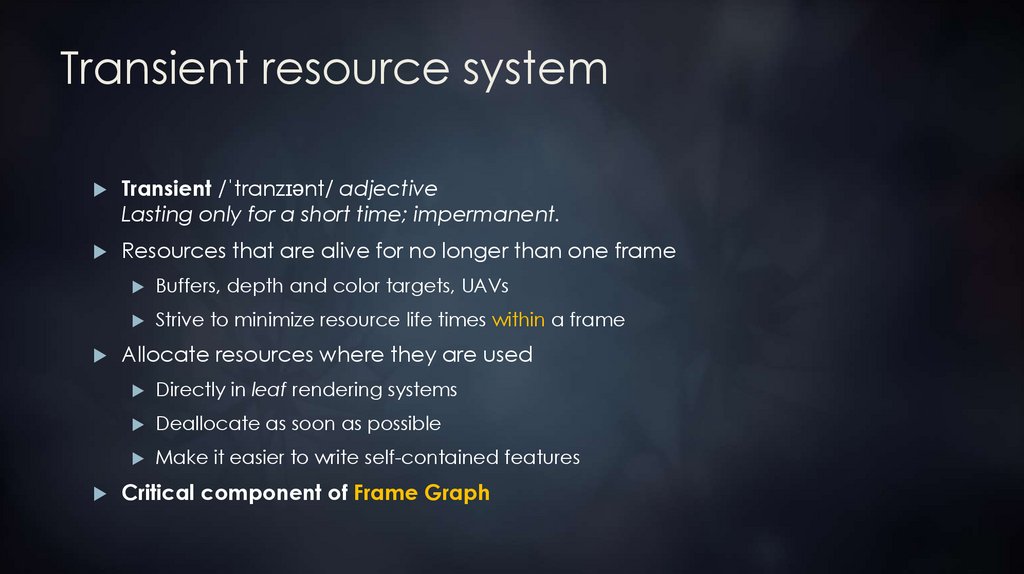
39. Transient resource system
Transient /ˈtranzɪənt/ adjectiveLasting only for a short time; impermanent.
Resources that are alive for no longer than one frame
Buffers, depth and color targets, UAVs
Strive to minimize resource life times within a frame
Allocate resources where they are used
Directly in leaf rendering systems
Deallocate as soon as possible
Make it easier to write self-contained features
Critical component of Frame Graph
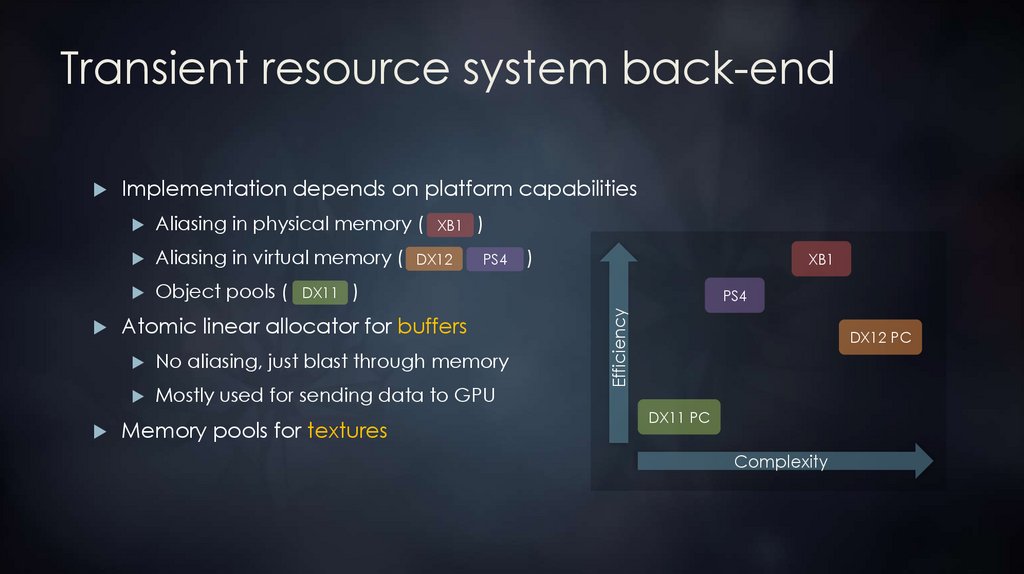
40. Transient resource system back-end
Implementation depends on platform capabilitiesAliasing in physical memory ( XB1
)
Aliasing in virtual memory ( DX12
PS4
Object pools ( DX11
XB1
)
Atomic linear allocator for buffers
No aliasing, just blast through memory
Mostly used for sending data to GPU
)
Memory pools for textures
PS4
Efficiency
DX12 PC
DX11 PC
Complexity
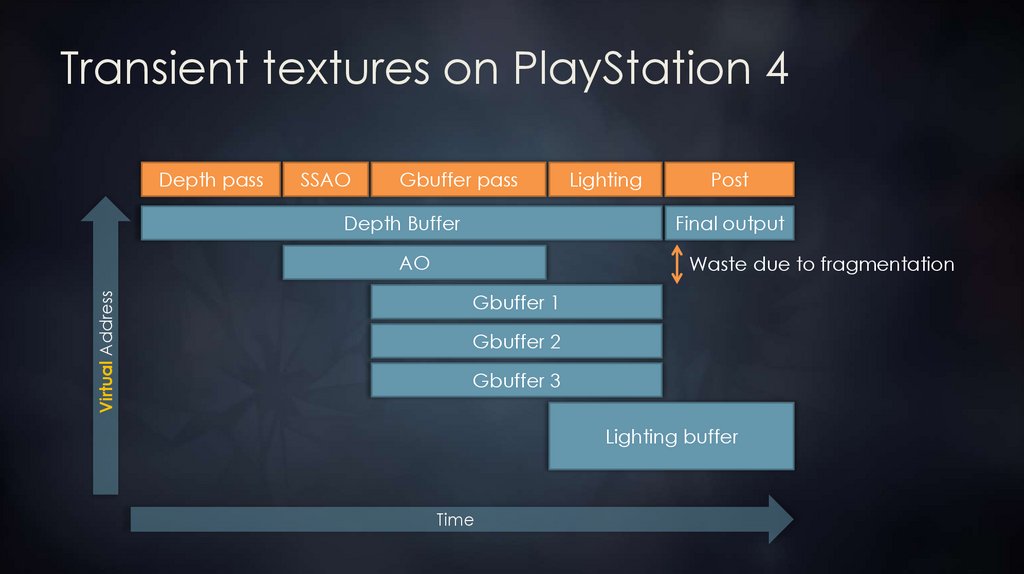
41. Transient textures on PlayStation 4
Depth passSSAO
Gbuffer pass
Depth Buffer
Post
Final output
AO
Virtual Address
Lighting
Waste due to fragmentation
Gbuffer 1
Gbuffer 2
Gbuffer 3
Lighting buffer
Time
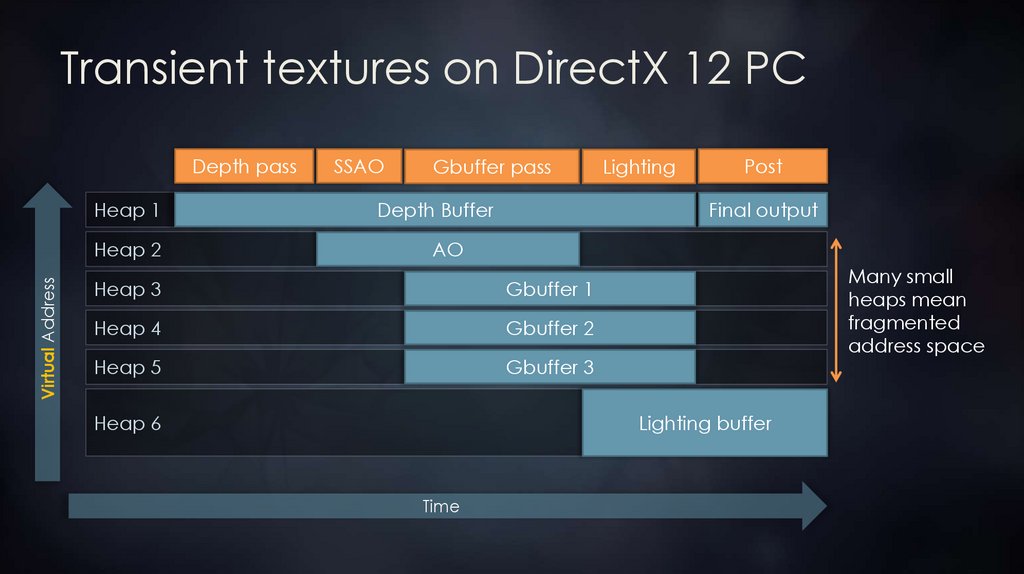
42. Transient textures on DirectX 12 PC
Virtual AddressDepth pass
SSAO
Gbuffer pass
Heap 1
Depth Buffer
Heap 2
AO
Post
Final output
Heap 3
Gbuffer 1
Heap 4
Gbuffer 2
Heap 5
Gbuffer 3
Heap 6
Lighting
Many small
heaps mean
fragmented
address space
Lighting buffer
Time
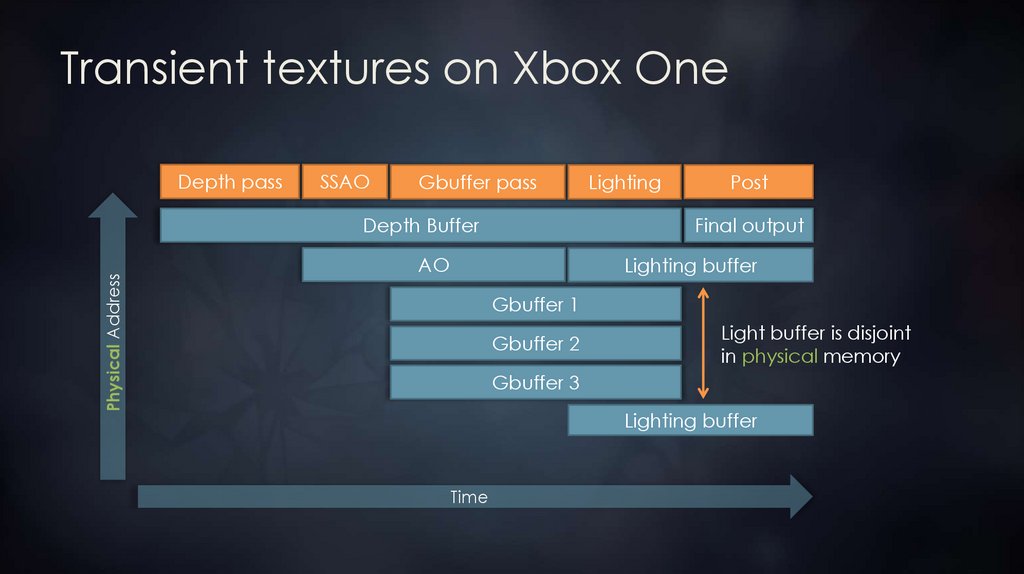
43. Transient textures on Xbox One
Depth passSSAO
Gbuffer pass
Physical Address
Depth Buffer
Lighting
Post
Final output
AO
Lighting buffer
Gbuffer 1
Gbuffer 2
Light buffer is disjoint
in physical memory
Gbuffer 3
Lighting buffer
Time
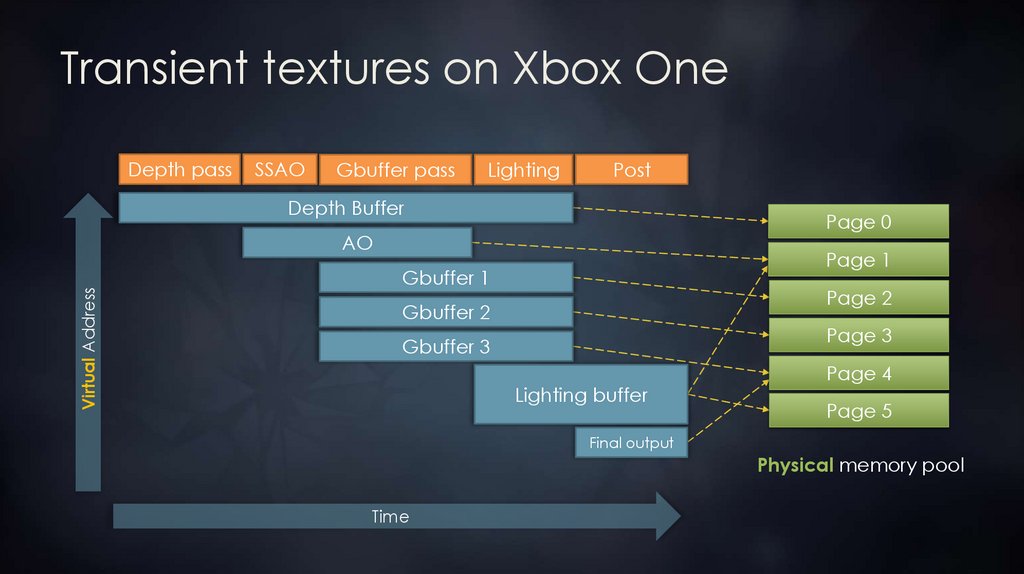
44. Transient textures on Xbox One
Depth passSSAO
Gbuffer pass
Lighting
Post
Depth Buffer
Page 0
Virtual Address
AO
Page 1
Gbuffer 1
Page 2
Gbuffer 2
Page 3
Gbuffer 3
Lighting buffer
Page 4
Page 5
Final output
Physical memory pool
Time
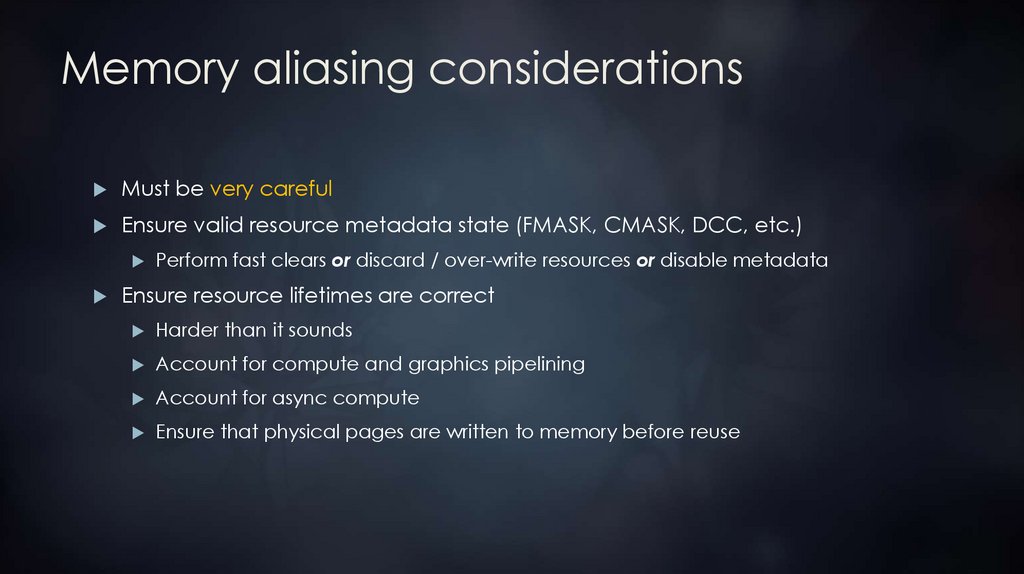
45. Memory aliasing considerations
Must be very carefulEnsure valid resource metadata state (FMASK, CMASK, DCC, etc.)
Perform fast clears or discard / over-write resources or disable metadata
Ensure resource lifetimes are correct
Harder than it sounds
Account for compute and graphics pipelining
Account for async compute
Ensure that physical pages are written to memory before reuse
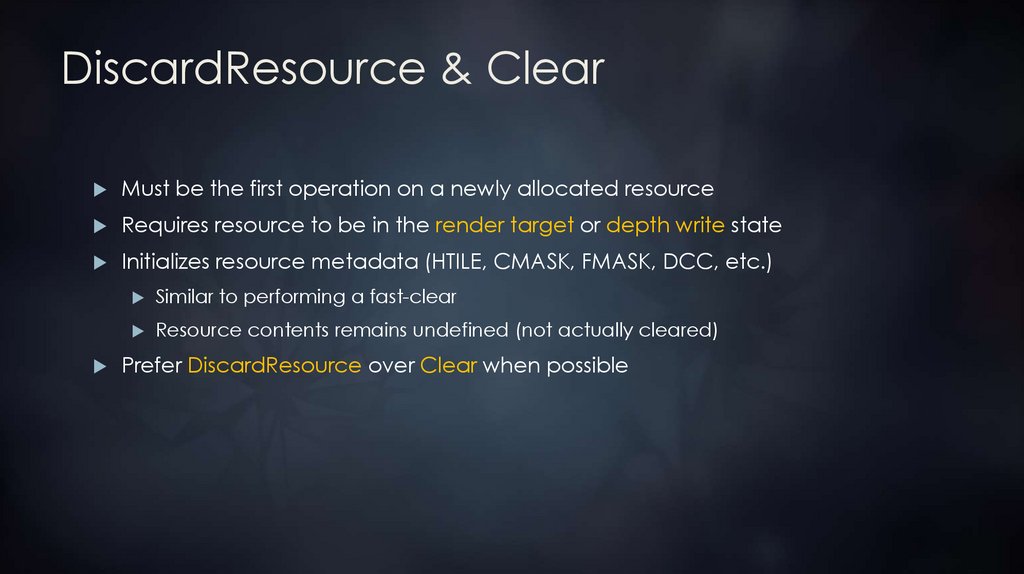
46. DiscardResource & Clear
DiscardResource & ClearMust be the first operation on a newly allocated resource
Requires resource to be in the render target or depth write state
Initializes resource metadata (HTILE, CMASK, FMASK, DCC, etc.)
Similar to performing a fast-clear
Resource contents remains undefined (not actually cleared)
Prefer DiscardResource over Clear when possible
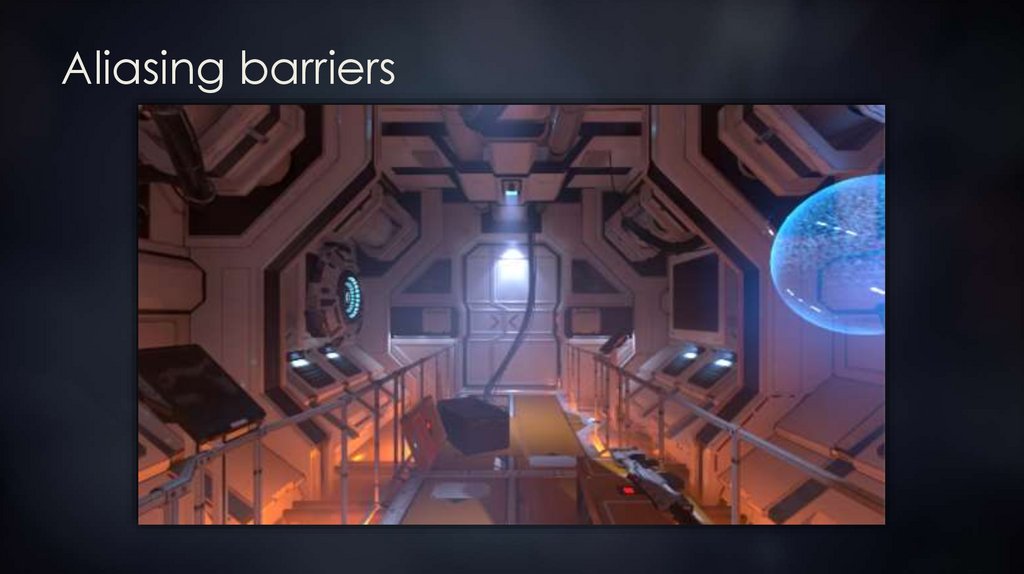
47. Aliasing barriers
48. Aliasing barriers
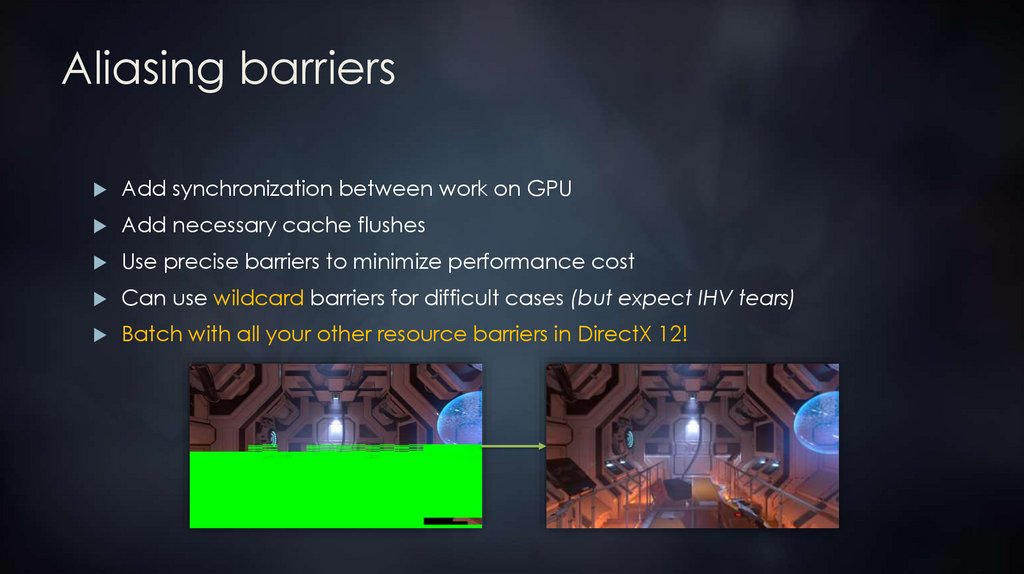
Add synchronization between work on GPUAdd necessary cache flushes
Use precise barriers to minimize performance cost
Can use wildcard barriers for difficult cases (but expect IHV tears)
Batch with all your other resource barriers in DirectX 12!
49. Aliasing barrier example
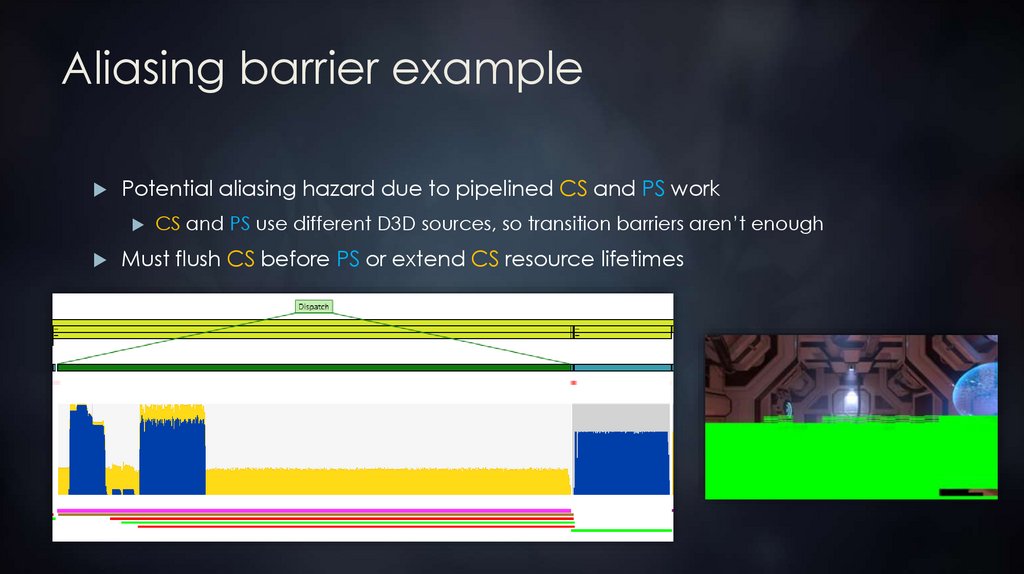
Potential aliasing hazard due to pipelined CS and PS workCS and PS use different D3D sources, so transition barriers aren’t enough
Must flush CS before PS or extend CS resource lifetimes
50. Aliasing barrier example
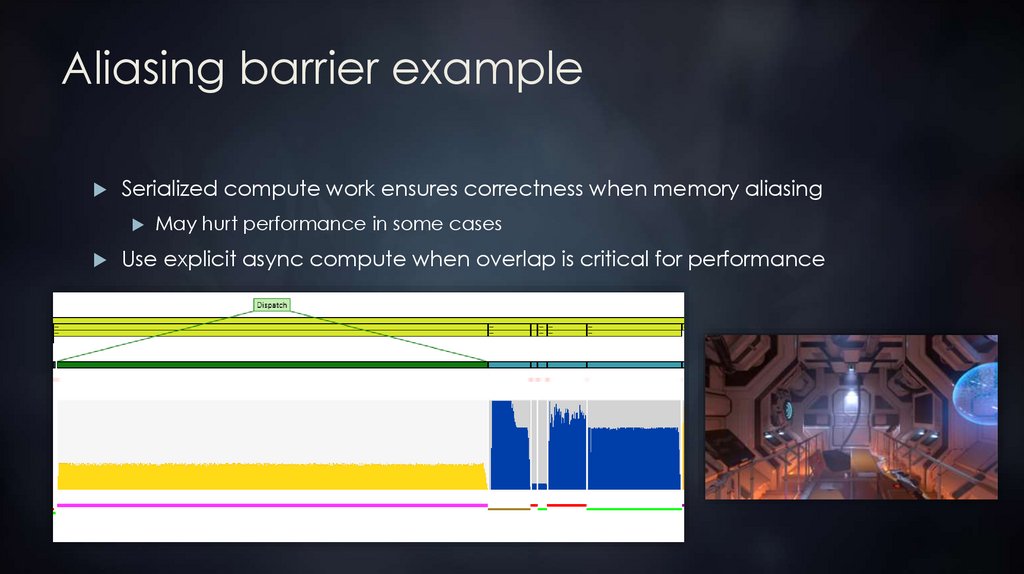
Serialized compute work ensures correctness when memory aliasingMay hurt performance in some cases
Use explicit async compute when overlap is critical for performance
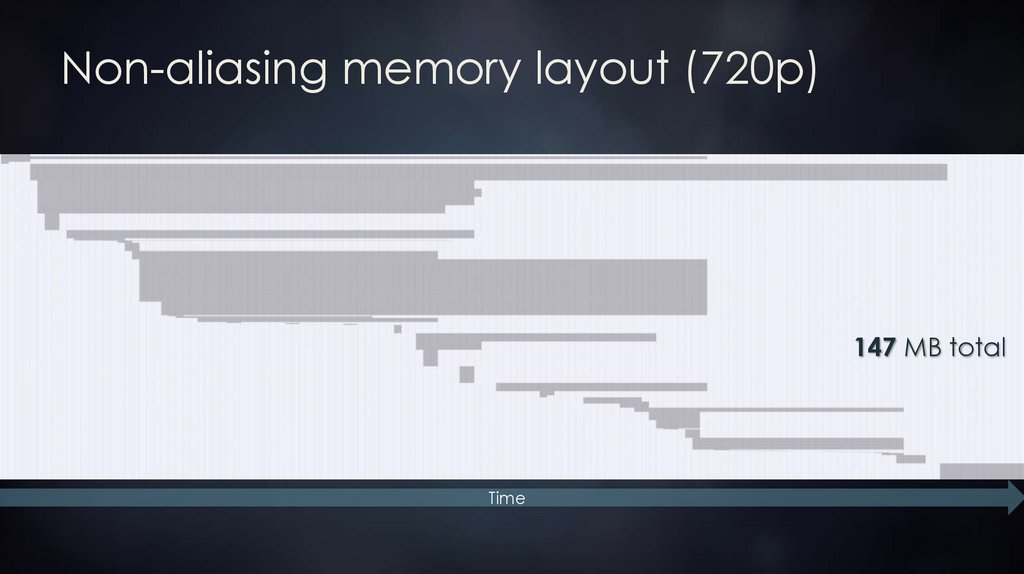
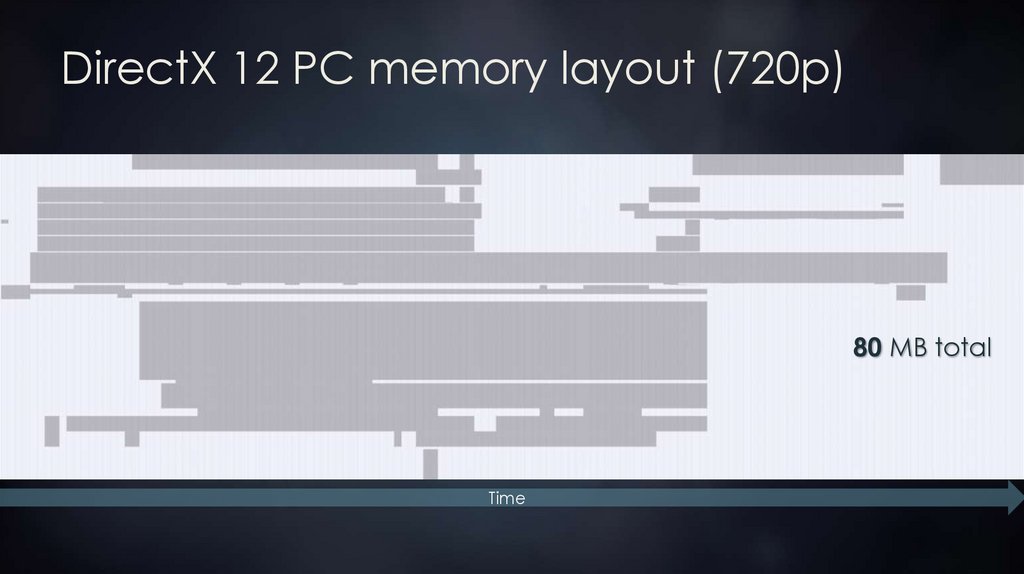
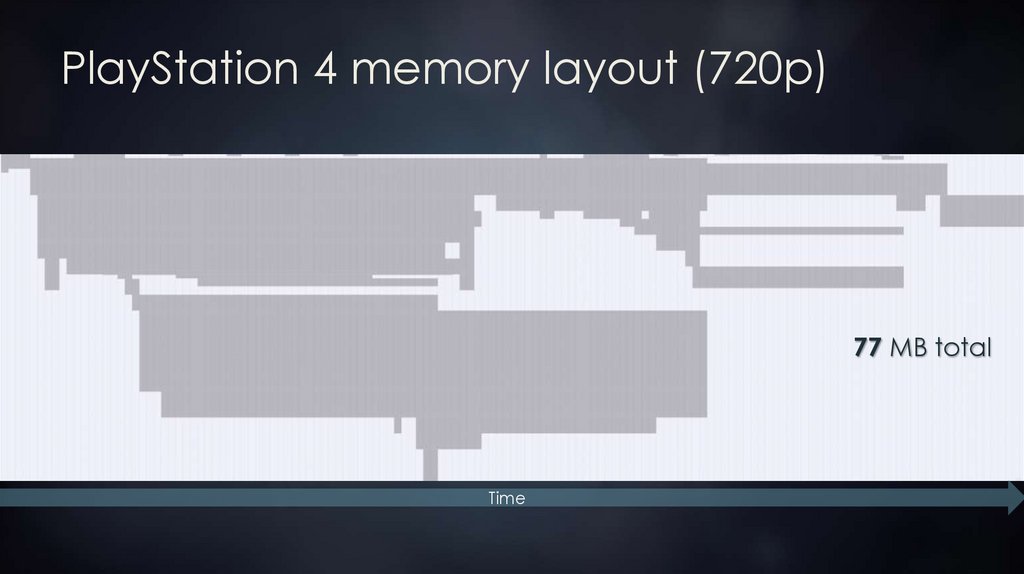
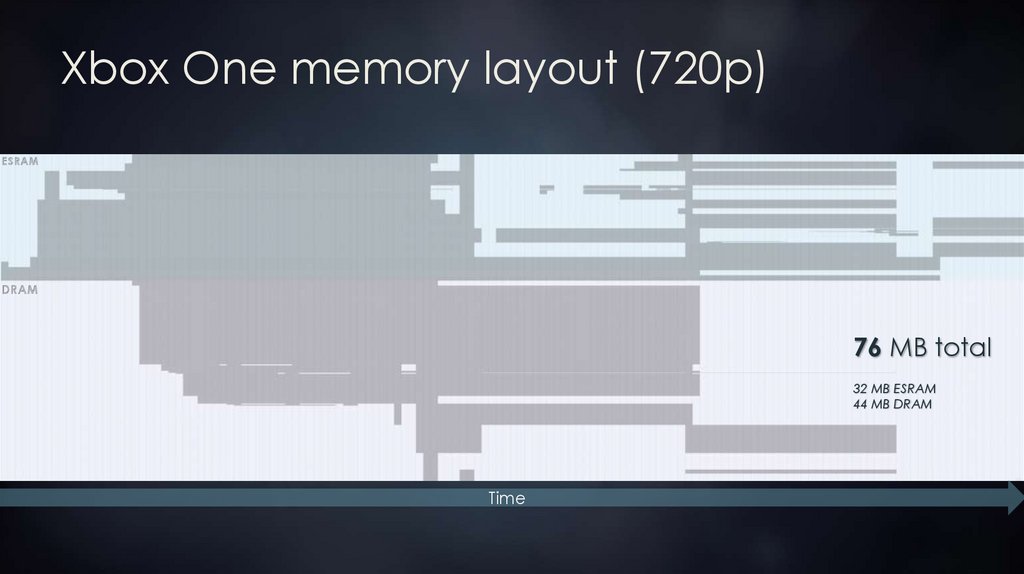
51. Transient resource allocation results
52. Non-aliasing memory layout (720p)
147 MB totalTime
53. DirectX 12 PC memory layout (720p)
80 MB totalTime
54. PlayStation 4 memory layout (720p)
77 MB totalTime
55. Xbox One memory layout (720p)
ESRAMDRAM
76 MB total
32 MB ESRAM
44 MB DRAM
Time
56. What about 4K?
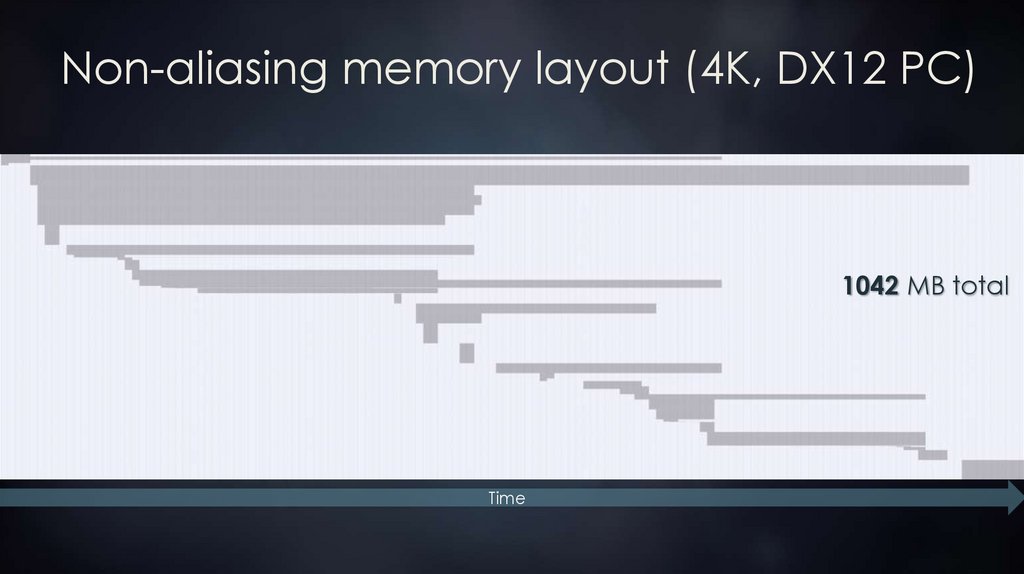
57. Non-aliasing memory layout (4K, DX12 PC)
1042 MB totalTime
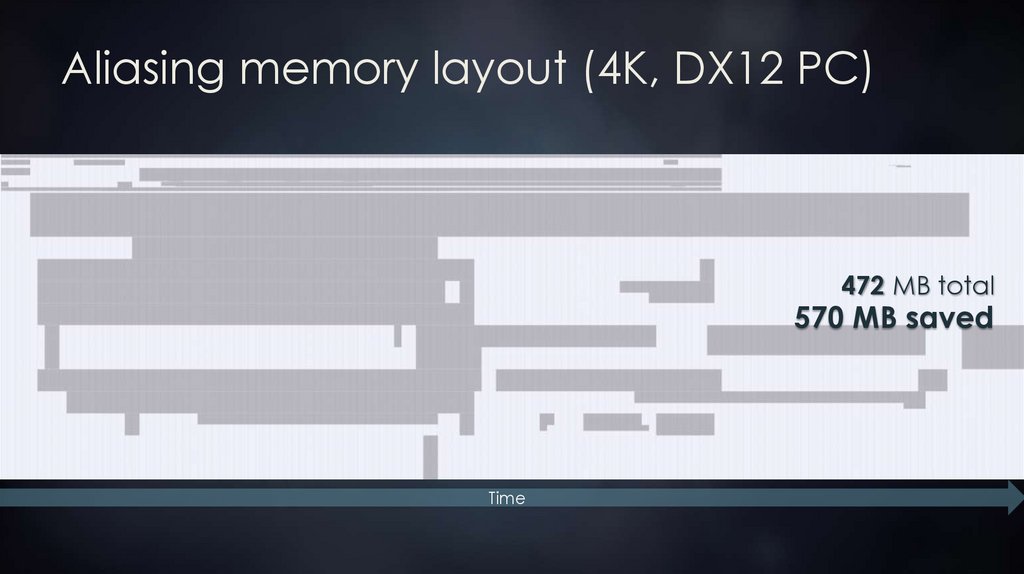
58. Aliasing memory layout (4K, DX12 PC)
472 MB total570 MB saved
Time
59. Conclusion
60. Summary
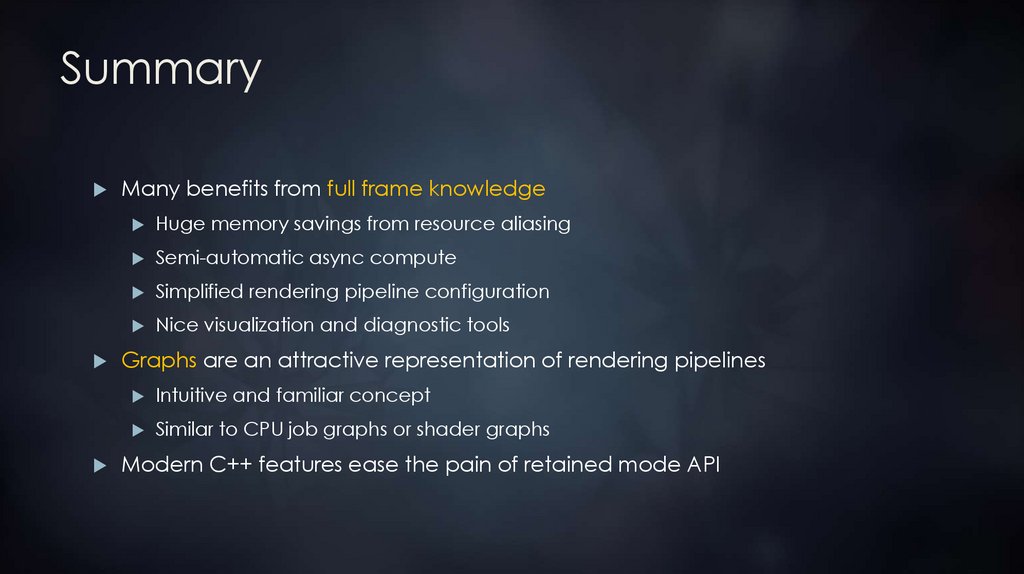
Many benefits from full frame knowledgeHuge memory savings from resource aliasing
Semi-automatic async compute
Simplified rendering pipeline configuration
Nice visualization and diagnostic tools
Graphs are an attractive representation of rendering pipelines
Intuitive and familiar concept
Similar to CPU job graphs or shader graphs
Modern C++ features ease the pain of retained mode API
61. Future work
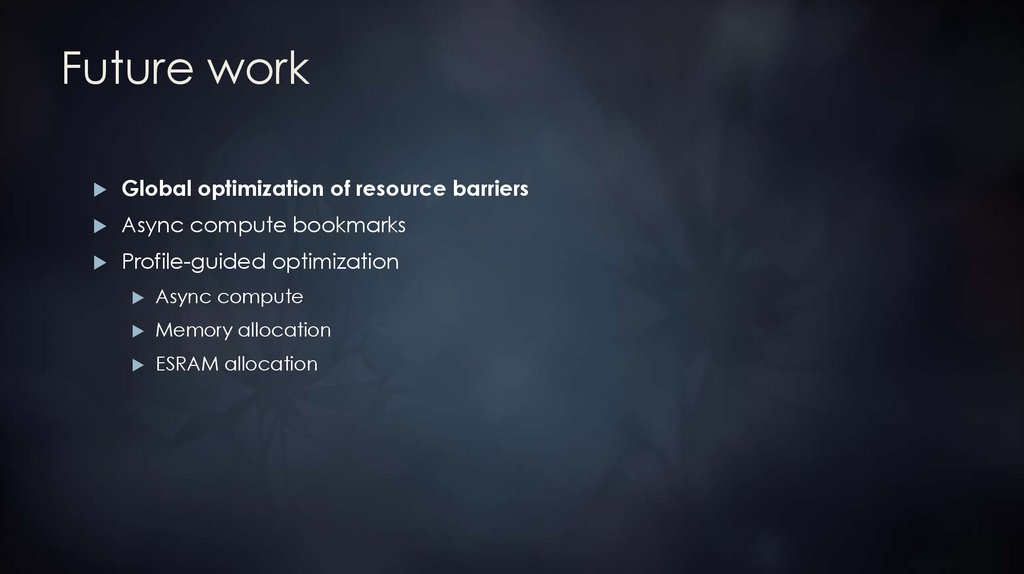
Global optimization of resource barriersAsync compute bookmarks
Profile-guided optimization
Async compute
Memory allocation
ESRAM allocation
62. Special thanks
Johan Andersson (Frostbite Labs)Ivan Nevraev (Microsoft)
Charles de Rousiers (Frostbite)
Matt Lee (Microsoft)
Tomasz Stachowiak (Frostbite)
Matthäus G. Chajdas (AMD)
Simon Taylor (Frostbite)
Christina Coffin (Light & Dark Arts)
Jon Valdes (Frostbite)
Julien Merceron (Bandai Namco)
63. Questions?
YURIY@FROSTBITE.COM@YURIYODONNELL