
 Информатика
Похожие презентации:








Managing a multi-server Spectrum Protect 7.1.6 environment
1. Unit 1 Managing a multi-server Spectrum Protect 7.1.6 environment
© Copyright IBM Corporation 2016Course materials may not be reproduced in whole or in part without the prior written permission of IBM.
2. Unit objectives
When you complete this unit, you can perform the following tasks:• Describe Spectrum Protect and its function
• List the components of Spectrum Protect
• Describe Spectrum Protect 7.1 administrative functions and interfaces
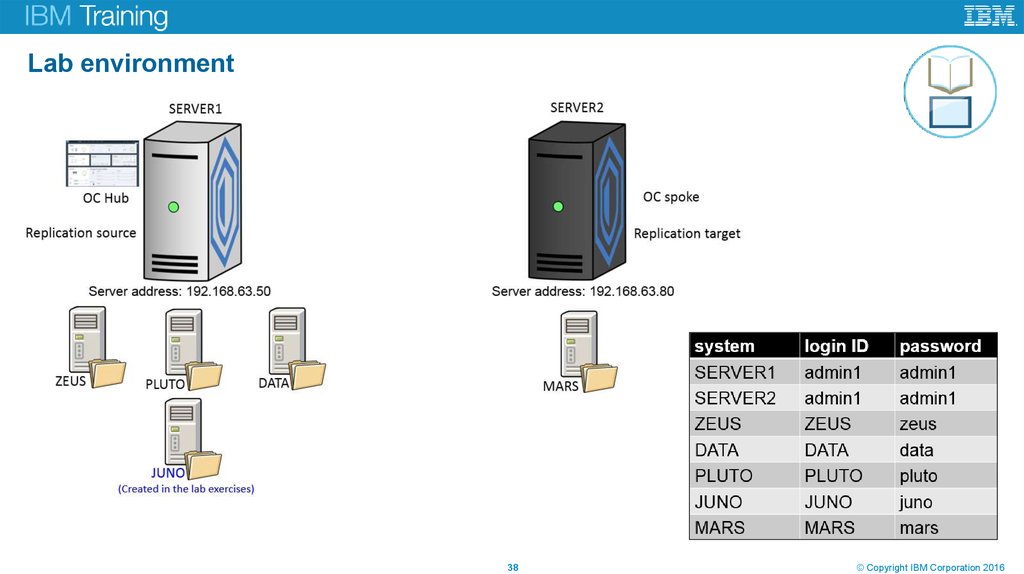
• Identify the Spectrum Protect servers set up for this course
IBM Spectrum Protect was
formerly known as IBM Tivoli
Storage Manager (TSM).
Unit title
2
© Copyright IBM Corporation 2016
3. Topics
Lesson 1: Basic Spectrum Protect concepts
Lesson 2: Spectrum Protect Operations Center
Lesson 3: Benefits of a multi-server Spectrum Protect environment
Lesson 4: The IBM Spectrum storage family
Unit title
3
© Copyright IBM Corporation 2016
4. Lesson 1 Basic Spectrum Protect concepts
Unit title© Copyright IBM Corporation 2016
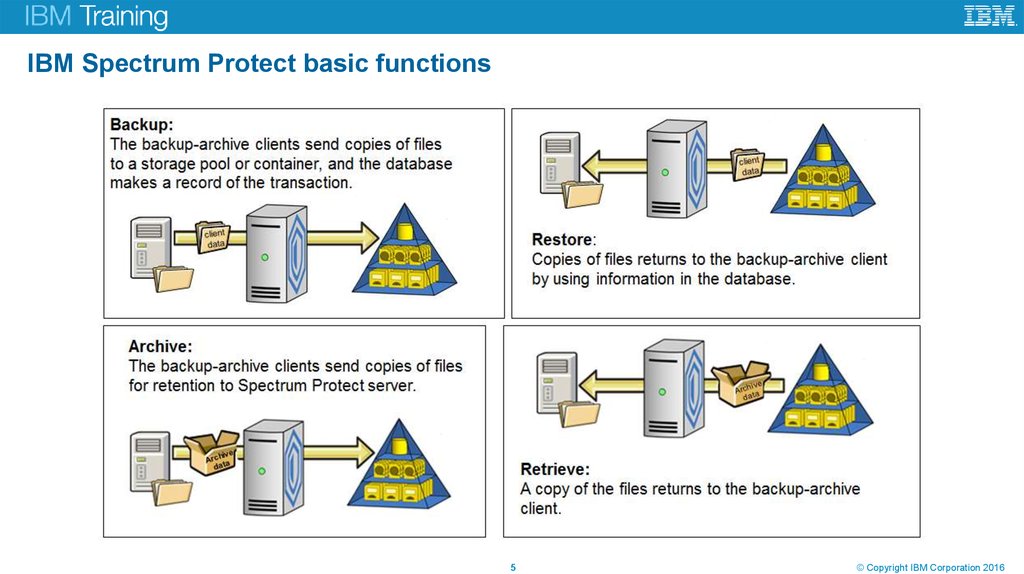
5. IBM Spectrum Protect basic functions
Unit title5
© Copyright IBM Corporation 2016
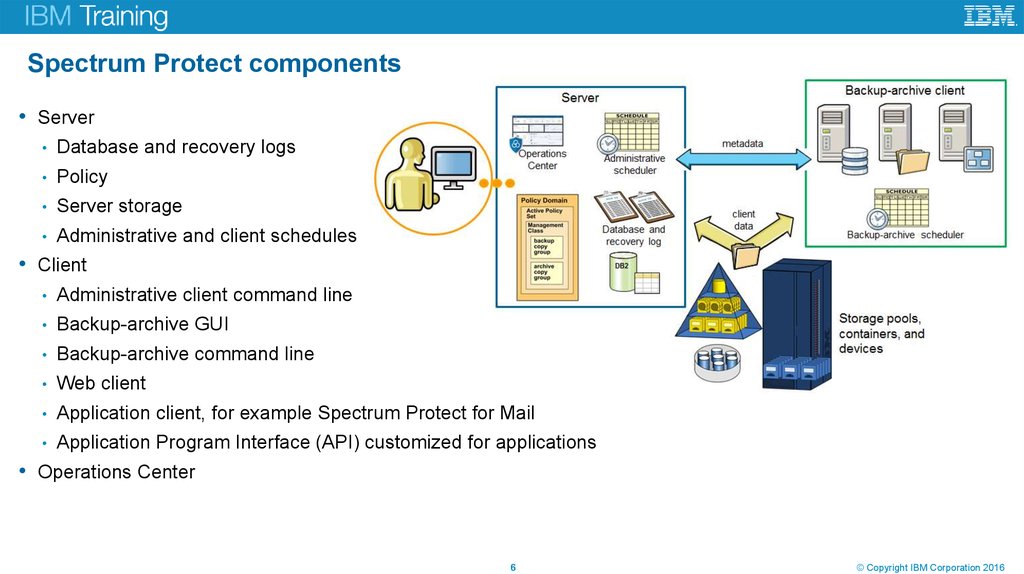
6. Spectrum Protect components
• ServerDatabase and recovery logs
Policy
Server storage
Administrative and client schedules
• Client
Administrative client command line
Backup-archive GUI
Backup-archive command line
Web client
Application client, for example Spectrum Protect for Mail
Application Program Interface (API) customized for applications
• Operations Center
Unit title
6
© Copyright IBM Corporation 2016
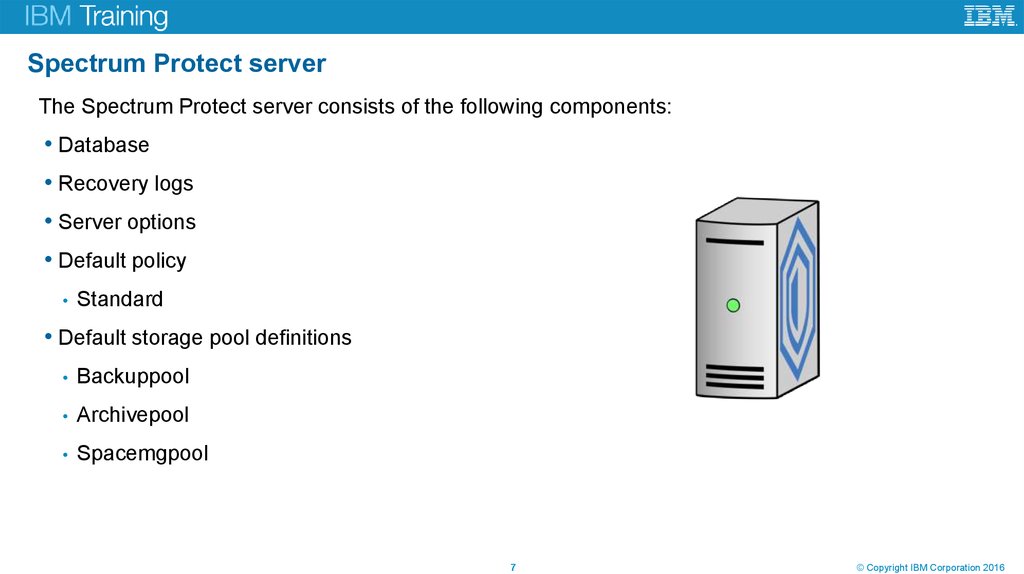
7. Spectrum Protect server
The Spectrum Protect server consists of the following components:• Database
• Recovery logs
• Server options
• Default policy
Standard
• Default storage pool definitions
Backuppool
Archivepool
Spacemgpool
Unit title
7
© Copyright IBM Corporation 2016
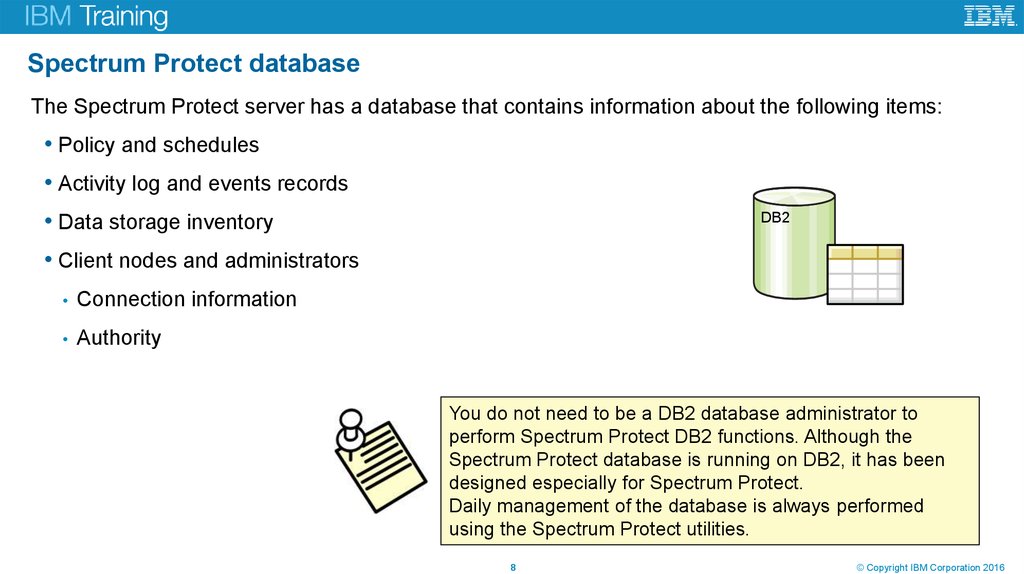
8. Spectrum Protect database
The Spectrum Protect server has a database that contains information about the following items:• Policy and schedules
• Activity log and events records
• Data storage inventory
DB2
• Client nodes and administrators
Connection information
Authority
You do not need to be a DB2 database administrator to
perform Spectrum Protect DB2 functions. Although the
Spectrum Protect database is running on DB2, it has been
designed especially for Spectrum Protect.
Daily management of the database is always performed
using the Spectrum Protect utilities.
Unit title
8
© Copyright IBM Corporation 2016
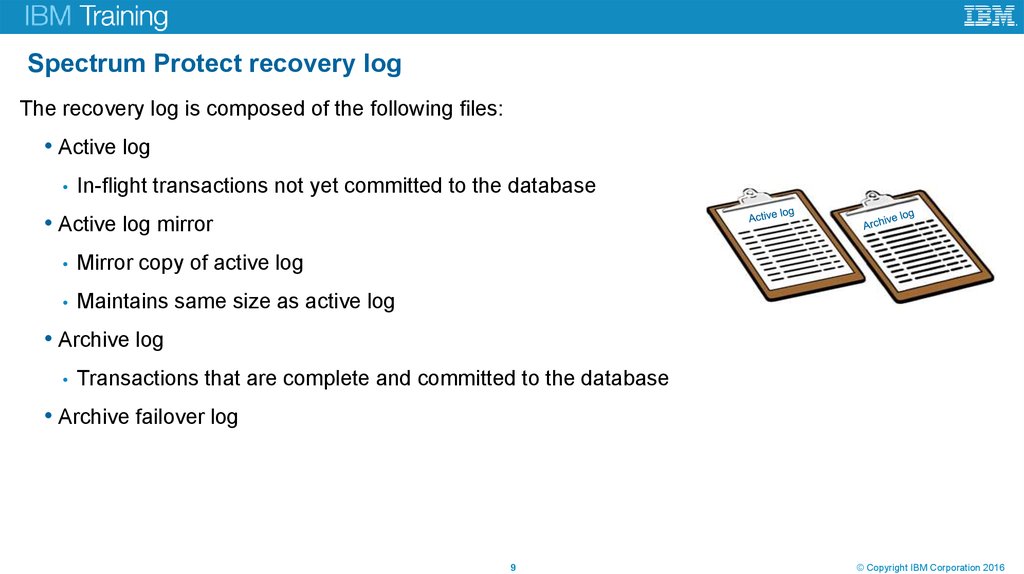
9. Spectrum Protect recovery log
The recovery log is composed of the following files:• Active log
In-flight transactions not yet committed to the database
• Active log mirror
Mirror copy of active log
Maintains same size as active log
• Archive log
Transactions that are complete and committed to the database
• Archive failover log
Unit title
9
© Copyright IBM Corporation 2016
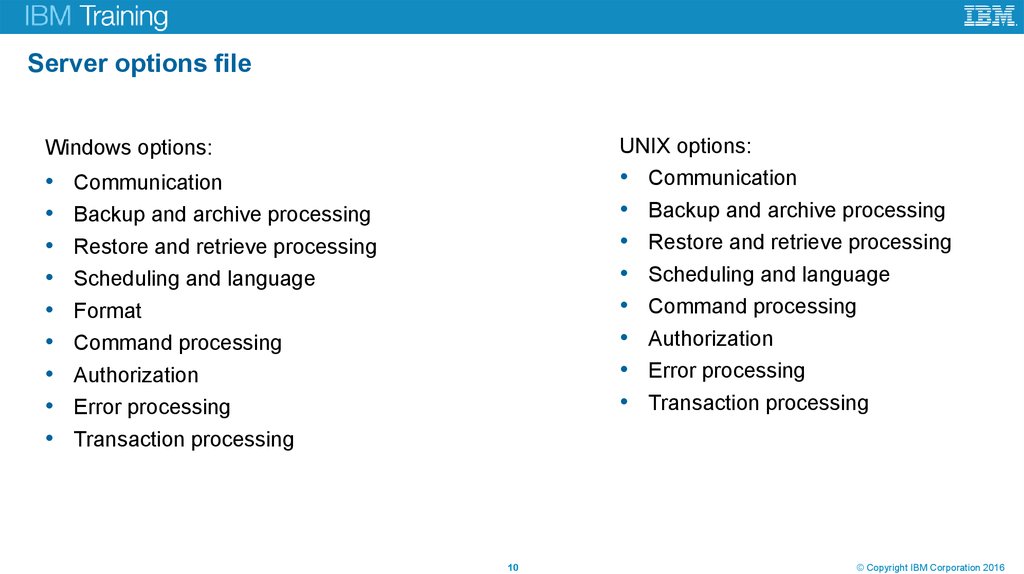
10. Server options file
UNIX options:• Communication
• Backup and archive processing
• Restore and retrieve processing
• Scheduling and language
• Command processing
• Authorization
• Error processing
• Transaction processing
Windows options:
Unit title
Communication
Backup and archive processing
Restore and retrieve processing
Scheduling and language
Format
Command processing
Authorization
Error processing
Transaction processing
10
© Copyright IBM Corporation 2016
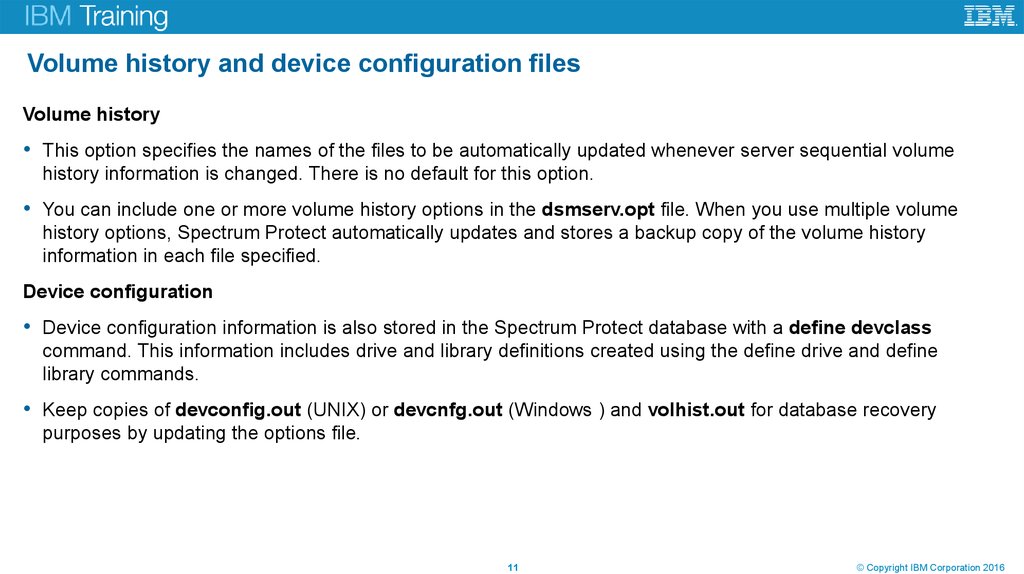
11. Volume history and device configuration files
Volume history• This option specifies the names of the files to be automatically updated whenever server sequential volume
history information is changed. There is no default for this option.
• You can include one or more volume history options in the dsmserv.opt file. When you use multiple volume
history options, Spectrum Protect automatically updates and stores a backup copy of the volume history
information in each file specified.
Device configuration
• Device configuration information is also stored in the Spectrum Protect database with a define devclass
command. This information includes drive and library definitions created using the define drive and define
library commands.
• Keep copies of devconfig.out (UNIX) or devcnfg.out (Windows ) and volhist.out for database recovery
purposes by updating the options file.
Unit title
11
© Copyright IBM Corporation 2016
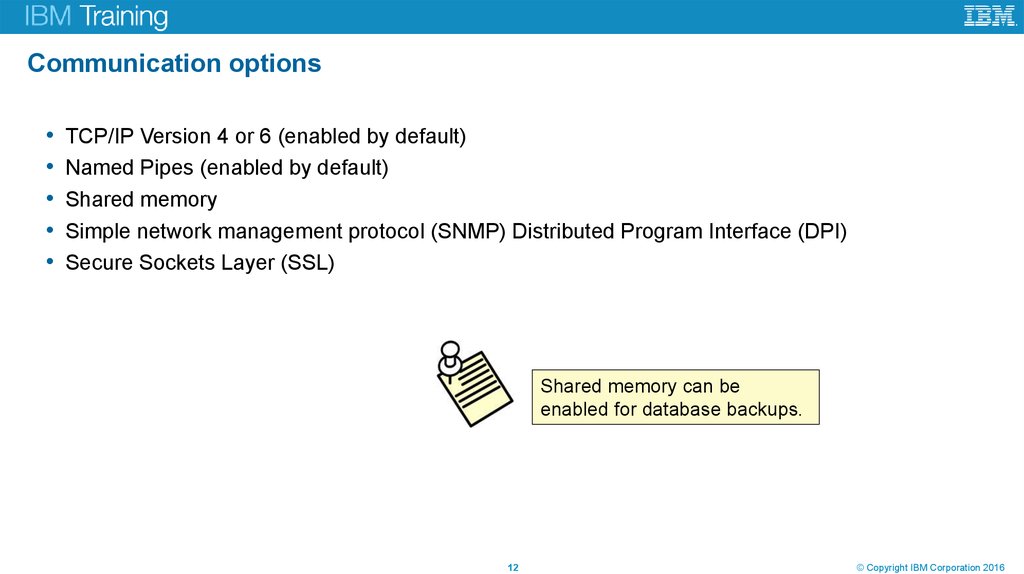
12. Communication options
TCP/IP Version 4 or 6 (enabled by default)
Named Pipes (enabled by default)
Shared memory
Simple network management protocol (SNMP) Distributed Program Interface (DPI)
Secure Sockets Layer (SSL)
Shared memory can be
enabled for database backups.
Unit title
12
© Copyright IBM Corporation 2016
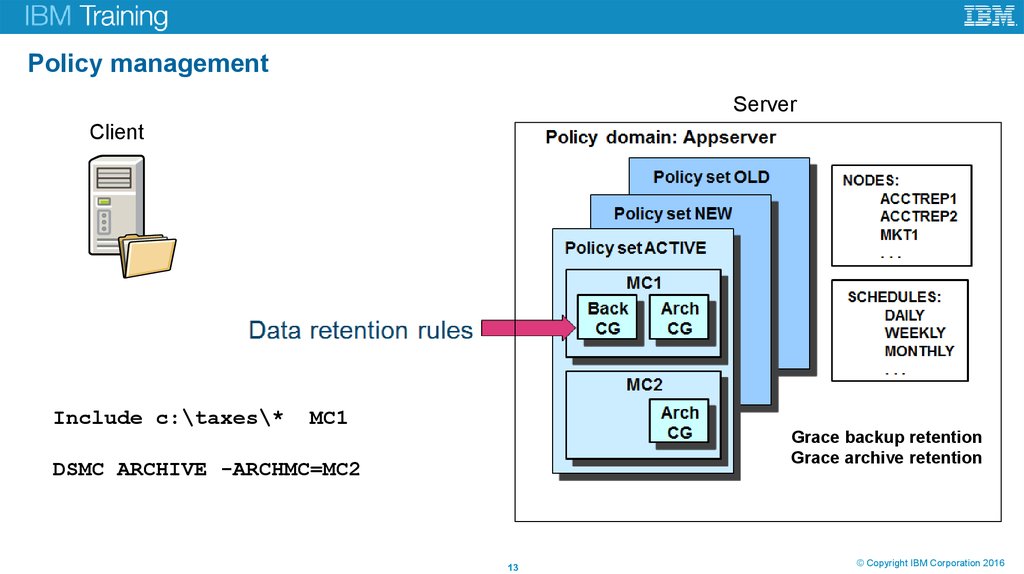
13. Policy management
ServerClient
Include c:\taxes\*
MC1
Grace backup retention
Grace archive retention
DSMC ARCHIVE -ARCHMC=MC2
Unit title
13
© Copyright IBM Corporation 2016
14. Disk-type storage devices
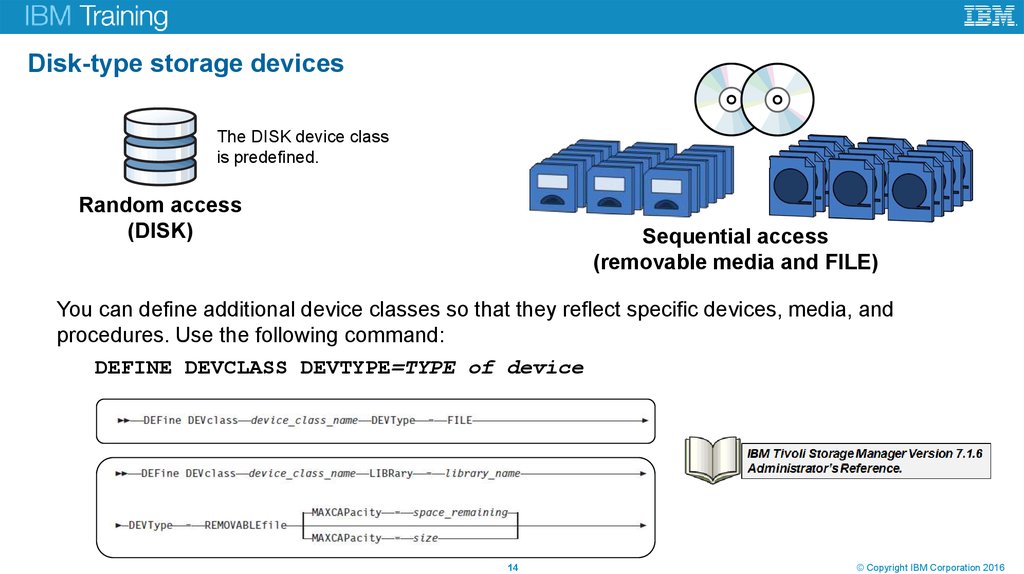
The DISK device classis predefined.
Random access
(DISK)
Sequential access
(removable media and FILE)
You can define additional device classes so that they reflect specific devices, media, and
procedures. Use the following command:
DEFINE DEVCLASS DEVTYPE=TYPE of device
Unit title
14
© Copyright IBM Corporation 2016
15. Storage pools
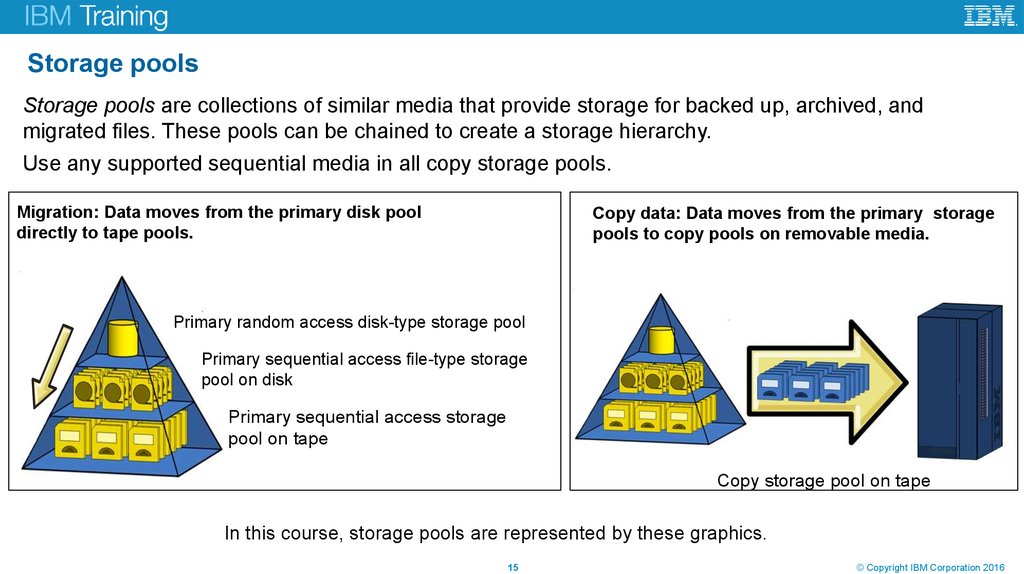
Storage pools are collections of similar media that provide storage for backed up, archived, andmigrated files. These pools can be chained to create a storage hierarchy.
Use any supported sequential media in all copy storage pools.
Migration: Data moves from the primary disk pool
directly to tape pools.
Copy data: Data moves from the primary storage
pools to copy pools on removable media.
Primary random access disk-type storage pool
Primary sequential access file-type storage
pool on disk
Primary sequential access storage
pool on tape
Copy storage pool on tape
In this course, storage pools are represented by these graphics.
Unit title
15
© Copyright IBM Corporation 2016
16. Container type storage pools
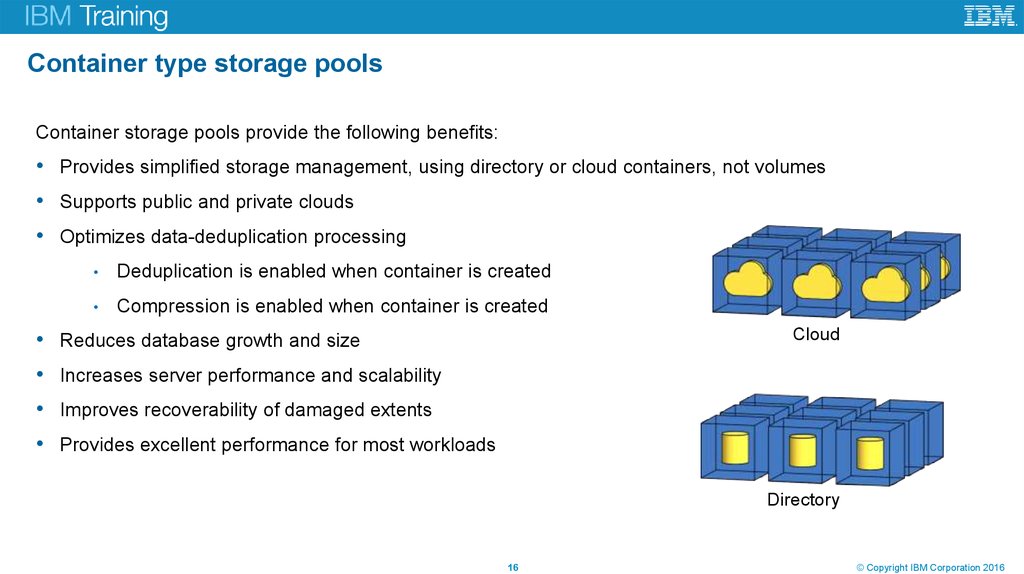
Container storage pools provide the following benefits:• Provides simplified storage management, using directory or cloud containers, not volumes
• Supports public and private clouds
• Optimizes data-deduplication processing
Deduplication is enabled when container is created
Compression is enabled when container is created
• Reduces database growth and size
• Increases server performance and scalability
• Improves recoverability of damaged extents
Cloud
• Provides excellent performance for most workloads
Directory
Unit title
16
© Copyright IBM Corporation 2016
17. Administrators
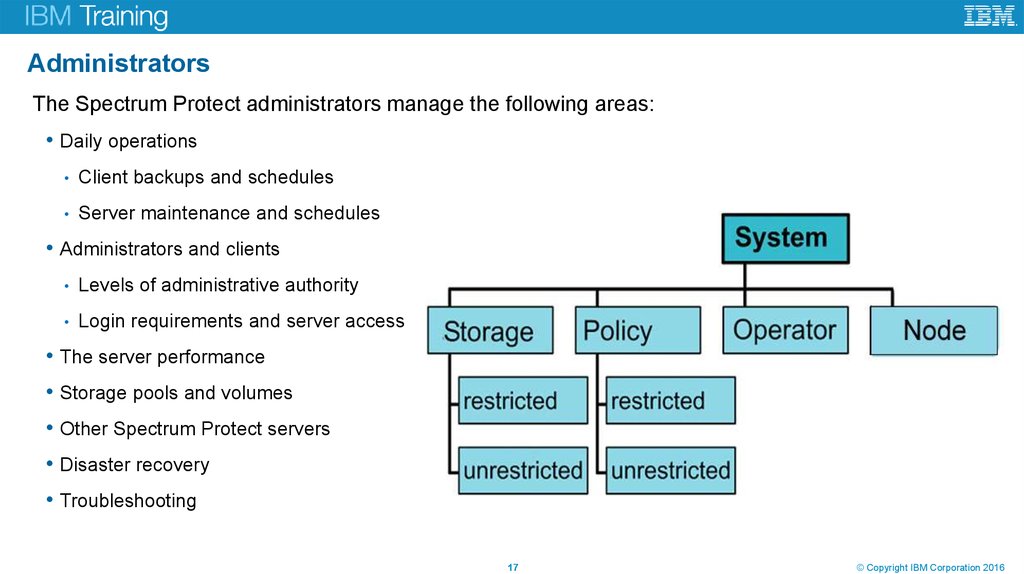
The Spectrum Protect administrators manage the following areas:• Daily operations
Client backups and schedules
Server maintenance and schedules
• Administrators and clients
Levels of administrative authority
Login requirements and server access
• The server performance
• Storage pools and volumes
• Other Spectrum Protect servers
• Disaster recovery
• Troubleshooting
Unit title
17
© Copyright IBM Corporation 2016
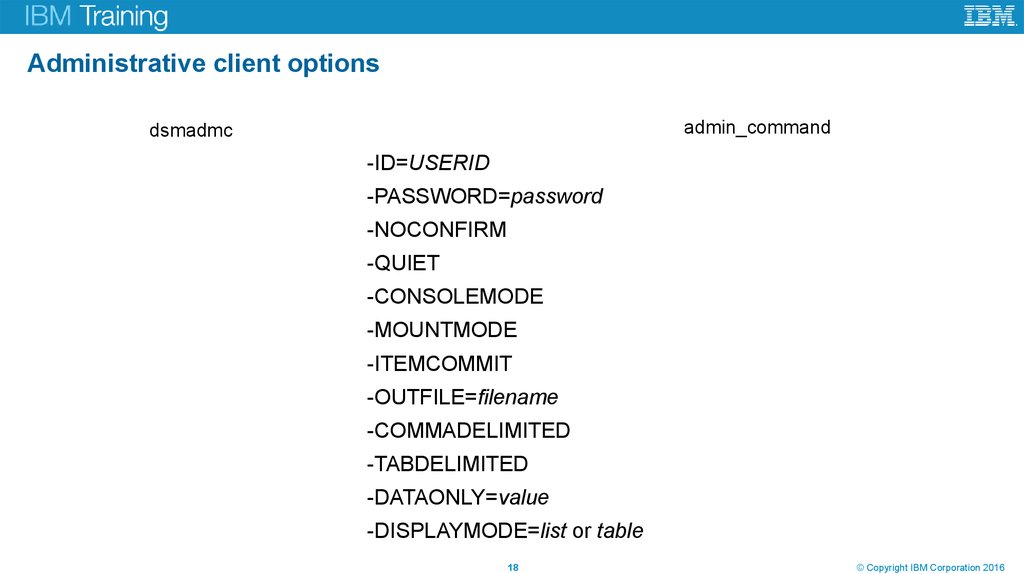
18. Administrative client options
admin_commanddsmadmc
-ID=USERID
-PASSWORD=password
-NOCONFIRM
-QUIET
-CONSOLEMODE
-MOUNTMODE
-ITEMCOMMIT
-OUTFILE=filename
-COMMADELIMITED
-TABDELIMITED
-DATAONLY=value
-DISPLAYMODE=list or table
Unit title
18
© Copyright IBM Corporation 2016
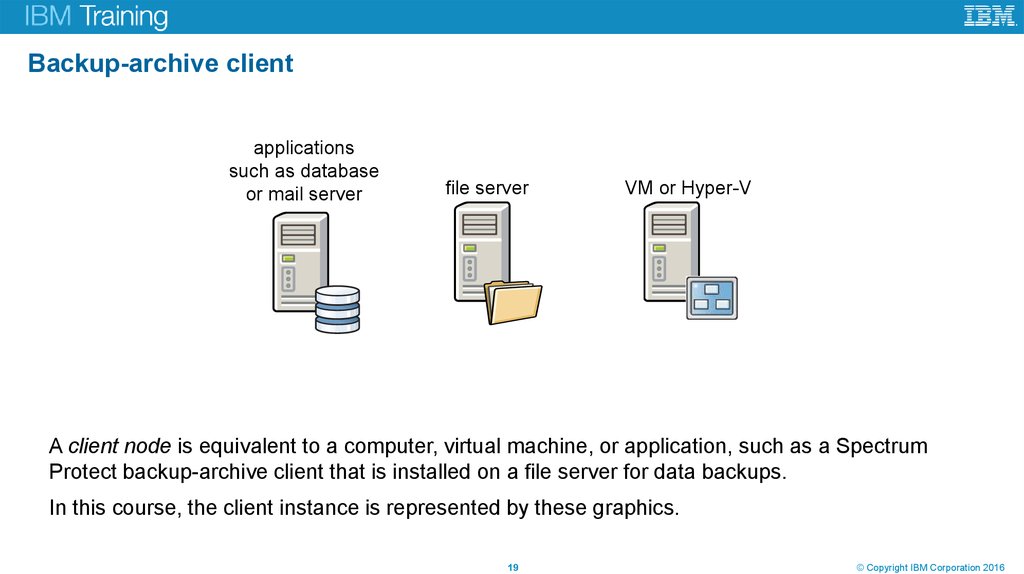
19. Backup-archive client
applicationssuch as database
or mail server
file server
VM or Hyper-V
A client node is equivalent to a computer, virtual machine, or application, such as a Spectrum
Protect backup-archive client that is installed on a file server for data backups.
In this course, the client instance is represented by these graphics.
Unit title
19
© Copyright IBM Corporation 2016
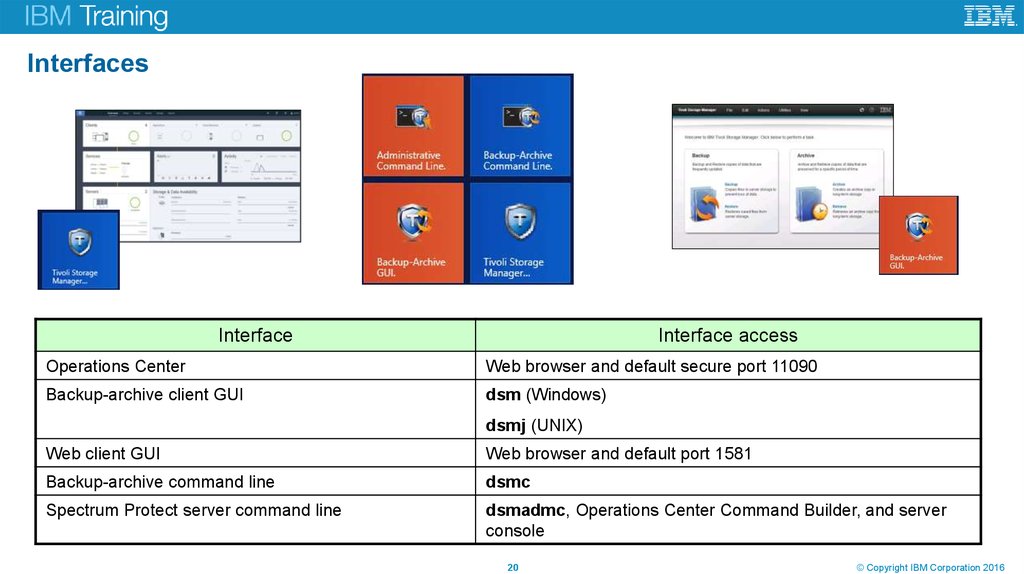
20. Interfaces
InterfaceInterface access
Operations Center
Web browser and default secure port 11090
Backup-archive client GUI
dsm (Windows)
dsmj (UNIX)
Web client GUI
Web browser and default port 1581
Backup-archive command line
dsmc
Spectrum Protect server command line
dsmadmc, Operations Center Command Builder, and server
console
Unit title
20
© Copyright IBM Corporation 2016
21. Lesson 2 Spectrum Protect Operations Center
Unit title© Copyright IBM Corporation 2016
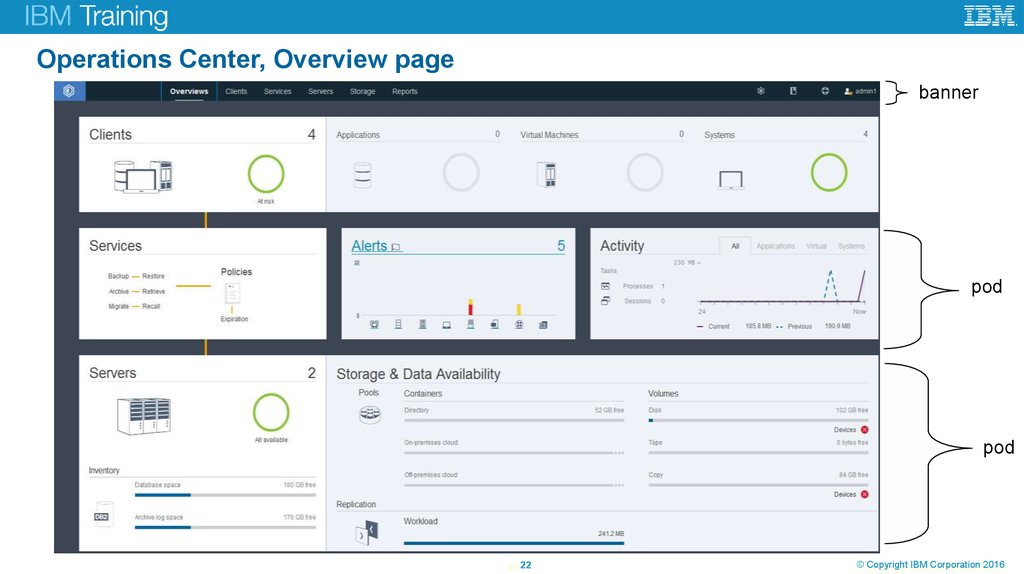
22. Operations Center, Overview page
bannerpod
pod
Unit title
22 22
©
© Copyright
Copyright IBM
IBM Corporation
Corporation 2016
2016
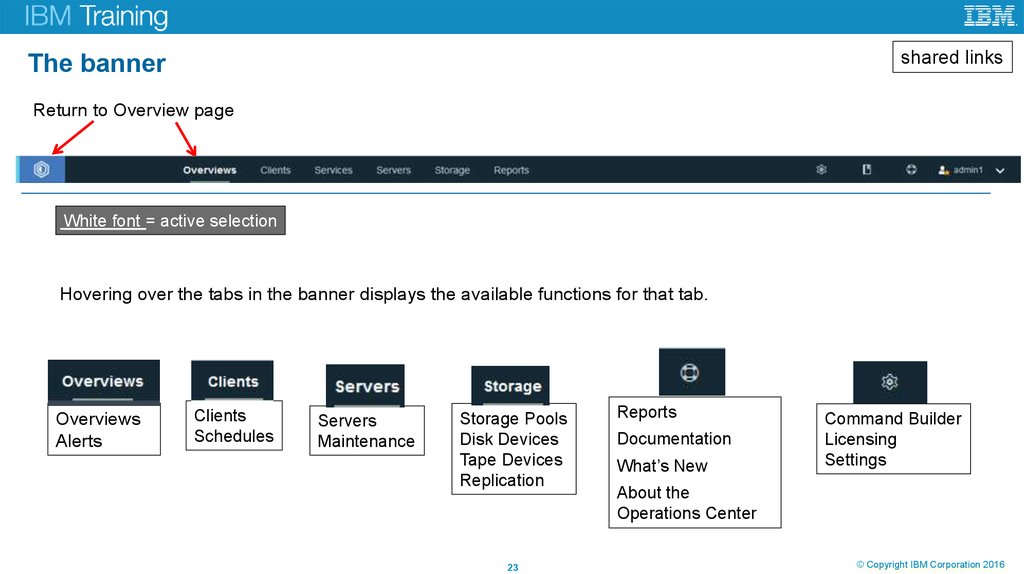
23. The banner
shared linksThe banner
Return to Overview page
White font = active selection
Hovering over the tabs in the banner displays the available functions for that tab.
Overviews
Alerts
Unit title
Clients
Schedules
Servers
Maintenance
Storage Pools
Disk Devices
Tape Devices
Replication
23
Reports
Documentation
What’s New
Command Builder
Licensing
Settings
About the
Operations Center
©
© Copyright
Copyright IBM
IBM Corporation
Corporation 2016
2016
24. Operations Center, new features for 7.1.4 and 7.1.5
The following enhancements were made to the Operations Center for Spectrum Protect 7.1.4:• You can complete the following tasks with the Reports page:
• Configure and manage a general operations report and a license compliance report. These predefined reports
are available by default.
• Configure and manage custom reports, which use SQL SELECT statements to query one or more managed
servers.
• Schedule reports to be sent automatically, or manually send a report.
• You can complete the following tasks for NAS file servers:
• View capacity and status information for NAS file servers that are registered as Tivoli Storage Manager clients.
• View the capacity of volumes that are defined on NAS file servers.
• Track the status and performance of full and differential volume backups.
The following enhancements were made to the Operations Center for Spectrum Protect 7.1.5:
• You can use the Add Storage Pool wizard to create a cloud-container storage pool that backs up data to IBM
Cloud Object Storage System, formerly known as Cleversafe, an IBM object storage system, using the Simple
Storage Service (S3) protocol.
• You can use inline compression with a directory-container storage pool to maximize storage pool space. You can
complete the following tasks:
• Specify whether data that is stored to a directory-container storage pool is compressed.
• View how much space was saved in a storage pool by deduplicating and compressing data. The savings
from both client-side and server-side compression are shown.
Unit title
24 24
©
© Copyright
Copyright IBM
IBM Corporation
Corporation 2016
2016
25. Operations Center, new features for 7.1.6
The following enhancements were made to the Operations Center for Spectrum Protect 7.1.6:• You can use the new Convert Storage Pool wizard to move data from a primary storage pool that uses the FILE
device class or a virtual tape library (VTL) to a directory-container storage pool. Directory-container storage pools
provide inline data deduplication and compression, and are typically easier to manage than volume-based pools.
• You can view status, capacity, and configuration information for tape libraries. You can complete the following
tasks:
View the status of library robotics, drives, and paths.
View the number of available scratch tape volumes and private tape volumes for each server.
View a library's overall tape capacity and tape usage over two weeks.
For shared libraries, identify which server is the library manager and which servers are library clients.
View the configuration and state of tape drives, including currently loaded tapes.
Specify which drives are available for server operations by taking them offline or bringing them online.
• You can use the Add Server Pair wizard to enable Aspera FASP technology for replication processes. Aspera
FASP technology is available when you purchase the IBM Spectrum Protect High Speed Data Transfer product.
An evaluation license is available by request.
Unit title
25 25
©
© Copyright
Copyright IBM
IBM Corporation
Corporation 2016
2016
26. Lesson 3 Benefits of a multi-server Spectrum Protect environment
Unit title© Copyright IBM Corporation 2016
27. Traditional disk to tape
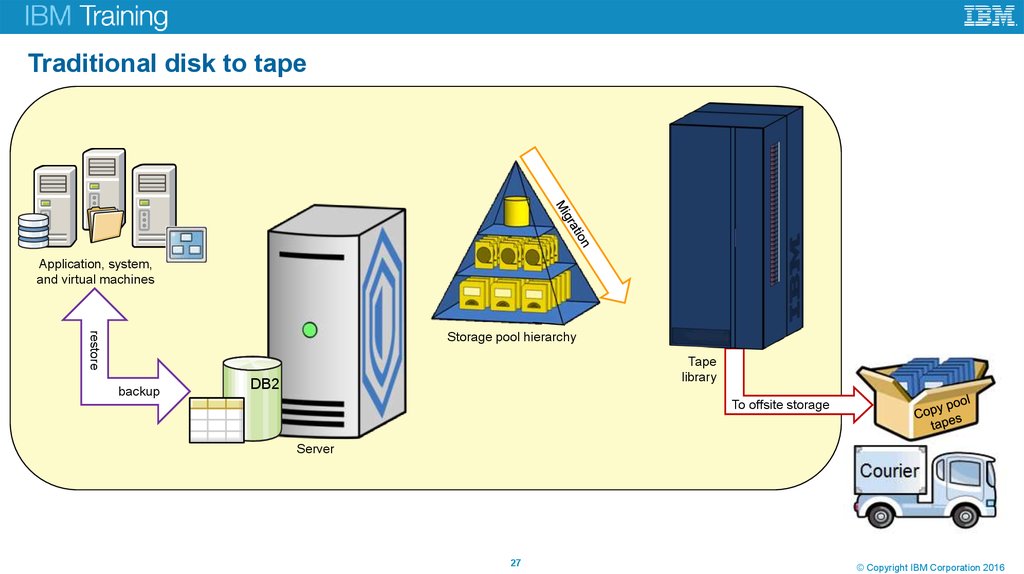
Application, system,and virtual machines
restore
Storage pool hierarchy
backup
Tape
library
DB2
To offsite storage
Server
Unit title
27
© Copyright IBM Corporation 2016
28. Multi-site disk environment overview
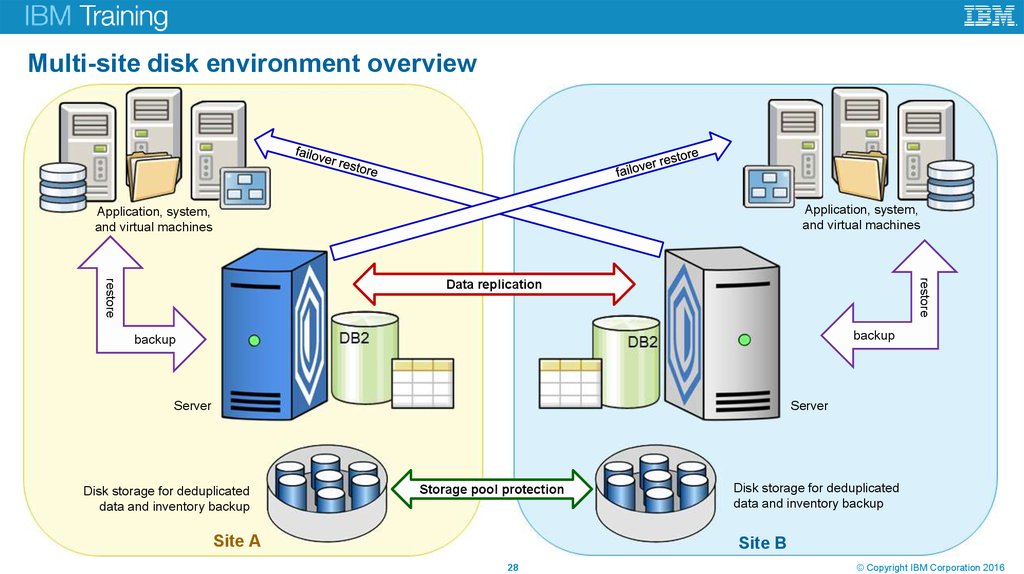
Application, system,and virtual machines
Application, system,
and virtual machines
restore
restore
Data replication
backup
backup
Server
Server
Disk storage for deduplicated
data and inventory backup
Storage pool protection
Site A
Unit title
Disk storage for deduplicated
data and inventory backup
Site B
28
© Copyright IBM Corporation 2016
29. Lesson 4 The IBM Spectrum Protect storage family
Unit title© Copyright IBM Corporation 2016
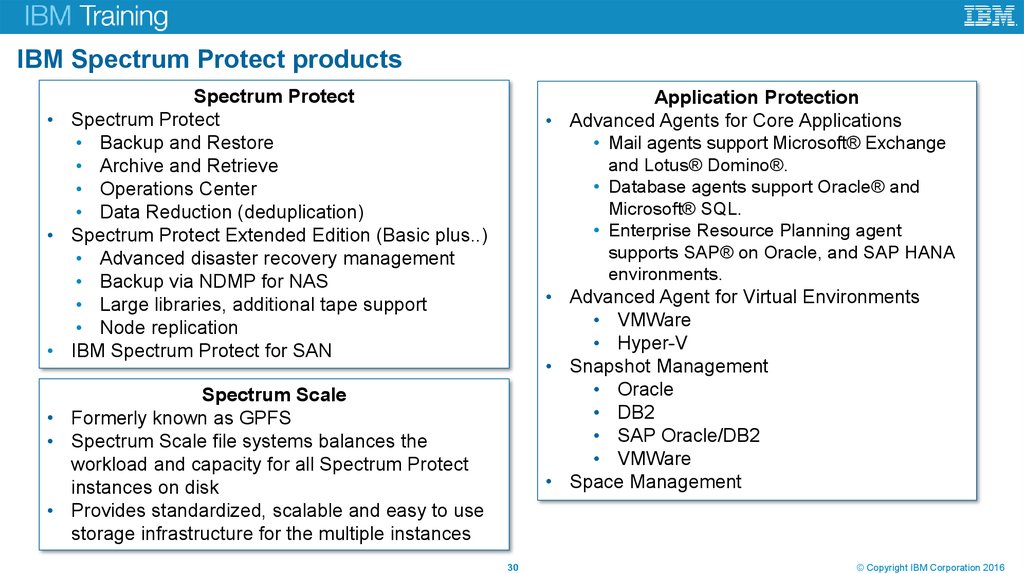
30. IBM Spectrum Protect products
Spectrum Protect• Spectrum Protect
• Backup and Restore
• Archive and Retrieve
• Operations Center
• Data Reduction (deduplication)
• Spectrum Protect Extended Edition (Basic plus..)
• Advanced disaster recovery management
• Backup via NDMP for NAS
• Large libraries, additional tape support
• Node replication
• IBM Spectrum Protect for SAN
Application Protection
• Advanced Agents for Core Applications
• Mail agents support Microsoft® Exchange
and Lotus® Domino®.
• Database agents support Oracle® and
Microsoft® SQL.
• Enterprise Resource Planning agent
supports SAP® on Oracle, and SAP HANA
environments.
• Advanced Agent for Virtual Environments
• VMWare
• Hyper-V
• Snapshot Management
• Oracle
• DB2
• SAP Oracle/DB2
• VMWare
• Space Management
Spectrum Scale
• Formerly known as GPFS
• Spectrum Scale file systems balances the
workload and capacity for all Spectrum Protect
instances on disk
• Provides standardized, scalable and easy to use
storage infrastructure for the multiple instances
15
Unit title
30
© Copyright IBM Corporation 2016
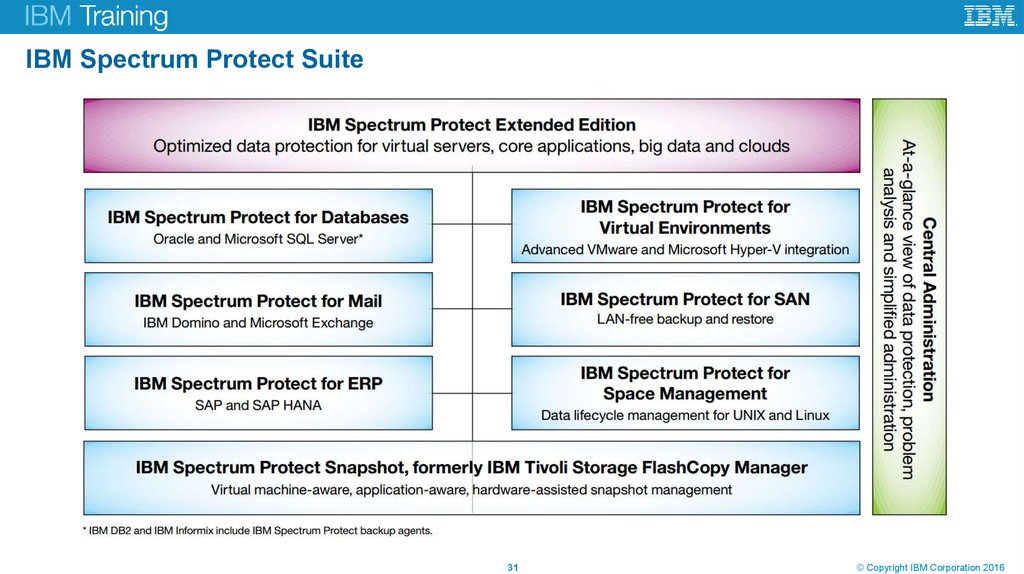
31. IBM Spectrum Protect Suite
Unit title31
© Copyright IBM Corporation 2016
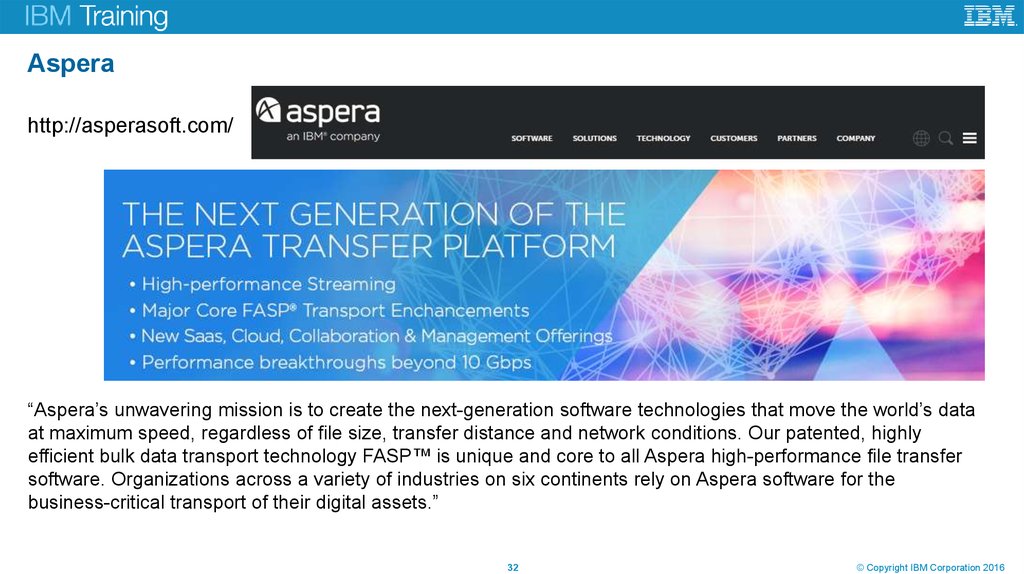
32. Aspera
http://asperasoft.com/“Aspera’s unwavering mission is to create the next-generation software technologies that move the world’s data
at maximum speed, regardless of file size, transfer distance and network conditions. Our patented, highly
efficient bulk data transport technology FASP™ is unique and core to all Aspera high-performance file transfer
software. Organizations across a variety of industries on six continents rely on Aspera software for the
business-critical transport of their digital assets.”
Unit title
32
© Copyright IBM Corporation 2016
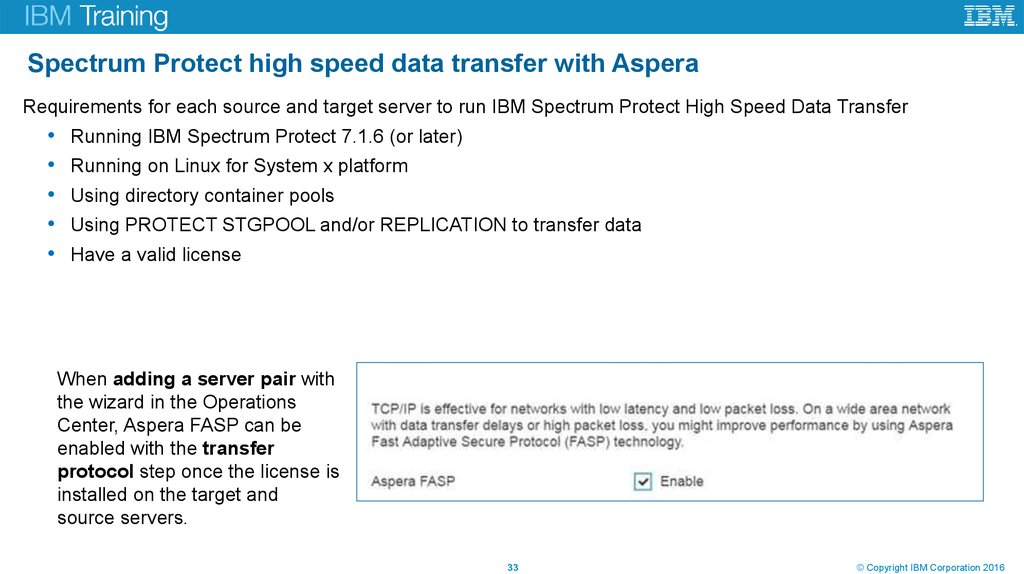
33. Spectrum Protect high speed data transfer with Aspera
Requirements for each source and target server to run IBM Spectrum Protect High Speed Data TransferRunning IBM Spectrum Protect 7.1.6 (or later)
Running on Linux for System x platform
Using directory container pools
Using PROTECT STGPOOL and/or REPLICATION to transfer data
Have a valid license
When adding a server pair with
the wizard in the Operations
Center, Aspera FASP can be
enabled with the transfer
protocol step once the license is
installed on the target and
source servers.
Unit title
33
© Copyright IBM Corporation 2016
34. Cloud-based storage solution
IBM Cloud and Software Defined Storage software solutions can:• Manage data growth
• Better prepare for future storage demands with an optimized, integrated and virtualized
storage environment designed to help reduce complexity, costs and underutilized assets
• Increase reliability
• IBM storage specialists help reduce risks by using time-tested processes and drawing on
years of experience implementing, migrating and managing storage environments
• Enable innovation
• Create a more efficient storage infrastructure that can support new business growth
opportunities
IBM provides a broad portfolio of storage services designed to help you keep up with explosive
data growth and the latest technology advancements.
Unit title
34
© Copyright IBM Corporation 2016
35. Unit glossary
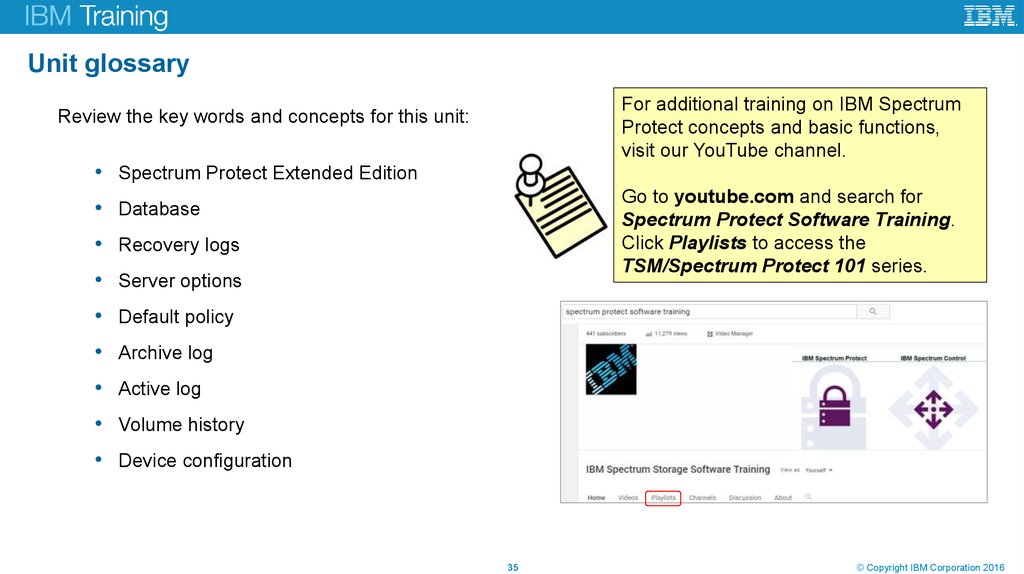
For additional training on IBM SpectrumProtect concepts and basic functions,
visit our YouTube channel.
Review the key words and concepts for this unit:
• Spectrum Protect Extended Edition
Go to youtube.com and search for
Spectrum Protect Software Training.
Click Playlists to access the
TSM/Spectrum Protect 101 series.
• Database
• Recovery logs
• Server options
• Default policy
• Archive log
• Active log
• Volume history
• Device configuration
Unit title
35
© Copyright IBM Corporation 2016
36. Review questions
1. True or false: The Spectrum Protect administrative command line, which is used for issuingcommands for the server, is automatically installed with the Spectrum Protect server.
2. True or false: Shared memory can be enabled for database backups.
3. True or false: You need to be a DB2 database administrator to perform Spectrum Protect DB2
functions.
4. Which type of storage pools optimizes data-deduplication processing?
5. What is a benefit of using a multi-server disk environment?
Unit title
36
© Copyright IBM Corporation 2016
37. Exercises for Unit 1
Unit title© Copyright IBM Corporation 2016
38. Lab environment
Unit title38
© Copyright IBM Corporation 2016
39. Exercise introduction
You will perform the following exercises:Unit title
Log on and verify the system
Use the Spectrum Protect administrative command line interfaces
Add a spoke in the Operations Center
View status and use Command Builder in the Operations Center
39
© Copyright IBM Corporation 2016
40. Unit summary
Now that you have complete this unit, you can perform the following tasks:Unit title
Describe Spectrum Protect and its function
List the components of Spectrum Protect
Describe Spectrum Protect 7.1 administrative functions and interfaces
Identify the Spectrum Protect servers set up for this course
40
© Copyright IBM Corporation 2016