





 Информатика
Похожие презентации:










Computer problems
1.
2.
Theme of the lesson?Computer problems
3.
1. Lexical material on the topic“Computer problems” (pronunciation,
lexical training exercises);
2. Everyday English: Offering Solutions/
Responding (mini-dialogues in pairs);
3. Predictable, search & learning
reading of the dialogue;
4. Oral Quiz.
4.
Read and translate.Mind your pronunciation
use the Internet World Wide Web for a project;
an international network around the world;
the cursor sticks in the same place;
connect to the Internet easily;
download music files on the mobile phone;
transfer the file to the laptop;
the screen has frozen while working;
buy a new disc drive to play video games;
remove a virus from the computer;
5.
Read and translate.Mind your pronunciation
spill water on the keyboard;
reboot the computer in case of freezing;
call the Internet service provider;
a slow connection to the WF;
give a hand with the printer;
save the documents under a different name;
download all photographs on the hard disc;
copy all files before deleting;
click on the link to go to the international site
6.
Express the same in English.Mind your pronunciation
удалить важные файлы;
хранить информацию на жестком диске;
перегрузить ноутбук в случае внезапной
поломки;
передавать информацию по локальной сети;
заказать комплектующие для компьютера
онлайн;
почистить клавиатуру и мышь;
искать информацию на интернет-сайтах;
7.
Express the same in English.Mind your pronunciation
пролить кофе на клавиатуру;
отсканировать несколько документов;
подсоединиться к всемирной паутине;
купить
современное
программное
обеспечение;
почистить компьютер и уничтожить вирусы;
смотреть на зависший экран;
купить телефон с большой памятью.
8.
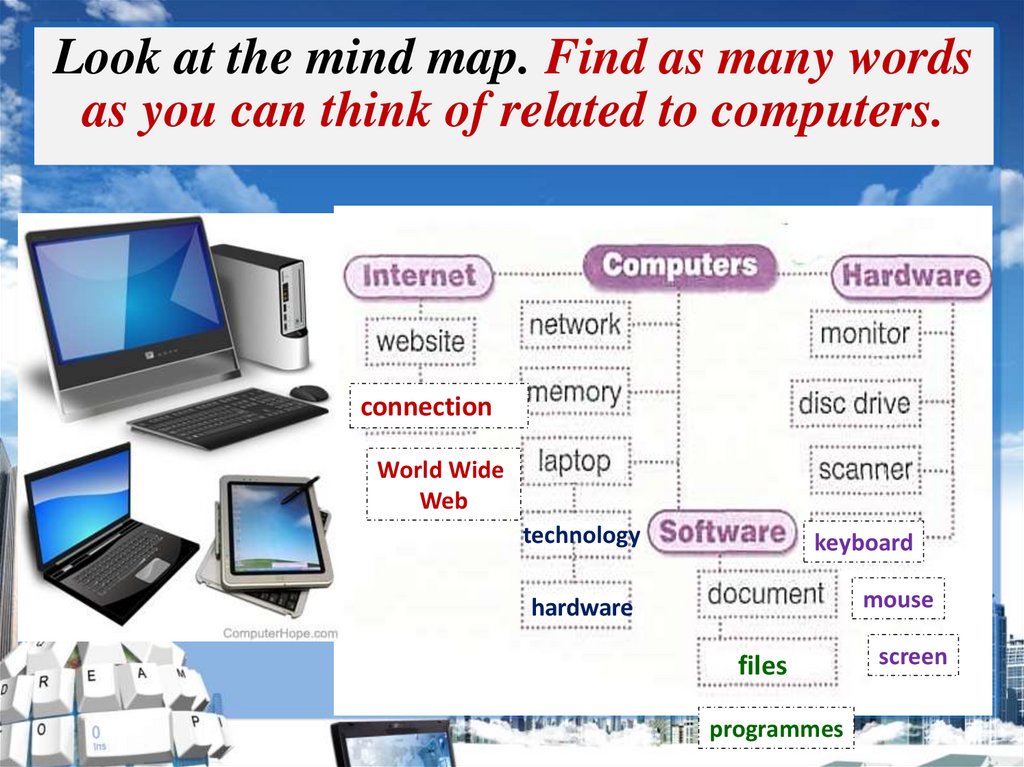
Look at the mind map. Find as many wordsas you can think of related to computers.
connection
World Wide
Web
technology
keyboard
mouse
hardware
files
programmes
screen
9.
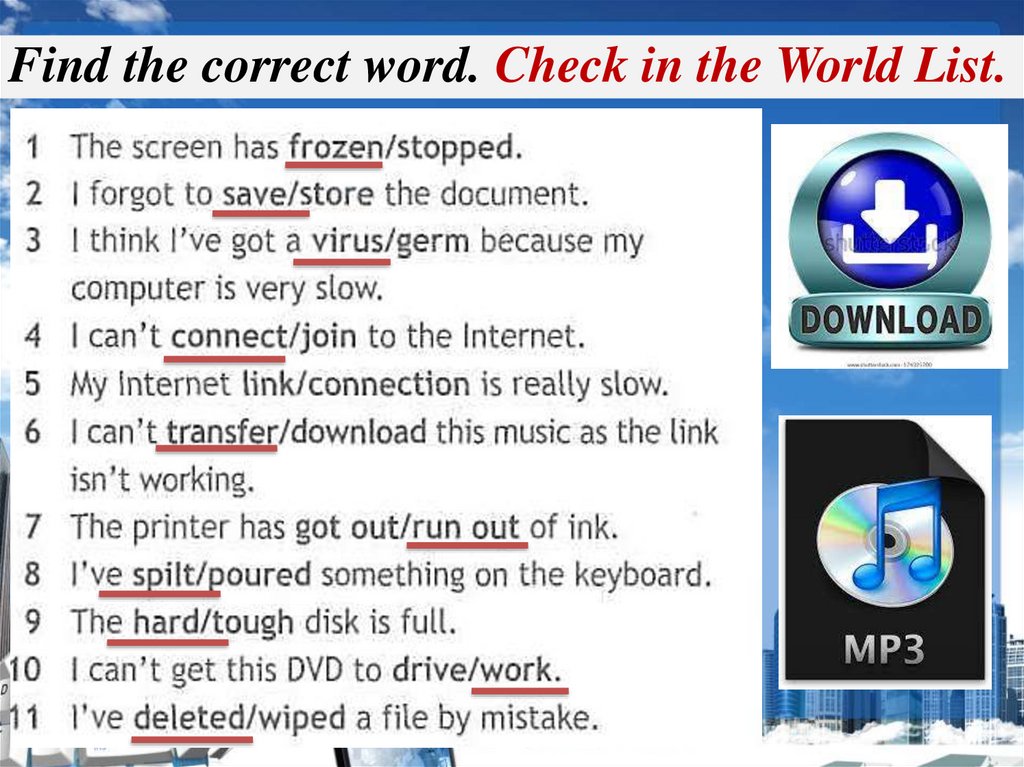
Find the correct word. Check in the World List.10.
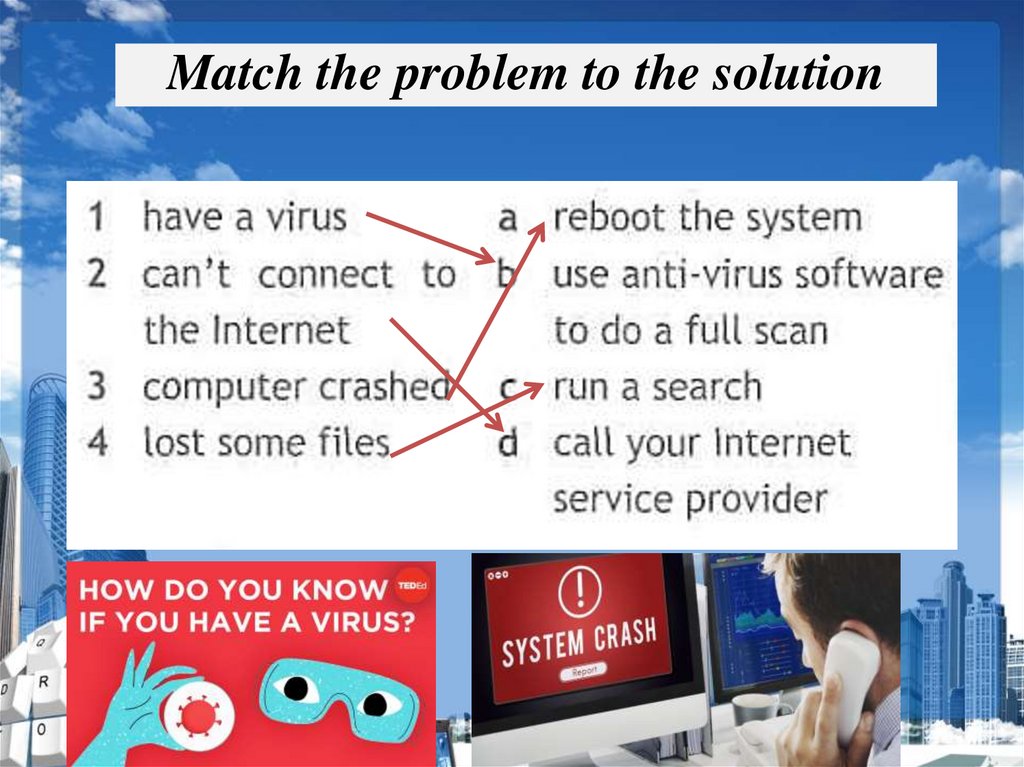
Match the problem to the solution11.
A set of floor exercises12.
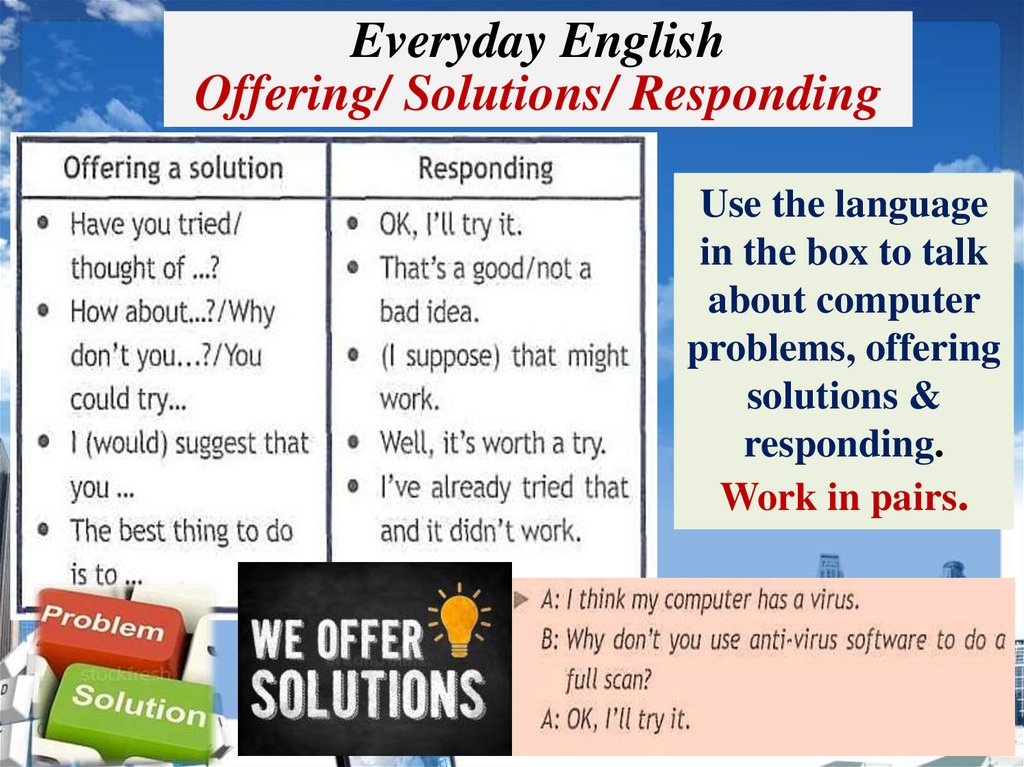
Everyday EnglishOffering/ Solutions/ Responding
Use the language
in the box to talk
about computer
problems, offering
solutions &
responding.
Work in pairs.
13.
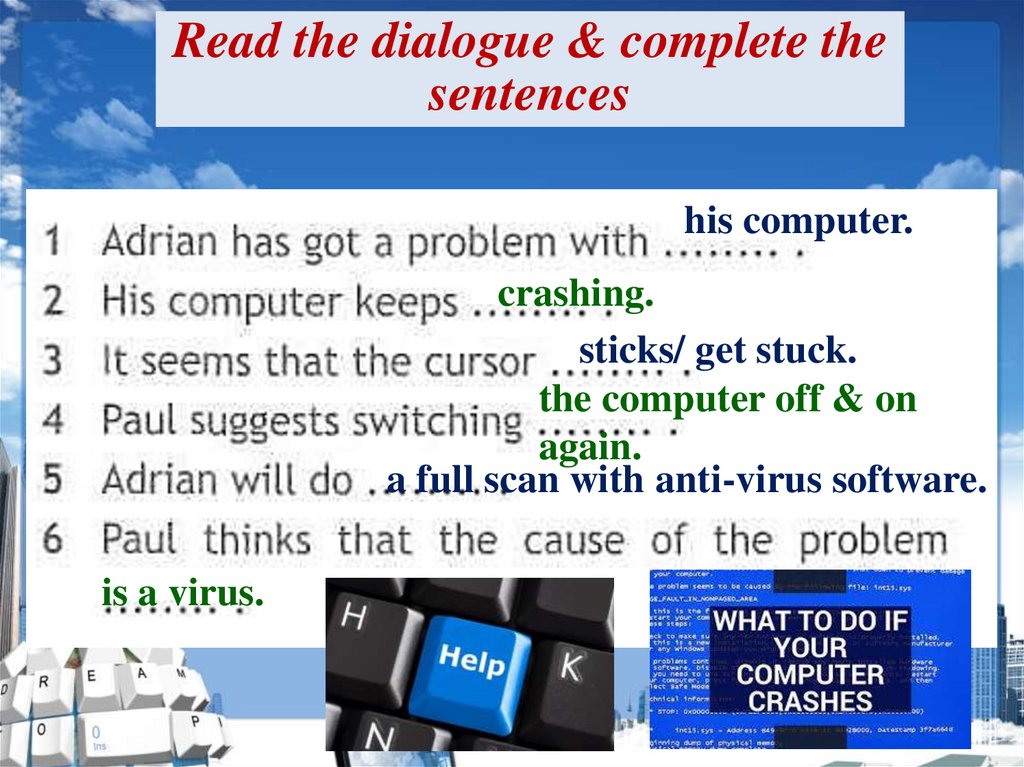
Read the dialogue & complete thesentences
his computer.
crashing.
sticks/ get stuck.
the computer off & on
again.
a full scan with anti-virus software.
is a virus.
14.
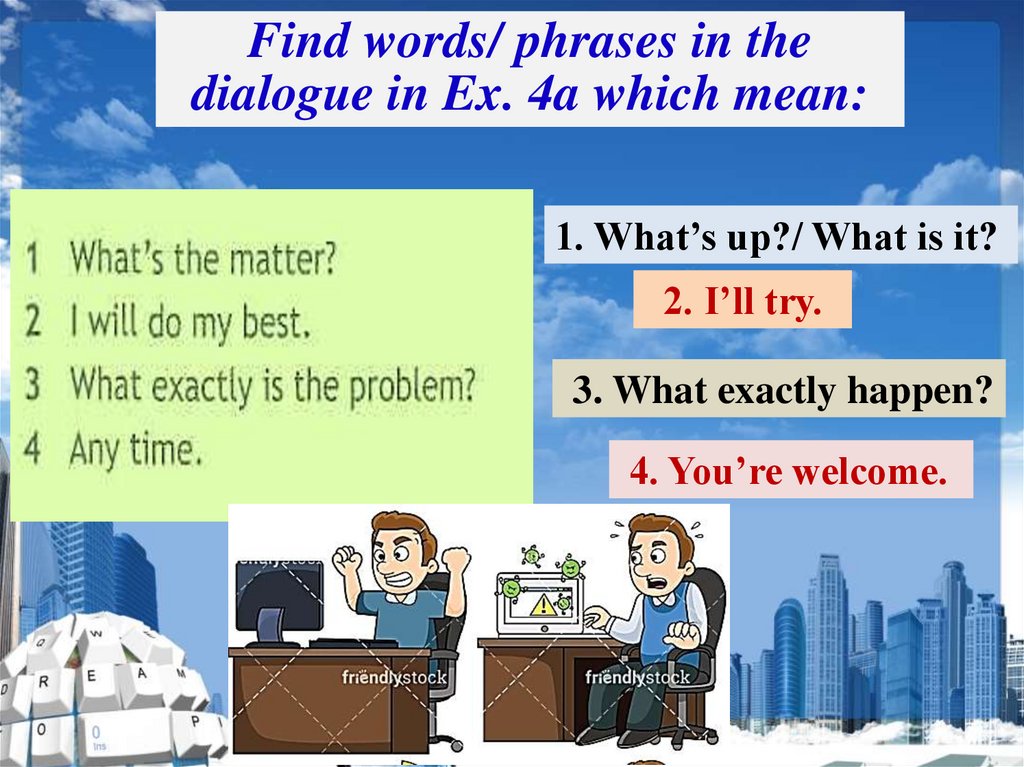
Find words/ phrases in thedialogue in Ex. 4a which mean:
1. What’s up?/ What is it?
2. I’ll try.
3. What exactly happen?
4. You’re welcome.
15.
1) SB ex. 8 p. 61 (make up & learnthe dialogues);
2) Be ready for Dictation