
 Интернет
Похожие презентации:








Internet Control Message Protocol Version 4
1.
(ICMPv4)Internet Control Message Protocol
Version 4
TCP/IP Protocol Suite
1
2.
OutlineIntroduction
Messages
Debugging Tools
TCP/IP Protocol Suite
2
3.
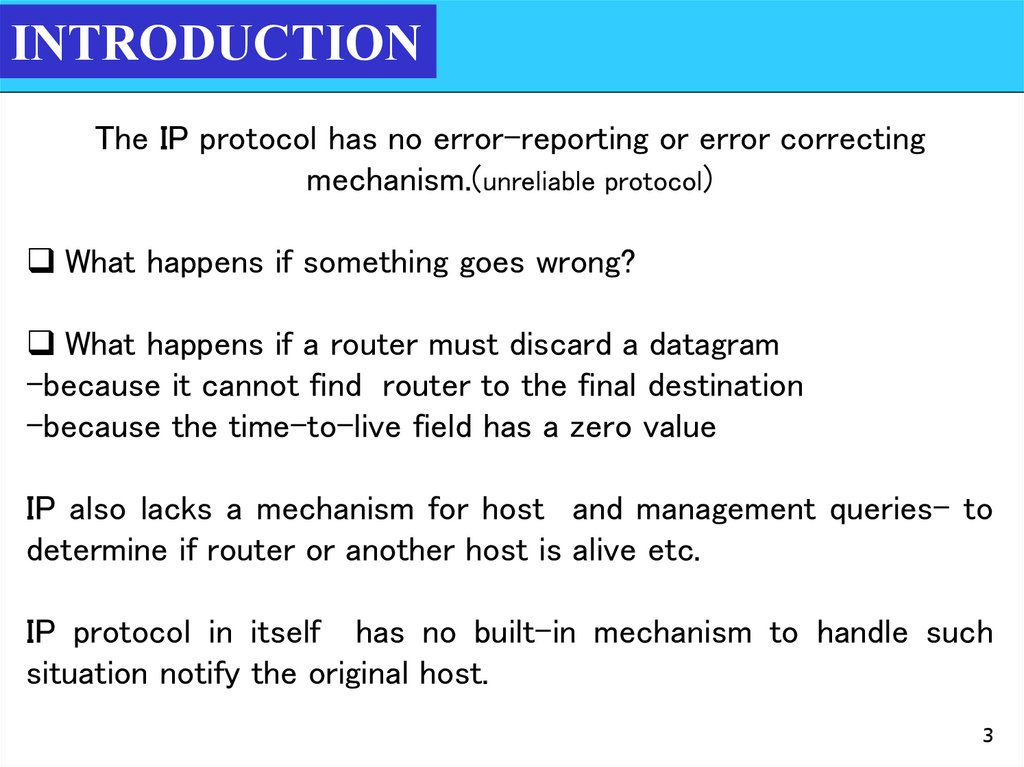
INTRODUCTIONThe IP protocol has no error-reporting or error correcting
mechanism.(unreliable protocol)
What happens if something goes wrong?
What happens if a router must discard a datagram
-because it cannot find router to the final destination
-because the time-to-live field has a zero value
IP also lacks a mechanism for host and management queries- to
determine if router or another host is alive etc.
IP protocol in itself has no built-in mechanism to handle such
situation notify the original host.
3
4.
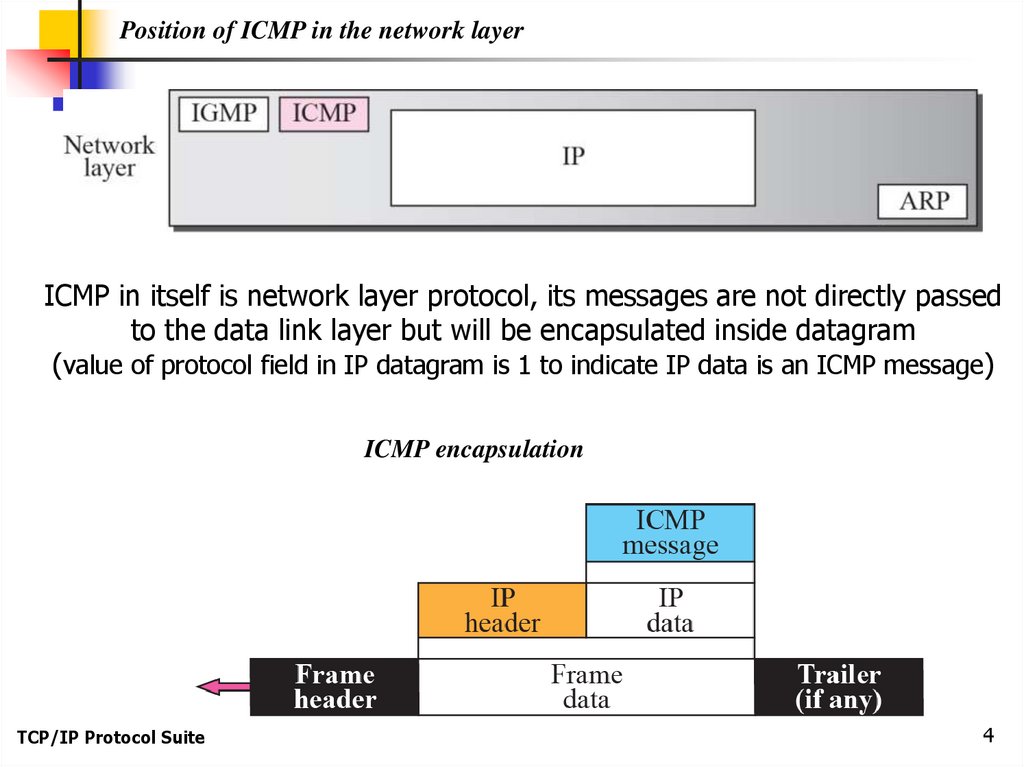
Position of ICMP in the network layerICMP in itself is network layer protocol, its messages are not directly passed
to the data link layer but will be encapsulated inside datagram
(value of protocol field in IP datagram is 1 to indicate IP data is an ICMP message)
ICMP encapsulation
TCP/IP Protocol Suite
4
5.
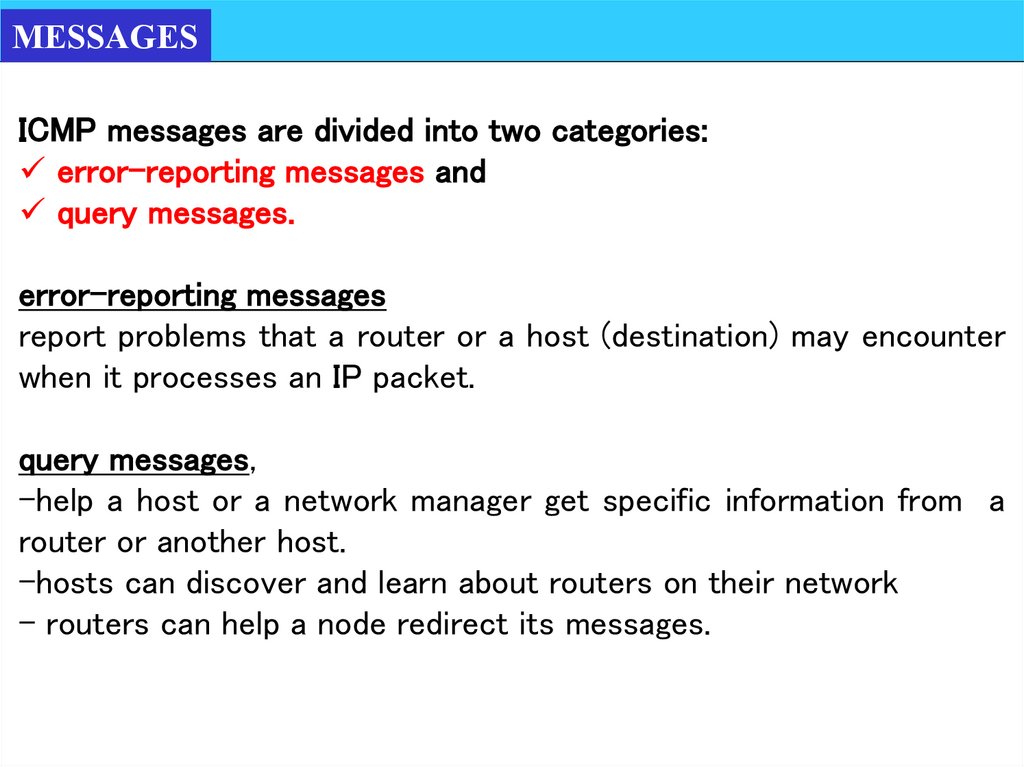
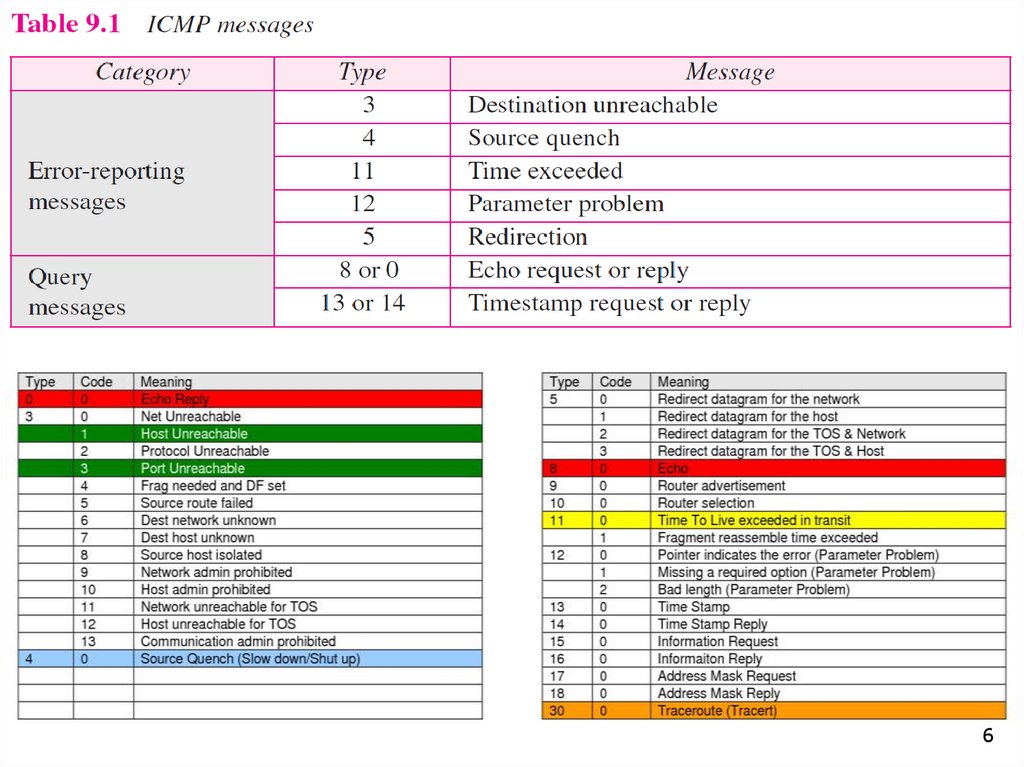
MESSAGESICMP messages are divided into two categories:
error-reporting messages and
query messages.
error-reporting messages
report problems that a router or a host (destination) may encounter
when it processes an IP packet.
query messages,
-help a host or a network manager get specific information from a
router or another host.
-hosts can discover and learn about routers on their network
- routers can help a node redirect its messages.
6.
67.
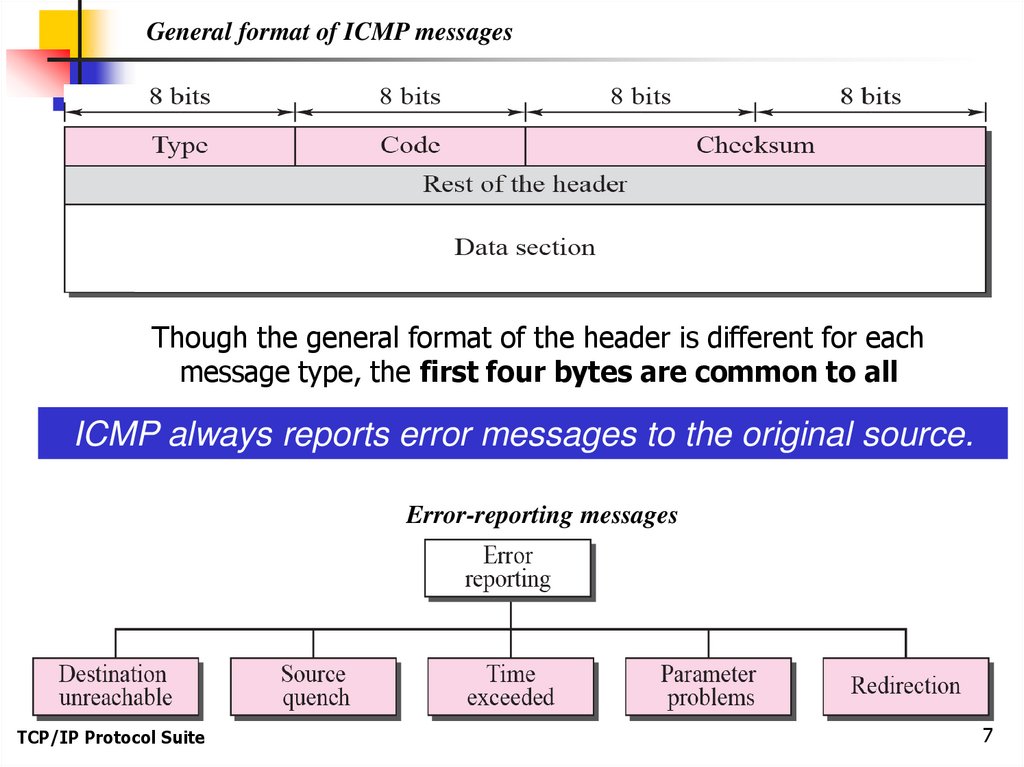
General format of ICMP messagesThough the general format of the header is different for each
message type, the first four bytes are common to all
ICMP always reports error messages to the original source.
Error-reporting messages
TCP/IP Protocol Suite
7
8.
TCP/IP Protocol Suite8
9.
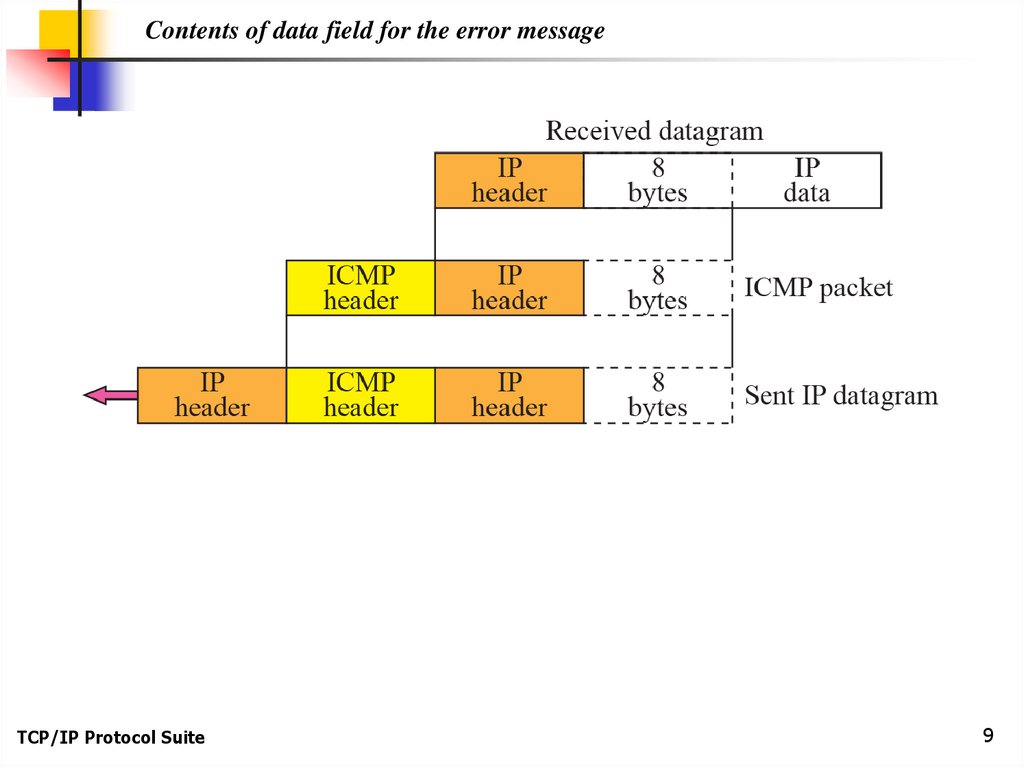
Contents of data field for the error messageTCP/IP Protocol Suite
9
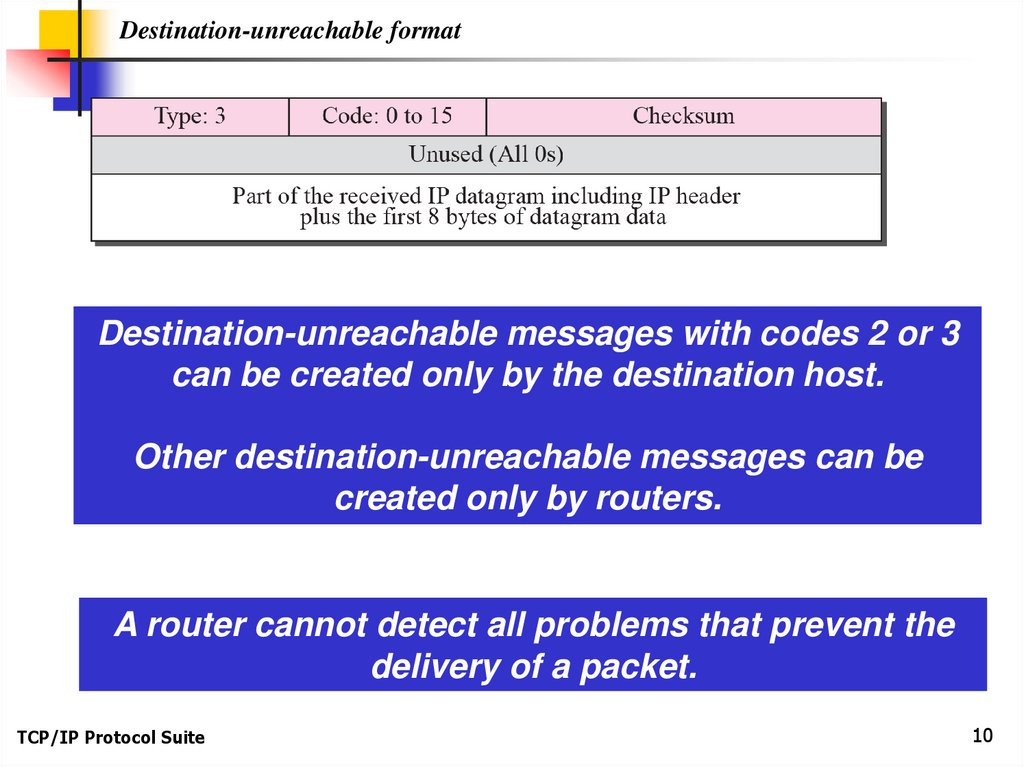
10.
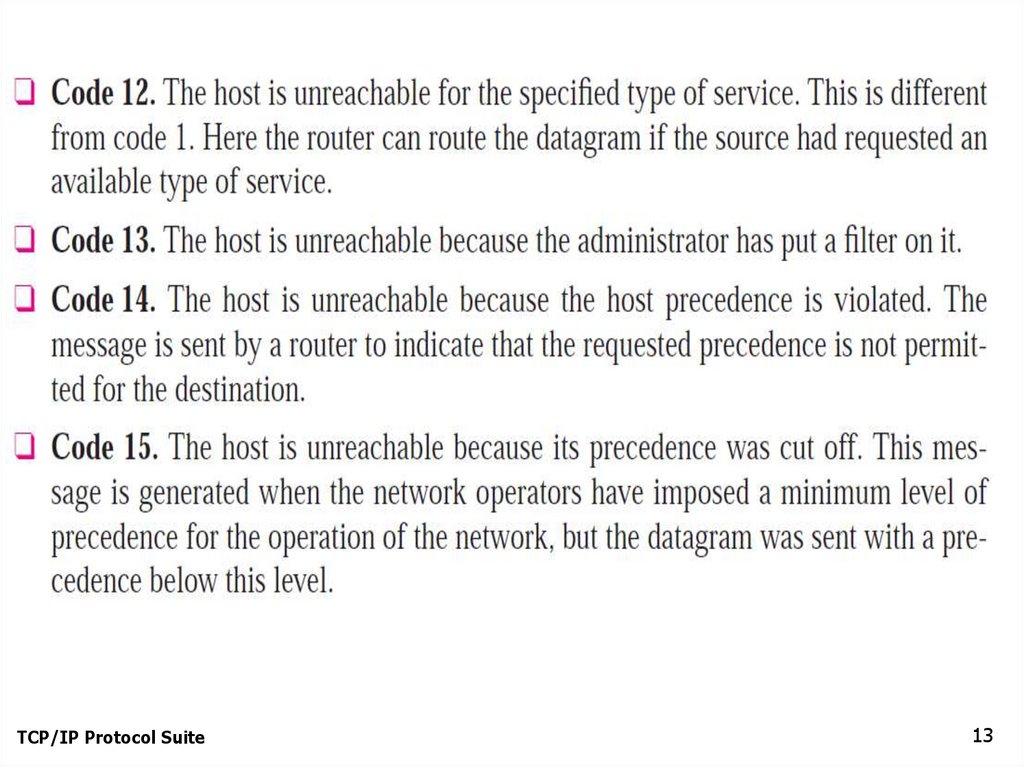
Destination-unreachable formatDestination-unreachable messages with codes 2 or 3
can be created only by the destination host.
Other destination-unreachable messages can be
created only by routers.
A router cannot detect all problems that prevent the
delivery of a packet.
TCP/IP Protocol Suite
10
11.
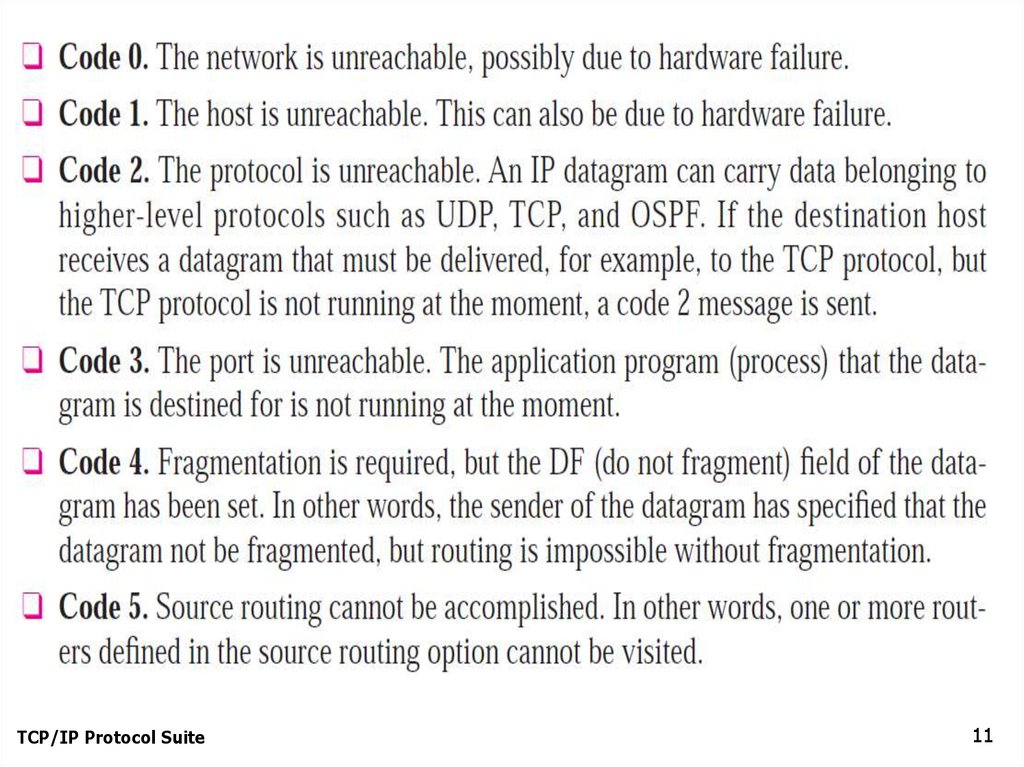
TCP/IP Protocol Suite11
12.
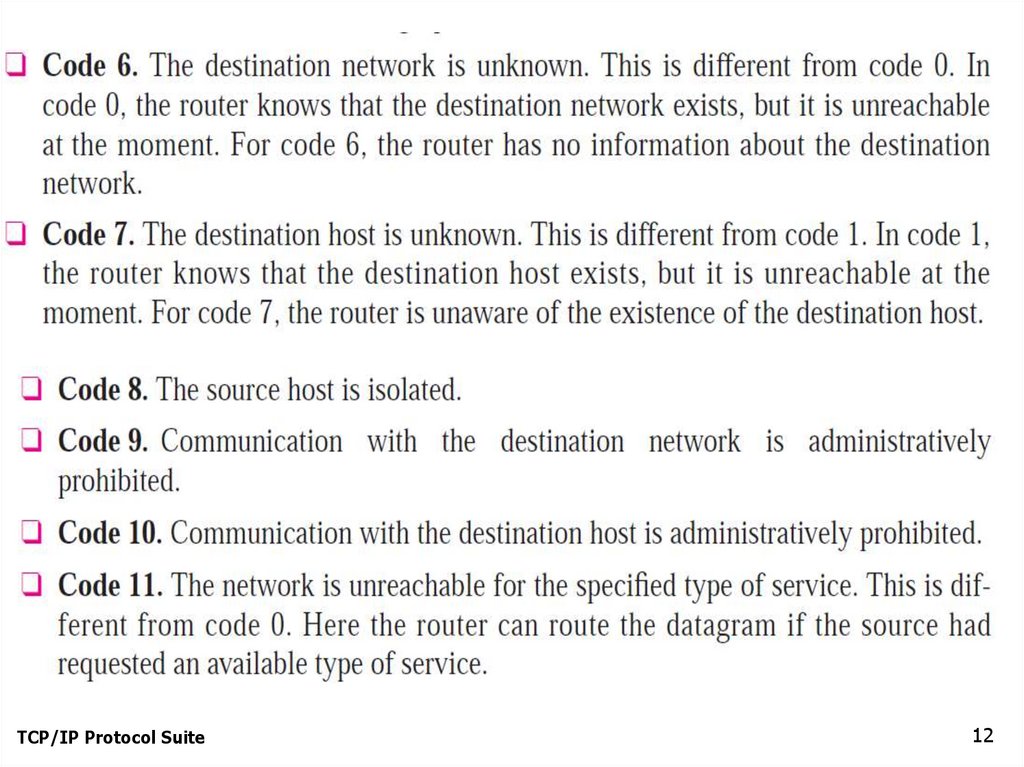
TCP/IP Protocol Suite12
13.
TCP/IP Protocol Suite13
14.
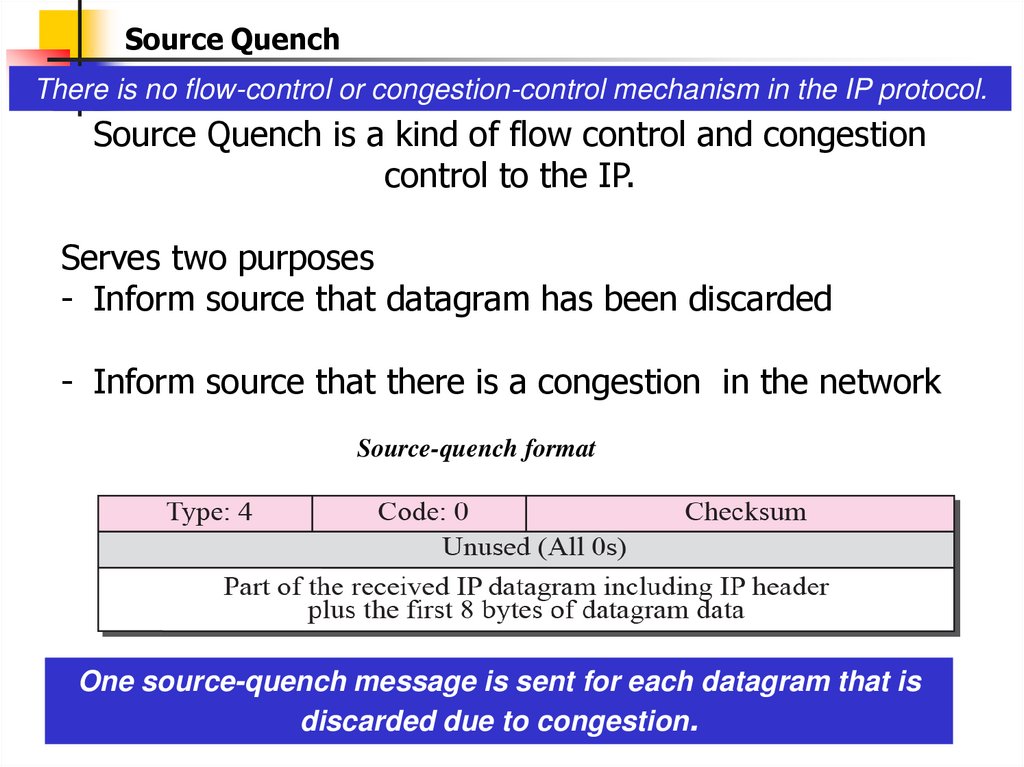
Source QuenchThere is no flow-control or congestion-control mechanism in the IP protocol.
Source Quench is a kind of flow control and congestion
control to the IP.
Serves two purposes
- Inform source that datagram has been discarded
- Inform source that there is a congestion in the network
Source-quench format
One source-quench message is sent for each datagram that is
discarded due to congestion.
15.
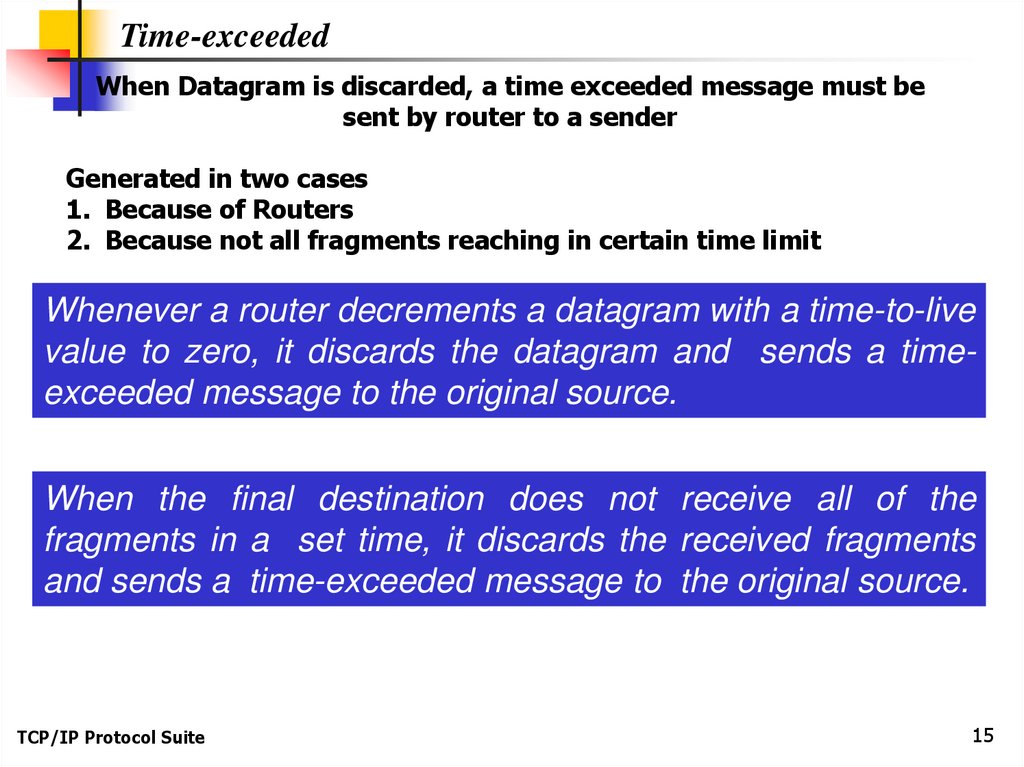
Time-exceededWhen Datagram is discarded, a time exceeded message must be
sent by router to a sender
Generated in two cases
1. Because of Routers
2. Because not all fragments reaching in certain time limit
Whenever a router decrements a datagram with a time-to-live
value to zero, it discards the datagram and sends a timeexceeded message to the original source.
When the final destination does not receive all of the
fragments in a set time, it discards the received fragments
and sends a time-exceeded message to the original source.
TCP/IP Protocol Suite
15
16.
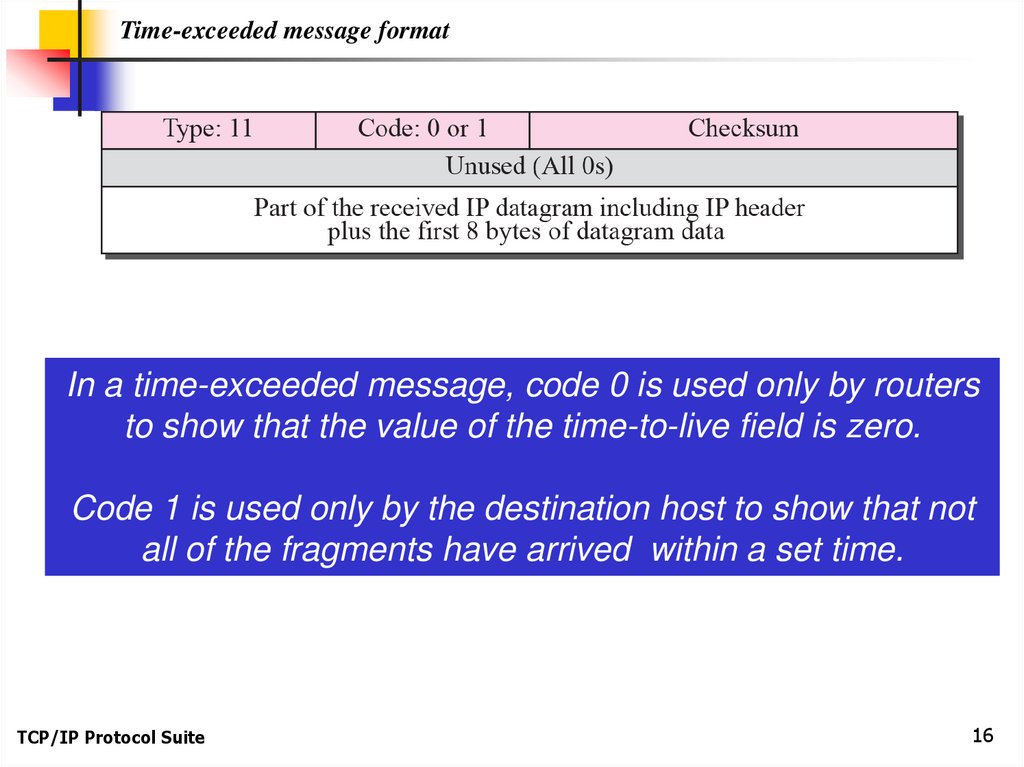
Time-exceeded message formatIn a time-exceeded message, code 0 is used only by routers
to show that the value of the time-to-live field is zero.
Code 1 is used only by the destination host to show that not
all of the fragments have arrived within a set time.
TCP/IP Protocol Suite
16
17.
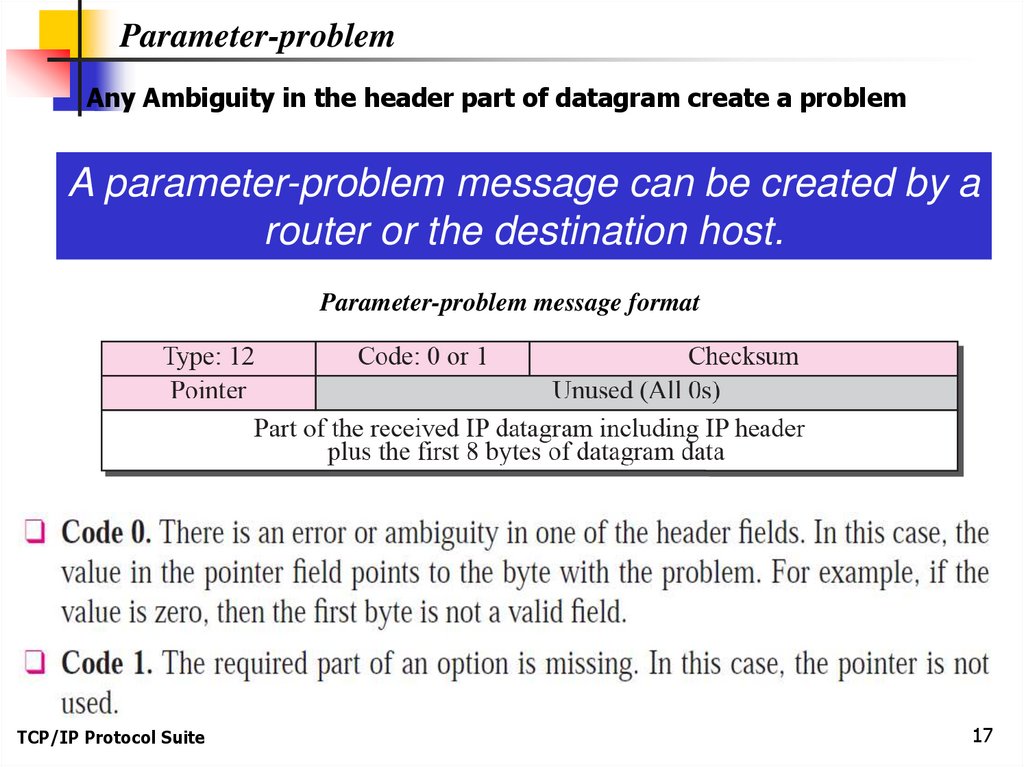
Parameter-problemAny Ambiguity in the header part of datagram create a problem
A parameter-problem message can be created by a
router or the destination host.
Parameter-problem message format
TCP/IP Protocol Suite
17
18.
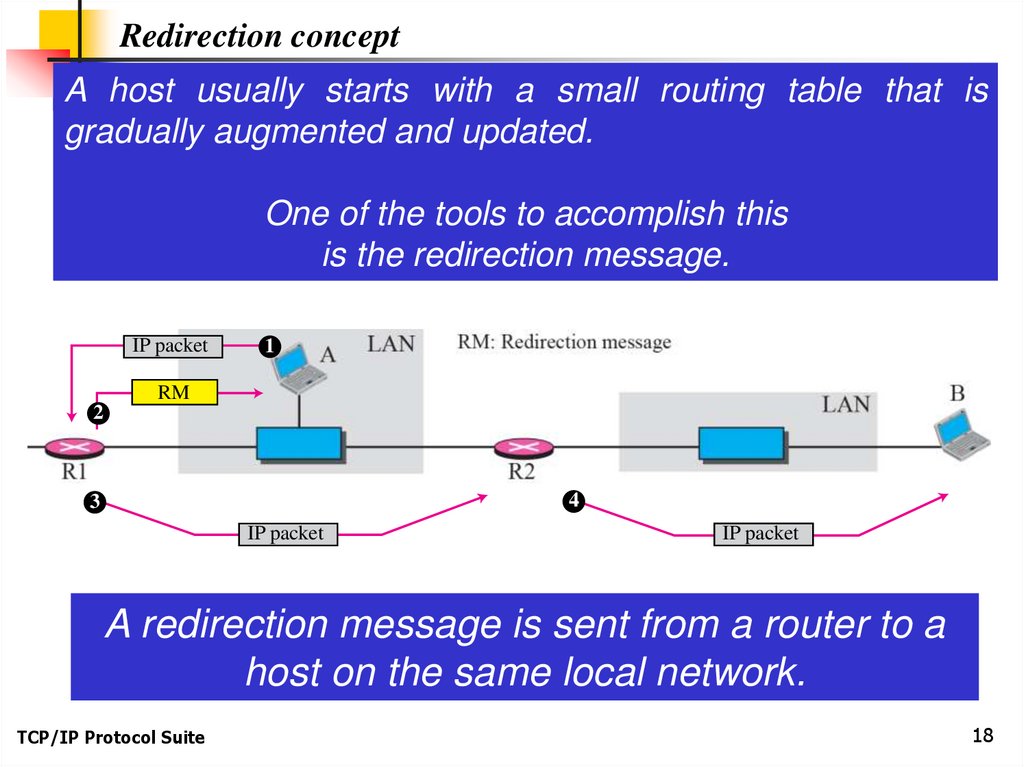
Redirection conceptA host usually starts with a small routing table that is
gradually augmented and updated.
One of the tools to accomplish this
is the redirection message.
IP packet
1
RM
2
4
3
IP packet
IP packet
A redirection message is sent from a router to a
host on the same local network.
TCP/IP Protocol Suite
18
19.
Redirection message formatTCP/IP Protocol Suite
19
20.
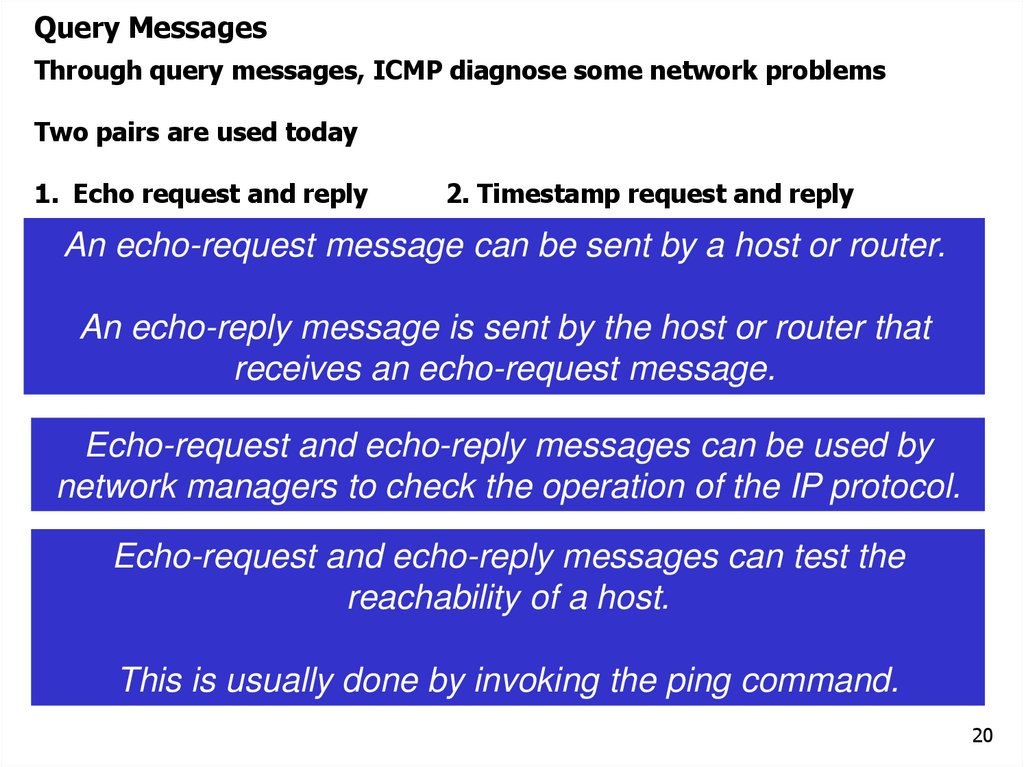
Query MessagesThrough query messages, ICMP diagnose some network problems
Two pairs are used today
1. Echo request and reply
2. Timestamp request and reply
An echo-request message can be sent by a host or router.
An echo-reply message is sent by the host or router that
receives an echo-request message.
Echo-request and echo-reply messages can be used by
network managers to check the operation of the IP protocol.
Echo-request and echo-reply messages can test the
reachability of a host.
This is usually done by invoking the ping command.
20
21.
Timestamp-request and timestamp-replyTimestamp-request and timestamp-reply
messages can be used to calculate the
round-trip time between a source and a
destination machine
TCP/IP Protocol Suite
21
22.
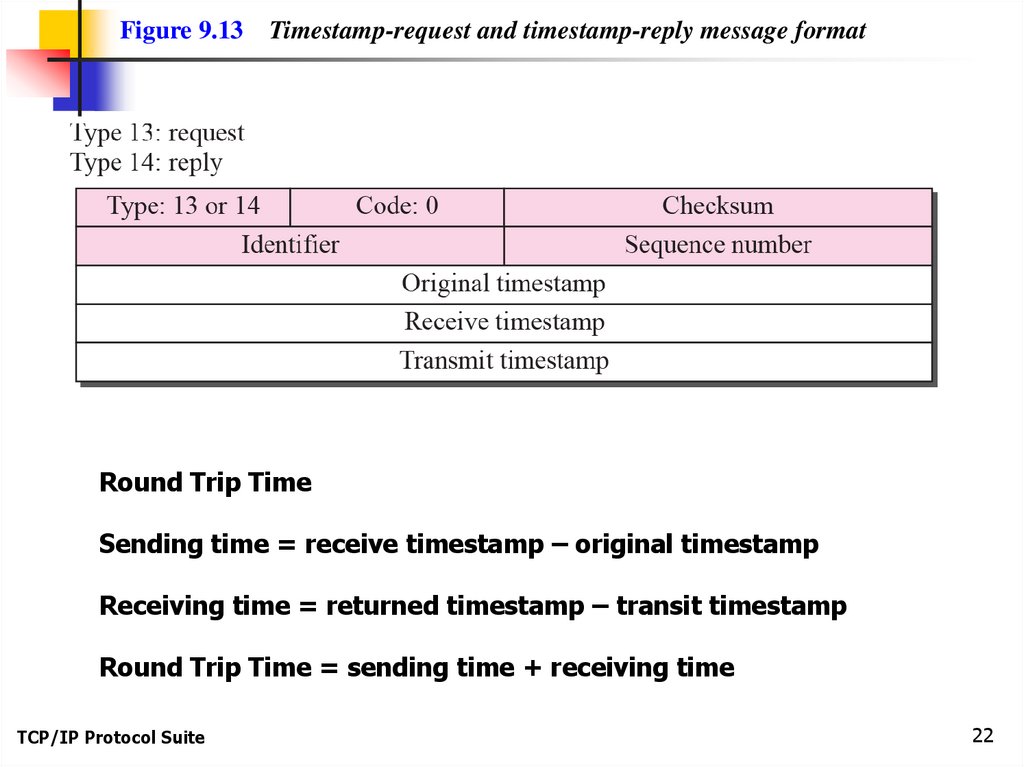
Figure 9.13Timestamp-request and timestamp-reply message format
Round Trip Time
Sending time = receive timestamp – original timestamp
Receiving time = returned timestamp – transit timestamp
Round Trip Time = sending time + receiving time
TCP/IP Protocol Suite
22
23.
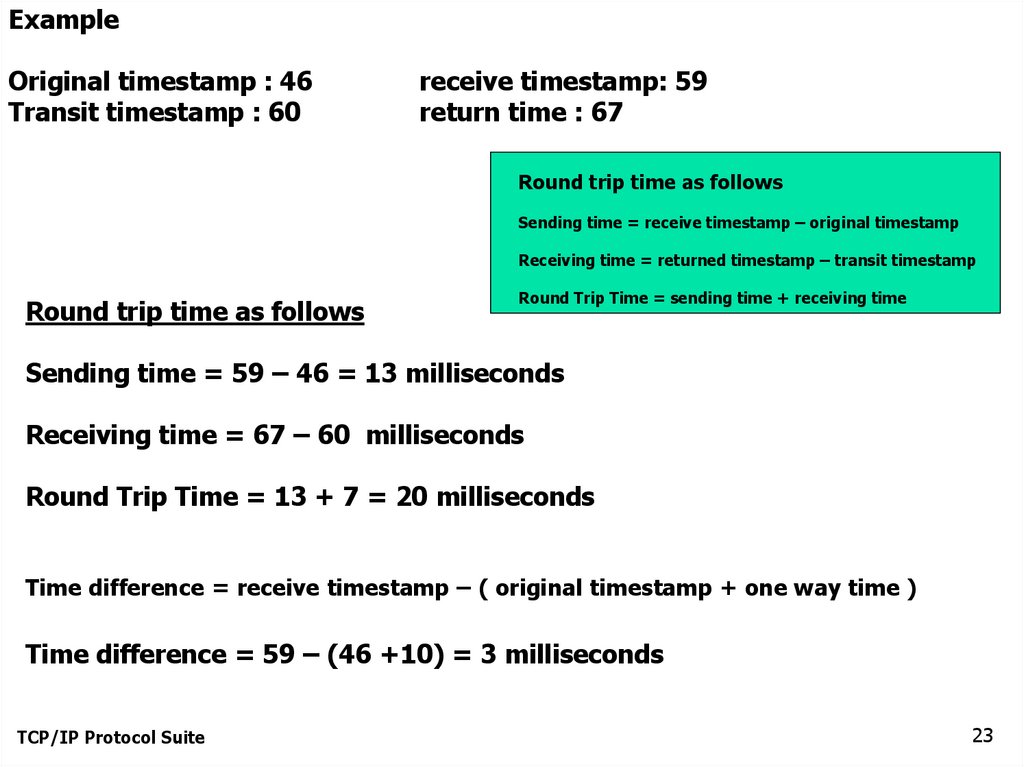
ExampleOriginal timestamp : 46
Transit timestamp : 60
receive timestamp: 59
return time : 67
Round trip time as follows
Sending time = receive timestamp – original timestamp
Receiving time = returned timestamp – transit timestamp
Round trip time as follows
Round Trip Time = sending time + receiving time
Sending time = 59 – 46 = 13 milliseconds
Receiving time = 67 – 60 milliseconds
Round Trip Time = 13 + 7 = 20 milliseconds
Time difference = receive timestamp – ( original timestamp + one way time )
Time difference = 59 – (46 +10) = 3 milliseconds
TCP/IP Protocol Suite
23
24.
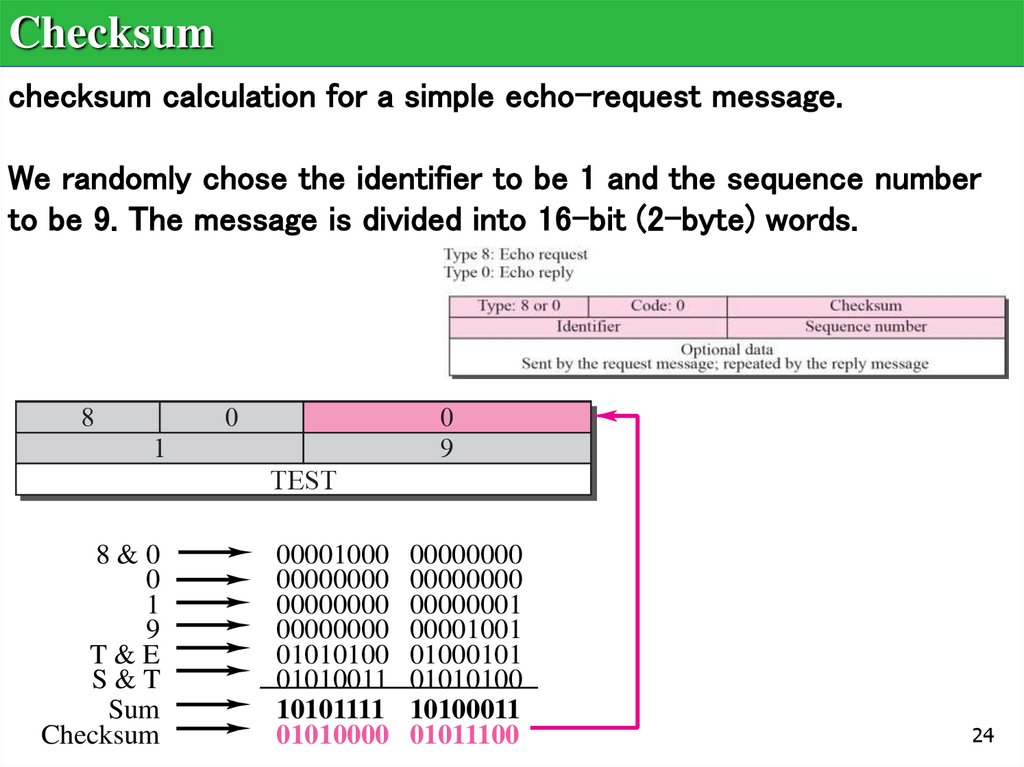
Checksumchecksum calculation for a simple echo-request message.
We randomly chose the identifier to be 1 and the sequence number
to be 9. The message is divided into 16-bit (2-byte) words.
8&0
0
1
9
T&E
S&T
Sum
Checksum
00001000
00000000
00000000
00000000
01010100
01010011
10101111
01010000
00000000
00000000
00000001
00001001
01000101
01010100
10100011
01011100
24
25.
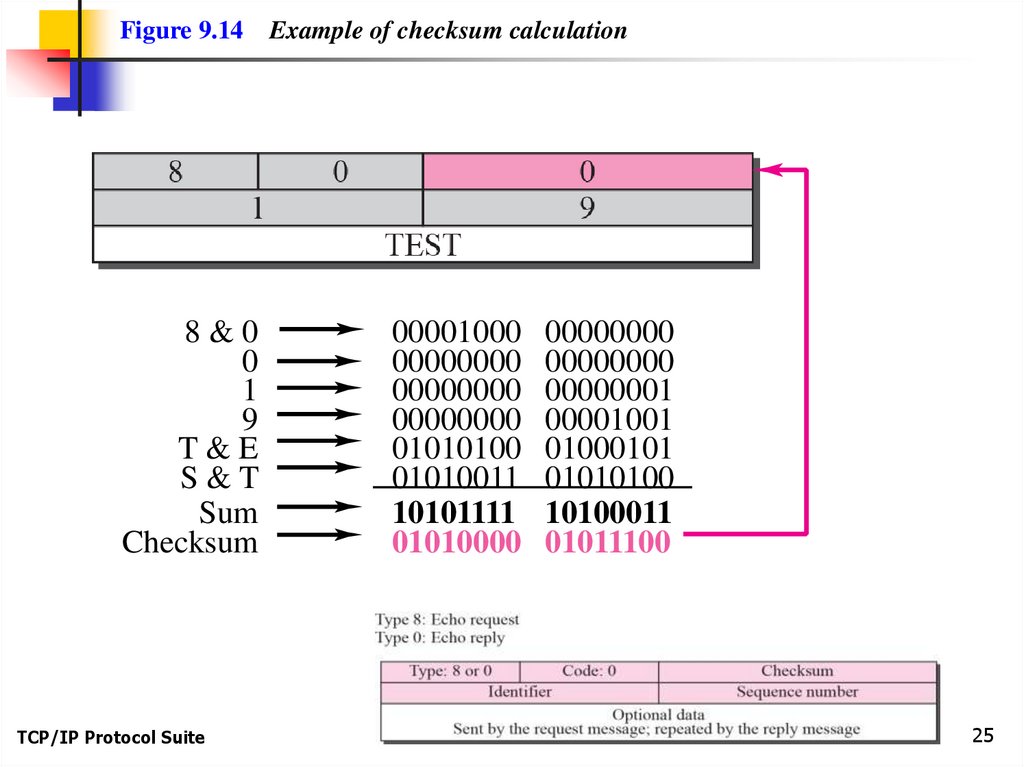
Figure 9.14Example of checksum calculation
8&0
0
1
9
T&E
S&T
Sum
Checksum
00001000
00000000
00000000
00000000
01010100
01010011
10101111
01010000
TCP/IP Protocol Suite
00000000
00000000
00000001
00001001
01000101
01010100
10100011
01011100
25
26.
DEBUGGING TOOLStwo tools that use ICMP for debugging:
ping and
traceroute.
TCP/IP Protocol Suite
26
27.
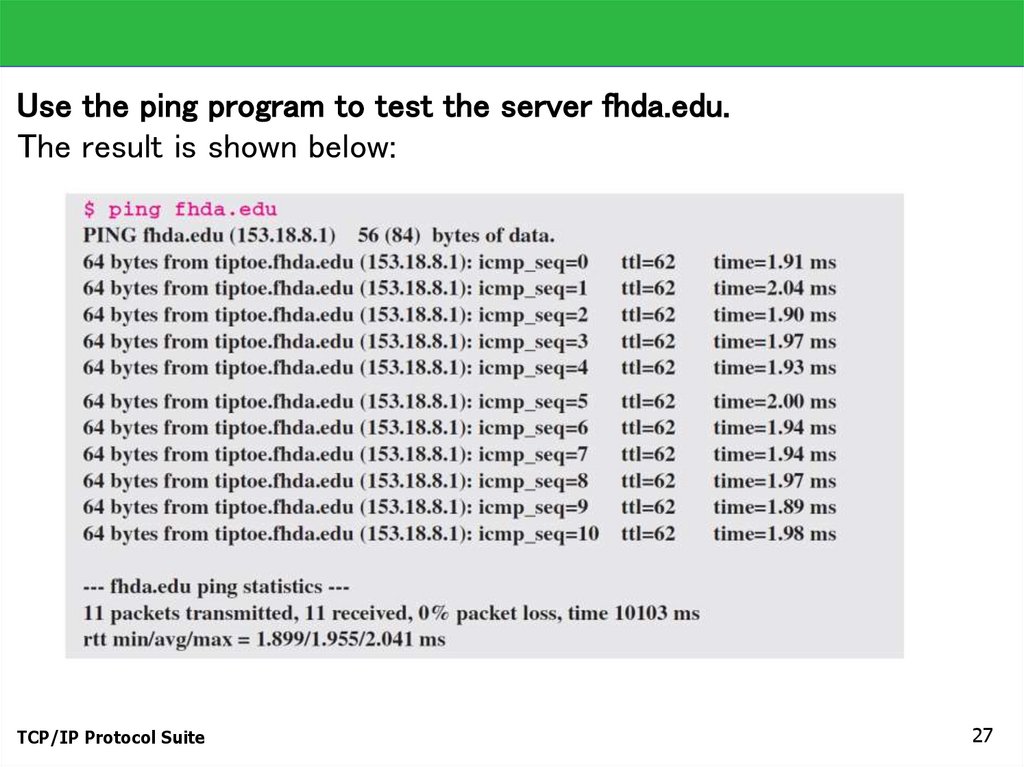
Use the ping program to test the server fhda.edu.The result is shown below:
TCP/IP Protocol Suite
27
28.
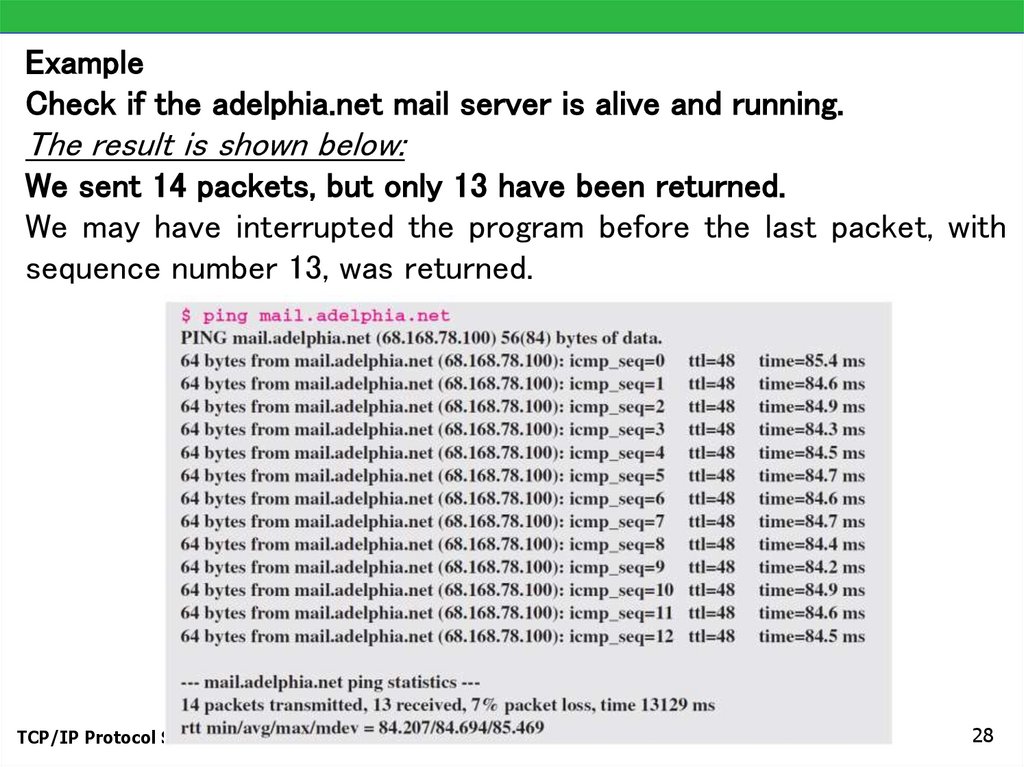
ExampleCheck if the adelphia.net mail server is alive and running.
The result is shown below:
We sent 14 packets, but only 13 have been returned.
We may have interrupted the program before the last packet, with
sequence number 13, was returned.
TCP/IP Protocol Suite
28
29.
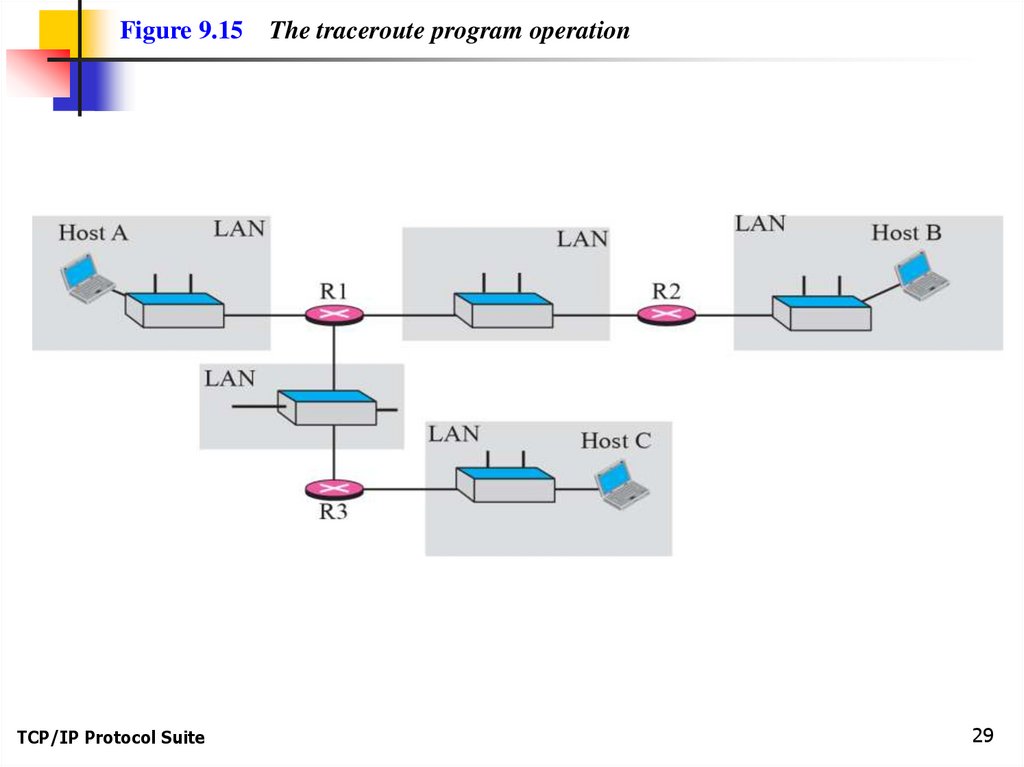
Figure 9.15TCP/IP Protocol Suite
The traceroute program operation
29
30.
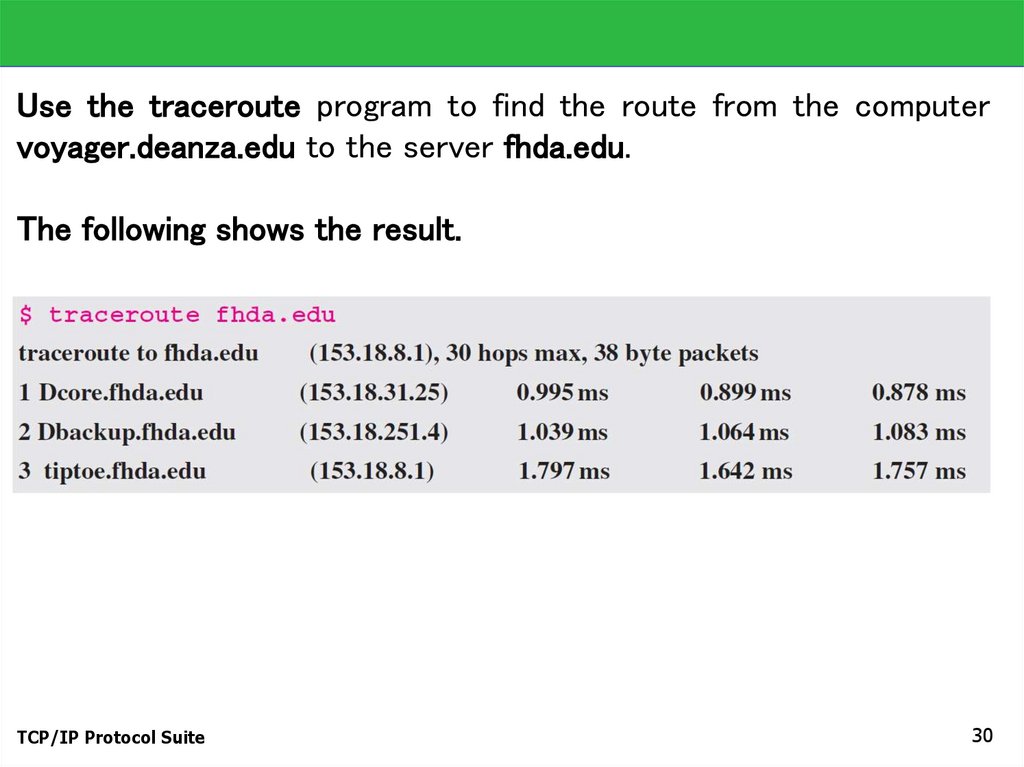
Use the traceroute program to find the route from the computervoyager.deanza.edu to the server fhda.edu.
The following shows the result.
TCP/IP Protocol Suite
30
31.
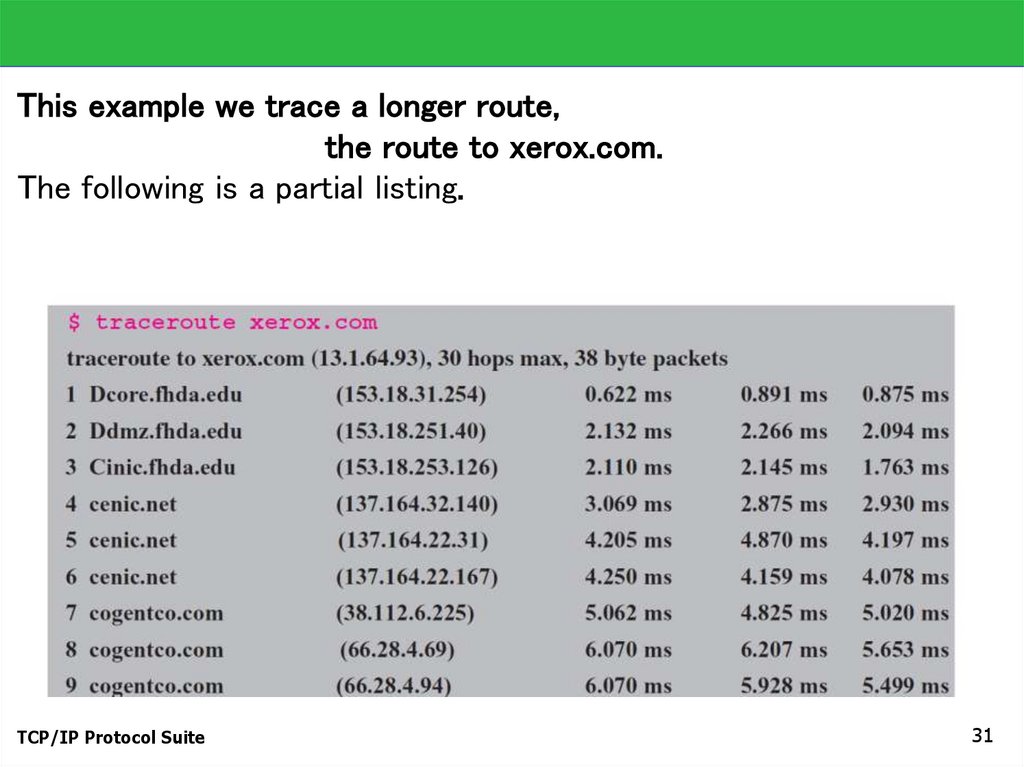
This example we trace a longer route,the route to xerox.com.
The following is a partial listing.
TCP/IP Protocol Suite
31
32.
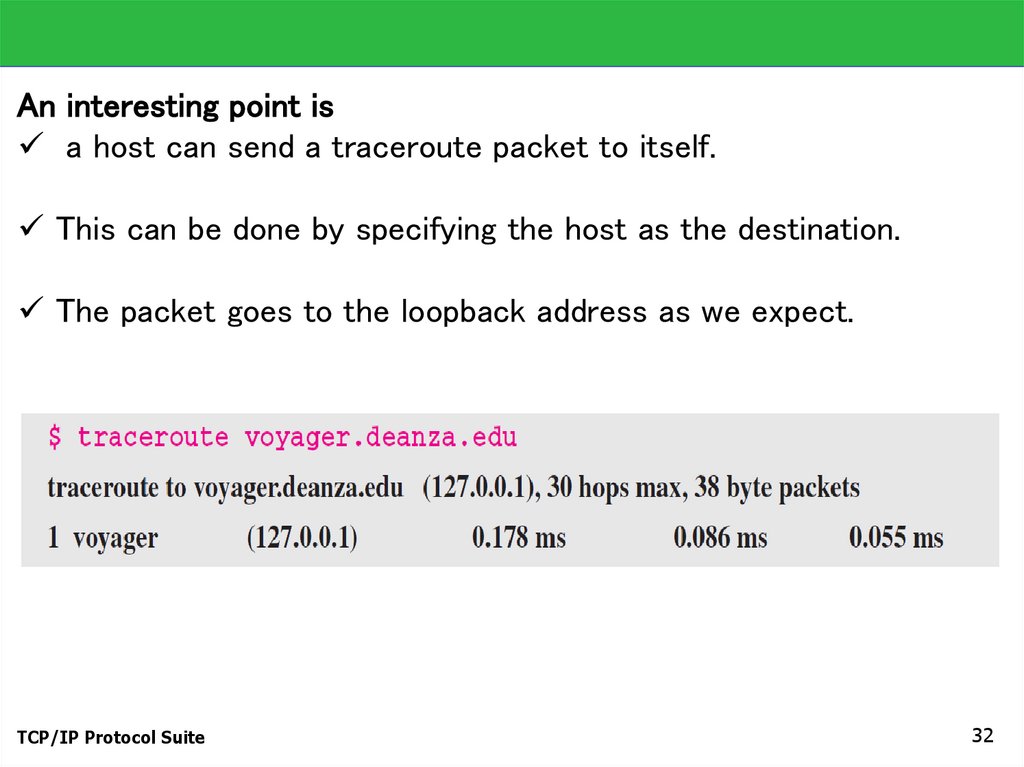
An interesting point isa host can send a traceroute packet to itself.
This can be done by specifying the host as the destination.
The packet goes to the loopback address as we expect.
TCP/IP Protocol Suite
32
33.
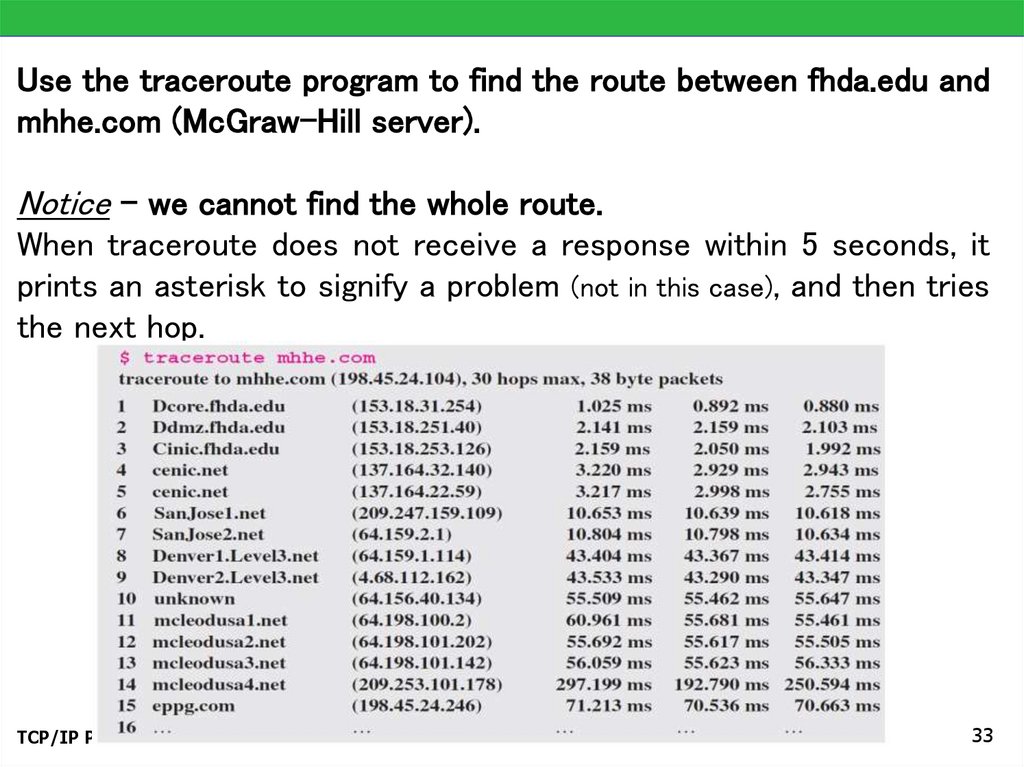
Use the traceroute program to find the route between fhda.edu andmhhe.com (McGraw-Hill server).
Notice - we cannot find the whole route.
When traceroute does not receive a response within 5 seconds, it
prints an asterisk to signify a problem (not in this case), and then tries
the next hop.
TCP/IP Protocol Suite
33
34.
Lecture videos on the topic can be found atICMP 1 Introduction
https://youtu.be/BJ7klOSeTDM
ICMP 2 Error Reporting
https://youtu.be/HQIeY_nnlNI
ICMP 3 Timestamp Query calculations
https://youtu.be/qqComS1NO84
ICMP-4 Debugging tools
https://youtu.be/rfJJITCqyOs
TCP/IP Protocol Suite
34