

 Программирование
Похожие презентации:





3.1 Troubleshooting
1.
2.
Top secretSecret
Internal use only
Public
VRV IV+
Service Product Training
Level 3 Service Technician – Troubleshooting & Repair
3.
1. Error based troubleshooting3
Troubleshooting&Repair - Internal use only
4.
1.Error based troubleshooting
A. How to retrieve error codes from the unit
B. Where to find information about an error
C. How to reset an error
D. How to enable backup mode or emergency mode in case
of severe error
E. Groupwork
F. Groupwork
5.
1.A. How to retrieve error codesfrom the unit
5
Troubleshooting&Repair - Internal use only
6.
6Troubleshooting&Repair - Internal use only
7.
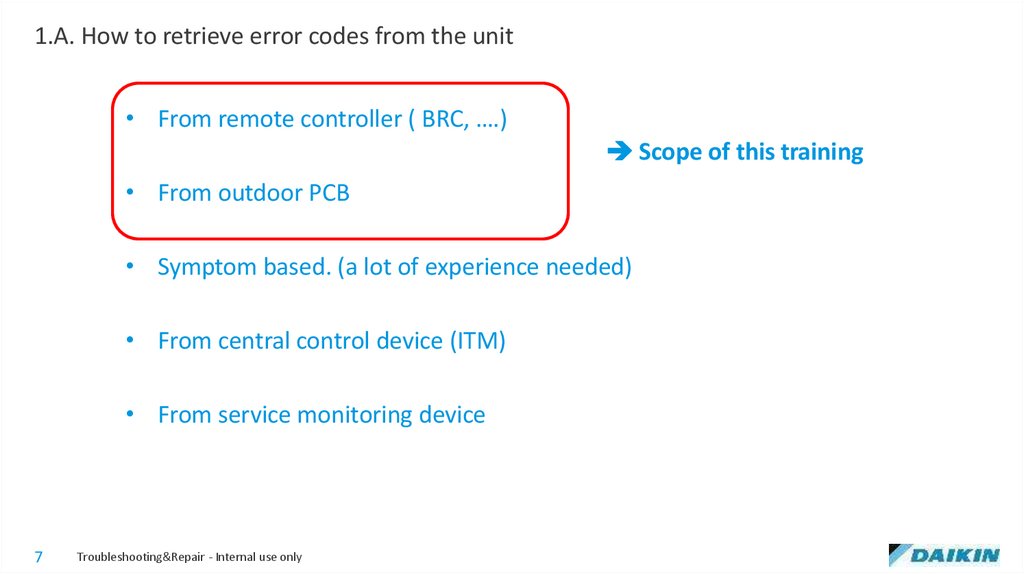
1.A. How to retrieve error codes from the unit• From remote controller ( BRC, ….)
Scope of this training
• From outdoor PCB
• Symptom based. (a lot of experience needed)
• From central control device (ITM)
• From service monitoring device
7
Troubleshooting&Repair - Internal use only
8.
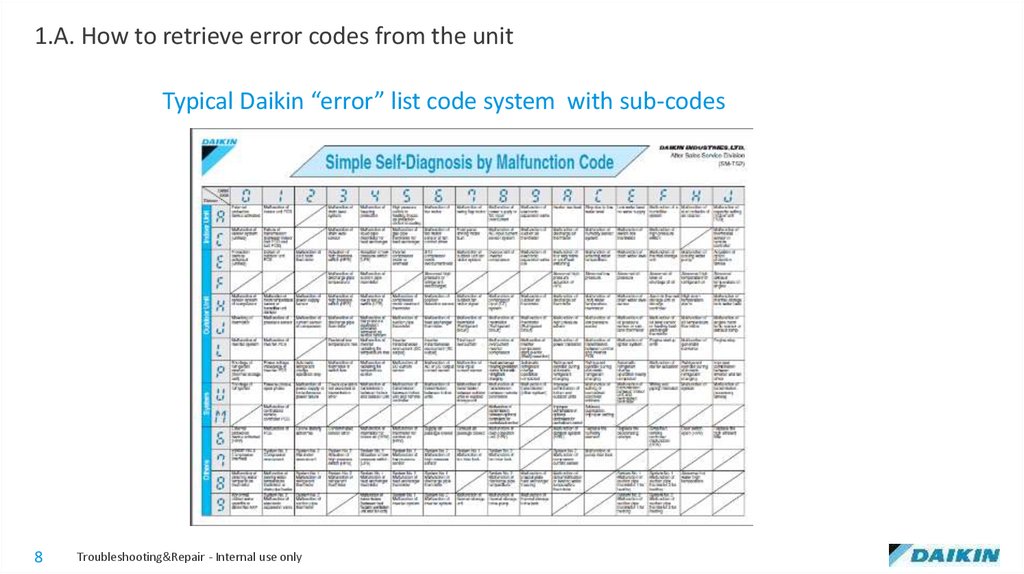
1.A. How to retrieve error codes from the unitTypical Daikin “error” list code system with sub-codes
8
Troubleshooting&Repair - Internal use only
9.
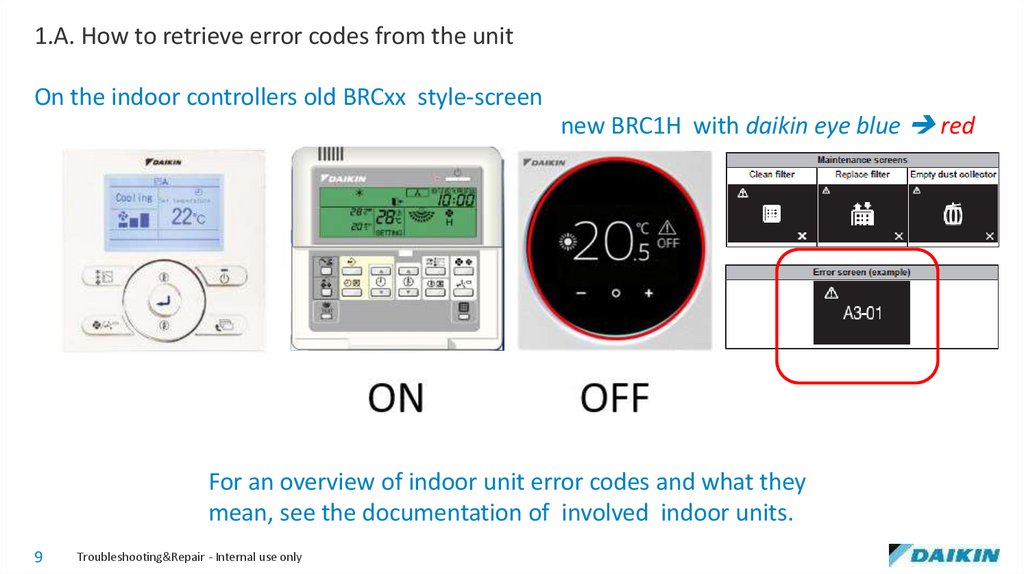
1.A. How to retrieve error codes from the unitOn the indoor controllers old BRCxx style-screen
new BRC1H with daikin eye blue red
For an overview of indoor unit error codes and what they
mean, see the documentation of involved indoor units.
9
Troubleshooting&Repair - Internal use only
10.
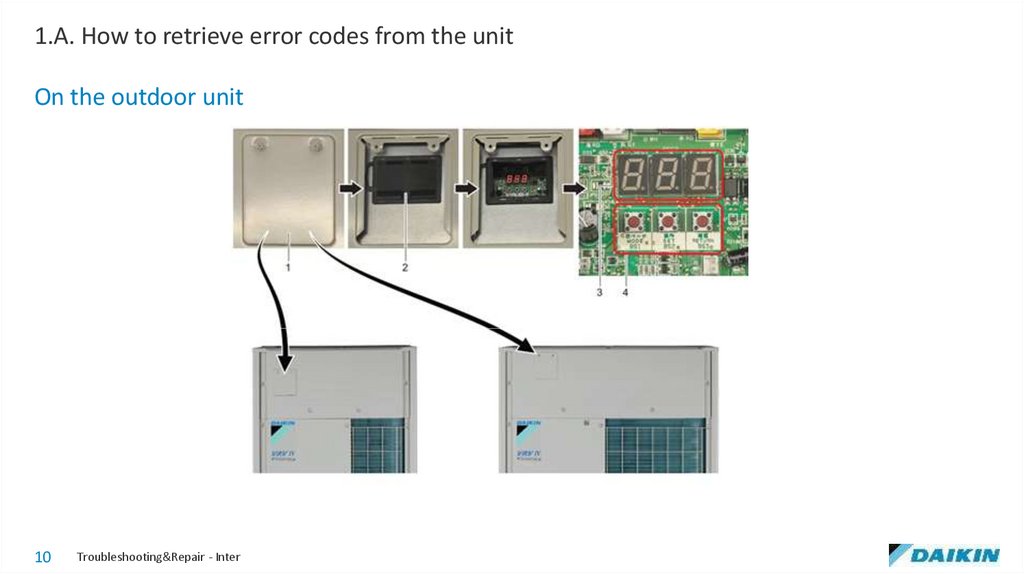
1.A. How to retrieve error codes from the unitOn the outdoor unit
10
Troubleshooting&Repair - Internal use only
11.
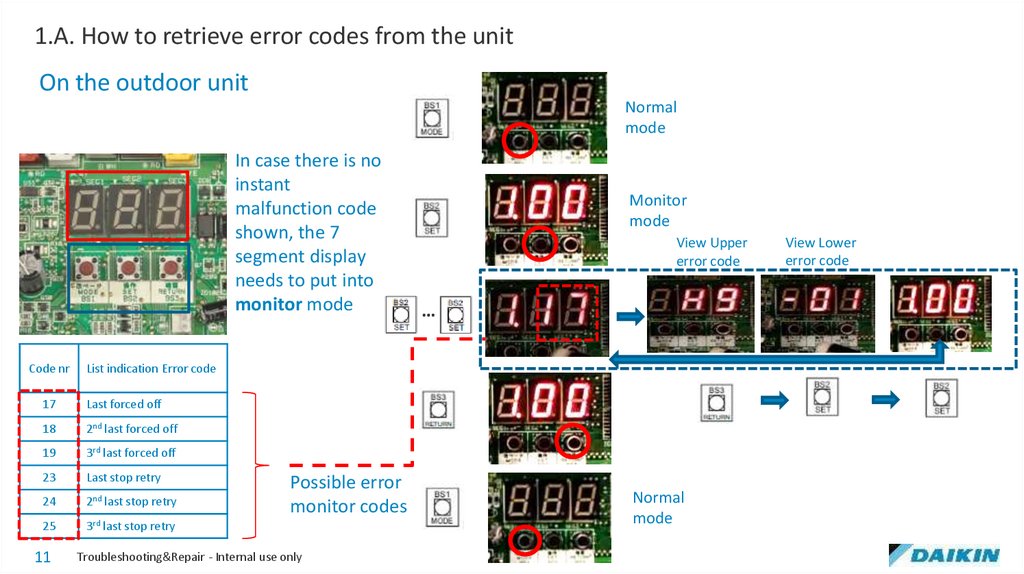
1.A. How to retrieve error codes from the unitOn the outdoor unit
Normal
mode
In case there is no
instant
malfunction code
shown, the 7
segment display
needs to put into
monitor mode
Code nr
View Upper
error code
…
List indication Error code
17
Last forced off
18
2nd last forced off
19
3rd last forced off
23
Last stop retry
24
2nd last stop retry
25
3rd last stop retry
11
Monitor
mode
Possible error
monitor codes
Troubleshooting&Repair - Internal use only
Normal
mode
View Lower
error code
12.
1.B. Where to find informationabout an error
12
Troubleshooting&Repair - Internal use only
13.
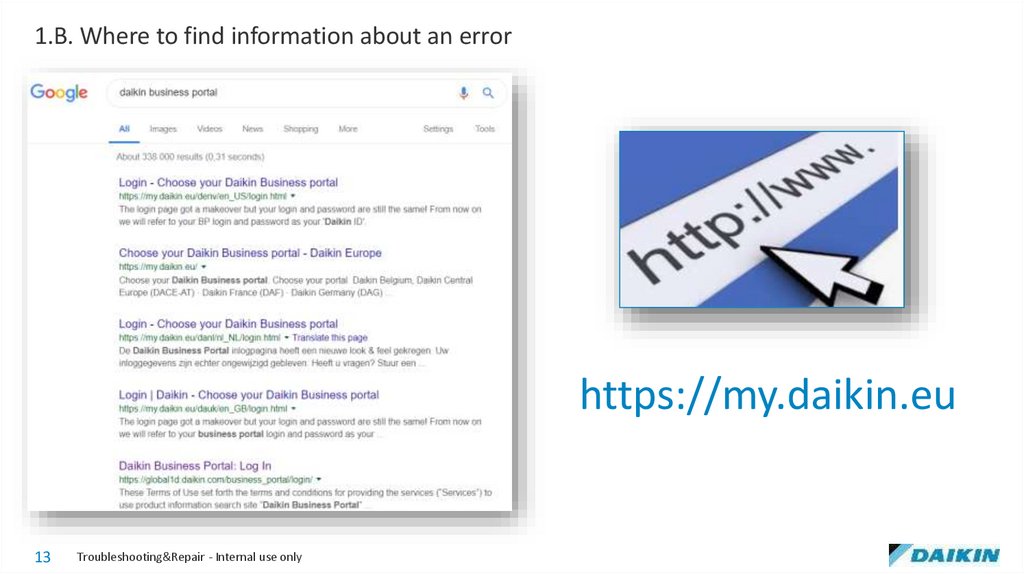
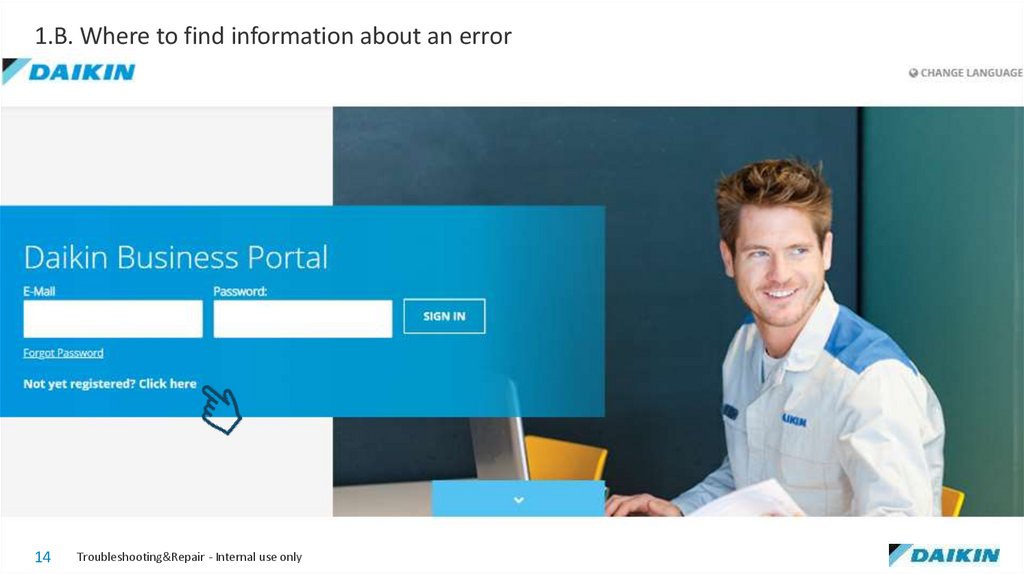
1.B. Where to find information about an errorhttps://my.daikin.eu
13
Troubleshooting&Repair - Internal use only
14.
1.B. Where to find information about an error14
Troubleshooting&Repair - Internal use only
15.
1.B. Where to find information about an error15
Troubleshooting&Repair - Internal use only
16.
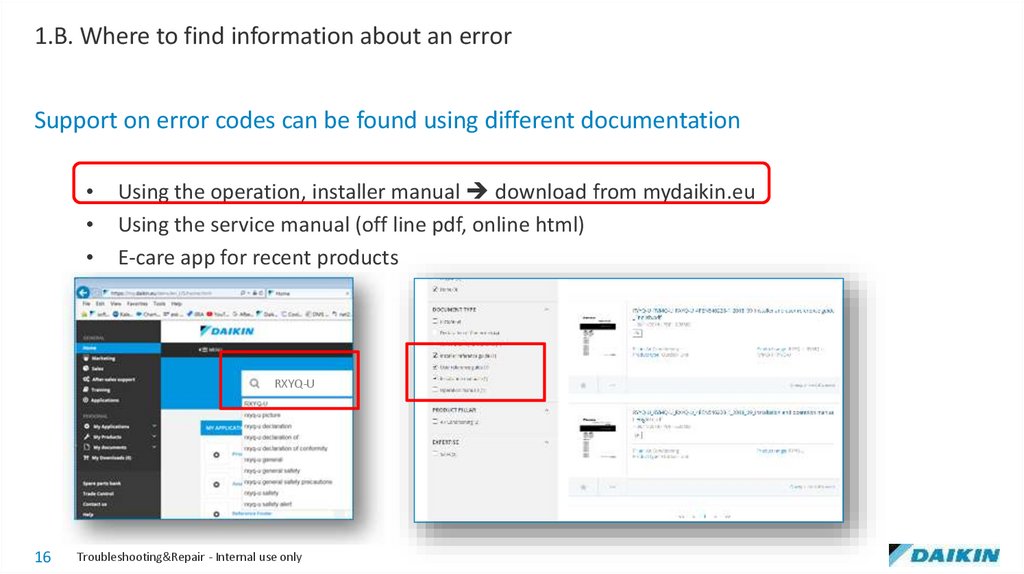
1.B. Where to find information about an errorSupport on error codes can be found using different documentation
Using the operation, installer manual download from mydaikin.eu
Using the service manual (off line pdf, online html)
E-care app for recent products
RXYQ-U
16
Troubleshooting&Repair - Internal use only
17.
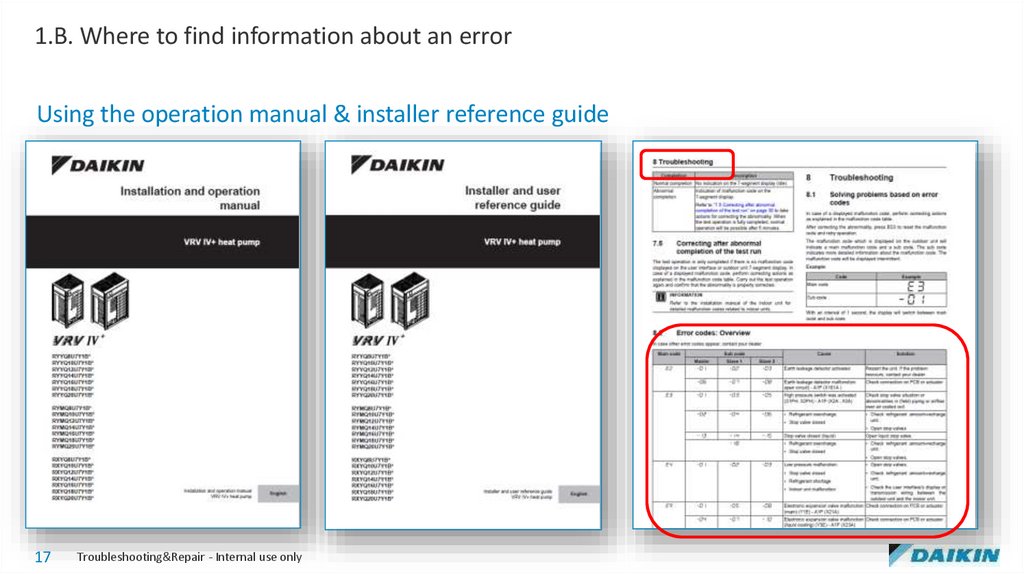
1.B. Where to find information about an errorUsing the operation manual & installer reference guide
17
Troubleshooting&Repair - Internal use only
18.
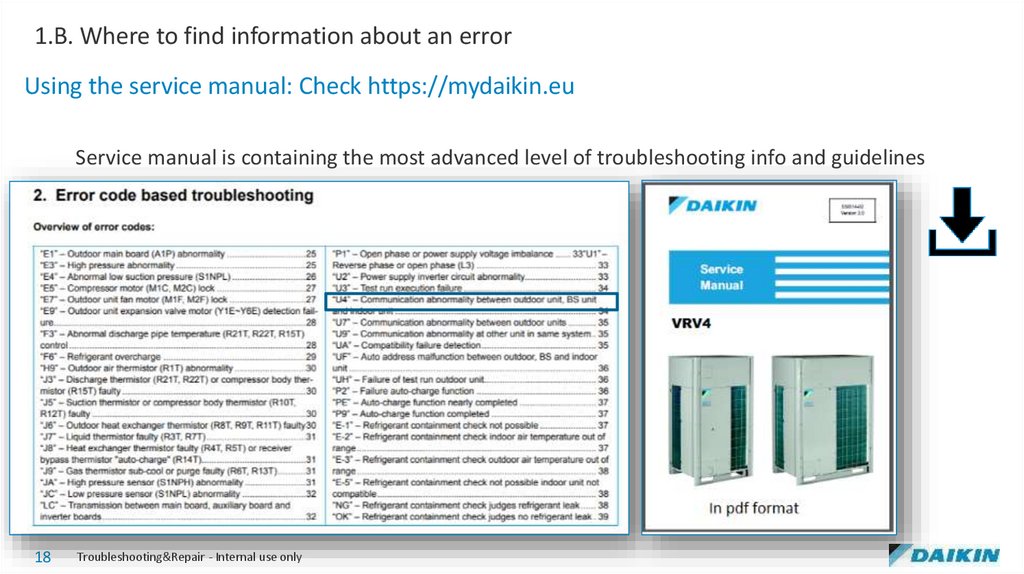
1.B. Where to find information about an errorUsing the service manual: Check https://mydaikin.eu
Service manual is containing the most advanced level of troubleshooting info and guidelines
18
Troubleshooting&Repair - Internal use only
19.
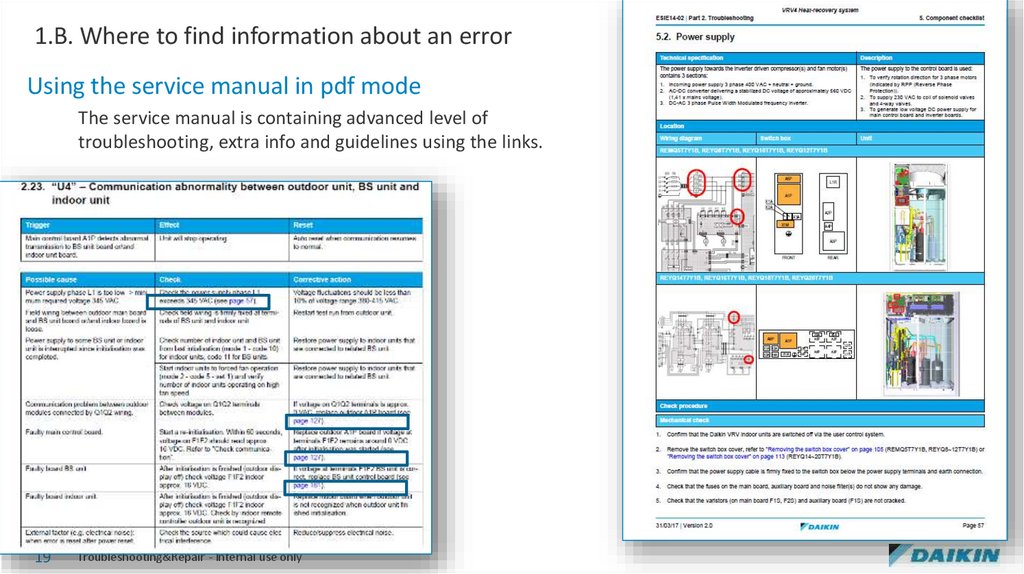
1.B. Where to find information about an errorUsing the service manual in pdf mode
The service manual is containing advanced level of
troubleshooting, extra info and guidelines using the links.
19
Troubleshooting&Repair - Internal use only
20.
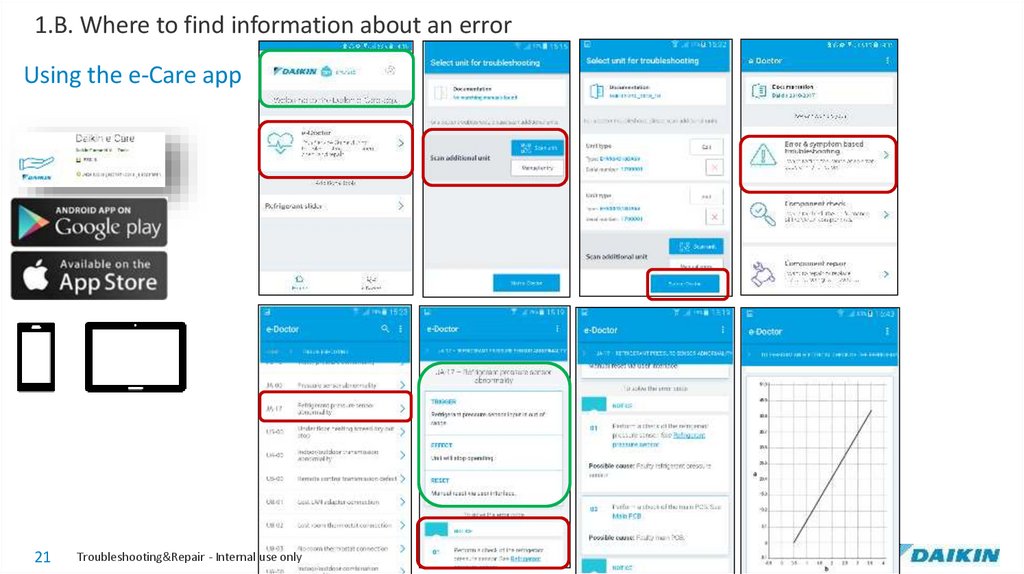
1.B. Where to find information about an errorUsing the e-Care app
21
Troubleshooting&Repair - Internal use only
21.
1.C. How to reset an error?22
Troubleshooting&Repair - Internal use only
22.
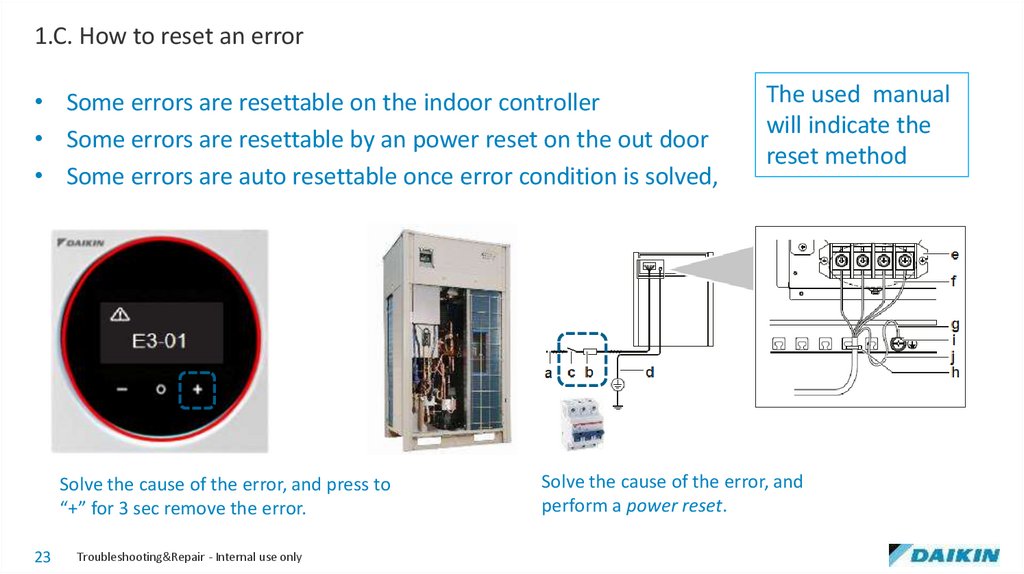
1.C. How to reset an error• Some errors are resettable on the indoor controller
• Some errors are resettable by an power reset on the out door
• Some errors are auto resettable once error condition is solved,
Solve the cause of the error, and press to
“+” for 3 sec remove the error.
23
Troubleshooting&Repair - Internal use only
The used manual
will indicate the
reset method
Solve the cause of the error, and
perform a power reset.
23.
1.D . How to enable backupmode or emergency mode in
case of severe error
24
Troubleshooting&Repair - Internal use only
24.
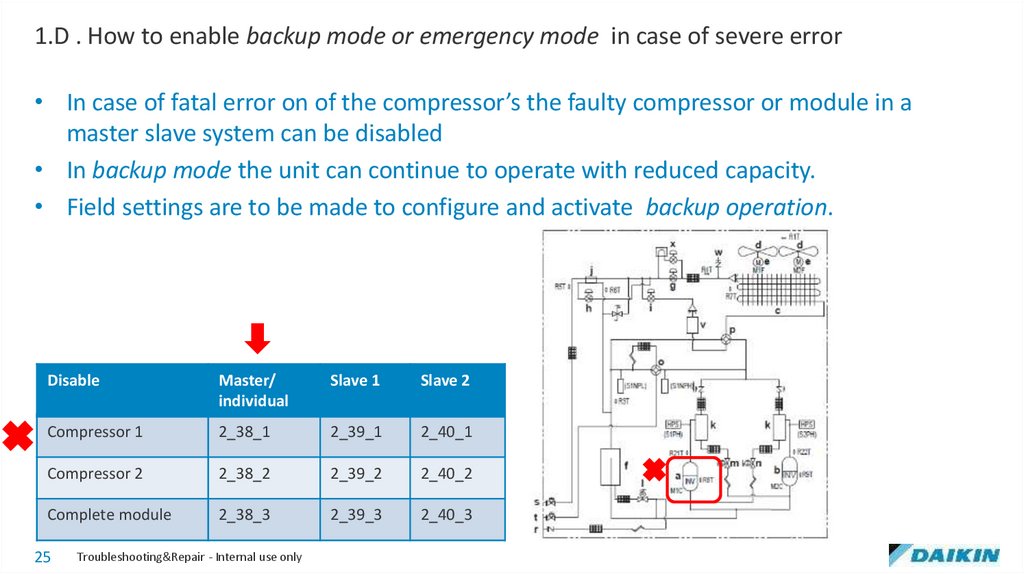
1.D . How to enable backup mode or emergency mode in case of severe error• In case of fatal error on of the compressor’s the faulty compressor or module in a
master slave system can be disabled
• In backup mode the unit can continue to operate with reduced capacity.
• Field settings are to be made to configure and activate backup operation.
Disable
Master/
individual
Slave 1
Slave 2
Compressor 1
2_38_1
2_39_1
2_40_1
Compressor 2
2_38_2
2_39_2
2_40_2
Complete module
2_38_3
2_39_3
2_40_3
25
Troubleshooting&Repair - Internal use only
25.
1.E. Groupwork26
Troubleshooting&Repair - Internal use only
26.
1.F. Groupwork29
Troubleshooting&Repair - Internal use only