
 Финансы
Похожие презентации:






CRM9250N Log Analysis Training
1.
CRM9250N Log Analysis Training2.
Index• Overview
• How to get the log
• Log tool introduction
• Log cases analysis
3. Overview
All the transaction records are in the CRM log files. They contains lots
of information including date and time, command message, sensor
status, note information, transaction result, etc.
If you want to check machine previous working performance or review
some suspicious transaction, you have to analyze the CRM Log.
The CRM9250N Log analysis tool is used for the above purposes.
4. How to get the log
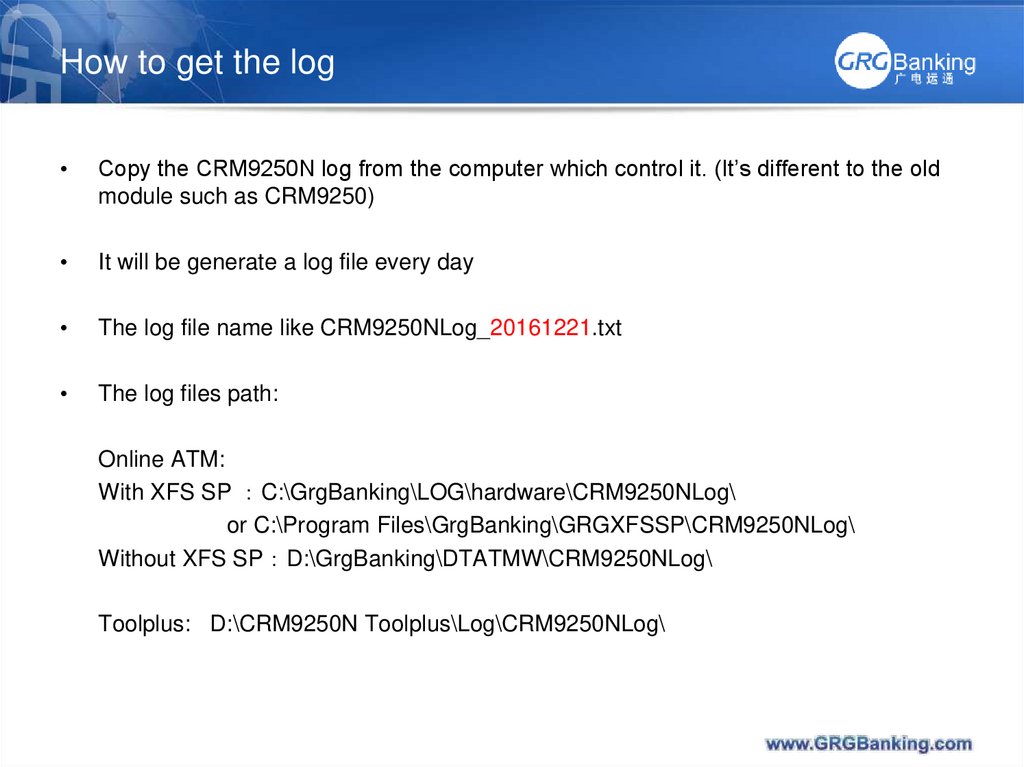
Copy the CRM9250N log from the computer which control it. (It’s different to the old
module such as CRM9250)
It will be generate a log file every day
The log file name like CRM9250NLog_20161221.txt
The log files path:
Online ATM:
With XFS SP C:\GrgBanking\LOG\hardware\CRM9250NLog\
or C:\Program Files\GrgBanking\GRGXFSSP\CRM9250NLog\
Without XFS SP D:\GrgBanking\DTATMW\CRM9250NLog\
Toolplus: D:\CRM9250N Toolplus\Log\CRM9250NLog\
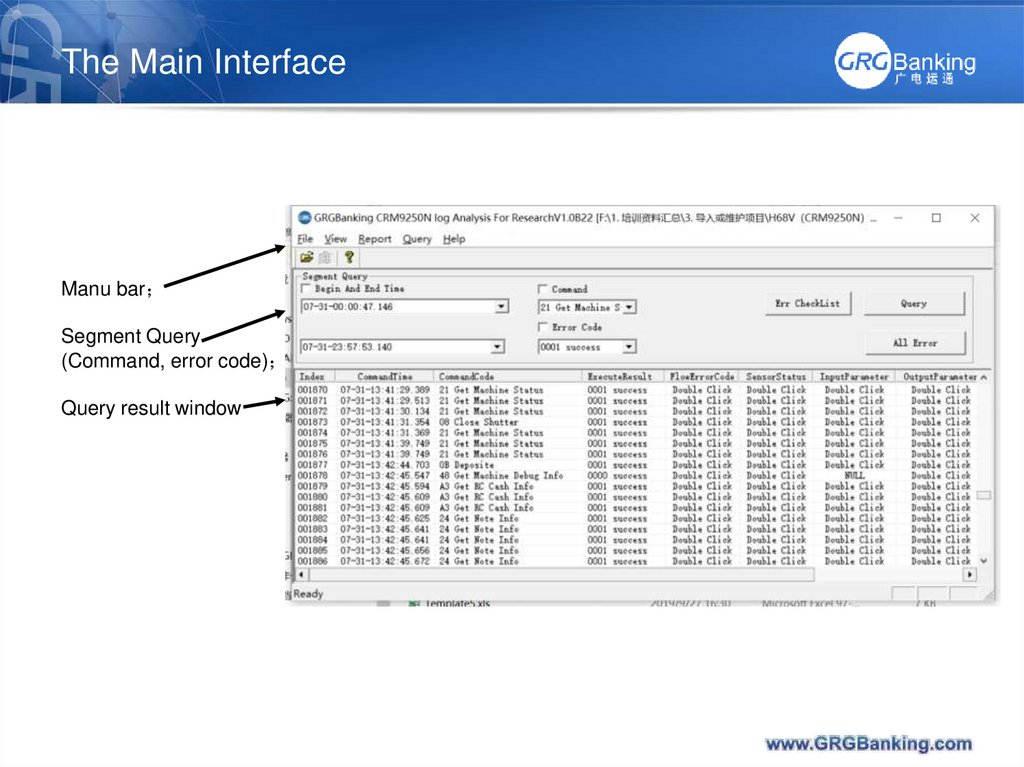
5. The Main Interface
Manu barSegment Query
(Command, error code)
Query result window
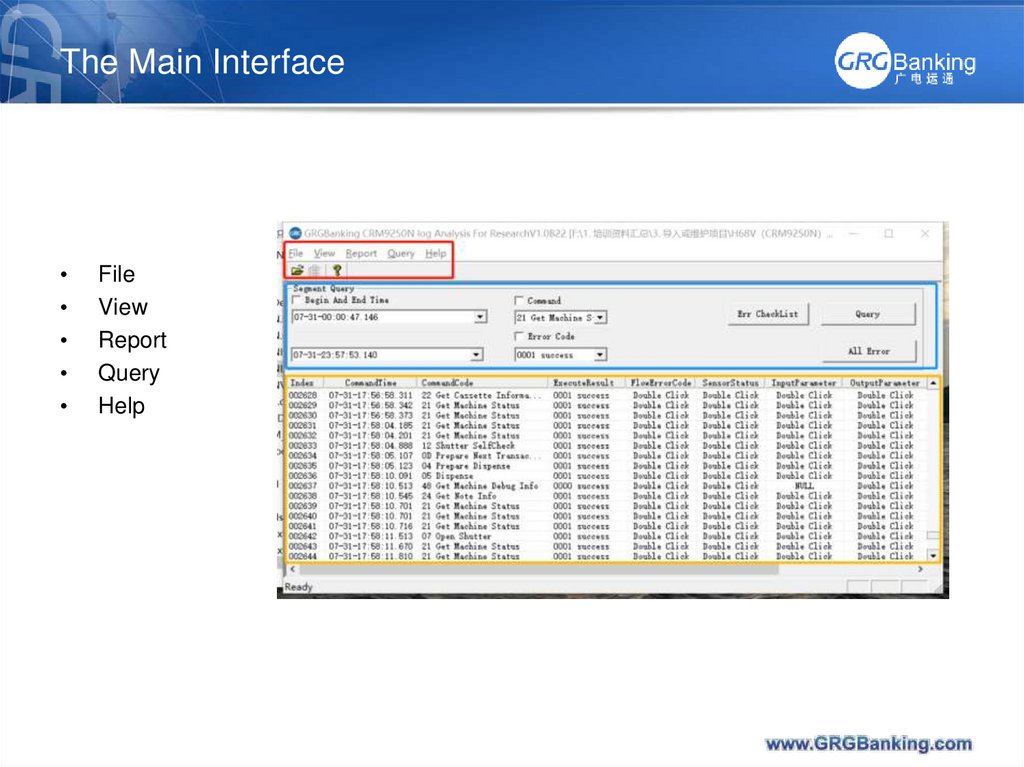
6. The Main Interface
File
View
Report
Query
Help
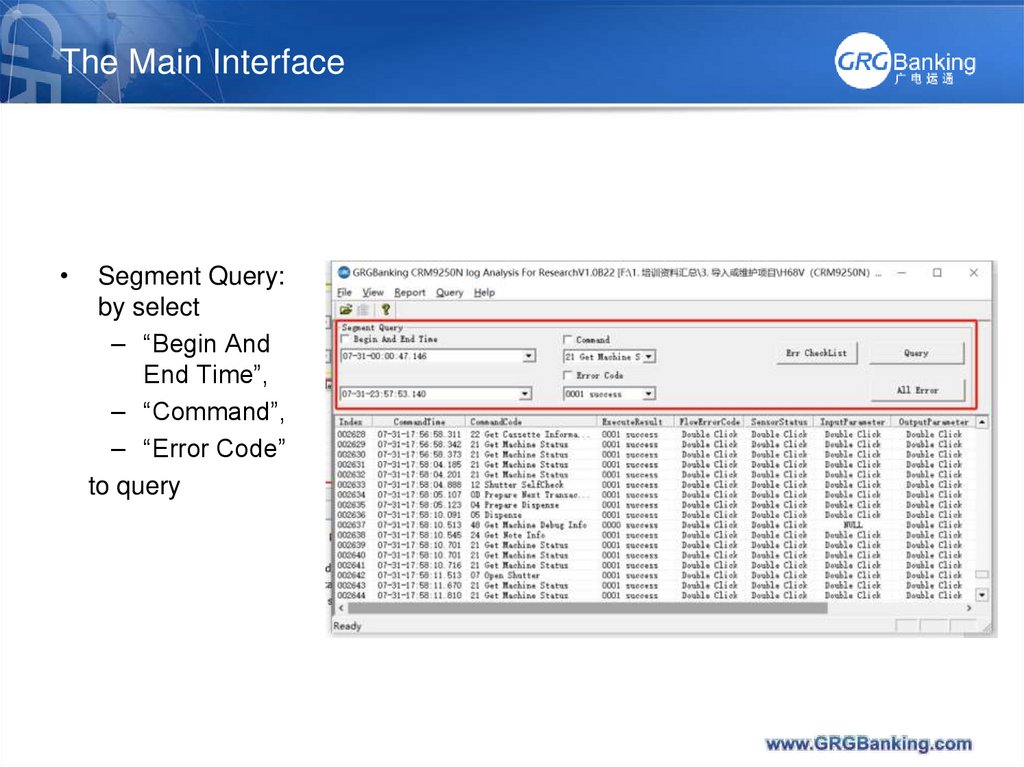
7. The Main Interface
Segment Query:
by select
– “Begin And
End Time”,
– “Command”,
– “Error Code”
to query
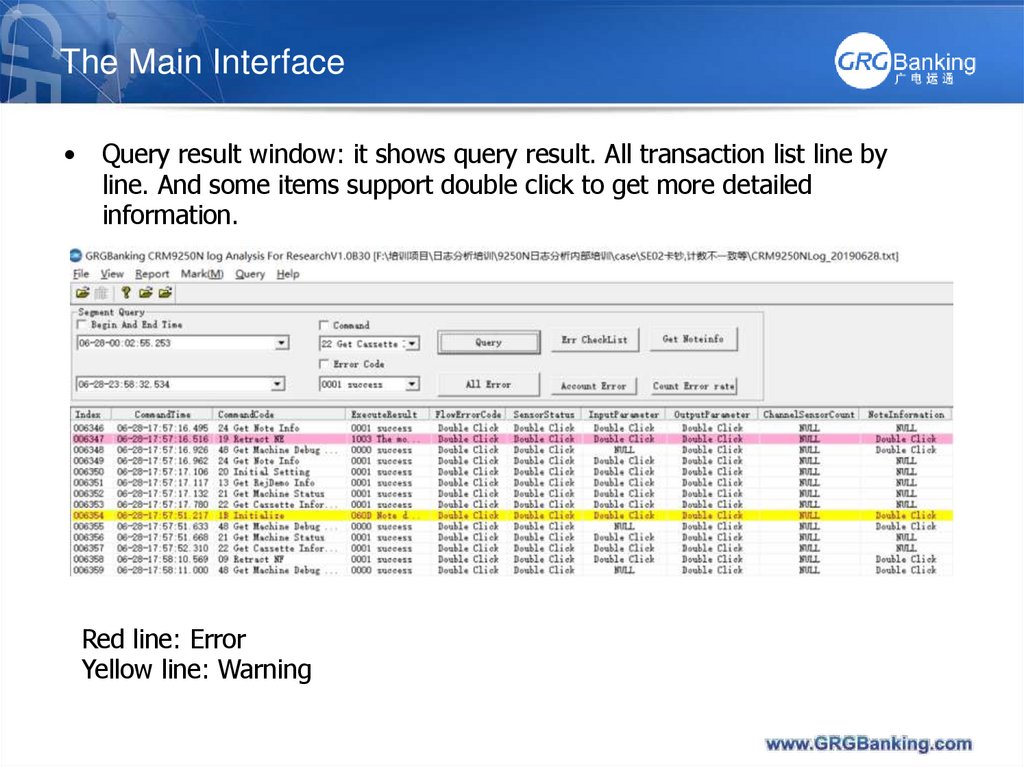
8. The Main Interface
Query result window: it shows query result. All transaction list line by
line. And some items support double click to get more detailed
information.
Red line: Error
Yellow line: Warning
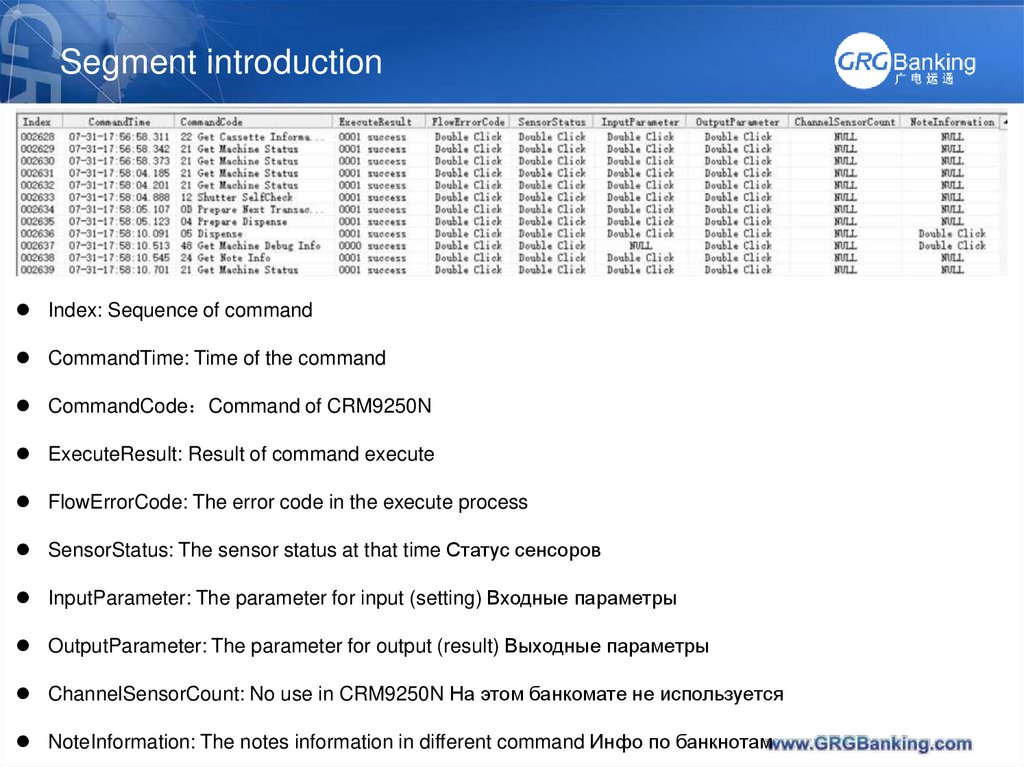
9. Segment introduction
Index: Sequence of commandCommandTime: Time of the command
CommandCode Command of CRM9250N
ExecuteResult: Result of command execute
FlowErrorCode: The error code in the execute process
SensorStatus: The sensor status at that time Статус сенсоров
InputParameter: The parameter for input (setting) Входные параметры
OutputParameter: The parameter for output (result) Выходные параметры
ChannelSensorCount: No use in CRM9250N На этом банкомате не используется
NoteInformation: The notes information in different command Инфо по банкнотам
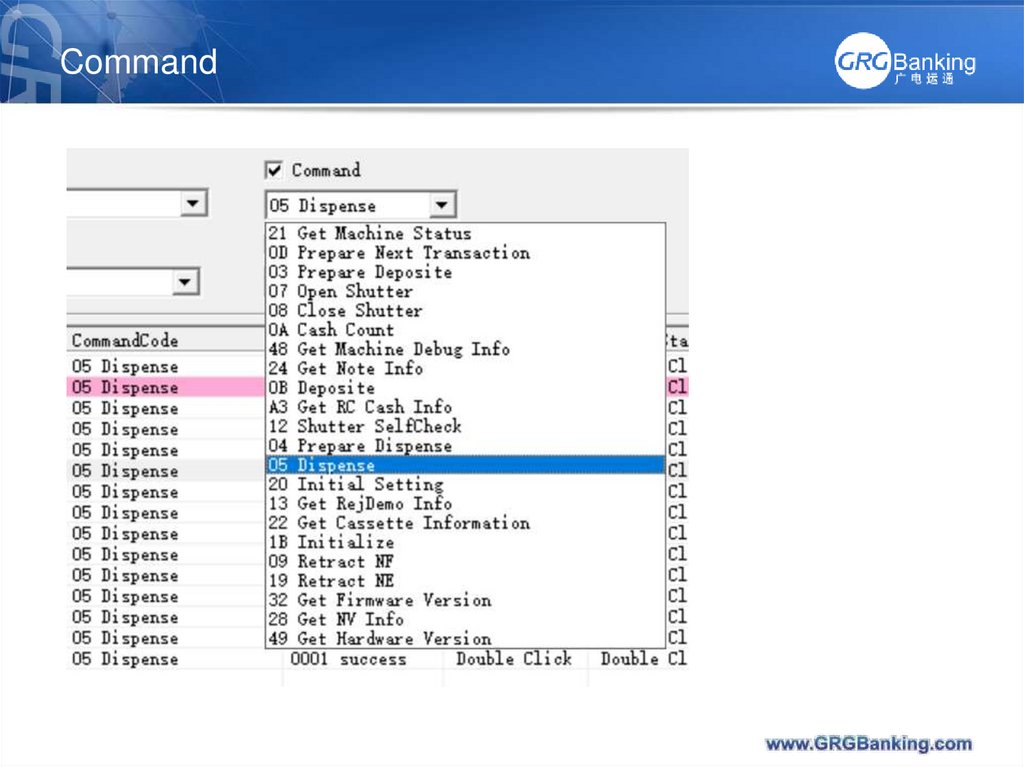
10. Command
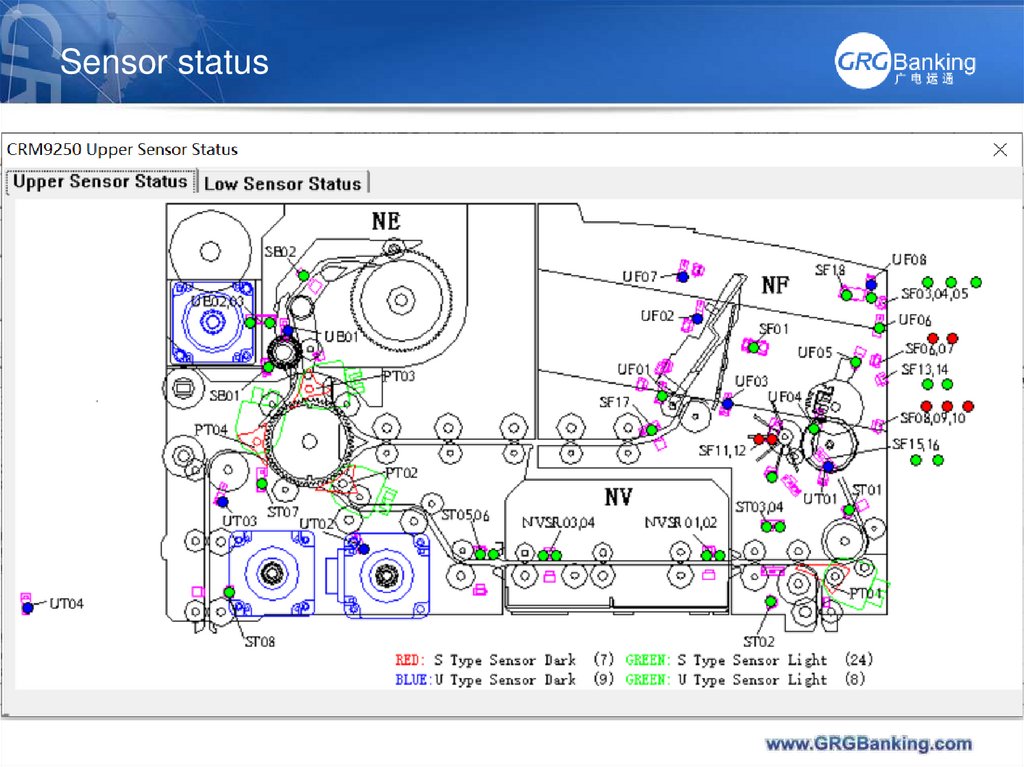
11. Sensor status
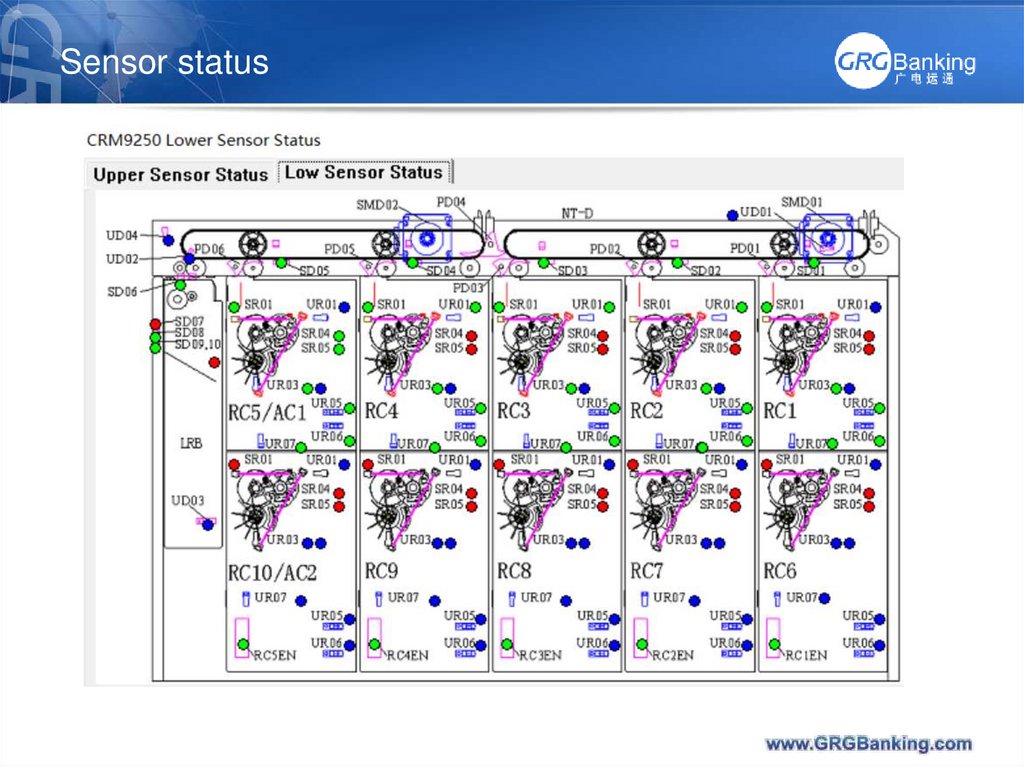
12. Sensor status
13. Dispense
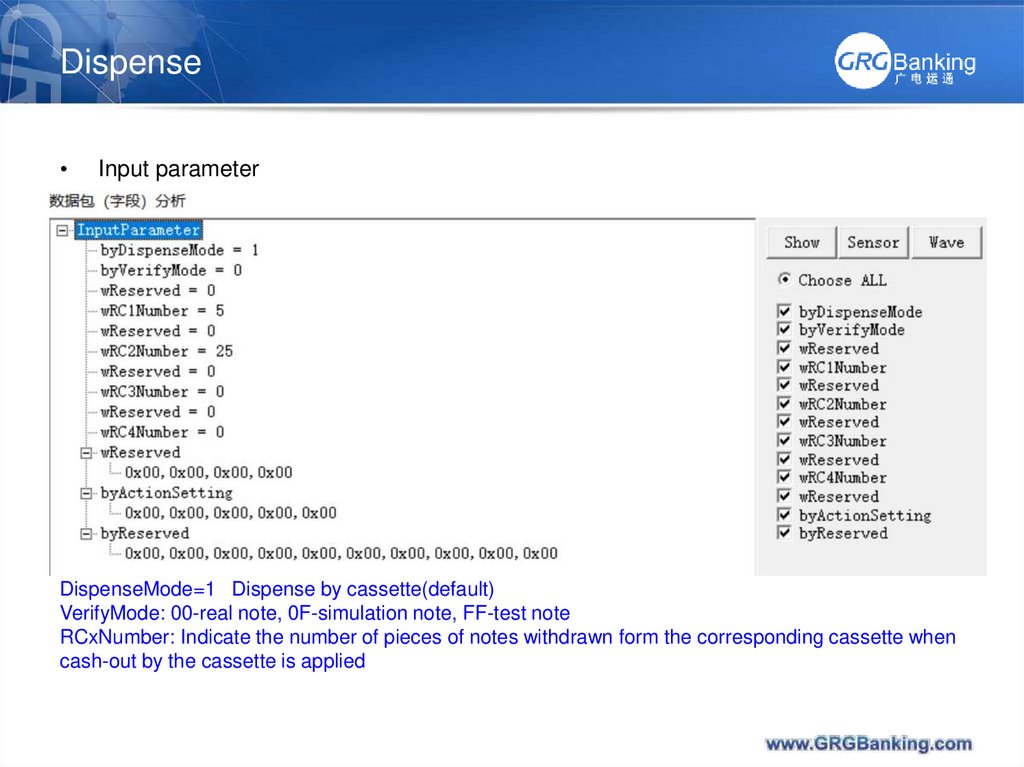
Input parameter
DispenseMode=1 Dispense by cassette(default)
VerifyMode: 00-real note, 0F-simulation note, FF-test note
RCxNumber: Indicate the number of pieces of notes withdrawn form the corresponding cassette when
cash-out by the cassette is applied
14. Output Parameter
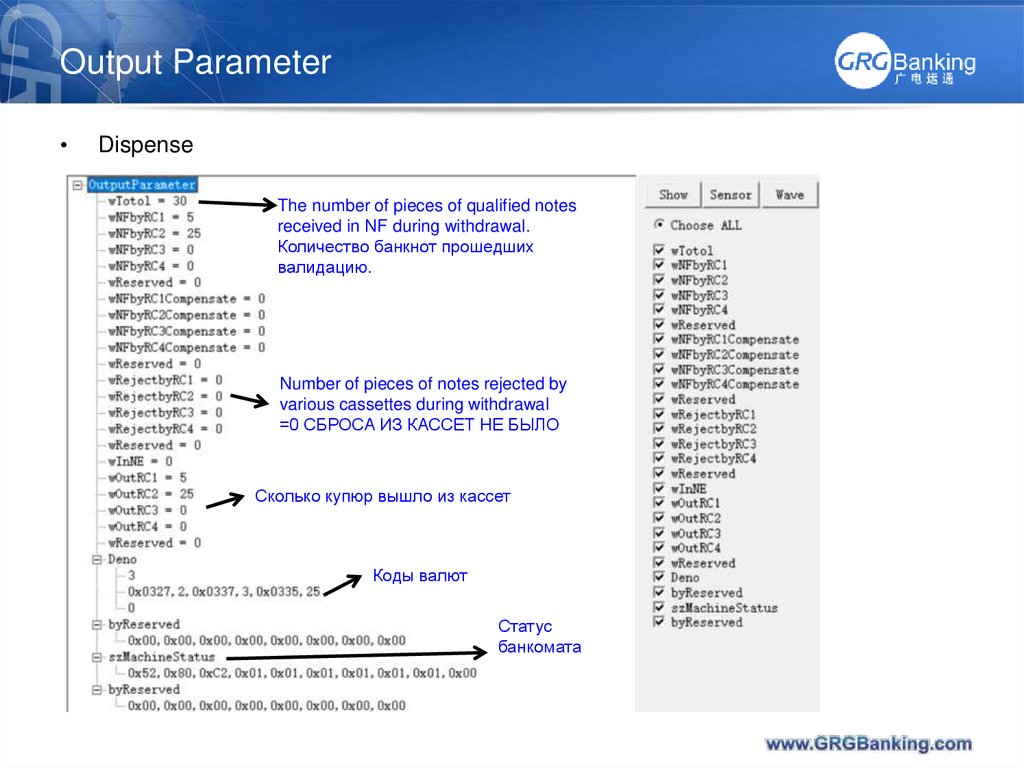
Dispense
The number of pieces of qualified notes
received in NF during withdrawal.
Количество банкнот прошедших
валидацию.
Number of pieces of notes rejected by
various cassettes during withdrawal
=0 СБРОСА ИЗ КАССЕТ НЕ БЫЛО
Сколько купюр вышло из кассет
Коды валют
Статус
банкомата
15. Input Parameter
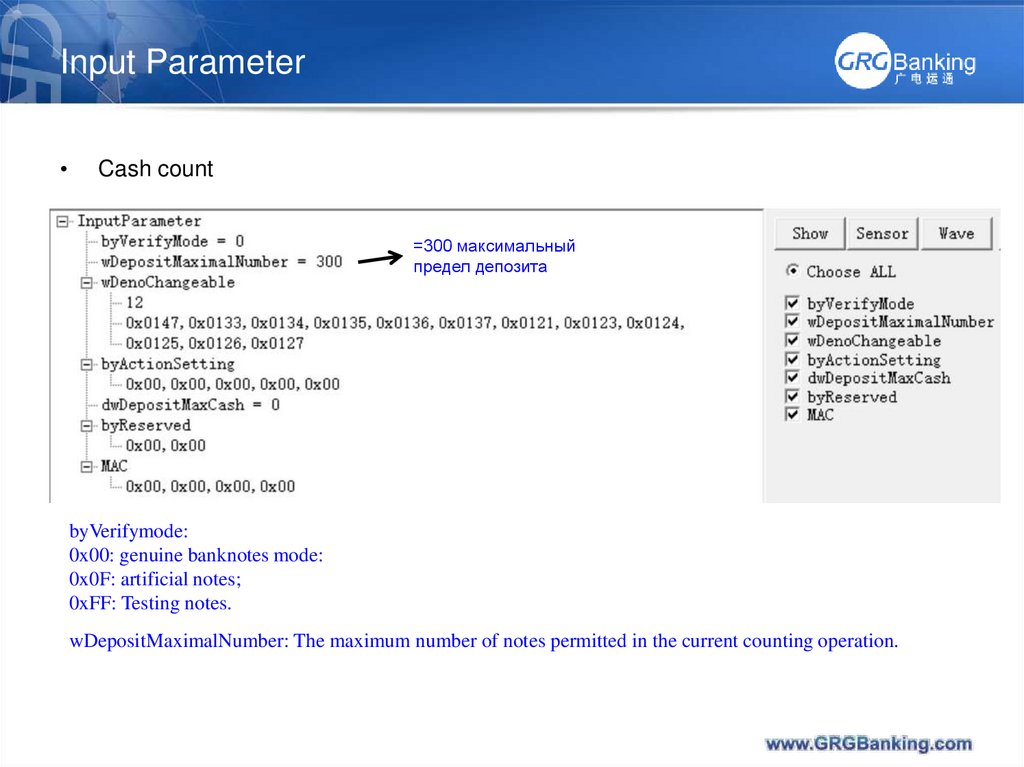
Cash count
=300 максимальный
предел депозита
byVerifymode:
0x00: genuine banknotes mode:
0x0F: artificial notes;
0xFF: Testing notes.
wDepositMaximalNumber: The maximum number of notes permitted in the current counting operation.
16. Output Parameter
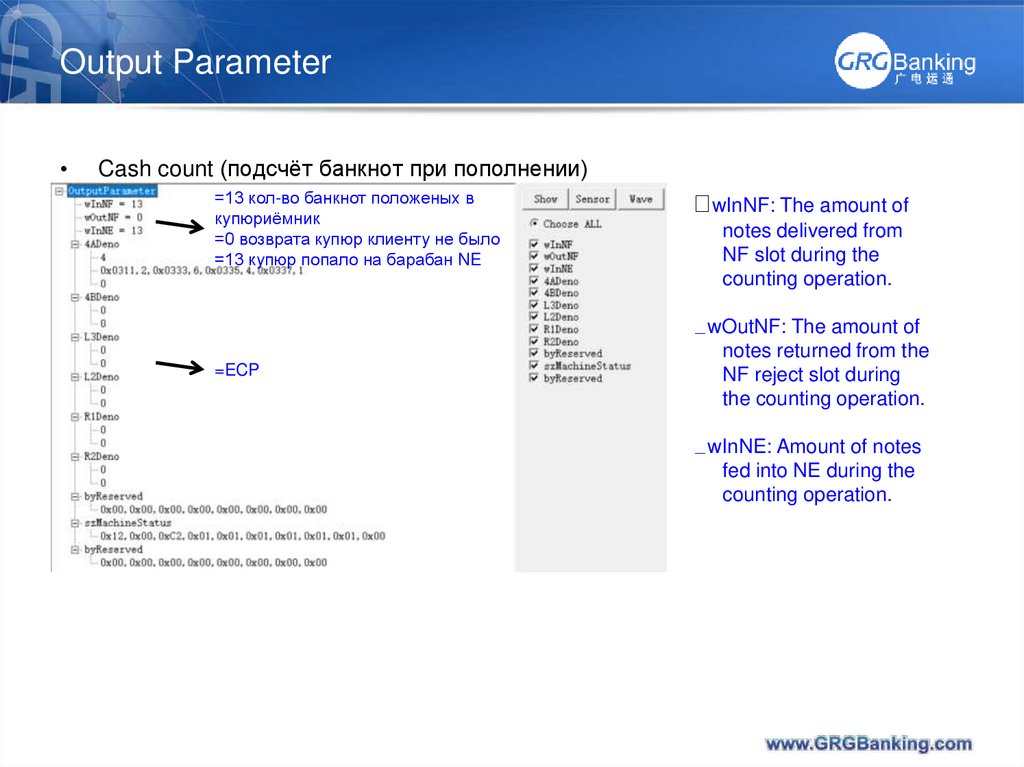
Cash count (подсчёт банкнот при пополнении)
=13 кол-во банкнот положеных в
купюриёмник
=0 возврата купюр клиенту не было
=13 купюр попало на барабан NE
=ECP
wInNF: The amount of
notes delivered from
NF slot during the
counting operation.
wOutNF: The amount of
notes returned from the
NF reject slot during
the counting operation.
wInNE: Amount of notes
fed into NE during the
counting operation.
17. Output Parameter
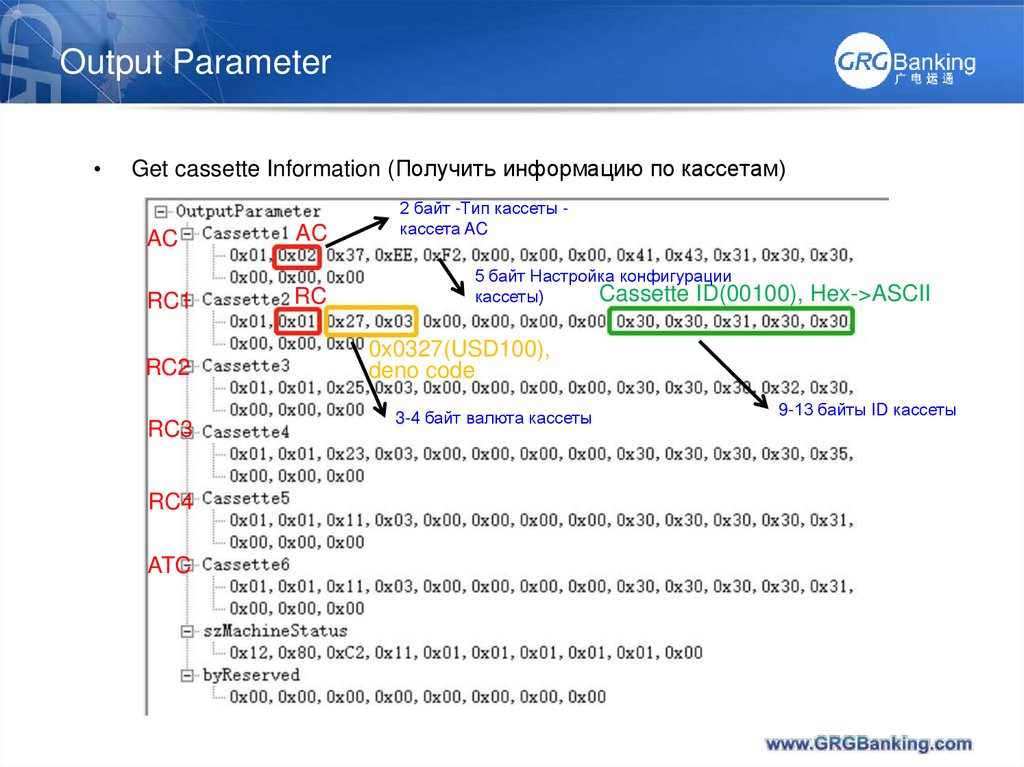
Get cassette Information (Получить информацию по кассетам)
AC
RC1
RC2
RC3
RC4
ATC
AC
RC
2 байт -Тип кассеты кассета AC
5 байт Настройка конфигурации
Cassette ID(00100), Hex->ASCII
кассеты)
0x0327(USD100),
deno code
3-4 байт валюта кассеты
9-13 байты ID кассеты
18. Output Parameter
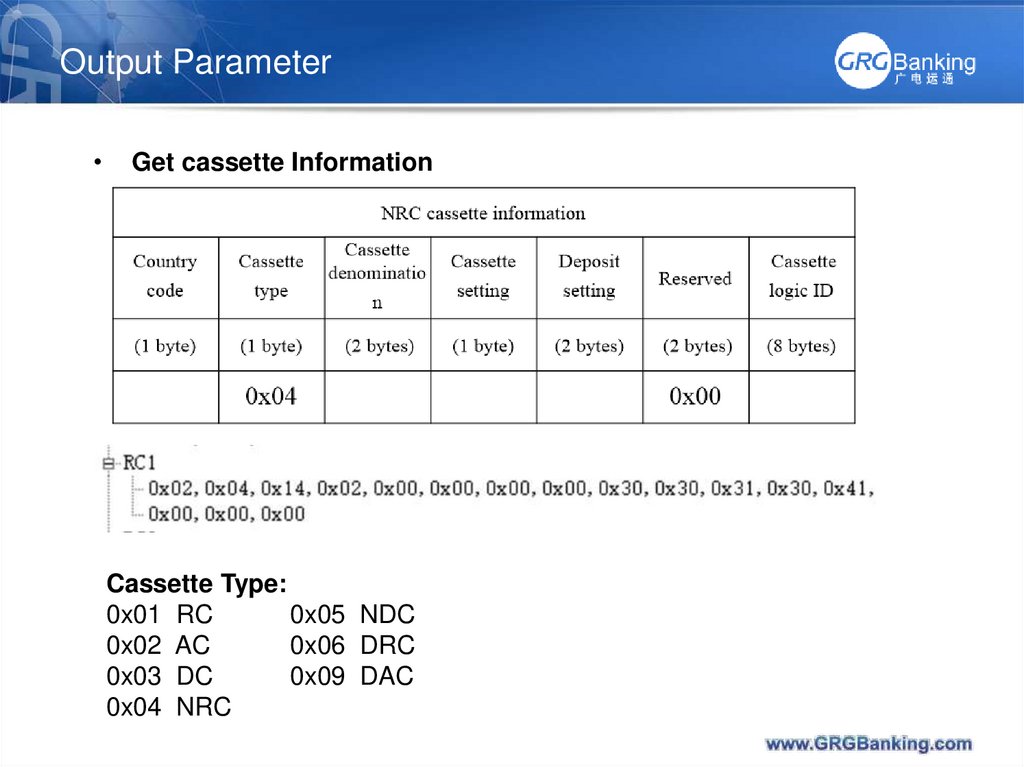
Get cassette Information
Cassette Type:
0x01 RC
0x05 NDC
0x02 AC
0x06 DRC
0x03 DC
0x09 DAC
0x04 NRC
19.
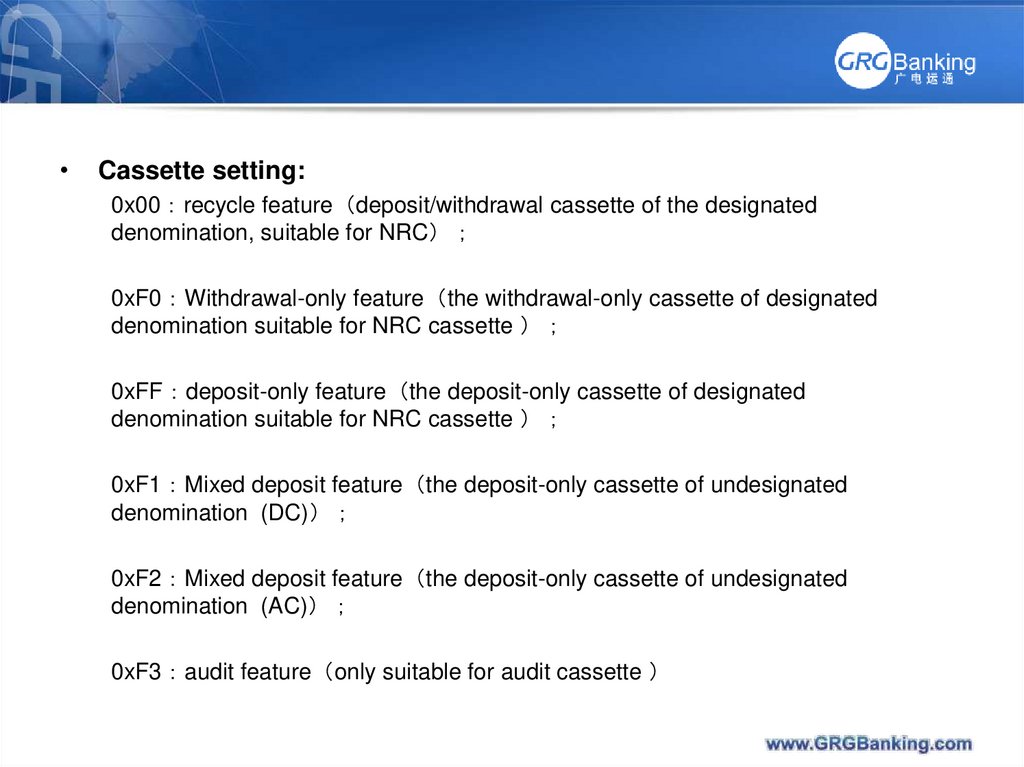
Cassette setting:
0x00 recycle feature deposit/withdrawal cassette of the designated
denomination, suitable for NRC
0xF0 Withdrawal-only feature the withdrawal-only cassette of designated
denomination suitable for NRC cassette
0xFF deposit-only feature the deposit-only cassette of designated
denomination suitable for NRC cassette
0xF1 Mixed deposit feature the deposit-only cassette of undesignated
denomination (DC)
0xF2 Mixed deposit feature the deposit-only cassette of undesignated
denomination (AC)
0xF3 audit feature only suitable for audit cassette
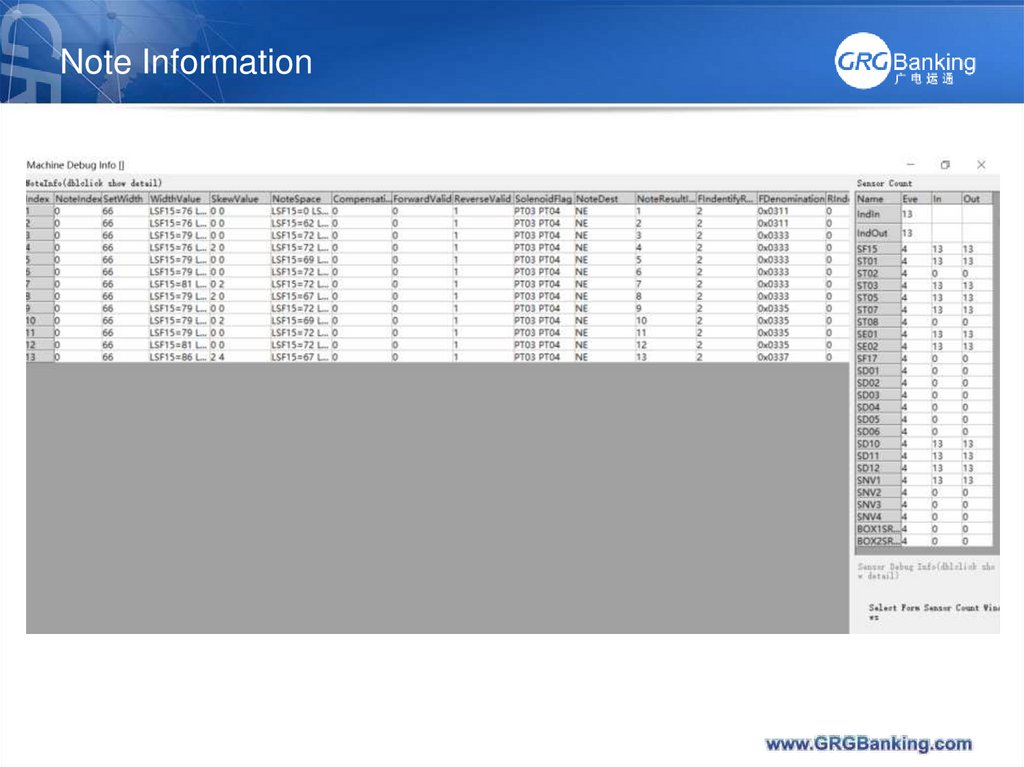
20. Note Information
21. Note Information
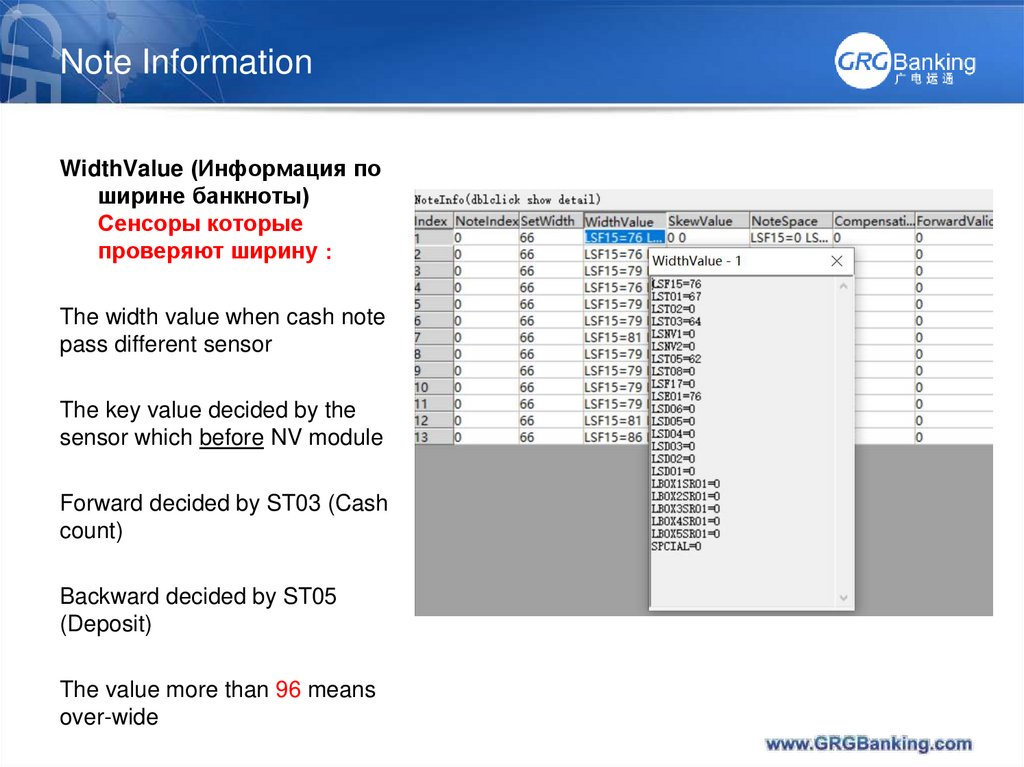
WidthValue (Информация поширине банкноты)
Сенсоры которые
проверяют ширину
The width value when cash note
pass different sensor
The key value decided by the
sensor which before NV module
Forward decided by ST03 (Cash
count)
Backward decided by ST05
(Deposit)
The value more than 96 means
over-wide
22. Note Information
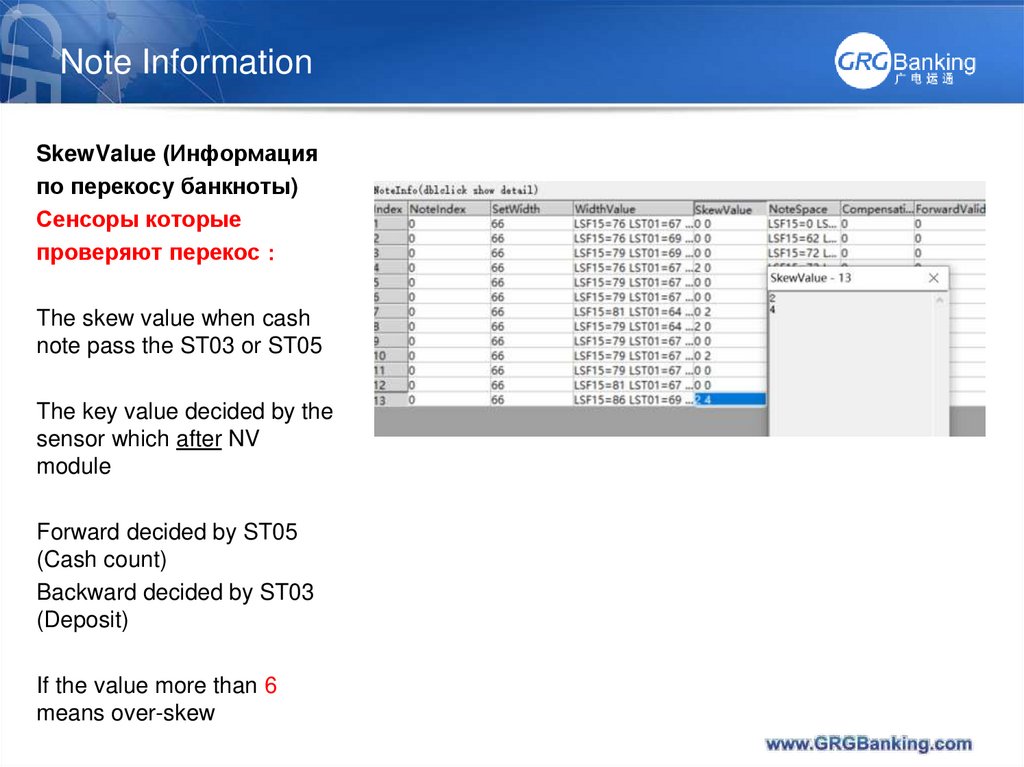
SkewValue (Информацияпо перекосу банкноты)
Сенсоры которые
проверяют перекос
The skew value when cash
note pass the ST03 or ST05
The key value decided by the
sensor which after NV
module
Forward decided by ST05
(Cash count)
Backward decided by ST03
(Deposit)
If the value more than 6
means over-skew
23. Note Information
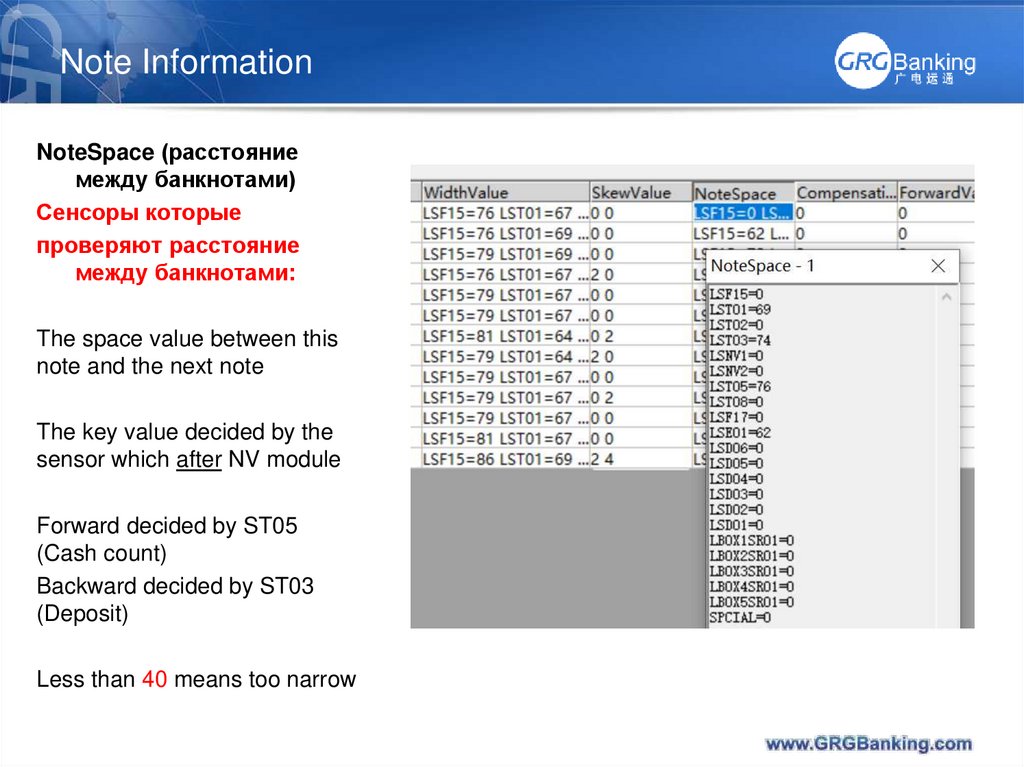
NoteSpace (расстояниемежду банкнотами)
Сенсоры которые
проверяют расстояние
между банкнотами:
The space value between this
note and the next note
The key value decided by the
sensor which after NV module
Forward decided by ST05
(Cash count)
Backward decided by ST03
(Deposit)
Less than 40 means too narrow
24. Note Information
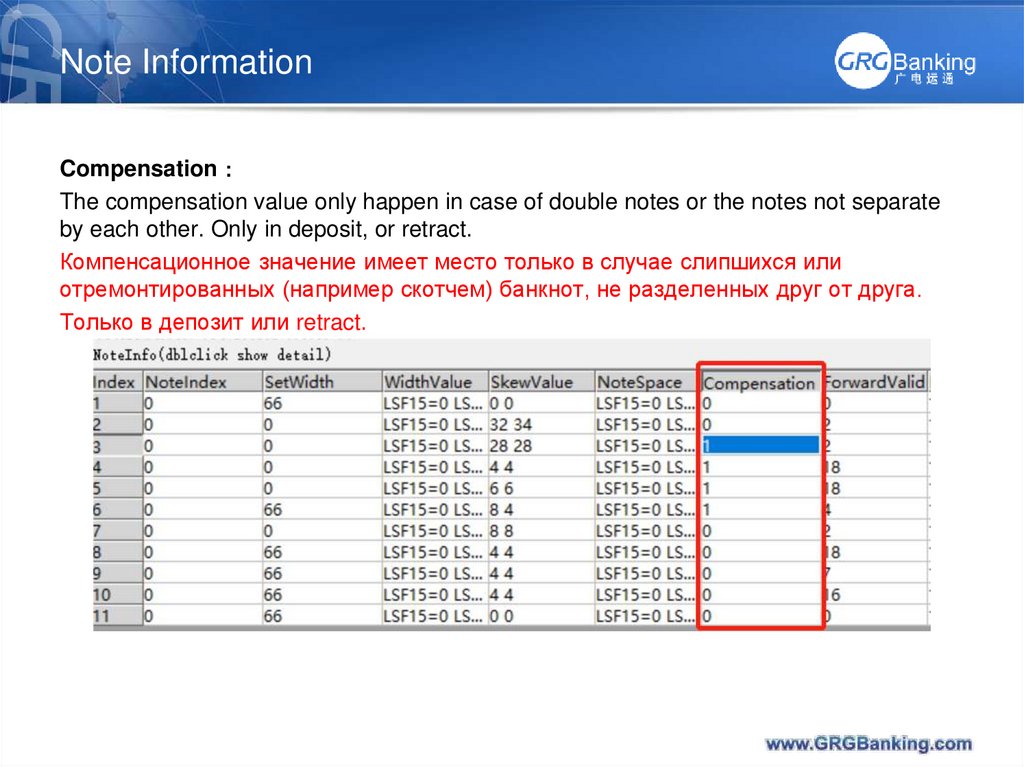
CompensationThe compensation value only happen in case of double notes or the notes not separate
by each other. Only in deposit, or retract.
Компенсационное значение имеет место только в случае слипшихся или
отремонтированных (например скотчем) банкнот, не разделенных друг от друга.
Только в депозит или retract.
25. Note Information
Banknote identificationattributes
(Идентификационные
атрибуты банкноты)
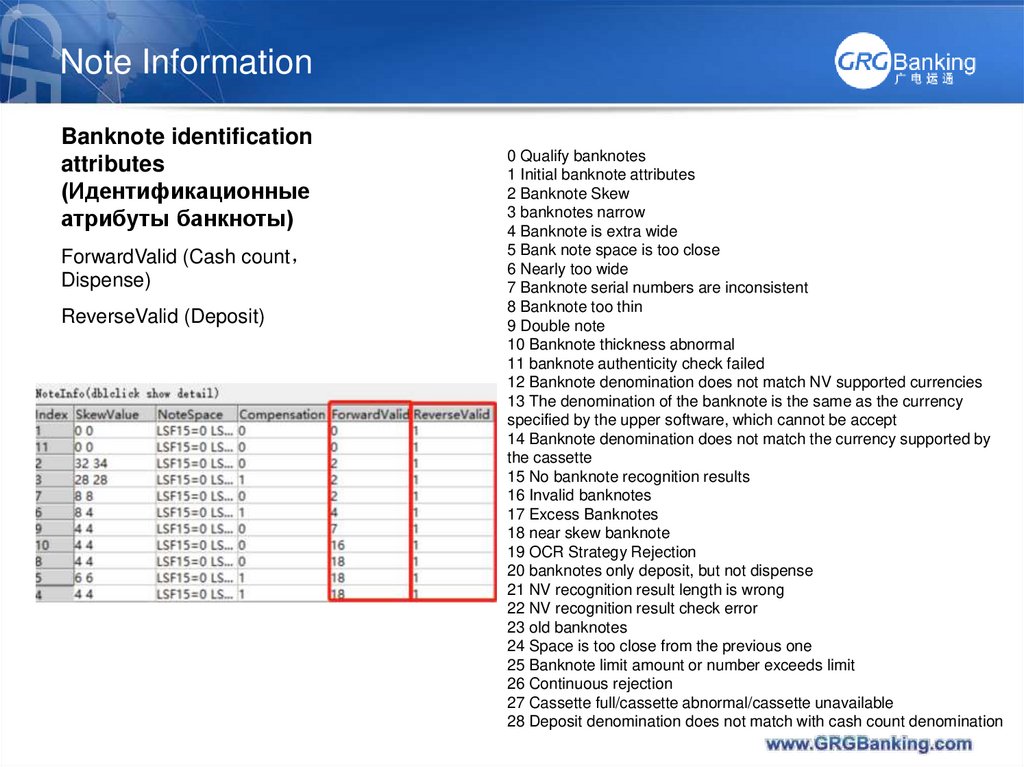
ForwardValid (Cash count
Dispense)
ReverseValid (Deposit)
0 Qualify banknotes
1 Initial banknote attributes
2 Banknote Skew
3 banknotes narrow
4 Banknote is extra wide
5 Bank note space is too close
6 Nearly too wide
7 Banknote serial numbers are inconsistent
8 Banknote too thin
9 Double note
10 Banknote thickness abnormal
11 banknote authenticity check failed
12 Banknote denomination does not match NV supported currencies
13 The denomination of the banknote is the same as the currency
specified by the upper software, which cannot be accept
14 Banknote denomination does not match the currency supported by
the cassette
15 No banknote recognition results
16 Invalid banknotes
17 Excess Banknotes
18 near skew banknote
19 OCR Strategy Rejection
20 banknotes only deposit, but not dispense
21 NV recognition result length is wrong
22 NV recognition result check error
23 old banknotes
24 Space is too close from the previous one
25 Banknote limit amount or number exceeds limit
26 Continuous rejection
27 Cassette full/cassette abnormal/cassette unavailable
28 Deposit denomination does not match with cash count denomination
26. Note Information
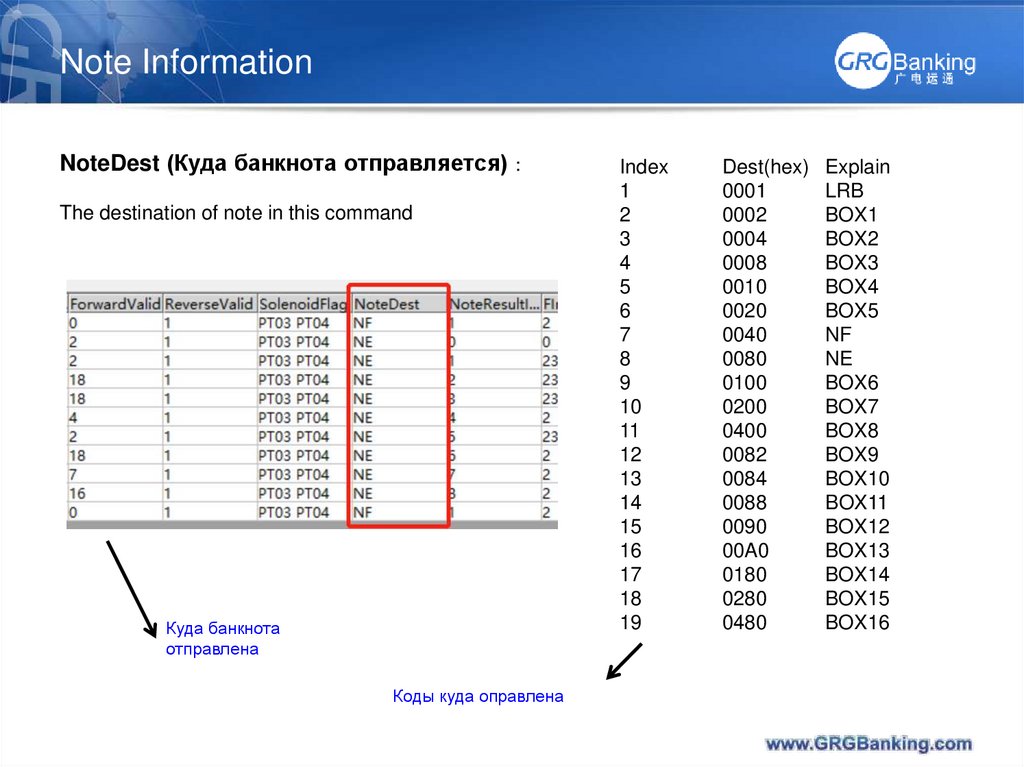
NoteDest (Куда банкнота отправляется)The destination of note in this command
Куда банкнота
отправлена
Коды куда оправлена
Index
1
2
3
4
5
6
7
8
9
10
11
12
13
14
15
16
17
18
19
Dest(hex)
0001
0002
0004
0008
0010
0020
0040
0080
0100
0200
0400
0082
0084
0088
0090
00A0
0180
0280
0480
Explain
LRB
BOX1
BOX2
BOX3
BOX4
BOX5
NF
NE
BOX6
BOX7
BOX8
BOX9
BOX10
BOX11
BOX12
BOX13
BOX14
BOX15
BOX16
27. Note Information
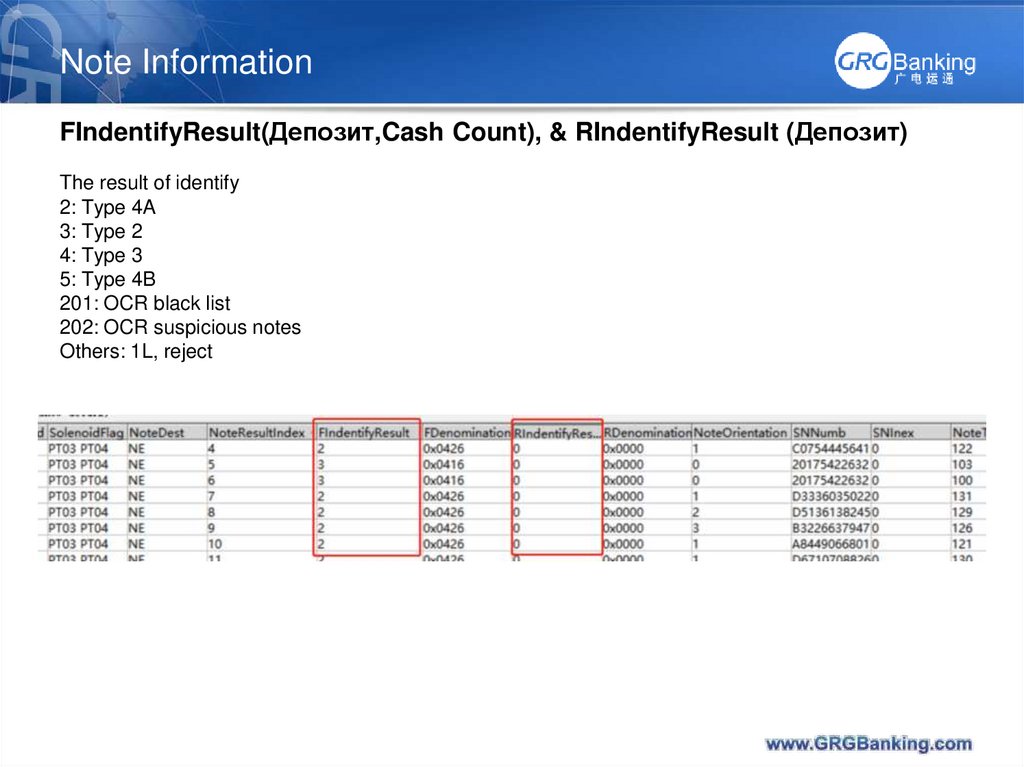
FIndentifyResult(Депозит,Cash Count), & RIndentifyResult (Депозит)The result of identify
2: Type 4A
3: Type 2
4: Type 3
5: Type 4B
201: OCR black list
202: OCR suspicious notes
Others: 1L, reject
28. Note Information
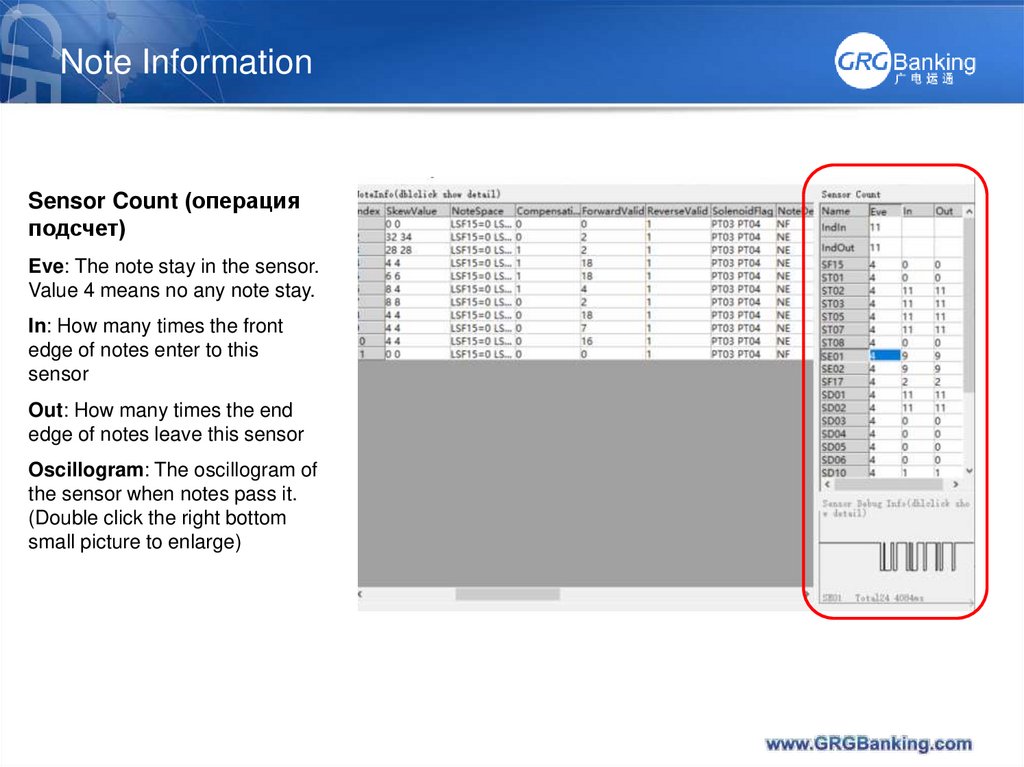
Sensor Count (операцияподсчет)
Eve: The note stay in the sensor.
Value 4 means no any note stay.
In: How many times the front
edge of notes enter to this
sensor
Out: How many times the end
edge of notes leave this sensor
Oscillogram: The oscillogram of
the sensor when notes pass it.
(Double click the right bottom
small picture to enlarge)
29. Note Information
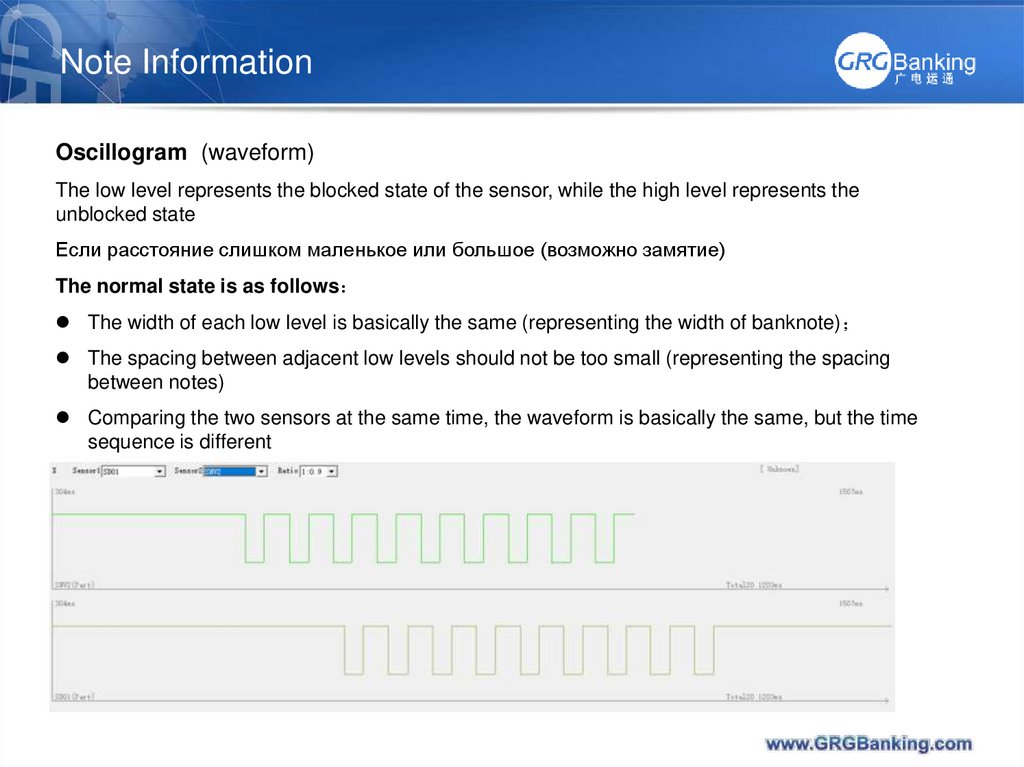
Oscillogram (waveform)The low level represents the blocked state of the sensor, while the high level represents the
unblocked state
Если расстояние слишком маленькое или большое (возможно замятие)
The normal state is as follows
The width of each low level is basically the same (representing the width of banknote)
The spacing between adjacent low levels should not be too small (representing the spacing
between notes)
Comparing the two sensors at the same time, the waveform is basically the same, but the time
sequence is different
30. Note Information
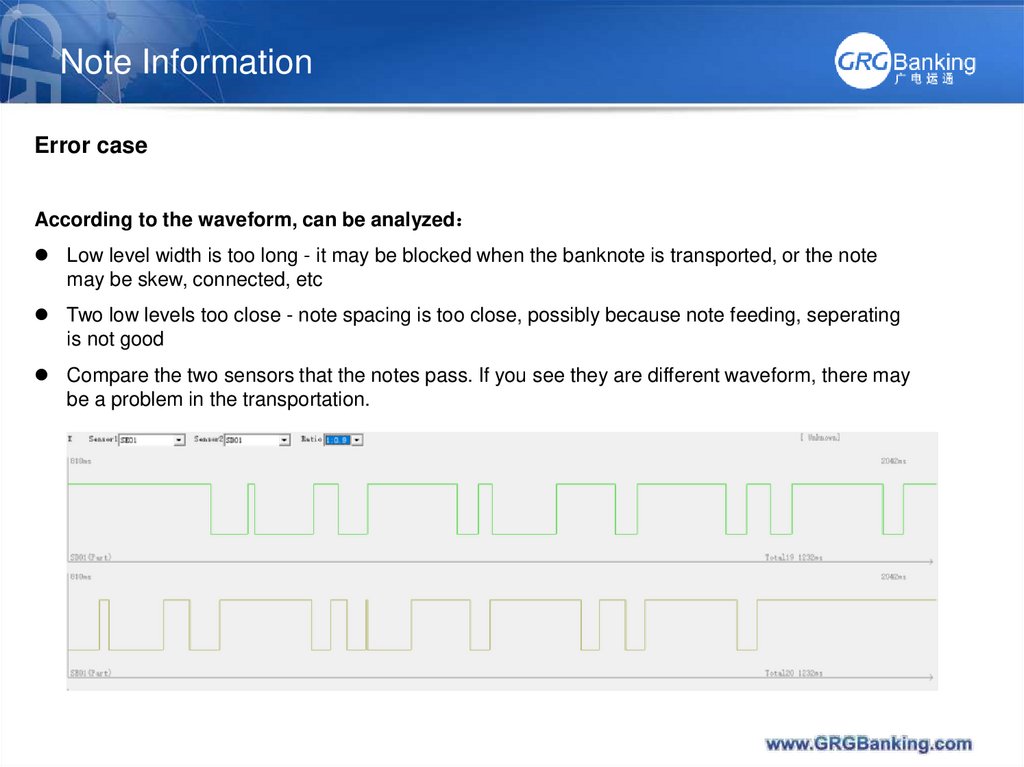
Error caseAccording to the waveform, can be analyzed
Low level width is too long - it may be blocked when the banknote is transported, or the note
may be skew, connected, etc
Two low levels too close - note spacing is too close, possibly because note feeding, seperating
is not good
Compare the two sensors that the notes pass. If you see they are different waveform, there may
be a problem in the transportation.
31. Report
Report Creat ReportВ новой версии программы нужные
строчки можно отметить (Mark) при
создании отчета (Report)
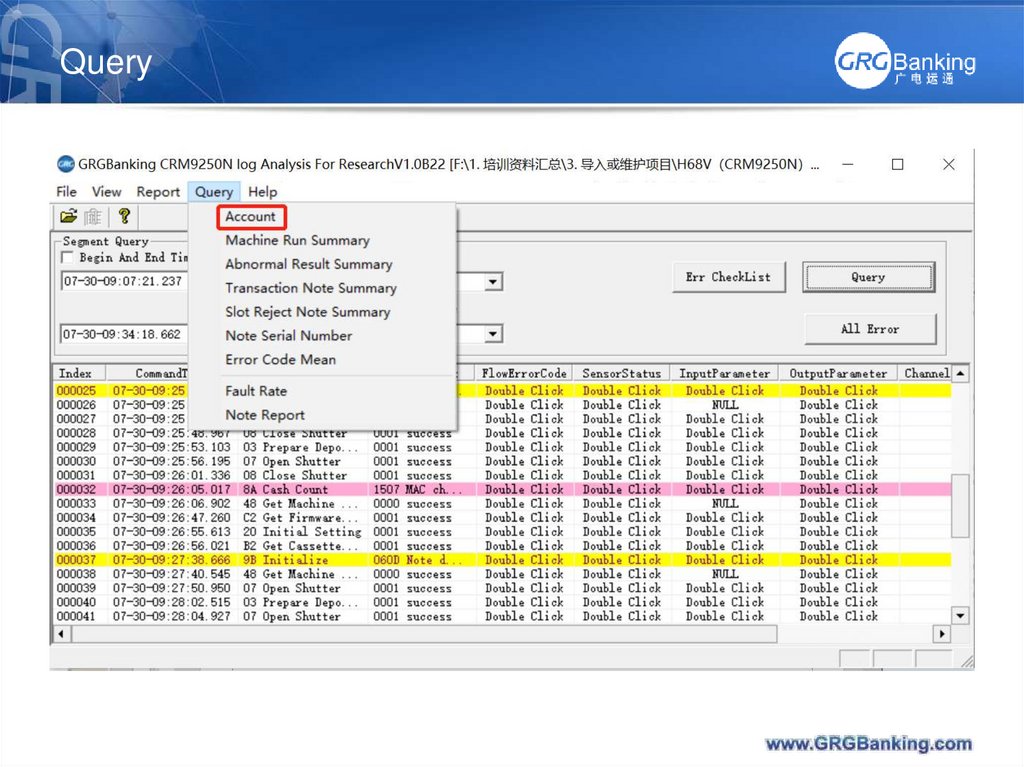
32. Query
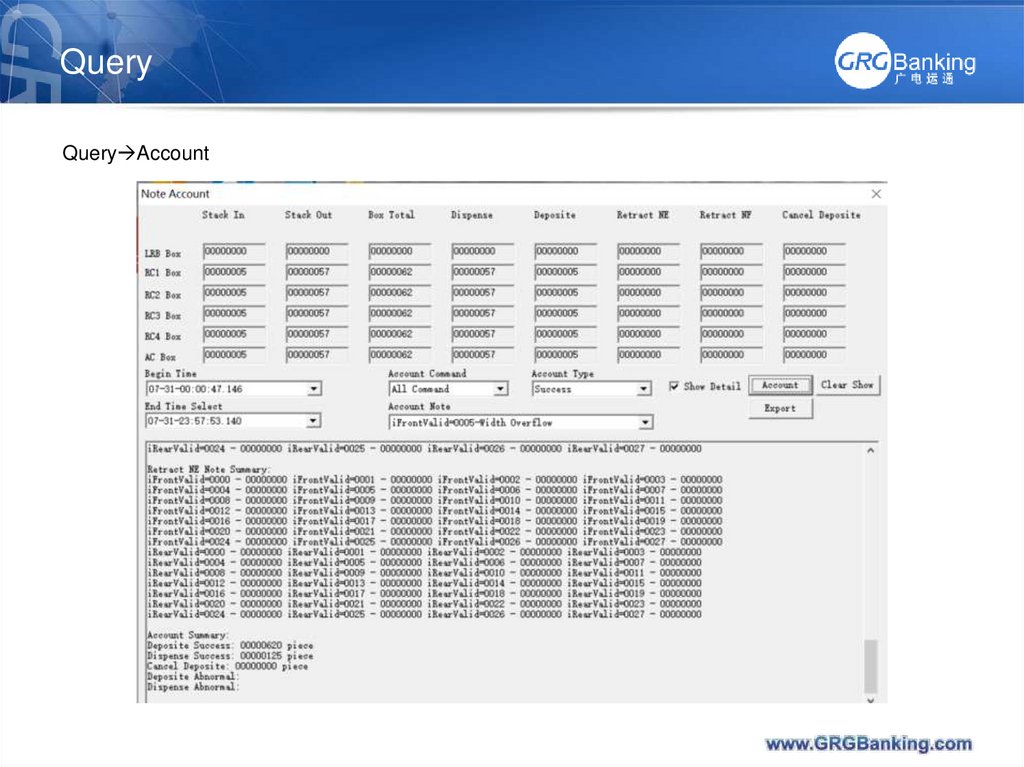
33. Query
Query Account34. Query
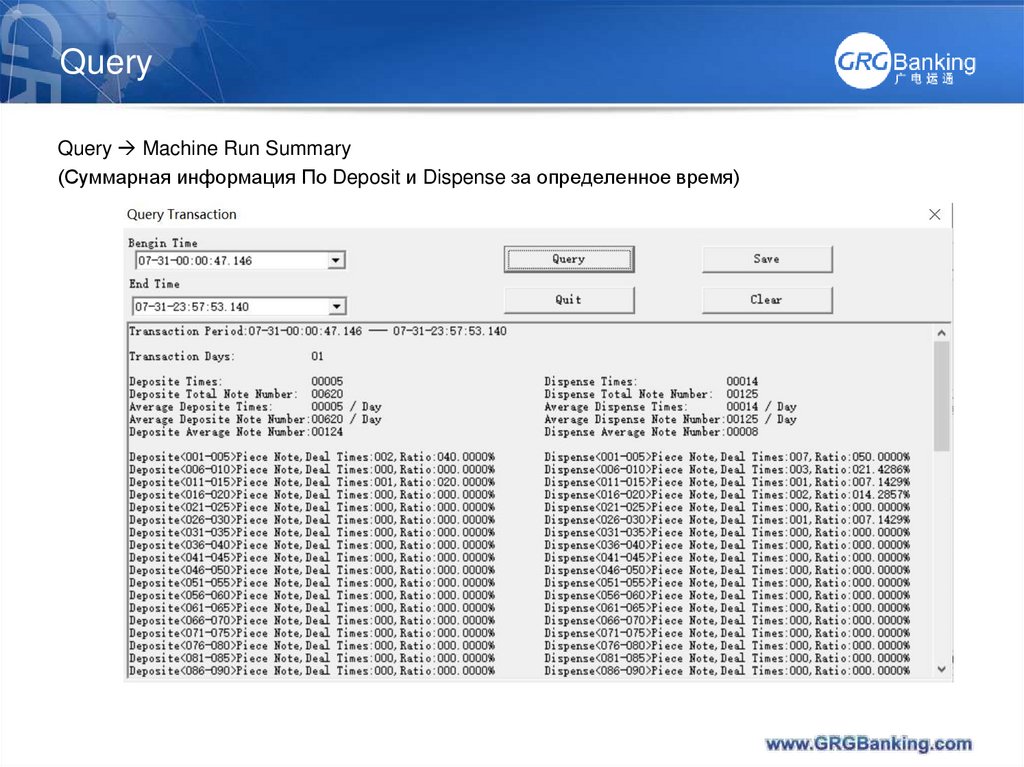
Query Machine Run Summary(Суммарная информация По Deposit и Dispense за определенное время)
35. Query
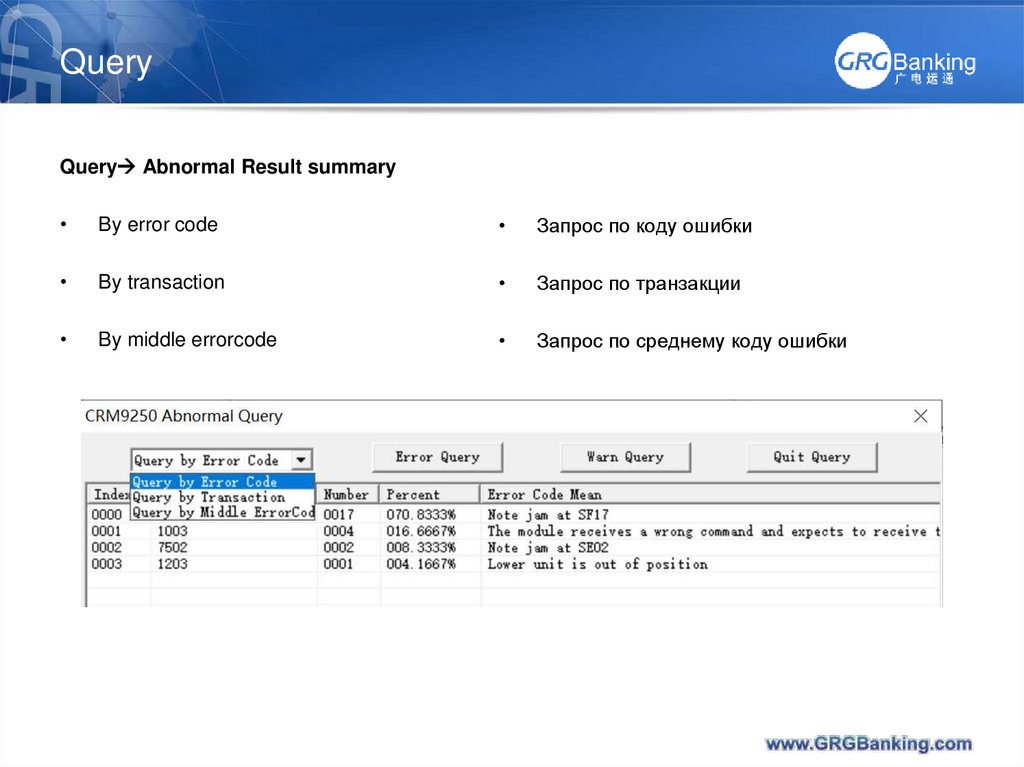
Query Abnormal Result summaryBy error code
Запрос по коду ошибки
By transaction
Запрос по транзакции
By middle errorcode
Запрос по среднему коду ошибки
36. Query
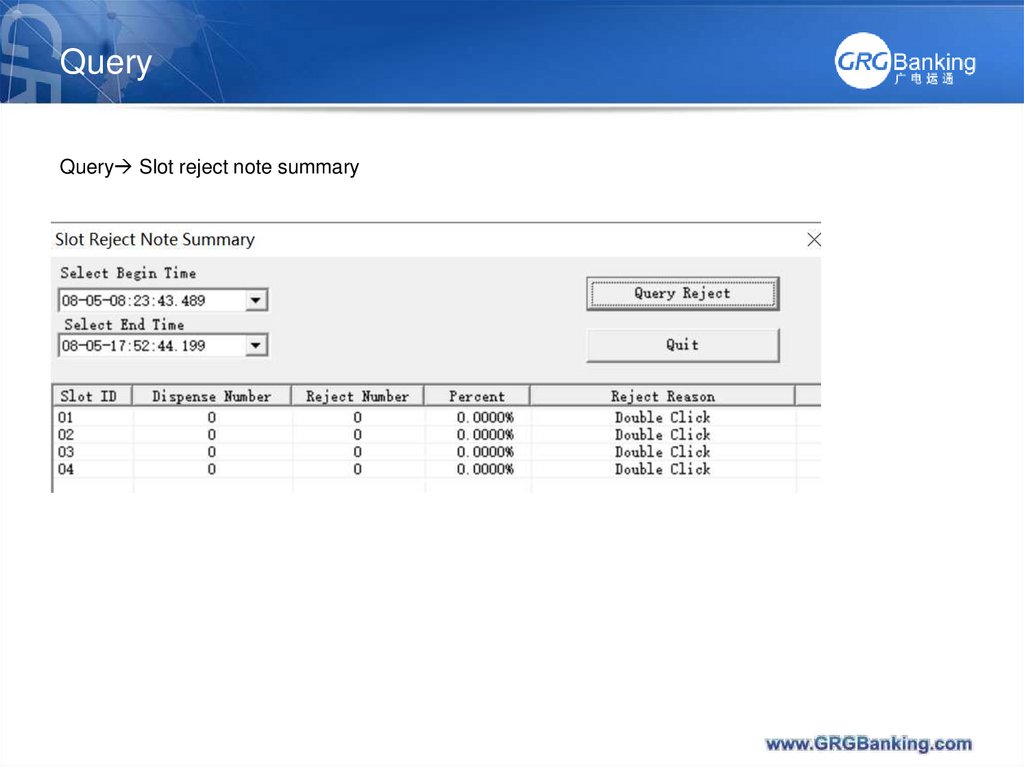
Query Slot reject note summary37. Query
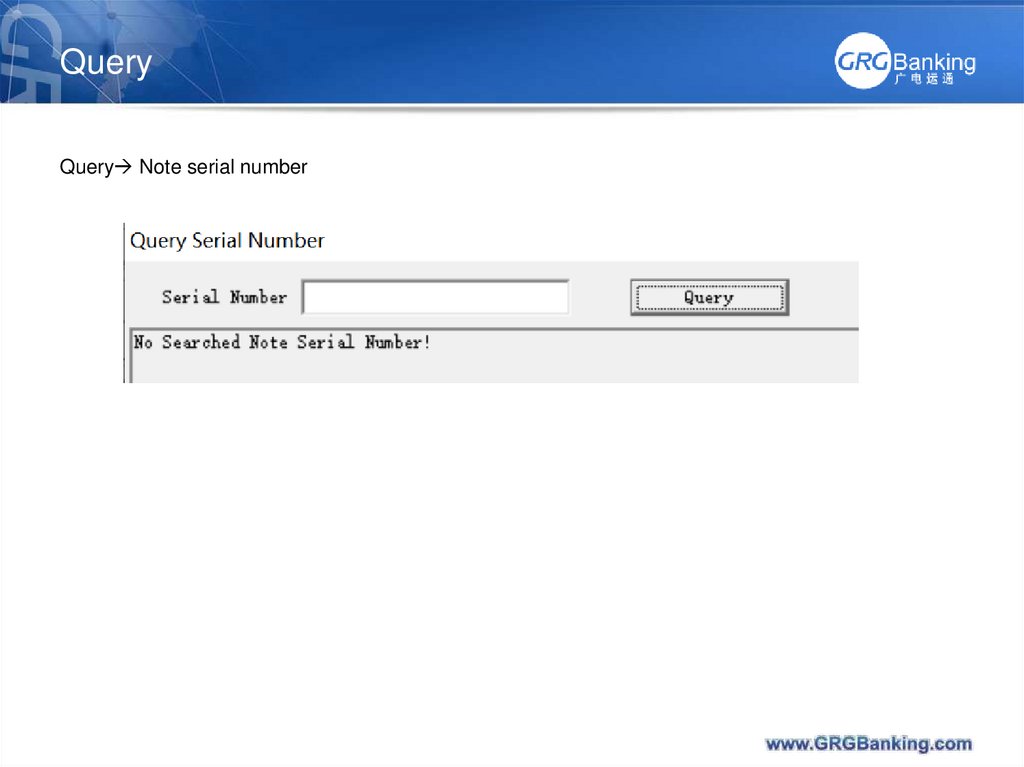
Query Note serial number38. Query
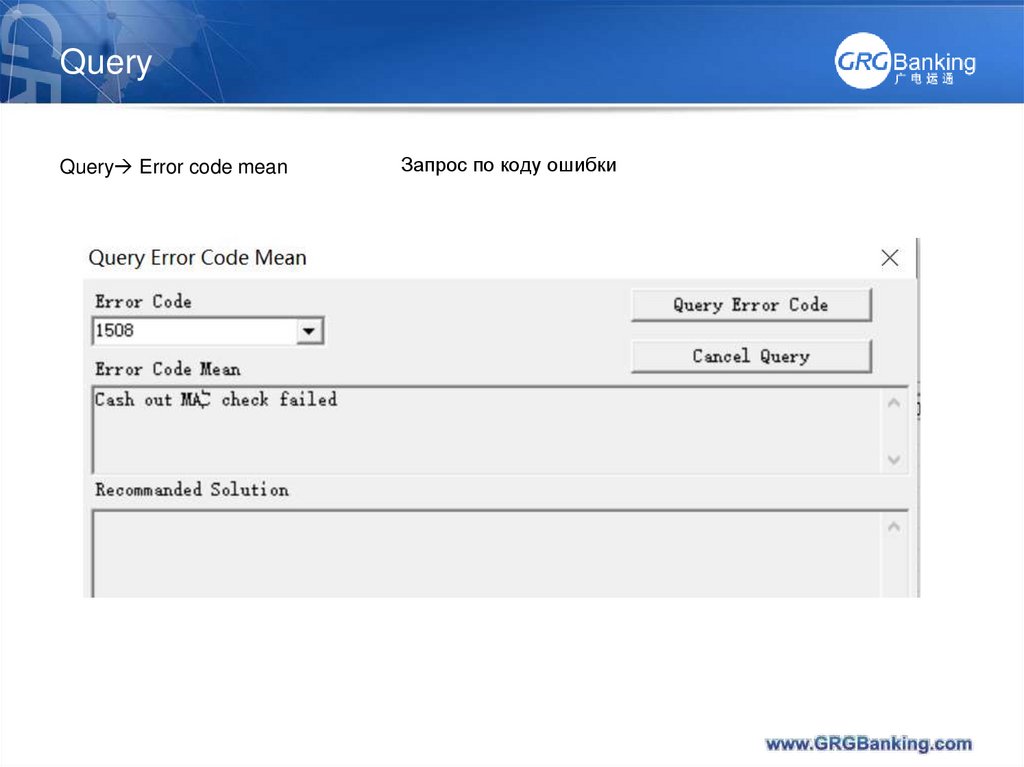
Query Error code meanЗапрос по коду ошибки
39. Query
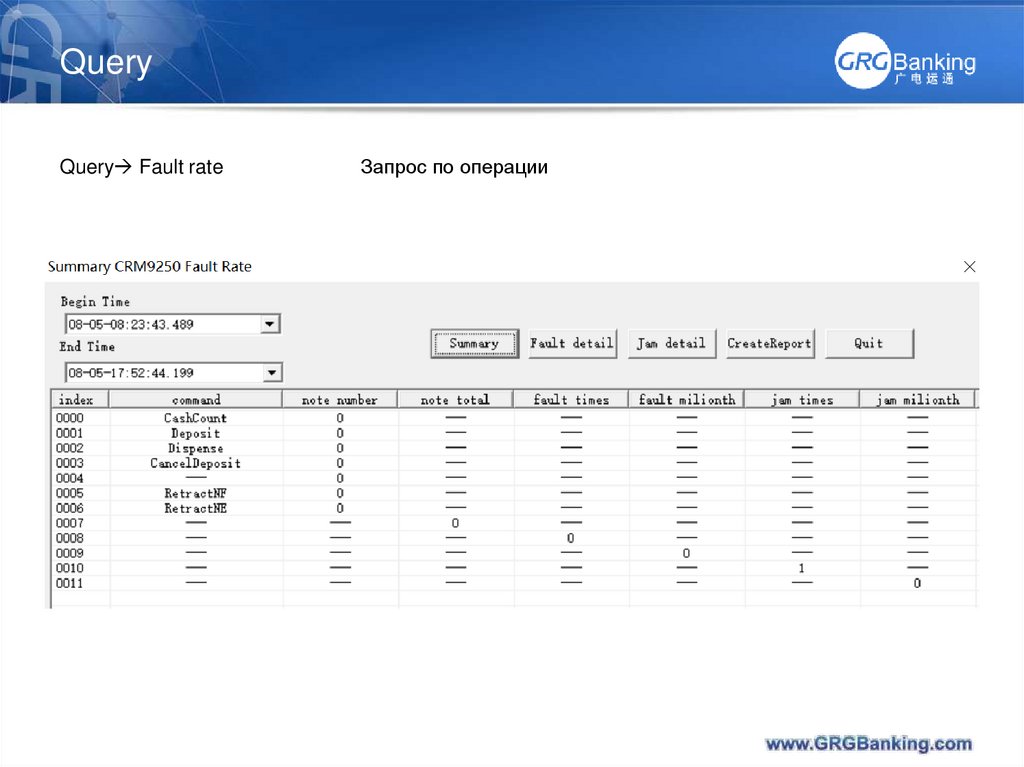
Query Fault rateЗапрос по операции
40. Query
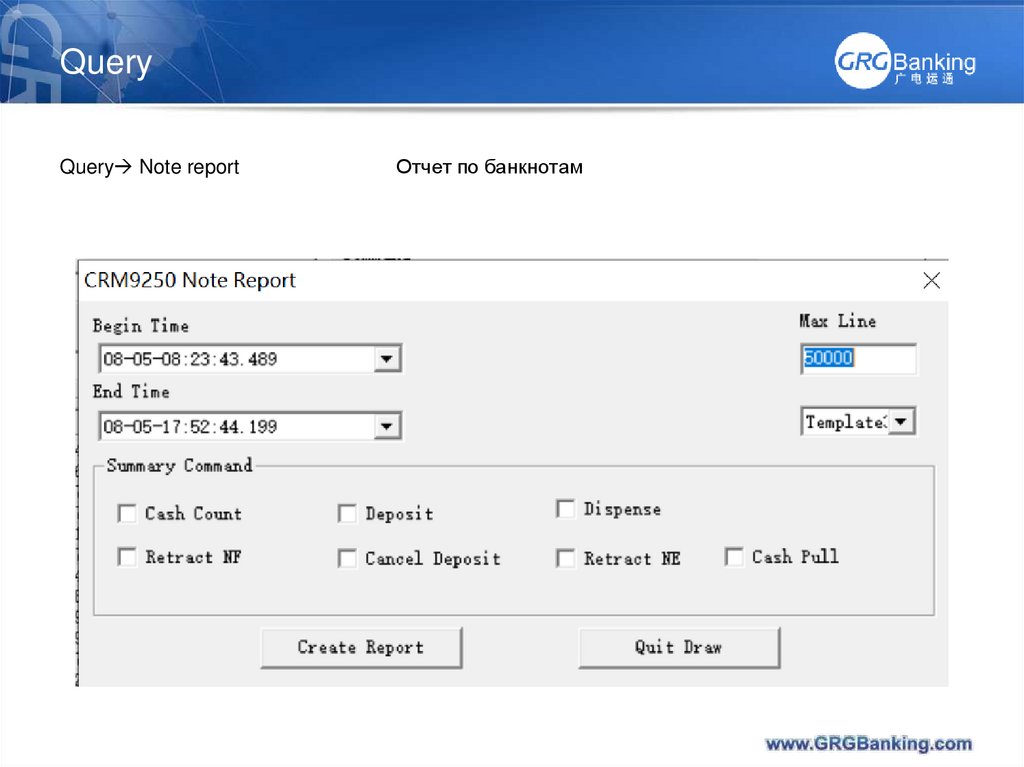
Query Note reportОтчет по банкнотам
41. Log case analysis
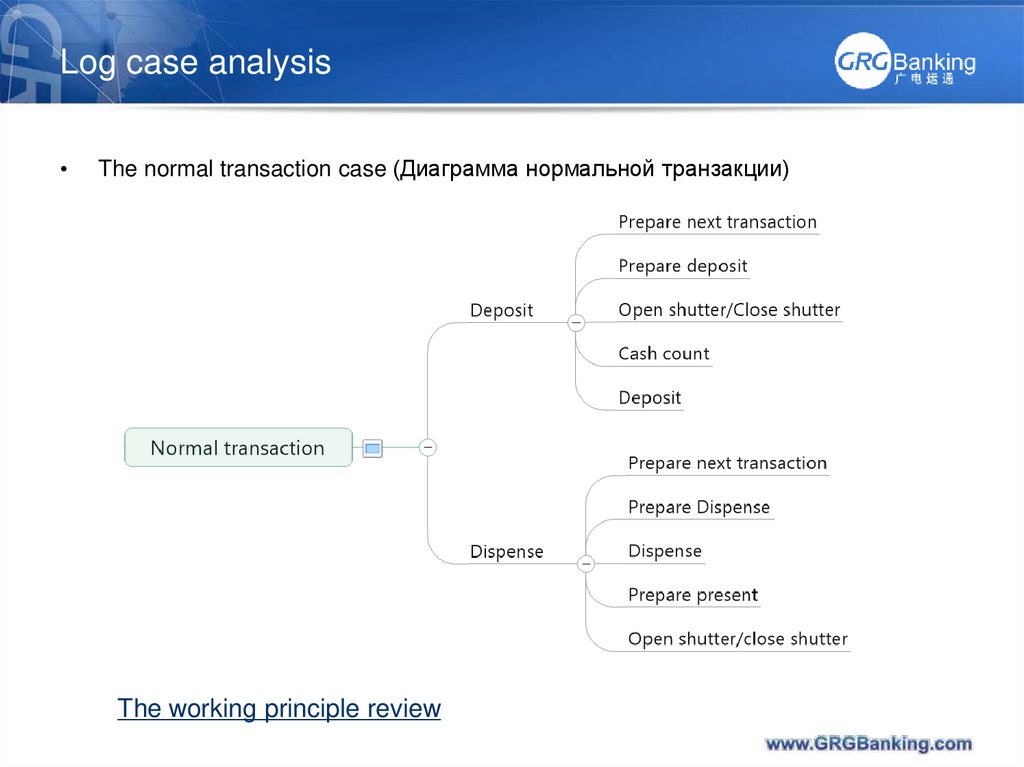
The normal transaction case (Диаграмма нормальной транзакции)
The working principle review
42. Log case analysis
The error case (Случаи ошибок)Case1— Cash jam
From oscillogram, the low level state too long in some sensors (US case)
Case2– the unknown note leaves detected by SNV1 (or NV count is inconsistent)
From oscillogram, check ST01 sensor Mexico case
The working principle review