 Инженерная графика
Похожие презентации:





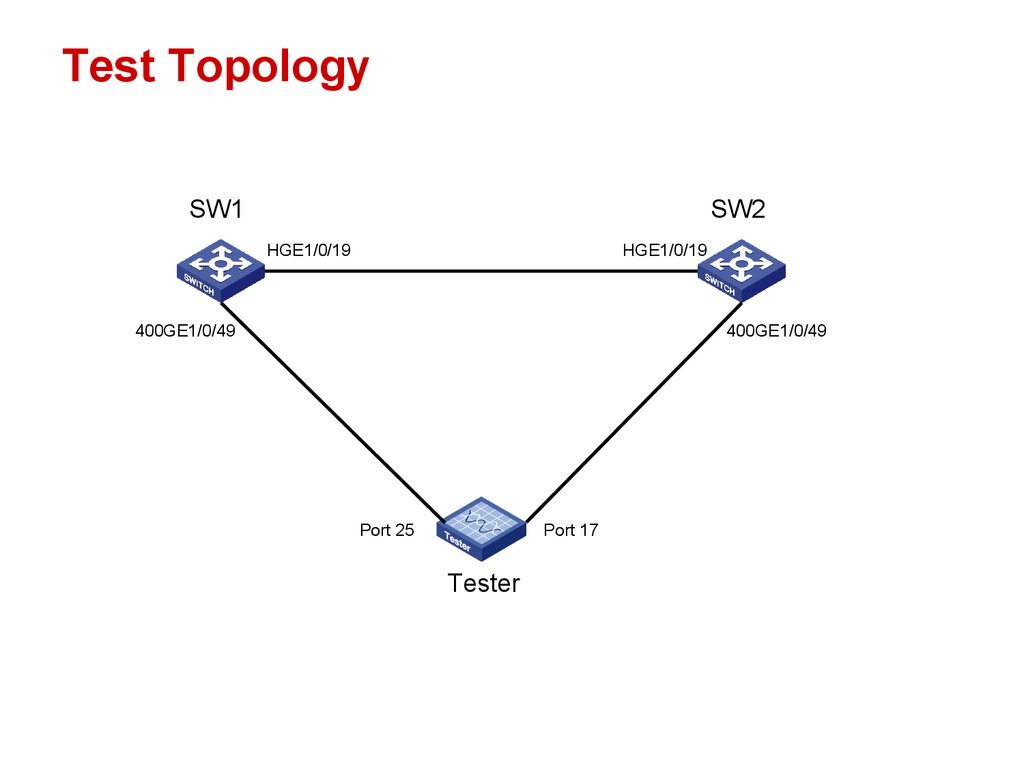
Test Topology (Access Instructions)
1.
Test TopologySW1
SW2
HGE1/0/19
HGE1/0/19
400GE1/0/49
400GE1/0/49
Port 25
Port 17
Tester
www.h3c.com
1
2.
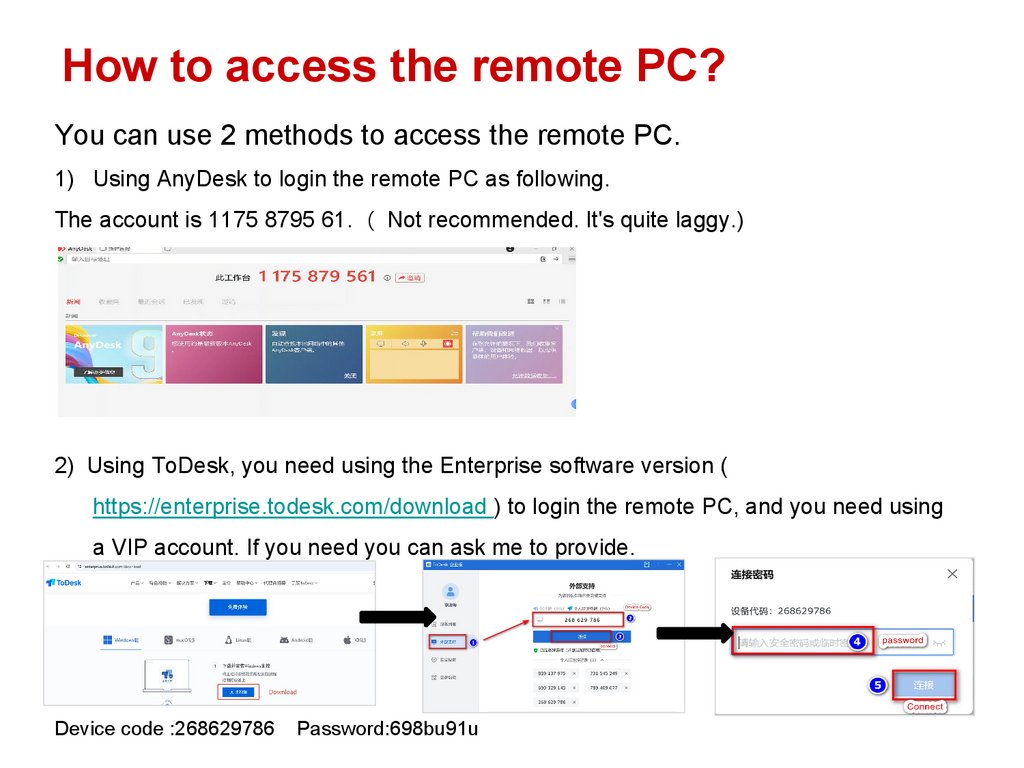
How to access the remote PC?You can use 2 methods to access the remote PC.
1) Using AnyDesk to login the remote PC as following.
The account is 1175 8795 61. Not recommended. It's quite laggy.)
2) Using ToDesk, you need using the Enterprise software version (
https://enterprise.todesk.com/download ) to login the remote PC, and you need using
a VIP account. If you need you can ask me to provide.
Device code :268629786
www.h3c.com
Password:698bu91u
2
3.
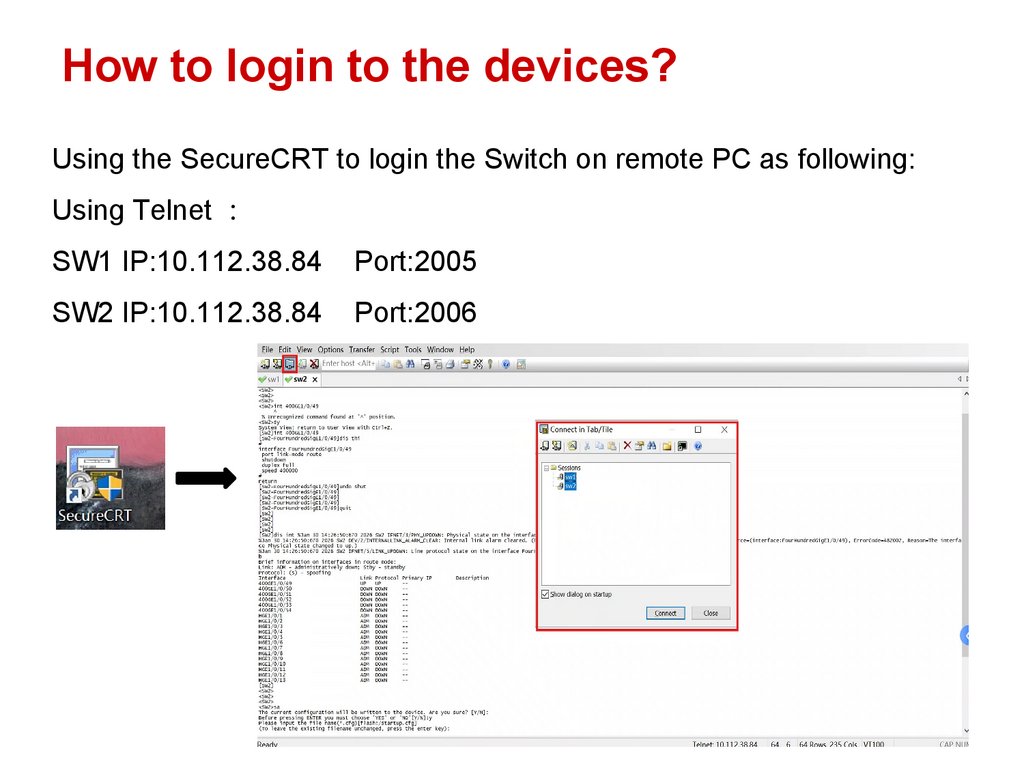
How to login to the devices?Using the SecureCRT to login the Switch on remote PC as following:
Using Telnet
SW1 IP:10.112.38.84
Port:2005
SW2 IP:10.112.38.84
Port:2006
www.h3c.com
3
4.
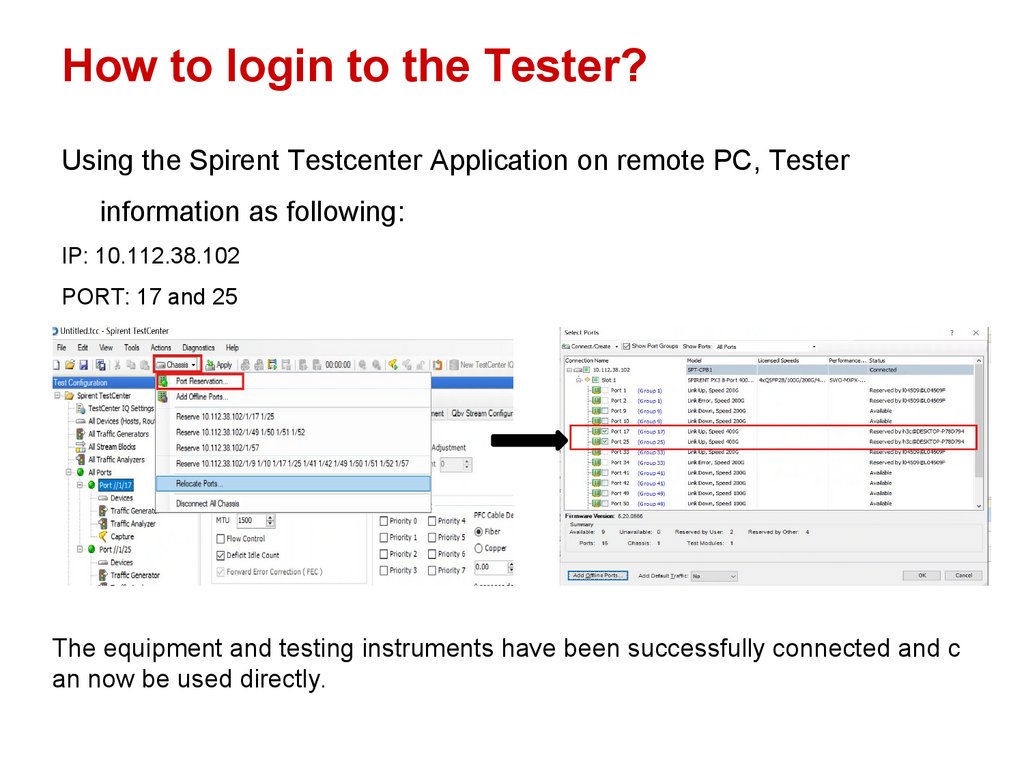
How to login to the Tester?Using the Spirent Testcenter Application on remote PC, Tester
information as following:
IP: 10.112.38.102
PORT: 17 and 25
The equipment and testing instruments have been successfully connected and c
an now be used directly.
www.h3c.com
4