 Программное обеспечение
Похожие презентации:









KF350 Software Upgrade Guide
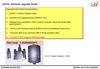
Profitable GrowthB3X Number one to the customer! KF350 Software upgrade Guide Important Information & Instructions : 1.KF350 is Infineon Chipset model.
2.Software to be upgraded using GSMULTI V3.0 3.Supports both USB & UART upgrading techniques.
4.For upgrading through USB, user data cable ( SGDY0010901) will used & for upgrading through UART (Serial) , technical cable ( BSEA0004160 ) will be used.
5.
If the handset is Dead (Reboot, Auto off etc) it cannot be upgraded through USB.
In that case it has to be upgraded through UART using Technical cable.
6 .
It is highly recommended to use USB up-gradation technique if handset is in power on condition, as the time taken for upgrade in USB is about 7 minutes, as compared to about one hour in UART.
7.
The procedure for upgrading through USB & UART is explained hereunder.
USB Upgrade Procedure: Step 1 : Install GSMULTI V3.0 Step 2 : Open GSMULTI folder in C:\\ drive Profitable GrowthB3X Number one to the customer! Open folder Click on Setup File to install Press Install to complete driver Installation Step 3 : Open the USB drivers folder & install drivers for Infineon Chipset as shown in next slide.
KF350 Software upgrade Guide Profitable GrowthB3X Number one to the customer! Step 4 : Connect phone with USB data cablein OFF condition It will search for drivers Step 5 : Press Next to continue driver installation Step 6 : Now disconnect phone & open “USB map” in GSMULTI folder to create USB port for USB Flashing.
KF350 Software upgrade Guide Profitable GrowthB3X Number one to the customer! Step 7 : For KF350 (Infineon Chipset) click on Infineon Press “Mapping Start” & Connect phone in OFF condition Step 8 : Once USB mapping is done , click “Save & Exit” & disconnect phone.
KF350 Software upgrade Guide Profitable GrowthB3X Number one to the customer! Step 9 : Open GSMULTI V3.0, Select Dll & Software file, & make configuration settings as shown below & click OK.
KF350 Software upgrade Guide Profitable GrowthB3X Number one to the customer! Step 10 : Connect phone in OFF condition when wait phone connecting is displayed.
Software Upgrade Starts as shown below …… KF350 Software upgrade Guide Profitable GrowthB3X Number one to the customer! Upgrade In progress …….
Download Complete KF350 Software upgrade Guide Profitable GrowthB3X Number one to the customer! Step1 : Open GSMULTI V3.0 Select Dll file & .Bin file Step2 : Make configuration settings as follows Baud rate 460800 (USB to serial converter) 115200 (Through PC com port) UART Upgrade: KF350 Software upgrade Guide Profitable GrowthB3X Number one to the customer! Step3: Connect phone, when “wait phone connecting” is displayed Step4: Software upgrade starts as shown………..
KF350 Software upgrade Guide Profitable GrowthB3X Number one to the customer! Upgrade in progress…….Upgrade in progress…….Disconnect phone when pass is displayed Part Code: BSEA0004160 Technical cable details: Part code BSEA0004160 Switch AI / TI AI Switch 1.8v / 2.8v
2.Software to be upgraded using GSMULTI V3.0 3.Supports both USB & UART upgrading techniques.
4.For upgrading through USB, user data cable ( SGDY0010901) will used & for upgrading through UART (Serial) , technical cable ( BSEA0004160 ) will be used.
5.
If the handset is Dead (Reboot, Auto off etc) it cannot be upgraded through USB.
In that case it has to be upgraded through UART using Technical cable.
6 .
It is highly recommended to use USB up-gradation technique if handset is in power on condition, as the time taken for upgrade in USB is about 7 minutes, as compared to about one hour in UART.
7.
The procedure for upgrading through USB & UART is explained hereunder.
USB Upgrade Procedure: Step 1 : Install GSMULTI V3.0 Step 2 : Open GSMULTI folder in C:\\ drive Profitable GrowthB3X Number one to the customer! Open folder Click on Setup File to install Press Install to complete driver Installation Step 3 : Open the USB drivers folder & install drivers for Infineon Chipset as shown in next slide.
KF350 Software upgrade Guide Profitable GrowthB3X Number one to the customer! Step 4 : Connect phone with USB data cablein OFF condition It will search for drivers Step 5 : Press Next to continue driver installation Step 6 : Now disconnect phone & open “USB map” in GSMULTI folder to create USB port for USB Flashing.
KF350 Software upgrade Guide Profitable GrowthB3X Number one to the customer! Step 7 : For KF350 (Infineon Chipset) click on Infineon Press “Mapping Start” & Connect phone in OFF condition Step 8 : Once USB mapping is done , click “Save & Exit” & disconnect phone.
KF350 Software upgrade Guide Profitable GrowthB3X Number one to the customer! Step 9 : Open GSMULTI V3.0, Select Dll & Software file, & make configuration settings as shown below & click OK.
KF350 Software upgrade Guide Profitable GrowthB3X Number one to the customer! Step 10 : Connect phone in OFF condition when wait phone connecting is displayed.
Software Upgrade Starts as shown below …… KF350 Software upgrade Guide Profitable GrowthB3X Number one to the customer! Upgrade In progress …….
Download Complete KF350 Software upgrade Guide Profitable GrowthB3X Number one to the customer! Step1 : Open GSMULTI V3.0 Select Dll file & .Bin file Step2 : Make configuration settings as follows Baud rate 460800 (USB to serial converter) 115200 (Through PC com port) UART Upgrade: KF350 Software upgrade Guide Profitable GrowthB3X Number one to the customer! Step3: Connect phone, when “wait phone connecting” is displayed Step4: Software upgrade starts as shown………..
KF350 Software upgrade Guide Profitable GrowthB3X Number one to the customer! Upgrade in progress…….Upgrade in progress…….Disconnect phone when pass is displayed Part Code: BSEA0004160 Technical cable details: Part code BSEA0004160 Switch AI / TI AI Switch 1.8v / 2.8v