
Похожие презентации:










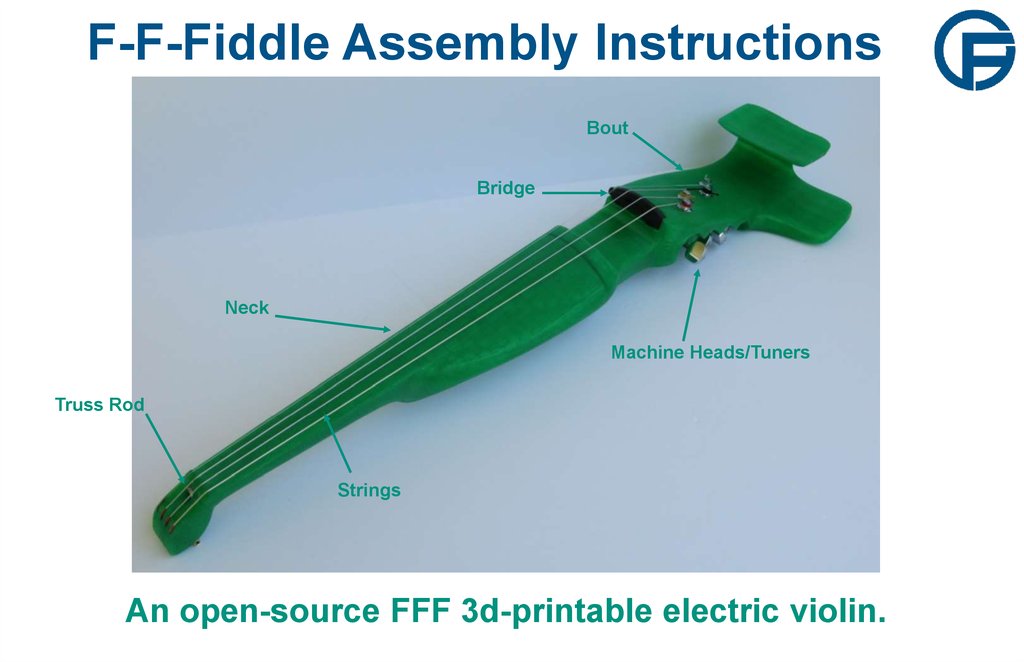
F-F-Fiddle Assembly Instructions
1. F-F-Fiddle Assembly Instructions
BoutBridge
Neck
Machine Heads/Tuners
Truss Rod
Strings
An open-source FFF 3d-printable electric violin.
2. 1. Assemble materials
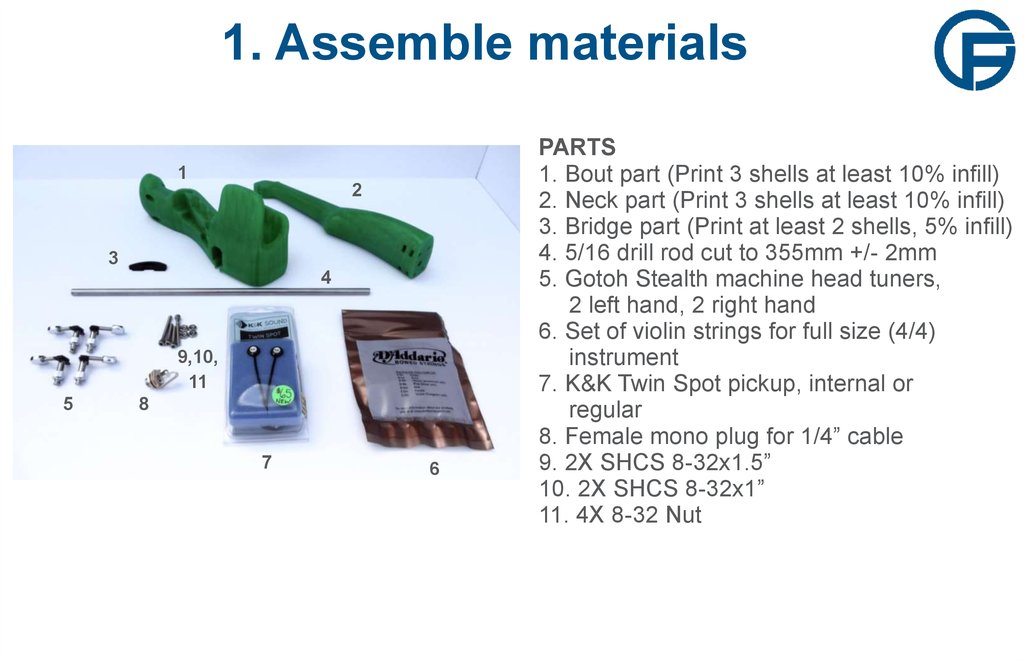
12
3
4
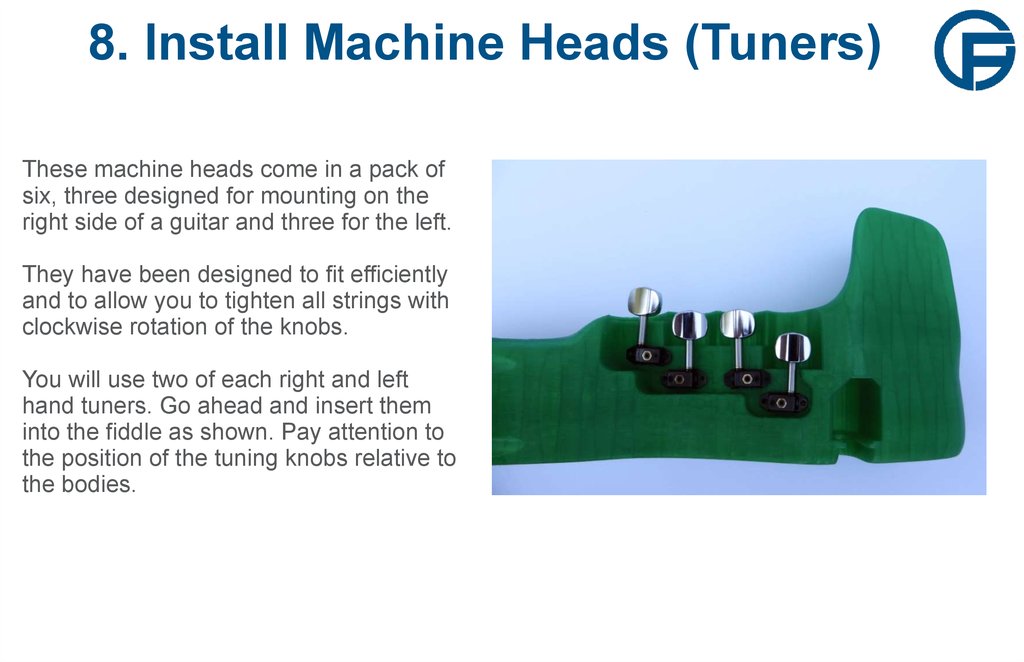
9,10,
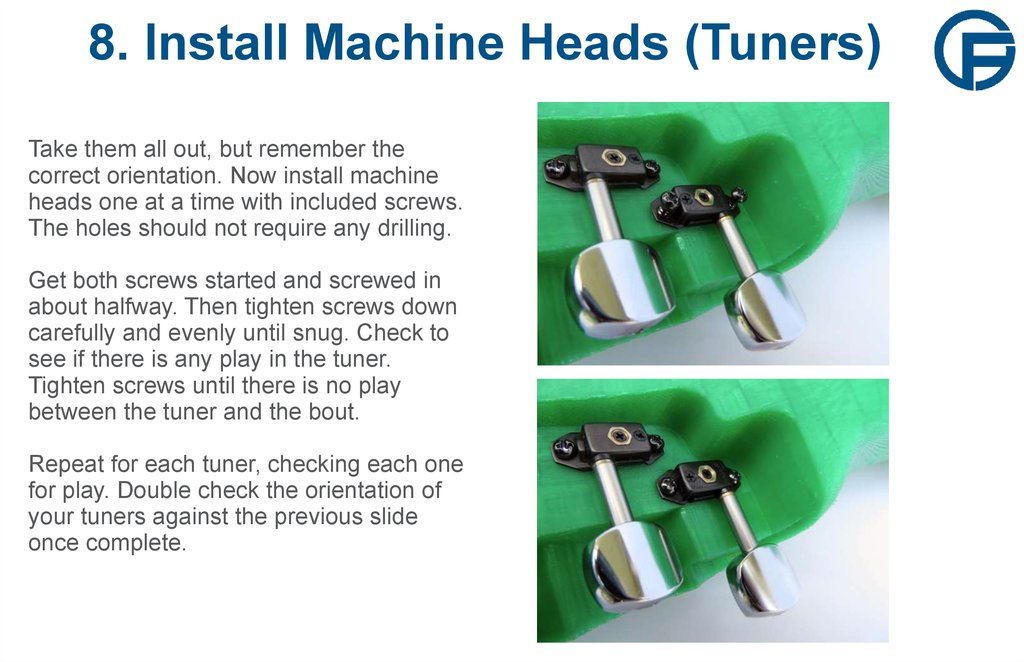
11
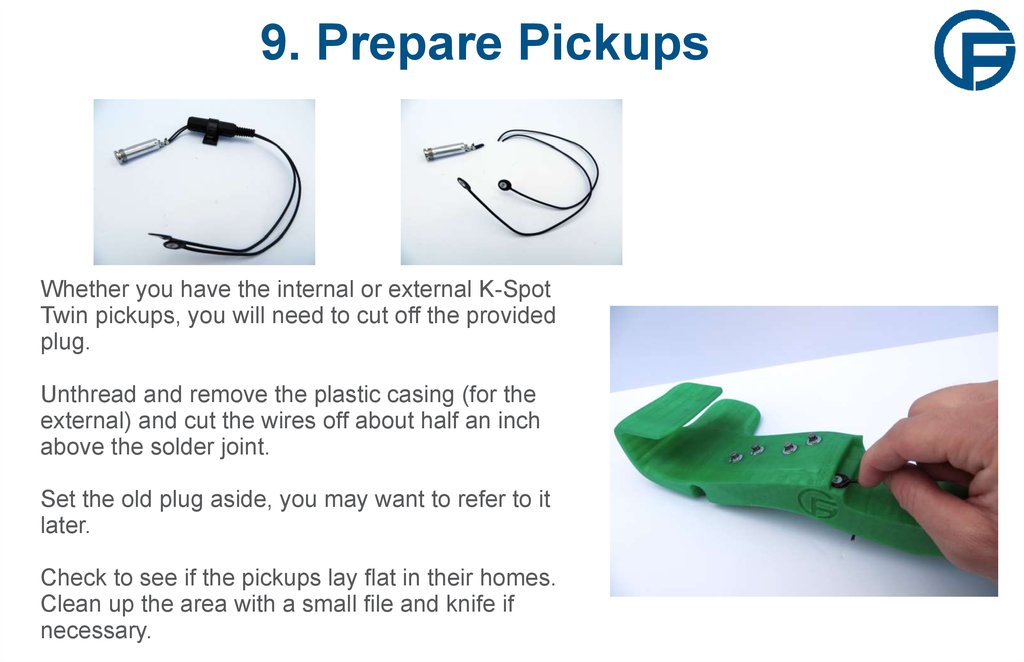
5
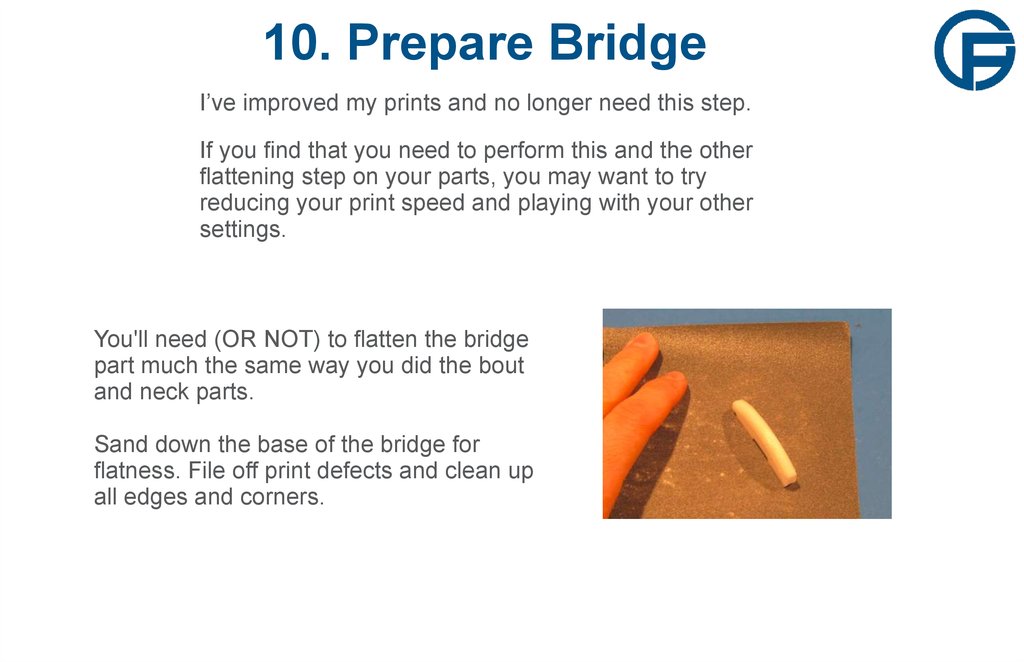
8
7
6
PARTS
1. Bout part (Print 3 shells at least 10% infill)
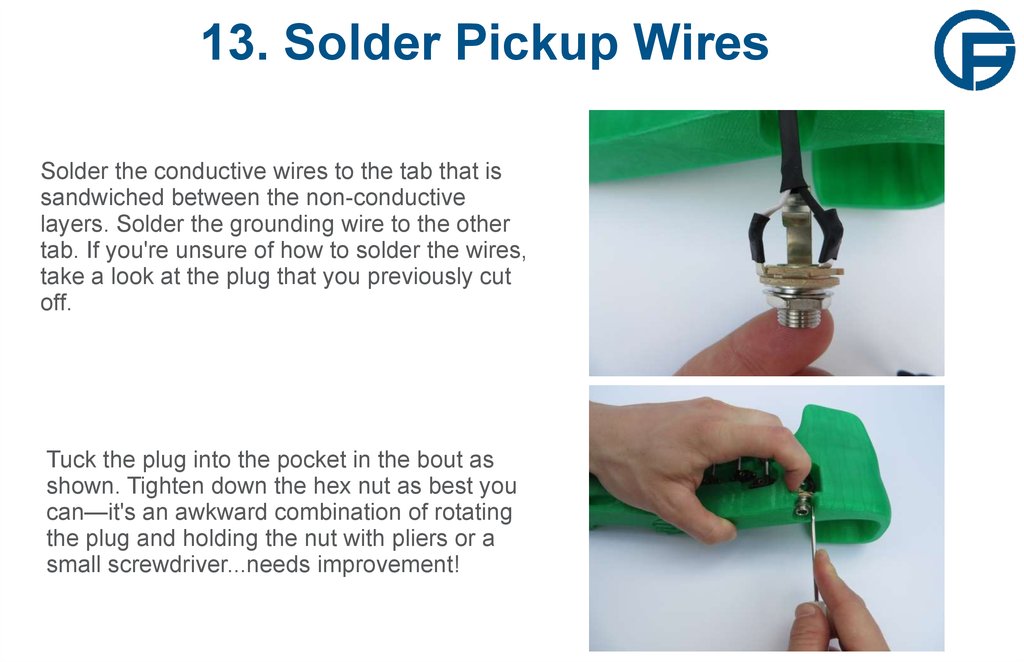
2. Neck part (Print 3 shells at least 10% infill)
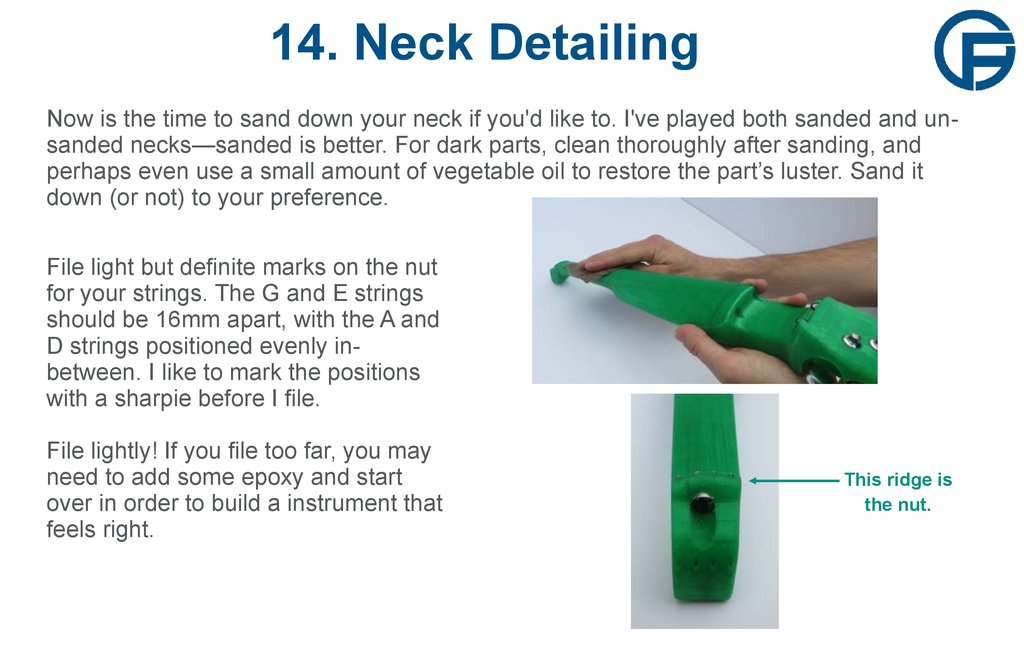
3. Bridge part (Print at least 2 shells, 5% infill)
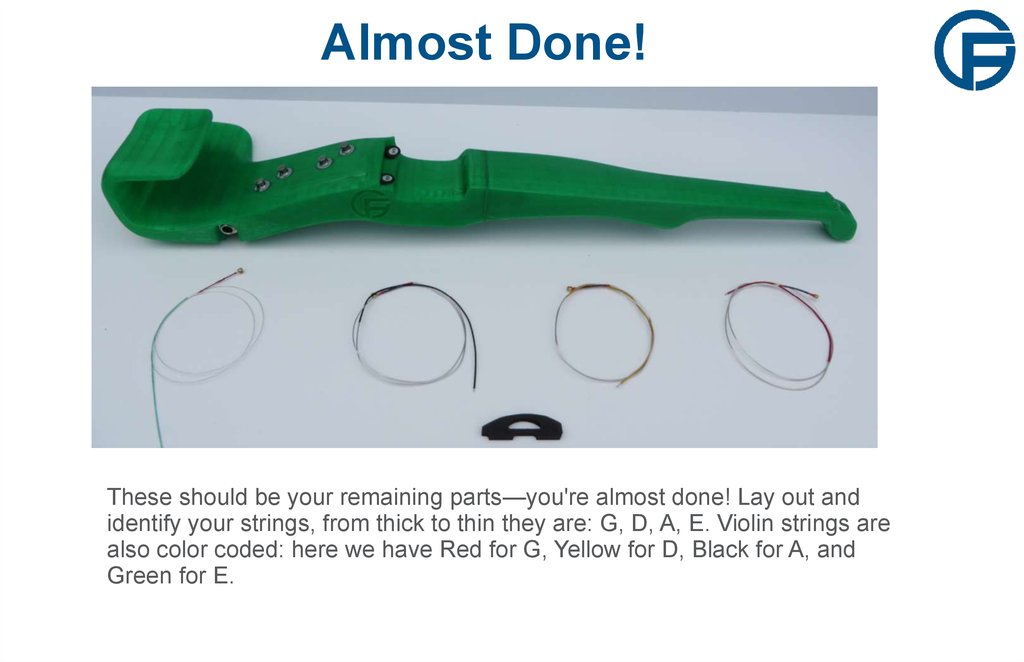
4. 5/16 drill rod cut to 355mm +/- 2mm
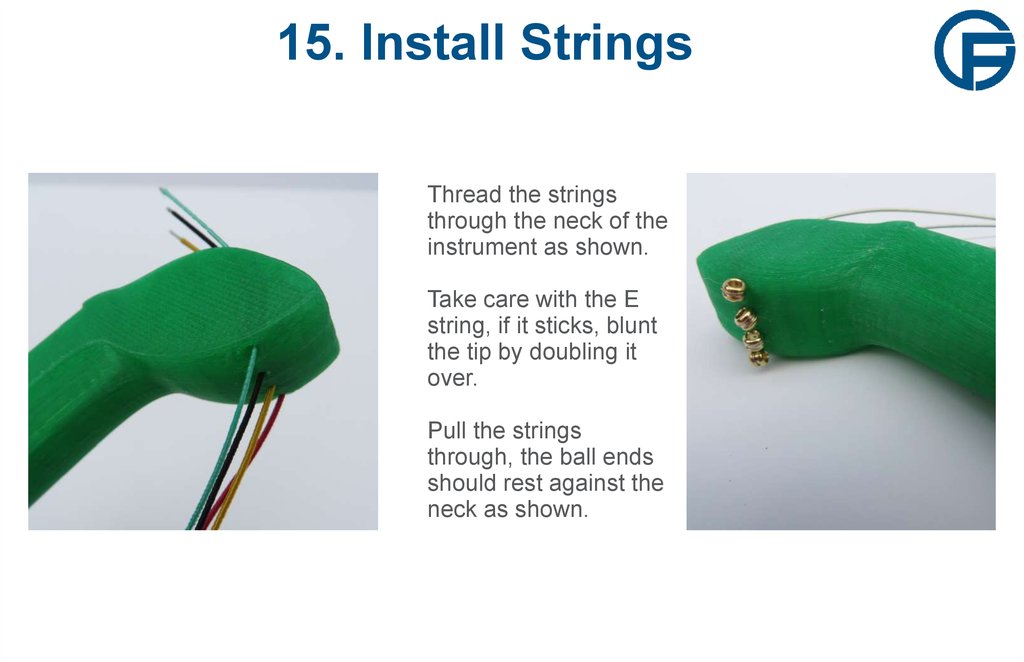
5. Gotoh Stealth machine head tuners,
2 left hand, 2 right hand
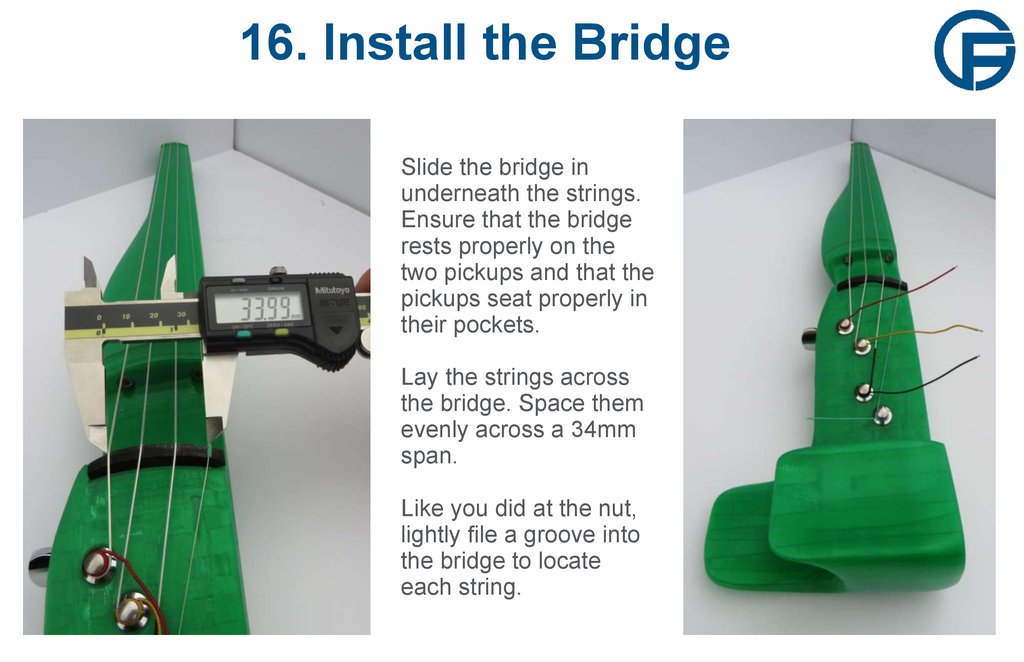
6. Set of violin strings for full size (4/4)
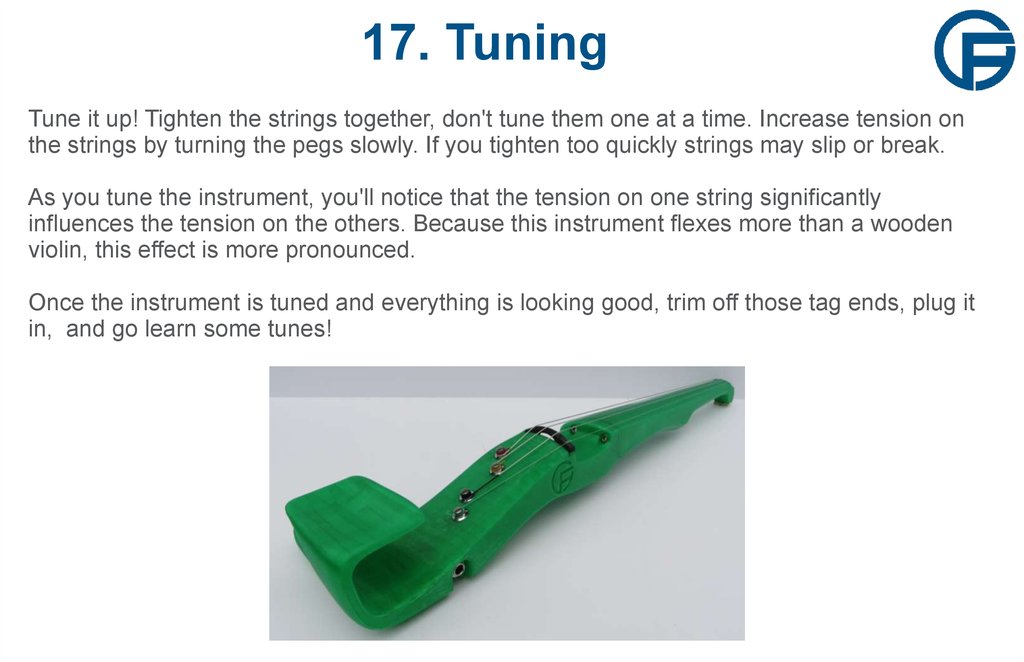
instrument
7. K&K Twin Spot pickup, internal or
regular
8. Female mono plug for 1/4” cable
9. 2X SHCS 8-32x1.5”
10. 2X SHCS 8-32x1”
11. 4X 8-32 Nut
3. 1. Assemble materials
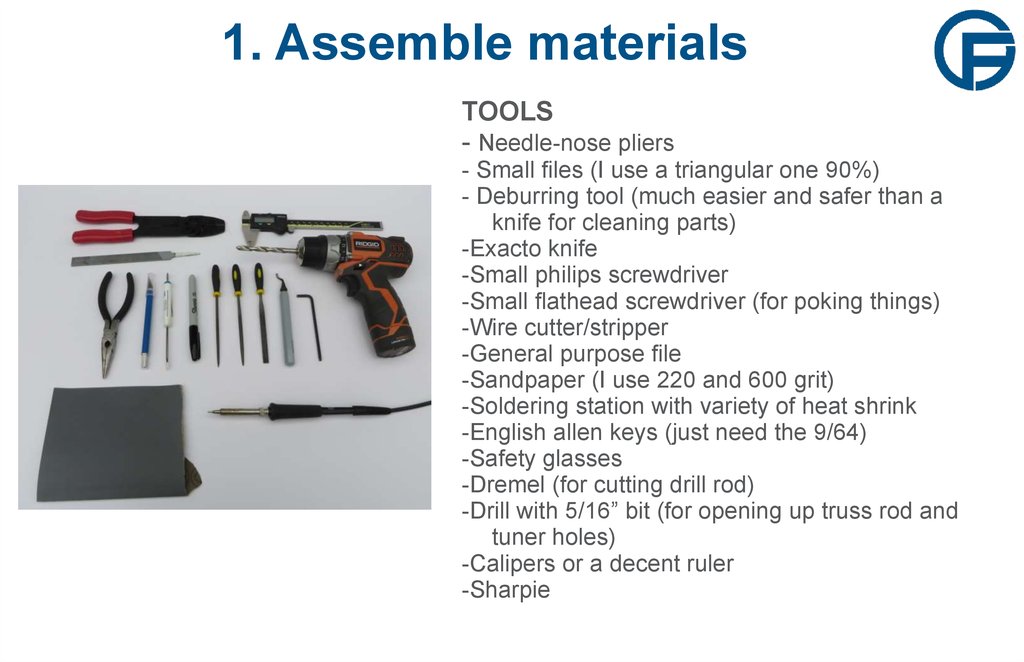
TOOLS- Needle-nose pliers
- Small files (I use a triangular one 90%)
- Deburring tool (much easier and safer than a
knife for cleaning parts)
-Exacto knife
-Small philips screwdriver
-Small flathead screwdriver (for poking things)
-Wire cutter/stripper
-General purpose file
-Sandpaper (I use 220 and 600 grit)
-Soldering station with variety of heat shrink
-English allen keys (just need the 9/64)
-Safety glasses
-Dremel (for cutting drill rod)
-Drill with 5/16” bit (for opening up truss rod and
tuner holes)
-Calipers or a decent ruler
-Sharpie
4. 2. Prepare Truss Rod
WEARSAFETY
GLASSES
2. Prepare Truss Rod
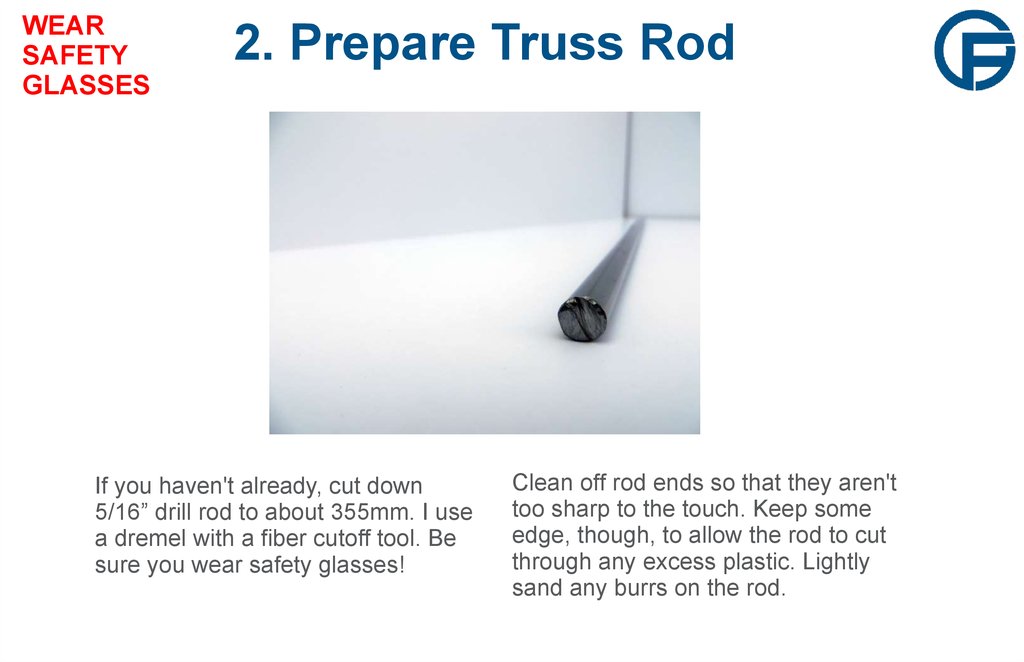
If you haven't already, cut down
5/16” drill rod to about 355mm. I use
a dremel with a fiber cutoff tool. Be
sure you wear safety glasses!
Clean off rod ends so that they aren't
too sharp to the touch. Keep some
edge, though, to allow the rod to cut
through any excess plastic. Lightly
sand any burrs on the rod.
5. 3. Check Truss Rod Fit
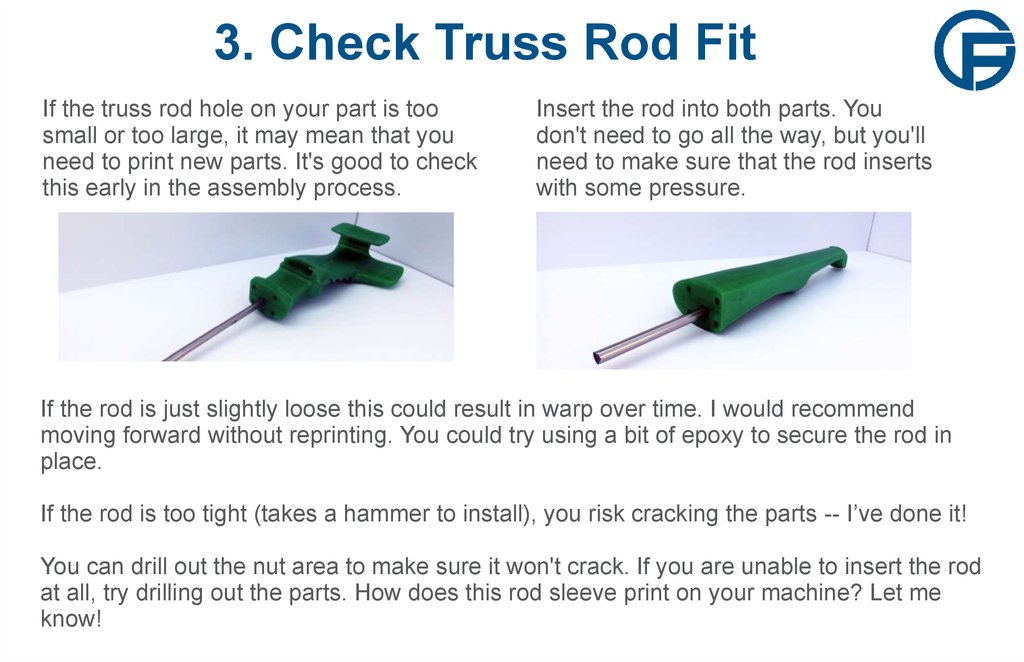
If the truss rod hole on your part is toosmall or too large, it may mean that you
need to print new parts. It's good to check
this early in the assembly process.
Insert the rod into both parts. You
don't need to go all the way, but you'll
need to make sure that the rod inserts
with some pressure.
If the rod is just slightly loose this could result in warp over time. I would recommend
moving forward without reprinting. You could try using a bit of epoxy to secure the rod in
place.
If the rod is too tight (takes a hammer to install), you risk cracking the parts -- I’ve done it!
You can drill out the nut area to make sure it won't crack. If you are unable to insert the rod
at all, try drilling out the parts. How does this rod sleeve print on your machine? Let me
know!
6. 4. Clean and Deburr Parts
WEARSAFETY
GLASSES
4. Clean and Deburr Parts
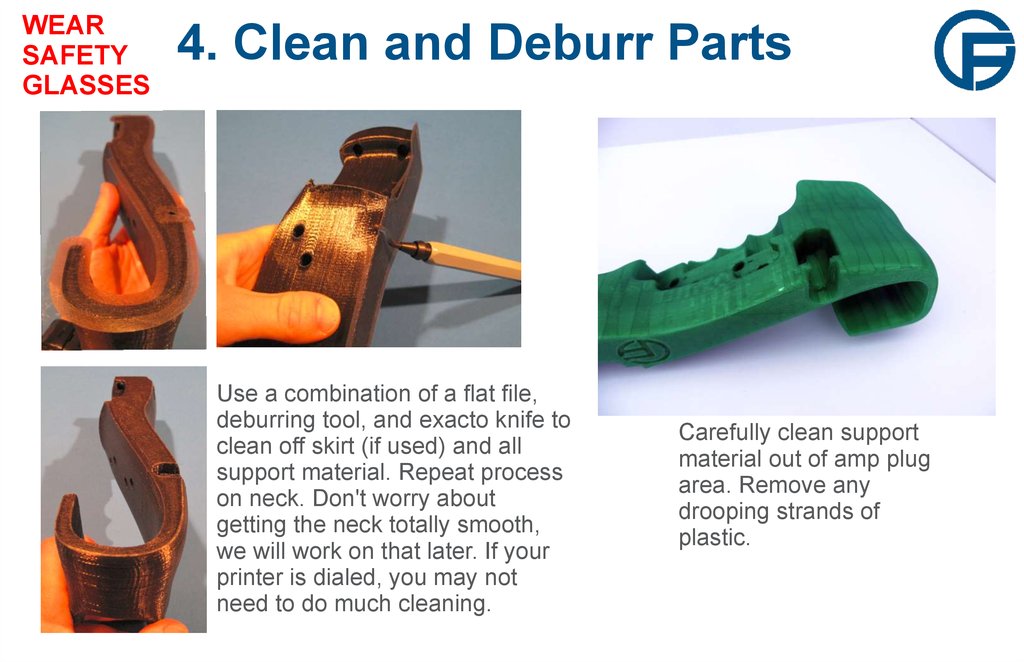
Use a combination of a flat file,
deburring tool, and exacto knife to
clean off skirt (if used) and all
support material. Repeat process
on neck. Don't worry about
getting the neck totally smooth,
we will work on that later. If your
printer is dialed, you may not
need to do much cleaning.
Carefully clean support
material out of amp plug
area. Remove any
drooping strands of
plastic.
7. 5. Flatten Ends
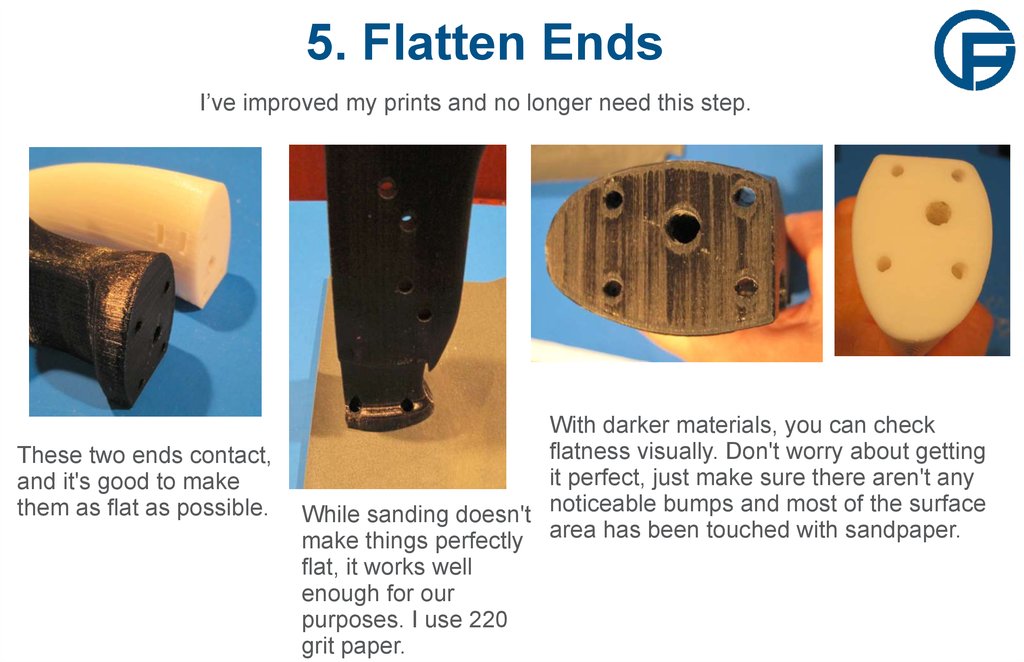
I’ve improved my prints and no longer need this step.These two ends contact,
and it's good to make
them as flat as possible.
With darker materials, you can check
flatness visually. Don't worry about getting
it perfect, just make sure there aren't any
noticeable
bumps
and
most
of
the
surface
While sanding doesn't
make things perfectly area has been touched with sandpaper.
flat, it works well
enough for our
purposes. I use 220
grit paper.
8. 6. Install Truss Rod
WEARSAFETY
GLASSES
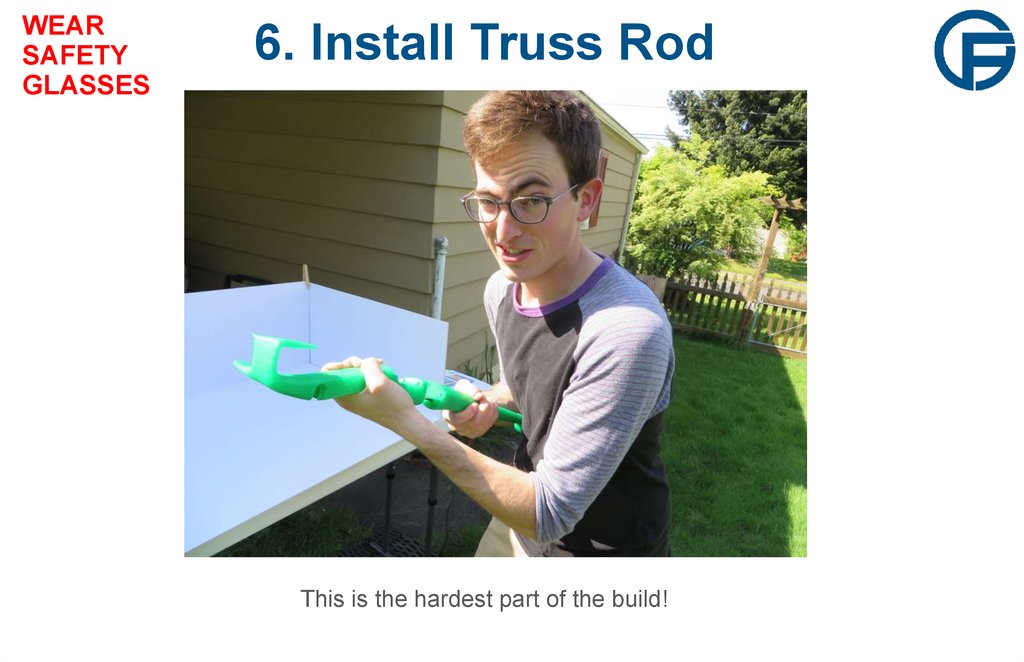
6. Install Truss Rod
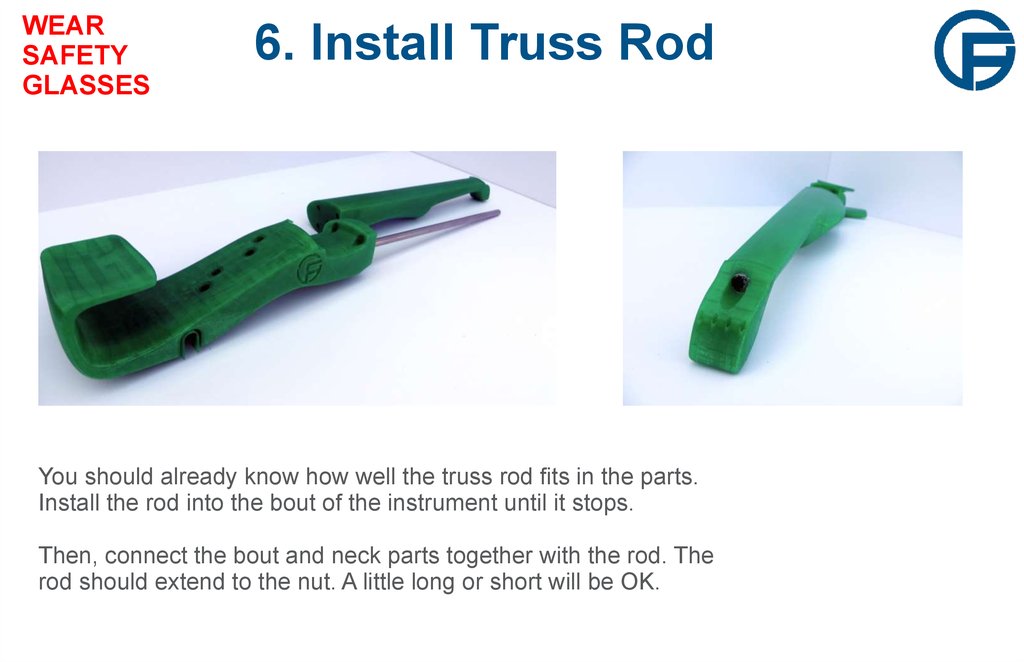
You should already know how well the truss rod fits in the parts.
Install the rod into the bout of the instrument until it stops.
Then, connect the bout and neck parts together with the rod. The
rod should extend to the nut. A little long or short will be OK.
9. 6. Install Truss Rod
WEARSAFETY
GLASSES
6. Install Truss Rod
This is the hardest part of the build!
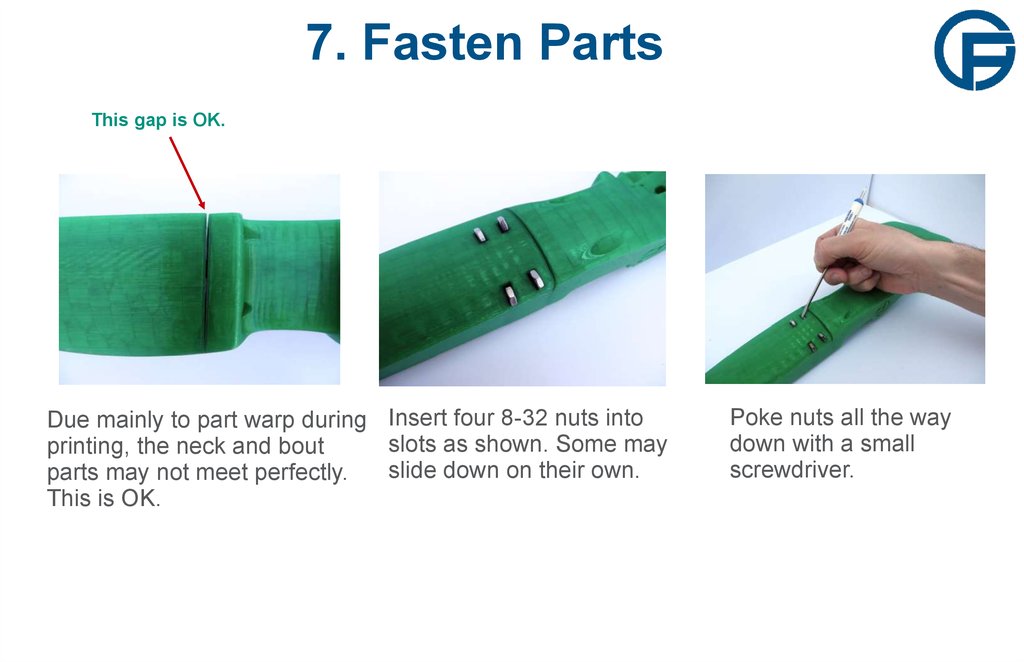
10. 7. Fasten Parts
This gap is OK.Due mainly to part warp during Insert four 8-32 nuts into
slots as shown. Some may
printing, the neck and bout
slide down on their own.
parts may not meet perfectly.
This is OK.
Poke nuts all the way
down with a small
screwdriver.
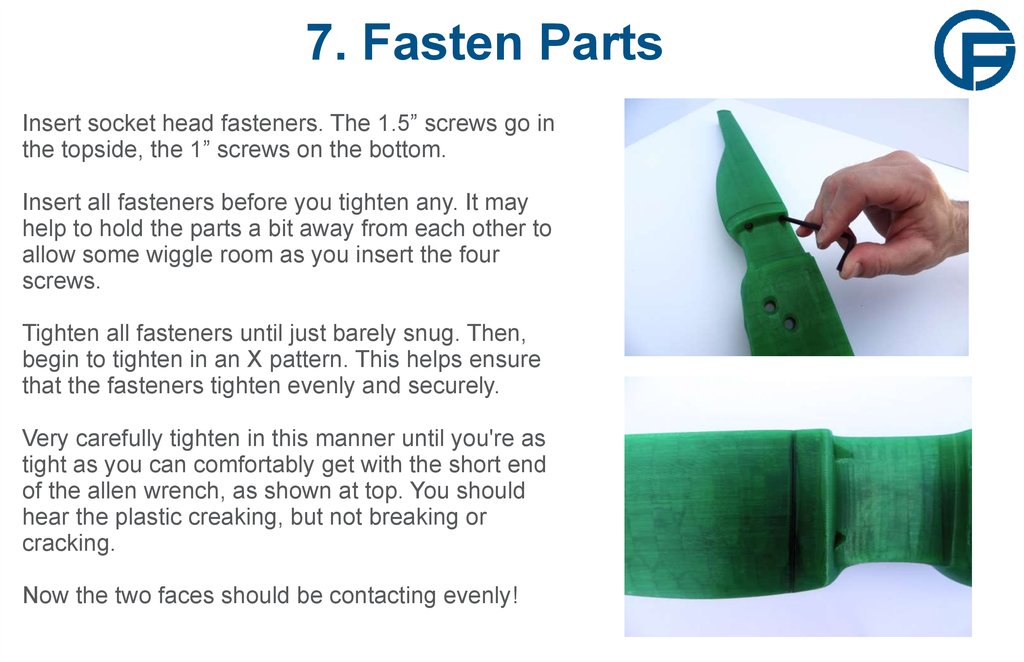
11. 7. Fasten Parts
Insert socket head fasteners. The 1.5” screws go inthe topside, the 1” screws on the bottom.
Insert all fasteners before you tighten any. It may
help to hold the parts a bit away from each other to
allow some wiggle room as you insert the four
screws.
Tighten all fasteners until just barely snug. Then,
begin to tighten in an X pattern. This helps ensure
that the fasteners tighten evenly and securely.
Very carefully tighten in this manner until you're as
tight as you can comfortably get with the short end
of the allen wrench, as shown at top. You should
hear the plastic creaking, but not breaking or
cracking.
Now the two faces should be contacting evenly!
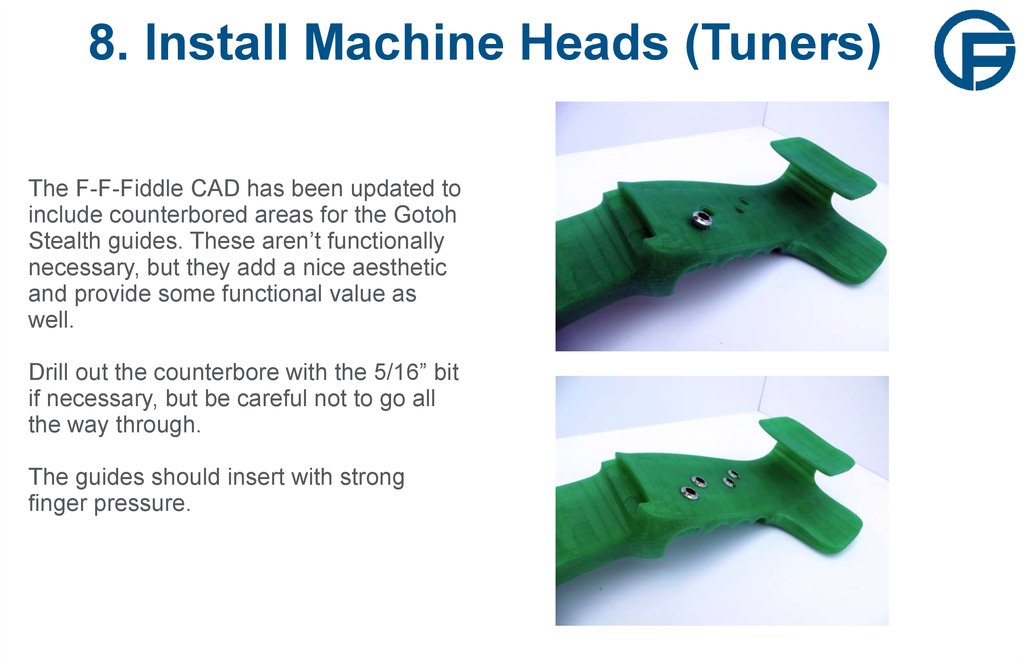
12. 8. Install Machine Heads (Tuners)
The F-F-Fiddle CAD has been updated toinclude counterbored areas for the Gotoh
Stealth guides. These aren’t functionally
necessary, but they add a nice aesthetic
and provide some functional value as
well.
Drill out the counterbore with the 5/16” bit
if necessary, but be careful not to go all
the way through.
The guides should insert with strong
finger pressure.
13. 8. Install Machine Heads (Tuners)
These machine heads come in a pack ofsix, three designed for mounting on the
right side of a guitar and three for the left.
They have been designed to fit efficiently
and to allow you to tighten all strings with
clockwise rotation of the knobs.
You will use two of each right and left
hand tuners. Go ahead and insert them
into the fiddle as shown. Pay attention to
the position of the tuning knobs relative to
the bodies.
14. 8. Install Machine Heads (Tuners)
Take them all out, but remember thecorrect orientation. Now install machine
heads one at a time with included screws.
The holes should not require any drilling.
Get both screws started and screwed in
about halfway. Then tighten screws down
carefully and evenly until snug. Check to
see if there is any play in the tuner.
Tighten screws until there is no play
between the tuner and the bout.
Repeat for each tuner, checking each one
for play. Double check the orientation of
your tuners against the previous slide
once complete.
15. 9. Prepare Pickups
Whether you have the internal or external K-SpotTwin pickups, you will need to cut off the provided
plug.
Unthread and remove the plastic casing (for the
external) and cut the wires off about half an inch
above the solder joint.
Set the old plug aside, you may want to refer to it
later.
Check to see if the pickups lay flat in their homes.
Clean up the area with a small file and knife if
necessary.
16. 10. Prepare Bridge
I’ve improved my prints and no longer need this step.If you find that you need to perform this and the other
flattening step on your parts, you may want to try
reducing your print speed and playing with your other
settings.
You'll need (OR NOT) to flatten the bridge
part much the same way you did the bout
and neck parts.
Sand down the base of the bridge for
flatness. File off print defects and clean up
all edges and corners.
17. 11. Prepare Bridge Area
WEARSAFETY
GLASSES
11. Prepare Bridge Area
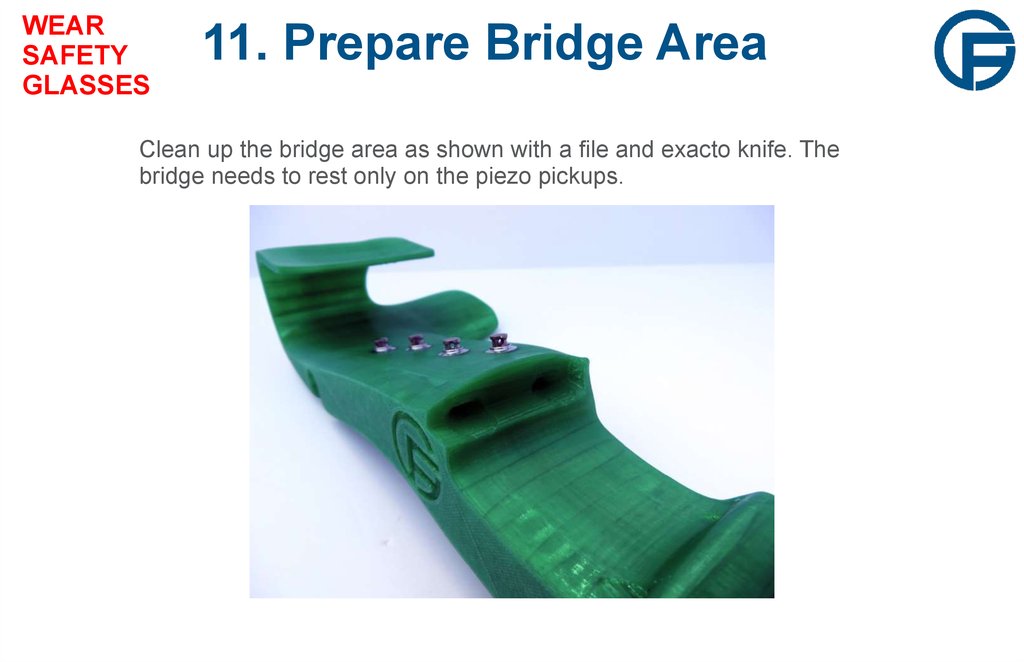
Clean up the bridge area as shown with a file and exacto knife. The
bridge needs to rest only on the piezo pickups.
18. 12. Install Pickups
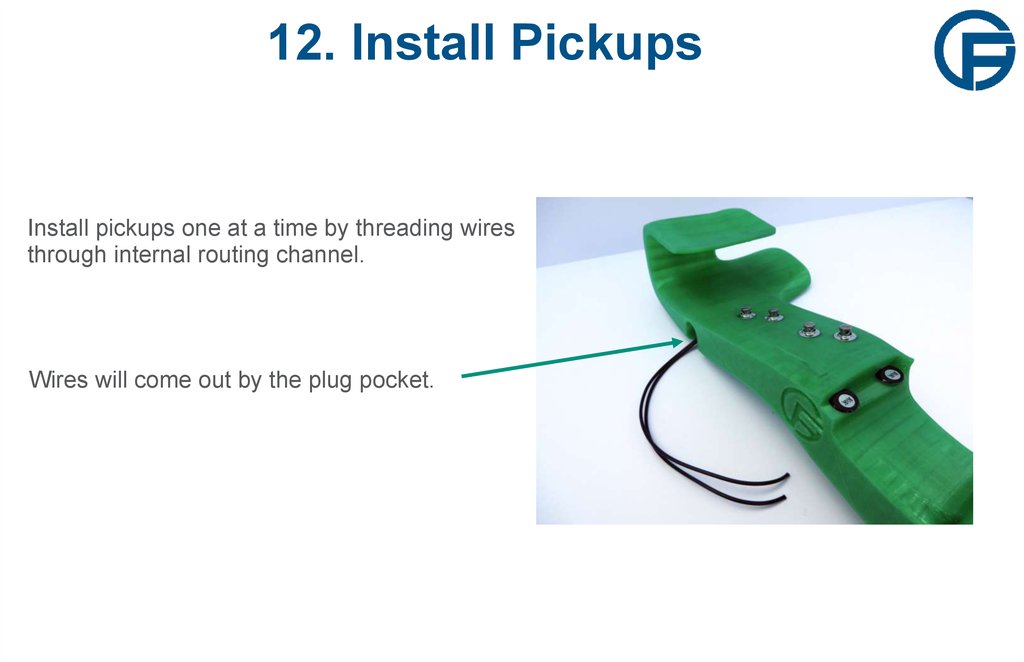
Install pickups one at a time by threading wiresthrough internal routing channel.
Wires will come out by the plug pocket.
19. 13. Solder Pickup Wires
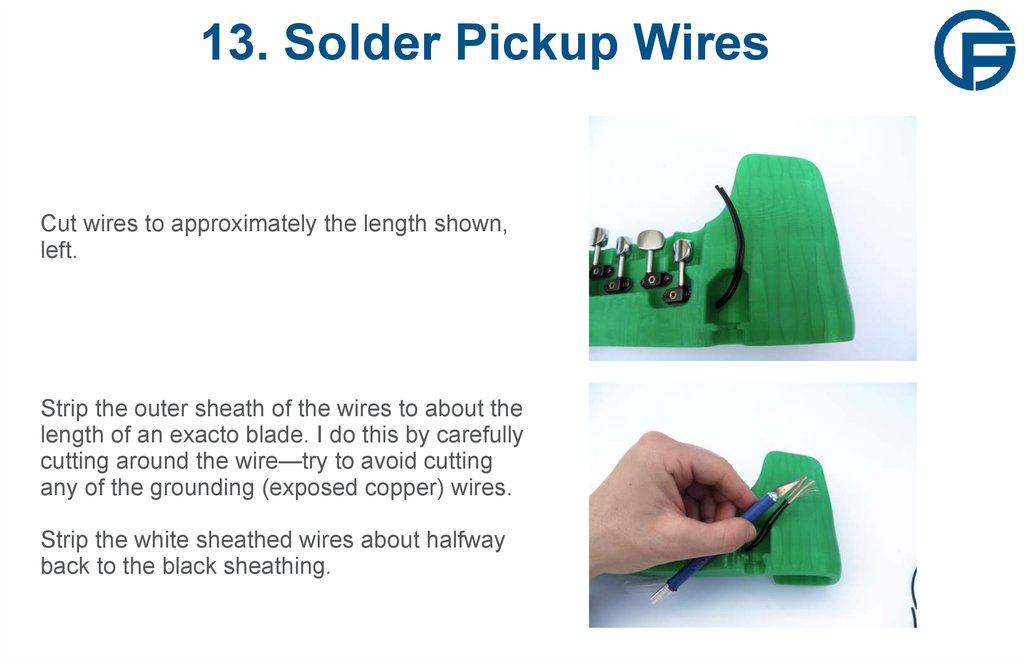
Cut wires to approximately the length shown,left.
Strip the outer sheath of the wires to about the
length of an exacto blade. I do this by carefully
cutting around the wire—try to avoid cutting
any of the grounding (exposed copper) wires.
Strip the white sheathed wires about halfway
back to the black sheathing.
20. 13. Solder Pickup Wires
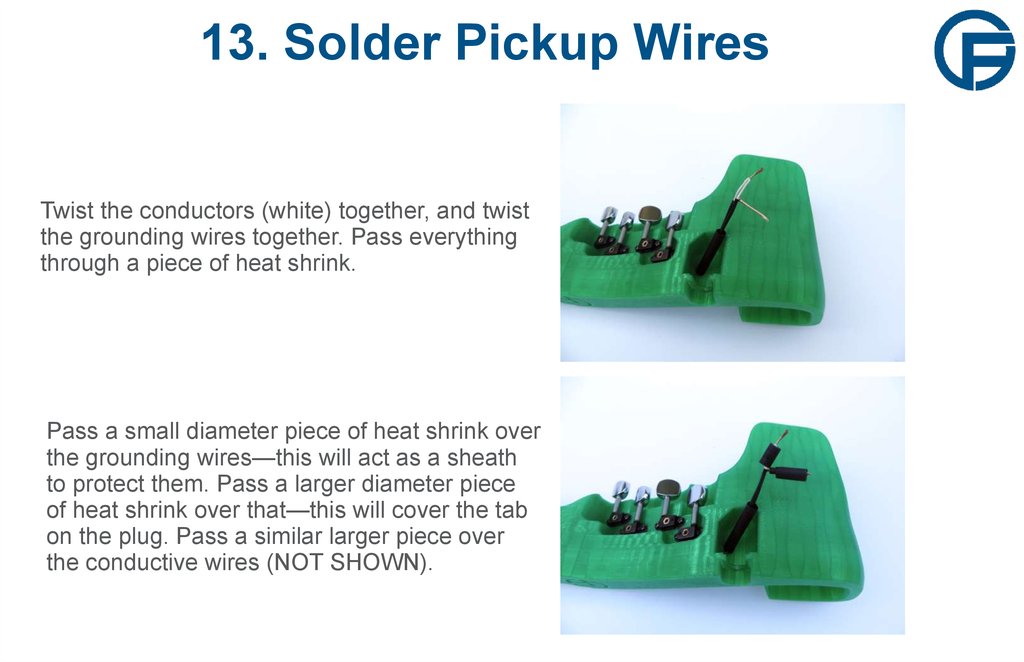
Twist the conductors (white) together, and twistthe grounding wires together. Pass everything
through a piece of heat shrink.
Pass a small diameter piece of heat shrink over
the grounding wires—this will act as a sheath
to protect them. Pass a larger diameter piece
of heat shrink over that—this will cover the tab
on the plug. Pass a similar larger piece over
the conductive wires (NOT SHOWN).
21. 13. Solder Pickup Wires
Solder the conductive wires to the tab that issandwiched between the non-conductive
layers. Solder the grounding wire to the other
tab. If you're unsure of how to solder the wires,
take a look at the plug that you previously cut
off.
Tuck the plug into the pocket in the bout as
shown. Tighten down the hex nut as best you
can—it's an awkward combination of rotating
the plug and holding the nut with pliers or a
small screwdriver...needs improvement!
22. 14. Neck Detailing
Now is the time to sand down your neck if you'd like to. I've played both sanded and unsanded necks—sanded is better. For dark parts, clean thoroughly after sanding, andperhaps even use a small amount of vegetable oil to restore the part’s luster. Sand it
down (or not) to your preference.
File light but definite marks on the nut
for your strings. The G and E strings
should be 16mm apart, with the A and
D strings positioned evenly inbetween. I like to mark the positions
with a sharpie before I file.
File lightly! If you file too far, you may
need to add some epoxy and start
over in order to build a instrument that
feels right.
This ridge is
the nut.
23. Almost Done!
These should be your remaining parts—you're almost done! Lay out andidentify your strings, from thick to thin they are: G, D, A, E. Violin strings are
also color coded: here we have Red for G, Yellow for D, Black for A, and
Green for E.
24. 15. Install Strings
Thread the stringsthrough the neck of the
instrument as shown.
Take care with the E
string, if it sticks, blunt
the tip by doubling it
over.
Pull the strings
through, the ball ends
should rest against the
neck as shown.
25. 15. Install Strings
Pay close attention to the direction of the wrap ofeach string—it alternates. This allows a clockwise
turn on any tuning peg to tighten its string. I have the
hardest time getting this right the first time...so don't
worry if it takes a few tries!
To install a string:
1. Pass the covered end of the string through the hole in the
tuner. Allow enough slack in the string to get 2-3
complete turns around the tuner.
2. Pass the string over the tuner to make the first wrap,
the string under the tag end for the first wrap.
send
3. You should still have enough slack to pass the string
around again. For this second wrap, cross over the first wrap
and pass above the tag end. Crossing the string
ensures
that the string's tension will lock it in place.
4. Now it should be too tight to wrap by hand. Turn the
tuning peg (clockwise) to tighten the string. Tighten until
lightly snug so the string won't unwrap.
26. 16. Install the Bridge
Slide the bridge inunderneath the strings.
Ensure that the bridge
rests properly on the
two pickups and that the
pickups seat properly in
their pockets.
Lay the strings across
the bridge. Space them
evenly across a 34mm
span.
Like you did at the nut,
lightly file a groove into
the bridge to locate
each string.
27. 17. Tuning
Tune it up! Tighten the strings together, don't tune them one at a time. Increase tension onthe strings by turning the pegs slowly. If you tighten too quickly strings may slip or break.
As you tune the instrument, you'll notice that the tension on one string significantly
influences the tension on the others. Because this instrument flexes more than a wooden
violin, this effect is more pronounced.
Once the instrument is tuned and everything is looking good, trim off those tag ends, plug it
in, and go learn some tunes!