

 Лингвистика
Похожие презентации:


AVT Audiovisual translation: the main peculiarities
1.
AVTAUDIOVISUAL
TRANSLATION: THE
MAIN PECULIARITIES
2.
AV (audiovisual)text
A COMMUNICATION ACT
INVOLVING SOUNDS AND
IMAGES
-
3.
AVTENCAPSULATES DIFFERENT TRANSLATION PRACTICES
USED IN THE AUDIOVISUAL MEDIA – CINEMA, TELEVISION, VHS – IN
WHICH THERE IS
A TRANSFER FROM A SOURCE TO A TARGET LANGUAGE, WHICH
INVOLVES SOME FORM OF
INTERACTION WITH SOUND AND IMAGES.
4.
Main Types of AVTDUBBING, SUBTITLING,
VOICE-OVER
5.
Types- PARTIAL-DUBBING
- THE TRANSLATION OF LIVE PERFORMANCE
- SURTITLING FOR THE OPERA AND THE THEATRE
-
SUBTITLING FOR THE DEAF AND THE HARD-OFHEARING (SDH)
-
AUDIO DESCRIPTION FOR THE BLIND AND THE
PARTIALLY SIGHTED (AD)
6.
Subtitling- A TRANSLATION PRACTICE THAT CONSISTS OF PRESENTING
A WRITTEN TEXT, GENERALLY ON THE LOWER PART OF THE
SCREEN, THAT ENDEAVOURS TO RECOUNT THE ORIGINAL
DIALOGUE OF THE SPEAKERS, AS WELL AS THE DISCURSIVE
ELEMENTS THAT APPEAR IN THE IMAGE (LETTERS, INSERTS,
GRAFFITI, INSCRIPTIONS, PLACARDS, AND THE LIKE), AND THE
INFORMATION THAT IS CONTAINED ON THE SOUNDTRACK
(SONGS, VOICES OFF).
7.
Classification ofSubtitles
CRITERIA
-
LINGUISTIC PARAMETERS
-
TIME AVAILABLE FOR PREPARATION
-
TECHNICAL PARAMETERS
-
METHODS OF PROJECTION
-
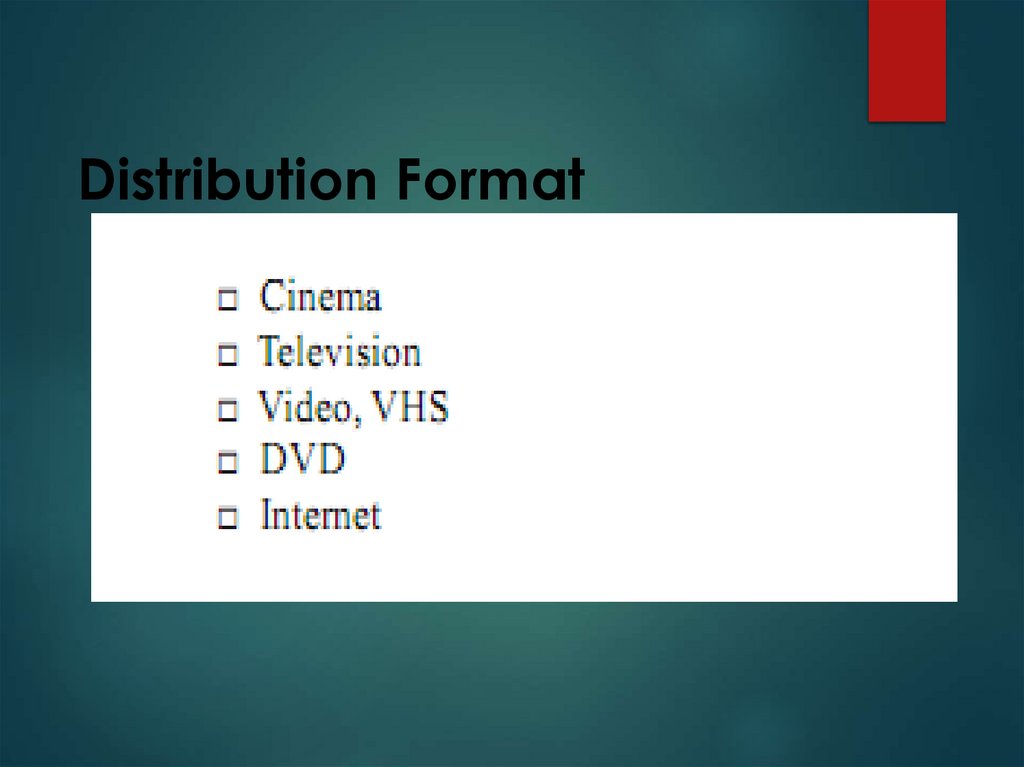
DISTRIBUTION FORMAT
8.
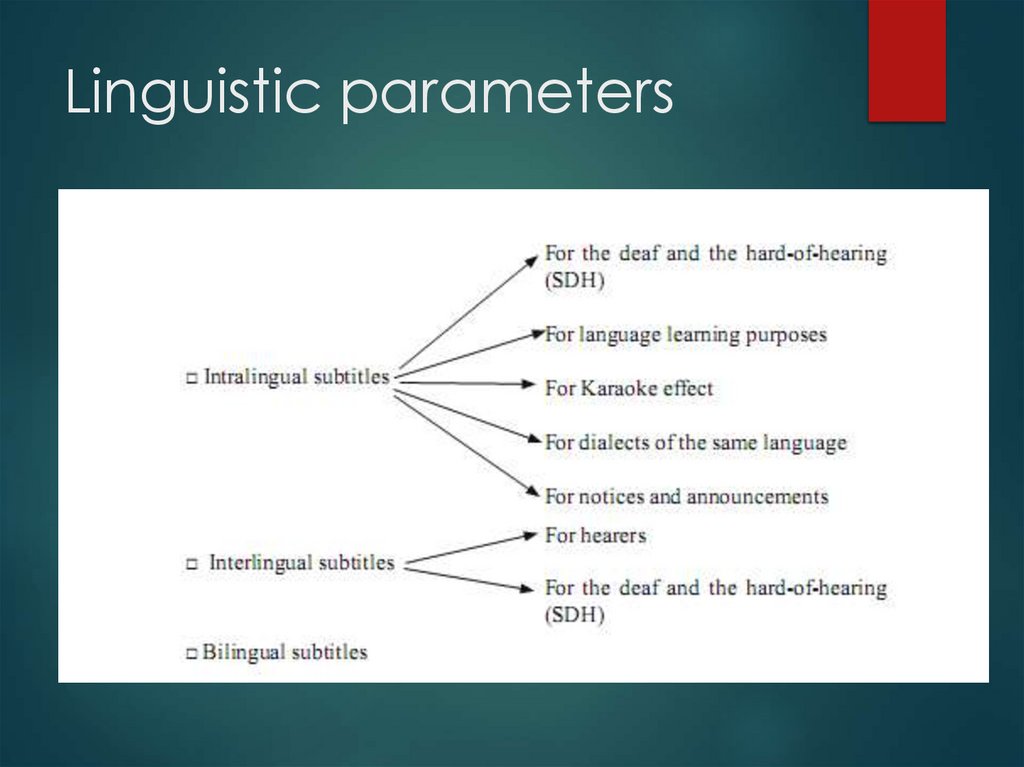
Linguistic parameters9.
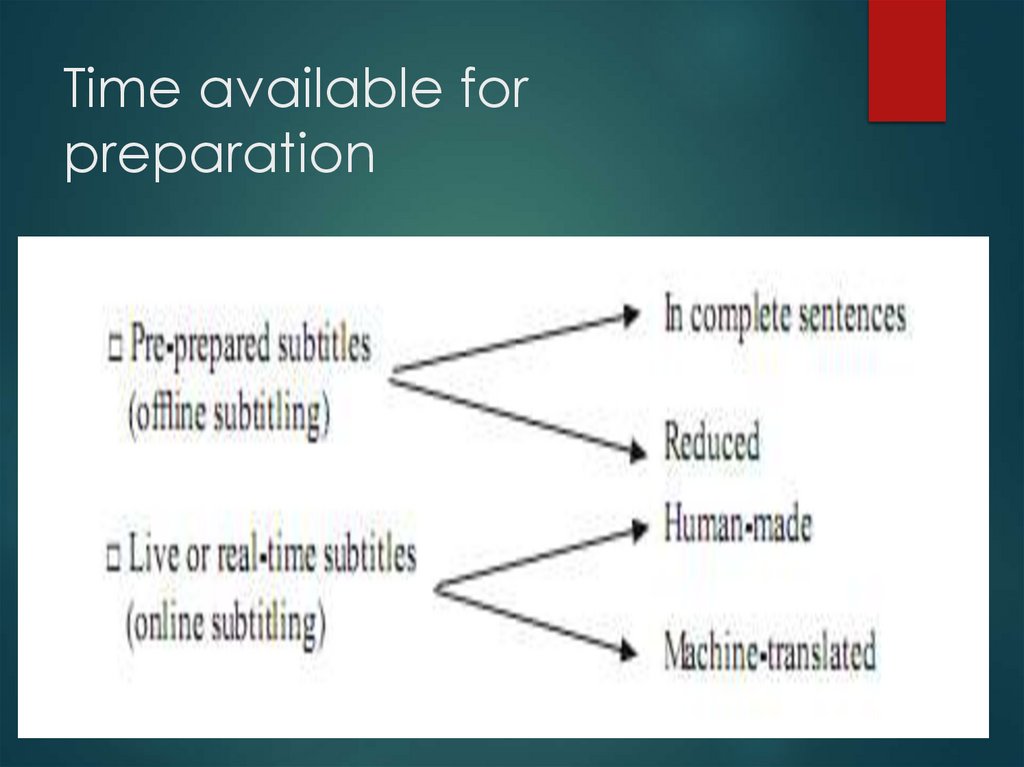
Time available forpreparation
10.
Technical parameters- OPEN SUBTITLES
- CLOSED SUBTITLES
11.
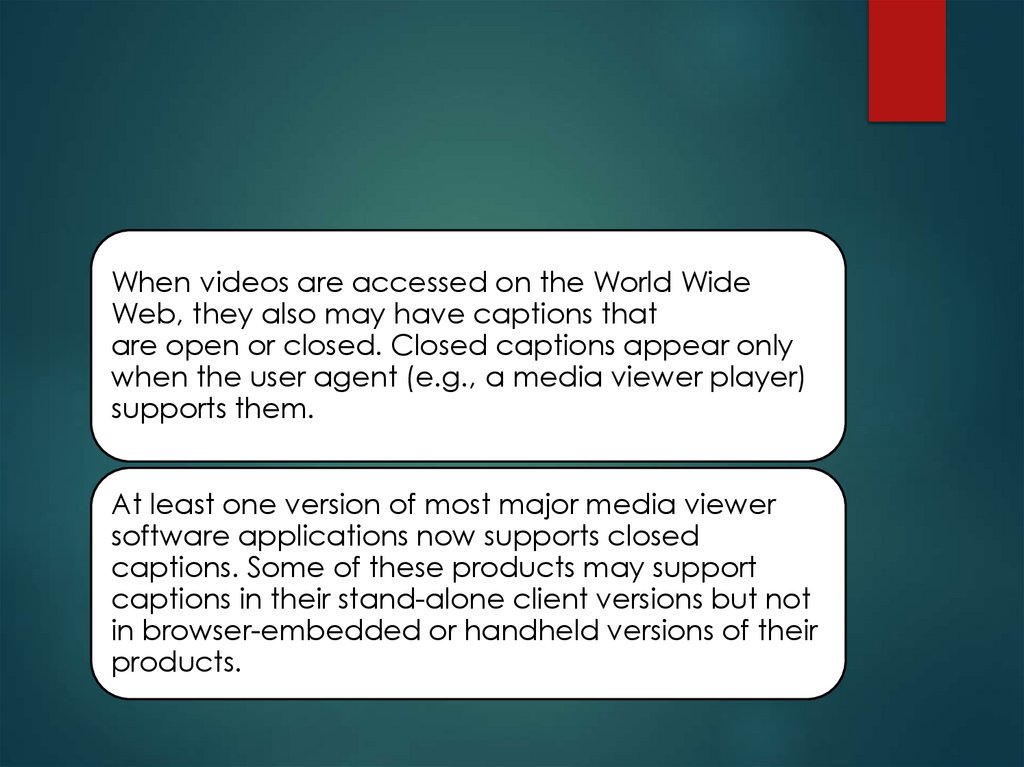
When videos are accessed on the World WideWeb, they also may have captions that
are open or closed. Closed captions appear only
when the user agent (e.g., a media viewer player)
supports them.
At least one version of most major media viewer
software applications now supports closed
captions. Some of these products may support
captions in their stand-alone client versions but not
in browser-embedded or handheld versions of their
products.
12.
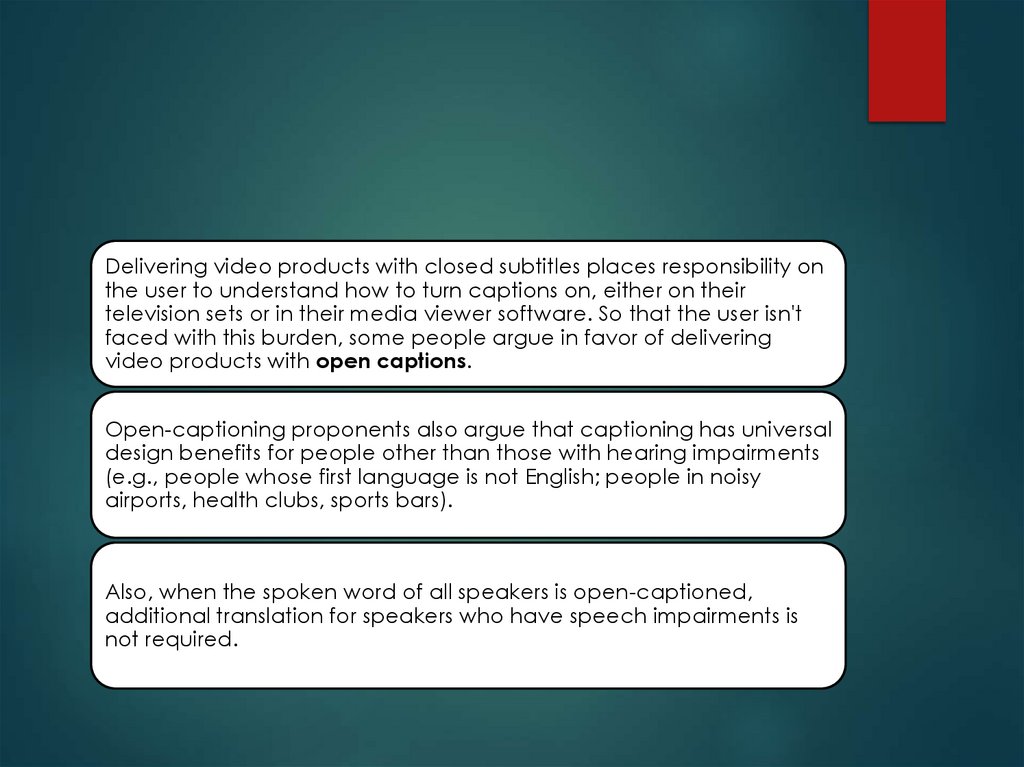
Delivering video products with closed subtitles places responsibility onthe user to understand how to turn captions on, either on their
television sets or in their media viewer software. So that the user isn't
faced with this burden, some people argue in favor of delivering
video products with open captions.
Open-captioning proponents also argue that captioning has universal
design benefits for people other than those with hearing impairments
(e.g., people whose first language is not English; people in noisy
airports, health clubs, sports bars).
Also, when the spoken word of all speakers is open-captioned,
additional translation for speakers who have speech impairments is
not required.
13.
Despite the advantages of open captions, there also aredisadvantages. Some disadvantages stem from the fact
that open captions are an actual part of the video
stream, whereas closed captions exist as a separate text
stream.
If captions are preserved as text, users potentially can
archive and index video content and allow users to
search for specific video content within these archives;
this ability is lost with open captions. Also, open captions,
unlike closed captions, are subject to loss of quality when
the encoded video is compressed.
14.
With the mix of advantages and disadvantages of open andclosed captioning, it is important for the video producer to
evaluate the use of the video product and make an
informed decision about what type of captioning to use.
If a training videotape is specifically designed for individuals
with disabilities or for large audiences or for use in noisy
conference exhibits, open captioning might be a good
choice.
The most important decision is to choose to caption the
product; the choice to make it open-captioned or closedcaptioned should occur after consideration of all factors
regarding its use.
15.
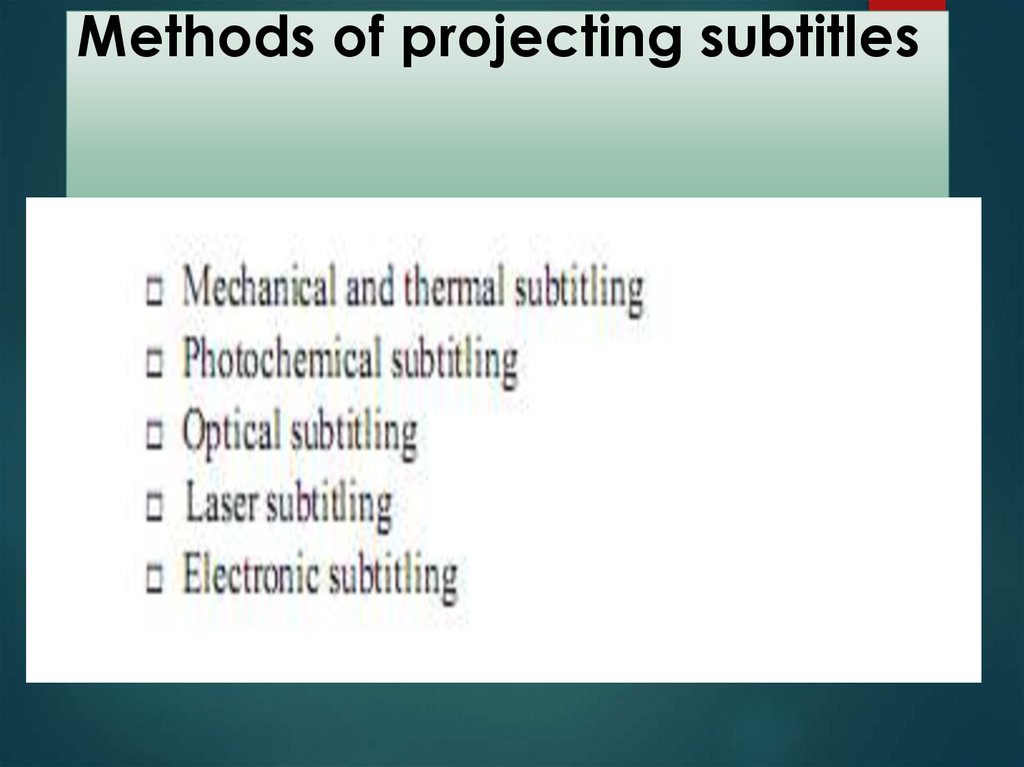
Methods of projecting subtitles16.
INTERTITULA as one of theelectronic subtitling instruments
INTERTITULA is specialized in electronic subtitling for
films that are screened during film festivals.
Electronic subtitles are pre-recorded subtitles that
have been previously translated and
synchronized, and shown in real-time along with
the screening of the film. The end result is so
perfect that the audience hardly notices the
subtitles aren't hardcoded onto the movie.
Technology coupled with the human element: an
essential combination for the success of your
festival. INTERTITULA features a highly skilled team
and considerable experience gained over the
years. Failure is not an option.
17.
INTERTITULA as one of theelectronic subtitling instruments
It's a long and complicated process which
requires heavy responsibility. Some details:
translation, spotting and double-check of the
subtitles
automatic screening of subtitles with a dedicated
software
cutting-edge technology (hardware and
software)
easy setting up and prompt starting
problem solving: one of our team is always
present and on hand for any eventuality
18.
1) Movavi: How to Use?Using the subtitle tool of the converter, you can
permanently overlay a subtitle stream onto a
video (also called 'hardsub').
This can be helpful if you're planning to watch the
videos on a mobile device or using a player that
does not support separate subtitle tracks.
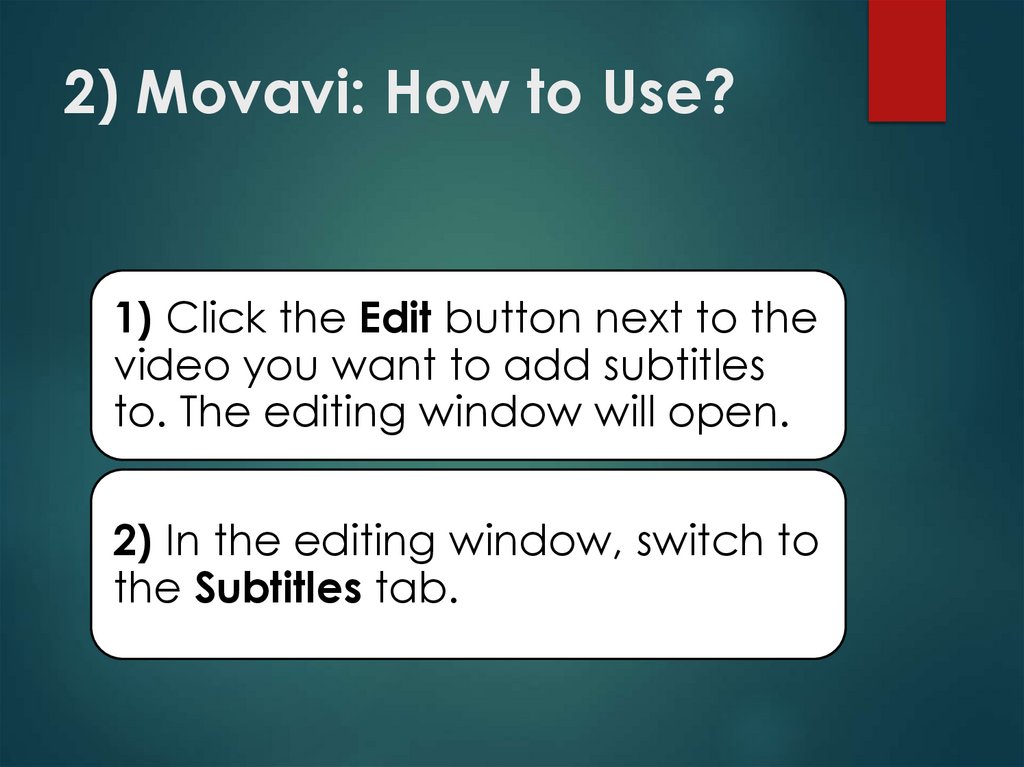
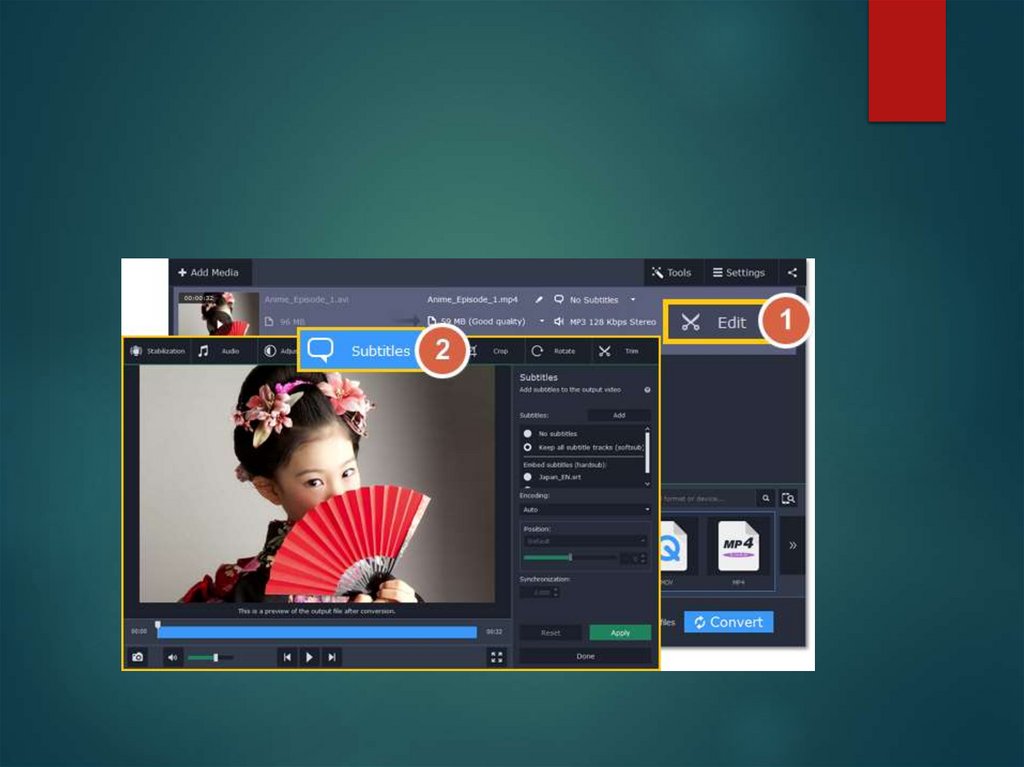
19.
2) Movavi: How to Use?1) Click the Edit button next to the
video you want to add subtitles
to. The editing window will open.
2) In the editing window, switch to
the Subtitles tab.
20.
21.
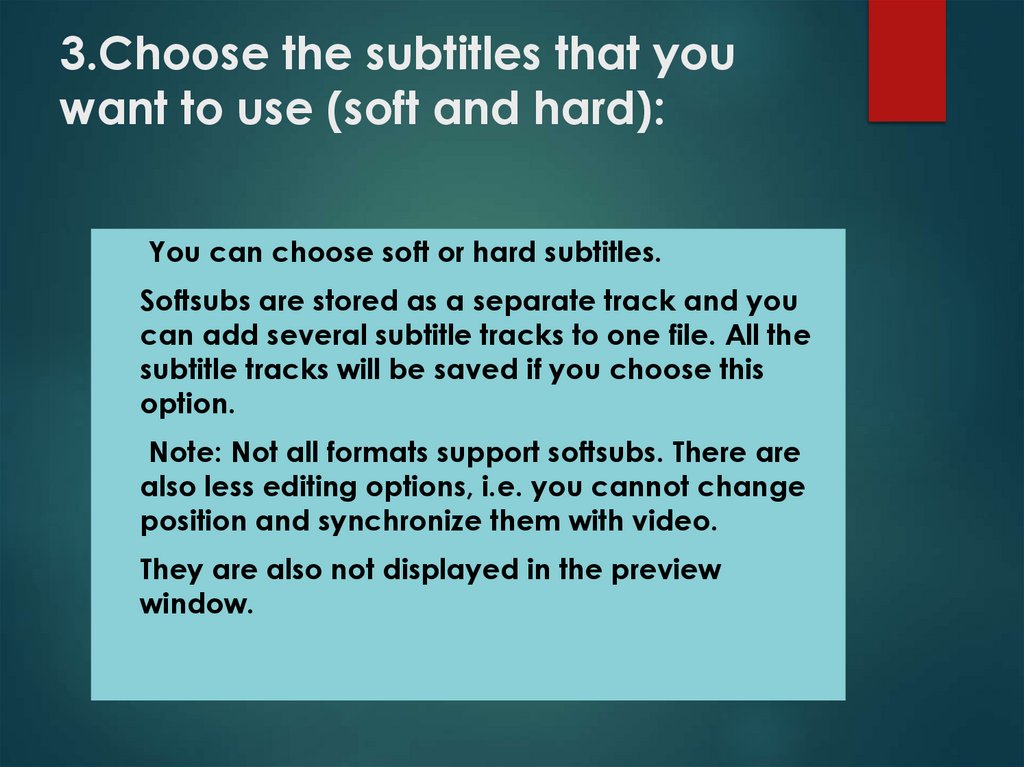
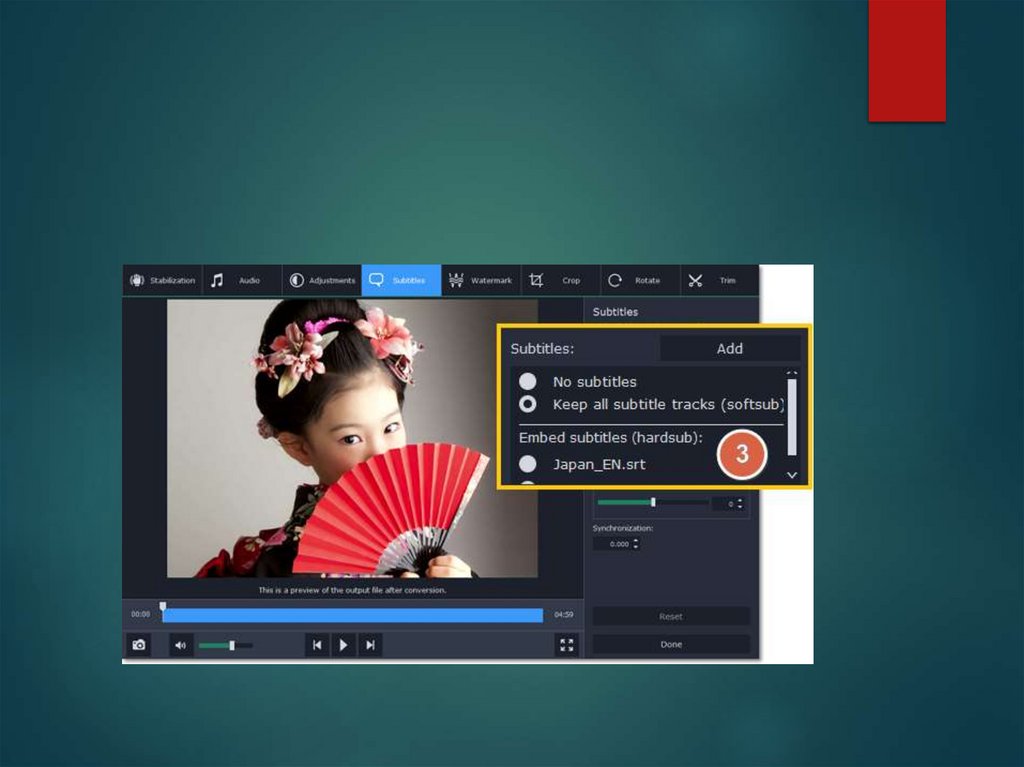
3.Choose the subtitles that youwant to use (soft and hard):
You can choose soft or hard subtitles.
Softsubs are stored as a separate track and you
can add several subtitle tracks to one file. All the
subtitle tracks will be saved if you choose this
option.
Note: Not all formats support softsubs. There are
also less editing options, i.e. you cannot change
position and synchronize them with video.
They are also not displayed in the preview
window.
22.
Hardsubs are permanentlydrawn on top of the video
and cannot be turned off,
but they are guaranteed to
be visible in any player.
23.
If the subtitles are built into the file,select the necessary subtitles from
the list.
If the subtitles are stored as an
external file, click Add and open
the subtitle file. You can use *.srt,
*.ass, or *.ssa subtitle files.
24.
25.
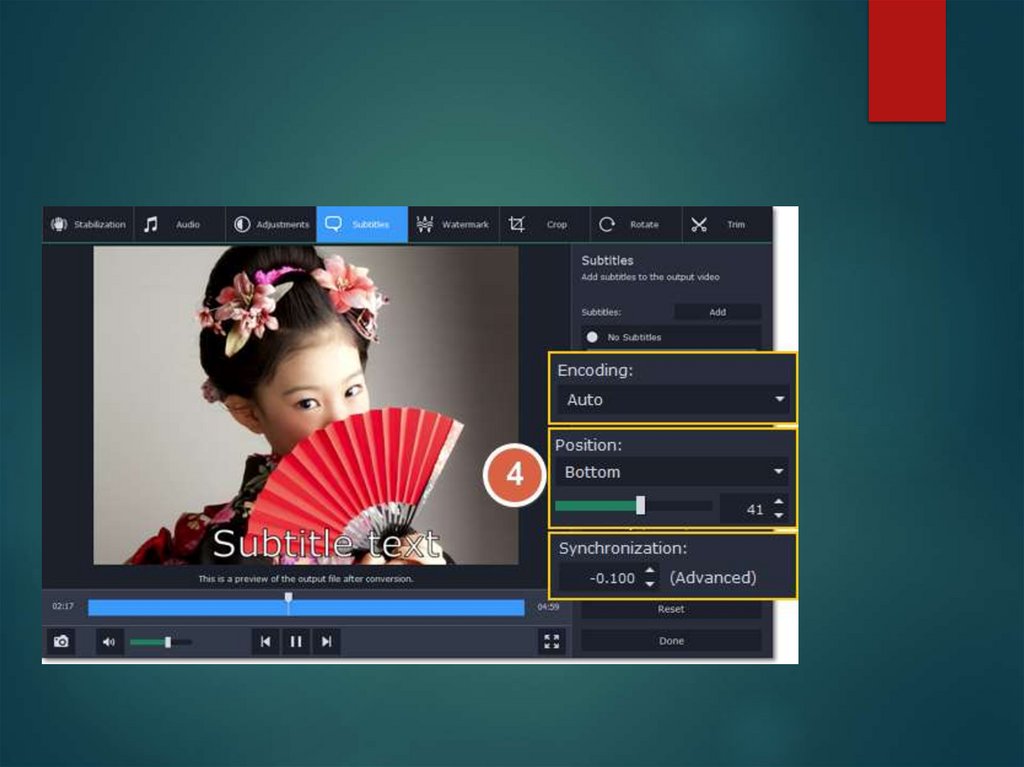
4) Set up the subtitles:Subtitle encoding
If the subtitle text looks
scrambled, try changing
the subtitle encoding: open
the list and choose the
language or character set
the subtitles should be in.
26.
PositionUse the Position box to change
where the subtitles appear on the
screen:
1. Open the Position box and
choose which edge the subtitles
should snap to (e.g. top or bottom).
2. Use the slider below to move the
subtitles relative to the selected
position.
27.
SynchronizationIf the subtitles are out of sync with the video, use
the synchronization box to advance or delay
subtitles by a specific time in seconds and
milliseconds. Positive values make the subtitles
appear later, and negative values make them
appear earlier.
Example:
-0.100 – the subtitles will appear 100 milliseconds
sooner.
1.200 – the subtitles will appear 1 second and 200
milliseconds later.
28.
29.
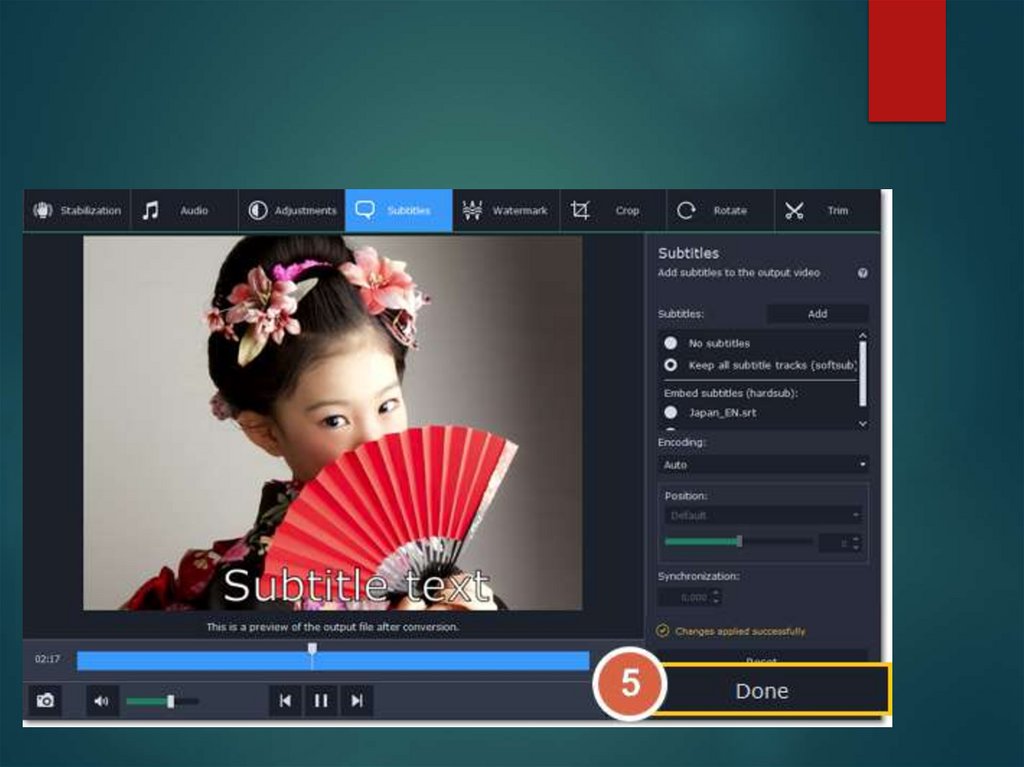
The last step5) Click Done to apply the
changes. When you convert
the video, the selected
subtitles will be permanently
shown over the video.
30.
31.
Distribution Format32.
IntertitlesINTERTITLES ARE AT THE ORIGIN OF SUBTITLES AND CAN BE CONSIDERED THEIR
OLDEST RELATIVES, THE FIRST EXPERIMENTS WITH INTERTITLES HAVING TAKEN PLACE
IN THE EARLY 20TH CENTURY. THEY ARE ALSO KNOWN AS ‘TITLE CARDS’ AND CAN BE
DEFINED AS A PIECE OF FILMED, PRINTED TEXT THAT APPEARS BETWEEN SCENES.
THEY WERE A MAINSTAY OF SILENT FILMS AND CONSISTED OF SHORT SENTENCES
WRITTEN AGAINST A DARK BACKGROUND, USUALLY WHITE ON BLACK. THEIR MAIN
FUNCTIONS WERE TO CONVEY CHARACTER DIALOGUE AND DESCRIPTIVE
NARRATIVE MATERIAL RELATED TO THE IMAGES. ALTHOUGH COMMUNICATIVE IN
ESSENCE, SOME DIRECTORS ALSO USED THEM AS AN ARTISTIC AND EXPRESSIVE
DEVICE.
THE ARRIVAL OF THE SOUNDTRACK LARGELY ELIMINATED THEIR USEFULNESS, AND
WHEN THEY ARE USED IN CONTEMPORARY FILMS THEY TEND TO BE CALLED INSERTS.
33.
FansubsTHE ORIGINS OF FANSUBBING GO BACK TO THE 1980S, WHEN IT
EMERGED AS AN ATTEMPT TO POPULARIZE THE JAPANESE
CARTOONS KNOWN AS MANGA AND ANIME.
AMERICAN AND EUROPEAN FANS WANTED TO WATCH THEIR
FAVOURITE PROGRAMMES BUT WERE FACED WITH TWO MAIN
PROBLEMS: ON THE ONE HAND, THE LINGUISTIC BARRIER AND ON
THE OTHER, THE SCANT DISTRIBUTION OF THESE SERIES IN THEIR
RESPECTIVE COUNTRIES. THE ALTERNATIVE OPTION WAS TO
SUBTITLE THESE PROGRAMMES THEMSELVES.
34.
The translations are done for free by aficionados ofthese programmes and then posted on the
Internet so that anyone who is interested may
watch them.
This new form of subtitling ‘by fans for fans’ lies at
the margins of market imperatives and is far less
dogmatic and more creative and individualistic
than what has traditionally been done.
Some of its defining features are the use of colours
to identify speakers, the incorporation of
explicative glosses and metalinguistic notes in the
subtitles themselves or on the top of the screen,
and the use of cumulative subtitles.
In fact, some aficionados prefer to use the term
subbing, instead of subtitling, in order to emphasize
the peculiar nature of the activity.
35.
Subtitling process1. REGISTRATION
– PROGRAMME INFORMATION
2. VERIFICATION
– MASTER AND DIALOGUE LIST
3. PRODUCTION
– OF A TIME-CODED WORKING COPY
4. SPOTTING
– MARKING THE TIME OF THE BEGINNING AND THE END OF AN
UTTERANCE
5. RAW TRANSLATION
– THE DIALOGUE LIST IS REWRITTEN IN TL WITH NO OR ONLY
MINIMAL REFERENCE TO LIP MOVEMENTS
36.
6. ADAPTATION– of the first version of the translation, paying
attention to the lip movement, intonation,
gestures and mimics
7. CASTING
– of the actors, who will perform in the dubbed
version
37.
8. RECORDING9. PRELIMINARY MIX AND EDIT of the
soundtrack
10. FINAL MIX
11. APPROVAL
12. TRANSMISSION
– admission to distribution
38.
ProfessionalsTHE SPOTTER – KNOWN BY SOME COMPANIES AS SUBTITLIER – IS
RESPONSIBLE FOR THE TECHNICAL TASK OF DECIDING THE IN AND
OUT TIMES OF THE SUBTITLES, AND INCREASINGLY FOR CREATING
TEMPLATES AND MASTER TITLES WITH RELEVANT ANNOTATIONS FOR
THE TRANSLATORS.
39.
The translator, on the other hand, isin charge of the language transfer,
should have an excellent
command of the source and the
target languages and cultures, and
know the intricacies of moving from
speech to written texts.
40.
Adaptors are experts in the medialimitations that constrain subtitling and
are familiar with condensation and
reduction strategies in the target language.
Their role is to fit the rough translation into
the subtitle lines, searching for
shorter synonyms and altering syntactical
structures without sacrificing the
meaning of the original, although in some
cases they might have no knowledge
of the source language.
41.
Dubbing- EXAMPLE OF THE INVISIBILITY OF TRANSLATION, AN ARTISTIC
AND
TECHNICAL EXERCISE WHICH CONSCIOUSLY ERASES THE
ORIGINAL DIALOGUE TRACK AND SUBSTITUTES IT FOR ANOTHER
TRACK IN WHICH TARGET LANGUAGE (TL) DIALOGUE
EXCHANGES ARE
RECORDED. CONTRARY TO VOICE-OVER, FOR EXAMPLE,
EMPHASIS IS PLACED ON MATCHING THE TRANSLATION WITH THE
SOUNDLESS MOUTHS OF ORIGINAL ACTORS. THE RESULT IS THAT
VIEWERS WATCH AND HEAR FOREIGN ACTORS SPEAKING IN THEIR
OWN DOMESTIC LANGUAGE, A PARADOX WHICH HAS BEEN
NATURALLY ACCEPTED IN ALL DUBBING COUNTRIES.
42.
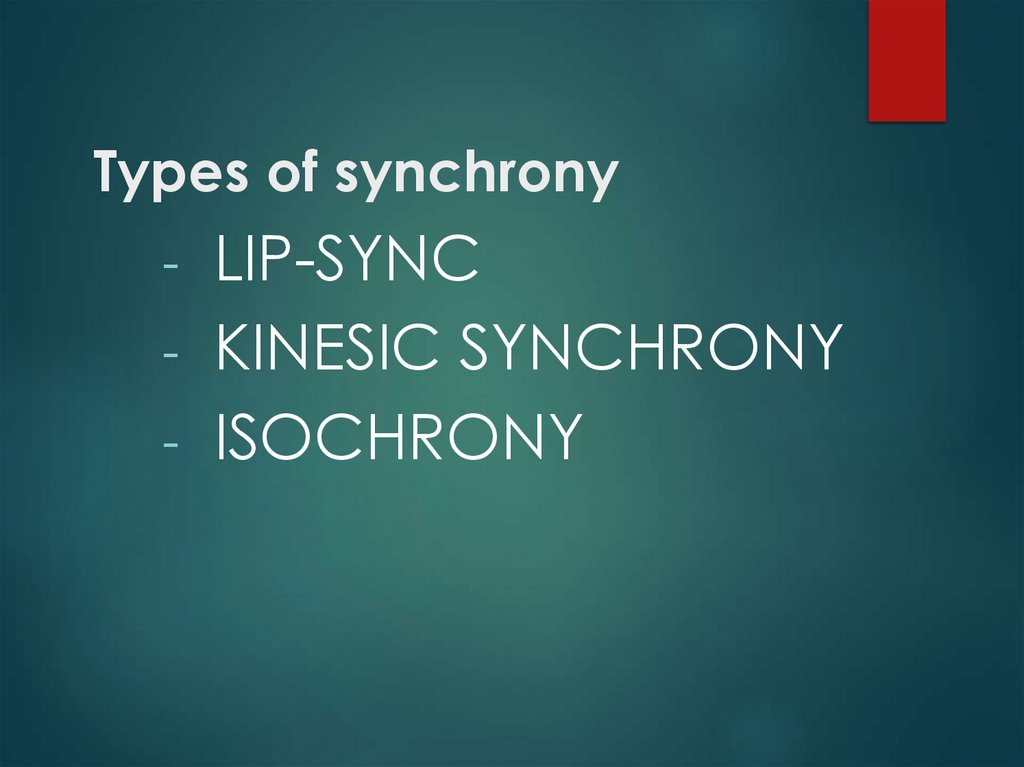
Types of synchrony- LIP-SYNC
- KINESIC SYNCHRONY
- ISOCHRONY
43.
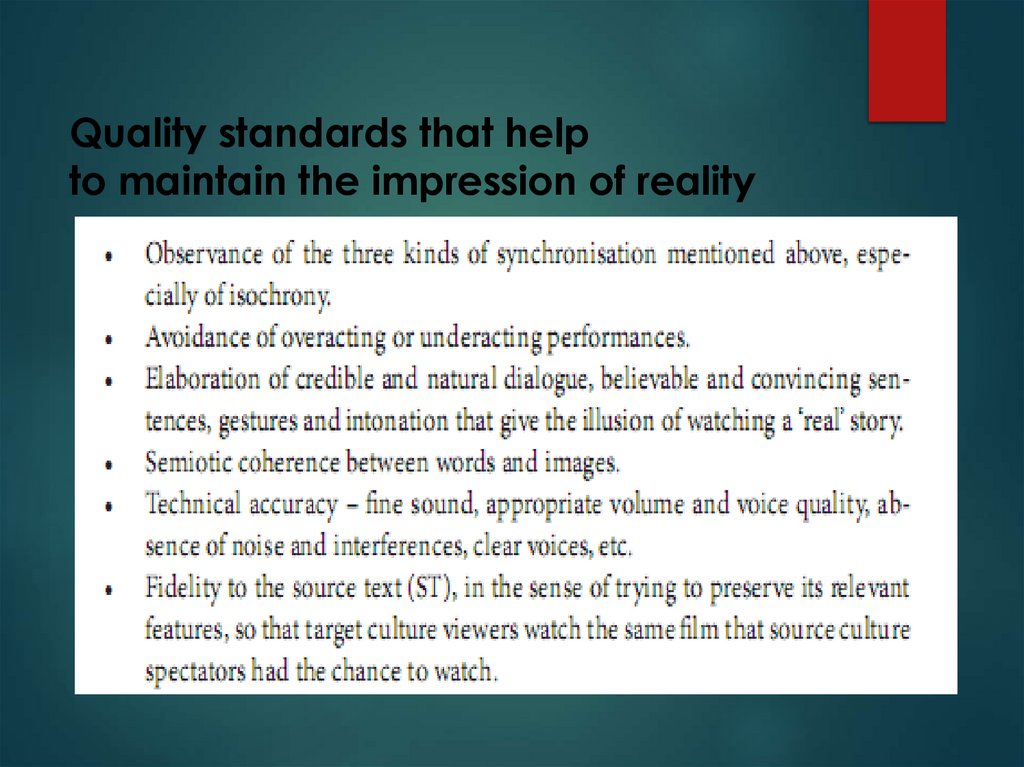
Quality standards that helpto maintain the impression of reality
44.
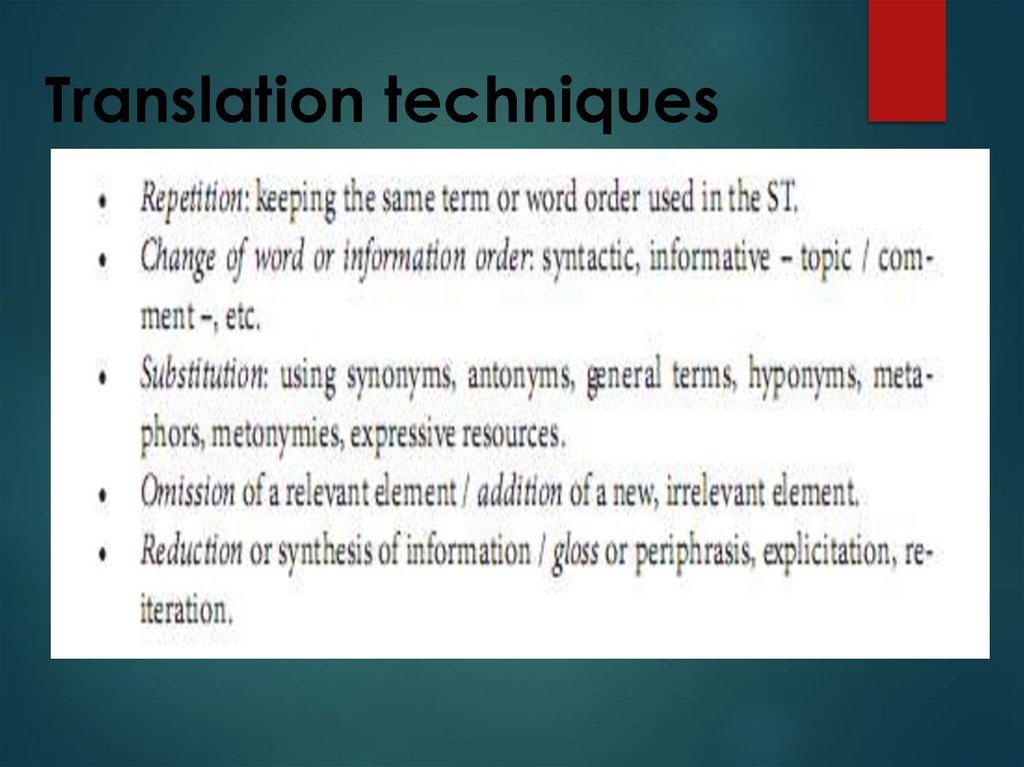
Translation techniques45.
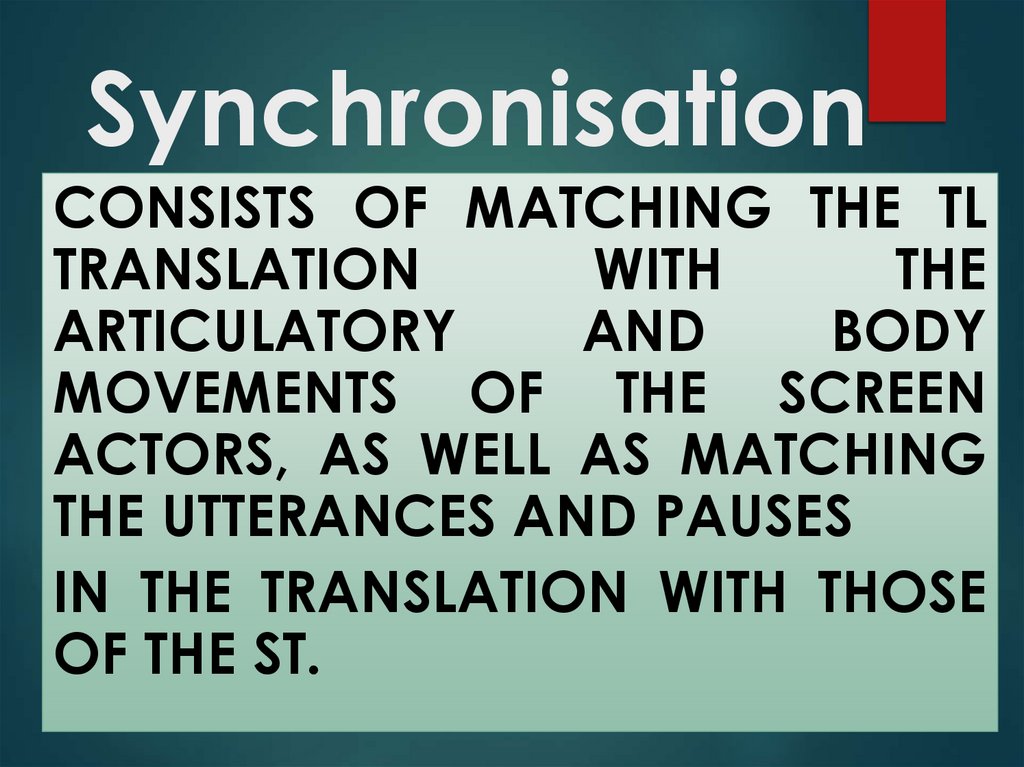
SynchronisationCONSISTS OF MATCHING THE TL
TRANSLATION
WITH
THE
ARTICULATORY
AND
BODY
MOVEMENTS OF THE SCREEN
ACTORS, AS WELL AS MATCHING
THE UTTERANCES AND PAUSES
IN THE TRANSLATION WITH THOSE
OF THE ST.
46.
Lip-sync- A TYPE OF SYNCHRONISATION,
WHICH CONSISTS OF ADAPTING
THE
TRANSLATION
TO
THE
ARTICULATORY MOVEMENTS OF
THE ON-SCREEN CHARACTERS,
ESPECIALLY IN CLOSE-UPS AND BIG
OR EXTREME CLOSE-UPS.
47.
Kinesic synchronya type of synchronisation, which consists of making the
meaning of kinesic signs explicit, either because
understanding them is essential (a functional need),or
because missing them would result in waking up from
the cinematographic dream consciously agreed
between the film and the viewer.
Sometimes, kinesic signs are accompanied by
(redundant) words which make their meaning explicit.
Some other times they appear alone, with no spoken
word, caption, sound or some other icon that explains
them.
48.
IsochronyMouth articulation movements are directly
related to two kinds of synchronisation: isochrony
and lip-sync proper.
In dubbing, isochrony means equal duration of
utterances, i.e. the translated dialogue must fit
exactly in the time between the instant screen
actors open their mouth – to utter the ST dialogue
exchanges – and the instant in which they close
their mouth.