


 Программирование
Похожие презентации:







Tehnologii web
1.
TEHNOLOGII WEBantohi.ionel@gmail.com
2.
IntroductionHow Did We Do?
GETTING
STARTED
Project Organization
Top Issues Facing In Visual Studio 2015-2017
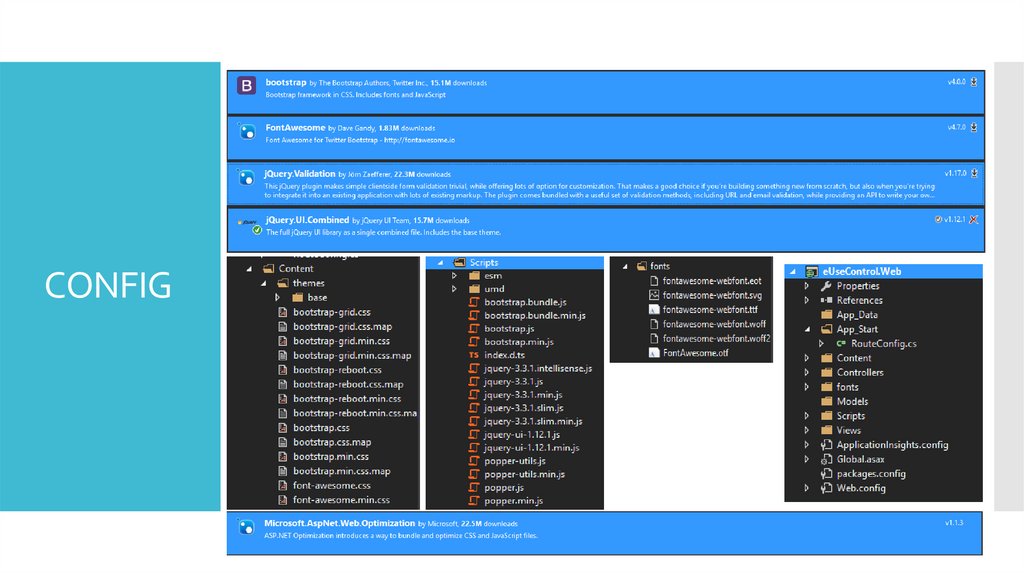
Project References (NuGet Packages)
Project Configuration
First Run
3.
IntroductionIn this course we'll provide an introduction to ASP.NET MVC by creating an
application that uses the Entity Framework and Entity Framework migrations to
read and update data in SQL Server, then deploy the application to a Windows
Server 2012 web site. We'll also drill into new features for version 4 of ASP.NET
MVC. We'll look at async controller actions and the new Task based programming
model, and build a Web API to consume with JavaScript and jQuery. The course
also covers the bundling and minification features included with the
System.Web.Optimization package, and the new mobile development features
including display modes and browser overrides.
4.
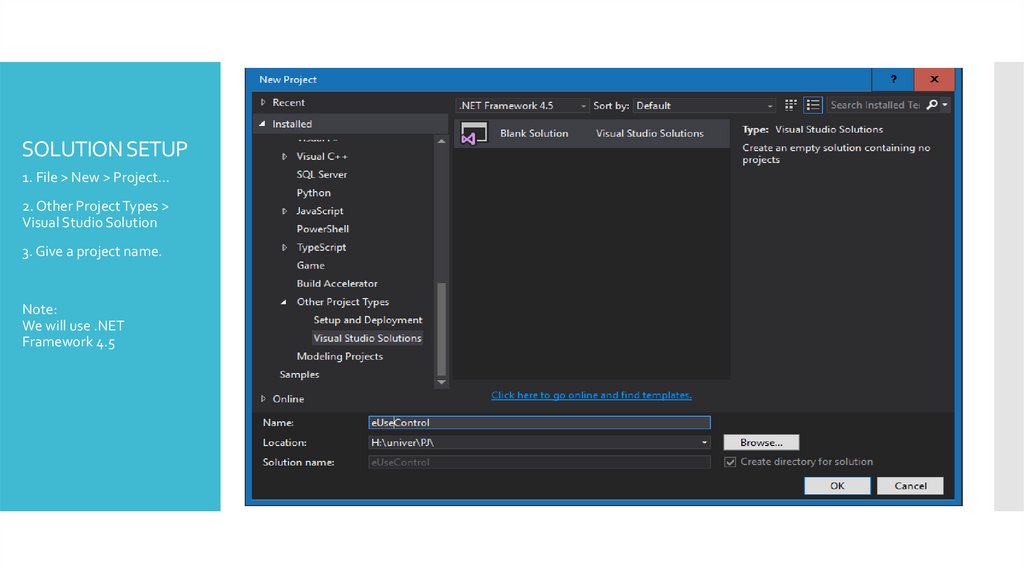
SOLUTION SETUP1. File > New > Project…
2. Other Project Types >
Visual Studio Solution
3. Give a project name.
Note:
We will use .NET
Framework 4.5
5.
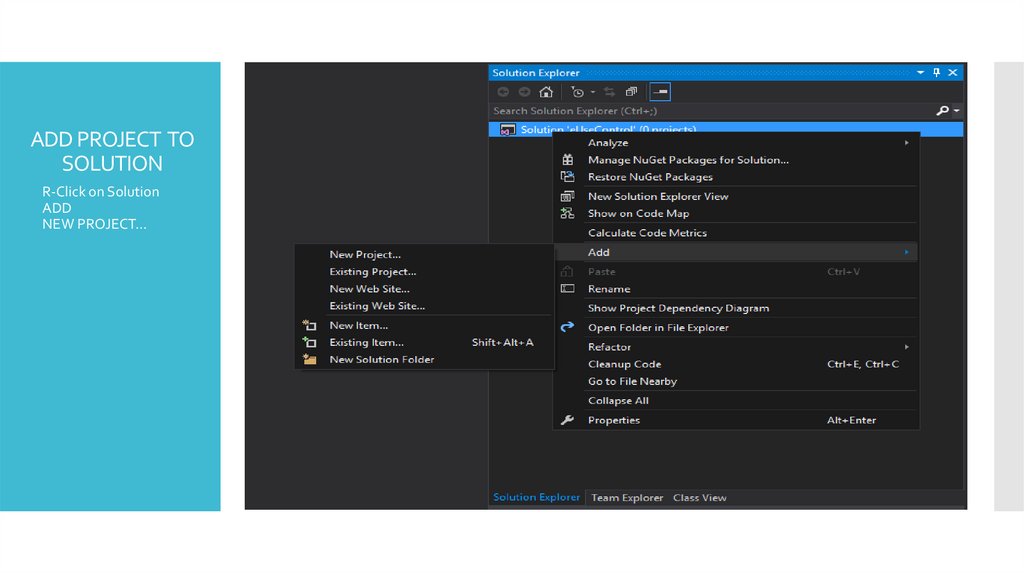
ADD PROJECT TOSOLUTION
R-Click on Solution
ADD
NEW PROJECT…
6.
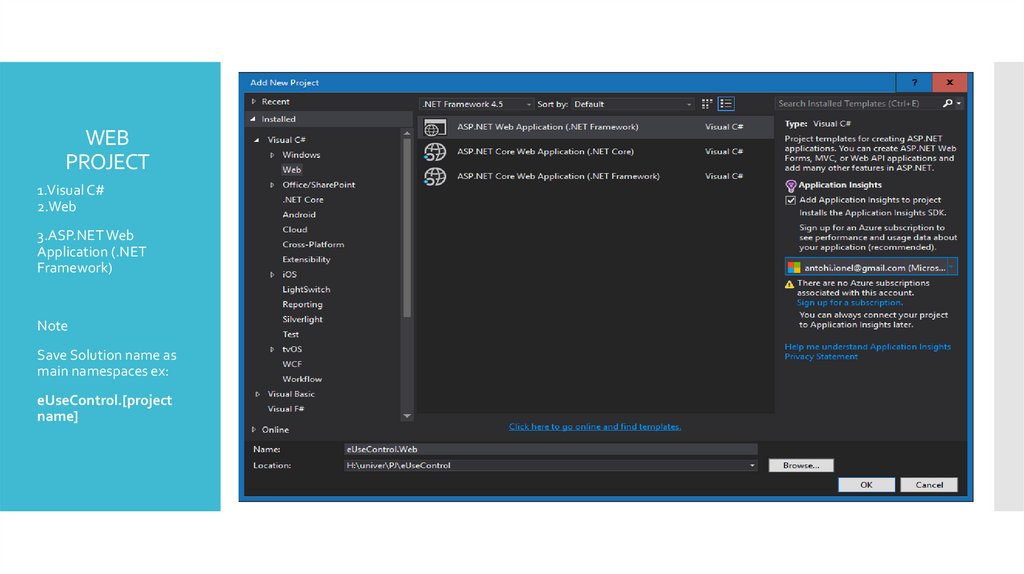
WEBPROJECT
1.Visual C#
2.Web
3.ASP.NET Web
Application (.NET
Framework)
Note
Save Solution name as
main namespaces ex:
eUseControl.[project
name]
7.
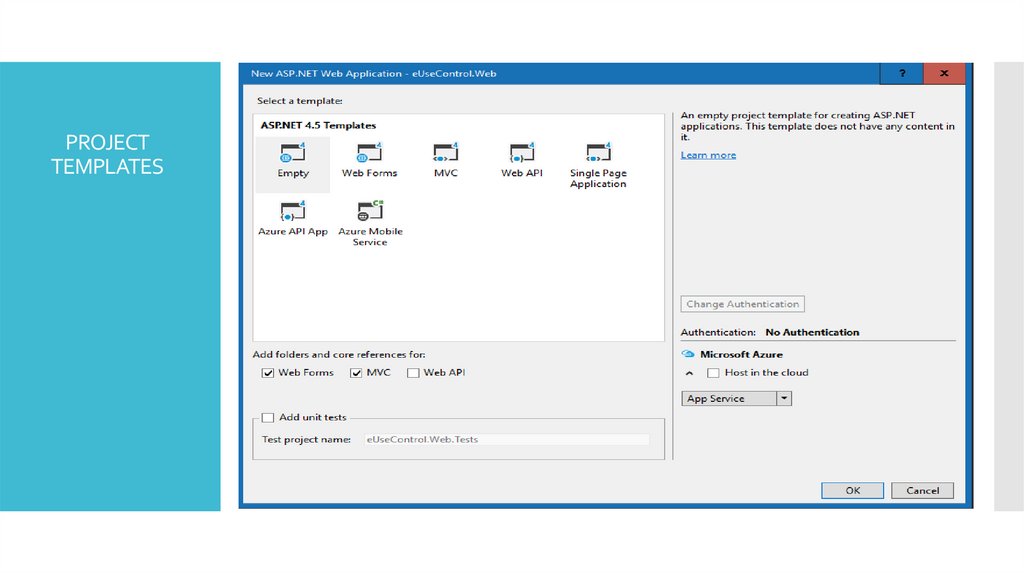
PROJECTTEMPLATES
8.
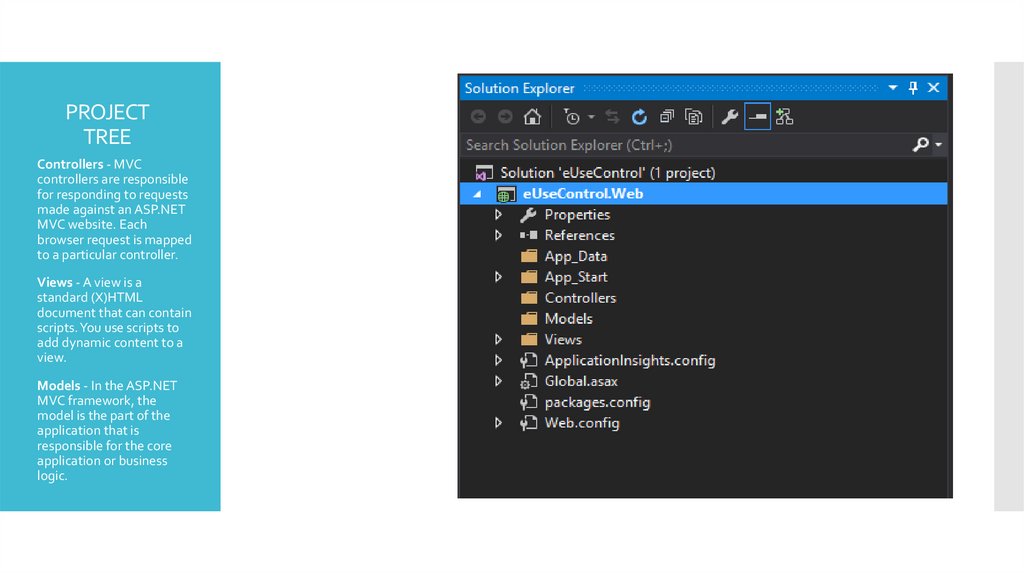
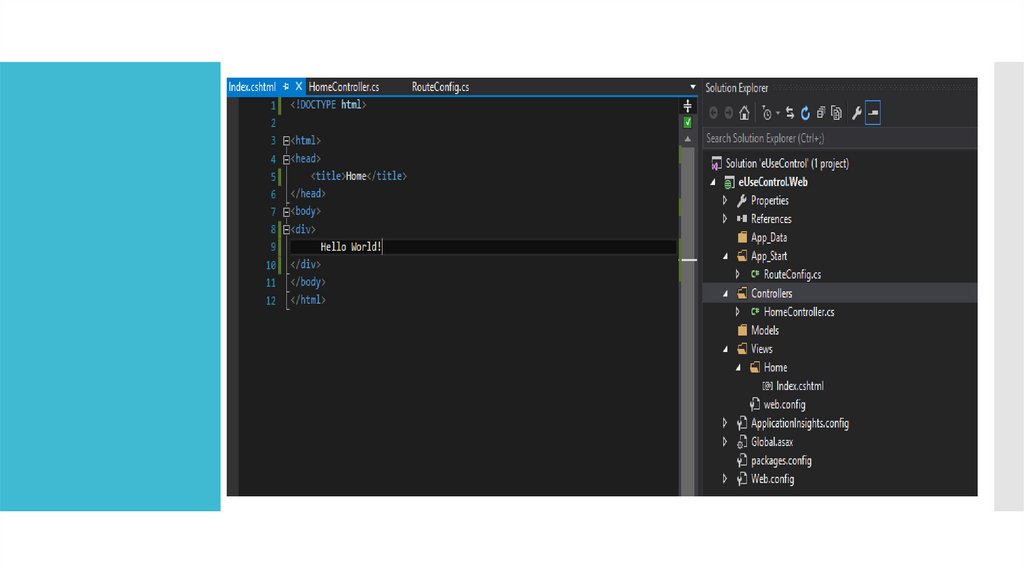
PROJECTTREE
Controllers - MVC
controllers are responsible
for responding to requests
made against an ASP.NET
MVC website. Each
browser request is mapped
to a particular controller.
Views - A view is a
standard (X)HTML
document that can contain
scripts. You use scripts to
add dynamic content to a
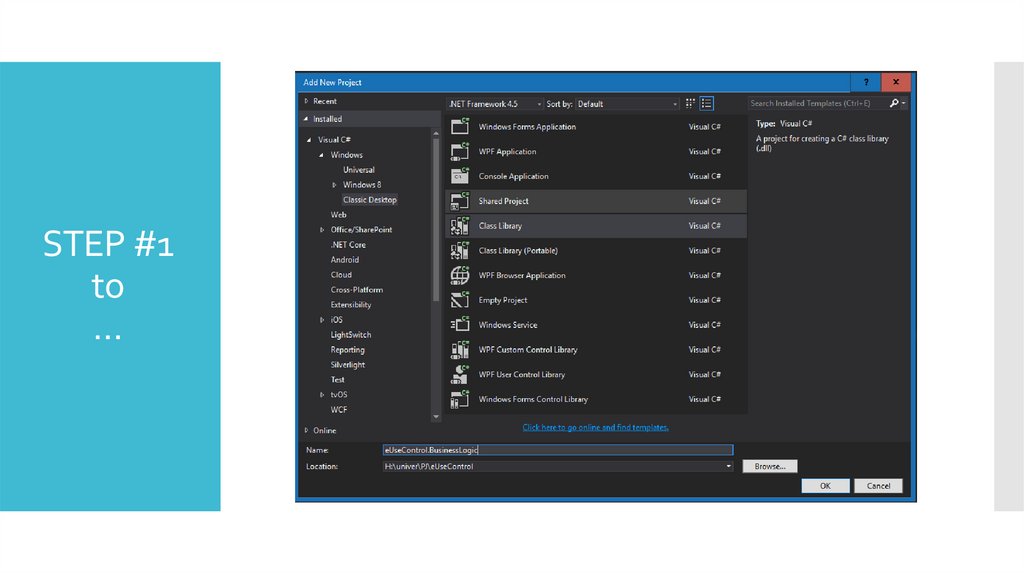
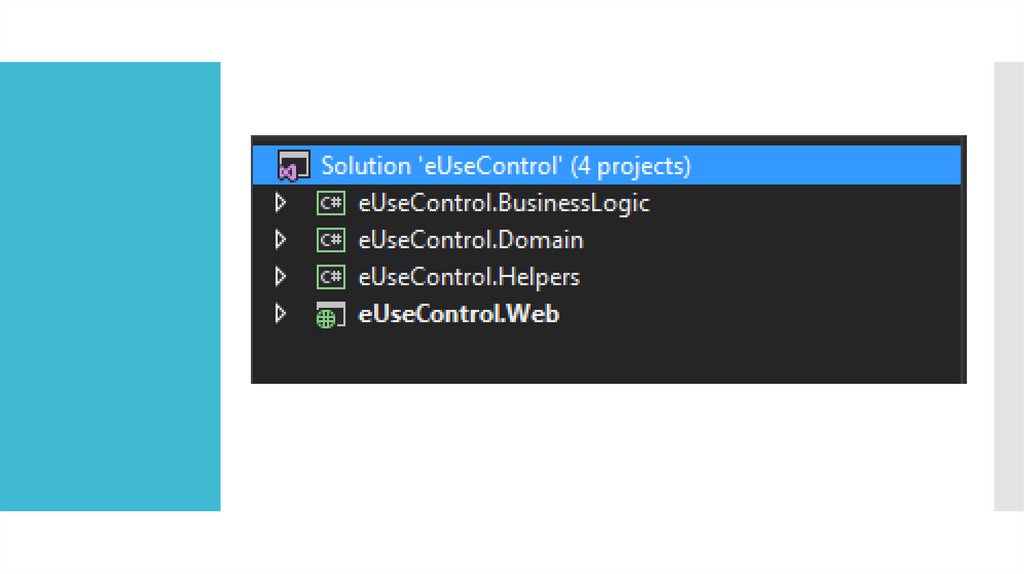
view.
Models - In the ASP.NET
MVC framework, the
model is the part of the
application that is
responsible for the core
application or business
logic.
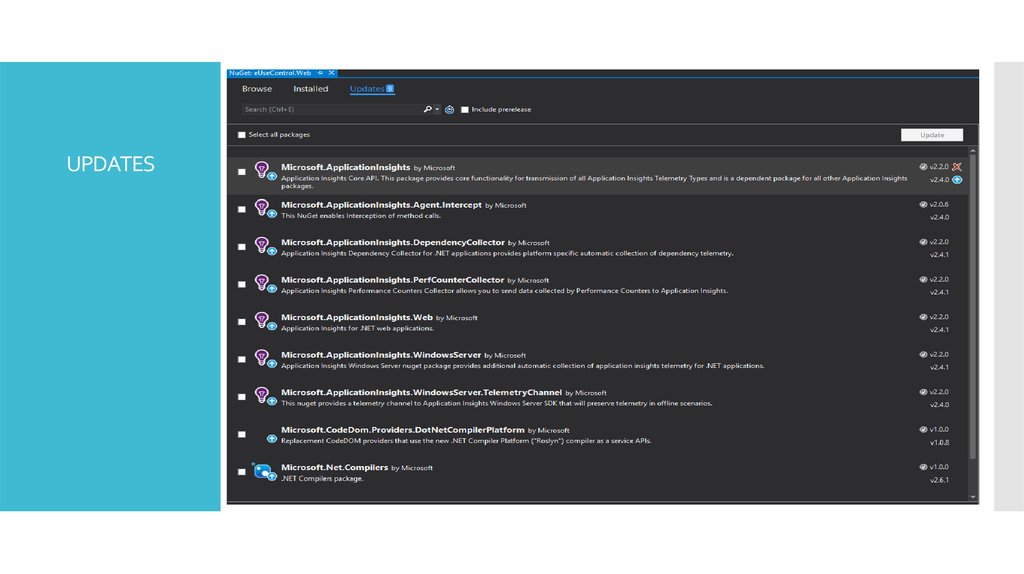
9.
UPDATES10.
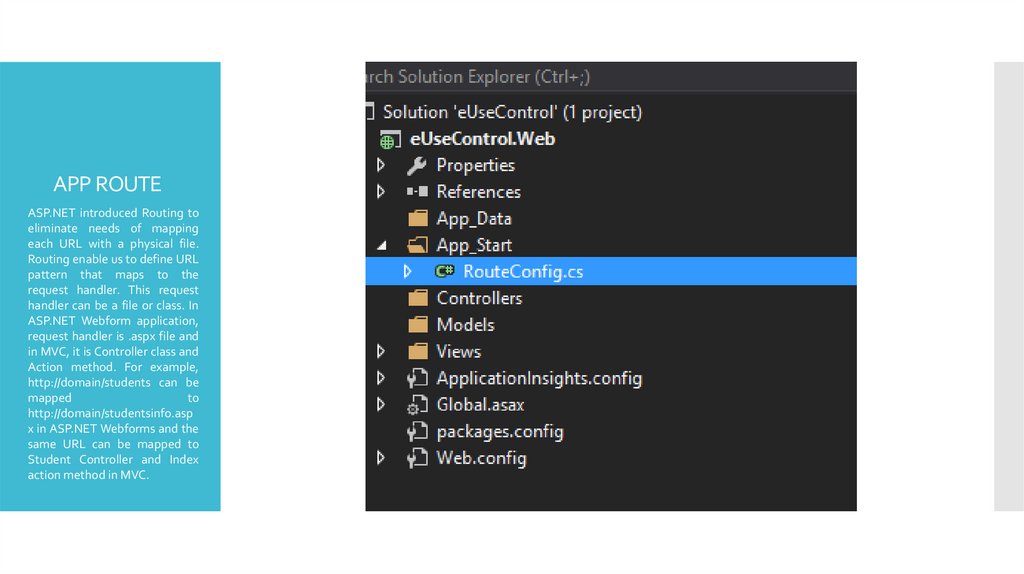
APP ROUTEASP.NET introduced Routing to
eliminate needs of mapping
each URL with a physical file.
Routing enable us to define URL
pattern that maps to the
request handler. This request
handler can be a file or class. In
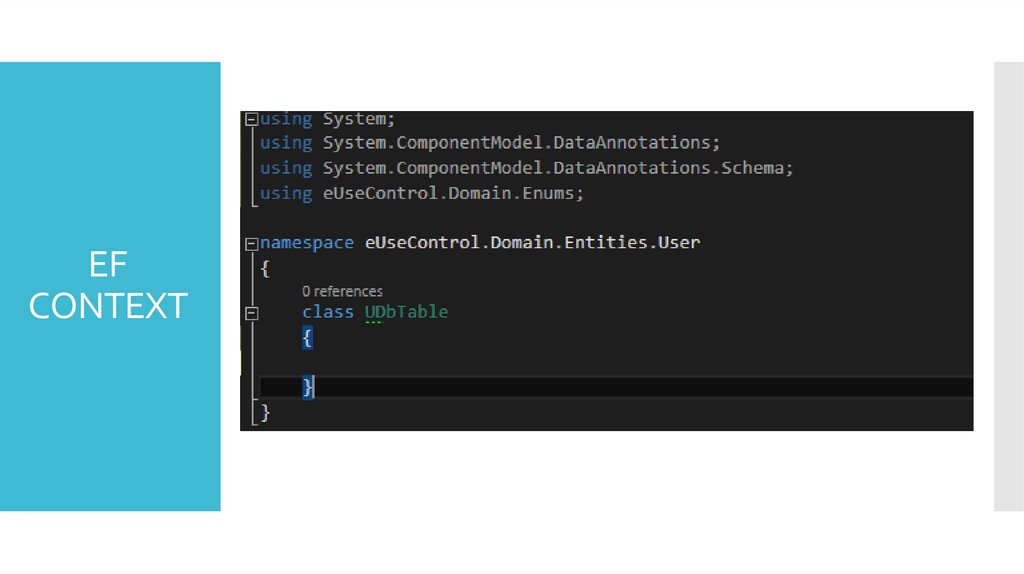
ASP.NET Webform application,
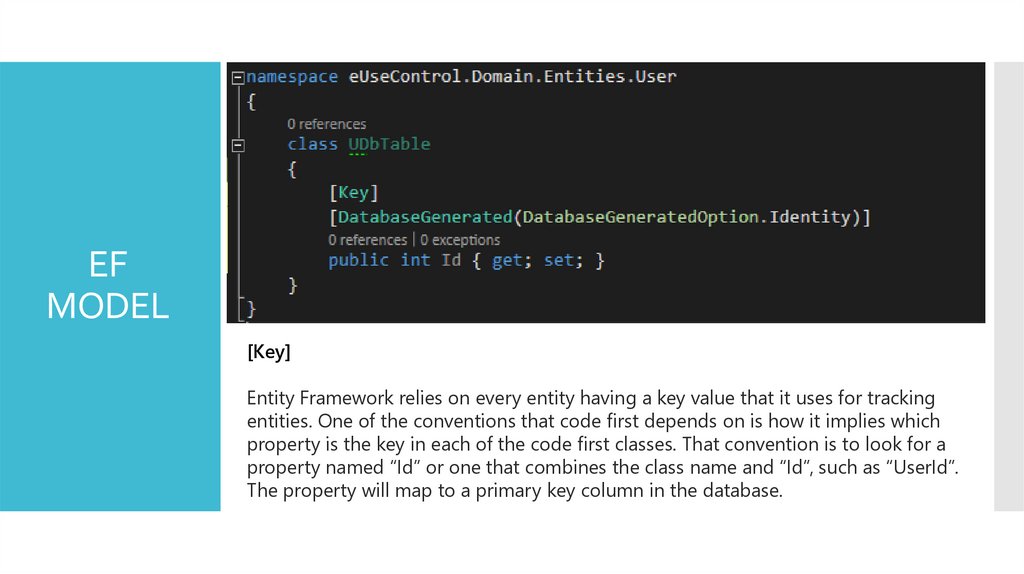
request handler is .aspx file and
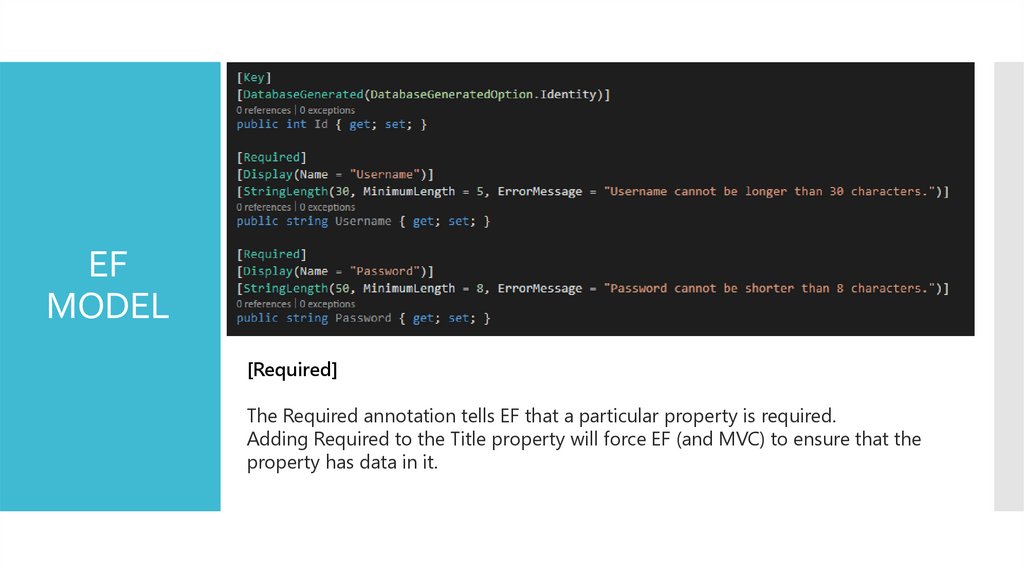
in MVC, it is Controller class and
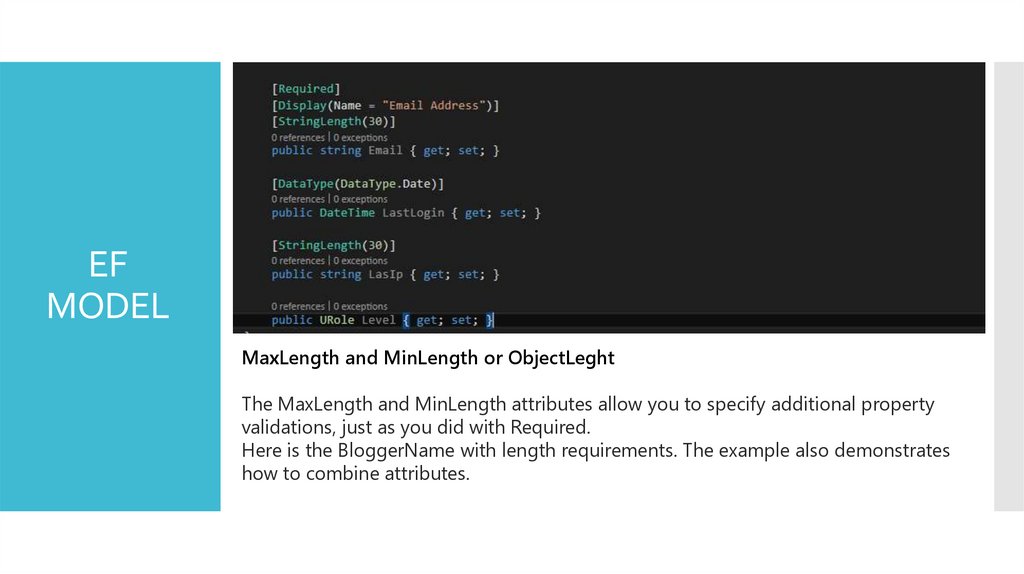
Action method. For example,
http://domain/students can be
mapped
to
http://domain/studentsinfo.asp
x in ASP.NET Webforms and the
same URL can be mapped to
Student Controller and Index
action method in MVC.
11.
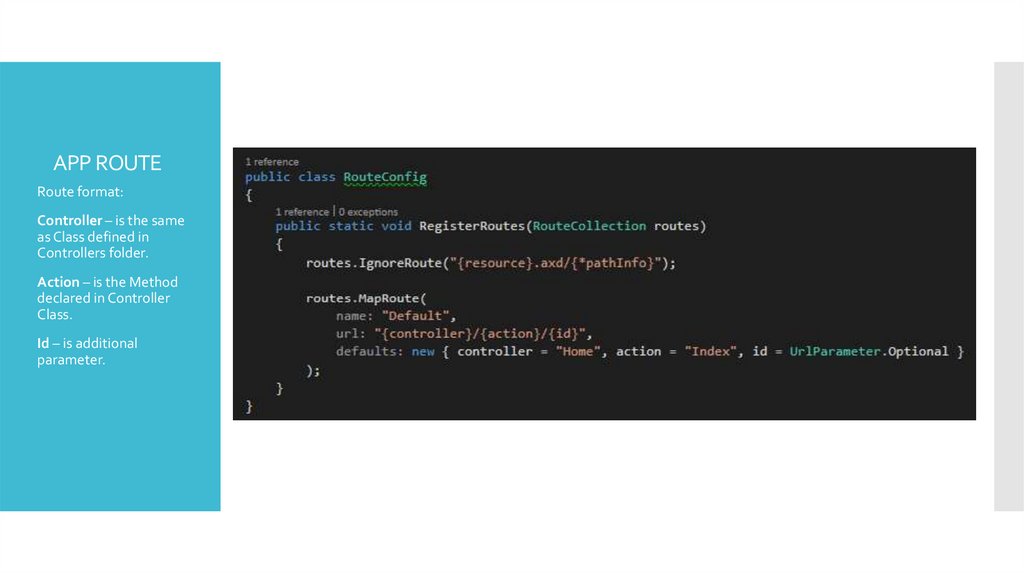
APP ROUTERoute format:
Controller – is the same
as Class defined in
Controllers folder.
Action – is the Method
declared in Controller
Class.
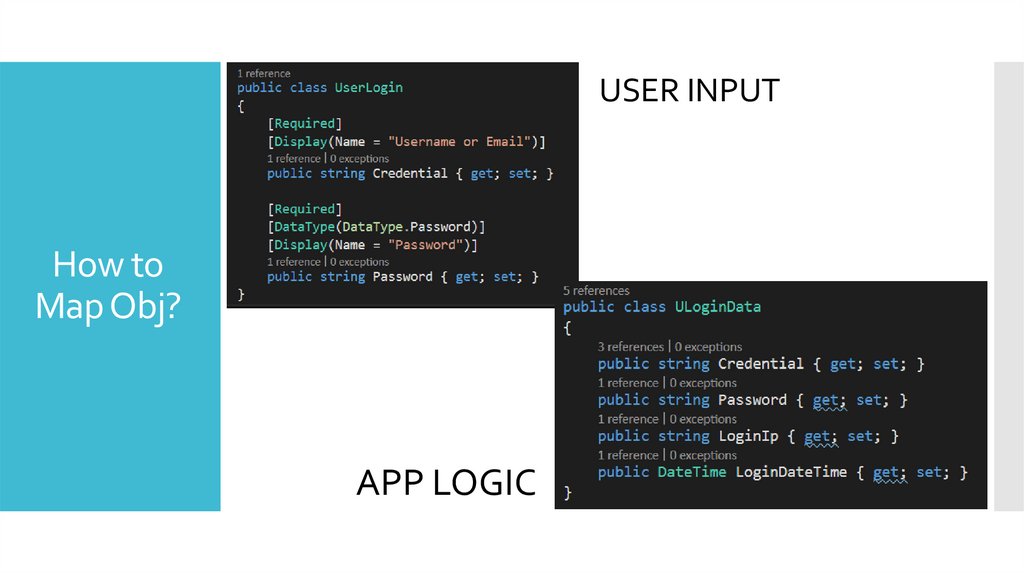
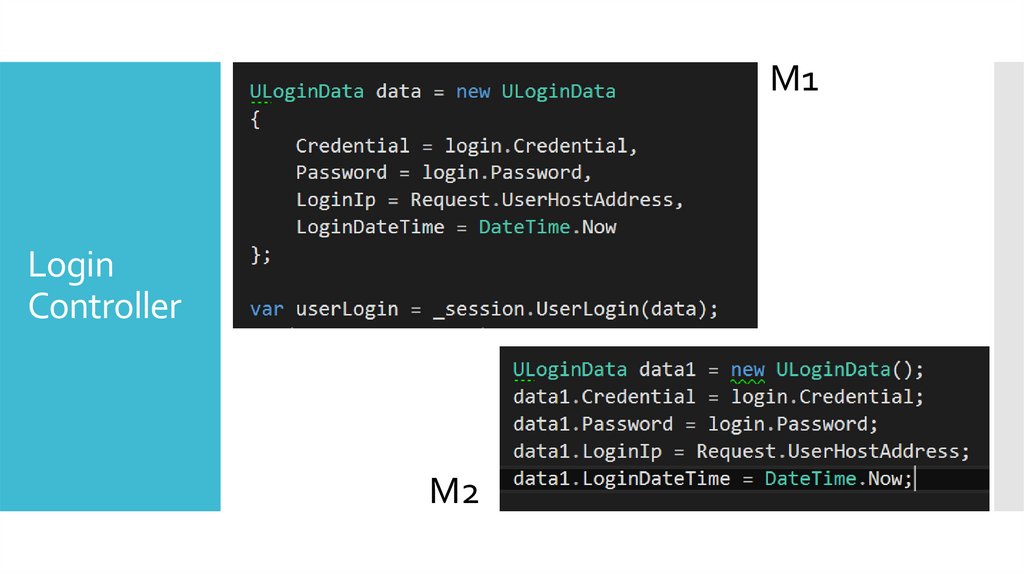
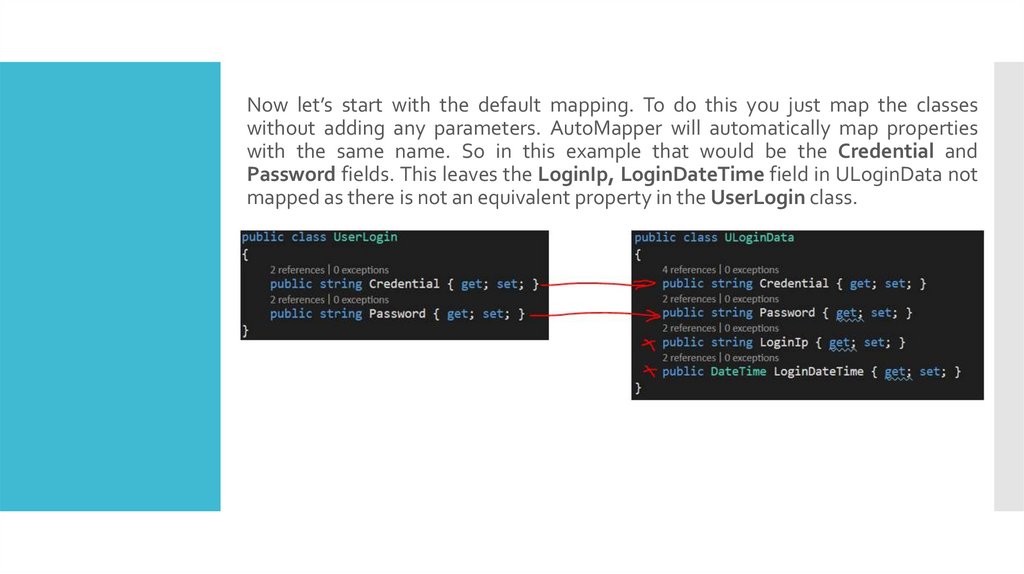
Id – is additional
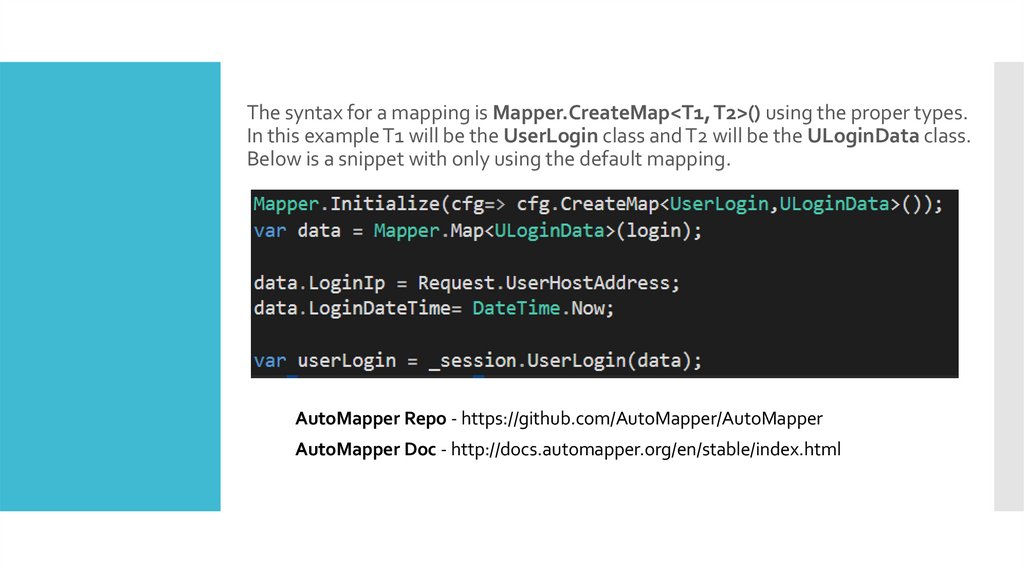
parameter.
12.
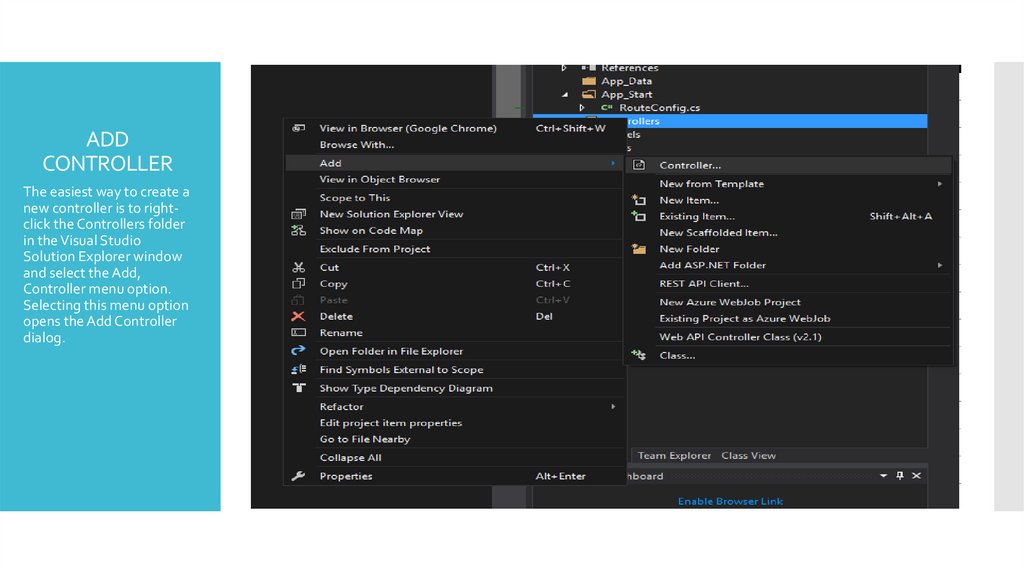
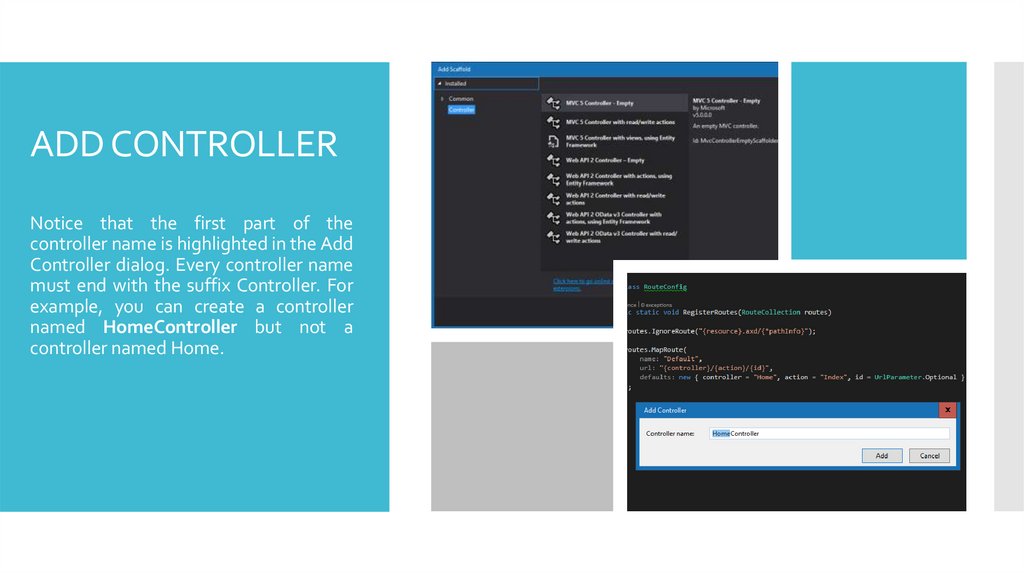
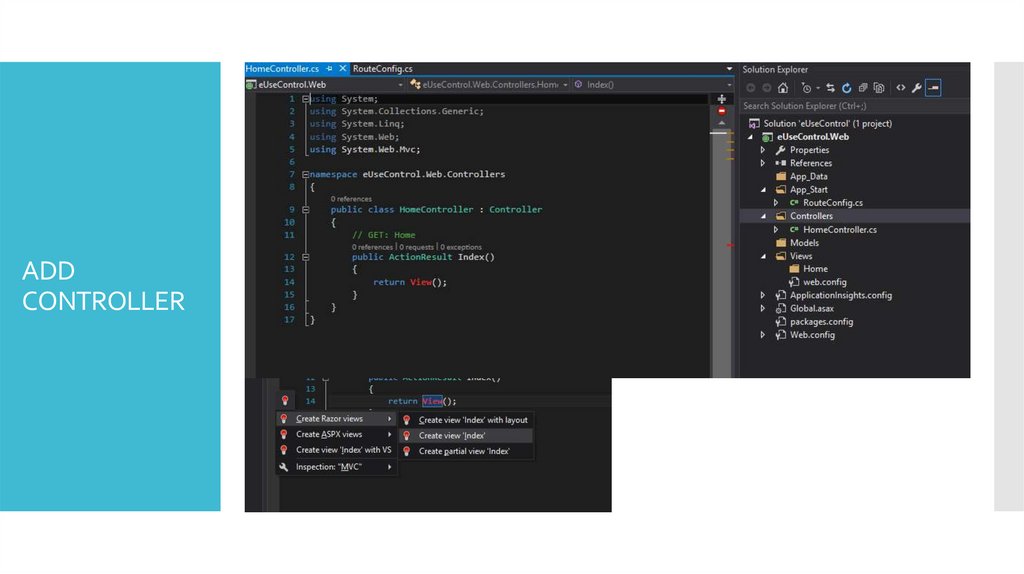
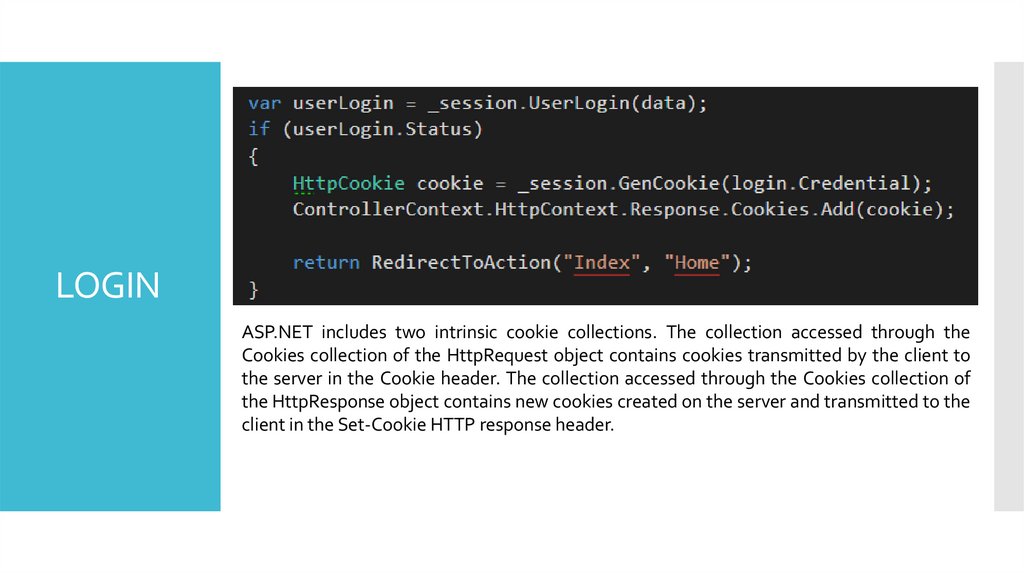
ADDCONTROLLER
The easiest way to create a
new controller is to rightclick the Controllers folder
in the Visual Studio
Solution Explorer window
and select the Add,
Controller menu option.
Selecting this menu option
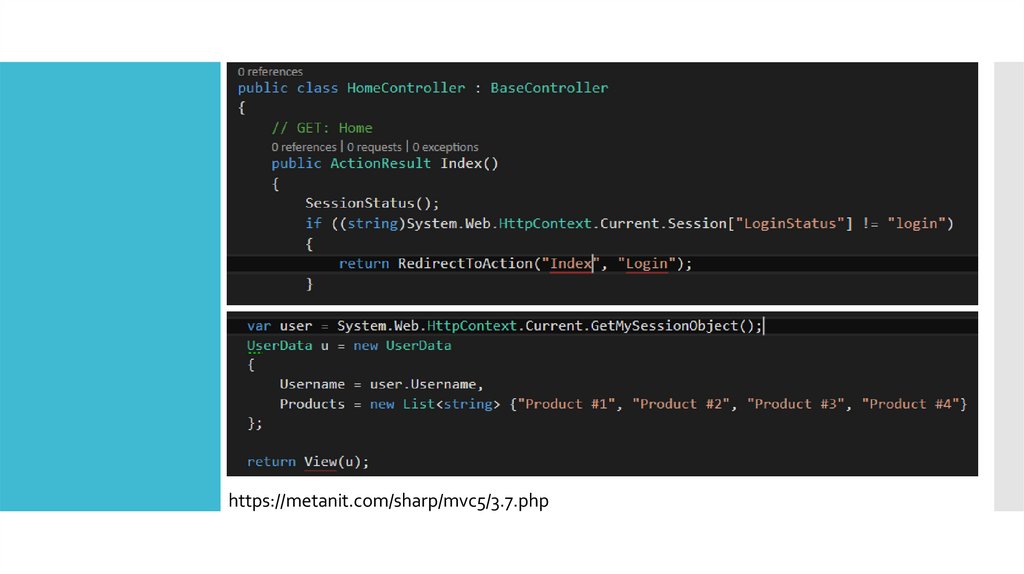
opens the Add Controller
dialog.
13.
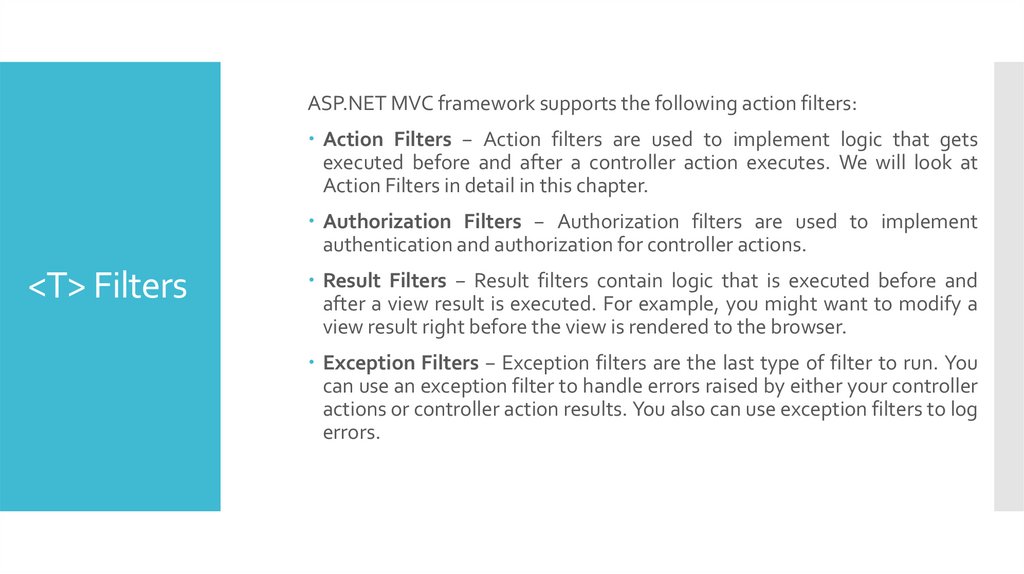
ADD CONTROLLERNotice that the first part of the
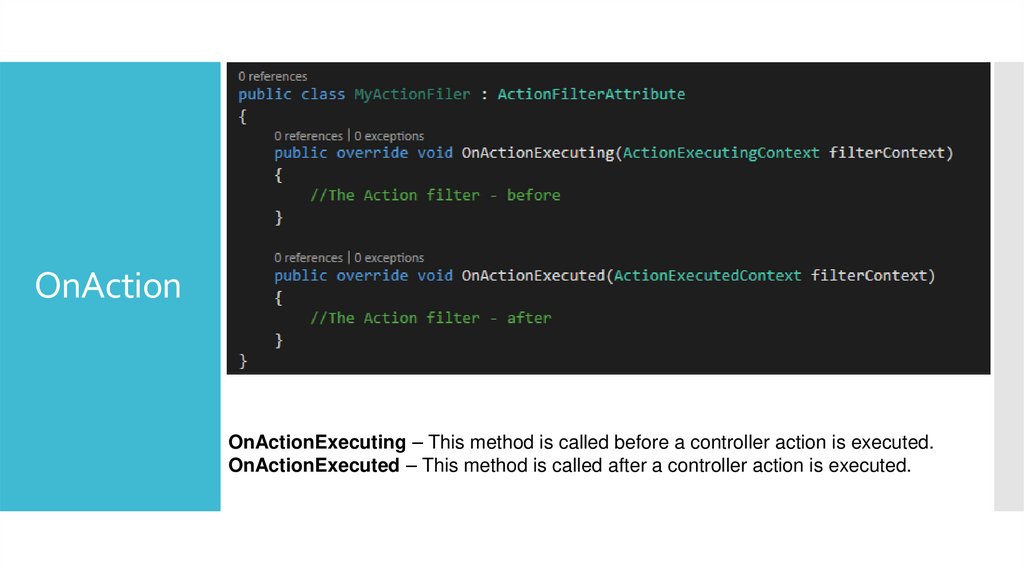
controller name is highlighted in the Add
Controller dialog. Every controller name
must end with the suffix Controller. For
example, you can create a controller
named HomeController but not a
controller named Home.
14.
ADDCONTROLLER
15.
EDITING VIEW16.
17.
https://docs.microsoft.com/en-us/aspnet/mvc/overview/http://www.tutorialsteacher.com/mvc/asp.net-mvc-tutorials
REFS
https://habrahabr.ru/post/175999/
https://habrahabr.ru/post/176001/
18.
BOOTSTRAPASP.NET Design Integration
19.
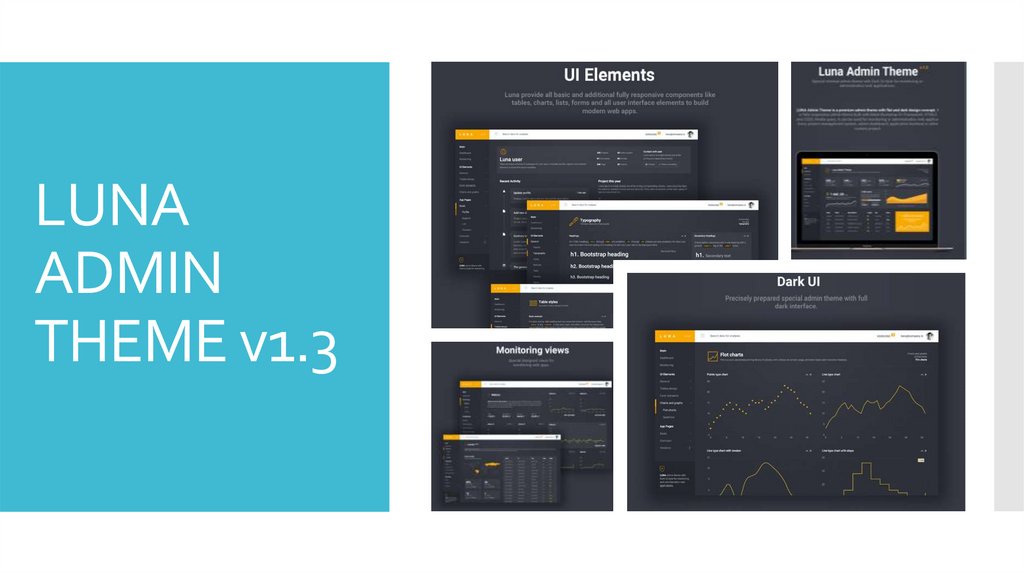
LUNAADMIN
THEME v1.3
20.
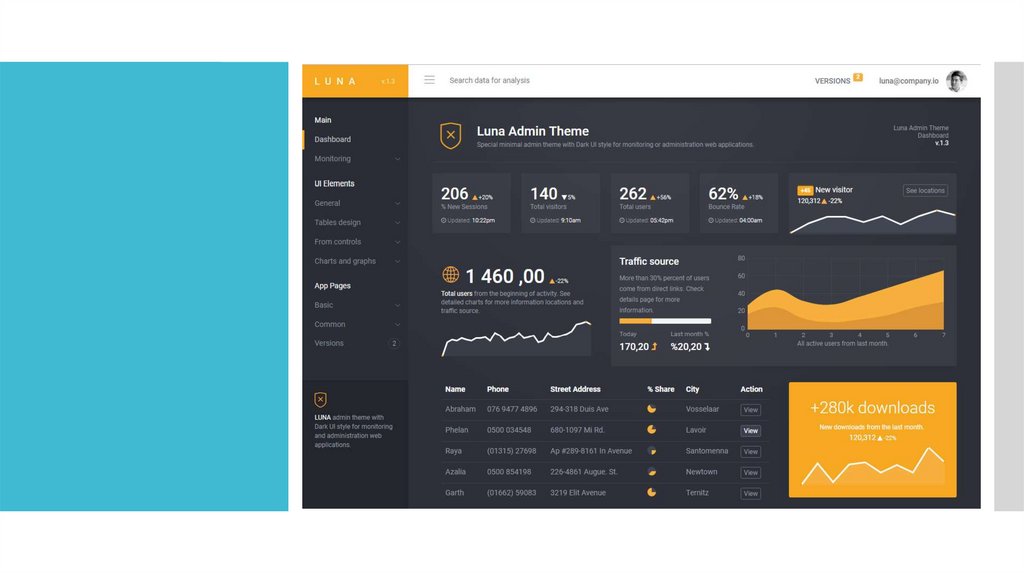
LUNA Admin Theme is a premium admin theme with flat and dark design concept.It is fully responsive admin theme built with latest Bootstrap 3+ Framework,
HTML5 and CSS3, Media query. It can be used for monitoring or administration
web applications, project management system, admin dashboard, application
backend or other custom project.
ABOUT
We are release continuous long term updates and many new features will be
coming soon in the near future updates. Once you purchased LUNA, you will be
entitled to free download of all updates.
URL: https://wrapbootstrap.com/theme/luna-responsive-admin-theme-WB0J69TPB
21.
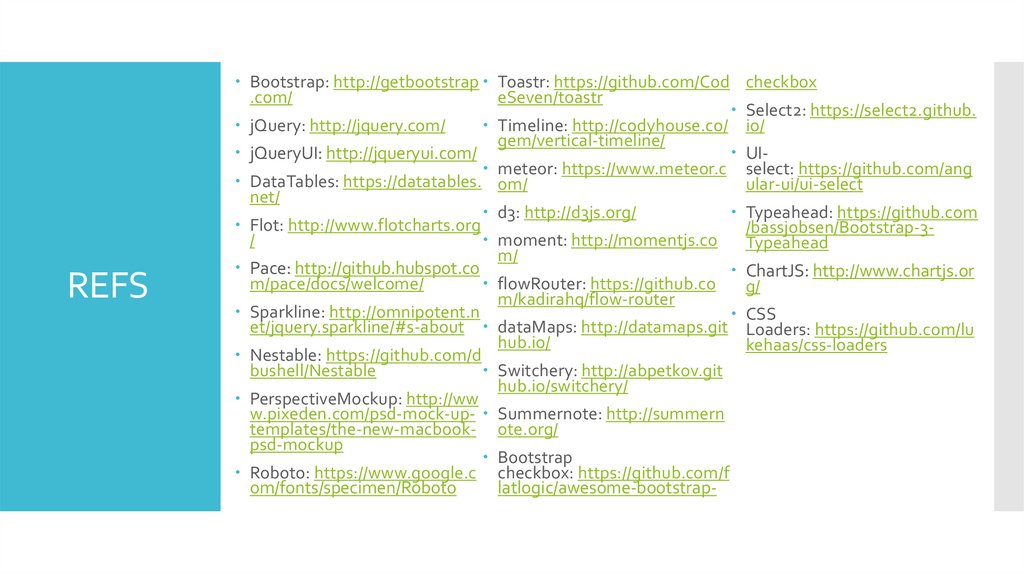
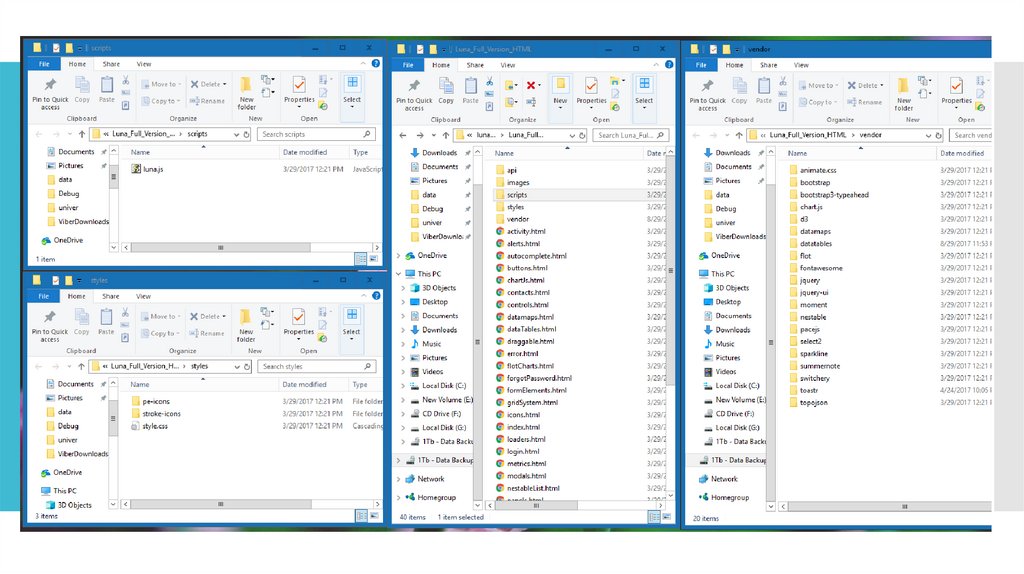
REFSBootstrap: http://getbootstrap Toastr: https://github.com/Cod checkbox
.com/
eSeven/toastr
Select2: https://select2.github.
jQuery: http://jquery.com/
Timeline: http://codyhouse.co/ io/
gem/vertical-timeline/
jQueryUI: http://jqueryui.com/
UI meteor: https://www.meteor.c select: https://github.com/ang
DataTables: https://datatables. om/
ular-ui/ui-select
net/
d3: http://d3js.org/
Typeahead: https://github.com
Flot: http://www.flotcharts.org
/bassjobsen/Bootstrap-3/
moment: http://momentjs.co
Typeahead
m/
Pace: http://github.hubspot.co
ChartJS: http://www.chartjs.or
m/pace/docs/welcome/
flowRouter: https://github.co
g/
m/kadirahq/flow-router
Sparkline: http://omnipotent.n
CSS
et/jquery.sparkline/#s-about dataMaps: http://datamaps.git Loaders: https://github.com/lu
hub.io/
kehaas/css-loaders
Nestable: https://github.com/d
bushell/Nestable
Switchery: http://abpetkov.git
hub.io/switchery/
PerspectiveMockup: http://ww
w.pixeden.com/psd-mock-up- Summernote: http://summern
templates/the-new-macbook- ote.org/
psd-mockup
Bootstrap
Roboto: https://www.google.c checkbox: https://github.com/f
om/fonts/specimen/Roboto
latlogic/awesome-bootstrap-
22.
23.
24.
CONFIG25.
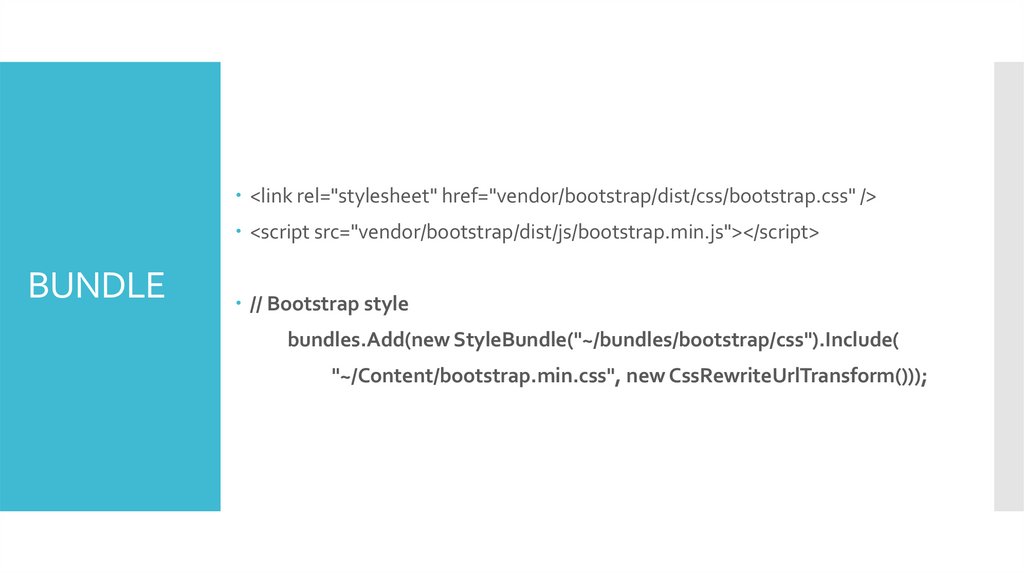
<link rel="stylesheet" href="vendor/bootstrap/dist/css/bootstrap.css" /><script src="vendor/bootstrap/dist/js/bootstrap.min.js"></script>
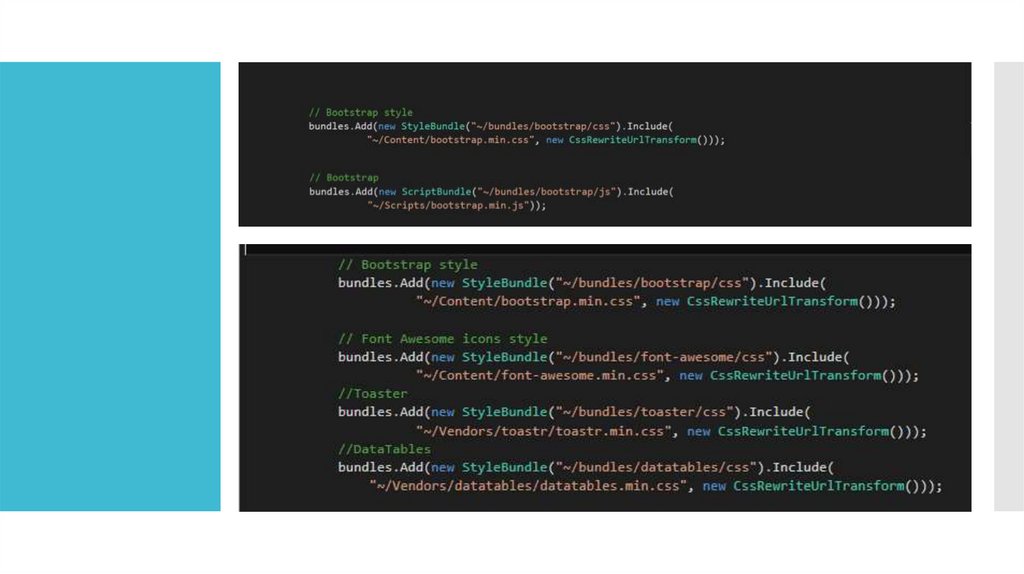
BUNDLE
// Bootstrap style
bundles.Add(new StyleBundle("~/bundles/bootstrap/css").Include(
"~/Content/bootstrap.min.css", new CssRewriteUrlTransform()));
26.
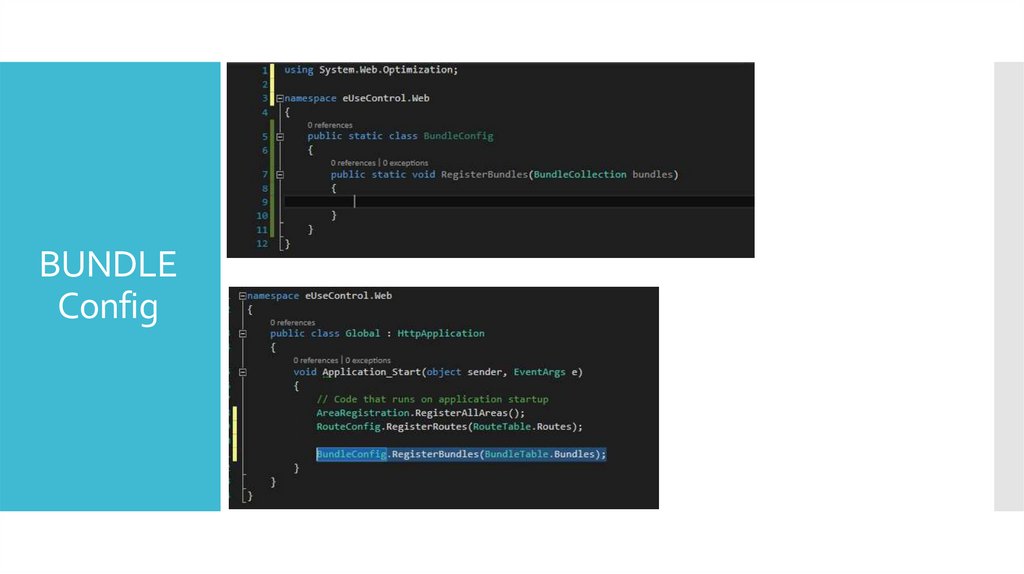
BUNDLEConfig
27.
28.
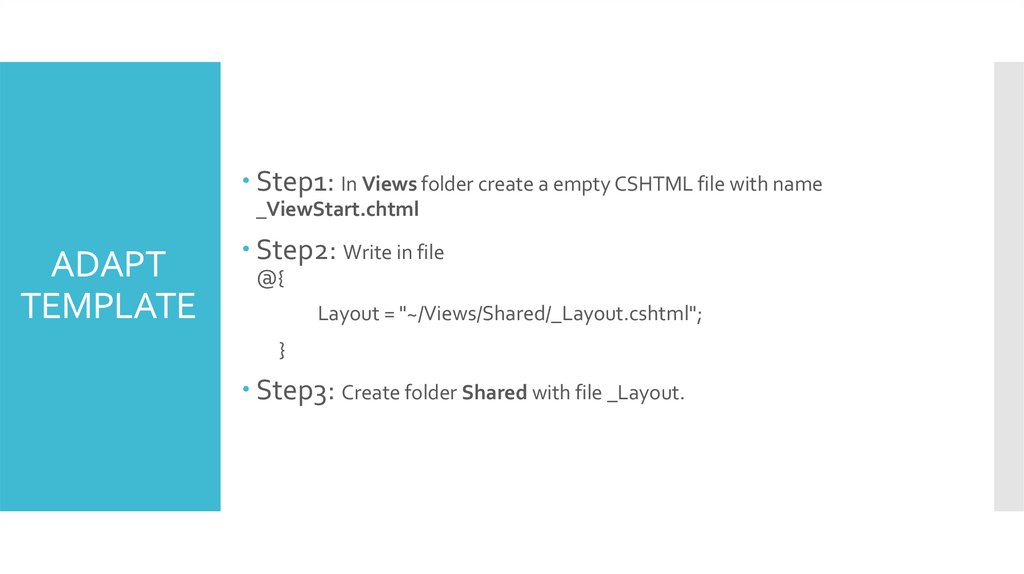
Step1: In Views folder create a empty CSHTML file with name_ViewStart.chtml
ADAPT
TEMPLATE
Step2: Write in file
@{
Layout = "~/Views/Shared/_Layout.cshtml";
}
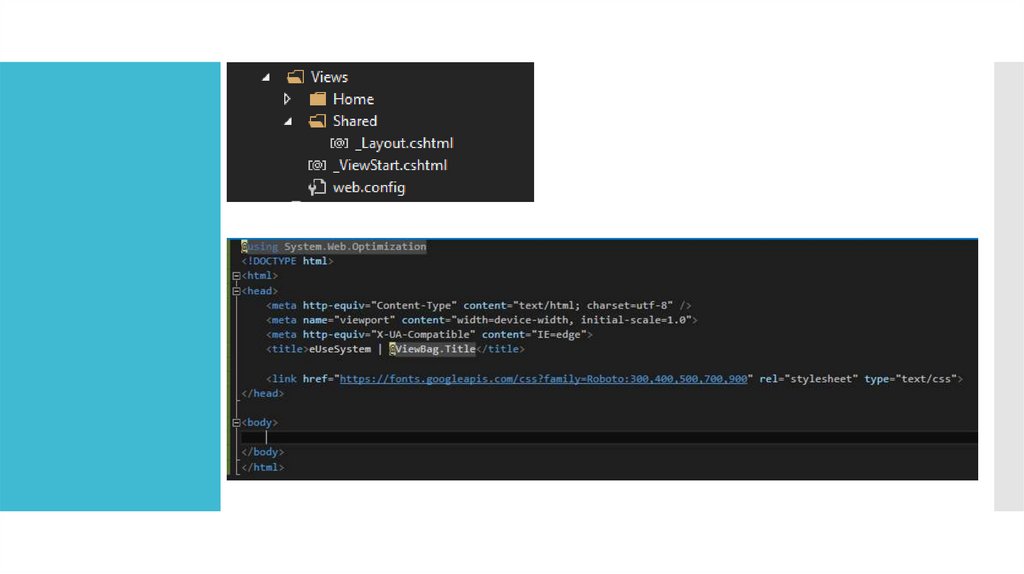
Step3: Create folder Shared with file _Layout.
29.
30.
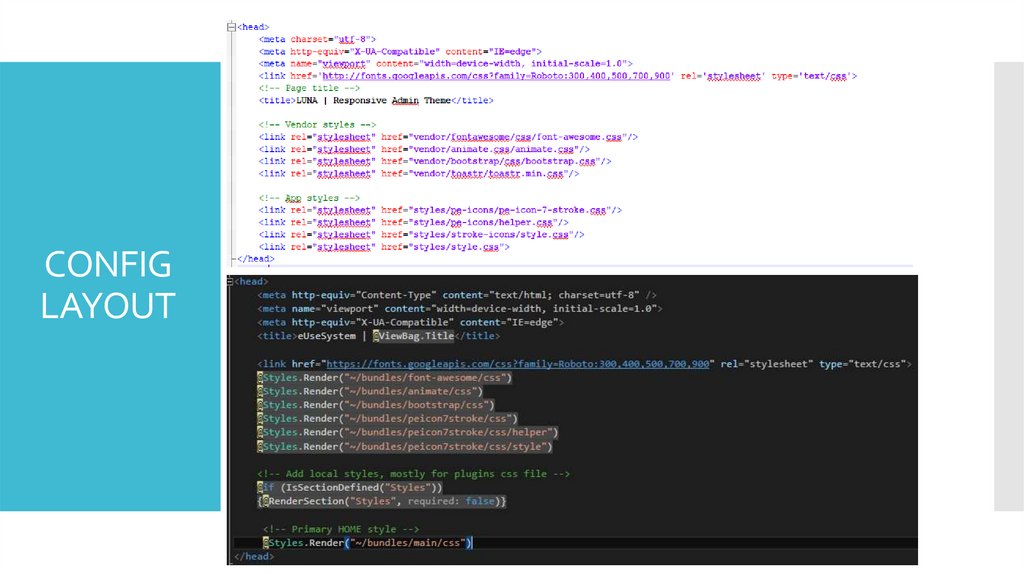
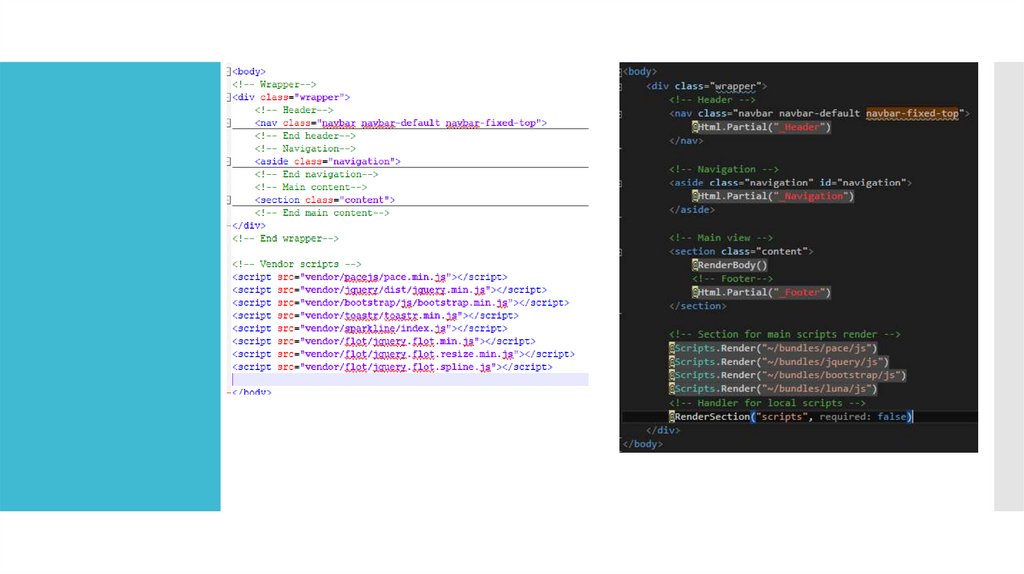
CONFIGLAYOUT
31.
32.
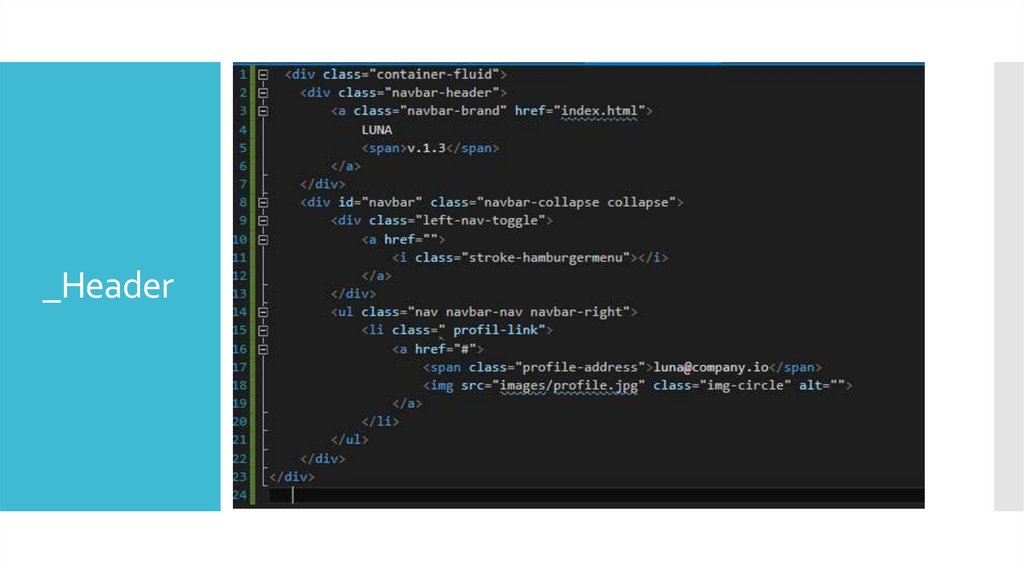
_Header33.
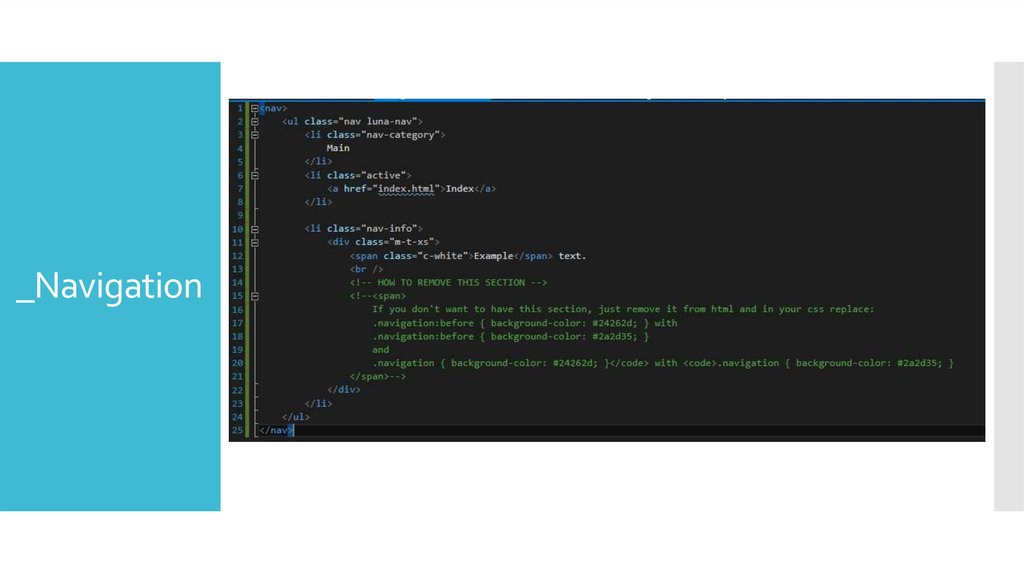
_Navigation34.
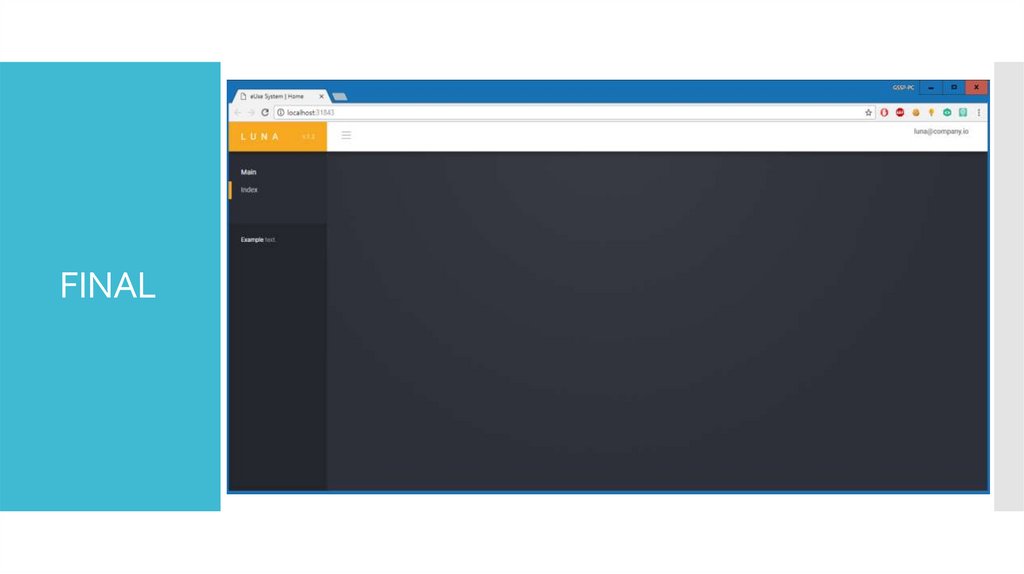
FINAL35.
36.
MODEL –VIEW –CONTROLLER (MVC)
How do we modularize the user interface functionality of a
Web application.
37.
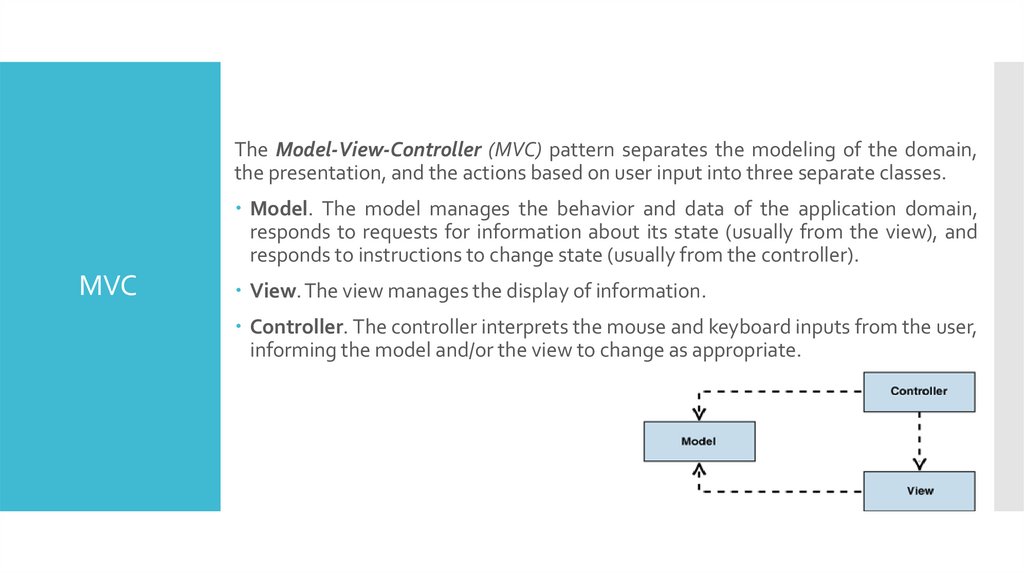
The Model-View-Controller (MVC) pattern separates the modeling of the domain,the presentation, and the actions based on user input into three separate classes.
Model. The model manages the behavior and data of the application domain,
responds to requests for information about its state (usually from the view), and
responds to instructions to change state (usually from the controller).
MVC
View. The view manages the display of information.
Controller. The controller interprets the mouse and keyboard inputs from the user,
informing the model and/or the view to change as appropriate.
38.
MVCPassive
Model
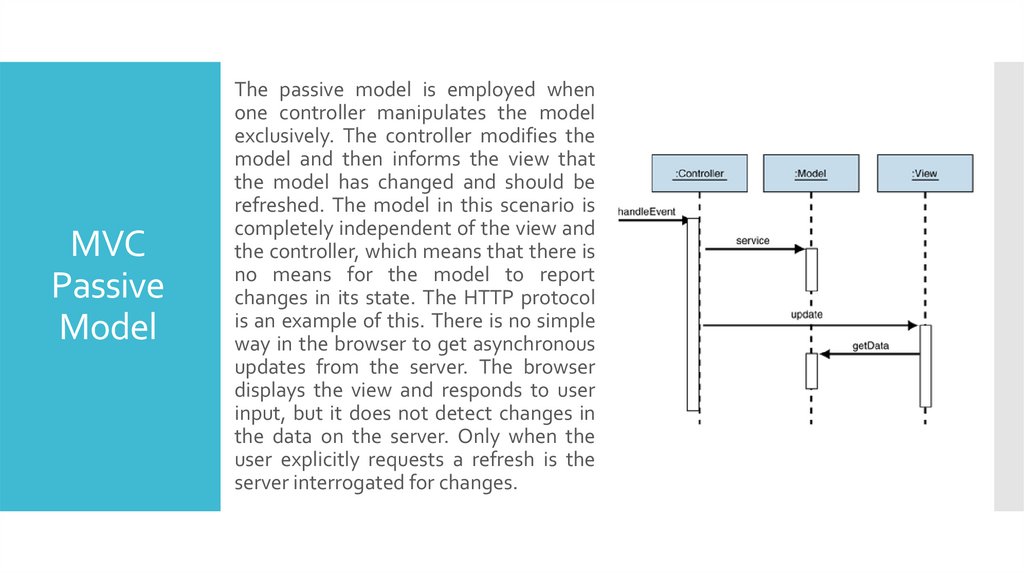
The passive model is employed when
one controller manipulates the model
exclusively. The controller modifies the
model and then informs the view that
the model has changed and should be
refreshed. The model in this scenario is
completely independent of the view and
the controller, which means that there is
no means for the model to report
changes in its state. The HTTP protocol
is an example of this. There is no simple
way in the browser to get asynchronous
updates from the server. The browser
displays the view and responds to user
input, but it does not detect changes in
the data on the server. Only when the
user explicitly requests a refresh is the
server interrogated for changes.
39.
The active model is used when the model changes state without the controller's involvement.This can happen when other sources are changing the data and the changes must be reflected
in the views. Consider a stock-ticker display. You receive stock data from an external source
and want to update the views (for example, a ticker band and an alert window) when the
stock data changes. Because only the model detects changes to its internal state when they
occur, the model must notify the views to refresh the display.
MVC
Active
Model
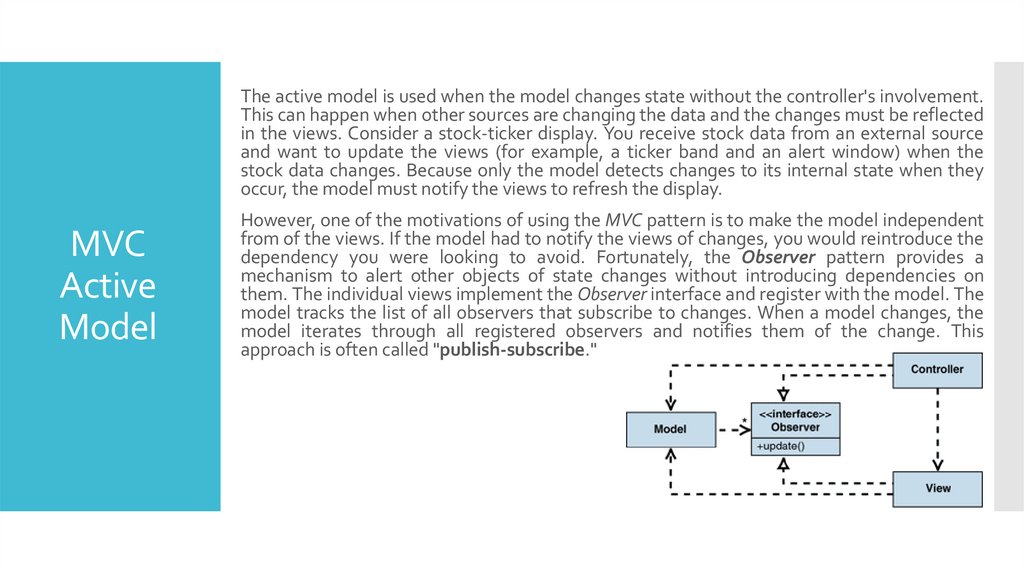
However, one of the motivations of using the MVC pattern is to make the model independent
from of the views. If the model had to notify the views of changes, you would reintroduce the
dependency you were looking to avoid. Fortunately, the Observer pattern provides a
mechanism to alert other objects of state changes without introducing dependencies on
them. The individual views implement the Observer interface and register with the model. The
model tracks the list of all observers that subscribe to changes. When a model changes, the
model iterates through all registered observers and notifies them of the change. This
approach is often called "publish-subscribe."
40.
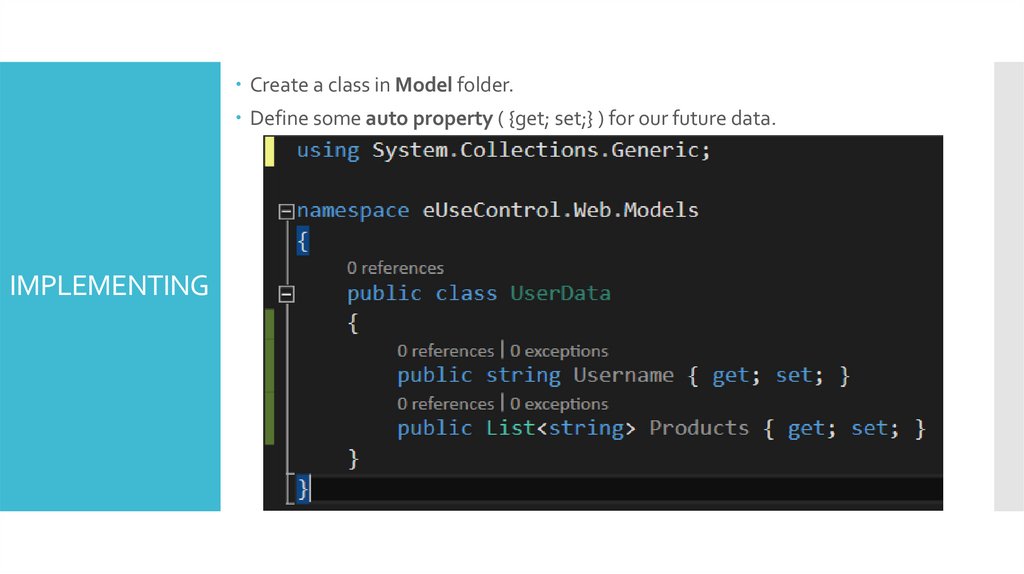
Create a class in Model folder.Define some auto property ( {get; set;} ) for our future data.
IMPLEMENTING
41.
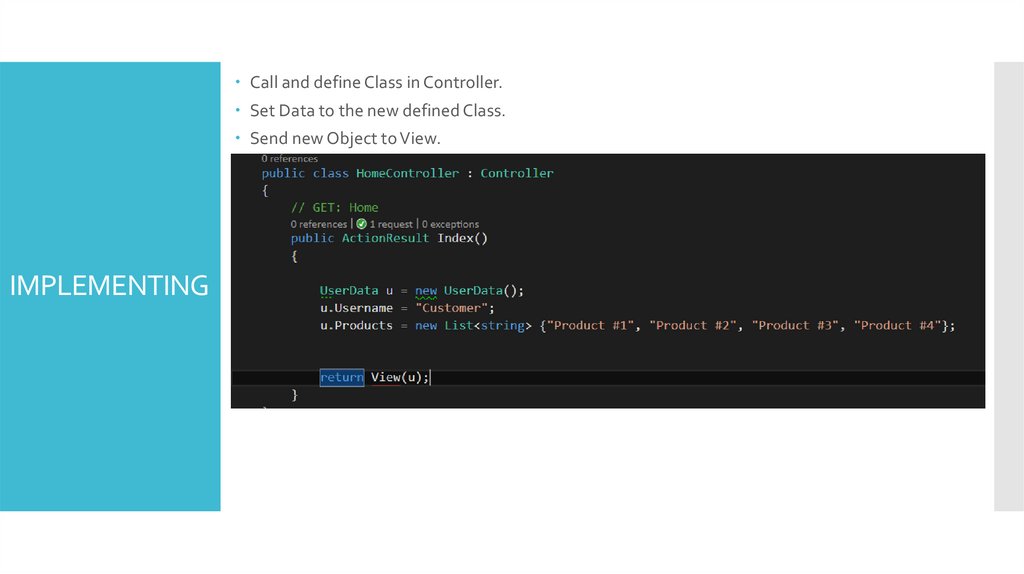
Call and define Class in Controller.Set Data to the new defined Class.
Send new Object to View.
IMPLEMENTING
42.
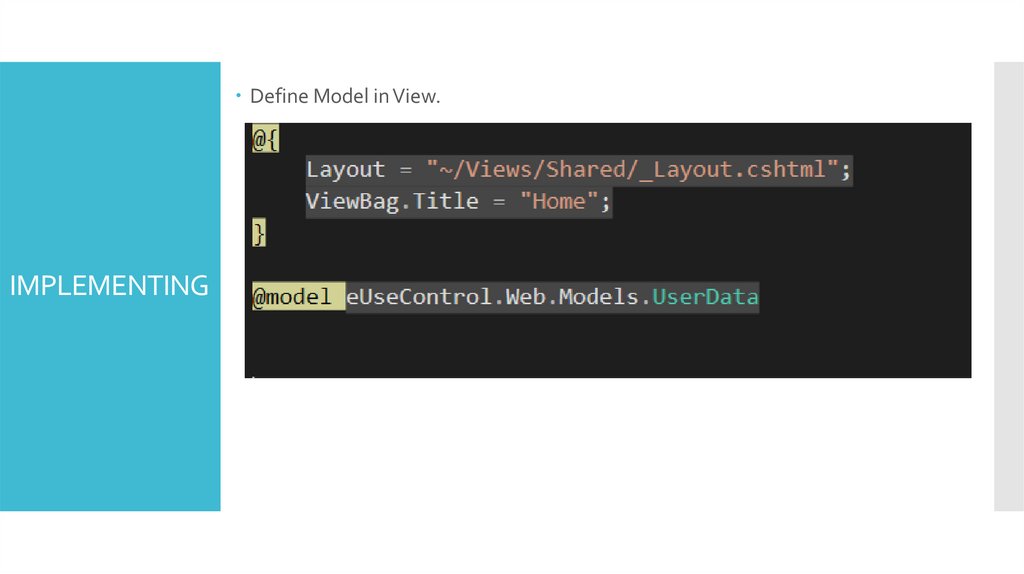
Define Model in View.IMPLEMENTING
43.
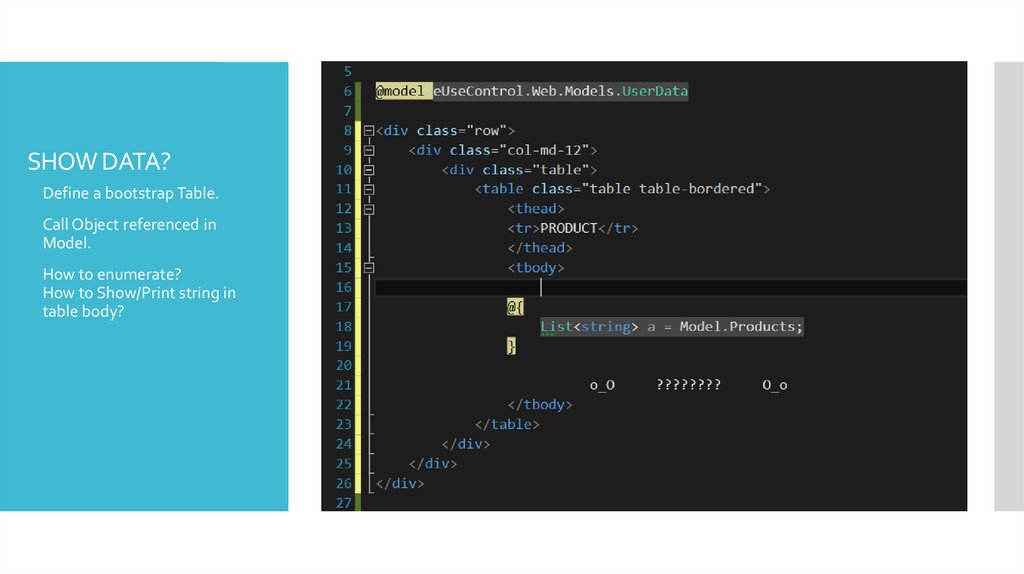
SHOW DATA?Define a bootstrap Table.
Call Object referenced in
Model.
How to enumerate?
How to Show/Print string in
table body?
44.
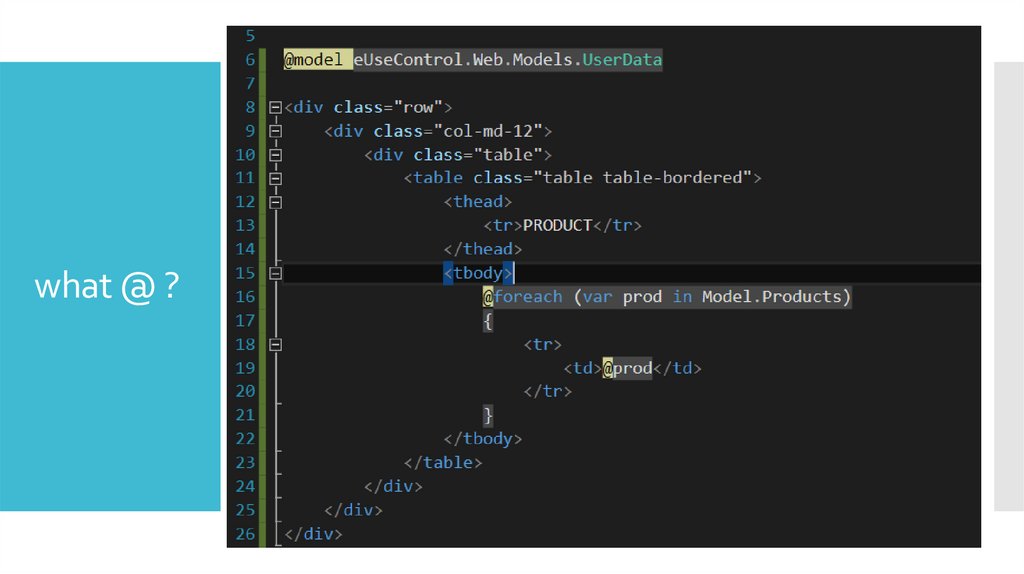
what @ ?45.
<%# %><%= %>
<%@ %>
<%$ %>
"special"
ASP.NET
tags
<%@ %> is a Directive for ASP.NET Web Pages. Used for pages and
controls to configure page/control compiler settings (<%@ Control
Inherits="MyParentControl" %>).
<%@ %> is also an Application Directive. Used to specify applicationspecific settings for global.asax. Distinct from the page directives as it only
uses a different tag set.
<% %> is a Code Render Block (for inline code). One of 4 forms of
Embedded Code Blocks. Used for inclusion of server-side code to the
Render() method (<% x = x + 1; %>) of the generated class. Format:
single/multiline or multiple-linked (e.g. if/then/else interspersed with html)
but cannot be used to declare functions.
REF:
https://stackoverflow.com/questions/649428/asp-net-special-tags
https://stackoverflow.com/questions/14525811/asp-net-mvc-syntax
46.
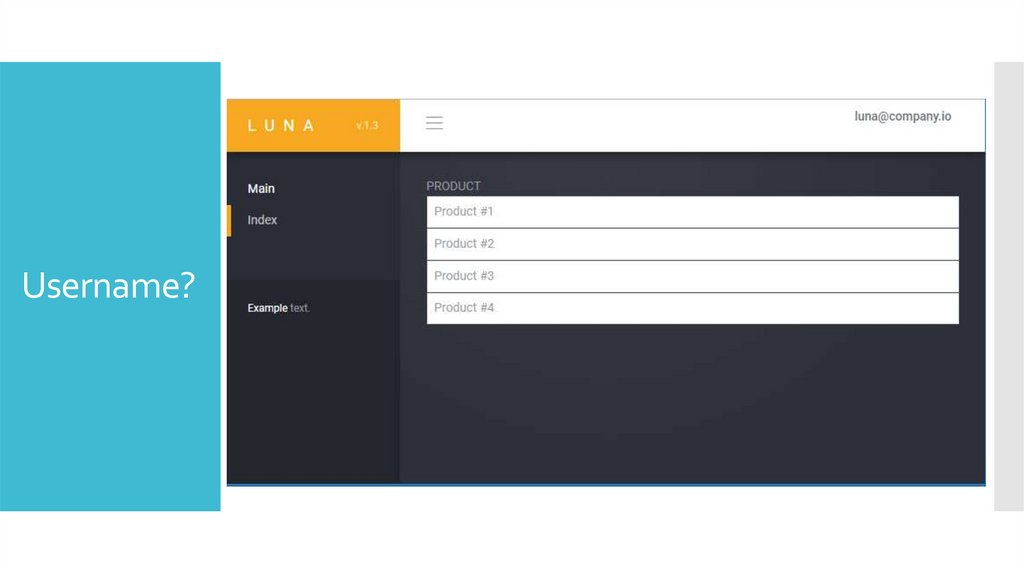
Username?47.
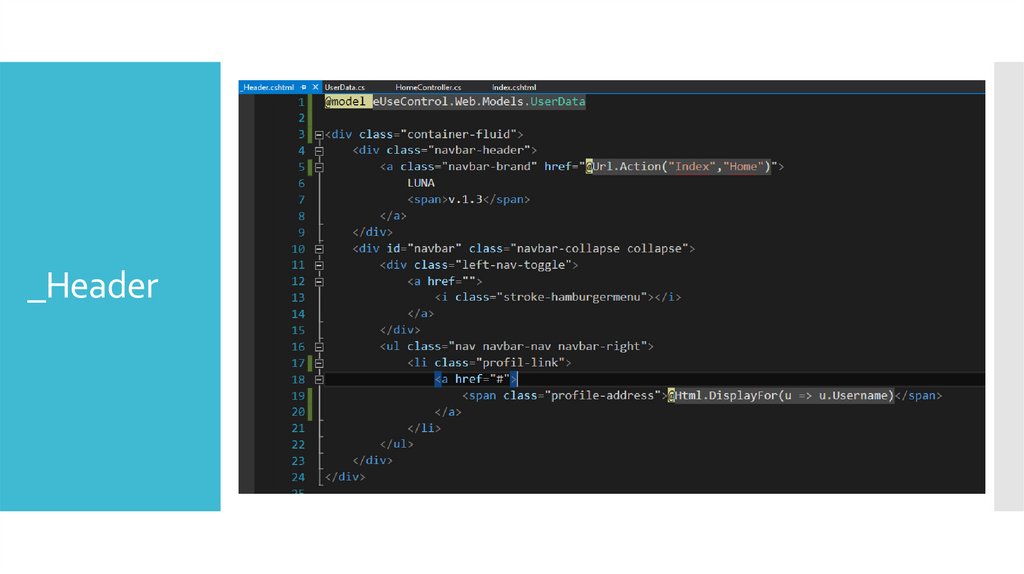
_Header48.
49.
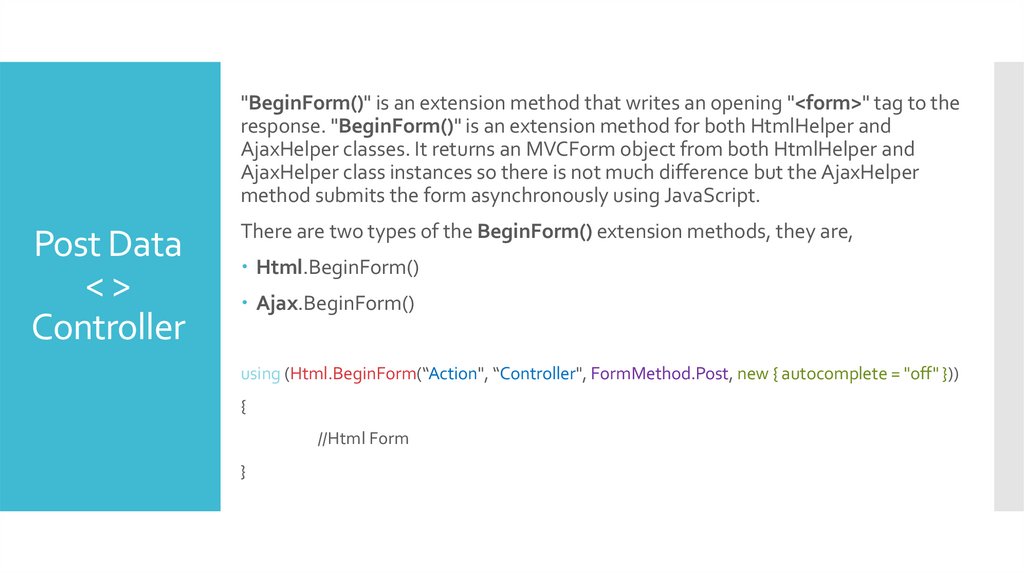
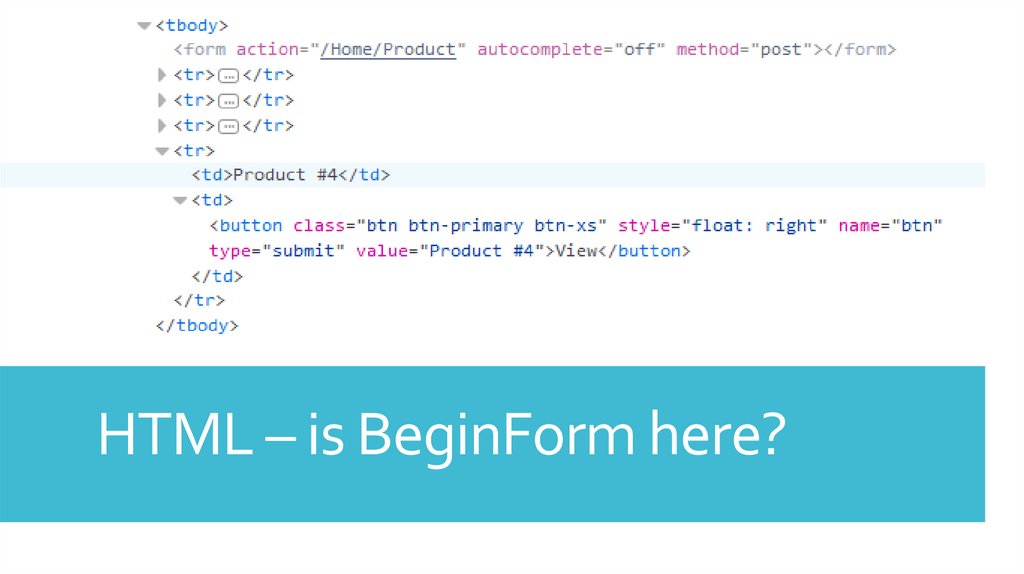
"BeginForm()" is an extension method that writes an opening "<form>" tag to theresponse. "BeginForm()" is an extension method for both HtmlHelper and
AjaxHelper classes. It returns an MVCForm object from both HtmlHelper and
AjaxHelper class instances so there is not much difference but the AjaxHelper
method submits the form asynchronously using JavaScript.
Post Data
<>
Controller
There are two types of the BeginForm() extension methods, they are,
Html.BeginForm()
Ajax.BeginForm()
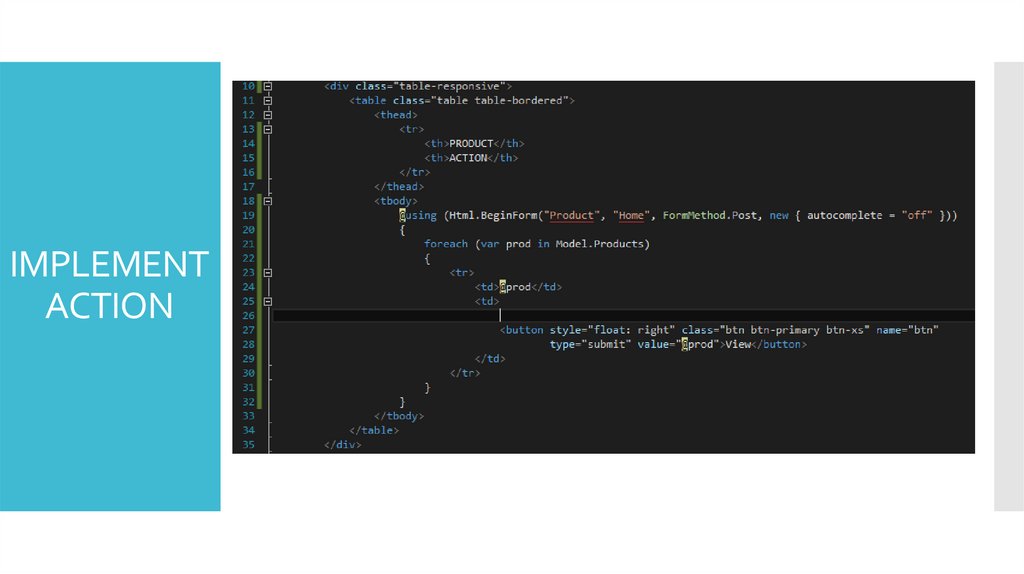
using (Html.BeginForm(“Action", “Controller", FormMethod.Post, new { autocomplete = "off" }))
{
//Html Form
}
50.
IMPLEMENTACTION
51.
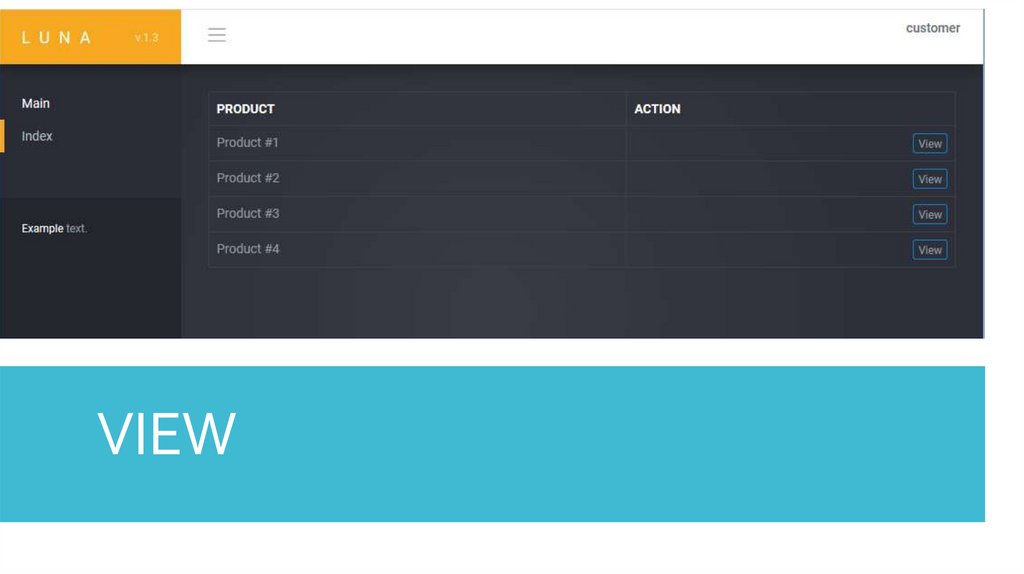
VIEW52.
HTML – is BeginForm here?53.
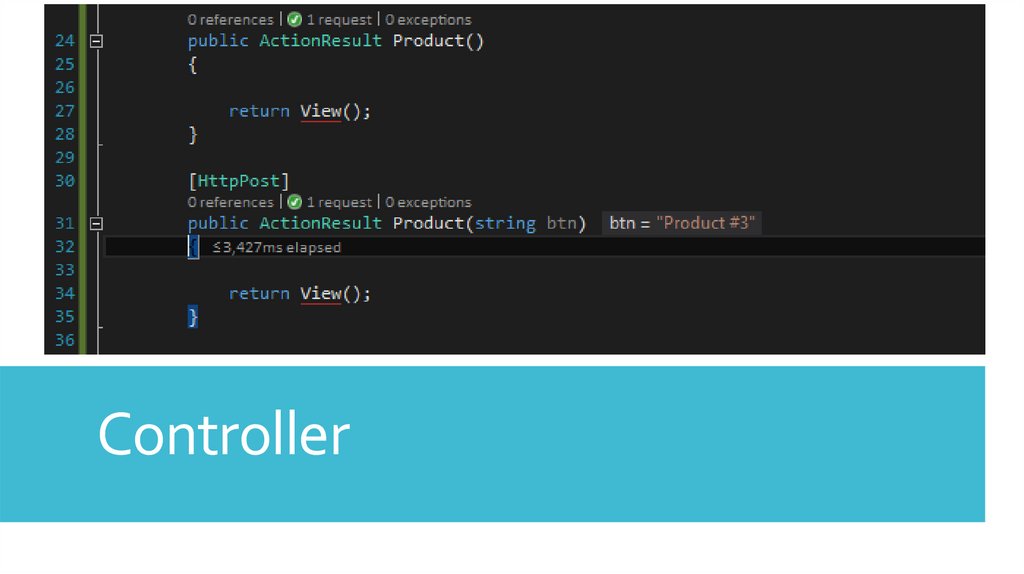
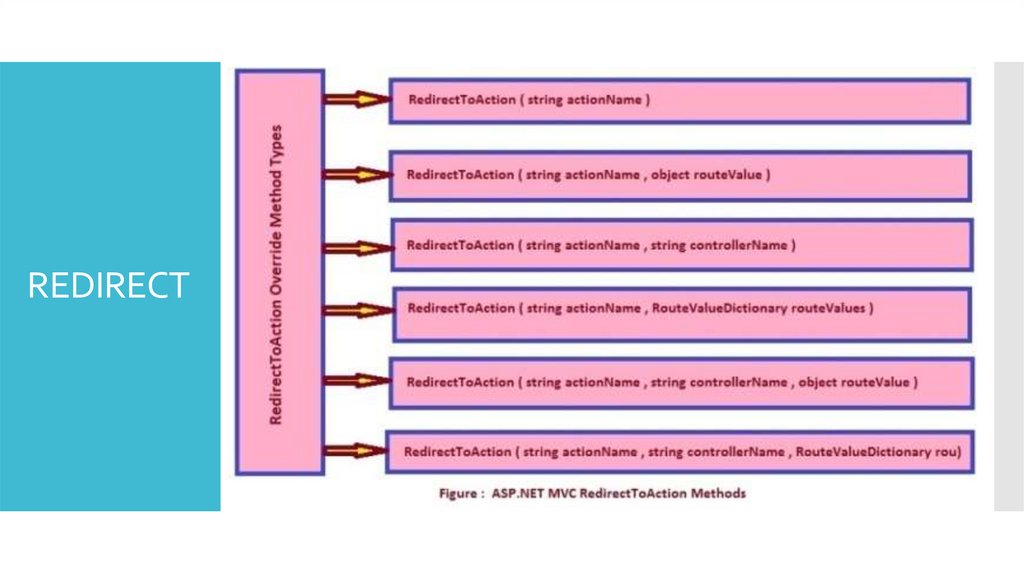
Controller54.
REDIRECT55.
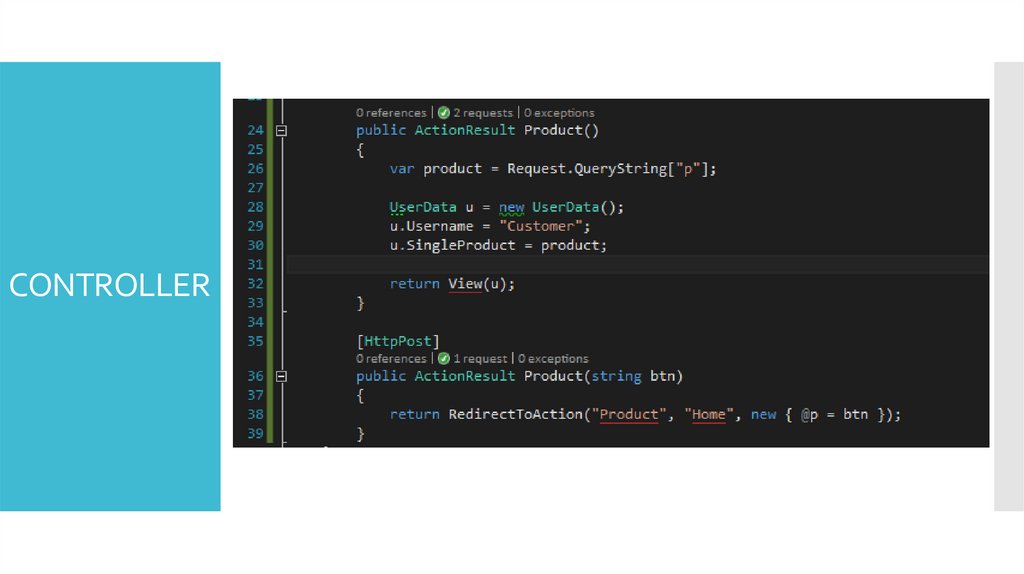
CONTROLLER56.
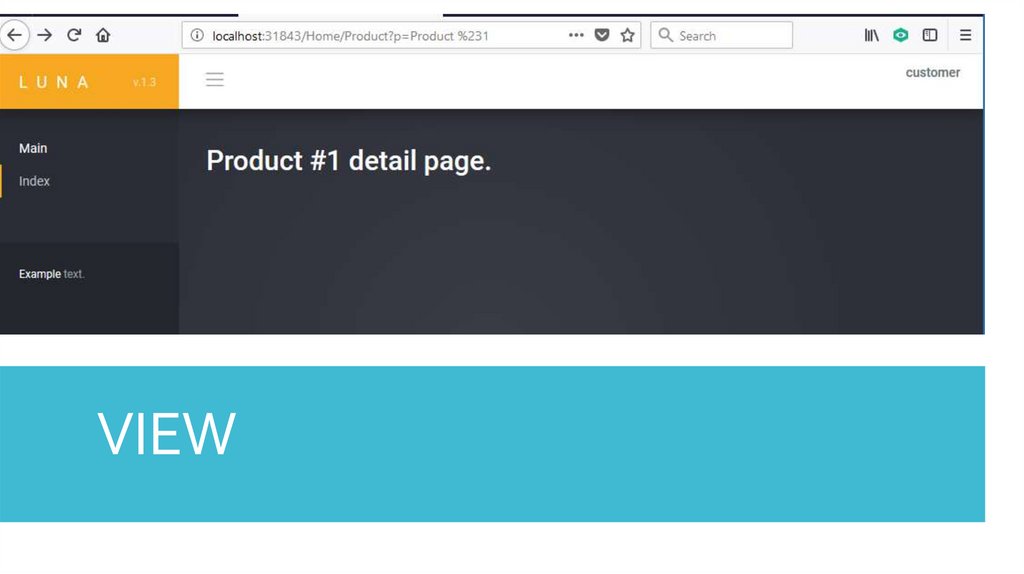
VIEW57.
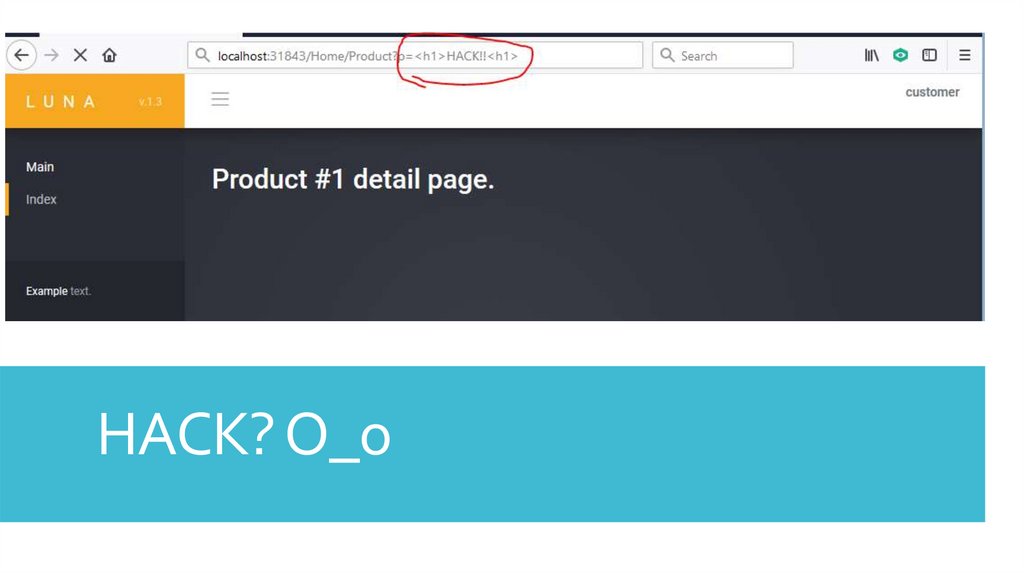
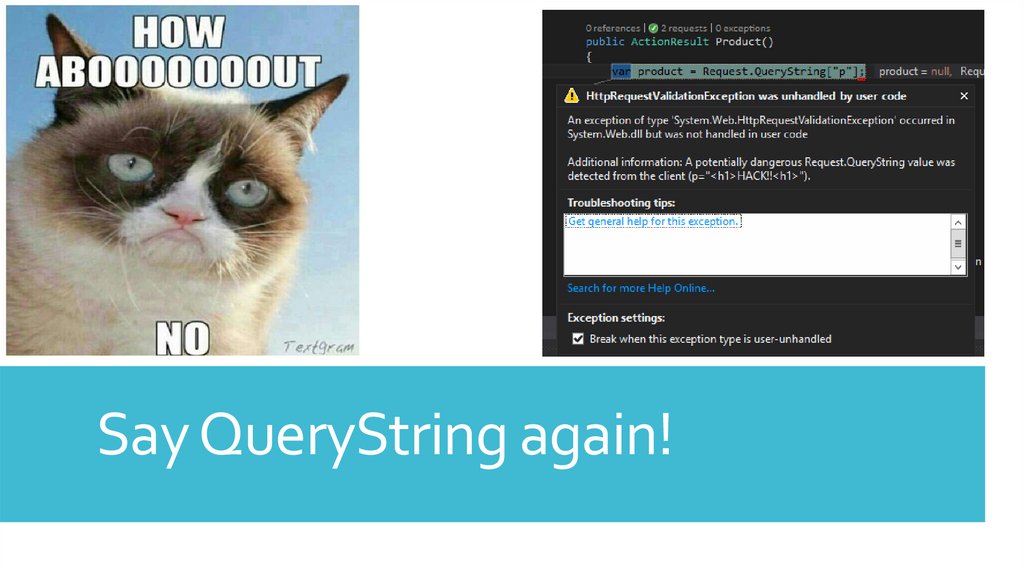
HACK? O_o58.
Say QueryString again!59.
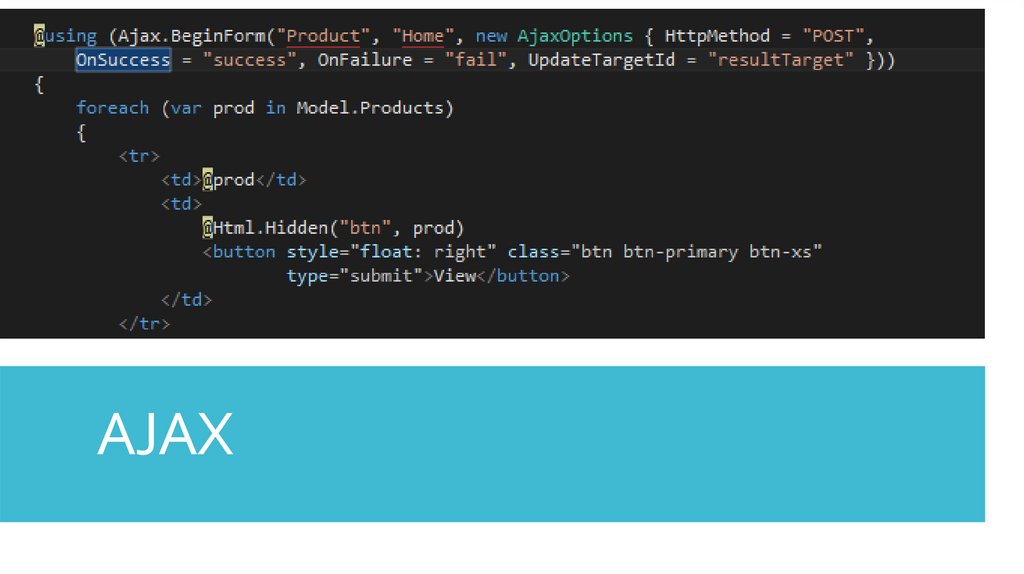
AJAX60.
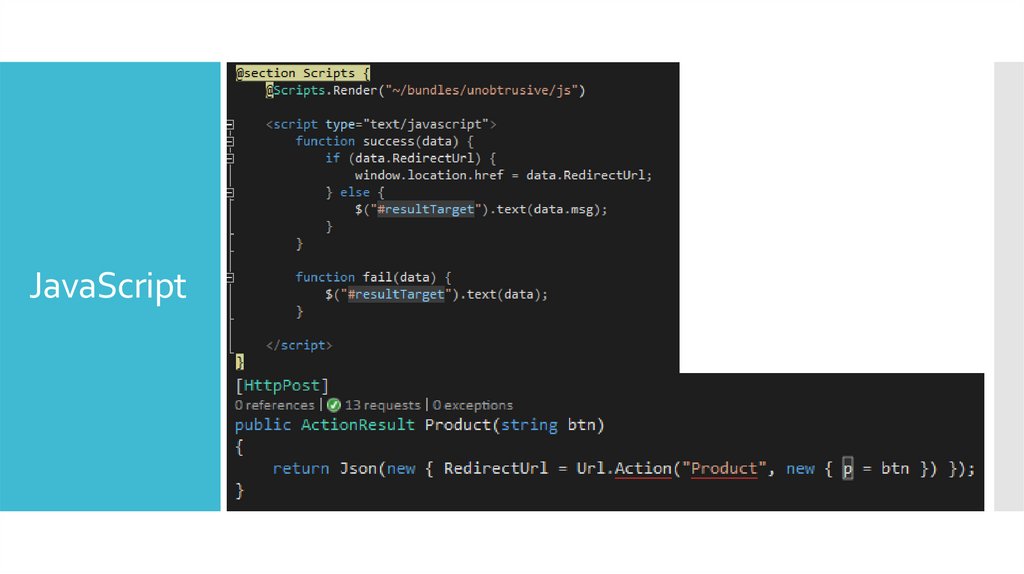
JavaScript61.
A Data Model &Business Layer
How to re-use components to make development more
intuitive?
62.
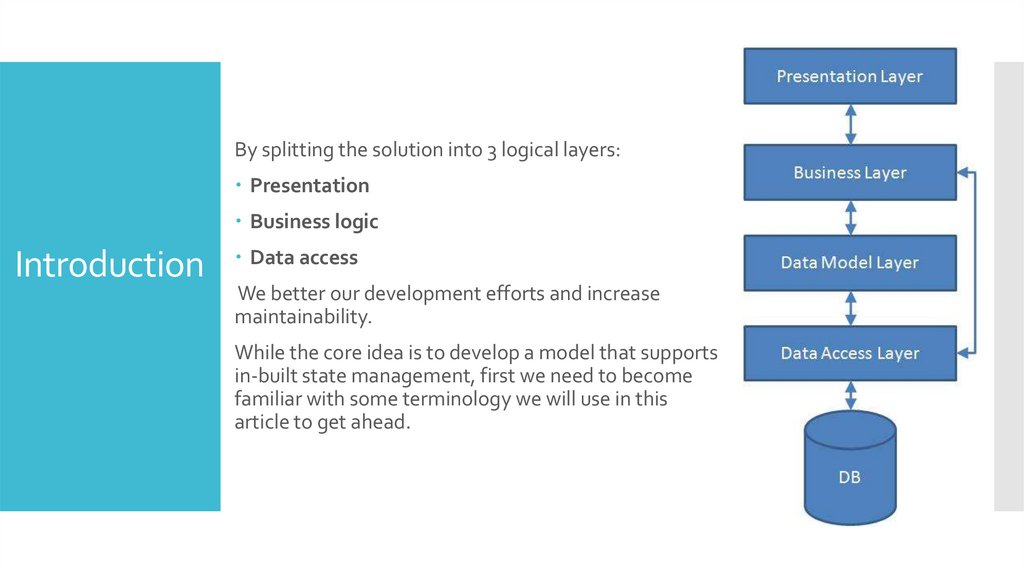
By splitting the solution into 3 logical layers:Presentation
Business logic
Introduction
Data access
We better our development efforts and increase
maintainability.
While the core idea is to develop a model that supports
in-built state management, first we need to become
familiar with some terminology we will use in this
article to get ahead.
63.
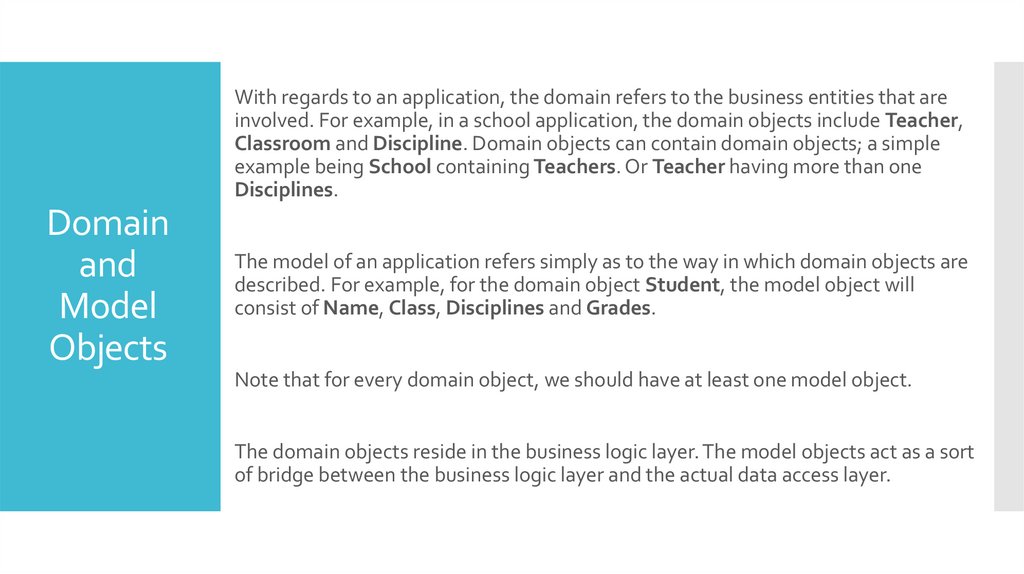
With regards to an application, the domain refers to the business entities that areinvolved. For example, in a school application, the domain objects include Teacher,
Classroom and Discipline. Domain objects can contain domain objects; a simple
example being School containing Teachers. Or Teacher having more than one
Disciplines.
Domain
and
Model
Objects
The model of an application refers simply as to the way in which domain objects are
described. For example, for the domain object Student, the model object will
consist of Name, Class, Disciplines and Grades.
Note that for every domain object, we should have at least one model object.
The domain objects reside in the business logic layer. The model objects act as a sort
of bridge between the business logic layer and the actual data access layer.
64.
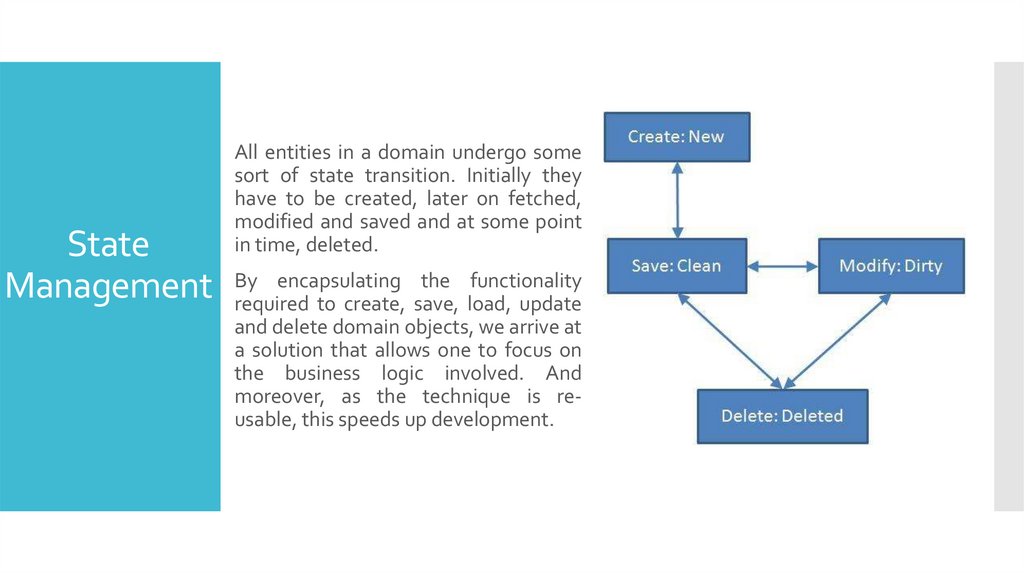
All entities in a domain undergo somesort of state transition. Initially they
have to be created, later on fetched,
modified and saved and at some point
in time, deleted.
State
encapsulating the functionality
Management By
required to create, save, load, update
and delete domain objects, we arrive at
a solution that allows one to focus on
the business logic involved. And
moreover, as the technique is reusable, this speeds up development.
65.
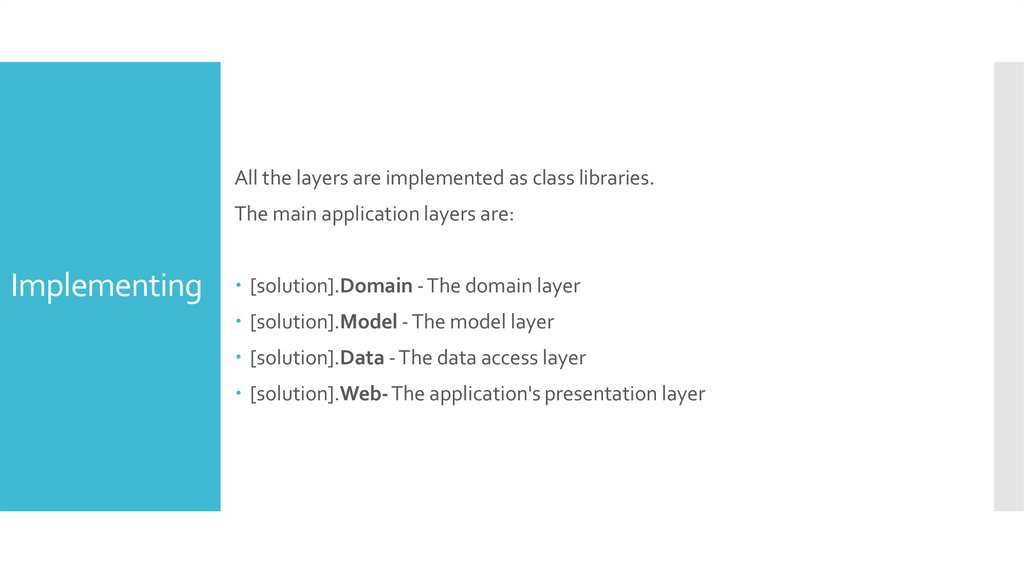
All the layers are implemented as class libraries.The main application layers are:
Implementing
[solution].Domain - The domain layer
[solution].Model - The model layer
[solution].Data - The data access layer
[solution].Web- The application's presentation layer
66.
STEP #1to
…
67.
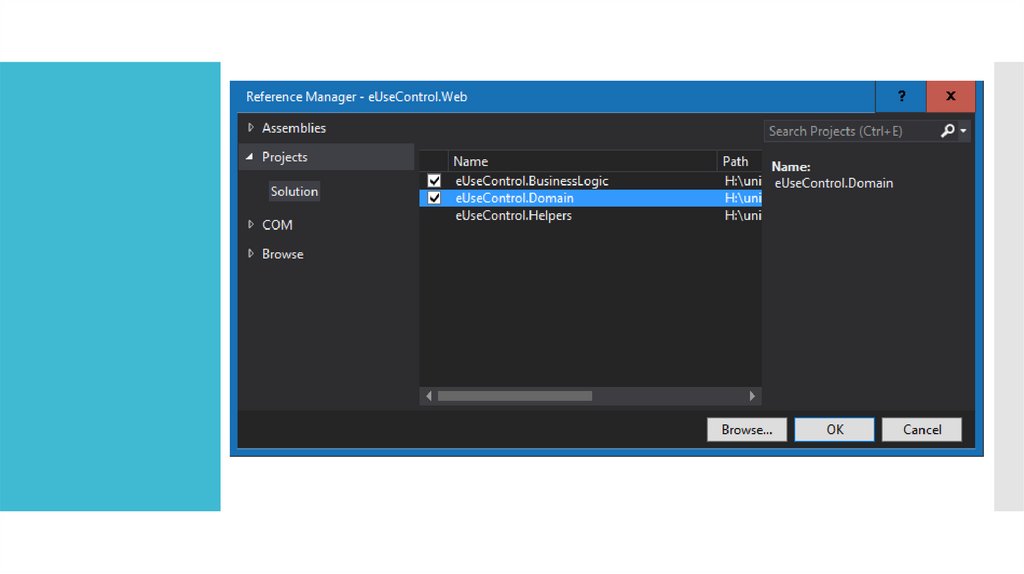
68.
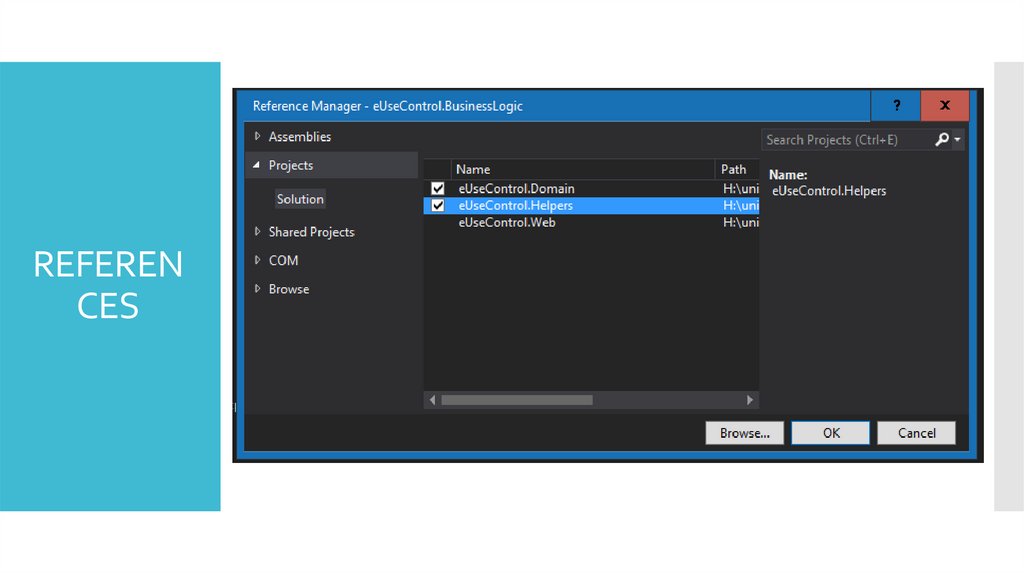
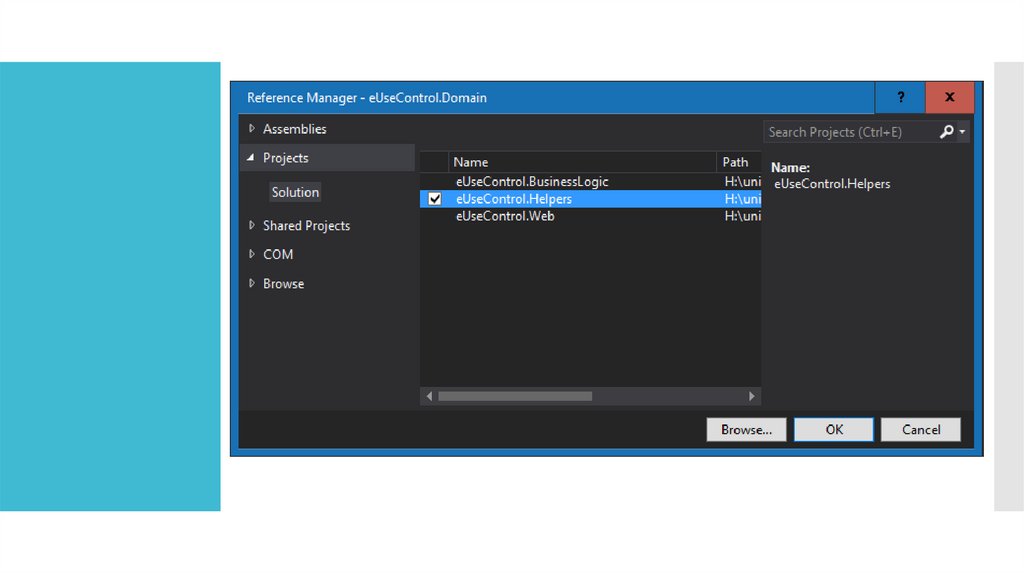
REFERENCES
69.
70.
71.
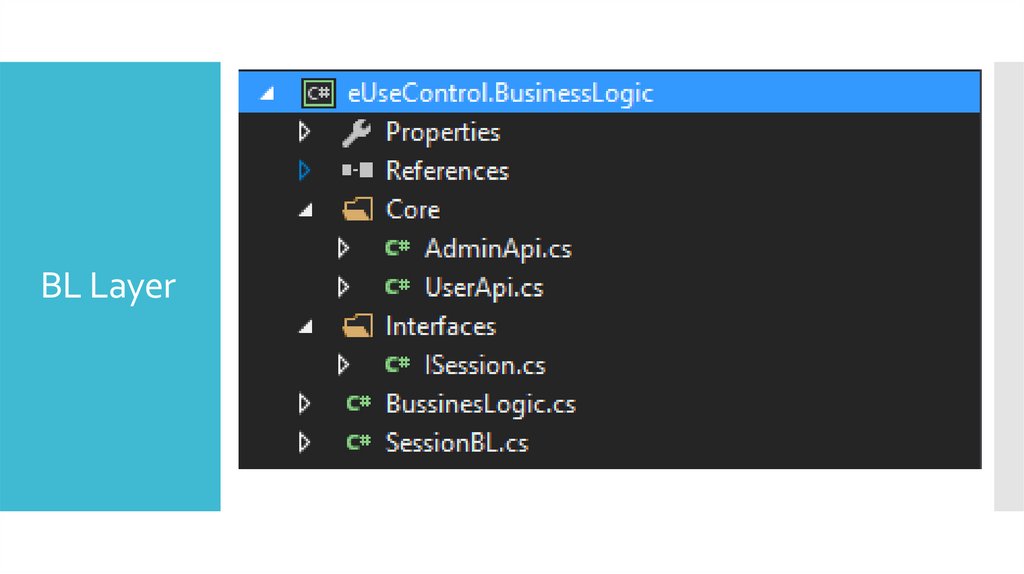
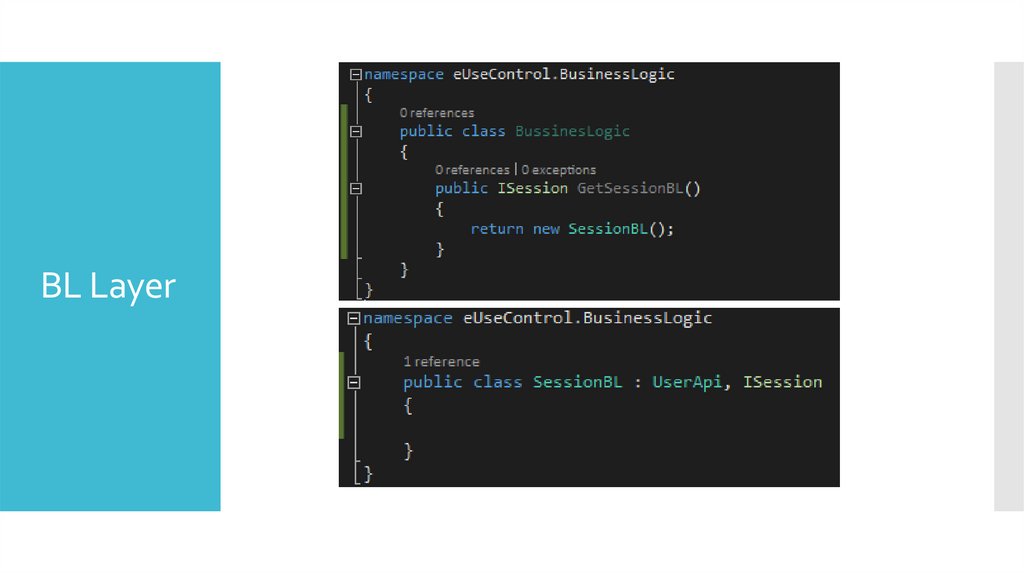
BL Layer72.
BL Layer73.
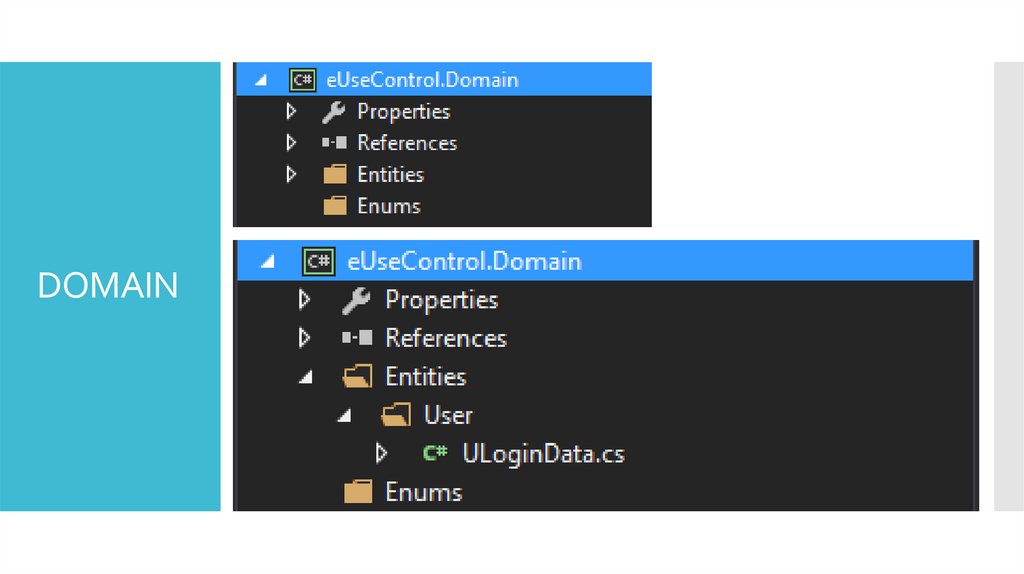
DOMAIN74.
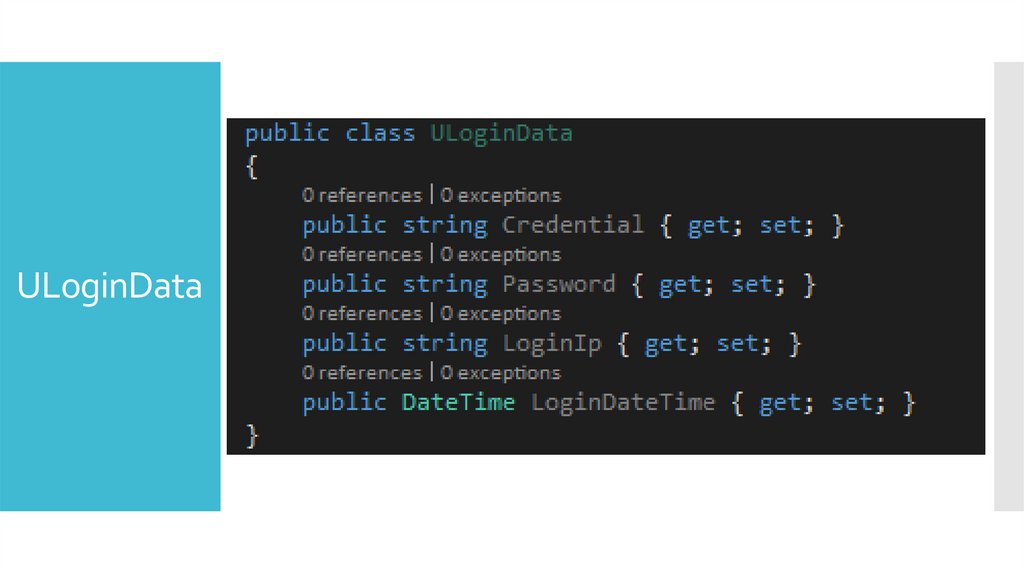
ULoginData75.
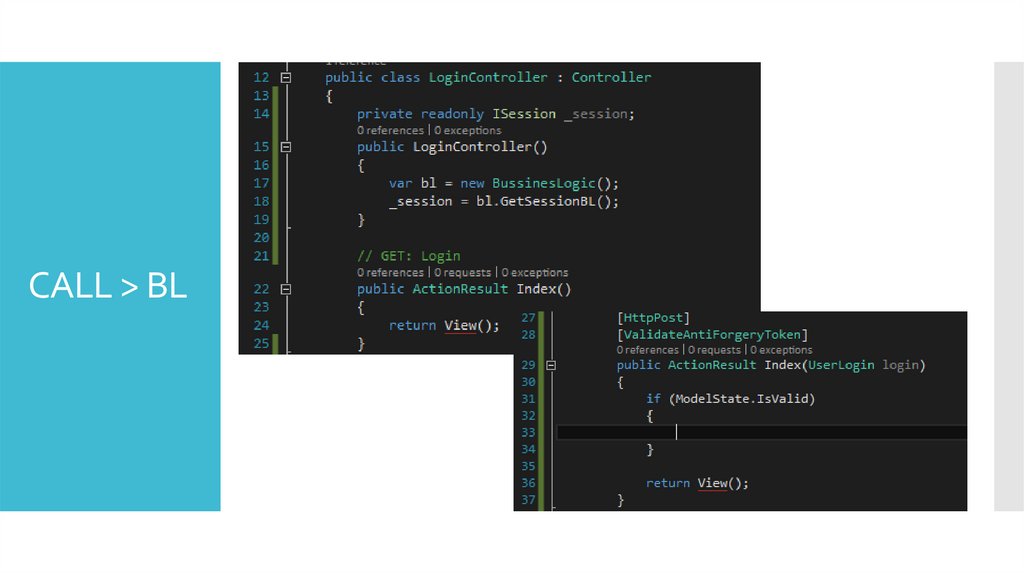
CALL > BL76.
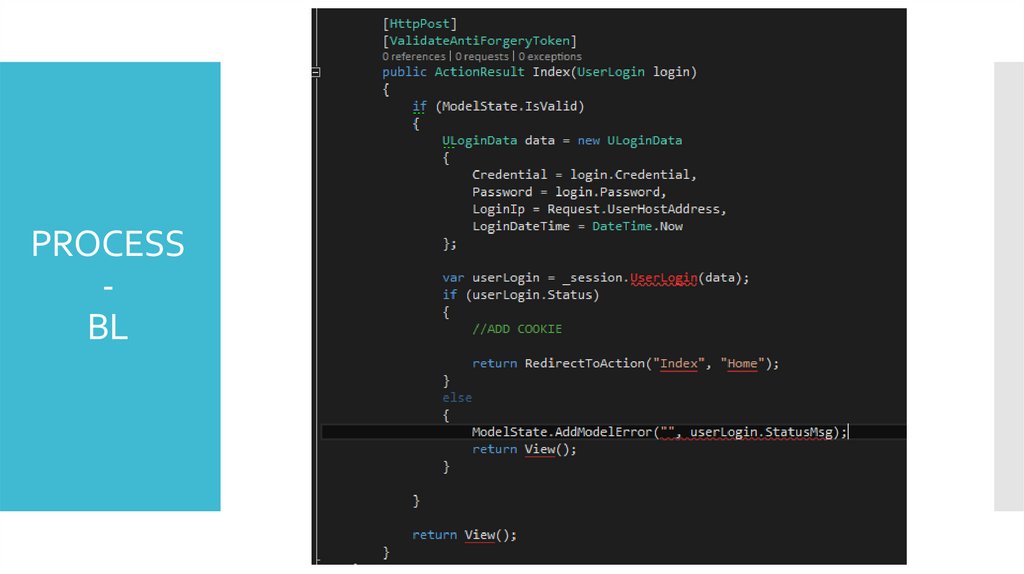
PROCESSBL
77.
Entity Frameworkan open-source ORM framework for .NET applications
78.
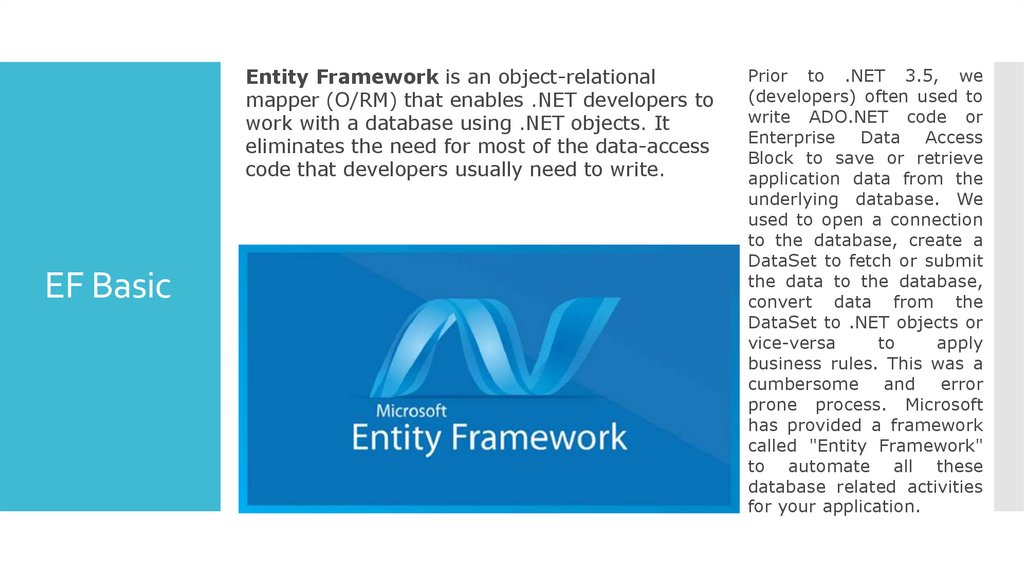
Entity Framework is an object-relationalmapper (O/RM) that enables .NET developers to
work with a database using .NET objects. It
eliminates the need for most of the data-access
code that developers usually need to write.
EF Basic
Prior to .NET 3.5, we
(developers) often used to
write ADO.NET code or
Enterprise Data Access
Block to save or retrieve
application data from the
underlying database. We
used to open a connection
to the database, create a
DataSet to fetch or submit
the data to the database,
convert data from the
DataSet to .NET objects or
vice-versa
to
apply
business rules. This was a
cumbersome and error
prone process. Microsoft
has provided a framework
called "Entity Framework"
to automate all these
database related activities
for your application.
79.
Cross-platform: EF Core is a cross-platform framework which can run onWindows, Linux and Mac.
EF
Feature
Modelling: EF (Entity Framework) creates an EDM (Entity Data Model)
based on POCO (Plain Old CLR Object) entities with get/set properties of
different data types. It uses this model when querying or saving entity
data to the underlying database.
Saving: EF executes INSERT, UPDATE, and DELETE commands to the
database based on the changes occurred to your entities when you call the
SaveChanges() method. EF also provides the asynchronous
SaveChangesAsync() method.
Built-in Conventions: EF follows conventions over the configuration
programming pattern, and includes a set of default rules which
automatically configure the EF model.
80.
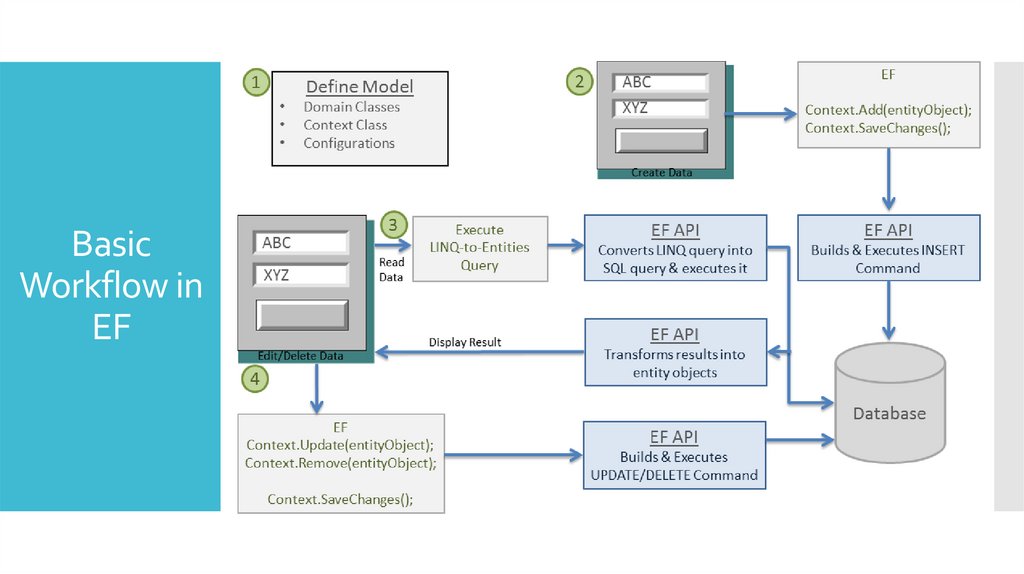
BasicWorkflow in
EF
81.
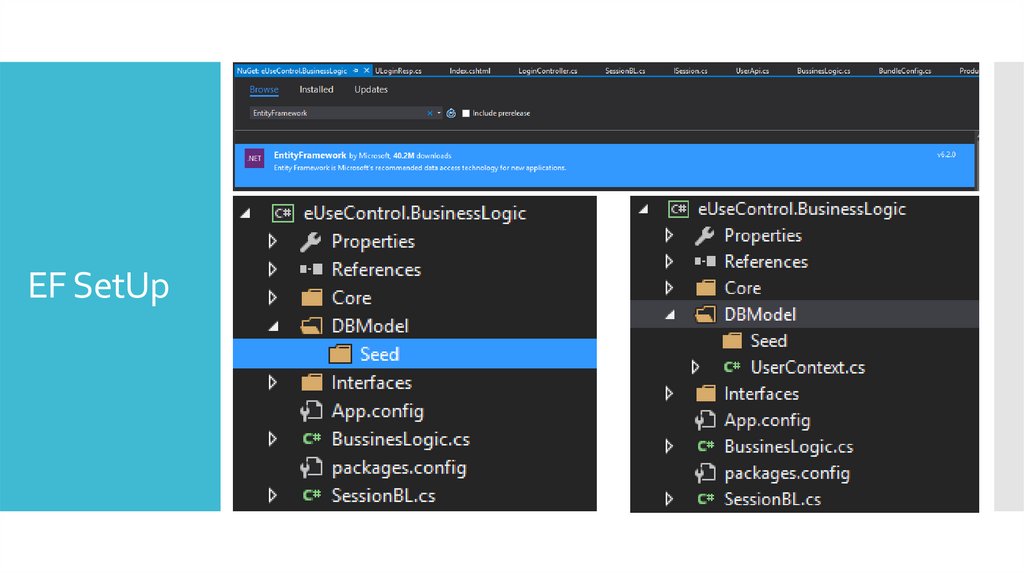
EF SetUp82.
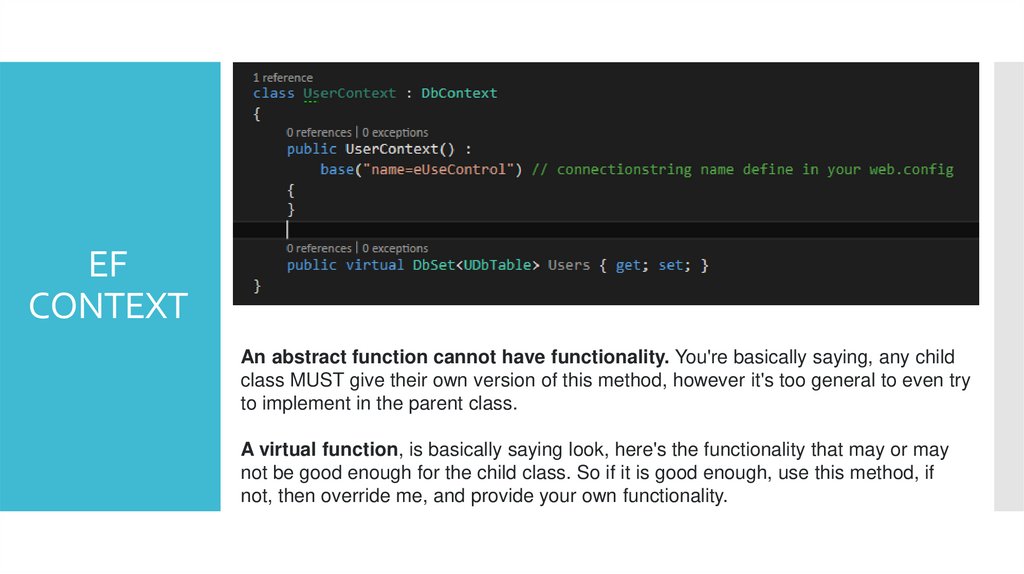
EFCONTEXT
83.
EFMODEL
[Key]
Entity Framework relies on every entity having a key value that it uses for tracking
entities. One of the conventions that code first depends on is how it implies which
property is the key in each of the code first classes. That convention is to look for a
property named “Id” or one that combines the class name and “Id”, such as “UserId”.
The property will map to a primary key column in the database.
84.
EFMODEL
[Required]
The Required annotation tells EF that a particular property is required.
Adding Required to the Title property will force EF (and MVC) to ensure that the
property has data in it.
85.
EFMODEL
MaxLength and MinLength or ObjectLeght
The MaxLength and MinLength attributes allow you to specify additional property
validations, just as you did with Required.
Here is the BloggerName with length requirements. The example also demonstrates
how to combine attributes.
86.
EFCONTEXT
An abstract function cannot have functionality. You're basically saying, any child
class MUST give their own version of this method, however it's too general to even try
to implement in the parent class.
A virtual function, is basically saying look, here's the functionality that may or may
not be good enough for the child class. So if it is good enough, use this method, if
not, then override me, and provide your own functionality.
87.
WEB.CONFIG
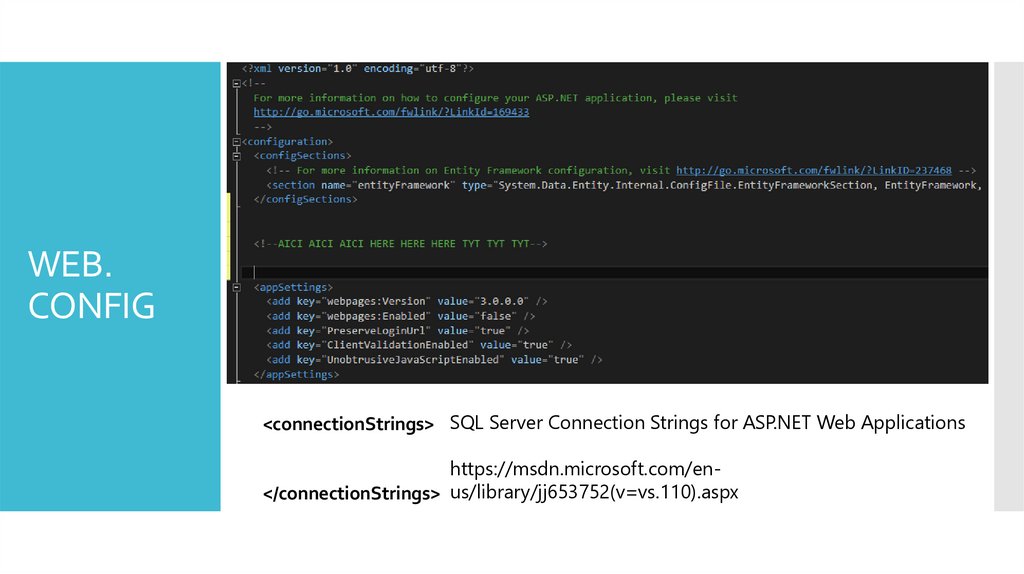
<connectionStrings> SQL Server Connection Strings for ASP.NET Web Applications
https://msdn.microsoft.com/en</connectionStrings> us/library/jj653752(v=vs.110).aspx
88.
WEB.CONFIG
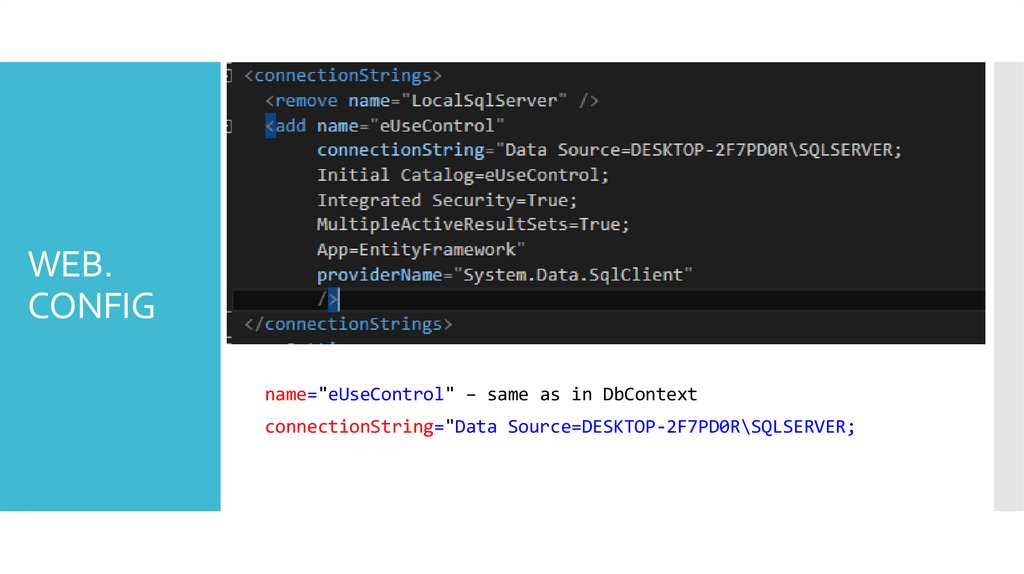
name="eUseControl" – same as in DbContext
connectionString="Data Source=DESKTOP-2F7PD0R\SQLSERVER;
89.
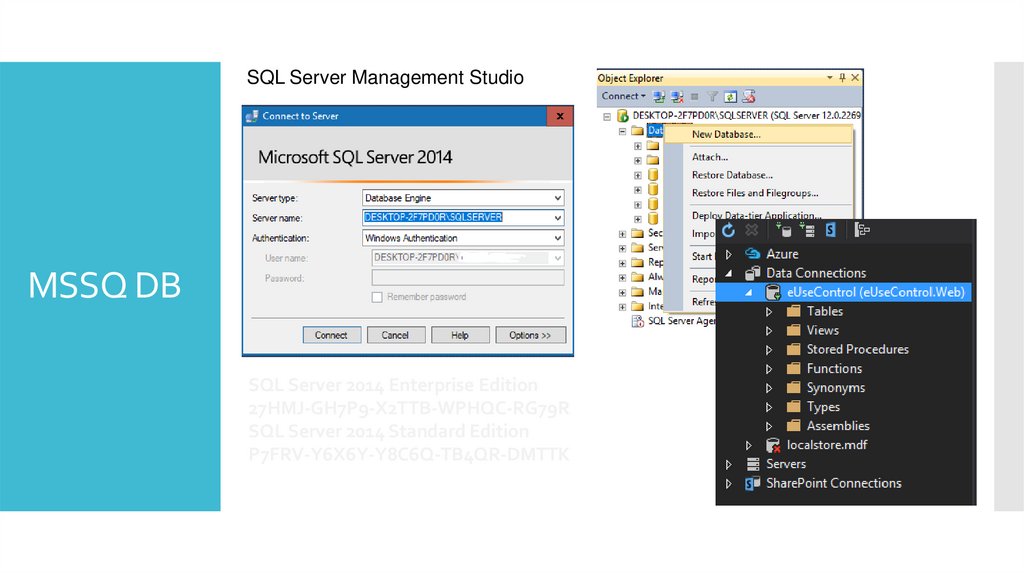
MSSQ DB90.
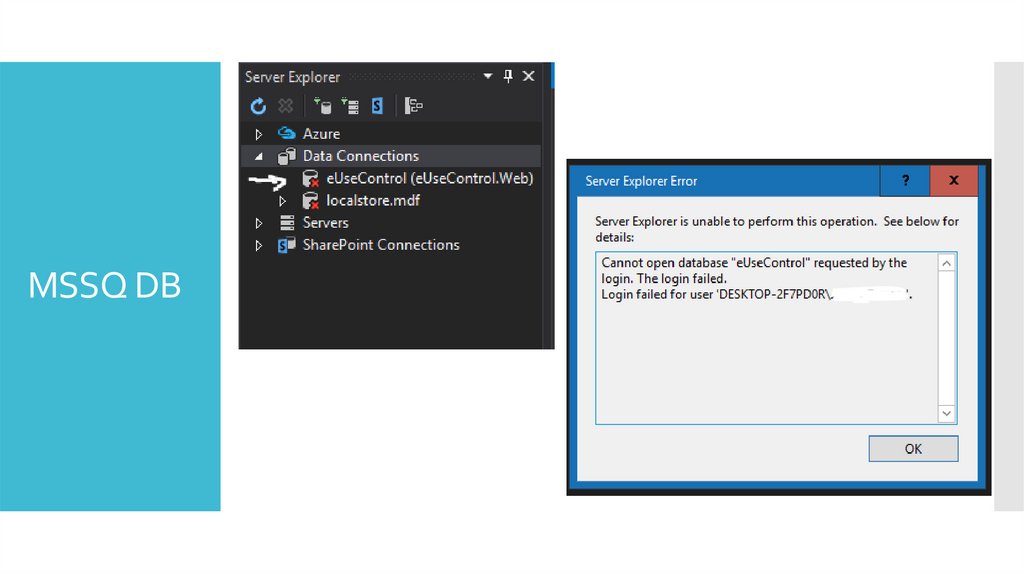
SQL Server Management StudioMSSQ DB
SQL Server 2014 Enterprise Edition
27HMJ-GH7P9-X2TTB-WPHQC-RG79R
SQL Server 2014 Standard Edition
P7FRV-Y6X6Y-Y8C6Q-TB4QR-DMTTK
91.
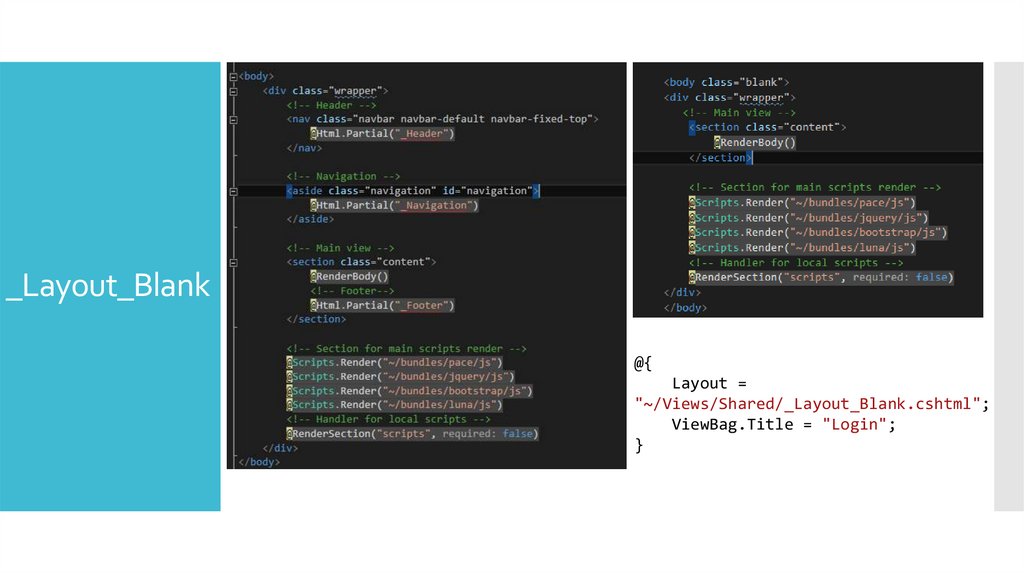
_Layout_Blank@{
Layout =
"~/Views/Shared/_Layout_Blank.cshtml";
ViewBag.Title = "Login";
}
92.
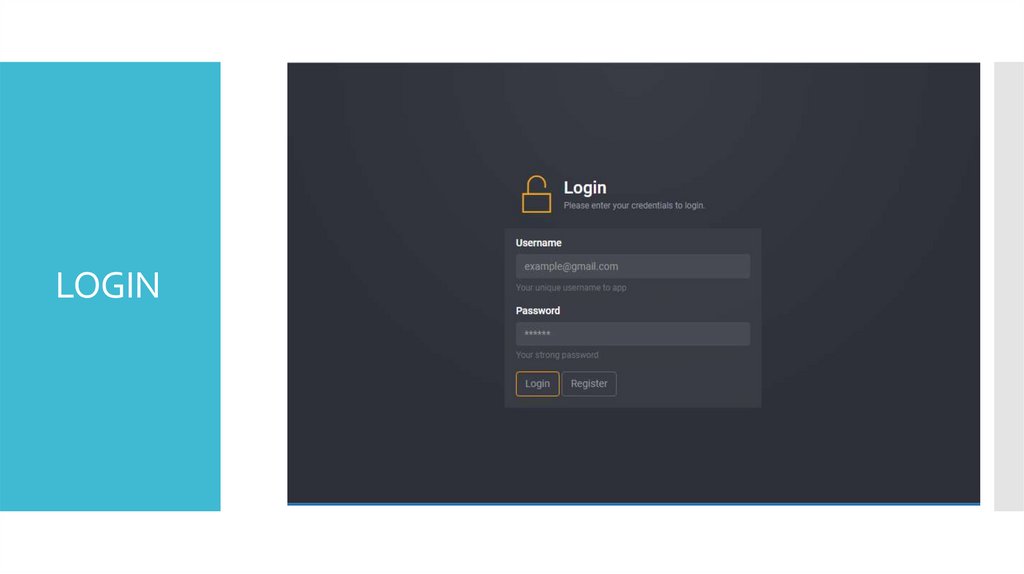
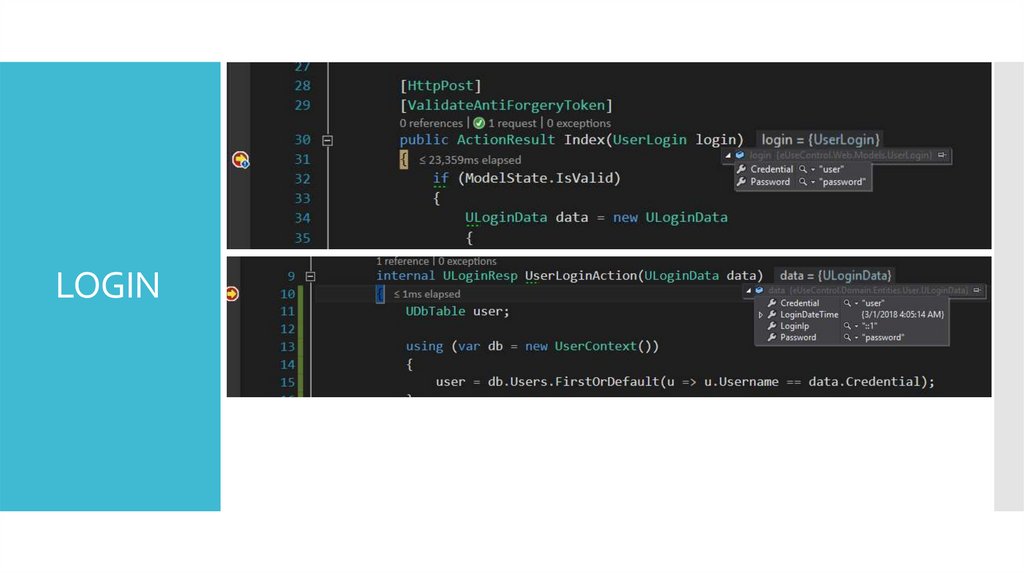
LOGIN93.
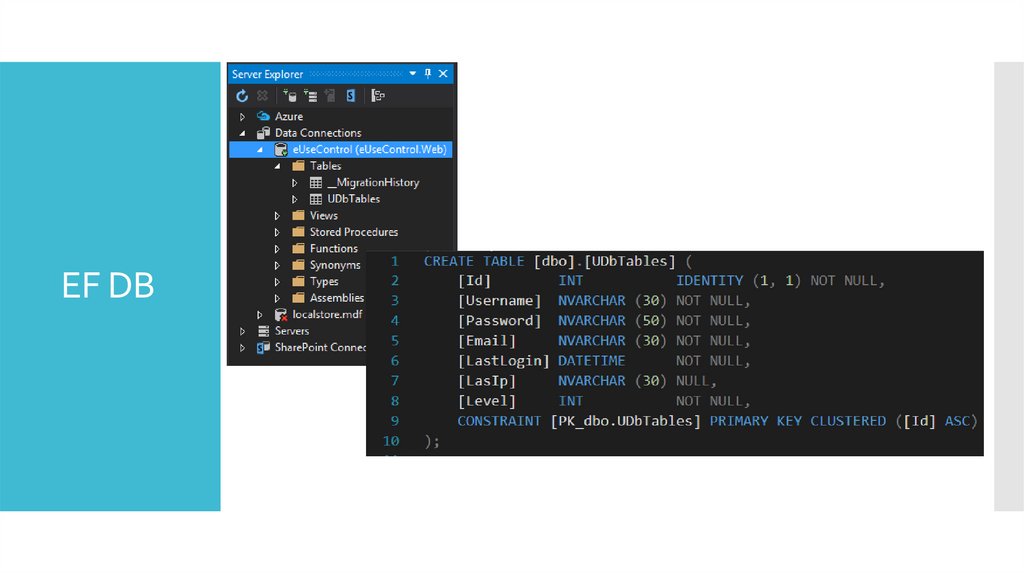
94.
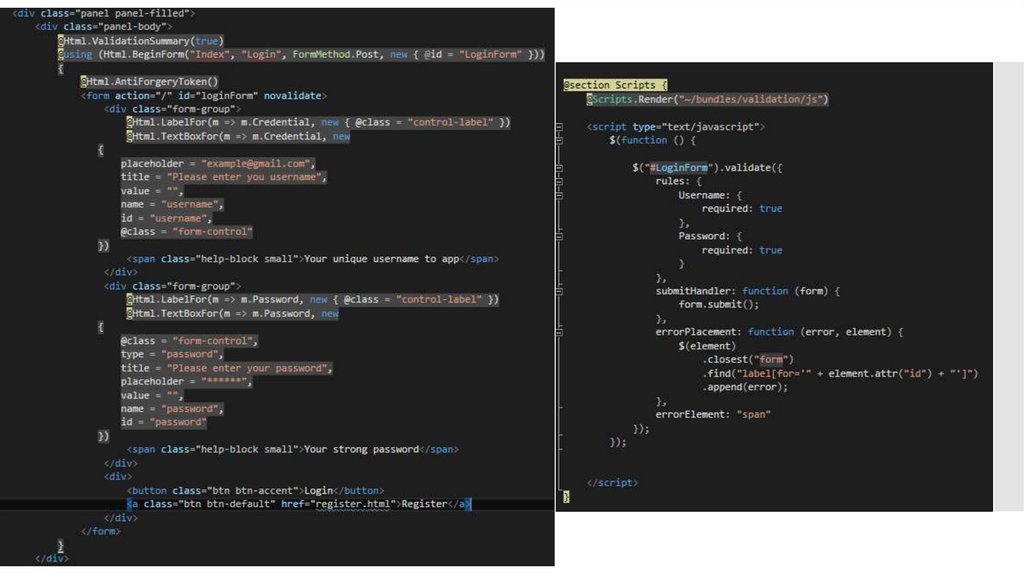
LOGIN95.
EF DB96.
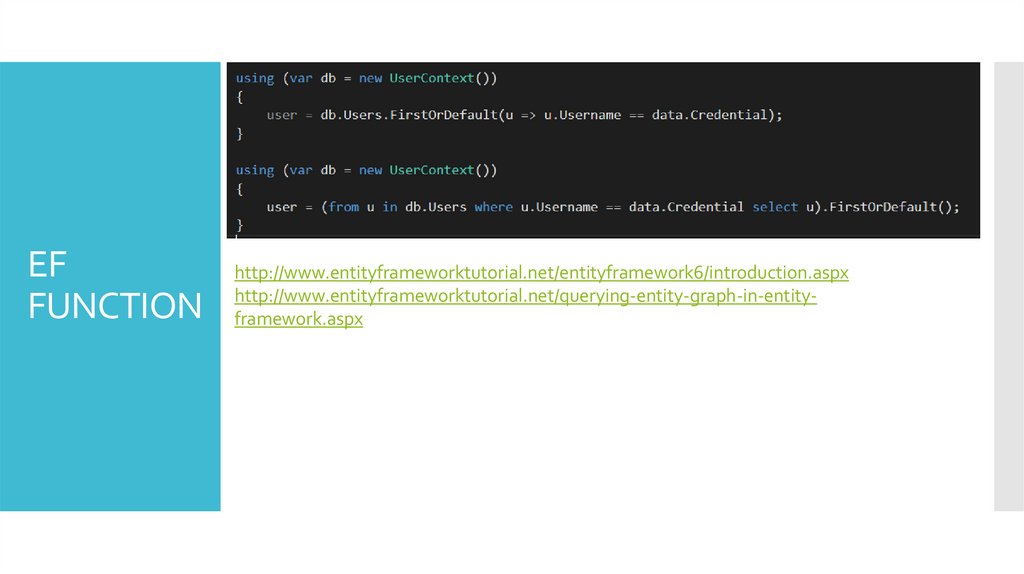
EFFUNCTION
http://www.entityframeworktutorial.net/entityframework6/introduction.aspx
http://www.entityframeworktutorial.net/querying-entity-graph-in-entityframework.aspx
97.
Object Auto MappingAutoMapper
98.
What isAutoMapper?
AutoMapper is an object-object mapper. Object-object mapping works by
transforming an input object of one type into an output object of a different
type. What makes AutoMapper interesting is that it provides some
interesting conventions to take the dirty work out of figuring out how to
map type A to type B. As long as type B follows AutoMapper's established
convention, almost zero configuration is needed to map two types.
99.
Why useAutoMapper?
Mapping code is boring. Testing mapping code is even more boring.
AutoMapper provides simple configuration of types, as well as simple
testing of mappings. The real question may be "why use object-object
mapping?" Mapping can occur in many places in an application, but mostly
in the boundaries between layers, such as between the UI/Domain layers, or
Service/Domain layers. Concerns of one layer often conflict with concerns in
another, so object-object mapping leads to segregated models, where
concerns for each layer can affect only types in that layer.
100.
USER INPUTHow to
Map Obj?
APP LOGIC
101.
M1Login
Controller
M2
102.
Now let’s start with the default mapping. To do this you just map the classeswithout adding any parameters. AutoMapper will automatically map properties
with the same name. So in this example that would be the Credential and
Password fields. This leaves the LoginIp, LoginDateTime field in ULoginData not
mapped as there is not an equivalent property in the UserLogin class.
103.
The syntax for a mapping is Mapper.CreateMap<T1, T2>() using the proper types.In this example T1 will be the UserLogin class and T2 will be the ULoginData class.
Below is a snippet with only using the default mapping.
AutoMapper Repo - https://github.com/AutoMapper/AutoMapper
AutoMapper Doc - http://docs.automapper.org/en/stable/index.html
104.
Auth & User Session105.
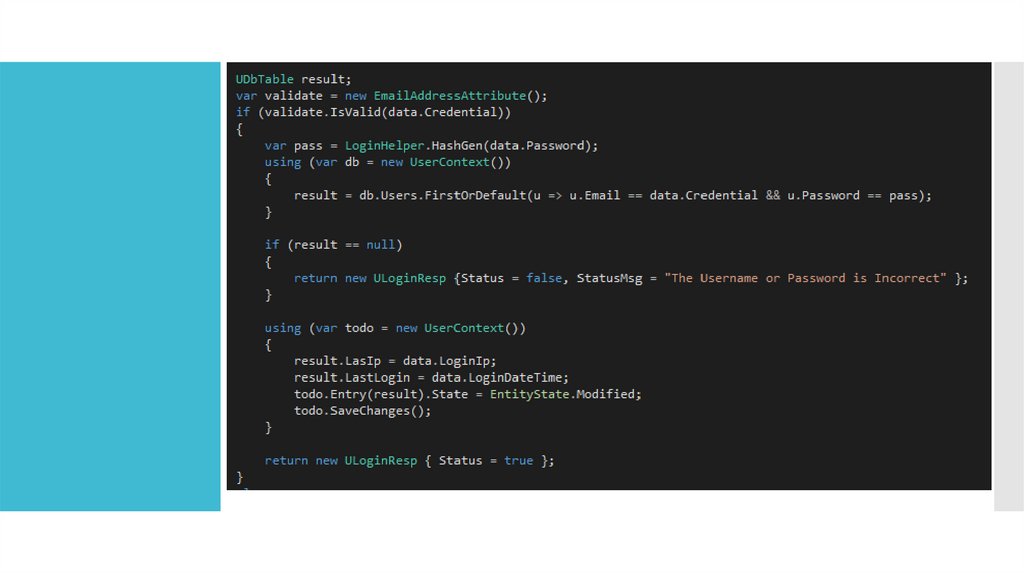
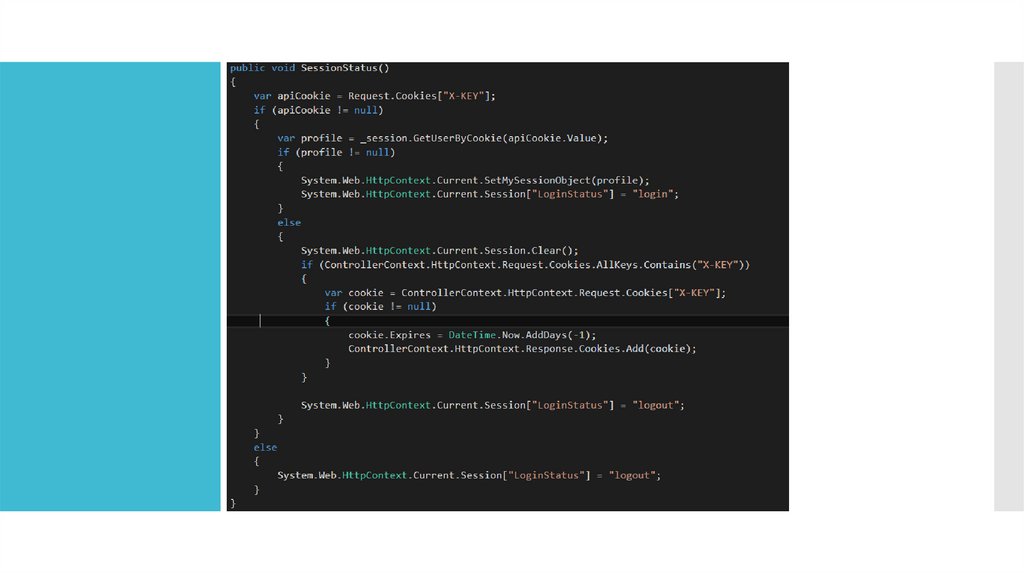
LOGINASP.NET includes two intrinsic cookie collections. The collection accessed through the
Cookies collection of the HttpRequest object contains cookies transmitted by the client to
the server in the Cookie header. The collection accessed through the Cookies collection of
the HttpResponse object contains new cookies created on the server and transmitted to the
client in the Set-Cookie HTTP response header.
106.
107.
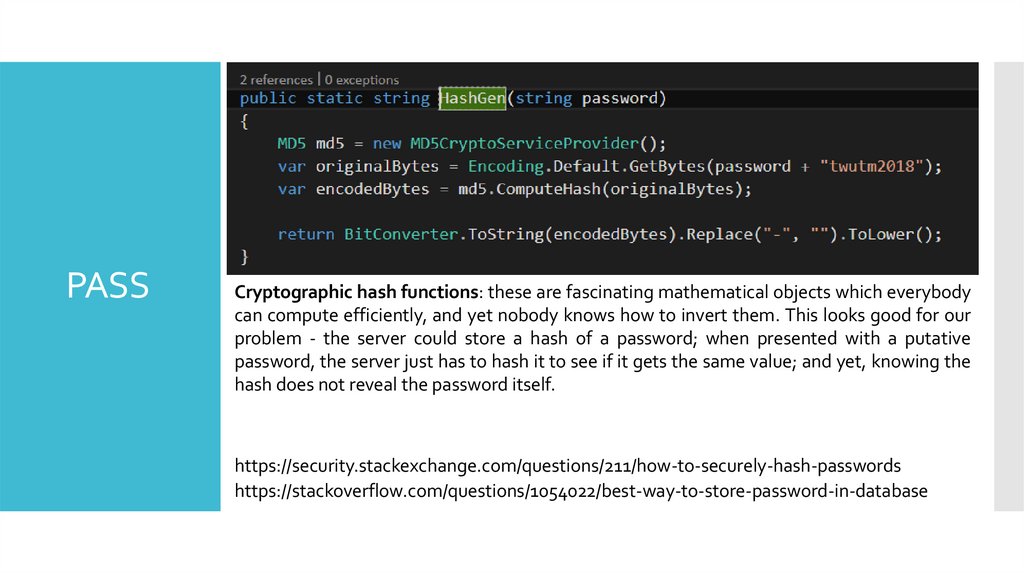
PASSCryptographic hash functions: these are fascinating mathematical objects which everybody
can compute efficiently, and yet nobody knows how to invert them. This looks good for our
problem - the server could store a hash of a password; when presented with a putative
password, the server just has to hash it to see if it gets the same value; and yet, knowing the
hash does not reveal the password itself.
https://security.stackexchange.com/questions/211/how-to-securely-hash-passwords
https://stackoverflow.com/questions/1054022/best-way-to-store-password-in-database
108.
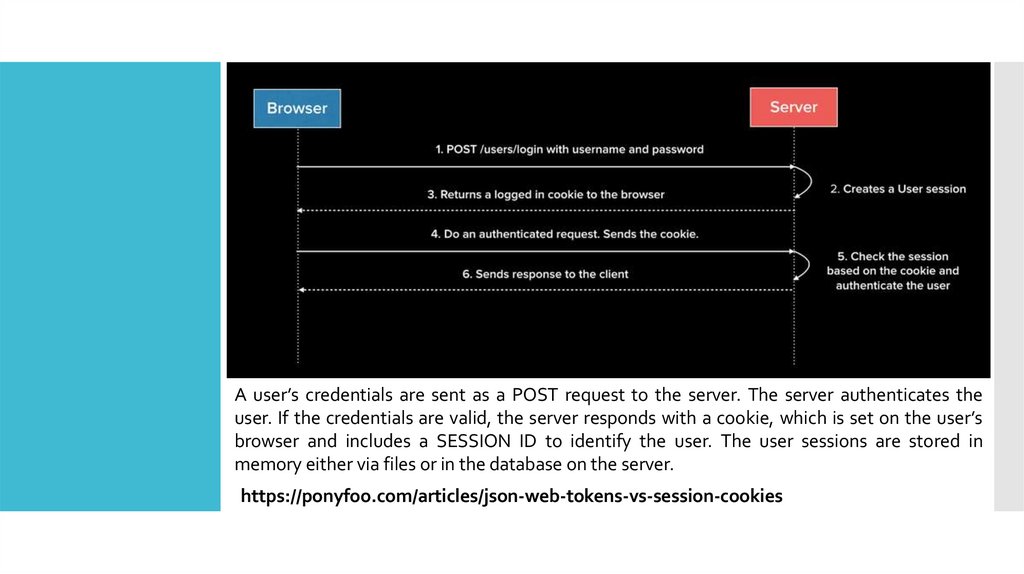
A user’s credentials are sent as a POST request to the server. The server authenticates theuser. If the credentials are valid, the server responds with a cookie, which is set on the user’s
browser and includes a SESSION ID to identify the user. The user sessions are stored in
memory either via files or in the database on the server.
https://ponyfoo.com/articles/json-web-tokens-vs-session-cookies
109.
STORECOOKIE
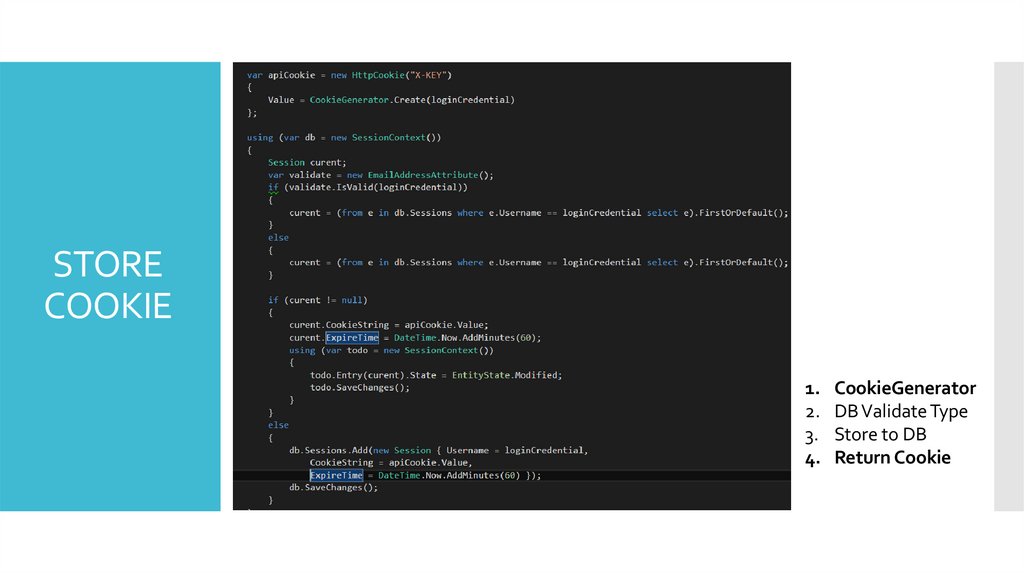
1. CookieGenerator
2. DB Validate Type
3. Store to DB
4. Return Cookie
110.
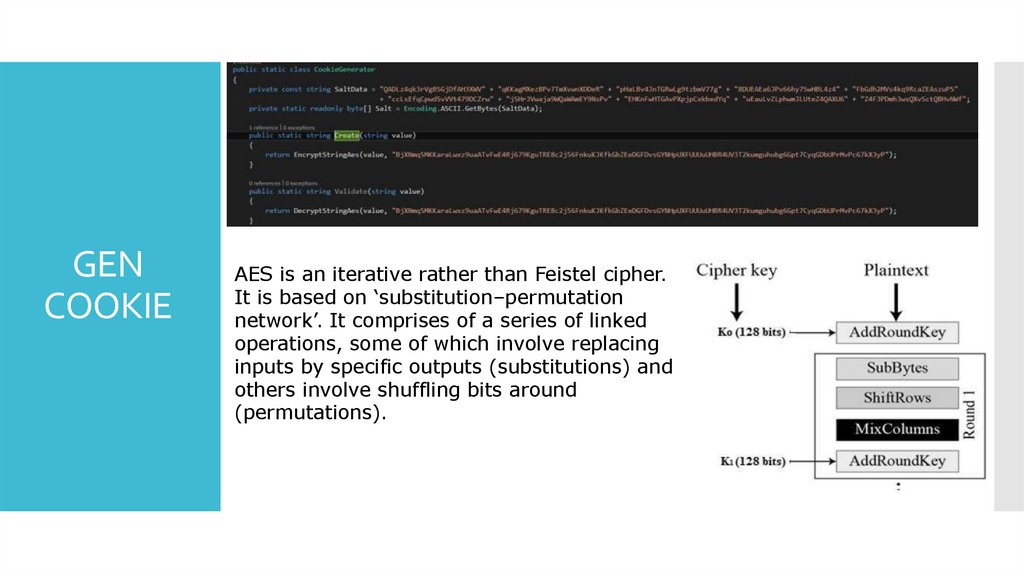
GENCOOKIE
AES is an iterative rather than Feistel cipher.
It is based on ‘substitution–permutation
network’. It comprises of a series of linked
operations, some of which involve replacing
inputs by specific outputs (substitutions) and
others involve shuffling bits around
(permutations).
111.
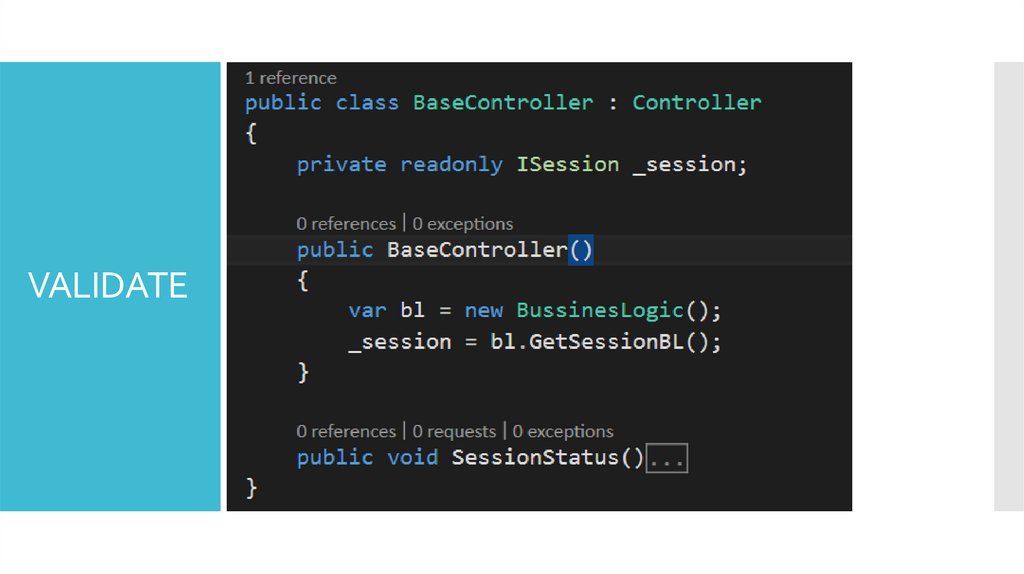
VALIDATE112.
113.
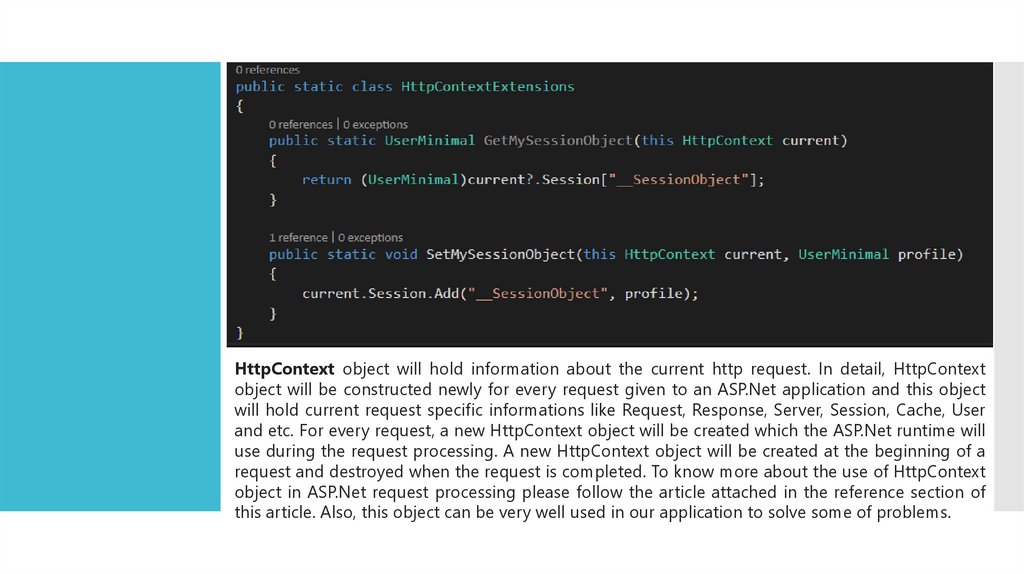
HttpContext object will hold information about the current http request. In detail, HttpContextobject will be constructed newly for every request given to an ASP.Net application and this object
will hold current request specific informations like Request, Response, Server, Session, Cache, User
and etc. For every request, a new HttpContext object will be created which the ASP.Net runtime will
use during the request processing. A new HttpContext object will be created at the beginning of a
request and destroyed when the request is completed. To know more about the use of HttpContext
object in ASP.Net request processing please follow the article attached in the reference section of
this article. Also, this object can be very well used in our application to solve some of problems.
114.
https://metanit.com/sharp/mvc5/3.7.php115.
ASP - Action FiltersA one-to-one relationship with UI controls
116.
ASP.NET MVC framework supports the following action filters:Action Filters − Action filters are used to implement logic that gets
executed before and after a controller action executes. We will look at
Action Filters in detail in this chapter.
Authorization Filters − Authorization filters are used to implement
authentication and authorization for controller actions.
<T> Filters
Result Filters − Result filters contain logic that is executed before and
after a view result is executed. For example, you might want to modify a
view result right before the view is rendered to the browser.
Exception Filters − Exception filters are the last type of filter to run. You
can use an exception filter to handle errors raised by either your controller
actions or controller action results. You also can use exception filters to log
errors.
117.
OnActionOnActionExecuting – This method is called before a controller action is executed.
OnActionExecuted – This method is called after a controller action is executed.
118.
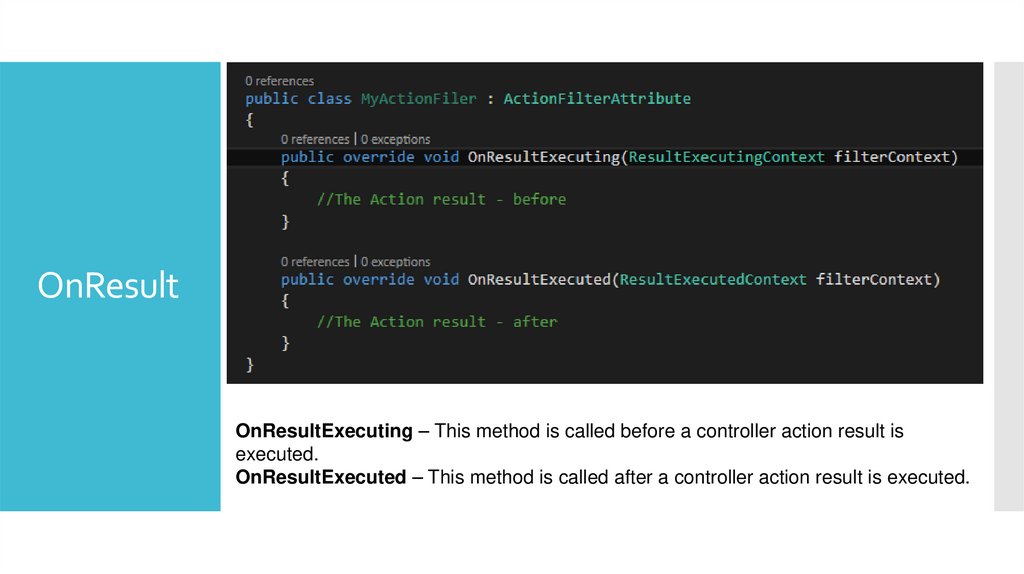
OnResultOnResultExecuting – This method is called before a controller action result is
executed.
OnResultExecuted – This method is called after a controller action result is executed.
119.
REQUESTto
RESPONSE
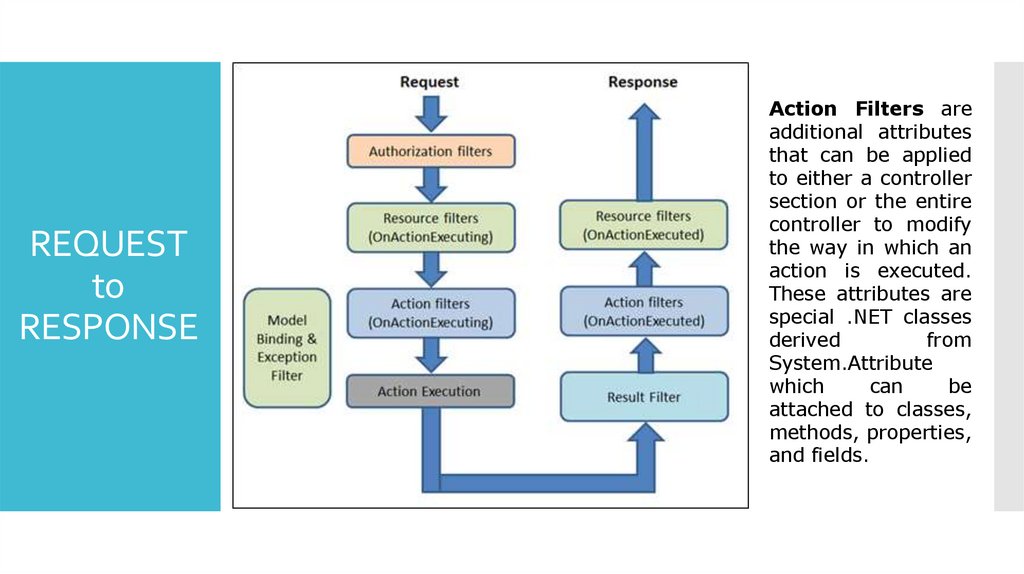
Action Filters are
additional attributes
that can be applied
to either a controller
section or the entire
controller to modify
the way in which an
action is executed.
These attributes are
special .NET classes
derived
from
System.Attribute
which
can
be
attached to classes,
methods, properties,
and fields.
120.
AdminMod121.
AdminAccess
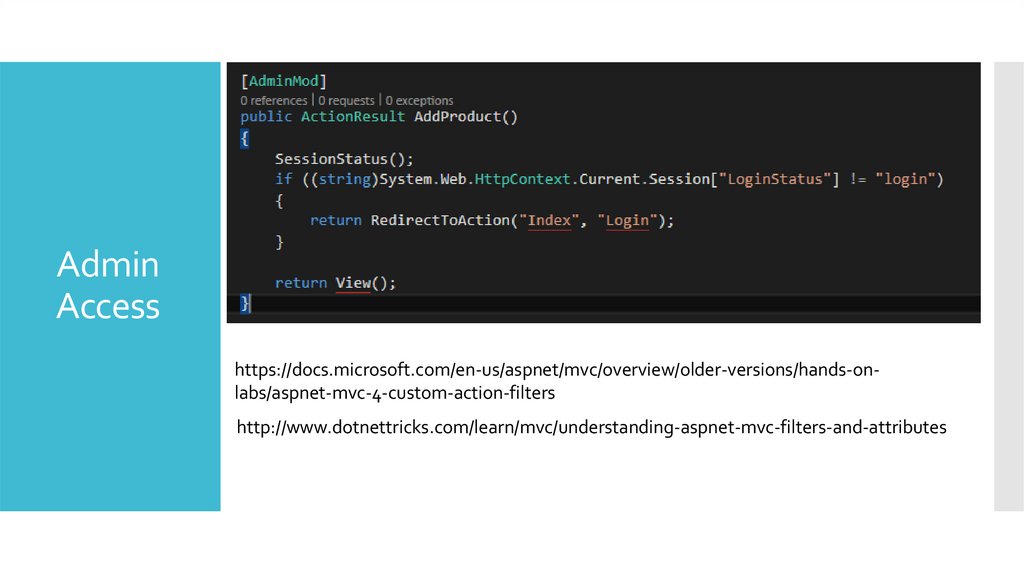
https://docs.microsoft.com/en-us/aspnet/mvc/overview/older-versions/hands-onlabs/aspnet-mvc-4-custom-action-filters
http://www.dotnettricks.com/learn/mvc/understanding-aspnet-mvc-filters-and-attributes
122.
123.
FIRSTSELECT
124.
Review ofKey
Objectives
and Critical
Success
Factors
What makes company unique
What makes company successful
Shared vision
Review key undertakings of past year
125.
How Did WeDo?
Brief overview of performance against each objective
126.
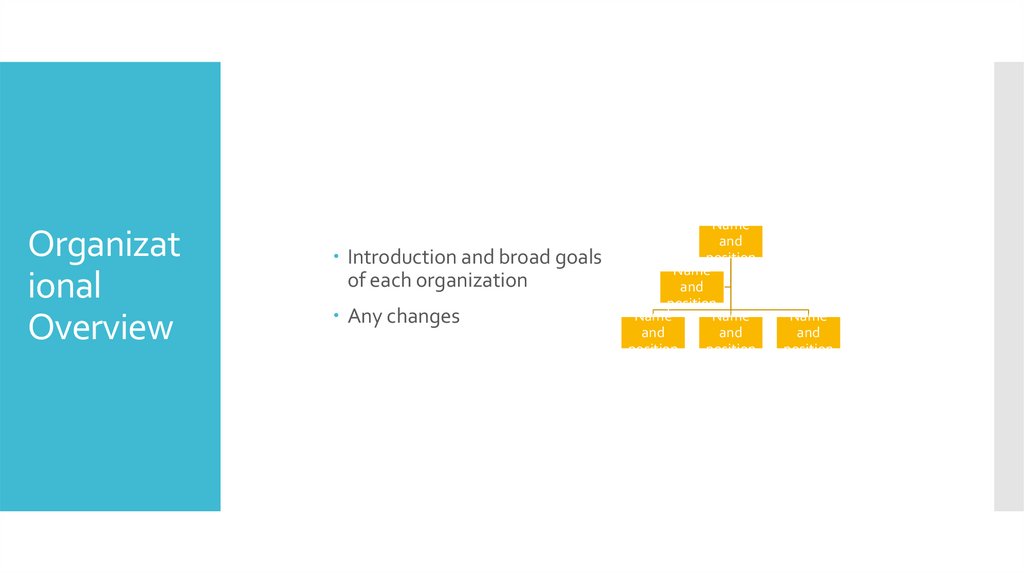
Organizational
Overview
Introduction and broad goals
of each organization
Any changes
Name
and
position
Name
and
position
Name
Name
and
and
position
position
Name
and
position
127.
Top IssuesFacing
Company
Address any high profile issues
128.
Review ofPrior Goals
Financial
Competitive
Progress
129.
ProgressAgainst
Goals
Summary of key financial results
Revenue
Profit
Key spending areas
Headcount
130.
Forecast vs. actualRevenue
and Profit
Gross margin
Important trends
Compare company to rest of market
Use multiple slides to break out meaningful detail
131.
Research and DevelopmentKey
Spending
Areas
Sales and Marketing
General and Administration
Areas of improvement
Areas needing attention/caution
132.
HeadcountGoals
Results
133.
Goals forNext Period
Strategic undertakings
Financial goals
Other key efforts
134.
Summarize key successes/challengesSummary
Reiterate key goals
Thanks