 Информатика
Похожие презентации:








Validation & Verification
1. Validation & Verification
Validation & VerificationMr Mahmud
2. Learning Objective
11.1.2.5 explain the difference between the terms verification andvalidation
Lesson objectives
• Learners can explain the terms validation and verification;
• Learners can find the correct type of validation in situations;
• Learners know how add validation in project.
Assessment criteria
• Know the difference between validation and verification;
• Can add the validation to project.
3.
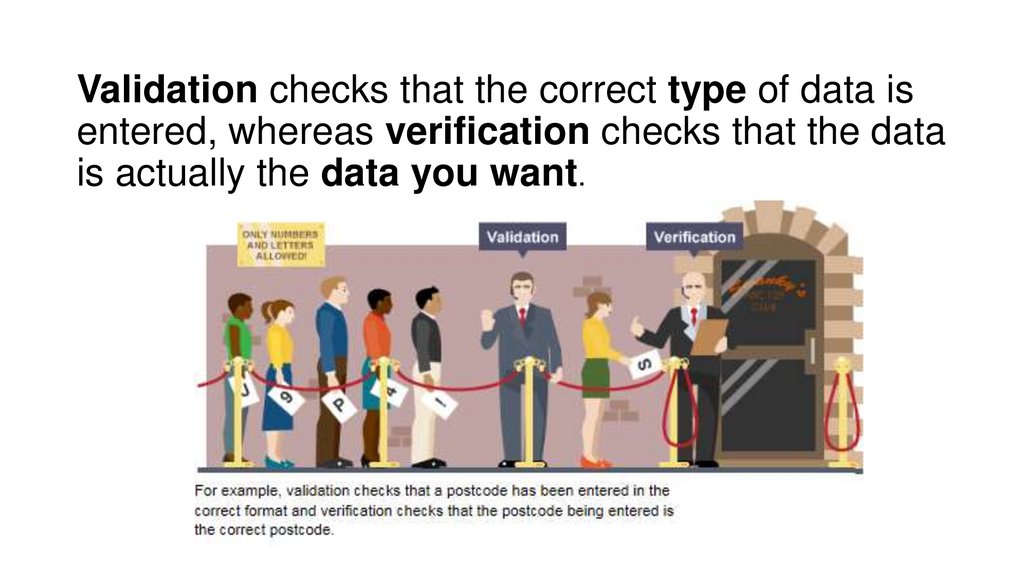
Validation checks that the correct type of data isentered, whereas verification checks that the data
is actually the data you want.
4.
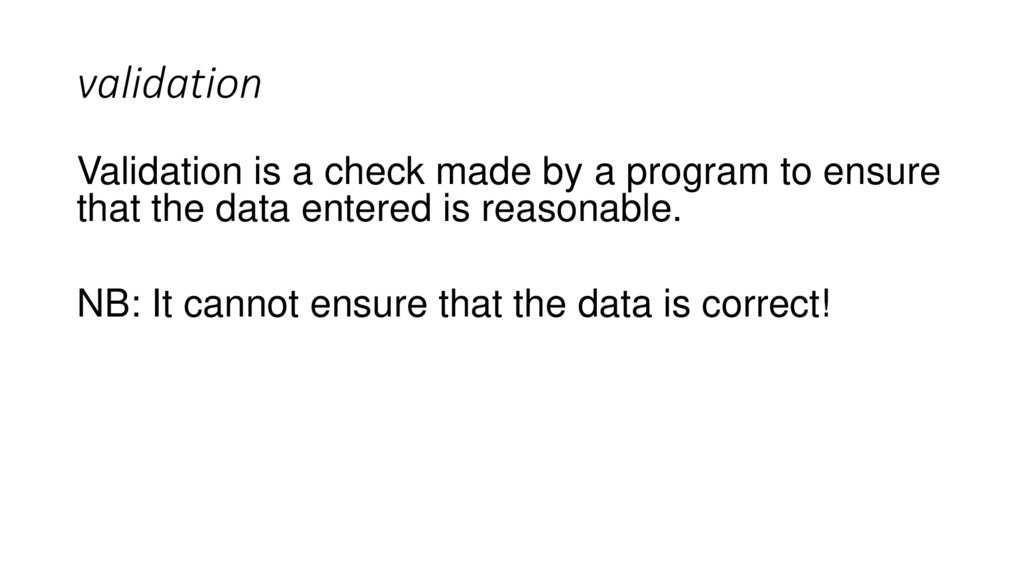
5. validation
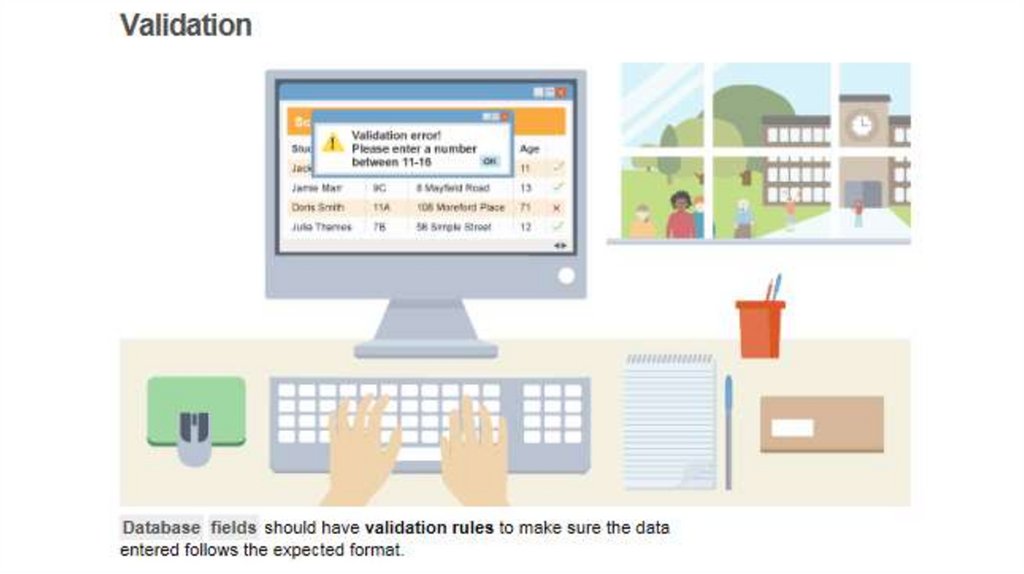
Validation is a check made by a program to ensurethat the data entered is reasonable.
NB: It cannot ensure that the data is correct!
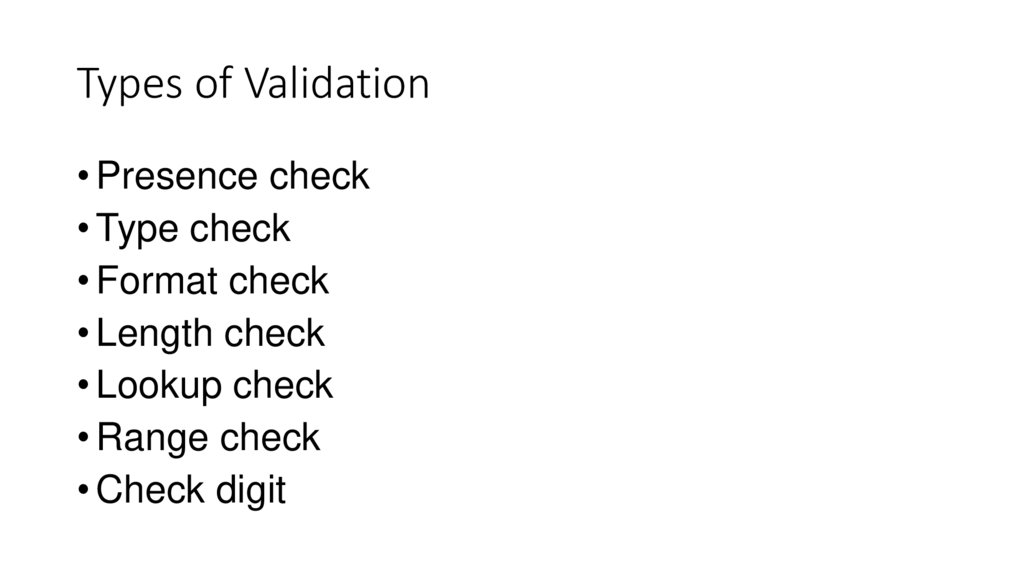
6. Types of Validation
• Presence check• Type check
• Format check
• Length check
• Lookup check
• Range check
• Check digit
7.
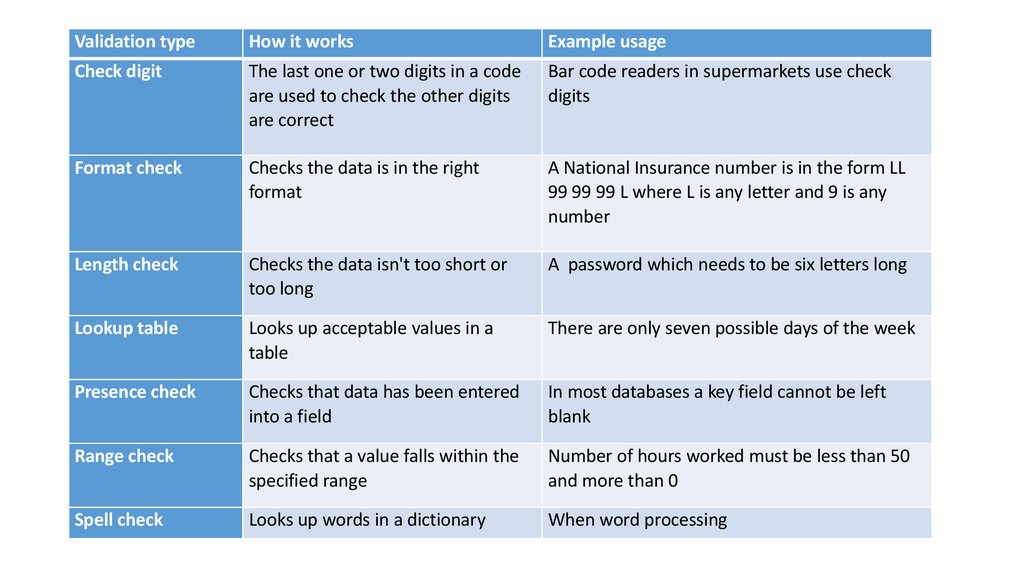
Validation typeHow it works
Example usage
Check digit
The last one or two digits in a code
are used to check the other digits
are correct
Bar code readers in supermarkets use check
digits
Format check
Checks the data is in the right
format
A National Insurance number is in the form LL
99 99 99 L where L is any letter and 9 is any
number
Length check
Checks the data isn't too short or
too long
A password which needs to be six letters long
Lookup table
Looks up acceptable values in a
table
There are only seven possible days of the week
Presence check
Checks that data has been entered
into a field
In most databases a key field cannot be left
blank
Range check
Checks that a value falls within the
specified range
Number of hours worked must be less than 50
and more than 0
Spell check
Looks up words in a dictionary
When word processing
8. Activity
• Watch this in your own time: https://youtu.be/iS9tqYuVQ08Complete the Quiz Questions!
• Complete
9. Discussion
How can we detect errorsthat occurred during data
transmission?
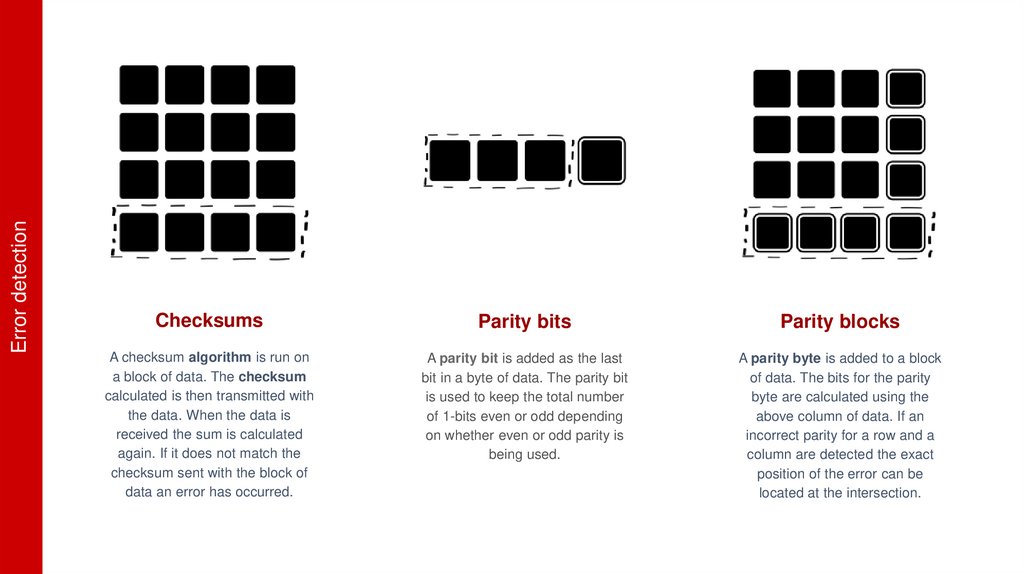
10. Error detection
ChecksumsParity bits
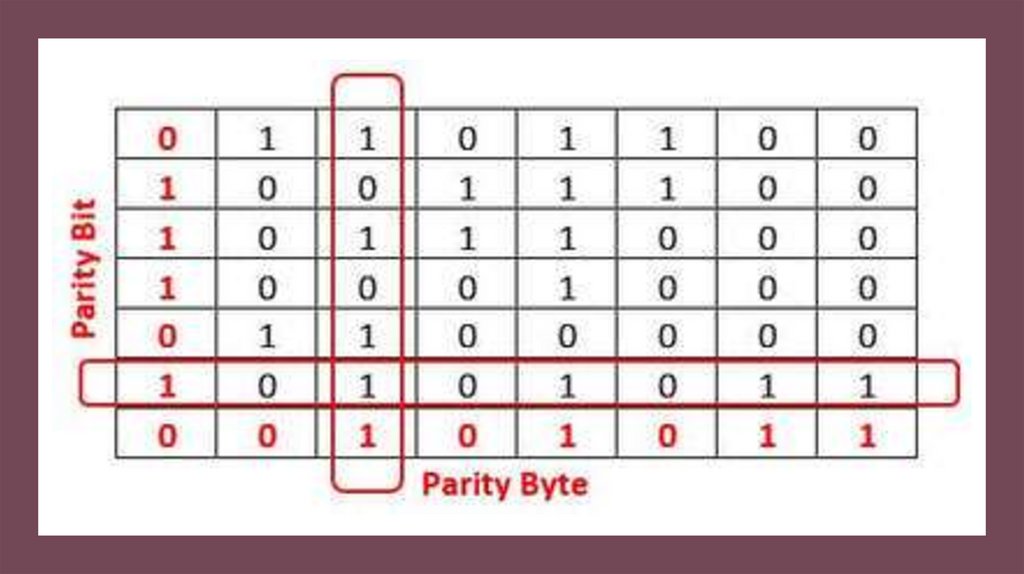
Parity blocks
A checksum algorithm is run on
a block of data. The checksum
calculated is then transmitted with
the data. When the data is
received the sum is calculated
again. If it does not match the
checksum sent with the block of
data an error has occurred.
A parity bit is added as the last
bit in a byte of data. The parity bit
is used to keep the total number
of 1-bits even or odd depending
on whether even or odd parity is
being used.
A parity byte is added to a block
of data. The bits for the parity
byte are calculated using the
above column of data. If an
incorrect parity for a row and a
column are detected the exact
position of the error can be
located at the intersection.
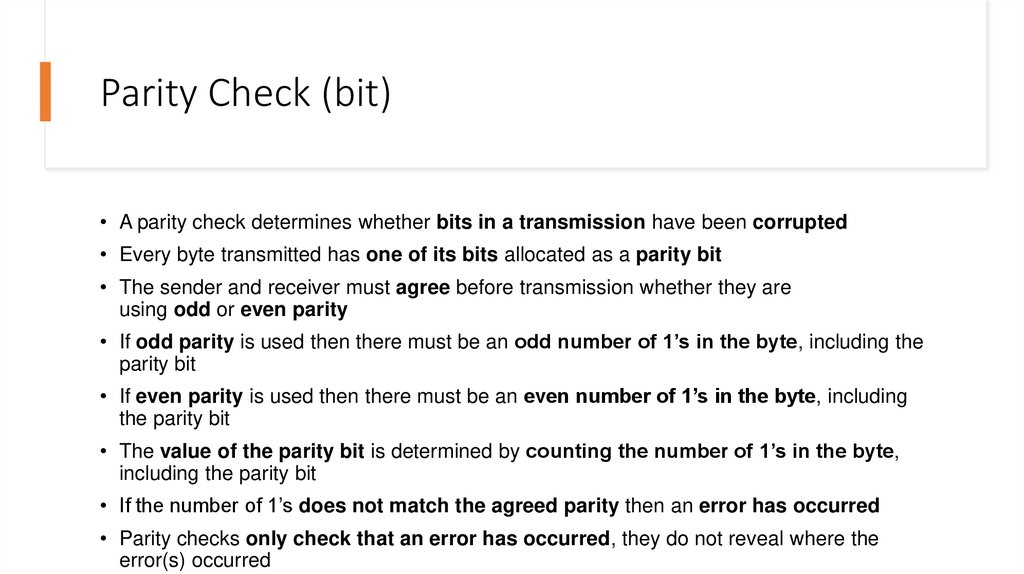
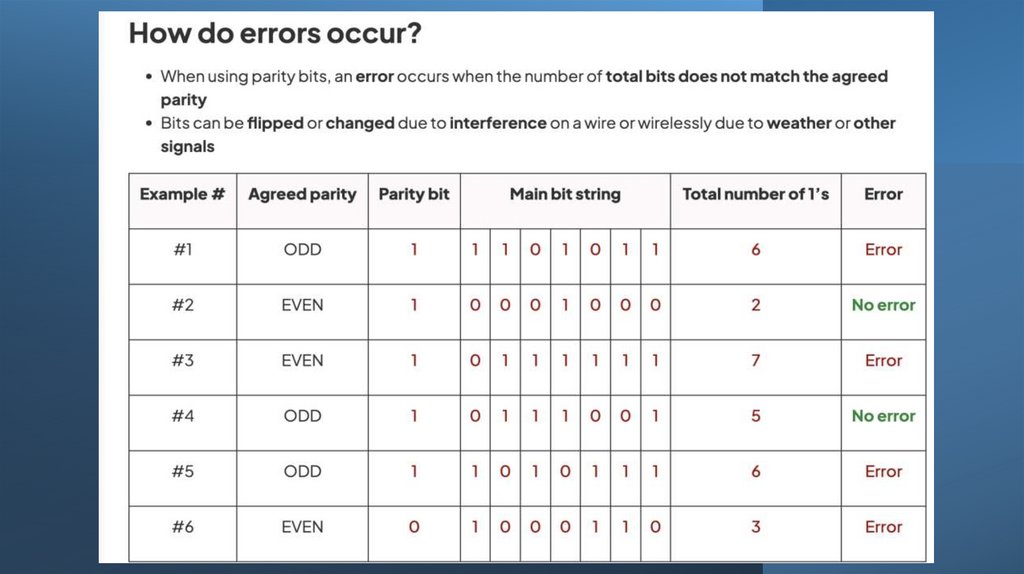
11. Parity Check (bit)
• A parity check determines whether bits in a transmission have been corrupted• Every byte transmitted has one of its bits allocated as a parity bit
• The sender and receiver must agree before transmission whether they are
using odd or even parity
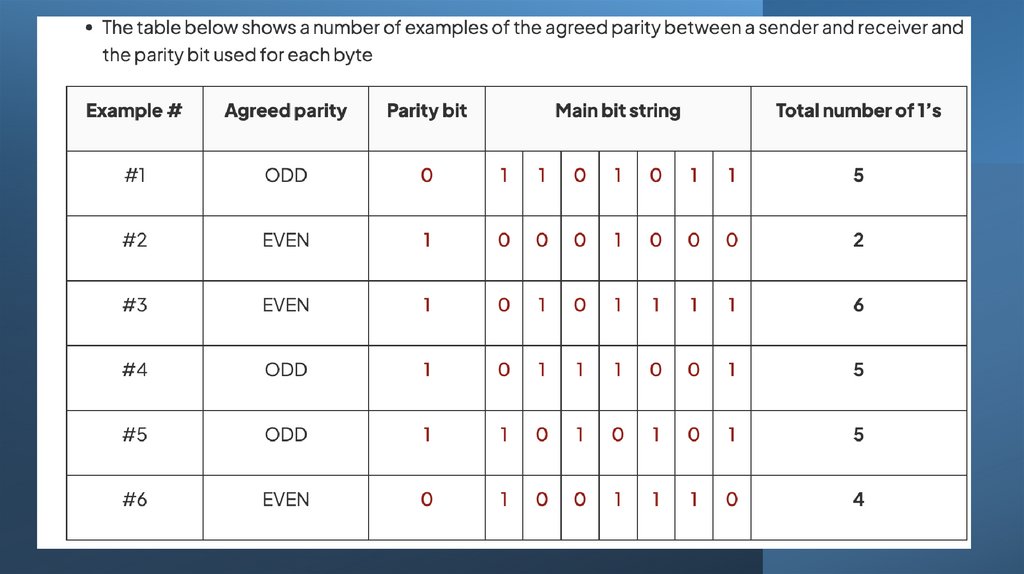
• If odd parity is used then there must be an odd number of 1’s in the byte, including the
parity bit
• If even parity is used then there must be an even number of 1’s in the byte, including
the parity bit
• The value of the parity bit is determined by counting the number of 1’s in the byte,
including the parity bit
• If the number of 1’s does not match the agreed parity then an error has occurred
• Parity checks only check that an error has occurred, they do not reveal where the
error(s) occurred
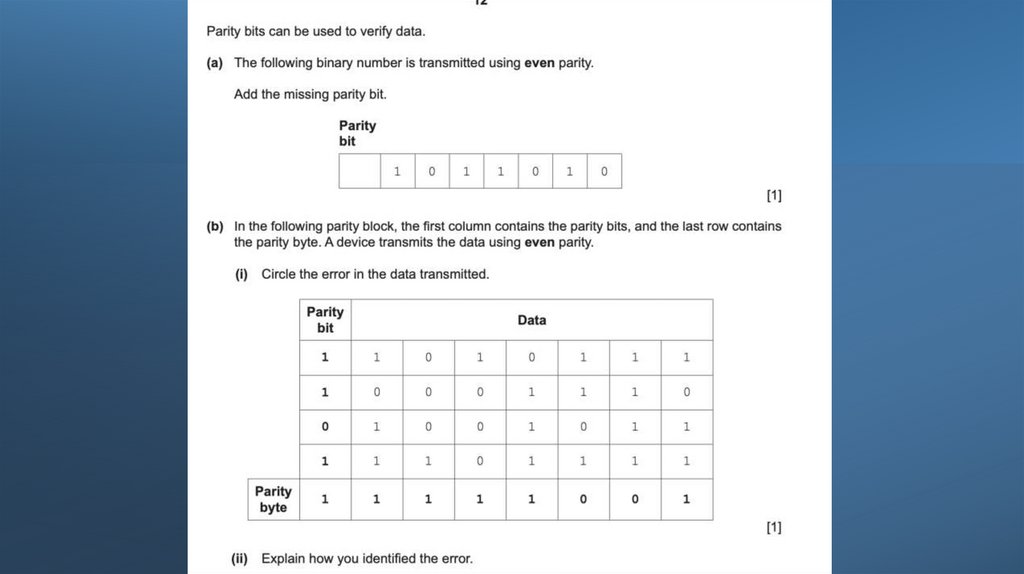
12.
13.
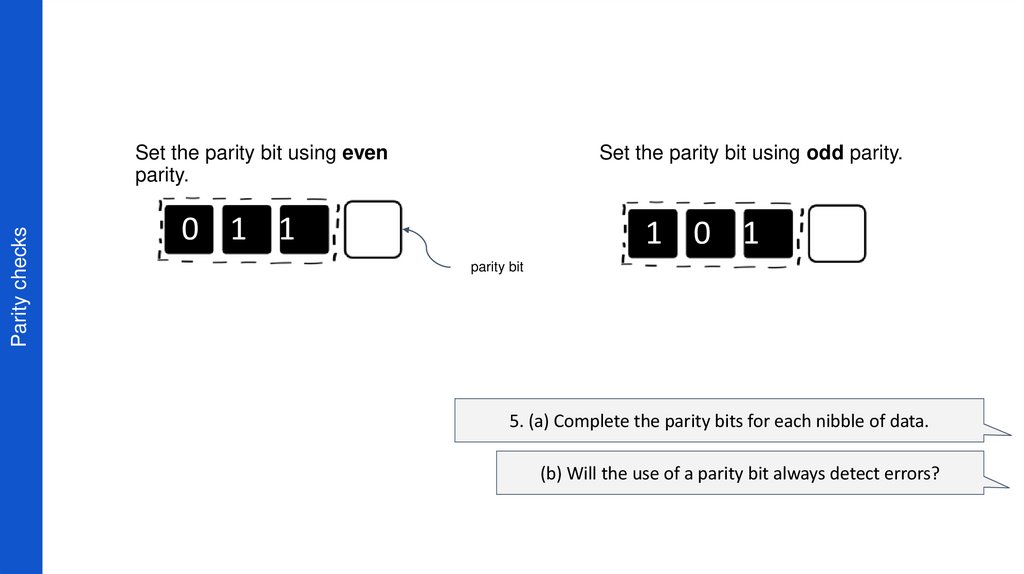
14. Parity checks
Set the parity bit using evenparity.
Set the parity bit using odd parity.
0 1 1
1 0 1
parity bit
5. (a) Complete the parity bits for each nibble of data.
(b) Will the use of a parity bit always detect errors?
15. Parity Block
• Parity block checks are used in data storage and data transmissionsystems to add an additional layer of error detection to a group of
bytes (usually a larger chunk of data).
• They are similar in concept to parity bits, but instead of applying
parity to individual bits within a byte, they apply it to a group
of parity bytes.
• The purpose of parity bytes is to detect errors in a larger data unit,
such as a block of data, rather than just individual bits or bytes.
• By using parity bytes, you can detect errors in the entire data block
more effectively.
• https://youtu.be/jLuj62Gq-1I - in your own time
16.
17.
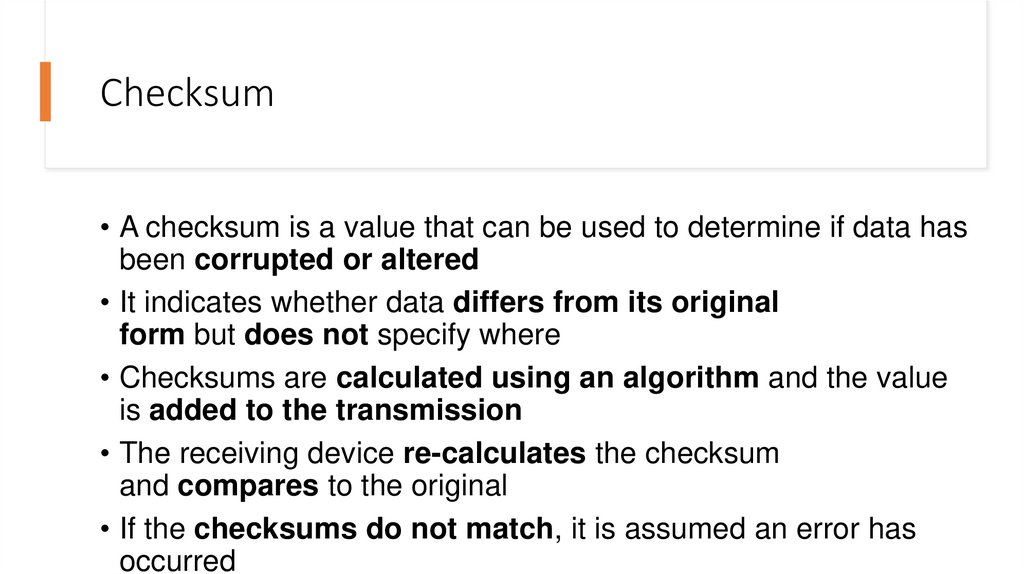
18. Checksum
• A checksum is a value that can be used to determine if data hasbeen corrupted or altered
• It indicates whether data differs from its original
form but does not specify where
• Checksums are calculated using an algorithm and the value
is added to the transmission
• The receiving device re-calculates the checksum
and compares to the original
• If the checksums do not match, it is assumed an error has
occurred
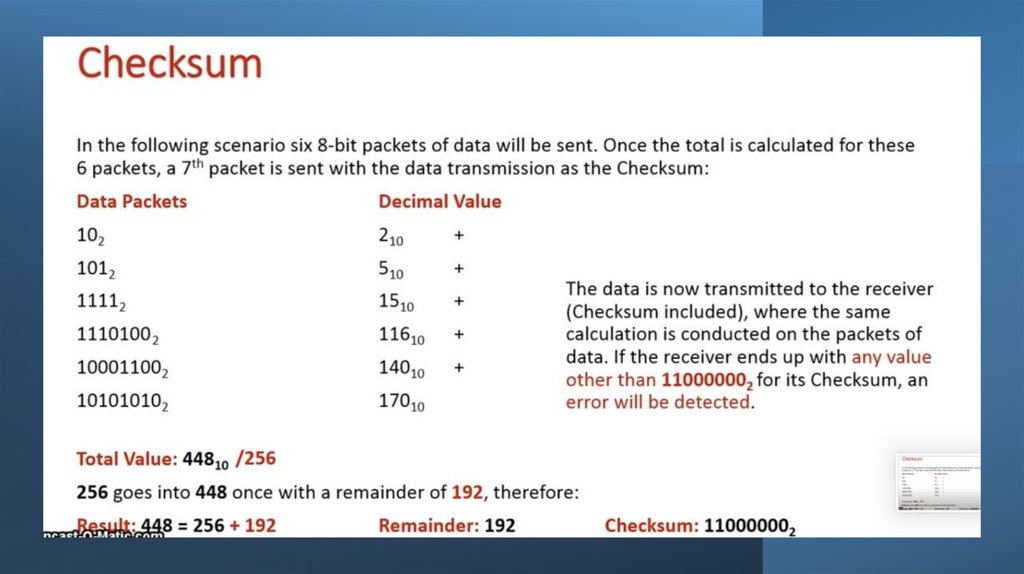
19.
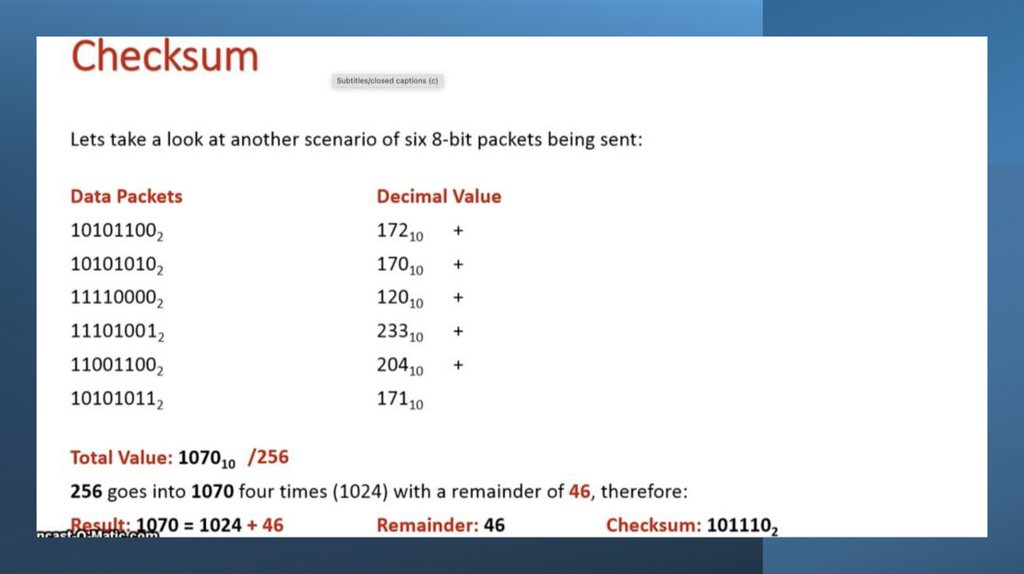
20.
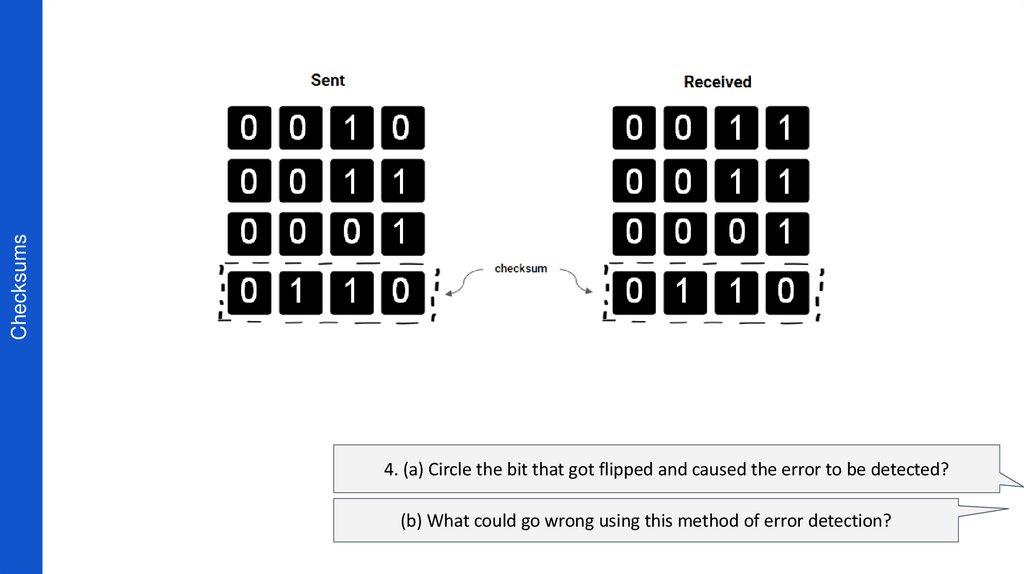
21. Checksums
4. (a) Circle the bit that got flipped and caused the error to be detected?(b) What could go wrong using this method of error detection?
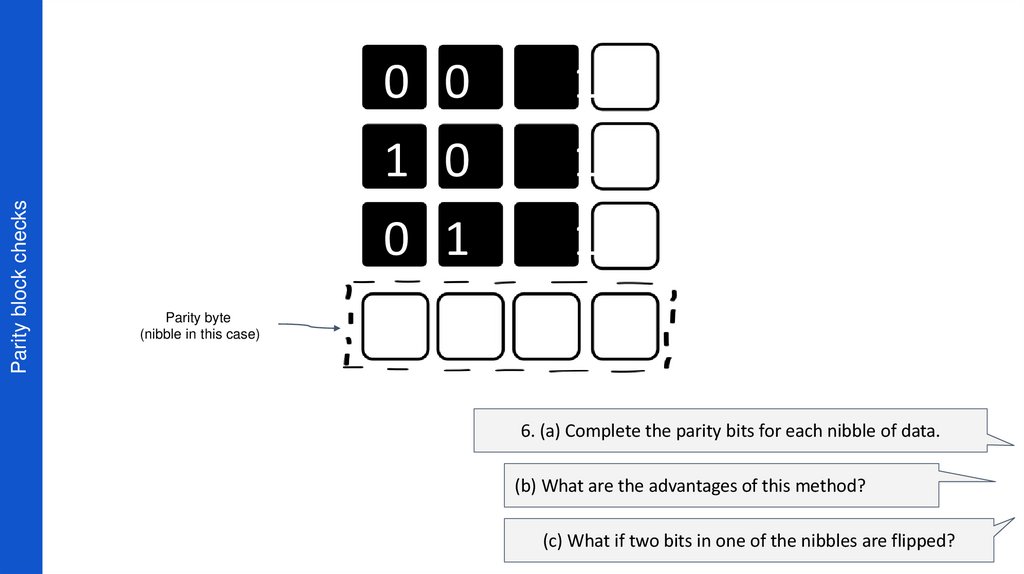
22. Parity block checks
0 01
1 0
1
0 1
1
Parity byte
(nibble in this case)
6. (a) Complete the parity bits for each nibble of data.
(b) What are the advantages of this method?
(c) What if two bits in one of the nibbles are flipped?
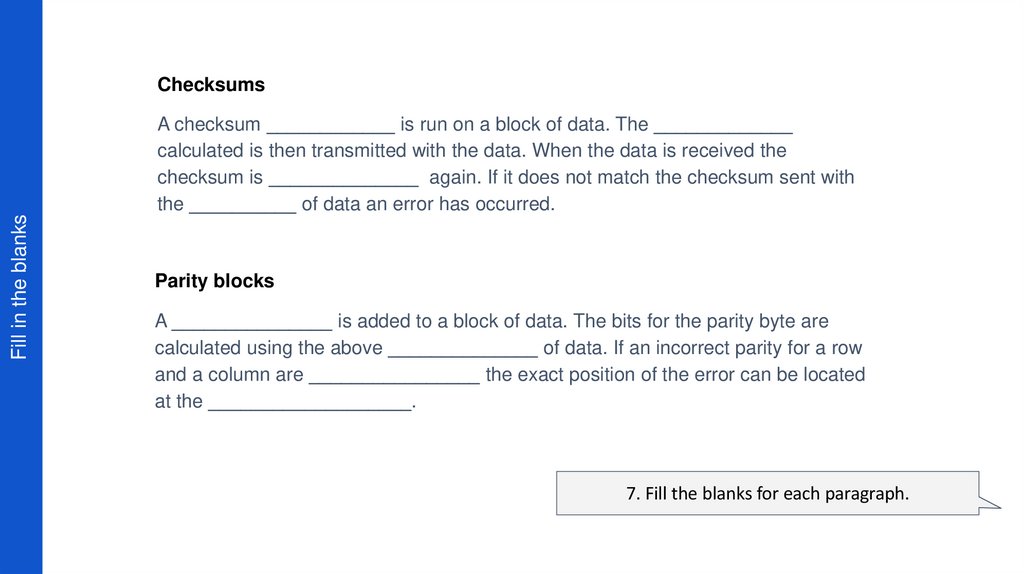
23. Fill in the blanks
ChecksumsFill in the blanks
A checksum ____________ is run on a block of data. The _____________
calculated is then transmitted with the data. When the data is received the
checksum is ______________ again. If it does not match the checksum sent with
the __________ of data an error has occurred.
Parity blocks
A _______________ is added to a block of data. The bits for the parity byte are
calculated using the above ______________ of data. If an incorrect parity for a row
and a column are ________________ the exact position of the error can be located
at the ___________________.
7. Fill the blanks for each paragraph.
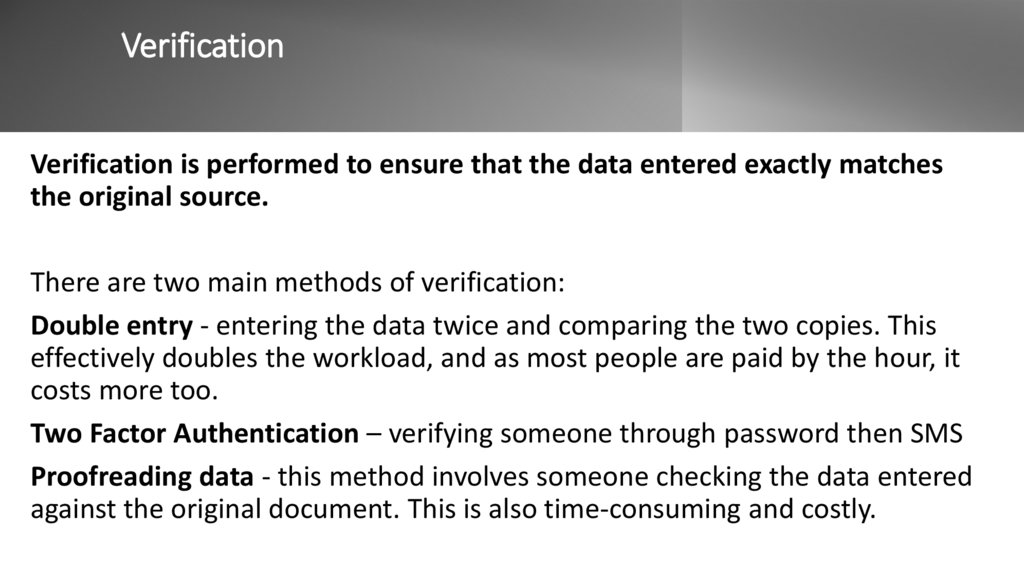
24. Verification
Verification is performed to ensure that the data entered exactly matchesthe original source.
There are two main methods of verification:
Double entry - entering the data twice and comparing the two copies. This
effectively doubles the workload, and as most people are paid by the hour, it
costs more too.
Two Factor Authentication – verifying someone through password then SMS
Proofreading data - this method involves someone checking the data entered
against the original document. This is also time-consuming and costly.
25. Look at the video
• https://www.youtube.com/watch?v=gQrSxbfUjug&ab_channel=Udacity
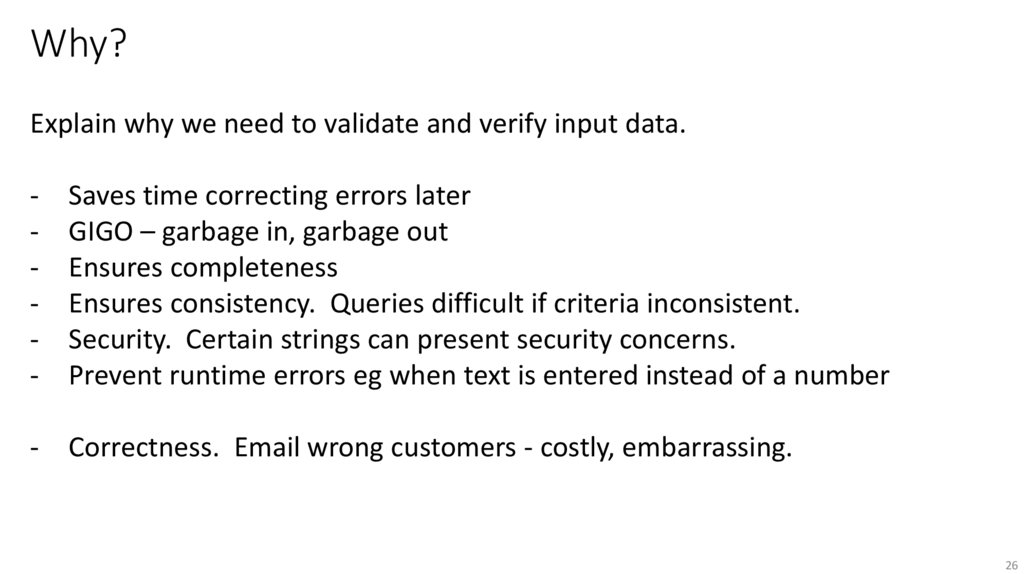
26. Why?
Explain why we need to validate and verify input data.-
Saves time correcting errors later
GIGO – garbage in, garbage out
Ensures completeness
Ensures consistency. Queries difficult if criteria inconsistent.
Security. Certain strings can present security concerns.
Prevent runtime errors eg when text is entered instead of a number
- Correctness. Email wrong customers - costly, embarrassing.
26
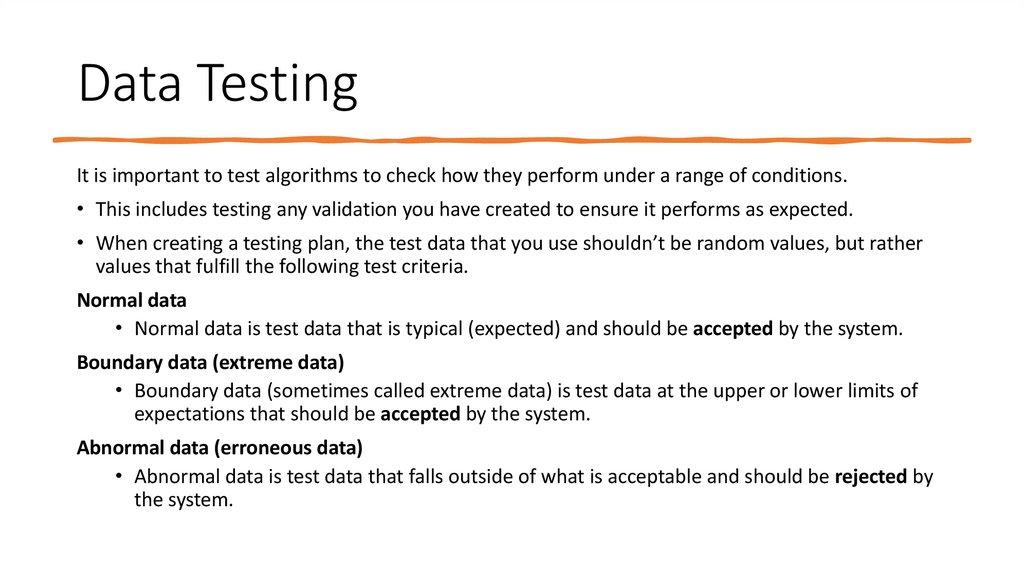
27. Data Testing
It is important to test algorithms to check how they perform under a range of conditions.• This includes testing any validation you have created to ensure it performs as expected.
• When creating a testing plan, the test data that you use shouldn’t be random values, but rather
values that fulfill the following test criteria.
Normal data
• Normal data is test data that is typical (expected) and should be accepted by the system.
Boundary data (extreme data)
• Boundary data (sometimes called extreme data) is test data at the upper or lower limits of
expectations that should be accepted by the system.
Abnormal data (erroneous data)
• Abnormal data is test data that falls outside of what is acceptable and should be rejected by
the system.
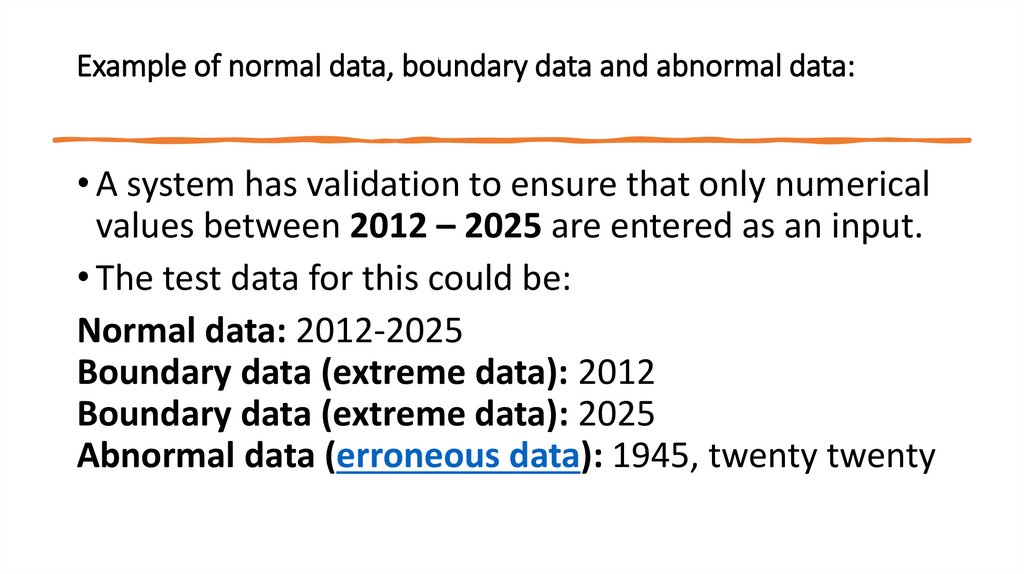
28. Example of normal data, boundary data and abnormal data:
• A system has validation to ensure that only numericalvalues between 2012 – 2025 are entered as an input.
• The test data for this could be:
Normal data: 2012-2025
Boundary data (extreme data): 2012
Boundary data (extreme data): 2025
Abnormal data (erroneous data): 1945, twenty twenty
29. Reflection
Have we met the learningobjectives?