




 Программирование
Похожие презентации:







System Programming. Socket Programming Sockets over a network. Lecture #23
1. System Programming Socket Programming Sockets over a network Lecture # 23 Dr. Muhammad Bilal Qureshi
Central Asian University, Tashkent, Uzbekistan2. Summary of Last Lecture
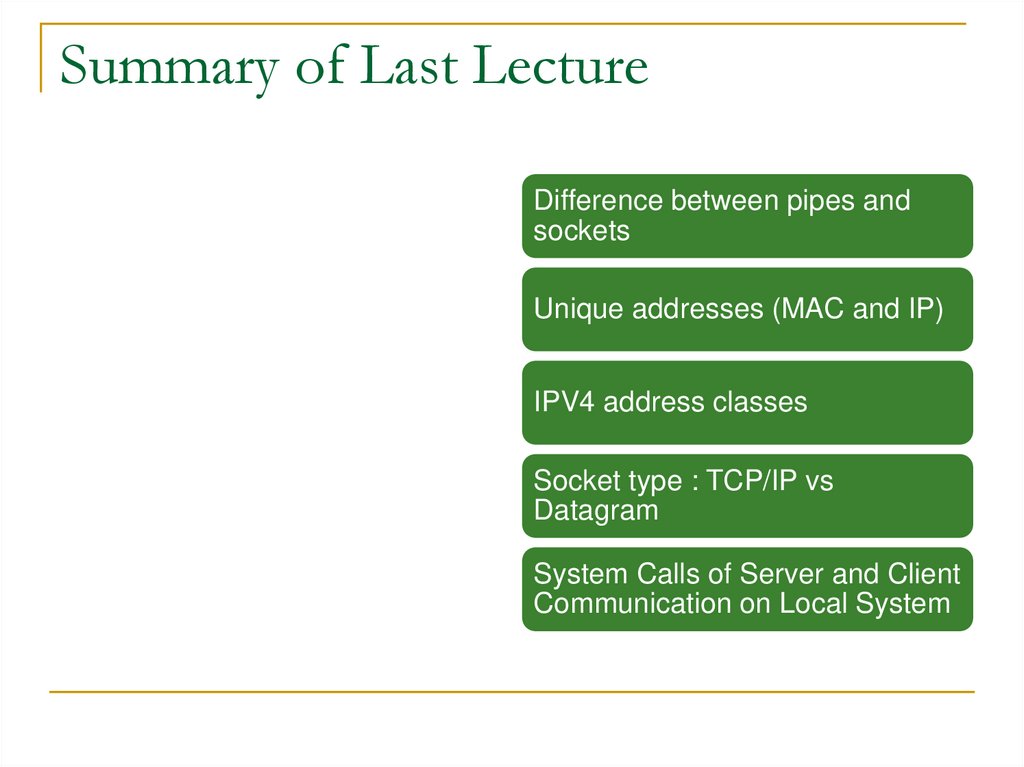
Difference between pipes andsockets
Unique addresses (MAC and IP)
IPV4 address classes
Socket type : TCP/IP vs
Datagram
System Calls of Server and Client
Communication on Local System
3.
Socket DomainSocket Attributes
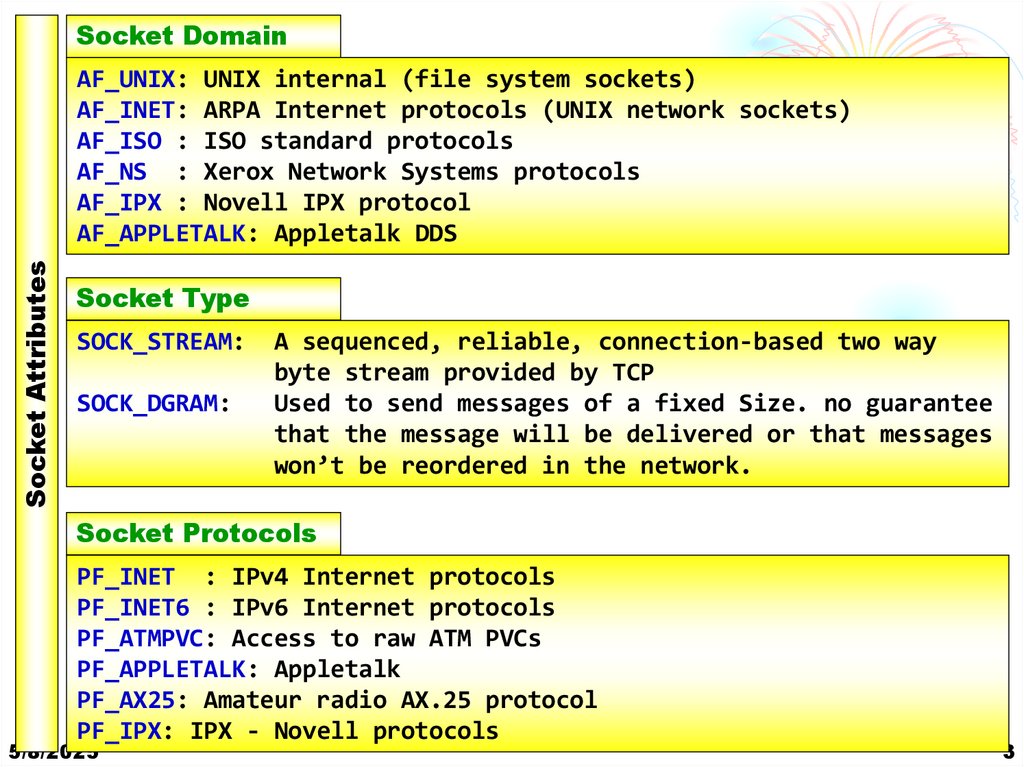
AF_UNIX: UNIX internal (file system sockets)
AF_INET: ARPA Internet protocols (UNIX network sockets)
AF_ISO : ISO standard protocols
AF_NS : Xerox Network Systems protocols
AF_IPX : Novell IPX protocol
AF_APPLETALK: Appletalk DDS
Socket Type
SOCK_STREAM:
SOCK_DGRAM:
A sequenced, reliable, connection-based two way
byte stream provided by TCP
Used to send messages of a fixed Size. no guarantee
that the message will be delivered or that messages
won’t be reordered in the network.
Socket Protocols
PF_INET : IPv4 Internet protocols
PF_INET6 : IPv6 Internet protocols
PF_ATMPVC: Access to raw ATM PVCs
PF_APPLETALK: Appletalk
PF_AX25: Amateur radio AX.25 protocol
PF_IPX: IPX - Novell protocols
5/8/2025
3
4. Socket Attributes
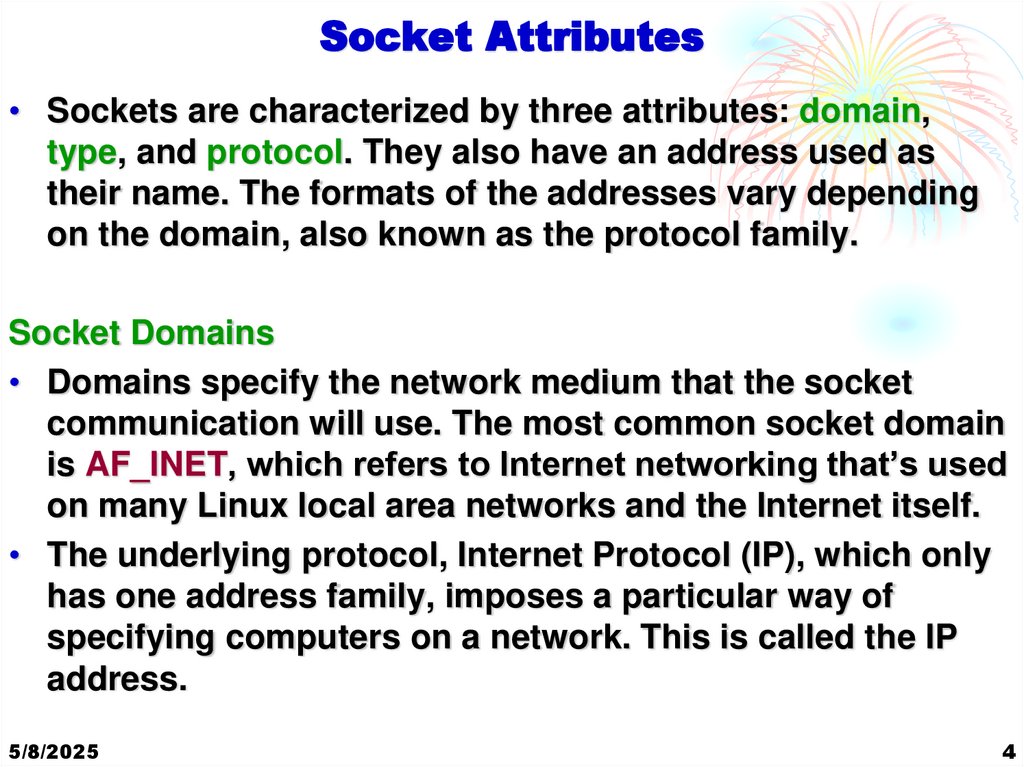
• Sockets are characterized by three attributes: domain,type, and protocol. They also have an address used as
their name. The formats of the addresses vary depending
on the domain, also known as the protocol family.
Socket Domains
• Domains specify the network medium that the socket
communication will use. The most common socket domain
is AF_INET, which refers to Internet networking that’s used
on many Linux local area networks and the Internet itself.
• The underlying protocol, Internet Protocol (IP), which only
has one address family, imposes a particular way of
specifying computers on a network. This is called the IP
address.
5/8/2025
4
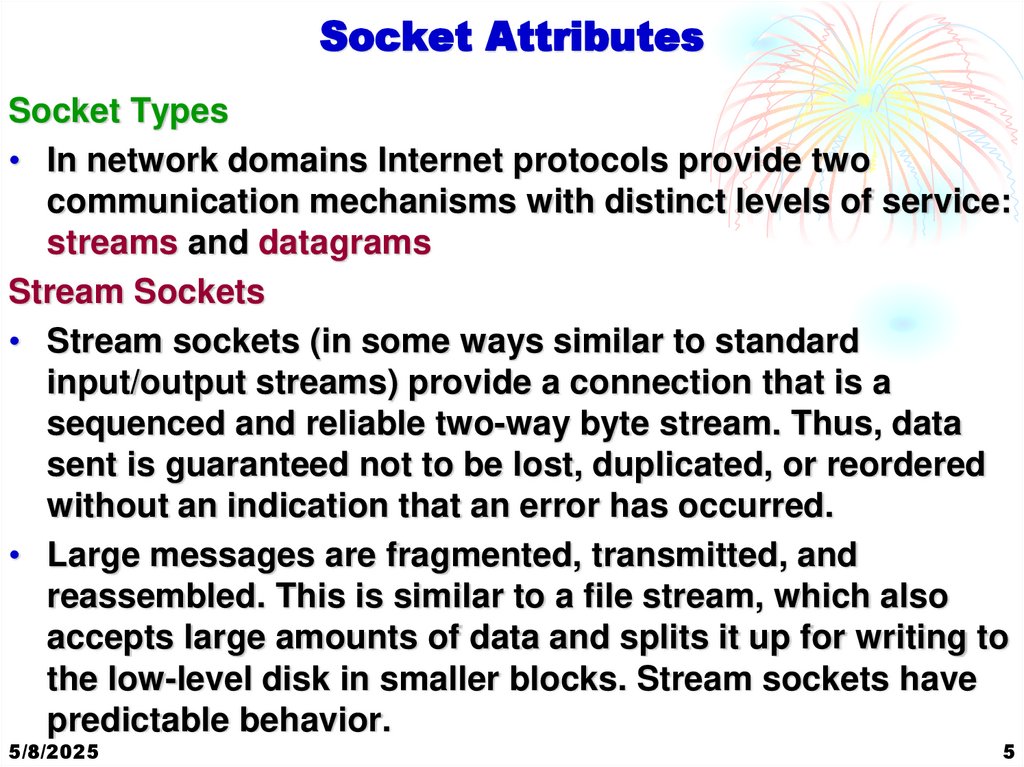
5. Socket Attributes
Socket Types• In network domains Internet protocols provide two
communication mechanisms with distinct levels of service:
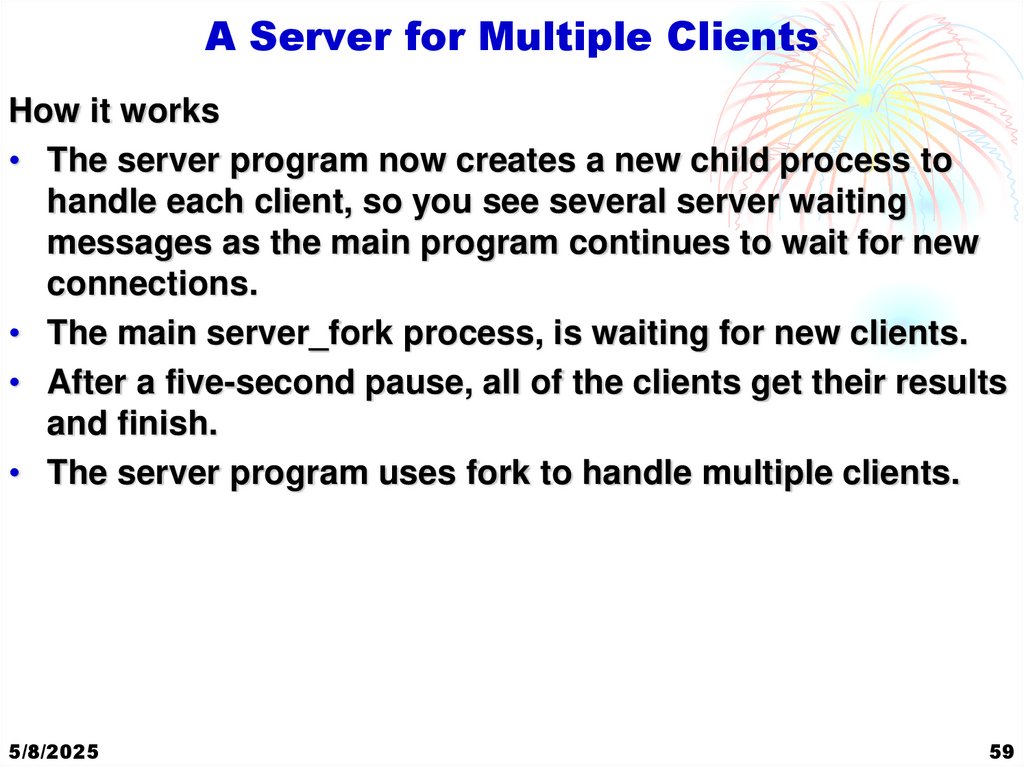
streams and datagrams
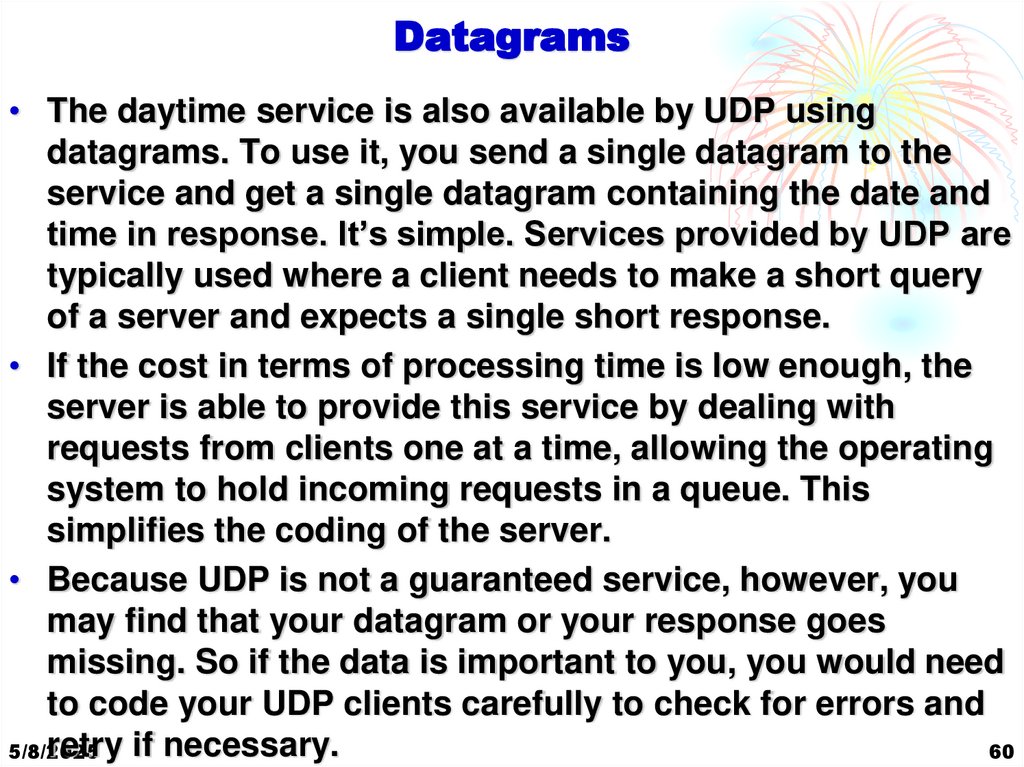
Stream Sockets
• Stream sockets (in some ways similar to standard
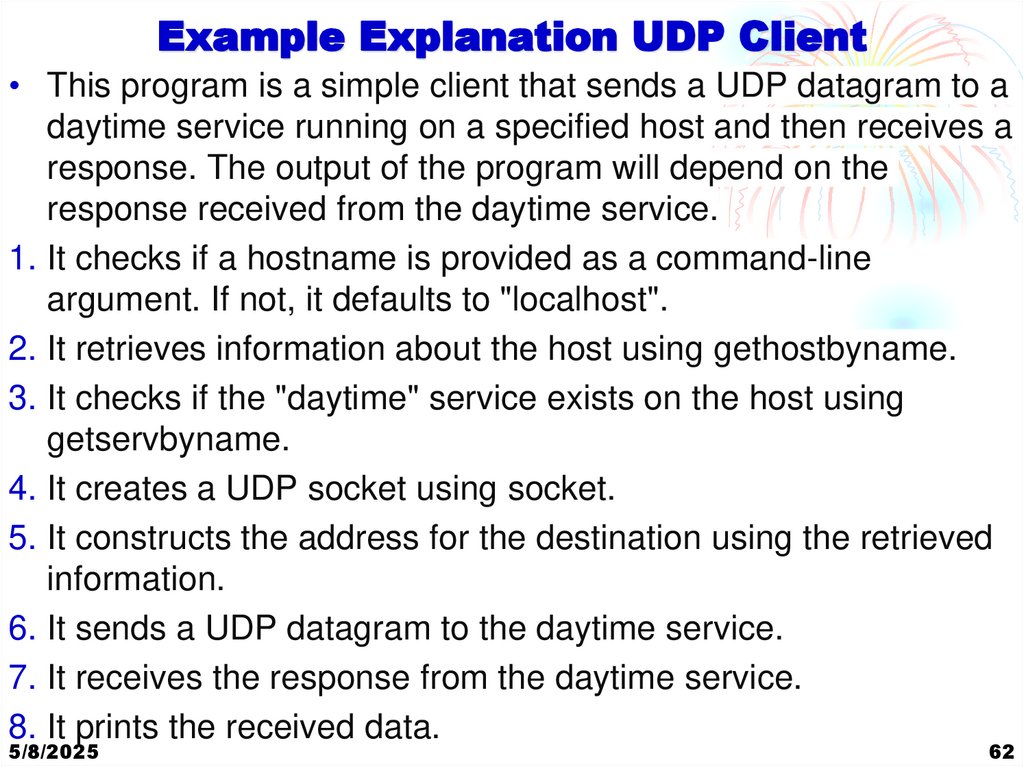
input/output streams) provide a connection that is a
sequenced and reliable two-way byte stream. Thus, data
sent is guaranteed not to be lost, duplicated, or reordered
without an indication that an error has occurred.
• Large messages are fragmented, transmitted, and
reassembled. This is similar to a file stream, which also
accepts large amounts of data and splits it up for writing to
the low-level disk in smaller blocks. Stream sockets have
predictable behavior.
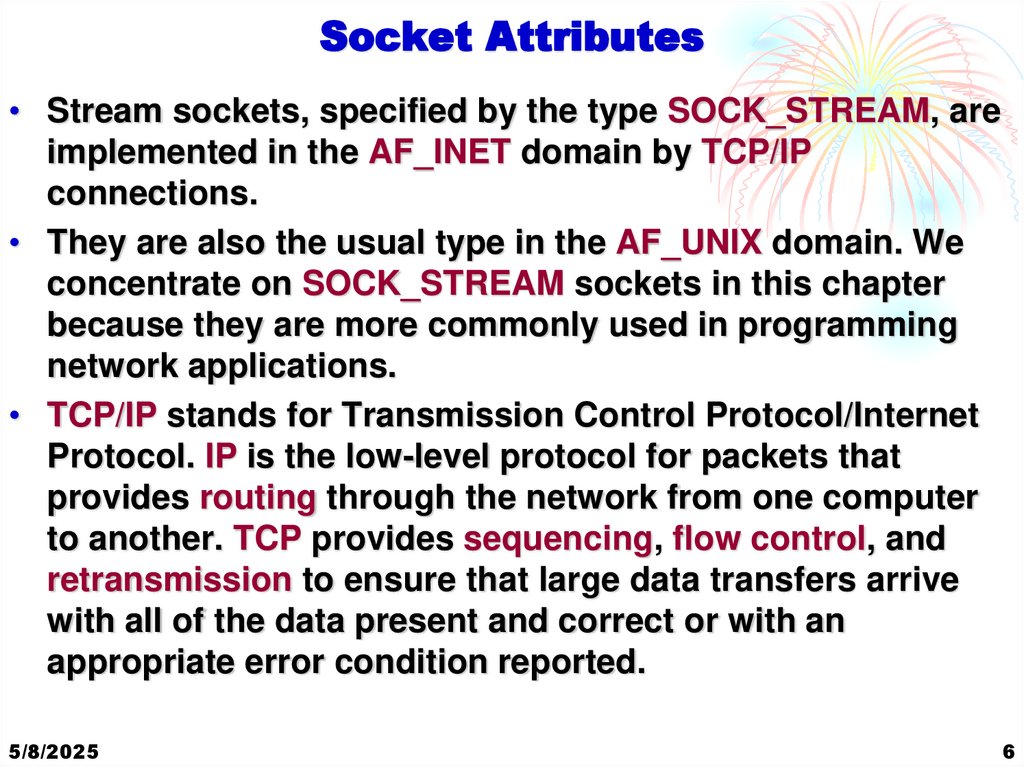
5/8/2025
5
6. Socket Attributes
• Stream sockets, specified by the type SOCK_STREAM, areimplemented in the AF_INET domain by TCP/IP
connections.
• They are also the usual type in the AF_UNIX domain. We
concentrate on SOCK_STREAM sockets in this chapter
because they are more commonly used in programming
network applications.
• TCP/IP stands for Transmission Control Protocol/Internet
Protocol. IP is the low-level protocol for packets that
provides routing through the network from one computer
to another. TCP provides sequencing, flow control, and
retransmission to ensure that large data transfers arrive
with all of the data present and correct or with an
appropriate error condition reported.
5/8/2025
6
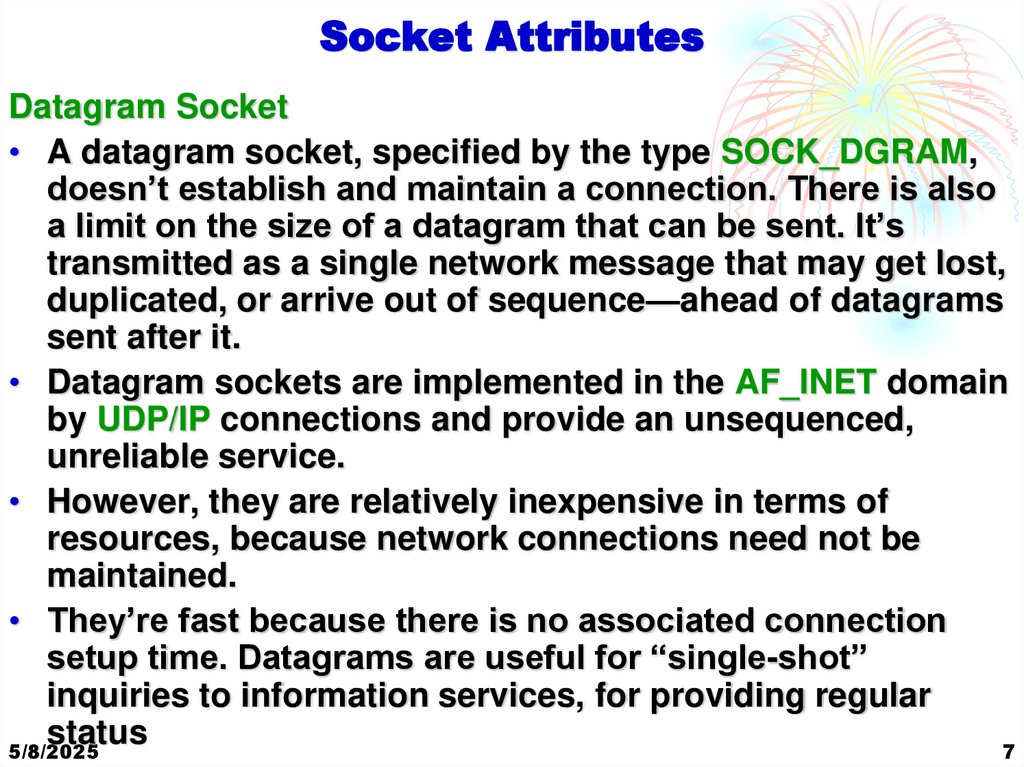
7. Socket Attributes
Datagram Socket• A datagram socket, specified by the type SOCK_DGRAM,
doesn’t establish and maintain a connection. There is also
a limit on the size of a datagram that can be sent. It’s
transmitted as a single network message that may get lost,
duplicated, or arrive out of sequence—ahead of datagrams
sent after it.
• Datagram sockets are implemented in the AF_INET domain
by UDP/IP connections and provide an unsequenced,
unreliable service.
• However, they are relatively inexpensive in terms of
resources, because network connections need not be
maintained.
• They’re fast because there is no associated connection
setup time. Datagrams are useful for “single-shot”
inquiries to information services, for providing regular
status
5/8/2025
7
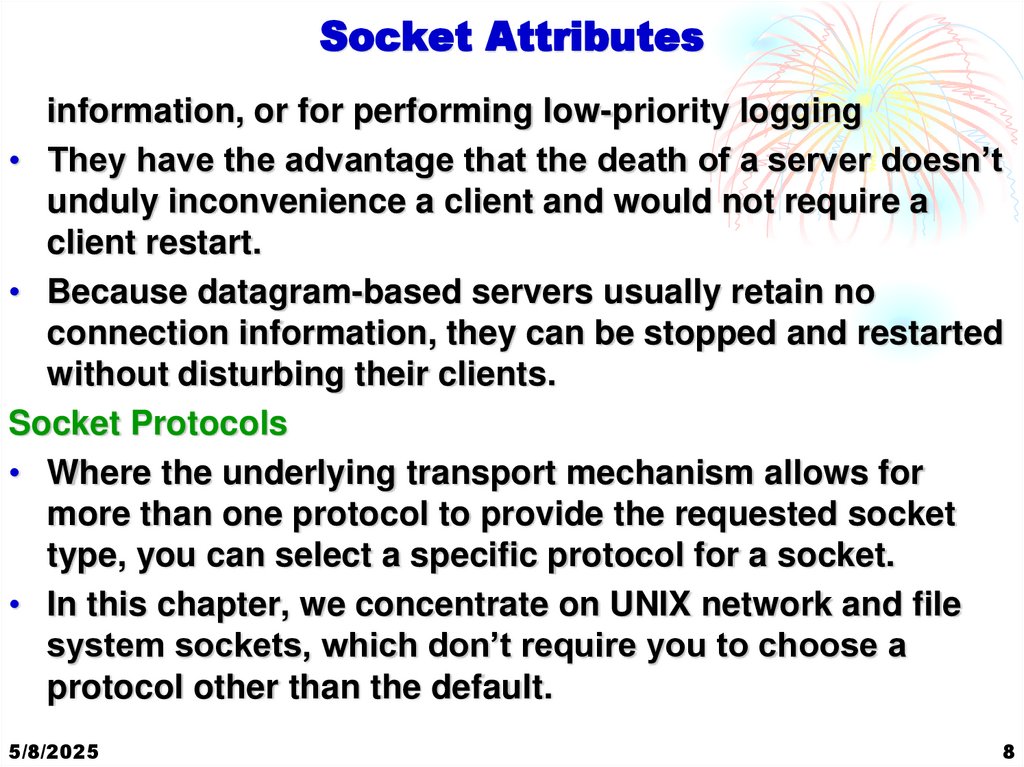
8. Socket Attributes
information, or for performing low-priority logging• They have the advantage that the death of a server doesn’t
unduly inconvenience a client and would not require a
client restart.
• Because datagram-based servers usually retain no
connection information, they can be stopped and restarted
without disturbing their clients.
Socket Protocols
• Where the underlying transport mechanism allows for
more than one protocol to provide the requested socket
type, you can select a specific protocol for a socket.
• In this chapter, we concentrate on UNIX network and file
system sockets, which don’t require you to choose a
protocol other than the default.
5/8/2025
8
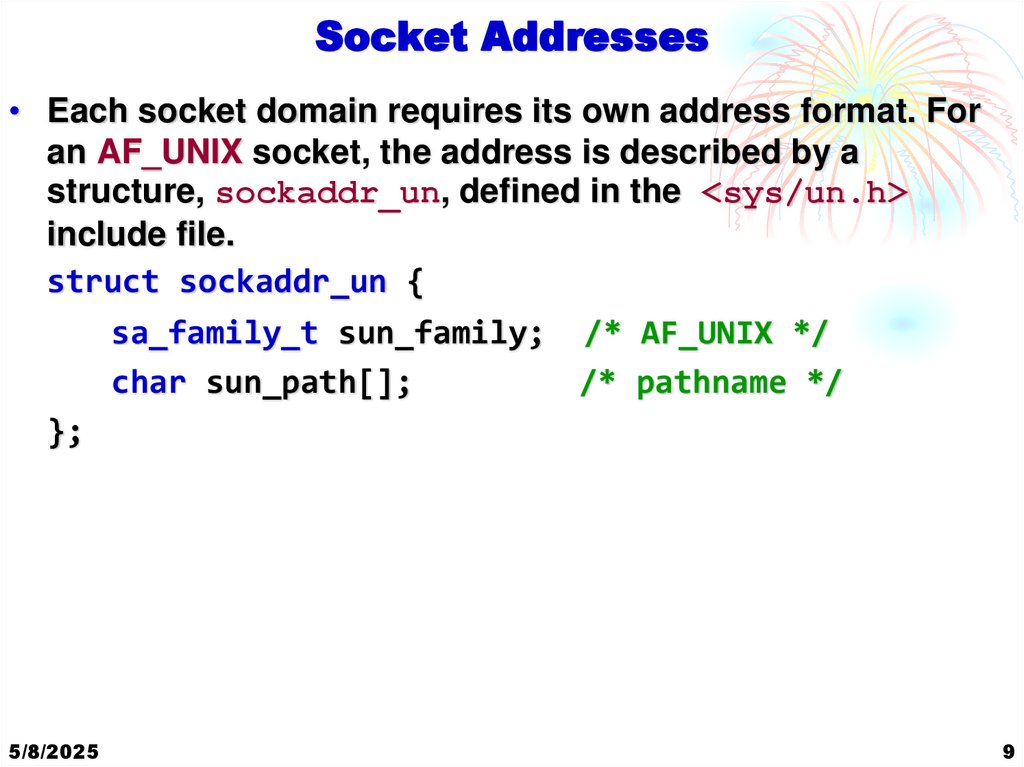
9. Socket Addresses
• Each socket domain requires its own address format. Foran AF_UNIX socket, the address is described by a
structure, sockaddr_un, defined in the <sys/un.h>
include file.
struct sockaddr_un {
sa_family_t sun_family; /* AF_UNIX */
char sun_path[];
/* pathname */
};
5/8/2025
9
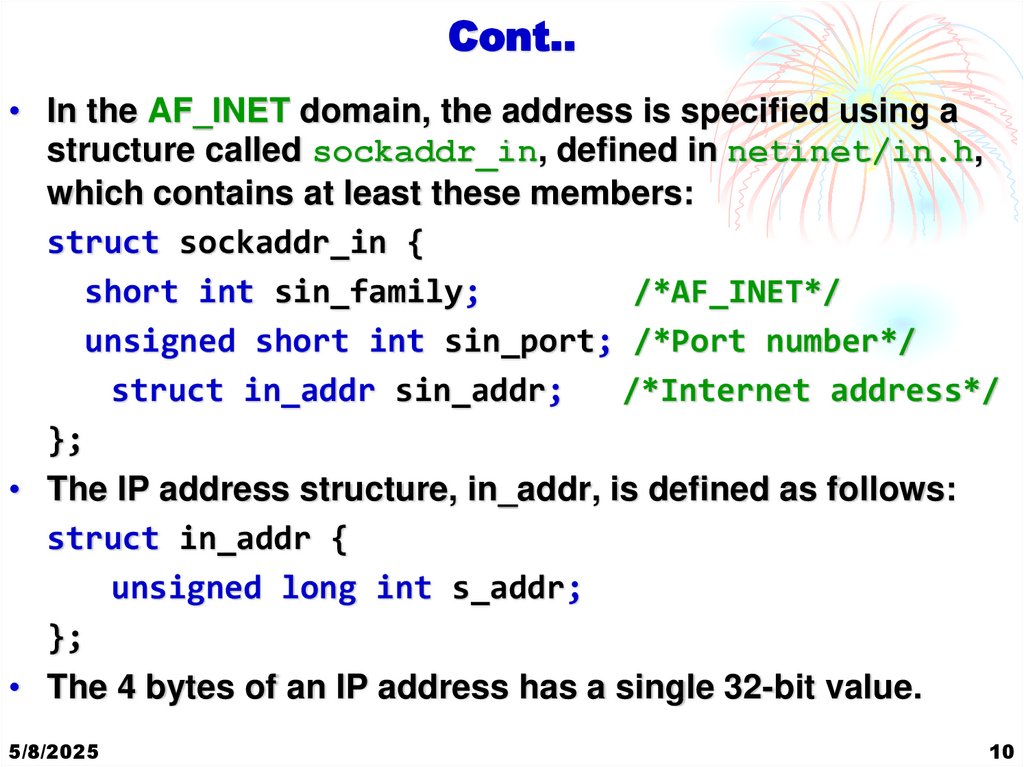
10. Cont..
• In the AF_INET domain, the address is specified using astructure called sockaddr_in, defined in netinet/in.h,
which contains at least these members:
struct sockaddr_in {
short int sin_family;
/*AF_INET*/
unsigned short int sin_port; /*Port number*/
struct in_addr sin_addr;
/*Internet address*/
};
• The IP address structure, in_addr, is defined as follows:
struct in_addr {
unsigned long int s_addr;
};
• The 4 bytes of an IP address has a single 32-bit value.
5/8/2025
10
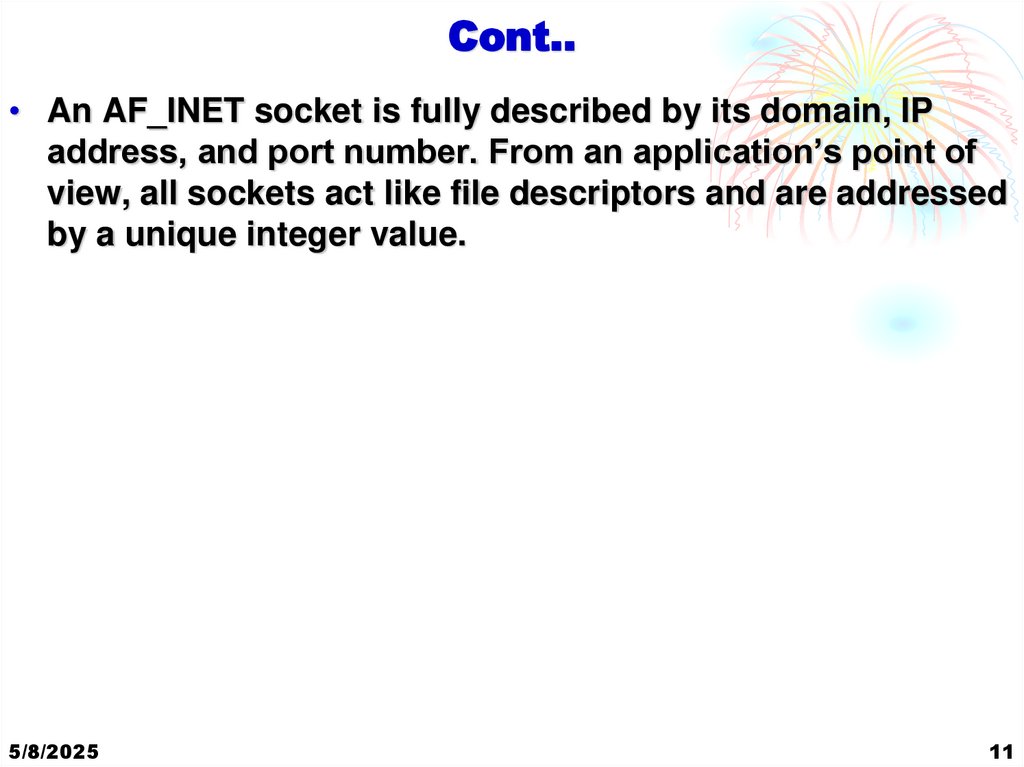
11. Cont..
• An AF_INET socket is fully described by its domain, IPaddress, and port number. From an application’s point of
view, all sockets act like file descriptors and are addressed
by a unique integer value.
5/8/2025
11
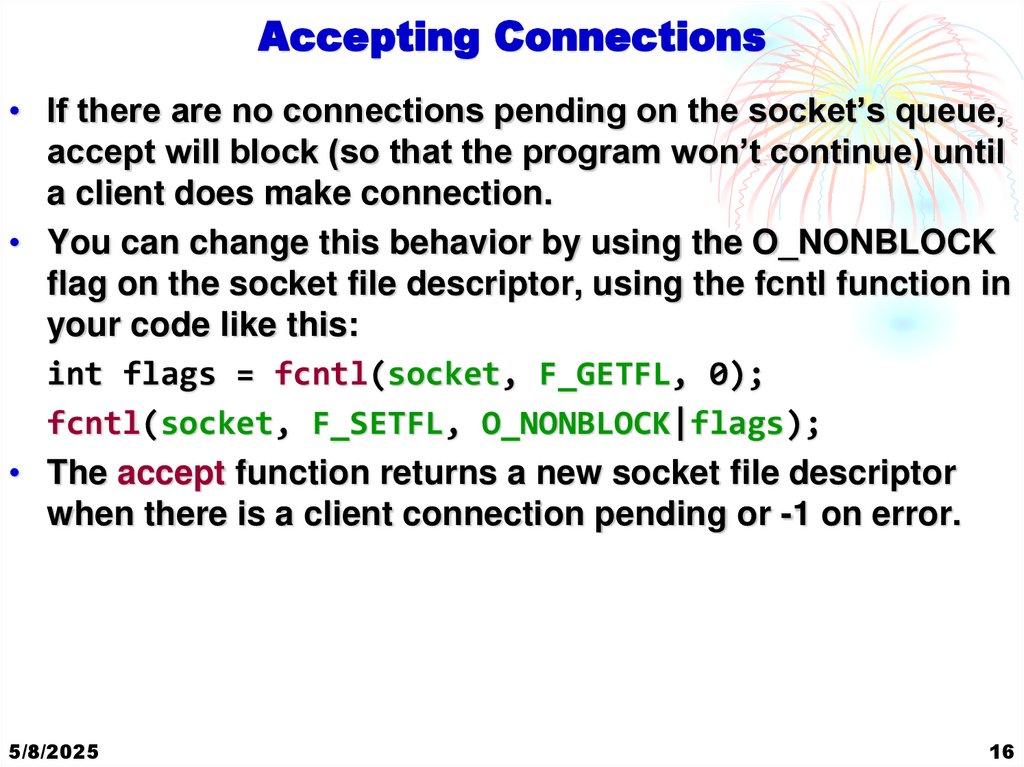
12. Naming a Socket
Accepting Connections• If there are no connections pending on the socket’s queue,
accept will block (so that the program won’t continue) until
a client does make connection.
• You can change this behavior by using the O_NONBLOCK
flag on the socket file descriptor, using the fcntl function in
your code like this:
int flags = fcntl(socket, F_GETFL, 0);
fcntl(socket, F_SETFL, O_NONBLOCK|flags);
• The accept function returns a new socket file descriptor
when there is a client connection pending or -1 on error.
5/8/2025
16
13. Creating a Socket Queue
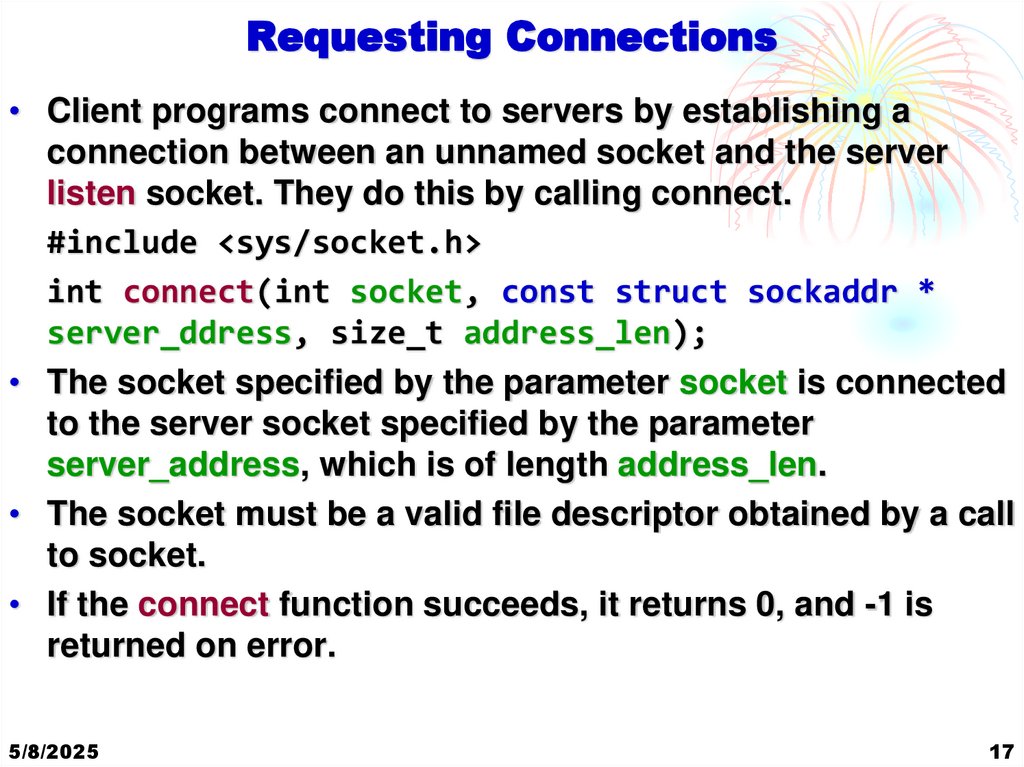
Requesting Connections• Client programs connect to servers by establishing a
connection between an unnamed socket and the server
listen socket. They do this by calling connect.
#include <sys/socket.h>
int connect(int socket, const struct sockaddr *
server_ddress, size_t address_len);
• The socket specified by the parameter socket is connected
to the server socket specified by the parameter
server_address, which is of length address_len.
• The socket must be a valid file descriptor obtained by a call
to socket.
• If the connect function succeeds, it returns 0, and -1 is
returned on error.
5/8/2025
17
14. Accepting Connections
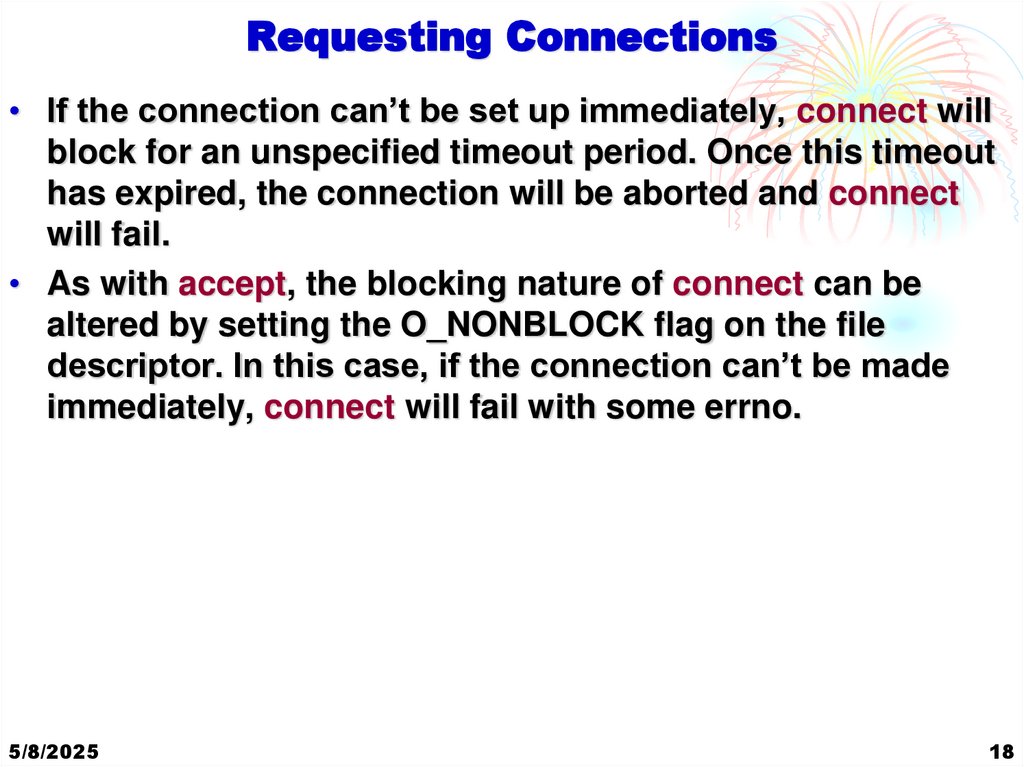
Requesting Connections• If the connection can’t be set up immediately, connect will
block for an unspecified timeout period. Once this timeout
has expired, the connection will be aborted and connect
will fail.
• As with accept, the blocking nature of connect can be
altered by setting the O_NONBLOCK flag on the file
descriptor. In this case, if the connection can’t be made
immediately, connect will fail with some errno.
5/8/2025
18
15. Accepting Connections
Closing a Socket• You can terminate a socket connection at the server and
client by calling close, just as you would for low-level file
descriptors. You should always close the socket at both
ends.
• For the server, you should do this when read returns zero.
5/8/2025
19
16. Accepting Connections
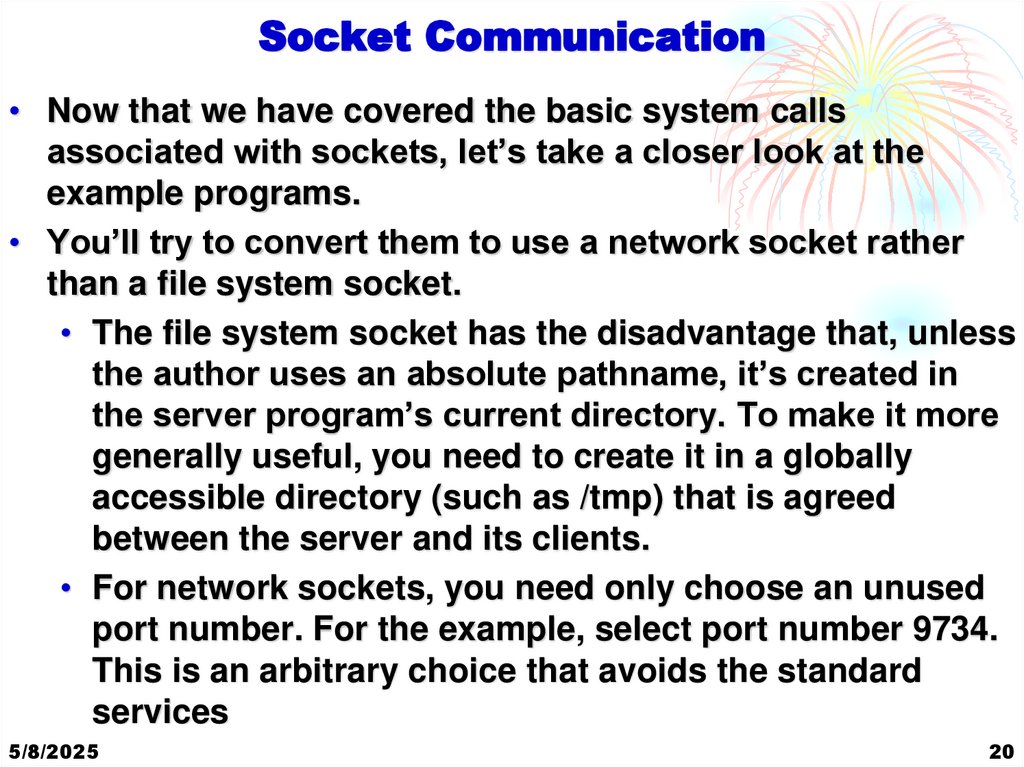
Socket Communication• Now that we have covered the basic system calls
associated with sockets, let’s take a closer look at the
example programs.
• You’ll try to convert them to use a network socket rather
than a file system socket.
• The file system socket has the disadvantage that, unless
the author uses an absolute pathname, it’s created in
the server program’s current directory. To make it more
generally useful, you need to create it in a globally
accessible directory (such as /tmp) that is agreed
between the server and its clients.
• For network sockets, you need only choose an unused
port number. For the example, select port number 9734.
This is an arbitrary choice that avoids the standard
services
5/8/2025
20
17. Requesting Connections
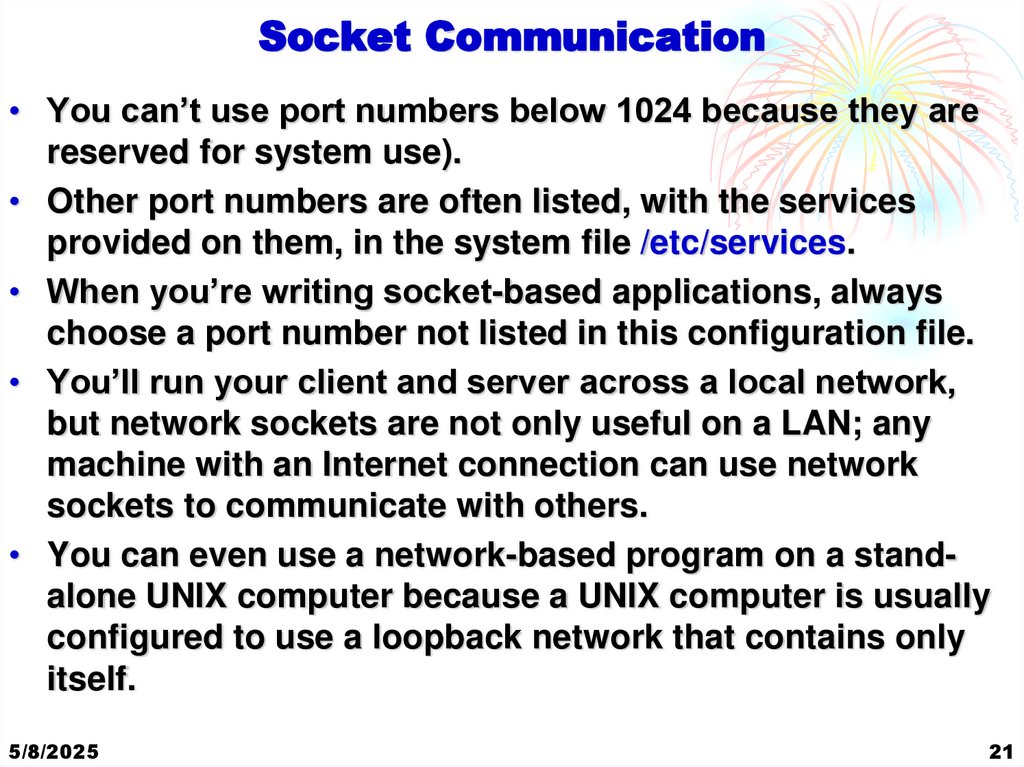
Socket Communication• You can’t use port numbers below 1024 because they are
reserved for system use).
• Other port numbers are often listed, with the services
provided on them, in the system file /etc/services.
• When you’re writing socket-based applications, always
choose a port number not listed in this configuration file.
• You’ll run your client and server across a local network,
but network sockets are not only useful on a LAN; any
machine with an Internet connection can use network
sockets to communicate with others.
• You can even use a network-based program on a standalone UNIX computer because a UNIX computer is usually
configured to use a loopback network that contains only
itself.
5/8/2025
21
18. Requesting Connections
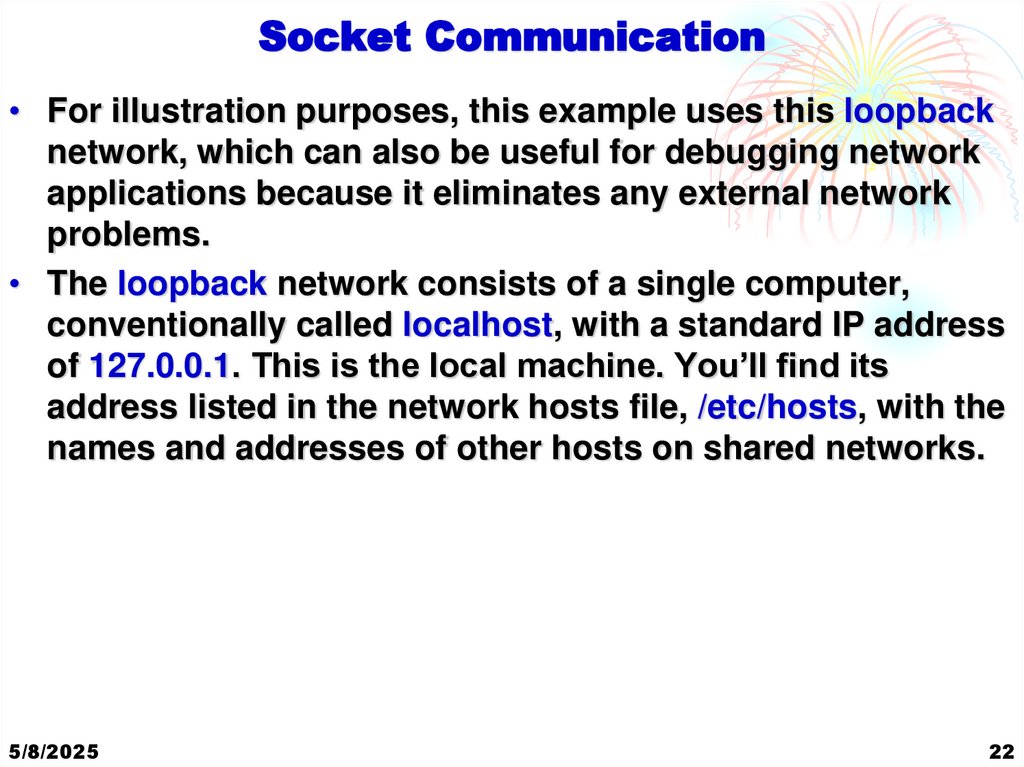
Socket Communication• For illustration purposes, this example uses this loopback
network, which can also be useful for debugging network
applications because it eliminates any external network
problems.
• The loopback network consists of a single computer,
conventionally called localhost, with a standard IP address
of 127.0.0.1. This is the local machine. You’ll find its
address listed in the network hosts file, /etc/hosts, with the
names and addresses of other hosts on shared networks.
5/8/2025
22
19. Closing a Socket
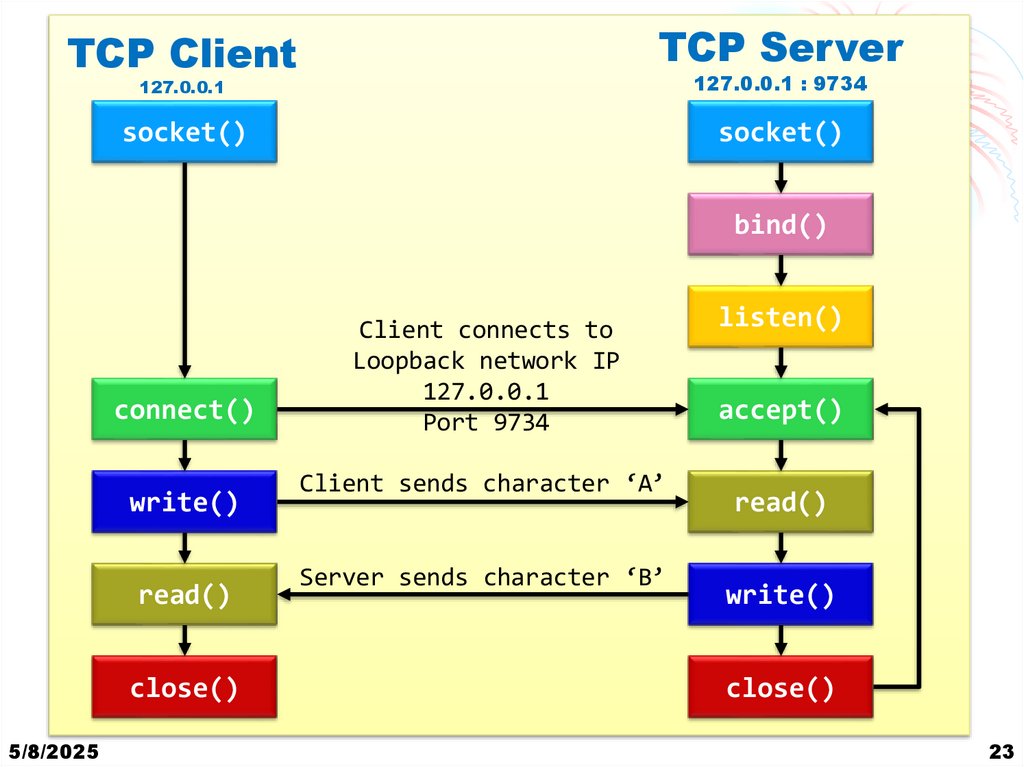
Client Server CommunicationTCP Server
TCP Client
127.0.0.1
127.0.0.1 : 9734
socket()
socket()
bind()
connect()
write()
read()
close()
5/8/2025
Client connects to
Loopback network IP
127.0.0.1
Port 9734
Client sends character ‘A’
Server sends character ‘B’
listen()
accept()
read()
write()
close()
23
20. Socket Communication
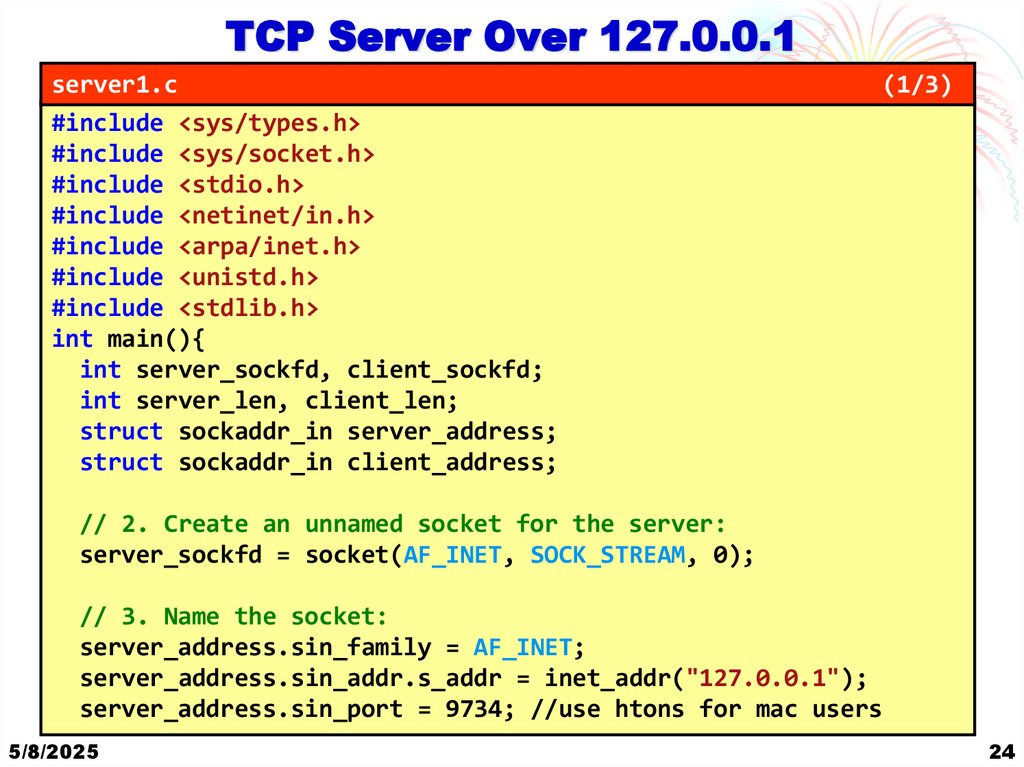
TCP Server Over 127.0.0.1server1.c
#include <sys/types.h>
#include <sys/socket.h>
#include <stdio.h>
#include <netinet/in.h>
#include <arpa/inet.h>
#include <unistd.h>
#include <stdlib.h>
int main(){
int server_sockfd, client_sockfd;
int server_len, client_len;
struct sockaddr_in server_address;
struct sockaddr_in client_address;
(1/3)
// 2. Create an unnamed socket for the server:
server_sockfd = socket(AF_INET, SOCK_STREAM, 0);
// 3. Name the socket:
server_address.sin_family = AF_INET;
server_address.sin_addr.s_addr = inet_addr("127.0.0.1");
server_address.sin_port = 9734; //use htons for mac users
5/8/2025
24
21. Socket Communication
TCP Server Over 127.0.0.1server1.c
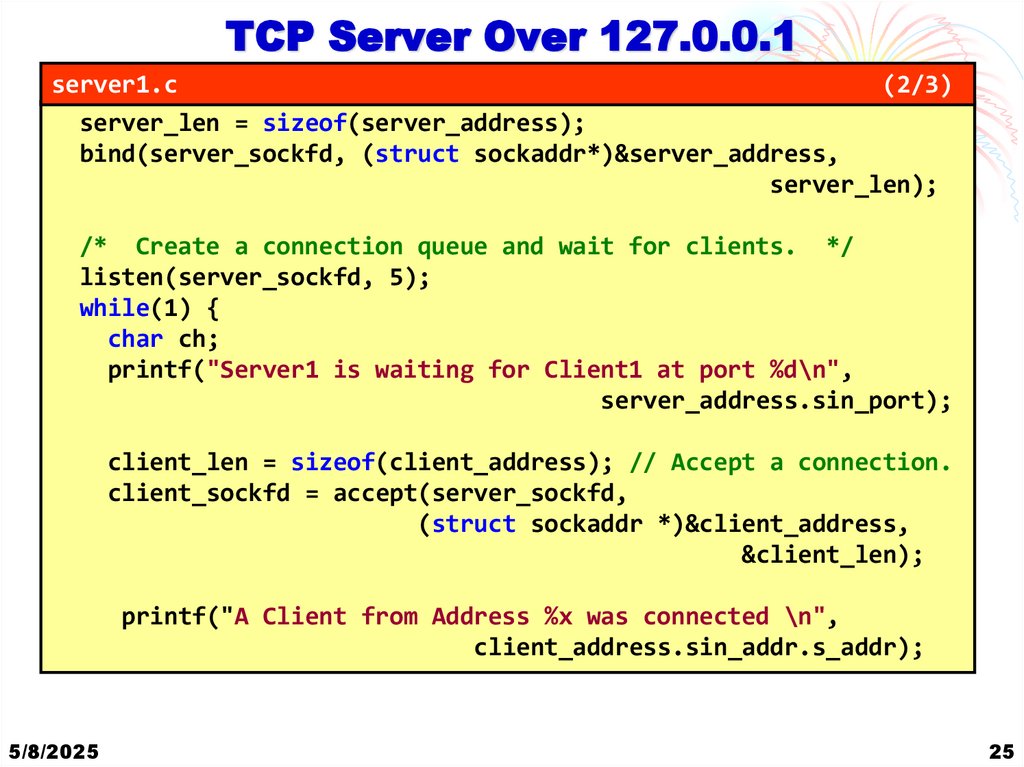
(2/3)
server_len = sizeof(server_address);
bind(server_sockfd, (struct sockaddr*)&server_address,
server_len);
/* Create a connection queue and wait for clients. */
listen(server_sockfd, 5);
while(1) {
char ch;
printf("Server1 is waiting for Client1 at port %d\n",
server_address.sin_port);
client_len = sizeof(client_address); // Accept a connection.
client_sockfd = accept(server_sockfd,
(struct sockaddr *)&client_address,
&client_len);
printf("A Client from Address %x was connected \n",
client_address.sin_addr.s_addr);
5/8/2025
25
22. Socket Communication
TCP Server Over 127.0.0.1server1.c
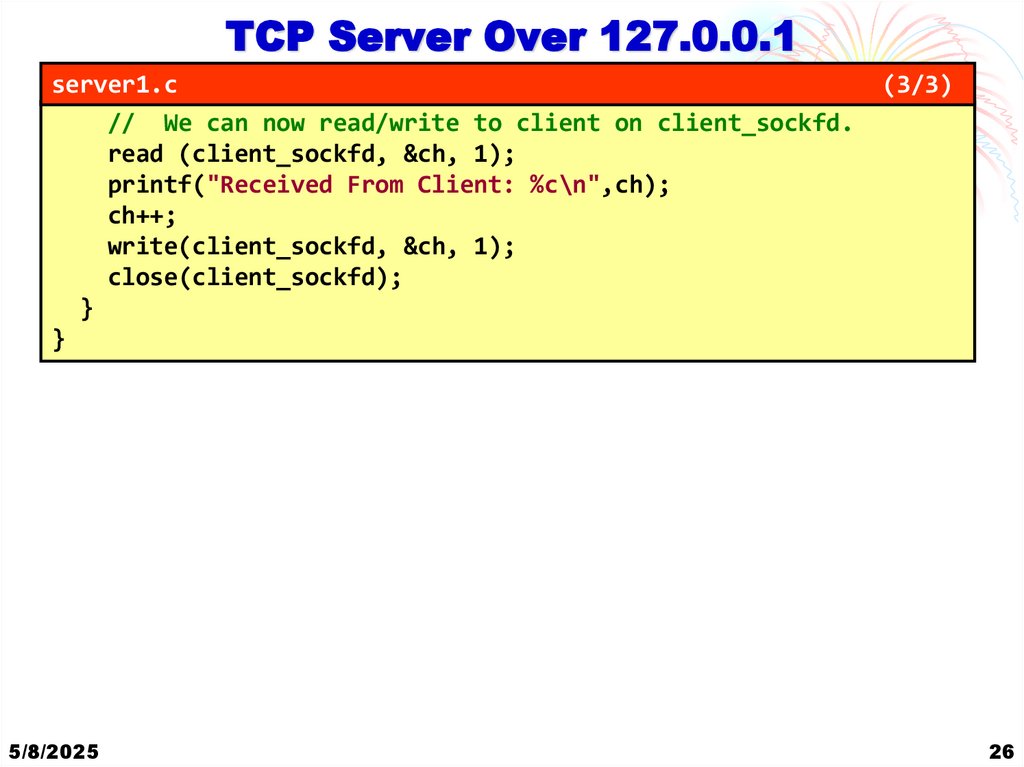
// We can now read/write to client on client_sockfd.
read (client_sockfd, &ch, 1);
printf("Received From Client: %c\n",ch);
ch++;
write(client_sockfd, &ch, 1);
close(client_sockfd);
}
}
5/8/2025
(3/3)
26
23. Client Server Communication
TCP Server Over 127.0.0.1client1.c
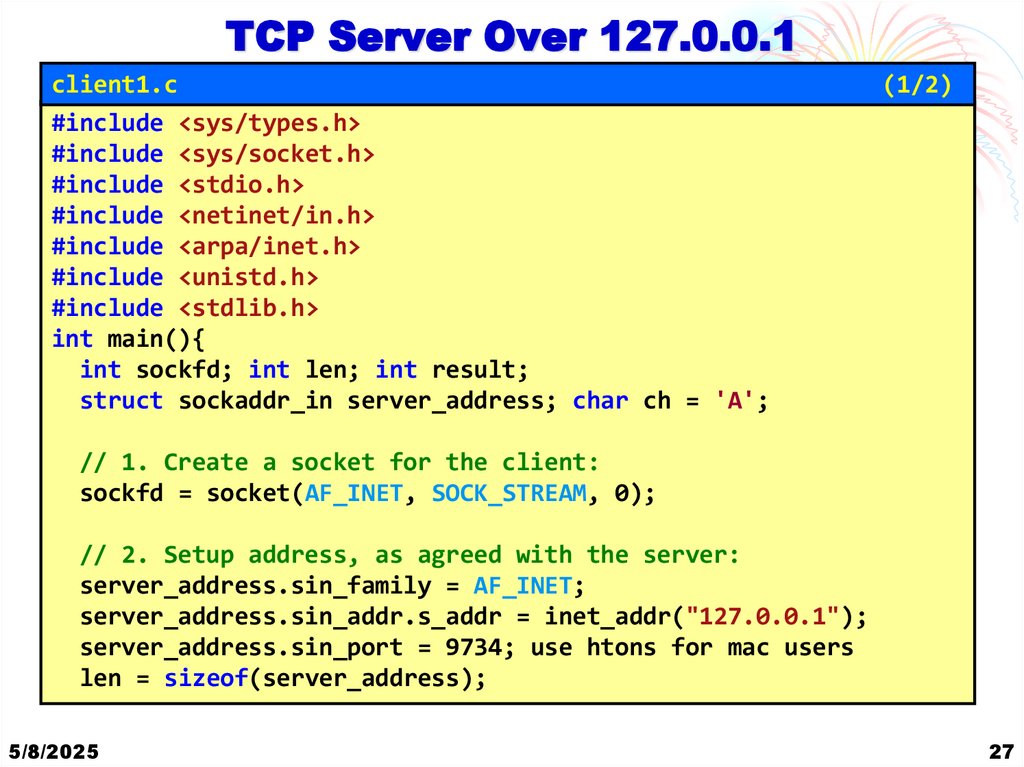
#include <sys/types.h>
#include <sys/socket.h>
#include <stdio.h>
#include <netinet/in.h>
#include <arpa/inet.h>
#include <unistd.h>
#include <stdlib.h>
int main(){
int sockfd; int len; int result;
struct sockaddr_in server_address; char ch = 'A';
(1/2)
// 1. Create a socket for the client:
sockfd = socket(AF_INET, SOCK_STREAM, 0);
// 2. Setup address, as agreed with the server:
server_address.sin_family = AF_INET;
server_address.sin_addr.s_addr = inet_addr("127.0.0.1");
server_address.sin_port = 9734; use htons for mac users
len = sizeof(server_address);
5/8/2025
27
24. TCP Server Over 127.0.0.1
client1.c(2/2)
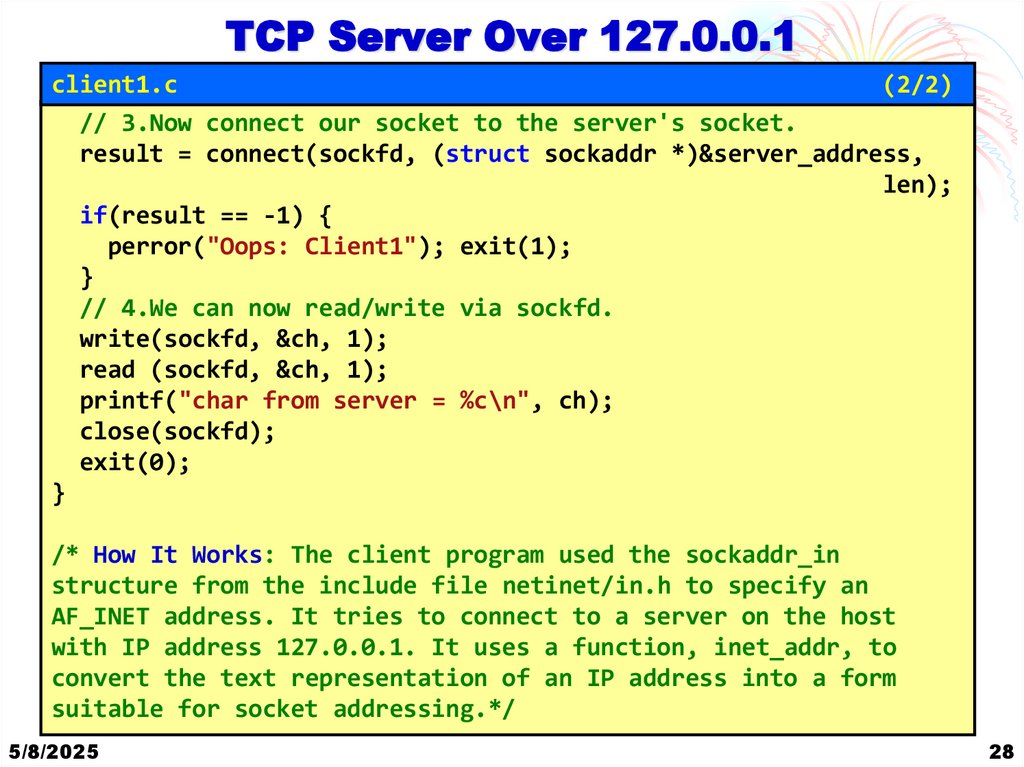
// 3.Now connect our socket to the server's socket.
result = connect(sockfd, (struct sockaddr *)&server_address,
len);
if(result == -1) {
perror("Oops: Client1"); exit(1);
}
// 4.We can now read/write via sockfd.
write(sockfd, &ch, 1);
read (sockfd, &ch, 1);
printf("char from server = %c\n", ch);
close(sockfd);
exit(0);
}
/* How It Works: The client program used the sockaddr_in
structure from the include file netinet/in.h to specify an
AF_INET address. It tries to connect to a server on the host
with IP address 127.0.0.1. It uses a function, inet_addr, to
convert the text representation of an IP address into a form
suitable for socket addressing.*/
5/8/2025
28
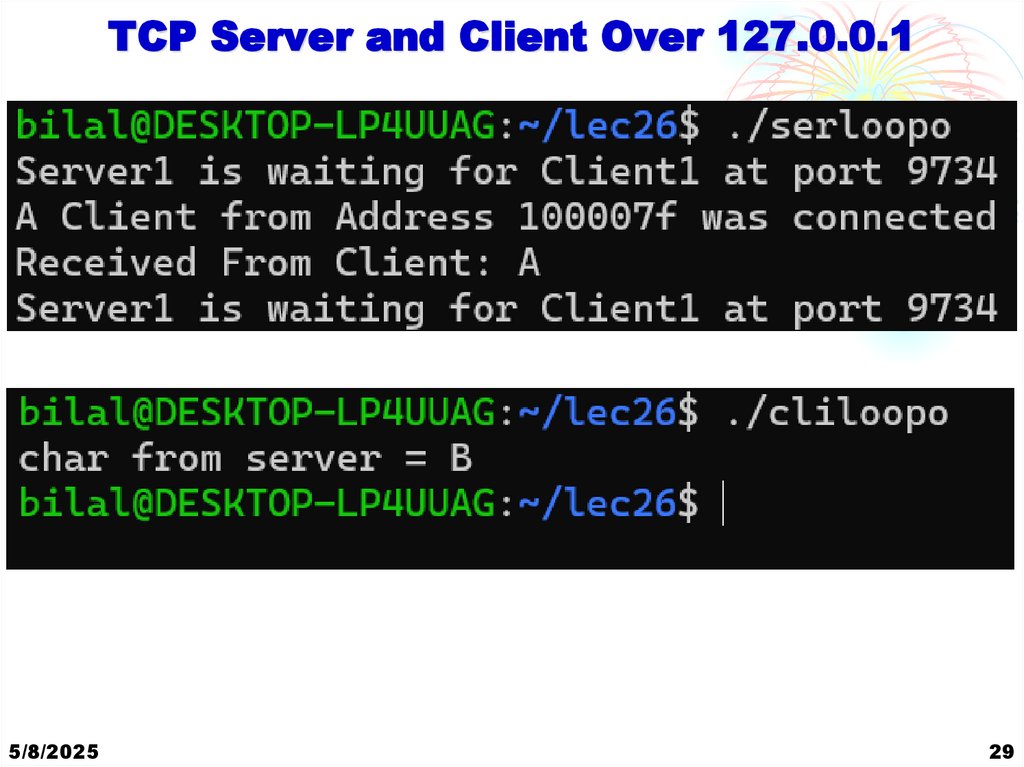
25. TCP Server Over 127.0.0.1
TCP Server and Client Over 127.0.0.15/8/2025
29
26. TCP Server Over 127.0.0.1
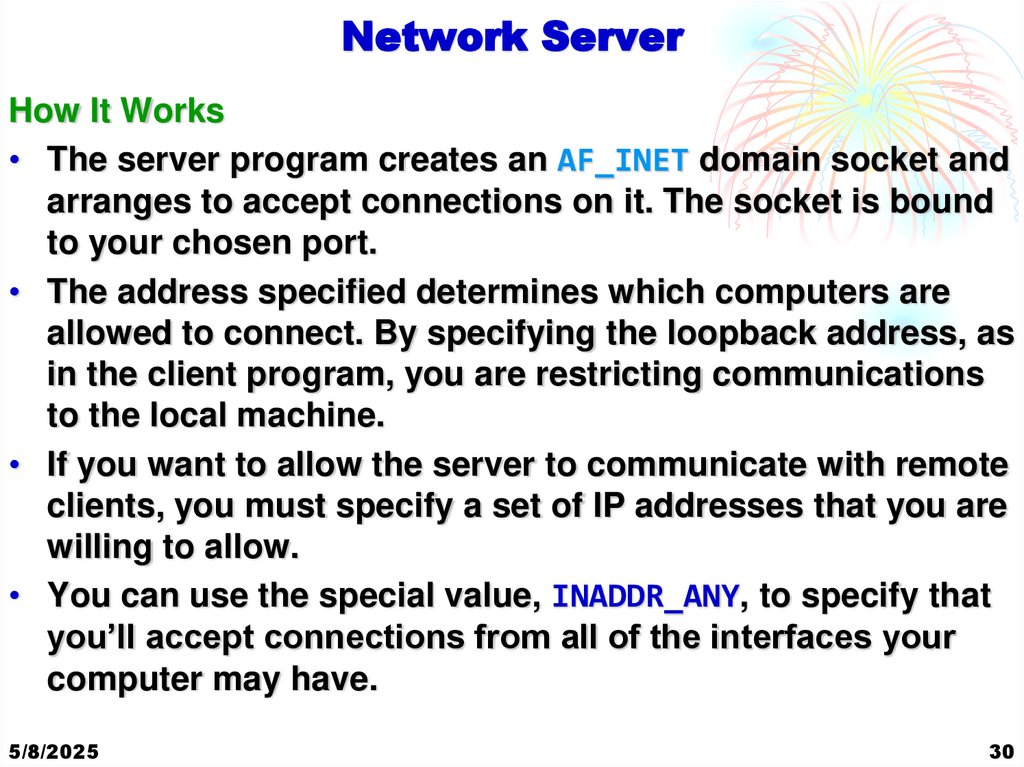
Network ServerHow It Works
• The server program creates an AF_INET domain socket and
arranges to accept connections on it. The socket is bound
to your chosen port.
• The address specified determines which computers are
allowed to connect. By specifying the loopback address, as
in the client program, you are restricting communications
to the local machine.
• If you want to allow the server to communicate with remote
clients, you must specify a set of IP addresses that you are
willing to allow.
• You can use the special value, INADDR_ANY, to specify that
you’ll accept connections from all of the interfaces your
computer may have.
5/8/2025
30
27. TCP Server Over 127.0.0.1
Network ServerHow It Works
• If you chose to, you could distinguish between different
network interfaces to separate, for example, internal Local
Area Network and external Wide Area Network
connections. INADDR_ANY is a 32-bit integer value that you
can use in the sin_addr.s_addr field of the address
structure.
5/8/2025
31
28. TCP Server Over 127.0.0.1
Host and Network Byte Ordering• As the port numbers and addresses are communicated
over socket interfaces as binary numbers.
• Different computers use different byte ordering for
integers. For example,
• Intel processor stores the 32-bit integer as four
consecutive bytes in memory in the order 1-2-3-4, where
1 is the most significant byte.
• Motorola processors would store the integer in the byte
order 4-3-2-1.
• If the memory used for integers were simply copied byte-by
byte, the two different computers would not be able to
agree on integer values.
• The Solution is to convert their internal integer
representation to the network ordering before transmission
5/8/2025
32
29. TCP Server and Client Over 127.0.0.1
Host and Network Byte Ordering• We do this by using functions defined in netinet/in.h.
• These are
#include <netinet/in.h>
unsigned long int htonl(unsigned long int hostlong);
unsigned short int htons(unsigned short int hostshort);
unsigned long int ntohl(unsigned long int netlong);
unsigned short int ntohs(unsigned short int netshort);
• These functions convert 16-bit and 32-bit integers between
native host format and the standard network ordering.
• Their names are abbreviations for conversions—for
example, “host to network, long” (htonl) and “host to
network, short” (htons).
5/8/2025
33
30. Network Server
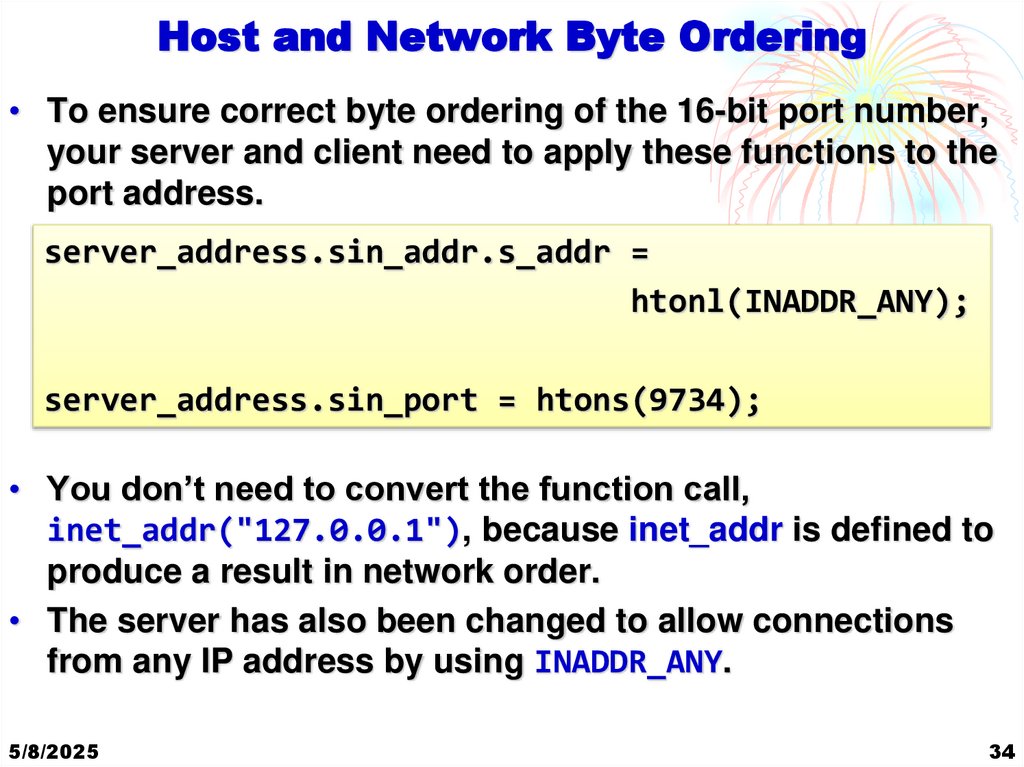
Host and Network Byte Ordering• To ensure correct byte ordering of the 16-bit port number,
your server and client need to apply these functions to the
port address.
server_address.sin_addr.s_addr =
htonl(INADDR_ANY);
server_address.sin_port = htons(9734);
• You don’t need to convert the function call,
inet_addr("127.0.0.1"), because inet_addr is defined to
produce a result in network order.
• The server has also been changed to allow connections
from any IP address by using INADDR_ANY.
5/8/2025
34
31. Network Server
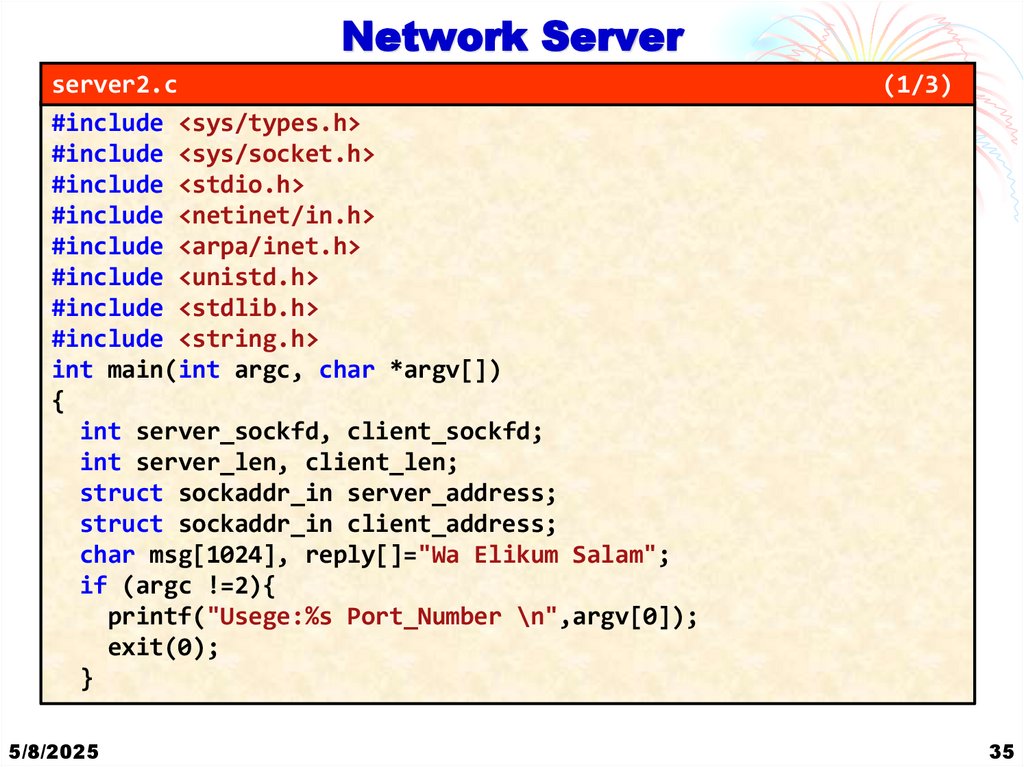
server2.c#include <sys/types.h>
#include <sys/socket.h>
#include <stdio.h>
#include <netinet/in.h>
#include <arpa/inet.h>
#include <unistd.h>
#include <stdlib.h>
#include <string.h>
int main(int argc, char *argv[])
{
int server_sockfd, client_sockfd;
int server_len, client_len;
struct sockaddr_in server_address;
struct sockaddr_in client_address;
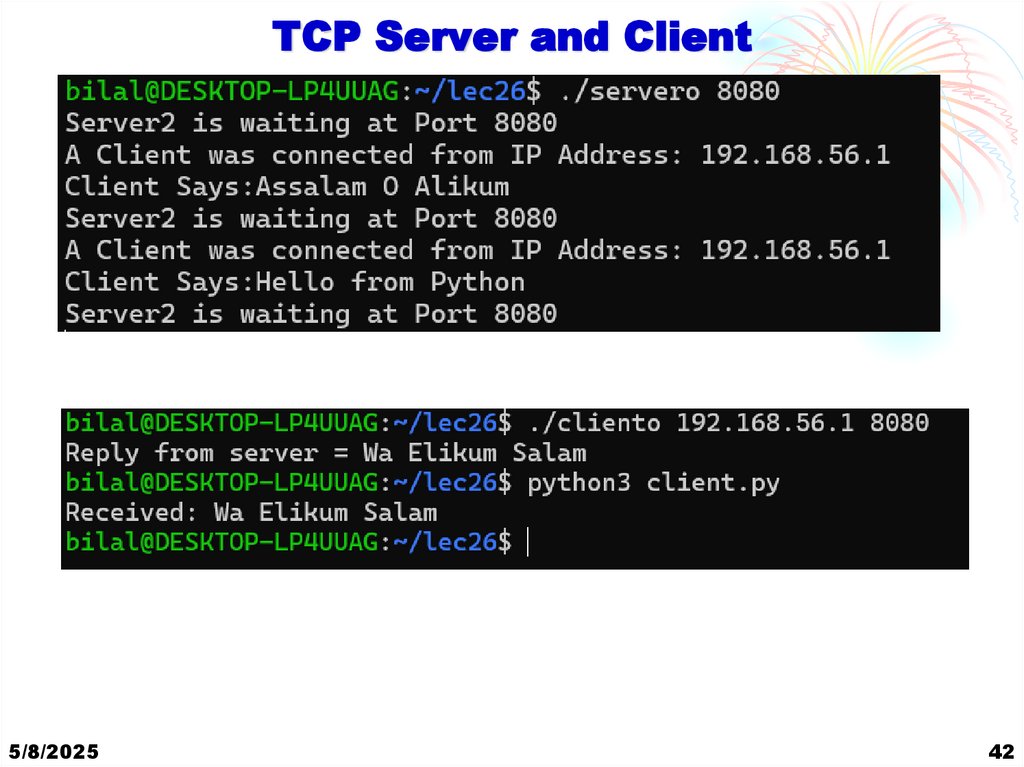
char msg[1024], reply[]="Wa Elikum Salam";
if (argc !=2){
printf("Usege:%s Port_Number \n",argv[0]);
exit(0);
}
5/8/2025
(1/3)
35
32. Host and Network Byte Ordering
Network Serverserver2.c
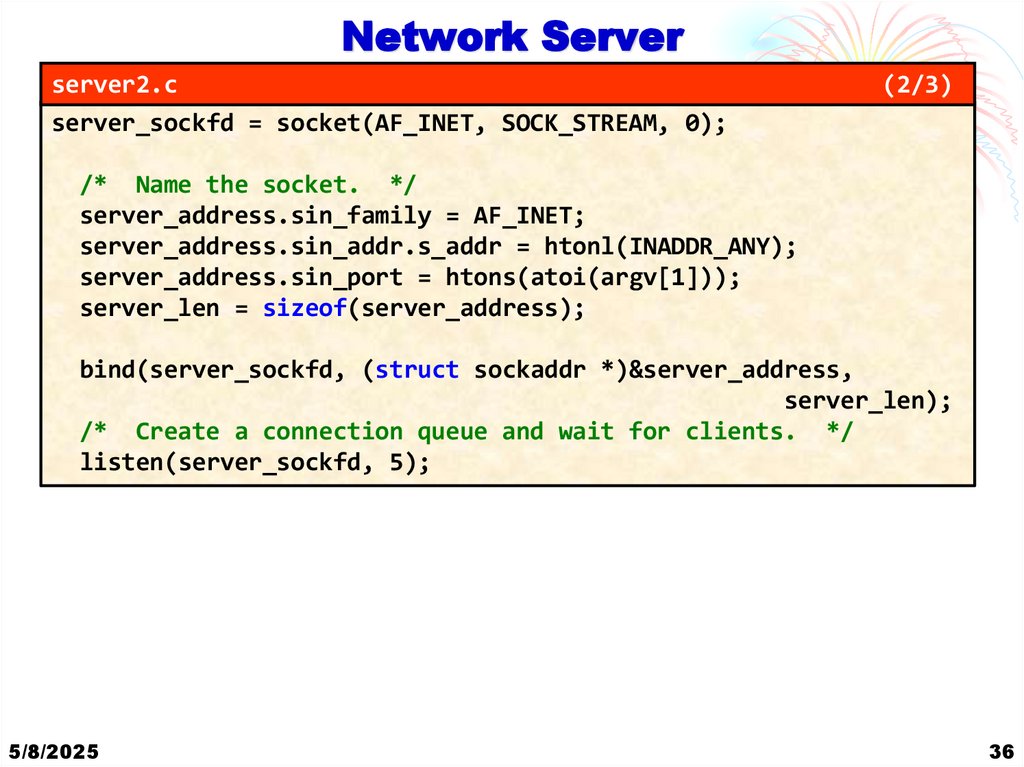
server_sockfd = socket(AF_INET, SOCK_STREAM, 0);
(2/3)
/* Name the socket. */
server_address.sin_family = AF_INET;
server_address.sin_addr.s_addr = htonl(INADDR_ANY);
server_address.sin_port = htons(atoi(argv[1]));
server_len = sizeof(server_address);
bind(server_sockfd, (struct sockaddr *)&server_address,
server_len);
/* Create a connection queue and wait for clients. */
listen(server_sockfd, 5);
5/8/2025
36
33. Host and Network Byte Ordering
Network Serverserver2.c
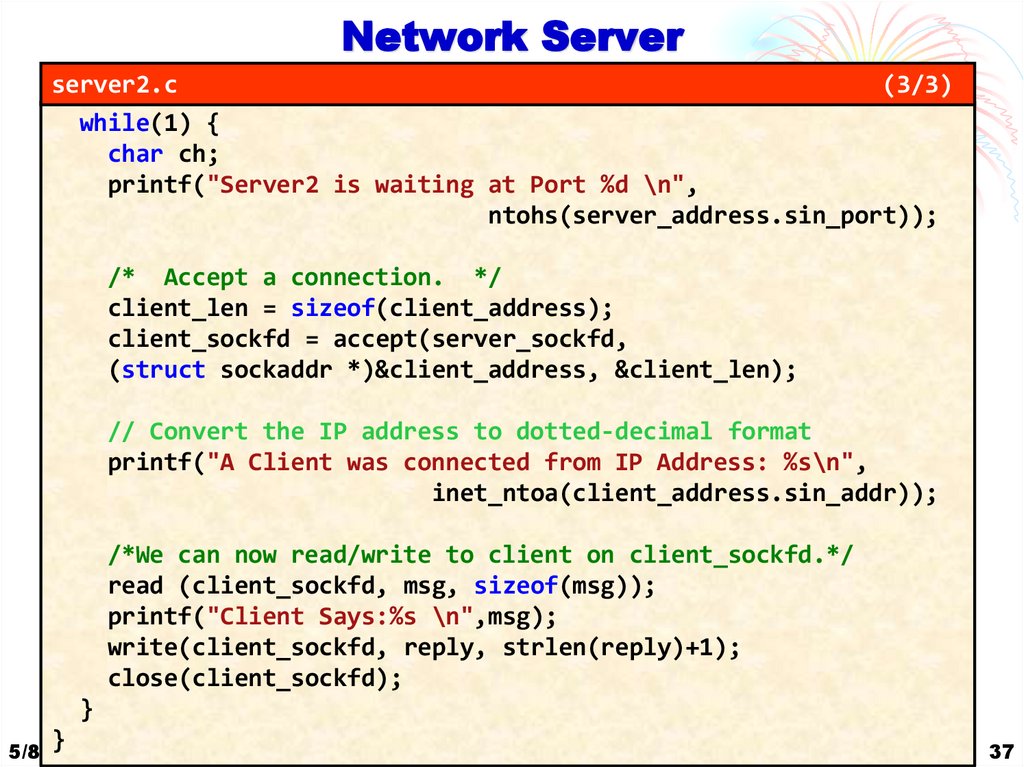
(3/3)
while(1) {
char ch;
printf("Server2 is waiting at Port %d \n",
ntohs(server_address.sin_port));
/* Accept a connection. */
client_len = sizeof(client_address);
client_sockfd = accept(server_sockfd,
(struct sockaddr *)&client_address, &client_len);
// Convert the IP address to dotted-decimal format
printf("A Client was connected from IP Address: %s\n",
inet_ntoa(client_address.sin_addr));
/*We can now read/write to client on client_sockfd.*/
read (client_sockfd, msg, sizeof(msg));
printf("Client Says:%s \n",msg);
write(client_sockfd, reply, strlen(reply)+1);
close(client_sockfd);
}
}
5/8/2025
37
34. Host and Network Byte Ordering
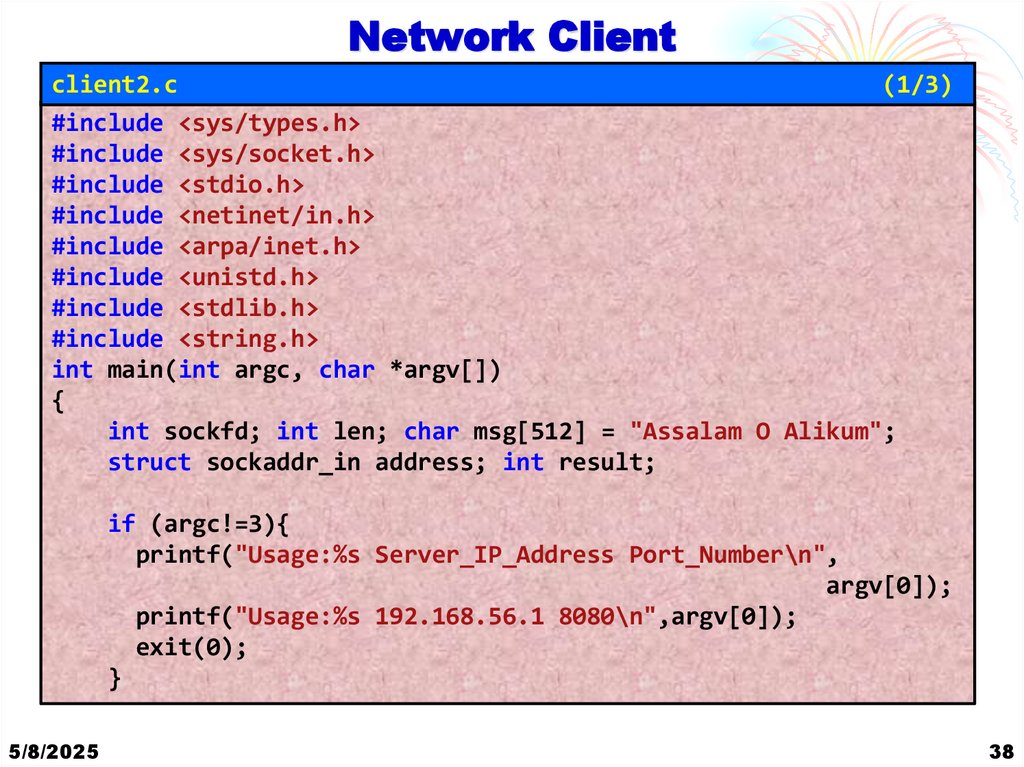
Network Clientclient2.c
(1/3)
#include <sys/types.h>
#include <sys/socket.h>
#include <stdio.h>
#include <netinet/in.h>
#include <arpa/inet.h>
#include <unistd.h>
#include <stdlib.h>
#include <string.h>
int main(int argc, char *argv[])
{
int sockfd; int len; char msg[512] = "Assalam O Alikum";
struct sockaddr_in address; int result;
if (argc!=3){
printf("Usage:%s Server_IP_Address Port_Number\n",
argv[0]);
printf("Usage:%s 192.168.56.1 8080\n",argv[0]);
exit(0);
}
5/8/2025
38
35. Network Server
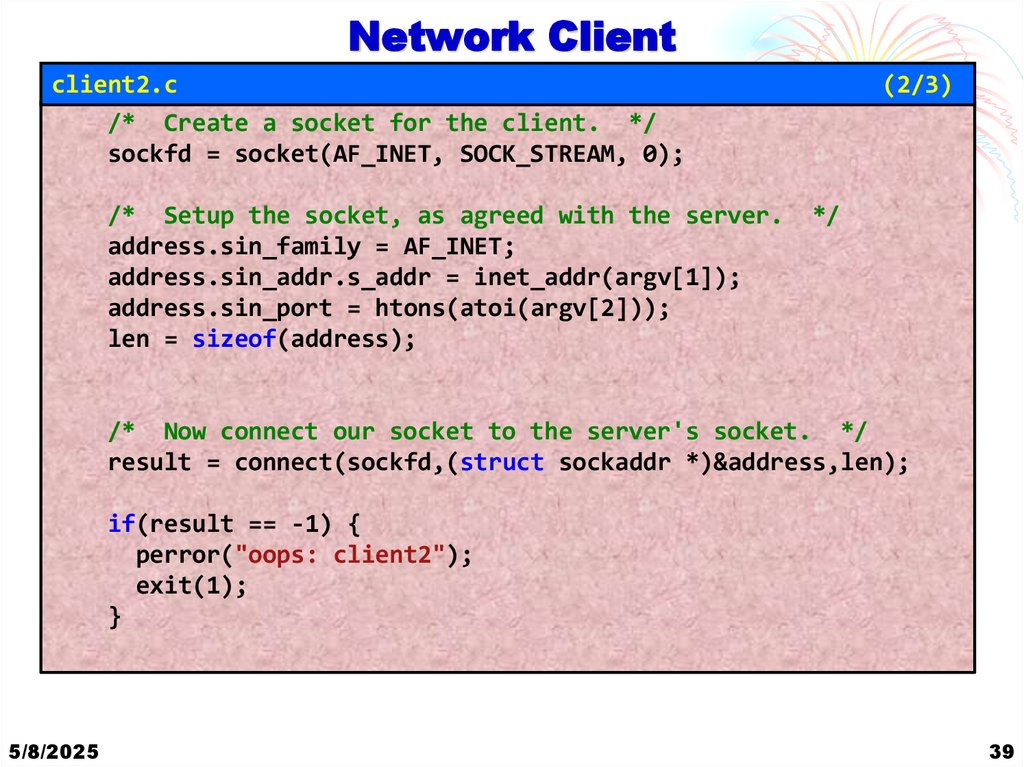
Network Clientclient2.c
/* Create a socket for the client. */
sockfd = socket(AF_INET, SOCK_STREAM, 0);
/* Setup the socket, as agreed with the server.
address.sin_family = AF_INET;
address.sin_addr.s_addr = inet_addr(argv[1]);
address.sin_port = htons(atoi(argv[2]));
len = sizeof(address);
(2/3)
*/
/* Now connect our socket to the server's socket. */
result = connect(sockfd,(struct sockaddr *)&address,len);
if(result == -1) {
perror("oops: client2");
exit(1);
}
5/8/2025
39
36. Network Server
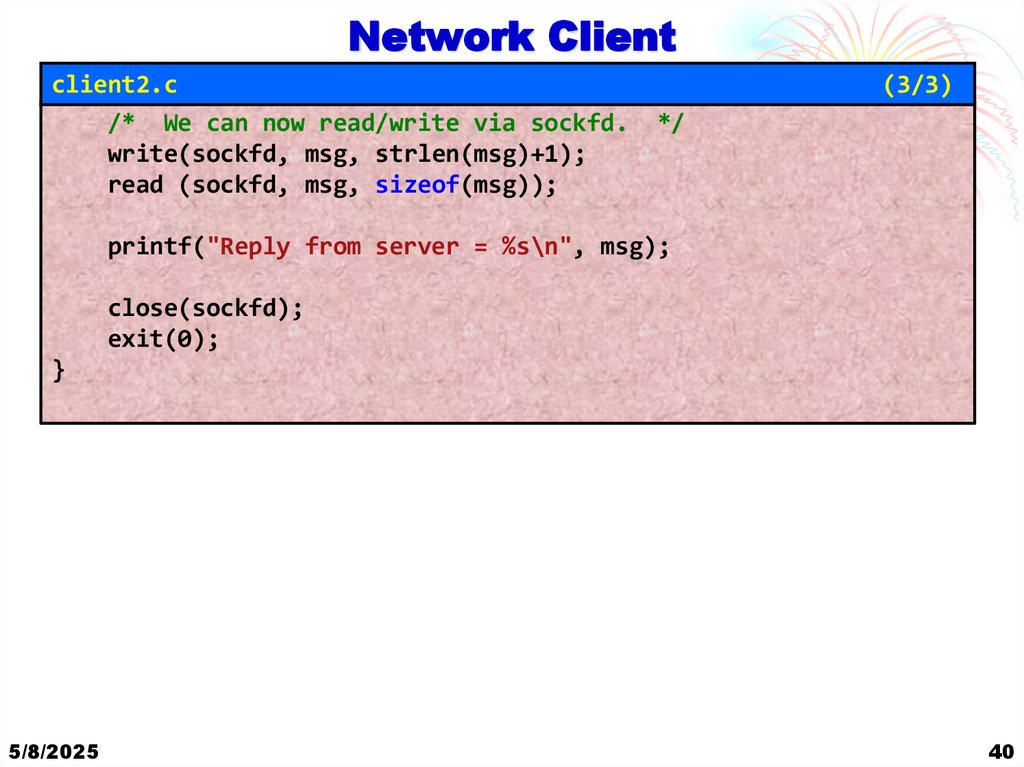
Network Clientclient2.c
/* We can now read/write via sockfd.
write(sockfd, msg, strlen(msg)+1);
read (sockfd, msg, sizeof(msg));
(3/3)
*/
printf("Reply from server = %s\n", msg);
close(sockfd);
exit(0);
}
5/8/2025
40
37. Network Server
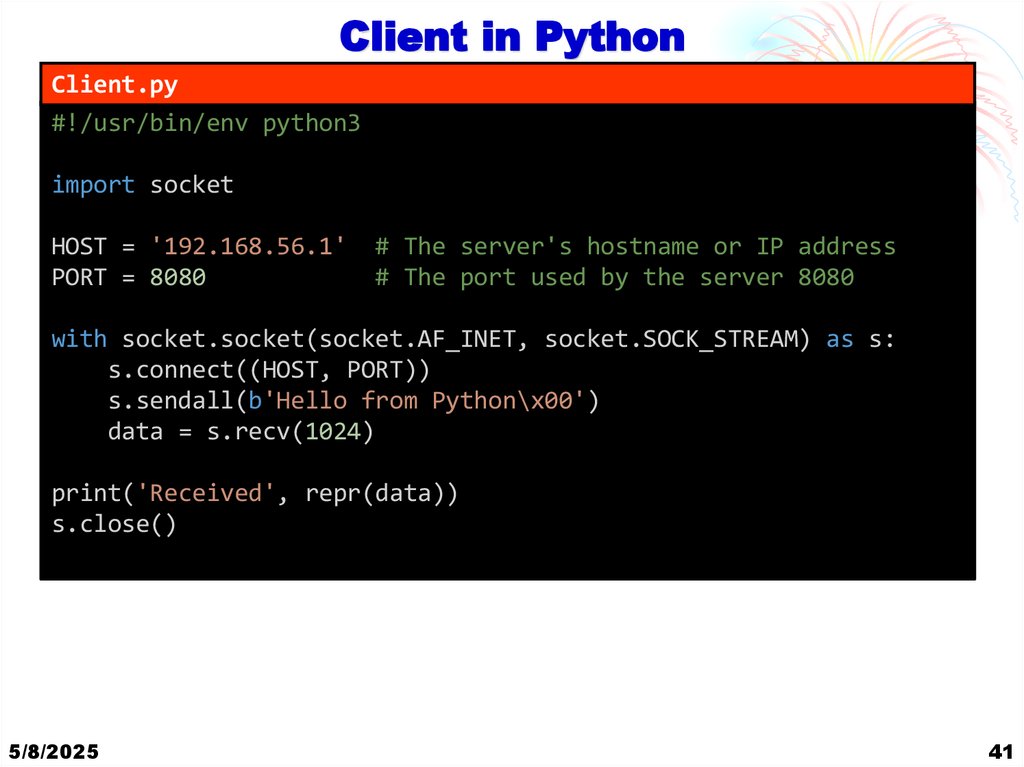
Client in PythonClient.py
#!/usr/bin/env python3
import socket
HOST = '192.168.56.1'
PORT = 8080
# The server's hostname or IP address
# The port used by the server 8080
with socket.socket(socket.AF_INET, socket.SOCK_STREAM) as s:
s.connect((HOST, PORT))
s.sendall(b'Hello from Python\x00')
data = s.recv(1024)
print('Received', repr(data))
s.close()
5/8/2025
41
38. Network Client
TCP Server and Client5/8/2025
42
39. Network Client
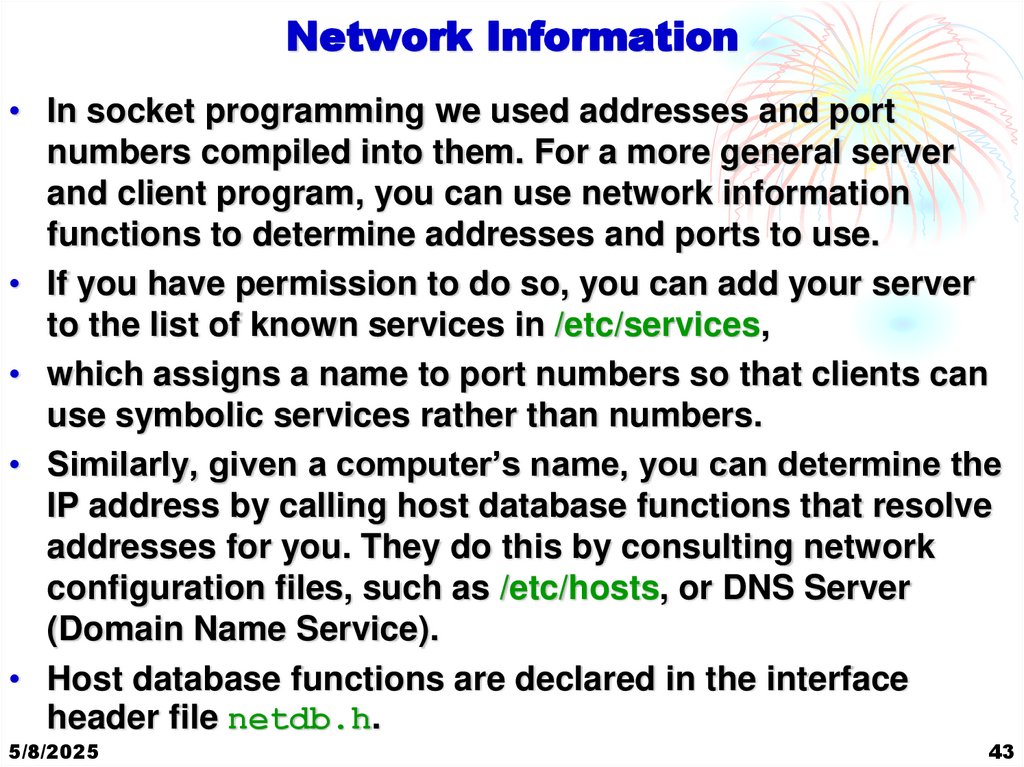
Network Information• In socket programming we used addresses and port
numbers compiled into them. For a more general server
and client program, you can use network information
functions to determine addresses and ports to use.
• If you have permission to do so, you can add your server
to the list of known services in /etc/services,
• which assigns a name to port numbers so that clients can
use symbolic services rather than numbers.
• Similarly, given a computer’s name, you can determine the
IP address by calling host database functions that resolve
addresses for you. They do this by consulting network
configuration files, such as /etc/hosts, or DNS Server
(Domain Name Service).
• Host database functions are declared in the interface
header file netdb.h.
5/8/2025
43
40. Network Client
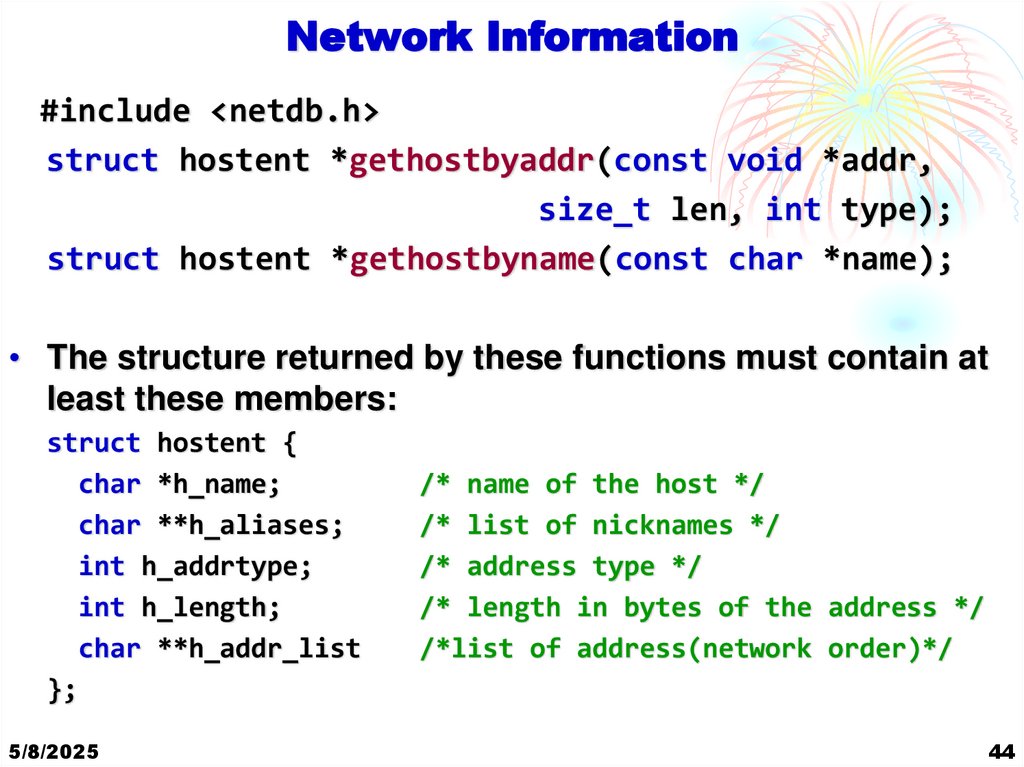
Network Information#include <netdb.h>
struct hostent *gethostbyaddr(const void *addr,
size_t len, int type);
struct hostent *gethostbyname(const char *name);
• The structure returned by these functions must contain at
least these members:
struct hostent {
char *h_name;
char **h_aliases;
int h_addrtype;
int h_length;
char **h_addr_list
};
5/8/2025
/* name of the host */
/* list of nicknames */
/* address type */
/* length in bytes of the address */
/*list of address(network order)*/
44
41. Client in Python
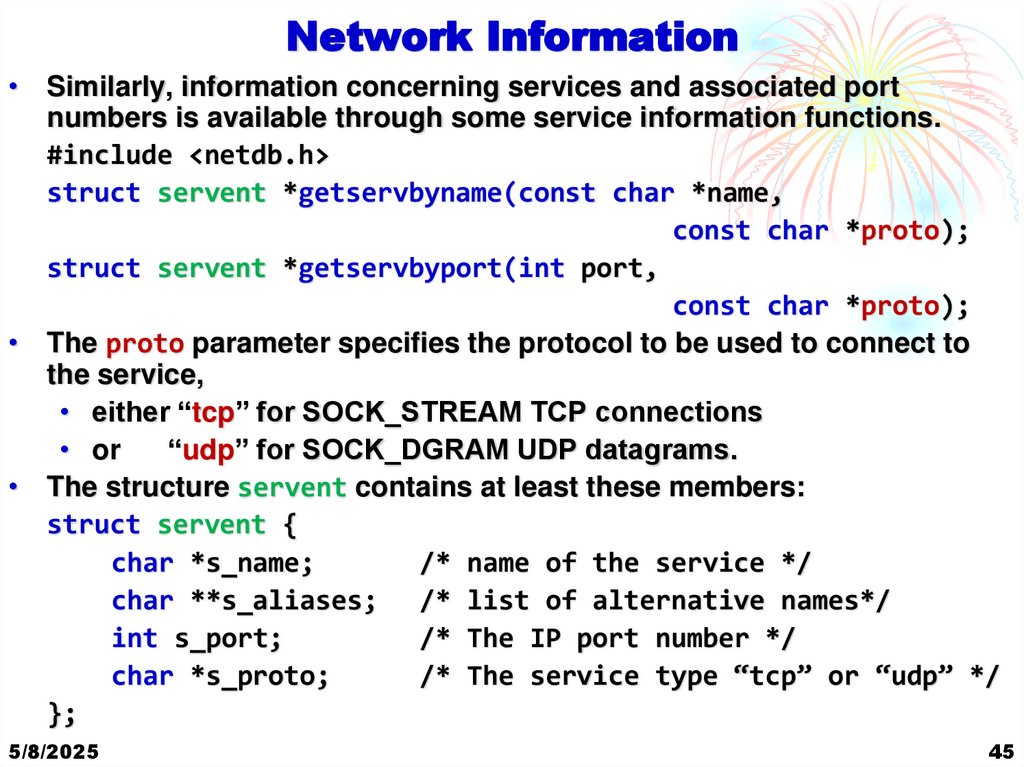
Network Information• Similarly, information concerning services and associated port
numbers is available through some service information functions.
#include <netdb.h>
struct servent *getservbyname(const char *name,
const char *proto);
struct servent *getservbyport(int port,
const char *proto);
• The proto parameter specifies the protocol to be used to connect to
the service,
• either “tcp” for SOCK_STREAM TCP connections
• or
“udp” for SOCK_DGRAM UDP datagrams.
• The structure servent contains at least these members:
struct servent {
char *s_name;
/* name of the service */
char **s_aliases; /* list of alternative names*/
int s_port;
/* The IP port number */
char *s_proto;
/* The service type “tcp” or “udp” */
};
5/8/2025
45
42. TCP Server and Client
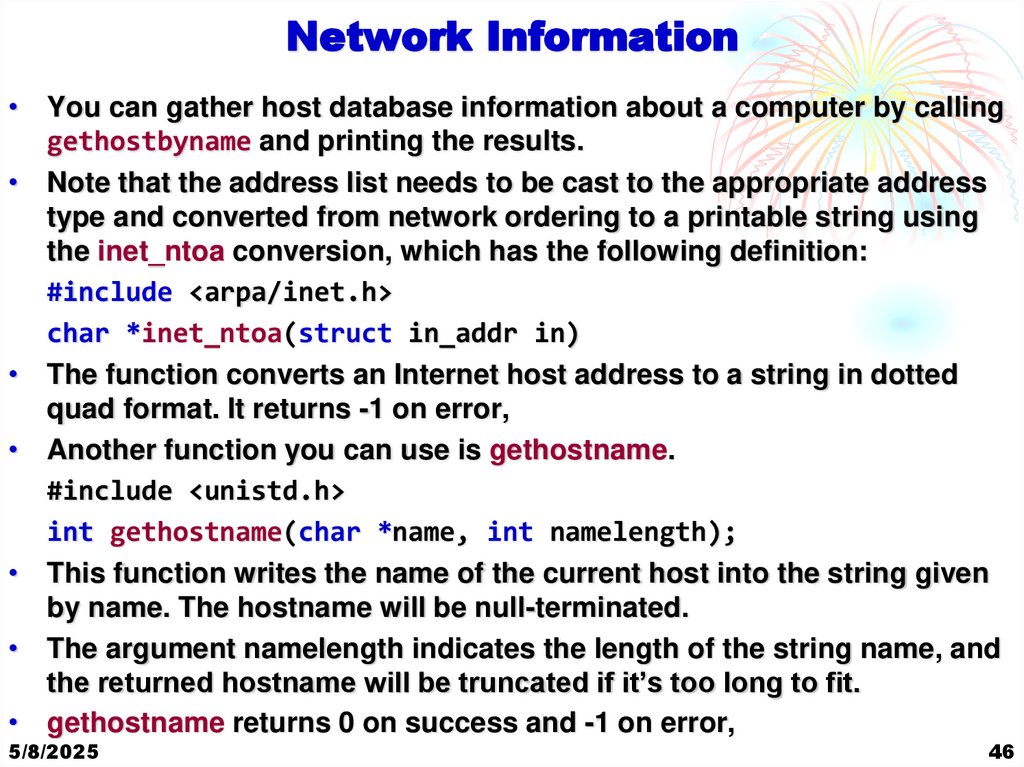
Network Information• You can gather host database information about a computer by calling
gethostbyname and printing the results.
• Note that the address list needs to be cast to the appropriate address
type and converted from network ordering to a printable string using
the inet_ntoa conversion, which has the following definition:
#include <arpa/inet.h>
char *inet_ntoa(struct in_addr in)
• The function converts an Internet host address to a string in dotted
quad format. It returns -1 on error,
• Another function you can use is gethostname.
#include <unistd.h>
int gethostname(char *name, int namelength);
• This function writes the name of the current host into the string given
by name. The hostname will be null-terminated.
• The argument namelength indicates the length of the string name, and
the returned hostname will be truncated if it’s too long to fit.
• gethostname returns 0 on success and -1 on error,
5/8/2025
46
43. Network Information
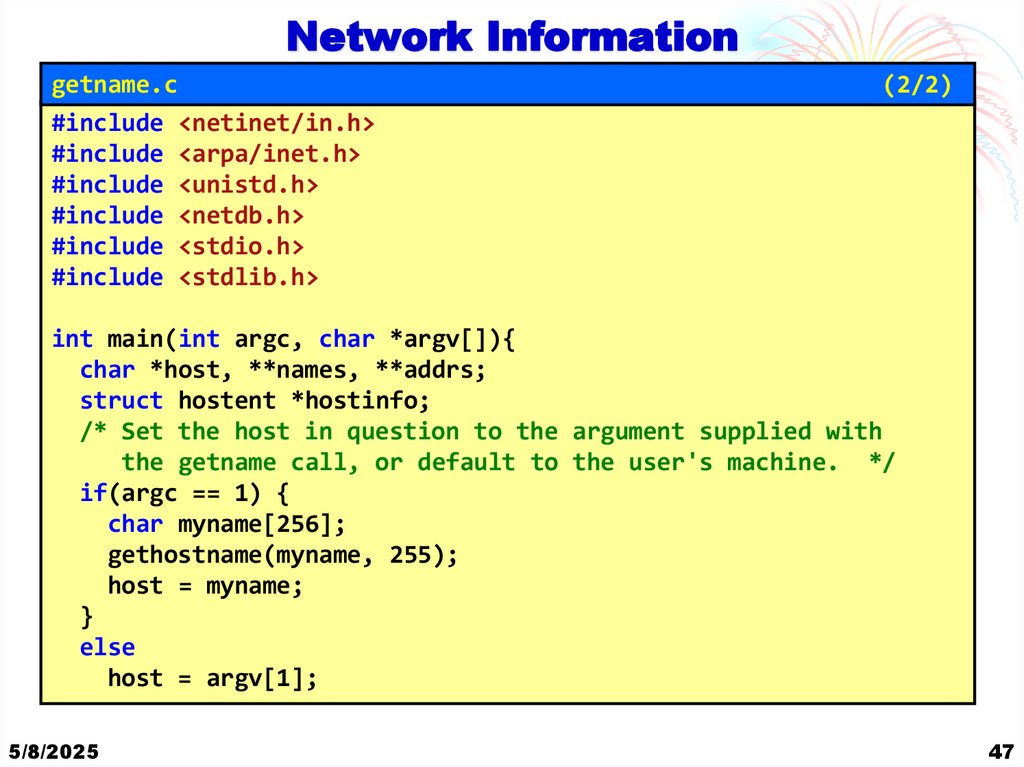
getname.c#include <netinet/in.h>
#include <arpa/inet.h>
#include <unistd.h>
#include <netdb.h>
#include <stdio.h>
#include <stdlib.h>
(2/2)
int main(int argc, char *argv[]){
char *host, **names, **addrs;
struct hostent *hostinfo;
/* Set the host in question to the argument supplied with
the getname call, or default to the user's machine. */
if(argc == 1) {
char myname[256];
gethostname(myname, 255);
host = myname;
}
else
host = argv[1];
5/8/2025
47
44. Network Information
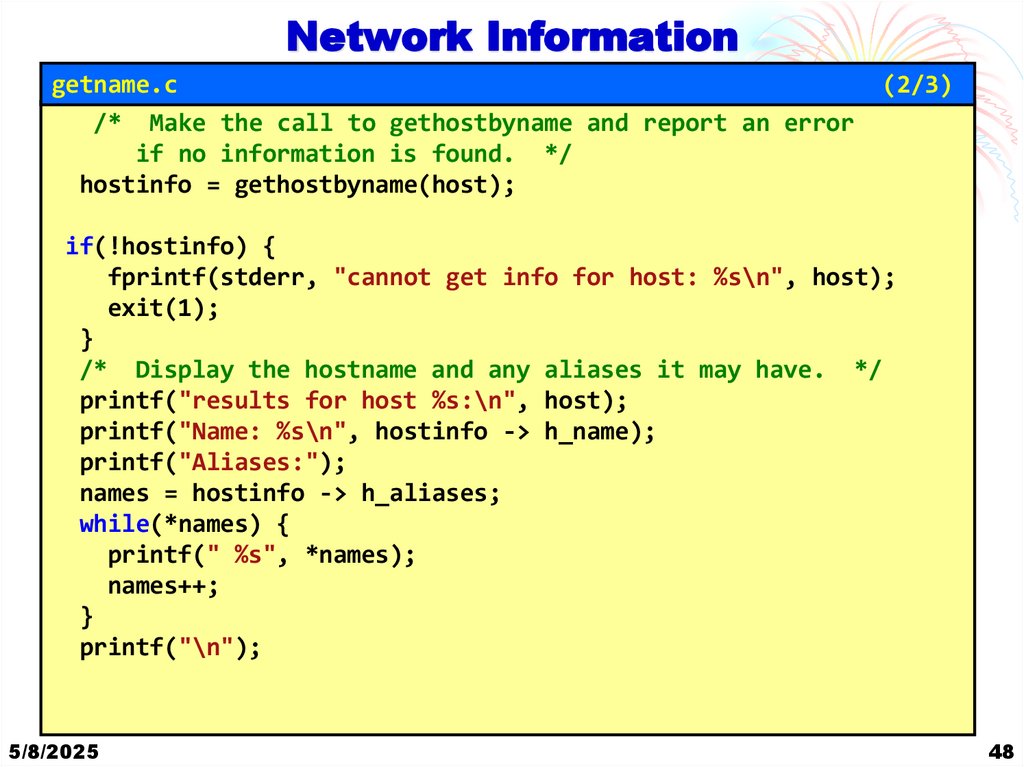
getname.c/* Make the call to gethostbyname and report an error
if no information is found. */
hostinfo = gethostbyname(host);
(2/3)
if(!hostinfo) {
fprintf(stderr, "cannot get info for host: %s\n", host);
exit(1);
}
/* Display the hostname and any aliases it may have. */
printf("results for host %s:\n", host);
printf("Name: %s\n", hostinfo -> h_name);
printf("Aliases:");
names = hostinfo -> h_aliases;
while(*names) {
printf(" %s", *names);
names++;
}
printf("\n");
5/8/2025
48
45. Network Information
getname.c(3/3)
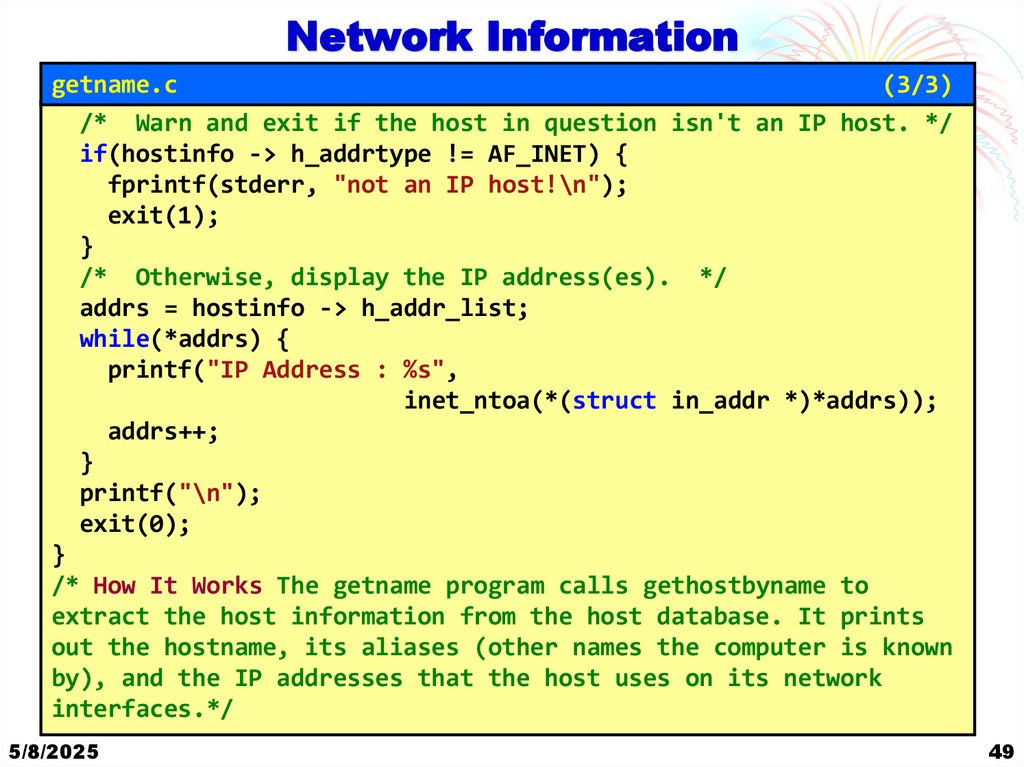
/* Warn and exit if the host in question isn't an IP host. */
if(hostinfo -> h_addrtype != AF_INET) {
fprintf(stderr, "not an IP host!\n");
exit(1);
}
/* Otherwise, display the IP address(es). */
addrs = hostinfo -> h_addr_list;
while(*addrs) {
printf("IP Address : %s",
inet_ntoa(*(struct in_addr *)*addrs));
addrs++;
}
printf("\n");
exit(0);
}
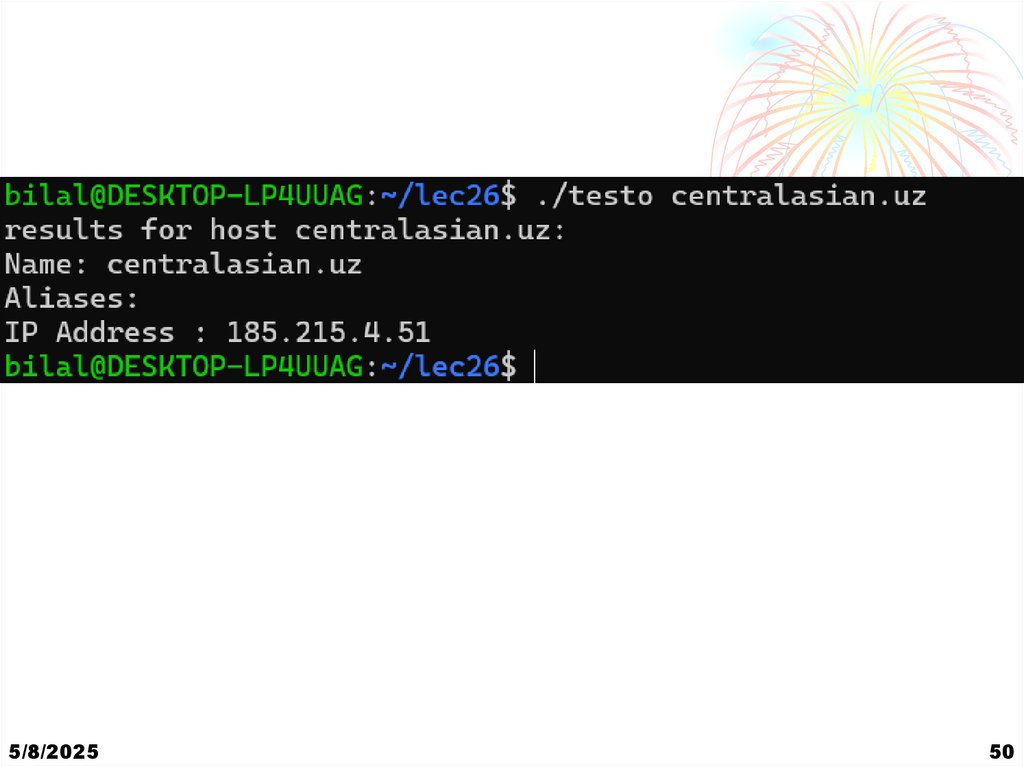
/* How It Works The getname program calls gethostbyname to
extract the host information from the host database. It prints
out the hostname, its aliases (other names the computer is known
by), and the IP addresses that the host uses on its network
interfaces.*/
5/8/2025
49
46. Network Information
5/8/202550
47. Network Information
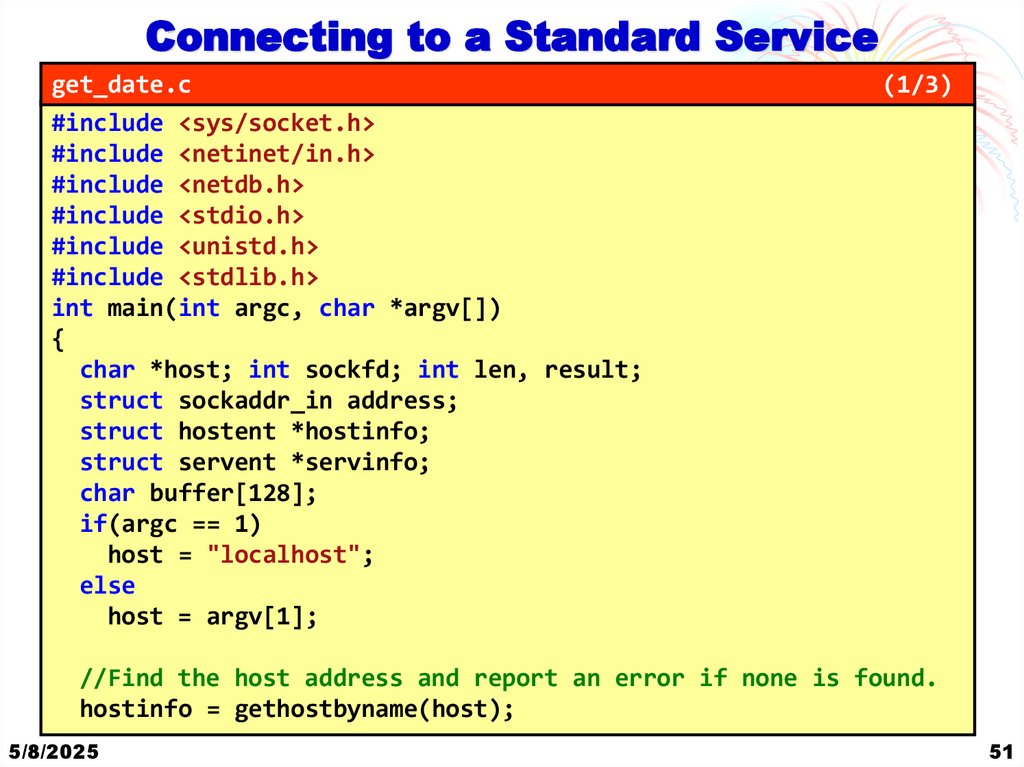
Connecting to a Standard Serviceget_date.c
#include <sys/socket.h>
#include <netinet/in.h>
#include <netdb.h>
#include <stdio.h>
#include <unistd.h>
#include <stdlib.h>
int main(int argc, char *argv[])
{
char *host; int sockfd; int len, result;
struct sockaddr_in address;
struct hostent *hostinfo;
struct servent *servinfo;
char buffer[128];
if(argc == 1)
host = "localhost";
else
host = argv[1];
(1/3)
//Find the host address and report an error if none is found.
hostinfo = gethostbyname(host);
5/8/2025
51
48. Network Information
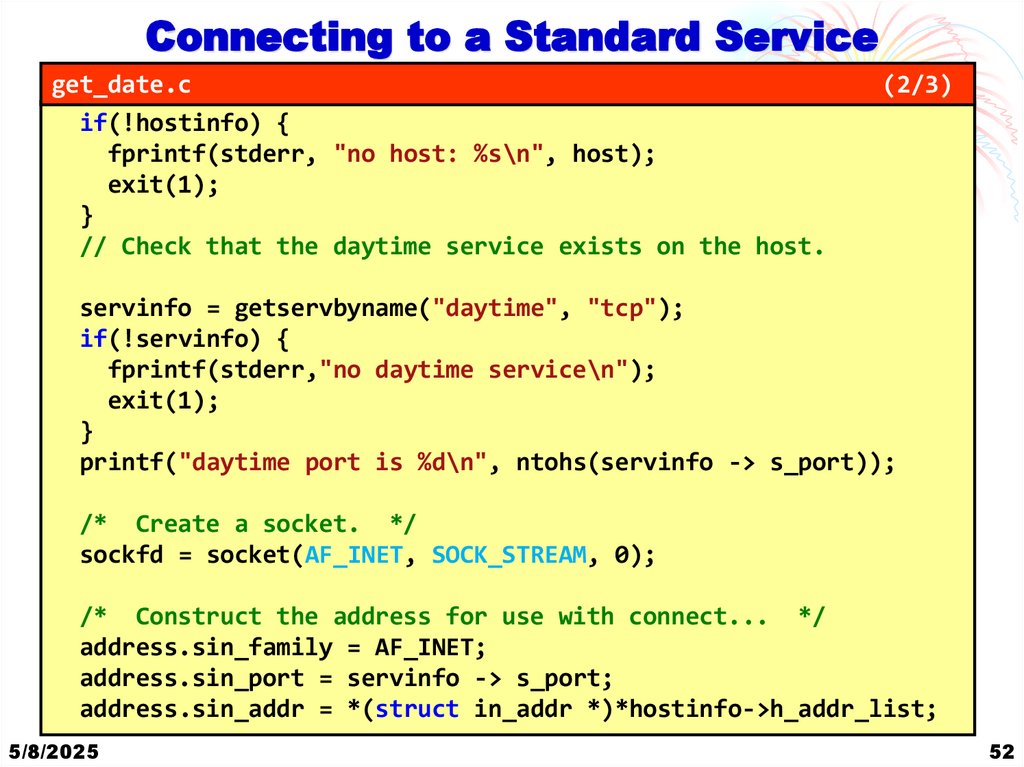
Connecting to a Standard Serviceget_date.c
if(!hostinfo) {
fprintf(stderr, "no host: %s\n", host);
exit(1);
}
// Check that the daytime service exists on the host.
(2/3)
servinfo = getservbyname("daytime", "tcp");
if(!servinfo) {
fprintf(stderr,"no daytime service\n");
exit(1);
}
printf("daytime port is %d\n", ntohs(servinfo -> s_port));
/* Create a socket. */
sockfd = socket(AF_INET, SOCK_STREAM, 0);
/* Construct the address for use with connect... */
address.sin_family = AF_INET;
address.sin_port = servinfo -> s_port;
address.sin_addr = *(struct in_addr *)*hostinfo->h_addr_list;
5/8/2025
52
49. Network Information
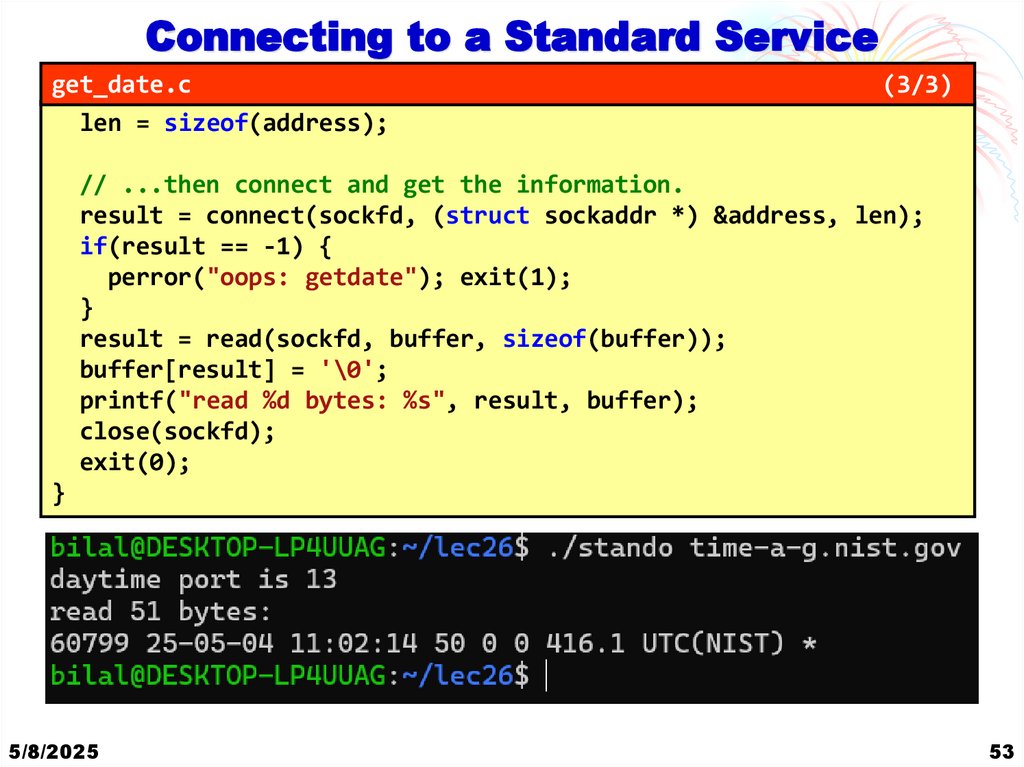
Connecting to a Standard Serviceget_date.c
len = sizeof(address);
(3/3)
// ...then connect and get the information.
result = connect(sockfd, (struct sockaddr *) &address, len);
if(result == -1) {
perror("oops: getdate"); exit(1);
}
result = read(sockfd, buffer, sizeof(buffer));
buffer[result] = '\0';
printf("read %d bytes: %s", result, buffer);
close(sockfd);
exit(0);
}
5/8/2025
53
50.
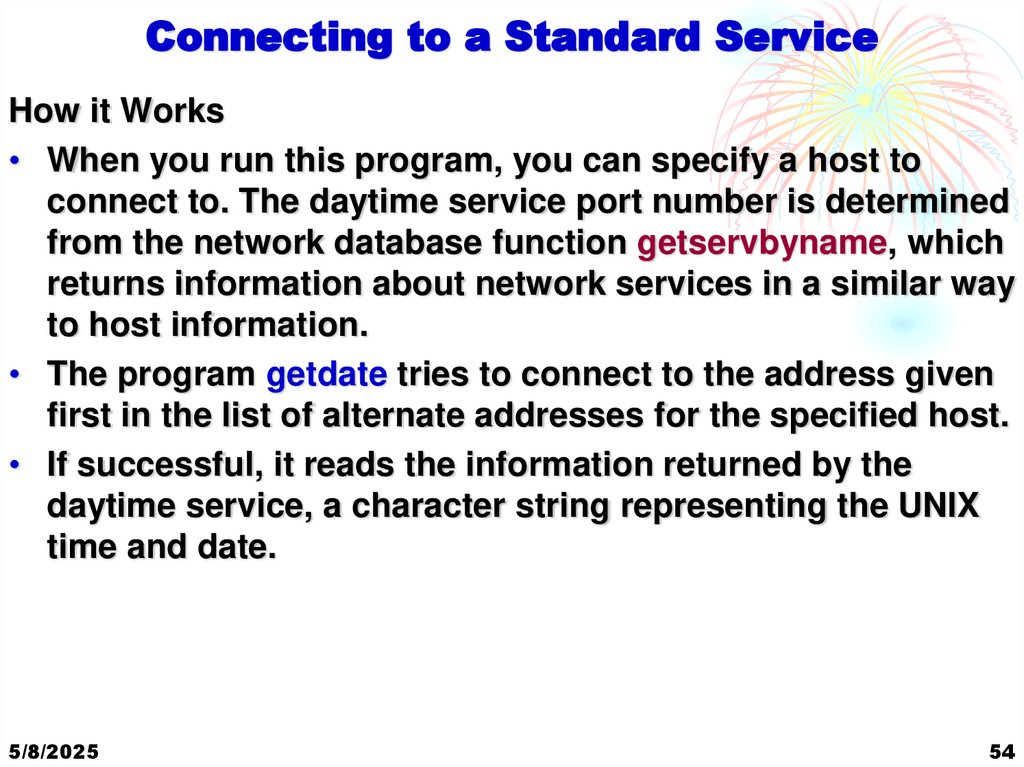
Connecting to a Standard ServiceHow it Works
• When you run this program, you can specify a host to
connect to. The daytime service port number is determined
from the network database function getservbyname, which
returns information about network services in a similar way
to host information.
• The program getdate tries to connect to the address given
first in the list of alternate addresses for the specified host.
• If successful, it reads the information returned by the
daytime service, a character string representing the UNIX
time and date.
5/8/2025
54
51. Connecting to a Standard Service
Thank YouEND OF COURSE
SELF LEARNING TOPIC
Implementation of Sockets using UDP
Relevant info is given at the end of these slides & course book
5/8/2025
55
52. Connecting to a Standard Service
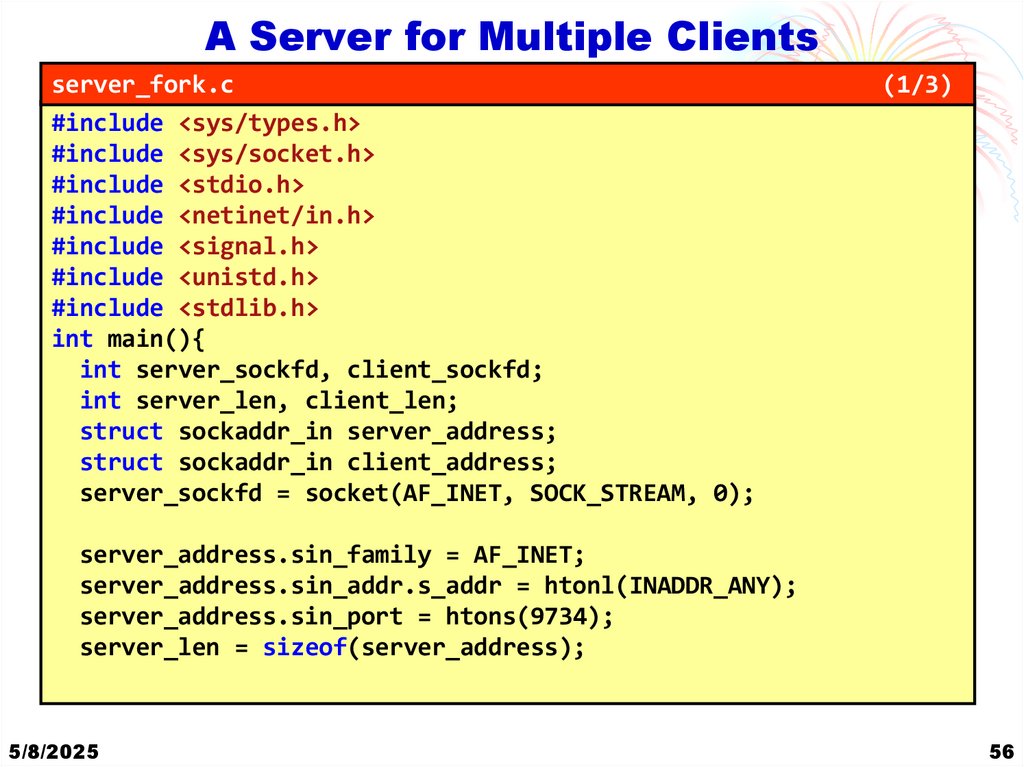
A Server for Multiple Clientsserver_fork.c
#include <sys/types.h>
#include <sys/socket.h>
#include <stdio.h>
#include <netinet/in.h>
#include <signal.h>
#include <unistd.h>
#include <stdlib.h>
int main(){
int server_sockfd, client_sockfd;
int server_len, client_len;
struct sockaddr_in server_address;
struct sockaddr_in client_address;
server_sockfd = socket(AF_INET, SOCK_STREAM, 0);
(1/3)
server_address.sin_family = AF_INET;
server_address.sin_addr.s_addr = htonl(INADDR_ANY);
server_address.sin_port = htons(9734);
server_len = sizeof(server_address);
5/8/2025
56
53. Connecting to a Standard Service
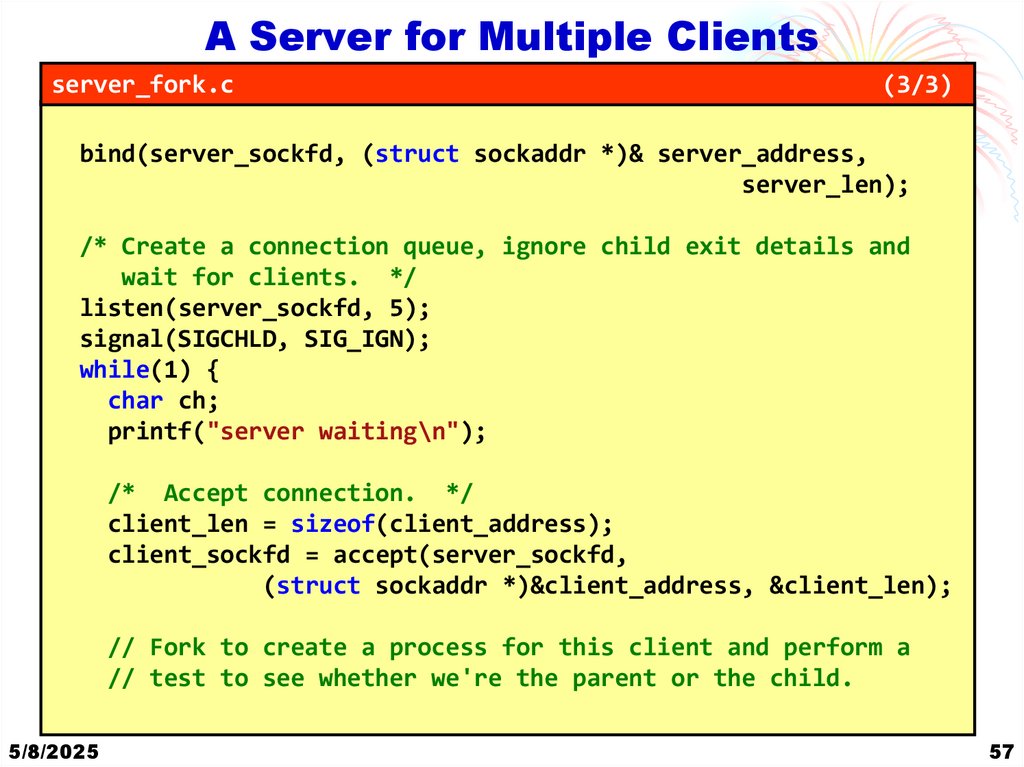
A Server for Multiple Clientsserver_fork.c
(3/3)
bind(server_sockfd, (struct sockaddr *)& server_address,
server_len);
/* Create a connection queue, ignore child exit details and
wait for clients. */
listen(server_sockfd, 5);
signal(SIGCHLD, SIG_IGN);
while(1) {
char ch;
printf("server waiting\n");
/* Accept connection. */
client_len = sizeof(client_address);
client_sockfd = accept(server_sockfd,
(struct sockaddr *)&client_address, &client_len);
// Fork to create a process for this client and perform a
// test to see whether we're the parent or the child.
5/8/2025
57
54. Connecting to a Standard Service
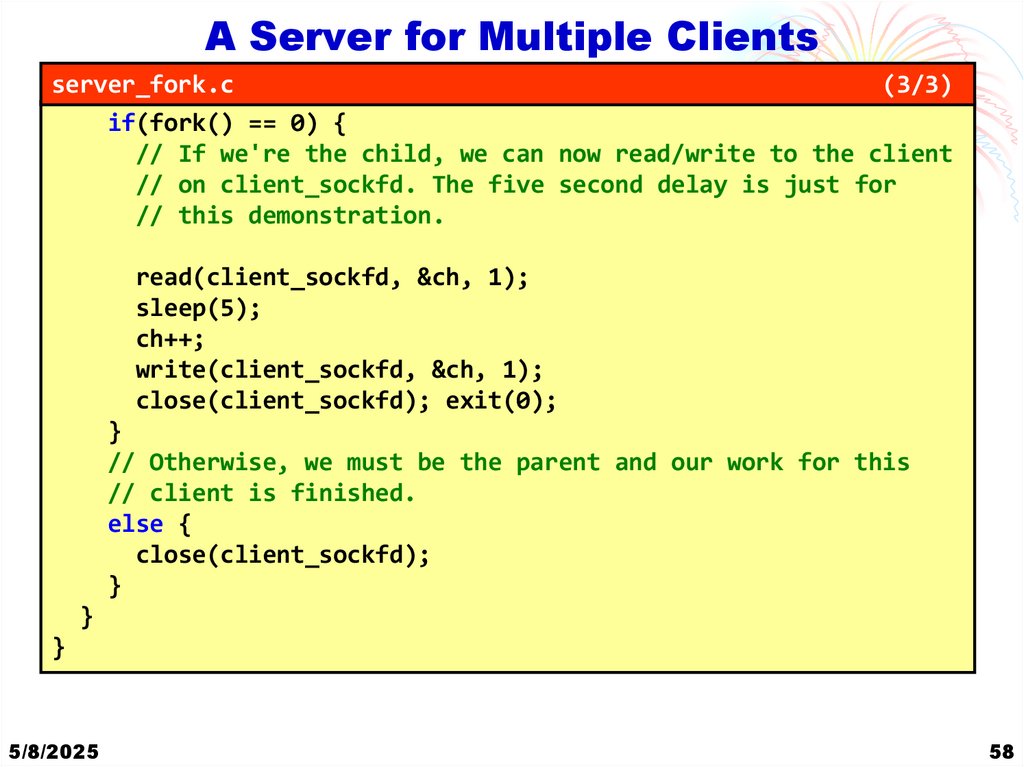
A Server for Multiple Clientsserver_fork.c
(3/3)
if(fork() == 0) {
// If we're the child, we can now read/write to the client
// on client_sockfd. The five second delay is just for
// this demonstration.
read(client_sockfd, &ch, 1);
sleep(5);
ch++;
write(client_sockfd, &ch, 1);
close(client_sockfd); exit(0);
}
// Otherwise, we must be the parent and our work for this
// client is finished.
else {
close(client_sockfd);
}
}
}
5/8/2025
58
55. Thank You END OF COURSE
A Server for Multiple ClientsHow it works
• The server program now creates a new child process to
handle each client, so you see several server waiting
messages as the main program continues to wait for new
connections.
• The main server_fork process, is waiting for new clients.
• After a five-second pause, all of the clients get their results
and finish.
• The server program uses fork to handle multiple clients.
5/8/2025
59
56. A Server for Multiple Clients
Datagrams• The daytime service is also available by UDP using
datagrams. To use it, you send a single datagram to the
service and get a single datagram containing the date and
time in response. It’s simple. Services provided by UDP are
typically used where a client needs to make a short query
of a server and expects a single short response.
• If the cost in terms of processing time is low enough, the
server is able to provide this service by dealing with
requests from clients one at a time, allowing the operating
system to hold incoming requests in a queue. This
simplifies the coding of the server.
• Because UDP is not a guaranteed service, however, you
may find that your datagram or your response goes
missing. So if the data is important to you, you would need
to code your UDP clients carefully to check for errors and
retry if necessary.
5/8/2025
60
57. A Server for Multiple Clients
Datagrams• In practice, on a local area network, UDP datagrams are
very reliable. To access a service provided by UDP, you
need to use the socket and close system calls as before,
but rather than using read and write on the socket, you use
two datagram-specific system calls, sendto and recvfrom.
• Here’s a modified version of getdate.c that gets the date via
a UDP datagram service.
5/8/2025
61
58. A Server for Multiple Clients
Example Explanation UDP Client• This program is a simple client that sends a UDP datagram to a
daytime service running on a specified host and then receives a
response. The output of the program will depend on the
response received from the daytime service.
1. It checks if a hostname is provided as a command-line
argument. If not, it defaults to "localhost".
2. It retrieves information about the host using gethostbyname.
3. It checks if the "daytime" service exists on the host using
getservbyname.
4. It creates a UDP socket using socket.
5. It constructs the address for the destination using the retrieved
information.
6. It sends a UDP datagram to the daytime service.
7. It receives the response from the daytime service.
8. It prints the received data.
5/8/2025
62
59. A Server for Multiple Clients
UDPget_date_udp.c
(1/3)
#include <stdio.h>
#include <stdlib.h>
#include <string.h>
#include <unistd.h>
#include <arpa/inet.h>
#include <sys/socket.h>
#include <netdb.h> // For gethostbyname and getservbyname
int main(int argc, char *argv[]) {
int len;
char *host;
struct hostent *hostinfo;
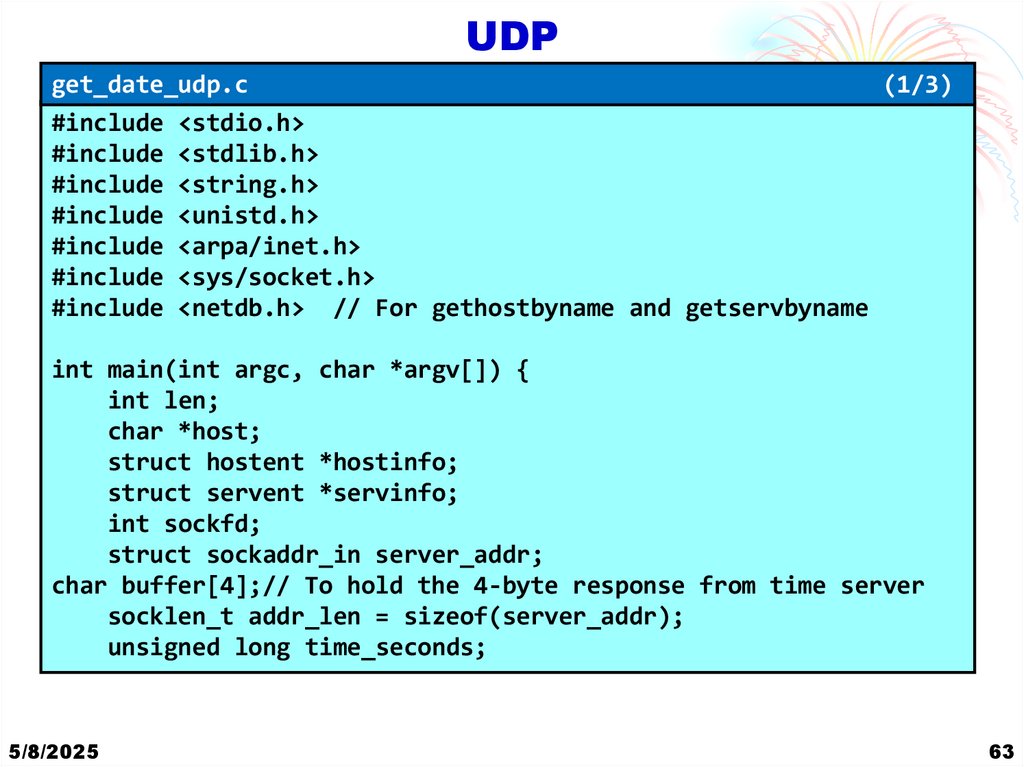
struct servent *servinfo;
int sockfd;
struct sockaddr_in server_addr;
char buffer[4];// To hold the 4-byte response from time server
socklen_t addr_len = sizeof(server_addr);
unsigned long time_seconds;
5/8/2025
63
60. Datagrams
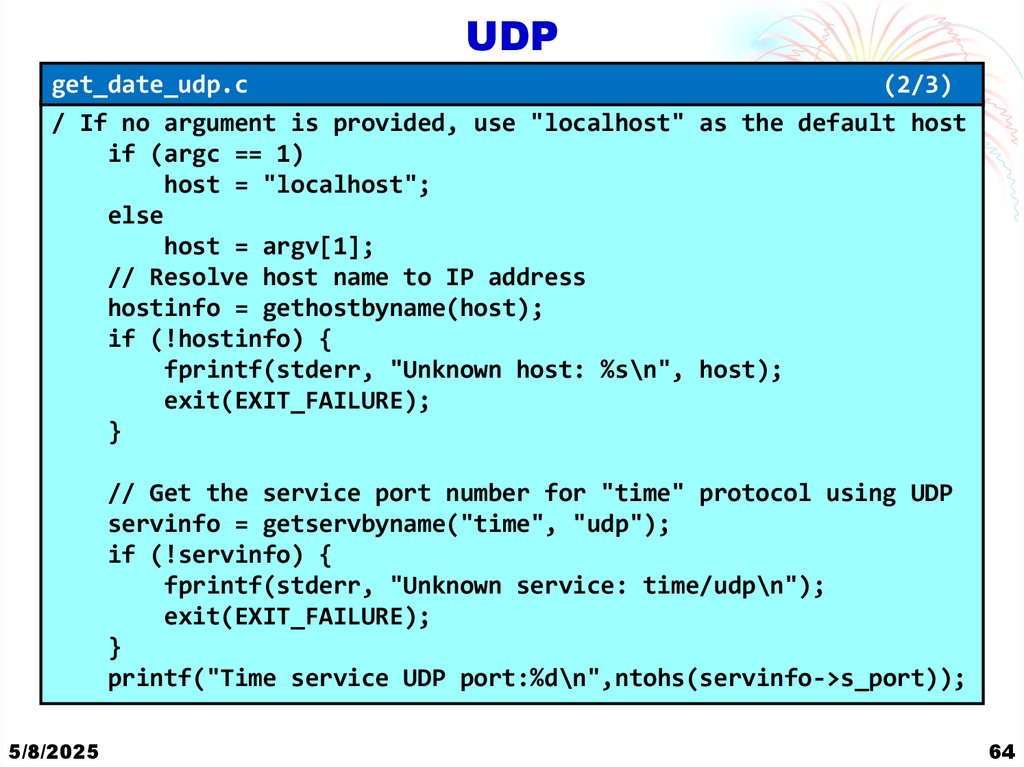
UDPget_date_udp.c
(2/3)
/ If no argument is provided, use "localhost" as the default host
if (argc == 1)
host = "localhost";
else
host = argv[1];
// Resolve host name to IP address
hostinfo = gethostbyname(host);
if (!hostinfo) {
fprintf(stderr, "Unknown host: %s\n", host);
exit(EXIT_FAILURE);
}
// Get the service port number for "time" protocol using UDP
servinfo = getservbyname("time", "udp");
if (!servinfo) {
fprintf(stderr, "Unknown service: time/udp\n");
exit(EXIT_FAILURE);
}
printf("Time service UDP port:%d\n",ntohs(servinfo->s_port));
5/8/2025
64
61. Datagrams
UDPget_date_udp.c
// Create a UDP socket
sockfd = socket(AF_INET, SOCK_DGRAM, 0);
if (sockfd < 0) {
perror("Socket creation failed");
exit(EXIT_FAILURE);
}
(3/3)
// Set up the server address structure
memset(&server_addr, 0, sizeof(server_addr));
server_addr.sin_family = AF_INET;
server_addr.sin_port = servinfo->s_port;
// Copy resolved IP address into server address structure
memcpy(&server_addr.sin_addr, hostinfo->h_addr_list[0],
hostinfo->h_length);
len = sizeof(server_addr);
}
5/8/2025
65
62. Example Explanation UDP Client
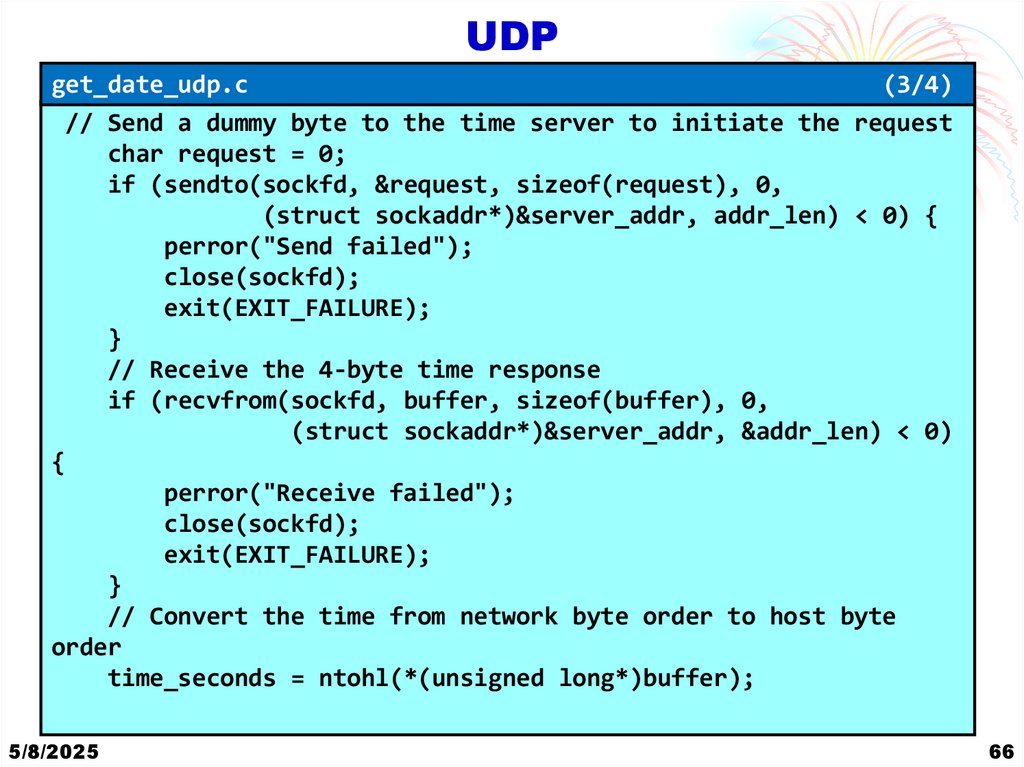
UDPget_date_udp.c
(3/4)
// Send a dummy byte to the time server to initiate the request
char request = 0;
if (sendto(sockfd, &request, sizeof(request), 0,
(struct sockaddr*)&server_addr, addr_len) < 0) {
perror("Send failed");
close(sockfd);
exit(EXIT_FAILURE);
}
// Receive the 4-byte time response
if (recvfrom(sockfd, buffer, sizeof(buffer), 0,
(struct sockaddr*)&server_addr, &addr_len) < 0)
{
perror("Receive failed");
close(sockfd);
exit(EXIT_FAILURE);
}
// Convert the time from network byte order to host byte
order
time_seconds = ntohl(*(unsigned long*)buffer);
5/8/2025
66
63. UDP
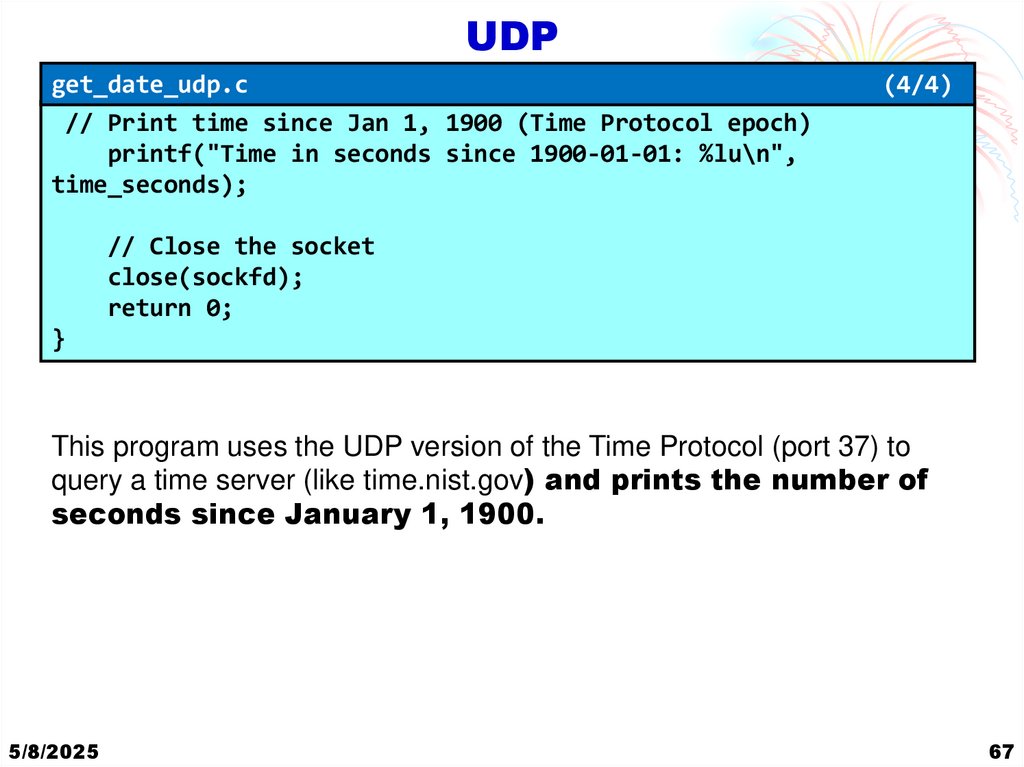
get_date_udp.c// Print time since Jan 1, 1900 (Time Protocol epoch)
printf("Time in seconds since 1900-01-01: %lu\n",
time_seconds);
(4/4)
// Close the socket
close(sockfd);
return 0;
}
This program uses the UDP version of the Time Protocol (port 37) to
query a time server (like time.nist.gov) and prints the number of
seconds since January 1, 1900.
5/8/2025
67
64. UDP
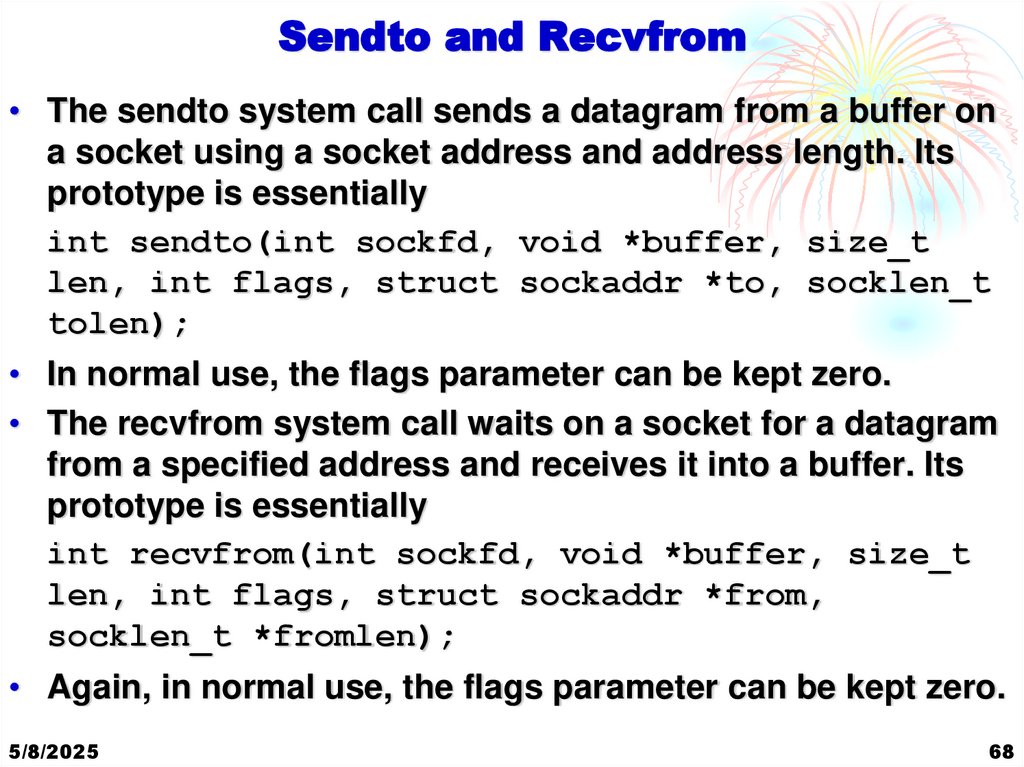
Sendto and Recvfrom• The sendto system call sends a datagram from a buffer on
a socket using a socket address and address length. Its
prototype is essentially
int sendto(int sockfd, void *buffer, size_t
len, int flags, struct sockaddr *to, socklen_t
tolen);
• In normal use, the flags parameter can be kept zero.
• The recvfrom system call waits on a socket for a datagram
from a specified address and receives it into a buffer. Its
prototype is essentially
int recvfrom(int sockfd, void *buffer, size_t
len, int flags, struct sockaddr *from,
socklen_t *fromlen);
• Again, in normal use, the flags parameter can be kept zero.
5/8/2025
68
65. UDP
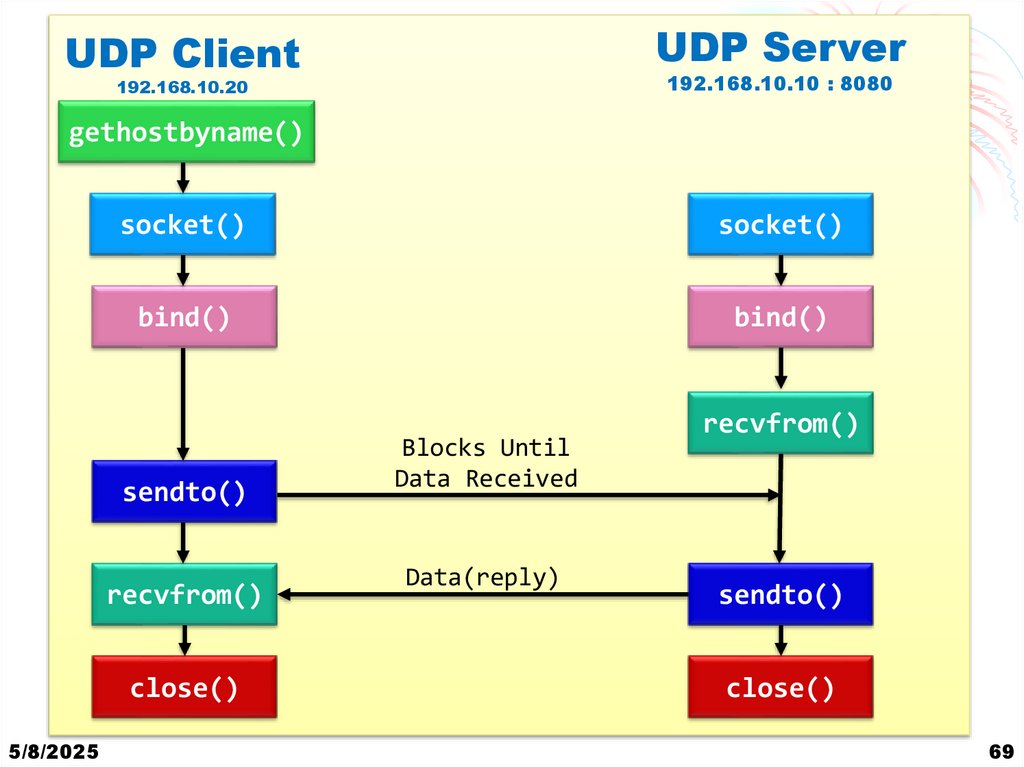
Client Server CommunicationUDP Server
UDP Client
192.168.10.10 : 8080
192.168.10.20
gethostbyname()
socket()
socket()
bind()
bind()
sendto()
recvfrom()
close()
5/8/2025
Blocks Until
Data Received
Data(reply)
recvfrom()
sendto()
close()
69
66. UDP
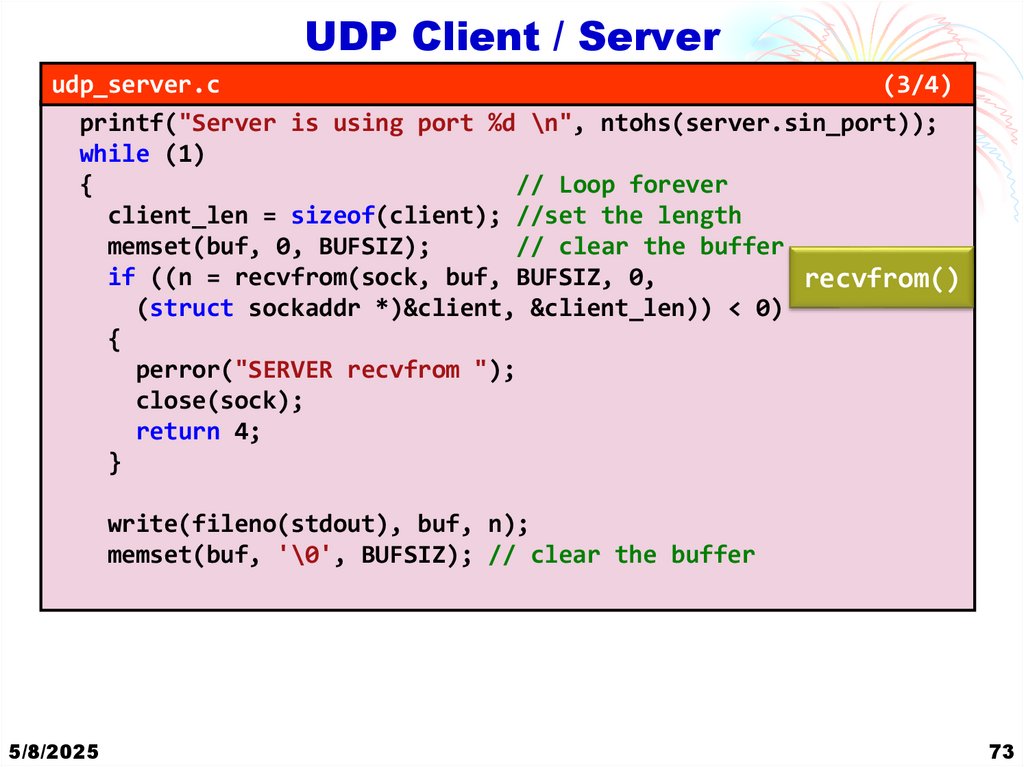
Example Explanation UDP server/client• UDP Server:
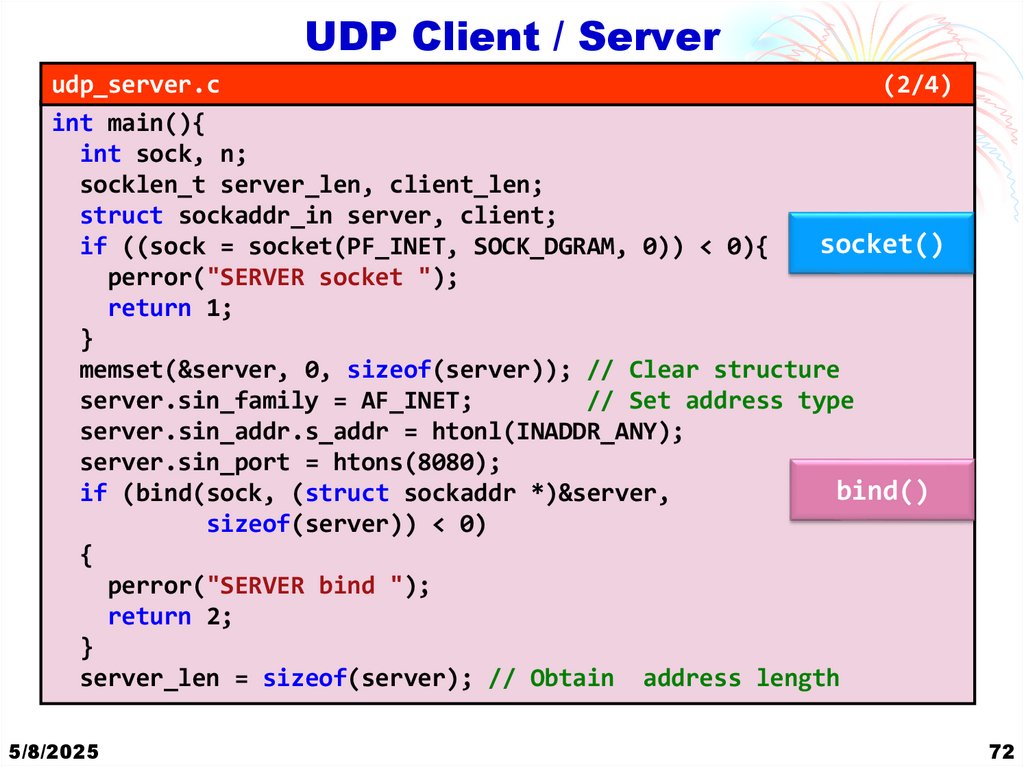
1. Socket Creation: It creates a UDP socket using socket(PF_INET,
SOCK_DGRAM, 0).
2. Binding: It binds the socket to a specific port (8080 in this case) on all
available network interfaces using bind().
3. Receiving Data: It enters an infinite loop where it continuously listens for
incoming datagrams using recvfrom().
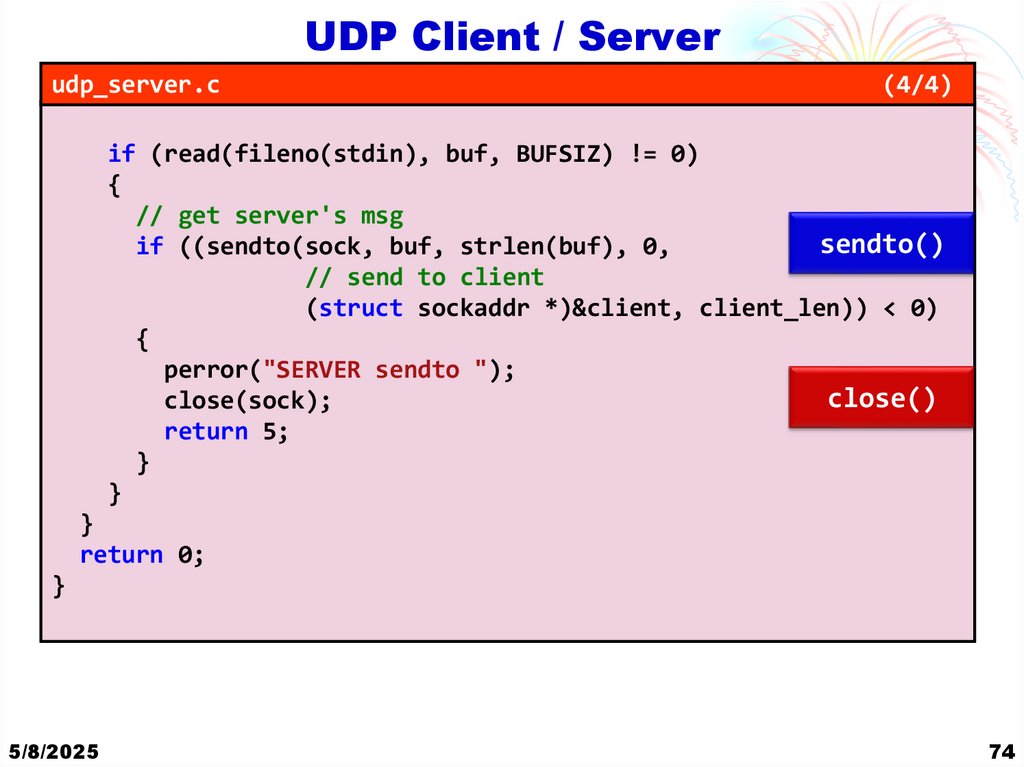
4. Sending Data: After receiving a datagram, it writes the received data to
stdout and waits for input from stdin. Whatever is input from stdin is sent
back to the client using sendto().
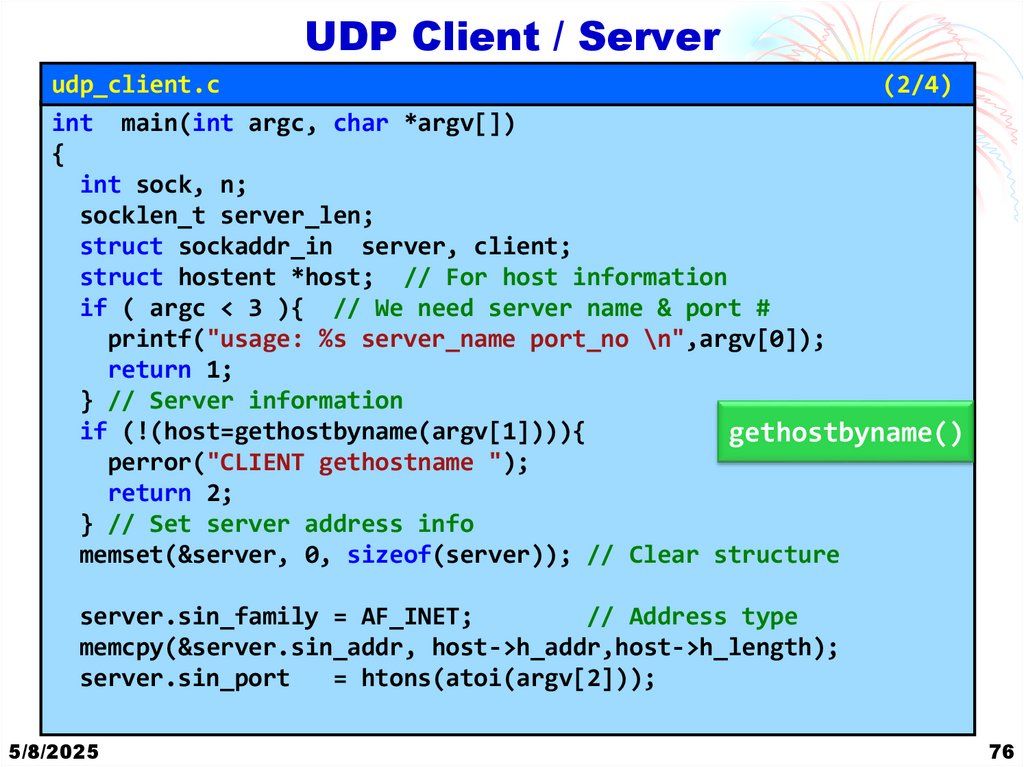
• UDP Client:
1. Socket Creation: It creates a UDP socket using socket(AF_INET,
SOCK_DGRAM, 0).
2. Sending Data: It sends a datagram to the server using sendto() after taking
input from the user.
3. Receiving Data: It receives the response from the server using recvfrom().
5/8/2025
70
67. UDP
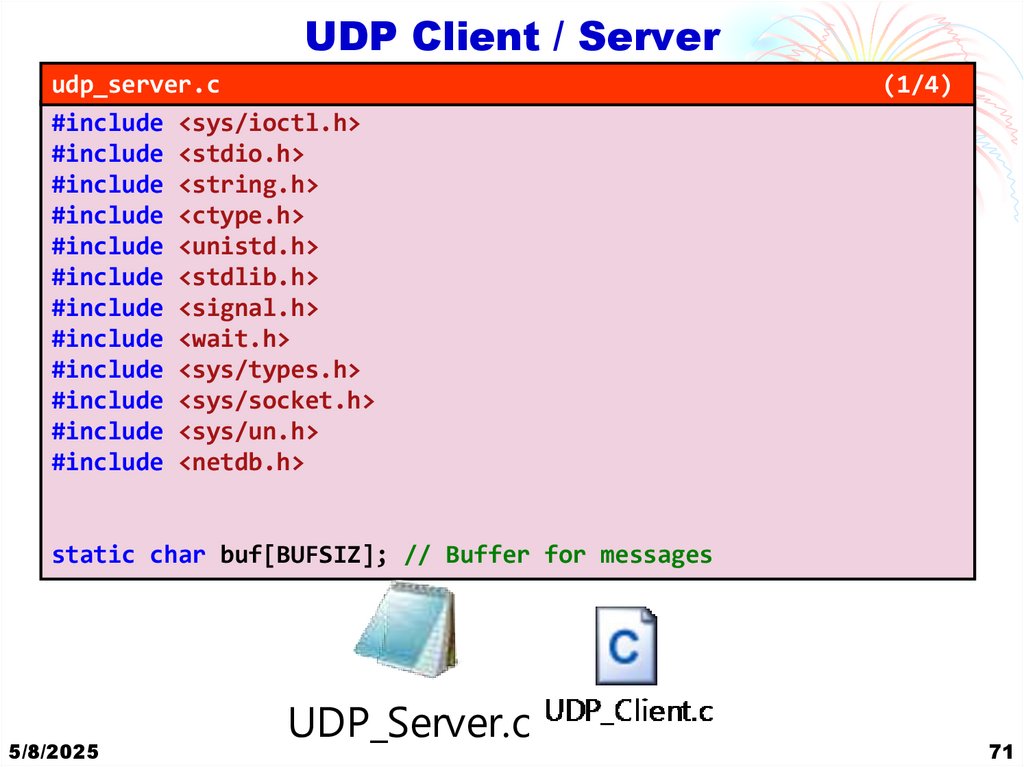
Client / Serverudp_server.c
#include <sys/ioctl.h>
#include <stdio.h>
#include <string.h>
#include <ctype.h>
#include <unistd.h>
#include <stdlib.h>
#include <signal.h>
#include <wait.h>
#include <sys/types.h>
#include <sys/socket.h>
#include <sys/un.h>
#include <netdb.h>
(1/4)
static char buf[BUFSIZ]; // Buffer for messages
5/8/2025
UDP_Server.c
71
68. Sendto and Recvfrom
UDP Client / Serverudp_server.c
(2/4)
int main(){
int sock, n;
socklen_t server_len, client_len;
struct sockaddr_in server, client;
socket()
if ((sock = socket(PF_INET, SOCK_DGRAM, 0)) < 0){
perror("SERVER socket ");
return 1;
}
memset(&server, 0, sizeof(server)); // Clear structure
server.sin_family = AF_INET;
// Set address type
server.sin_addr.s_addr = htonl(INADDR_ANY);
server.sin_port = htons(8080);
bind()
if (bind(sock, (struct sockaddr *)&server,
sizeof(server)) < 0)
{
perror("SERVER bind ");
return 2;
}
server_len = sizeof(server); // Obtain address length
5/8/2025
72
69. Client Server Communication
UDP Client / Serverudp_server.c
(3/4)
printf("Server is using port %d \n", ntohs(server.sin_port));
while (1)
{
// Loop forever
client_len = sizeof(client); //set the length
memset(buf, 0, BUFSIZ);
// clear the buffer
if ((n = recvfrom(sock, buf, BUFSIZ, 0,
recvfrom()
(struct sockaddr *)&client, &client_len)) < 0)
{
perror("SERVER recvfrom ");
close(sock);
return 4;
}
write(fileno(stdout), buf, n);
memset(buf, '\0', BUFSIZ); // clear the buffer
5/8/2025
73
70. Example Explanation UDP server/client
UDP Client / Serverudp_server.c
(4/4)
if (read(fileno(stdin), buf, BUFSIZ) != 0)
{
// get server's msg
sendto()
if ((sendto(sock, buf, strlen(buf), 0,
// send to client
(struct sockaddr *)&client, client_len)) < 0)
{
perror("SERVER sendto ");
close()
close(sock);
return 5;
}
}
}
return 0;
}
5/8/2025
74
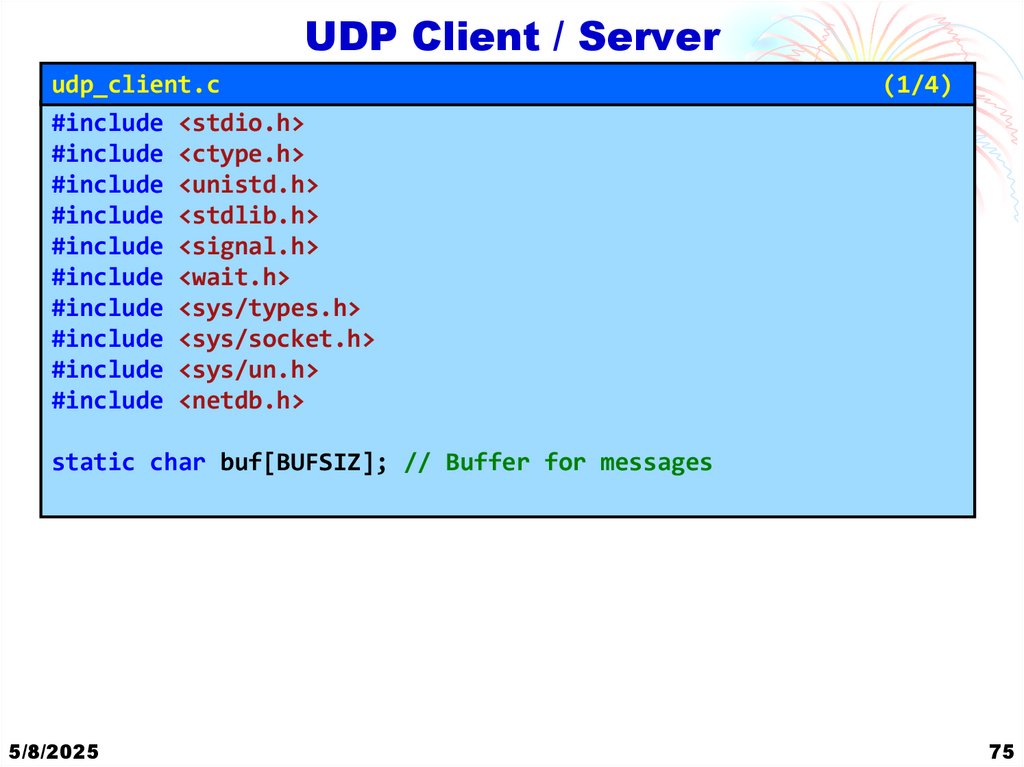
71. UDP Client / Server
udp_client.c#include <stdio.h>
#include <ctype.h>
#include <unistd.h>
#include <stdlib.h>
#include <signal.h>
#include <wait.h>
#include <sys/types.h>
#include <sys/socket.h>
#include <sys/un.h>
#include <netdb.h>
(1/4)
static char buf[BUFSIZ]; // Buffer for messages
5/8/2025
75
72. UDP Client / Server
udp_client.c(2/4)
int main(int argc, char *argv[])
{
int sock, n;
socklen_t server_len;
struct sockaddr_in server, client;
struct hostent *host; // For host information
if ( argc < 3 ){ // We need server name & port #
printf("usage: %s server_name port_no \n",argv[0]);
return 1;
} // Server information
if (!(host=gethostbyname(argv[1]))){
gethostbyname()
perror("CLIENT gethostname ");
return 2;
} // Set server address info
memset(&server, 0, sizeof(server)); // Clear structure
server.sin_family = AF_INET;
// Address type
memcpy(&server.sin_addr, host->h_addr,host->h_length);
server.sin_port
= htons(atoi(argv[2]));
5/8/2025
76
73. UDP Client / Server
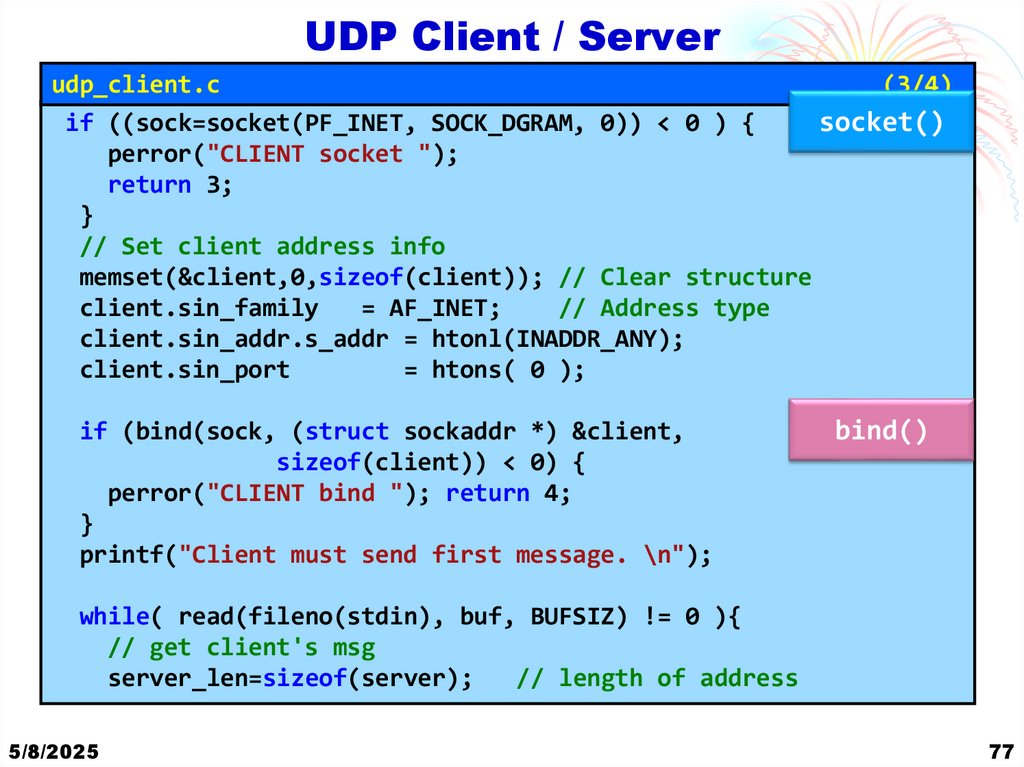
udp_client.c(3/4)
if ((sock=socket(PF_INET, SOCK_DGRAM, 0)) < 0 ) {
socket()
perror("CLIENT socket ");
return 3;
}
// Set client address info
memset(&client,0,sizeof(client)); // Clear structure
client.sin_family
= AF_INET;
// Address type
client.sin_addr.s_addr = htonl(INADDR_ANY);
client.sin_port
= htons( 0 );
if (bind(sock, (struct sockaddr *) &client,
sizeof(client)) < 0) {
perror("CLIENT bind "); return 4;
}
printf("Client must send first message. \n");
bind()
while( read(fileno(stdin), buf, BUFSIZ) != 0 ){
// get client's msg
server_len=sizeof(server);
// length of address
5/8/2025
77
74. UDP Client / Server
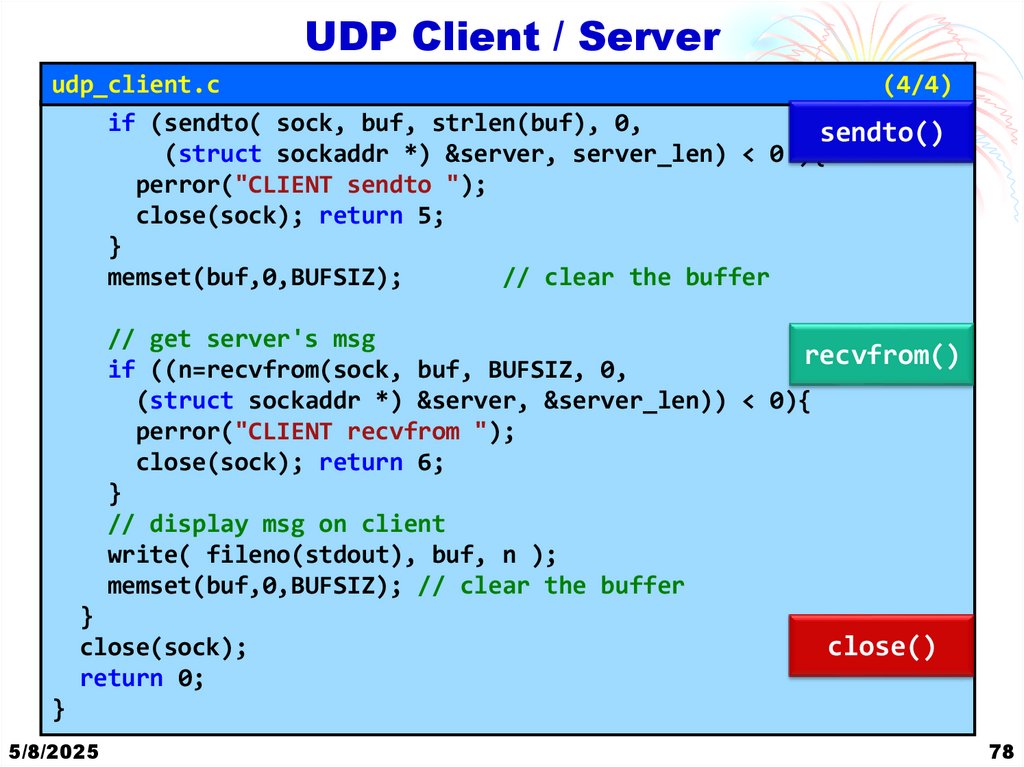
udp_client.c(4/4)
if (sendto( sock, buf, strlen(buf), 0,
sendto()
(struct sockaddr *) &server, server_len) < 0 ){
perror("CLIENT sendto ");
close(sock); return 5;
}
memset(buf,0,BUFSIZ);
// clear the buffer
// get server's msg
recvfrom()
if ((n=recvfrom(sock, buf, BUFSIZ, 0,
(struct sockaddr *) &server, &server_len)) < 0){
perror("CLIENT recvfrom ");
close(sock); return 6;
}
// display msg on client
write( fileno(stdout), buf, n );
memset(buf,0,BUFSIZ); // clear the buffer
}
close(sock);
return 0;
close()
}
5/8/2025
78
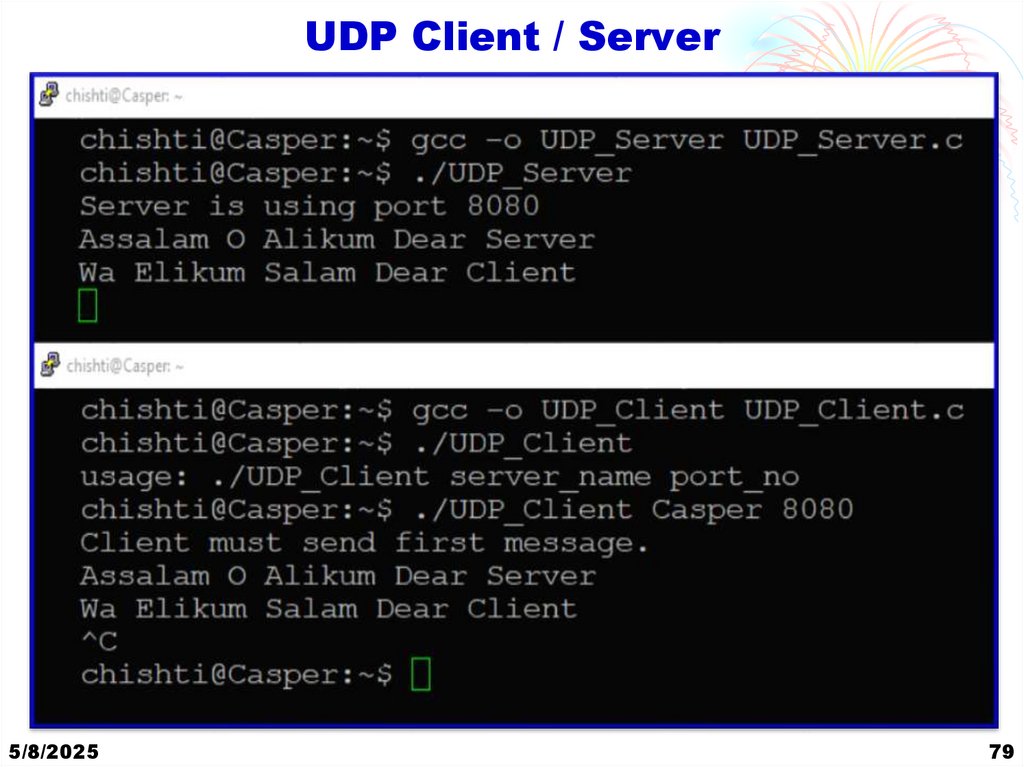
75. UDP Client / Server
5/8/202579
76. UDP Client / Server
Thank YouQuestions?
5/8/2025
80