 Программирование
Похожие презентации:






SOC2030. Application Programming in Java
1. SOC2030 Application Programming in Java
Week 1-2Dr. Andrei Dragunov
2. Objectives
• The main() method• Primitive Data Types
• Variables
• Constants
• File Names
• Comments
• Declarations
• Initializations
• Assignments
• Operators
• Strings
• Java Code Conventions and basics
• Control Flow
• The if selection Statement
• The switch selection Statement
• The for repetition Statement
• The while and do while Statements
• The break and continue Statements
• Operators
• Casts and Conversions
2
3.
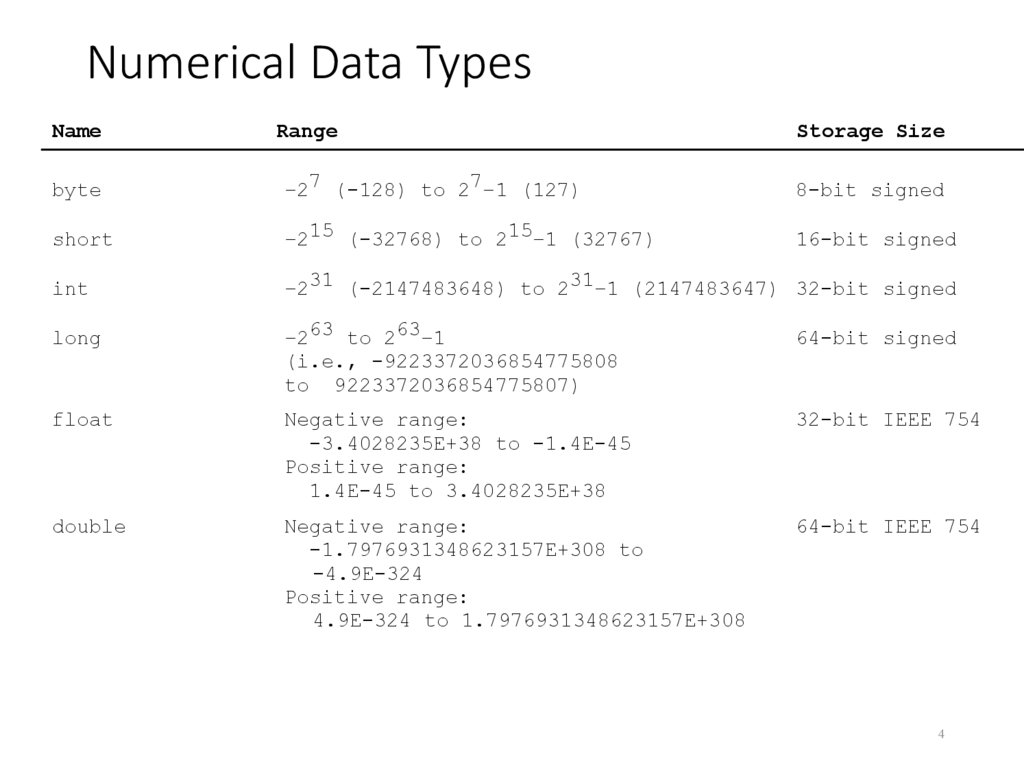
4. Numerical Data Types
NameRange
Storage Size
byte
–27 (-128) to 27–1 (127)
8-bit signed
short
–215 (-32768) to 215–1 (32767)
16-bit signed
int
–231 (-2147483648) to 231–1 (2147483647) 32-bit signed
long
–263 to 263–1
(i.e., -9223372036854775808
to 9223372036854775807)
64-bit signed
float
Negative range:
-3.4028235E+38 to -1.4E-45
Positive range:
1.4E-45 to 3.4028235E+38
32-bit IEEE 754
double
Negative range:
-1.7976931348623157E+308 to
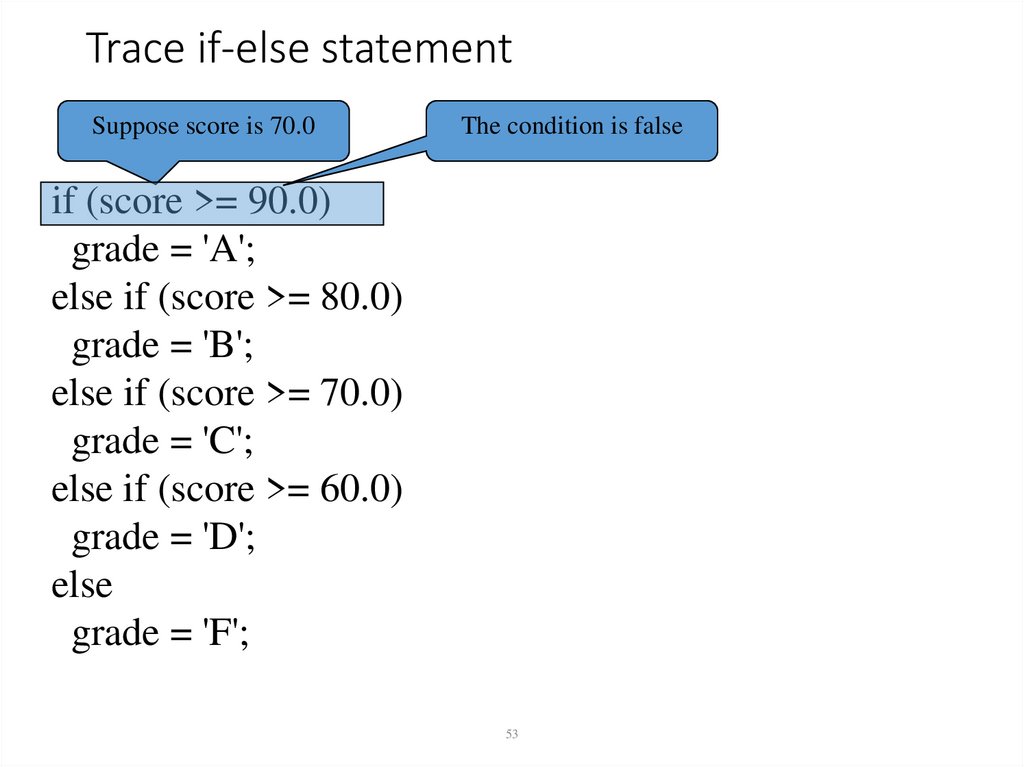
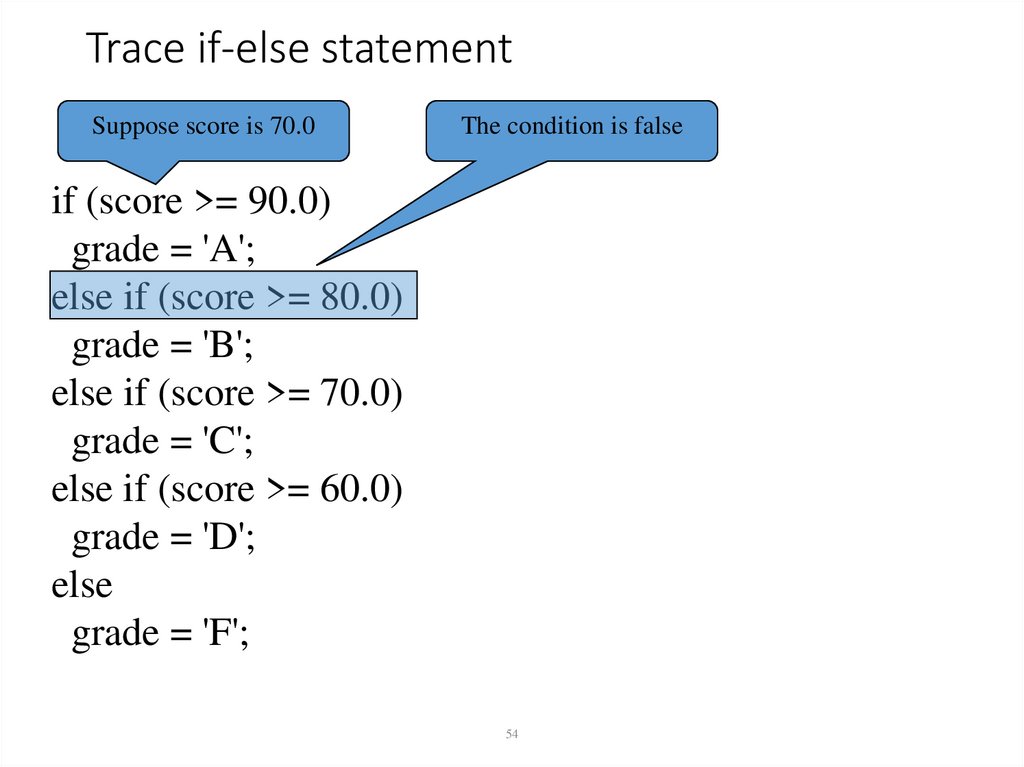
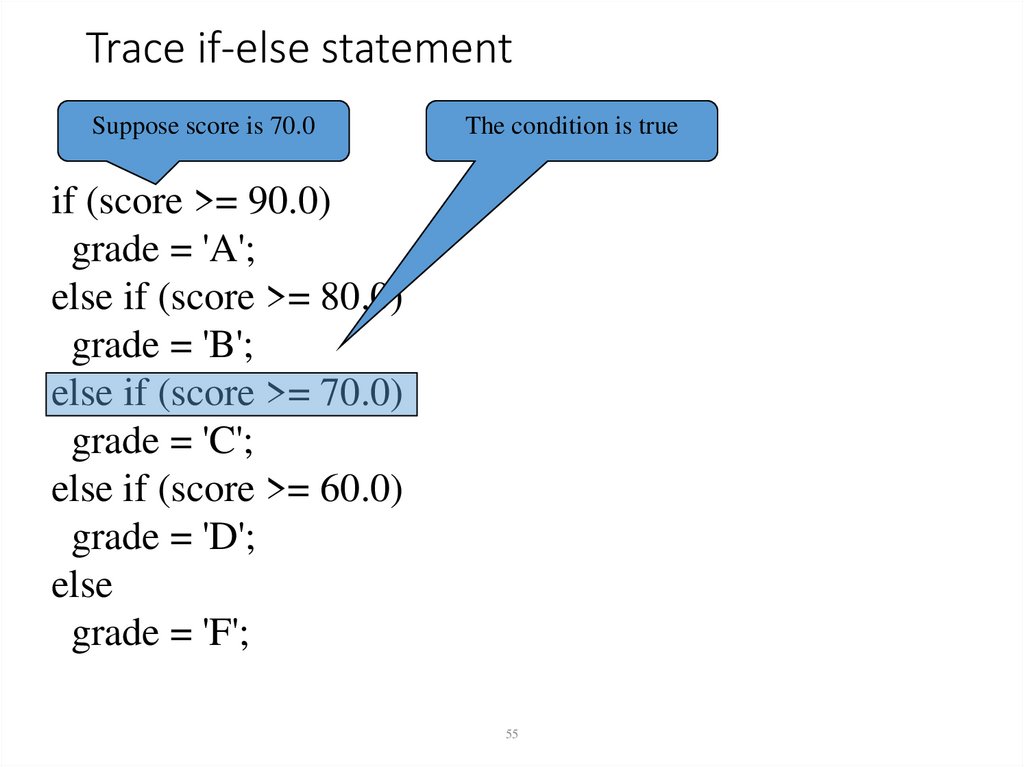
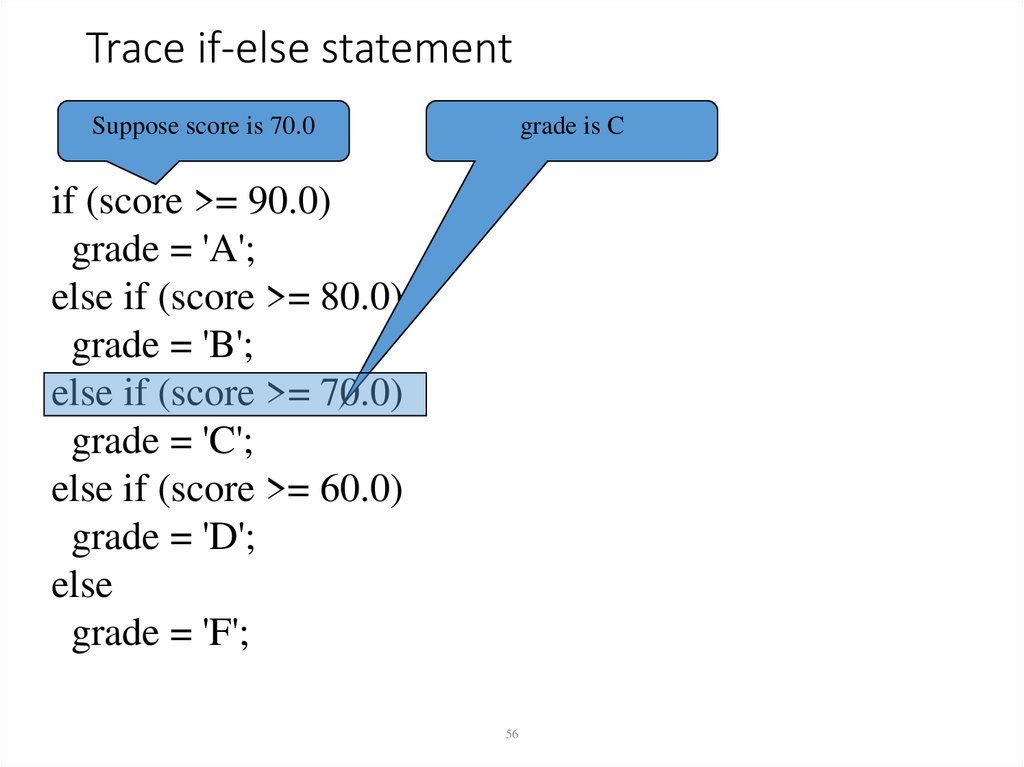
-4.9E-324
Positive range:
4.9E-324 to 1.7976931348623157E+308
64-bit IEEE 754
4
5. Reading Input from the Console
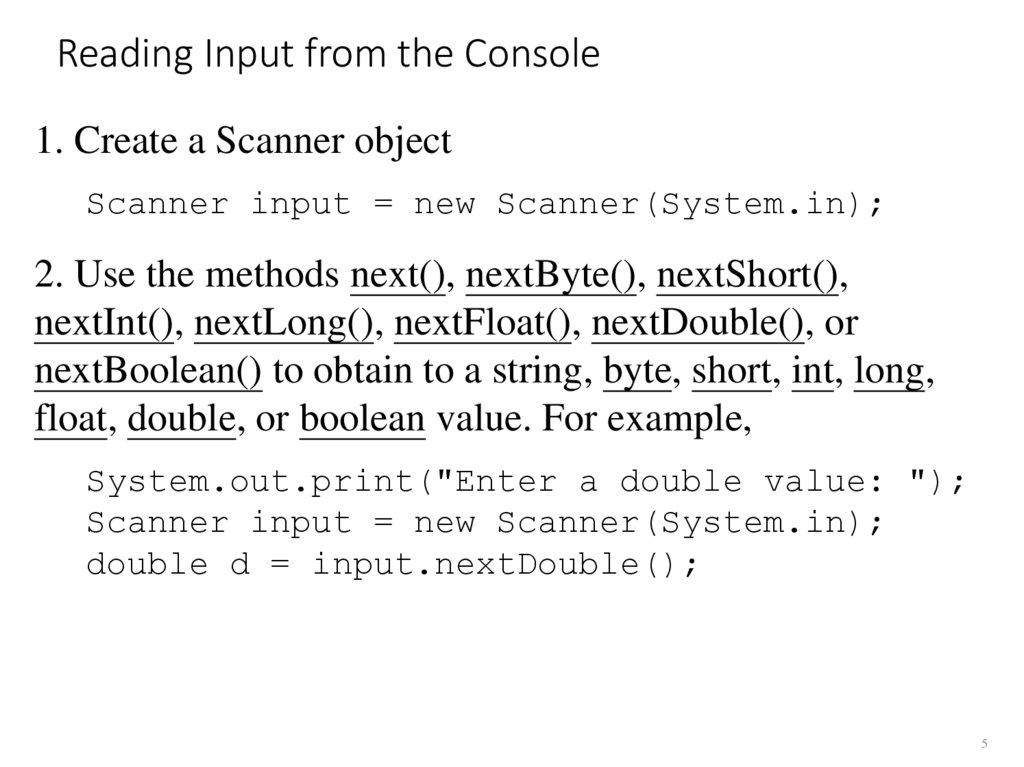
1. Create a Scanner objectScanner input = new Scanner(System.in);
2. Use the methods next(), nextByte(), nextShort(),
nextInt(), nextLong(), nextFloat(), nextDouble(), or
nextBoolean() to obtain to a string, byte, short, int, long,
float, double, or boolean value. For example,
System.out.print("Enter a double value: ");
Scanner input = new Scanner(System.in);
double d = input.nextDouble();
5
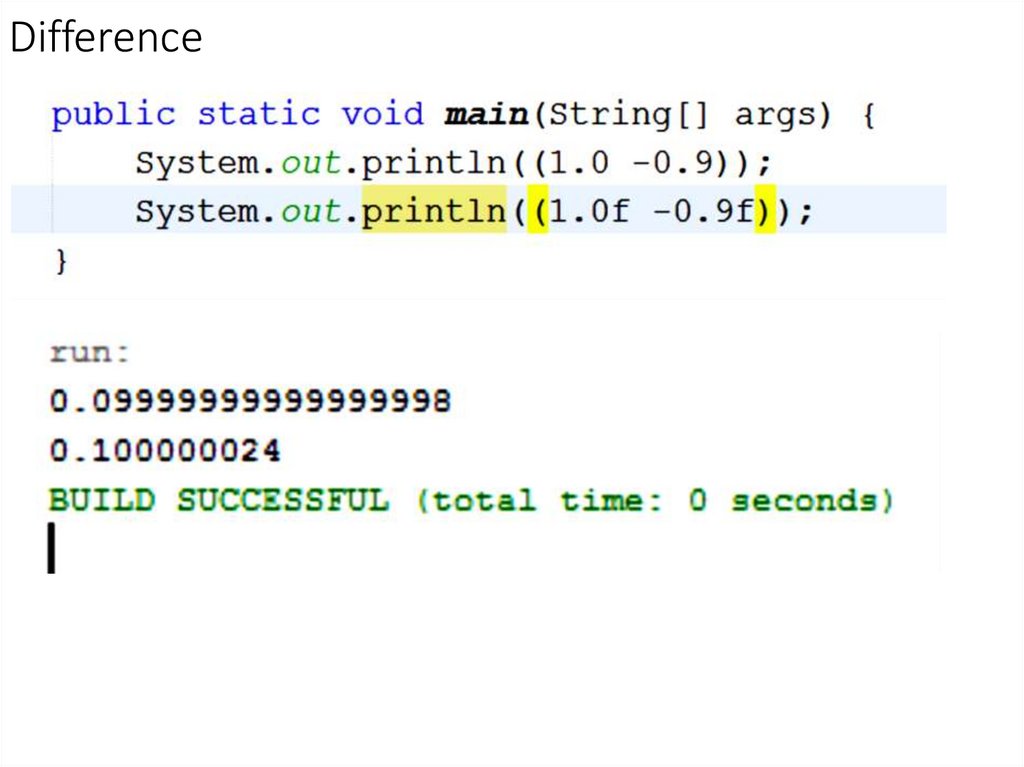
6. Difference
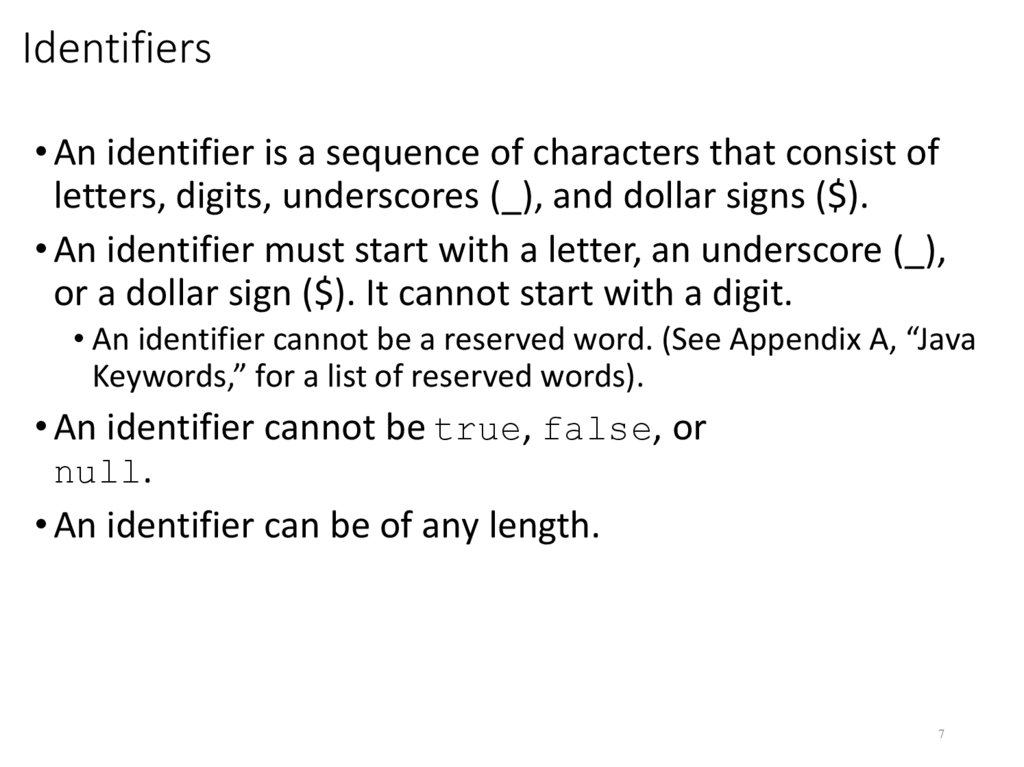
7. Identifiers
• An identifier is a sequence of characters that consist ofletters, digits, underscores (_), and dollar signs ($).
• An identifier must start with a letter, an underscore (_),
or a dollar sign ($). It cannot start with a digit.
• An identifier cannot be a reserved word. (See Appendix A, “Java
Keywords,” for a list of reserved words).
• An identifier cannot be true, false, or
null.
• An identifier can be of any length.
7
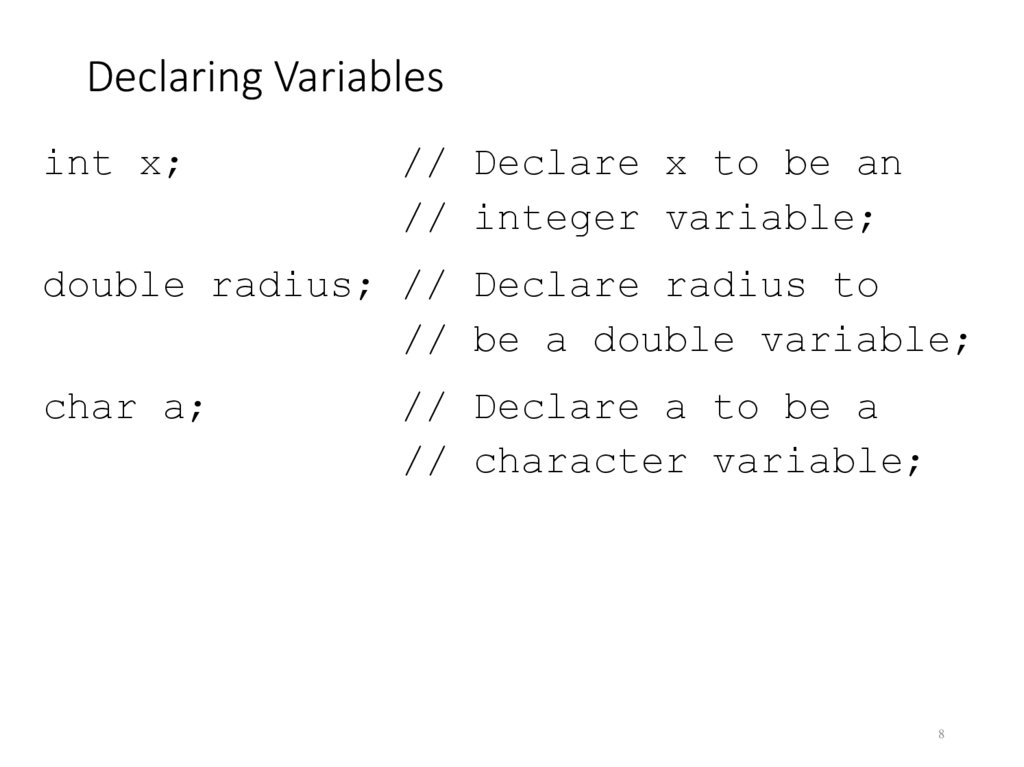
8. Declaring Variables
int x;// Declare x to be an
// integer variable;
double radius; // Declare radius to
// be a double variable;
char a;
// Declare a to be a
// character variable;
8
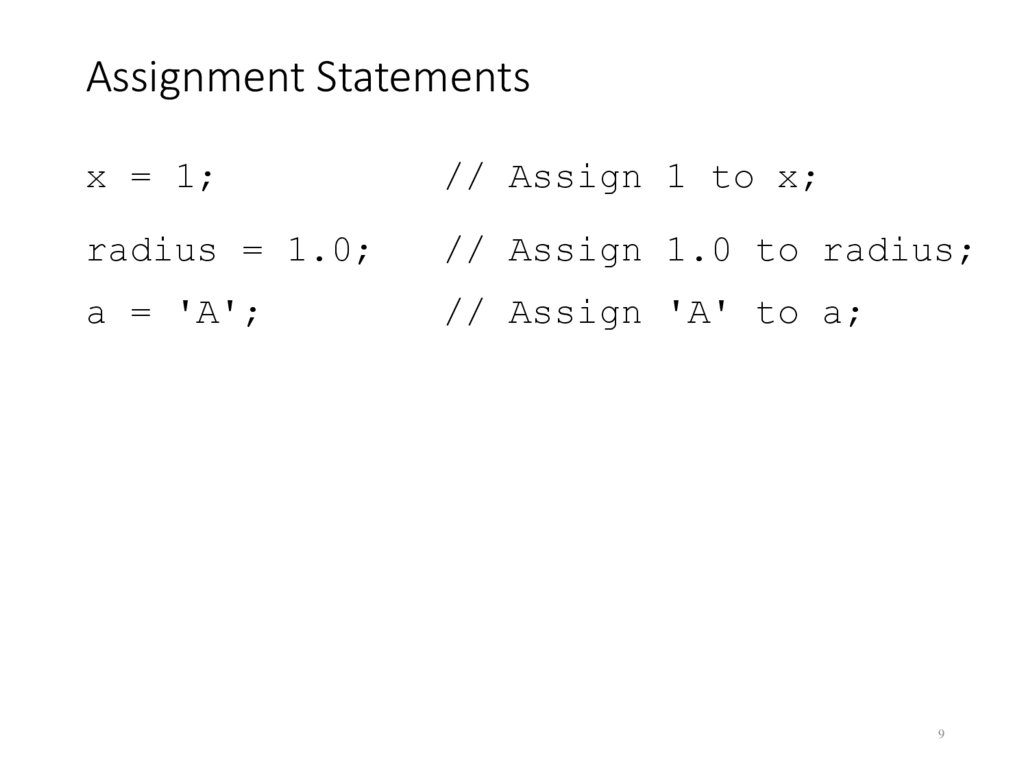
9. Assignment Statements
x = 1;// Assign 1 to x;
radius = 1.0;
// Assign 1.0 to radius;
a = 'A';
// Assign 'A' to a;
9
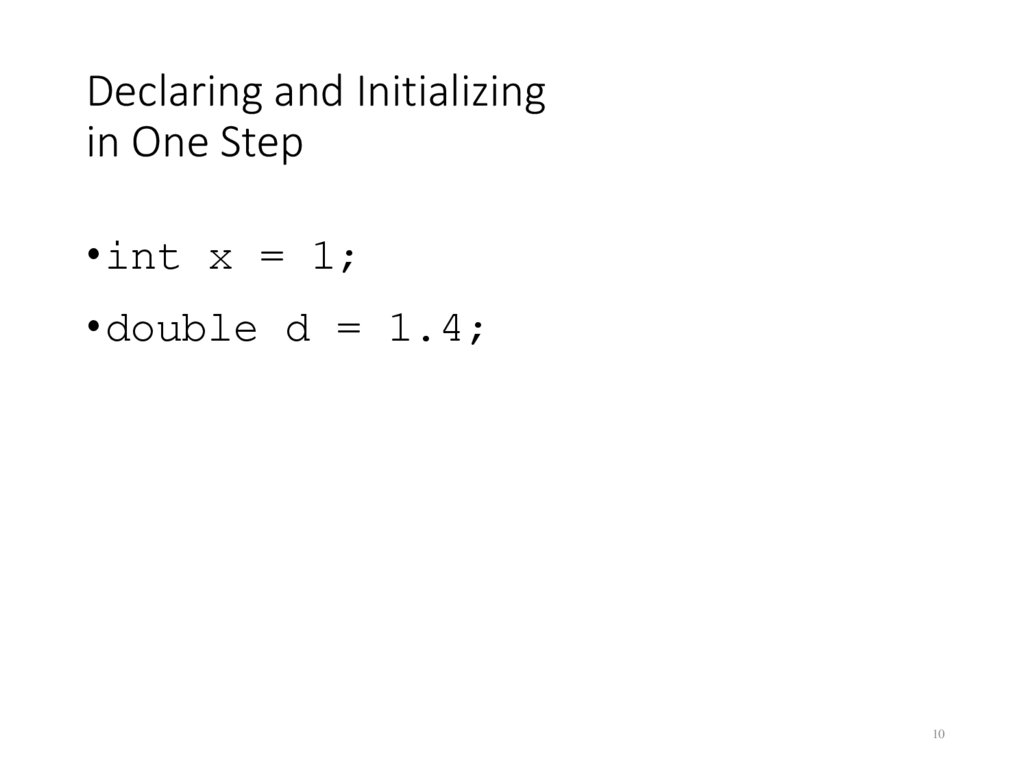
10. Declaring and Initializing in One Step
• int x = 1;• double d = 1.4;
10
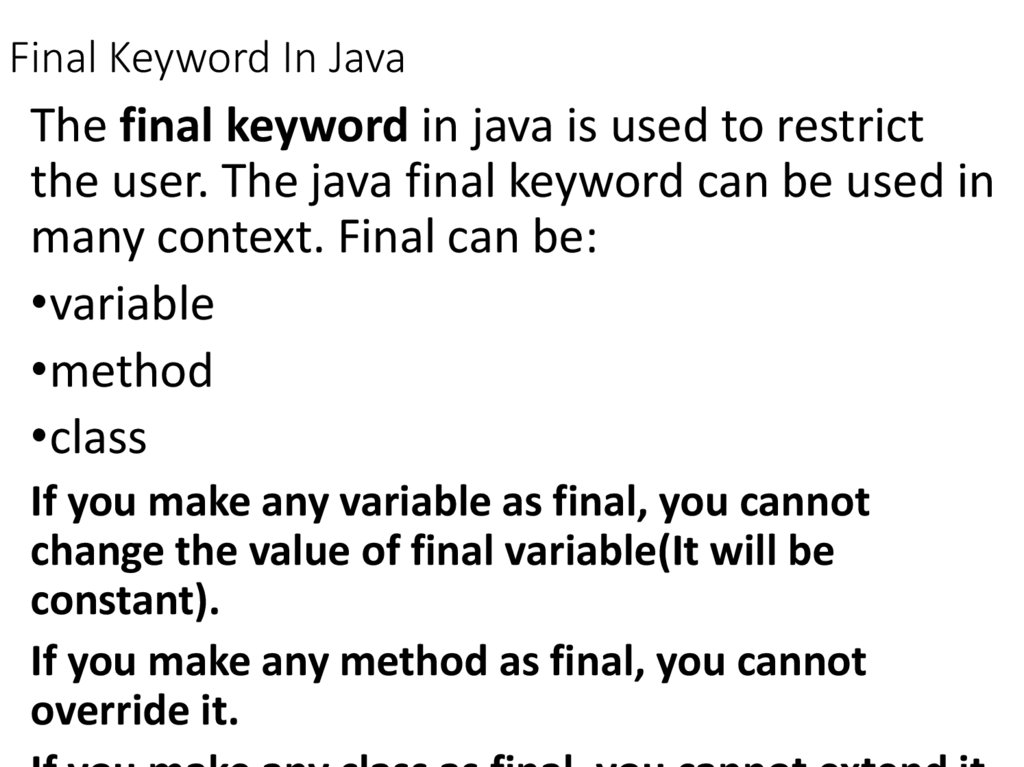
11. Final Keyword In Java
The final keyword in java is used to restrictthe user. The java final keyword can be used in
many context. Final can be:
•variable
•method
•class
If you make any variable as final, you cannot
change the value of final variable(It will be
constant).
If you make any method as final, you cannot
override it.
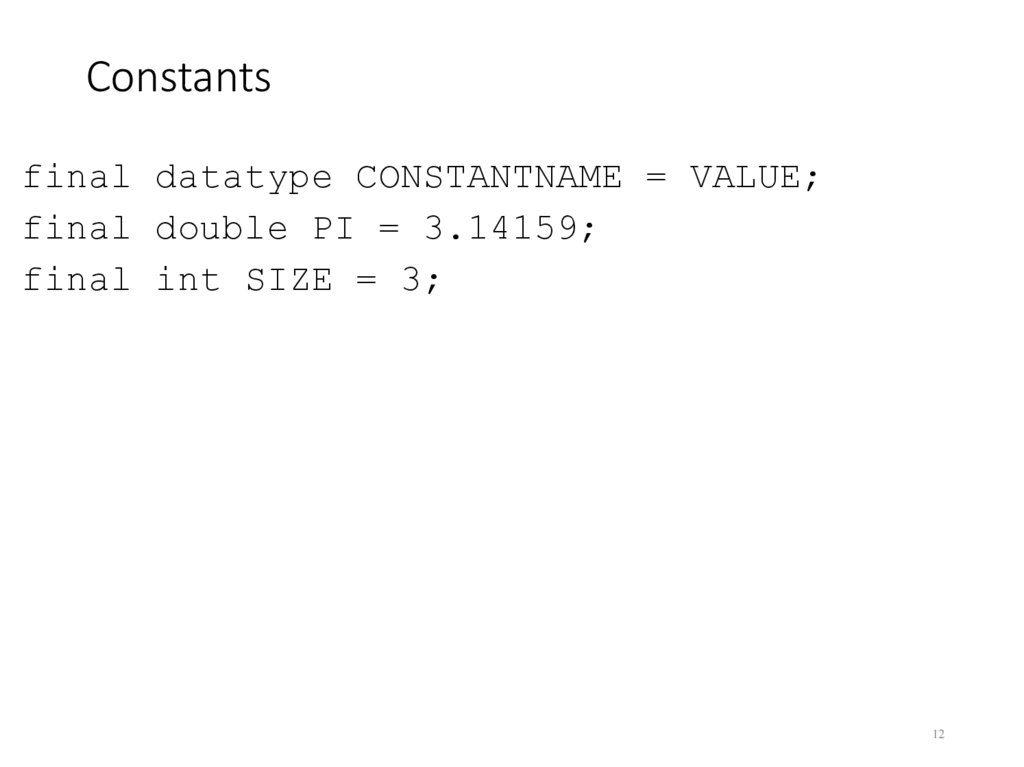
12. Constants
final datatype CONSTANTNAME = VALUE;final double PI = 3.14159;
final int SIZE = 3;
12
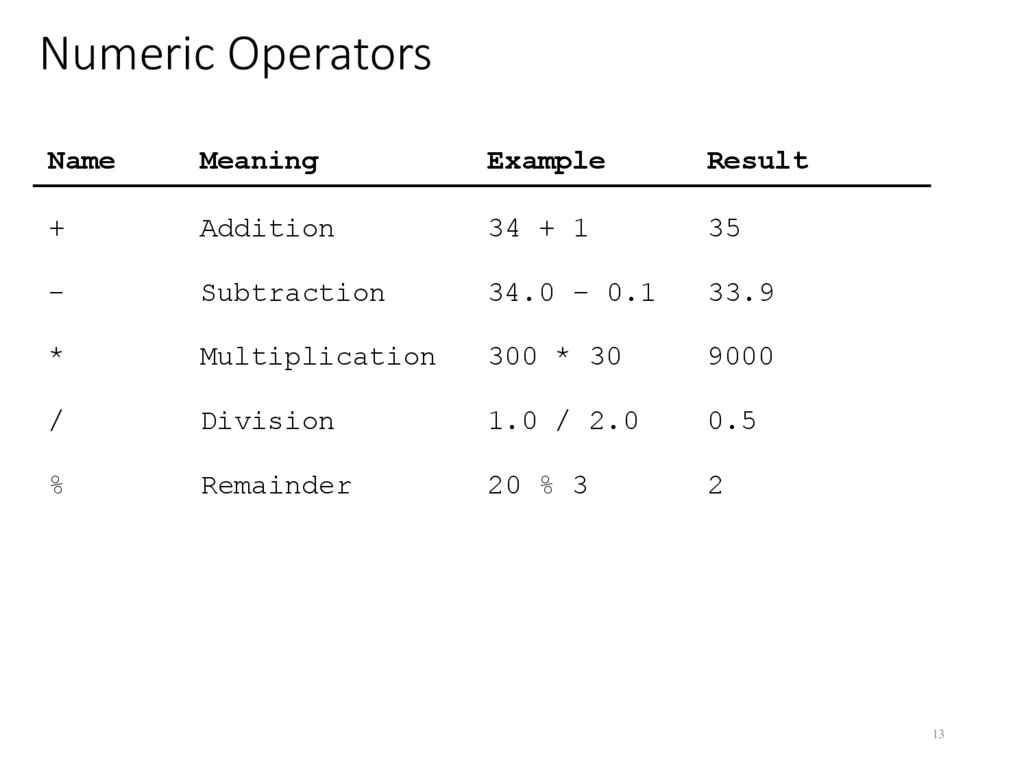
13. Numeric Operators
NameMeaning
Example
Result
+
Addition
34 + 1
35
-
Subtraction
34.0 – 0.1
33.9
*
Multiplication
300 * 30
9000
/
Division
1.0 / 2.0
0.5
%
Remainder
20 % 3
2
13
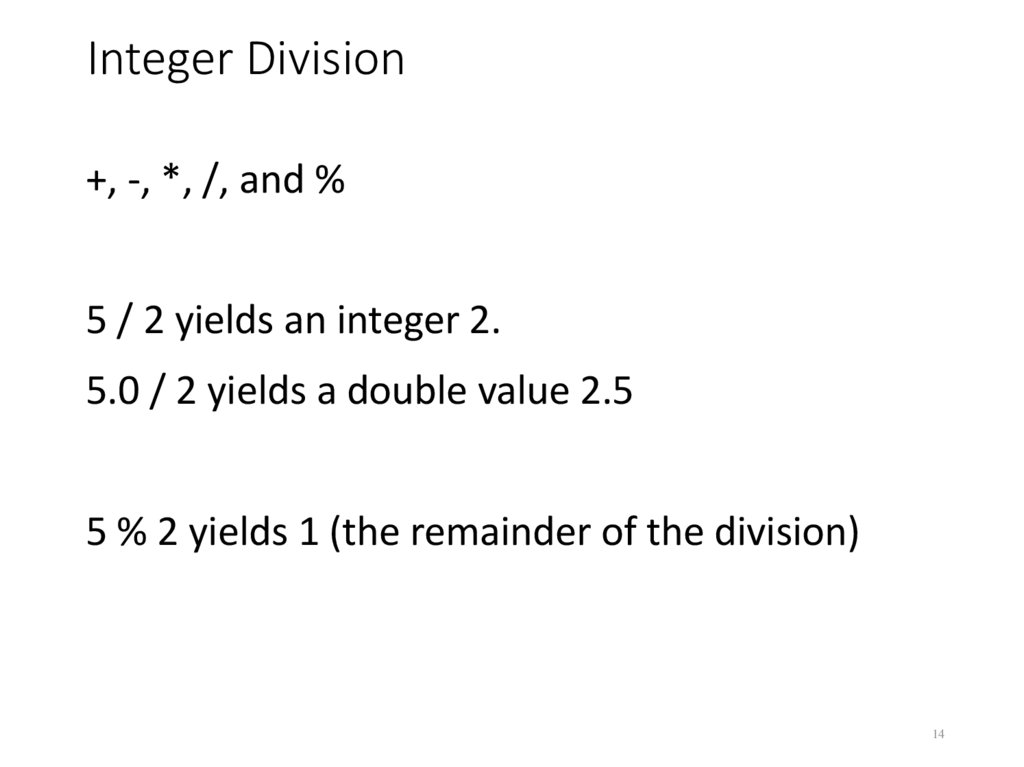
14. Integer Division
+, -, *, /, and %5 / 2 yields an integer 2.
5.0 / 2 yields a double value 2.5
5 % 2 yields 1 (the remainder of the division)
14
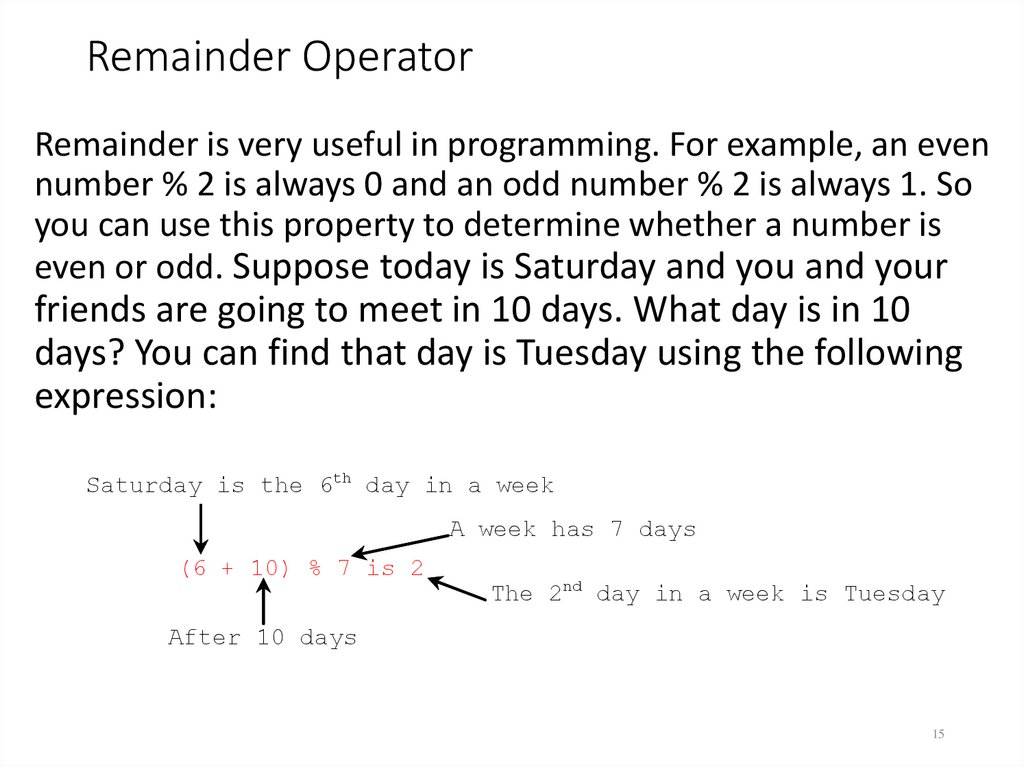
15. Remainder Operator
Remainder is very useful in programming. For example, an evennumber % 2 is always 0 and an odd number % 2 is always 1. So
you can use this property to determine whether a number is
even or odd. Suppose today is Saturday and you and your
friends are going to meet in 10 days. What day is in 10
days? You can find that day is Tuesday using the following
expression:
Saturday is the 6th day in a week
A week has 7 days
(6 + 10) % 7 is 2
The 2nd day in a week is Tuesday
After 10 days
15
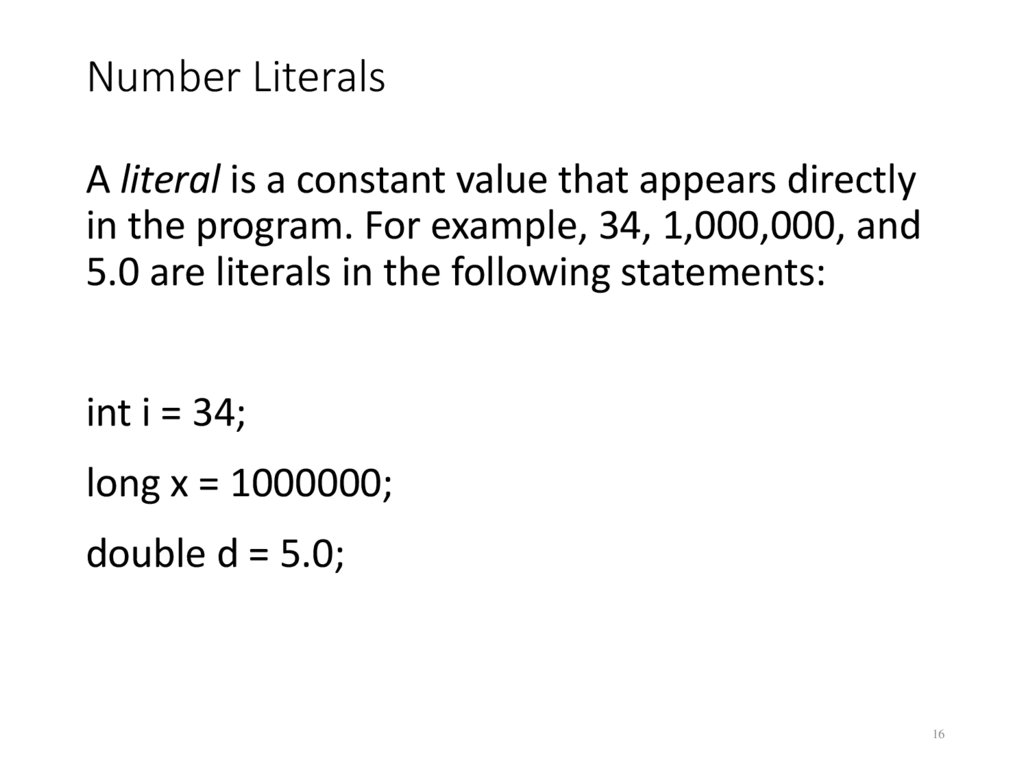
16. Number Literals
A literal is a constant value that appears directlyin the program. For example, 34, 1,000,000, and
5.0 are literals in the following statements:
int i = 34;
long x = 1000000;
double d = 5.0;
16
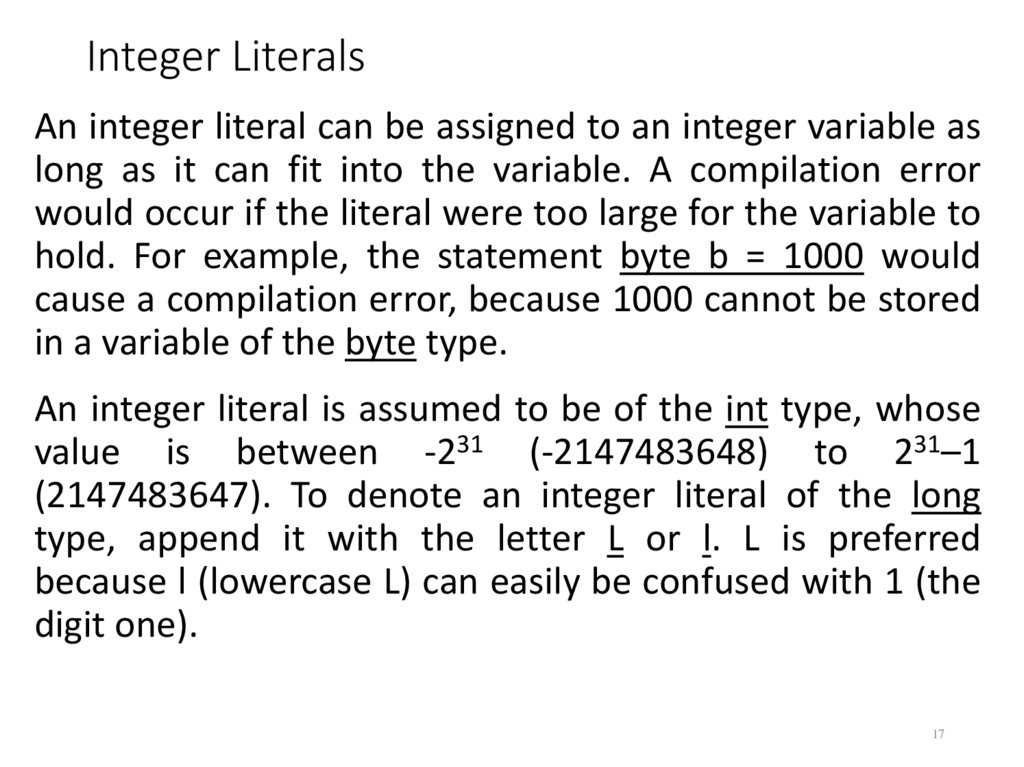
17. Integer Literals
An integer literal can be assigned to an integer variable aslong as it can fit into the variable. A compilation error
would occur if the literal were too large for the variable to
hold. For example, the statement byte b = 1000 would
cause a compilation error, because 1000 cannot be stored
in a variable of the byte type.
An integer literal is assumed to be of the int type, whose
value is between -231 (-2147483648) to 231–1
(2147483647). To denote an integer literal of the long
type, append it with the letter L or l. L is preferred
because l (lowercase L) can easily be confused with 1 (the
digit one).
17
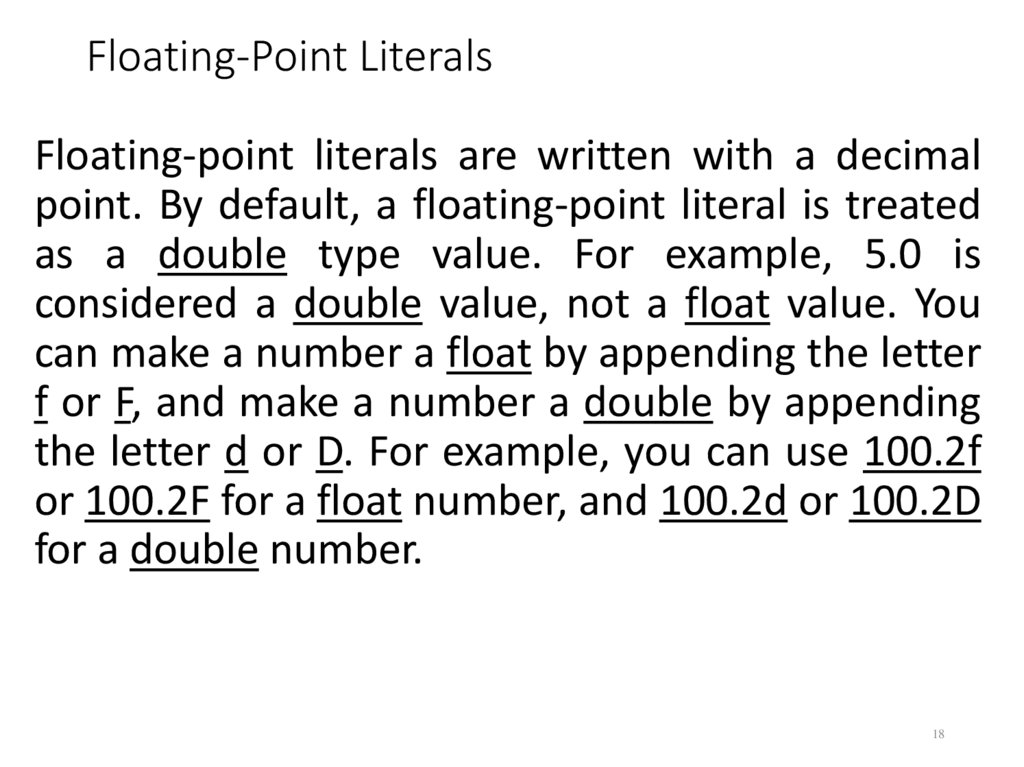
18. Floating-Point Literals
Floating-point literals are written with a decimalpoint. By default, a floating-point literal is treated
as a double type value. For example, 5.0 is
considered a double value, not a float value. You
can make a number a float by appending the letter
f or F, and make a number a double by appending
the letter d or D. For example, you can use 100.2f
or 100.2F for a float number, and 100.2d or 100.2D
for a double number.
18
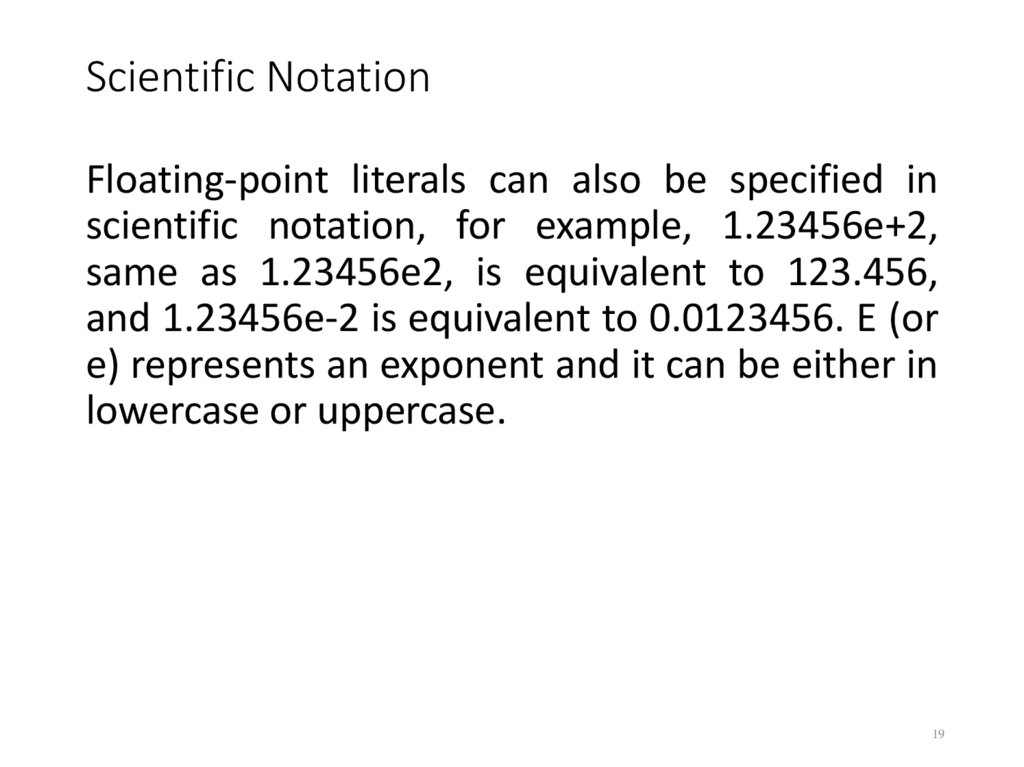
19. Scientific Notation
Floating-point literals can also be specified inscientific notation, for example, 1.23456e+2,
same as 1.23456e2, is equivalent to 123.456,
and 1.23456e-2 is equivalent to 0.0123456. E (or
e) represents an exponent and it can be either in
lowercase or uppercase.
19
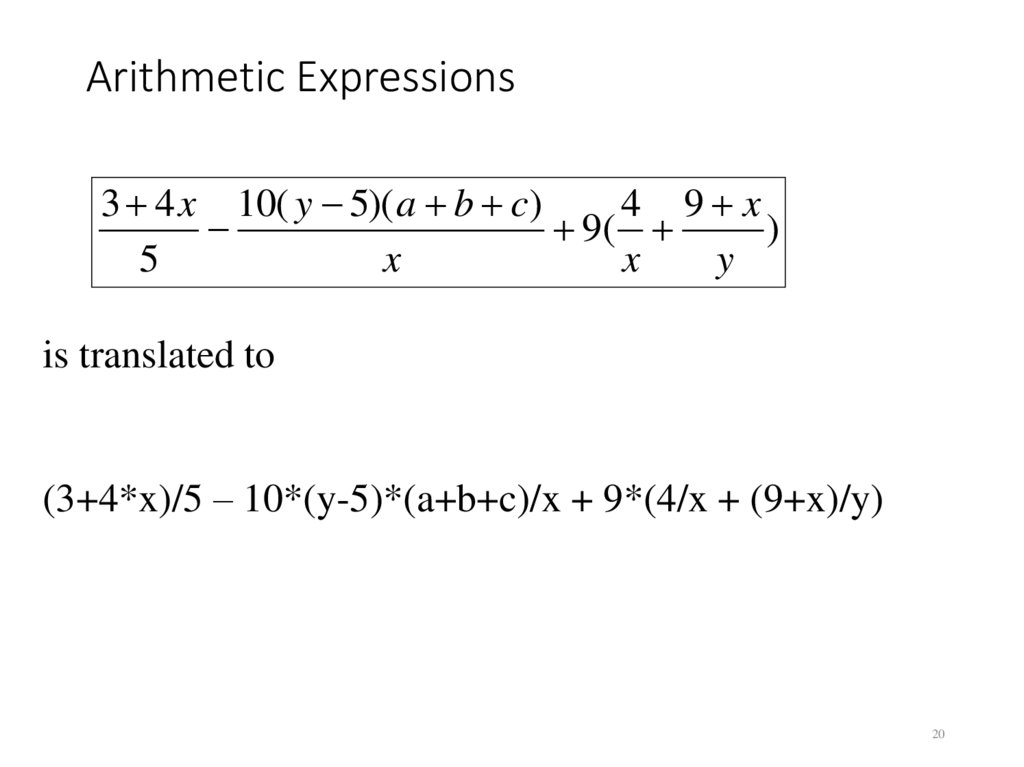
20. Arithmetic Expressions
3 4 x 10( y 5)( a b c)4 9 x
9(
)
5
x
x
y
is translated to
(3+4*x)/5 – 10*(y-5)*(a+b+c)/x + 9*(4/x + (9+x)/y)
20
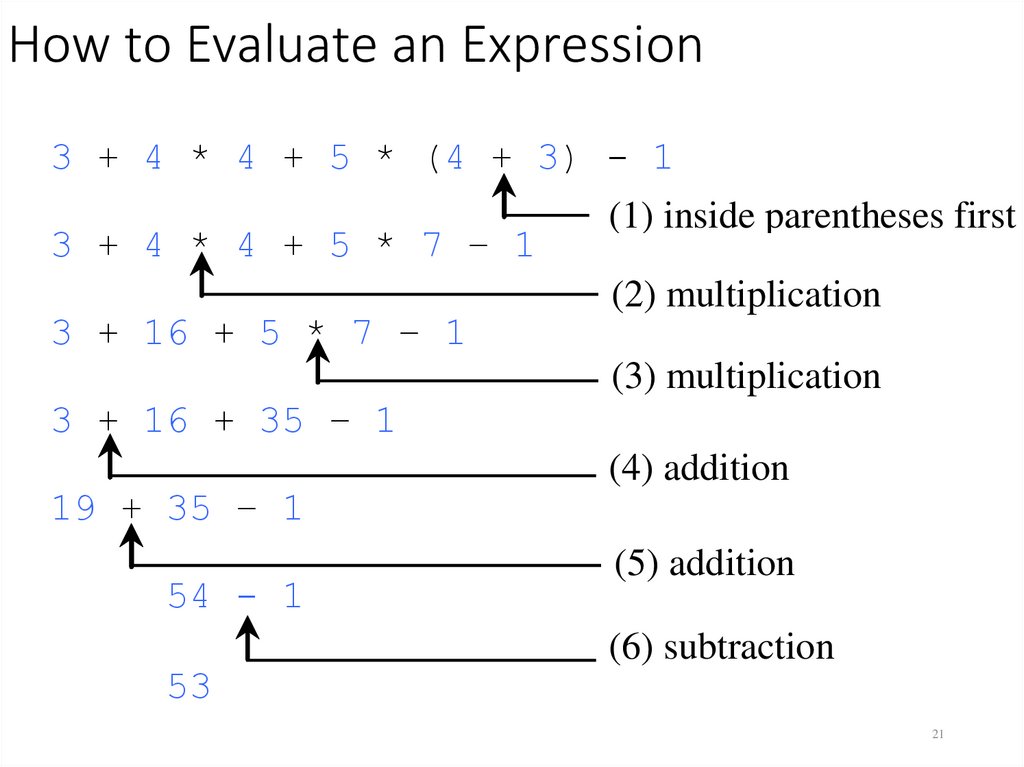
21. How to Evaluate an Expression
3 + 4Java* 4has
+ its
5 *own
(4 way
+ 3)
1
Though
to -evaluate
an
inside
first
expression behind the scene, the (1)
result
of parentheses
a Java
3 + 4 * 4 + 5 * 7 – 1
expression and its corresponding arithmetic expression
(2) multiplication
are3 the
Therefore,
+ same.
16 + 5
* 7 – 1you can safely apply the
(3) multiplication
arithmetic rule for evaluating a Java
expression.
3 + 16 + 35 – 1
19 + 35 – 1
54 - 1
53
(4) addition
(5) addition
(6) subtraction
21
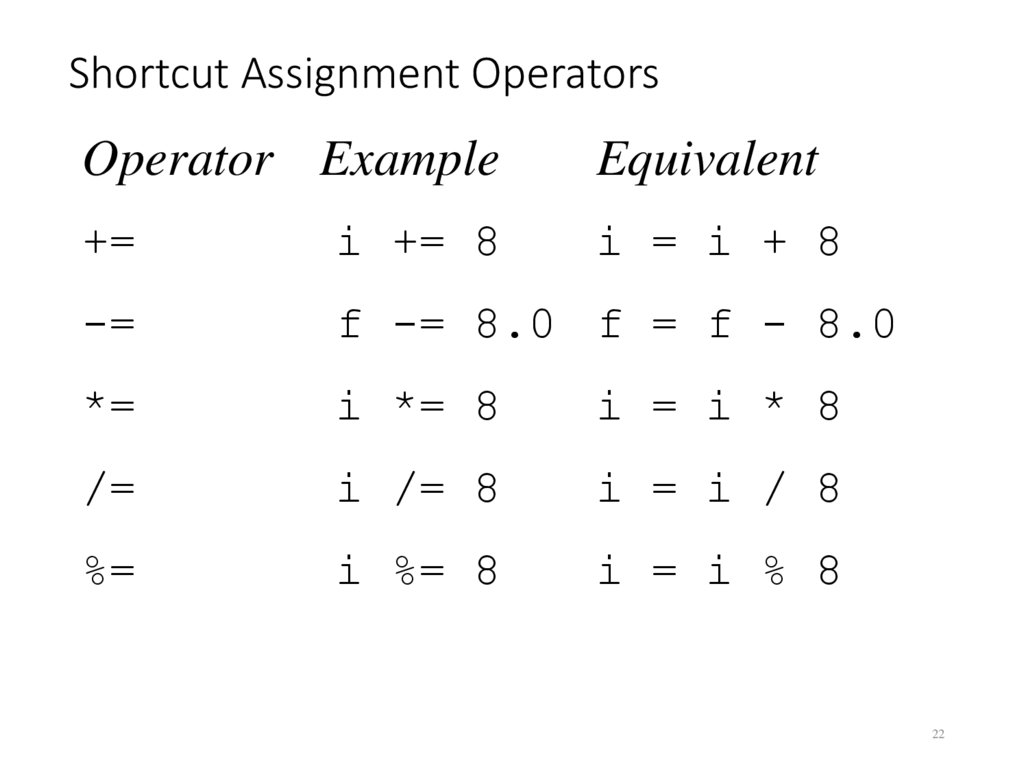
22. Shortcut Assignment Operators
Operator ExampleEquivalent
+=
i += 8
i = i + 8
-=
f -= 8.0 f = f - 8.0
*=
i *= 8
i = i * 8
/=
i /= 8
i = i / 8
%=
i %= 8
i = i % 8
22
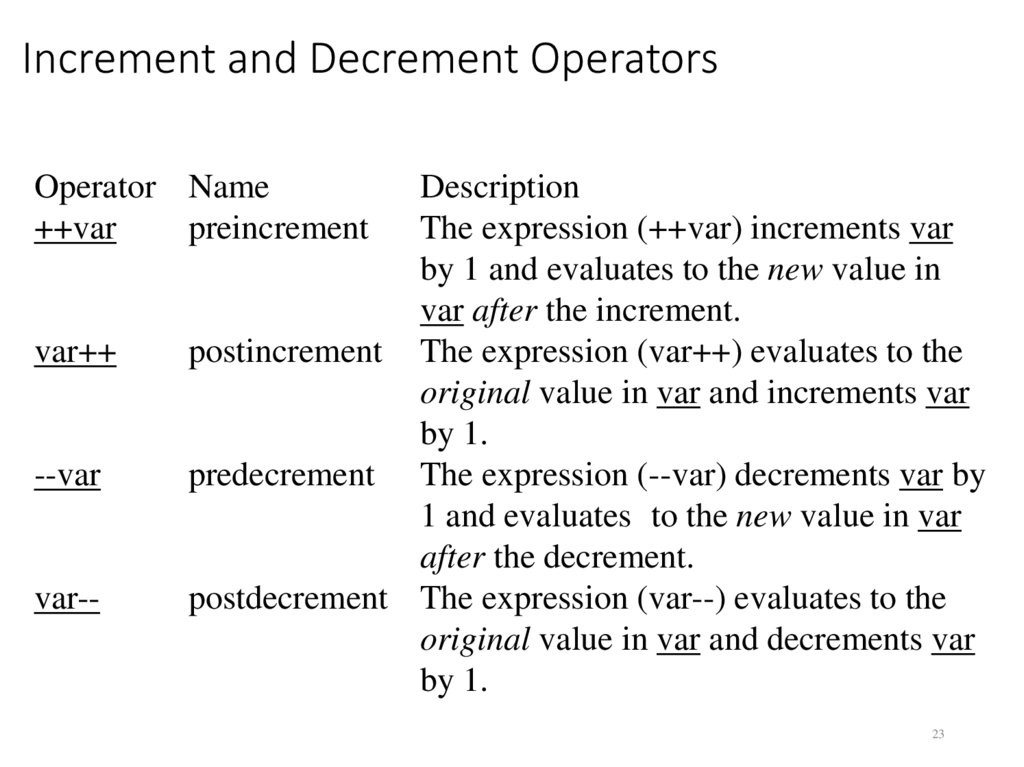
23. Increment and Decrement Operators
Operator Name++var
preincrement
var++
--var
var--
Description
The expression (++var) increments var
by 1 and evaluates to the new value in
var after the increment.
postincrement The expression (var++) evaluates to the
original value in var and increments var
by 1.
predecrement The expression (--var) decrements var by
1 and evaluates to the new value in var
after the decrement.
postdecrement The expression (var--) evaluates to the
original value in var and decrements var
by 1.
23
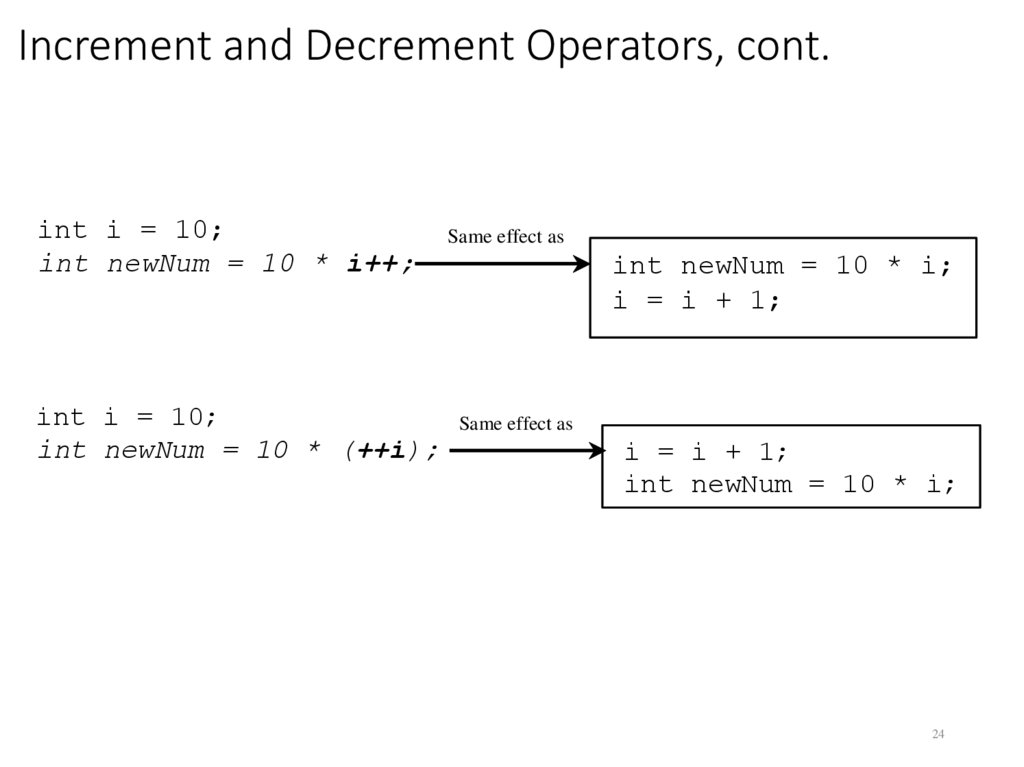
24. Increment and Decrement Operators, cont.
int i = 10;int newNum = 10 * i++;
Same effect as
int i = 10;
int newNum = 10 * (++i);
Same effect as
int newNum = 10 * i;
i = i + 1;
i = i + 1;
int newNum = 10 * i;
24
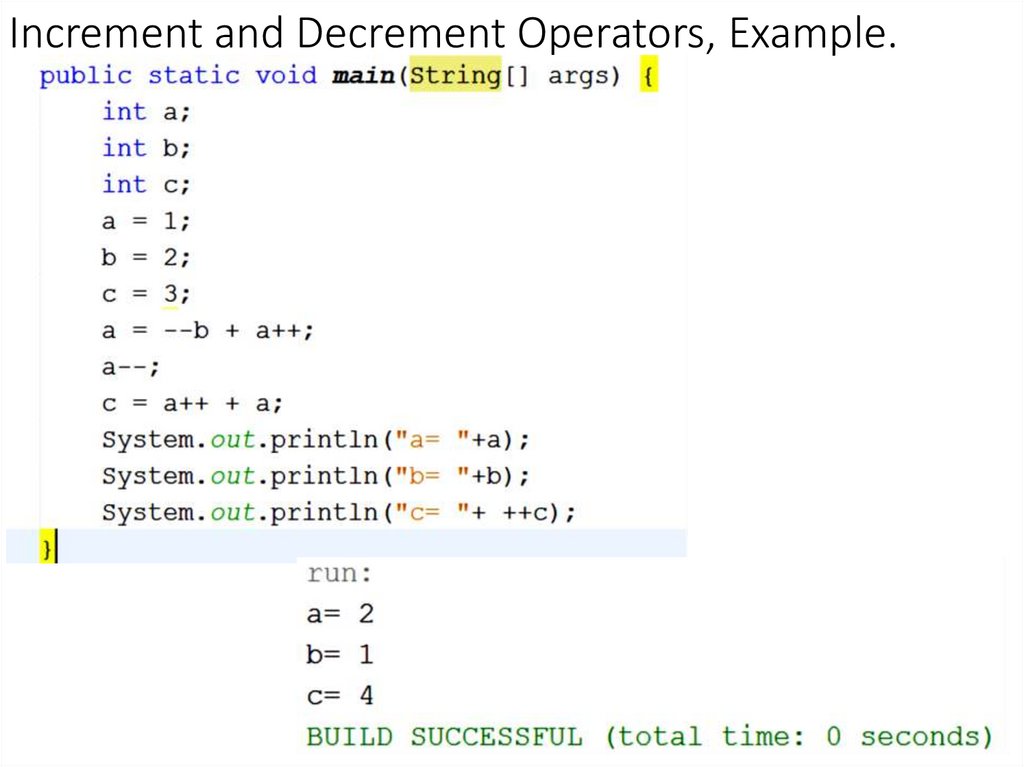
25. Increment and Decrement Operators, Example.
2526. Assignment Expressions and Assignment Statements
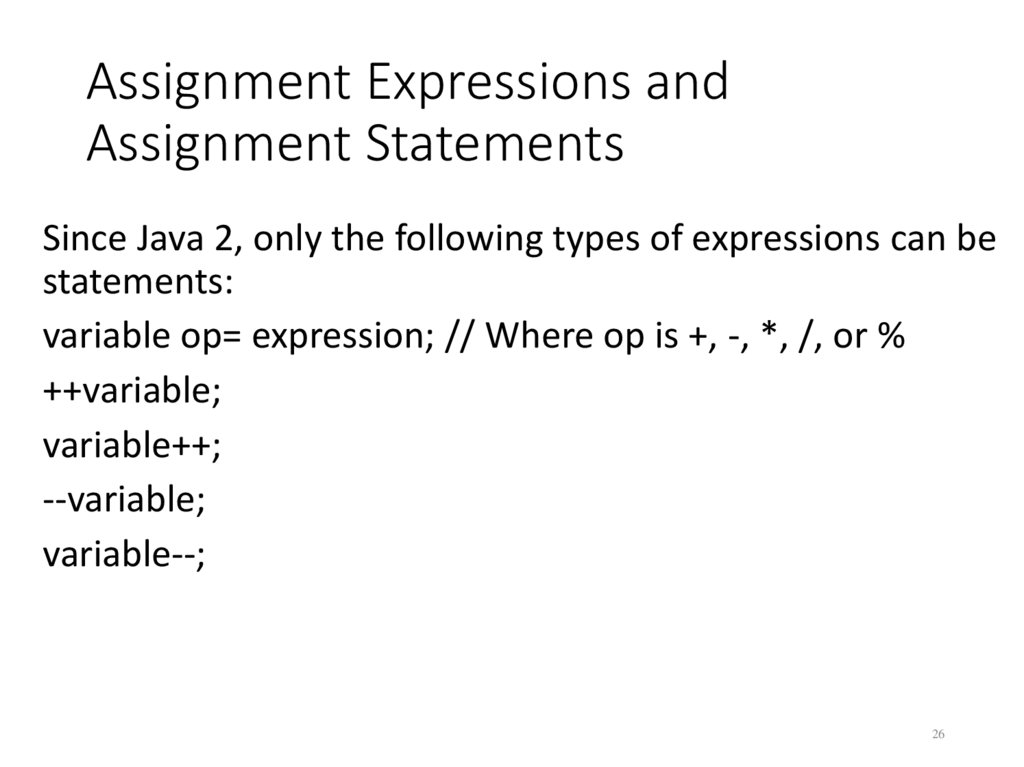
Since Java 2, only the following types of expressions can bestatements:
variable op= expression; // Where op is +, -, *, /, or %
++variable;
variable++;
--variable;
variable--;
26
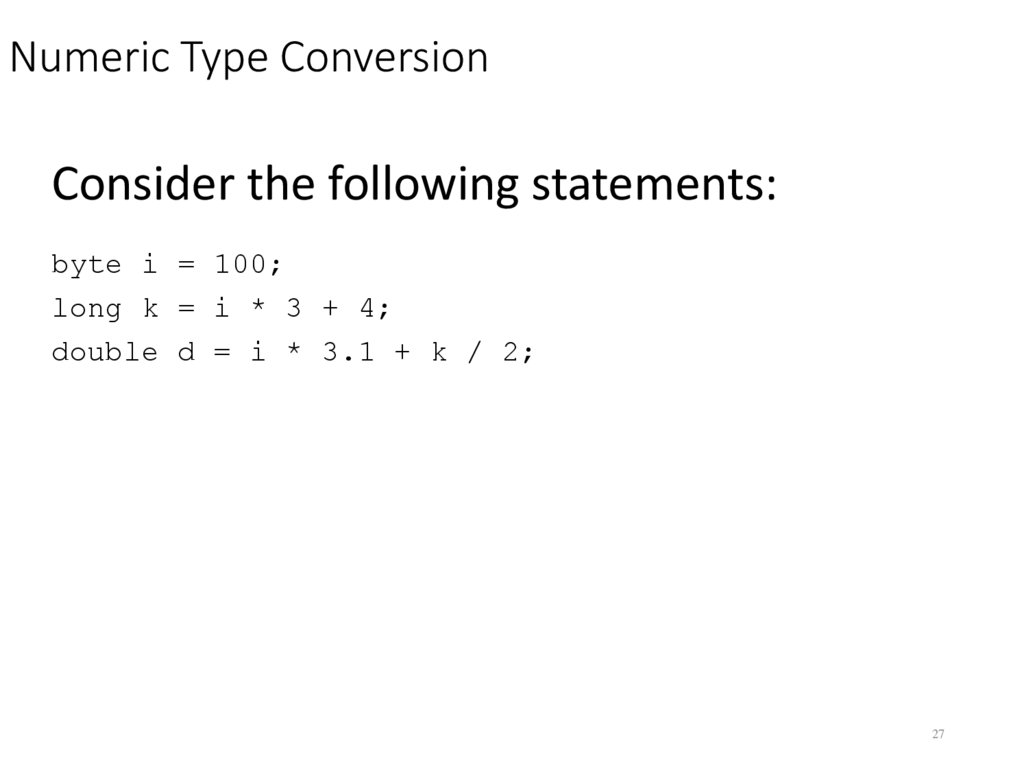
27. Numeric Type Conversion
Consider the following statements:byte i = 100;
long k = i * 3 + 4;
double d = i * 3.1 + k / 2;
27
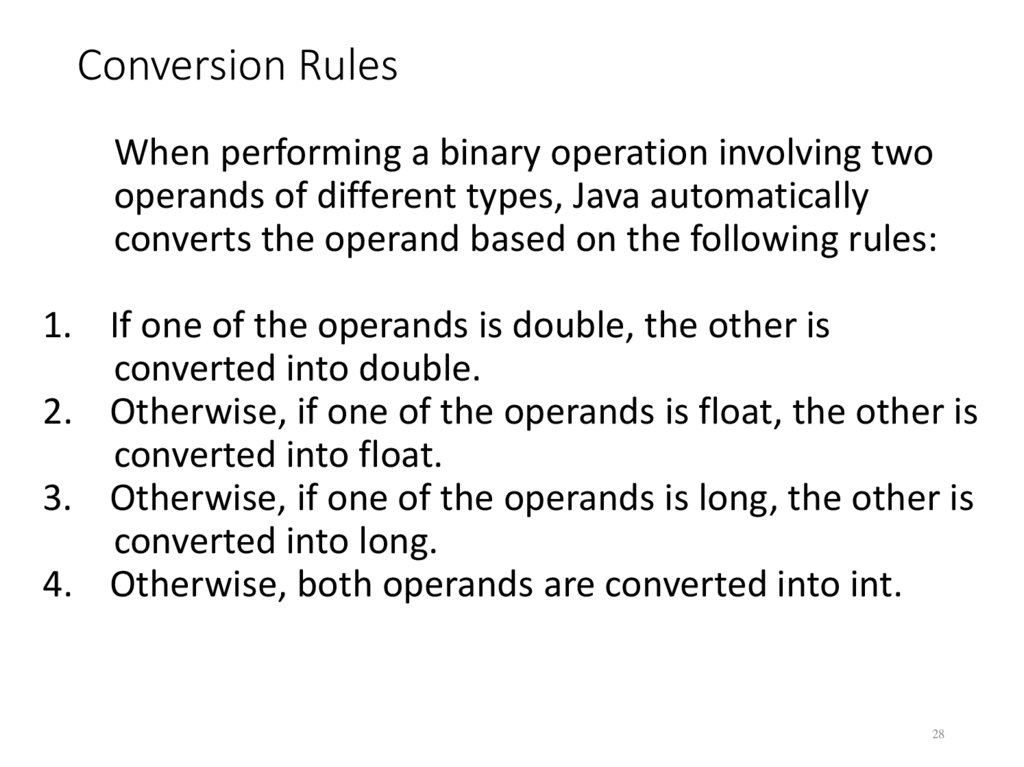
28. Conversion Rules
When performing a binary operation involving twooperands of different types, Java automatically
converts the operand based on the following rules:
1. If one of the operands is double, the other is
converted into double.
2. Otherwise, if one of the operands is float, the other is
converted into float.
3. Otherwise, if one of the operands is long, the other is
converted into long.
4. Otherwise, both operands are converted into int.
28
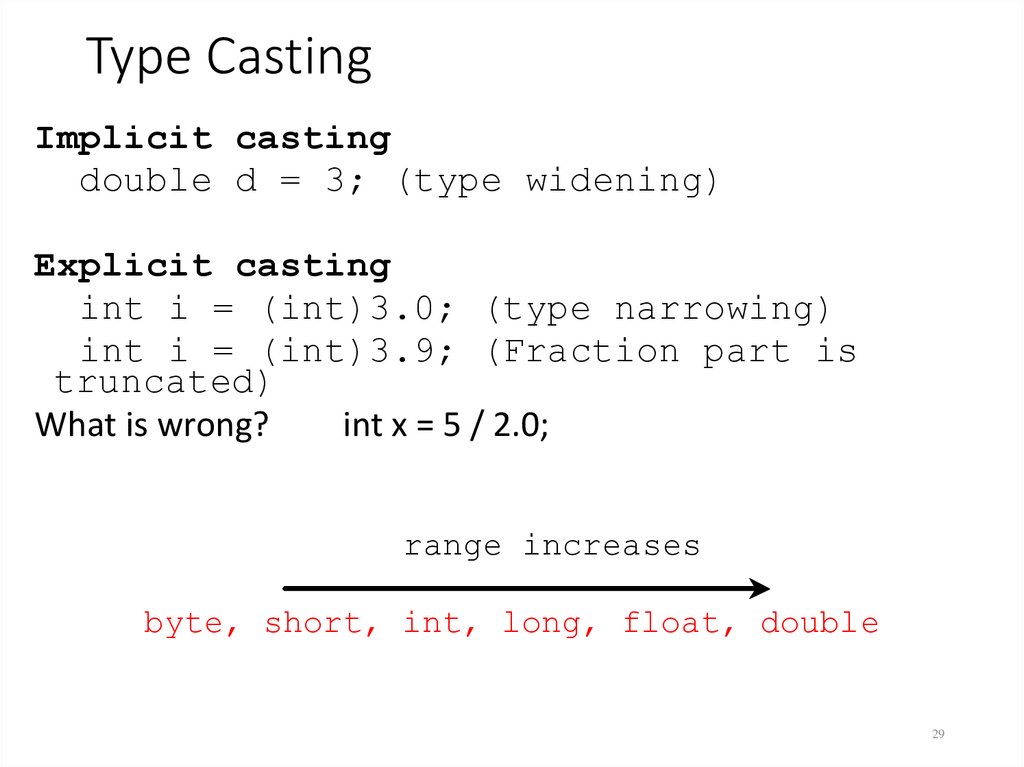
29. Type Casting
Implicit castingdouble d = 3; (type widening)
Explicit casting
int i = (int)3.0; (type narrowing)
int i = (int)3.9; (Fraction part is
truncated)
What is wrong?
int x = 5 / 2.0;
range increases
byte, short, int, long, float, double
29
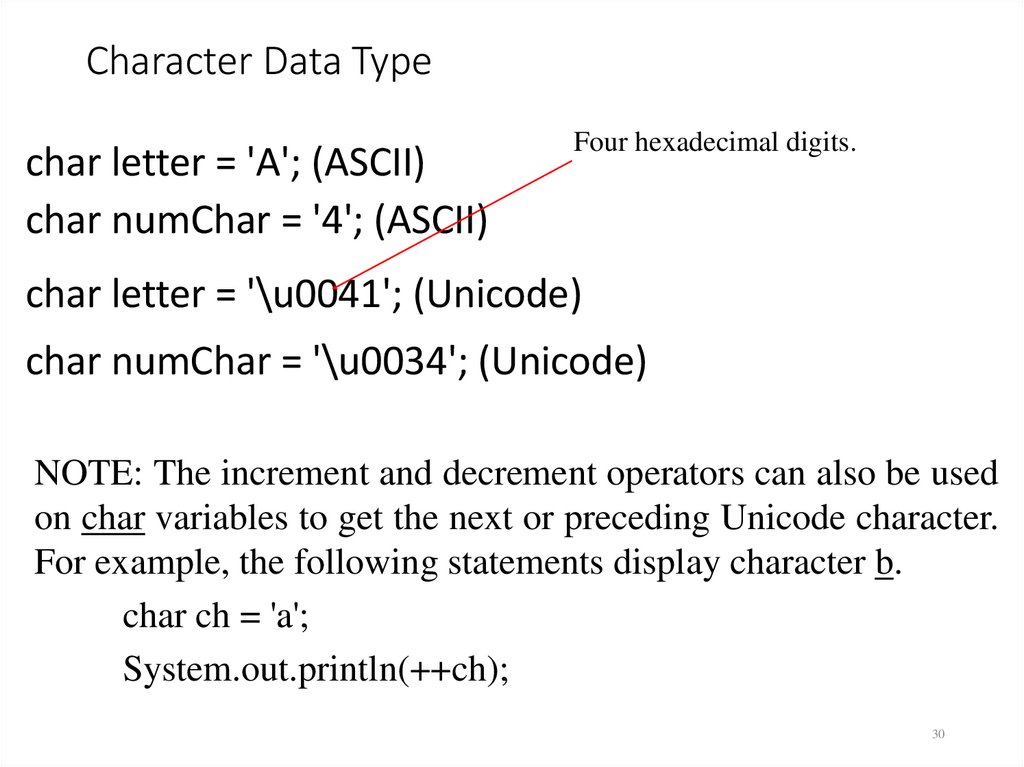
30. Character Data Type
char letter = 'A'; (ASCII)char numChar = '4'; (ASCII)
Four hexadecimal digits.
char letter = '\u0041'; (Unicode)
char numChar = '\u0034'; (Unicode)
NOTE: The increment and decrement operators can also be used
on char variables to get the next or preceding Unicode character.
For example, the following statements display character b.
char ch = 'a';
System.out.println(++ch);
30
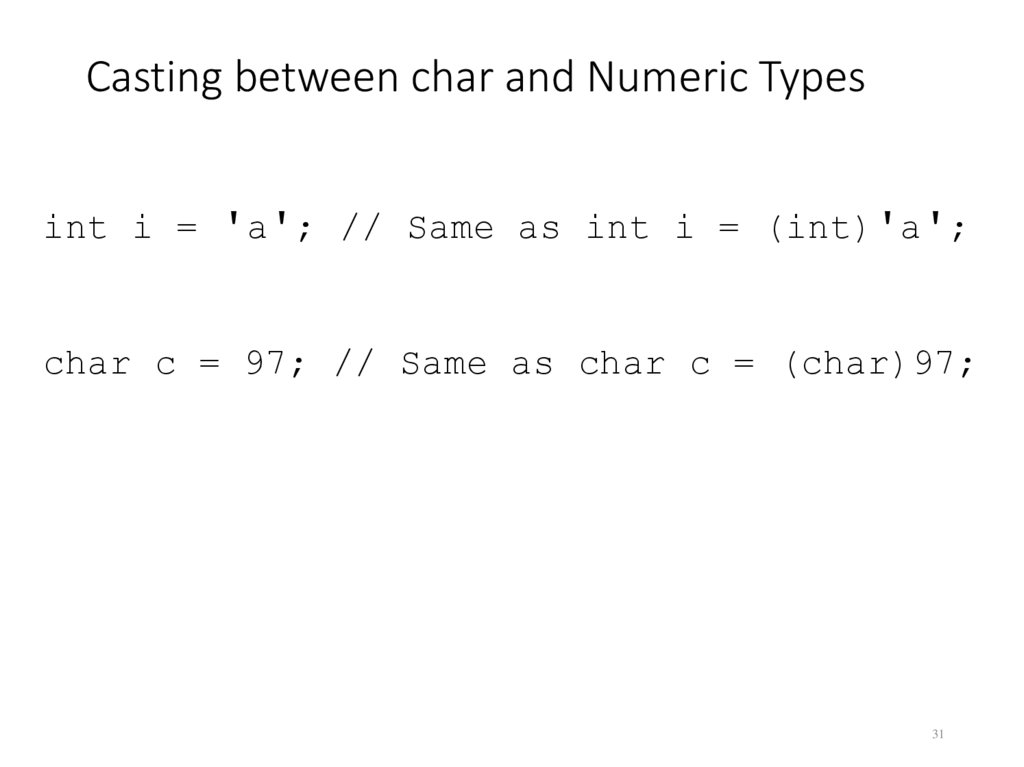
31. Casting between char and Numeric Types
int i = 'a'; // Same as int i = (int)'a';char c = 97; // Same as char c = (char)97;
31
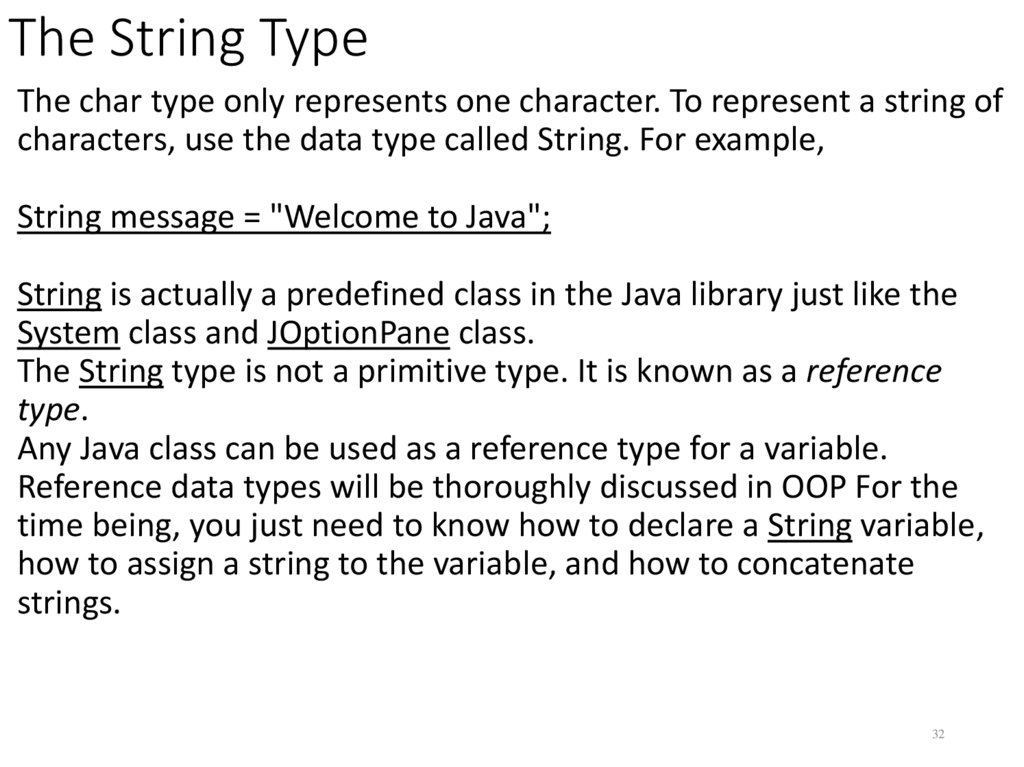
32. The String Type
The char type only represents one character. To represent a string ofcharacters, use the data type called String. For example,
String message = "Welcome to Java";
String is actually a predefined class in the Java library just like the
System class and JOptionPane class.
The String type is not a primitive type. It is known as a reference
type.
Any Java class can be used as a reference type for a variable.
Reference data types will be thoroughly discussed in OOP For the
time being, you just need to know how to declare a String variable,
how to assign a string to the variable, and how to concatenate
strings.
32
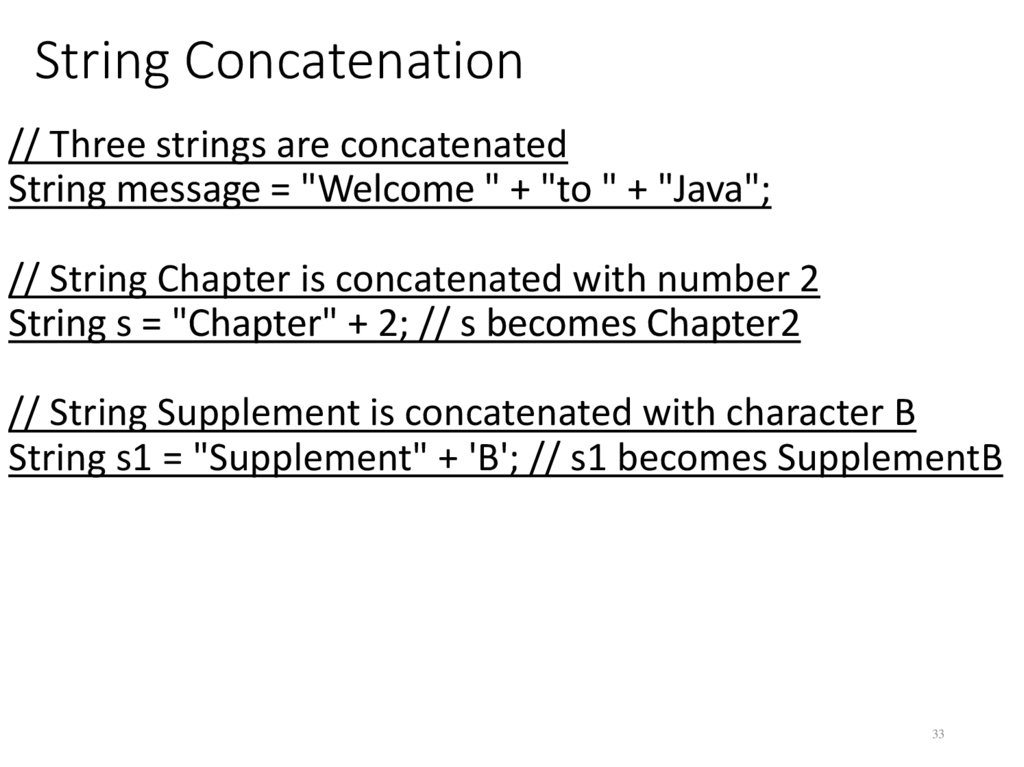
33. String Concatenation
// Three strings are concatenatedString message = "Welcome " + "to " + "Java";
// String Chapter is concatenated with number 2
String s = "Chapter" + 2; // s becomes Chapter2
// String Supplement is concatenated with character B
String s1 = "Supplement" + 'B'; // s1 becomes SupplementB
33
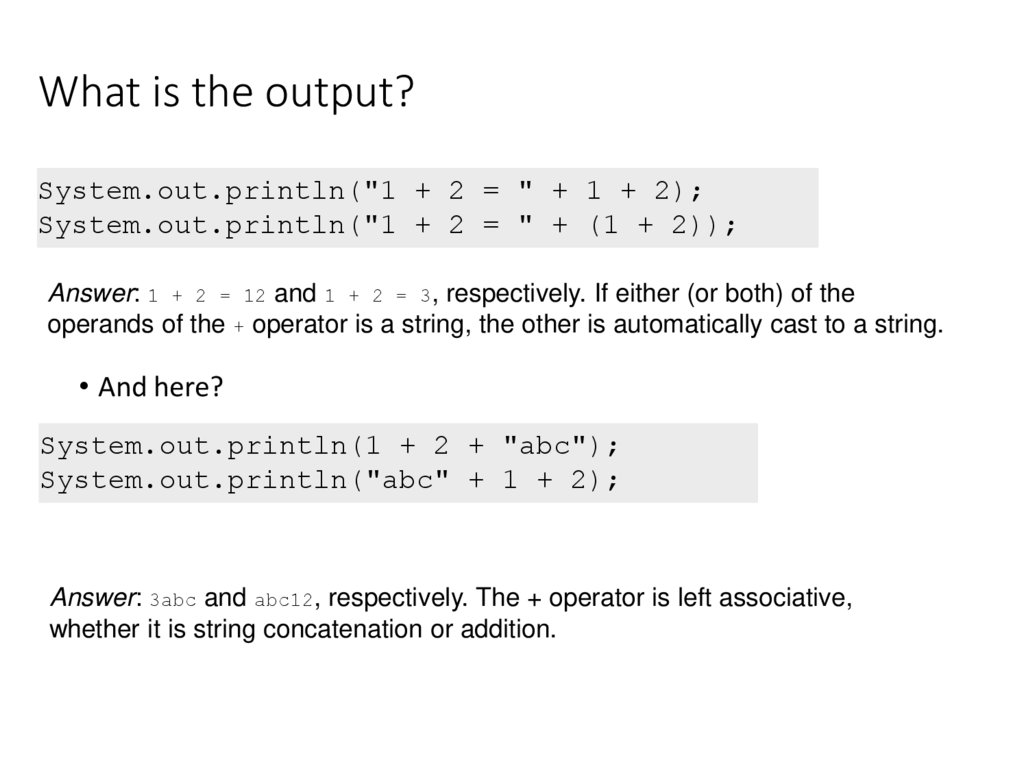
34. What is the output?
System.out.println("1 + 2 = " + 1 + 2);System.out.println("1 + 2 = " + (1 + 2));
Answer: 1 + 2 = 12 and 1 + 2 = 3, respectively. If either (or both) of the
operands of the + operator is a string, the other is automatically cast to a string.
• And here?
System.out.println(1 + 2 + "abc");
System.out.println("abc" + 1 + 2);
Answer: 3abc and abc12, respectively. The + operator is left associative,
whether it is string concatenation or addition.
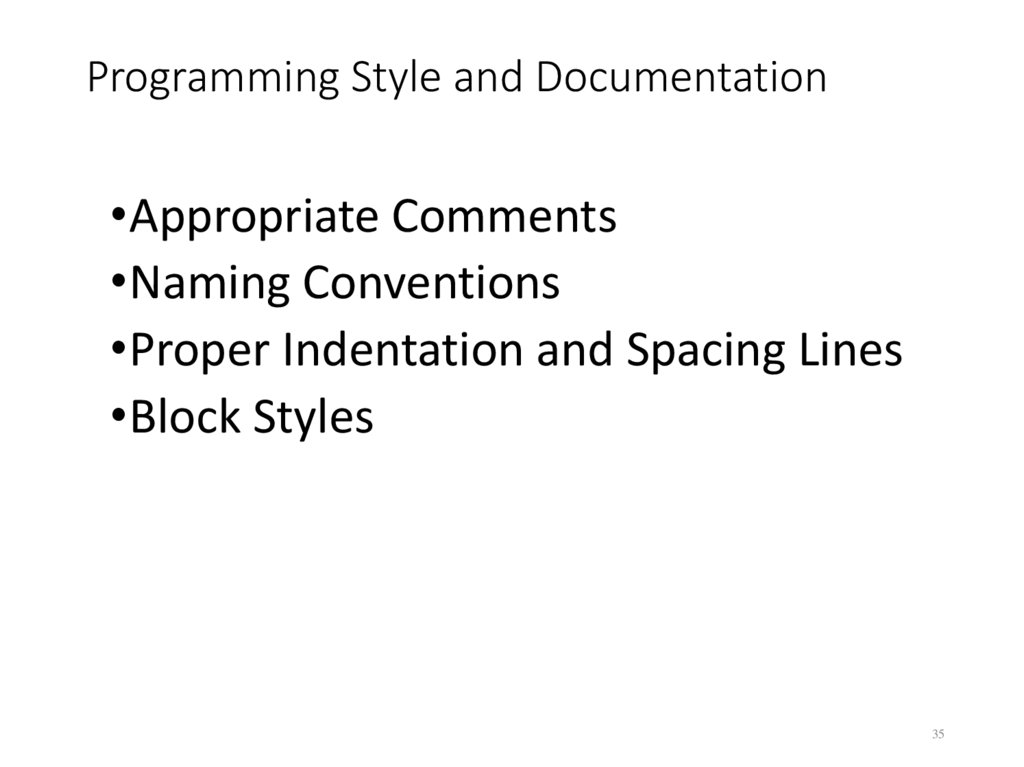
35. Programming Style and Documentation
•Appropriate Comments•Naming Conventions
•Proper Indentation and Spacing Lines
•Block Styles
35
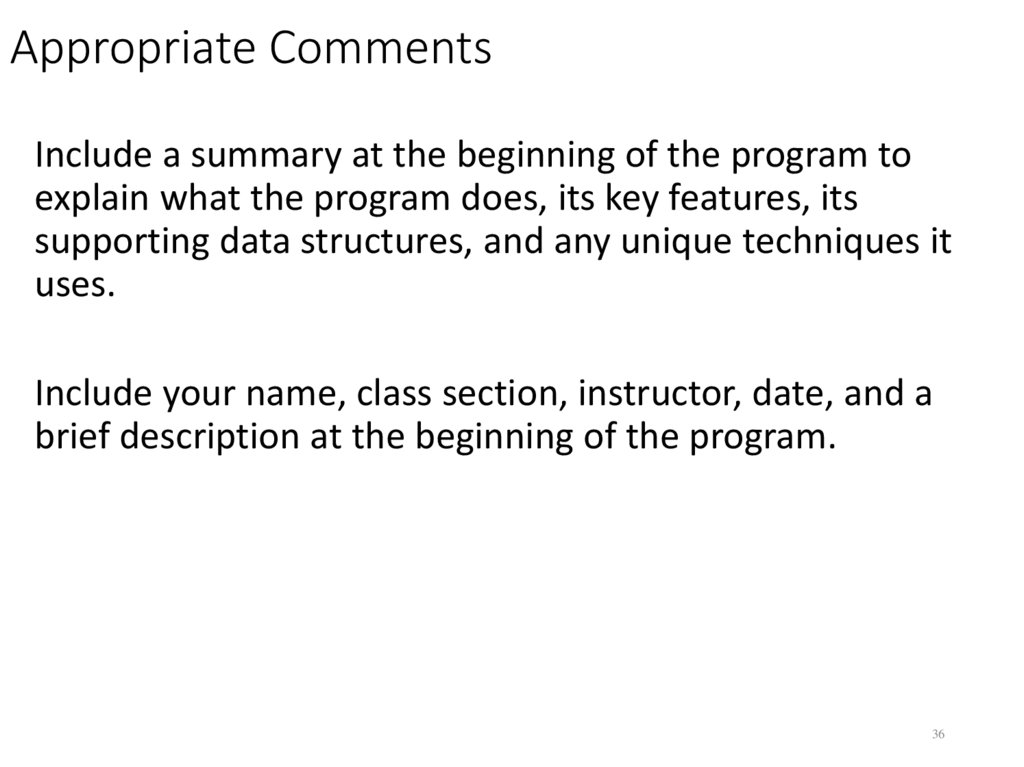
36. Appropriate Comments
Include a summary at the beginning of the program toexplain what the program does, its key features, its
supporting data structures, and any unique techniques it
uses.
Include your name, class section, instructor, date, and a
brief description at the beginning of the program.
36
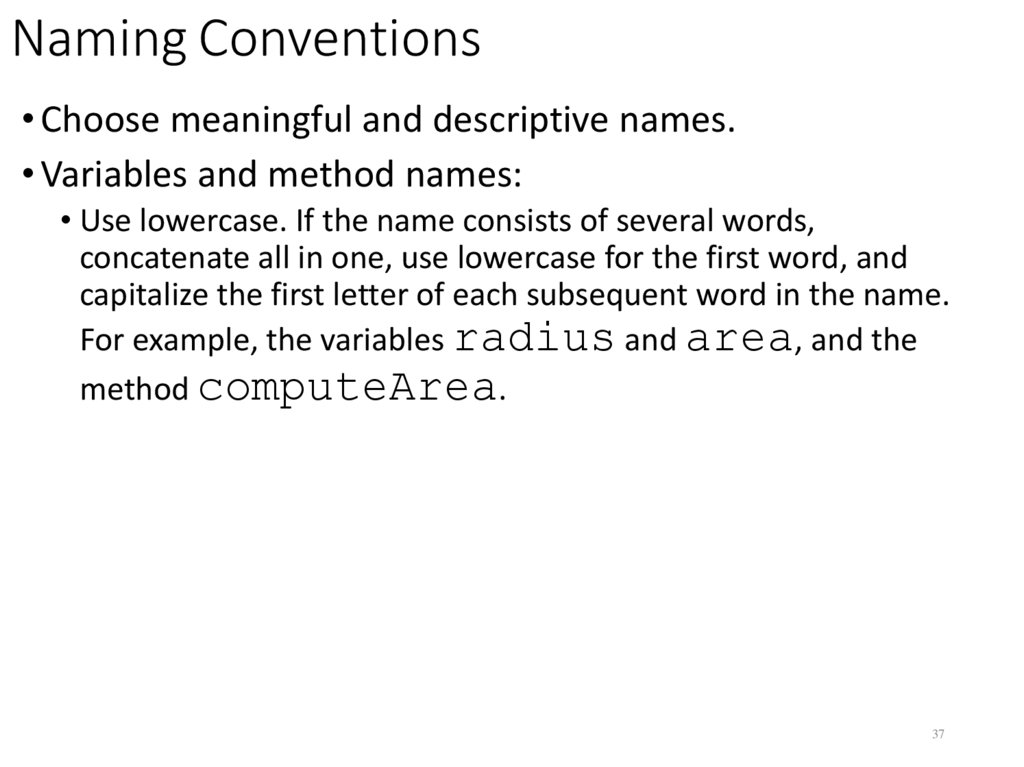
37. Naming Conventions
• Choose meaningful and descriptive names.• Variables and method names:
• Use lowercase. If the name consists of several words,
concatenate all in one, use lowercase for the first word, and
capitalize the first letter of each subsequent word in the name.
For example, the variables radius and area, and the
method computeArea.
37
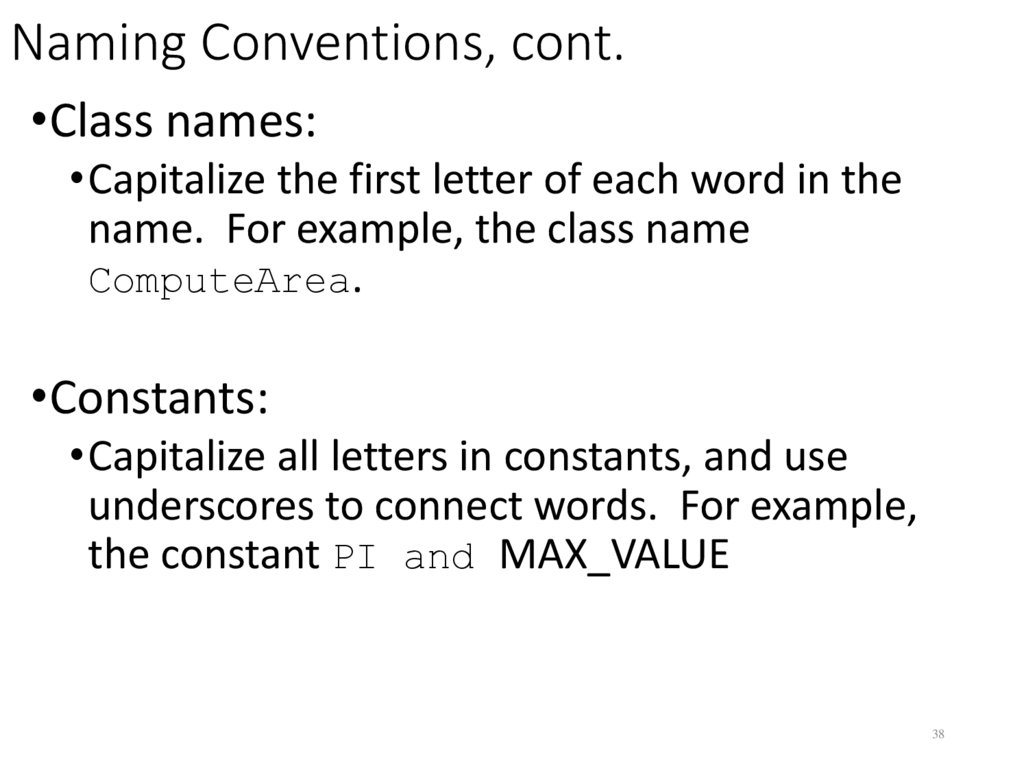
38. Naming Conventions, cont.
•Class names:•Capitalize the first letter of each word in the
name. For example, the class name
ComputeArea.
•Constants:
•Capitalize all letters in constants, and use
underscores to connect words. For example,
the constant PI and MAX_VALUE
38
39. Proper Indentation and Spacing
• Indentation• Indent two spaces.
• Spacing
• Use blank line to separate segments of the code.
39
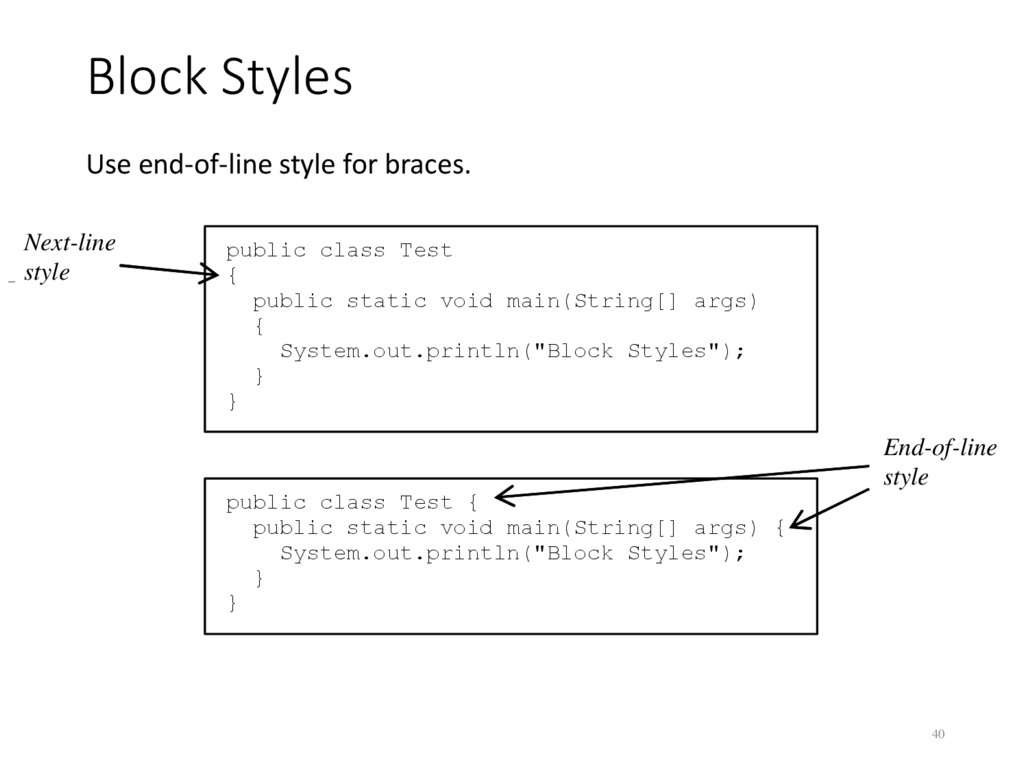
40. Block Styles
Use end-of-line style for braces.Next-line
style
public class Test
{
public static void main(String[] args)
{
System.out.println("Block Styles");
}
}
public class Test {
public static void main(String[] args) {
System.out.println("Block Styles");
}
}
End-of-line
style
40
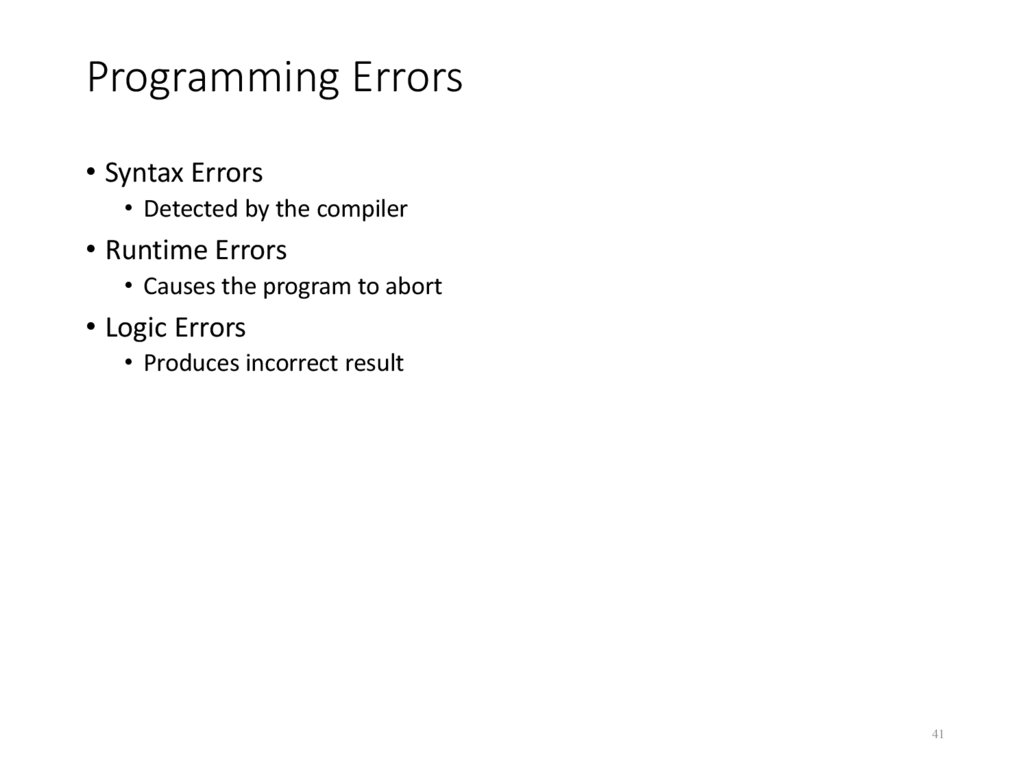
41. Programming Errors
• Syntax Errors• Detected by the compiler
• Runtime Errors
• Causes the program to abort
• Logic Errors
• Produces incorrect result
41
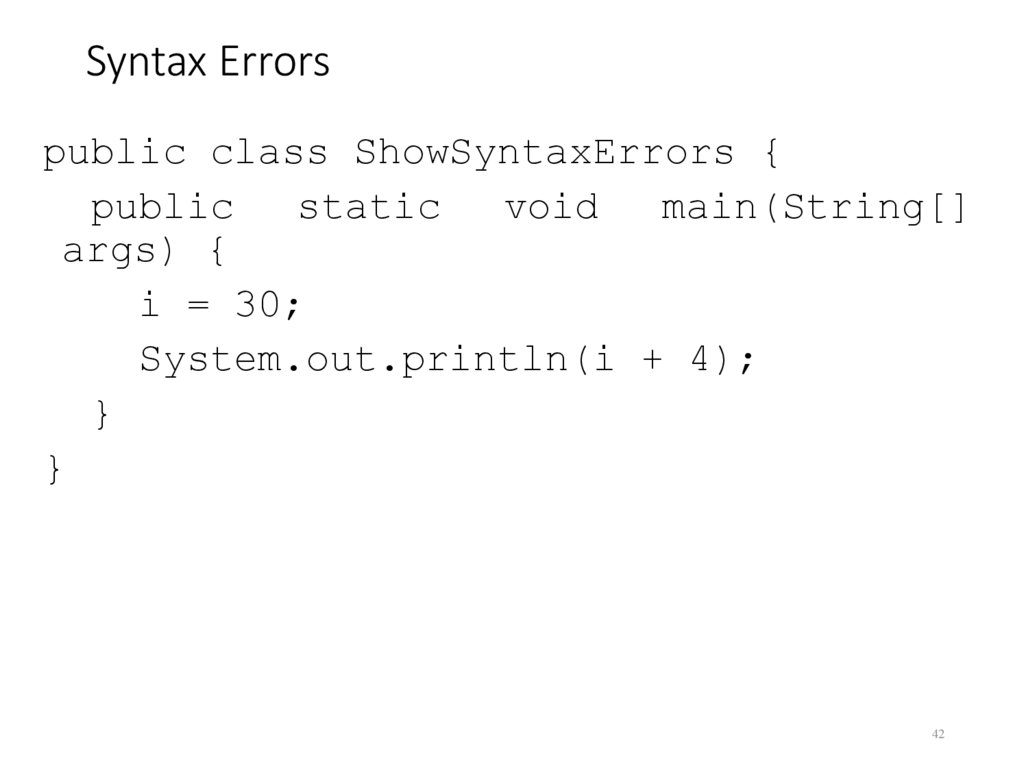
42. Syntax Errors
public class ShowSyntaxErrors {public
static
void
main(String[]
args) {
i = 30;
System.out.println(i + 4);
}
}
42
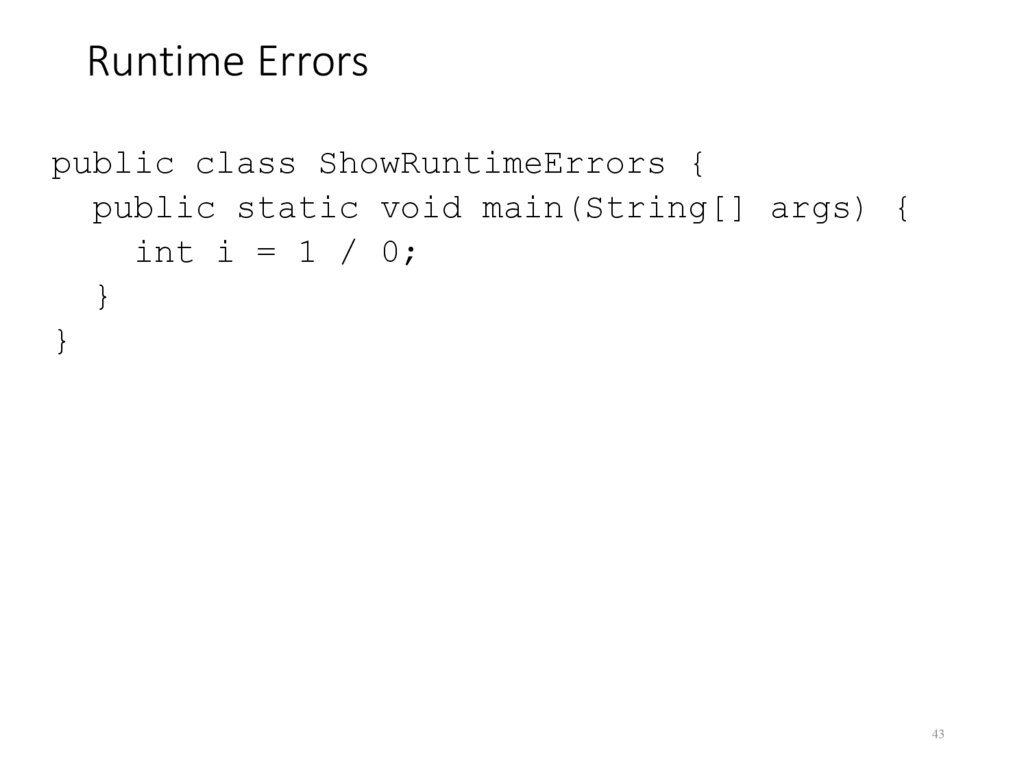
43. Runtime Errors
public class ShowRuntimeErrors {public static void main(String[] args) {
int i = 1 / 0;
}
}
43
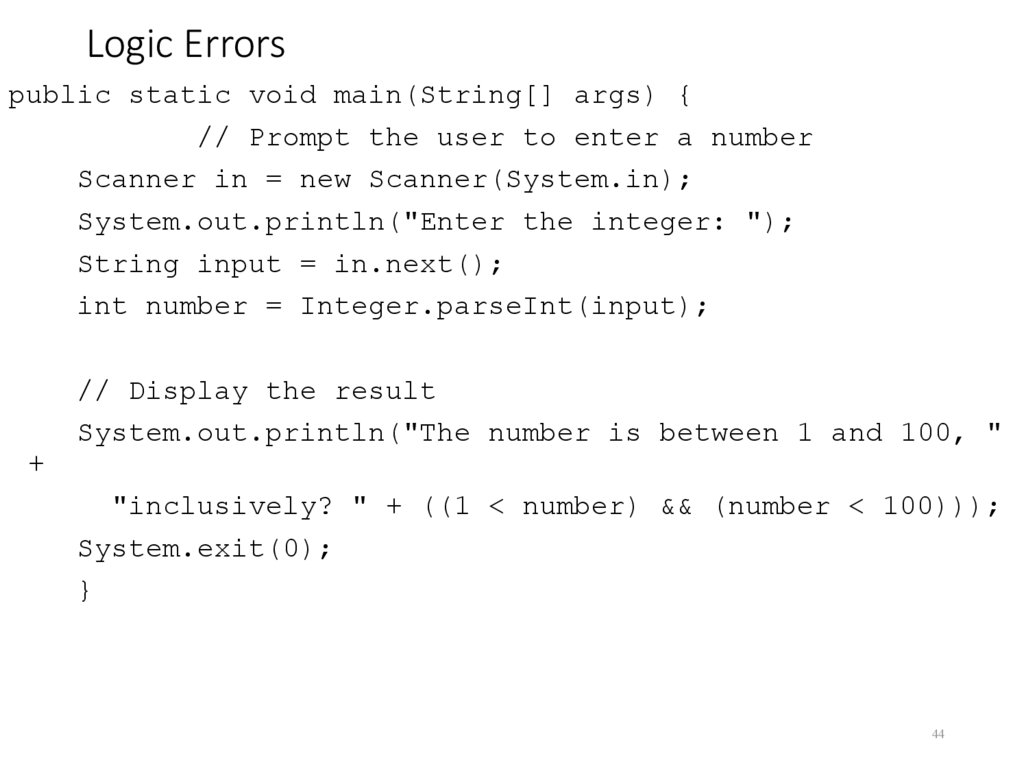
44. Logic Errors
public static void main(String[] args) {// Prompt the user to enter a number
Scanner in = new Scanner(System.in);
System.out.println("Enter the integer: ");
String input = in.next();
int number = Integer.parseInt(input);
// Display the result
System.out.println("The number is between 1 and 100, "
+
"inclusively? " + ((1 < number) && (number < 100)));
System.exit(0);
}
44
45. Debugging
Logic errors are called bugs. The process of finding andcorrecting errors is called debugging. A common approach
to debugging is to use a combination of methods to
narrow down to the part of the program where the bug is
located. You can hand-trace the program (i.e., catch errors
by reading the program), or you can insert print
statements in order to show the values of the variables or
the execution flow of the program. This approach might
work for a short, simple program. But for a large, complex
program, the most effective approach for debugging is to
use a debugger utility.
45
46. Debugger
Debugger is a program that facilitates debugging. You can use a debugger to•Execute a single statement at a time.
•Trace into or stepping over a method.
•Set breakpoints.
•Display variables.
•Display call stack.
•Modify variables.
46
47. The boolean Type and Operators
Often in a program you need to compare two values, such as whether i isgreater than j. Java provides six comparison operators (also known as
relational operators) that can be used to compare two values. The result of
the comparison is a Boolean value: true or false.
boolean b = (1 > 2);
47
48. Comparison Operators
Operator Name<
less than
<=
less than or equal to
>
greater than
>=
greater than or equal to
==
equal to
!=
not equal to
48
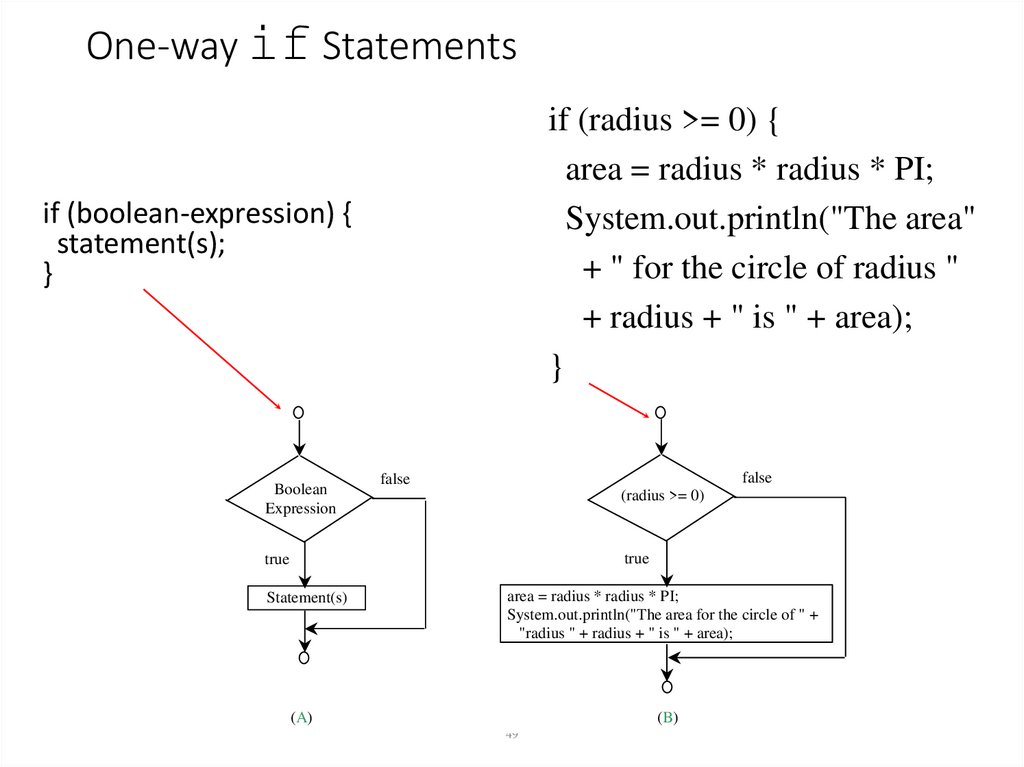
49. One-way if Statements
if (radius >= 0) {area = radius * radius * PI;
System.out.println("The area"
+ " for the circle of radius "
+ radius + " is " + area);
}
if (boolean-expression) {
statement(s);
}
Boolean
Expression
false
false
(radius >= 0)
true
true
Statement(s)
area = radius * radius * PI;
System.out.println("The area for the circle of " +
"radius " + radius + " is " + area);
(A)
(B)
49
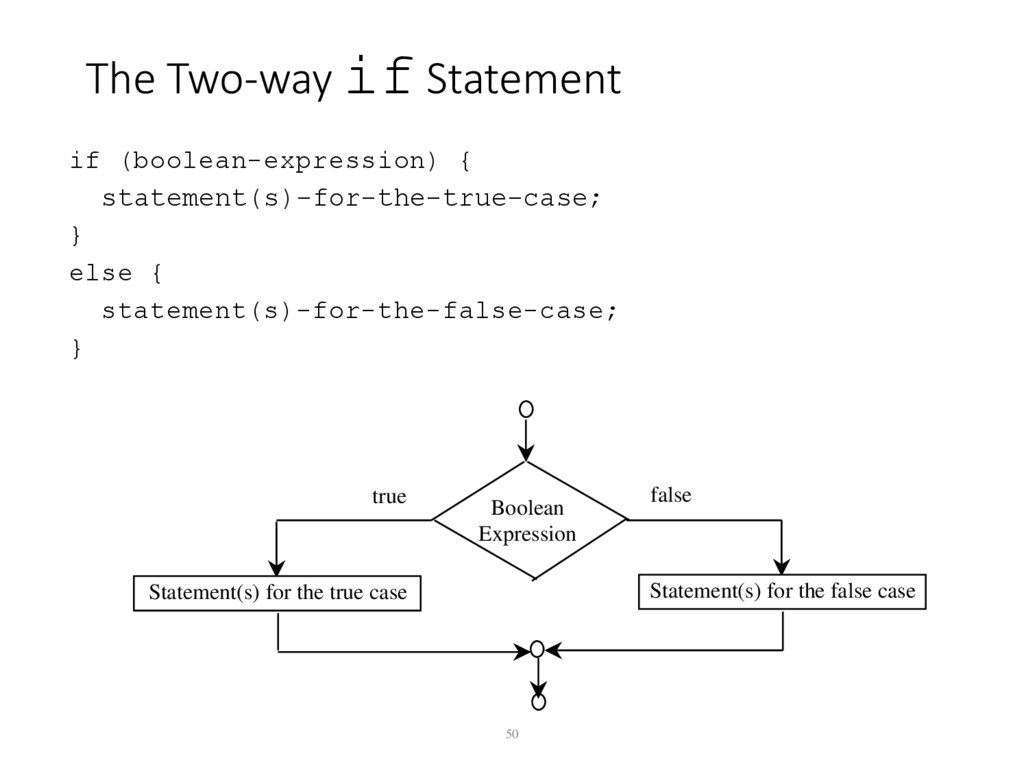
50. The Two-way if Statement
if (boolean-expression) {statement(s)-for-the-true-case;
}
else {
statement(s)-for-the-false-case;
}
true
Boolean
Expression
false
Statement(s) for the false case
Statement(s) for the true case
50
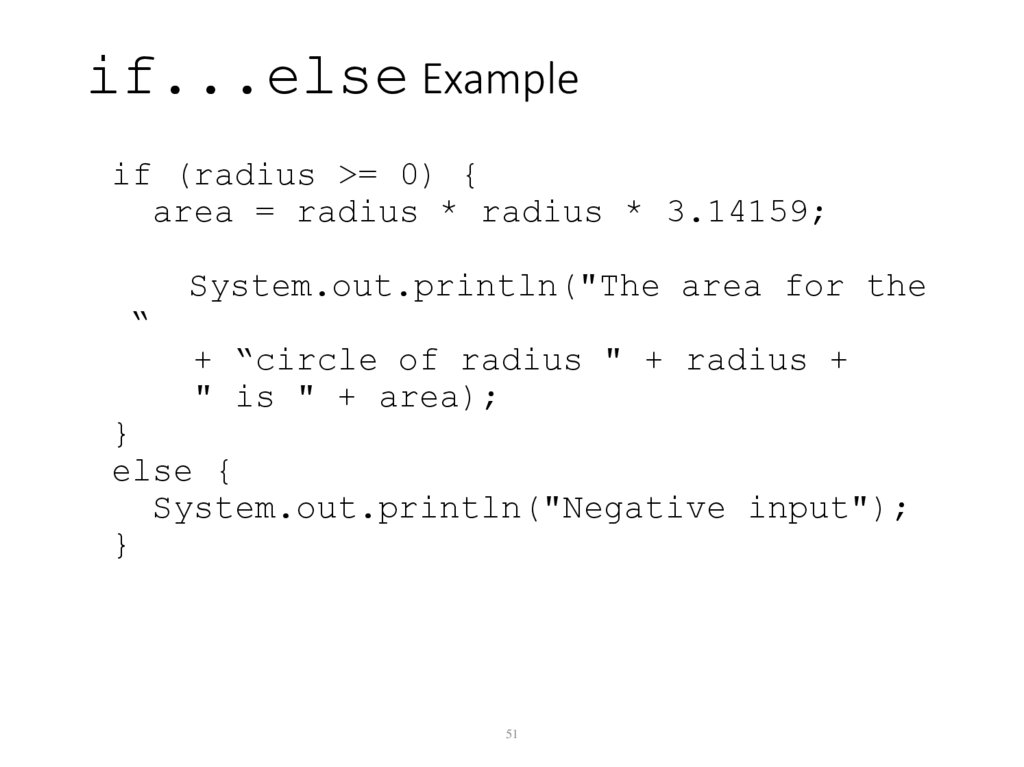
51. if...else Example
if (radius >= 0) {area = radius * radius * 3.14159;
System.out.println("The area for the
“
+ “circle of radius " + radius +
" is " + area);
}
else {
System.out.println("Negative input");
}
51
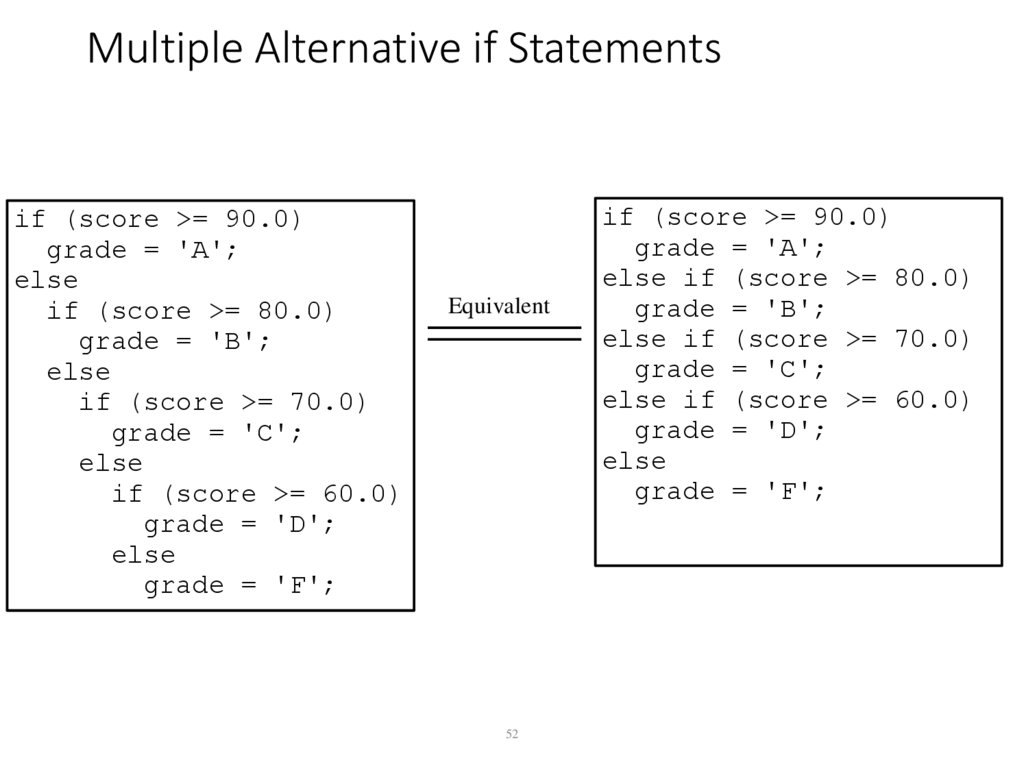
52. Multiple Alternative if Statements
if (score >= 90.0)grade = 'A';
else
if (score >= 80.0)
grade = 'B';
else
if (score >= 70.0)
grade = 'C';
else
if (score >= 60.0)
grade = 'D';
else
grade = 'F';
Equivalent
52
if (score >= 90.0)
grade = 'A';
else if (score >= 80.0)
grade = 'B';
else if (score >= 70.0)
grade = 'C';
else if (score >= 60.0)
grade = 'D';
else
grade = 'F';
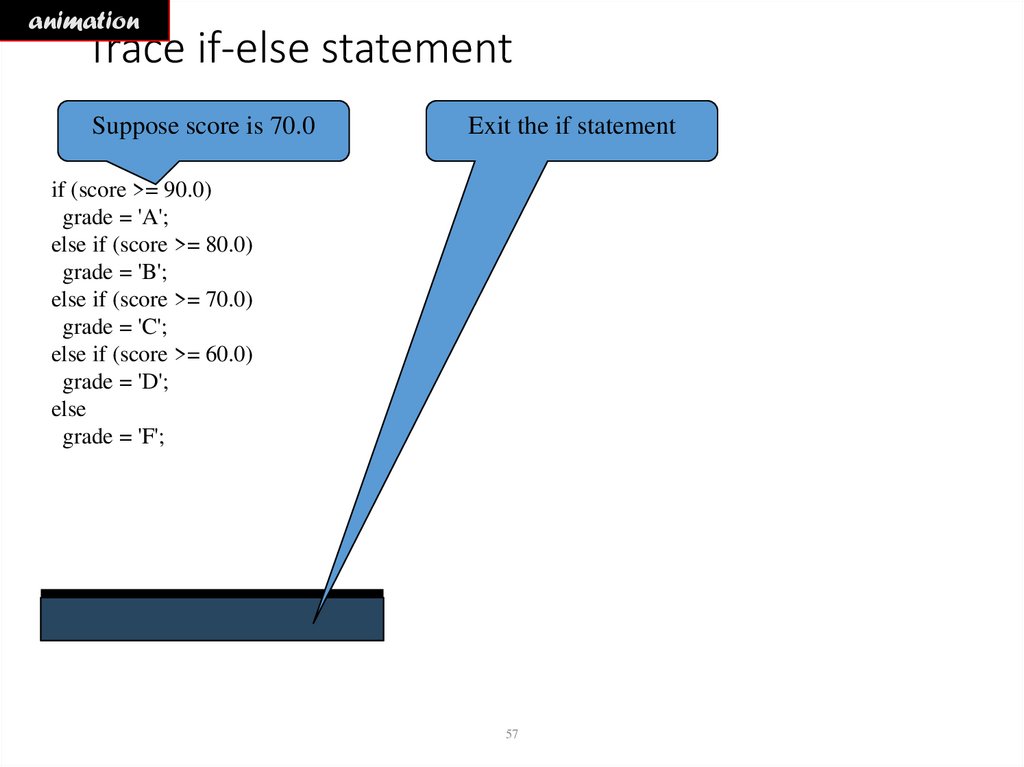
53. Trace if-else statement
Suppose score is 70.0The condition is false
if (score >= 90.0)
grade = 'A';
else if (score >= 80.0)
grade = 'B';
else if (score >= 70.0)
grade = 'C';
else if (score >= 60.0)
grade = 'D';
else
grade = 'F';
53
54. Trace if-else statement
Suppose score is 70.0The condition is false
if (score >= 90.0)
grade = 'A';
else if (score >= 80.0)
grade = 'B';
else if (score >= 70.0)
grade = 'C';
else if (score >= 60.0)
grade = 'D';
else
grade = 'F';
54
55. Trace if-else statement
Suppose score is 70.0The condition is true
if (score >= 90.0)
grade = 'A';
else if (score >= 80.0)
grade = 'B';
else if (score >= 70.0)
grade = 'C';
else if (score >= 60.0)
grade = 'D';
else
grade = 'F';
55
56. Trace if-else statement
Suppose score is 70.0grade is C
if (score >= 90.0)
grade = 'A';
else if (score >= 80.0)
grade = 'B';
else if (score >= 70.0)
grade = 'C';
else if (score >= 60.0)
grade = 'D';
else
grade = 'F';
56
57. Trace if-else statement
animationTrace if-else statement
Suppose score is 70.0
Exit the if statement
if (score >= 90.0)
grade = 'A';
else if (score >= 80.0)
grade = 'B';
else if (score >= 70.0)
grade = 'C';
else if (score >= 60.0)
grade = 'D';
else
grade = 'F';
57
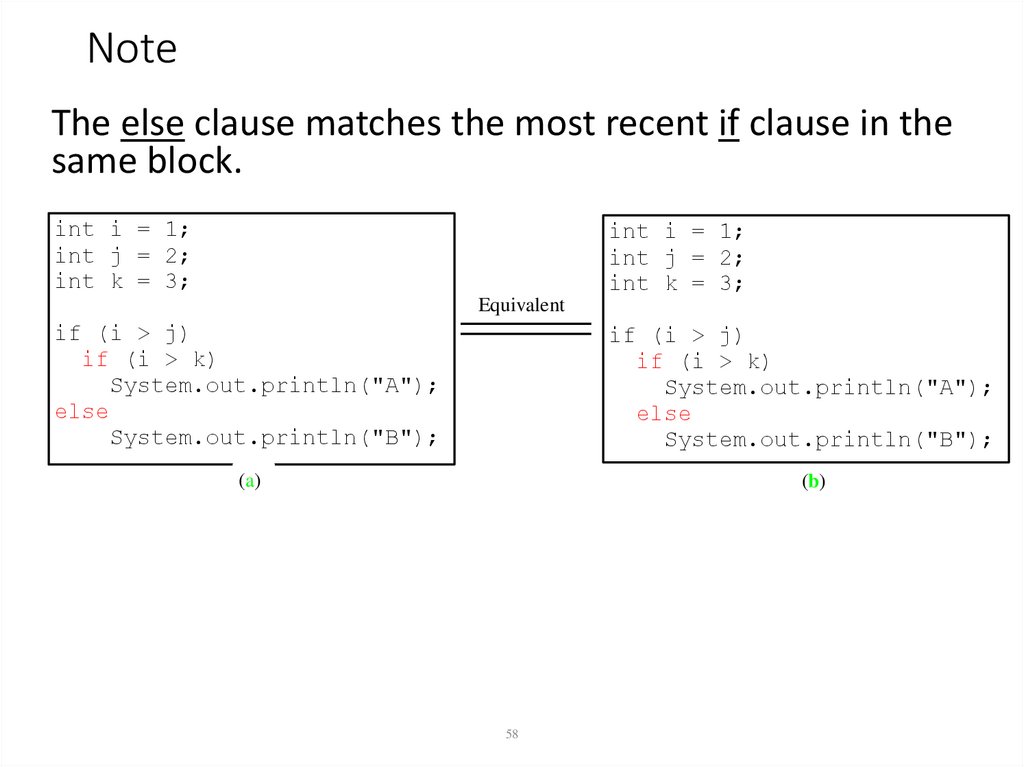
58. Note
The else clause matches the most recent if clause in thesame block.
int i = 1;
int j = 2;
int k = 3;
int i = 1;
int j = 2;
int k = 3;
Equivalent
if (i > j)
if (i > k)
System.out.println("A");
else
System.out.println("B");
if (i > j)
if (i > k)
System.out.println("A");
else
System.out.println("B");
(a)
(b)
58
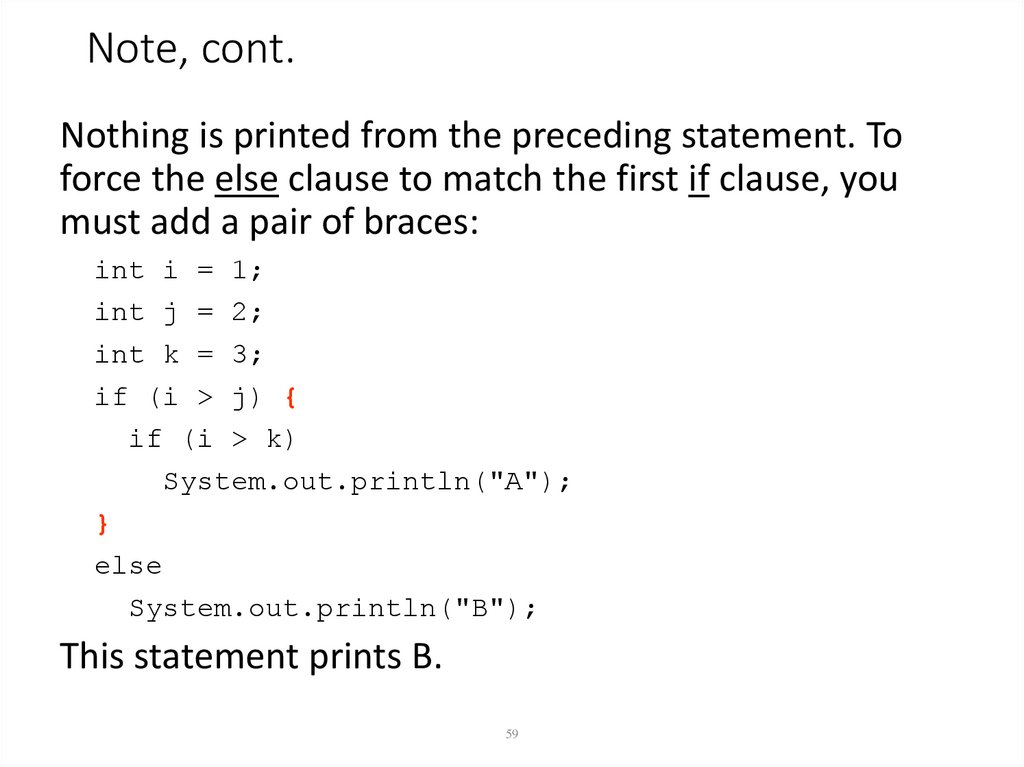
59. Note, cont.
Nothing is printed from the preceding statement. Toforce the else clause to match the first if clause, you
must add a pair of braces:
int i = 1;
int j = 2;
int k = 3;
if (i > j) {
if (i > k)
System.out.println("A");
}
else
System.out.println("B");
This statement prints B.
59
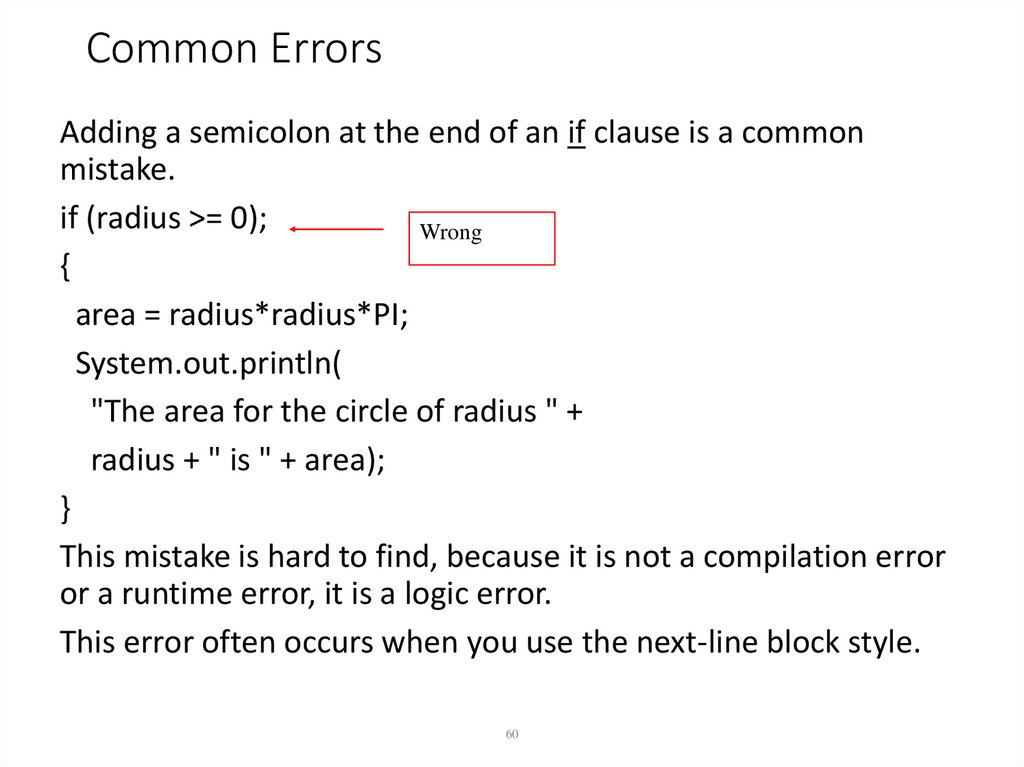
60. Common Errors
Adding a semicolon at the end of an if clause is a commonmistake.
if (radius >= 0);
Wrong
{
area = radius*radius*PI;
System.out.println(
"The area for the circle of radius " +
radius + " is " + area);
}
This mistake is hard to find, because it is not a compilation error
or a runtime error, it is a logic error.
This error often occurs when you use the next-line block style.
60
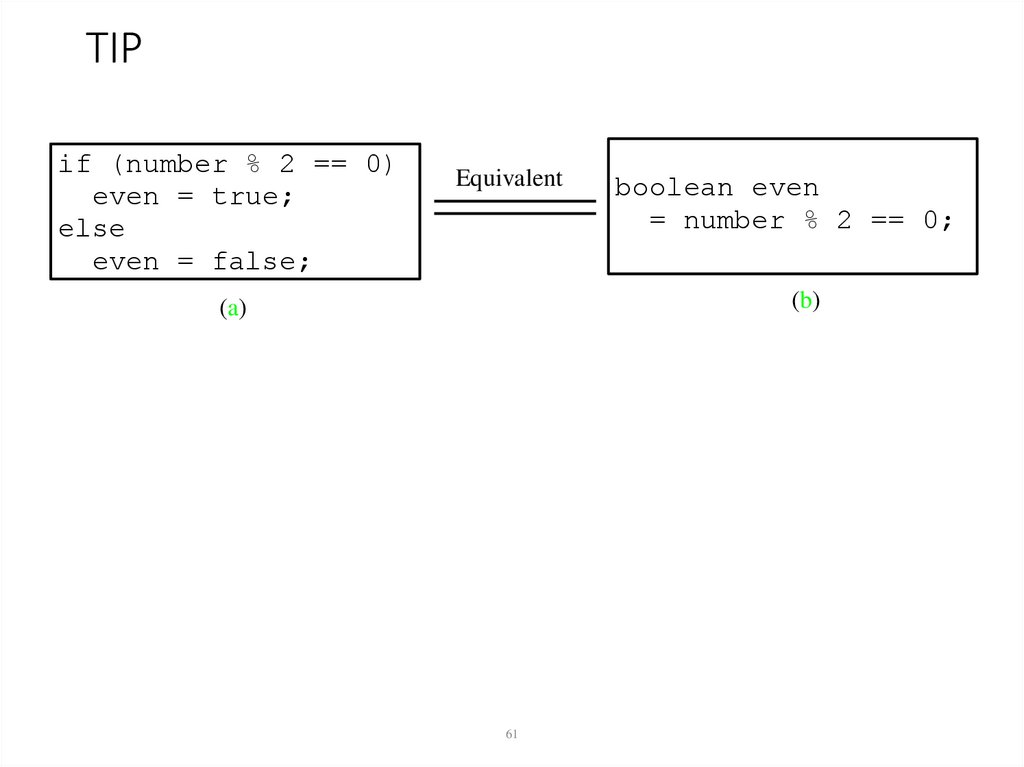
61. TIP
if (number % 2 == 0)even = true;
else
even = false;
Equivalent
boolean even
= number % 2 == 0;
(b)
(a)
61
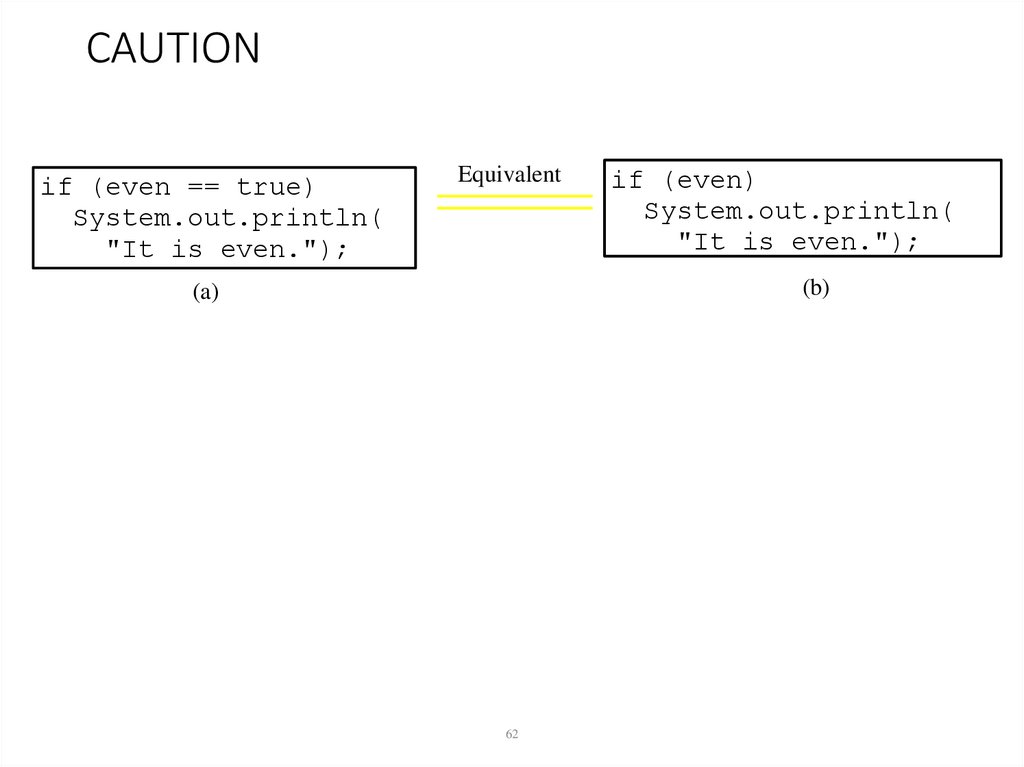
62. CAUTION
if (even == true)System.out.println(
"It is even.");
Equivalent
if (even)
System.out.println(
"It is even.");
(b)
(a)
62
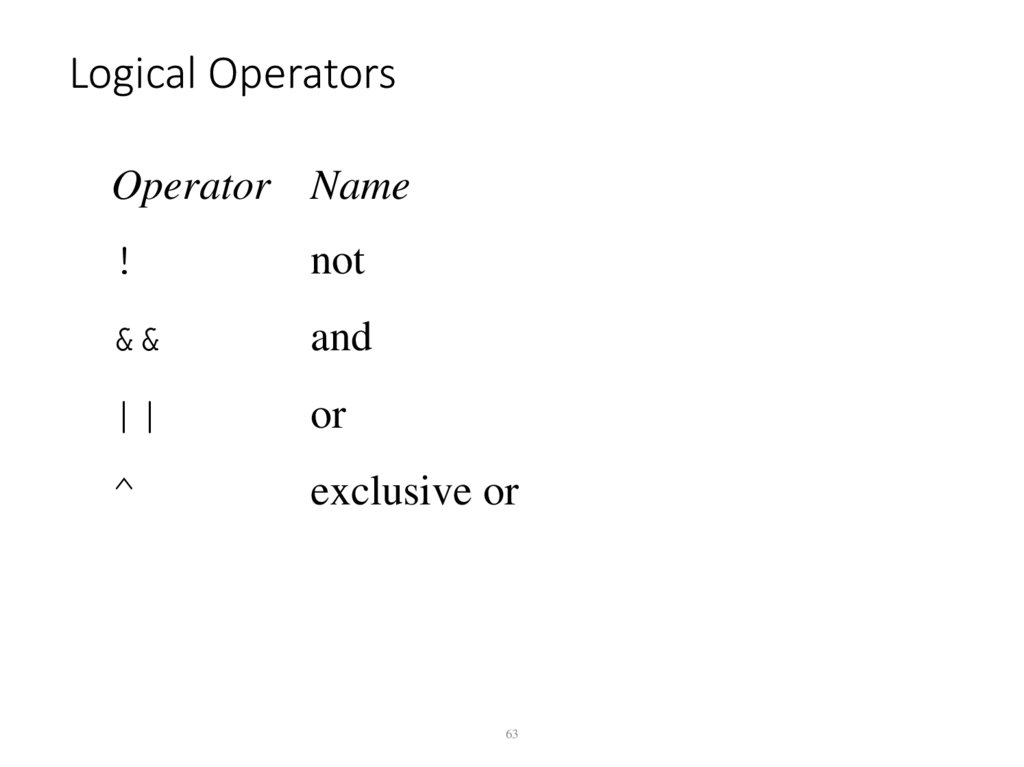
63. Logical Operators
Operator Name!
not
&&
and
||
or
^
exclusive or
63
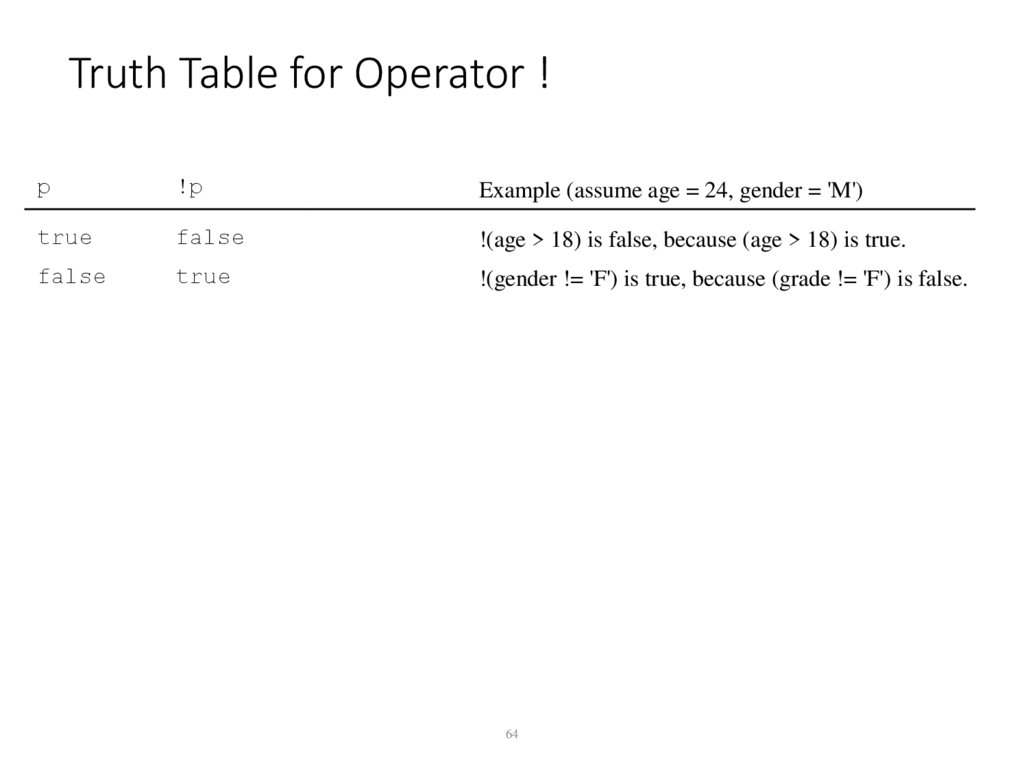
64. Truth Table for Operator !
p!p
Example (assume age = 24, gender = 'M')
true
false
!(age > 18) is false, because (age > 18) is true.
false
true
!(gender != 'F') is true, because (grade != 'F') is false.
64
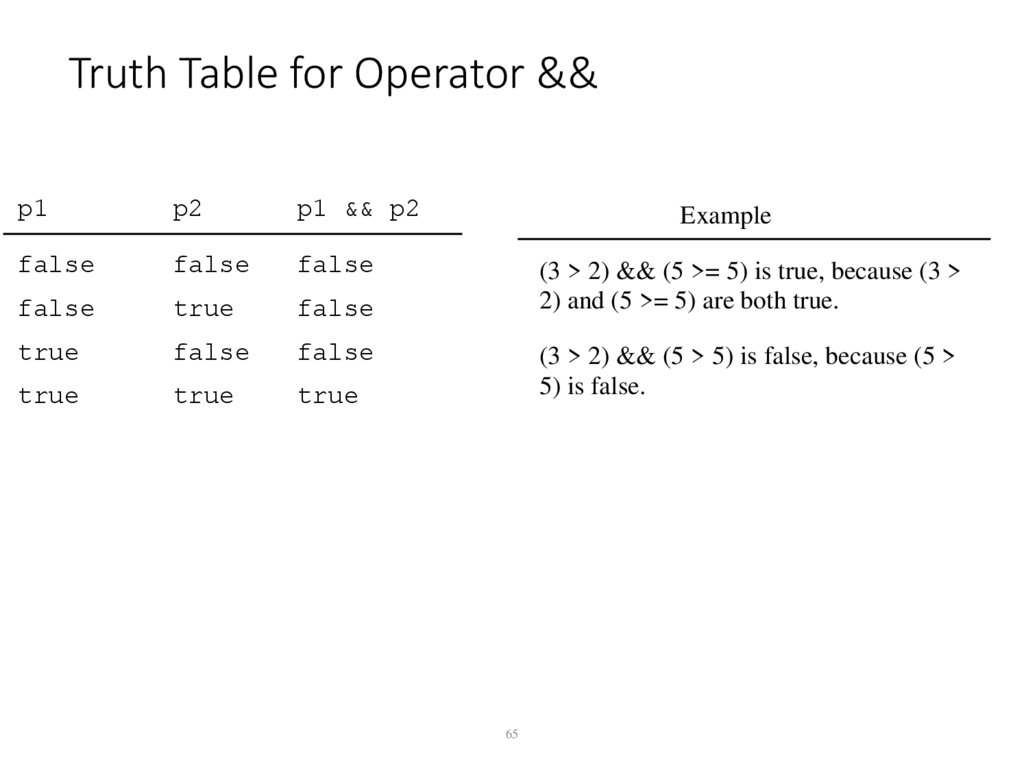
65. Truth Table for Operator &&
Truth Table for Operator &&p1
p2
p1 && p2
false
false
false
false
true
false
true
false
false
true
true
true
Example
(3 > 2) && (5 >= 5) is true, because (3 >
2) and (5 >= 5) are both true.
(3 > 2) && (5 > 5) is false, because (5 >
5) is false.
65
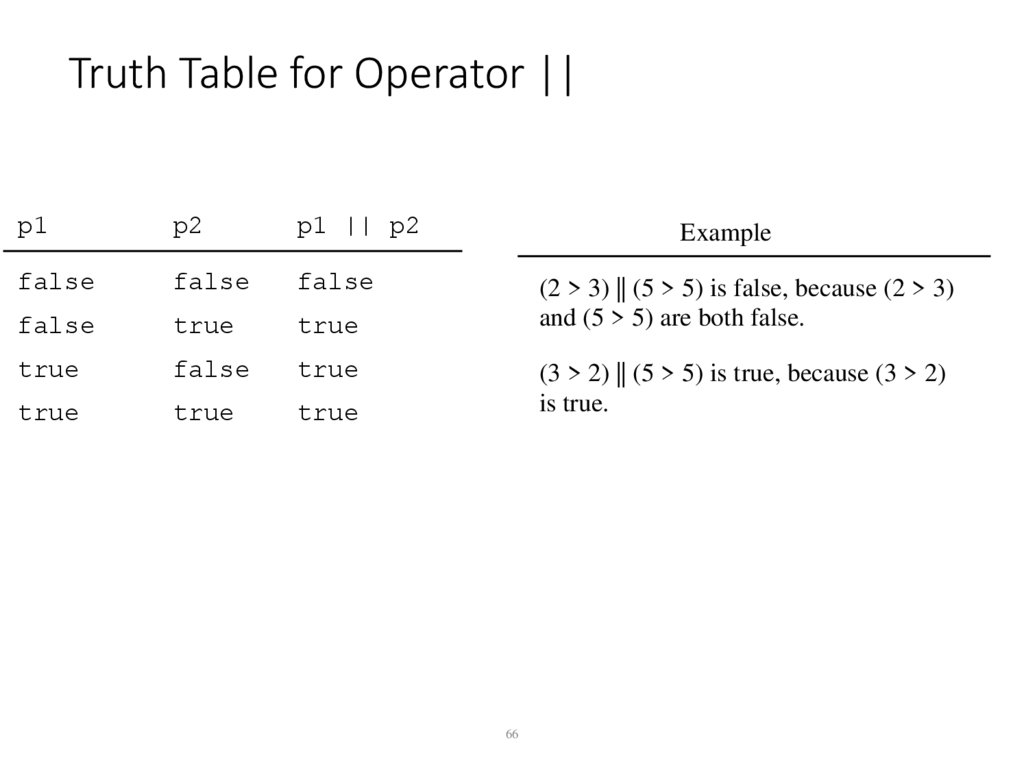
66. Truth Table for Operator ||
p1p2
p1 || p2
false
false
false
false
true
true
true
false
true
true
true
true
Example
(2 > 3) || (5 > 5) is false, because (2 > 3)
and (5 > 5) are both false.
(3 > 2) || (5 > 5) is true, because (3 > 2)
is true.
66
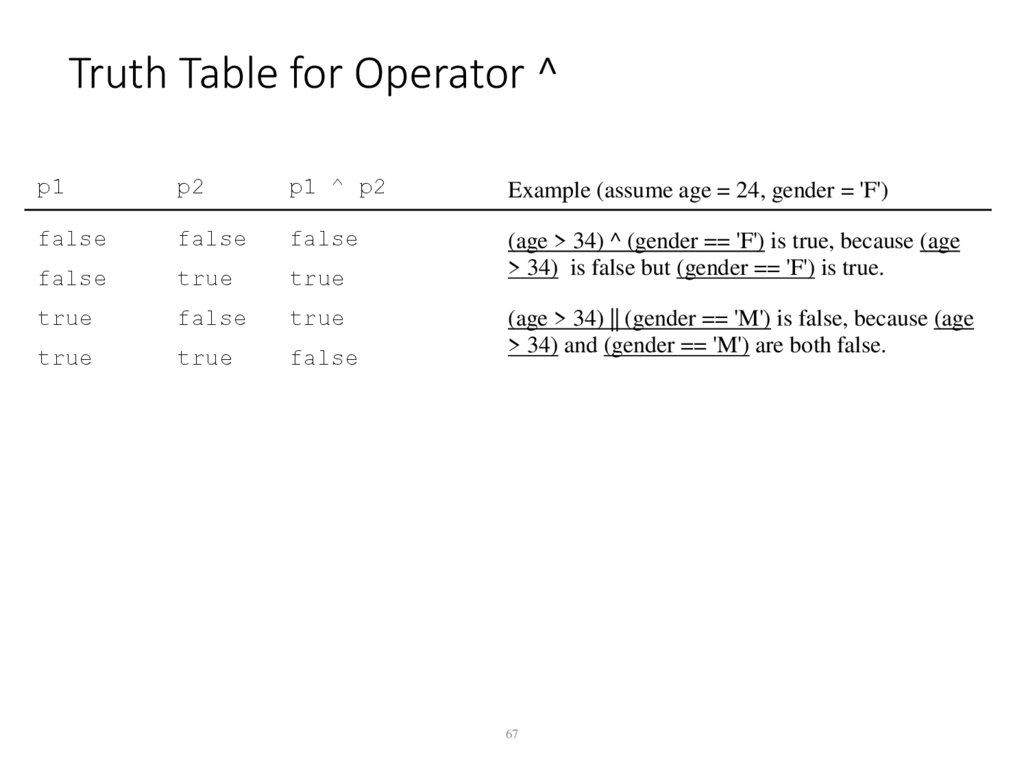
67. Truth Table for Operator ^
p1p2
p1 ^ p2
Example (assume age = 24, gender = 'F')
false
false
false
false
true
true
(age > 34) ^ (gender == 'F') is true, because (age
> 34) is false but (gender == 'F') is true.
true
false
true
true
true
false
(age > 34) || (gender == 'M') is false, because (age
> 34) and (gender == 'M') are both false.
67
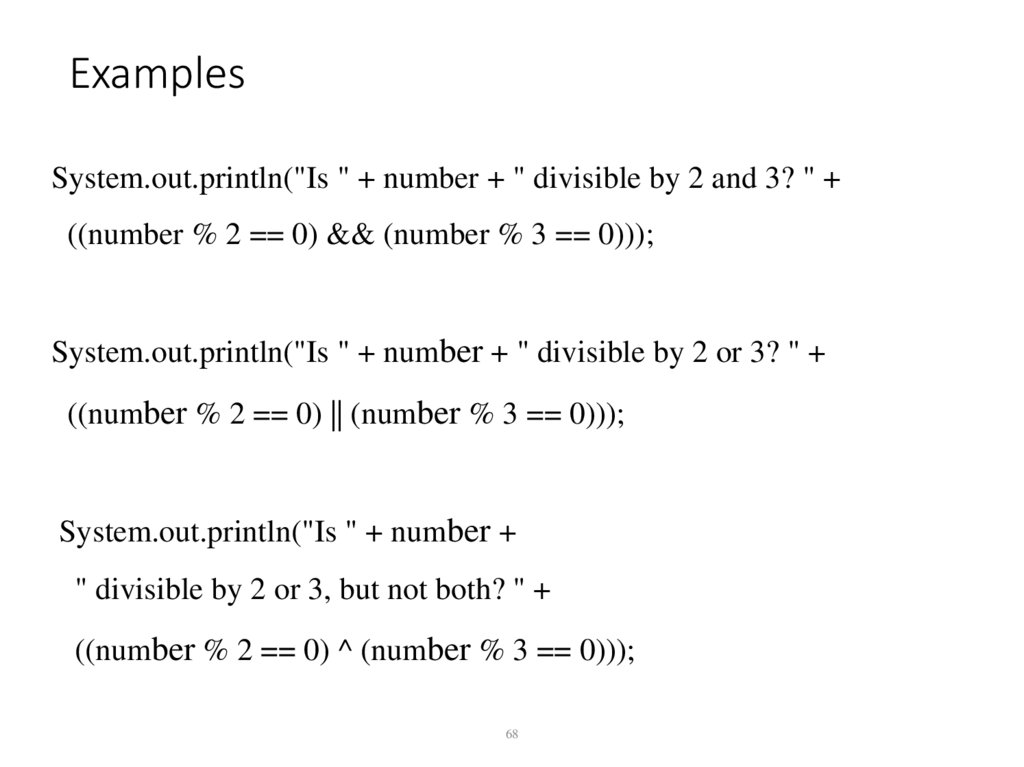
68. Examples
System.out.println("Is " + number + " divisible by 2 and 3? " +((number % 2 == 0) && (number % 3 == 0)));
System.out.println("Is " + number + " divisible by 2 or 3? " +
((number % 2 == 0) || (number % 3 == 0)));
System.out.println("Is " + number +
" divisible by 2 or 3, but not both? " +
((number % 2 == 0) ^ (number % 3 == 0)));
68
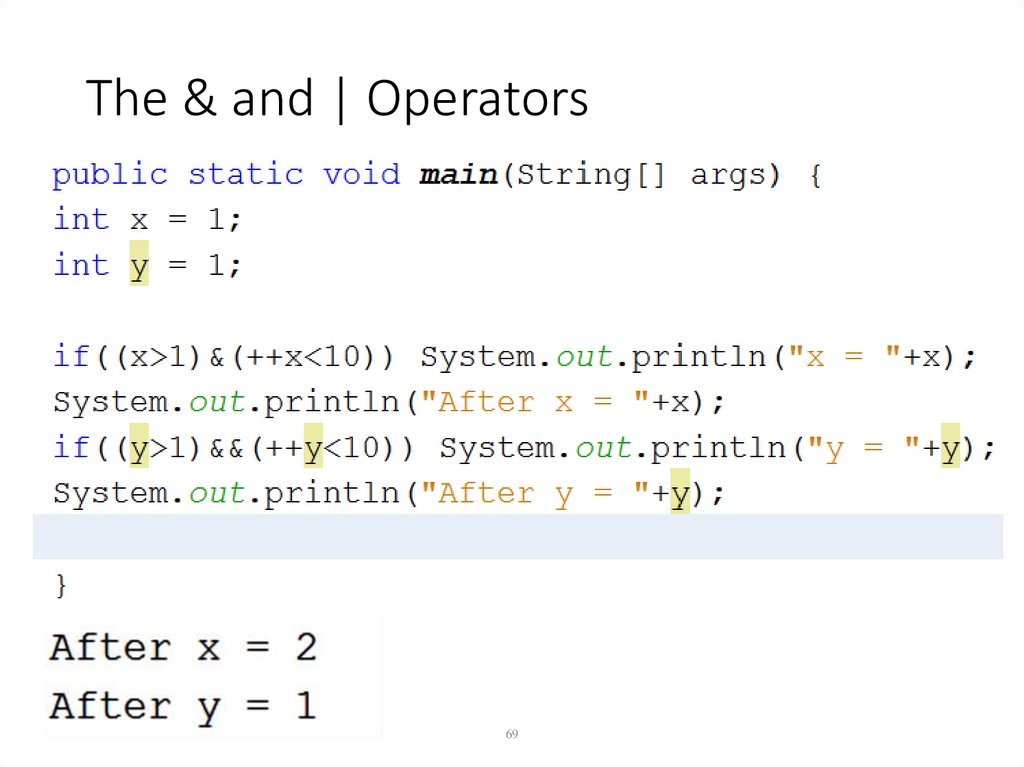
69. The & and | Operators
The & and | Operators• Long
69
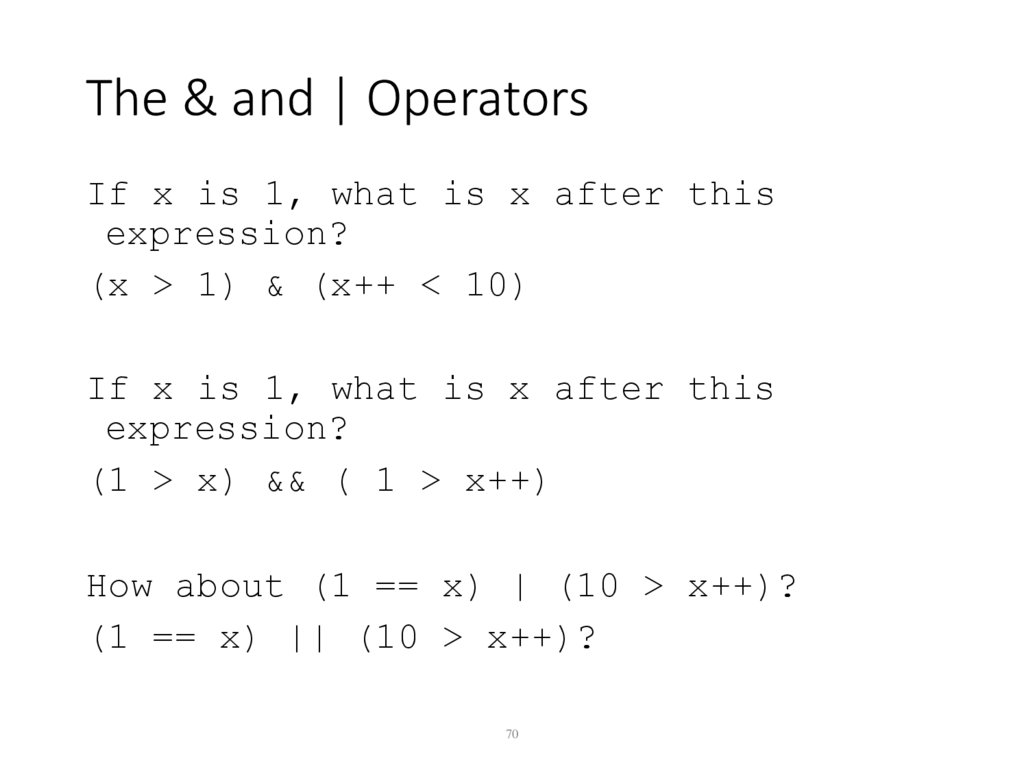
70. The & and | Operators
The & and | OperatorsIf x is 1, what is x after this
expression?
(x > 1) & (x++ < 10)
If x is 1, what is x after this
expression?
(1 > x) && ( 1 > x++)
How about (1 == x) | (10 > x++)?
(1 == x) || (10 > x++)?
70
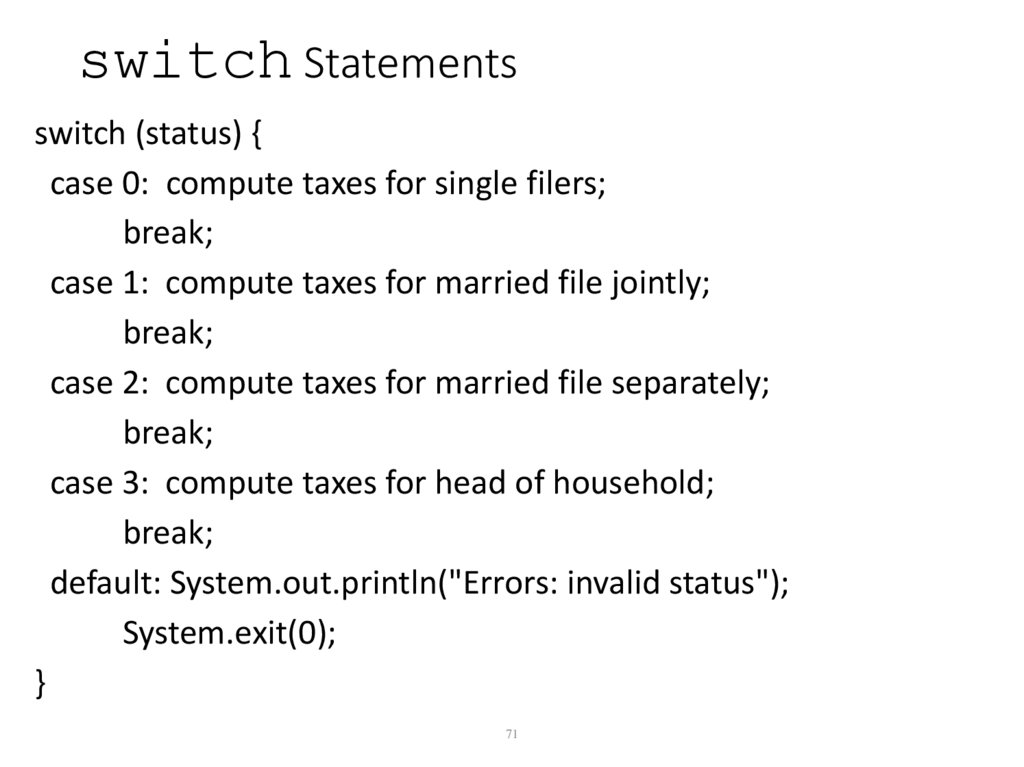
71. switch Statements
switch (status) {case 0: compute taxes for single filers;
break;
case 1: compute taxes for married file jointly;
break;
case 2: compute taxes for married file separately;
break;
case 3: compute taxes for head of household;
break;
default: System.out.println("Errors: invalid status");
System.exit(0);
}
71
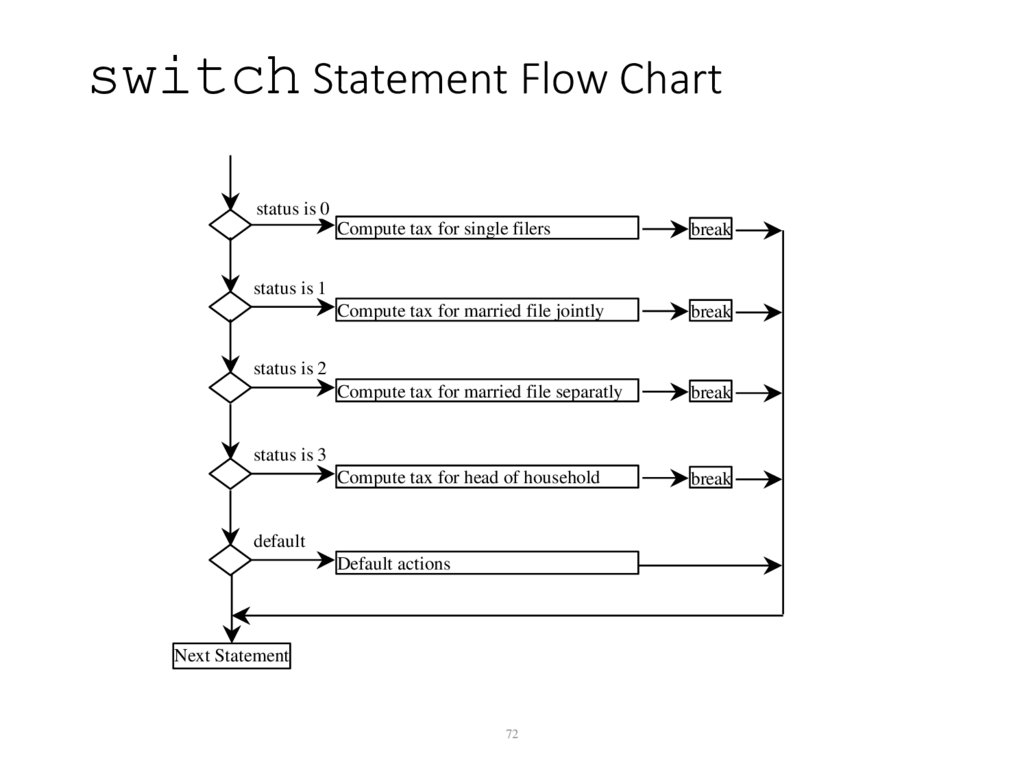
72. switch Statement Flow Chart
status is 0Compute tax for single filers
break
Compute tax for married file jointly
break
Compute tax for married file separatly
break
Compute tax for head of household
break
status is 1
status is 2
status is 3
default
Default actions
Next Statement
72
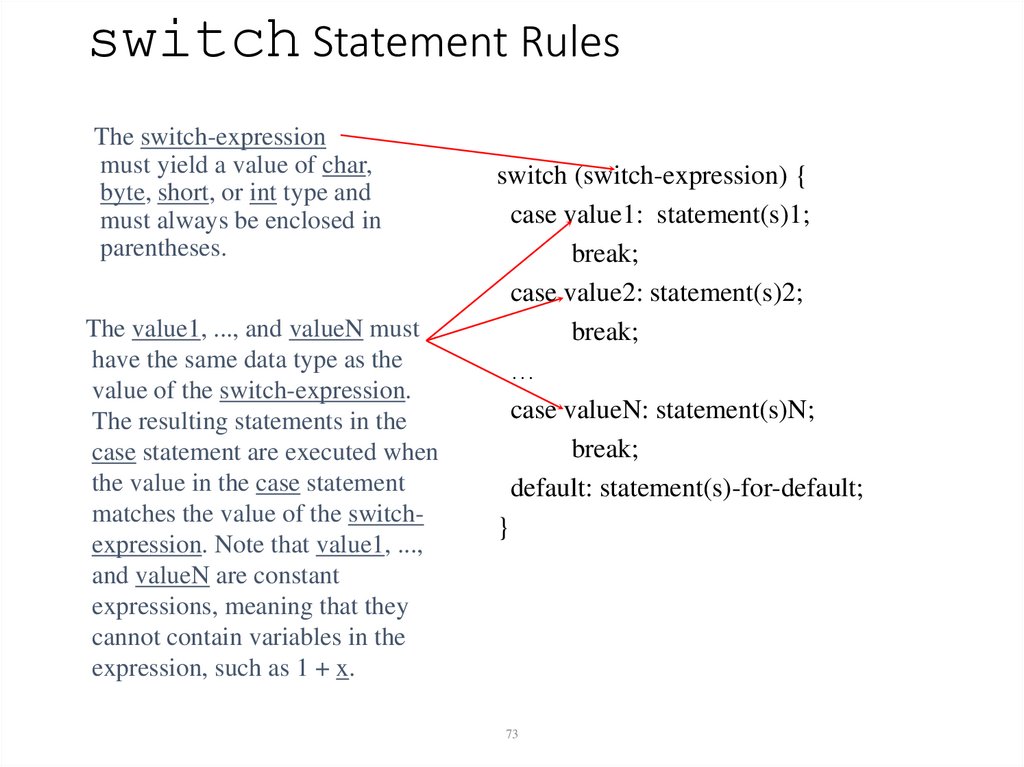
73. switch Statement Rules
The switch-expressionmust yield a value of char,
byte, short, or int type and
must always be enclosed in
parentheses.
The value1, ..., and valueN must
have the same data type as the
value of the switch-expression.
The resulting statements in the
case statement are executed when
the value in the case statement
matches the value of the switchexpression. Note that value1, ...,
and valueN are constant
expressions, meaning that they
cannot contain variables in the
expression, such as 1 + x.
switch (switch-expression) {
case value1: statement(s)1;
break;
case value2: statement(s)2;
break;
…
case valueN: statement(s)N;
break;
default: statement(s)-for-default;
}
73
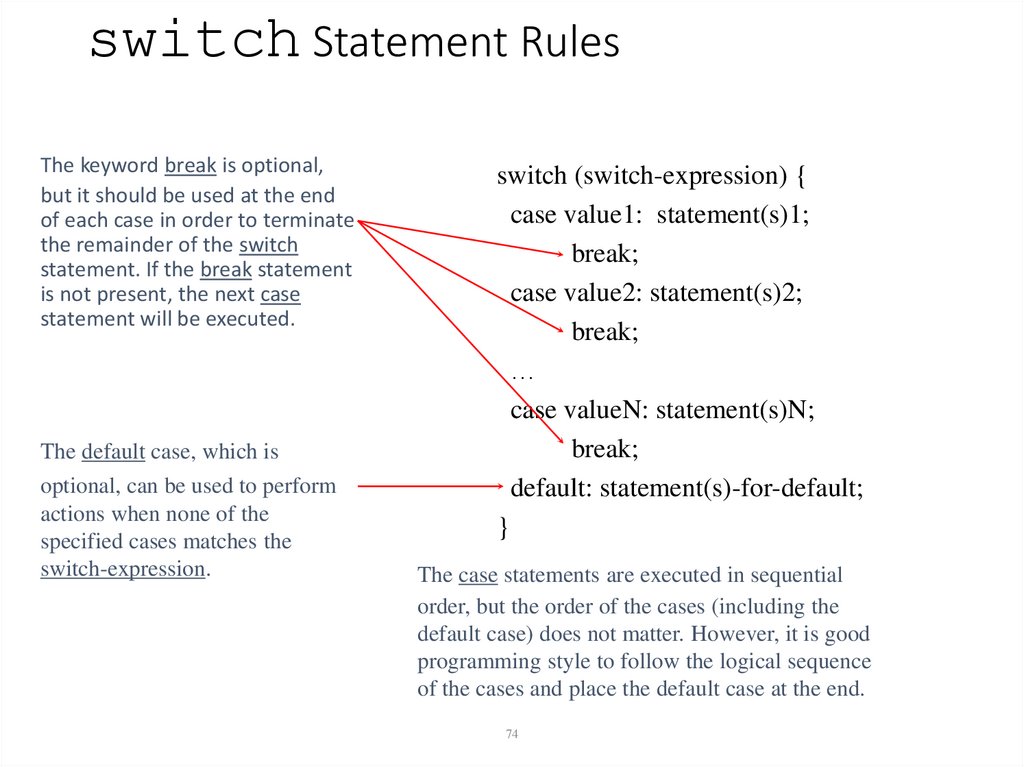
74. switch Statement Rules
The keyword break is optional,but it should be used at the end
of each case in order to terminate
the remainder of the switch
statement. If the break statement
is not present, the next case
statement will be executed.
The default case, which is
optional, can be used to perform
actions when none of the
specified cases matches the
switch-expression.
switch (switch-expression) {
case value1: statement(s)1;
break;
case value2: statement(s)2;
break;
…
case valueN: statement(s)N;
break;
default: statement(s)-for-default;
}
The case statements are executed in sequential
order, but the order of the cases (including the
default case) does not matter. However, it is good
programming style to follow the logical sequence
of the cases and place the default case at the end.
74
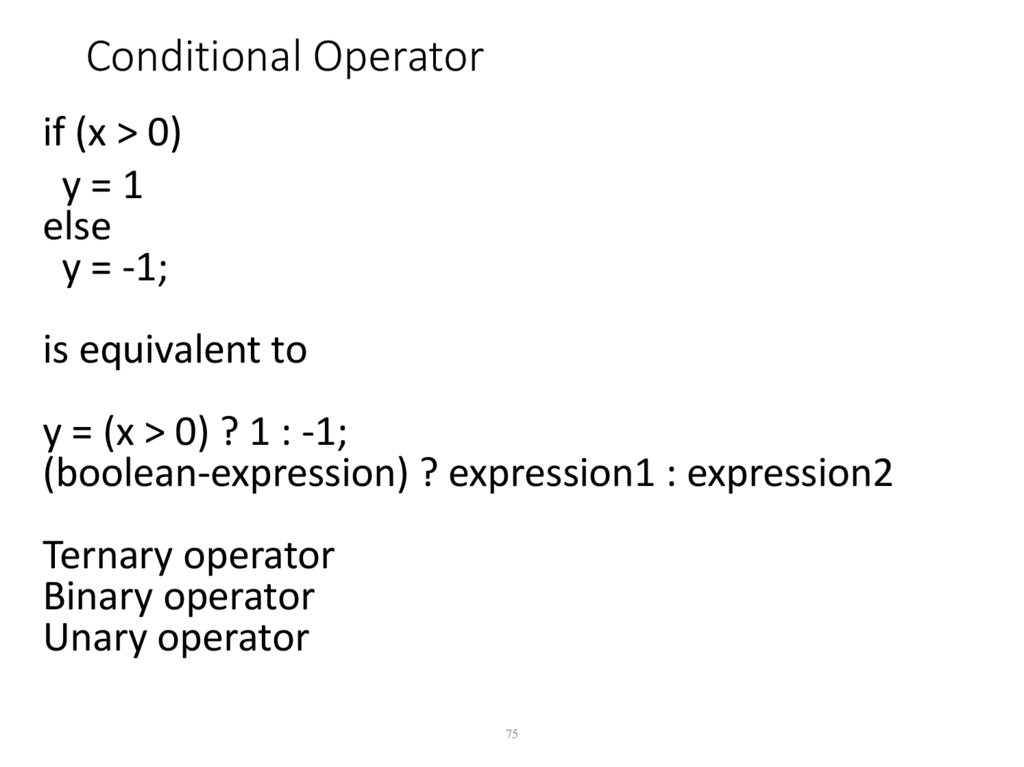
75. Conditional Operator
if (x > 0)y=1
else
y = -1;
is equivalent to
y = (x > 0) ? 1 : -1;
(boolean-expression) ? expression1 : expression2
Ternary operator
Binary operator
Unary operator
75
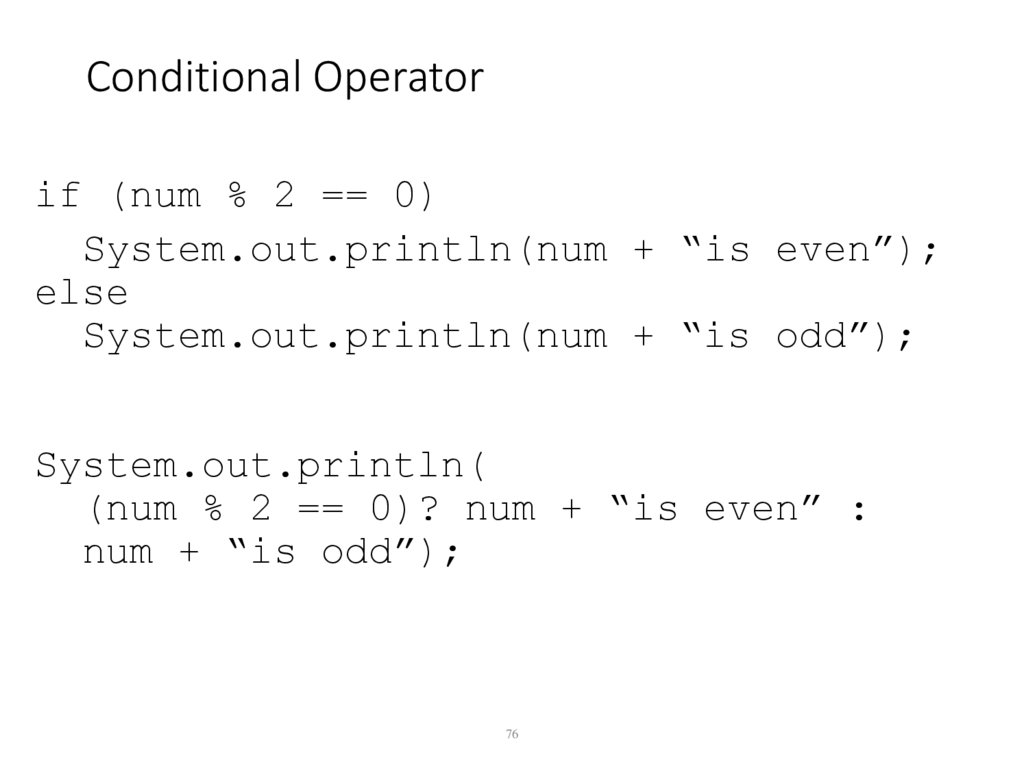
76. Conditional Operator
if (num % 2 == 0)System.out.println(num + “is even”);
else
System.out.println(num + “is odd”);
System.out.println(
(num % 2 == 0)? num + “is even” :
num + “is odd”);
76
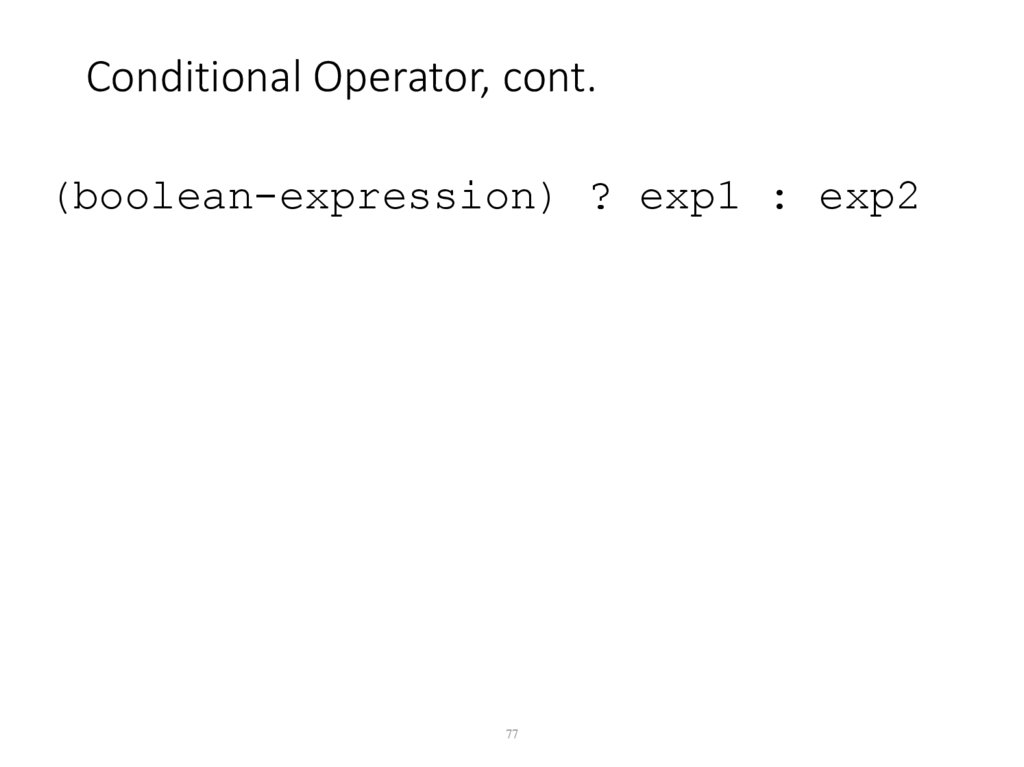
77. Conditional Operator, cont.
(boolean-expression) ? exp1 : exp277
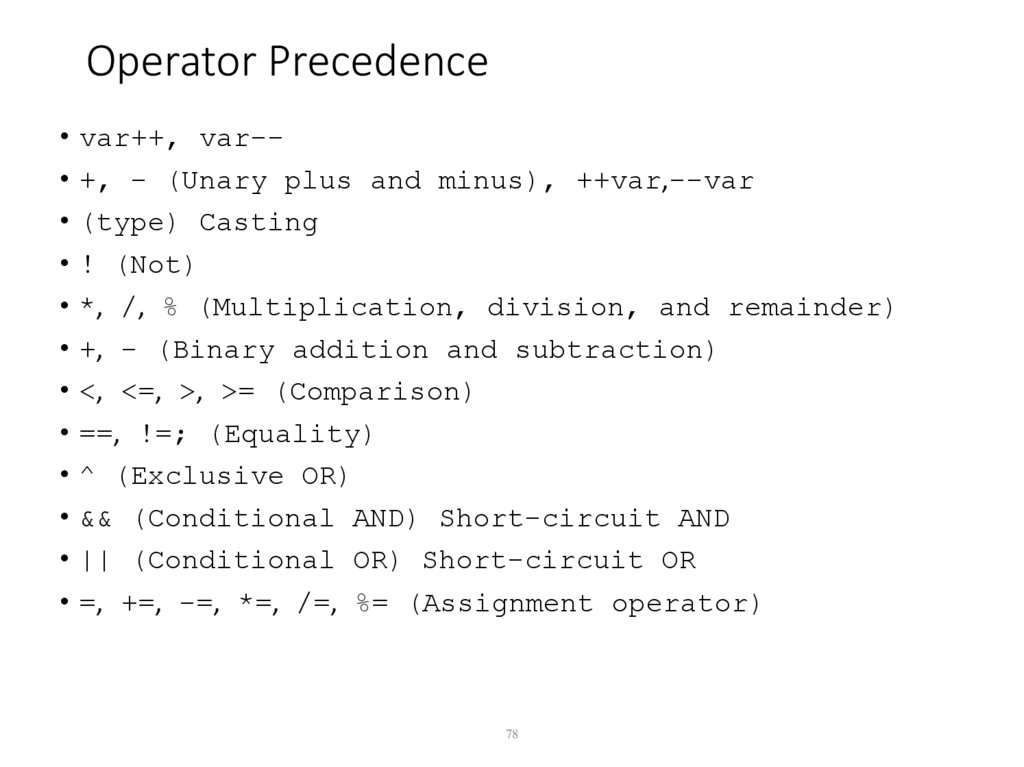
78. Operator Precedence
• var++, var-• +, - (Unary plus and minus), ++var,--var• (type) Casting
• ! (Not)
• *, /, % (Multiplication, division, and remainder)
• +, - (Binary addition and subtraction)
• <, <=, >, >= (Comparison)
• ==, !=; (Equality)
• ^ (Exclusive OR)
• && (Conditional AND) Short-circuit AND
• || (Conditional OR) Short-circuit OR
• =, +=, -=, *=, /=, %= (Assignment operator)
78
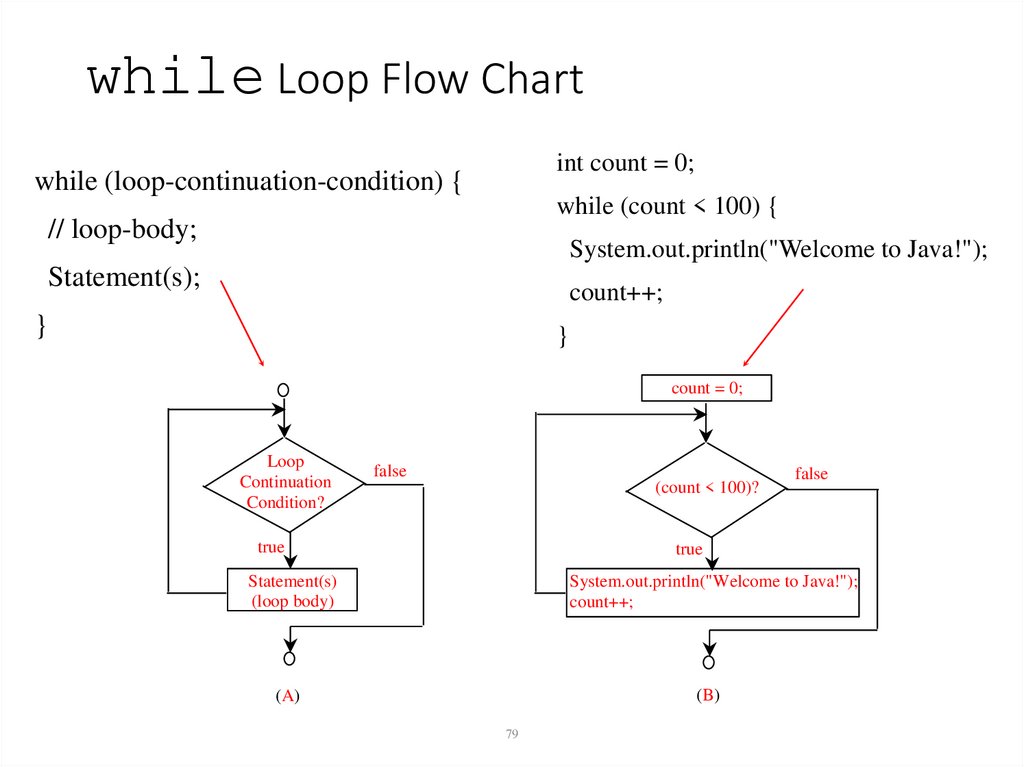
79. while Loop Flow Chart
int count = 0;while (loop-continuation-condition) {
while (count < 100) {
// loop-body;
System.out.println("Welcome to Java!");
Statement(s);
count++;
}
}
count = 0;
Loop
Continuation
Condition?
false
(count < 100)?
true
false
true
Statement(s)
(loop body)
System.out.println("Welcome to Java!");
count++;
(A)
(B)
79
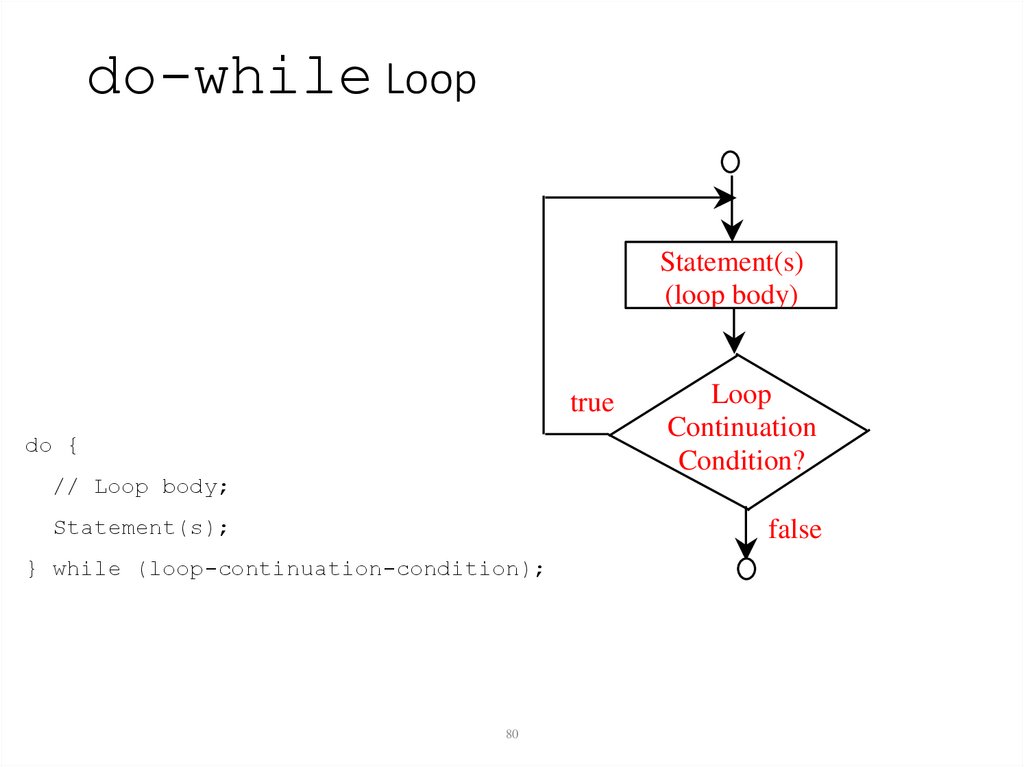
80. do-while Loop
Statement(s)(loop body)
true
do {
// Loop body;
Statement(s);
Loop
Continuation
Condition?
false
} while (loop-continuation-condition);
80
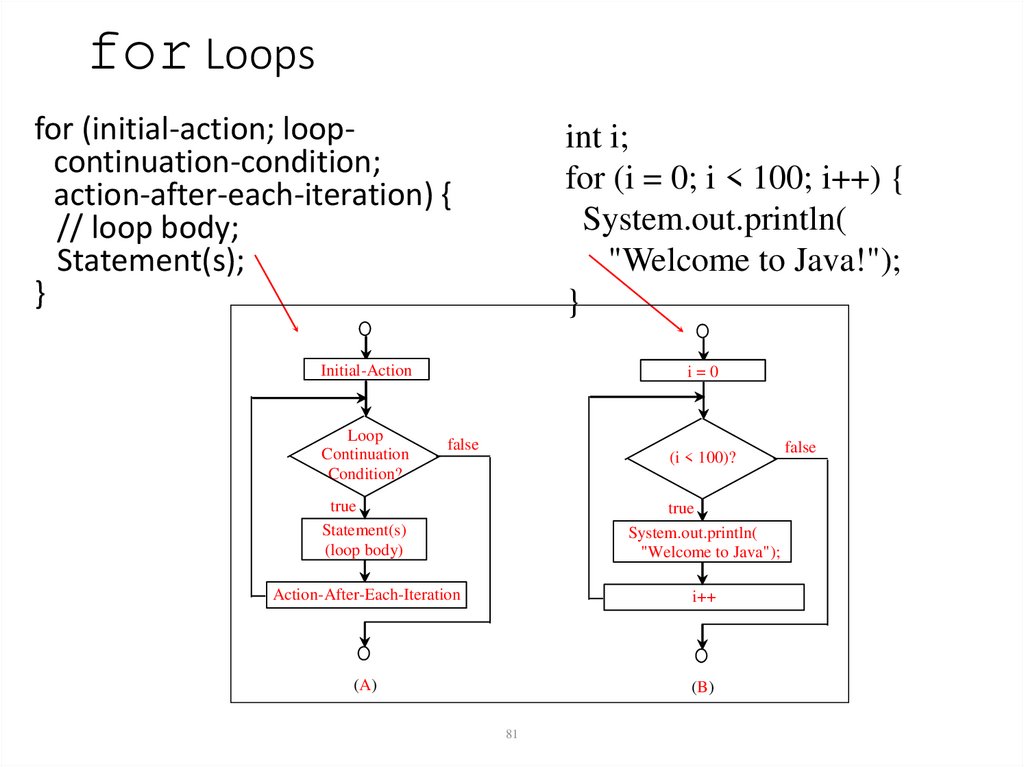
81. for Loops
for (initial-action; loopcontinuation-condition;action-after-each-iteration) {
// loop body;
Statement(s);
}
int i;
for (i = 0; i < 100; i++) {
System.out.println(
"Welcome to Java!");
}
Initial-Action
Loop
Continuation
Condition?
i=0
false
(i < 100)?
true
Statement(s)
(loop body)
true
System.out.println(
"Welcome to Java");
Action-After-Each-Iteration
i++
(A)
(B)
81
false