 Программирование
Похожие презентации:







Lesson 1 Java Syntax and Class Review
1. Lesson 1 Java Syntax and Class Review
2. Course Goals
This course covers the core APIs that you use to designobject-oriented applications with Java. This course also
covers writing database programs with JDBC.
Use this course to further develop your skills with the Java
language and prepare for the Oracle Certified
Professional, Java SE 7 Programmer Exam.
3. Course Objectives
After completing this course, you should be able todo the following:
– Create Java technology applications that leverage the
object-oriented features of the Java language, such as
encapsulation, inheritance, and polymorphism
– Execute a Java application from the command line
– Create applications that use the Collections framework
– Implement error-handling techniques using exception
handling
– Implement input/output (I/O) functionality to read from
and write to data and text files
and understand advanced
I/O streams
4. Course Objectives
(continued)– Manipulate files, directories, and file systems using the
JDK7 NIO.2 specification
– Perform multiple operations on database tables,
including creating, reading, updating, and deleting,
using the JDBC API
– Process strings using a variety of regular expressions
– Create high-performing multi-threaded applications that
avoid deadlock
– Localize Java applications
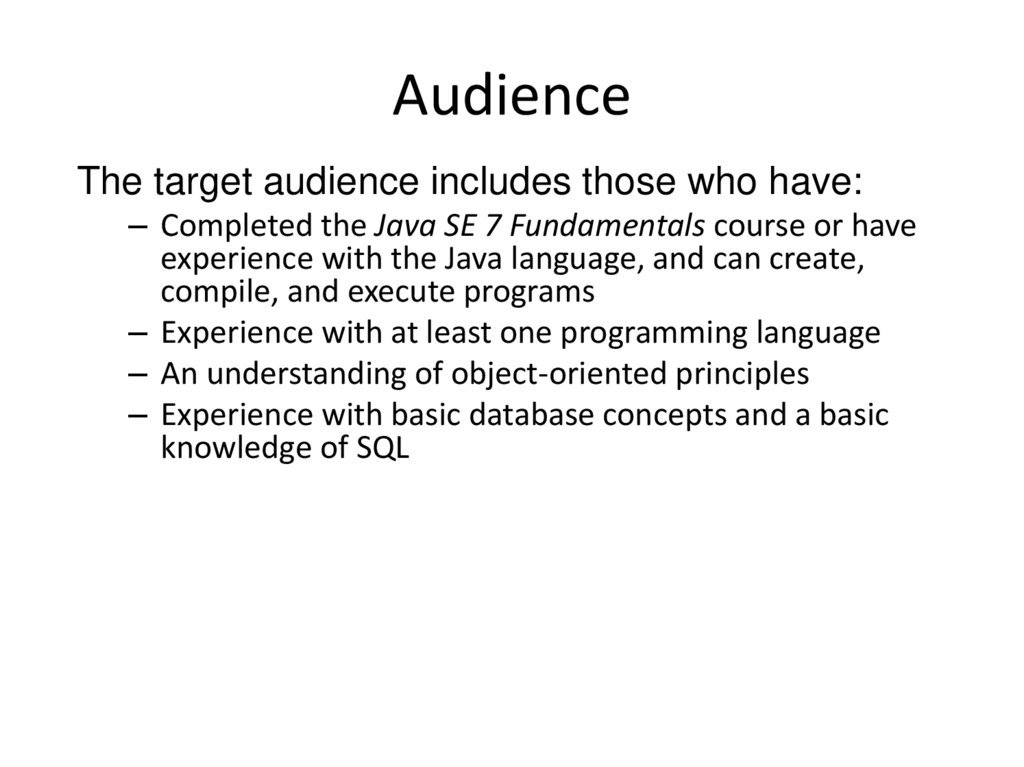
5. Audience
The target audience includes those who have:– Completed the Java SE 7 Fundamentals course or have
experience with the Java language, and can create,
compile, and execute programs
– Experience with at least one programming language
– An understanding of object-oriented principles
– Experience with basic database concepts and a basic
knowledge of SQL
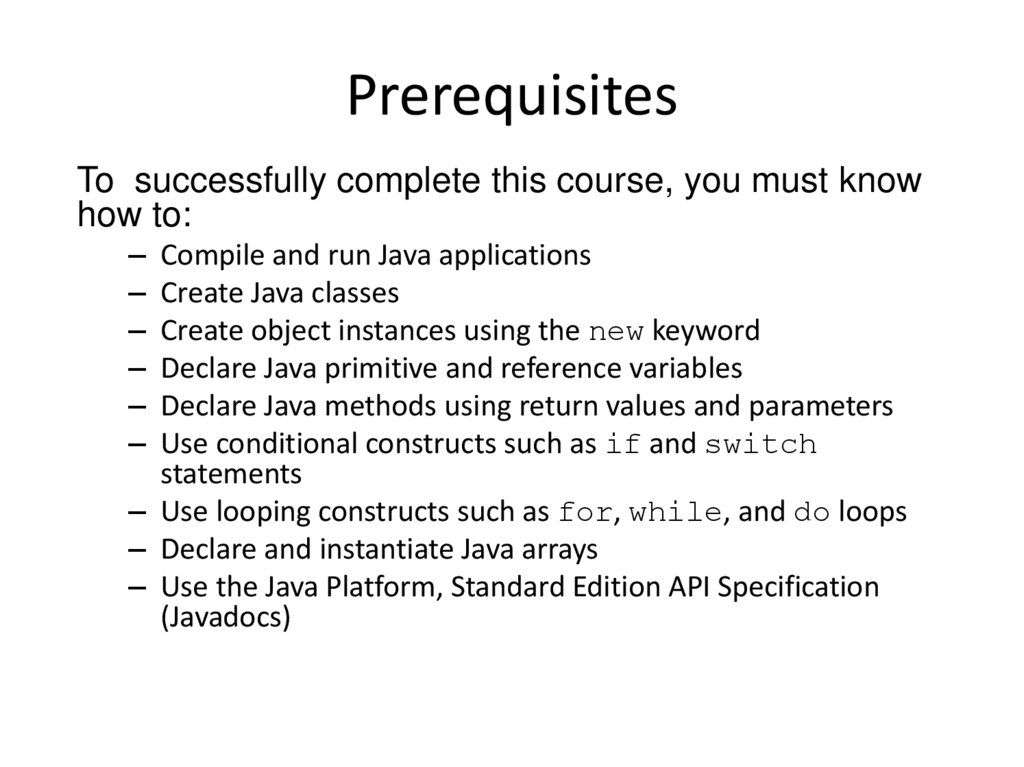
6. Prerequisites
To successfully complete this course, you must knowhow to:
– Compile and run Java applications
– Create Java classes
– Create object instances using the new keyword
– Declare Java primitive and reference variables
– Declare Java methods using return values and parameters
– Use conditional constructs such as if and switch
statements
– Use looping constructs such as for, while, and do loops
– Declare and instantiate Java arrays
– Use the Java Platform, Standard Edition API Specification
(Javadocs)
7. Class Introductions
Briefly introduce yourself:– Name
– Title or position
– Company
– Experience with Java programming and Java
applications
– Reasons for attending
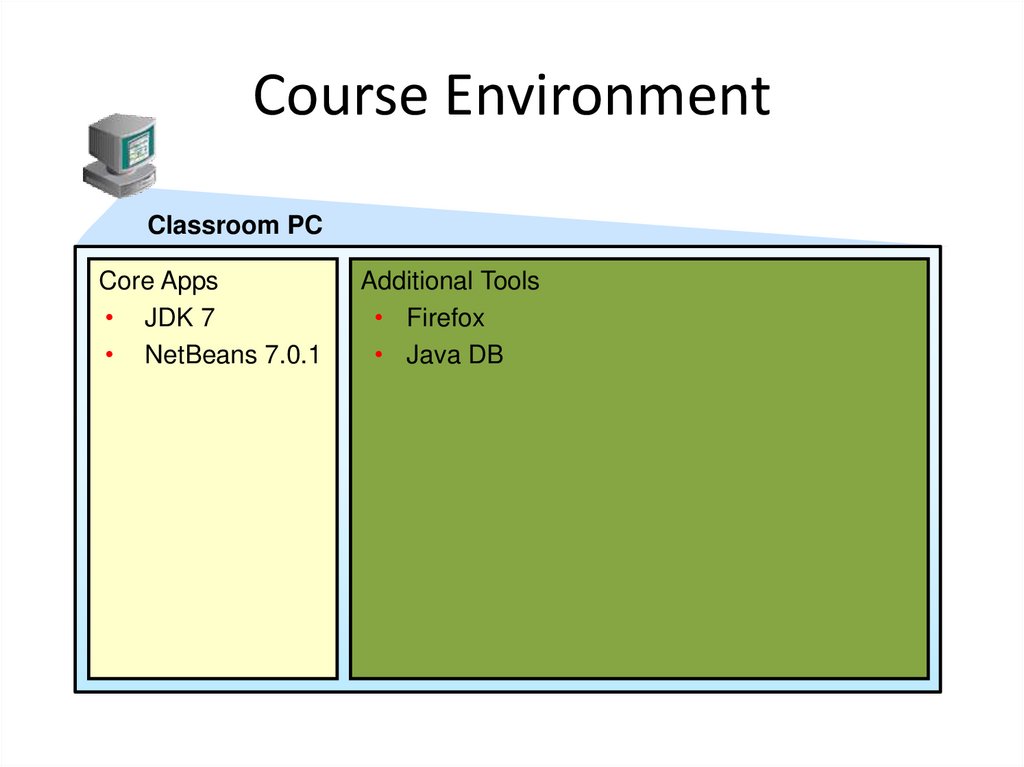
8. Course Environment
Classroom PCCore Apps
• JDK 7
• NetBeans 7.0.1
Additional Tools
• Firefox
• Java DB
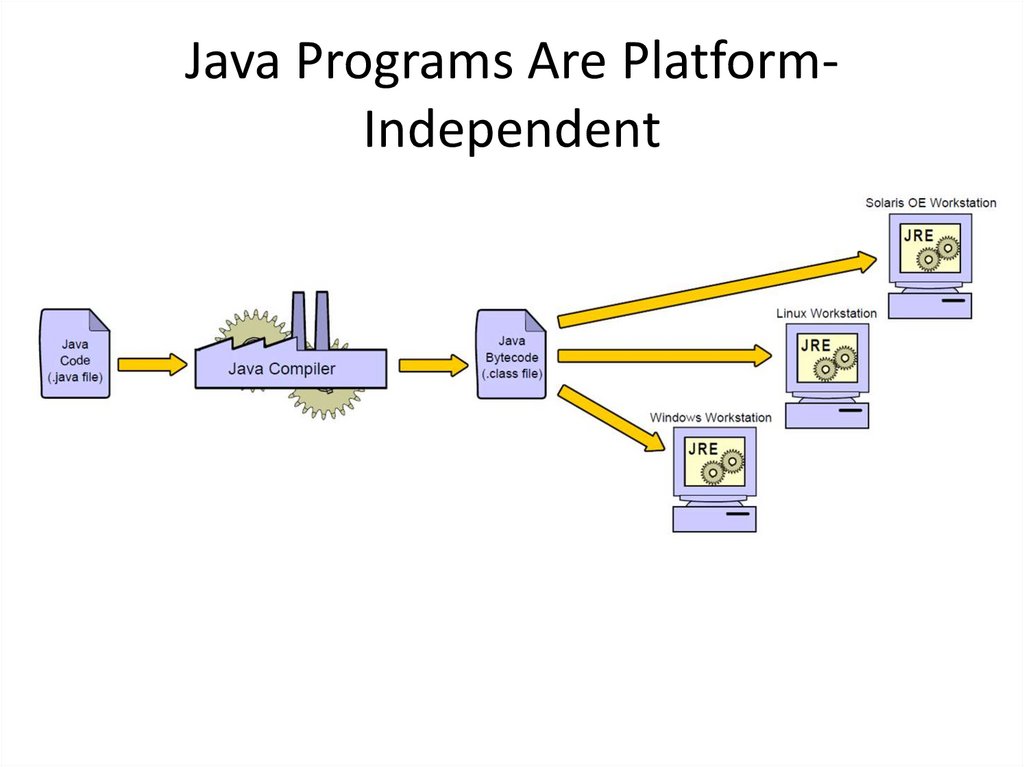
9. Java Programs Are Platform-Independent
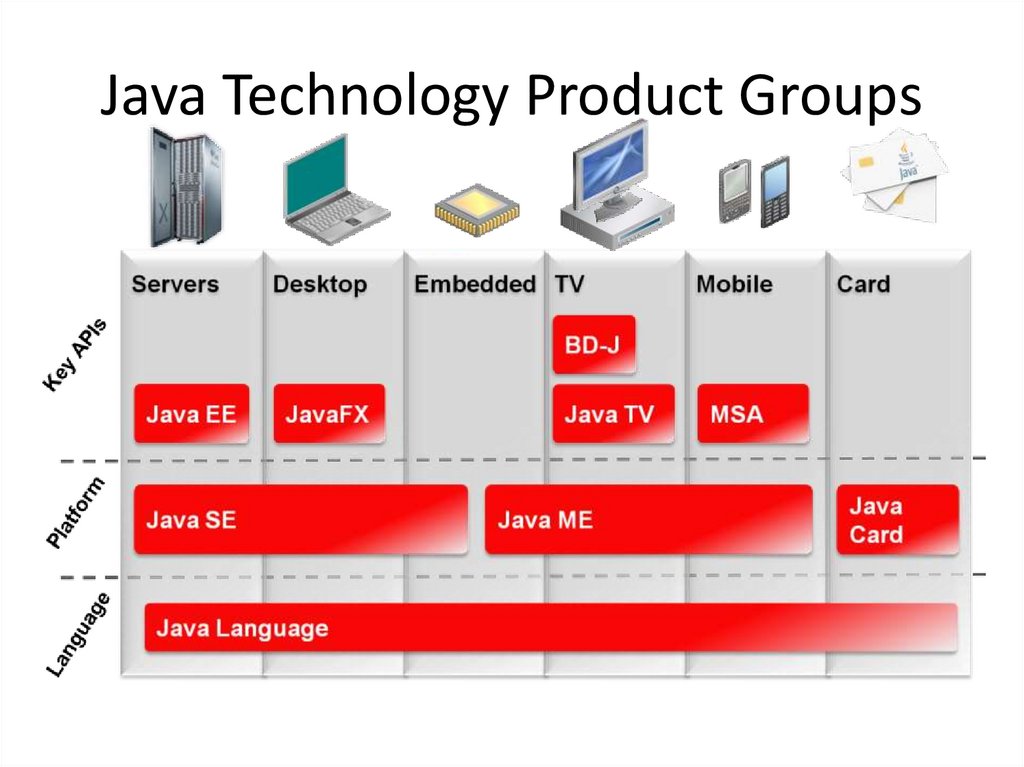
Java Programs Are PlatformIndependent10. Java Technology Product Groups
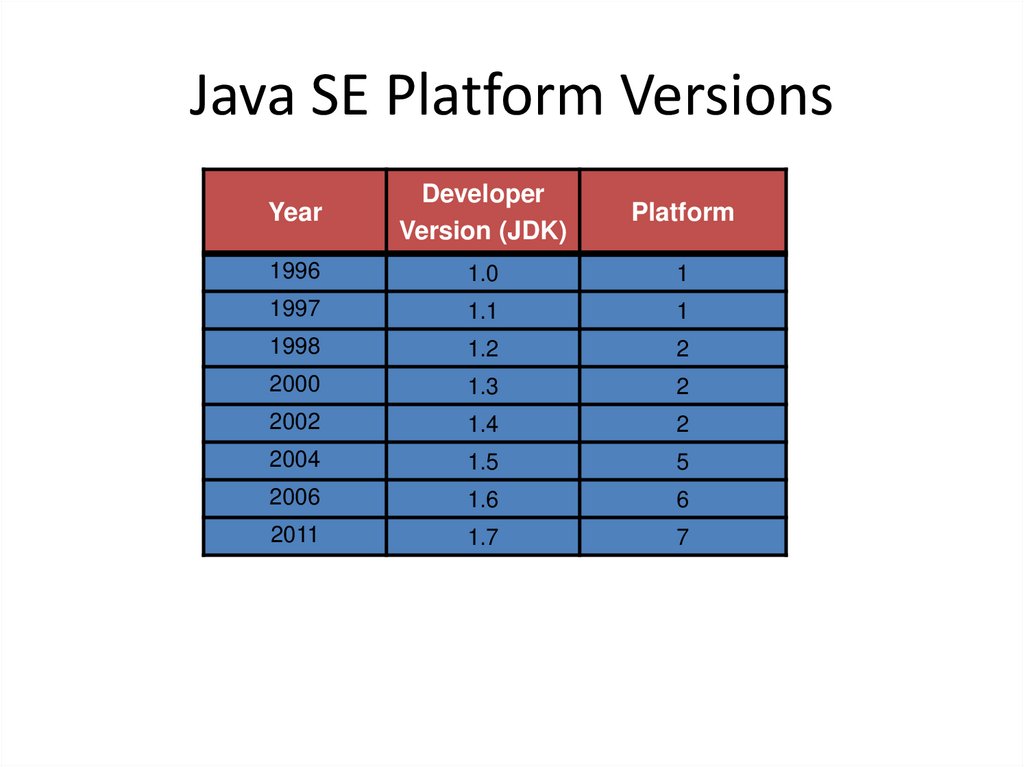
11. Java SE Platform Versions
YearDeveloper
Version (JDK)
Platform
1996
1.0
1
1997
1.1
1
1998
1.2
2
2000
1.3
2
2002
1.4
2
2004
1.5
5
2006
1.6
6
2011
1.7
7
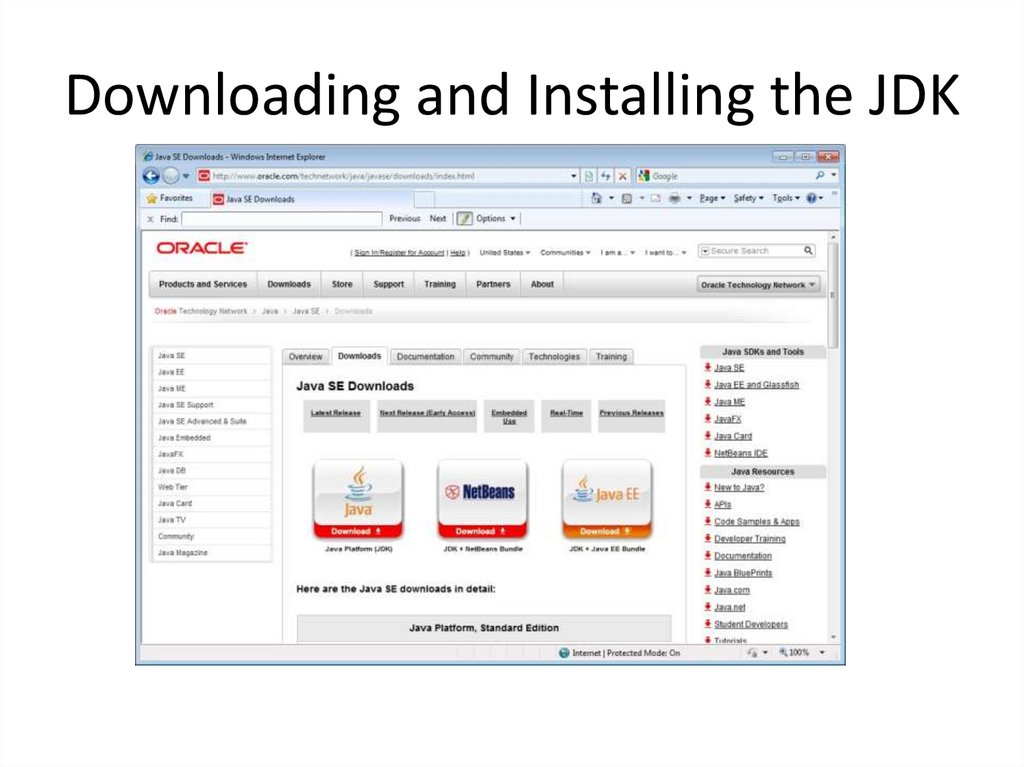
12. Downloading and Installing the JDK
13. Java in Server Environments
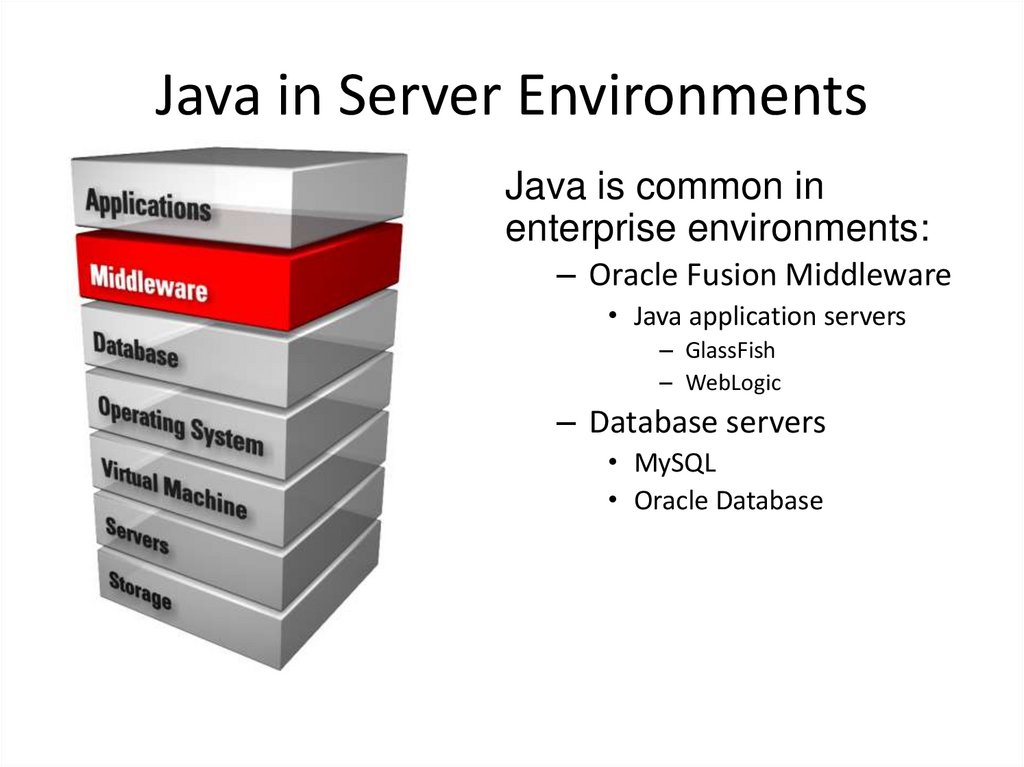
Java is common inenterprise environments:
– Oracle Fusion Middleware
• Java application servers
– GlassFish
– WebLogic
– Database servers
• MySQL
• Oracle Database
14. The Java Community
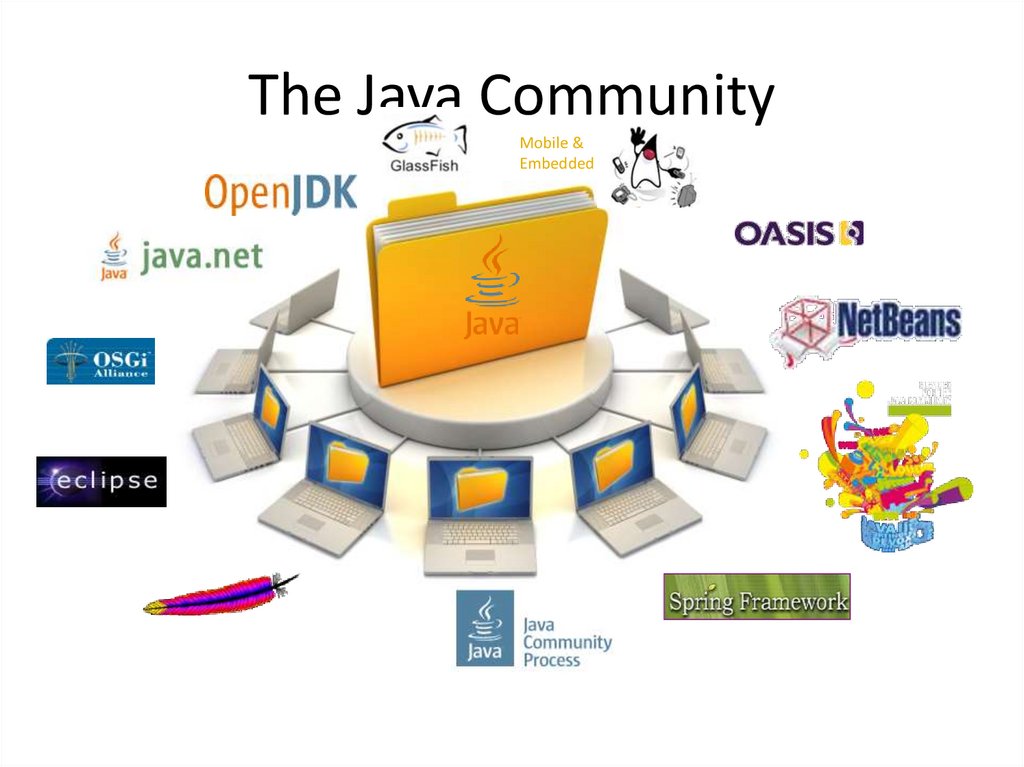
Mobile &Embedded
15. The Java Community Process (JCP)
The JCP is used to develop new Java standards:– http://jcp.org
– Free download of all Java Specification Requests (JSRs)
– Early access to specifications
– Public review and feedback opportunities
– Open membership
16. OpenJDK
OpenJDK is the open-sourceimplementation of Java:
– http://openjdk.java.net/
– GPL licensed open-source project
– JDK reference implementation
– Where new features are developed
– Open to community contributions
– Basis for Oracle JDK
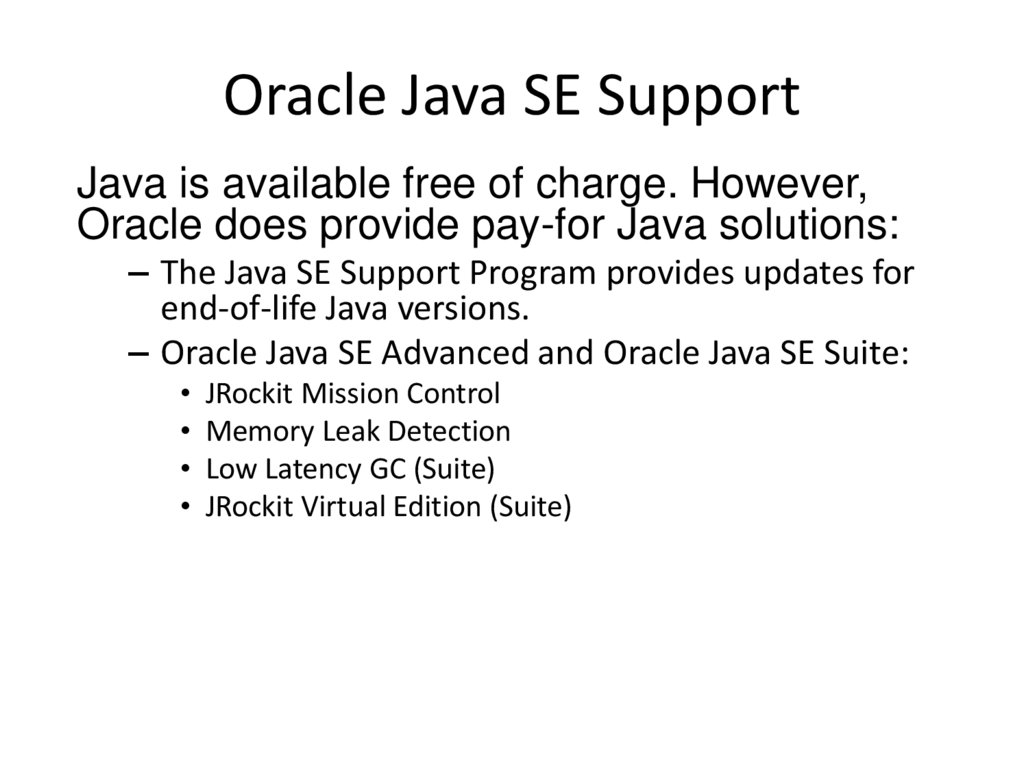
17. Oracle Java SE Support
Java is available free of charge. However,Oracle does provide pay-for Java solutions:
– The Java SE Support Program provides updates for
end-of-life Java versions.
– Oracle Java SE Advanced and Oracle Java SE Suite:
• JRockit Mission Control
• Memory Leak Detection
• Low Latency GC (Suite)
• JRockit Virtual Edition (Suite)
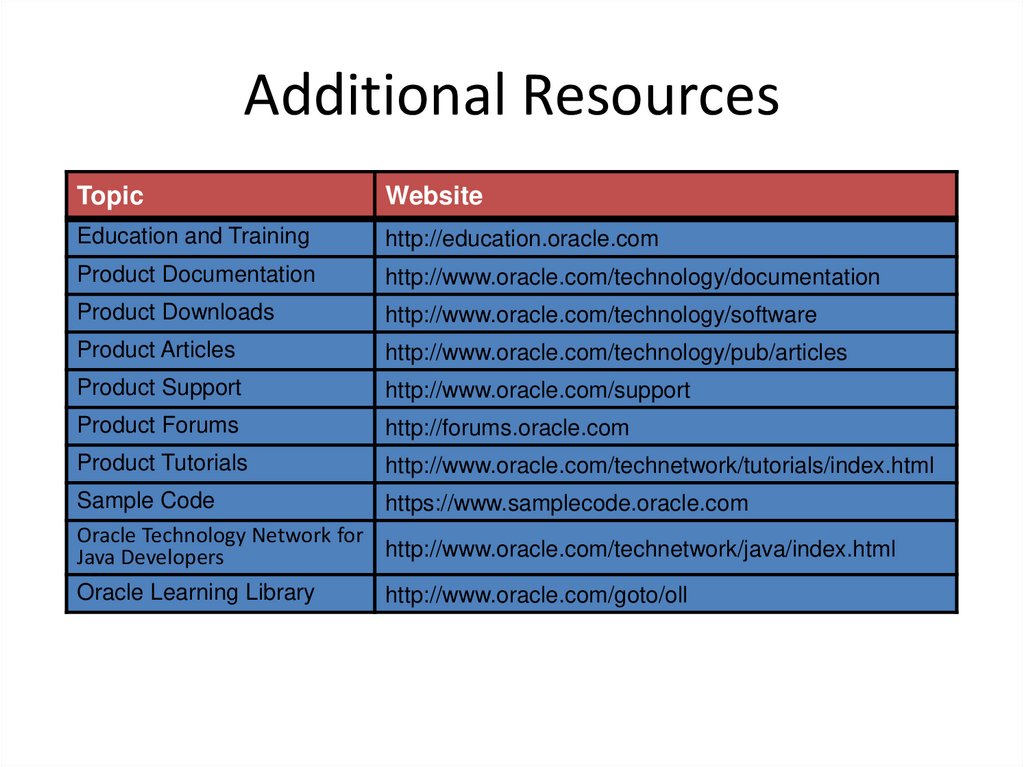
18. Additional Resources
TopicWebsite
Education and Training
http://education.oracle.com
Product Documentation
http://www.oracle.com/technology/documentation
Product Downloads
http://www.oracle.com/technology/software
Product Articles
http://www.oracle.com/technology/pub/articles
Product Support
http://www.oracle.com/support
Product Forums
http://forums.oracle.com
Product Tutorials
http://www.oracle.com/technetwork/tutorials/index.html
Sample Code
https://www.samplecode.oracle.com
Oracle Technology Network for
http://www.oracle.com/technetwork/java/index.html
Java Developers
Oracle Learning Library
http://www.oracle.com/goto/oll
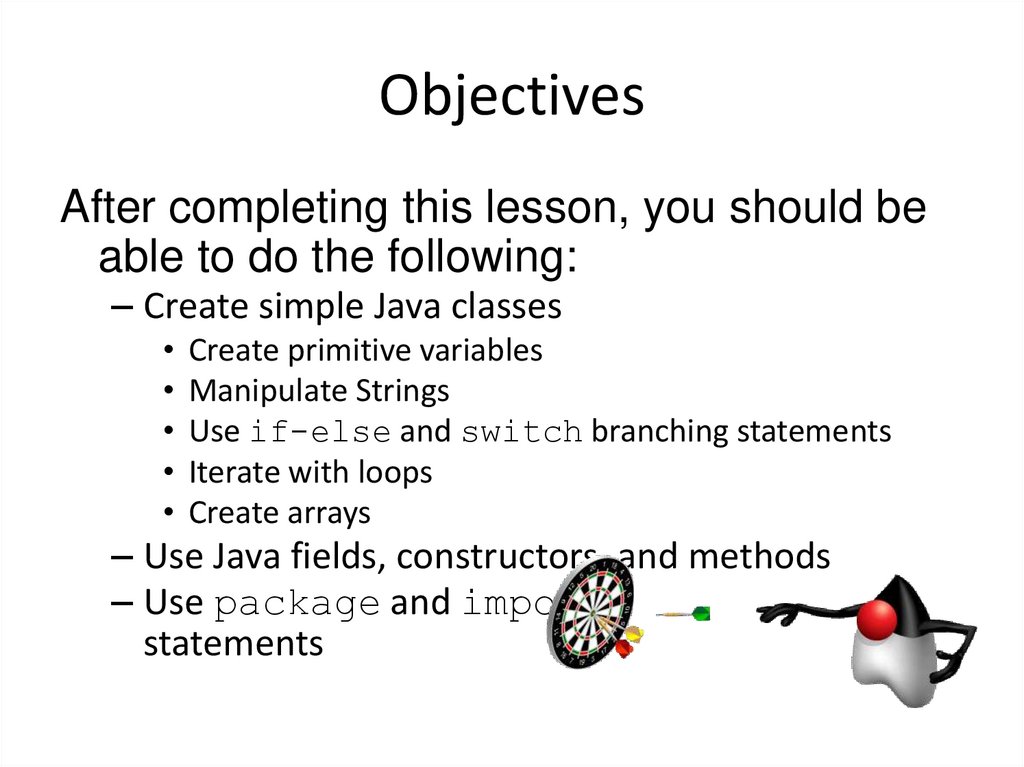
19. Objectives
After completing this lesson, you should beable to do the following:
– Create simple Java classes
• Create primitive variables
• Manipulate Strings
• Use if-else and switch branching statements
• Iterate with loops
• Create arrays
– Use Java fields, constructors, and methods
– Use package and import
statements
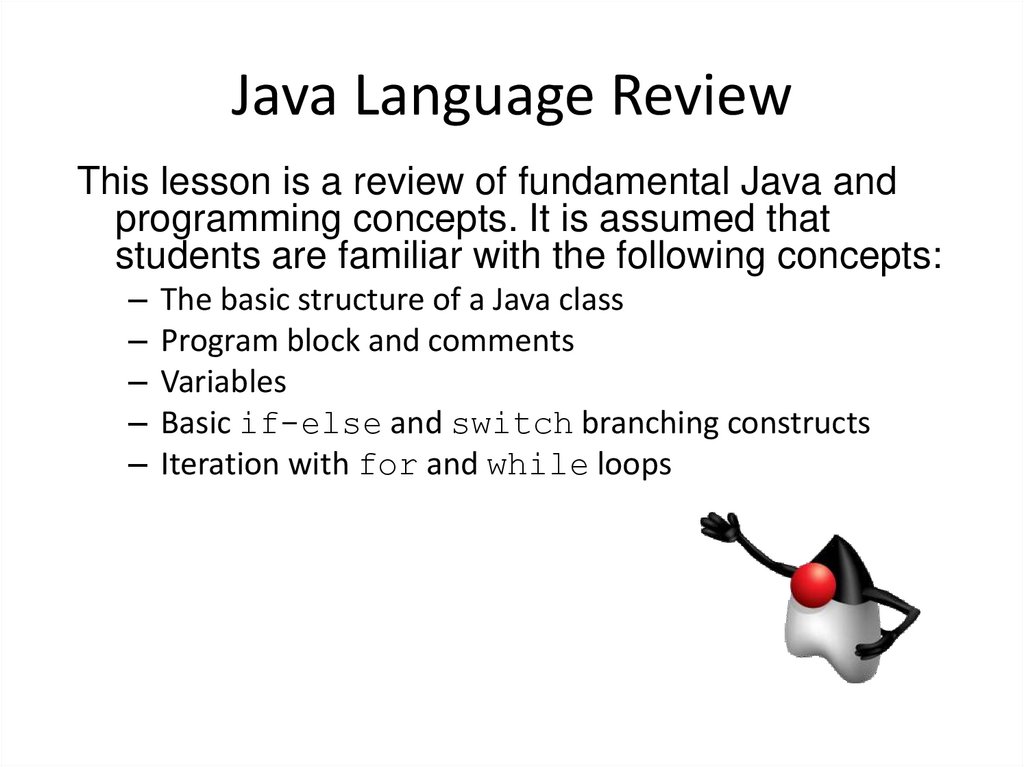
20. Java Language Review
This lesson is a review of fundamental Java andprogramming concepts. It is assumed that
students are familiar with the following concepts:
– The basic structure of a Java class
– Program block and comments
– Variables
– Basic if-else and switch branching constructs
– Iteration with for and while loops
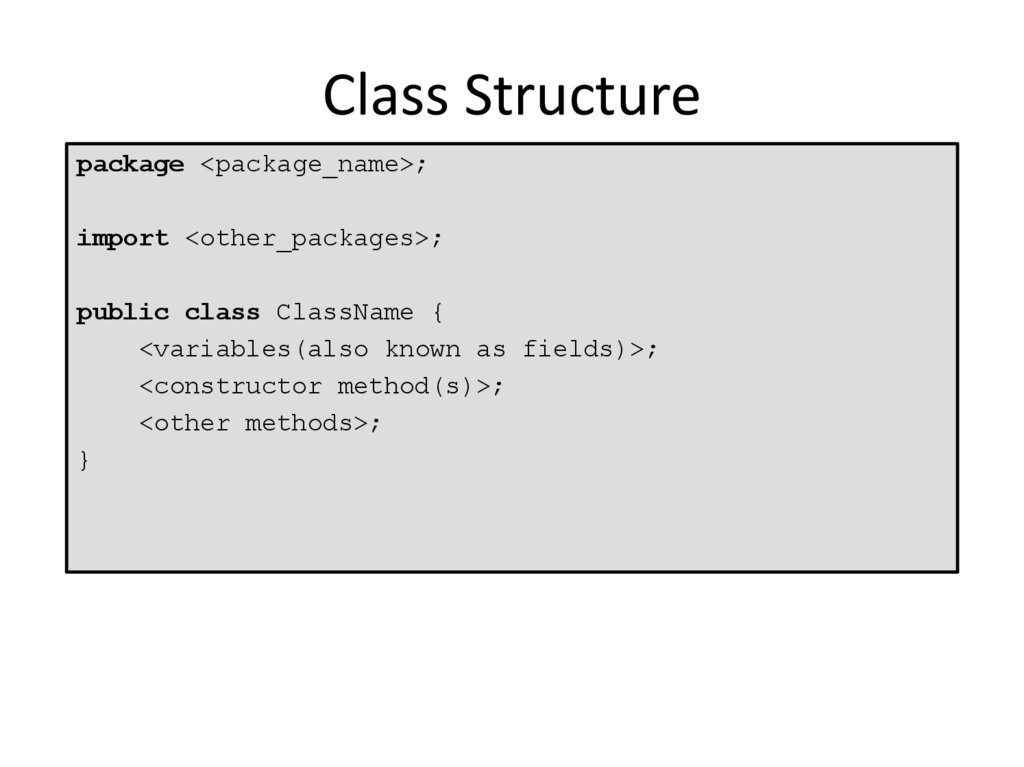
21. Class Structure
package <package_name>;import <other_packages>;
public class ClassName {
<variables(also known as fields)>;
<constructor method(s)>;
<other methods>;
}
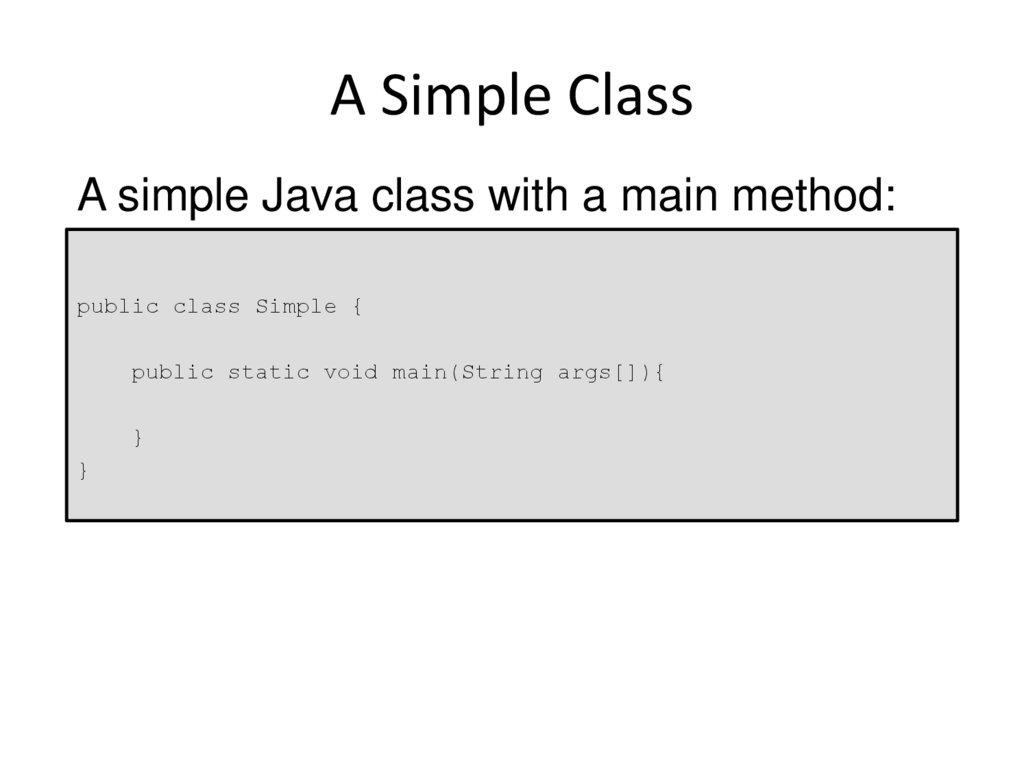
22. A Simple Class
A simple Java class with a main method:public class Simple {
public static void main(String args[]){
}
}
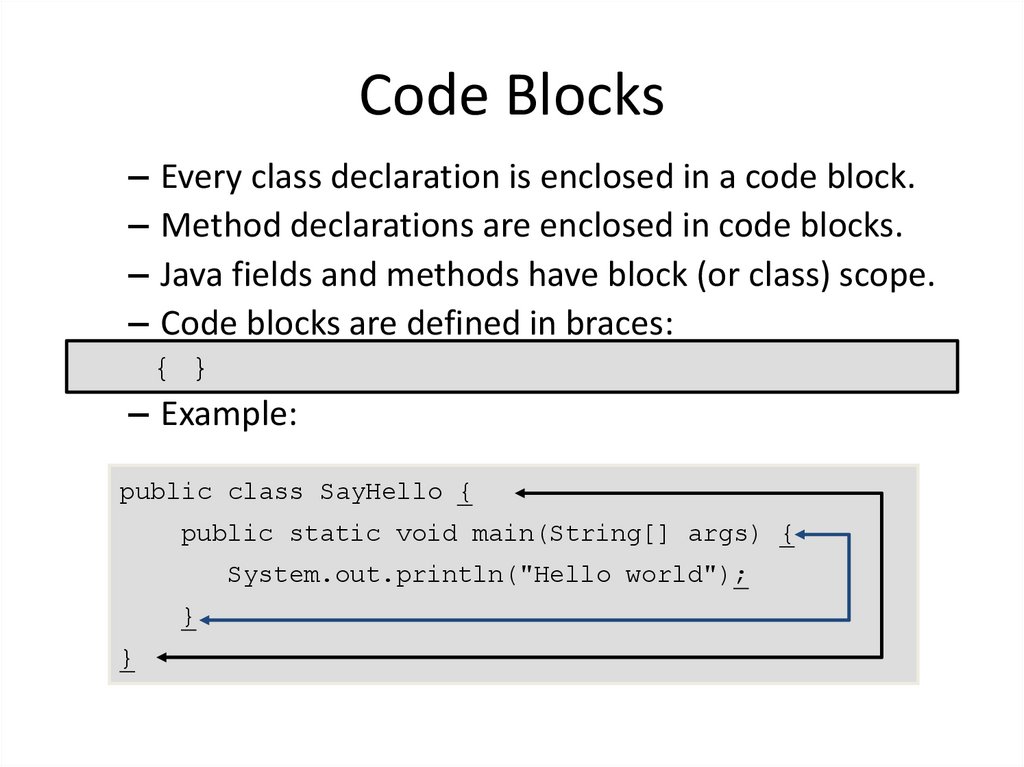
23. Code Blocks
– Every class declaration is enclosed in a code block.– Method declarations are enclosed in code blocks.
– Java fields and methods have block (or class) scope.
– Code blocks are defined in braces:
{ }
– Example:
public class SayHello {
public static void main(String[] args) {
System.out.println("Hello world");
}
}
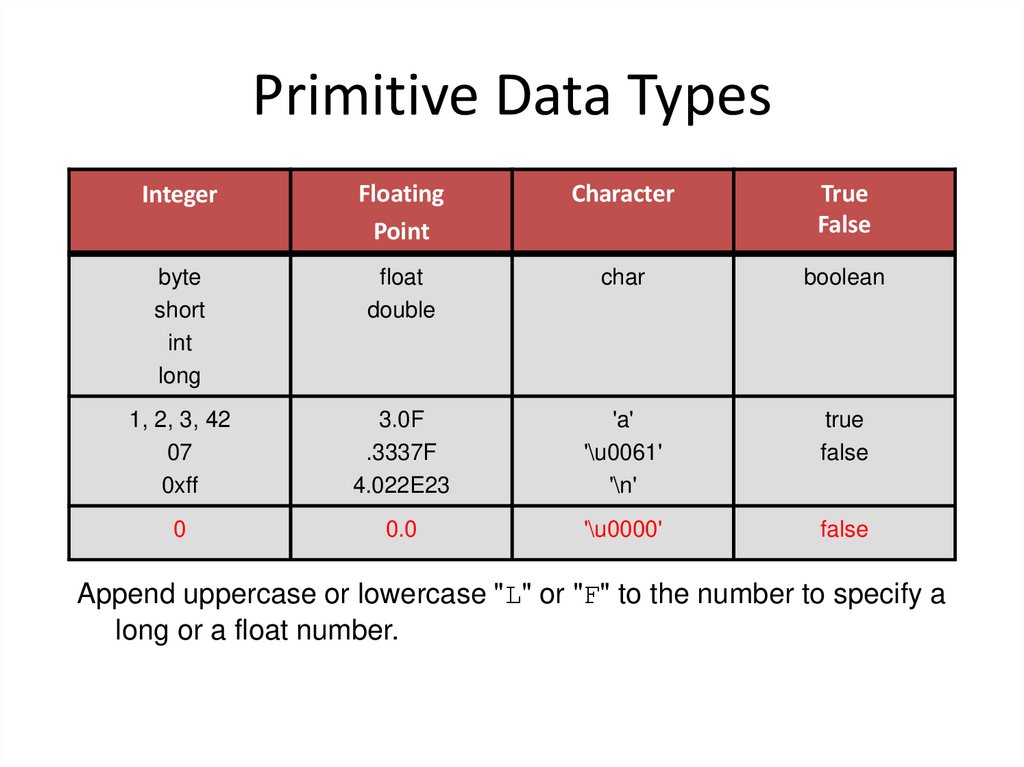
24. Primitive Data Types
IntegerFloating
Point
Character
True
False
byte
short
int
long
float
double
char
boolean
1, 2, 3, 42
07
0xff
3.0F
.3337F
4.022E23
'a'
'\u0061'
'\n'
true
false
0
0.0
'\u0000'
false
Append uppercase or lowercase "L" or "F" to the number to specify a
long or a float number.
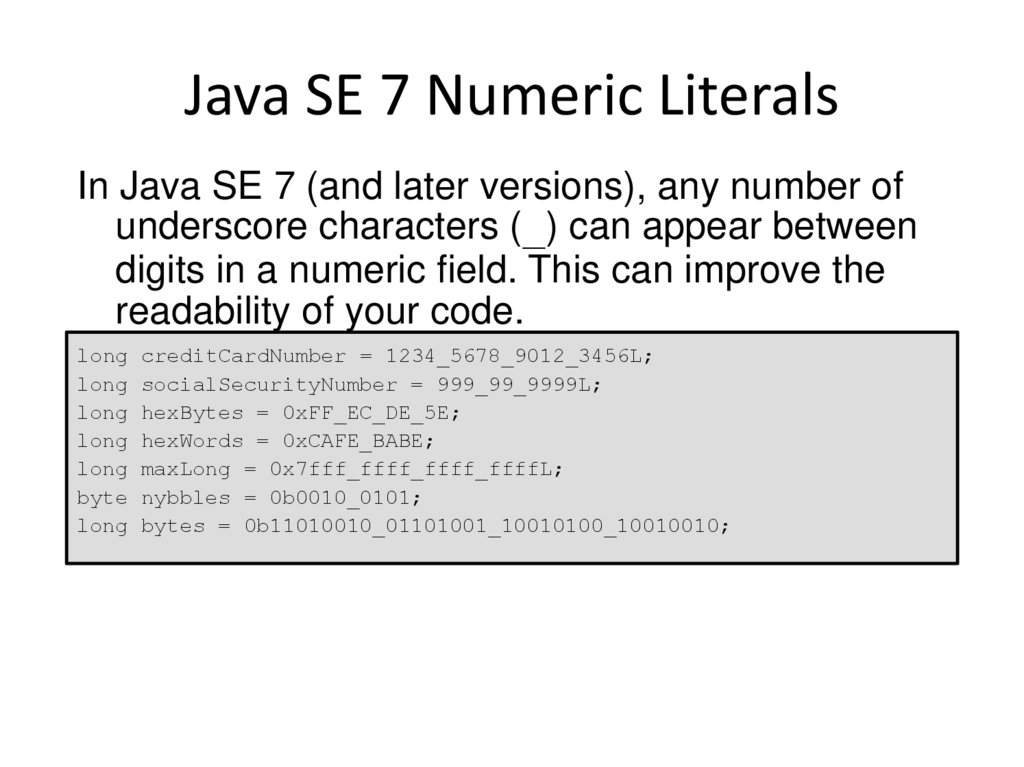
25. Java SE 7 Numeric Literals
In Java SE 7 (and later versions), any number ofunderscore characters (_) can appear between
digits in a numeric field. This can improve the
readability of your code.
long creditCardNumber = 1234_5678_9012_3456L;
long socialSecurityNumber = 999_99_9999L;
long hexBytes = 0xFF_EC_DE_5E;
long hexWords = 0xCAFE_BABE;
long maxLong = 0x7fff_ffff_ffff_ffffL;
byte nybbles = 0b0010_0101;
long bytes = 0b11010010_01101001_10010100_10010010;
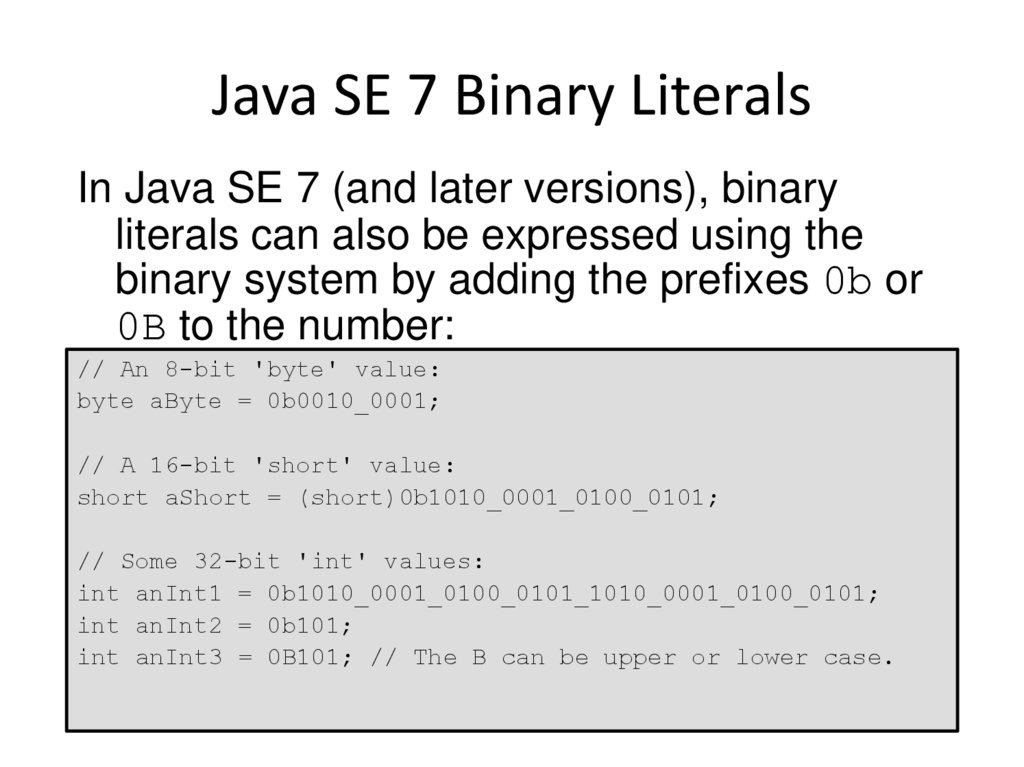
26. Java SE 7 Binary Literals
In Java SE 7 (and later versions), binaryliterals can also be expressed using the
binary system by adding the prefixes 0b or
0B to the number:
// An 8-bit 'byte' value:
byte aByte = 0b0010_0001;
// A 16-bit 'short' value:
short aShort = (short)0b1010_0001_0100_0101;
// Some 32-bit 'int' values:
int anInt1 = 0b1010_0001_0100_0101_1010_0001_0100_0101;
int anInt2 = 0b101;
int anInt3 = 0B101; // The B can be upper or lower case.
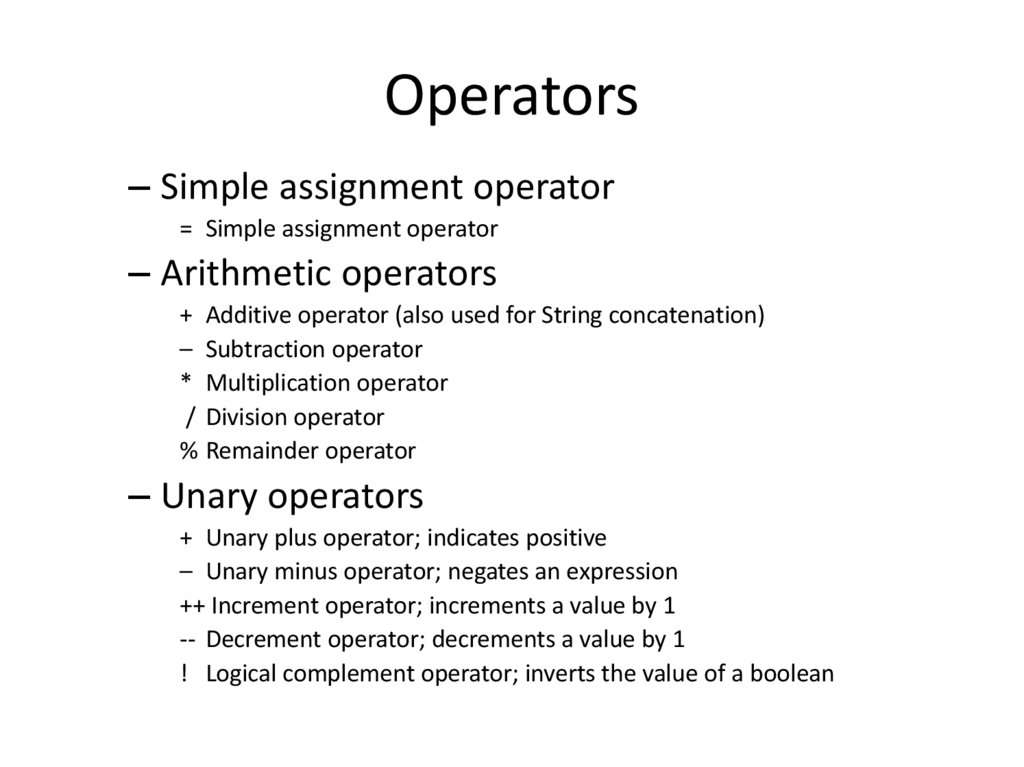
27. Operators
– Simple assignment operator= Simple assignment operator
– Arithmetic operators
+ Additive operator (also used for String concatenation)
– Subtraction operator
* Multiplication operator
/ Division operator
% Remainder operator
– Unary operators
+ Unary plus operator; indicates positive
– Unary minus operator; negates an expression
++ Increment operator; increments a value by 1
-- Decrement operator; decrements a value by 1
! Logical complement operator; inverts the value of a boolean
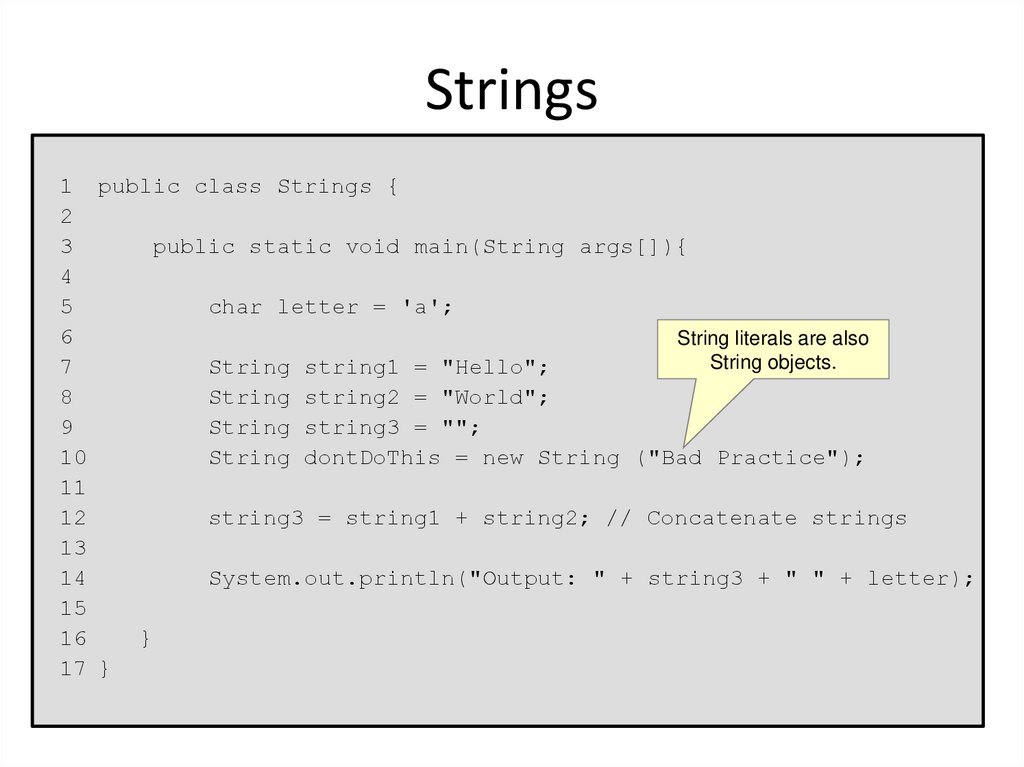
28. Strings
1 public class Strings {2
3
public static void main(String args[]){
4
5
char letter = 'a';
6
String literals are also
String objects.
7
String string1 = "Hello";
8
String string2 = "World";
9
String string3 = "";
10
String dontDoThis = new String ("Bad Practice");
11
12
string3 = string1 + string2; // Concatenate strings
13
14
System.out.println("Output: " + string3 + " " + letter);
15
16
}
17 }
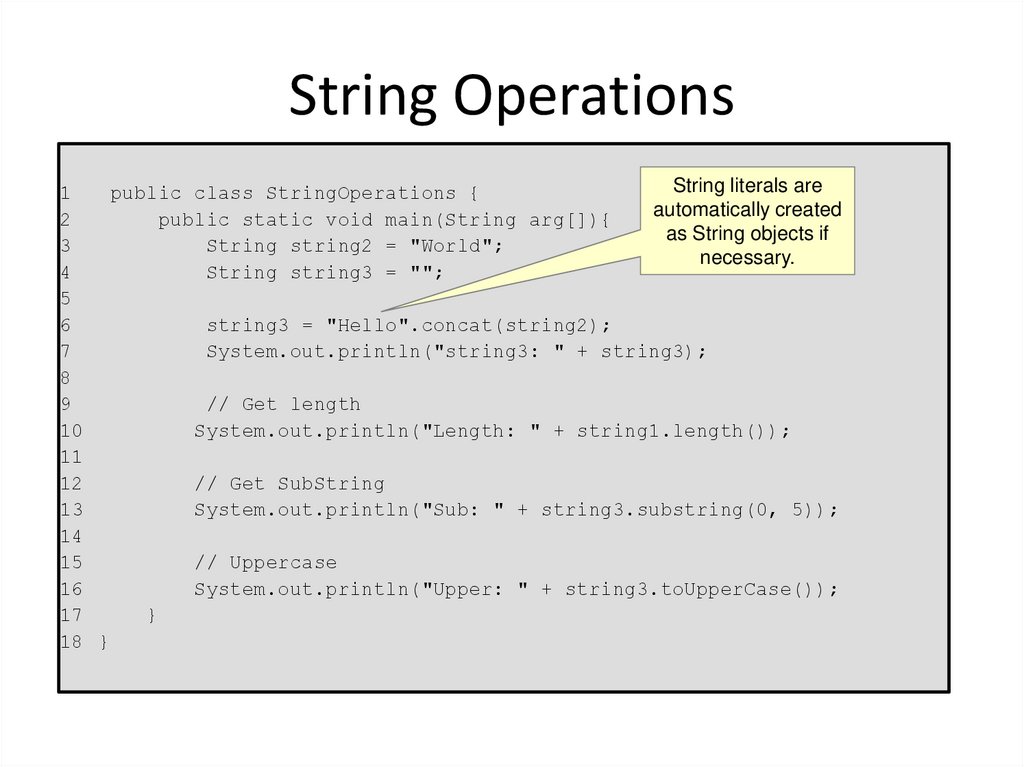
29. String Operations
String literals are1
public class StringOperations {
automatically created
2
public static void main(String arg[]){
as String objects if
3
String string2 = "World";
necessary.
4
String string3 = "";
5
6
string3 = "Hello".concat(string2);
7
System.out.println("string3: " + string3);
8
9
// Get length
10
System.out.println("Length: " + string1.length());
11
12
// Get SubString
13
System.out.println("Sub: " + string3.substring(0, 5));
14
15
// Uppercase
16
System.out.println("Upper: " + string3.toUpperCase());
17
}
18 }
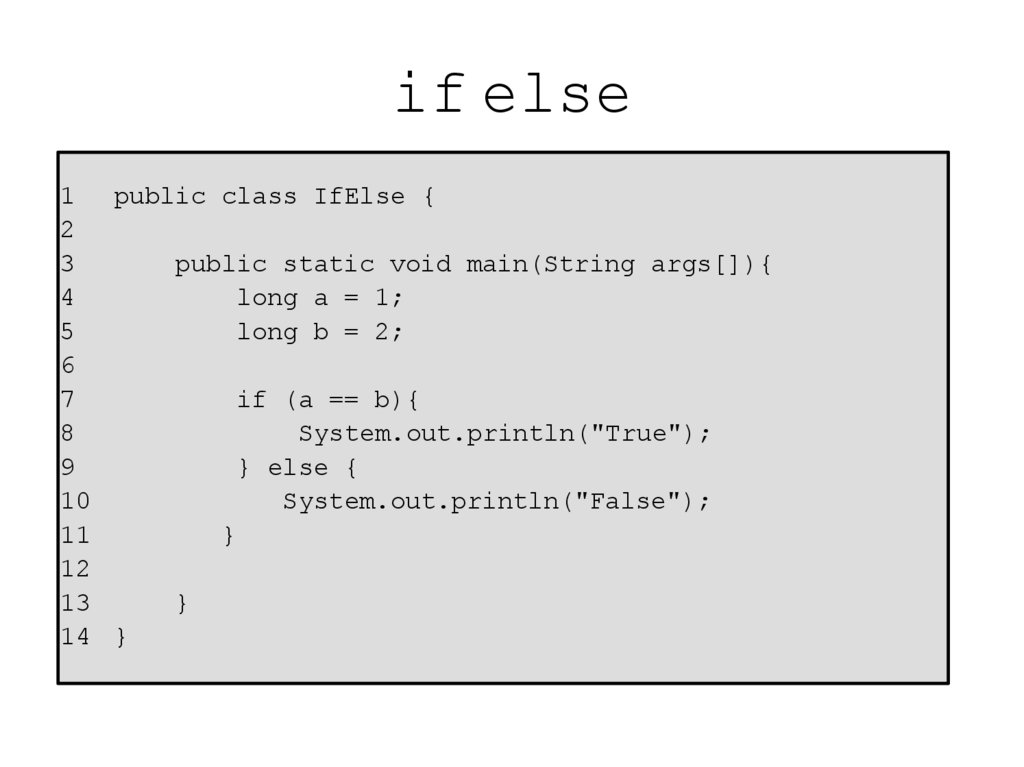
30. if else
1 public class IfElse {2
3
public static void main(String args[]){
4
long a = 1;
5
long b = 2;
6
7
if (a == b){
8
System.out.println("True");
9
} else {
10
System.out.println("False");
11
}
12
13
}
14 }
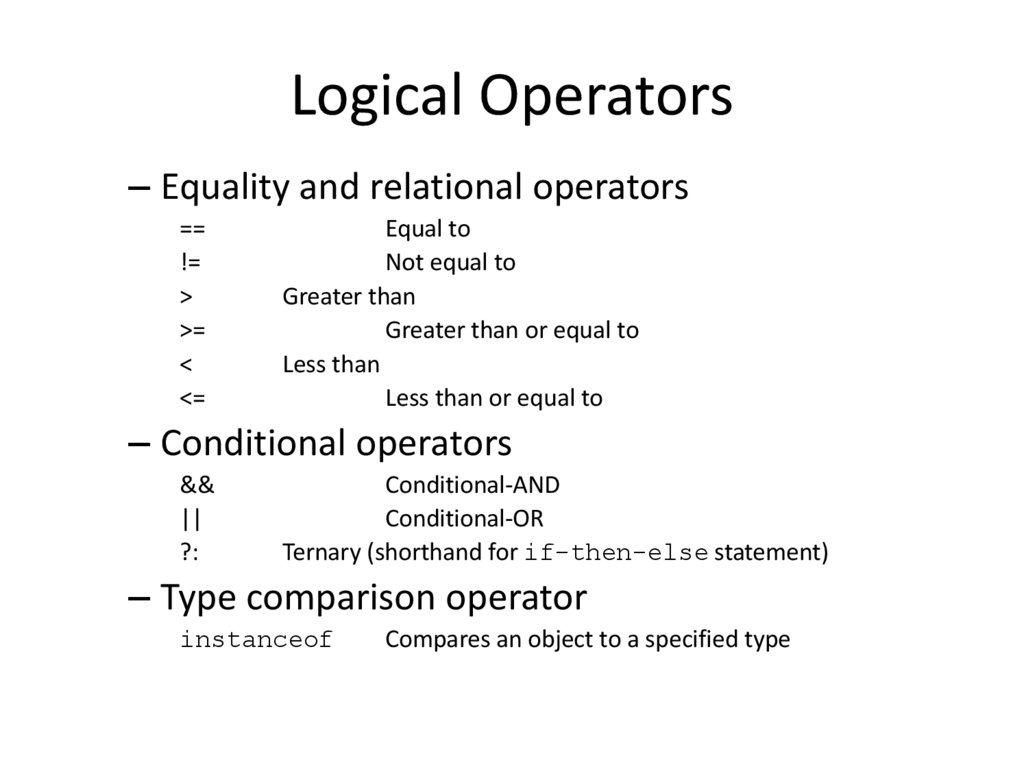
31. Logical Operators
– Equality and relational operators==
!=
>
>=
<
<=
Equal to
Not equal to
Greater than
Greater than or equal to
Less than
Less than or equal to
– Conditional operators
&&
||
?:
Conditional-AND
Conditional-OR
Ternary (shorthand for if-then-else statement)
– Type comparison operator
instanceof
Compares an object to a specified type
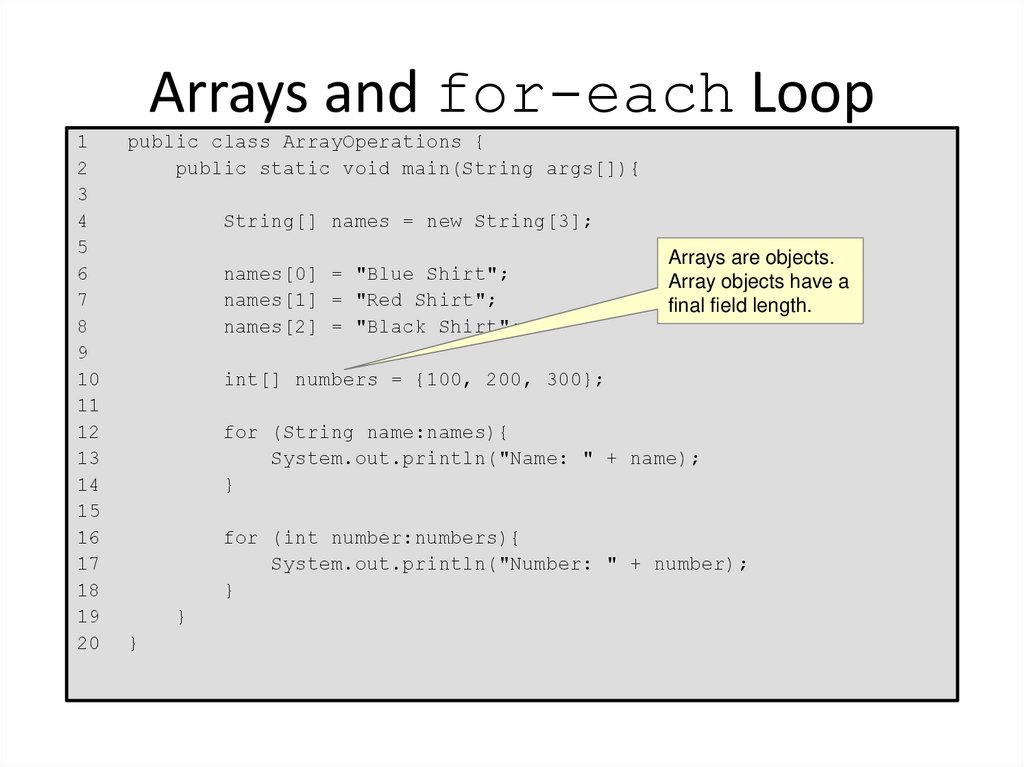
32. Arrays and for-each Loop
12
3
4
5
6
7
8
9
10
11
12
13
14
15
16
17
18
19
20
public class ArrayOperations {
public static void main(String args[]){
String[] names = new String[3];
names[0] = "Blue Shirt";
names[1] = "Red Shirt";
names[2] = "Black Shirt";
Arrays are objects.
Array objects have a
final field length.
int[] numbers = {100, 200, 300};
for (String name:names){
System.out.println("Name: " + name);
}
for (int number:numbers){
System.out.println("Number: " + number);
}
}
}
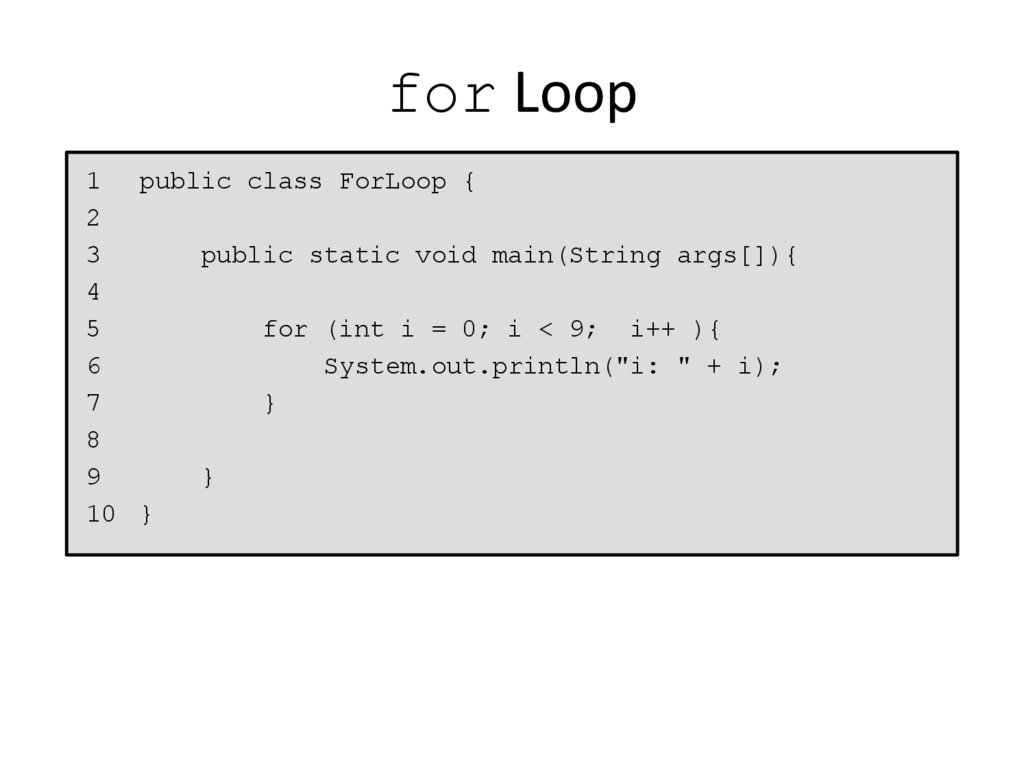
33. for Loop
1public class ForLoop {
2
3
public static void main(String args[]){
4
5
for (int i = 0; i < 9; i++ ){
6
System.out.println("i: " + i);
7
}
8
9
}
10 }
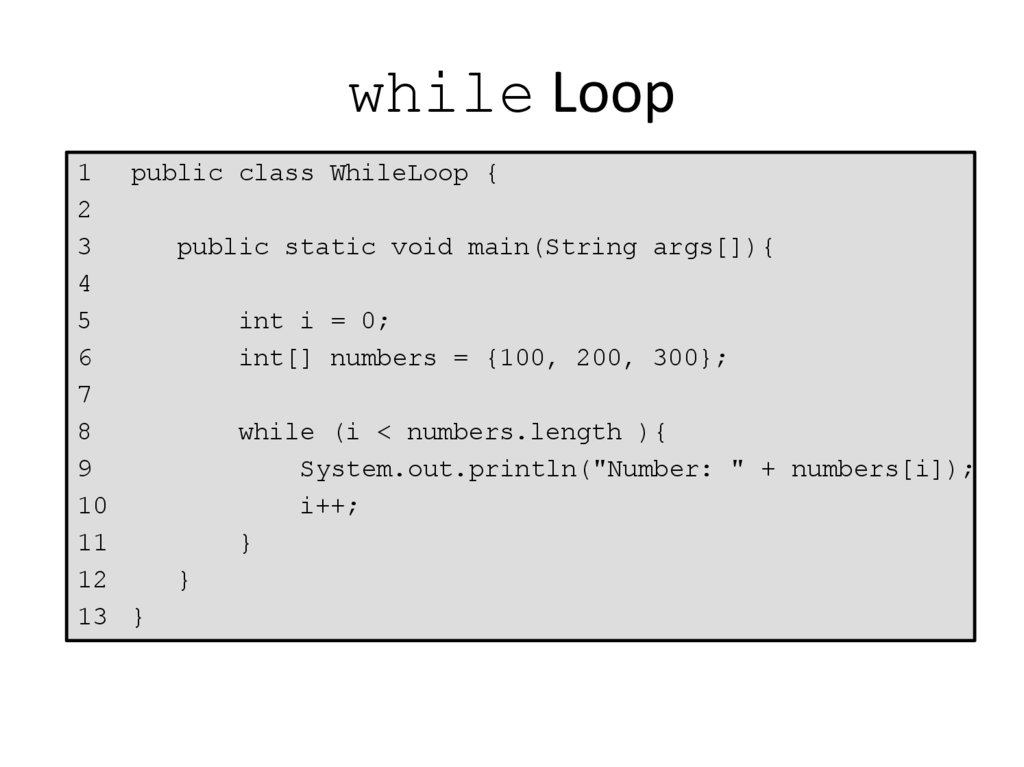
34. while Loop
1public class WhileLoop {
2
3
public static void main(String args[]){
4
5
int i = 0;
6
int[] numbers = {100, 200, 300};
7
8
while (i < numbers.length ){
9
System.out.println("Number: " + numbers[i]);
10
i++;
11
}
12
}
13 }
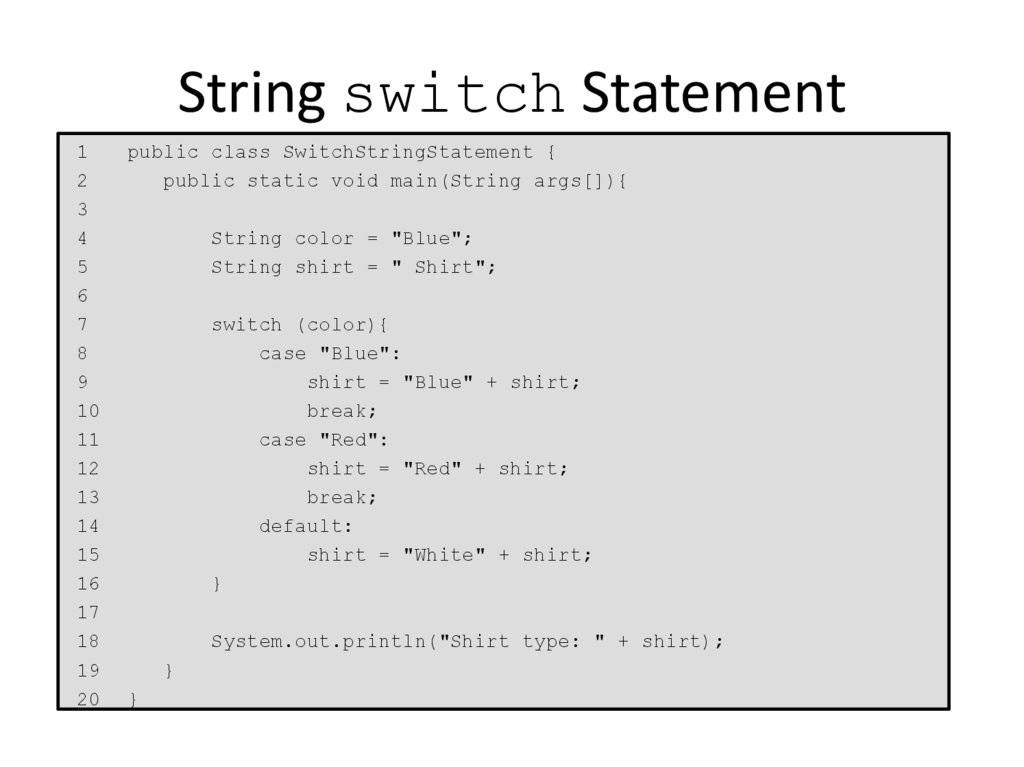
35. String switch Statement
12
3
4
5
6
7
8
9
10
11
12
13
14
15
16
17
18
19
20
public class SwitchStringStatement {
public static void main(String args[]){
String color = "Blue";
String shirt = " Shirt";
switch (color){
case "Blue":
shirt = "Blue" + shirt;
break;
case "Red":
shirt = "Red" + shirt;
break;
default:
shirt = "White" + shirt;
}
System.out.println("Shirt type: " + shirt);
}
}
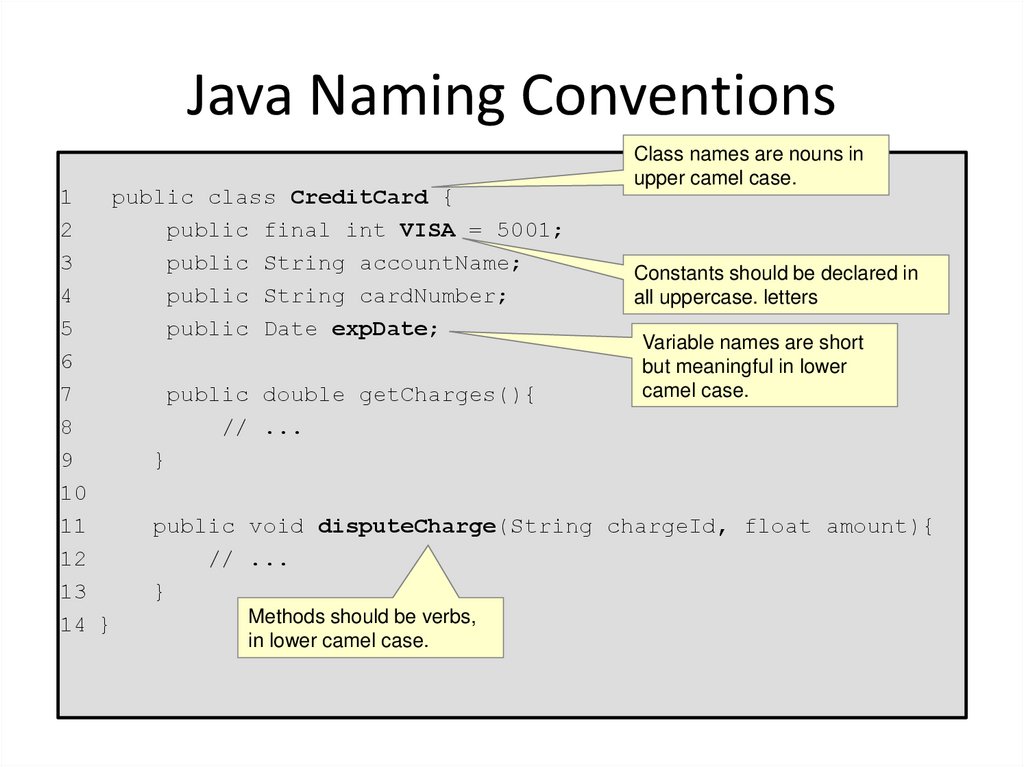
36. Java Naming Conventions
Class names are nouns inupper camel case.
1
public class CreditCard {
2
public final int VISA = 5001;
3
public String accountName;
Constants should be declared in
4
public String cardNumber;
all uppercase. letters
5
public Date expDate;
Variable names are short
6
but meaningful in lower
camel case.
7
public double getCharges(){
8
// ...
9
}
10
11
public void disputeCharge(String chargeId, float amount){
12
// ...
13
}
Methods should be verbs,
14 }
in lower camel case.
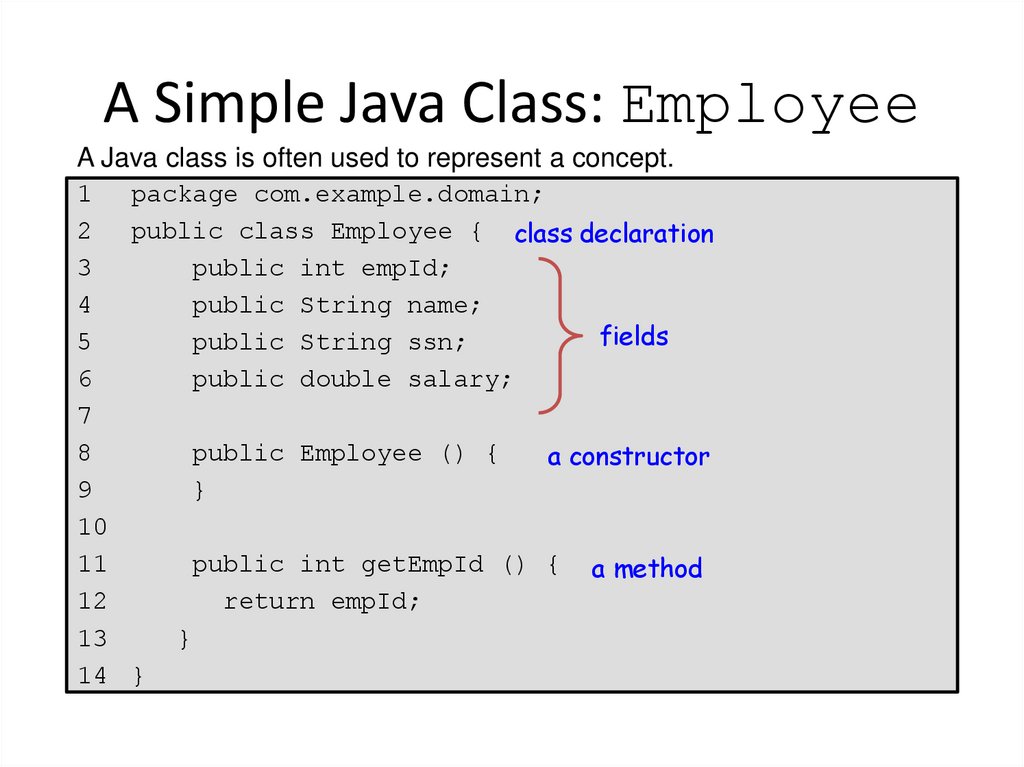
37. A Simple Java Class: Employee
A Java class is often used to represent a concept.1
package com.example.domain;
2
public class Employee { class declaration
3
public int empId;
4
public String name;
fields
5
public String ssn;
6
public double salary;
7
8
public Employee () {
a constructor
9
}
10
11
public int getEmpId () { a method
12
return empId;
13
}
14 }
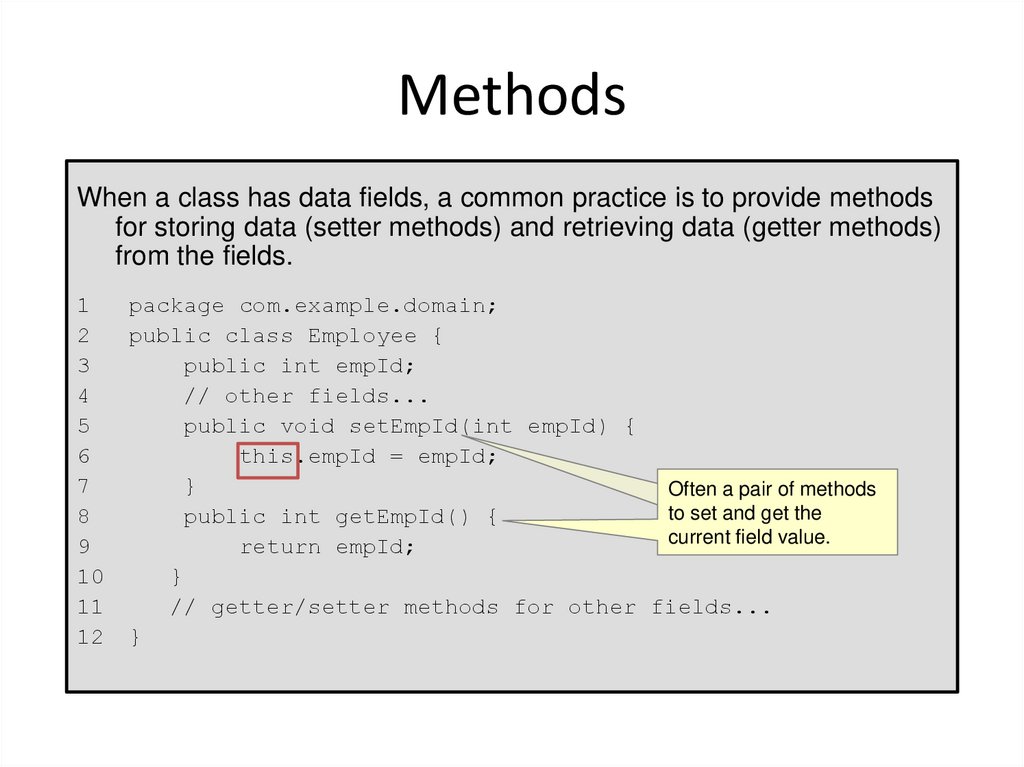
38. Methods
When a class has data fields, a common practice is to provide methodsfor storing data (setter methods) and retrieving data (getter methods)
from the fields.
1
2
3
4
5
6
7
8
9
10
11
12
package com.example.domain;
public class Employee {
public int empId;
// other fields...
public void setEmpId(int empId) {
this.empId = empId;
}
Often a pair of methods
to set and get the
public int getEmpId() {
current field value.
return empId;
}
// getter/setter methods for other fields...
}
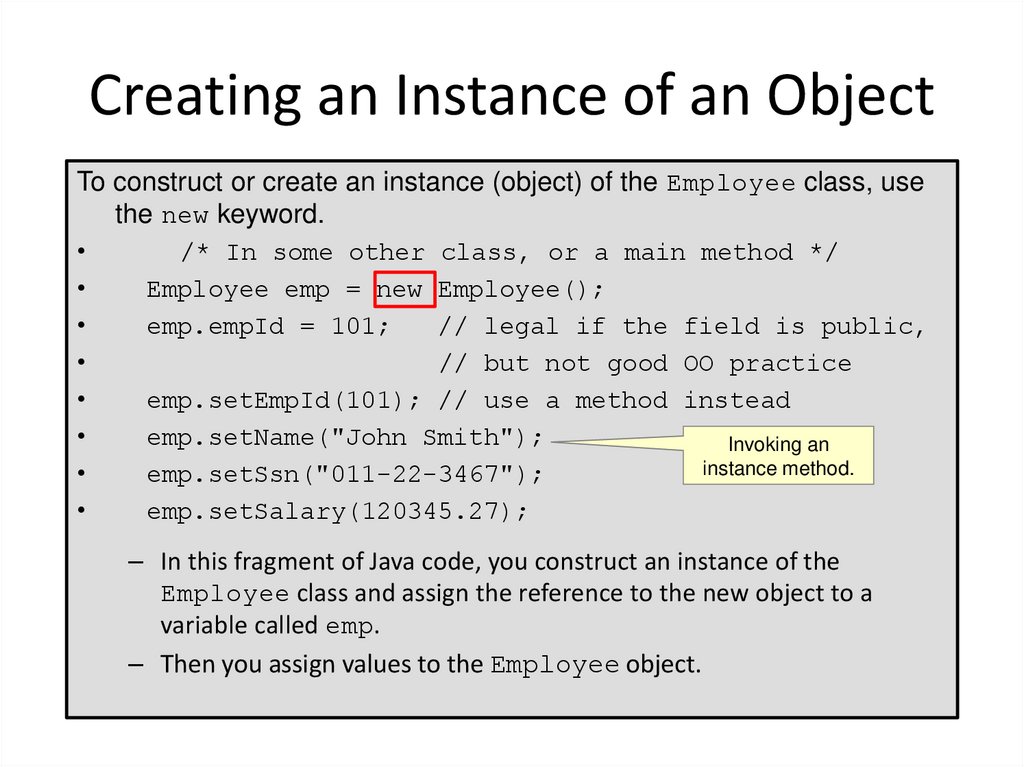
39. Creating an Instance of an Object
To construct or create an instance (object) of the Employee class, usethe new keyword.
/* In some other class, or a main method */
Employee emp = new Employee();
emp.empId = 101;
// legal if the field is public,
// but not good OO practice
emp.setEmpId(101); // use a method instead
emp.setName("John Smith");
Invoking an
instance method.
emp.setSsn("011-22-3467");
emp.setSalary(120345.27);
– In this fragment of Java code, you construct an instance of the
Employee class and assign the reference to the new object to a
variable called emp.
– Then you assign values to the Employee object.
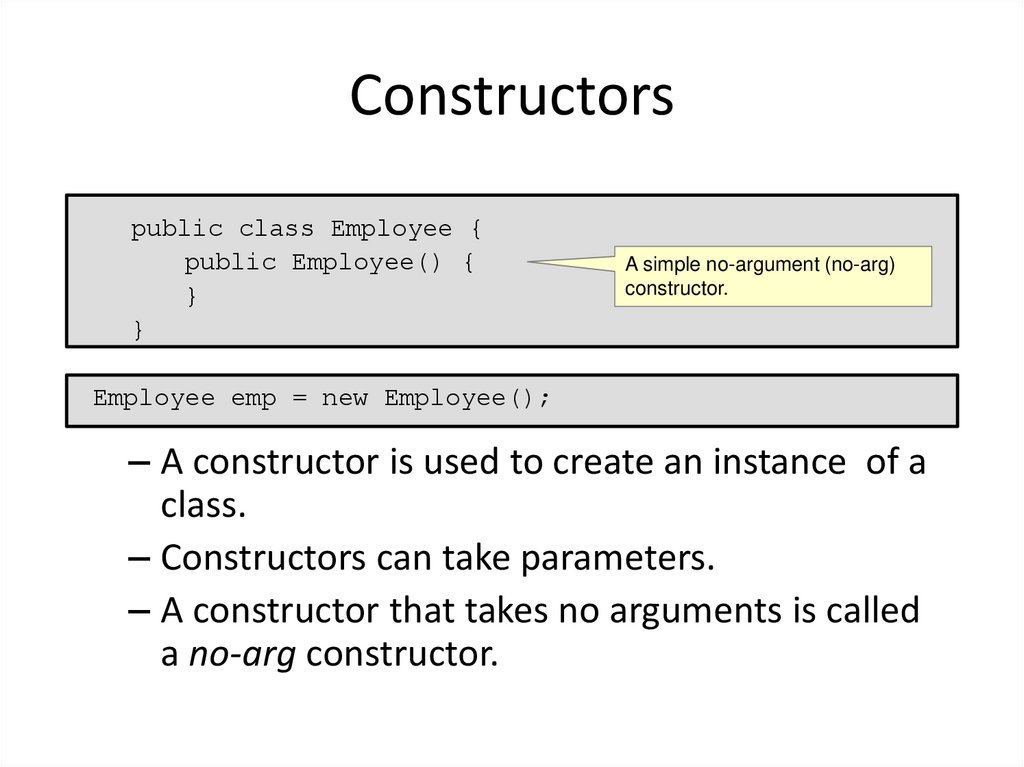
40. Constructors
public class Employee {public Employee() {
}
}
A simple no-argument (no-arg)
constructor.
Employee emp = new Employee();
– A constructor is used to create an instance of a
class.
– Constructors can take parameters.
– A constructor that takes no arguments is called
a no-arg constructor.
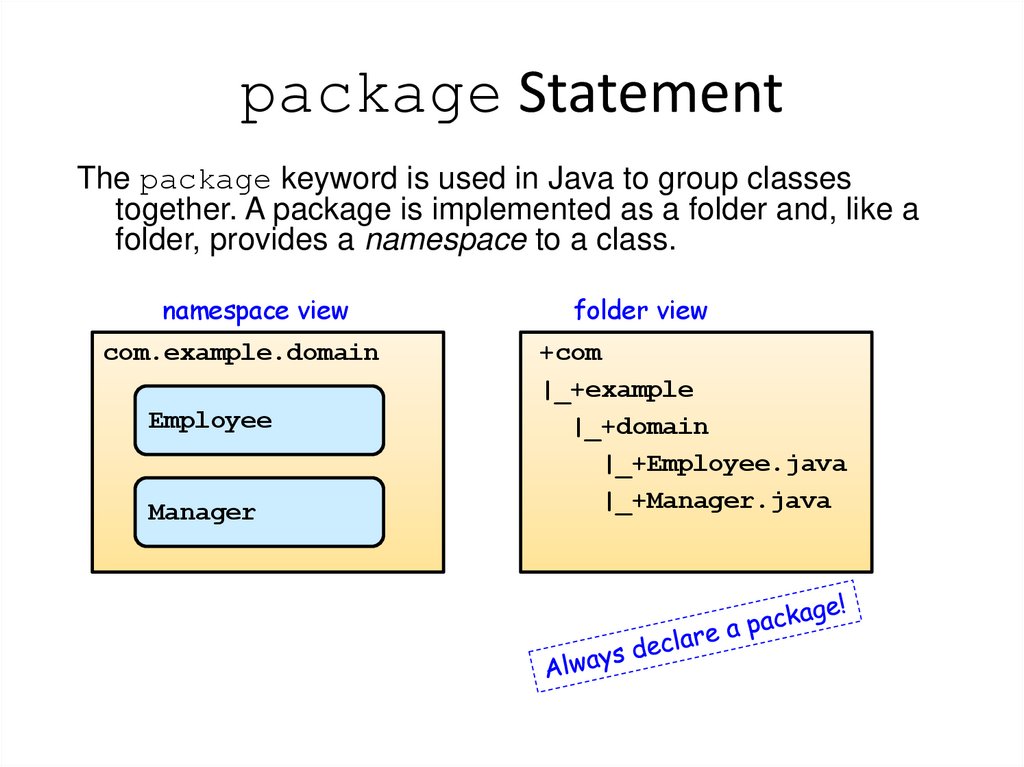
41. package Statement
The package keyword is used in Java to group classestogether. A package is implemented as a folder and, like a
folder, provides a namespace to a class.
namespace view
com.example.domain
Employee
Manager
folder view
+com
|_+example
|_+domain
|_+Employee.java
|_+Manager.java
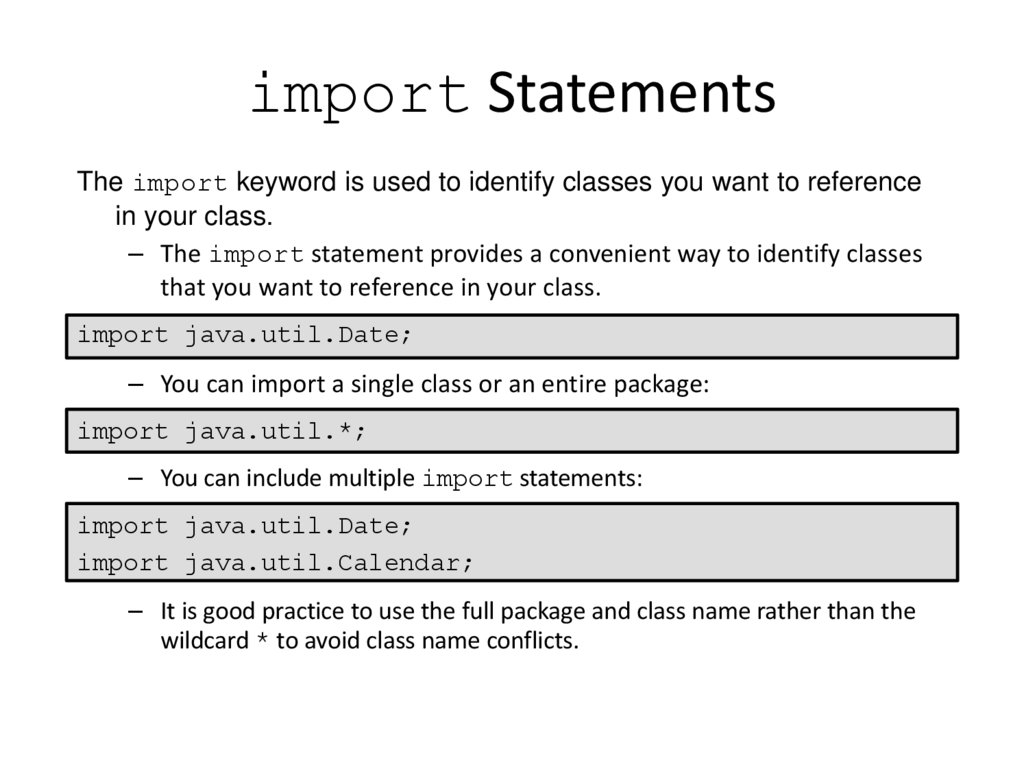
42. import Statements
The import keyword is used to identify classes you want to referencein your class.
– The import statement provides a convenient way to identify classes
that you want to reference in your class.
import java.util.Date;
– You can import a single class or an entire package:
import java.util.*;
– You can include multiple import statements:
import java.util.Date;
import java.util.Calendar;
– It is good practice to use the full package and class name rather than the
wildcard * to avoid class name conflicts.
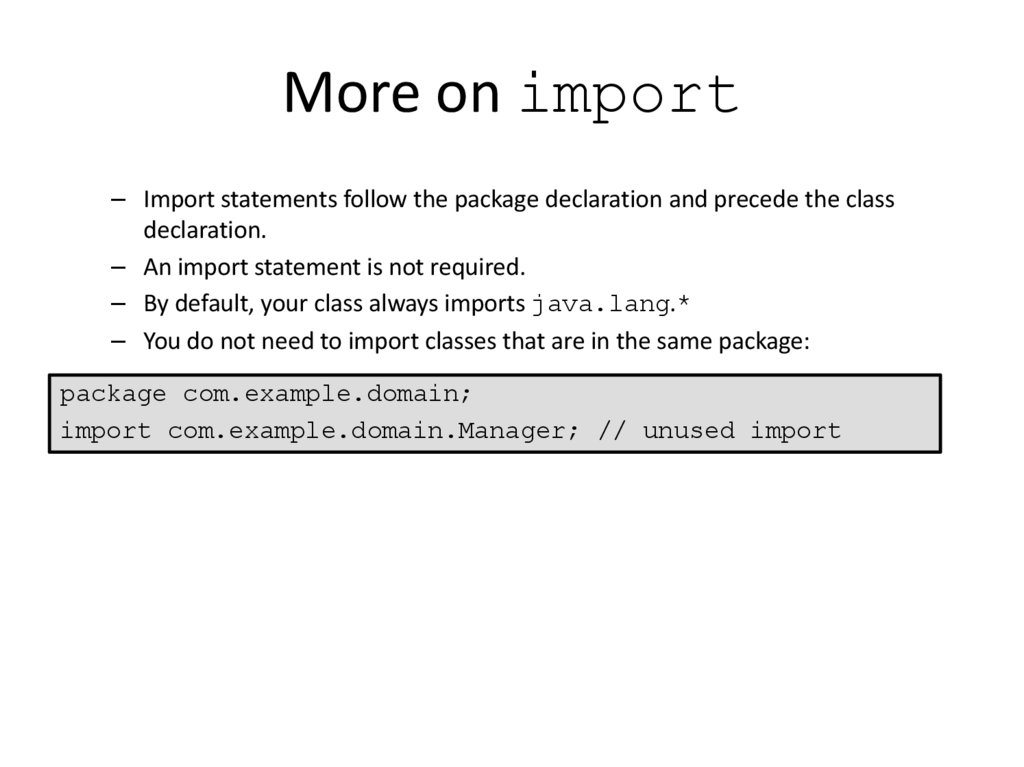
43. More on import
– Import statements follow the package declaration and precede the classdeclaration.
– An import statement is not required.
– By default, your class always imports java.lang.*
– You do not need to import classes that are in the same package:
package com.example.domain;
import com.example.domain.Manager; // unused import
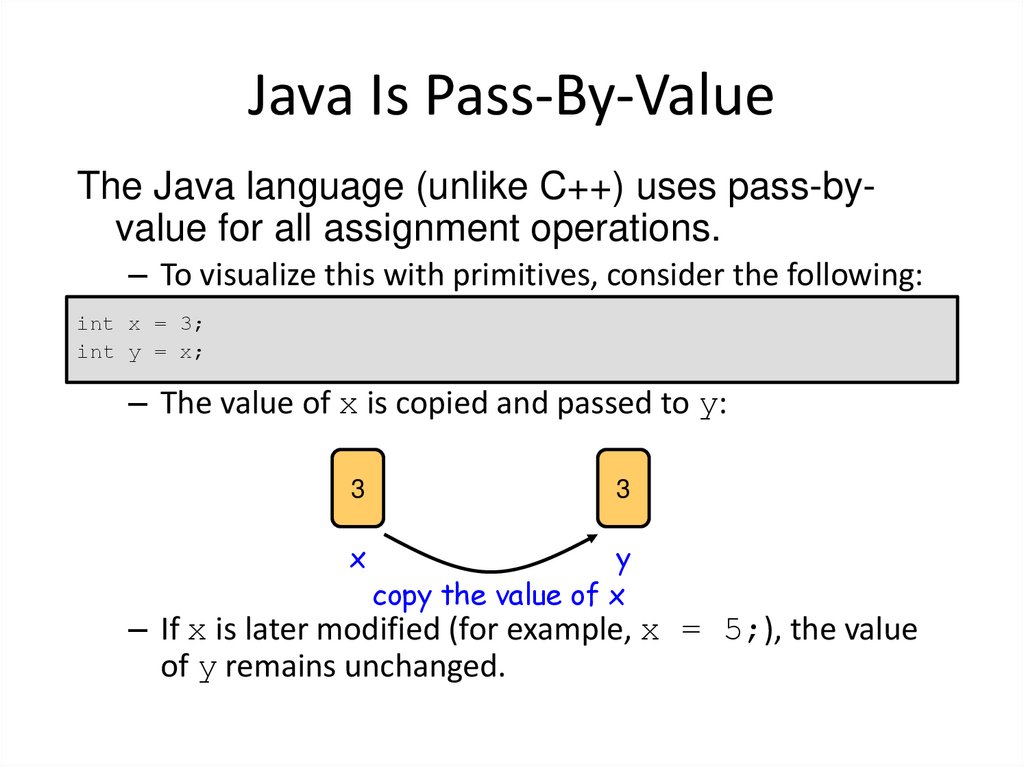
44. Java Is Pass-By-Value
The Java language (unlike C++) uses pass-byvalue for all assignment operations.– To visualize this with primitives, consider the following:
int x = 3;
int y = x;
– The value of x is copied and passed to y:
3
3
x
y
copy the value of x
– If x is later modified (for example, x = 5;), the value
of y remains unchanged.
45. Pass-By-Value for Object References
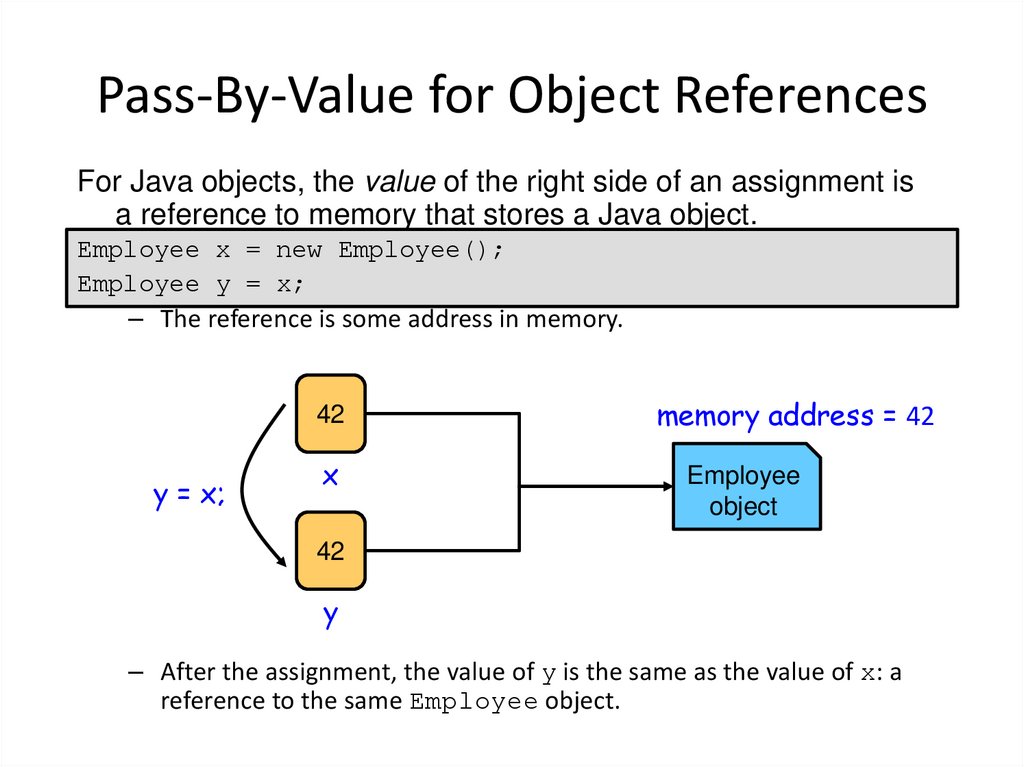
For Java objects, the value of the right side of an assignment isa reference to memory that stores a Java object.
Employee x = new Employee();
Employee y = x;
– The reference is some address in memory.
42
y = x;
x
memory address = 42
Employee
object
42
y
– After the assignment, the value of y is the same as the value of x: a
reference to the same Employee object.
46. Objects Passed as Parameters
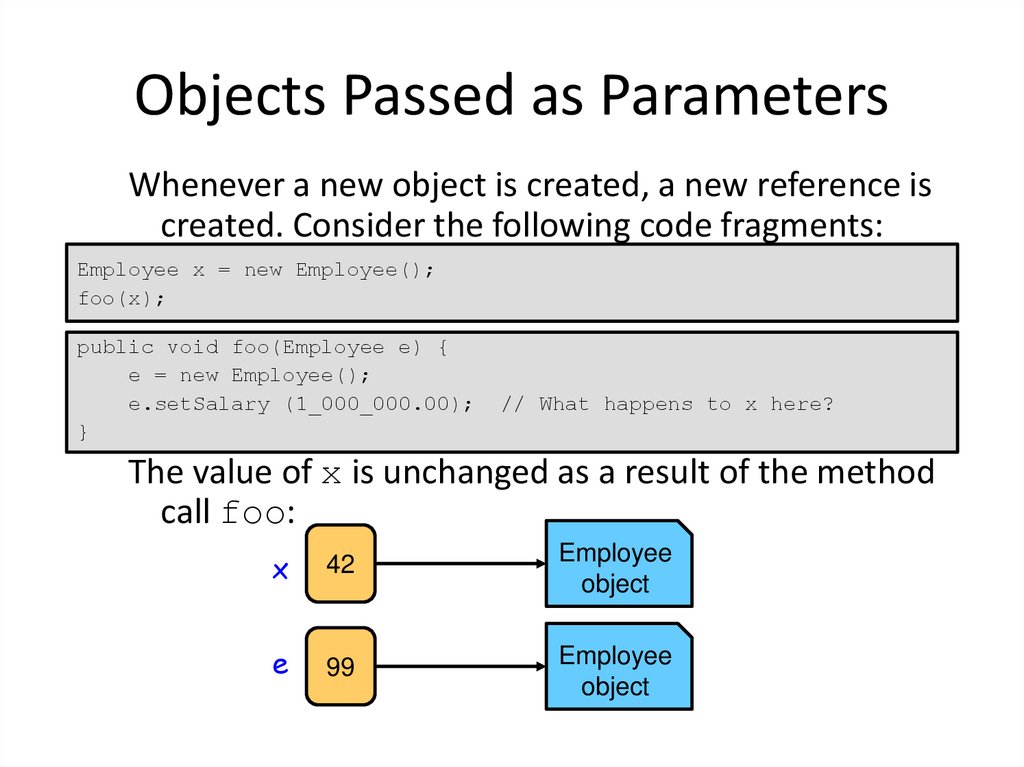
Whenever a new object is created, a new reference iscreated. Consider the following code fragments:
Employee x = new Employee();
foo(x);
public void foo(Employee e) {
e = new Employee();
e.setSalary (1_000_000.00);
}
// What happens to x here?
The value of x is unchanged as a result of the method
call foo:
x
42
Employee
object
e
99
Employee
object
47. How to Compile and Run
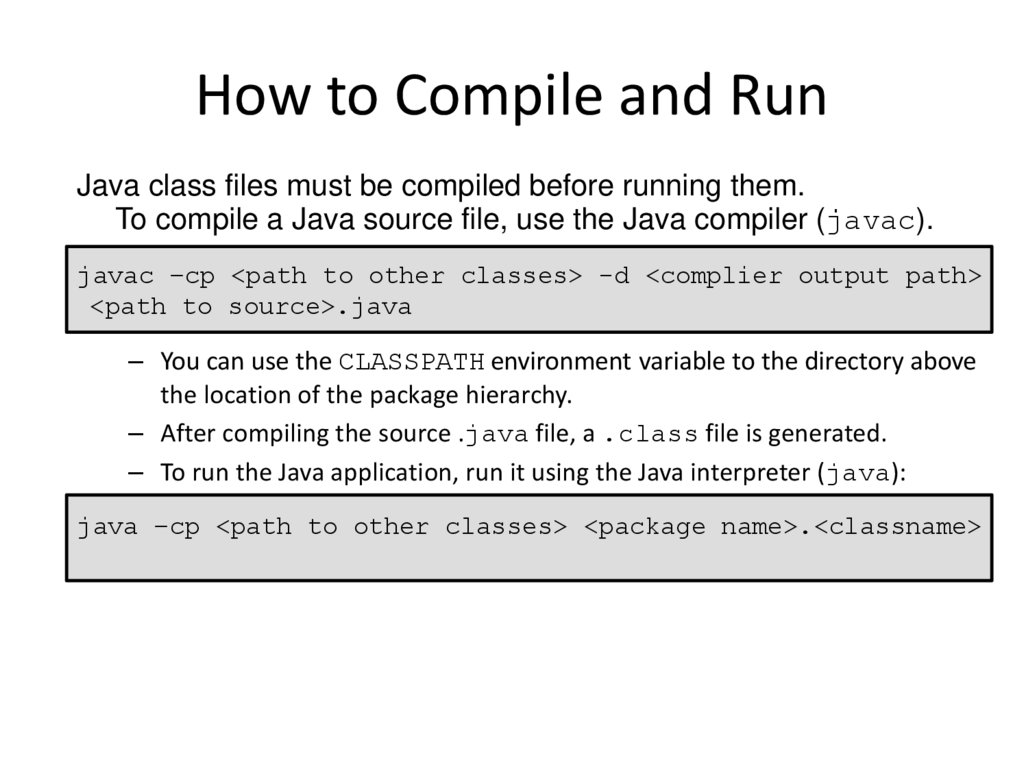
Java class files must be compiled before running them.To compile a Java source file, use the Java compiler (javac).
javac –cp <path to other classes> -d <complier output path>
<path to source>.java
– You can use the CLASSPATH environment variable to the directory above
the location of the package hierarchy.
– After compiling the source .java file, a .class file is generated.
– To run the Java application, run it using the Java interpreter (java):
java –cp <path to other classes> <package name>.<classname>
48. Compiling and Running: Example
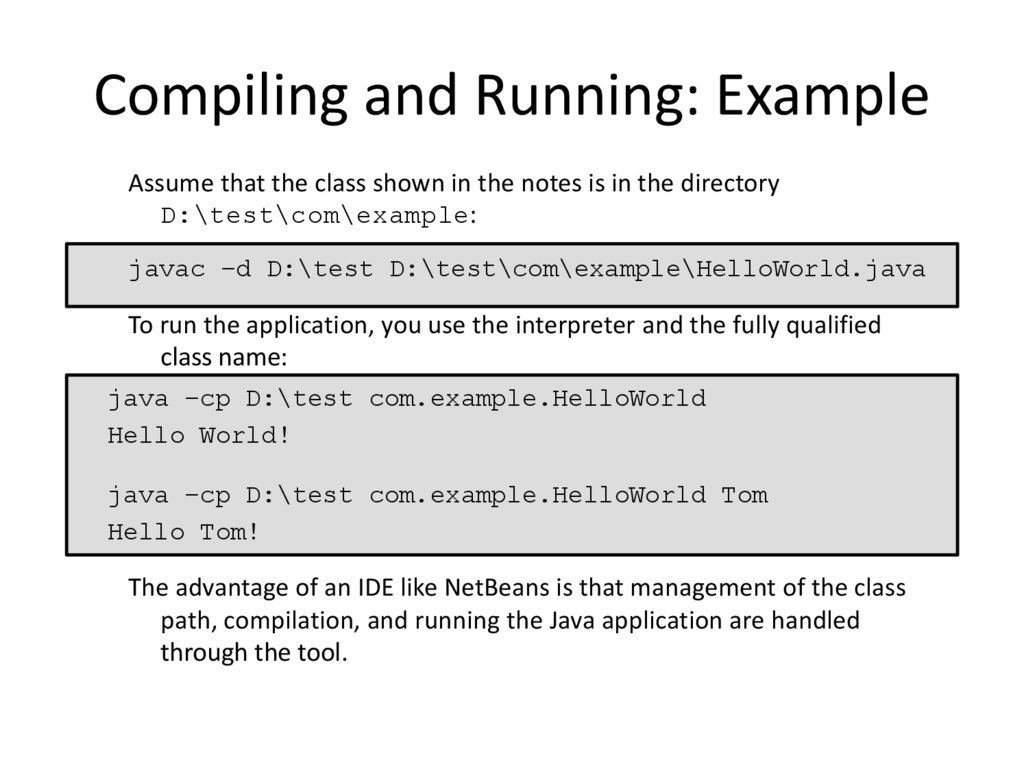
Assume that the class shown in the notes is in the directoryD:\test\com\example:
javac –d D:\test D:\test\com\example\HelloWorld.java
To run the application, you use the interpreter and the fully qualified
class name:
java –cp D:\test com.example.HelloWorld
Hello World!
java –cp D:\test com.example.HelloWorld Tom
Hello Tom!
The advantage of an IDE like NetBeans is that management of the class
path, compilation, and running the Java application are handled
through the tool.
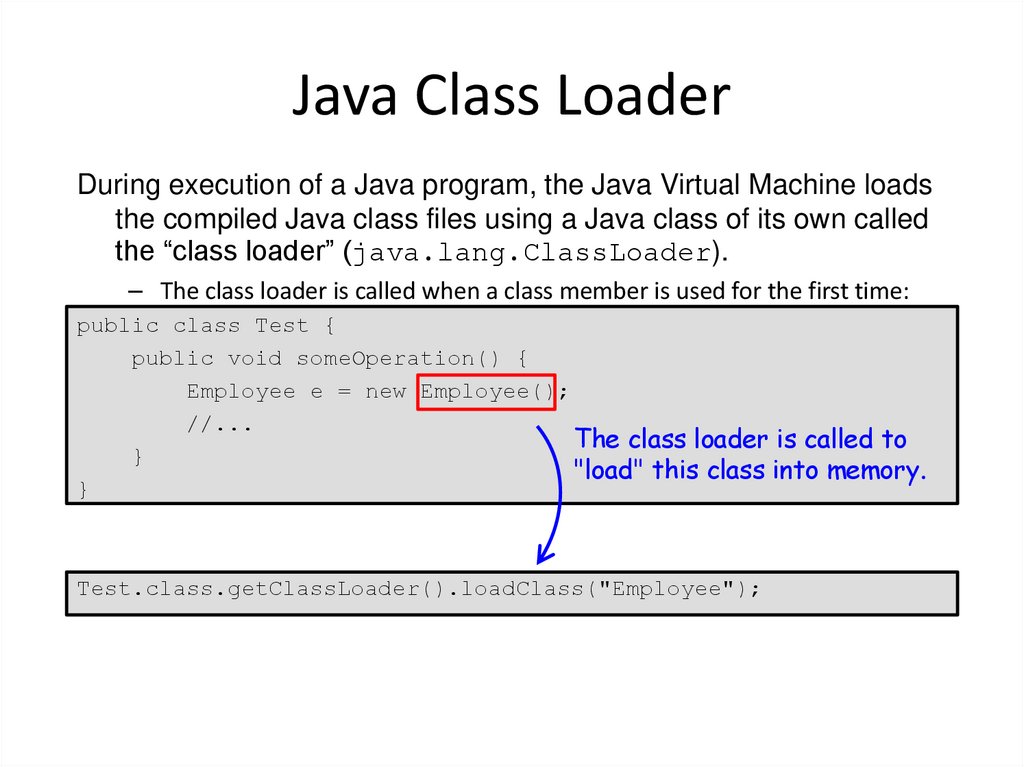
49. Java Class Loader
During execution of a Java program, the Java Virtual Machine loadsthe compiled Java class files using a Java class of its own called
the “class loader” (java.lang.ClassLoader).
– The class loader is called when a class member is used for the first time:
public class Test {
public void someOperation() {
Employee e = new Employee();
//...
The class loader is called to
}
"load" this class into memory.
}
Test.class.getClassLoader().loadClass("Employee");
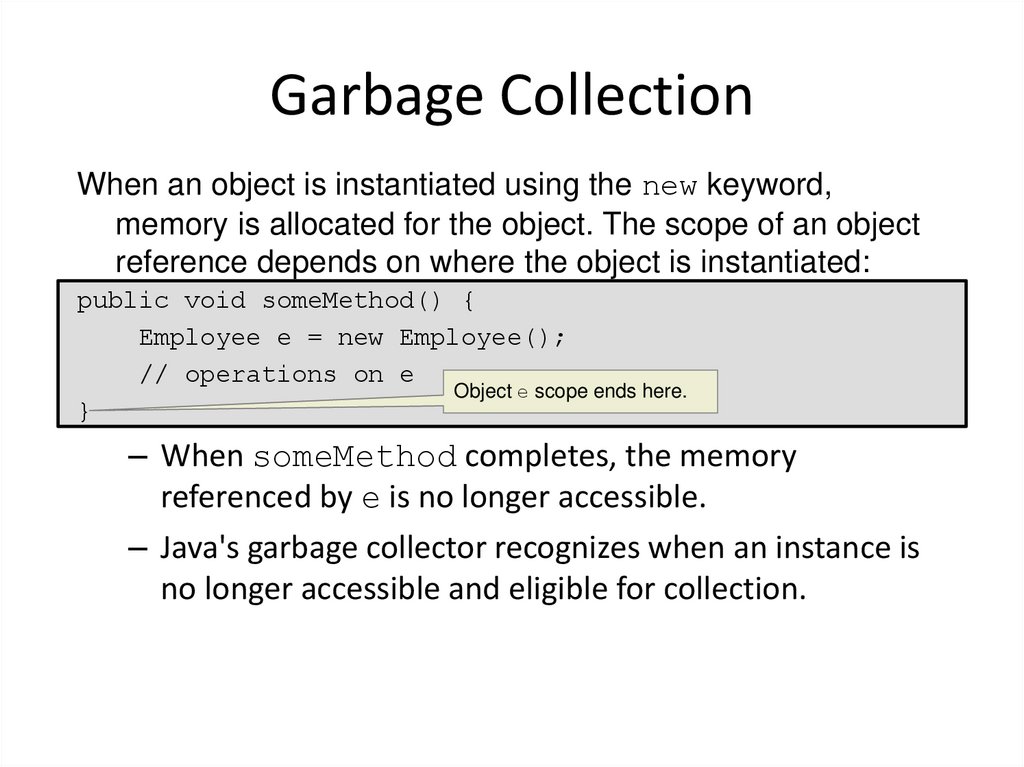
50. Garbage Collection
When an object is instantiated using the new keyword,memory is allocated for the object. The scope of an object
reference depends on where the object is instantiated:
public void someMethod() {
Employee e = new Employee();
// operations on e
Object e scope ends here.
}
– When someMethod completes, the memory
referenced by e is no longer accessible.
– Java's garbage collector recognizes when an instance is
no longer accessible and eligible for collection.
51. Summary
In this lesson, you should have learned how to:– Create simple Java classes
• Create primitive variables
• Manipulate Strings
• Use if-else and switch branching statements
• Iterate with loops
• Create arrays
– Use Java fields, constructors, and methods
– Use package and import statements
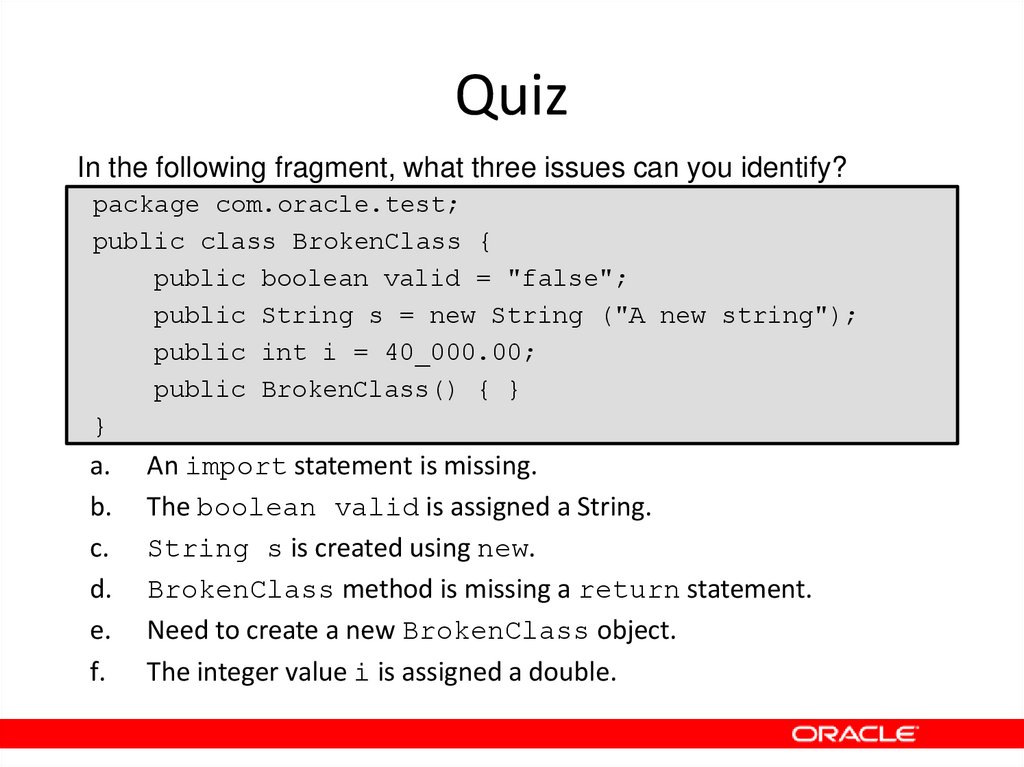
52. Quiz
In the following fragment, what three issues can you identify?package com.oracle.test;
public class BrokenClass {
public boolean valid = "false";
public String s = new String ("A new string");
public int i = 40_000.00;
public BrokenClass() { }
}
a.
b.
c.
d.
e.
f.
An import statement is missing.
The boolean valid is assigned a String.
String s is created using new.
BrokenClass method is missing a return statement.
Need to create a new BrokenClass object.
The integer value i is assigned a double.
53. Quiz
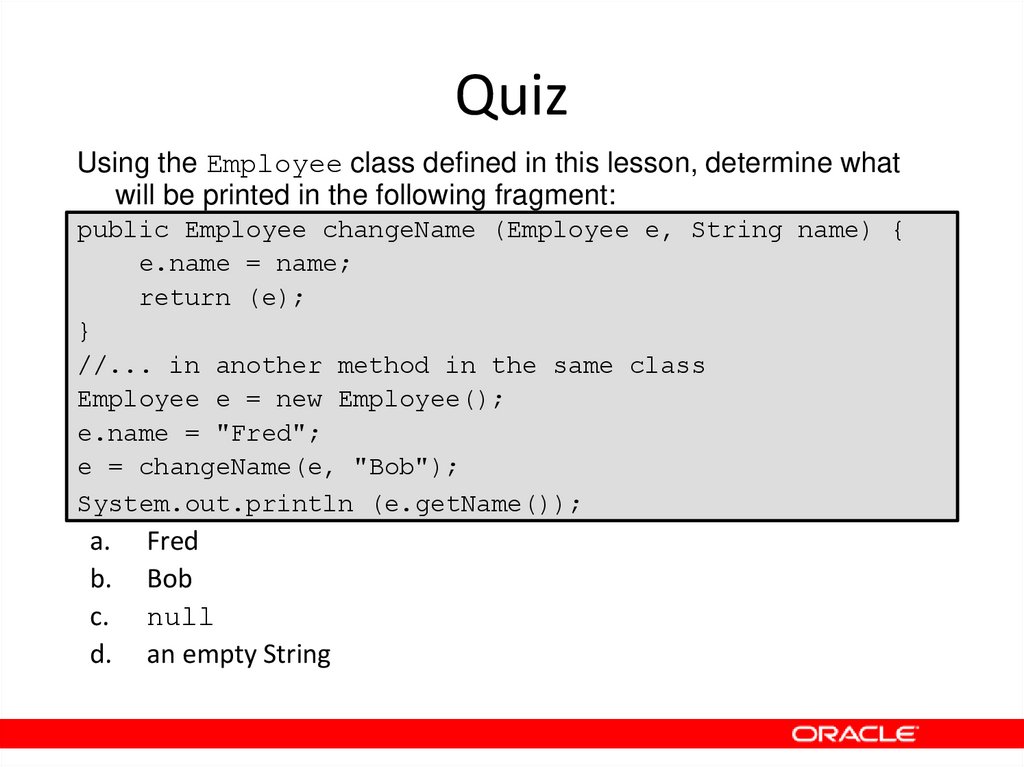
Using the Employee class defined in this lesson, determine whatwill be printed in the following fragment:
public Employee changeName (Employee e, String name) {
e.name = name;
return (e);
}
//... in another method in the same class
Employee e = new Employee();
e.name = "Fred";
e = changeName(e, "Bob");
System.out.println (e.getName());
a.
b.
c.
d.
Fred
Bob
null
an empty String
54. Quiz
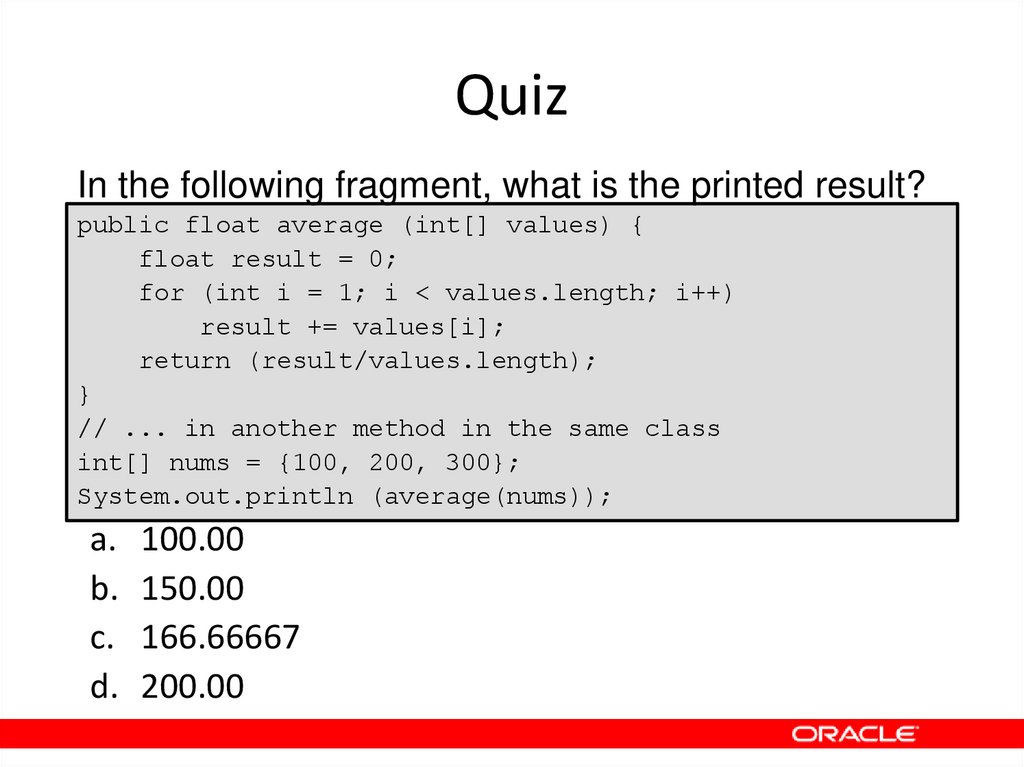
In the following fragment, what is the printed result?public float average (int[] values) {
float result = 0;
for (int i = 1; i < values.length; i++)
result += values[i];
return (result/values.length);
}
// ... in another method in the same class
int[] nums = {100, 200, 300};
System.out.println (average(nums));
a. 100.00
b. 150.00
c. 166.66667
d. 200.00