
 Программирование
Похожие презентации:





Week 3-Assignment. 3-Archiving and Compression. Working with Text
1. Week 3-Assignment 3 –Archiving and Compression. Working with Text
1 PURPOSE OF THE WORKIn this practical work, you will:
I
Interact with the Linux Terminal
Archiving and Compression
Working with Text
Install and update packages
Create and edit files using nano
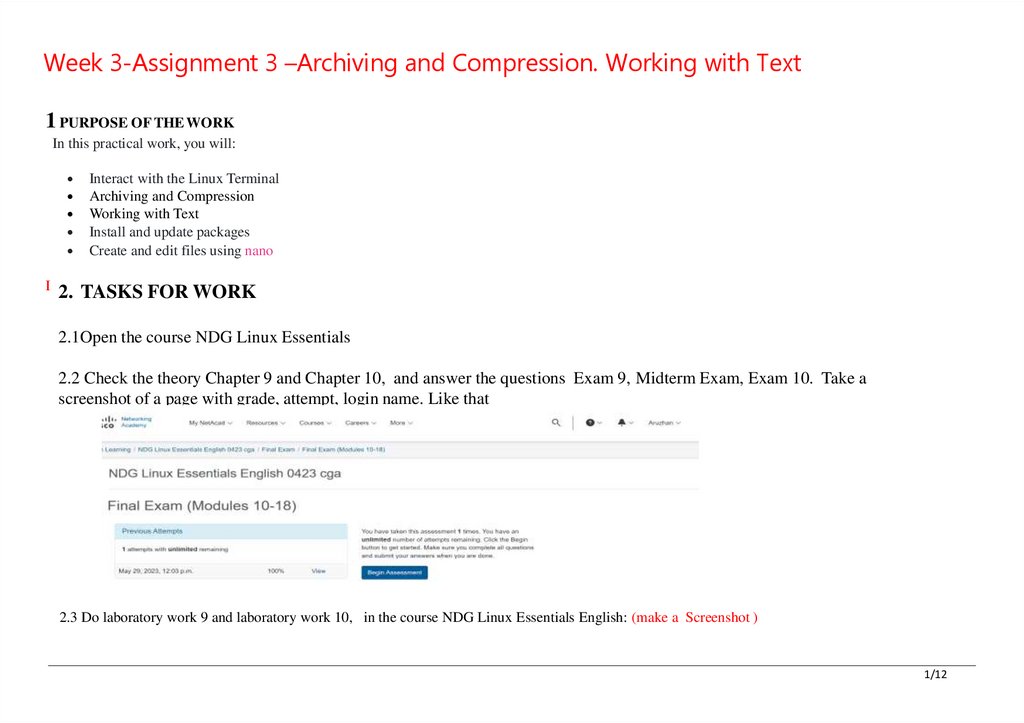
2. TASKS FOR WORK
2.1Open the course NDG Linux Essentials
2.2 Check the theory Chapter 9 and Chapter 10, and answer the questions Exam 9, Midterm Exam, Exam 10. Take a
screenshot of a page with grade, attempt, login name. Like that
2.3 Do laboratory work 9 and laboratory work 10, in the course NDG Linux Essentials English: (make a Screenshot )
1/12
2.
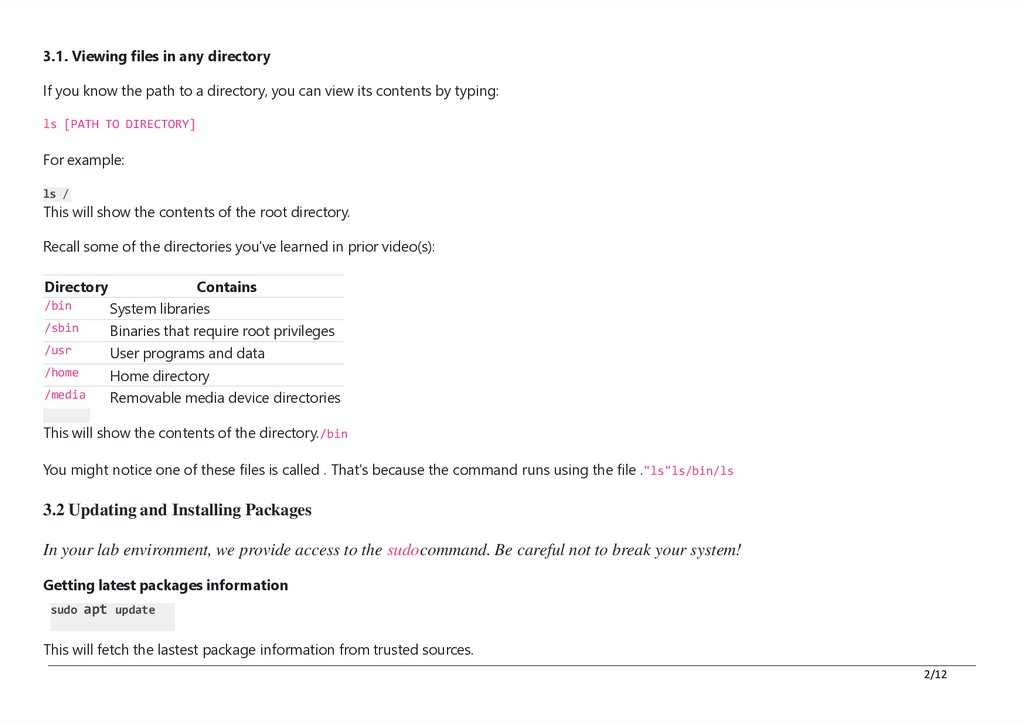
3.1. Viewing files in any directoryIf you know the path to a directory, you can view its contents by typing:
ls [PATH TO DIRECTORY]
For example:
ls /
This will show the contents of the root directory.
Recall some of the directories you've learned in prior video(s):
Directory
Contains
/bin
System libraries
/sbin
Binaries that require root privileges
/usr
User programs and data
/home
Home directory
/media
Removable media device directories
ls /bin
This will show the contents of the directory./bin
You might notice one of these files is called . That's because the command runs using the file ."ls"ls/bin/ls
3.2 Updating and Installing Packages
In your lab environment, we provide access to the sudocommand. Be careful not to break your system!
Getting latest packages information
sudo apt update
This will fetch the lastest package information from trusted sources.
2/12
3.
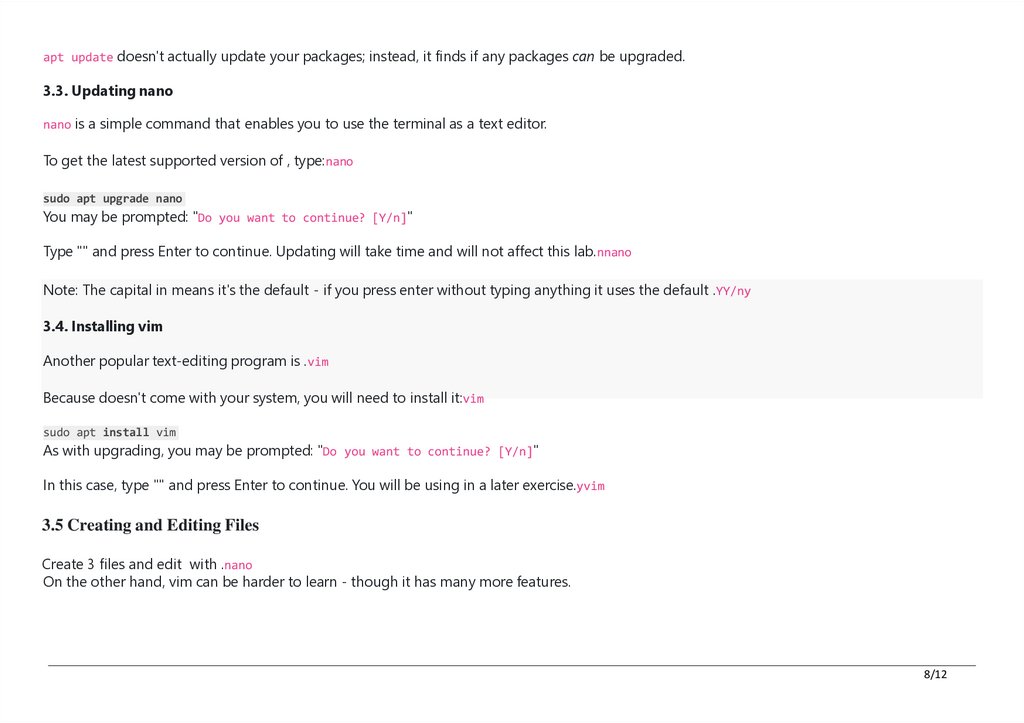
apt update doesn't actually update your packages; instead, it finds if any packages can be upgraded.3.3. Updating nano
nano is a simple command that enables you to use the terminal as a text editor.
To get the latest supported version of , type:nano
sudo apt upgrade nano
You may be prompted: "Do you want to continue? [Y/n]"
Type "" and press Enter to continue. Updating will take time and will not affect this lab.nnano
Note: The capital in means it's the default - if you press enter without typing anything it uses the default .YY/ny
3.4. Installing vim
Another popular text-editing program is .vim
Because doesn't come with your system, you will need to install it:vim
sudo apt install vim
As with upgrading, you may be prompted: "Do you want to continue? [Y/n]"
In this case, type "" and press Enter to continue. You will be using in a later exercise.yvim
3.5 Creating and Editing Files
Create 3 files and edit with .nano
On the other hand, vim can be harder to learn - though it has many more features.
8/12
4.
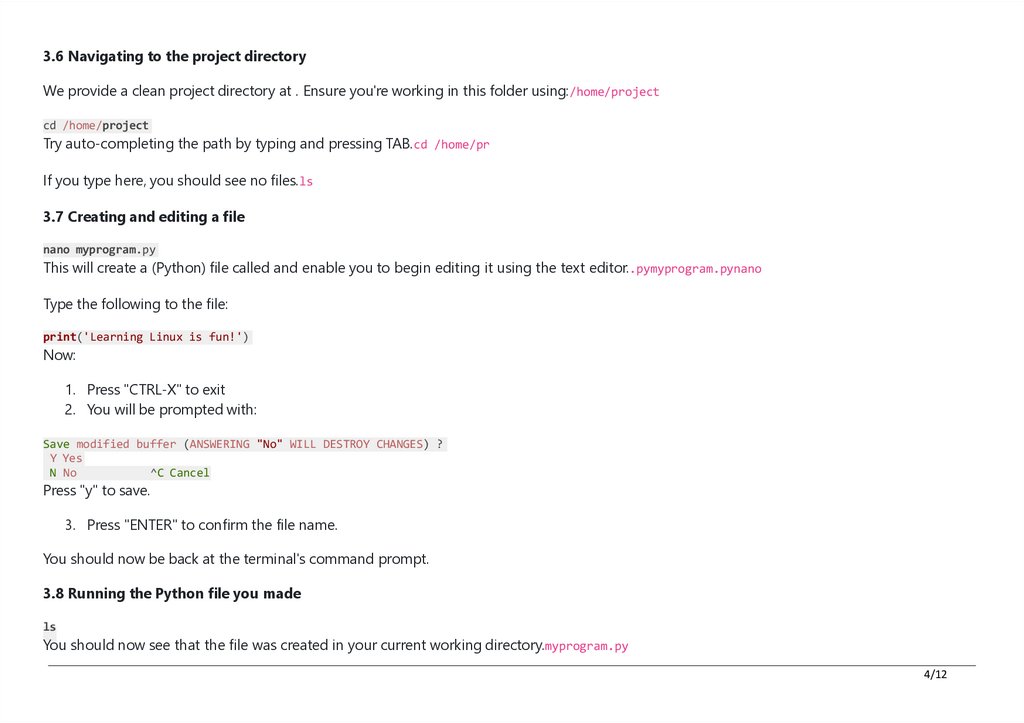
3.6 Navigating to the project directoryWe provide a clean project directory at . Ensure you're working in this folder using:/home/project
cd /home/project
Try auto-completing the path by typing and pressing TAB.cd /home/pr
If you type here, you should see no files.ls
3.7 Creating and editing a file
nano myprogram.py
This will create a (Python) file called and enable you to begin editing it using the text editor..pymyprogram.pynano
Type the following to the file:
print('Learning Linux is fun!')
Now:
1. Press "CTRL-X" to exit
2. You will be prompted with:
Save modified buffer (ANSWERING "No" WILL DESTROY CHANGES) ?
Y Yes
N No
^C Cancel
Press "y" to save.
3. Press "ENTER" to confirm the file name.
You should now be back at the terminal's command prompt.
3.8 Running the Python file you made
ls
You should now see that the file was created in your current working directory.myprogram.py
4/12
5.
You can now run your Python file using:python3 myprogram.py
Try auto-completing the command by typing and pressing TAB.python3 my
You should see the output:
Learning Linux is fun!
Otherwise, you may have had a typo in your program.
3.9.
• Navigate to the folder ‘Music’(for example, just choose directory with a lot of files) that is in the parent folder and Show the path
in one line
• Use the certain command to search for a specific words or phrases within a text file (choose any) and count the number of
occurrences of that word or phrase within the file (one line command)
• How many files exist on the system that have the ".log" file extension? In one line, output the number of files
• How many total packages are installed on your system? In one line, output the number of files
4
• Redirect the output of ls -l command to a file named “file_list.txt” and show its content (in one line).
• Redirect standard error value to a file named “error_log.txt” and show its content (in one line).
• Add the content of “error_log.txt” file to “file_list.txt” (not replace).
• Add your name to the head of “file_list.txt” with any text editor.
• Write one more line with phrase “THE END” at the end of “file_list.txt” file (without using nano or vim)
5. Read the lecture 3
Make a report about this task
Make a report about this task (Screeshots 1-5 for each exercise)
5/12