 Электроника
Похожие презентации:




Digital Logic Design Lecture-9, Memories
1.
Digital Logic DesignLecture-9, Memories
© McGraw Hill LLC
2. Introduction
• Memory Devices in Computer• Random Access Memory (RAM)
• Read Only Memory (ROM)
• Programmable ROM (PROM)
• Nonvolatile Read/Write Memory
• Memory Packaging
• Computer Bulk Storage Devices
• Digital Potentiometer with NV EEPROM
© McGraw Hill LLC
2
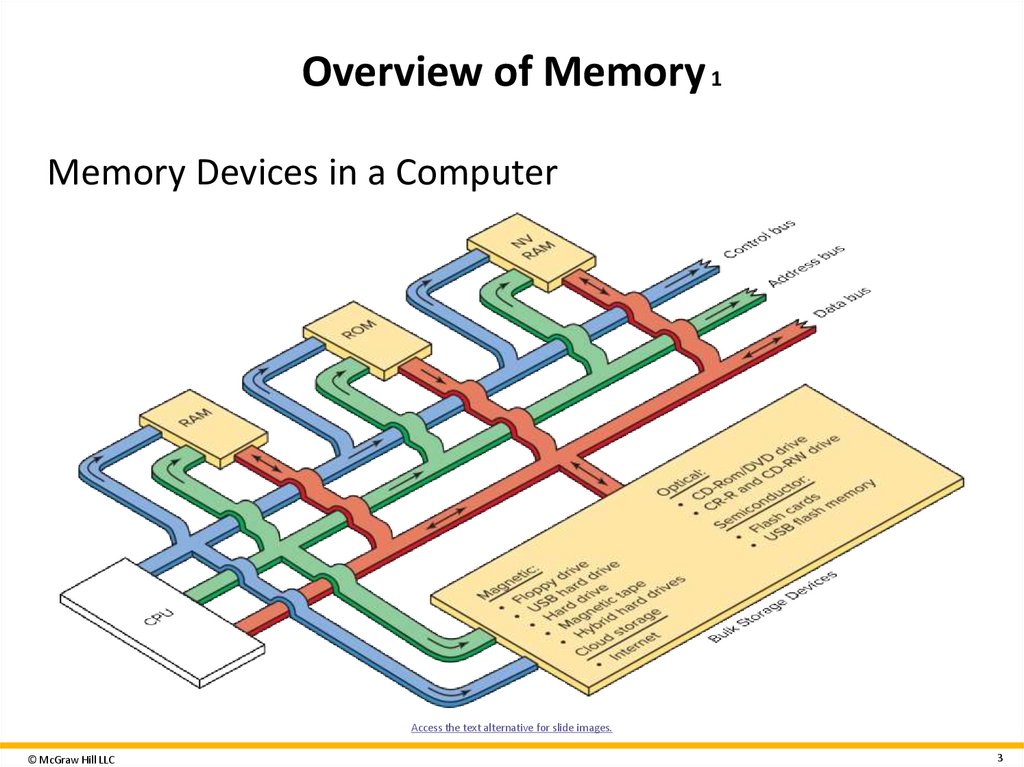
3. Overview of Memory 1
Memory Devices in a ComputerAccess the text alternative for slide images.
© McGraw Hill LLC
3
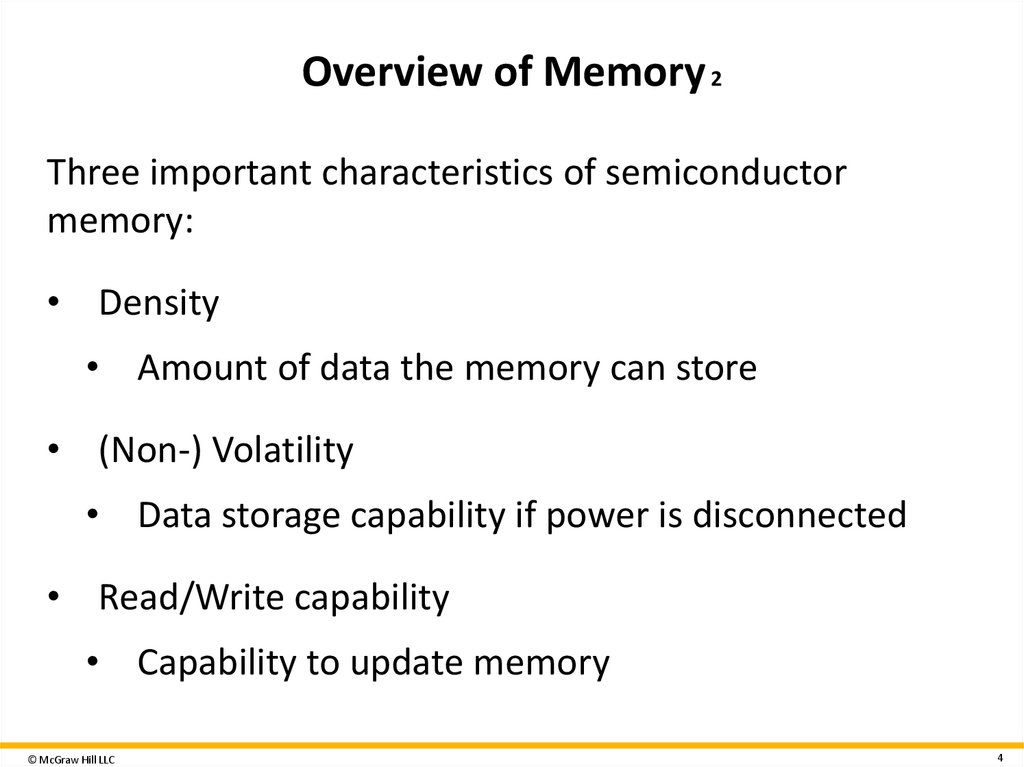
4. Overview of Memory 2
Three important characteristics of semiconductormemory:
• Density
• Amount of data the memory can store
• (Non-) Volatility
• Data storage capability if power is disconnected
• Read/Write capability
• Capability to update memory
© McGraw Hill LLC
4
5. Overview of Memory 3
Semiconductor memory used in a computer• Random Access Memory (RAM)
• Read Only Memory (ROM)
• Nonvolatile Random Access Memory (NVRAM)
© McGraw Hill LLC
5
6. Overview of Memory 4
Semiconductor memory used in a computer• Programable Read Only Memory (PROM)
• Erasable Programable Read Only Memory (EPROM)
• Electrically Erasable Programable Read Only Memory
(EEPROM or E 2 PROM)
© McGraw Hill LLC
6
7. Overview of Memory 6
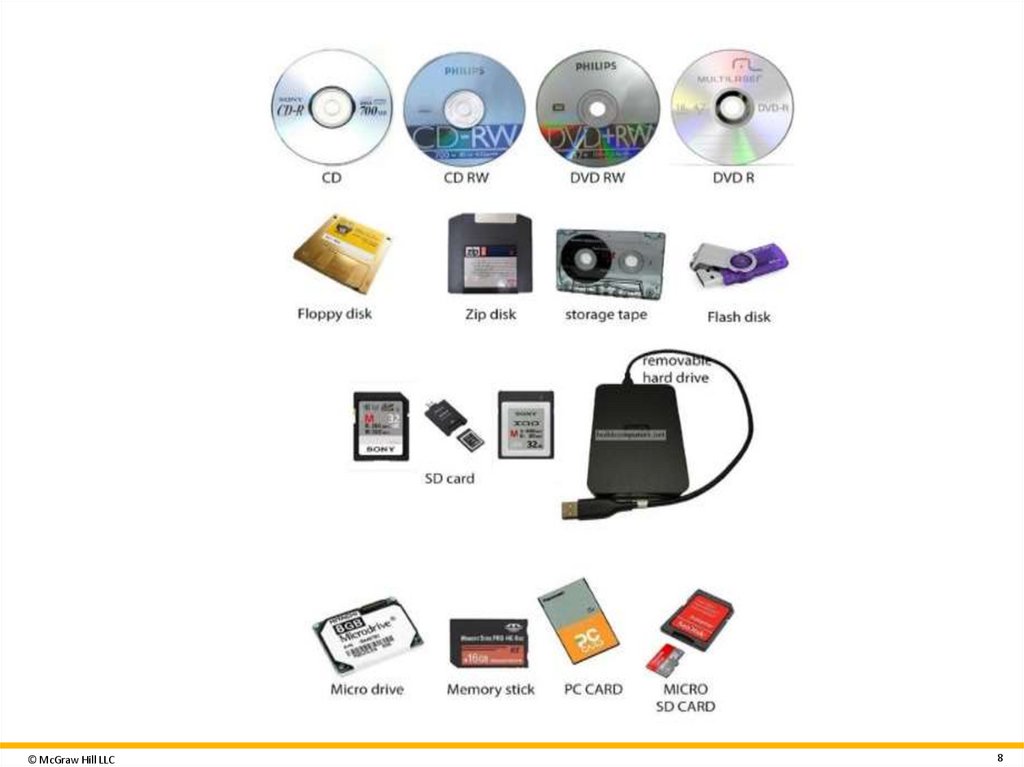
Magnetic StorageOptical Storage
• Floppy disk drive
• CD-ROM
• USB hard drive
• CD-R
• Hard drive
• CD-RW
• Magnetic tape
• DVD-R
• Hybrid hard drive
• DVD-RW
© McGraw Hill LLC
7
8.
© McGraw Hill LLC8
9. Overview of Memory 7
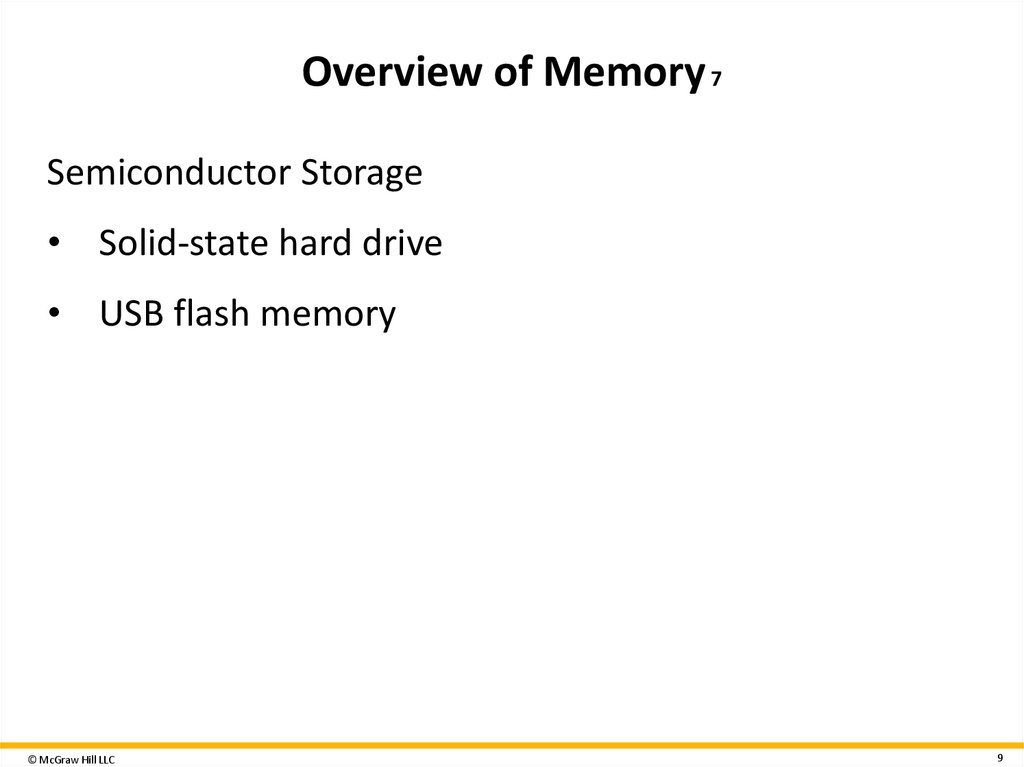
Semiconductor Storage• Solid-state hard drive
• USB flash memory
© McGraw Hill LLC
9
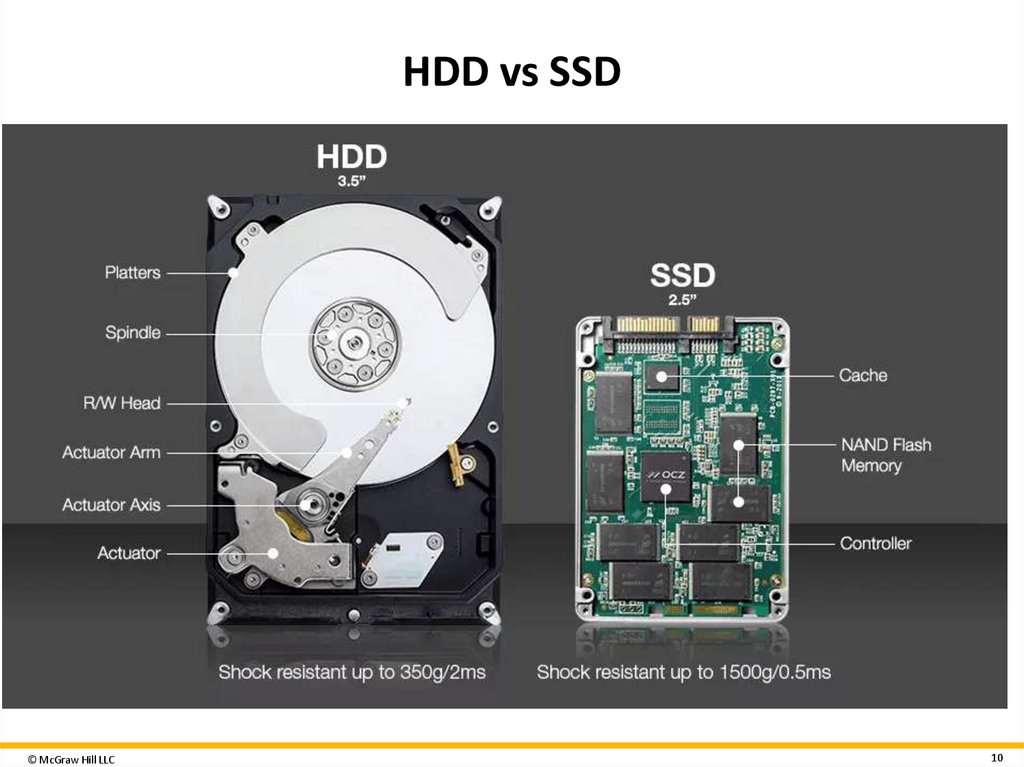
10. HDD vs SSD
© McGraw Hill LLC10
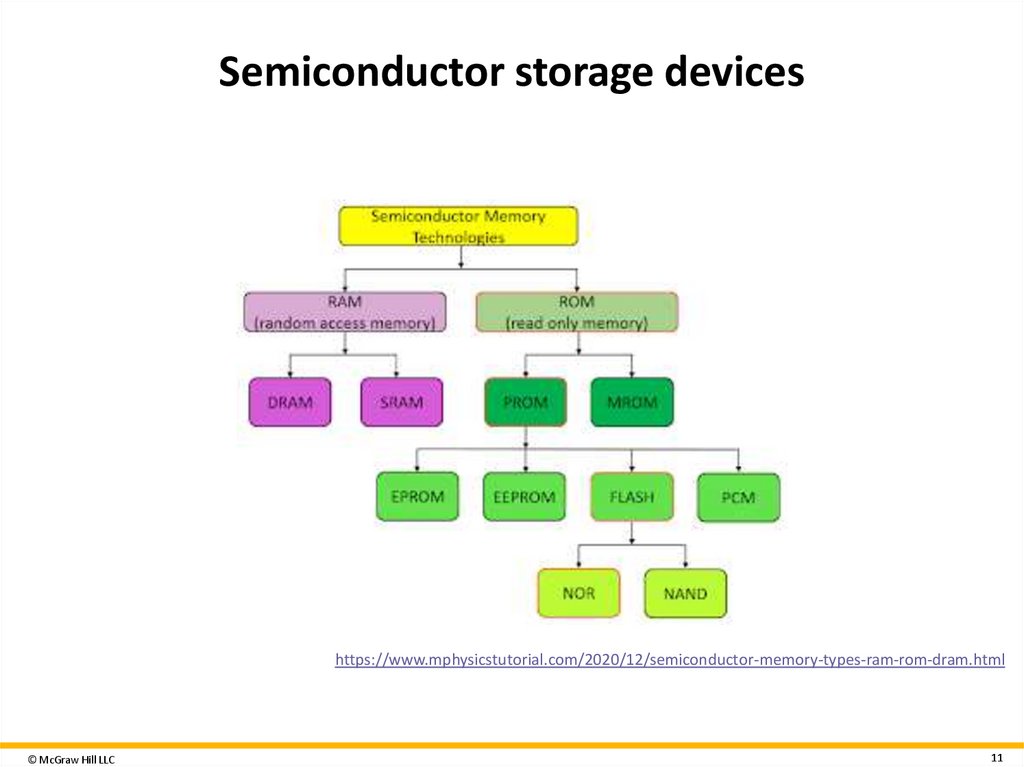
11. Semiconductor storage devices
https://www.mphysicstutorial.com/2020/12/semiconductor-memory-types-ram-rom-dram.html© McGraw Hill LLC
11
12. Random-Access Memory (RAM) 1
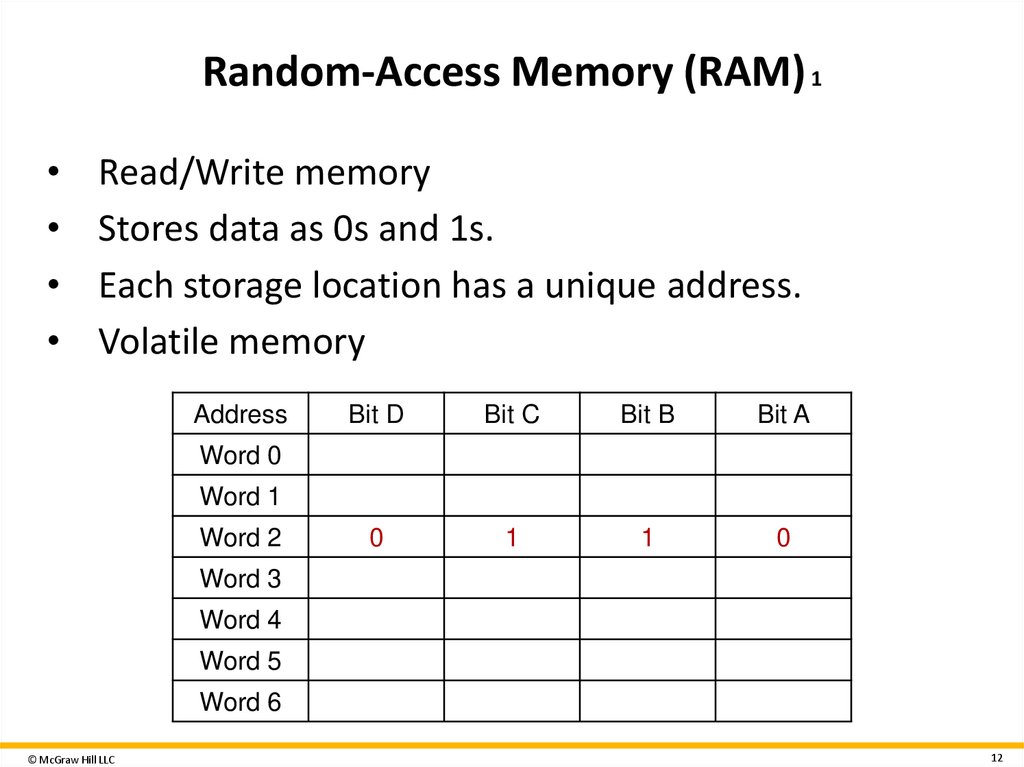
Read/Write memory
Stores data as 0s and 1s.
Each storage location has a unique address.
Volatile memory
Address
Bit D
Bit C
Bit B
Table
Word
0 divided into five columns
Bit A
summarizes
random-access
Word
1
Word
2
0
1
1
memory(RAM).
Shows
column
0
Word
3
headers
as: Address; bit D; bit C; bit
Word 4
B; and bit A.
Word 5
Word 6
© McGraw Hill LLC
12
13. Random-Access Memory (RAM) 2
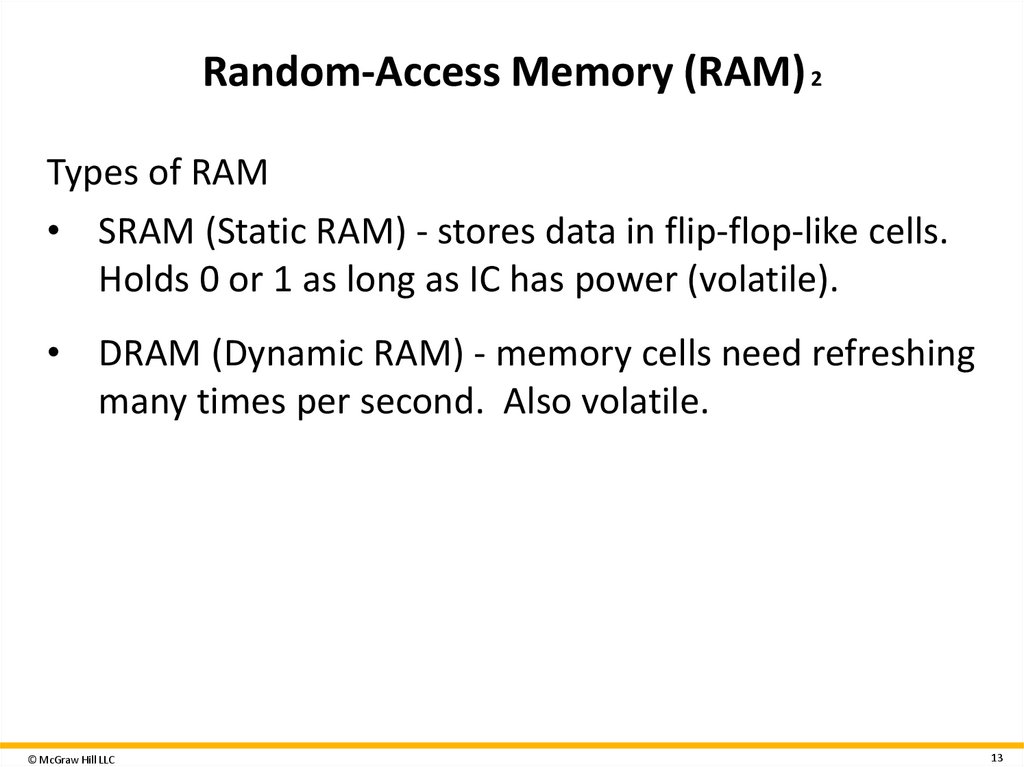
Types of RAM• SRAM (Static RAM) - stores data in flip-flop-like cells.
Holds 0 or 1 as long as IC has power (volatile).
• DRAM (Dynamic RAM) - memory cells need refreshing
many times per second. Also volatile.
© McGraw Hill LLC
13
14.
© McGraw Hill LLC14
15. Read Only Memory (ROM)
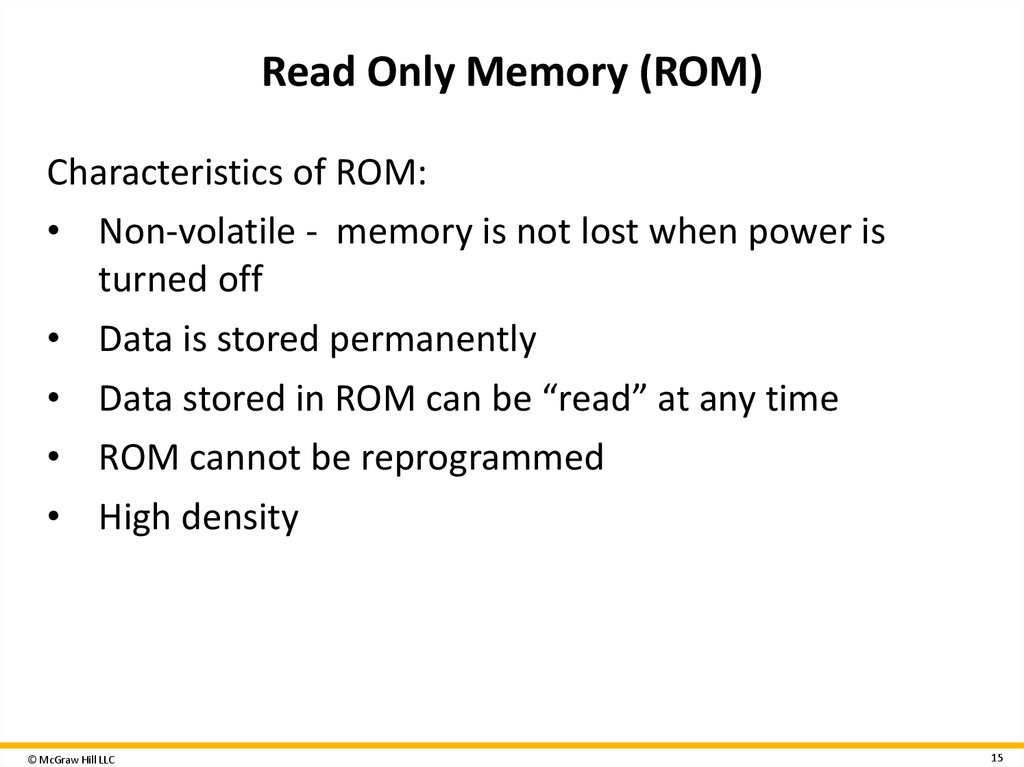
Characteristics of ROM:• Non-volatile - memory is not lost when power is
turned off
• Data is stored permanently
• Data stored in ROM can be “read” at any time
• ROM cannot be reprogrammed
• High density
© McGraw Hill LLC
15
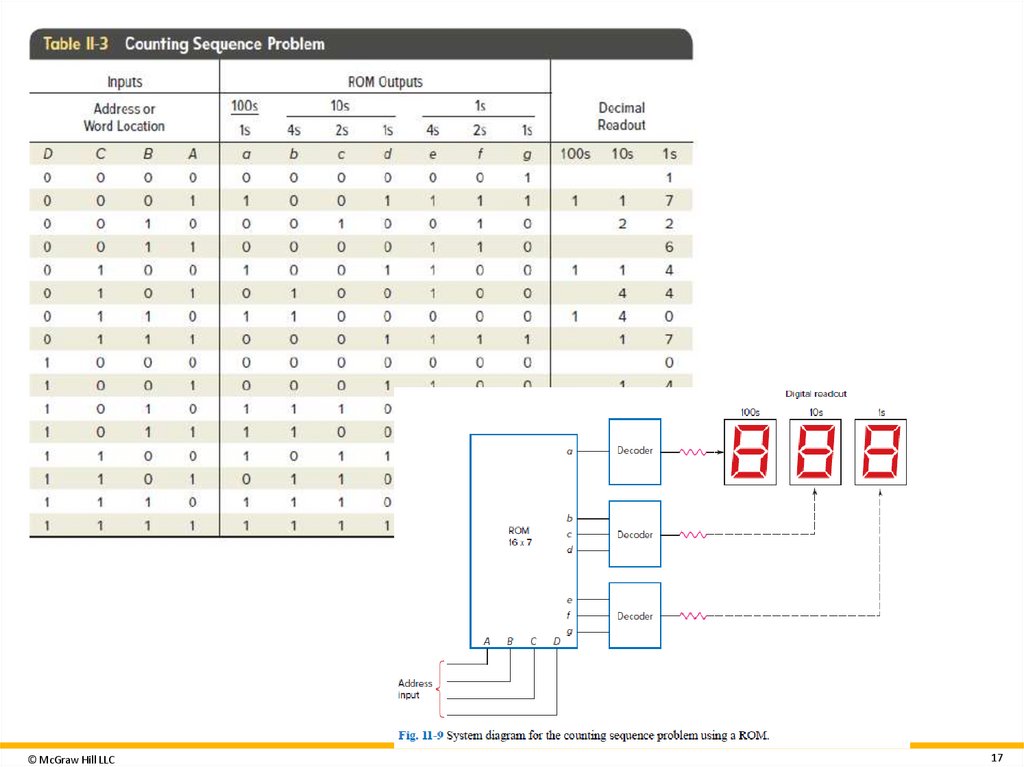
16. Using ROM
© McGraw Hill LLC16
17.
© McGraw Hill LLC17
18. Programmable Read Only Memory (PROM)
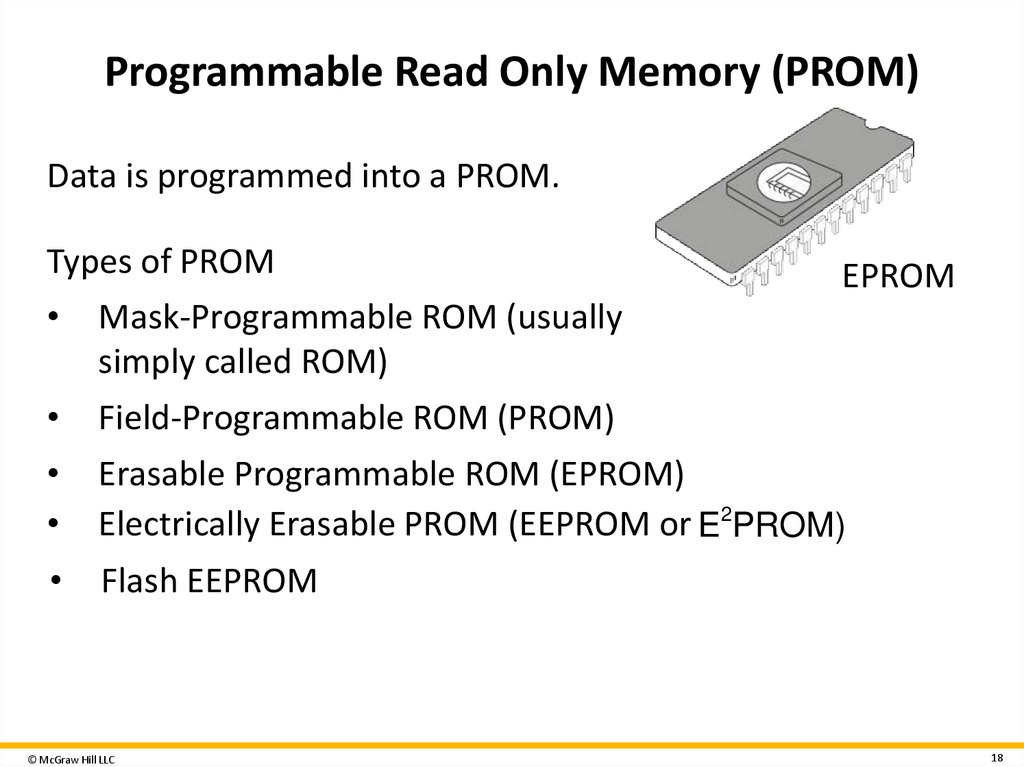
Data is programmed into a PROM.Types of PROM
EPROM
Mask-Programmable ROM (usually
simply called ROM)
Field-Programmable ROM (PROM)
Erasable Programmable ROM (EPROM)
Electrically Erasable PROM (EEPROM or E2PROM)
Flash EEPROM
© McGraw Hill LLC
18
19. Nonvolatile Read/Write Memory 1
Nonvolatile memory• Memory that can retain stored information when
power is turned off.
SRAM with battery backup
• Typically a long-life lithium battery
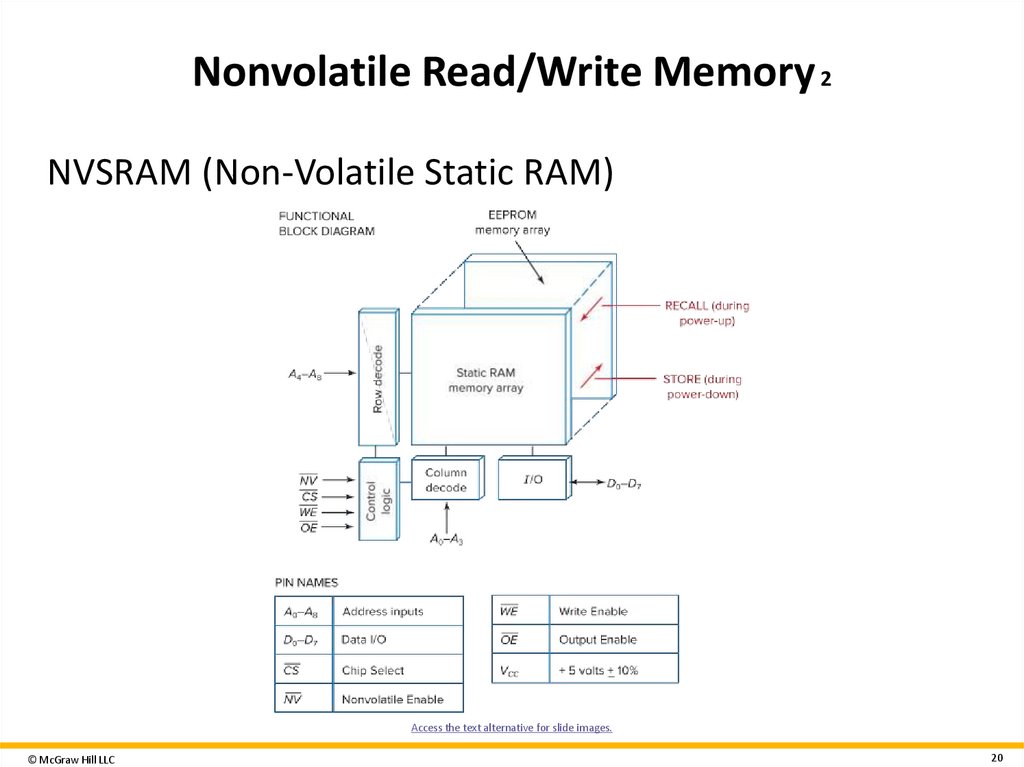
NVSRAM (Non-Volatile Static RAM)
• Better access speed and overall life than SRAM with
battery backup
© McGraw Hill LLC
19
20. Nonvolatile Read/Write Memory 2
NVSRAM (Non-Volatile Static RAM)Access the text alternative for slide images.
© McGraw Hill LLC
20
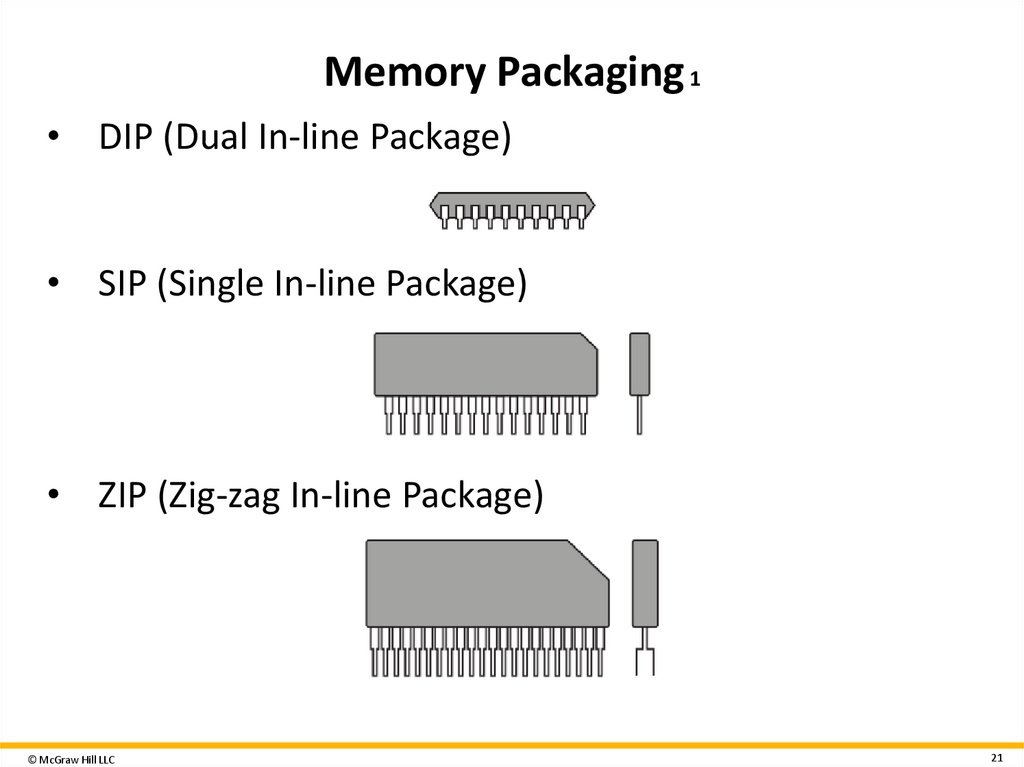
21. Memory Packaging 1
• DIP (Dual In-line Package)• SIP (Single In-line Package)
• ZIP (Zig-zag In-line Package)
© McGraw Hill LLC
21
22. Computer Bulk Storage Devices 1
Primary storage• Computer’s internal storage
Secondary storage
• External storage
Types of secondary storage devices
• Mechanical
• Magnetic
• Optical
• Semiconductor
© McGraw Hill LLC
22
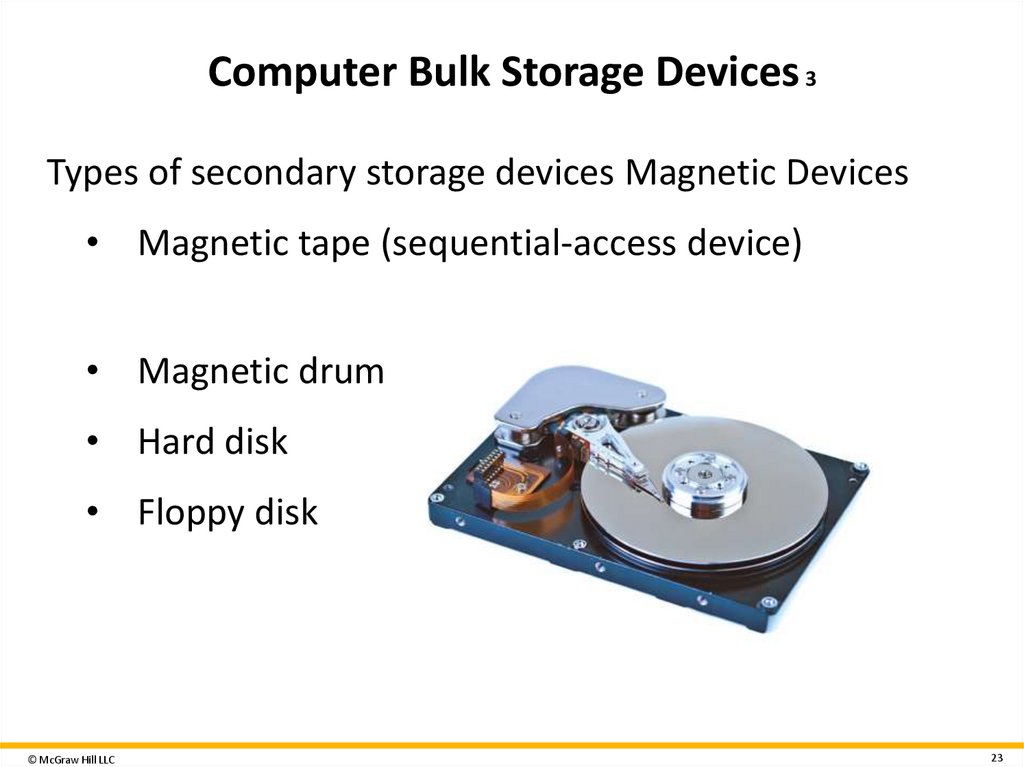
23. Computer Bulk Storage Devices 3
Types of secondary storage devices Magnetic Devices• Magnetic tape (sequential-access device)
• Magnetic drum
• Hard disk
• Floppy disk
© McGraw Hill LLC
23
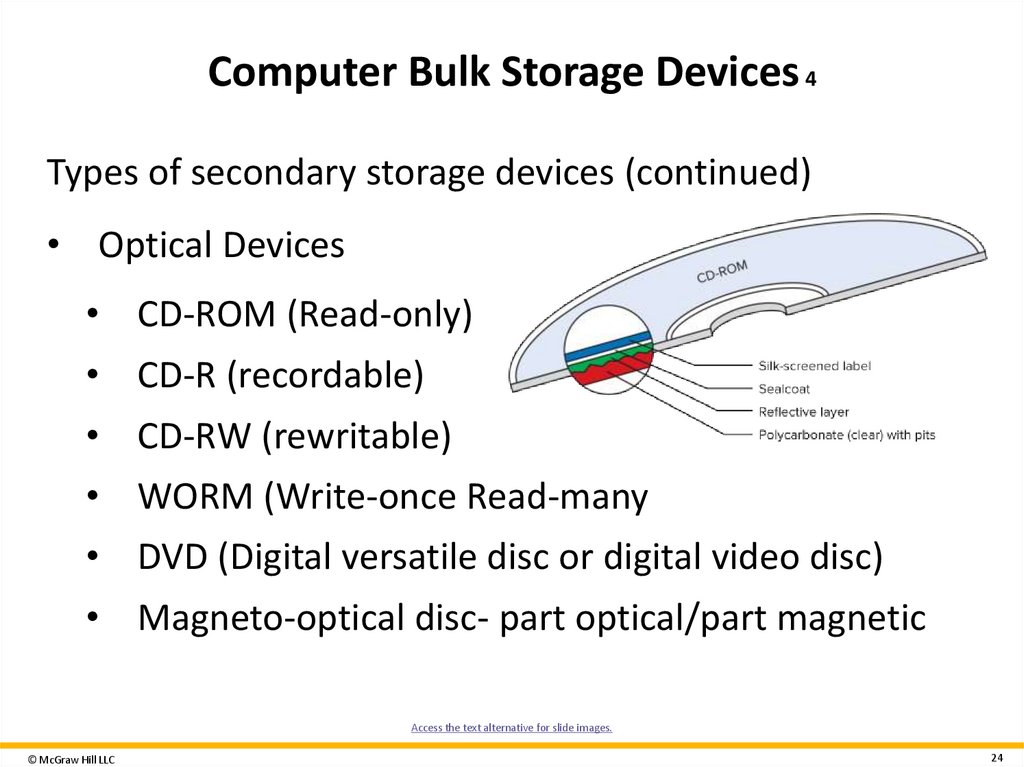
24. Computer Bulk Storage Devices 4
Types of secondary storage devices (continued)• Optical Devices
• CD-ROM (Read-only)
• CD-R (recordable)
• CD-RW (rewritable)
• WORM (Write-once Read-many
• DVD (Digital versatile disc or digital video disc)
• Magneto-optical disc- part optical/part magnetic
Access the text alternative for slide images.
© McGraw Hill LLC
24
25. Computer Bulk Storage Devices 6
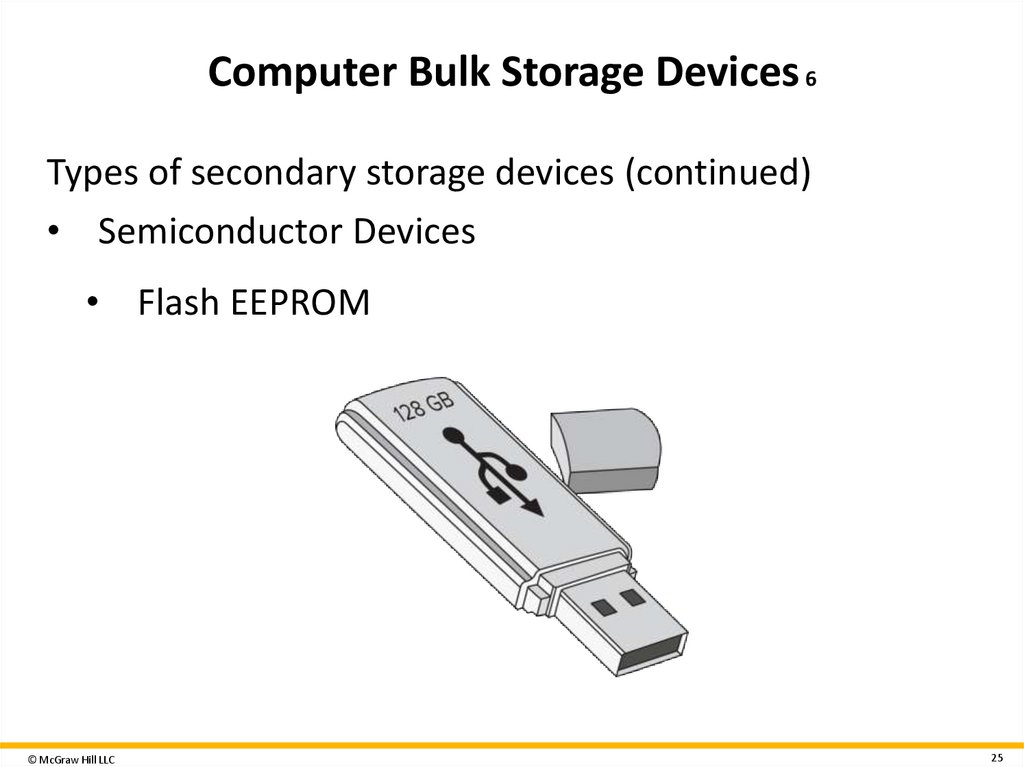
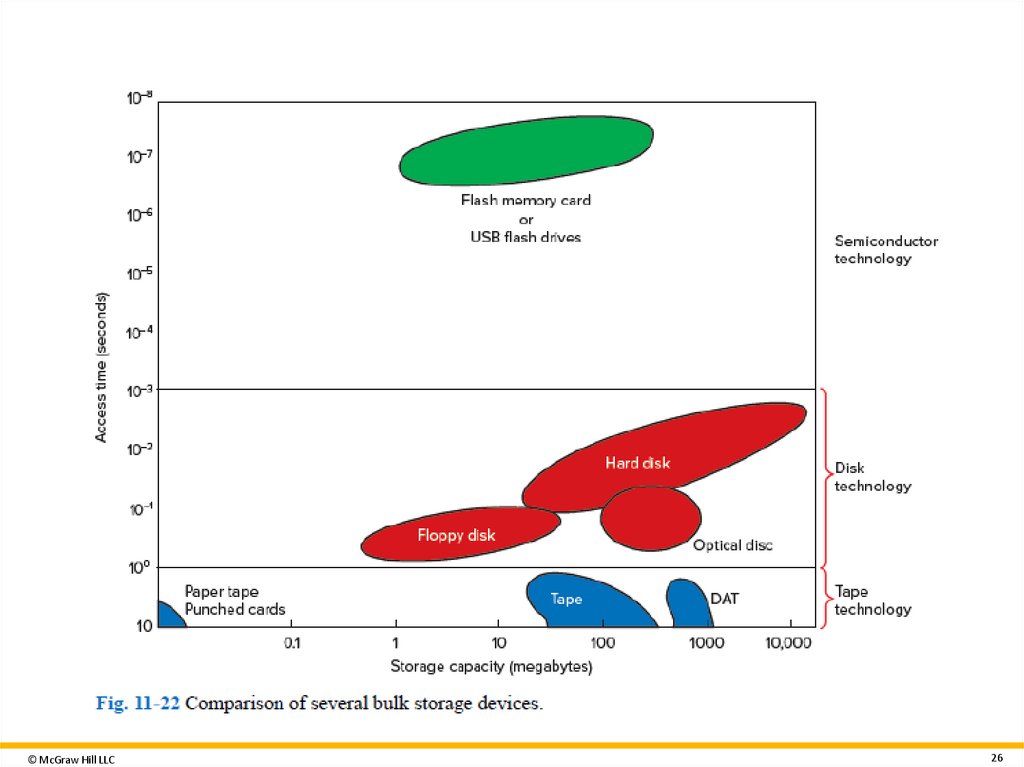
Types of secondary storage devices (continued)• Semiconductor Devices
• Flash EEPROM
© McGraw Hill LLC
25
26.
© McGraw Hill LLC26
27. How does Computer memory work?
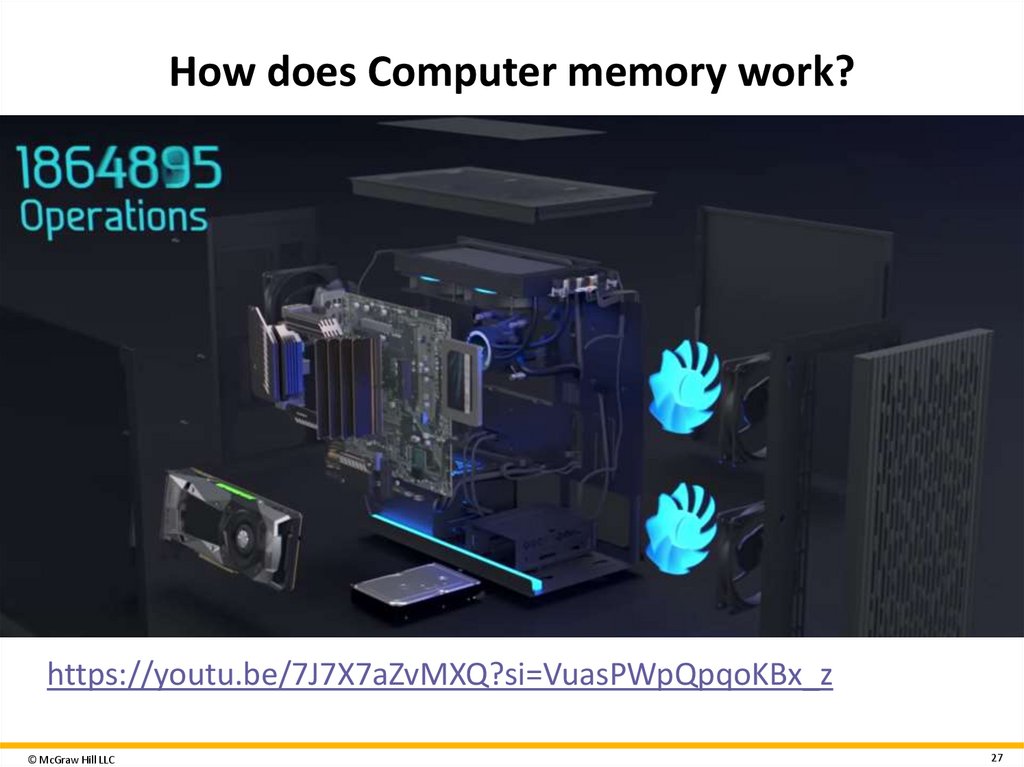
https://youtu.be/7J7X7aZvMXQ?si=VuasPWpQpqoKBx_z© McGraw Hill LLC
27
28. Moore’s Law
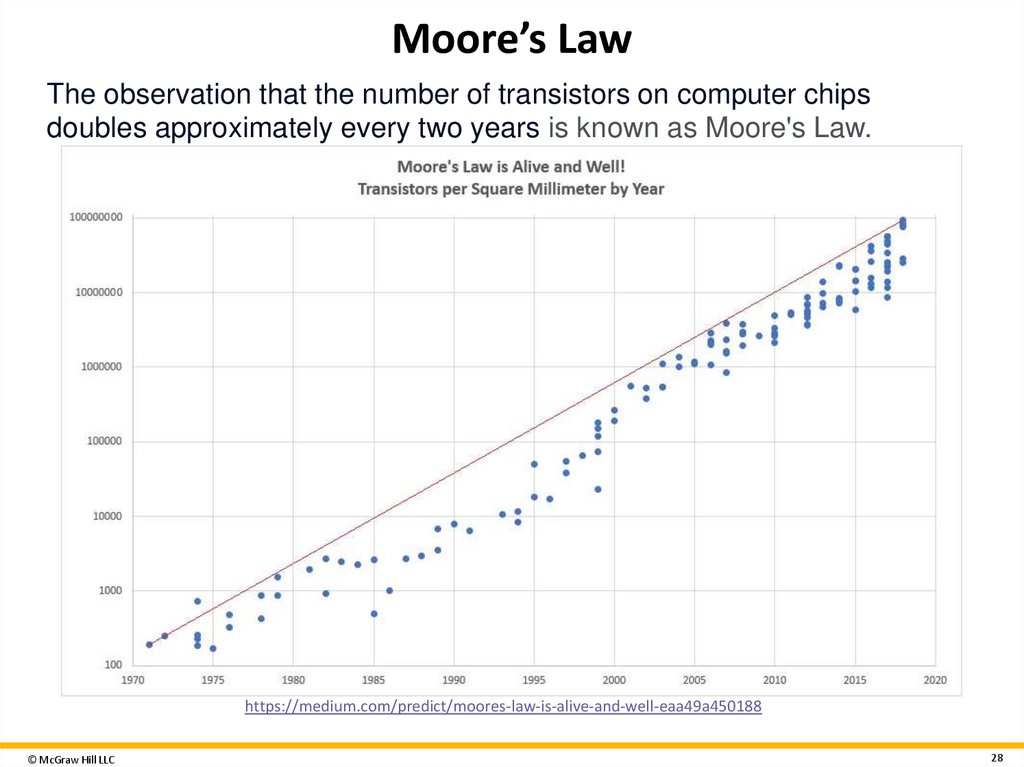
The observation that the number of transistors on computer chipsdoubles approximately every two years is known as Moore's Law.
https://medium.com/predict/moores-law-is-alive-and-well-eaa49a450188
© McGraw Hill LLC
28