

 Программирование
Похожие презентации:








EPK file download guide
1.
1. EPK file download guide1-1. Please create ‘lg_dtv’ folder on the USB memory stick.
1-2. Copy epk file to ‘lg_dtv’ folder like as below.
※ Caution : 1. Do not use PC or Notebook which installed LG firewall
(NAVI)
2. Please, Only one copy of the file.
(If you copy more than one, update may fail)
2). Copy EPK file
1). Create ‘lg_dtv’ folder
The People Company
Breakthrough
2.
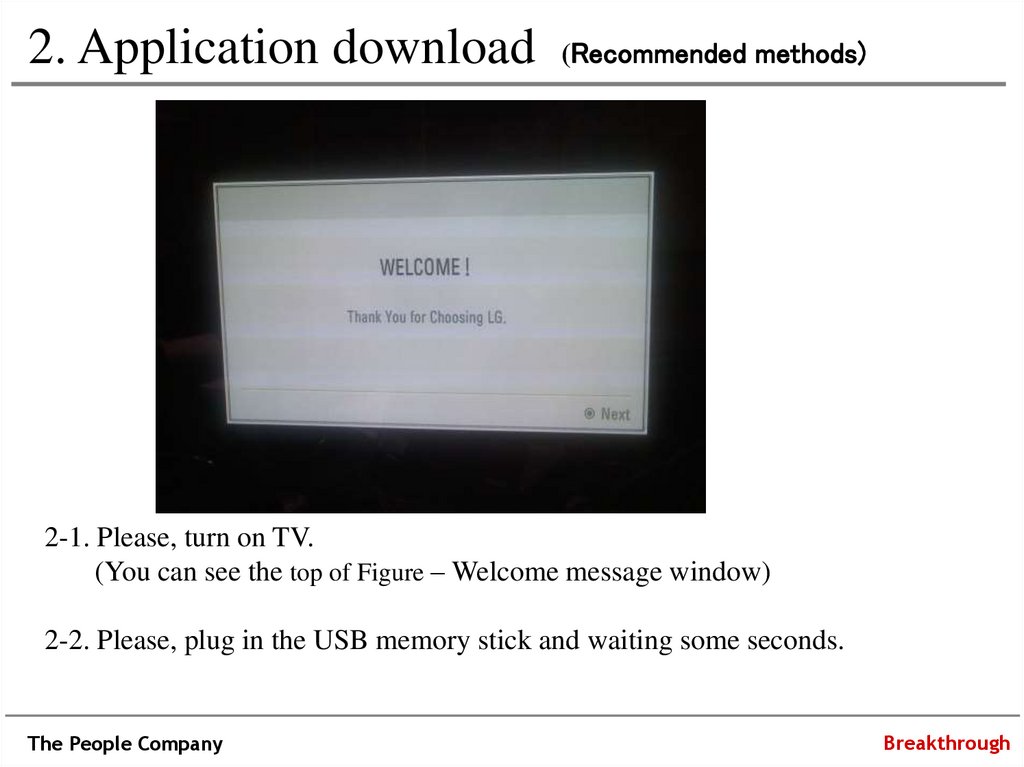
2. Application download (Recommended methods)2-1. Please, turn on TV.
(You can see the top of Figure – Welcome message window)
2-2. Please, plug in the USB memory stick and waiting some seconds.
The People Company
Breakthrough
3.
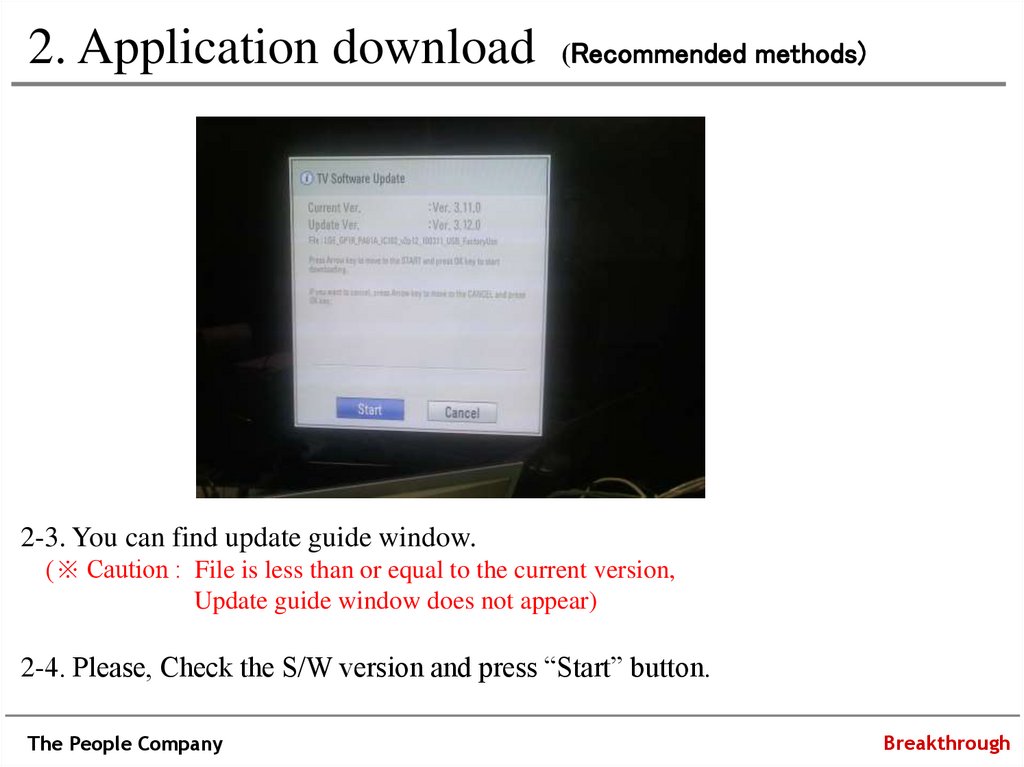
2. Application download (Recommended methods)2-3. You can find update guide window.
(※ Caution : File is less than or equal to the current version,
Update guide window does not appear)
2-4. Please, Check the S/W version and press “Start” button.
The People Company
Breakthrough
4.
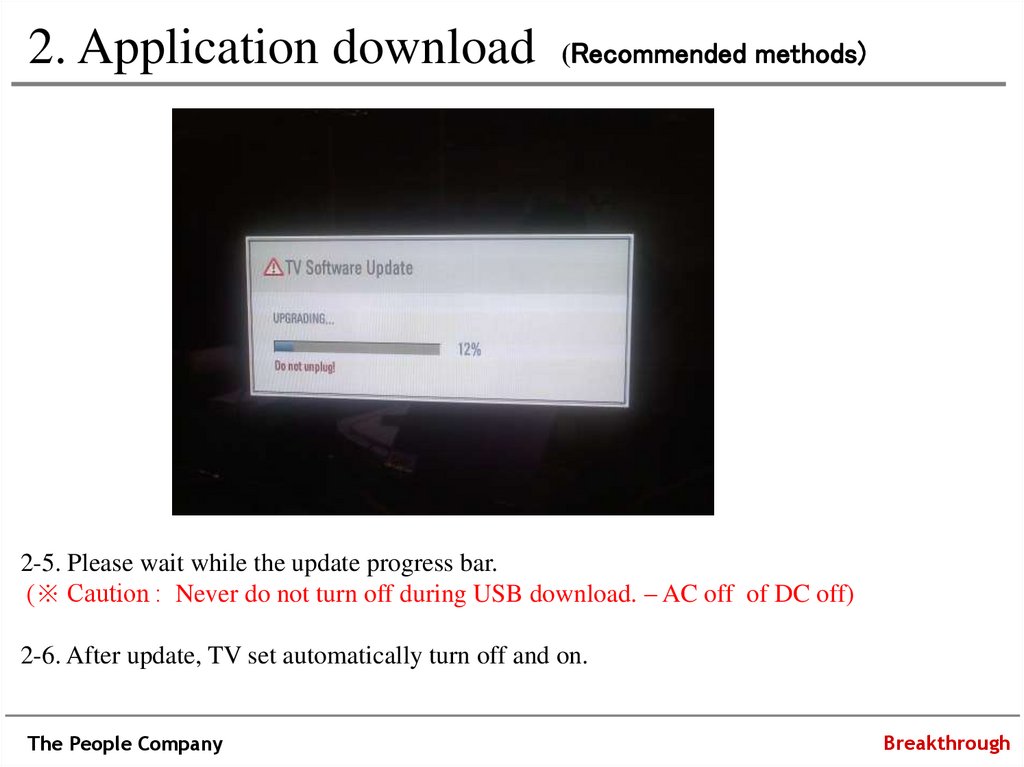
2. Application download (Recommended methods)2-5. Please wait while the update progress bar.
(※ Caution : Never do not turn off during USB download. – AC off of DC off)
2-6. After update, TV set automatically turn off and on.
The People Company
Breakthrough
5.
END….The People Company
Breakthrough