

Похожие презентации:





Assignment 5 OS IT
1. Week 6-Assignment 5
1. PURPOSE OF THE WORKWhere Data is Stored
Network Configuration
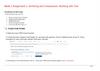
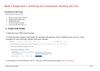
2. TASKS FOR WORK
2.1Open the course NDG Linux Essentials
2.2 Check the theory Chapter 13 and Chapter 14, and answer the questions Exam 13, Exam 14. Take a screenshot of a
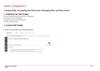
page with grade, attempt, login name like this:
2.3 Do laboratory work 13 and laboratory work 14, in the course NDG Linux Essentials English.
2.4 Using these screenshots do a report with explanation of each step.
© Astana IT University 2025
1
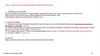
2. 1 – Identify Boot Target Command:systemctl get-default What is the current default boot target of your system? 2 – Switch
6 – Create and Monitor a Process1 – Identify Boot Target
Command:systemctl get-default
Command:sleep 300 &
ps aux | grep sleep
What is the PID of the background process?
What is the current default boot target of your system?
7 – Stop, Resume, and Kill a Process
2 – Switch Boot Targets
Command:sudo systemctl isolate multi-user.target
sudo systemctl isolate graphical.target
Commands:kill -STOP <PID>
kill -CONT <PID>
kill <PID>
What happens to the process after each command?
What happens when switching between targets?
8 – Change Process Priority
3 – Inspect Boot Logs
Command:journalctl -b
Find and describe one warning or error message.
4 – View Runlevel
Command: runlevel
What is the current runlevel of the system?
5 – Check First Process
Command:ps -p 1
What is the first process started by the system?
Screenshot: Include terminal output for each task above.
Commands:nice -n 10 sleep 300 &
ps -o pid,ni,cmd -p <PID>
sudo renice -n -5 -p <PID>
What are the original and new priority values?
9 – Automate a Task with cron
Command:crontab -e
Add the following line:
*/2 * * * * echo "Hello from cron" >>
/home/<username>/cron_test.txt
What is the purpose of this cron job?
10 – Monitor Processes in Real-Time
Command:top
Which process uses the most CPU or memory?
Screenshot: Include screenshots of the terminal output for each step.