
 Программное обеспечение
Похожие презентации:



Git/GitHub. Commit Remote Repository Push
1. Git/GitHub
Git/GithubCommit
Remote Repository
Push
2. What is Git and GitHub?
● Git - A version control system that tracks changes in code and allows multipledevelopers to collaborate.
● GitHub - A cloud-based hosting service for Git repositories, enabling
collaboration, remote storage, and project management.
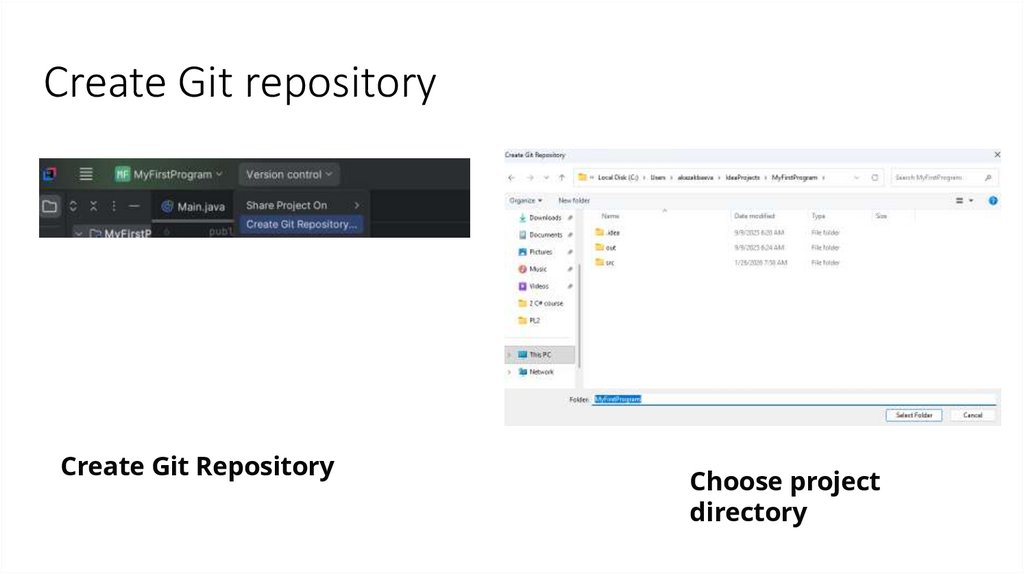
3. Create Git repository
Create Git RepositoryChoose project
directory
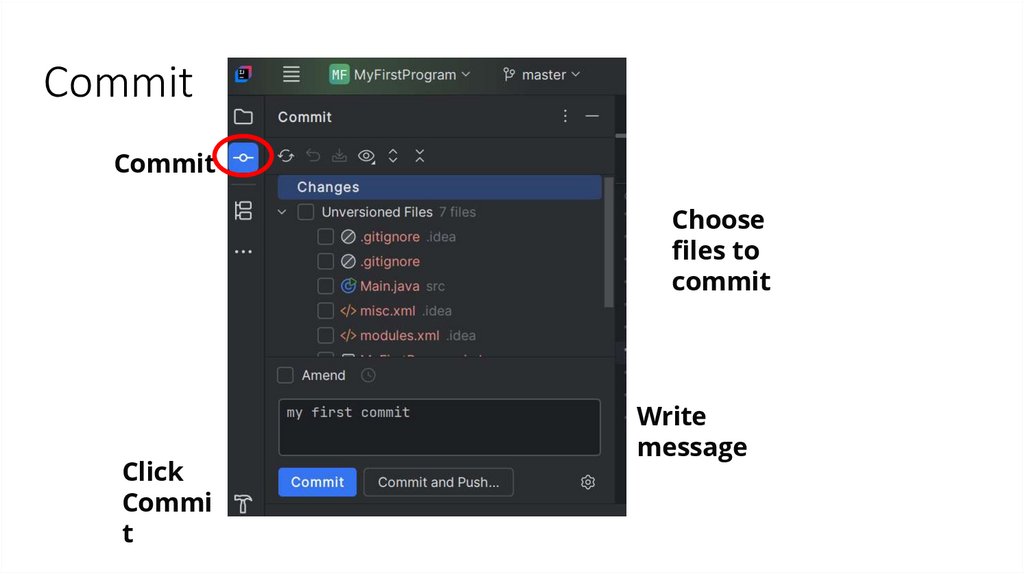
4. Commit
A commit in GitHub (or Git) is a snapshot of your project's changes at a specific pointin time. Each commit records:
What changes were made.
Who made the changes.
When the changes were made.
A commit message describing the update.
5. Commit
CommitChoose
files to
commit
Click
Commi
t
Write
message
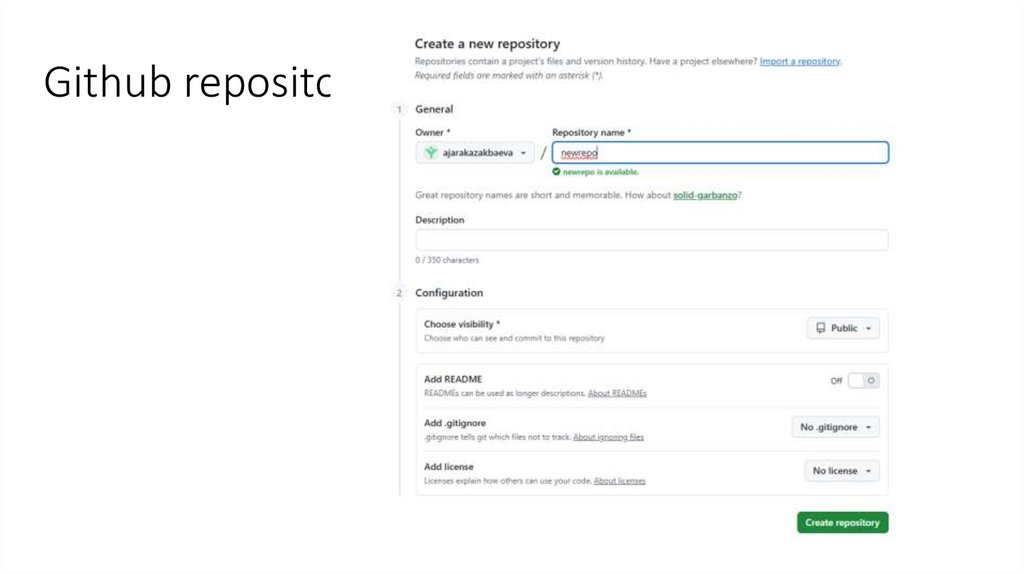
6. Github.com
Sign up for github.comCreate new Repository
7. Github repository
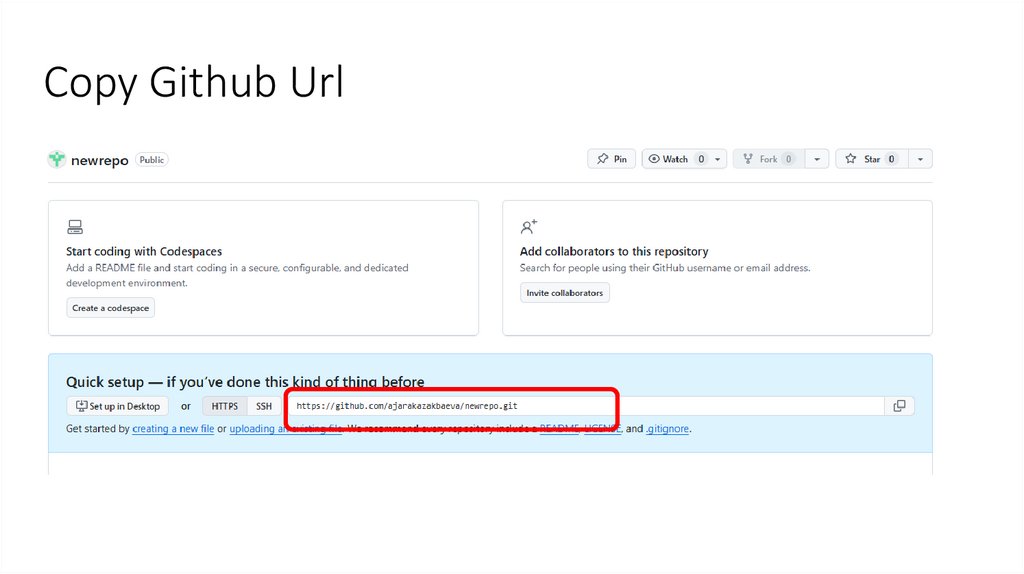
8. Copy Github Url
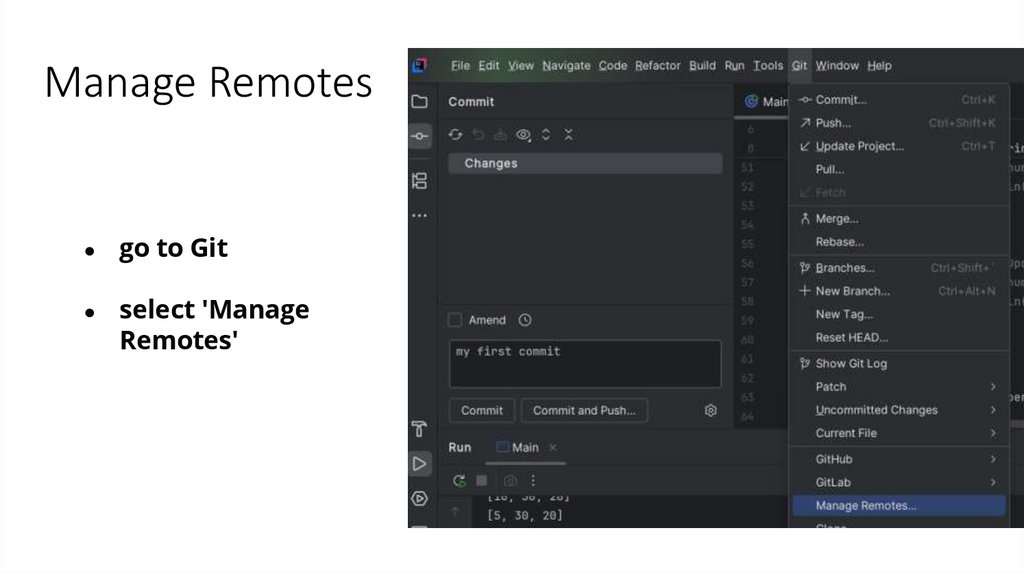
9. Manage Remotes
go to Git
select 'Manage
Remotes'
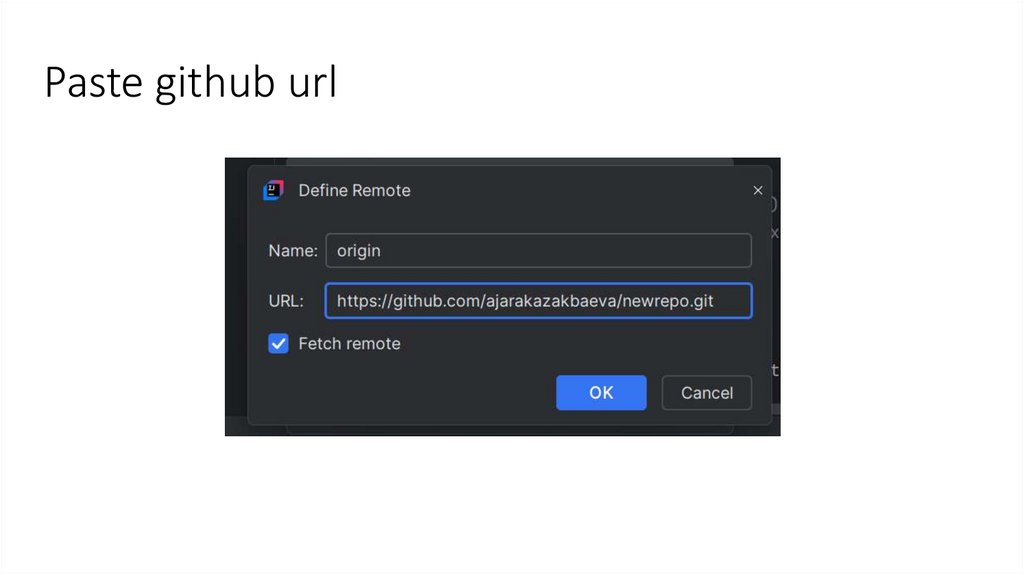
10. Paste github url
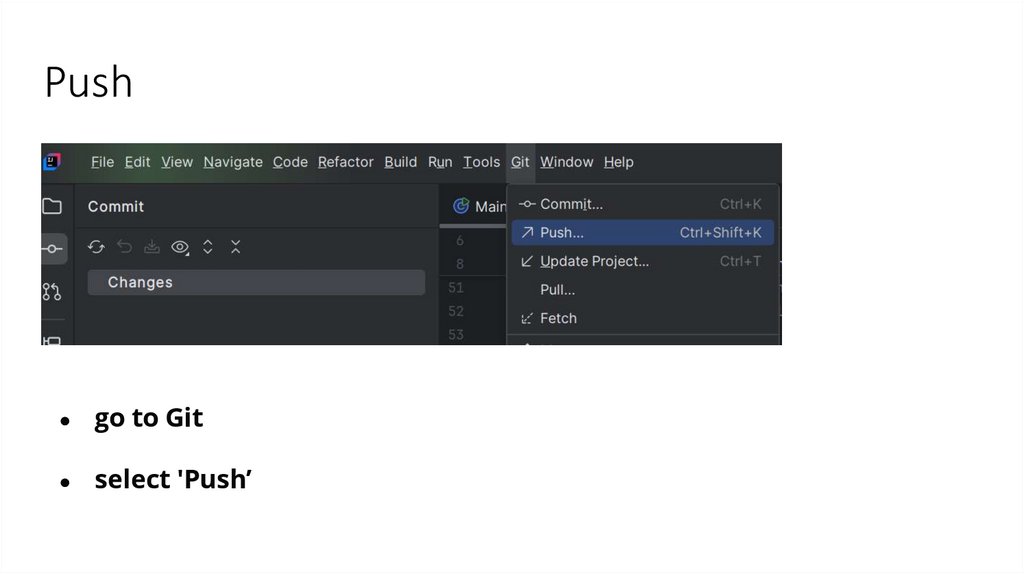
11. Push
go to Git
select 'Push’
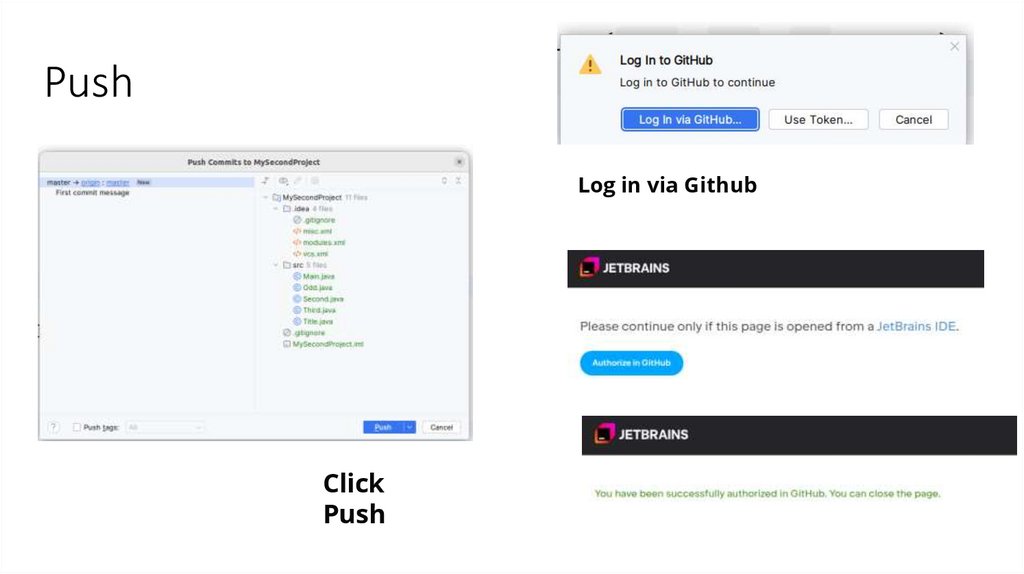
12. Push
Log in via GithubClick
Push
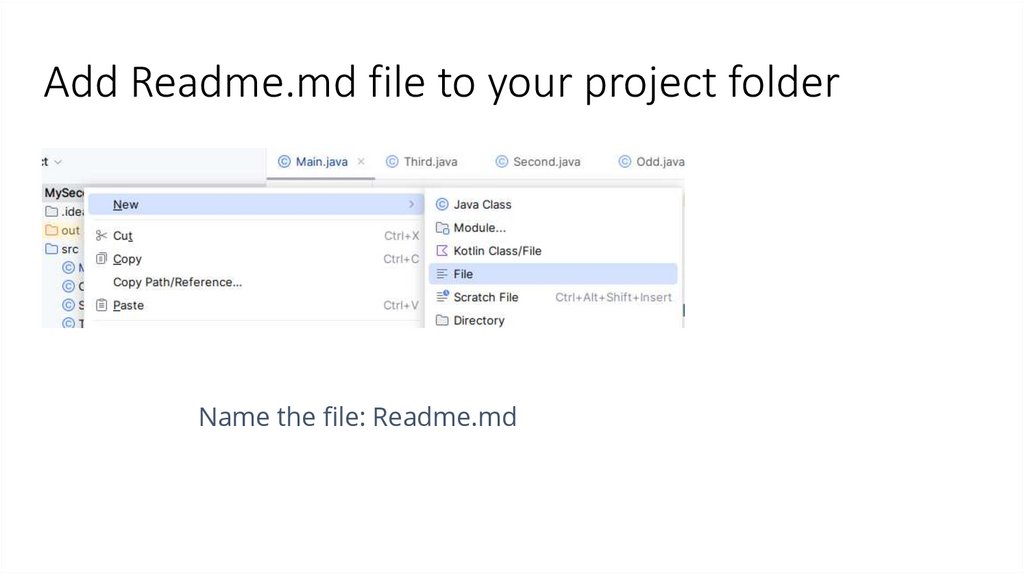
13. Add Readme.md file to your project folder
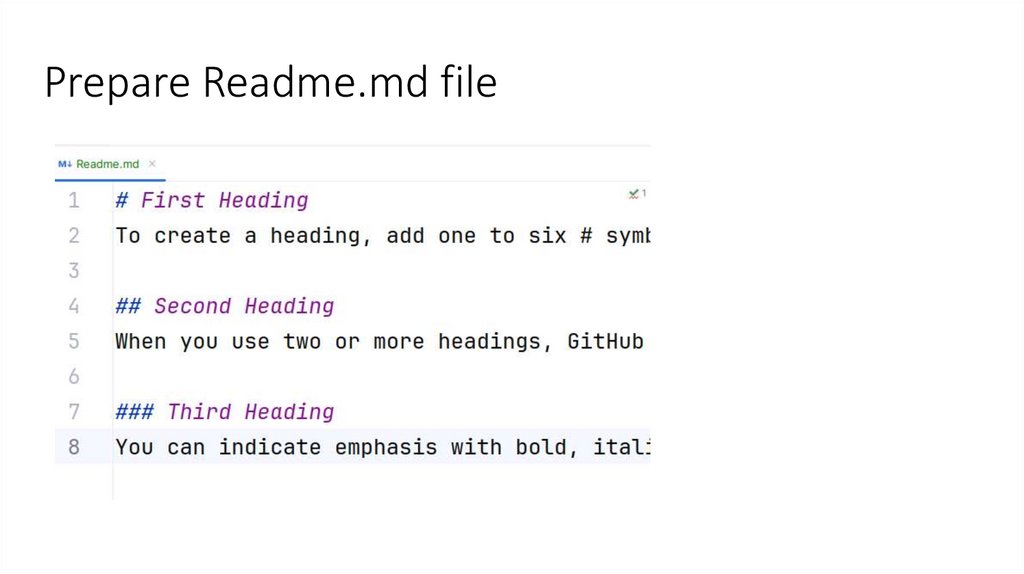
Name the file: Readme.md14. Readme.md : Basic Formatting
https://docs.github.com/en/get-started/writing-on-github/getting-started-withwriting-and-formatting-on-github/basic-writing-and-formatting-syntax15. Prepare Readme.md file
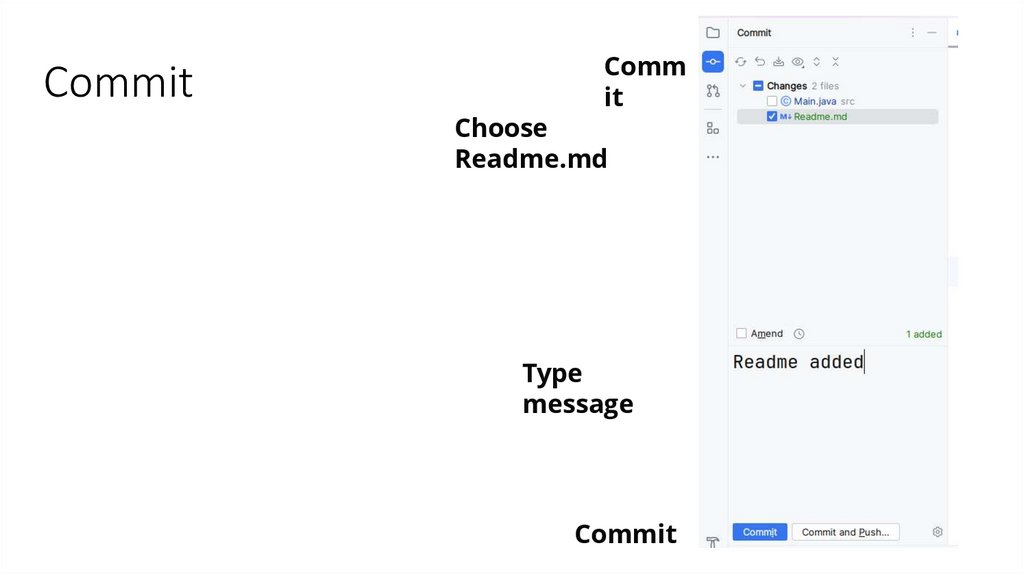
16. Commit
Commit
Choose
Readme.md
Type
message
Commit
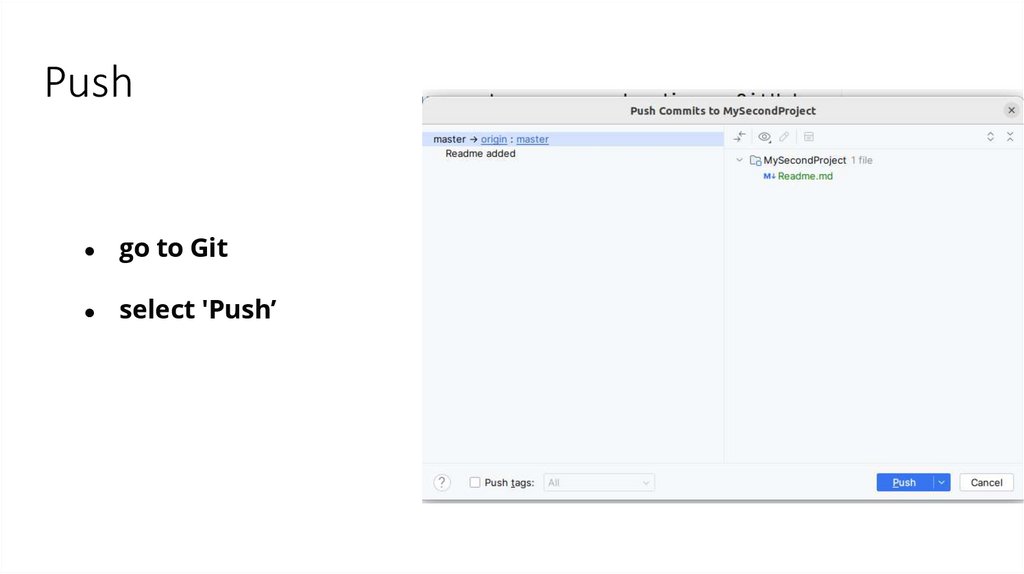
17. Push
go to Git
select 'Push’