 Программирование
Похожие презентации:






Iteration
1. Iteration
Teach Computer ScienceIteration
teachcomputerscience.com
2. Lesson Objectives
2Lesson Objectives
Students will learn about:
▪ The for loop
▪ The while loop
▪ The break statement
teachcomputerscience.com
3. Content
1.Content
teachcomputerscience.com
4. Iteration
4Iteration
▪ Iteration is the repeated execution of a set of statements.
There are two ways to create iteration in Python:
• By counting how many times the statements are to be
executed
• By repeatedly executing the statements while a condition
is true
teachcomputerscience.com
5. Types of iteration
5Types of iteration
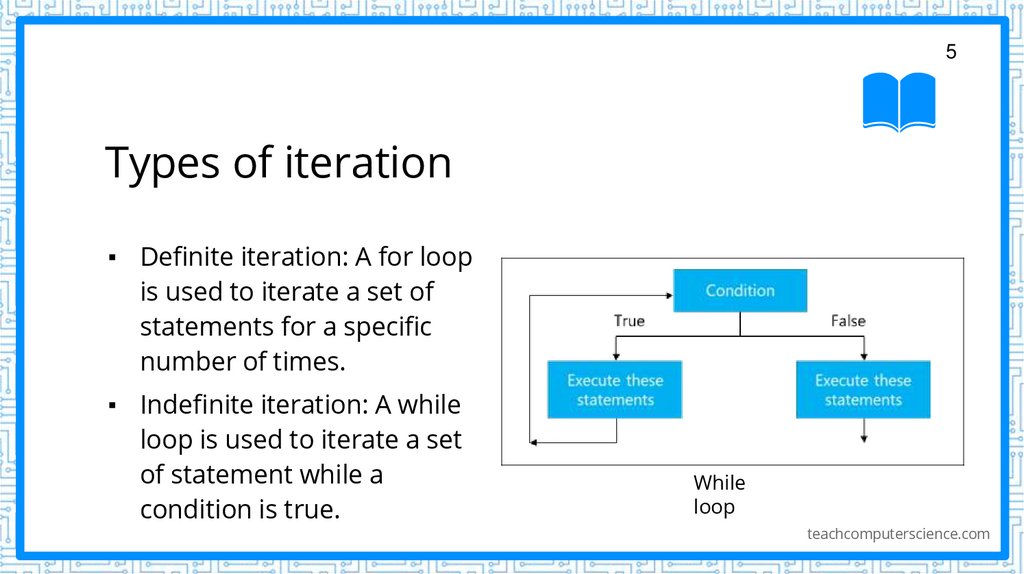
▪ Definite iteration: A for loop
is used to iterate a set of
statements for a specific
number of times.
▪ Indefinite iteration: A while
loop is used to iterate a set
of statement while a
condition is true.
While
loop
teachcomputerscience.com
6. For loop
6For loop
▪
For loop is used to iterate a set of statements a certain number of
times.
▪
The basic syntax of for loop is:
for count in range (a, b):
#statements executed starting count=a and incrementing every time the
set of statements are executed until count=b-1
teachcomputerscience.com
7. For loop: Example 1
7For loop: Example 1
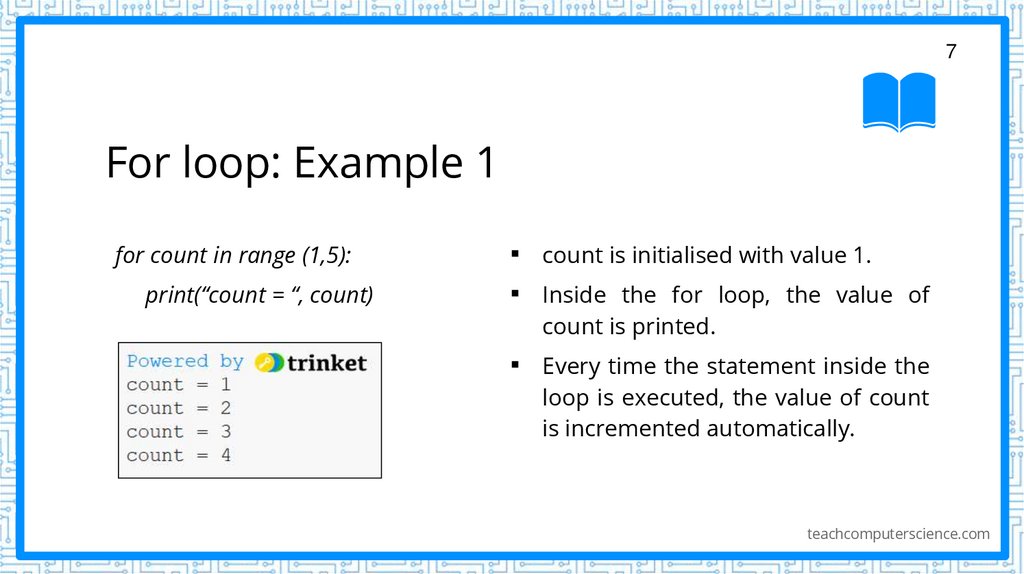
for count in range (1,5):
print(“count = “, count)
▪
▪
count is initialised with value 1.
▪
Every time the statement inside the
loop is executed, the value of count
is incremented automatically.
Inside the for loop, the value of
count is printed.
teachcomputerscience.com
8. For loop: Example 2
8For loop: Example 2
▪
For loop is used in several programs where the programmer knows
exactly how many times the set of statements must be repeatedly
executed.
▪
In case the programmer wants to start the value of count from 0, then
he can simply use the statements given,
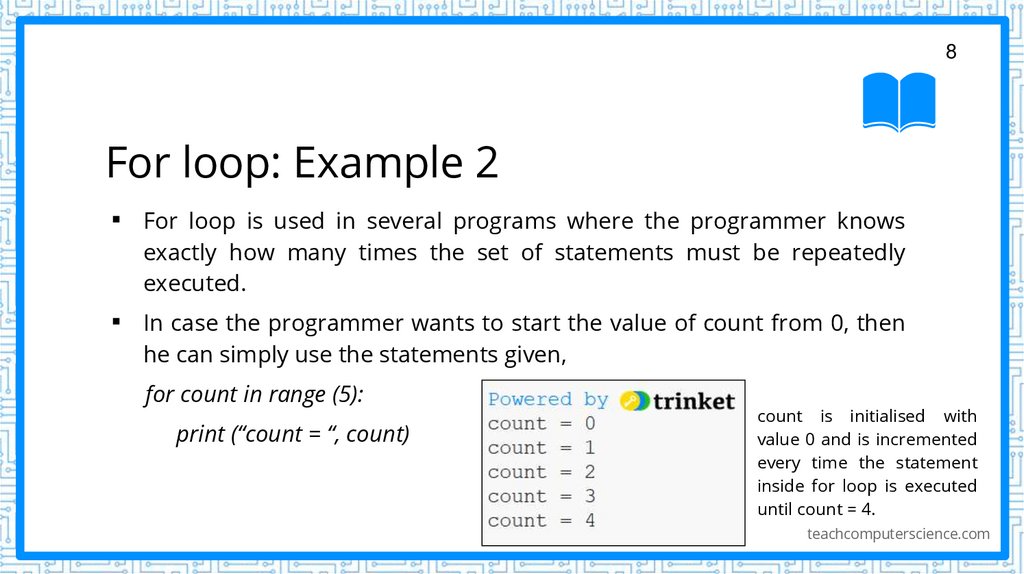
for count in range (5):
print (“count = “, count)
count is initialised with
value 0 and is incremented
every time the statement
inside for loop is executed
until count = 4.
teachcomputerscience.com
9. For loop: Example 3
9For loop: Example 3
▪
▪
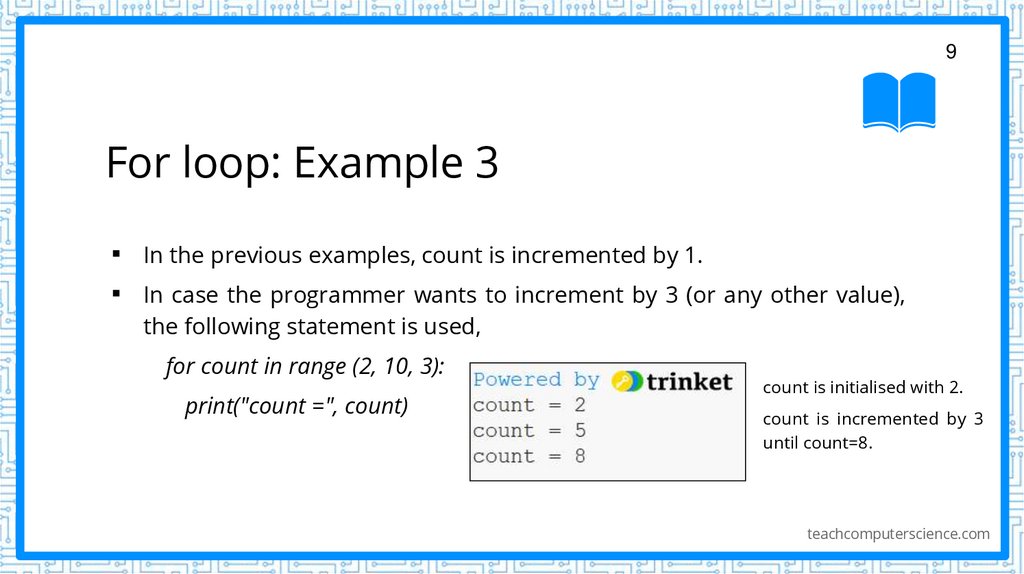
In the previous examples, count is incremented by 1.
In case the programmer wants to increment by 3 (or any other value),
the following statement is used,
for count in range (2, 10, 3):
print("count =", count)
count is initialised with 2.
count is incremented by 3
until count=8.
teachcomputerscience.com
10. For loop: Example 4
10For loop: Example 4
▪
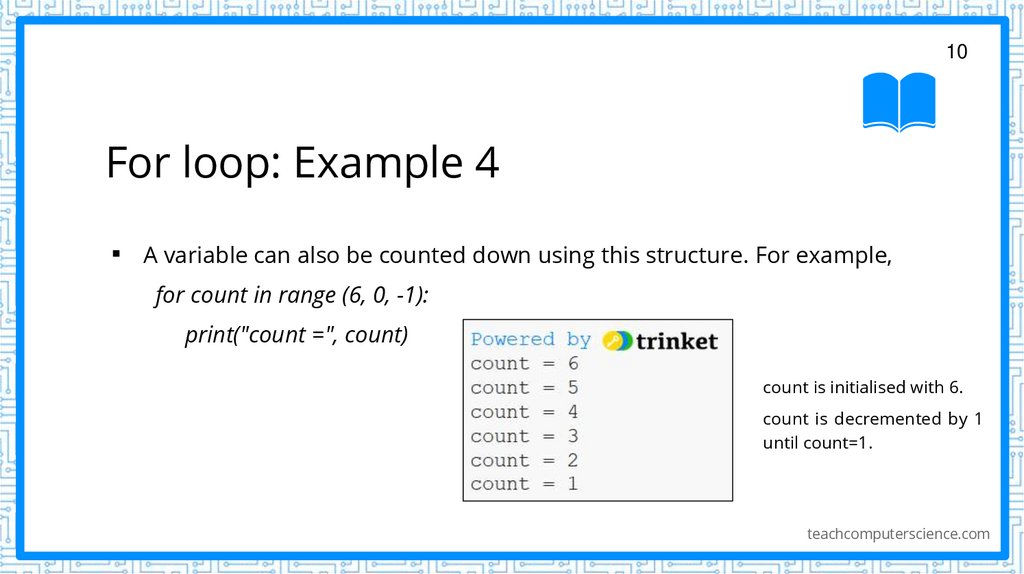
A variable can also be counted down using this structure. For example,
for count in range (6, 0, -1):
print("count =", count)
count is initialised with 6.
count is decremented by 1
until count=1.
teachcomputerscience.com
11. For loop: Syntax
11For loop: Syntax
for count in range of (a, b, i):
#statements executed starting count=a and incrementing a by i every time
the set of statements are executed
#specifying values a and i are optional
# a=0 by default and i=1 by default
teachcomputerscience.com
12. Multiplication table using for loop
12Multiplication table using
for loop
▪
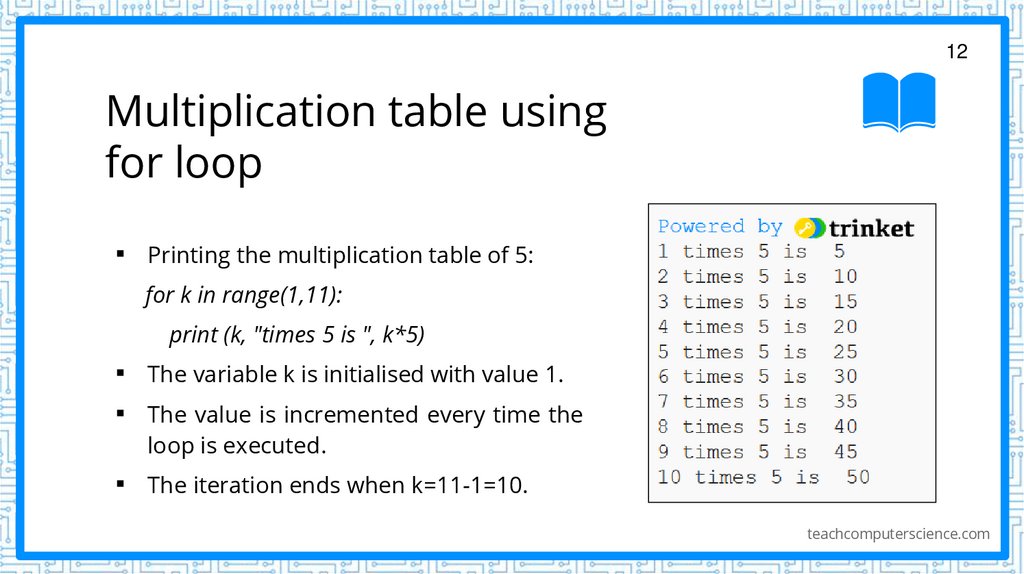
Printing the multiplication table of 5:
for k in range(1,11):
print (k, "times 5 is ", k*5)
▪
▪
The variable k is initialised with value 1.
▪
The iteration ends when k=11-1=10.
The value is incremented every time the
loop is executed.
teachcomputerscience.com
13. The while loop
13The while loop
▪
In some cases, it is not easy to determine the number of times the
statements are to be executed.
▪
In such cases, we use the while loop.
▪
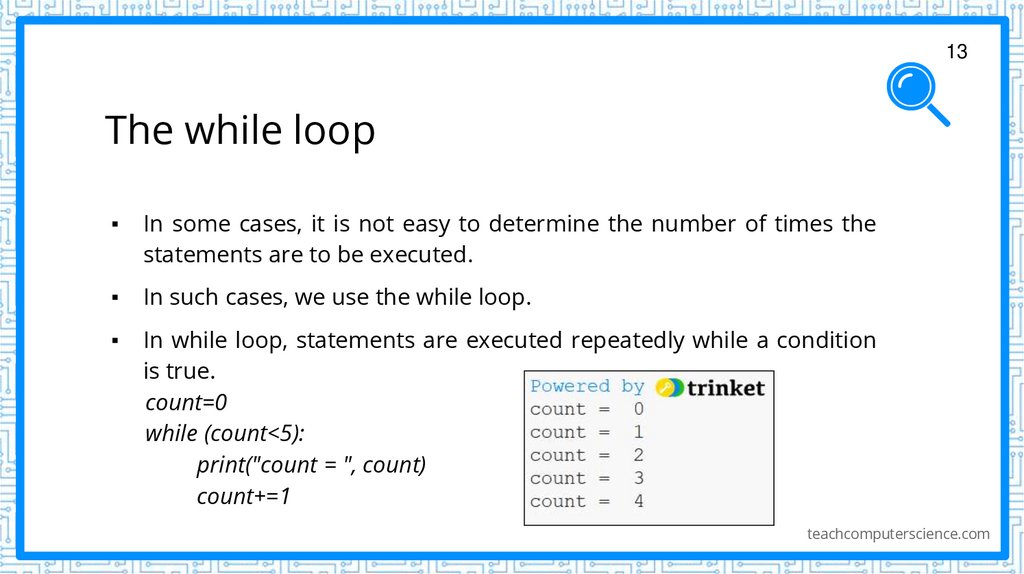
In while loop, statements are executed repeatedly while a condition
is true.
count=0
while (count<5):
print("count = ", count)
count+=1
teachcomputerscience.com
14. The while loop
14The while loop
count=0
while (count<5):
print("count = ", count)
count+=1
▪
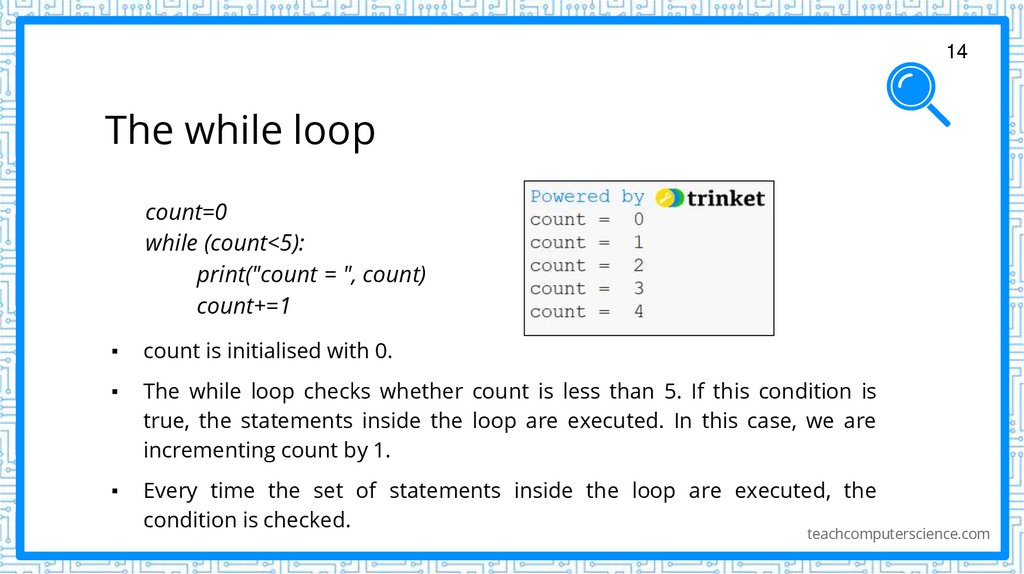
count is initialised with 0.
▪
The while loop checks whether count is less than 5. If this condition is
true, the statements inside the loop are executed. In this case, we are
incrementing count by 1.
▪
Every time the set of statements inside the loop are executed, the
condition is checked.
teachcomputerscience.com
15. The while loop
15The while loop
count=0
while (count<5):
print("count = ", count)
count+=1
print("Iteration complete.")
print("count = ", count)
▪
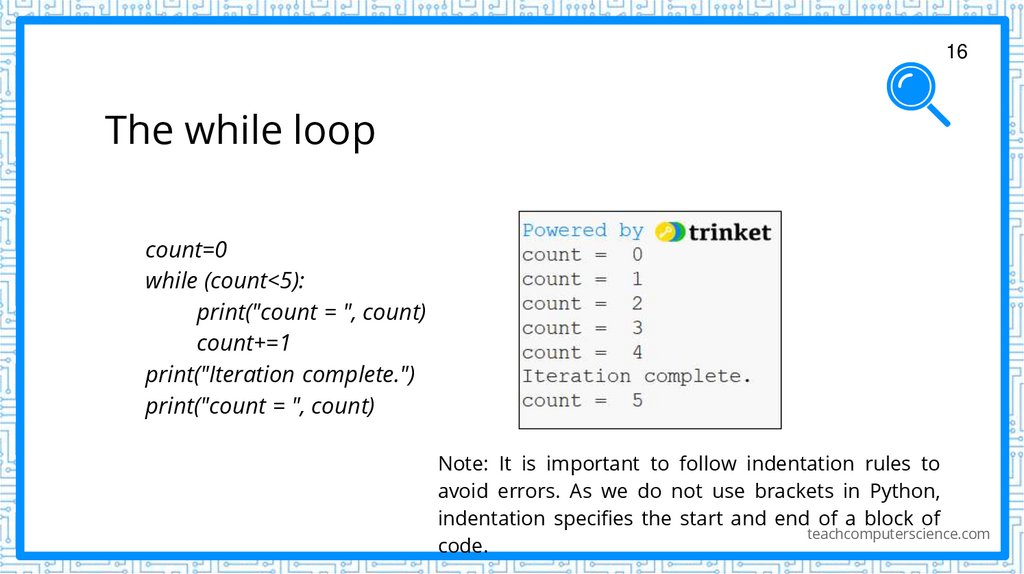
Only when the condition is true, the
statements inside the loop are executed.
In this program, the value of count when
the final iteration begins is 4. As the
condition is true, the set of statements are
executed.
▪
The value of count is also incremented in
the final iteration. We can visualise it by
including a print statement after the
iteration.
teachcomputerscience.com
16. The while loop
16The while loop
count=0
while (count<5):
print("count = ", count)
count+=1
print("Iteration complete.")
print("count = ", count)
Note: It is important to follow indentation rules to
avoid errors. As we do not use brackets in Python,
indentation specifies the start and end of a block of
teachcomputerscience.com
code.
17. The while loop: Example
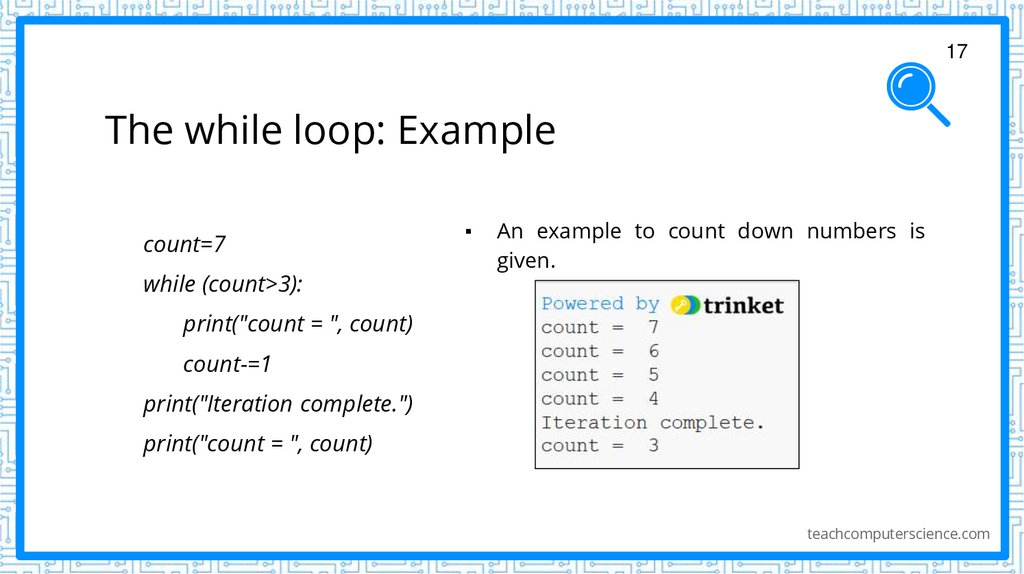
17The while loop: Example
count=7
while (count>3):
▪
An example to count down numbers is
given.
print("count = ", count)
count-=1
print("Iteration complete.")
print("count = ", count)
teachcomputerscience.com
18. The while loop: Example
18The while loop: Example
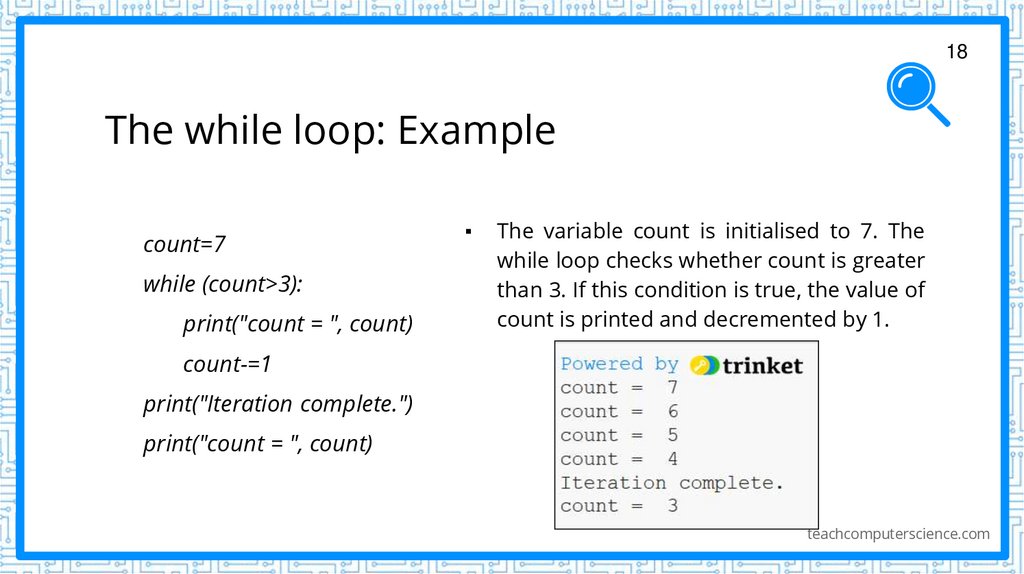
count=7
while (count>3):
print("count = ", count)
▪
The variable count is initialised to 7. The
while loop checks whether count is greater
than 3. If this condition is true, the value of
count is printed and decremented by 1.
count-=1
print("Iteration complete.")
print("count = ", count)
teachcomputerscience.com
19. Program to calculate total and average of 5 numbers
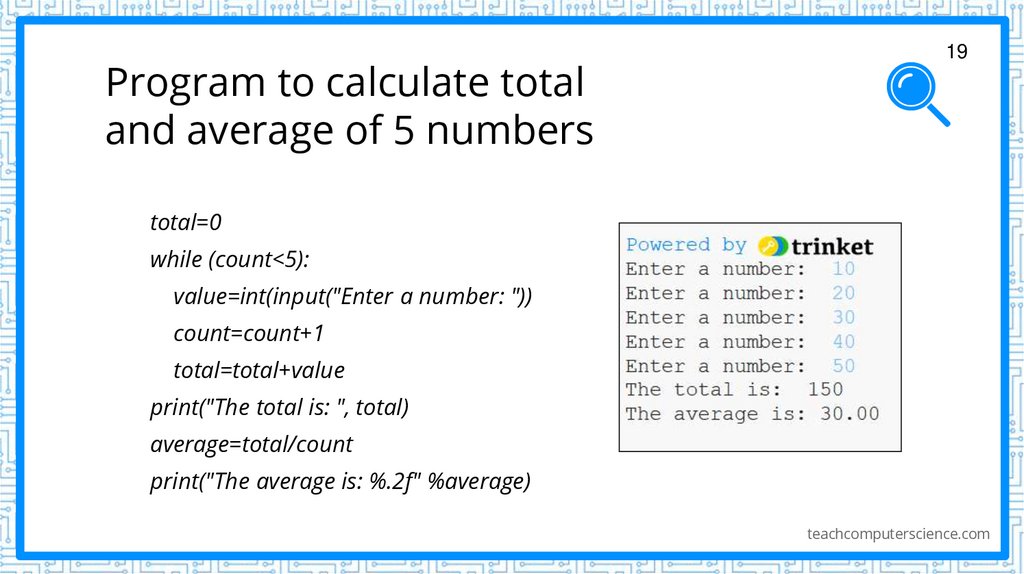
19total=0
while (count<5):
value=int(input("Enter a number: "))
count=count+1
total=total+value
print("The total is: ", total)
average=total/count
print("The average is: %.2f" %average)
teachcomputerscience.com
20. Break statement
20Break statement
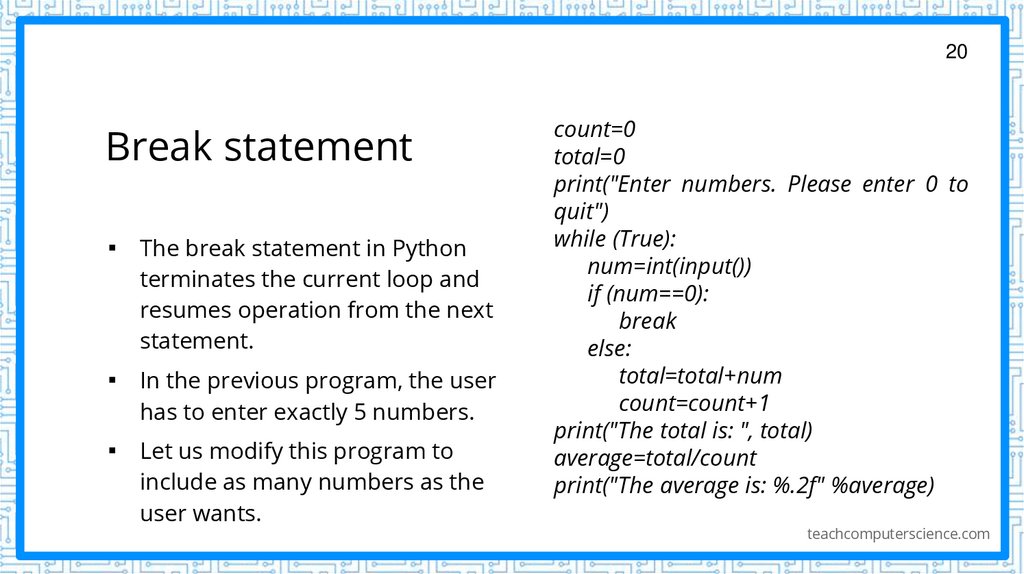
▪ The break statement in Python
terminates the current loop and
resumes operation from the next
statement.
▪ In the previous program, the user
has to enter exactly 5 numbers.
▪ Let us modify this program to
include as many numbers as the
user wants.
count=0
total=0
print("Enter numbers. Please enter 0 to
quit")
while (True):
num=int(input())
if (num==0):
break
else:
total=total+num
count=count+1
print("The total is: ", total)
average=total/count
print("The average is: %.2f" %average)
teachcomputerscience.com
21. Break statement
21Break statement
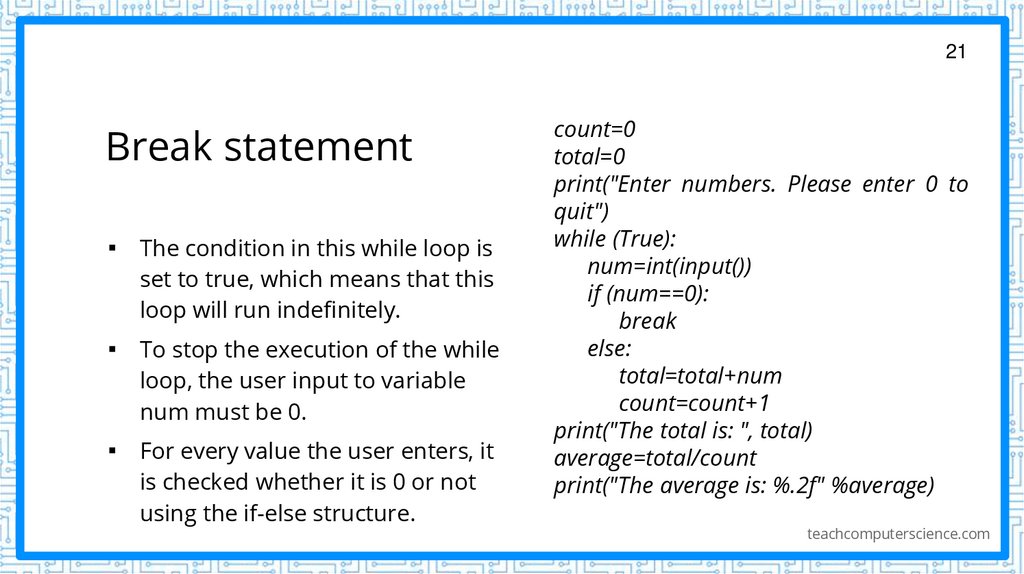
▪ The condition in this while loop is
set to true, which means that this
loop will run indefinitely.
▪ To stop the execution of the while
loop, the user input to variable
num must be 0.
▪ For every value the user enters, it
is checked whether it is 0 or not
using the if-else structure.
count=0
total=0
print("Enter numbers. Please enter 0 to
quit")
while (True):
num=int(input())
if (num==0):
break
else:
total=total+num
count=count+1
print("The total is: ", total)
average=total/count
print("The average is: %.2f" %average)
teachcomputerscience.com
22. Break statement
22Break statement
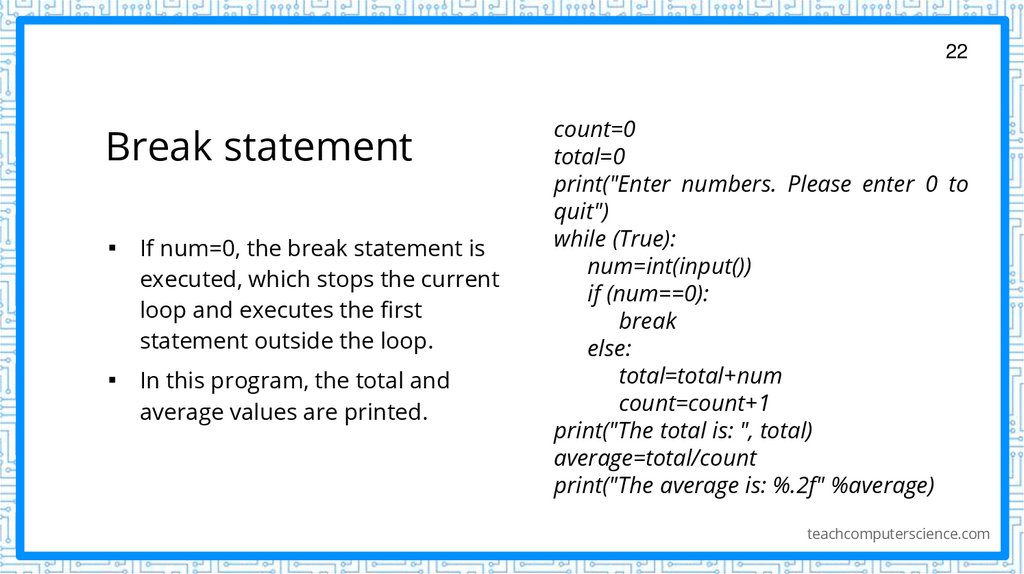
▪ If num=0, the break statement is
executed, which stops the current
loop and executes the first
statement outside the loop.
▪ In this program, the total and
average values are printed.
count=0
total=0
print("Enter numbers. Please enter 0 to
quit")
while (True):
num=int(input())
if (num==0):
break
else:
total=total+num
count=count+1
print("The total is: ", total)
average=total/count
print("The average is: %.2f" %average)
teachcomputerscience.com
23. Let’s review some concepts
23Let’s review some concepts
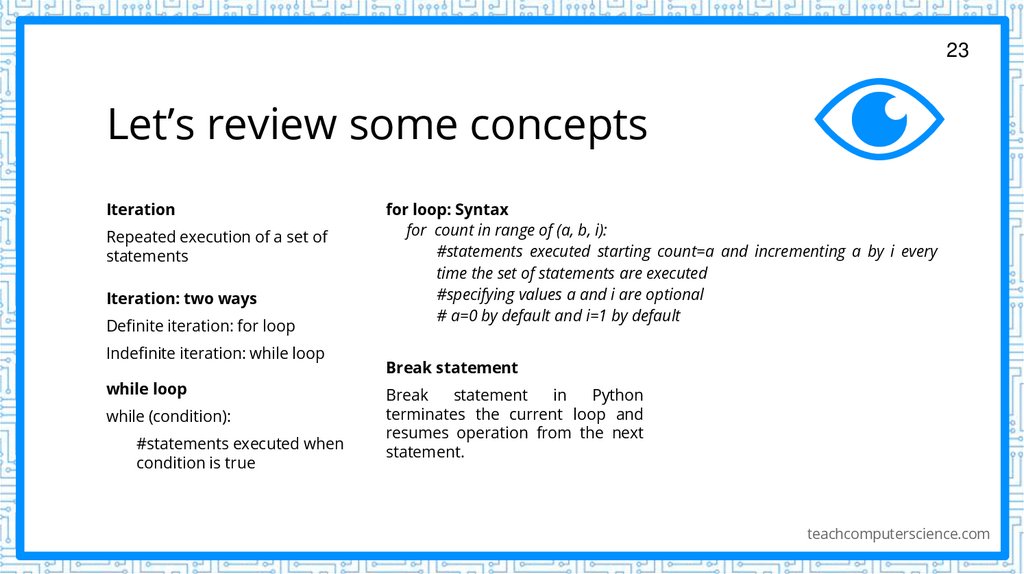
Iteration
Repeated execution of a set of
statements
Iteration: two ways
Definite iteration: for loop
Indefinite iteration: while loop
while loop
while (condition):
#statements executed when
condition is true
for loop: Syntax
for count in range of (a, b, i):
#statements executed starting count=a and incrementing a by i every
time the set of statements are executed
#specifying values a and i are optional
# a=0 by default and i=1 by default
Break statement
Break
statement
in
Python
terminates the current loop and
resumes operation from the next
statement.
teachcomputerscience.com