 Информатика
Похожие презентации:



B Tree
1. B Trees
2.
B TreeB Tree is a specialized m-way tree that can be widely used for disk access.
A B-Tree of order m can have at most m-1 keys and m children.
One of the main reason of using B tree is its capability to store large
number of keys in a single node and large key values by keeping the height
of the tree relatively small.
A B tree of order m contains all the properties of an M way tree.
In addition, it contains the following properties.
Every node in a B-Tree contains at most m children.
Every node in a B-Tree except the root node and the leaf node contain at
least m/2 children.
The root nodes must have at least 2 child nodes.
All leaf nodes must be at the same level.
It is not necessary that, all the nodes contain the same number of
children but, each node must have m/2 number of child nodes.
3.
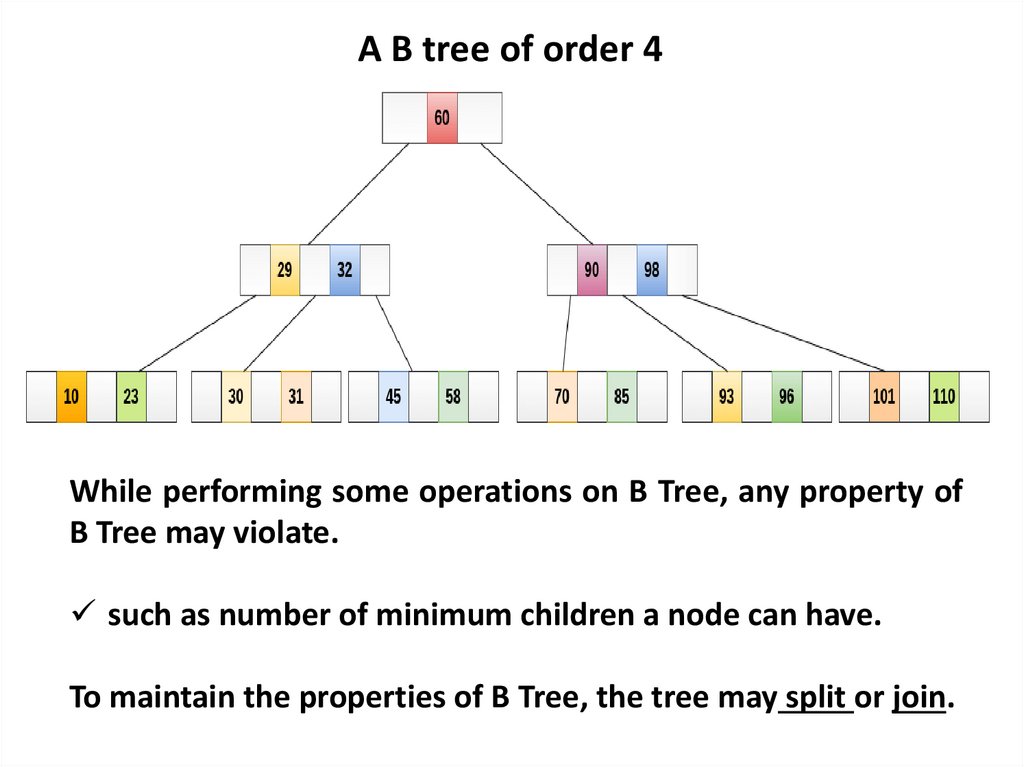
A B tree of order 4While performing some operations on B Tree, any property of
B Tree may violate.
such as number of minimum children a node can have.
To maintain the properties of B Tree, the tree may split or join.
4.
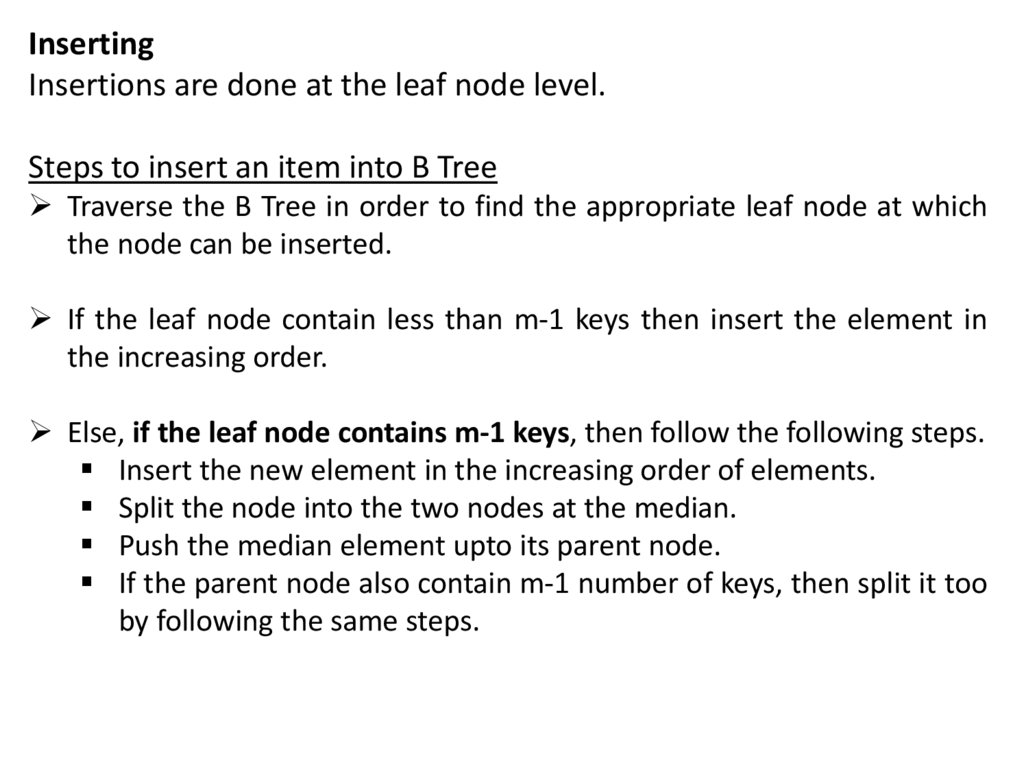
InsertingInsertions are done at the leaf node level.
Steps to insert an item into B Tree
Traverse the B Tree in order to find the appropriate leaf node at which
the node can be inserted.
If the leaf node contain less than m-1 keys then insert the element in
the increasing order.
Else, if the leaf node contains m-1 keys, then follow the following steps.
Insert the new element in the increasing order of elements.
Split the node into the two nodes at the median.
Push the median element upto its parent node.
If the parent node also contain m-1 number of keys, then split it too
by following the same steps.
5.
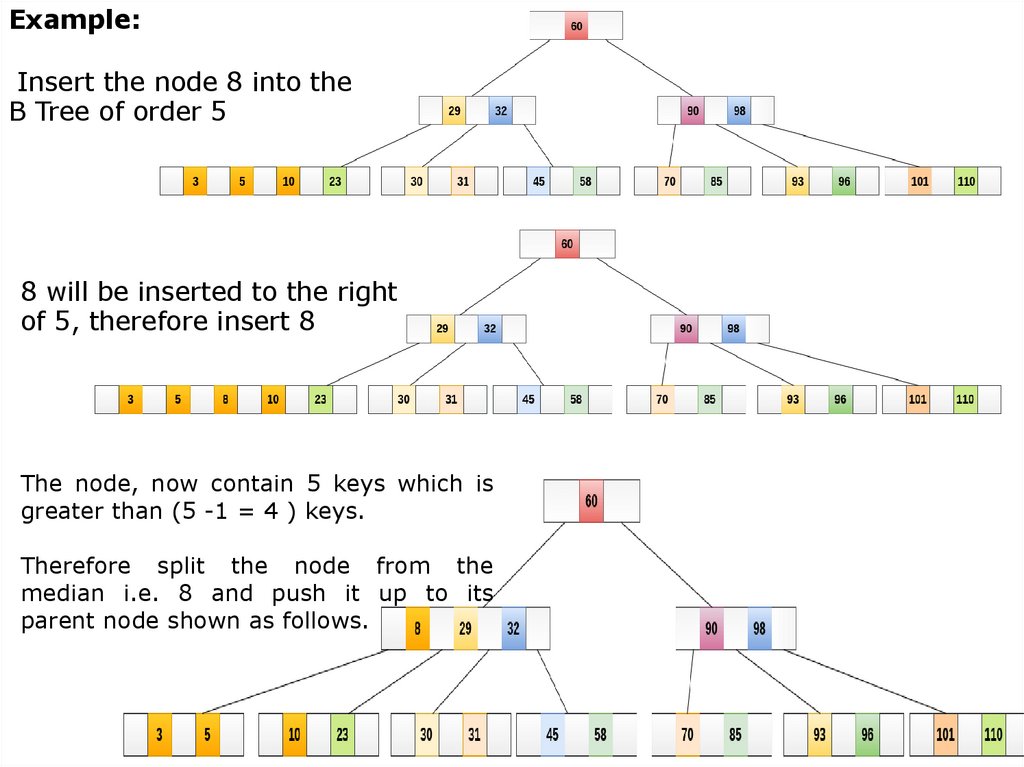
Example:Insert the node 8 into the
B Tree of order 5
8 will be inserted to the right
of 5, therefore insert 8
The node, now contain 5 keys which is
greater than (5 -1 = 4 ) keys.
Therefore split the node from the
median i.e. 8 and push it up to its
parent node shown as follows.
6.
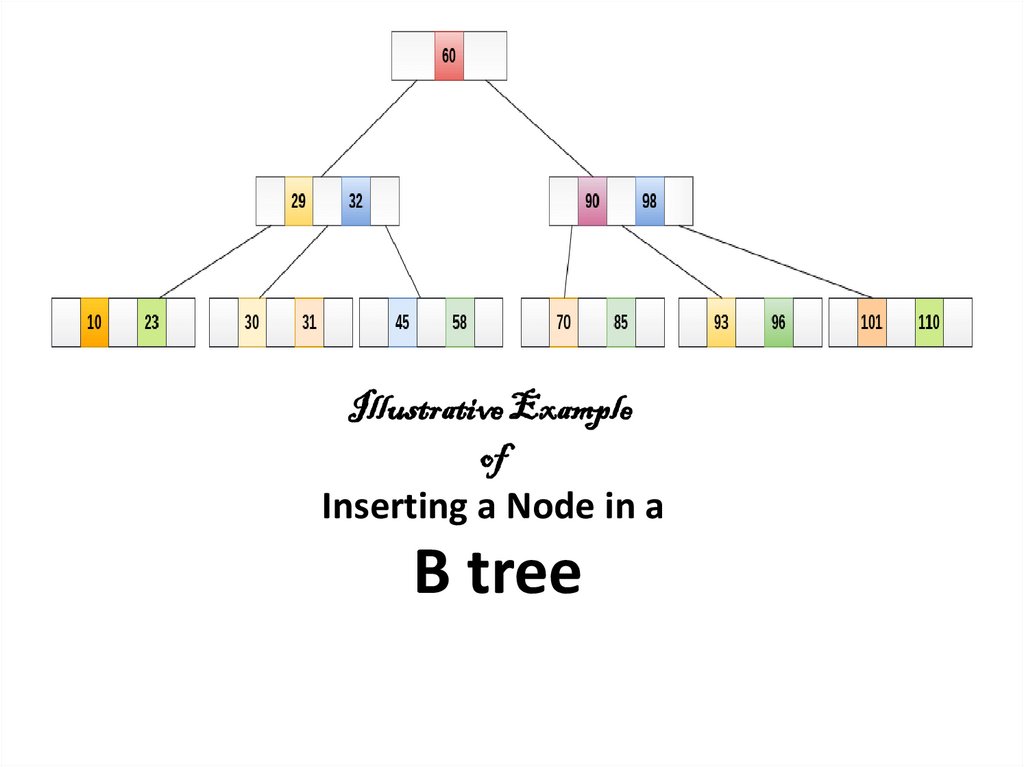
Illustrative Exampleof
Inserting a Node in a
B tree
7.
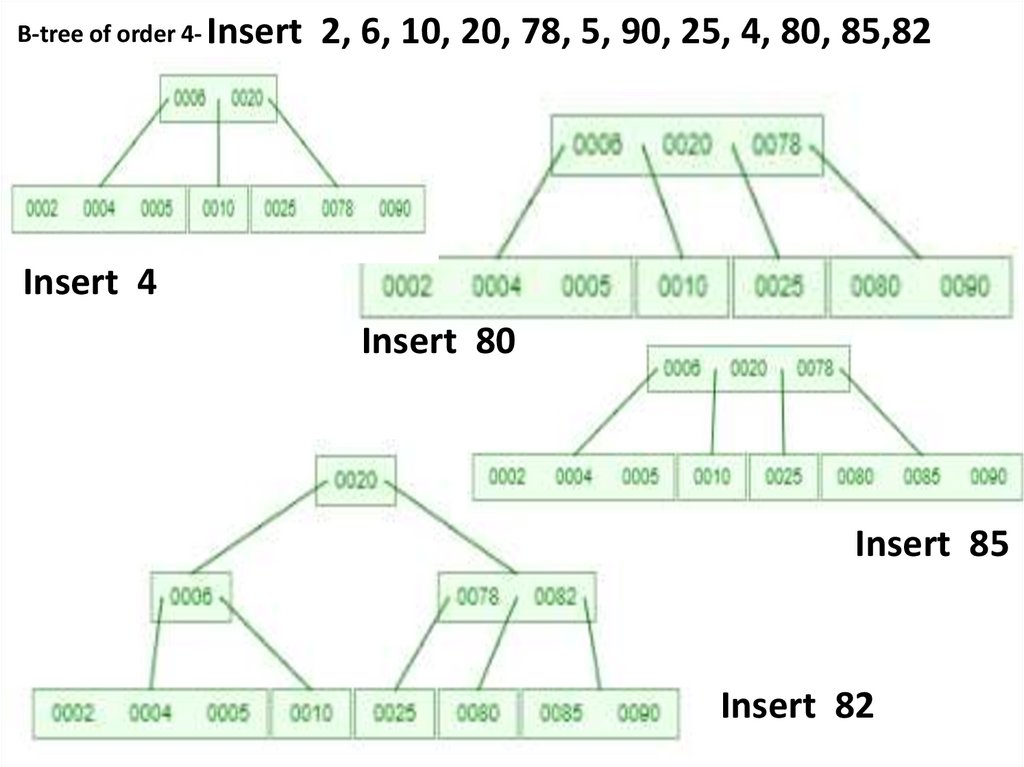
B-tree of order 4Insert 2, 6, 10, 20, 78, 5, 90, 25, 4, 80, 85,828.
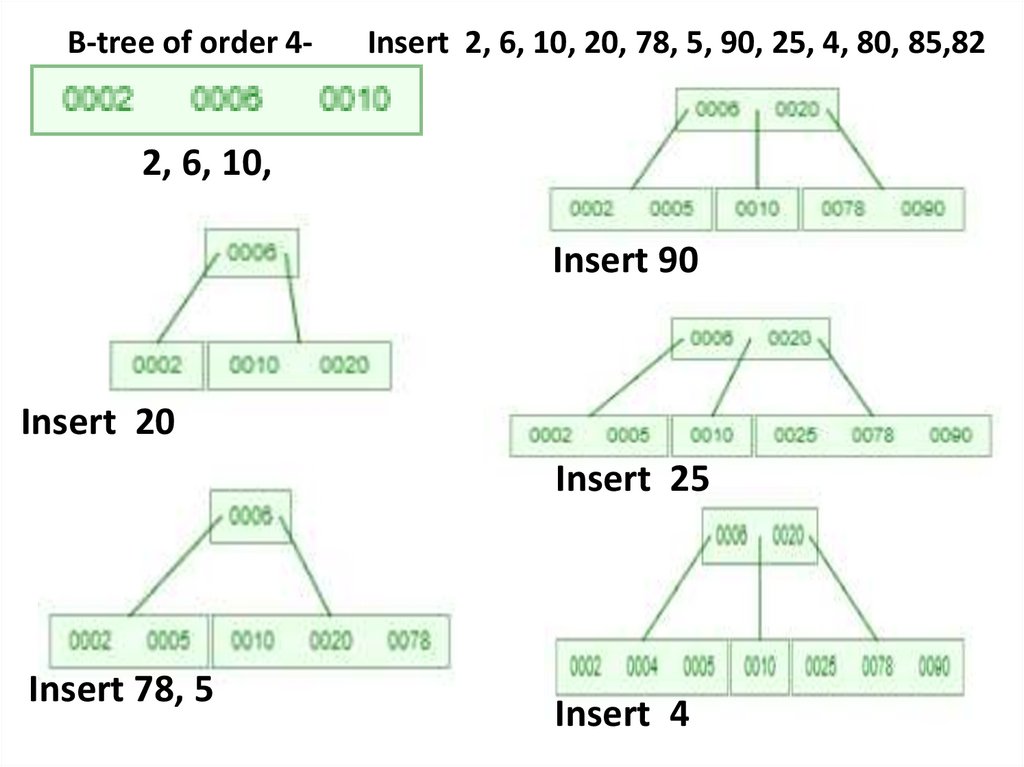
B-tree of order 4-Insert 2, 6, 10, 20, 78, 5, 90, 25, 4, 80, 85,82
2, 6, 10,
Insert 90
Insert 20
Insert 25
Insert 78, 5
Insert 4
9.
B-tree of order 4- Insert2, 6, 10, 20, 78, 5, 90, 25, 4, 80, 85,82
Insert 4
Insert 80
Insert 85
Insert 82
10.
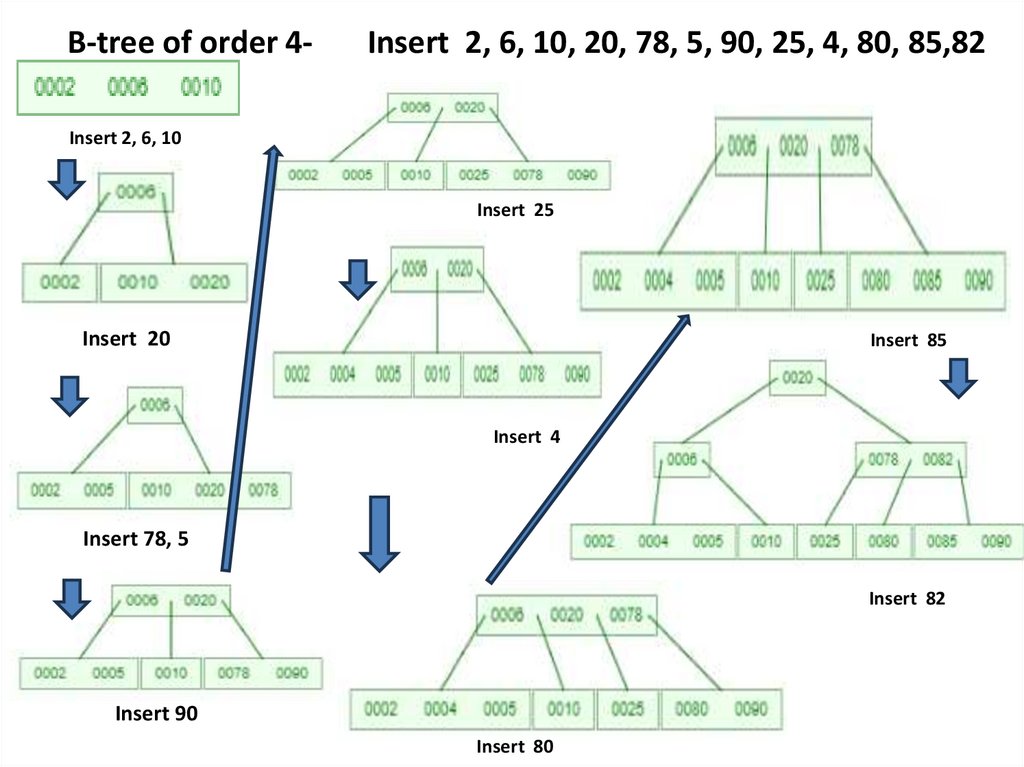
B-tree of order 4-Insert 2, 6, 10, 20, 78, 5, 90, 25, 4, 80, 85,82
Insert 2, 6, 10
Insert 25
Insert 20
Insert 85
Insert 4
Insert 78, 5
Insert 82
Insert 90
Insert 80
11.
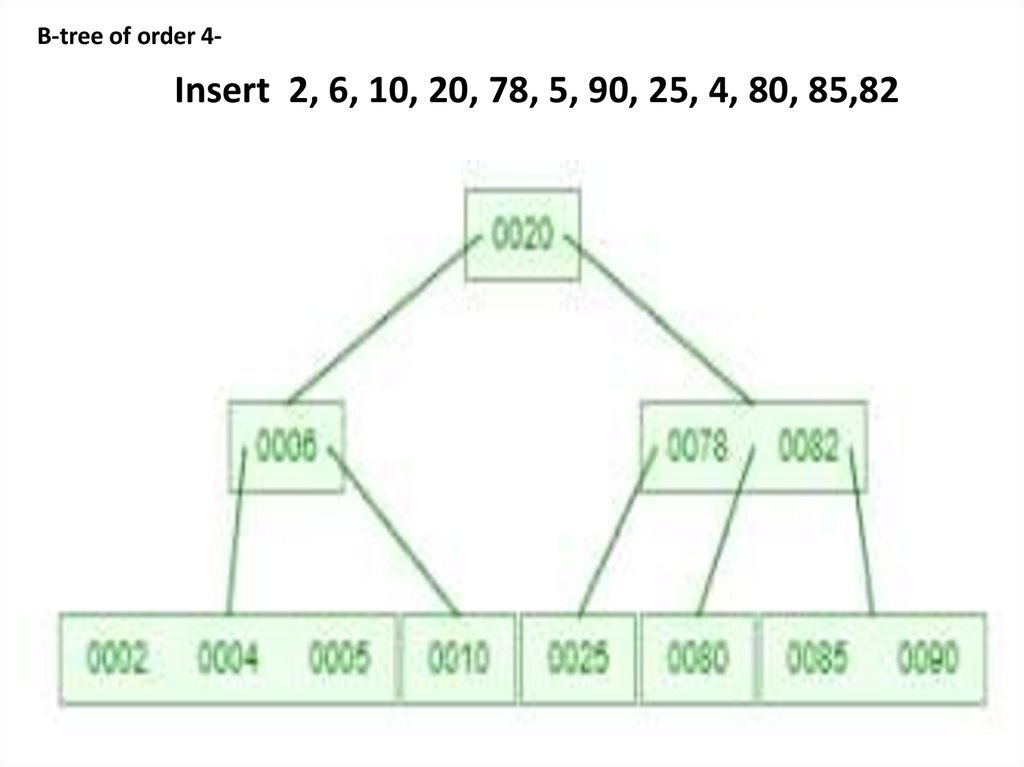
B-tree of order 4-Insert 2, 6, 10, 20, 78, 5, 90, 25, 4, 80, 85,82
12.
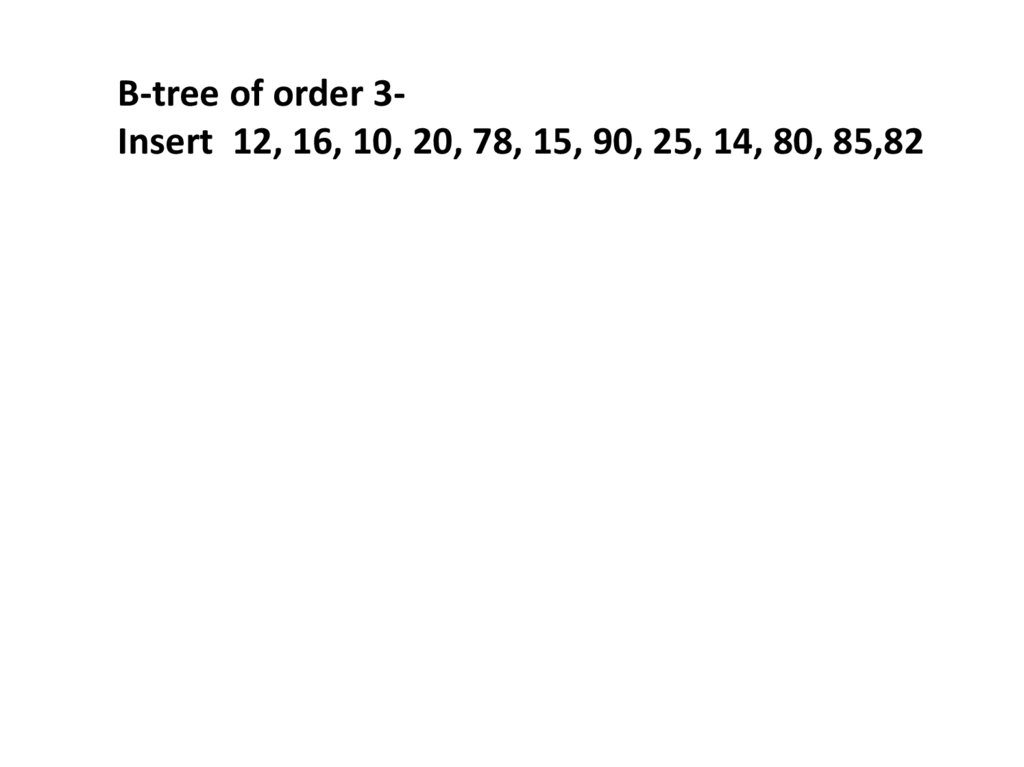
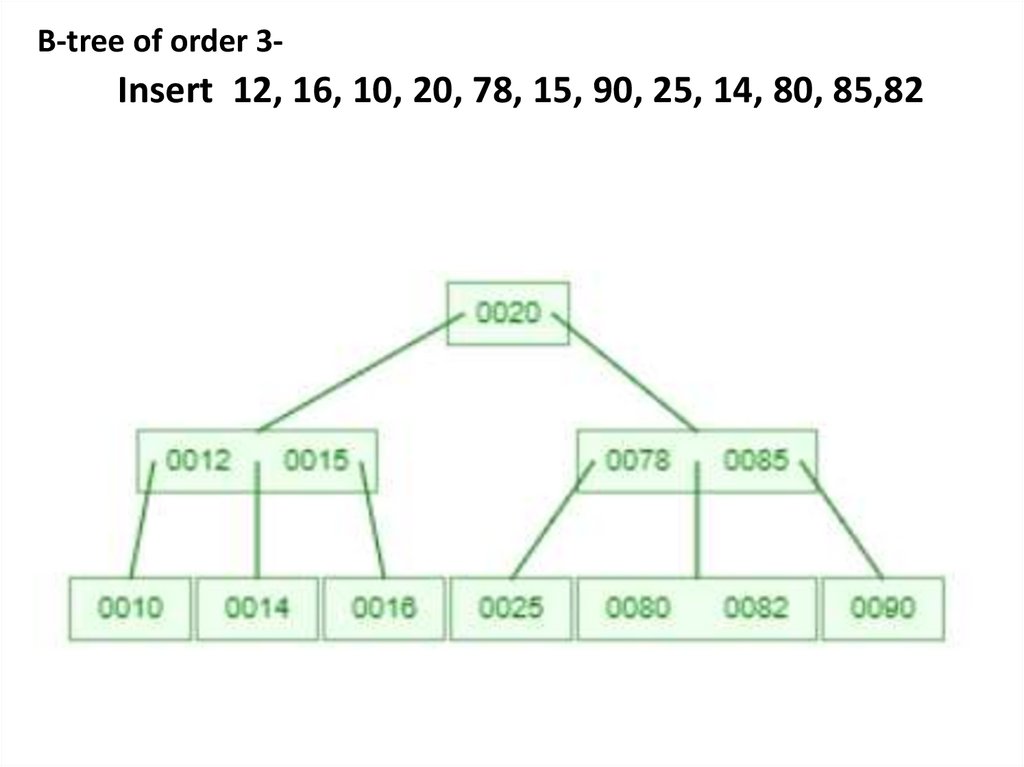
B-tree of order 3Insert 12, 16, 10, 20, 78, 15, 90, 25, 14, 80, 85,8213.
B-tree of order 3-Insert 12, 16, 10, 20, 78, 15, 90, 25, 14, 80, 85,82
14.
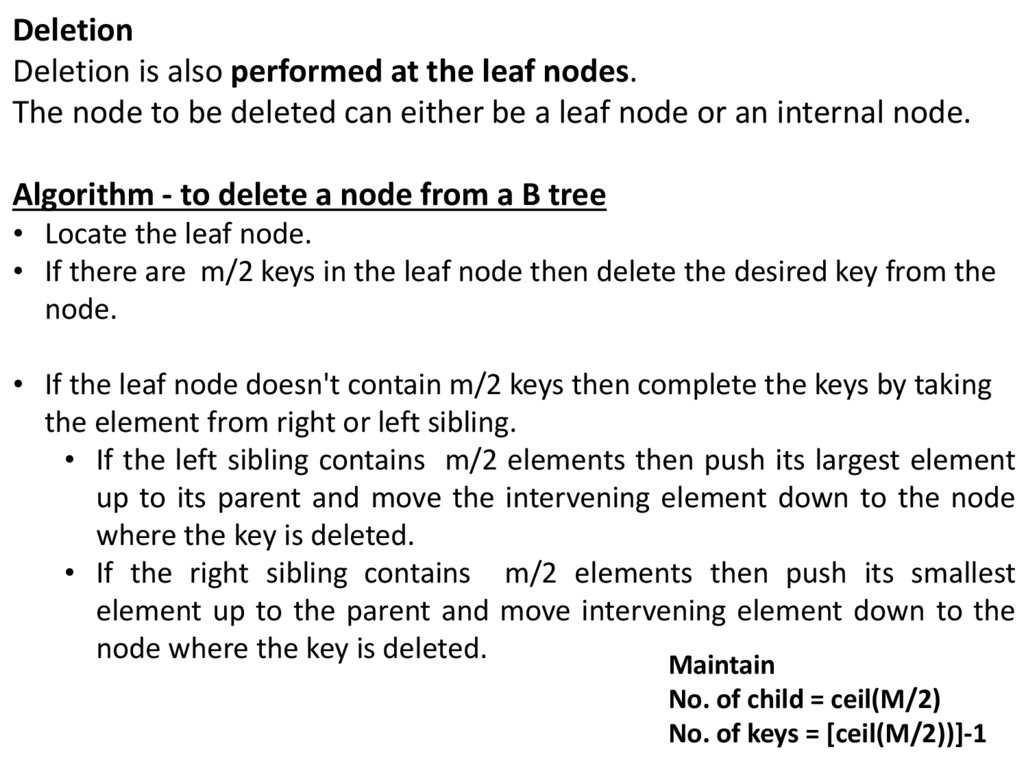
DeletionDeletion is also performed at the leaf nodes.
The node to be deleted can either be a leaf node or an internal node.
Algorithm - to delete a node from a B tree
• Locate the leaf node.
• If there are m/2 keys in the leaf node then delete the desired key from the
node.
• If the leaf node doesn't contain m/2 keys then complete the keys by taking
the element from right or left sibling.
• If the left sibling contains m/2 elements then push its largest element
up to its parent and move the intervening element down to the node
where the key is deleted.
• If the right sibling contains m/2 elements then push its smallest
element up to the parent and move intervening element down to the
node where the key is deleted.
Maintain
No. of child = ceil(M/2)
No. of keys = [ceil(M/2))]-1
15.
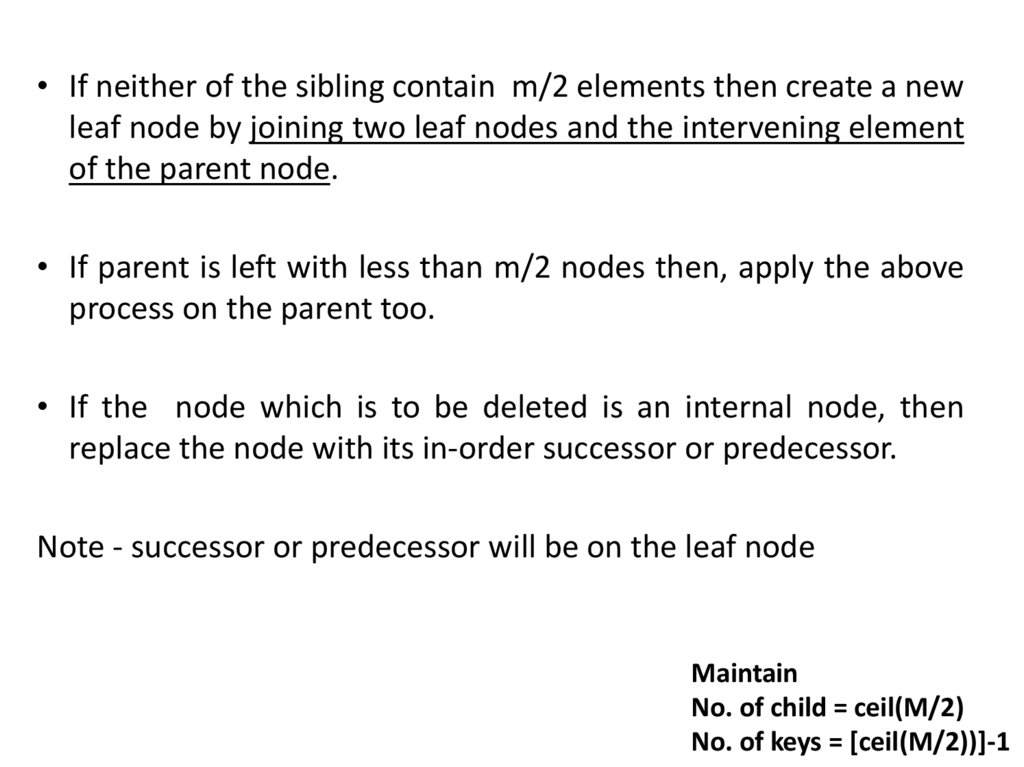
• If neither of the sibling contain m/2 elements then create a newleaf node by joining two leaf nodes and the intervening element
of the parent node.
• If parent is left with less than m/2 nodes then, apply the above
process on the parent too.
• If the node which is to be deleted is an internal node, then
replace the node with its in-order successor or predecessor.
Note - successor or predecessor will be on the leaf node
Maintain
No. of child = ceil(M/2)
No. of keys = [ceil(M/2))]-1
16.
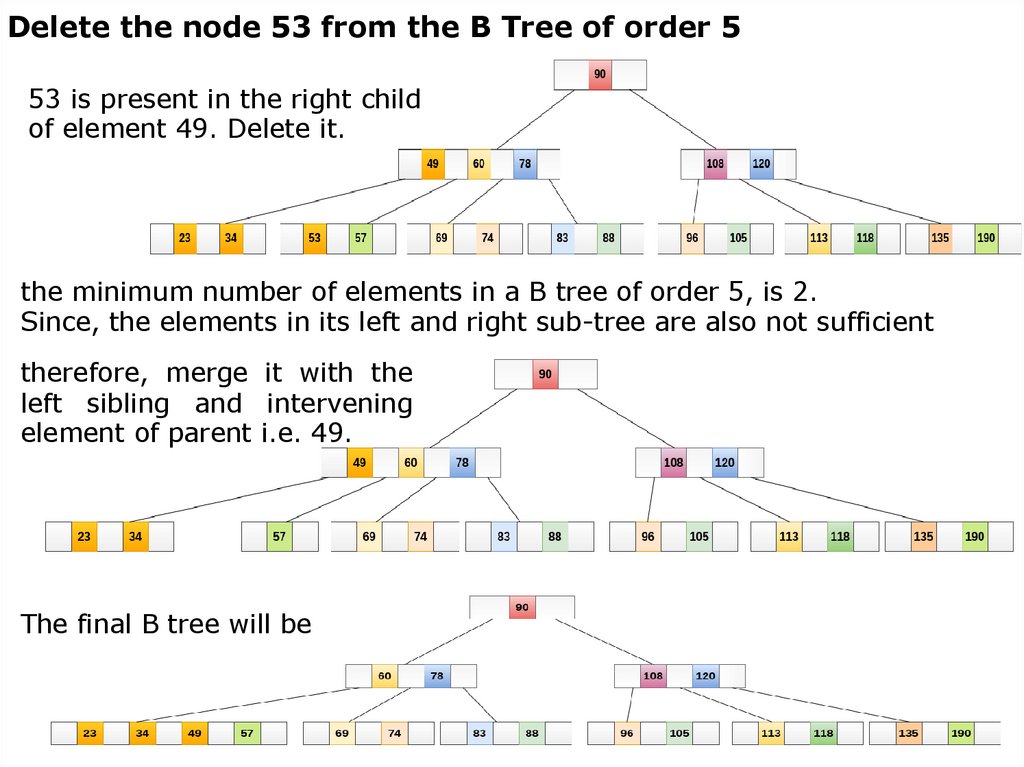
Delete the node 53 from the B Tree of order 553 is present in the right child
of element 49. Delete it.
the minimum number of elements in a B tree of order 5, is 2.
Since, the elements in its left and right sub-tree are also not sufficient
therefore, merge it with the
left sibling and intervening
element of parent i.e. 49.
The final B tree will be
17.
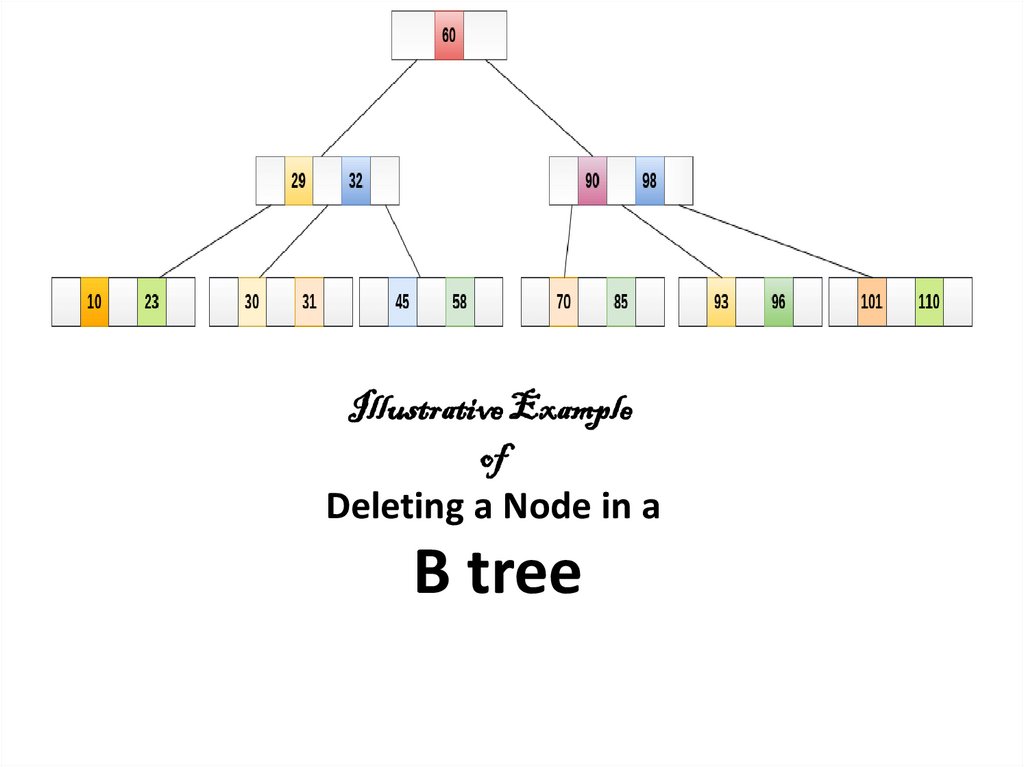
Illustrative Exampleof
Deleting a Node in a
B tree
18.
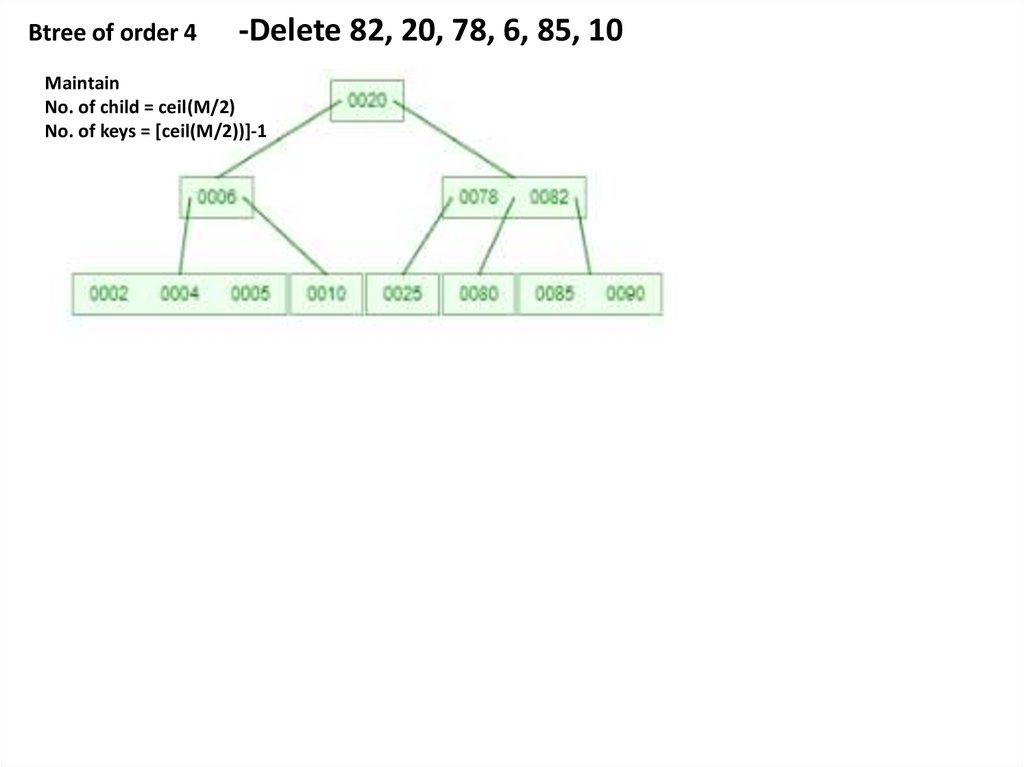
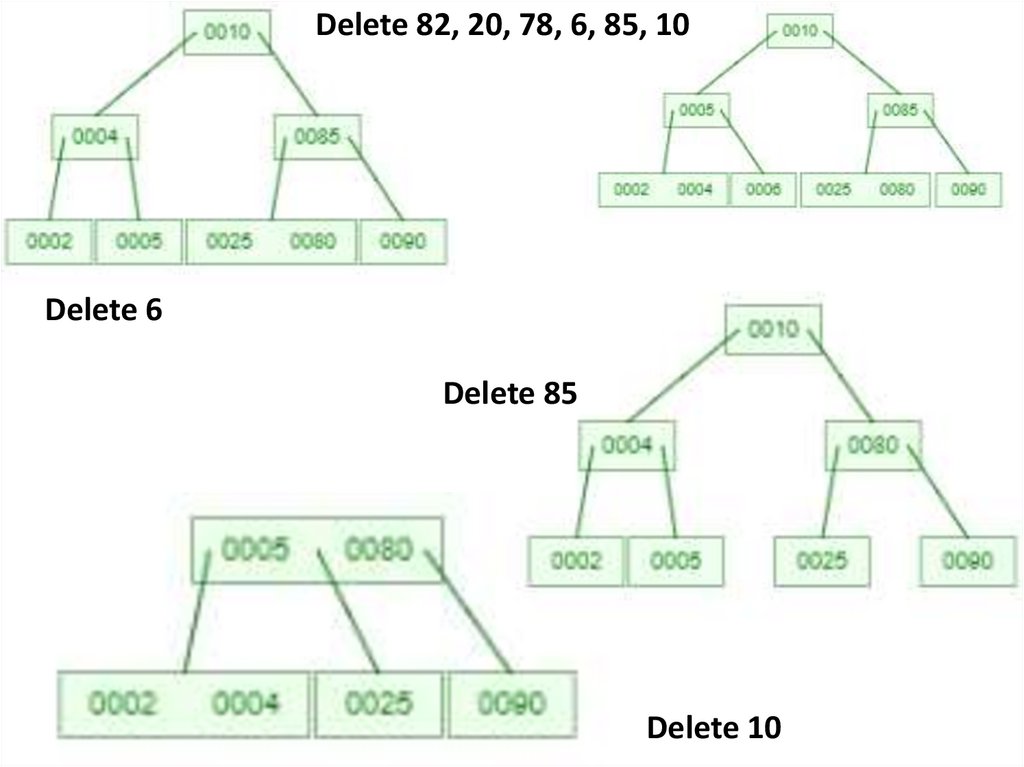
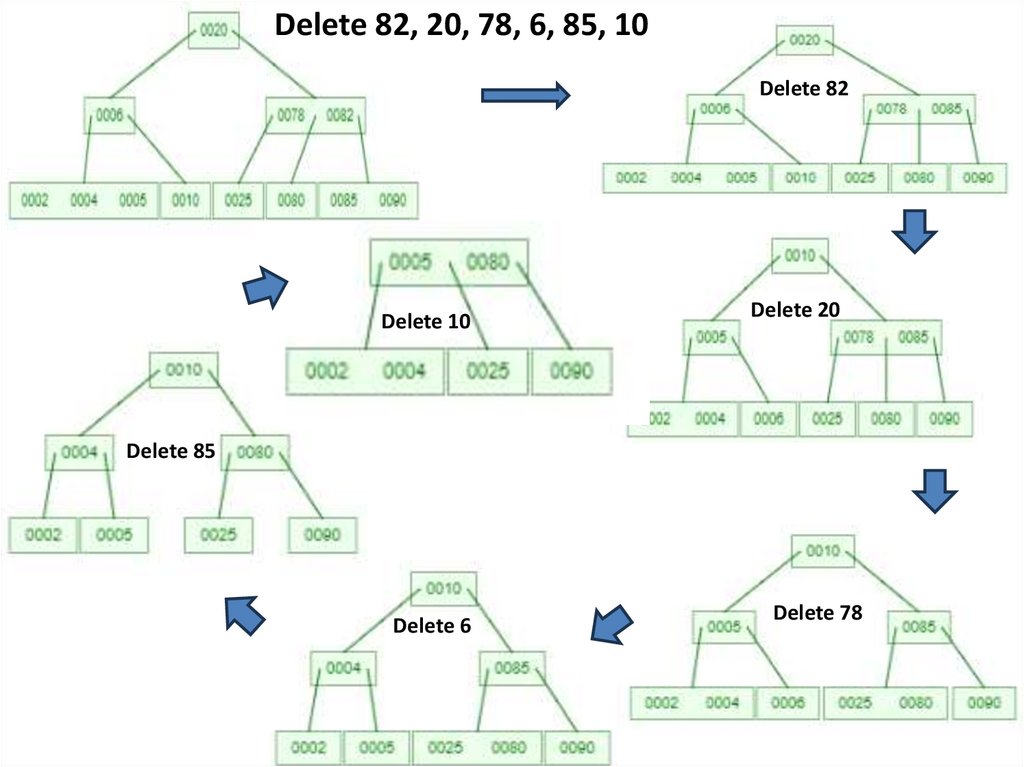
Btree of order 4-Delete 82, 20, 78, 6, 85, 10
Maintain
No. of child = ceil(M/2)
No. of keys = [ceil(M/2))]-1
19.
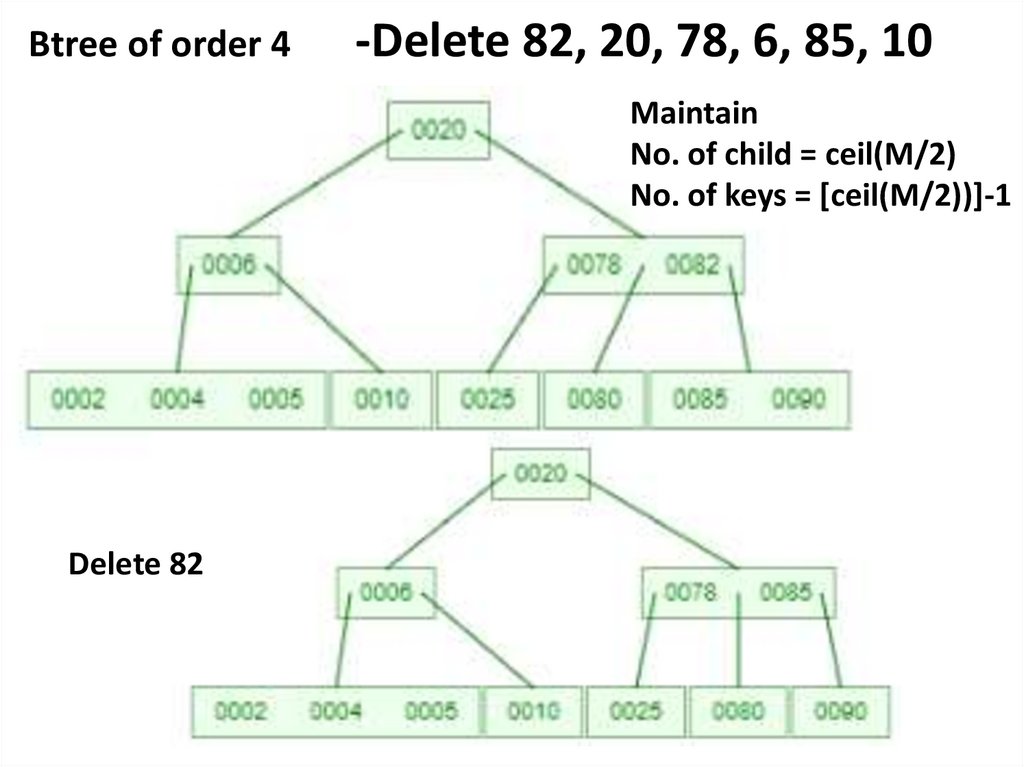
Btree of order 4-Delete 82, 20, 78, 6, 85, 10
Maintain
No. of child = ceil(M/2)
No. of keys = [ceil(M/2))]-1
Delete 82
20.
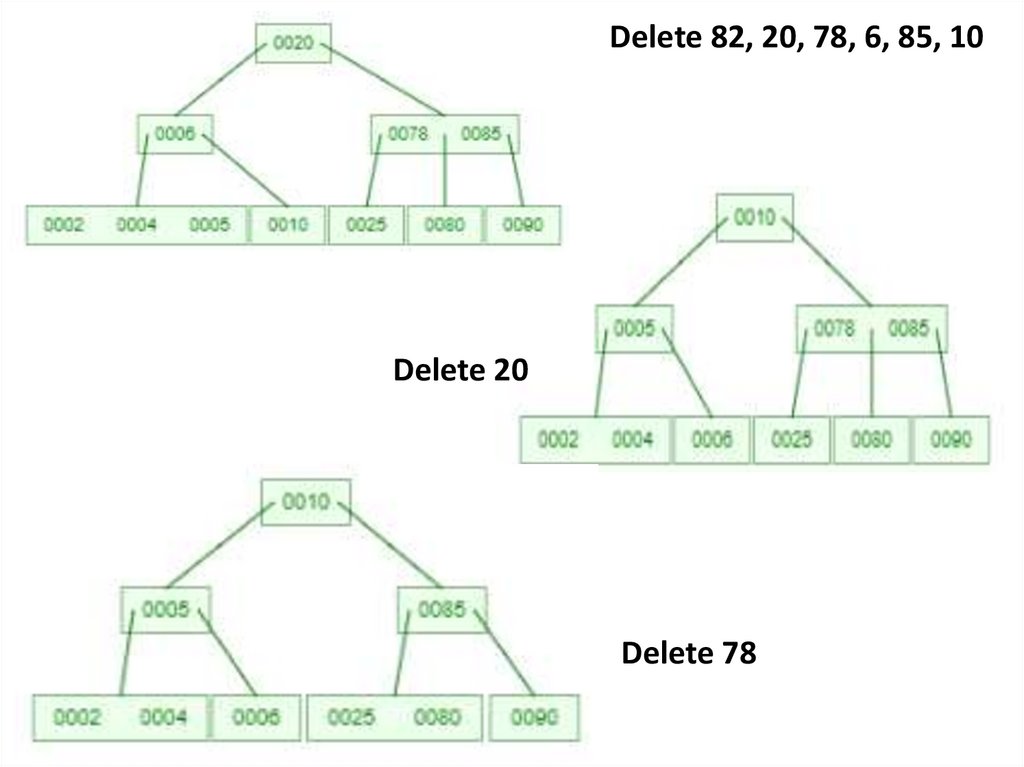
Delete 82, 20, 78, 6, 85, 10Delete 20
Delete 78
21.
Delete 82, 20, 78, 6, 85, 10Delete 6
Delete 85
Delete 10
22.
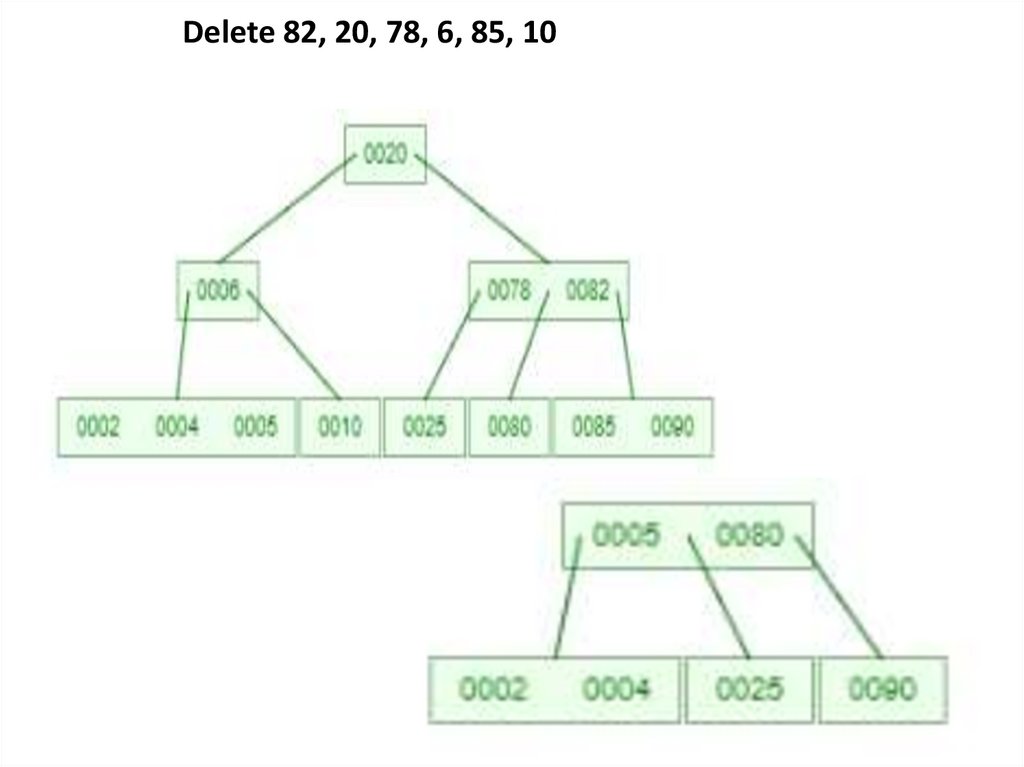
Delete 82, 20, 78, 6, 85, 10Delete 82
Delete 10
Delete 20
Delete 85
Delete 6
Delete 78
23.
Delete 82, 20, 78, 6, 85, 1024.
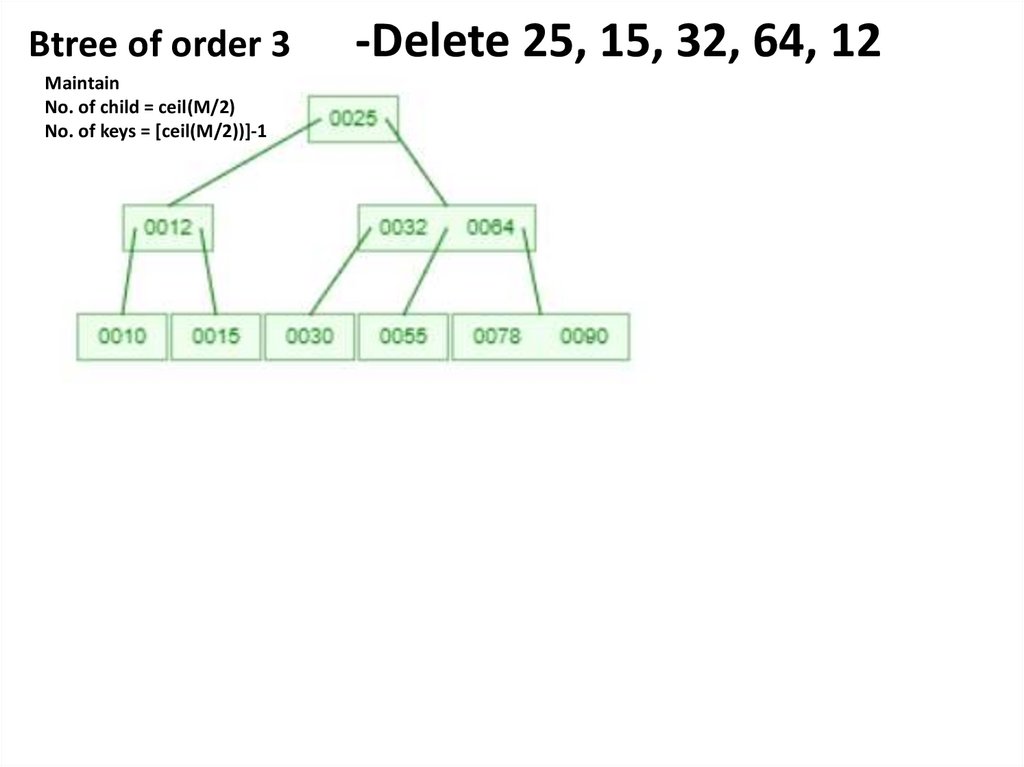
Btree of order 3Maintain
No. of child = ceil(M/2)
No. of keys = [ceil(M/2))]-1
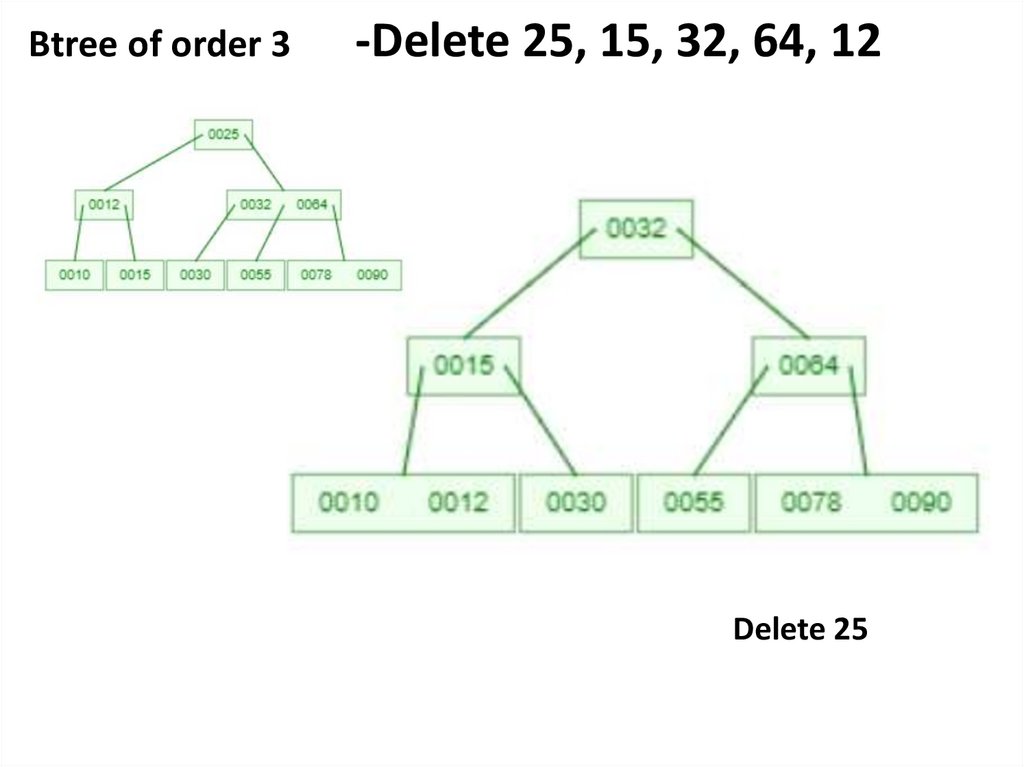
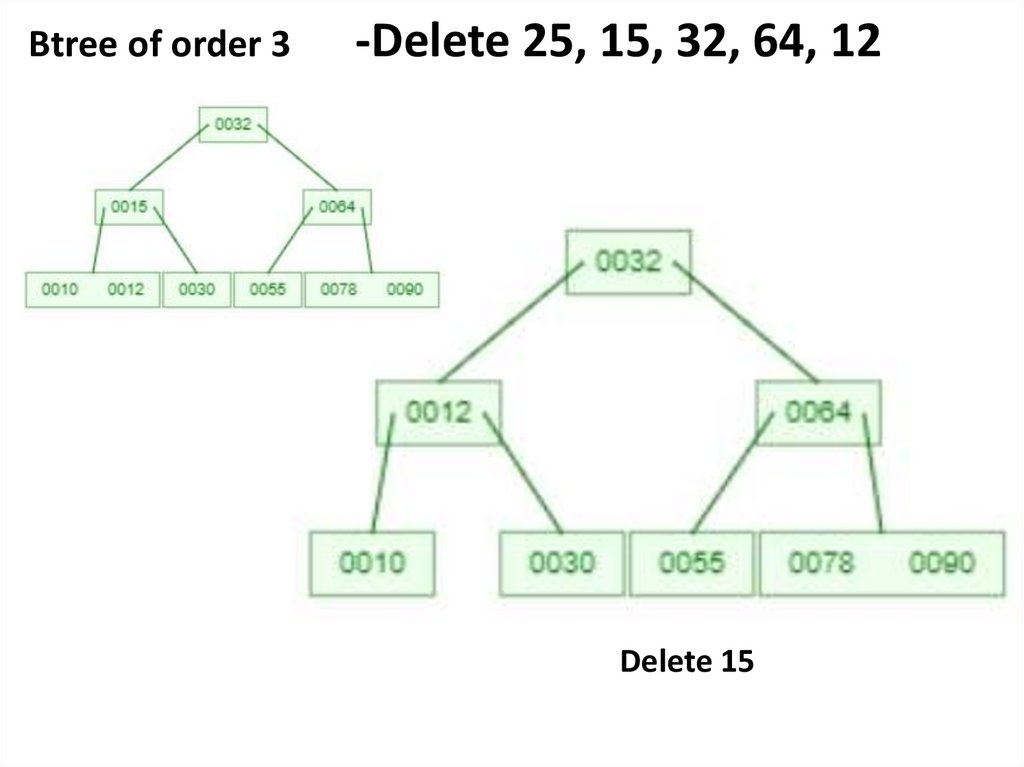
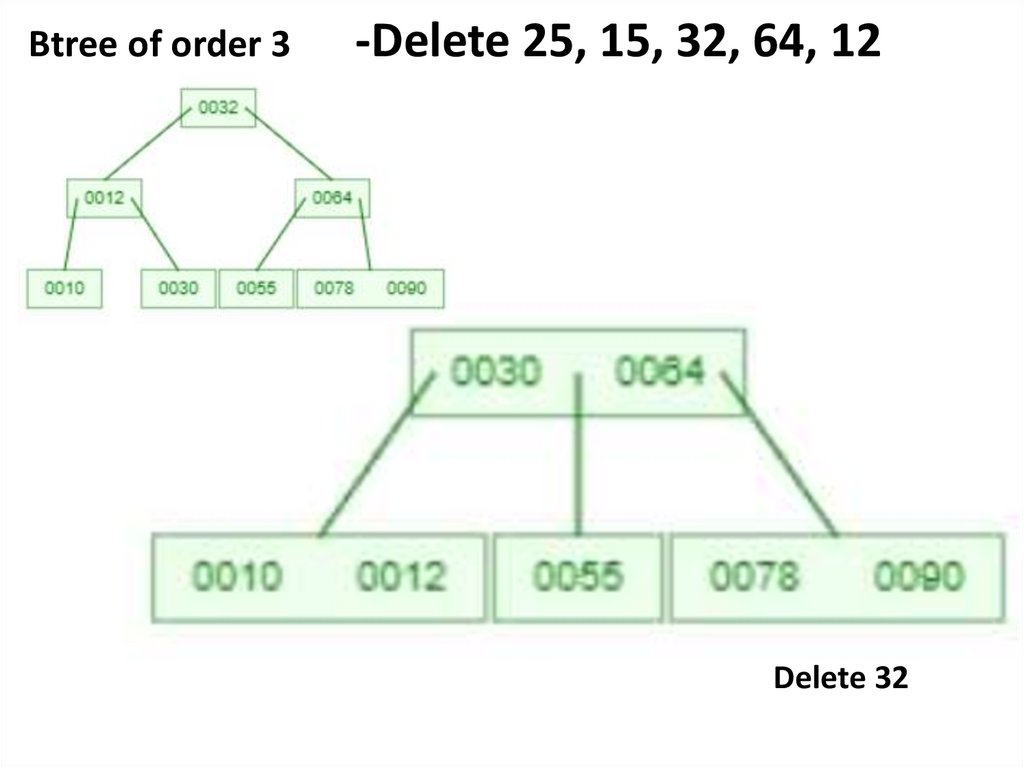
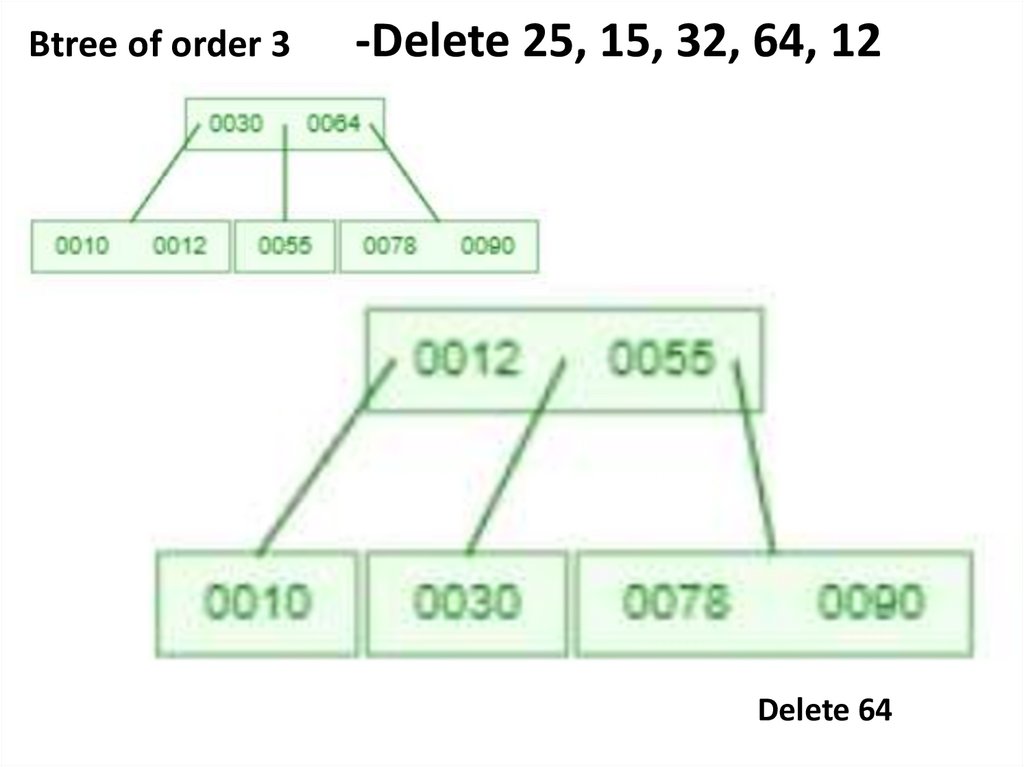
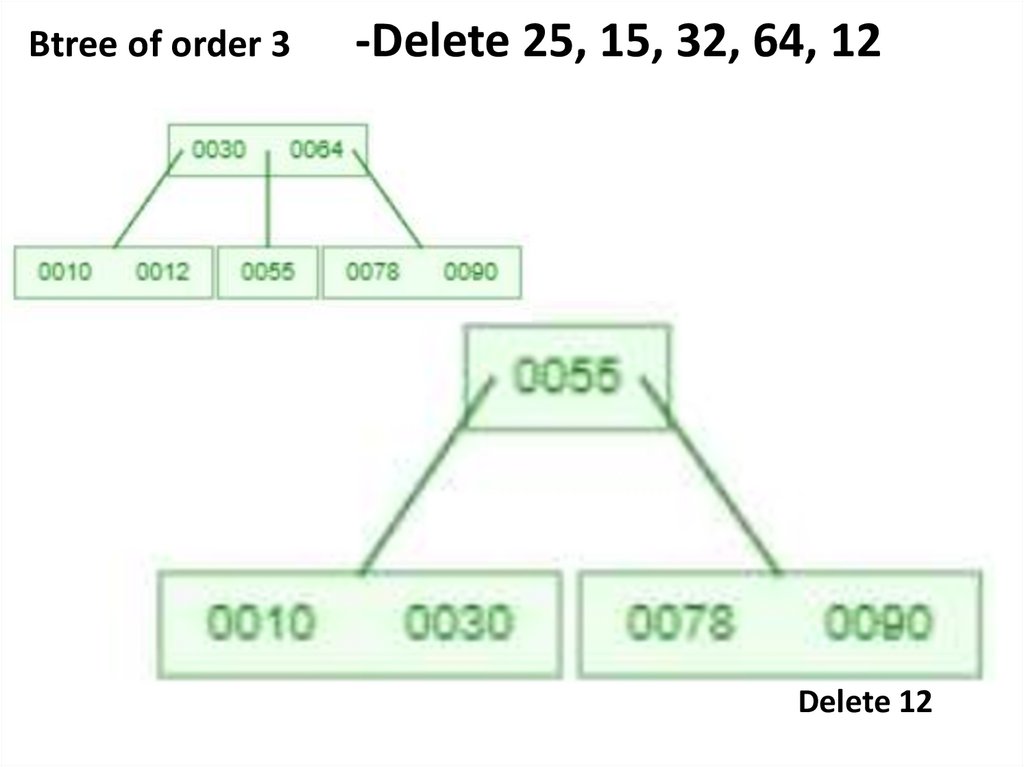
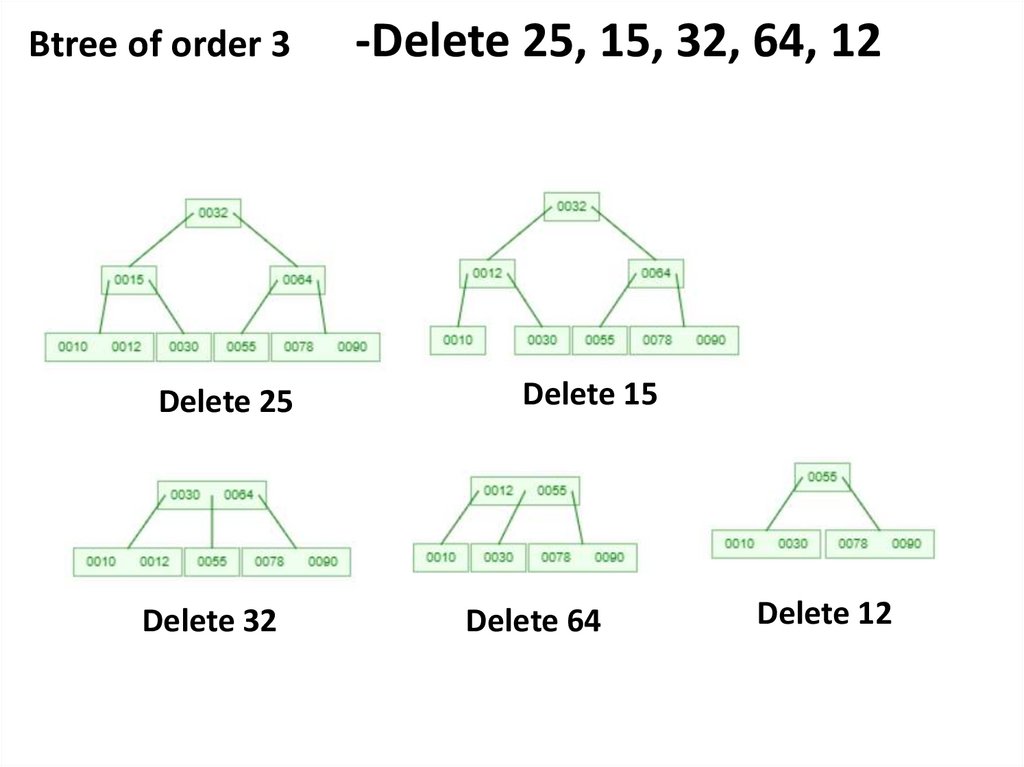
-Delete 25, 15, 32, 64, 12
25.
Btree of order 3-Delete 25, 15, 32, 64, 12
Delete 25
26.
Btree of order 3-Delete 25, 15, 32, 64, 12
Delete 15
27.
Btree of order 3-Delete 25, 15, 32, 64, 12
Delete 32
28.
Btree of order 3-Delete 25, 15, 32, 64, 12
Delete 64
29.
Btree of order 3-Delete 25, 15, 32, 64, 12
Delete 12
30.
Btree of order 3Delete 25
Delete 32
-Delete 25, 15, 32, 64, 12
Delete 15
Delete 64
Delete 12
31.
Application of B treeB tree are balanced search tree designed to work well on
magnetic disk or other direct access secondary storage devices
B tree is used to index the data and provides fast access to the
actual data stored on the disks
Searching an un-indexed and unsorted database containing n key
values needs O(n) running time in worst case. However, if we use
B Tree to index this database, it will be searched in O(log n) time
in worst case.
B tree help in minimizing the disk I/O operations
Many databases uses B Tree or variants of B Tree such as B+ or B*
to store information