 Базы данных
Похожие презентации:


BSc (Hons)COM204 Data & Knowledge Management
1. BSc (Hons)COM204 Data & Knowledge Management
BSc (Hons)COM204 Data &Knowledge Management
Associate Professor PhD Peter Ganev
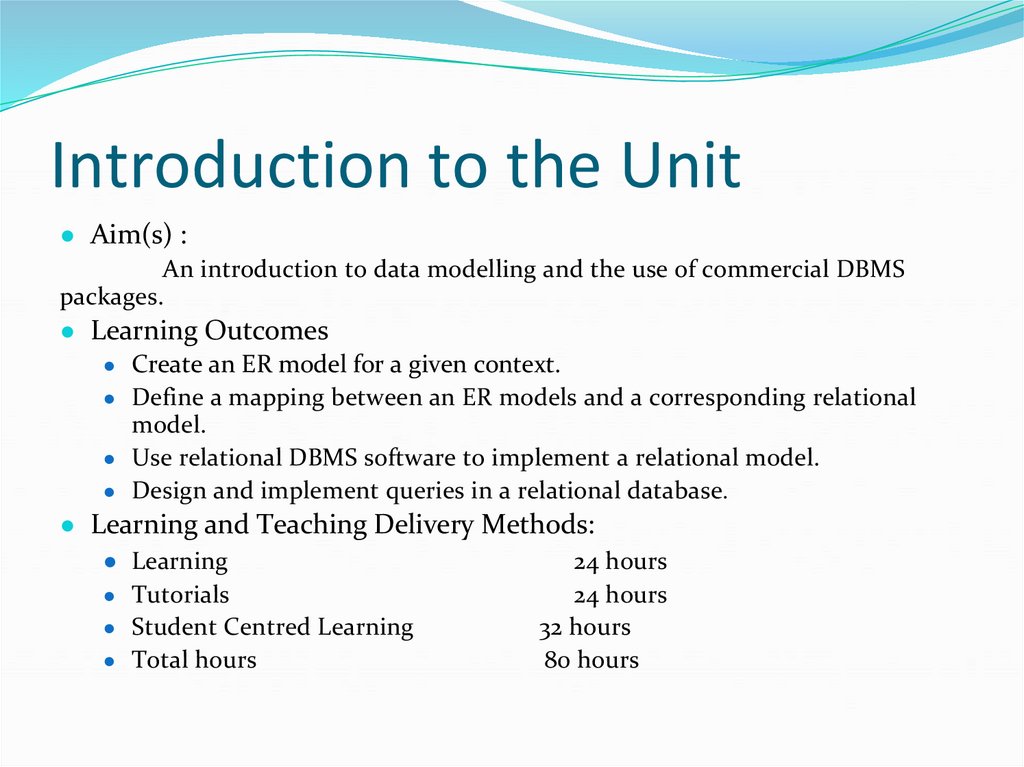
2. Introduction to the Unit
● Aim(s) :An introduction to data modelling and the use of commercial DBMS
packages.
● Learning Outcomes
● Create an ER model for a given context.
● Define a mapping between an ER models and a corresponding relational
model.
● Use relational DBMS software to implement a relational model.
● Design and implement queries in a relational database.
● Learning and Teaching Delivery Methods:
● Learning
24 hours
● Tutorials
24 hours
● Student Centred Learning
32 hours
● Total hours
80 hours
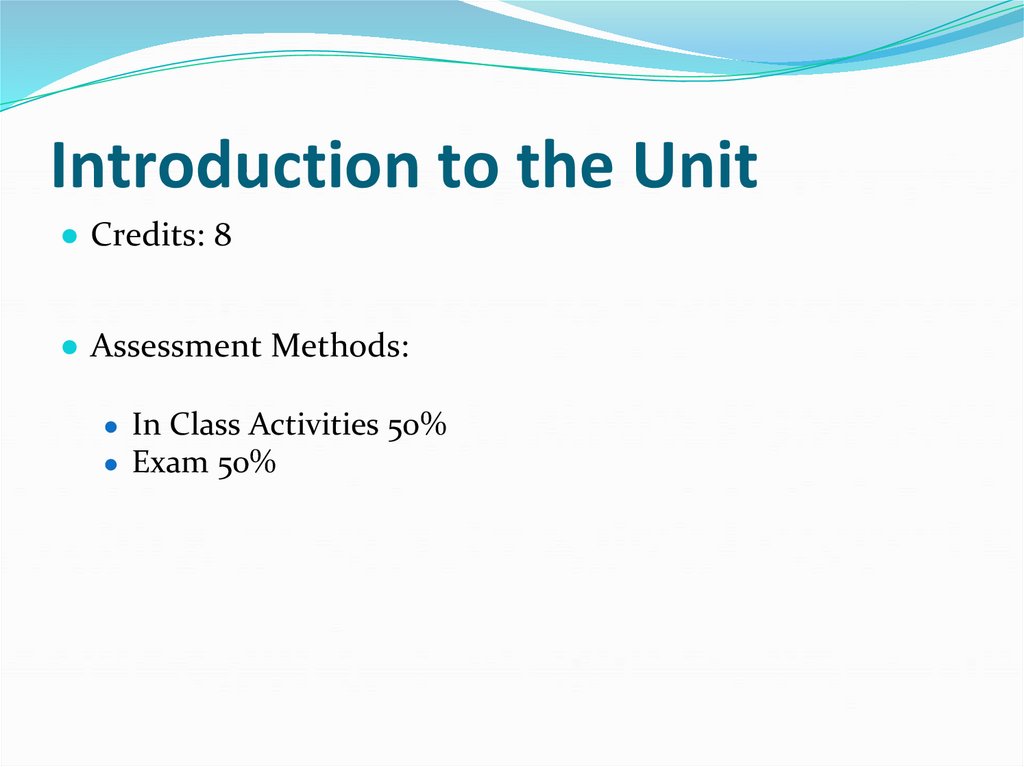
3. Introduction to the Unit
● Credits: 8● Assessment Methods:
● In Class Activities 50%
● Exam 50%
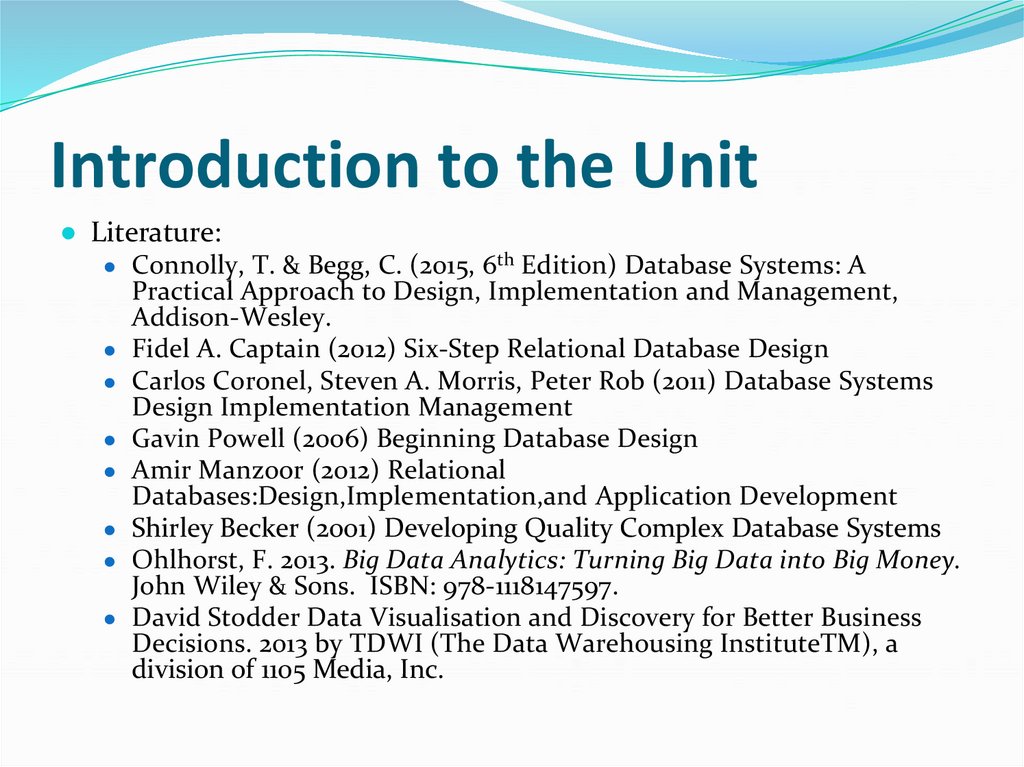
4. Introduction to the Unit
● Literature:● Connolly, T. & Begg, C. (2015, 6th Edition) Database Systems: A
Practical Approach to Design, Implementation and Management,
Addison-Wesley.
● Fidel A. Captain (2012) Six-Step Relational Database Design
● Carlos Coronel, Steven A. Morris, Peter Rob (2011) Database Systems
Design Implementation Management
● Gavin Powell (2006) Beginning Database Design
● Amir Manzoor (2012) Relational
Databases:Design,Implementation,and Application Development
● Shirley Becker (2001) Developing Quality Complex Database Systems
● Ohlhorst, F. 2013. Big Data Analytics: Turning Big Data into Big Money.
John Wiley & Sons. ISBN: 978-1118147597.
● David Stodder Data Visualisation and Discovery for Better Business
Decisions. 2013 by TDWI (The Data Warehousing InstituteTM), a
division of 1105 Media, Inc.
5. Introduction to students
● Ass. Prof. PhD Peter Ganev● Students
● Background (studies, work experience)
● Preliminary knowledge and experience with Data Base
● Expectations from the course
6. Introduction to Databases
● Lecture Objectives● Introduction to the Databases and the DBMS,
● Тhe three-level database architecture,
● Тhe DDL ,DML and DCL
● Тhe typical functions and services of DBMS
● Essential Reading:
● Connolly, T. & Begg, C. (2015, 6th Edition) Database
Systems: A Practical Approach to Design,
Implementation and Management, Addison-Wesley.
Chapters 1 and 2
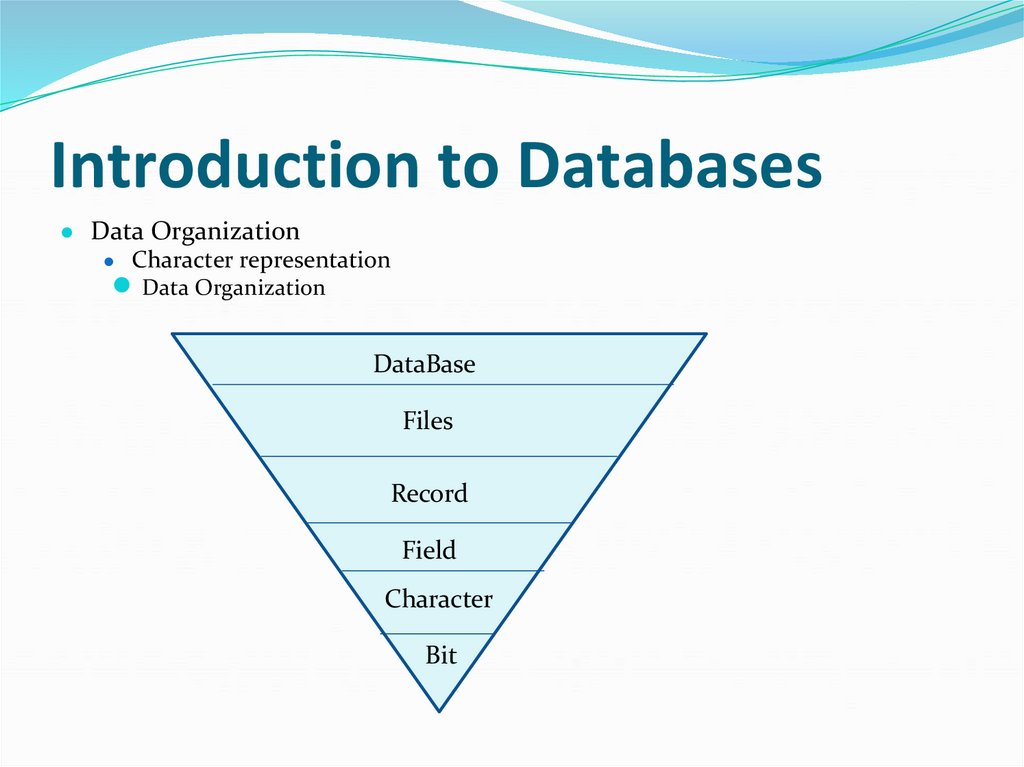
7. Introduction to Databases
● Data Organization● Character representation
● Data Organization
DataBase
Files
Record
Field
Character
Bit
8. Introduction to Databases
● Database, DBMS, Database application● Database
● Database management system (DBMS)
● Database application
● Database system
9. Introduction to Databases
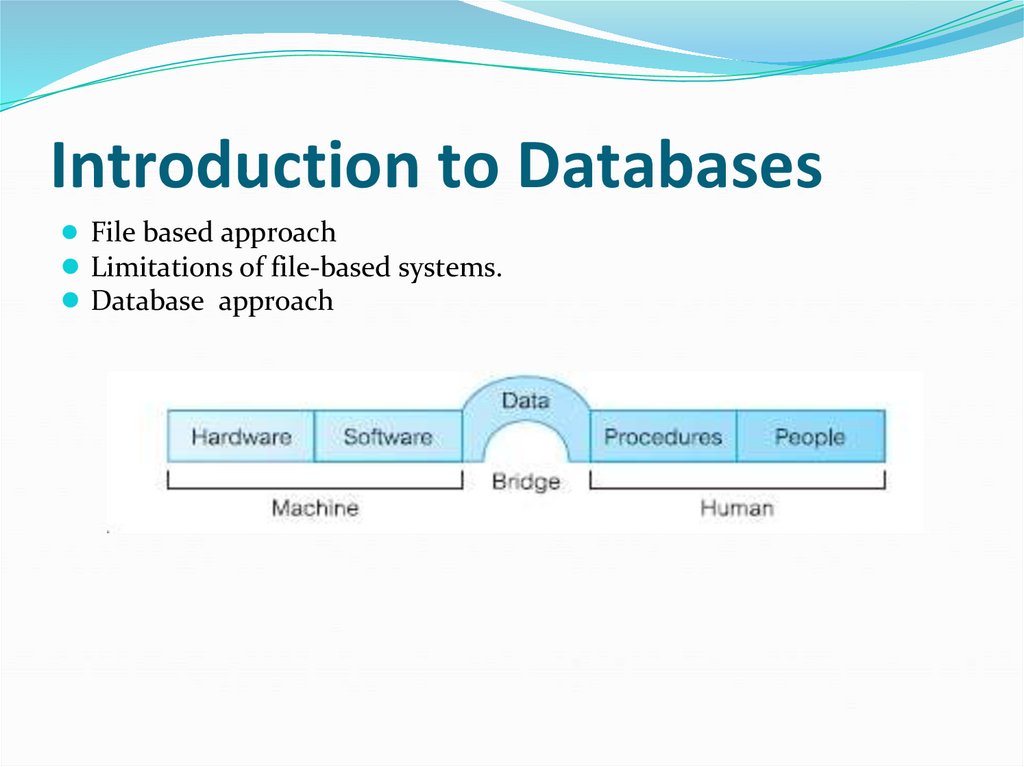
● File based approach● Limitations of file-based systems.
● Database approach
10. Introduction to Databases
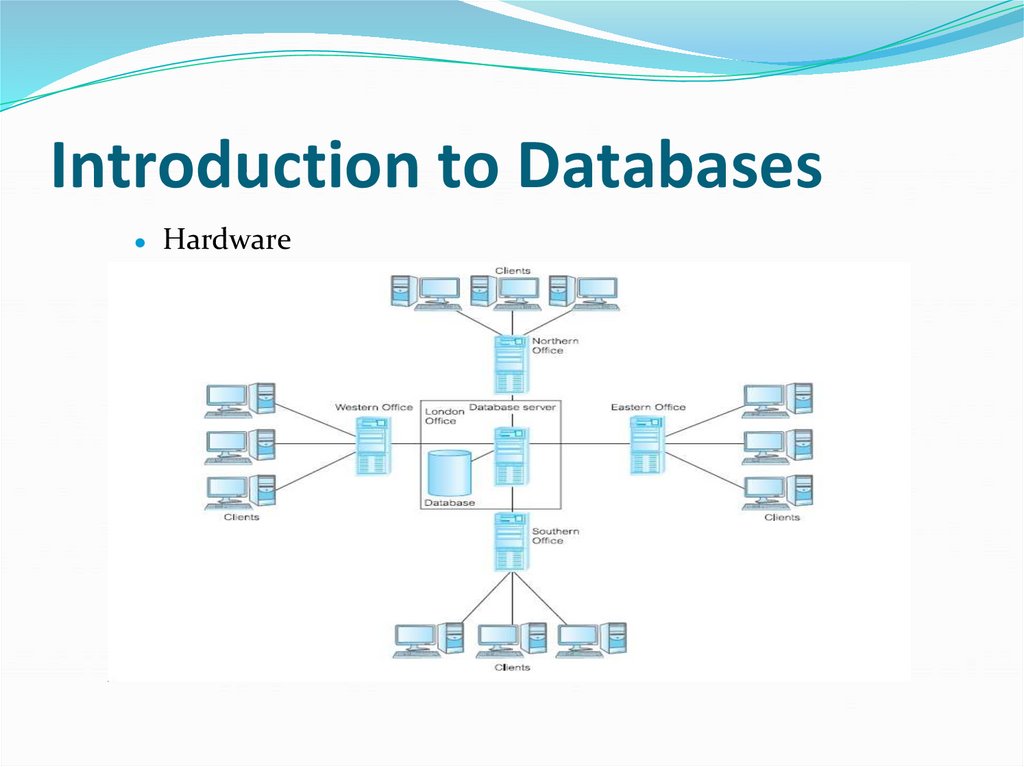
Hardware
11. Introduction to Databases
Software
Data
Procedures
Database design: determine the structure of
the database
Roles in DB environment
12. Introduction to Databases
Roles in DB environment
Data and Database Administrator
● Database designer
● Application developers
● End user
● New user
● Sophisticated user
13. Introduction to Databases
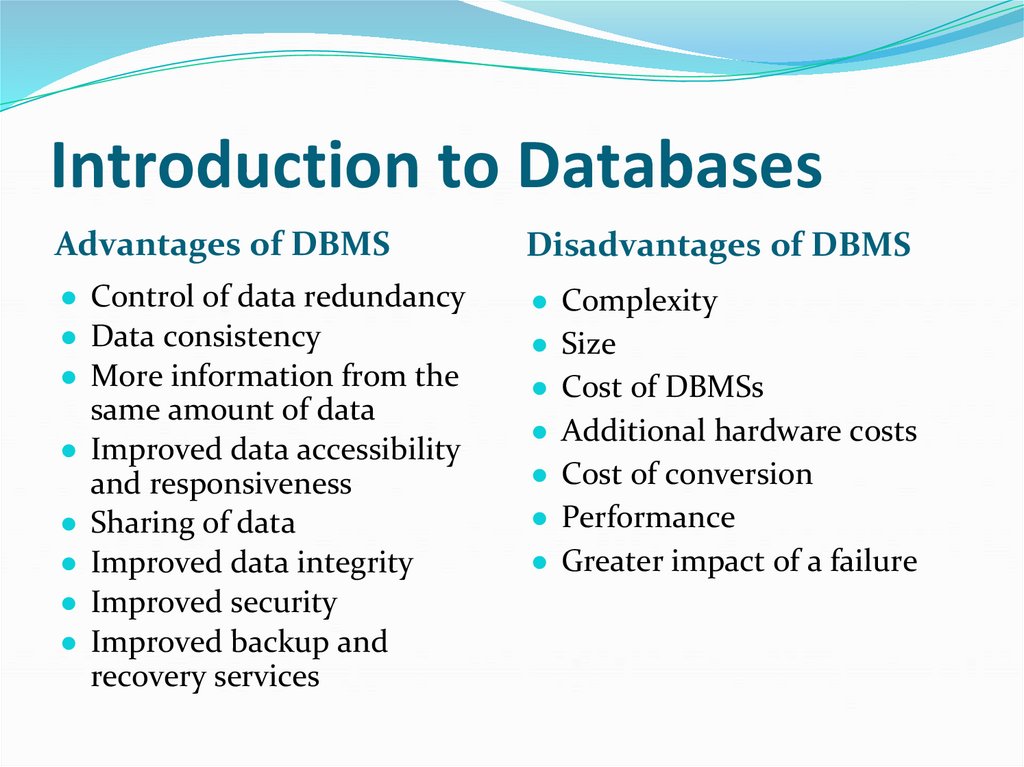
Advantages of DBMSDisadvantages of DBMS
● Control of data redundancy
● Data consistency
● More information from the
same amount of data
● Improved data accessibility
and responsiveness
● Sharing of data
● Improved data integrity
● Improved security
● Improved backup and
recovery services
● Complexity
● Size
● Cost of DBMSs
● Additional hardware costs
● Cost of conversion
● Performance
● Greater impact of a failure
14. Introduction to Databases
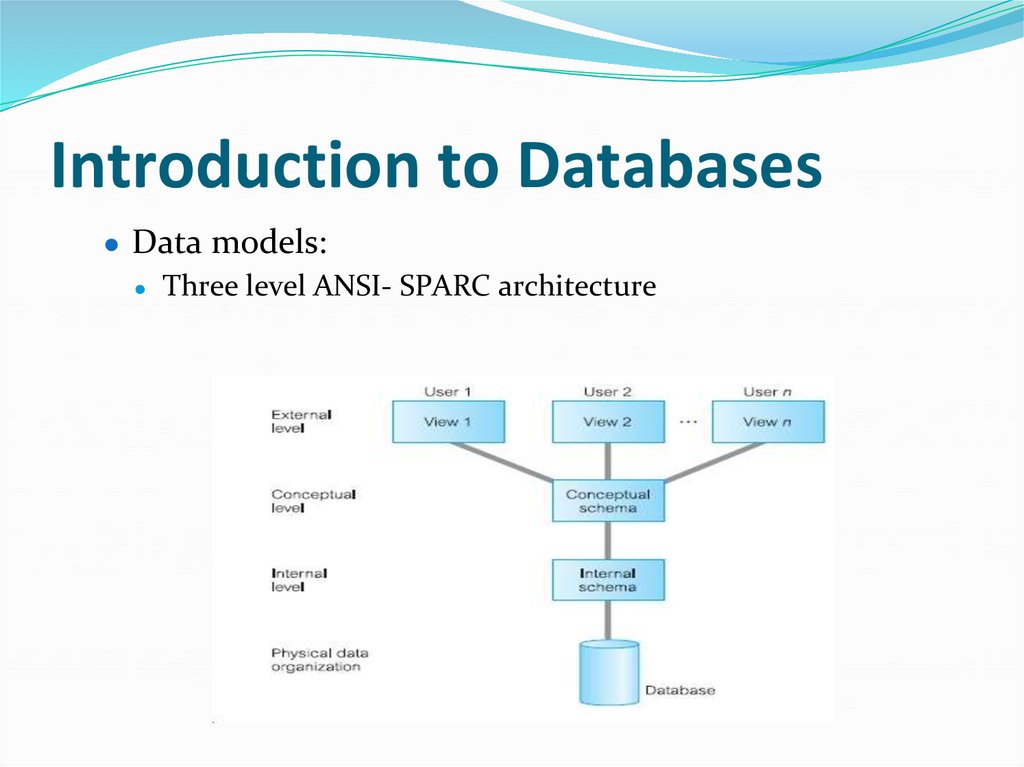
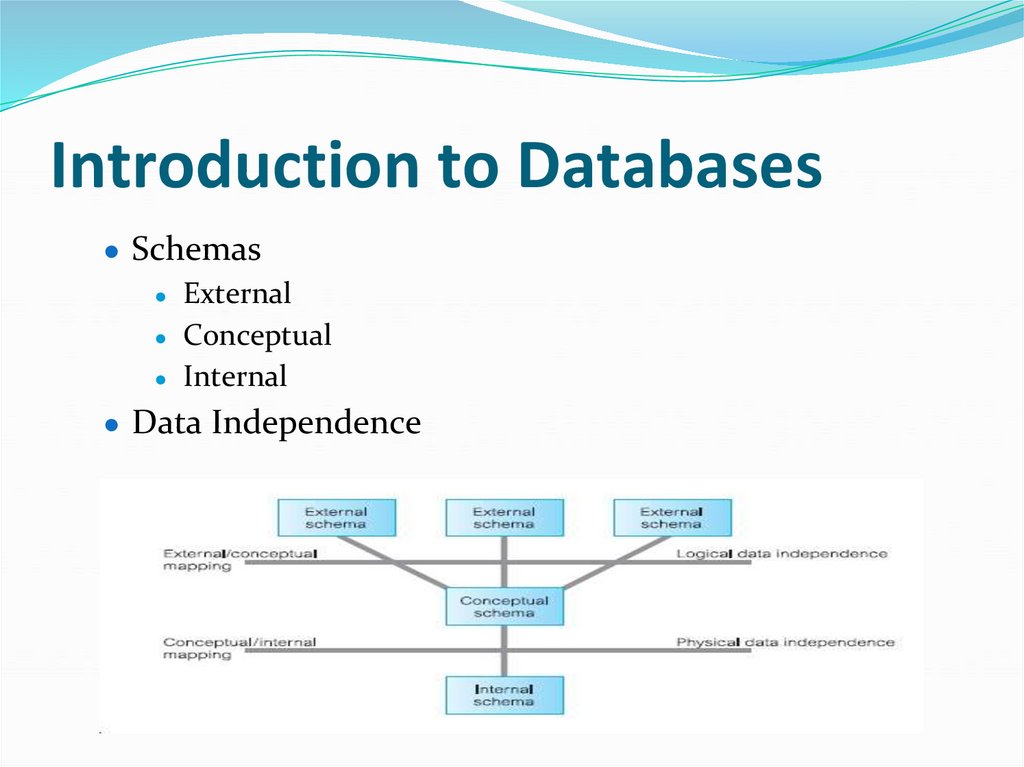
● Data models:● Three level ANSI- SPARC architecture
15. Introduction to Databases
16. Introduction to Databases
17. Introduction to Databases
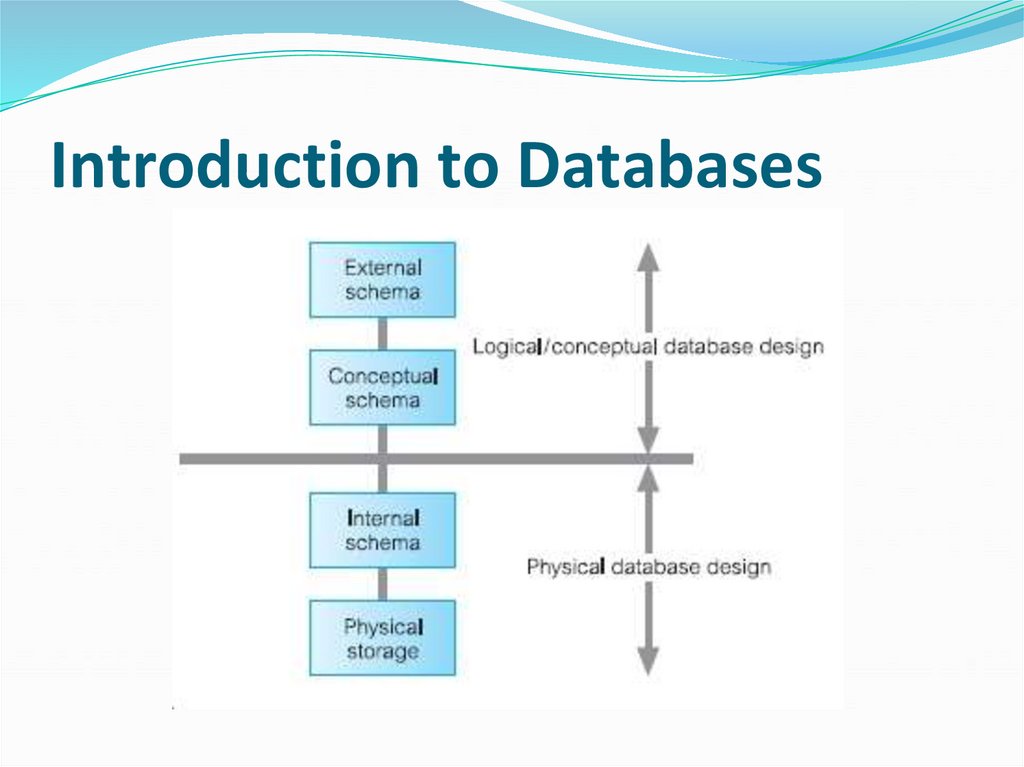
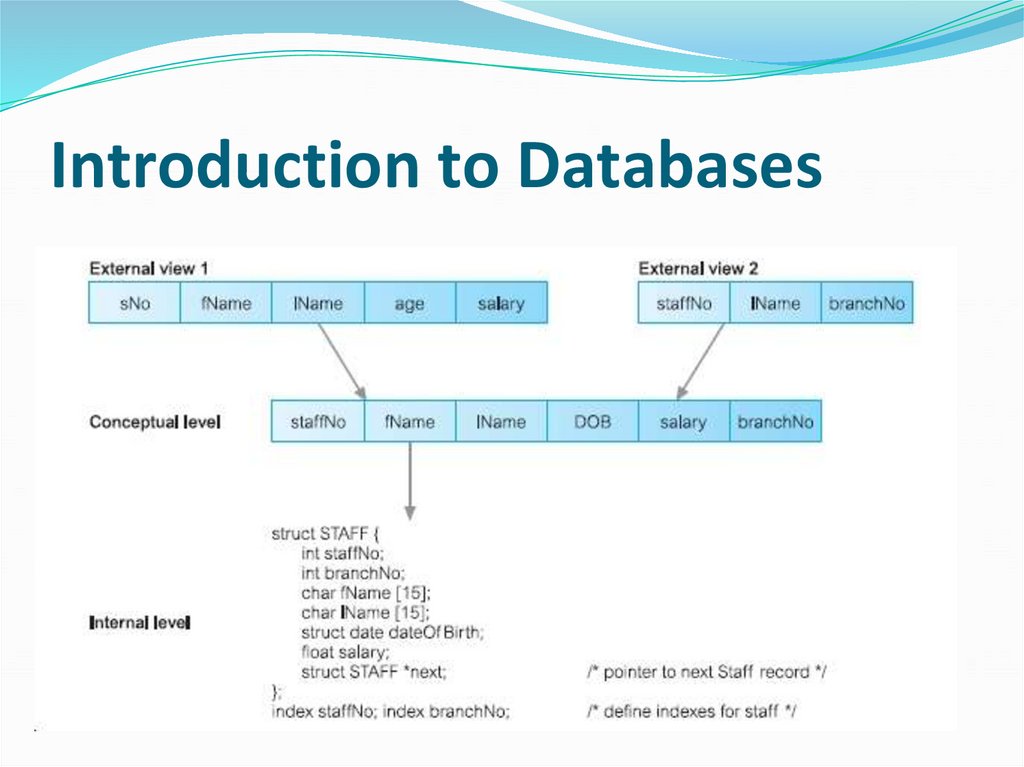
● Schemas● External
● Conceptual
● Internal
● Data Independence
18. Introduction to Databases
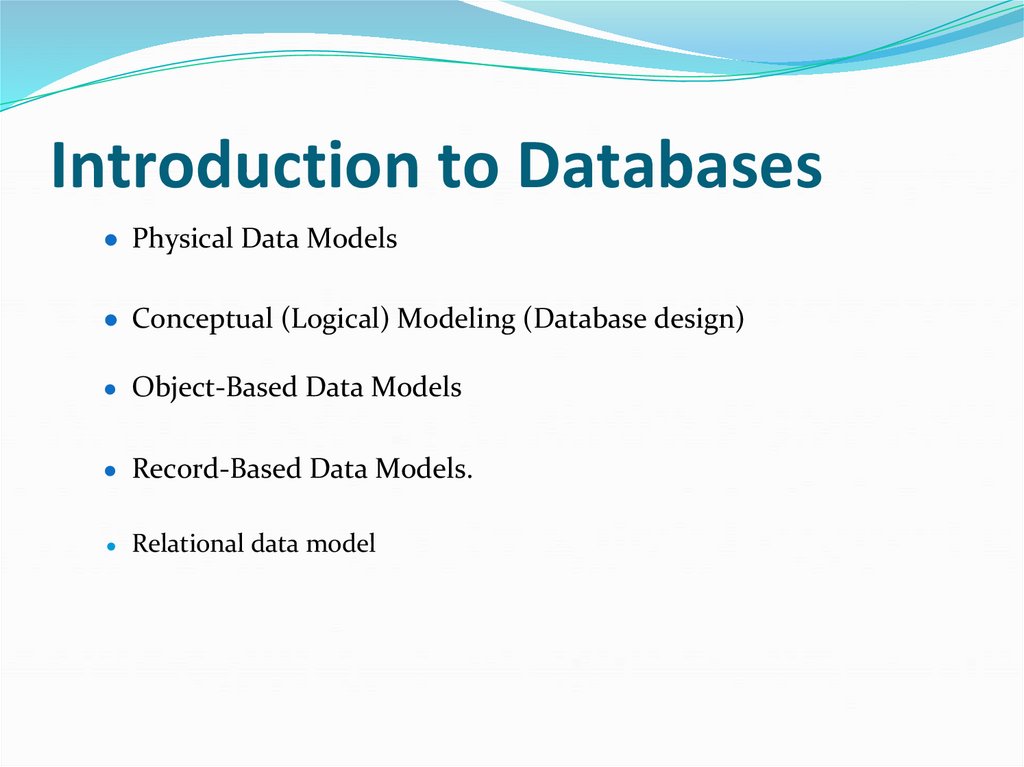
● Physical Data Models● Conceptual (Logical) Modeling (Database design)
● Object-Based Data Models
● Record-Based Data Models.
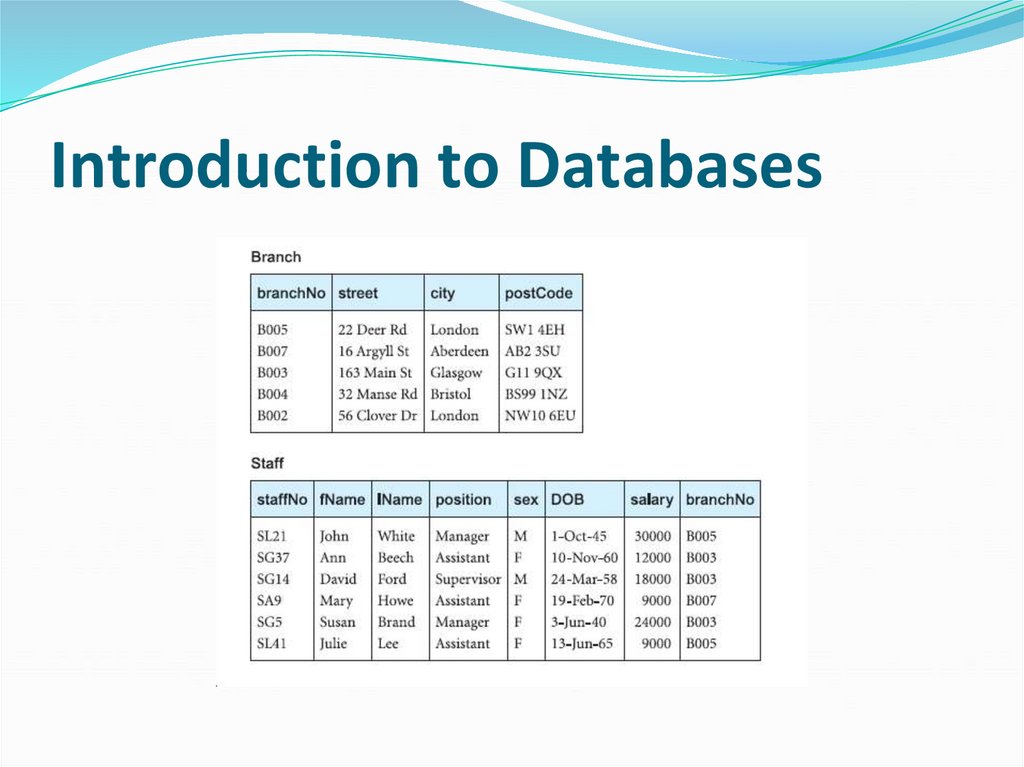
Relational data model
19. Introduction to Databases
20. Introduction to Databases
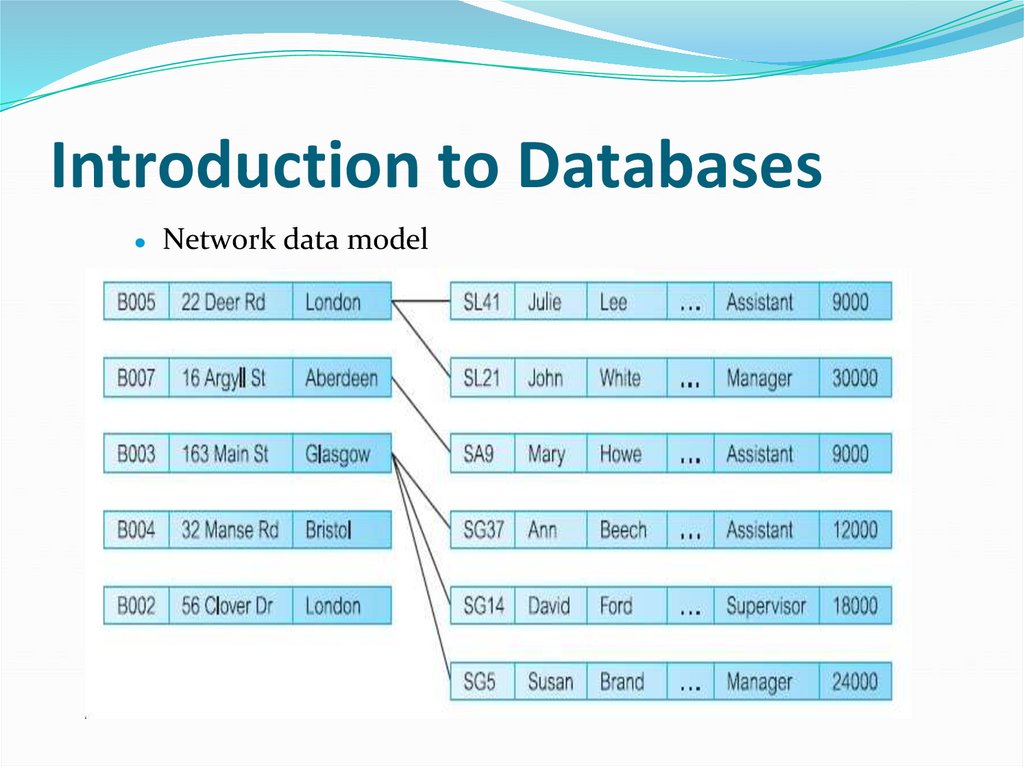
Network data model
21. Introduction to Databases
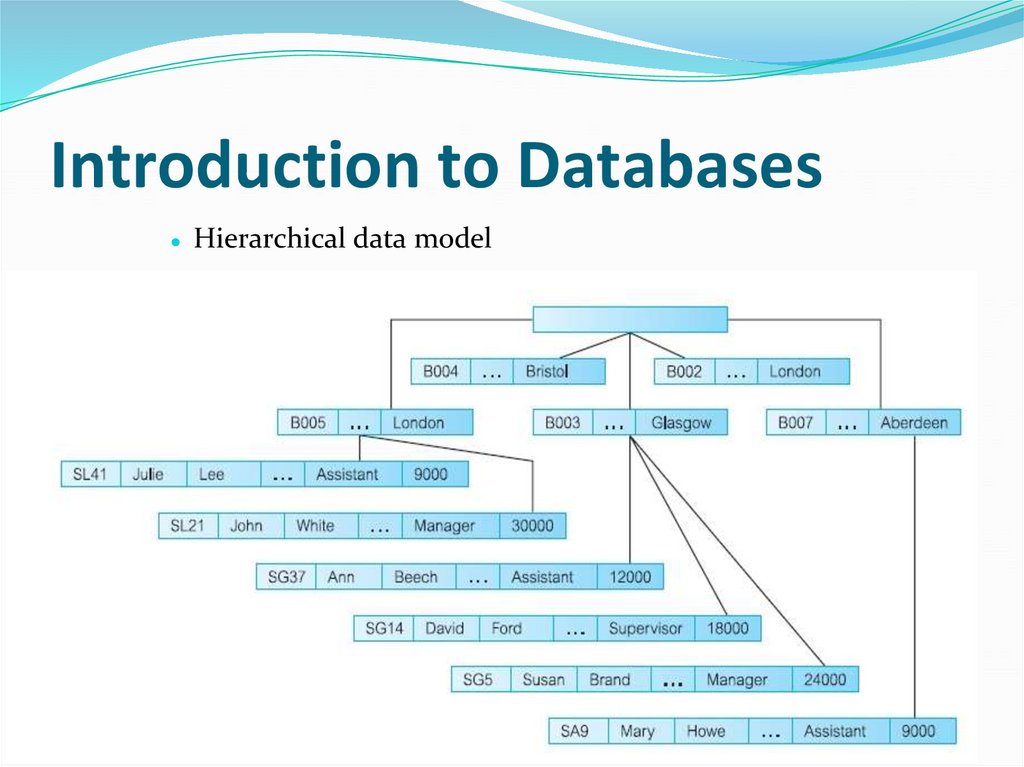
● Hierarchical data model22. Introduction to Databases
● Database languages● Data Definition Language (DDL)
● Data Modeling Language (DML)
● Data Control (DCL)Language
● Fourth-Generation Languages (4GLs)
23. Introduction to Databases
Forms generators
Report generators
Graphics generators
Application generators
SQL (Structured Query Language,)
Embedding the sublanguage in a high-level programming (C,
Java…)
24. Introduction to Databases
● Functions of a DBMS● Data storage, retrieval, and update
● A user-accessible
● Transaction support
● Concurrency control services
● Recovery services
● Authorization services (security)
● Support for data communication
25. Introduction to Databases
● Integrity services● Services to promote data independence
● Utility services
26. Relational and Object oriented Model
● Lecture Objectives:● The terminology of the relational model.
● Tables to represent data.
● Identify candidate, primary, alternate, and foreign keys.
● The meaning of entity integrity and referential integrity.
● The purpose and advantages of views.
● Relational versus Object oriented Model.
● Essential Reading:
● Connolly, T. & Begg, C. (2015, 6th Edition) Database Systems:
A Practical Approach to Design, Implementation and
Management, Addison-Wesley.
Chapter 4, 5, 9, 27, 28
27. Relational Model
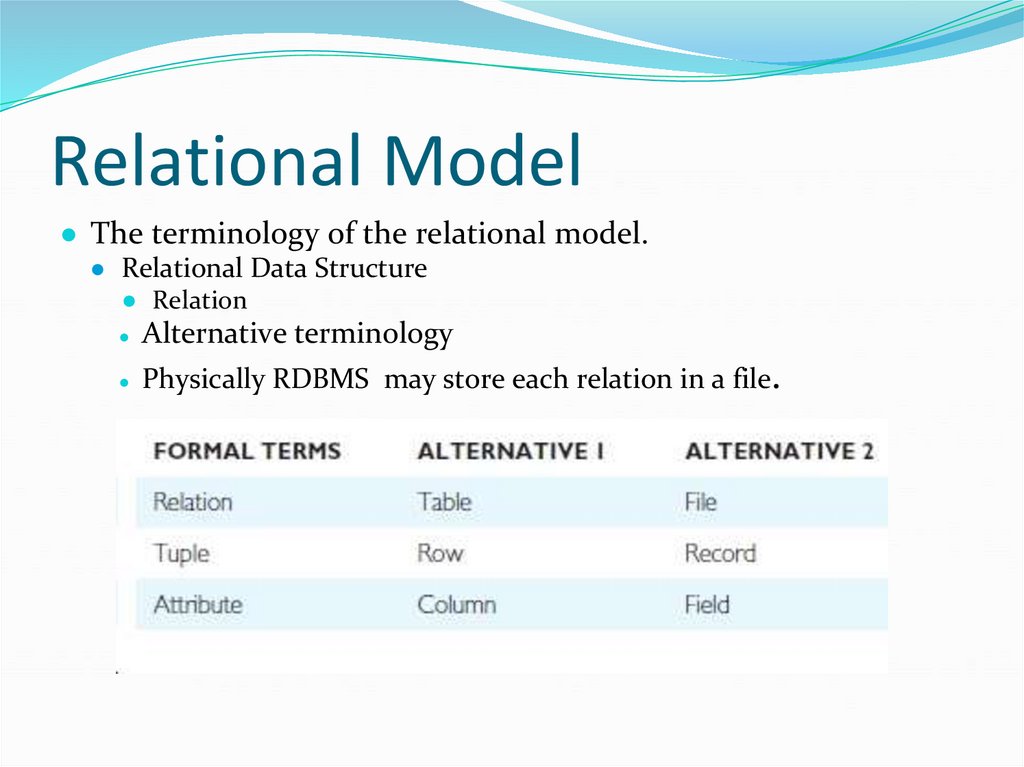
● The terminology of the relational model.● Relational Data Structure
● Relation
Alternative terminology
● Physically RDBMS
may store each relation in a file.
28. Relational Model
● Database Relations● Relation schema (table)
● Relational database schema (DB)
● Properties of Relations
● Relational Keys
Super key
● Candidate key
● Composite key
● Primary key
● Foreign key
29. Relational Model
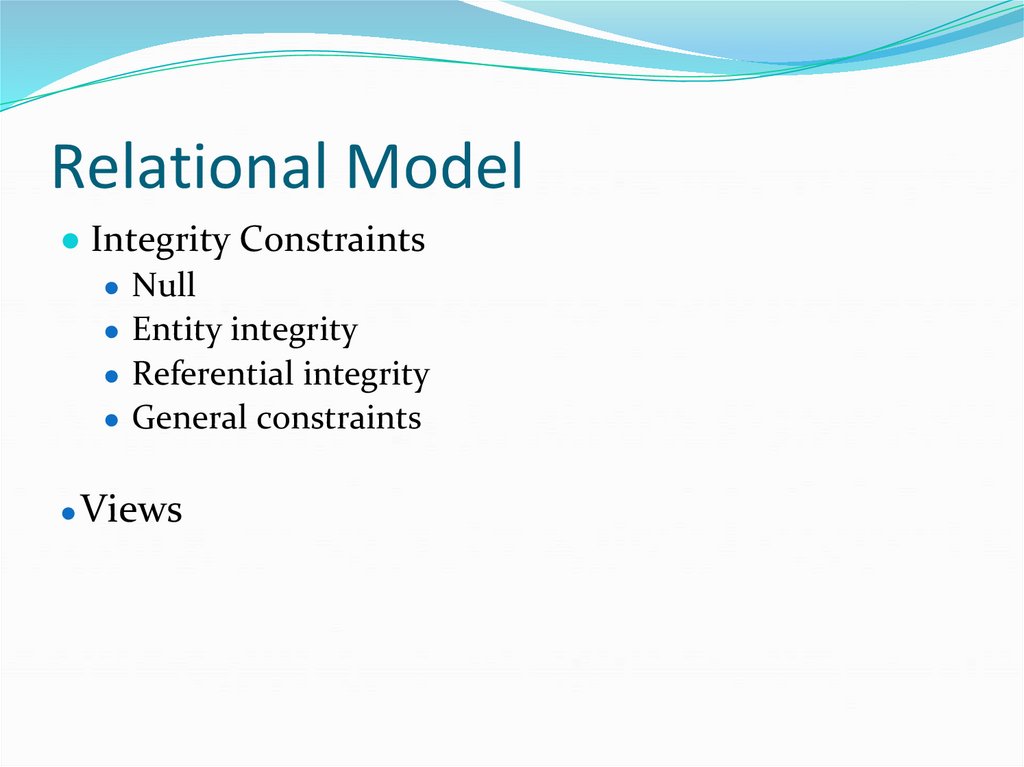
● Integrity Constraints● Null
● Entity integrity
● Referential integrity
● General constraints
● Views
30. Relational Model
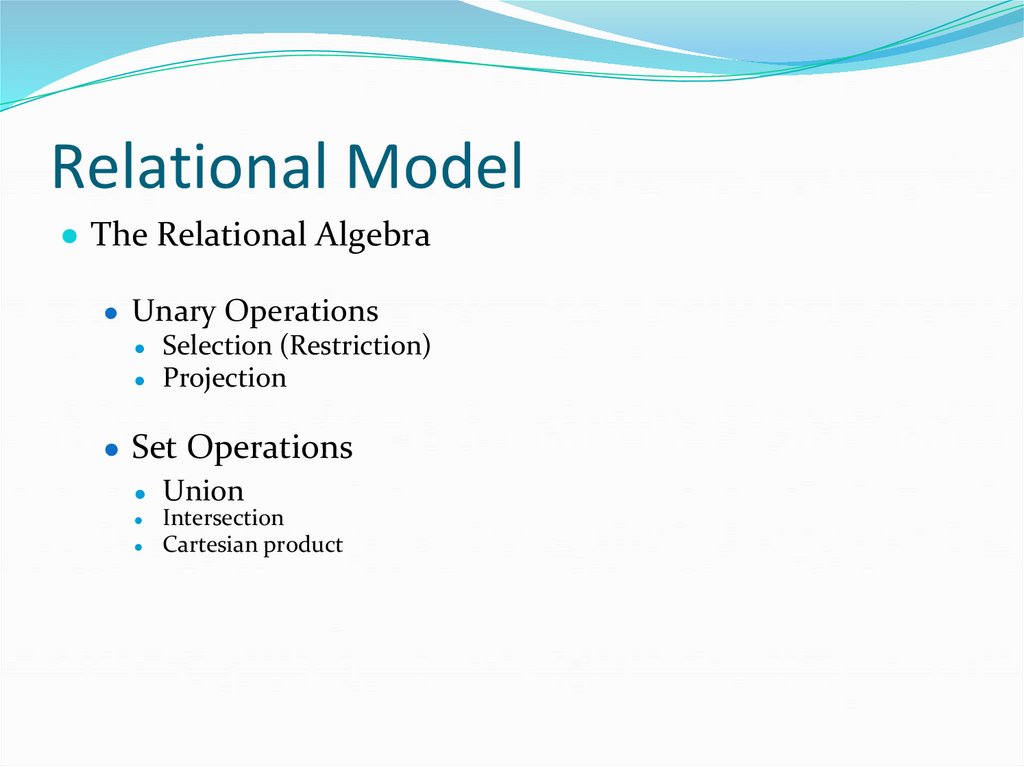
● The Relational Algebra● Unary Operations
● Selection (Restriction)
● Projection
● Set Operations
● Union
Intersection
Cartesian product
31. Relational Model
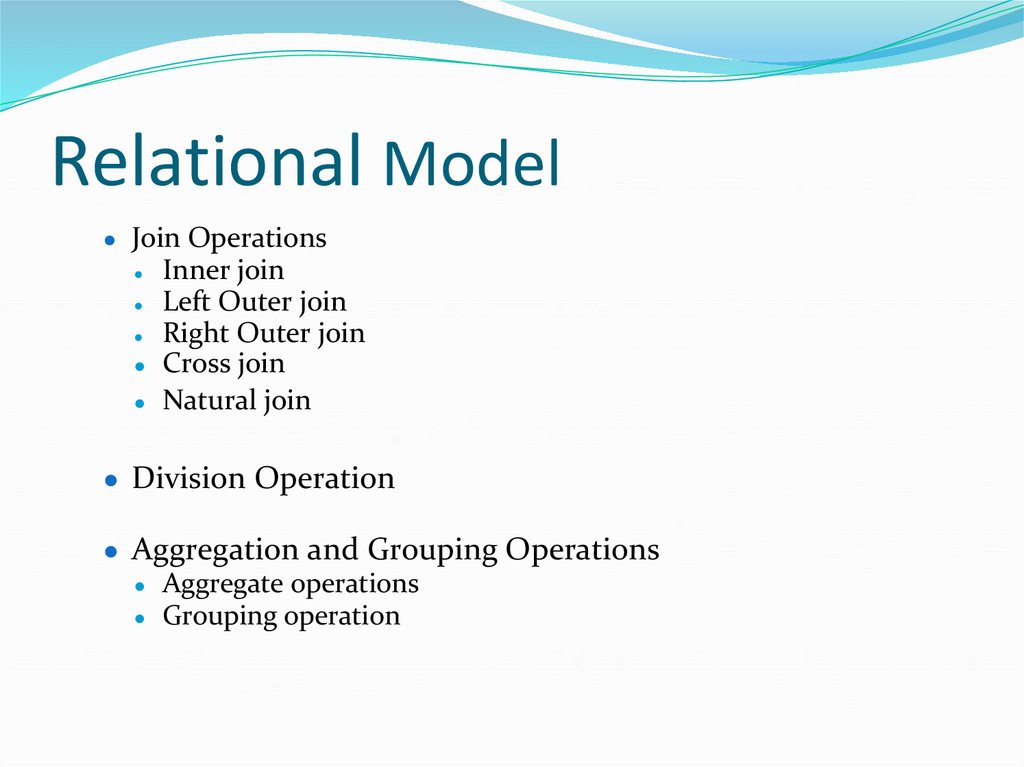
● Join OperationsInner join
● Left Outer join
● Right Outer join
● Cross join
● Natural join
● Division Operation
● Aggregation and Grouping Operations
● Aggregate operations
● Grouping operation
32. Object Oriented Model
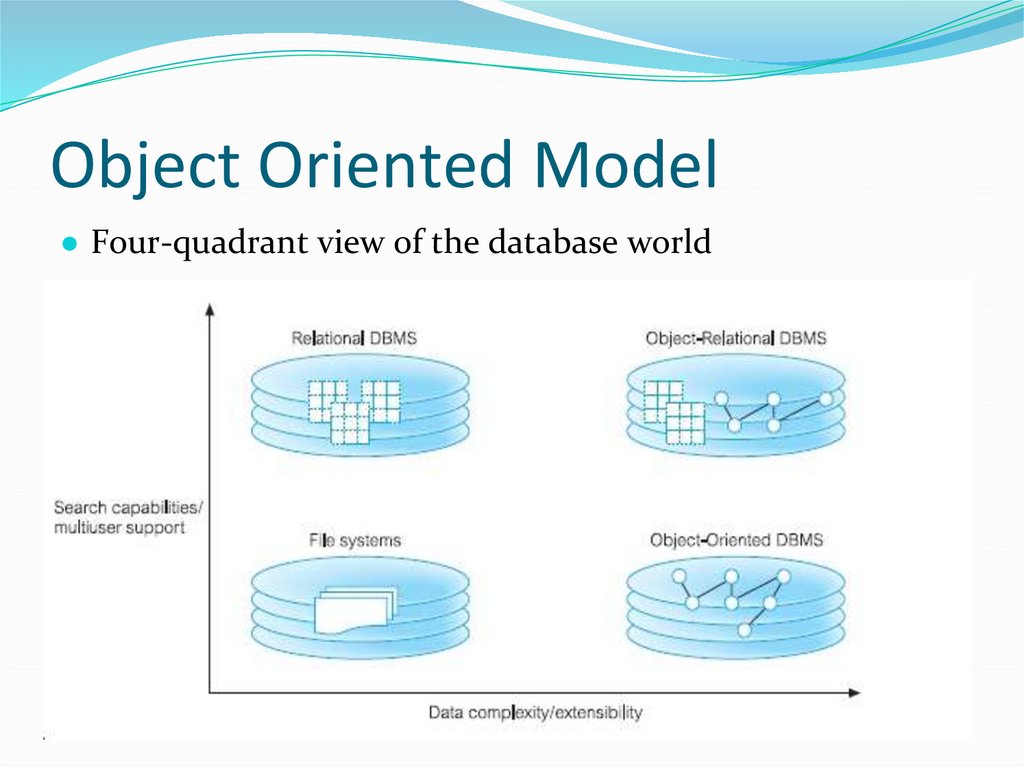
● Four-quadrant view of the database world33. Object Oriented Model
● Weakness of RDBMS● Object Relational DBMS
● Advantages of ORDBMSs
● Disadvantages of ORDBMSs
● Object-Oriented Extensions in Oracle
34. Object Oriented Model
● Object Oriented Model● OODM (OO Data Model)
● OODB
● OODBMS
● OODB
● Issues in OODBMSs
● Advantages of OODBMSs
● Disadvantages of OODBMSs
35. Object Oriented Model
● Standards● Object Data Management Group (ODMG) consortium
Object Database Standard ODM6.2.0
Object Query Language
● OQL support of SQL92
36. Object Oriented Model
● OODBMS versus RDBMS/ ORDBMS● Object Database Advantages over RDBMS
● Object Database Disadvantages compared to RDBMS
37. Object Oriented Model
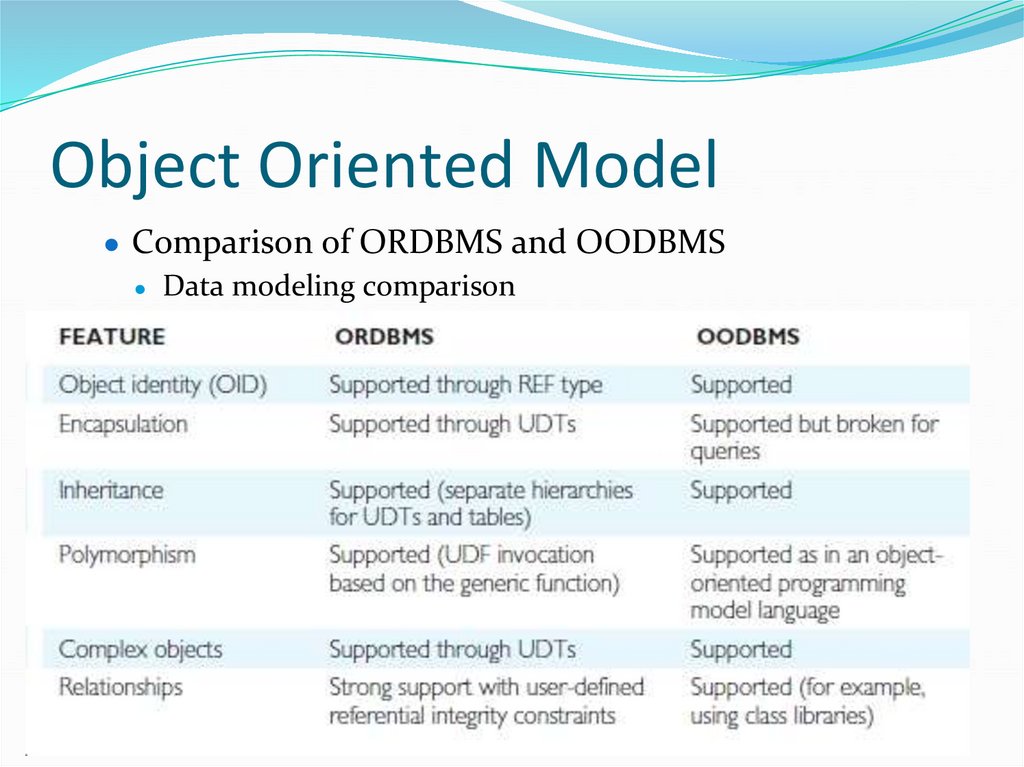
● Comparison of ORDBMS and OODBMS● Data modeling comparison
.
38. Object Oriented Model
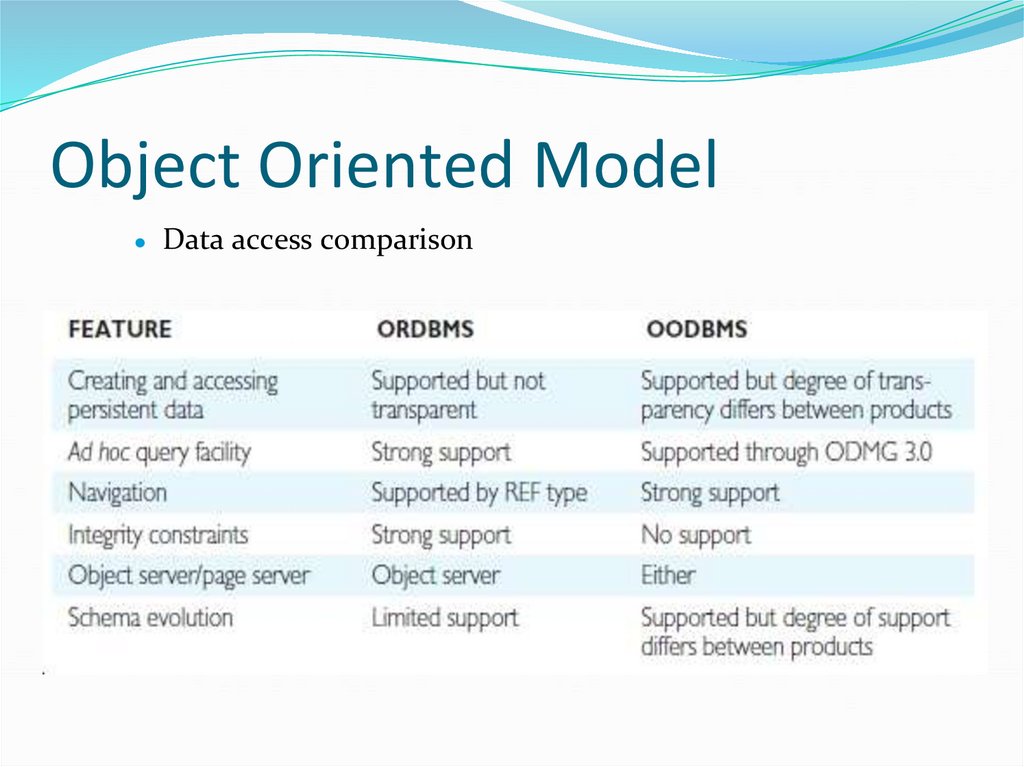
Data access comparison
39. Object Oriented Model
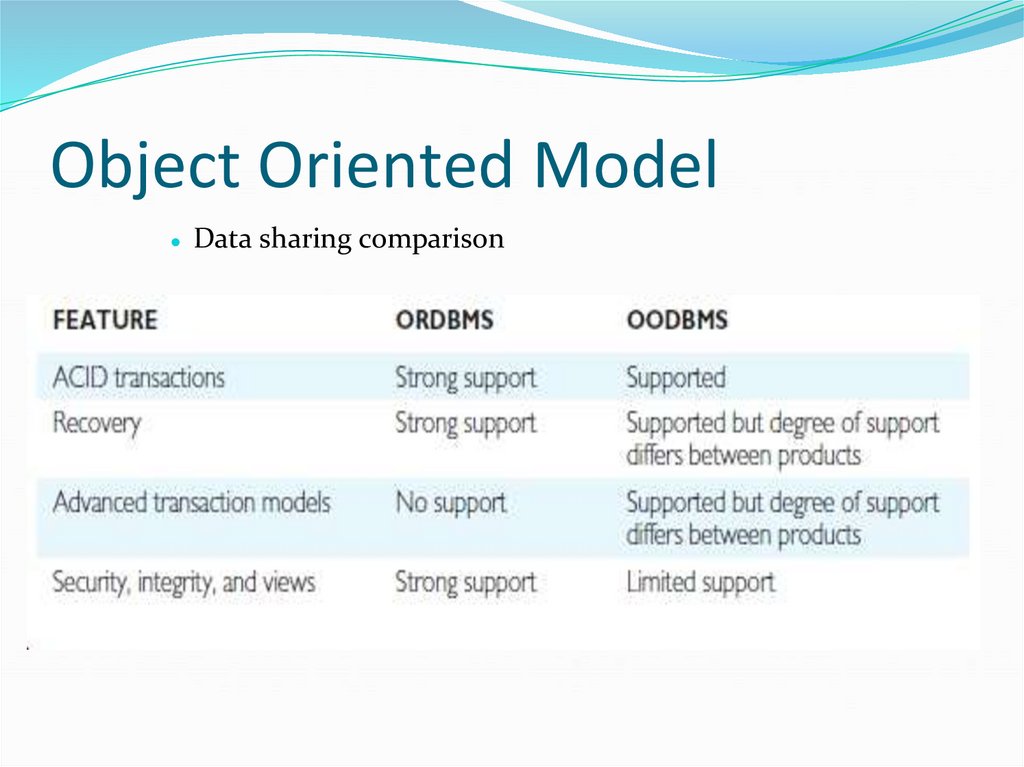
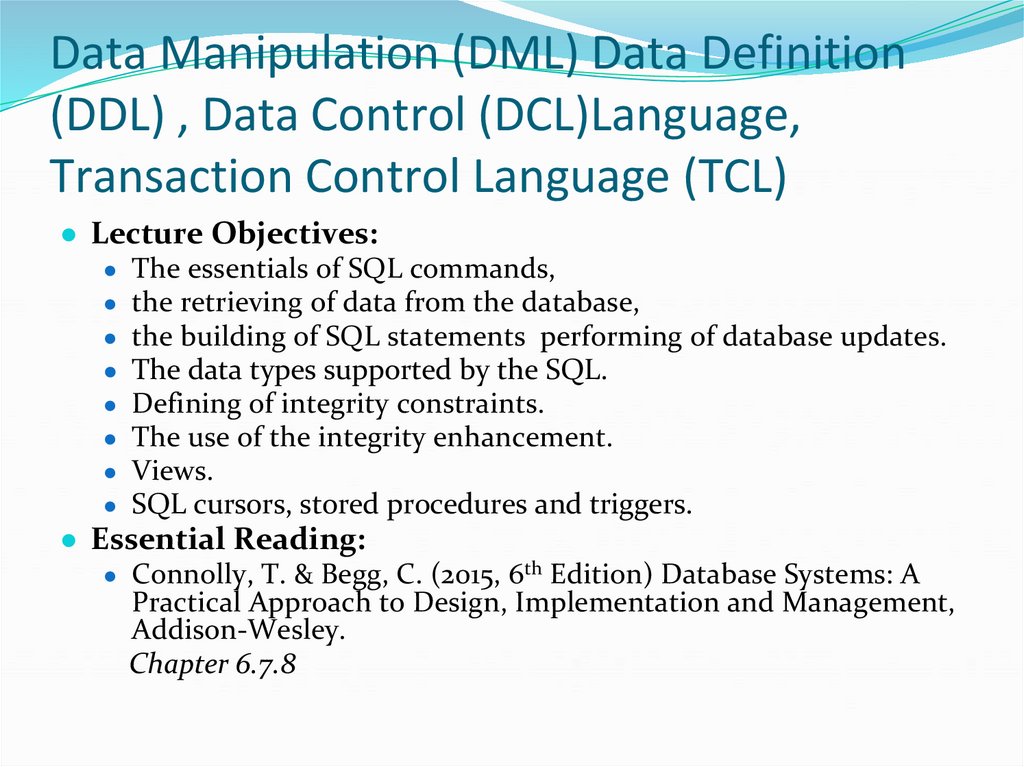
● Data sharing comparison40. Data Manipulation (DML) Data Definition (DDL) , Data Control (DCL)Language, Transaction Control Language (TCL)
● Lecture Objectives:● The essentials of SQL commands,
● the retrieving of data from the database,
● the building of SQL statements performing of database updates.
● The data types supported by the SQL.
● Defining of integrity constraints.
● The use of the integrity enhancement.
● Views.
● SQL cursors, stored procedures and triggers.
● Essential Reading:
● Connolly, T. & Begg, C. (2015, 6th Edition) Database Systems: A
Practical Approach to Design, Implementation and Management,
Addison-Wesley.
Chapter 6.7.8
41. Data Manipulation (DML) Data Definition (DDL) and Data Control (DCL)Language
● Introduction to SQL● Objectives of SQL
● SQL statement
42. Data Manipulation Language (DML)
● SQL DML statements:● SELECT
● INSERT
● UPDATE
● DELETE
● Literals
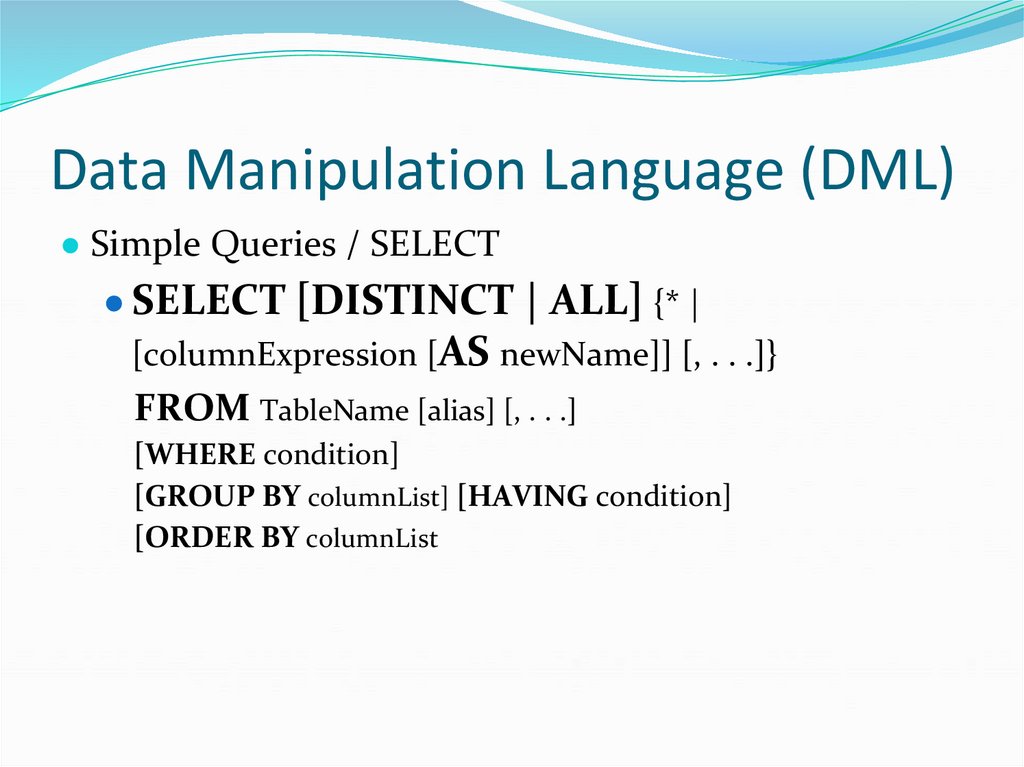
43. Data Manipulation Language (DML)
● Simple Queries / SELECT● SELECT [DISTINCT | ALL] {* |
[columnExpression [AS newName]] [, . . .]}
FROM TableName [alias] [, . . .]
[WHERE condition]
[GROUP BY columnList] [HAVING condition]
[ORDER BY columnList
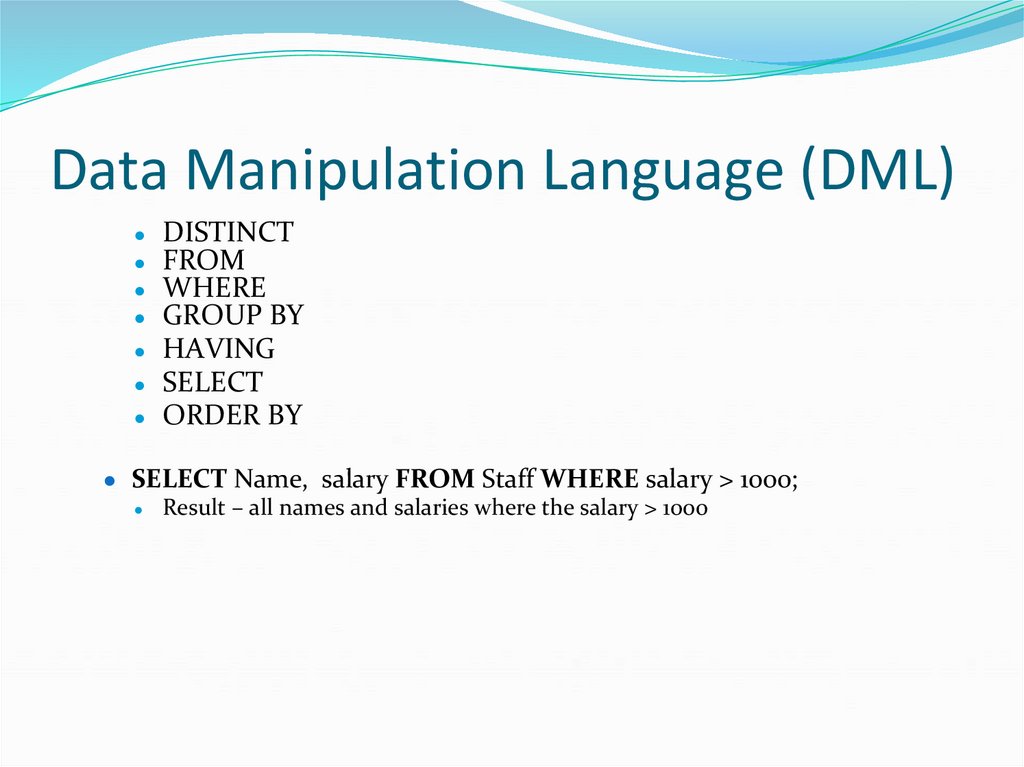
44. Data Manipulation Language (DML)
DISTINCTFROM
WHERE
GROUP BY
● HAVING
● SELECT
● ORDER BY
● SELECT Name, salary FROM Staff WHERE salary > 1000;
● Result – all names and salaries where the salary > 1000
45. Data Manipulation Language (DML)
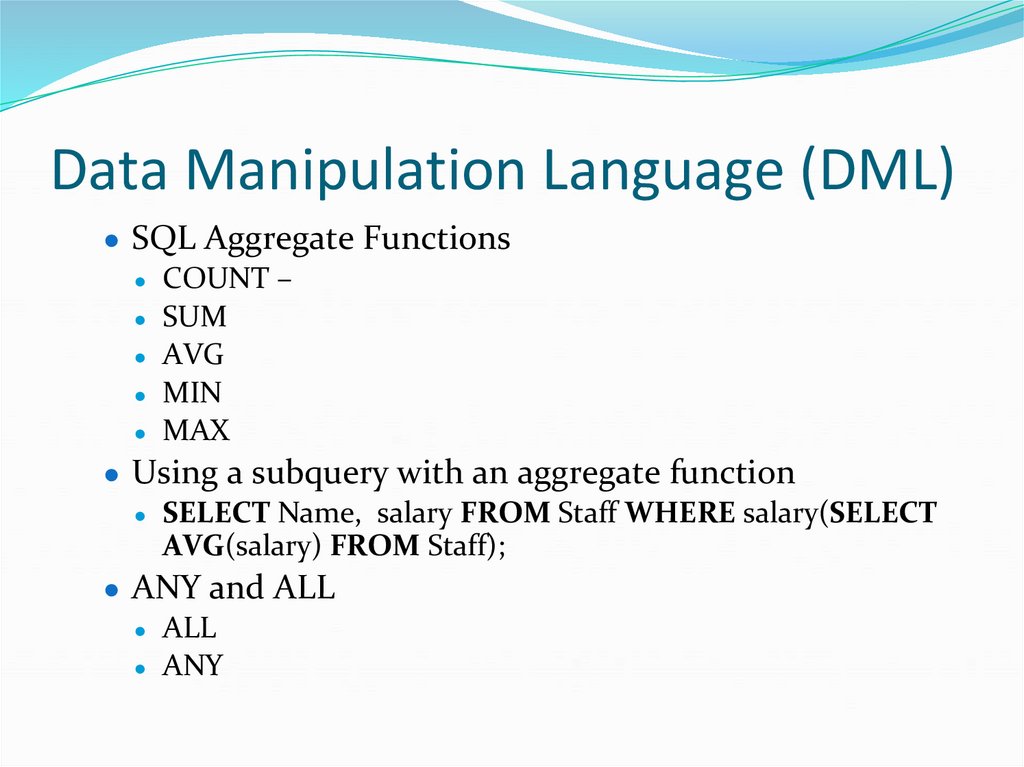
● SQL Aggregate Functions● COUNT –
● SUM
● AVG
● MIN
● MAX
● Using a subquery with an aggregate function
● SELECT Name, salary FROM Staff WHERE salary(SELECT
AVG(salary) FROM Staff);
● ANY and ALL
● ALL
● ANY
46. Data Manipulation Language (DML)
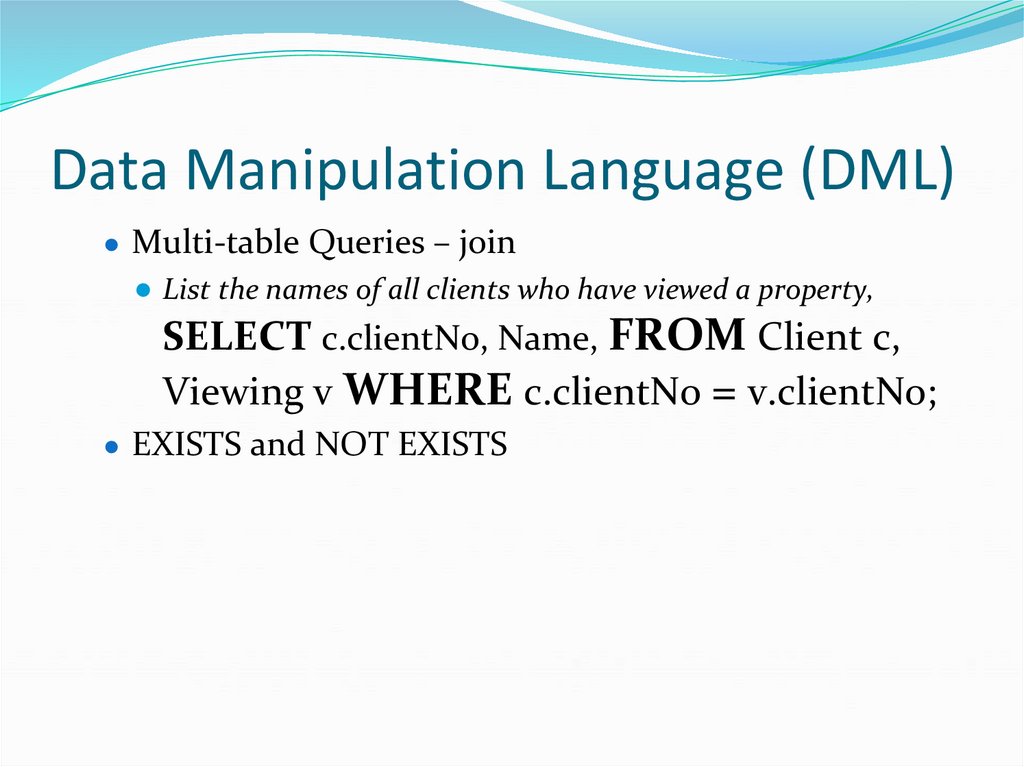
● Multi-table Queries – join● List the names of all clients who have viewed a property,
SELECT c.clientNo, Name, FROM Client c,
Viewing v WHERE c.clientNo = v.clientNo;
● EXISTS and NOT EXISTS
47. Data Manipulation Language (DML)
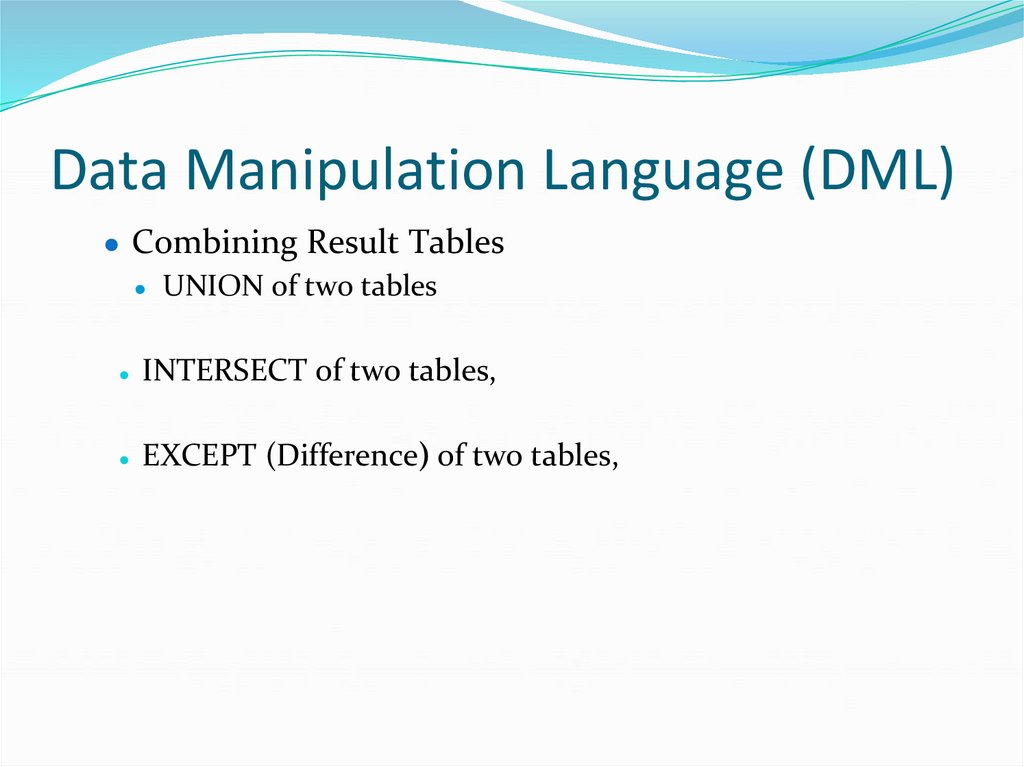
● Combining Result Tables● UNION of two tables
INTERSECT of two tables,
EXCEPT (Difference) of two tables,
48. Data Manipulation Language (DML)
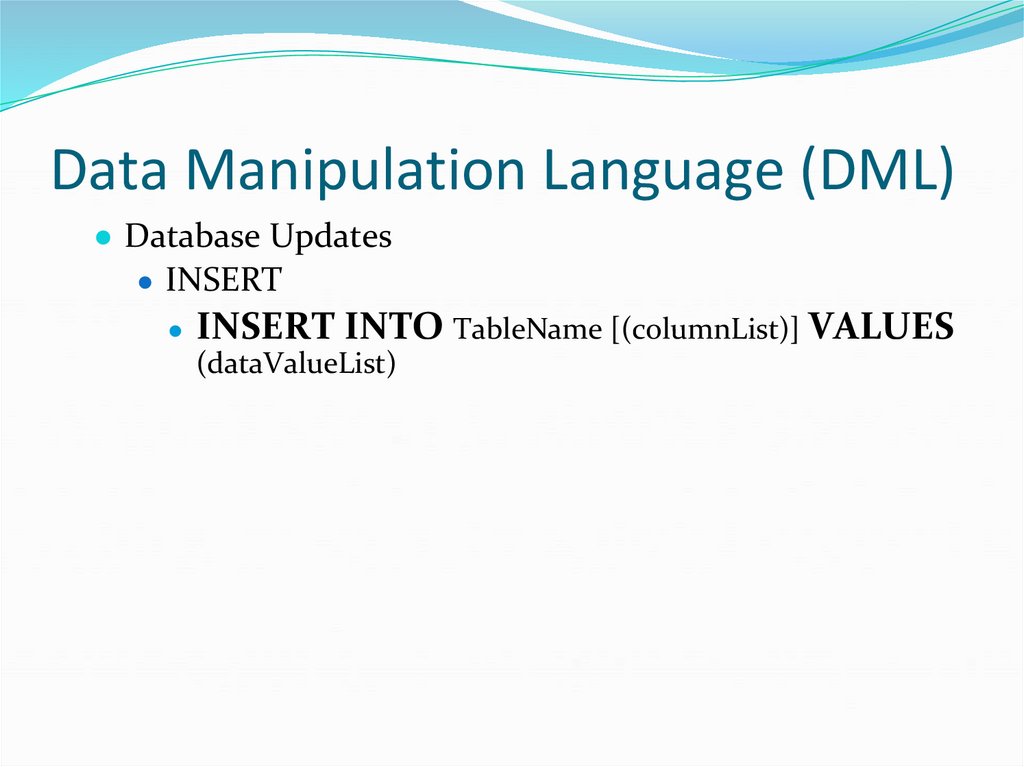
● Database Updates● INSERT
● INSERT INTO TableName [(columnList)] VALUES
(dataValueList)
49. Data Manipulation Language (DML)
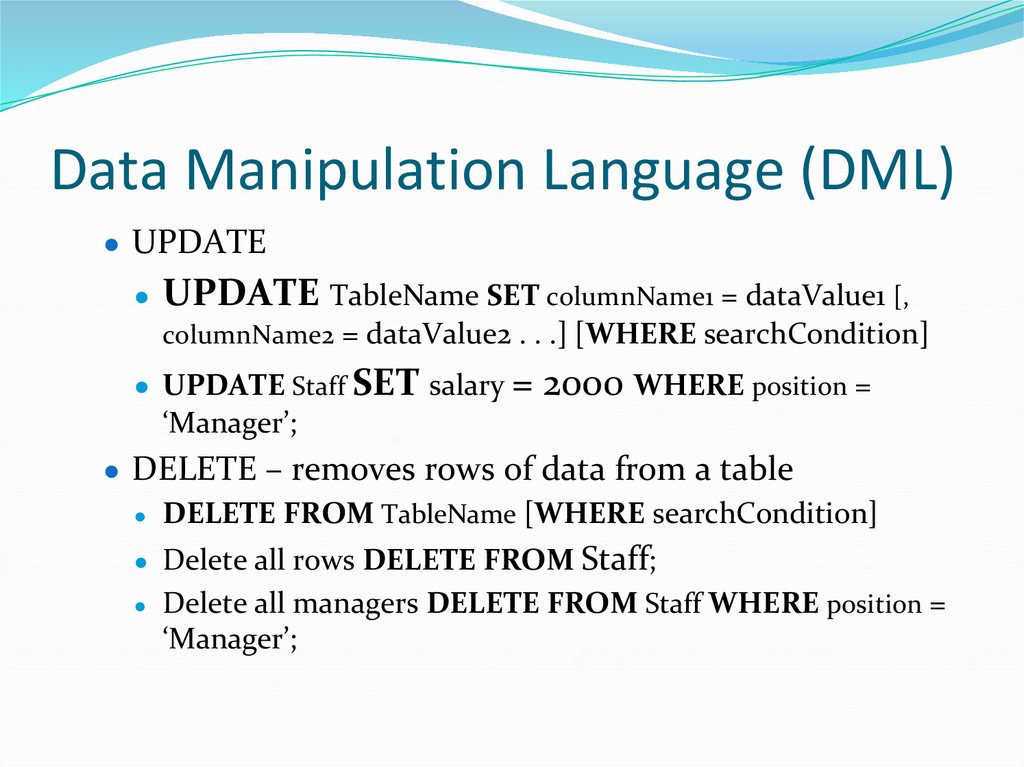
● UPDATE● UPDATE TableName SET columnName1 = dataValue1 [,
columnName2 = dataValue2 . . .] [WHERE searchCondition]
● UPDATE Staff SET salary = 2000 WHERE position =
‘Manager’;
● DELETE – removes rows of data from a table
● DELETE FROM TableName [WHERE searchCondition]
● Delete all rows DELETE FROM Staff;
Delete all managers DELETE FROM Staff WHERE position =
‘Manager’;
50. Data Definition Language ( DDL)
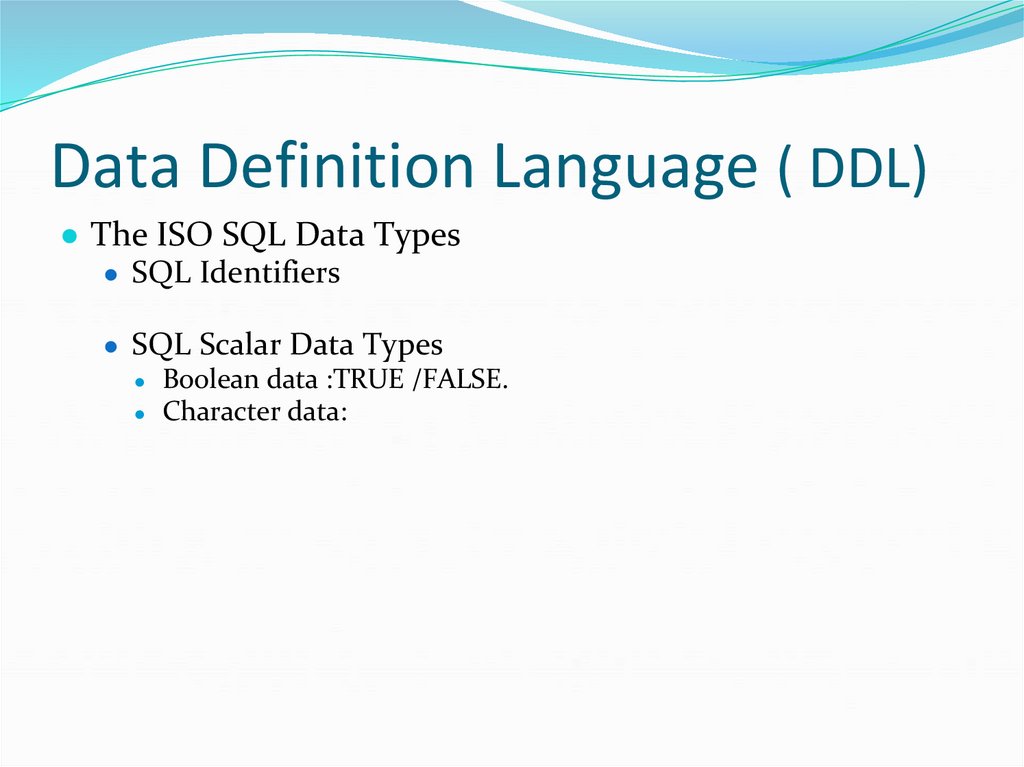
● The ISO SQL Data Types● SQL Identifiers
● SQL Scalar Data Types
● Boolean data :TRUE /FALSE.
● Character data:
51. Data Definition Language ( DDL)
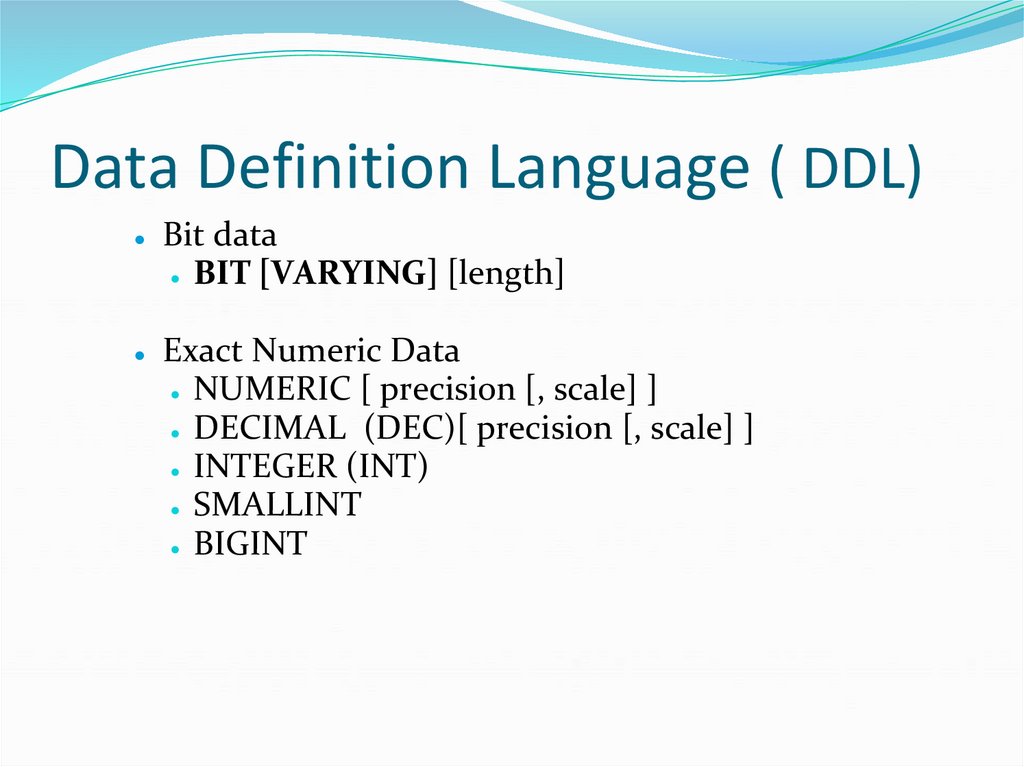
Bit data
● BIT [VARYING] [length]
Exact Numeric Data
● NUMERIC [ precision [, scale] ]
● DECIMAL (DEC)[ precision [, scale] ]
● INTEGER (INT)
● SMALLINT
● BIGINT
52. Data Definition Language ( DDL)
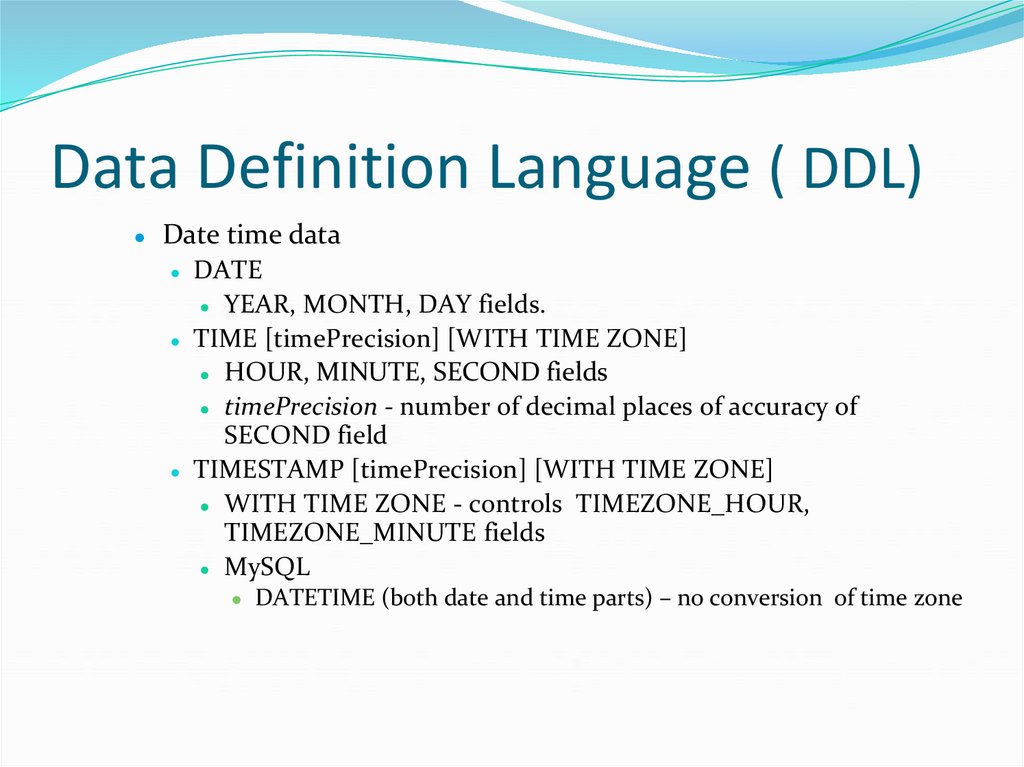
Date time data
● DATE
● YEAR, MONTH, DAY fields.
● TIME [timePrecision] [WITH TIME ZONE]
● HOUR, MINUTE, SECOND fields
● timePrecision - number of decimal places of accuracy of
SECOND field
● TIMESTAMP [timePrecision] [WITH TIME ZONE]
● WITH TIME ZONE - controls TIMEZONE_HOUR,
TIMEZONE_MINUTE fields
● MySQL
● DATETIME (both date and time parts) – no conversion of time zone
53. Data Definition Language ( DDL)
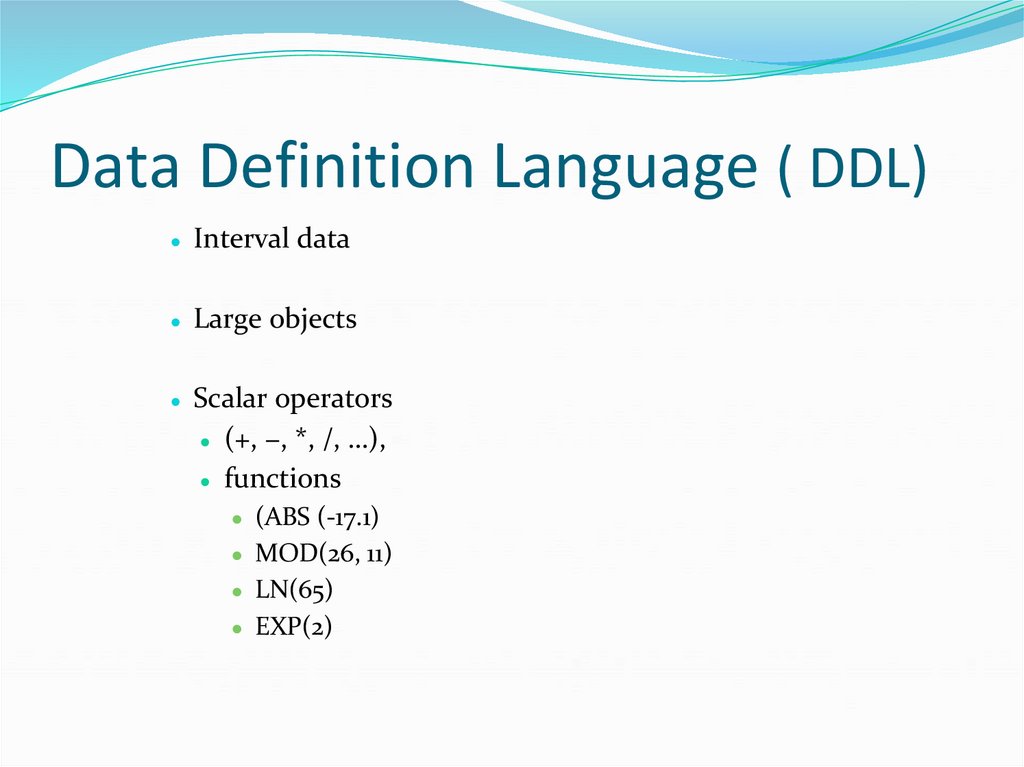
● Interval data● Large objects
● Scalar operators
(+, −, *, /, …),
● functions
● (ABS (-17.1)
● MOD(26, 11)
● LN(65)
● EXP(2)
54. Data Definition Language ( DDL)
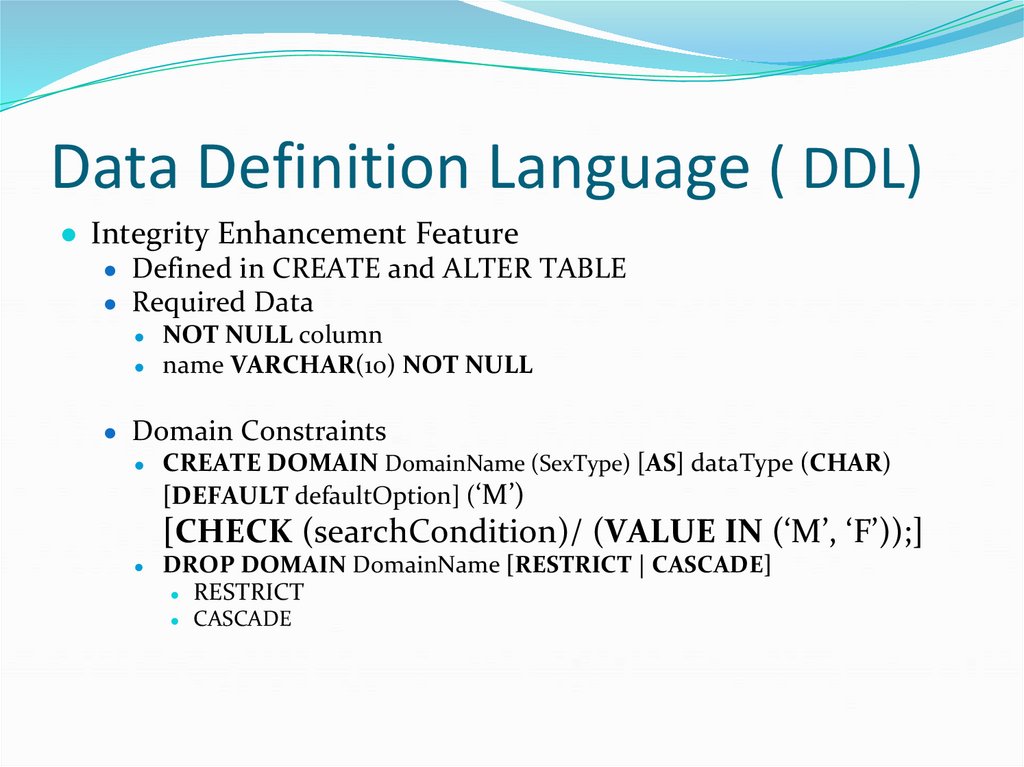
● Integrity Enhancement Feature● Defined in CREATE and ALTER TABLE
● Required Data
NOT NULL column
● name VARCHAR(10) NOT NULL
● Domain Constraints
● CREATE DOMAIN DomainName (SexType) [AS] dataType (CHAR)
[DEFAULT defaultOption] (‘M’)
[CHECK (searchCondition)/ (VALUE IN (‘M’, ‘F’));]
DROP DOMAIN DomainName [RESTRICT | CASCADE]
● RESTRICT
CASCADE
55. Data Definition Language ( DDL)
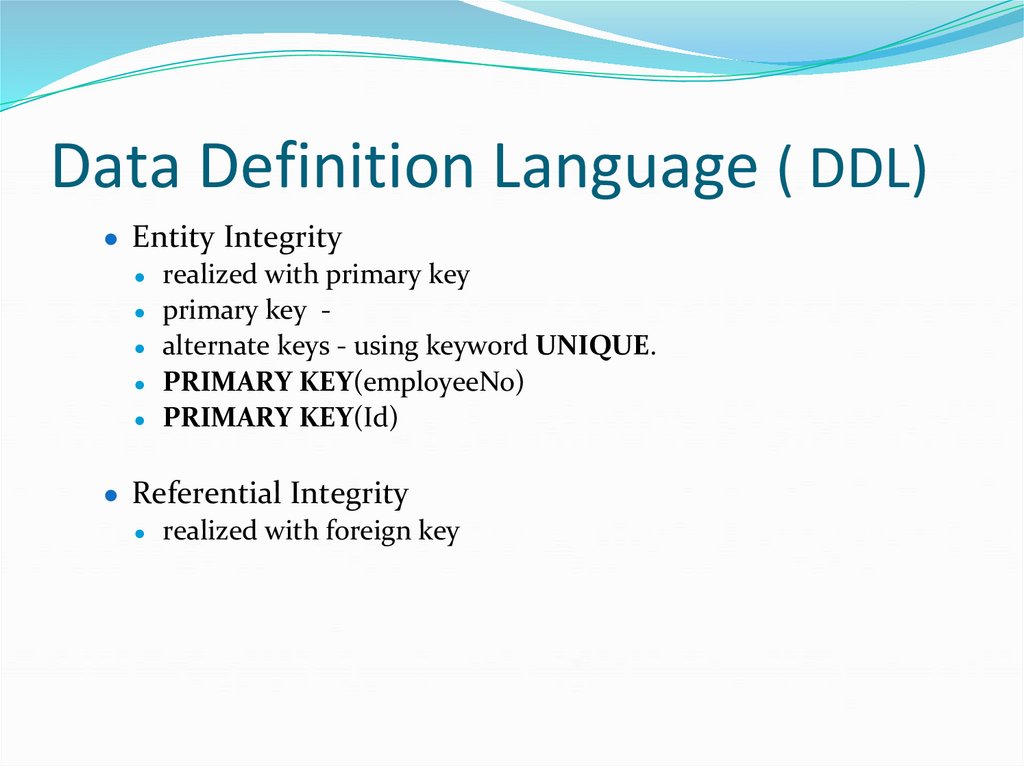
● Entity Integrity● realized with primary key
● primary key ● alternate keys - using keyword UNIQUE.
● PRIMARY KEY(employeeNo)
● PRIMARY KEY(Id)
● Referential Integrity
● realized with foreign key
56. Data Definition Language ( DDL)
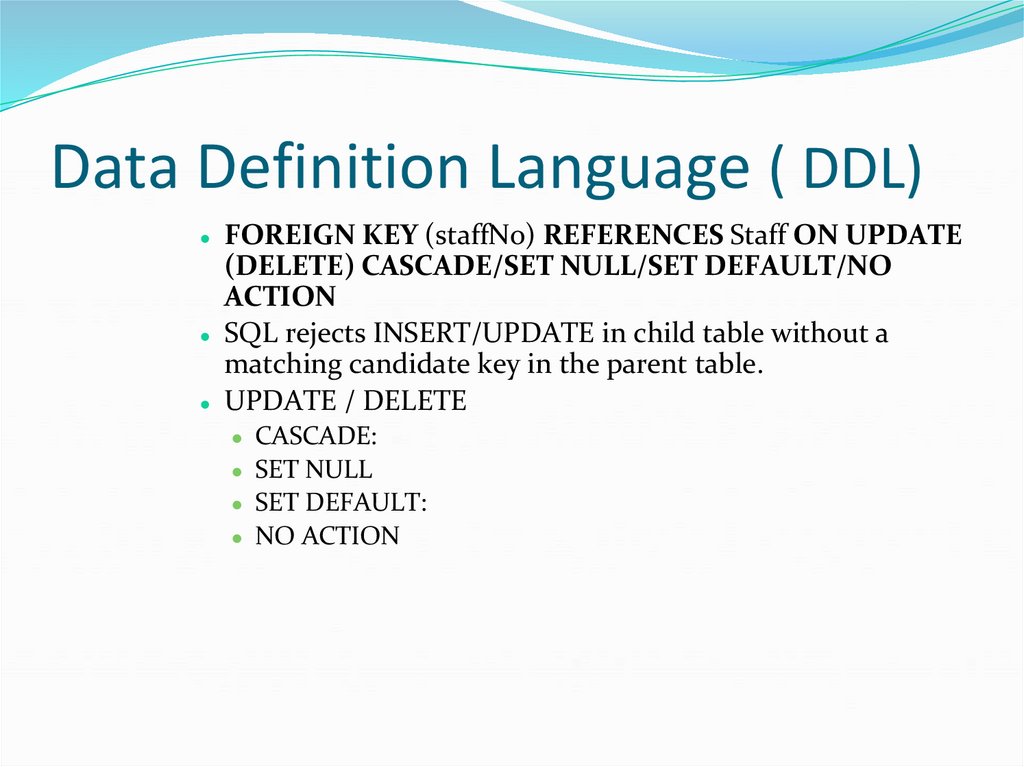
FOREIGN KEY (staffNo) REFERENCES Staff ON UPDATE(DELETE) CASCADE/SET NULL/SET DEFAULT/NO
ACTION
● SQL rejects INSERT/UPDATE in child table without a
matching candidate key in the parent table.
● UPDATE / DELETE
● CASCADE:
● SET NULL
● SET DEFAULT:
● NO ACTION
57. Data Definition Language ( DDL)
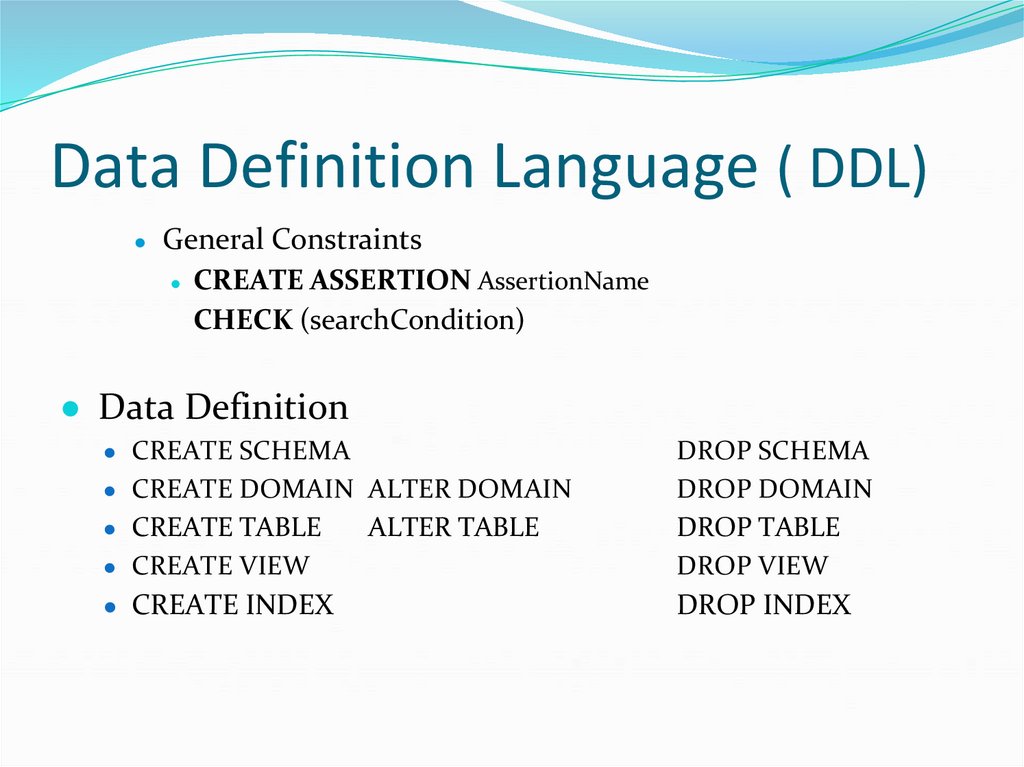
General Constraints
● CREATE ASSERTION AssertionName
CHECK (searchCondition)
● Data Definition
● CREATE SCHEMA
● CREATE VIEW
DROP SCHEMA
DROP DOMAIN
DROP TABLE
DROP VIEW
● CREATE INDEX
DROP INDEX
● CREATE DOMAIN ALTER DOMAIN
● CREATE TABLE
ALTER TABLE
58. Data Definition Language ( DDL)
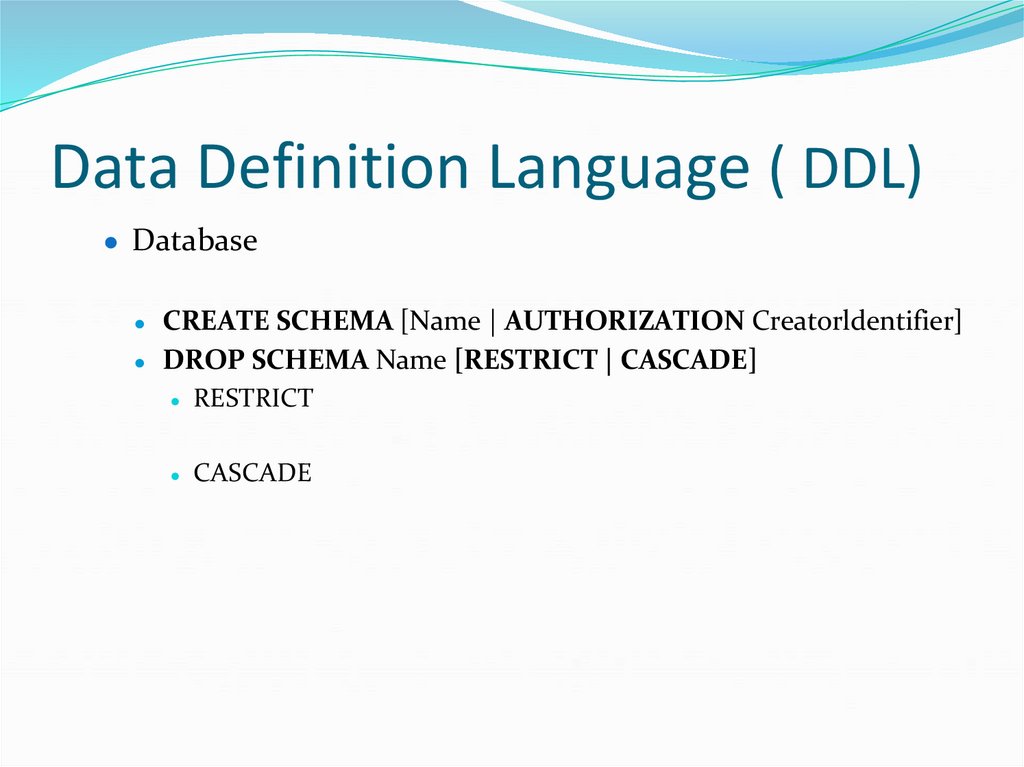
● DatabaseCREATE SCHEMA [Name | AUTHORIZATION Creatorldentifier]
● DROP SCHEMA Name [RESTRICT | CASCADE]
● RESTRICT
CASCADE
59. Data Definition Language ( DDL)
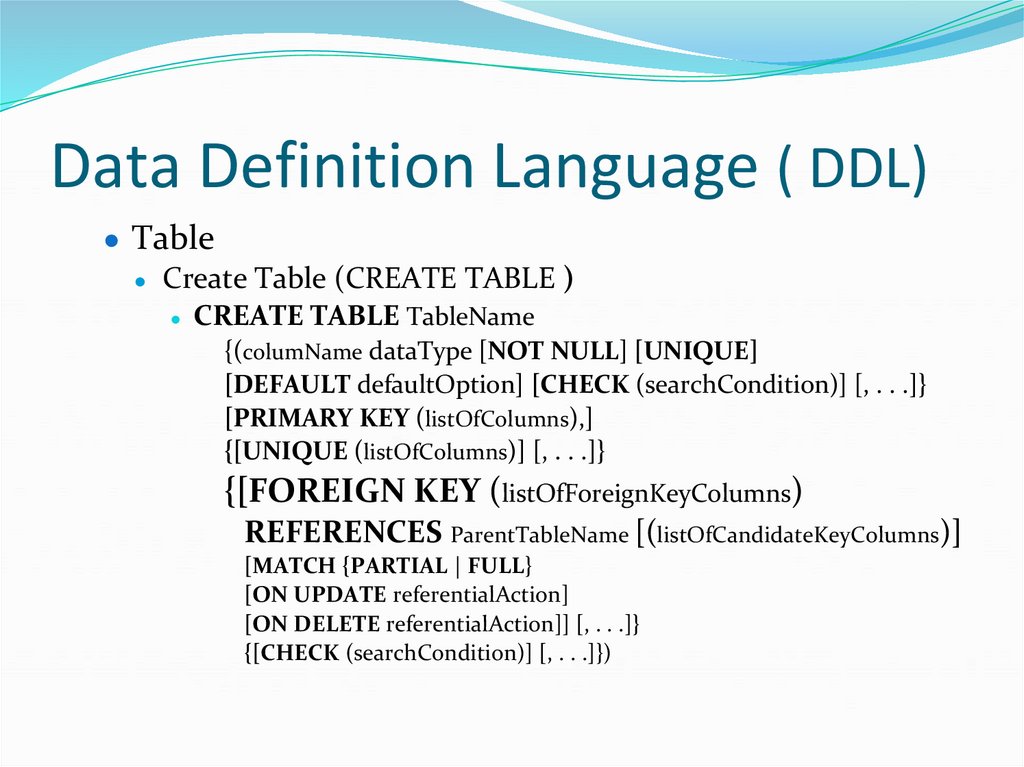
● Table● Create Table (CREATE TABLE )
● CREATE TABLE TableName
{(columName dataType [NOT NULL] [UNIQUE]
[DEFAULT defaultOption] [CHECK (searchCondition)] [, . . .]}
[PRIMARY KEY (listOfColumns),]
{[UNIQUE (listOfColumns)] [, . . .]}
{[FOREIGN KEY (listOfForeignKeyColumns)
REFERENCES ParentTableName [(listOfCandidateKeyColumns)]
[MATCH {PARTIAL | FULL}
[ON UPDATE referentialAction]
[ON DELETE referentialAction]] [, . . .]}
{[CHECK (searchCondition)] [, . . .]})
60. Data Definition Language ( DDL)
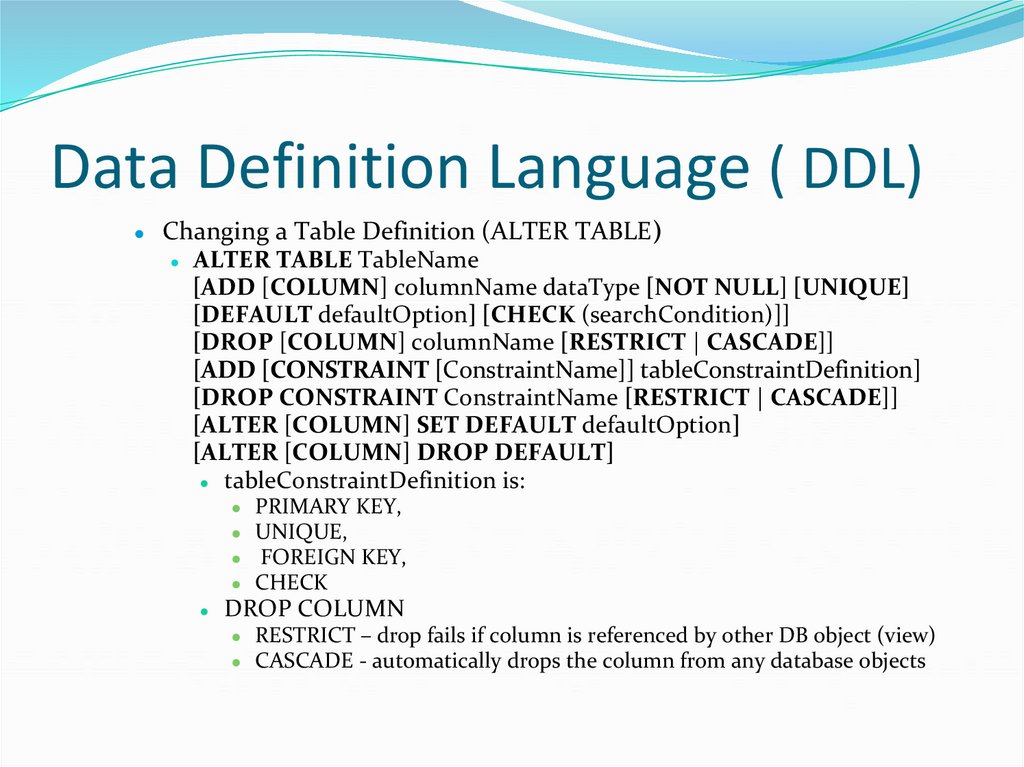
Changing a Table Definition (ALTER TABLE)
● ALTER TABLE TableName
[ADD [COLUMN] columnName dataType [NOT NULL] [UNIQUE]
[DEFAULT defaultOption] [CHECK (searchCondition)]]
[DROP [COLUMN] columnName [RESTRICT | CASCADE]]
[ADD [CONSTRAINT [ConstraintName]] tableConstraintDefinition]
[DROP CONSTRAINT ConstraintName [RESTRICT | CASCADE]]
[ALTER [COLUMN] SET DEFAULT defaultOption]
[ALTER [COLUMN] DROP DEFAULT]
● tableConstraintDefinition is:
PRIMARY KEY,
UNIQUE,
FOREIGN KEY,
CHECK
DROP COLUMN
RESTRICT – drop fails if column is referenced by other DB object (view)
CASCADE - automatically drops the column from any database objects
61. Data Definition Language ( DDL)
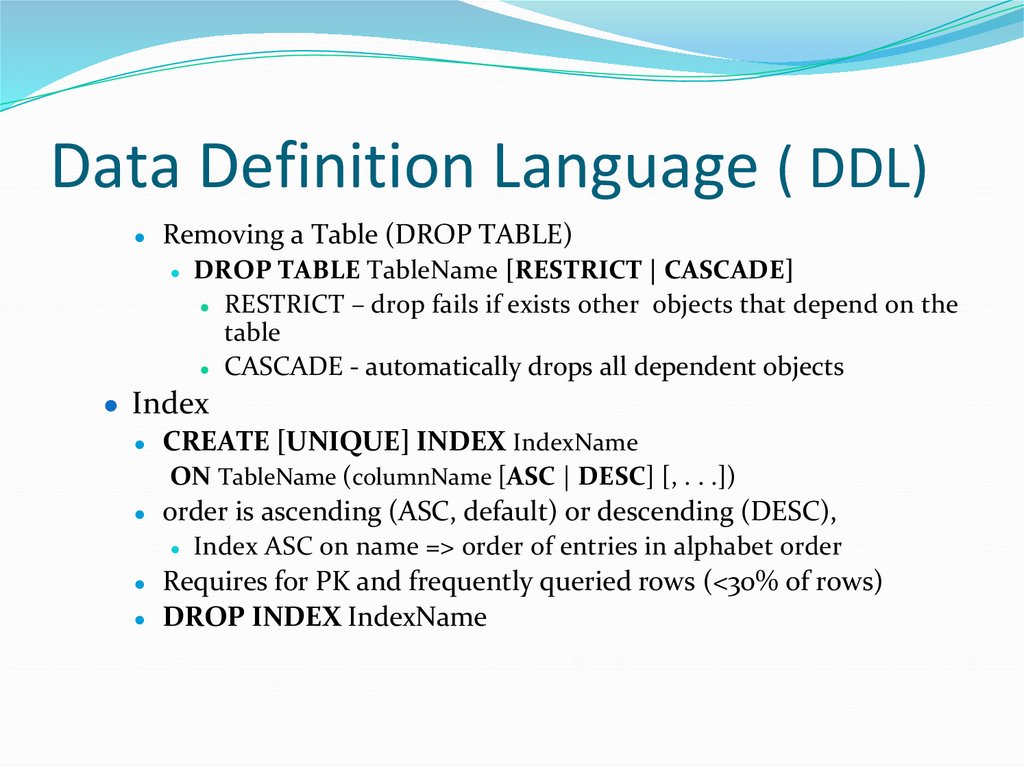
Removing a Table (DROP TABLE)
● DROP TABLE TableName [RESTRICT | CASCADE]
● RESTRICT – drop fails if exists other objects that depend on the
table
● CASCADE - automatically drops all dependent objects
● Index
● CREATE [UNIQUE] INDEX IndexName
ON TableName (columnName [ASC | DESC] [, . . .])
● order is ascending (ASC, default) or descending (DESC),
● Index ASC on name => order of entries in alphabet order
● Requires for PK and frequently queried rows (<30% of rows)
● DROP INDEX IndexName
62. Data Definition Language ( DDL)
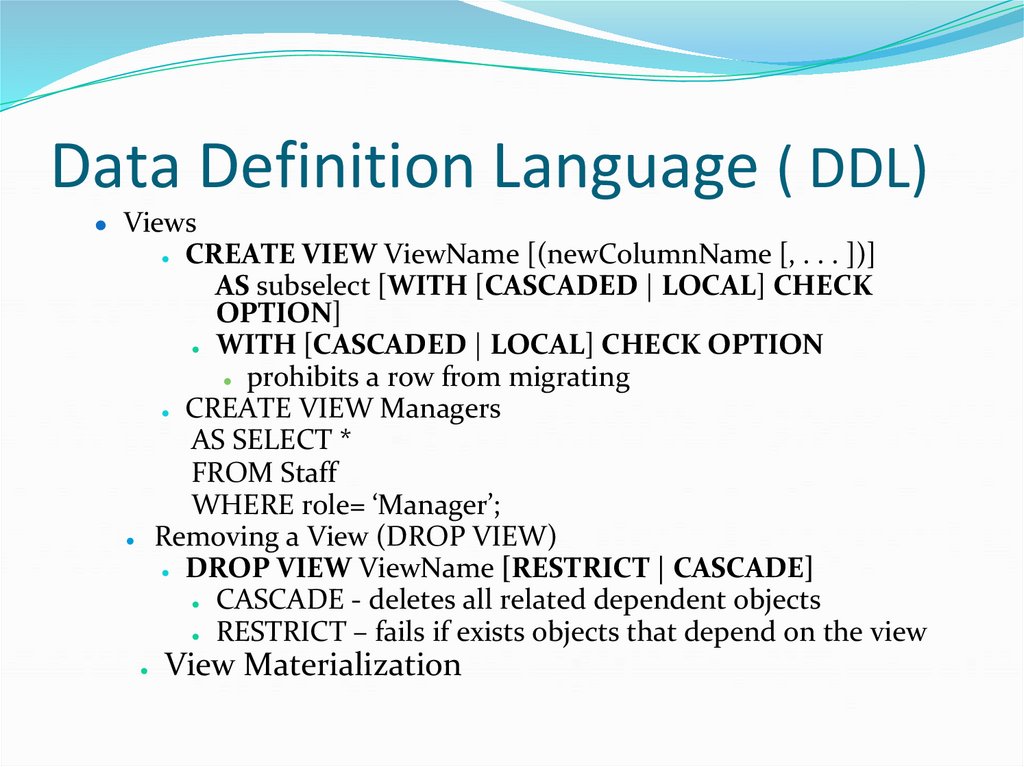
● ViewsCREATE VIEW ViewName [(newColumnName [, . . . ])]
AS subselect [WITH [CASCADED | LOCAL] CHECK
OPTION]
● WITH [CASCADED | LOCAL] CHECK OPTION
● prohibits a row from migrating
● CREATE VIEW Managers
AS SELECT *
FROM Staff
WHERE role= ‘Manager’;
● Removing a View (DROP VIEW)
● DROP VIEW ViewName [RESTRICT | CASCADE]
● CASCADE - deletes all related dependent objects
● RESTRICT – fails if exists objects that depend on the view
View Materialization
63. Data Definition Language ( DDL)
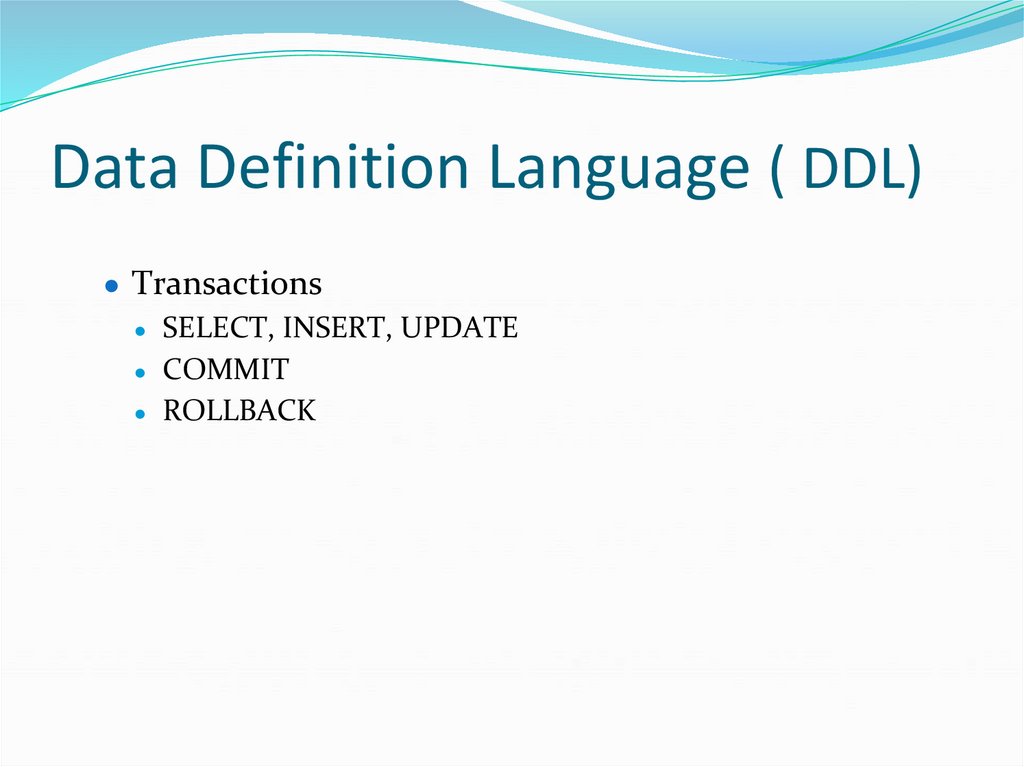
● Transactions● SELECT, INSERT, UPDATE
● COMMIT
● ROLLBACK
64. Data Definition Language ( DDL)
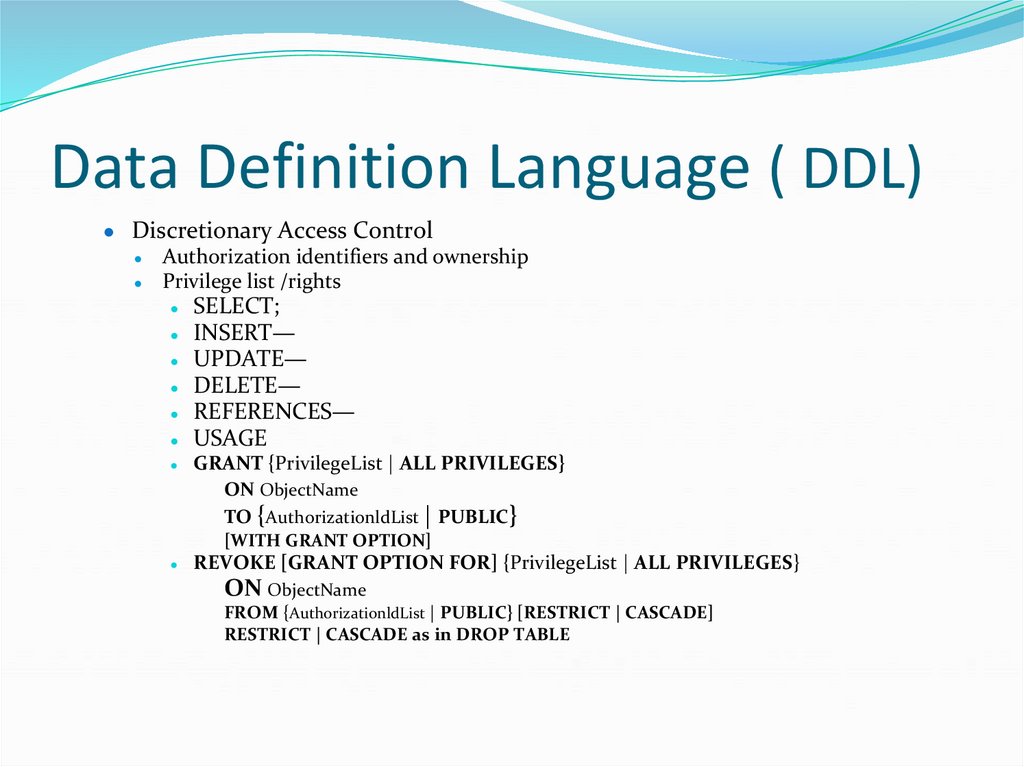
● Discretionary Access ControlAuthorization identifiers and ownership
Privilege list /rights
SELECT;
● INSERT—
● UPDATE—
● DELETE—
● REFERENCES—
● USAGE
GRANT {PrivilegeList | ALL PRIVILEGES}
ON ObjectName
TO {AuthorizationldList | PUBLIC}
[WITH GRANT OPTION]
REVOKE [GRANT OPTION FOR] {PrivilegeList | ALL PRIVILEGES}
ON ObjectName
FROM {AuthorizationldList | PUBLIC} [RESTRICT | CASCADE]
RESTRICT | CASCADE as in DROP TABLE
65. Data Control (DCL)Language
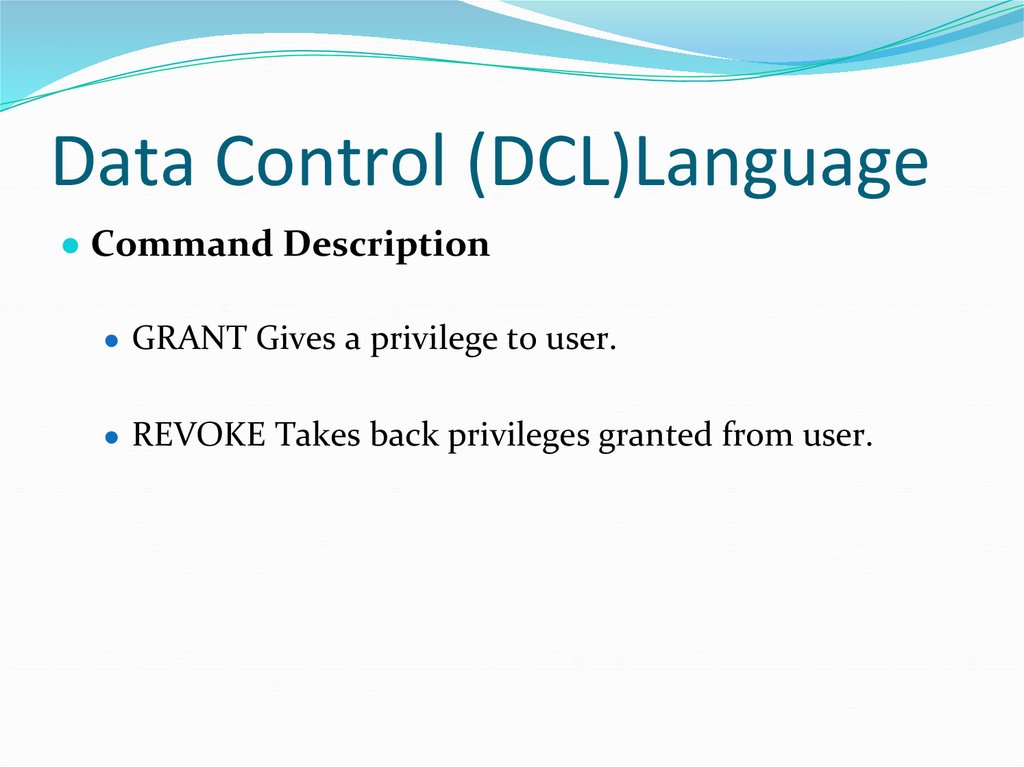
● Command Description● GRANT Gives a privilege to user.
● REVOKE Takes back privileges granted from user.
66. Transaction Control Language (TCL)
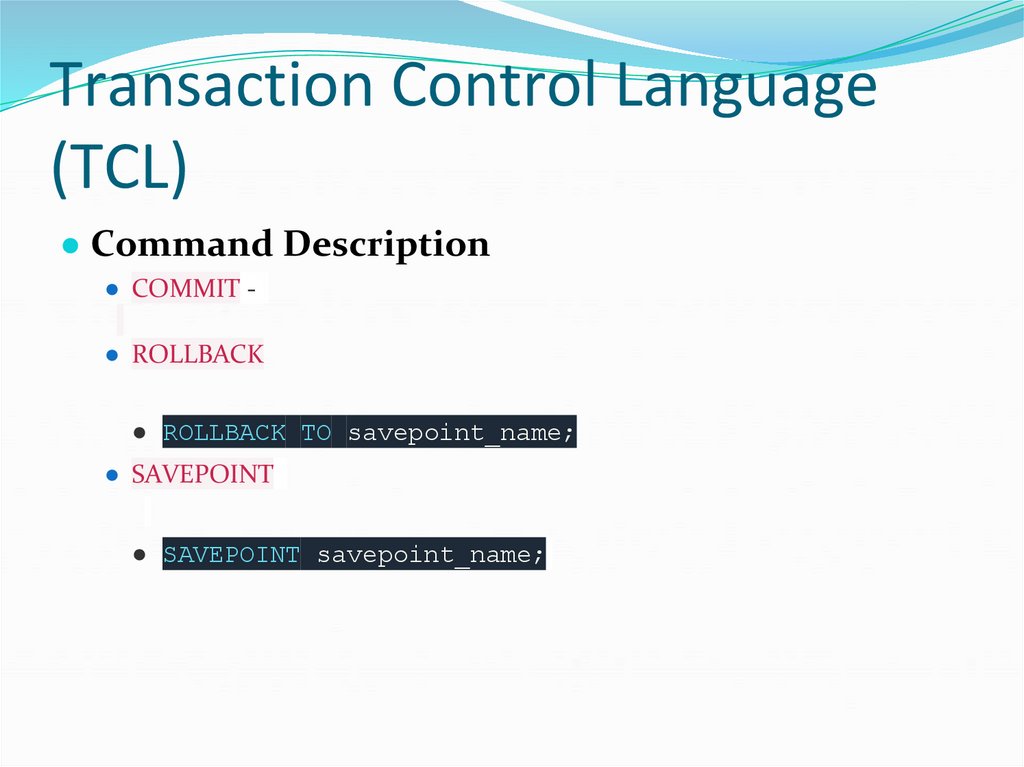
● Command Description● COMMIT -
● ROLLBACK
● ROLLBACK TO savepoint_name;
● SAVEPOINT
● SAVEPOINT savepoint_name;
67. Advanced SQL (PL/SQL)
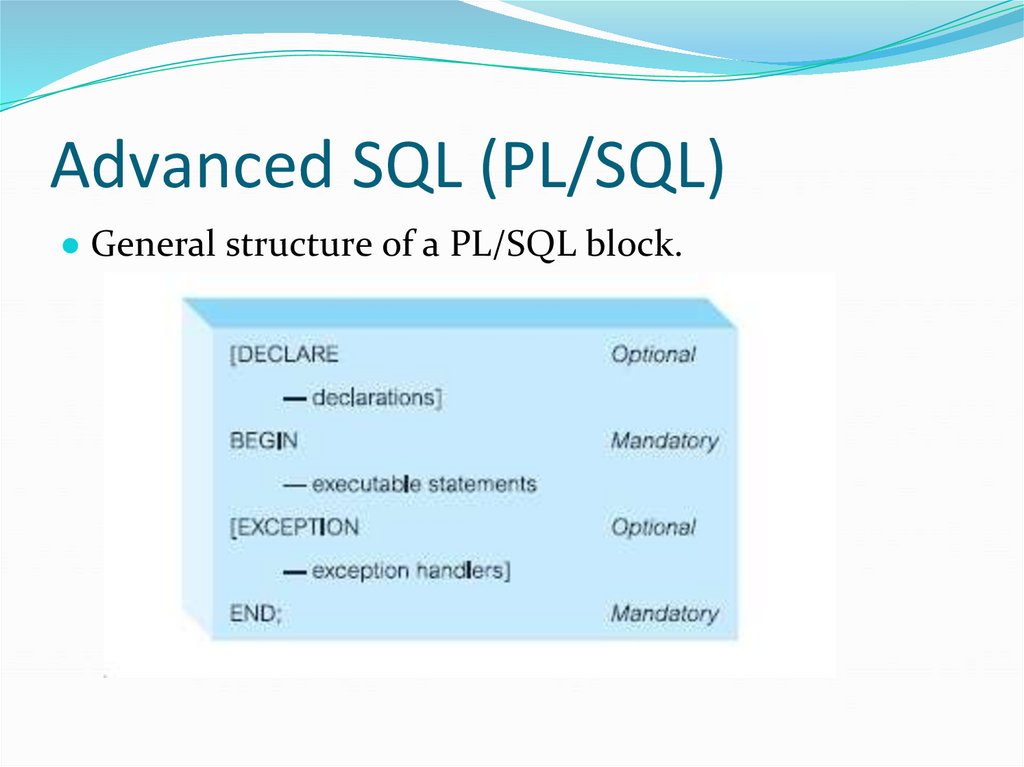
● General structure of a PL/SQL block.68. Advanced SQL (PL/SQL)
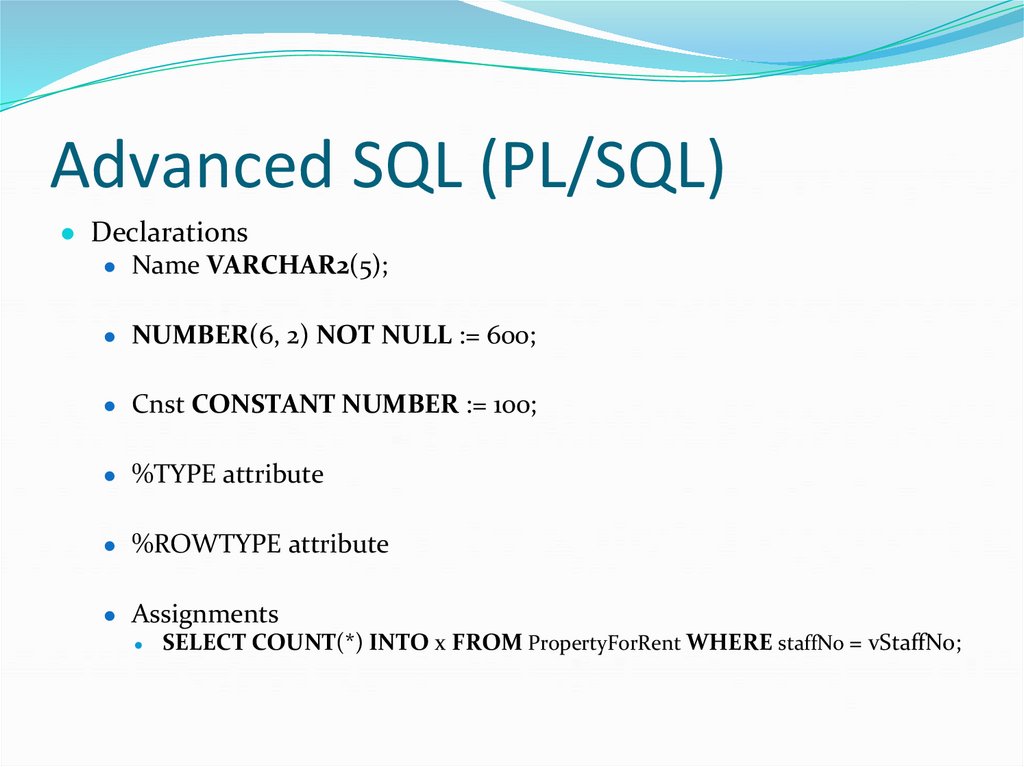
● Declarations● Name VARCHAR2(5);
● NUMBER(6, 2) NOT NULL := 600;
● Cnst CONSTANT NUMBER := 100;
● %TYPE attribute
● %ROWTYPE attribute
● Assignments
● SELECT COUNT(*) INTO x FROM PropertyForRent WHERE staffNo = vStaffNo;
69. Advanced SQL (PL/SQL)
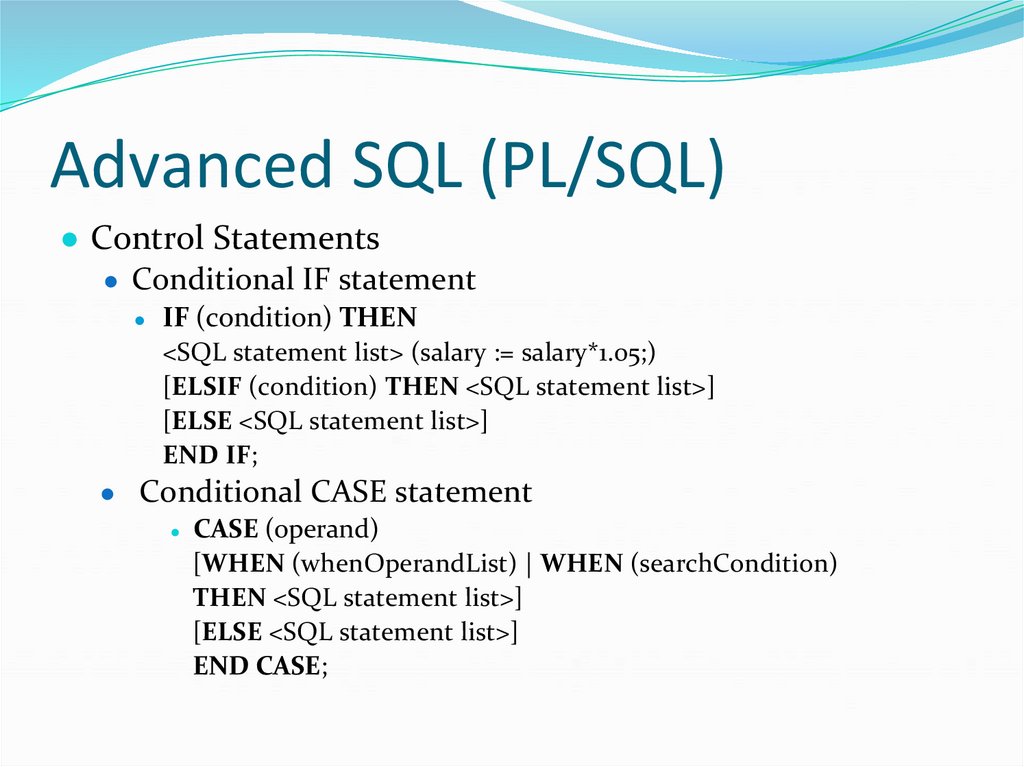
● Control Statements● Conditional IF statement
IF (condition) THEN
<SQL statement list> (salary := salary*1.05;)
[ELSIF (condition) THEN <SQL statement list>]
[ELSE <SQL statement list>]
END IF;
● Conditional CASE statement
● CASE (operand)
[WHEN (whenOperandList) | WHEN (searchCondition)
THEN <SQL statement list>]
[ELSE <SQL statement list>]
END CASE;
70. Advanced SQL (PL/SQL)
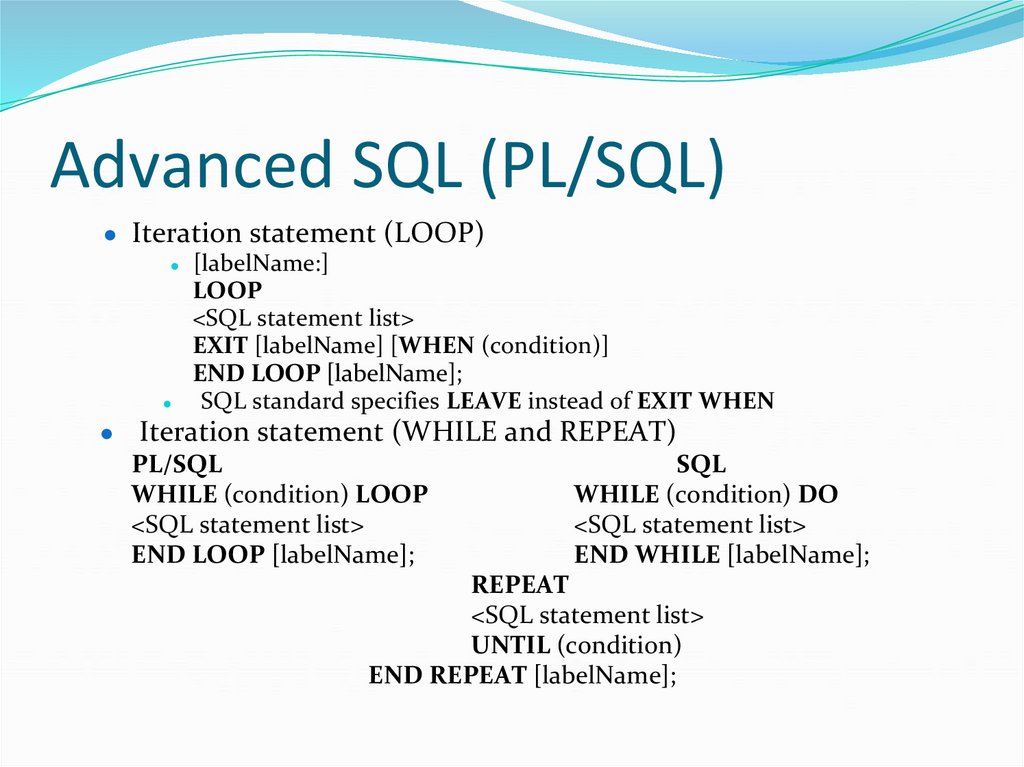
● Iteration statement (LOOP)● [labelName:]
LOOP
<SQL statement list>
EXIT [labelName] [WHEN (condition)]
END LOOP [labelName];
SQL standard specifies LEAVE instead of EXIT WHEN
● Iteration statement (WHILE and REPEAT)
PL/SQL
SQL
WHILE (condition) LOOP
WHILE (condition) DO
<SQL statement list>
END LOOP [labelName];
<SQL statement list>
END WHILE [labelName];
REPEAT
<SQL statement list>
UNTIL (condition)
END REPEAT [labelName];
71. Advanced SQL (PL/SQL)
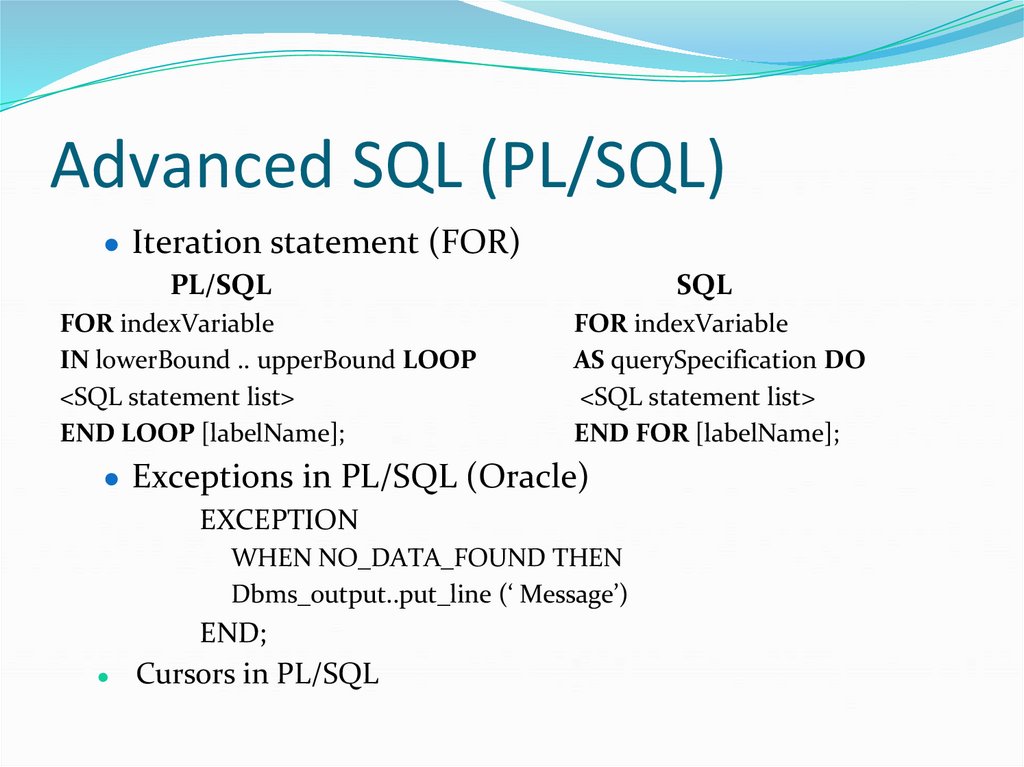
● Iteration statement (FOR)PL/SQL
FOR indexVariable
IN lowerBound .. upperBound LOOP
<SQL statement list>
END LOOP [labelName];
SQL
FOR indexVariable
AS querySpecification DO
<SQL statement list>
END FOR [labelName];
● Exceptions in PL/SQL (Oracle)
EXCEPTION
WHEN NO_DATA_FOUND THEN
Dbms_output..put_line (‘ Message’)
END;
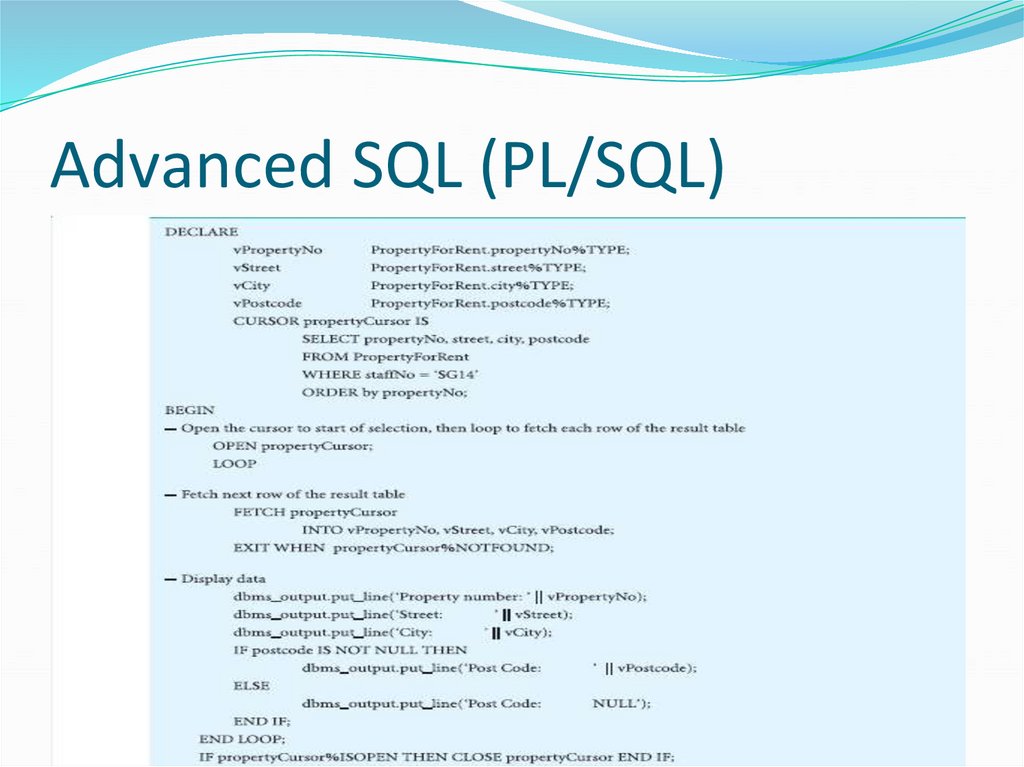
Cursors in PL/SQL
72. Advanced SQL (PL/SQL)
73. Advanced SQL (PL/SQL)
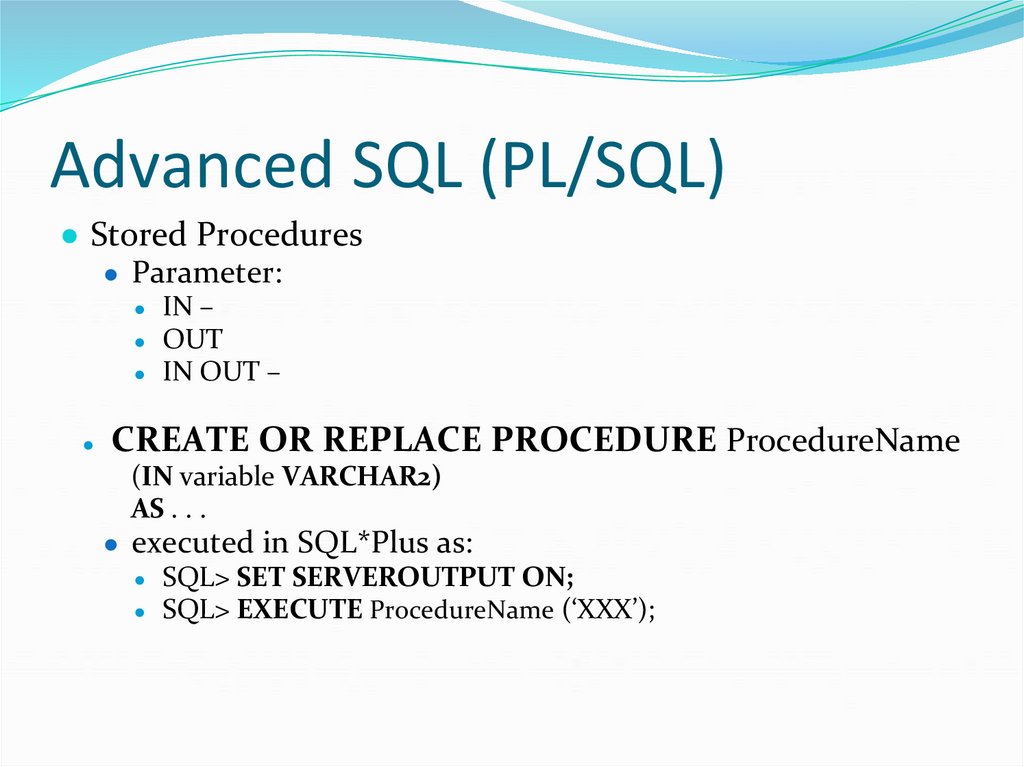
● Stored Procedures● Parameter:
IN –
● OUT
● IN OUT –
CREATE OR REPLACE PROCEDURE ProcedureName
(IN variable VARCHAR2)
AS . . .
● executed in SQL*Plus as:
● SQL> SET SERVEROUTPUT ON;
● SQL> EXECUTE ProcedureName (‘XXX’);
74. Advanced SQL (PL/SQL)
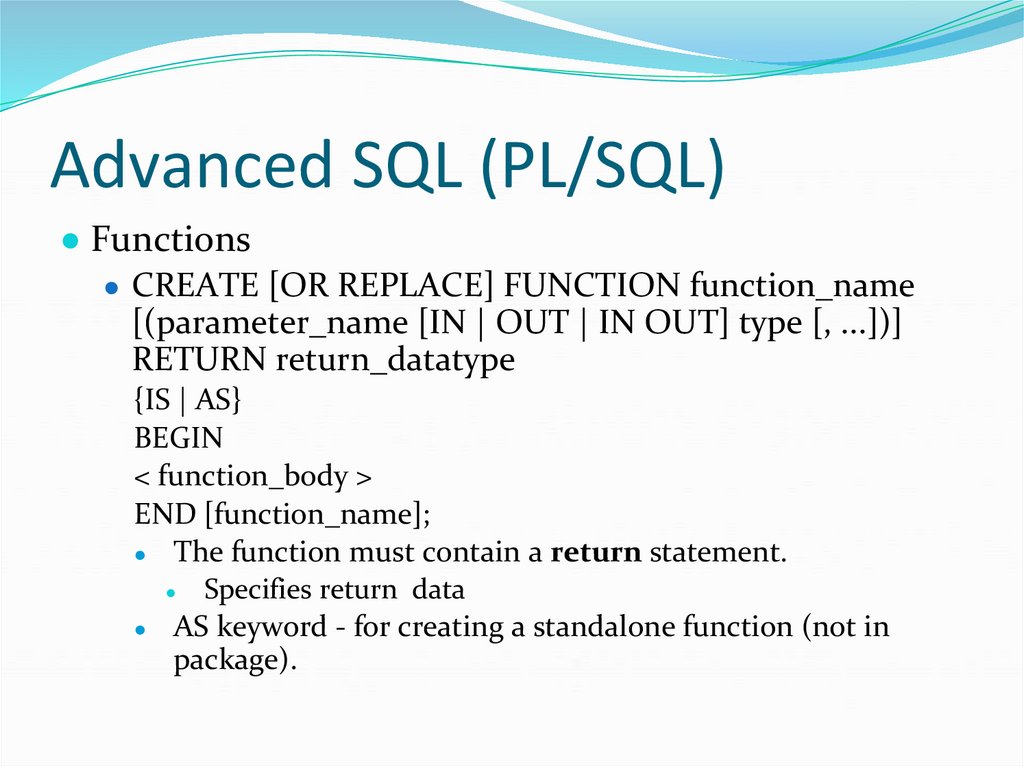
● Functions● CREATE [OR REPLACE] FUNCTION function_name
[(parameter_name [IN | OUT | IN OUT] type [, ...])]
RETURN return_datatype
{IS | AS}
BEGIN
< function_body >
END [function_name];
● The function must contain a return statement.
● Specifies return data
● AS keyword - for creating a standalone function (not in
package).
75. Advanced SQL (PL/SQL)
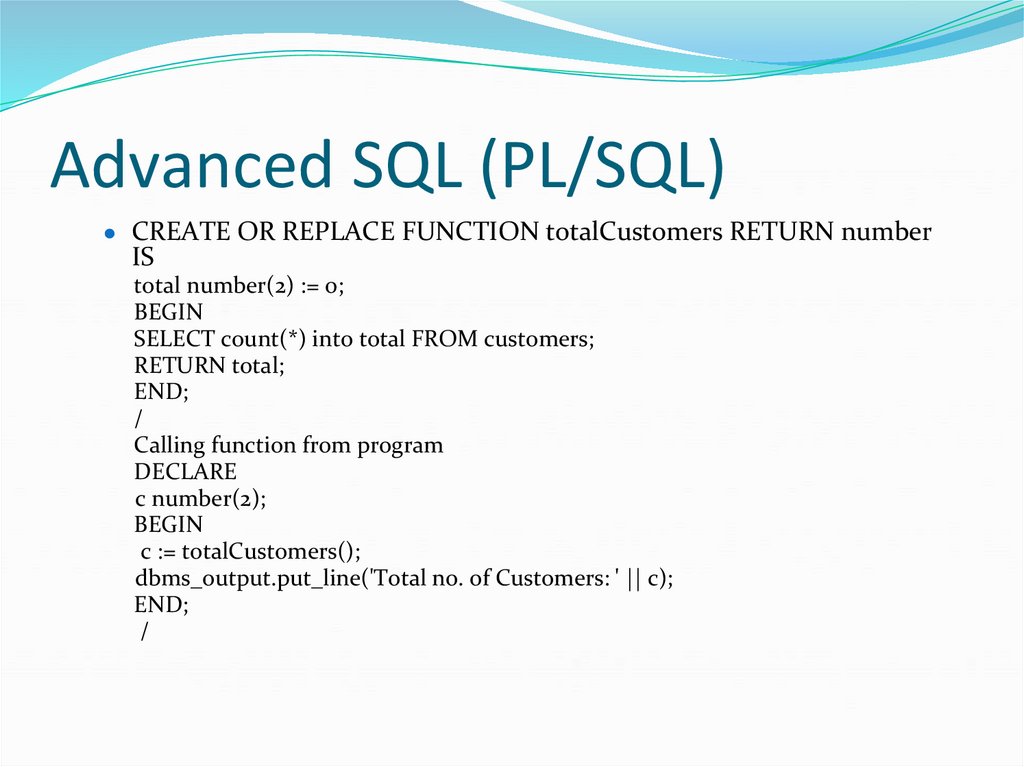
● CREATE OR REPLACE FUNCTION totalCustomers RETURN numberIS
total number(2) := 0;
BEGIN
SELECT count(*) into total FROM customers;
RETURN total;
END;
/
Calling function from program
DECLARE
c number(2);
BEGIN
c := totalCustomers();
dbms_output.put_line('Total no. of Customers: ' || c);
END;
/
76. Advanced SQL (PL/SQL)
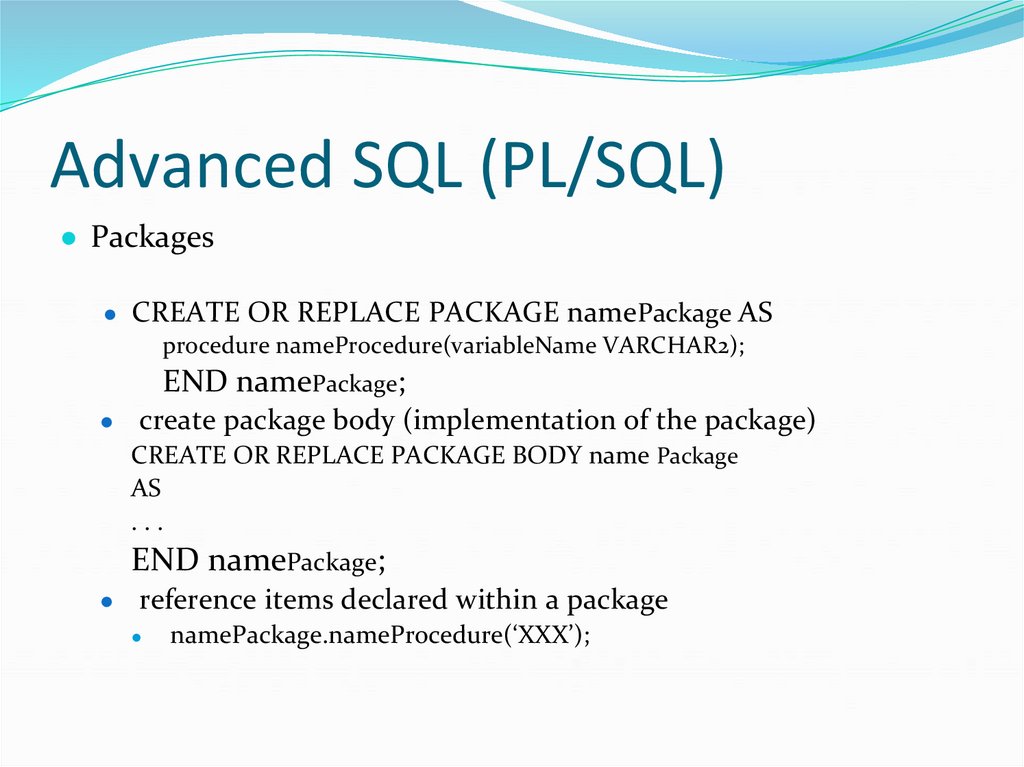
● Packages● CREATE OR REPLACE PACKAGE namePackage AS
procedure nameProcedure(variableName VARCHAR2);
END namePackage;
create package body (implementation of the package)
CREATE OR REPLACE PACKAGE BODY name Package
AS
...
END namePackage;
reference items declared within a package
namePackage.nameProcedure(‘XXX’);
77. Advanced SQL (PL/SQL)
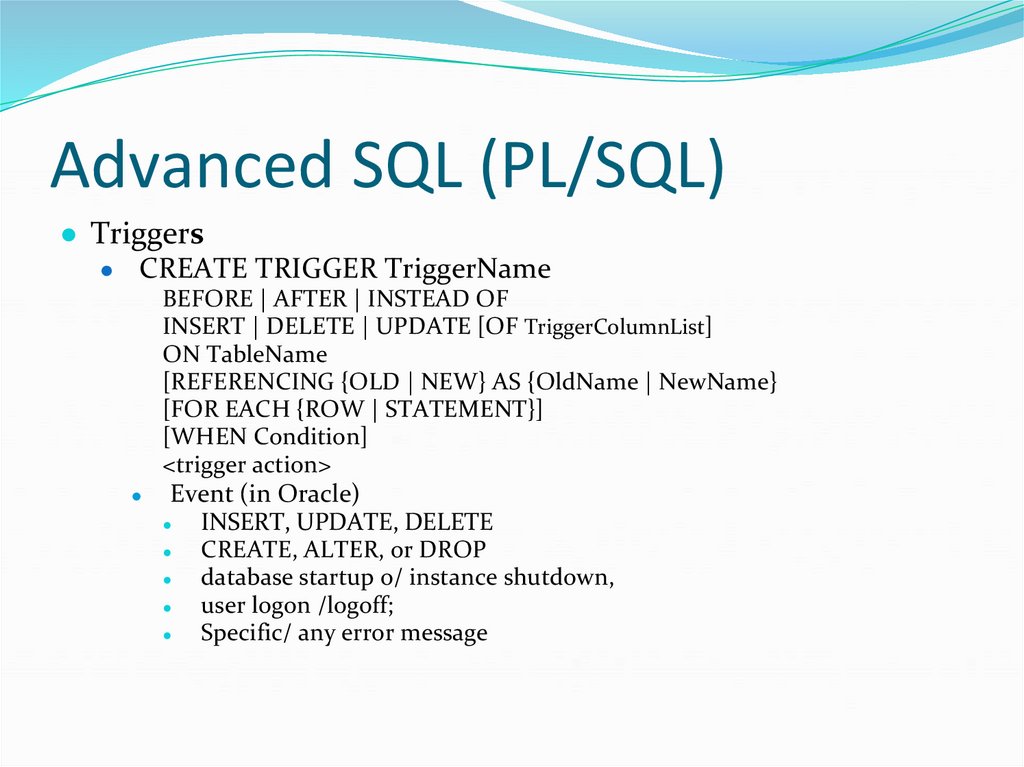
● Triggers● CREATE TRIGGER TriggerName
BEFORE | AFTER | INSTEAD OF
INSERT | DELETE | UPDATE [OF TriggerColumnList]
ON TableName
[REFERENCING {OLD | NEW} AS {OldName | NewName}
[FOR EACH {ROW | STATEMENT}]
[WHEN Condition]
<trigger action>
Event (in Oracle)
INSERT, UPDATE, DELETE
CREATE, ALTER, or DROP
database startup o/ instance shutdown,
user logon /logoff;
Specific/ any error message
78. Advanced SQL (PL/SQL)
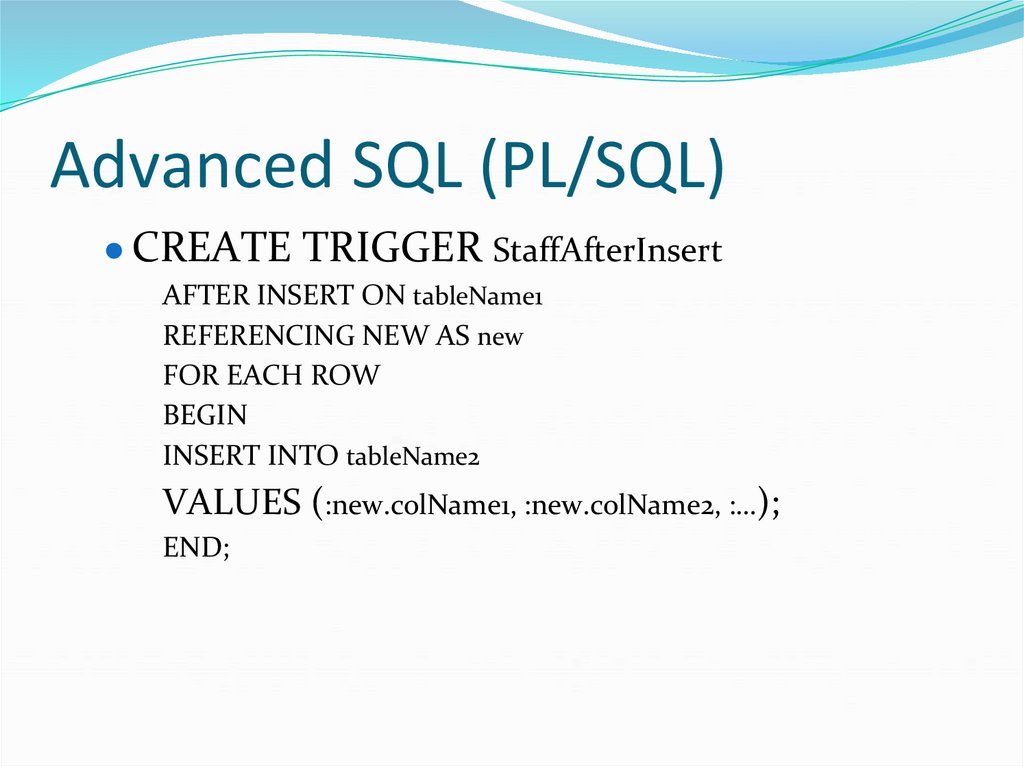
● CREATE TRIGGER StaffAfterInsertAFTER INSERT ON tableName1
REFERENCING NEW AS new
FOR EACH ROW
BEGIN
INSERT INTO tableName2
VALUES (:new.colName1, :new.colName2, :…);
END;
79. Database Analyses and Design
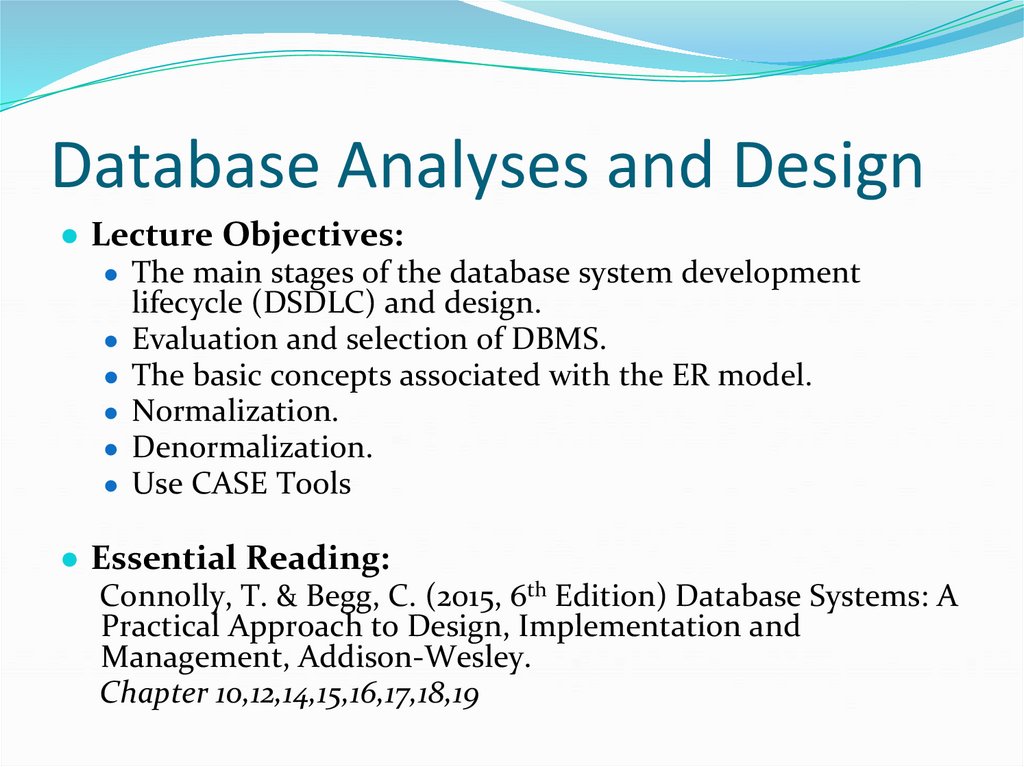
● Lecture Objectives:● The main stages of the database system development
lifecycle (DSDLC) and design.
● Evaluation and selection of DBMS.
● The basic concepts associated with the ER model.
● Normalization.
● Denormalization.
● Use CASE Tools
● Essential Reading:
Connolly, T. & Begg, C. (2015, 6th Edition) Database Systems: A
Practical Approach to Design, Implementation and
Management, Addison-Wesley.
Chapter 10,12,14,15,16,17,18,19
80. Database Analyses and Design
● Information systems and Database systemdevelopment lifecycles
● Information systems
81. Database Analyses and Design
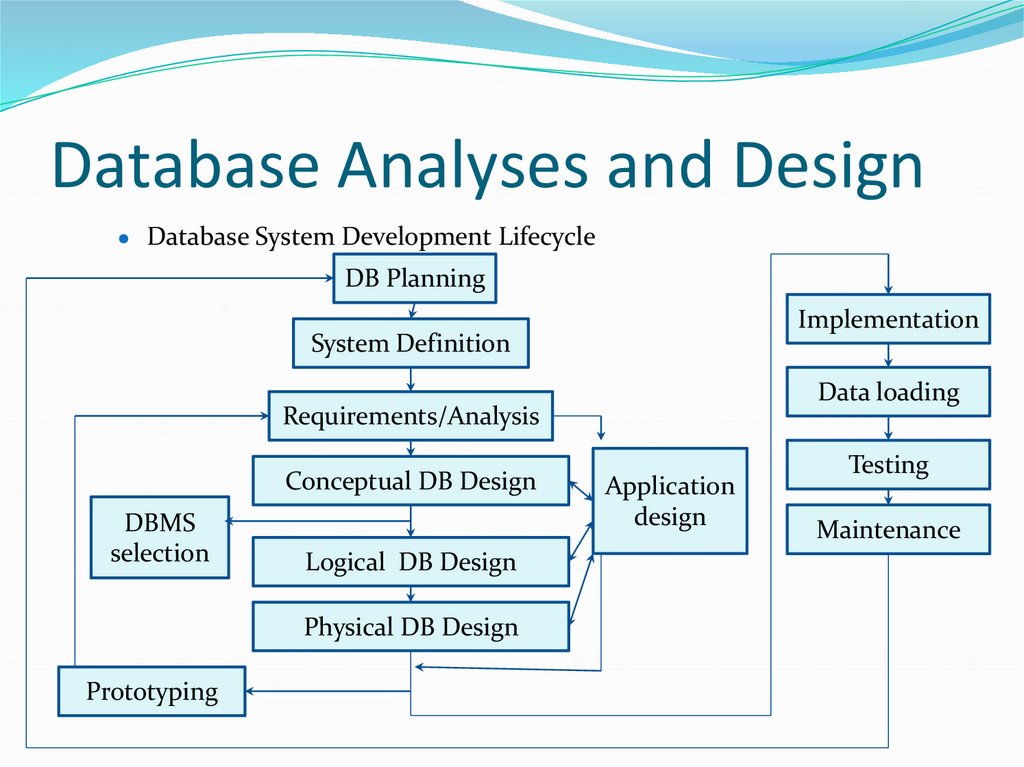
Database System Development Lifecycle
DB Planning
Implementation
System Definition
Data loading
Requirements/Analysis
Conceptual DB Design
DBMS
selection
Logical DB Design
Physical DB Design
Prototyping
Application
design
Testing
Maintenance
82. Database Analysis and Design
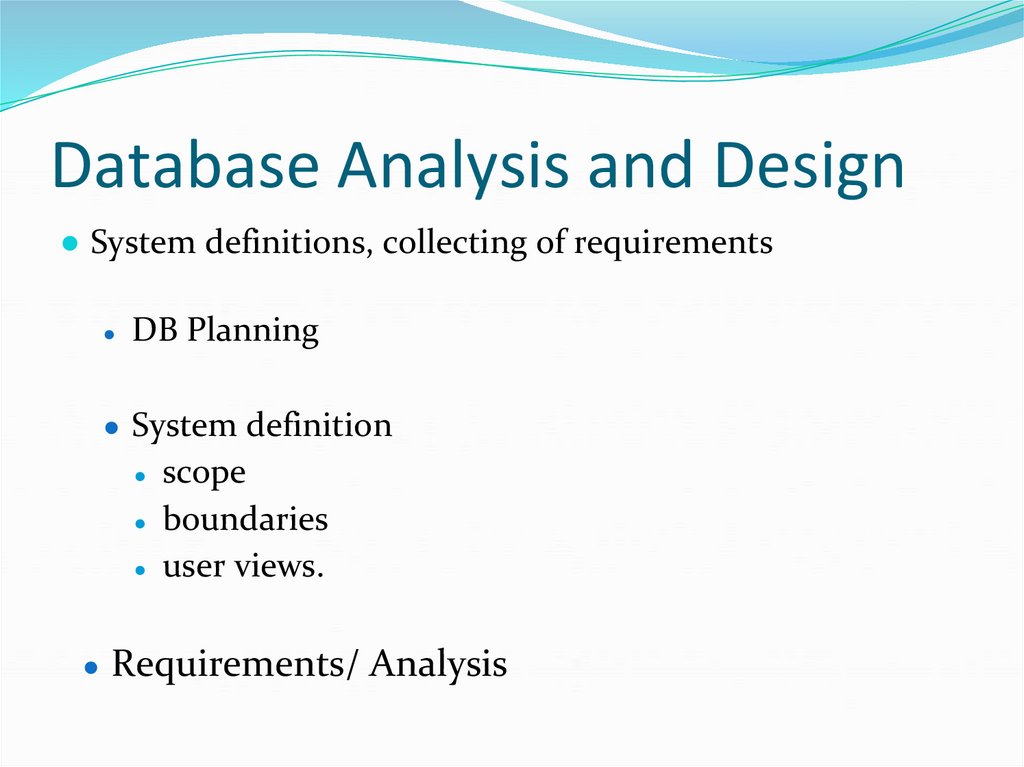
● System definitions, collecting of requirementsDB Planning
● System definition
scope
● boundaries
● user views.
● Requirements/ Analysis
83. Database Analyses and Design
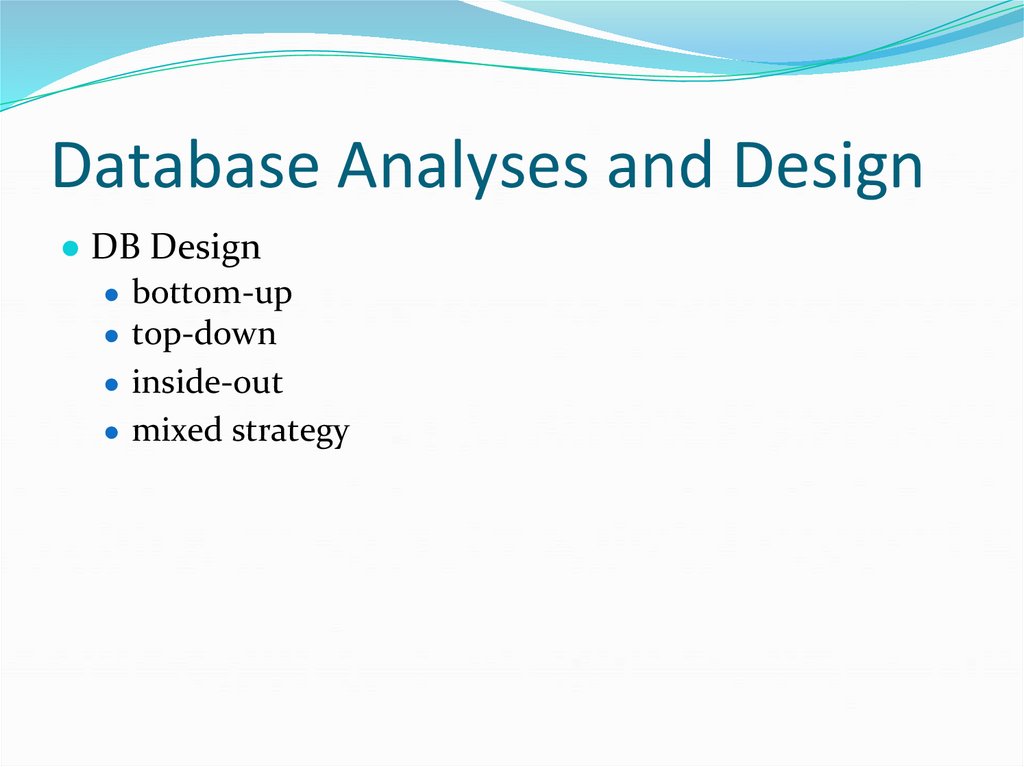
● DB Design● bottom-up
● top-down
● inside-out
● mixed strategy
84. Database Analyses and Design
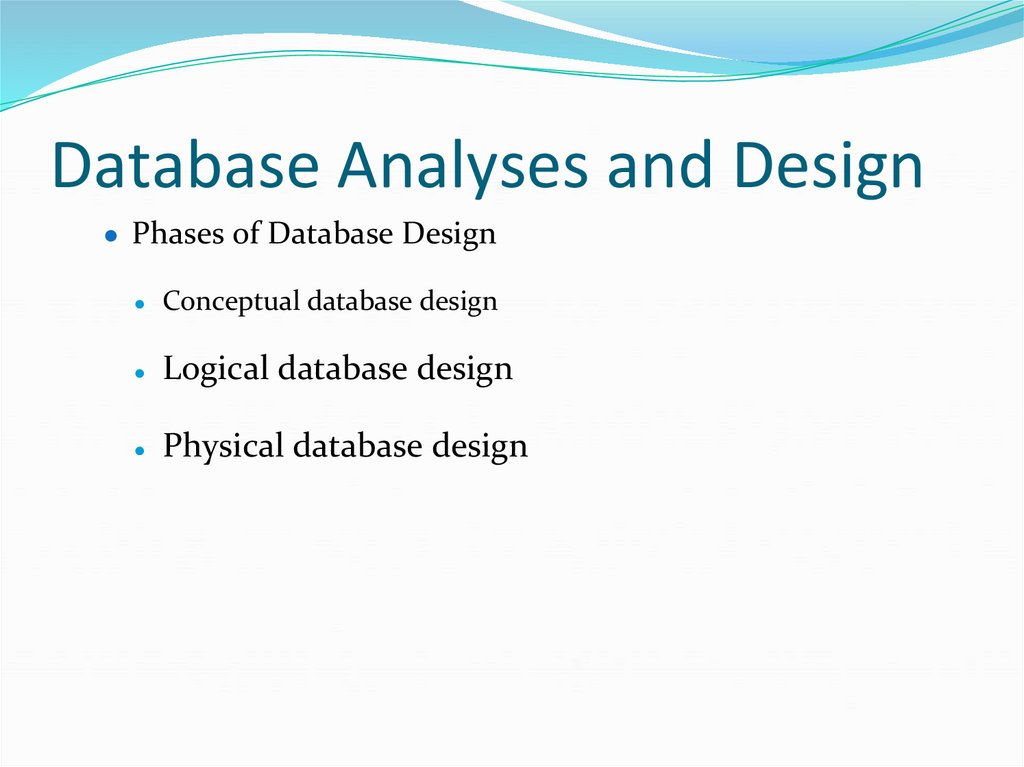
● Phases of Database DesignConceptual database design
Logical database design
Physical database design
85. Database Analyses and Design
● Selection of DBMS● Define Terms of Reference of study
● Shortlist two or three products
● Evaluate products
● Application design
● Prototyping
● Implementation
86. Database Analyses and Design
● Data Conversion and Loading● Testing
● running the database system to finding errors.
● Criteria
● Operational Maintenance
87. Database Analyses and Design
● CASE (Computer-Aided Software Engineering) Tools● Benefits
● Upper- CASE tools:
● Lower- CASE tools
● Integrated-CASE tools
88. Database Analyses and Design
● Entity relationship modeling● Entity types
● Relationship type
Degree of relationship type
● Diagrammatic representation of complex relationships
● Recursive relationship
● Attributes
● Attribute domain
Simple attribute
● Composite attribute
Single-valued attribute
Multi-valued attribute
● Derived Attributes
89. Database Analyses and Design
● Keys● Superkey
● Candidate key
● Primary key (Pk)
● Composite key
● Foreign key (Fk)
90. Database Analyses and Design
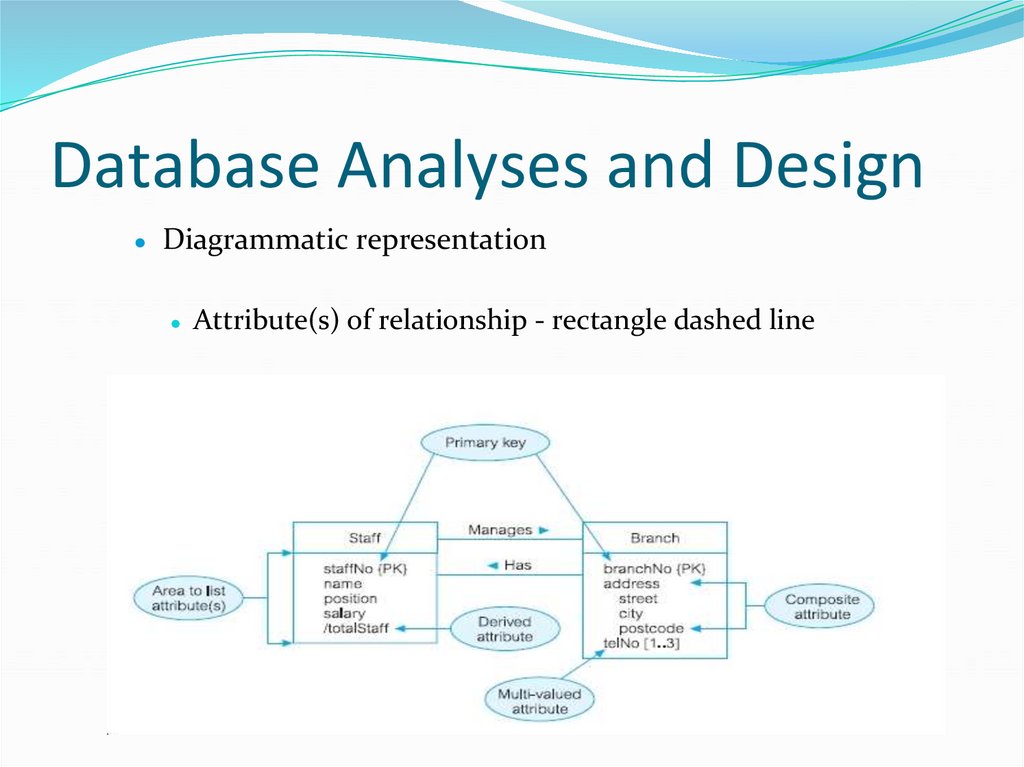
Diagrammatic representation
● Attribute(s) of relationship - rectangle dashed line
91. Database Analyses and Design
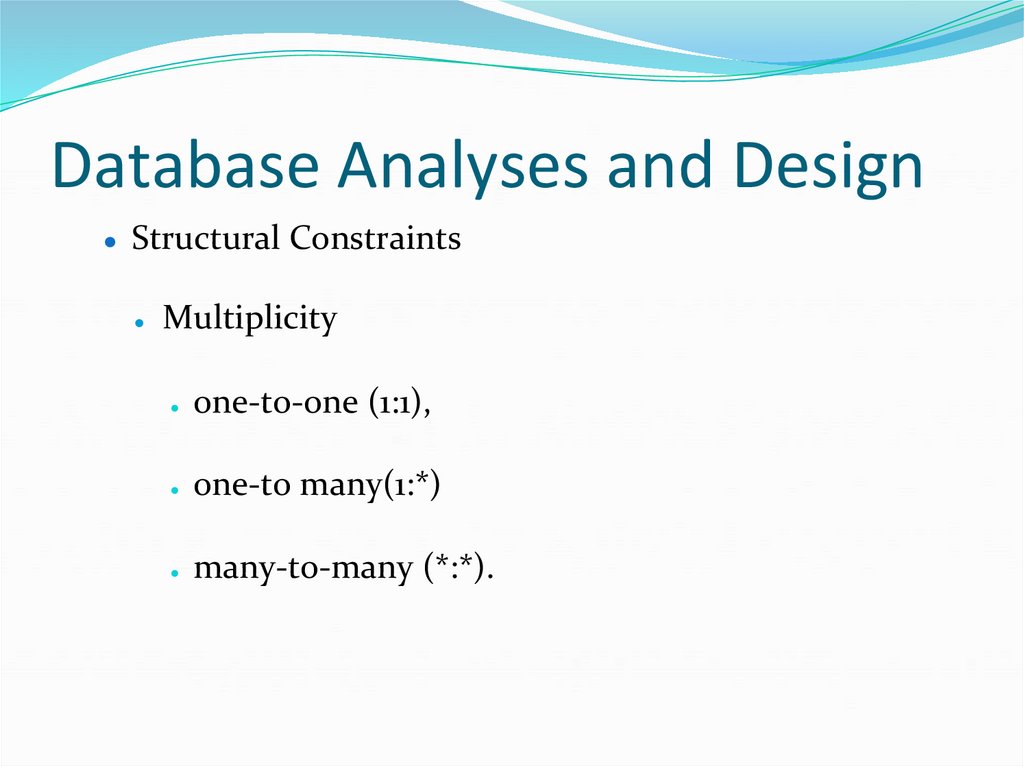
● Structural ConstraintsMultiplicity
one-to-one (1:1),
one-to many(1:*)
many-to-many (*:*).
92. Database Analyses and Design
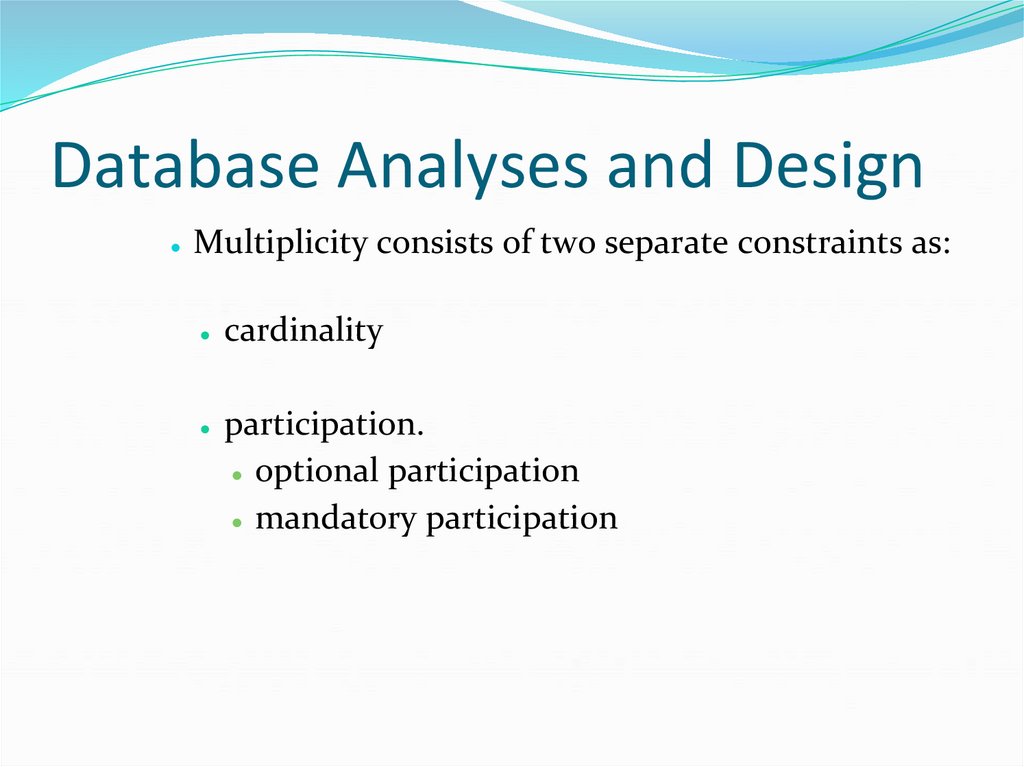
Multiplicity consists of two separate constraints as:
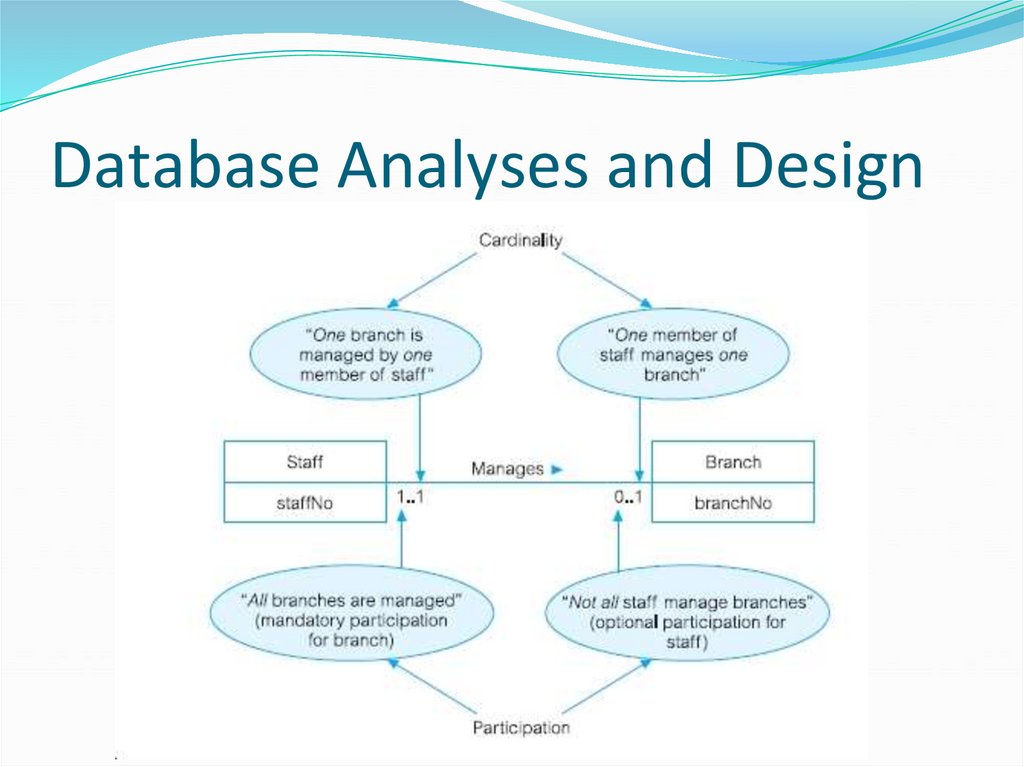
cardinality
participation.
● optional participation
● mandatory participation
93. Database Analyses and Design
94. Database Analyses and Design
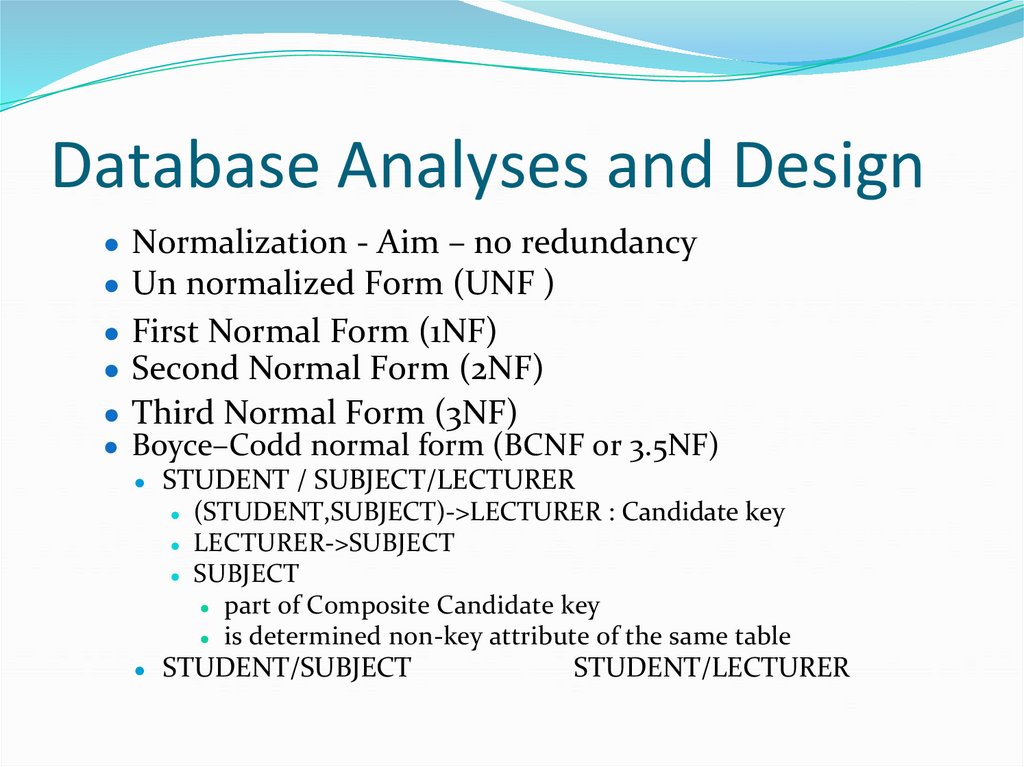
● Normalization - Aim – no redundancy● Un normalized Form (UNF )
● First Normal Form (1NF)
● Second Normal Form (2NF)
● Third Normal Form (3NF)
● Boyce–Codd normal form (BCNF or 3.5NF)
● STUDENT / SUBJECT/LECTURER
● (STUDENT,SUBJECT)->LECTURER : Candidate key
● LECTURER->SUBJECT
● SUBJECT
● part of Composite Candidate key
● is determined non-key attribute of the same table
● STUDENT/SUBJECT
STUDENT/LECTURER
95. Database Analyses and Design
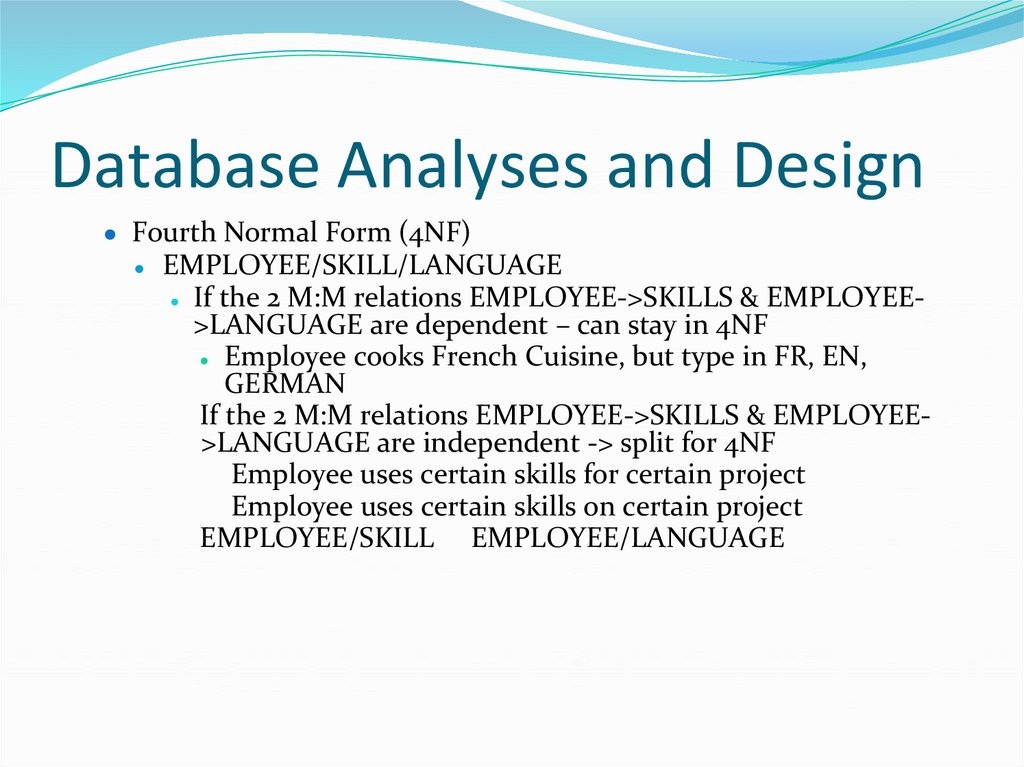
● Fourth Normal Form (4NF)EMPLOYEE/SKILL/LANGUAGE
● If the 2 M:M relations EMPLOYEE->SKILLS & EMPLOYEE>LANGUAGE are dependent – can stay in 4NF
● Employee cooks French Cuisine, but type in FR, EN,
GERMAN
If the 2 M:M relations EMPLOYEE->SKILLS & EMPLOYEE>LANGUAGE are independent -> split for 4NF
Employee uses certain skills for certain project
Employee uses certain skills on certain project
EMPLOYEE/SKILL EMPLOYEE/LANGUAGE
96. Database Analyses and Design
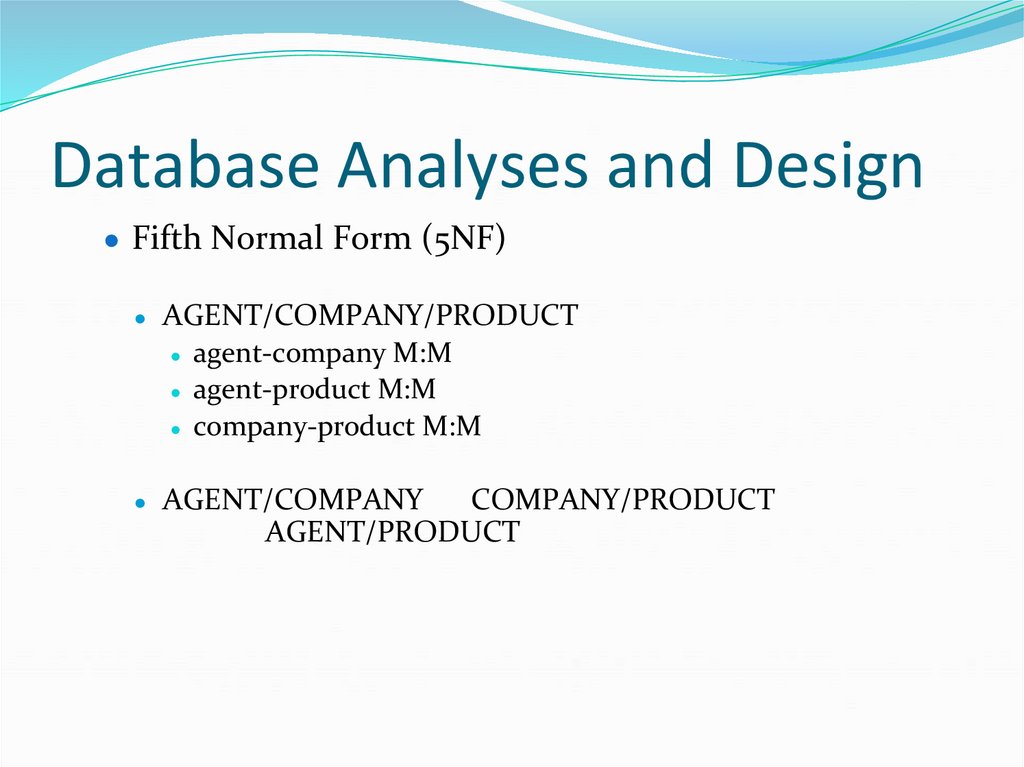
● Fifth Normal Form (5NF)AGENT/COMPANY/PRODUCT
● agent-company M:M
● agent-product M:M
● company-product M:M
AGENT/COMPANY
COMPANY/PRODUCT
AGENT/PRODUCT
97. Database Analyses and Design
● Denormalization● For speed up frequent or critical transactions:
● Combining one-to-one (1:1) relationships
● Reduce joins by
● Creating extract tables
● Partitioning relations
● Horizontal
● Vertical
● Collapsing tables
● Column denormalization
98. Database Analyses and Design
● Advantages and disadvantages of denormalization.Advantages
Disadvantages
Use of Power Designer
99. Database Analyses and Design
● Distributed database design● Problem how should the database
● be split
● allocated to sites
● to optimize certain objective
100. Database Analyses and Design
● There are two issues:(i) Data fragmentation
● (ii) Data allocation.
● database system has to be built from scratch.
● multiple existing databases are to be integrated - no
design issue.
101. Database Analyses and Design
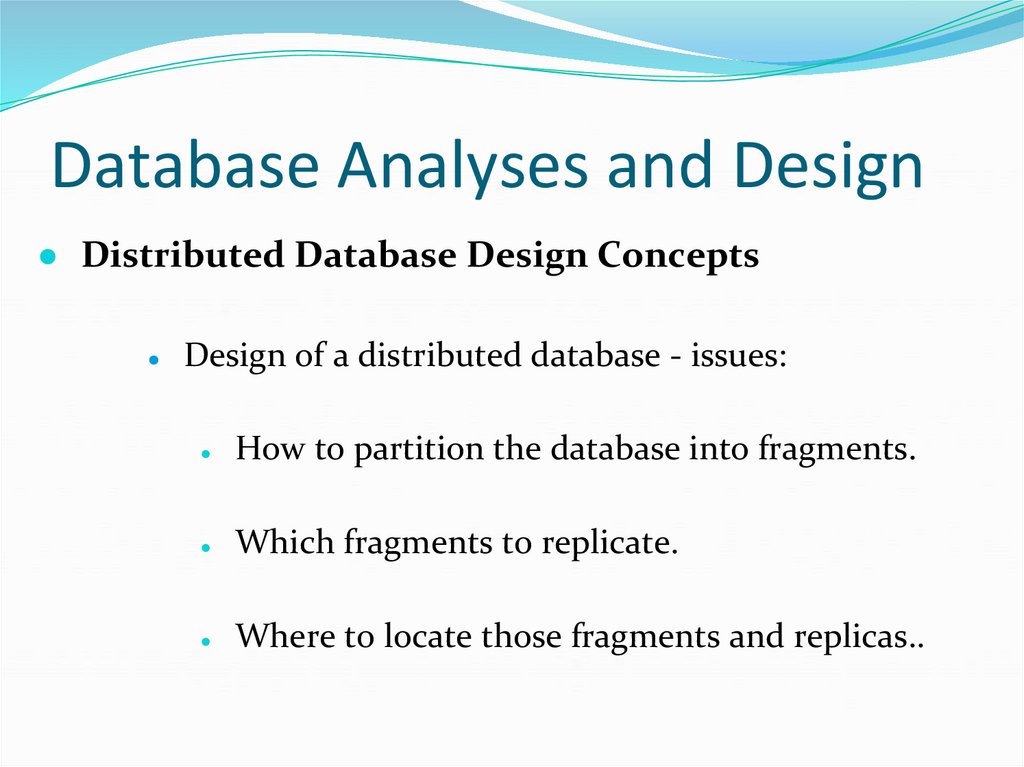
● Distributed Database Design ConceptsDesign of a distributed database - issues:
How to partition the database into fragments.
Which fragments to replicate.
Where to locate those fragments and replicas..
102. Database Analyses and Design
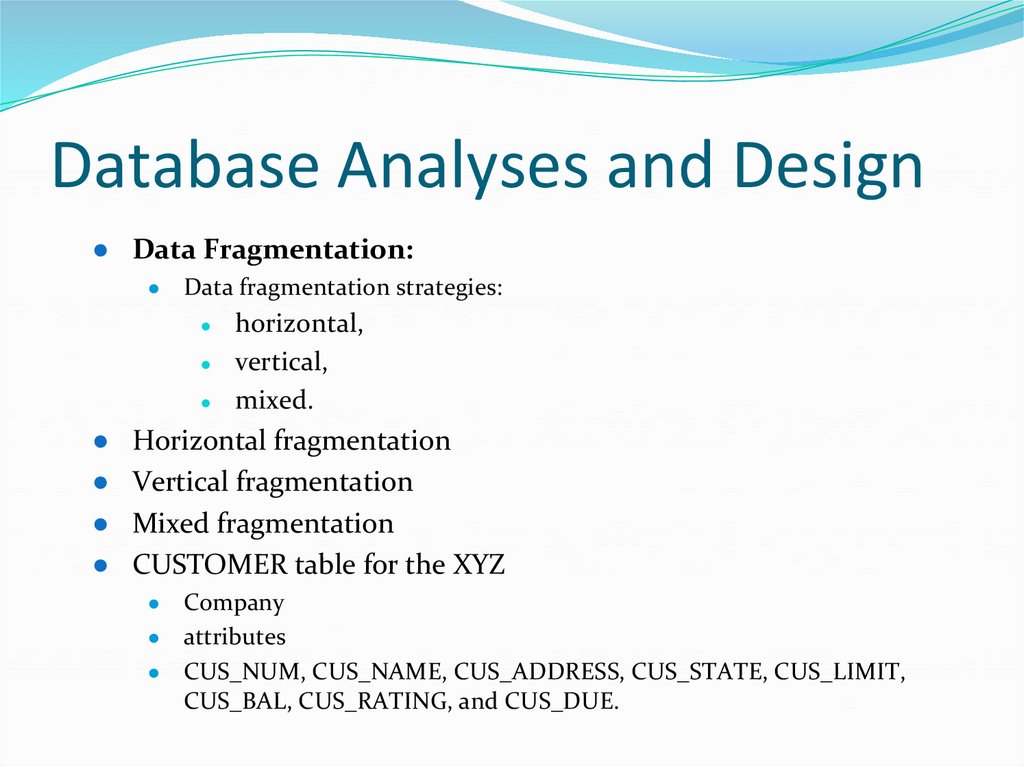
● Data Fragmentation:Data fragmentation strategies:
horizontal,
vertical,
mixed.
Horizontal fragmentation
Vertical fragmentation
Mixed fragmentation
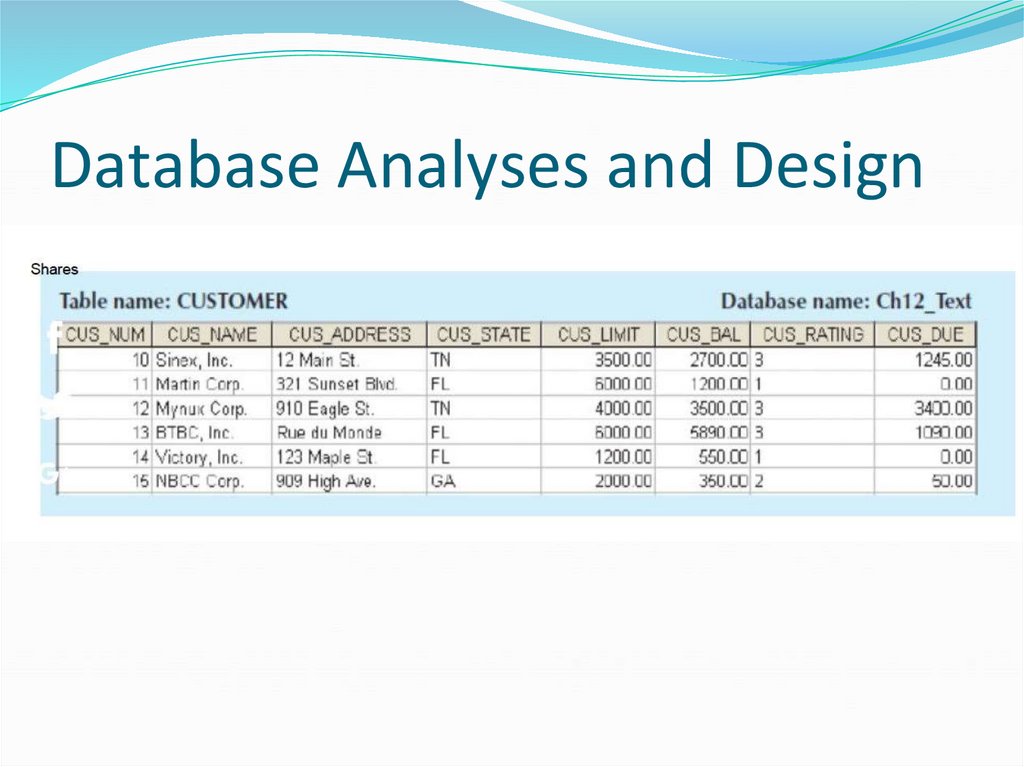
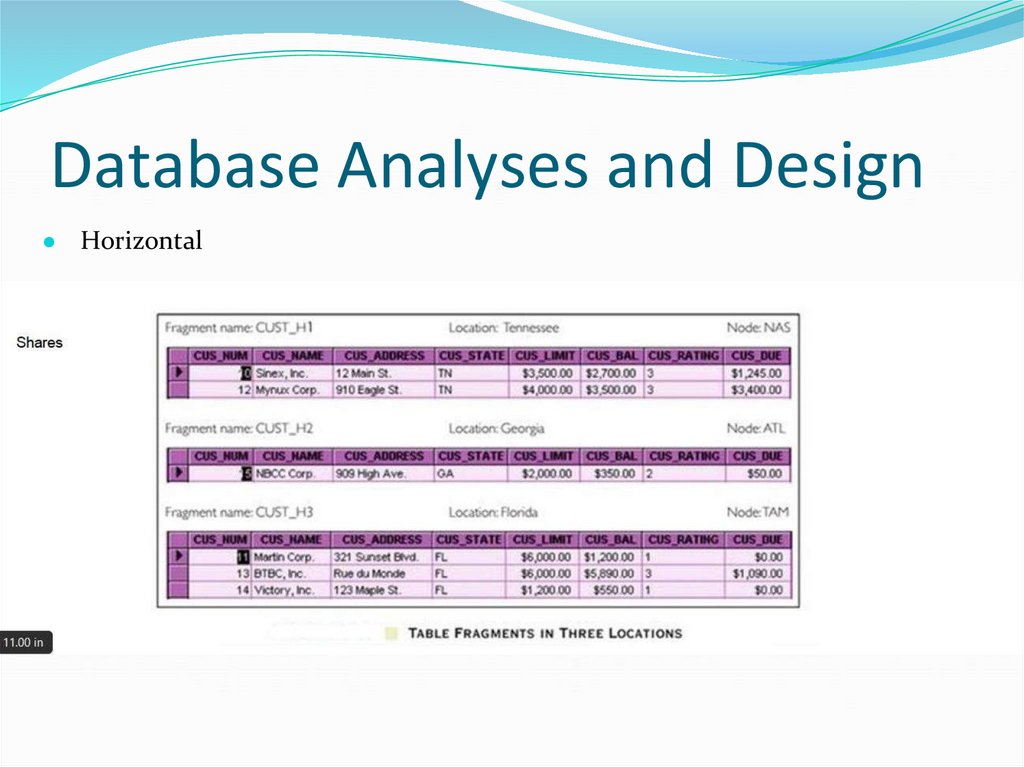
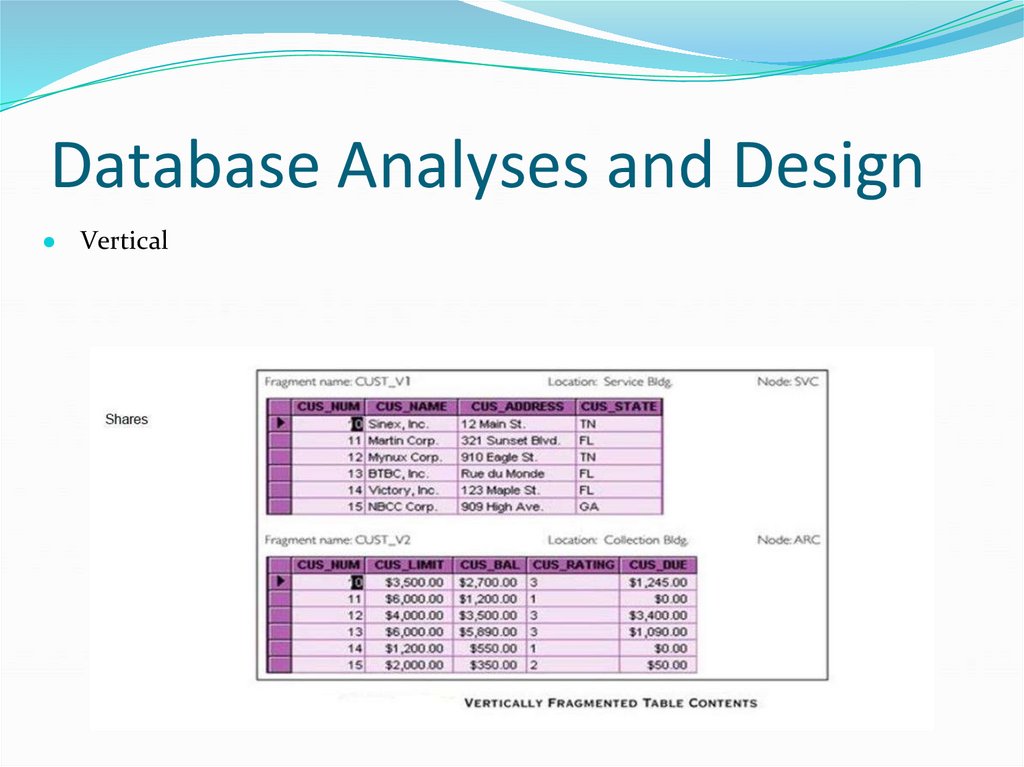
CUSTOMER table for the XYZ
Company
● attributes
● CUS_NUM, CUS_NAME, CUS_ADDRESS, CUS_STATE, CUS_LIMIT,
CUS_BAL, CUS_RATING, and CUS_DUE.
103. Database Analyses and Design
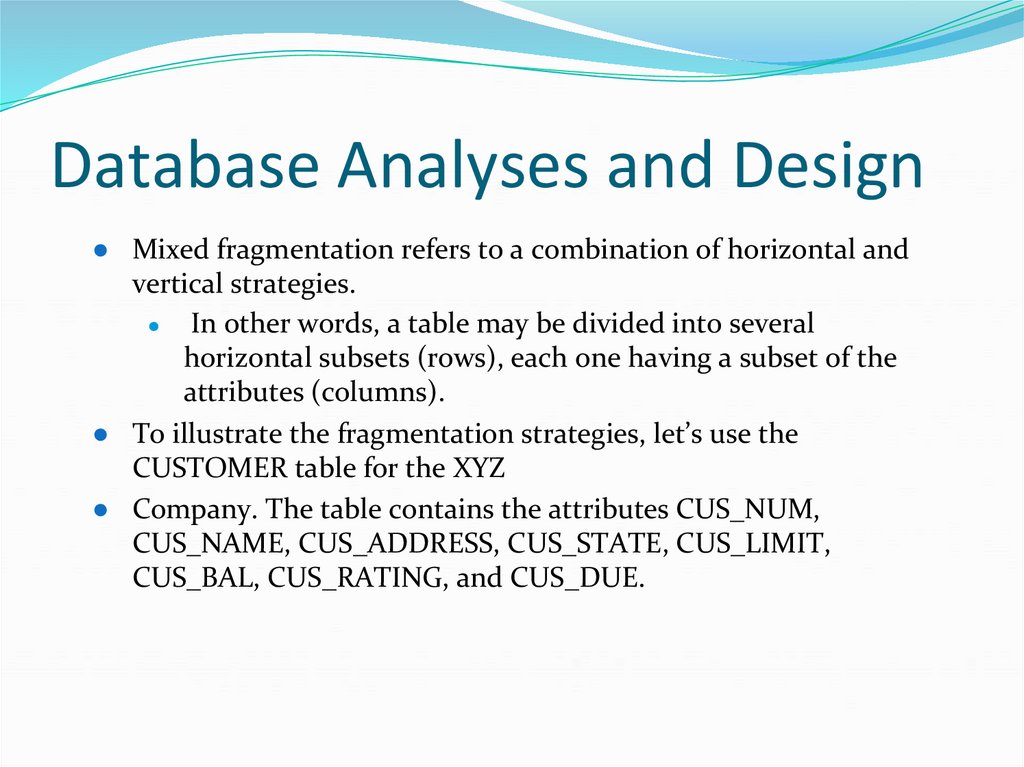
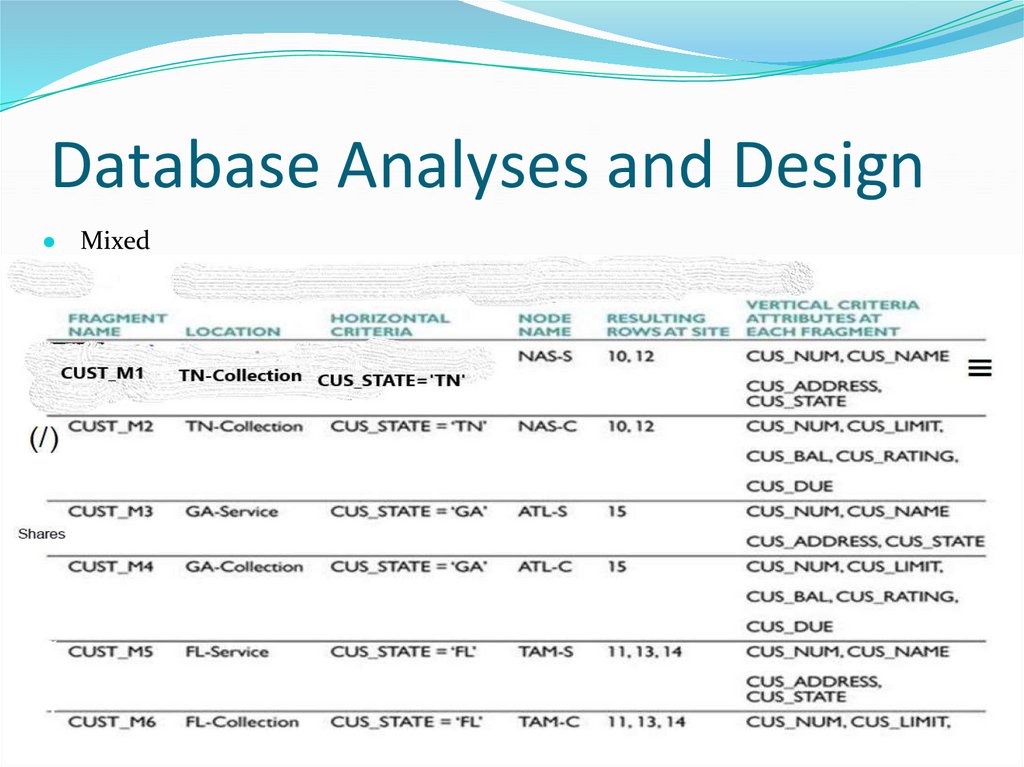
● Mixed fragmentation refers to a combination of horizontal andvertical strategies.
● In other words, a table may be divided into several
horizontal subsets (rows), each one having a subset of the
attributes (columns).
● To illustrate the fragmentation strategies, let’s use the
CUSTOMER table for the XYZ
● Company. The table contains the attributes CUS_NUM,
CUS_NAME, CUS_ADDRESS, CUS_STATE, CUS_LIMIT,
CUS_BAL, CUS_RATING, and CUS_DUE.
104. Database Analyses and Design
105. Database Analyses and Design
● Horizontal106. Database Analyses and Design
● Vertical107. Database Analyses and Design
● Mixed108. Database Analyses and Design
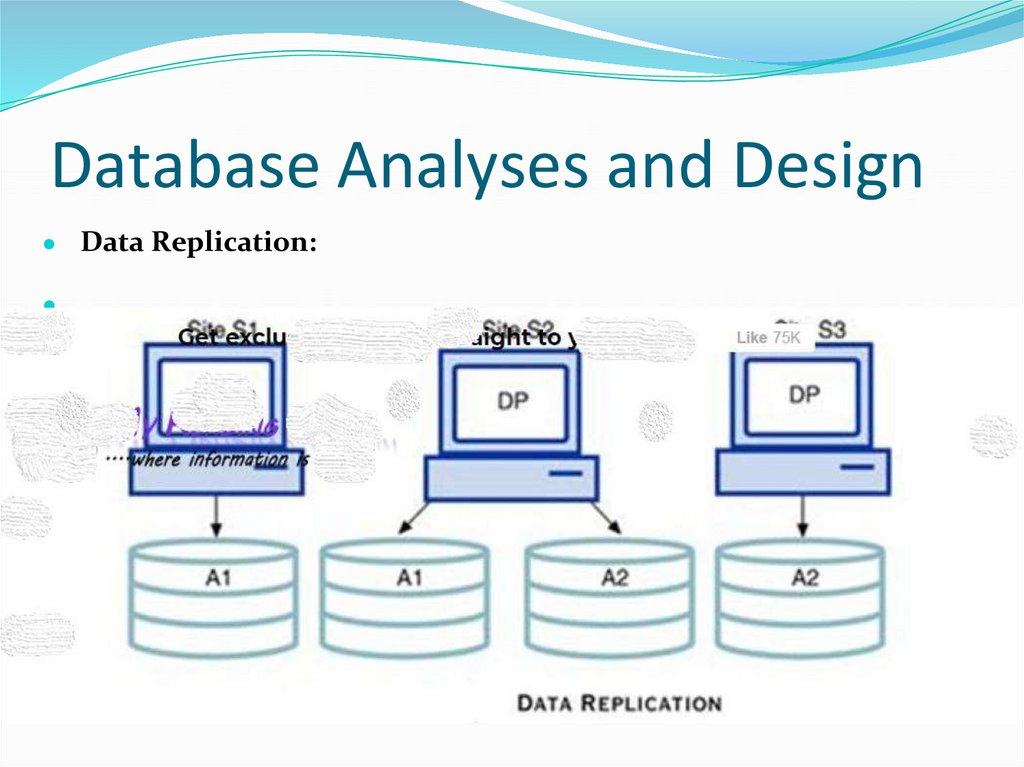
● Data Replication:109. Database Analyses and Design
● Data Replication:● mutual consistency
● overheads imposed
● replication scenarios:
● a database can be fully replicated,
● partially
● replicated, or un=replicated.
110. Database Analyses and Design
● Data Replication:● Factors influence the decision to use data replication:
● Database size:
● Usage frequency:
● Costs:
111. Database Analyses and Design
● Data Allocation:● Strategies
centralized data allocation
partitioned data allocation
● Data allocation algorithms
● Performance and data availability
● Size,
● Types of transactions
● Mobile users
● loosely disconnected fragments
112. Database Analyses and Design
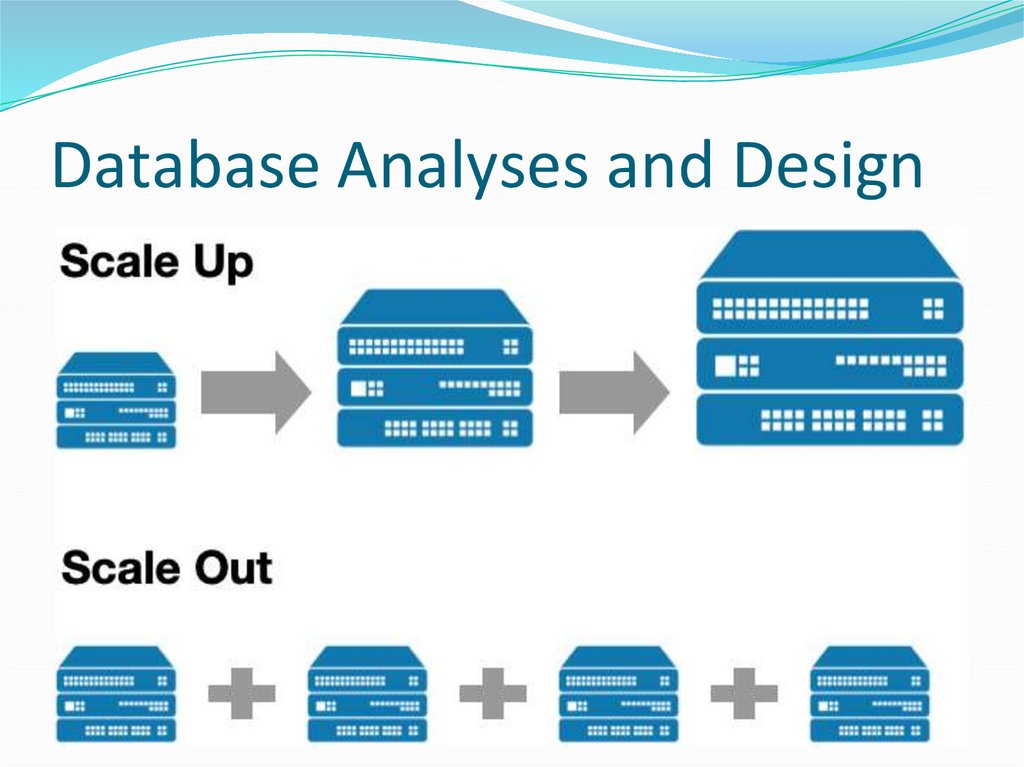
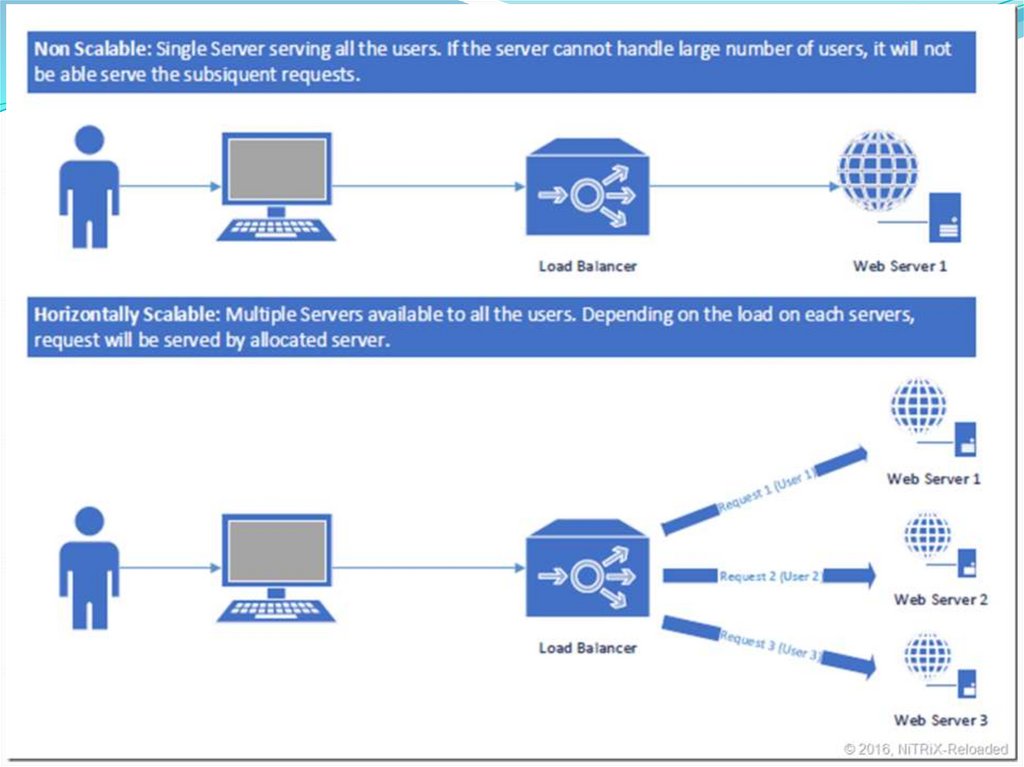
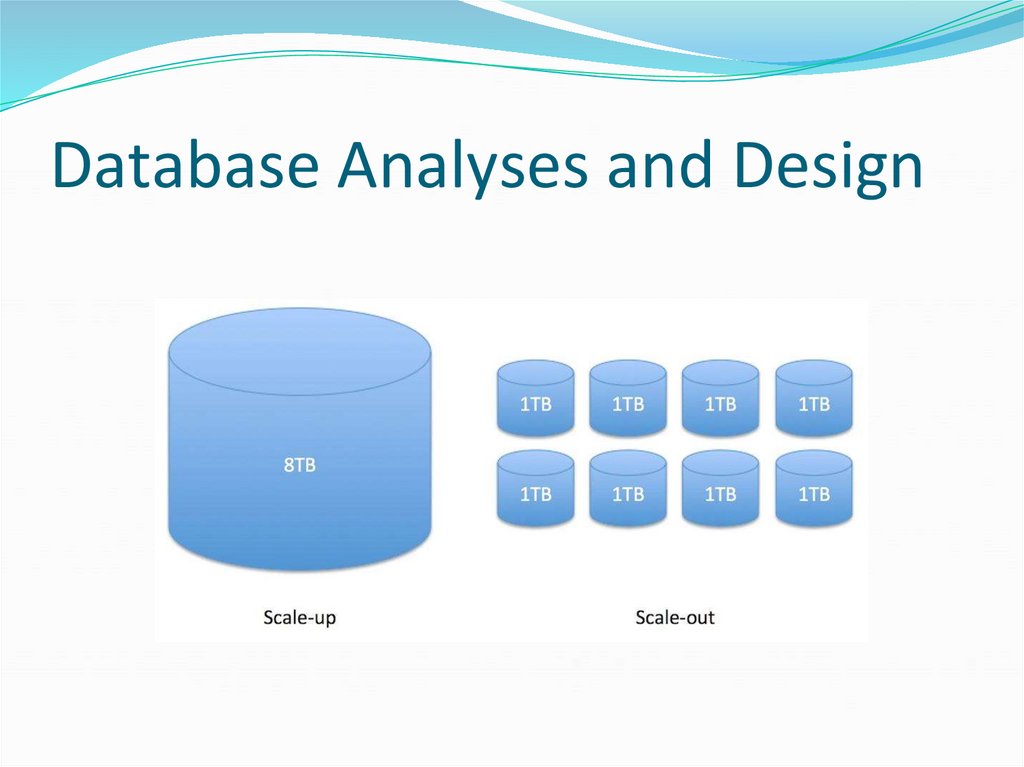
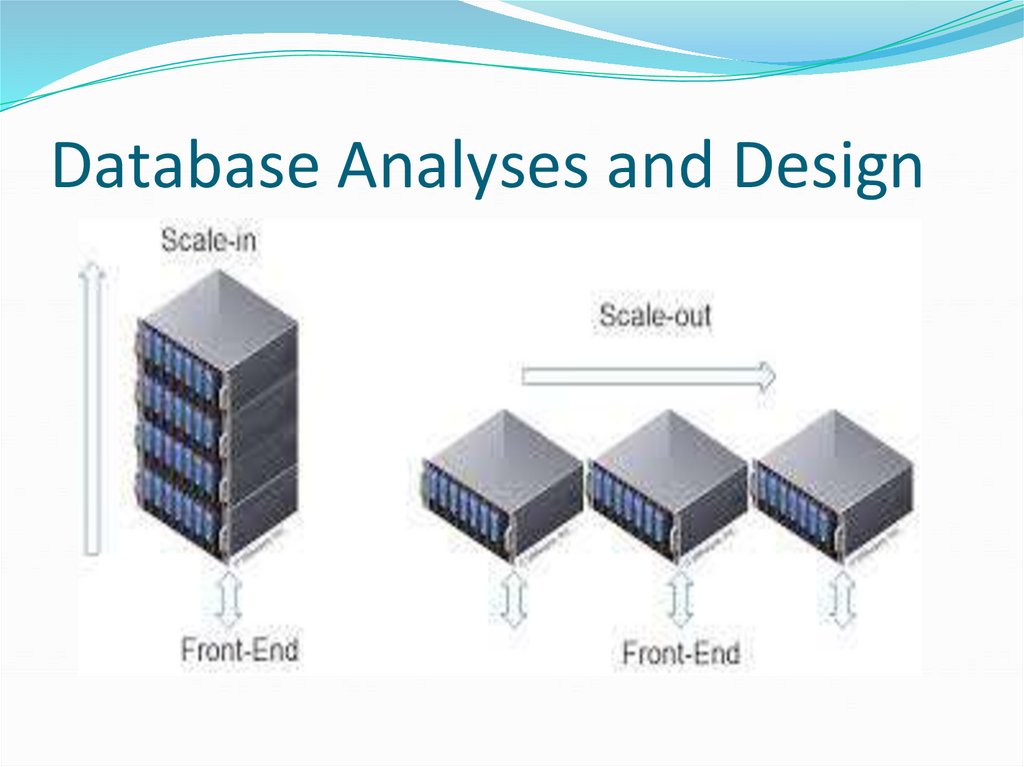
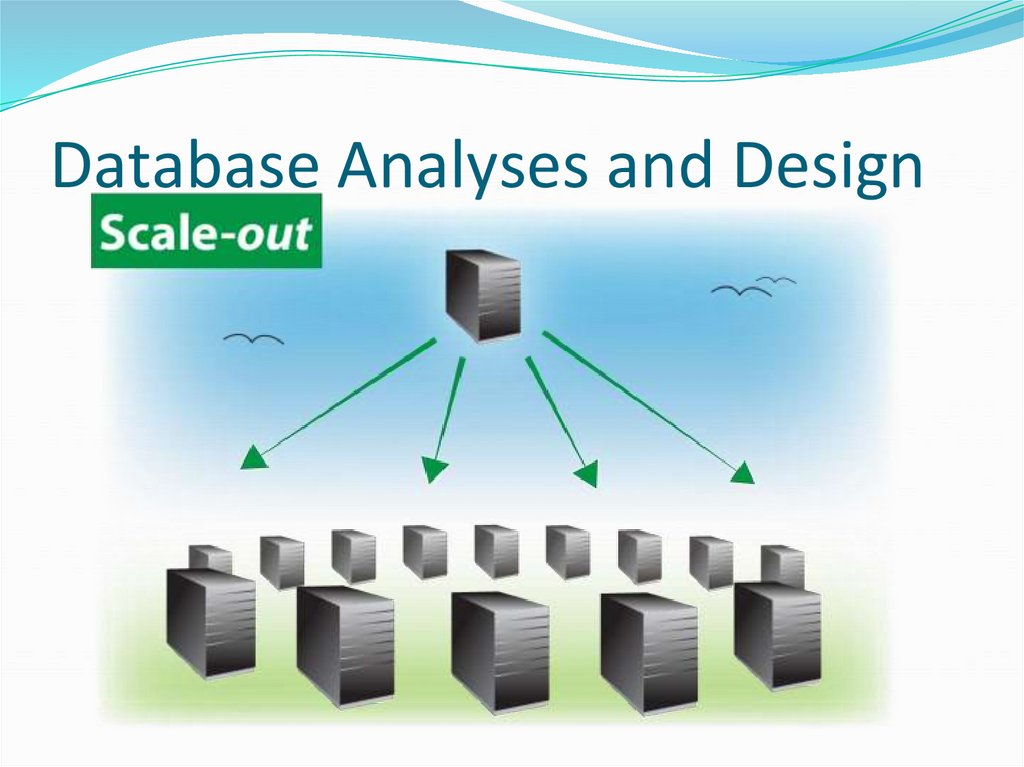
● How to scale systems for large data sets on serversand server clusters
● Scale out
● horizontal growth/ addition of new resources
● Scaling up
● increasing the capacity of current resources
113. Database Analyses and Design
114. Database Analyses and Design
115. Database Analyses and Design
116. Database Analyses and Design
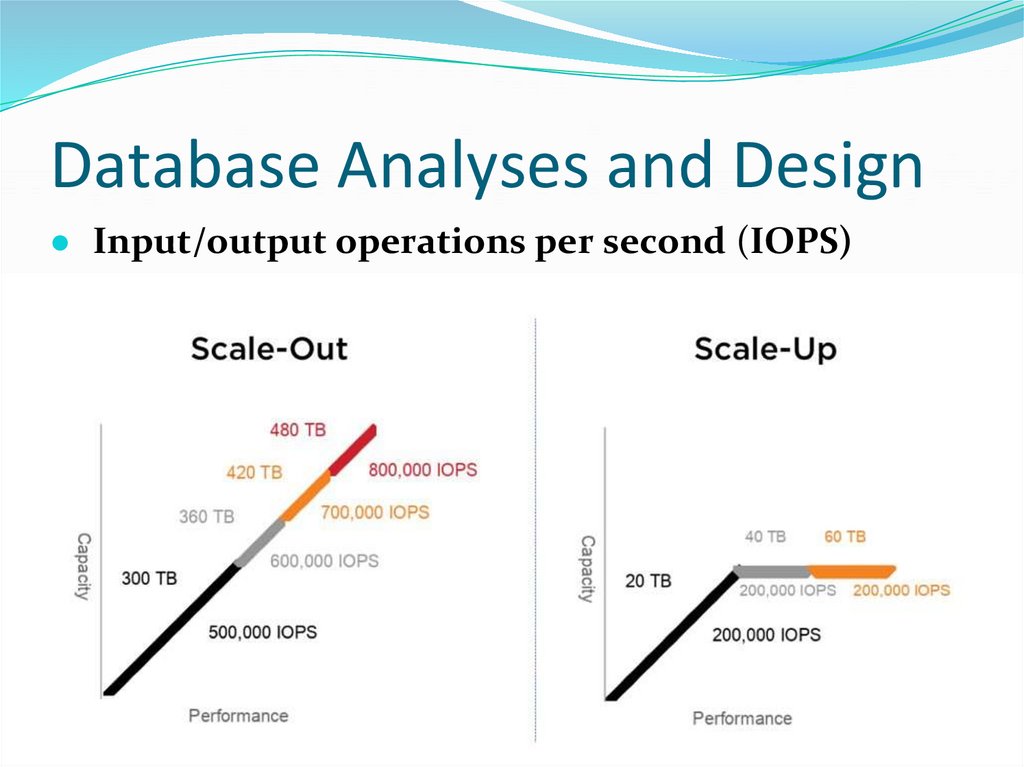
● Input/output operations per second (IOPS)117. Database Analyses and Design
118. Database Analyses and Design
119. Database Analyses and Design
120. Database Analyses and Design
● This has two obvious pros● one is that storage capacity is increased and the
● second is traffic capacity is also
● Cluster
● Why use clusters?
● cluster is about redundancy
● Reliability
Availability over consistency
Availability & Redundancy:
● From servers to clusters to DSN (Distributed Search
Networks)
121. Database Analyses and Design
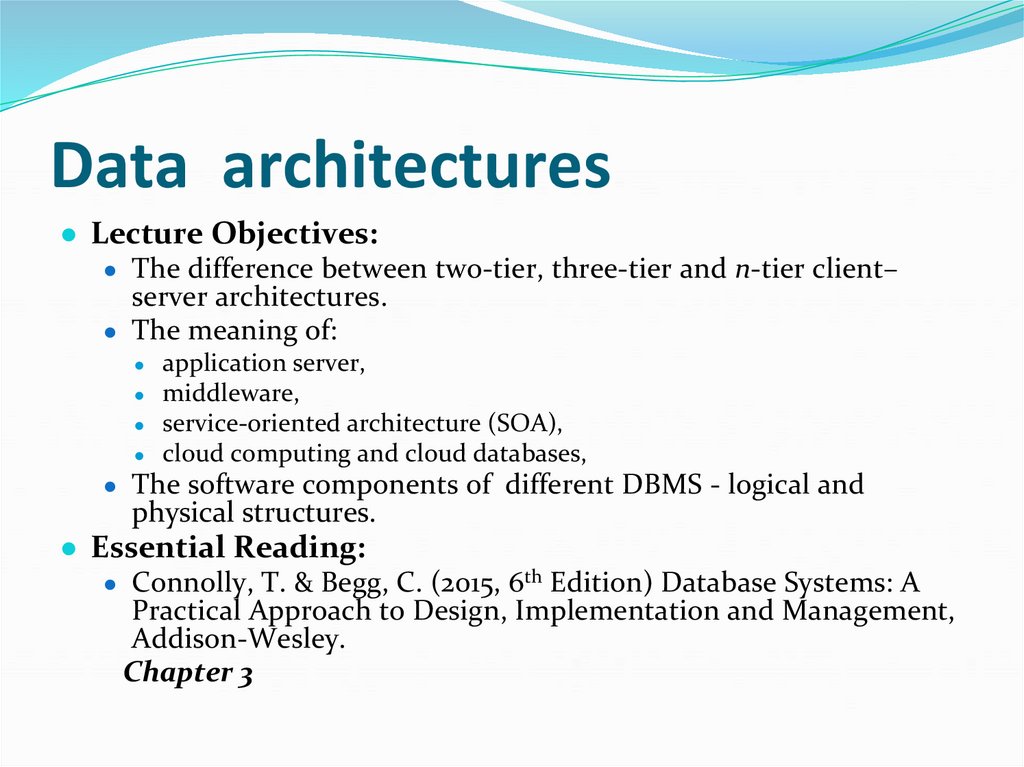
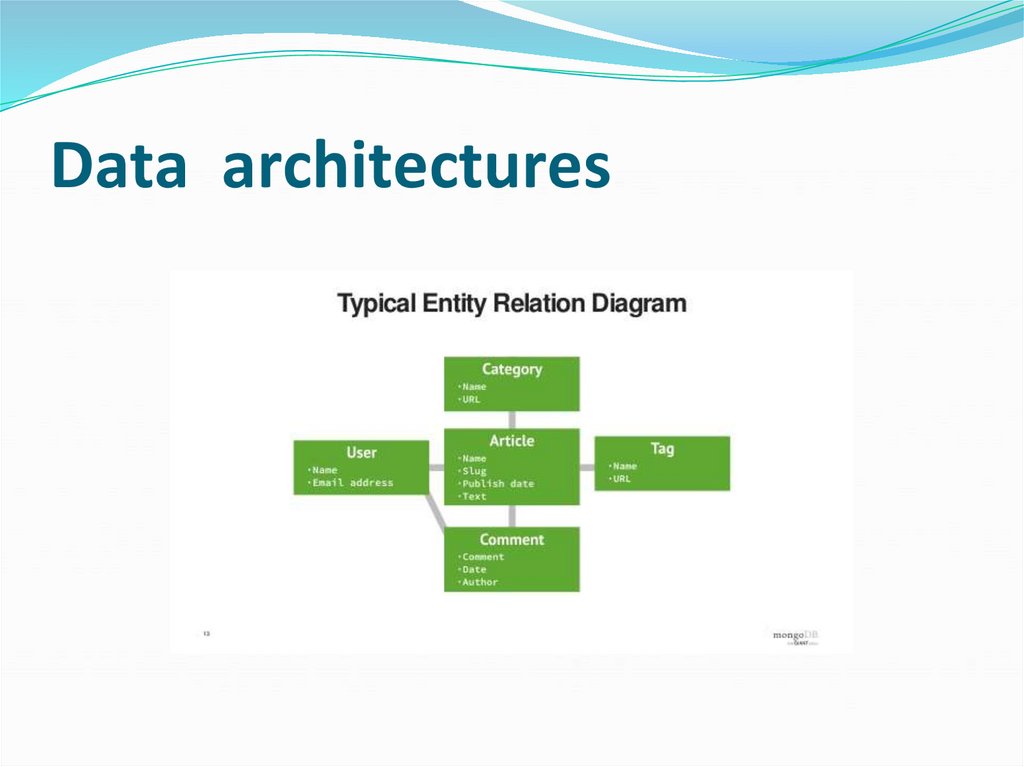
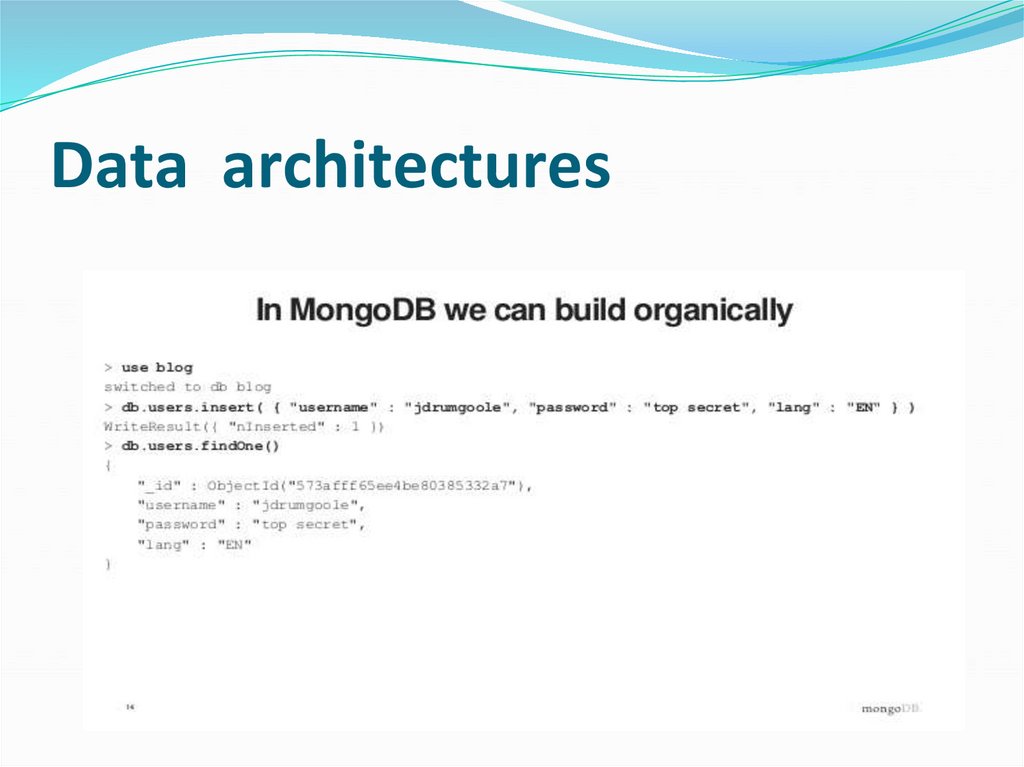
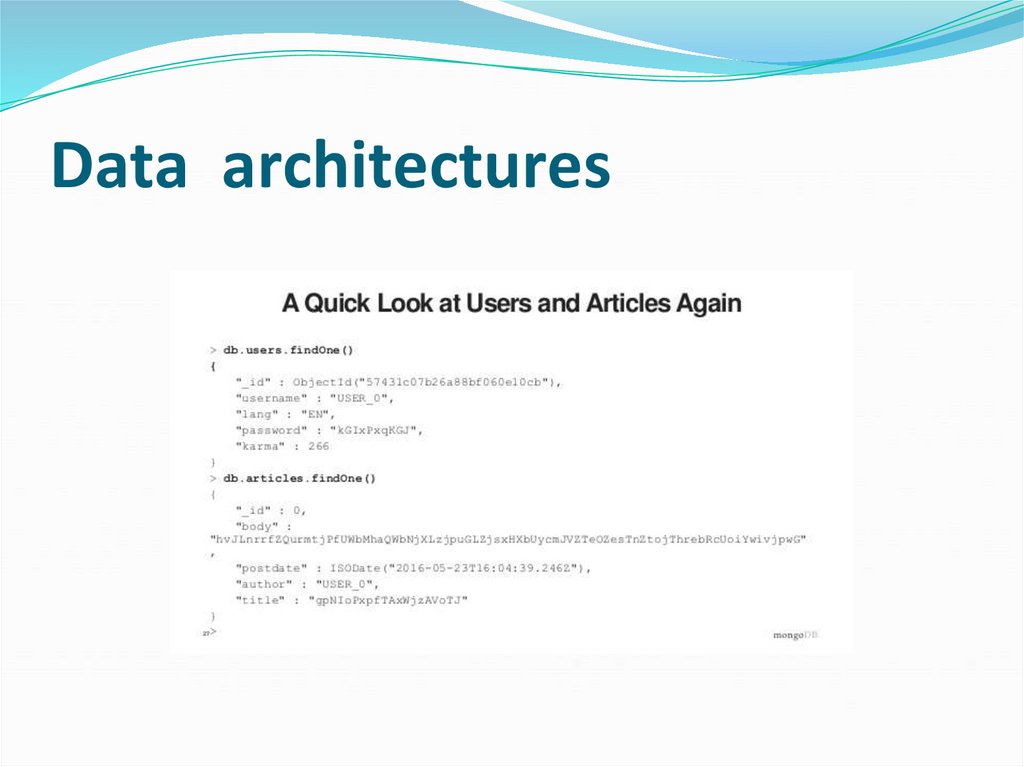
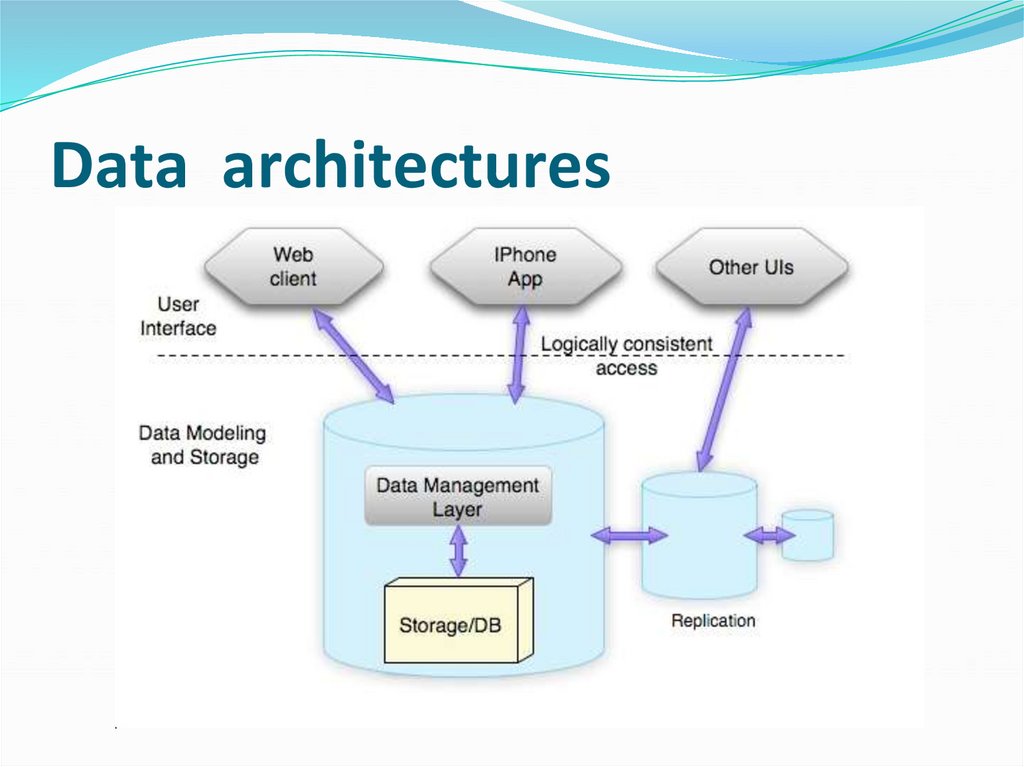
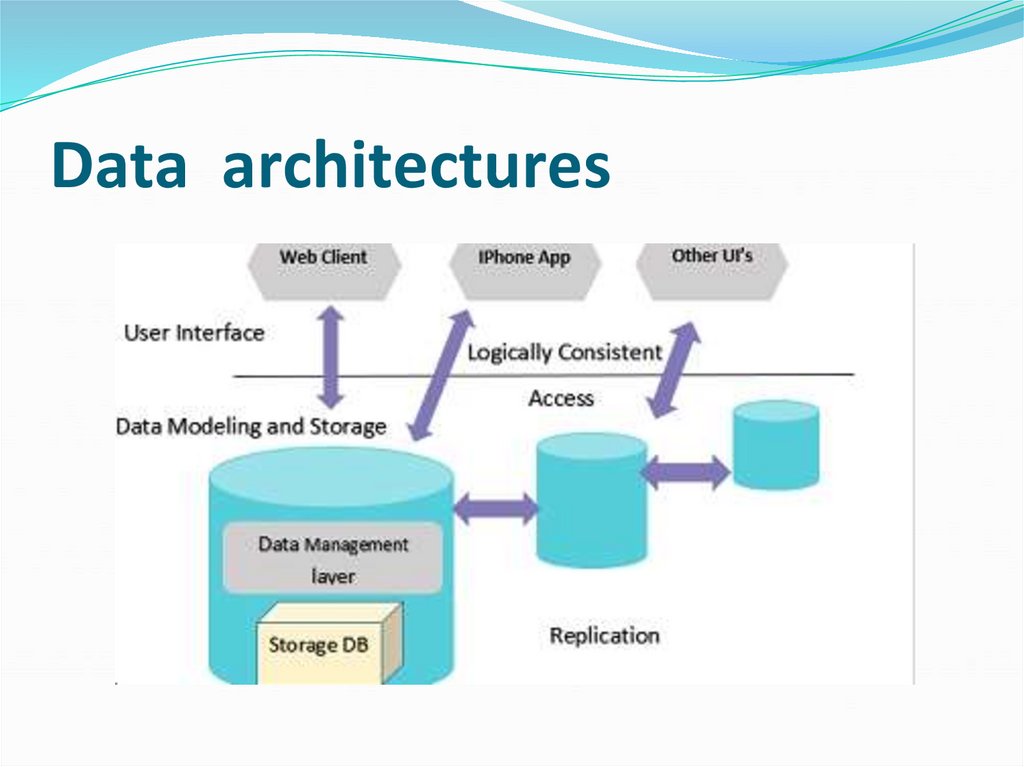
122. Data architectures
● Lecture Objectives:● The difference between two-tier, three-tier and n-tier client–
server architectures.
● The meaning of:
application server,
● middleware,
● service-oriented architecture (SOA),
● cloud computing and cloud databases,
● The software components of different DBMS - logical and
physical structures.
● Essential Reading:
● Connolly, T. & Begg, C. (2015, 6th Edition) Database Systems: A
Practical Approach to Design, Implementation and Management,
Addison-Wesley.
Chapter 3
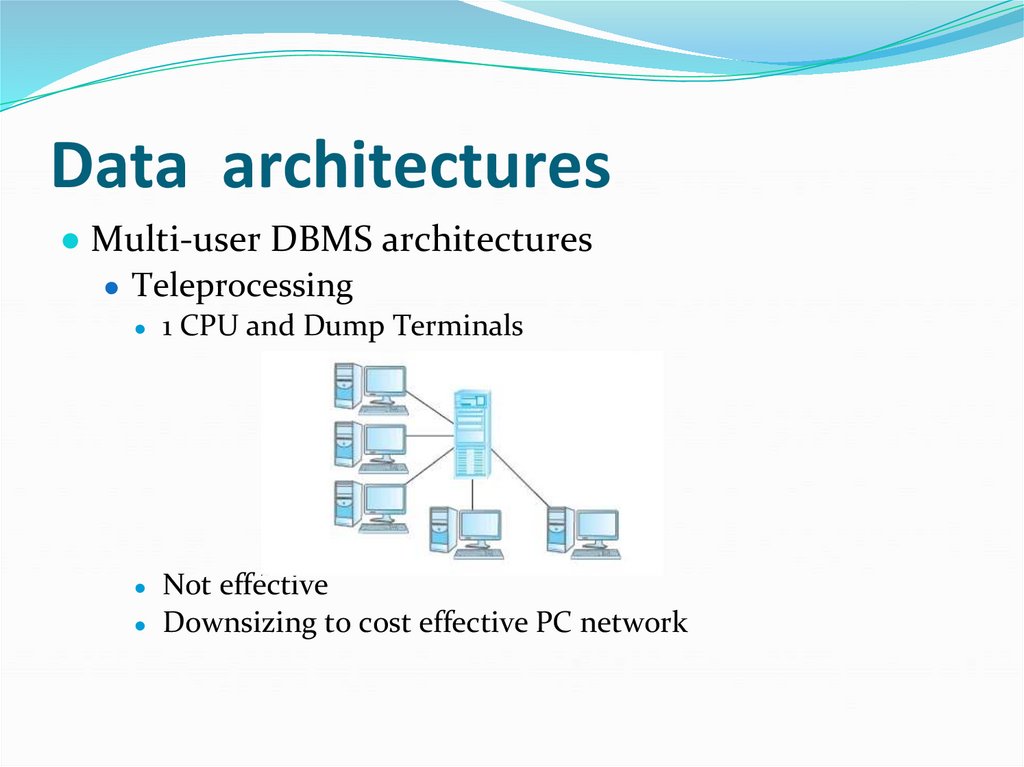
123. Data architectures
● Multi-user DBMS architectures● Teleprocessing
1 CPU and Dump Terminals
Not effective
● Downsizing to cost effective PC network
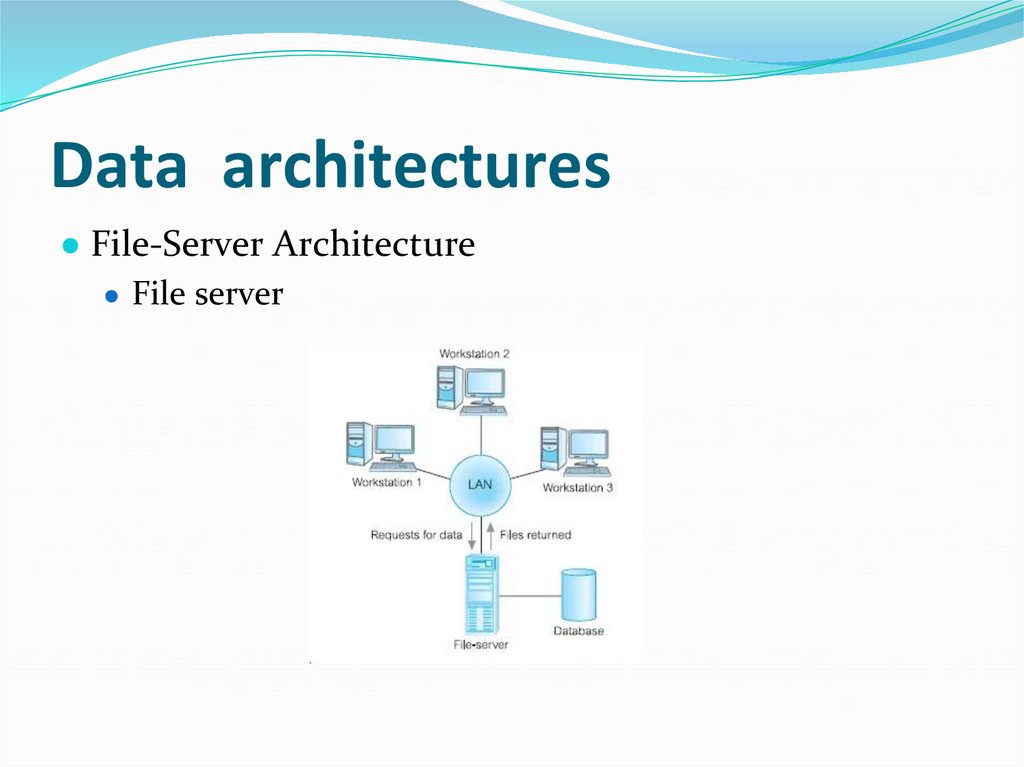
124. Data architectures
● File-Server Architecture● File server
125. Data architectures
● Disadvantages● Traditional Two-Tier Client–Server Architecture
● client (tier 1)
● server (tier 2)
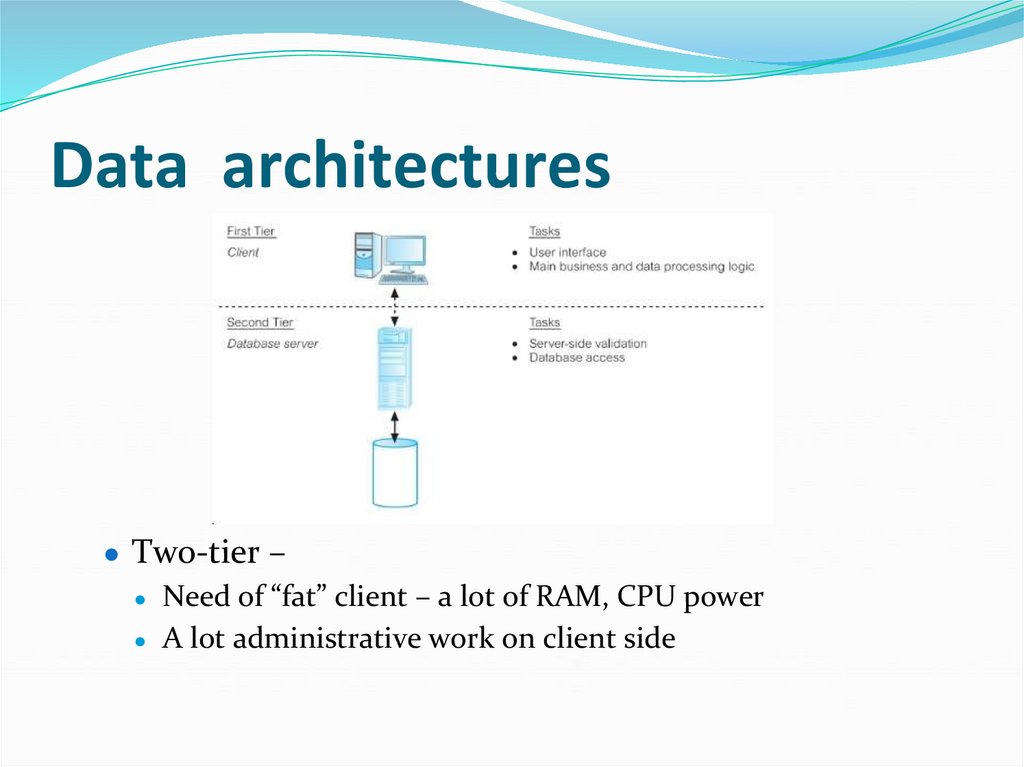
126. Data architectures
● Two-tier –● Need of “fat” client – a lot of RAM, CPU power
● A lot administrative work on client side
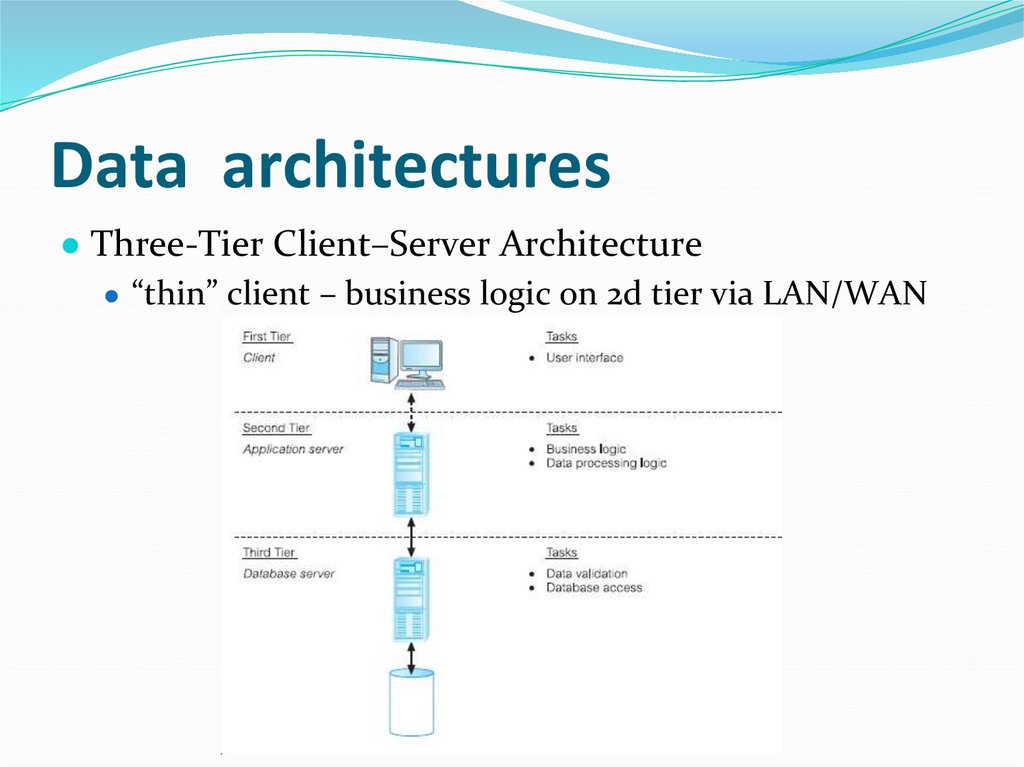
127. Data architectures
● Three-Tier Client–Server Architecture● “thin” client – business logic on 2d tier via LAN/WAN
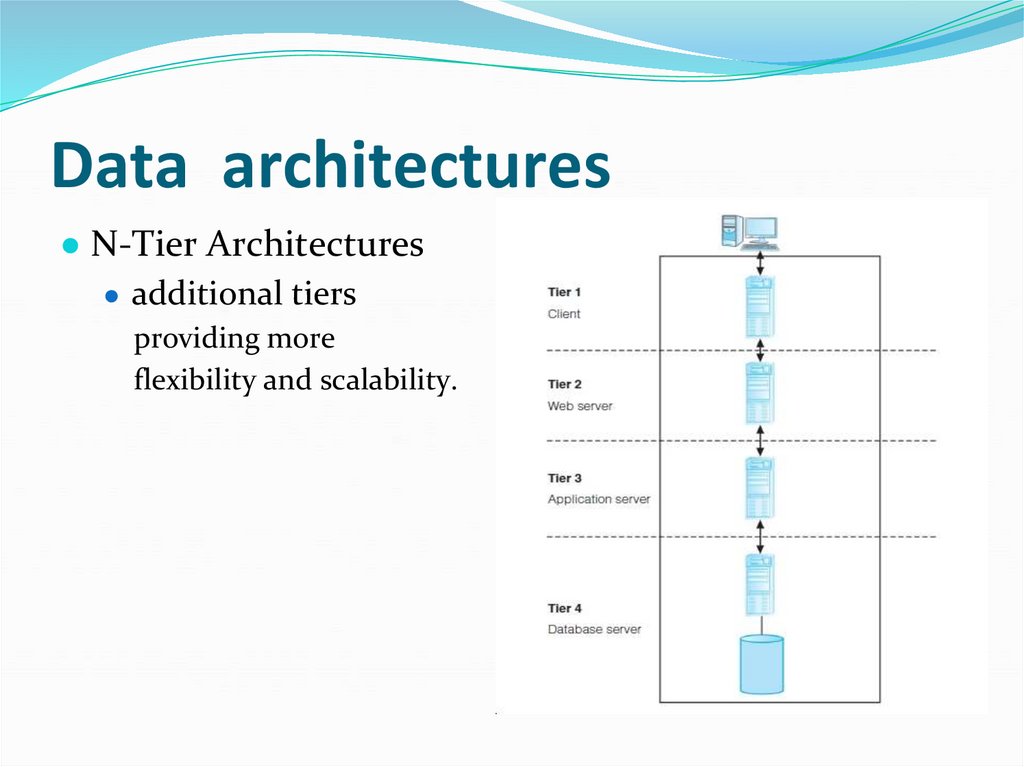
128. Data architectures
● N-Tier Architectures● additional tiers
providing more
flexibility and scalability.
129. Data architectures
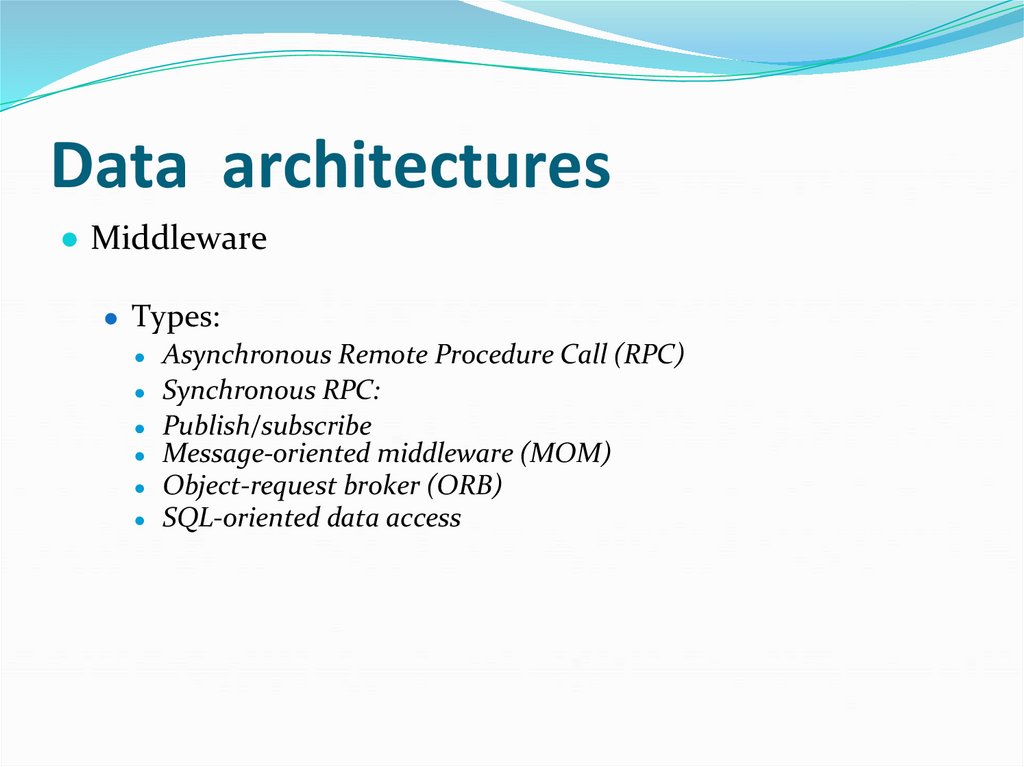
● Middleware● Types:
● Asynchronous Remote Procedure Call (RPC)
● Synchronous RPC:
● Publish/subscribe
● Message-oriented middleware (MOM)
● Object-request broker (ORB)
● SQL-oriented data access
130. Data architectures
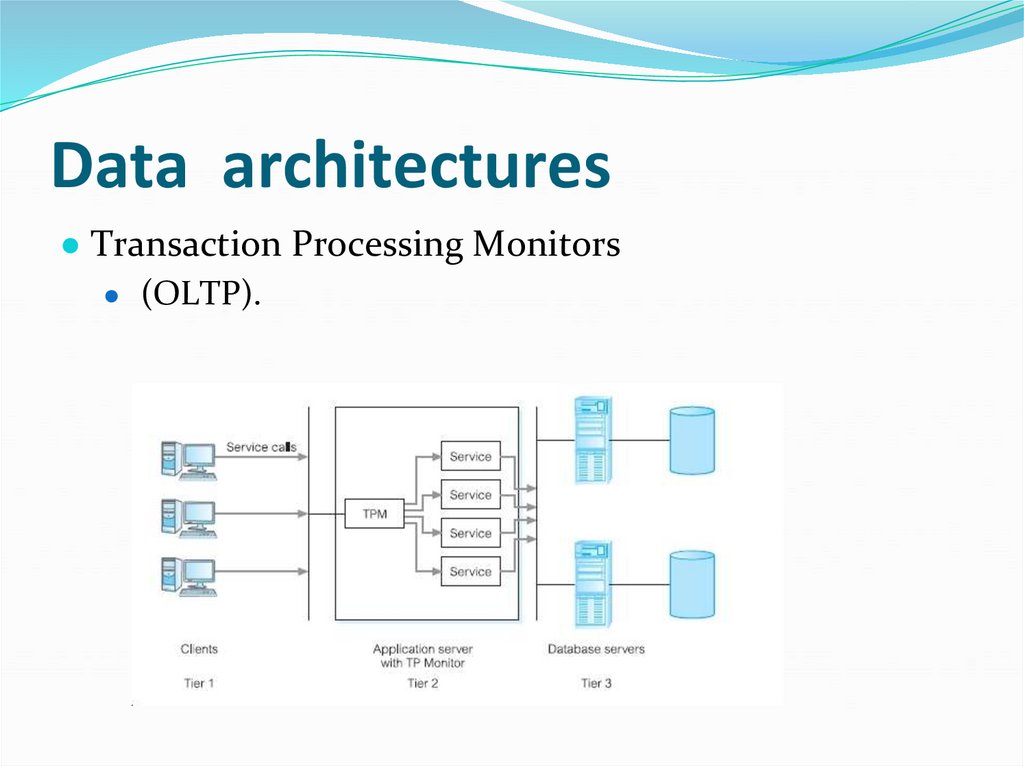
● Transaction Processing Monitors● (OLTP).
131. Data architectures
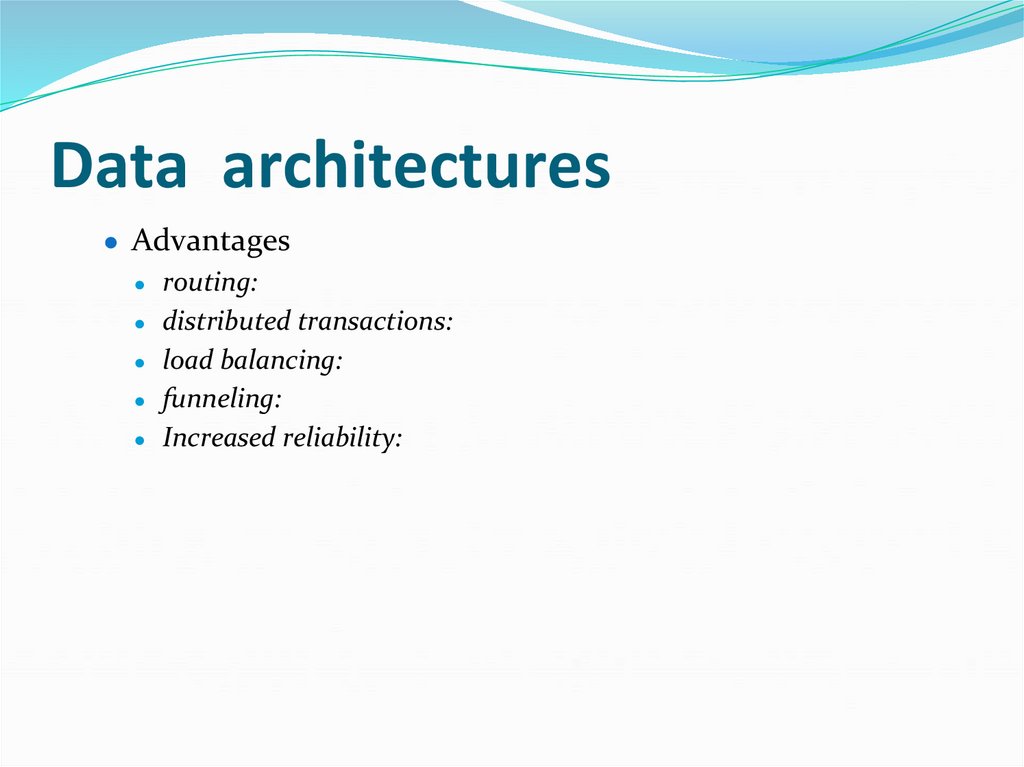
● Advantages● routing:
● distributed transactions:
● load balancing:
● funneling:
● Increased reliability:
132. Data architectures
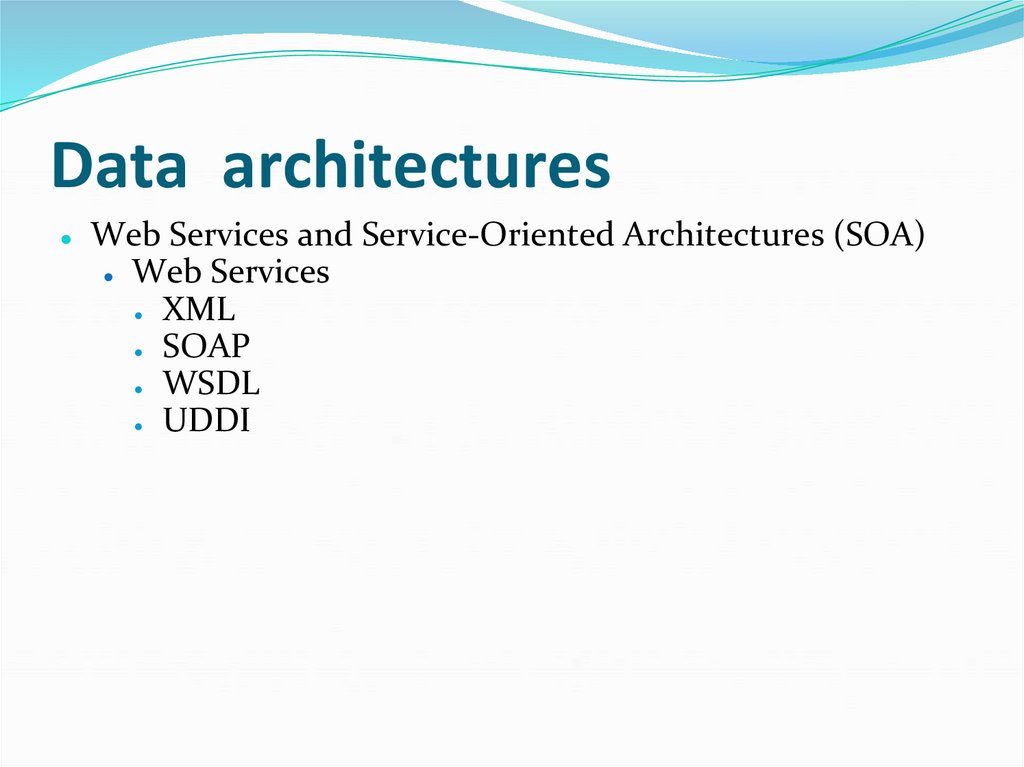
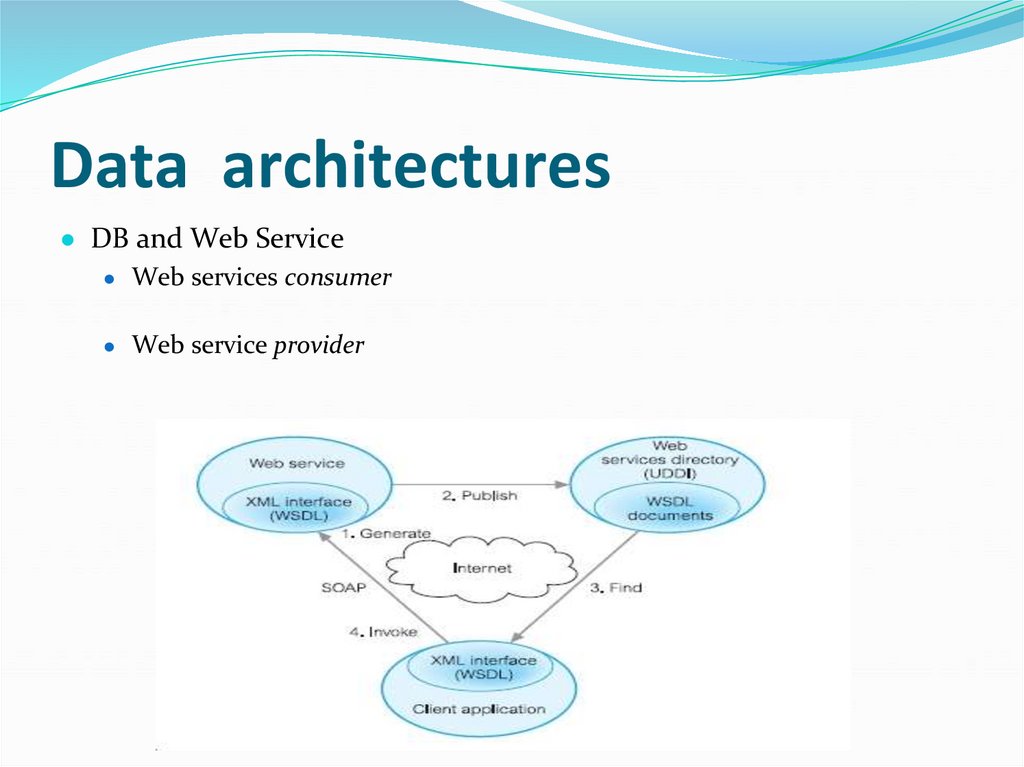
Web Services and Service-Oriented Architectures (SOA)
● Web Services
● XML
● SOAP
● WSDL
● UDDI
133. Data architectures
● DB and Web ServiceWeb services consumer
Web service provider
134. Data architectures
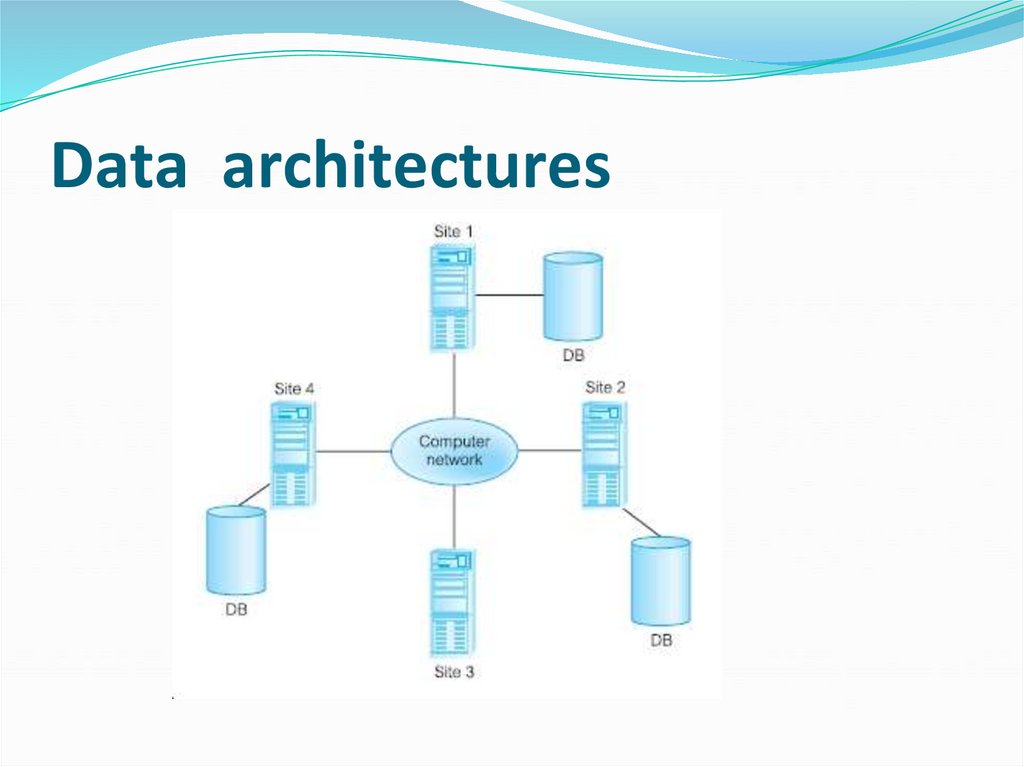
● Service-Oriented Architectures (SOA)● Distributed DB, DBMS, Distributed Processing
● Distributed database
● Distributed DBMS
135. Data architectures
136. Data architectures
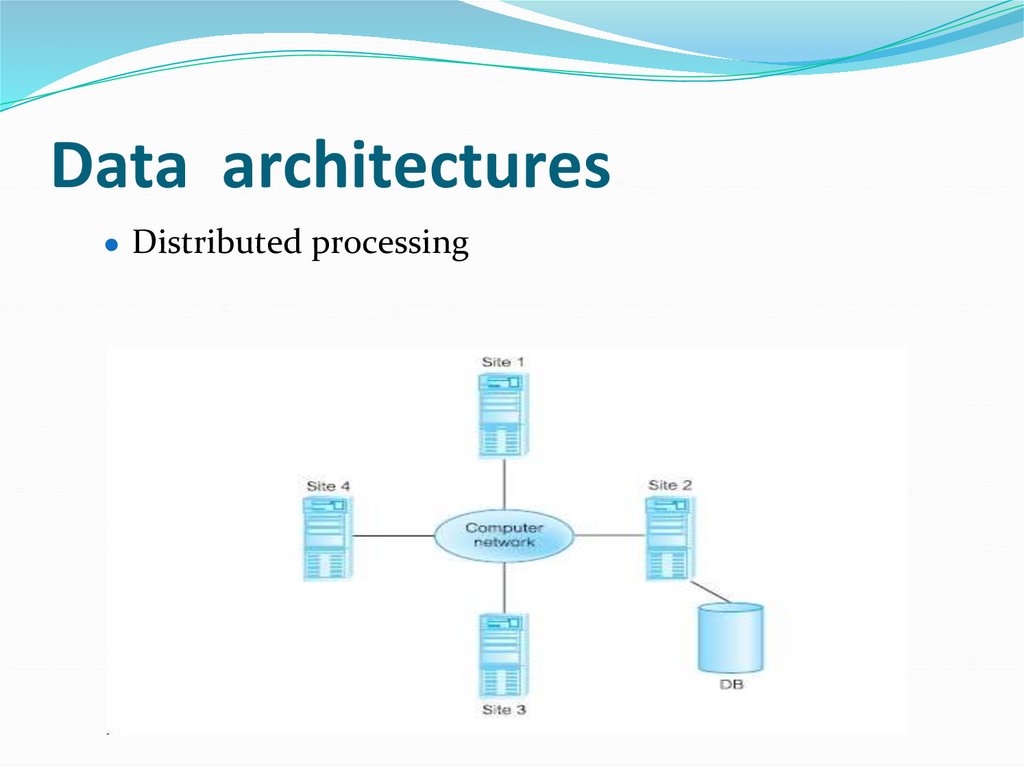
● Distributed processing137. Data architectures
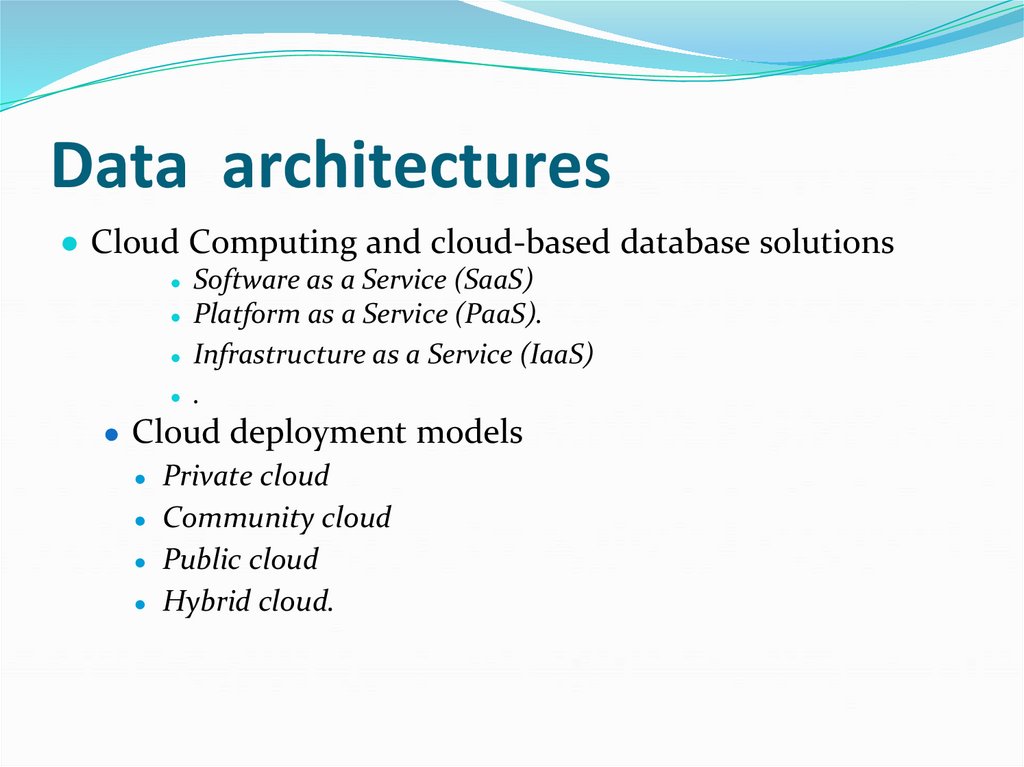
● Cloud Computing and cloud-based database solutions● Software as a Service (SaaS)
● Platform as a Service (PaaS).
● Infrastructure as a Service (IaaS)
● .
● Cloud deployment models
● Private cloud
● Community cloud
● Public cloud
● Hybrid cloud.
138. Data architectures
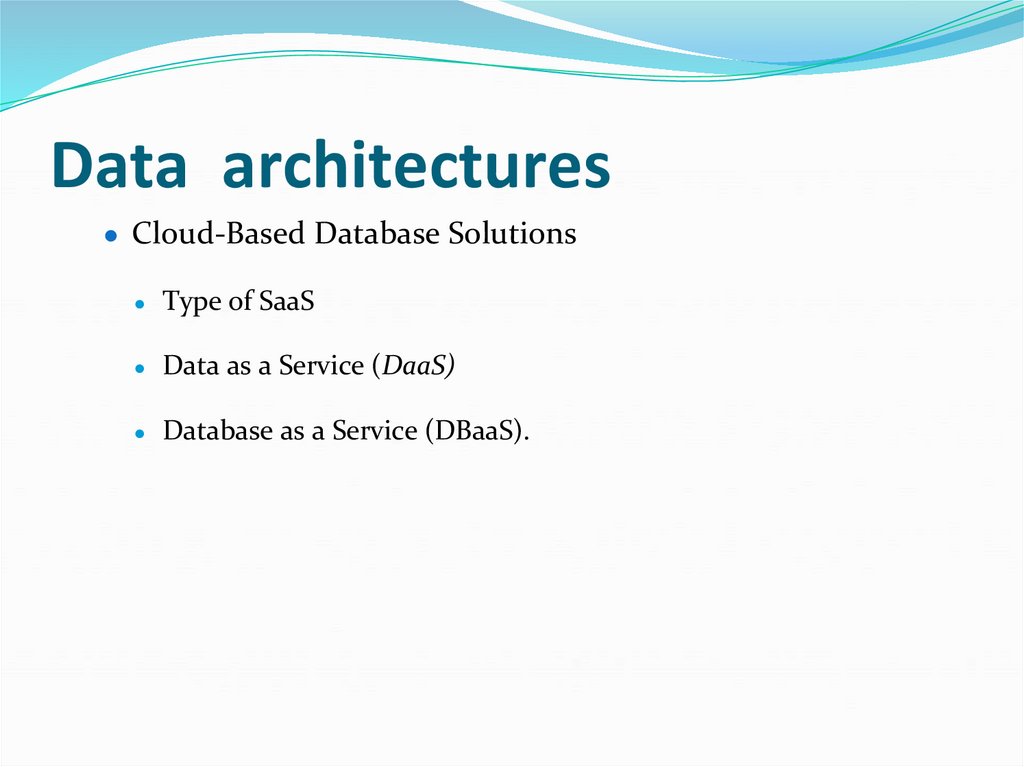
● Cloud-Based Database SolutionsType of SaaS
Data as a Service (DaaS)
Database as a Service (DBaaS).
139. Data architectures
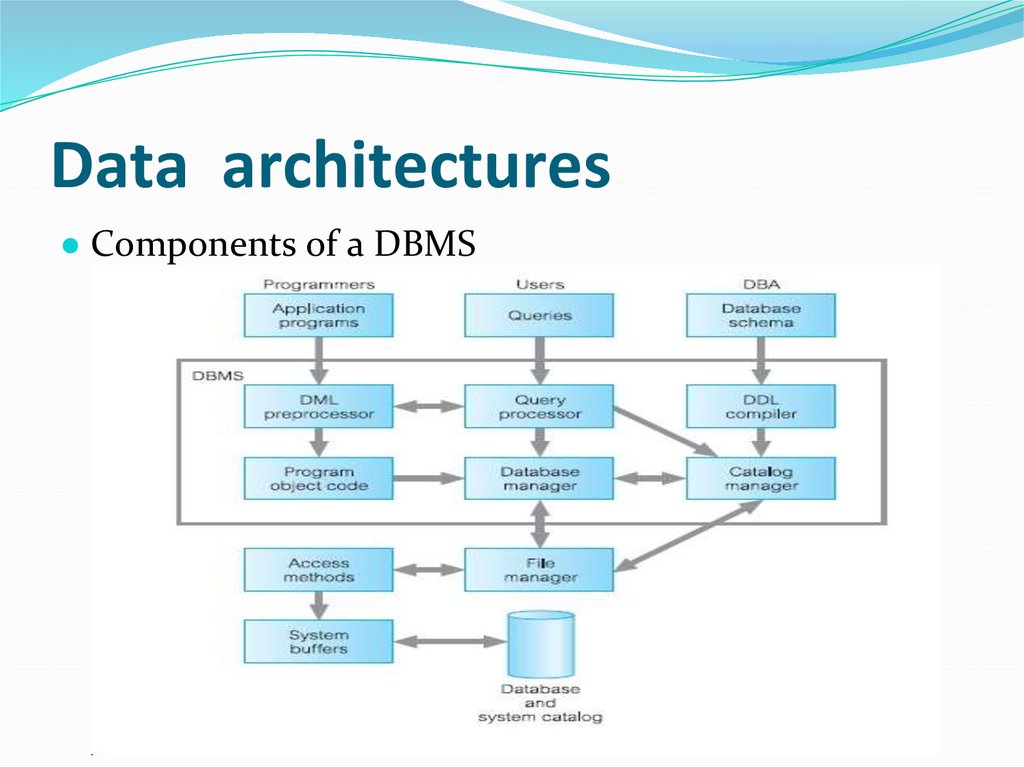
● Components of a DBMS140. Data architectures
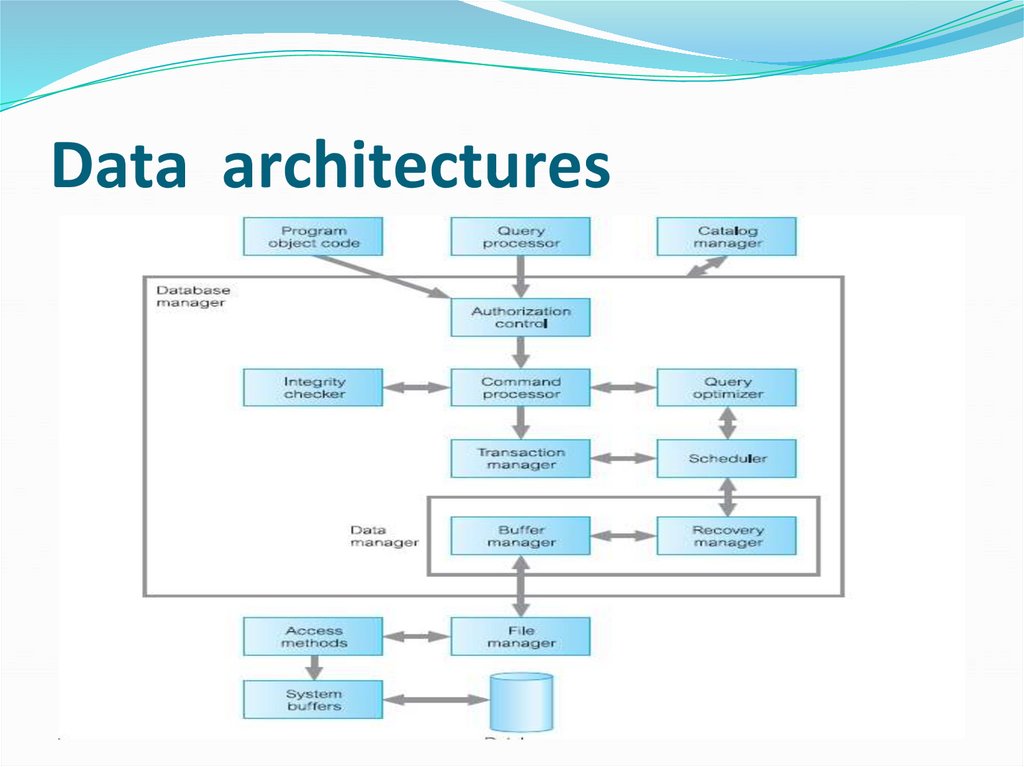
141. Data architectures
142. Data architectures
143. Data architectures
144. Data architectures
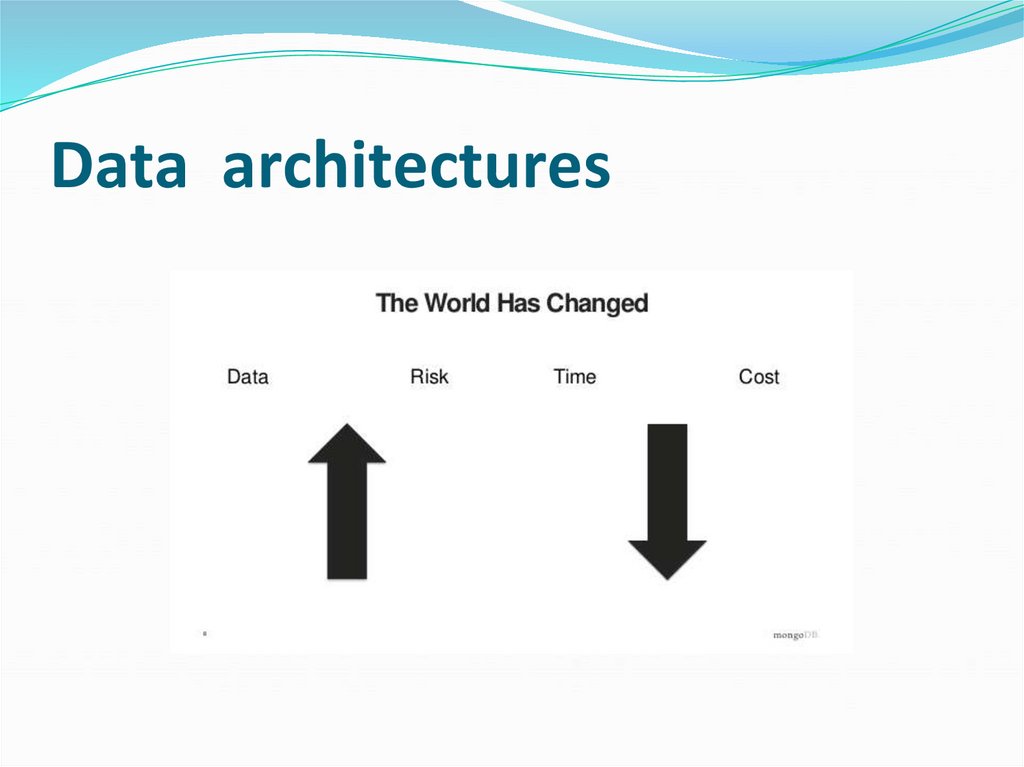
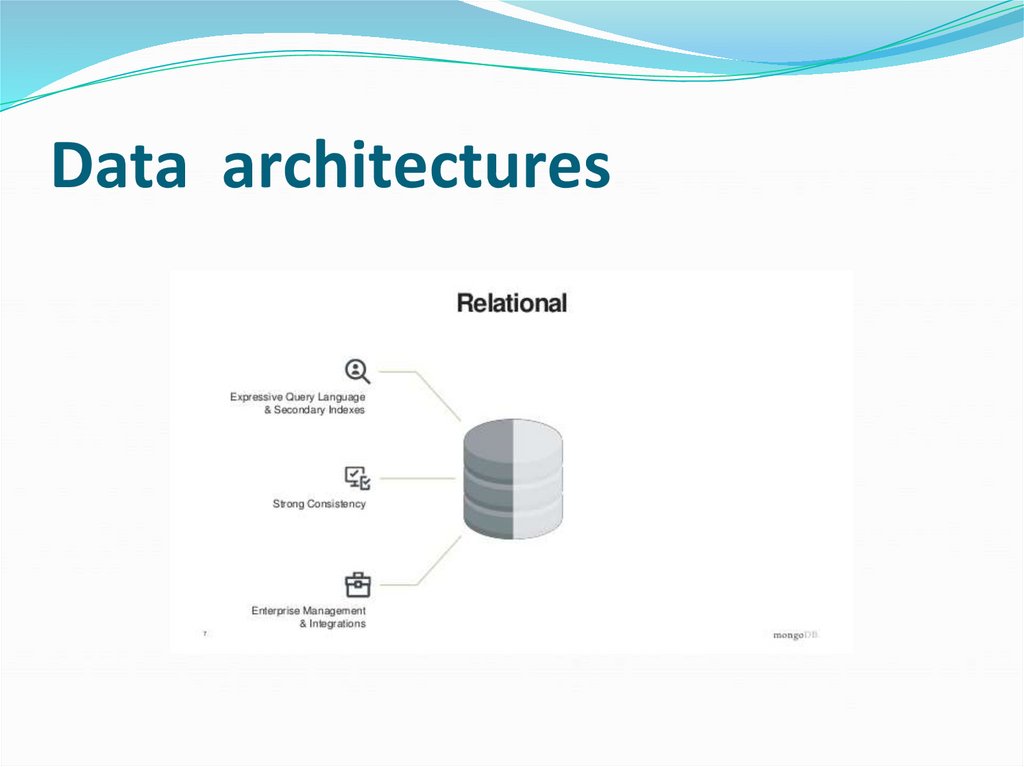
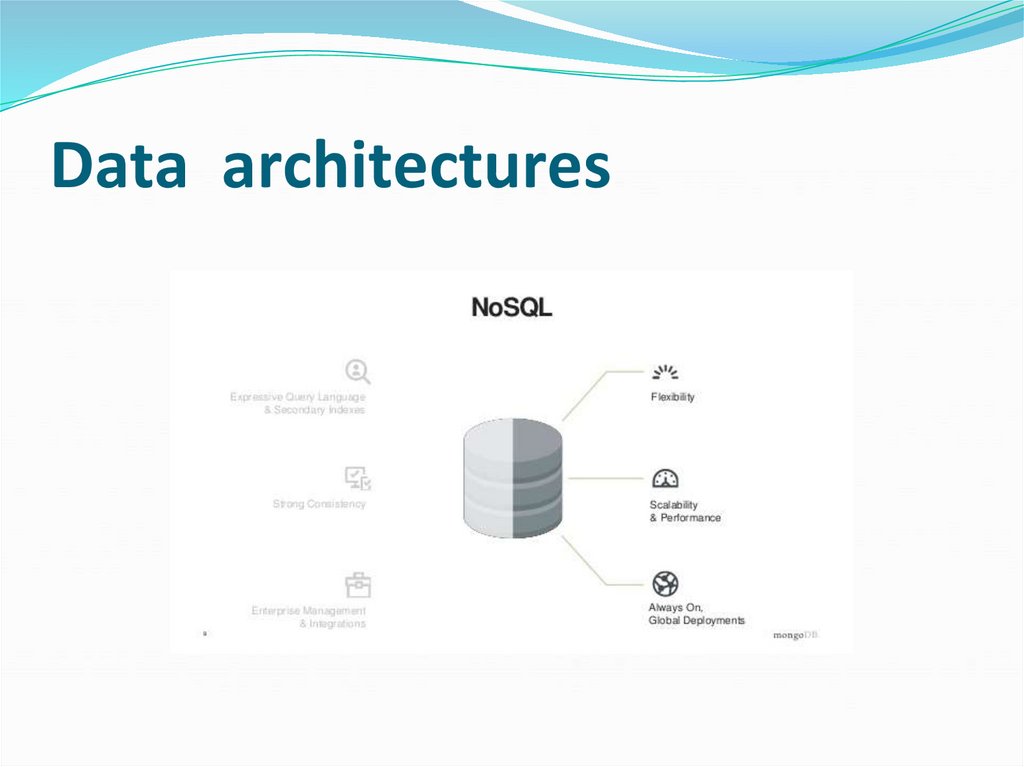
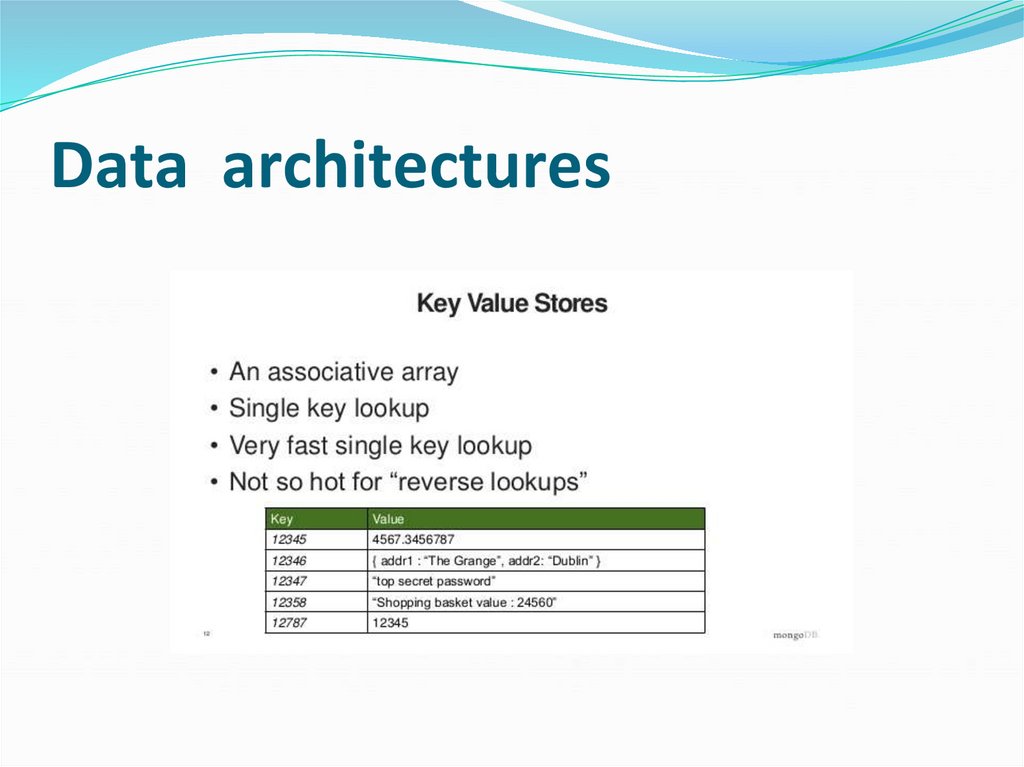
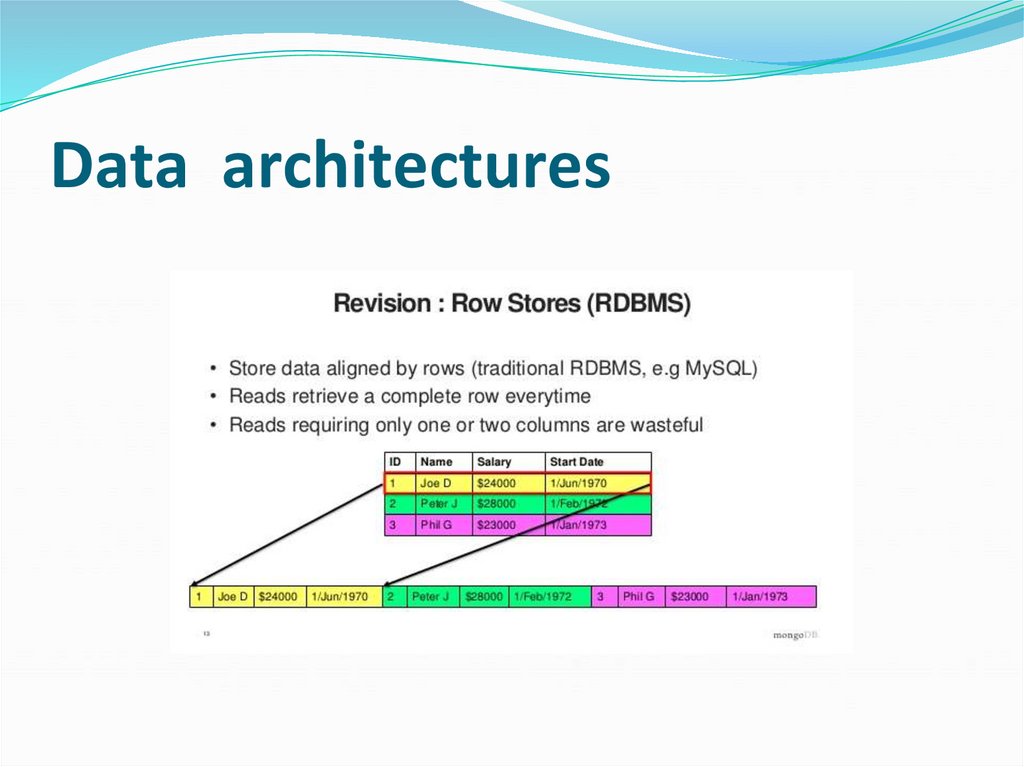
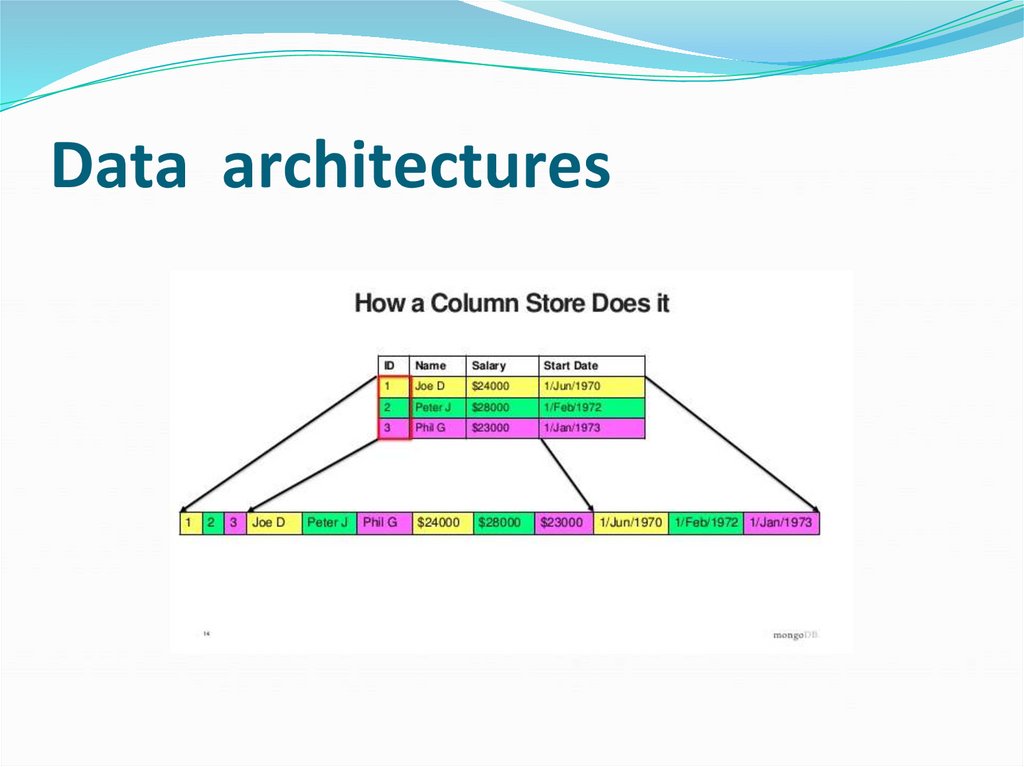
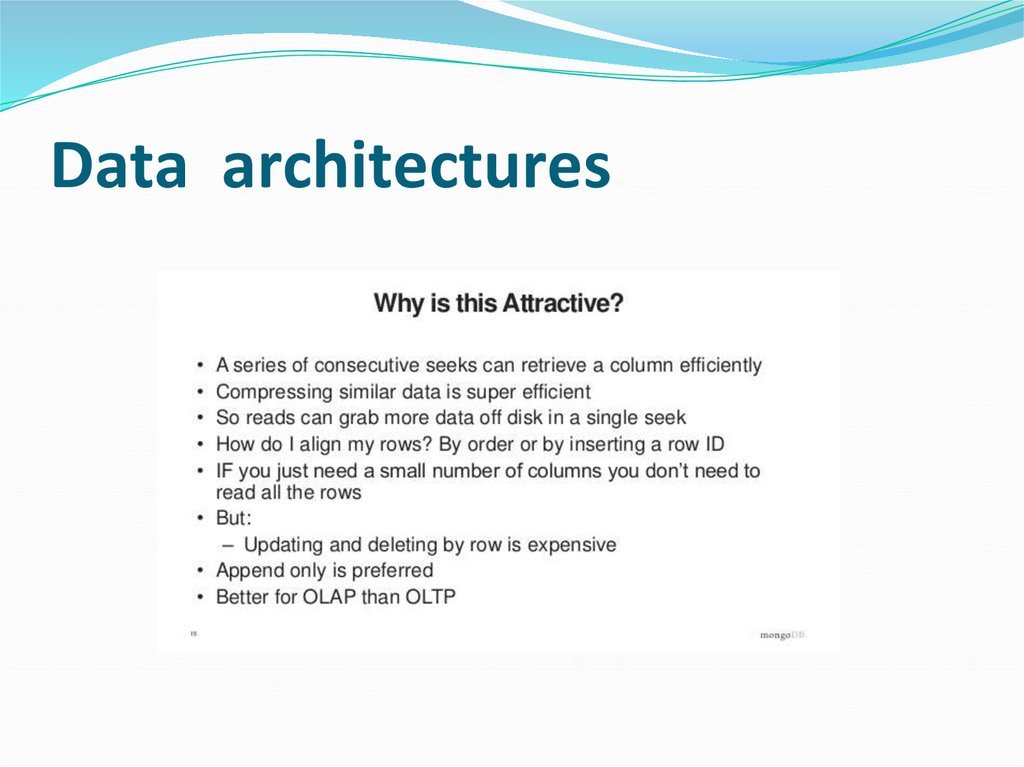
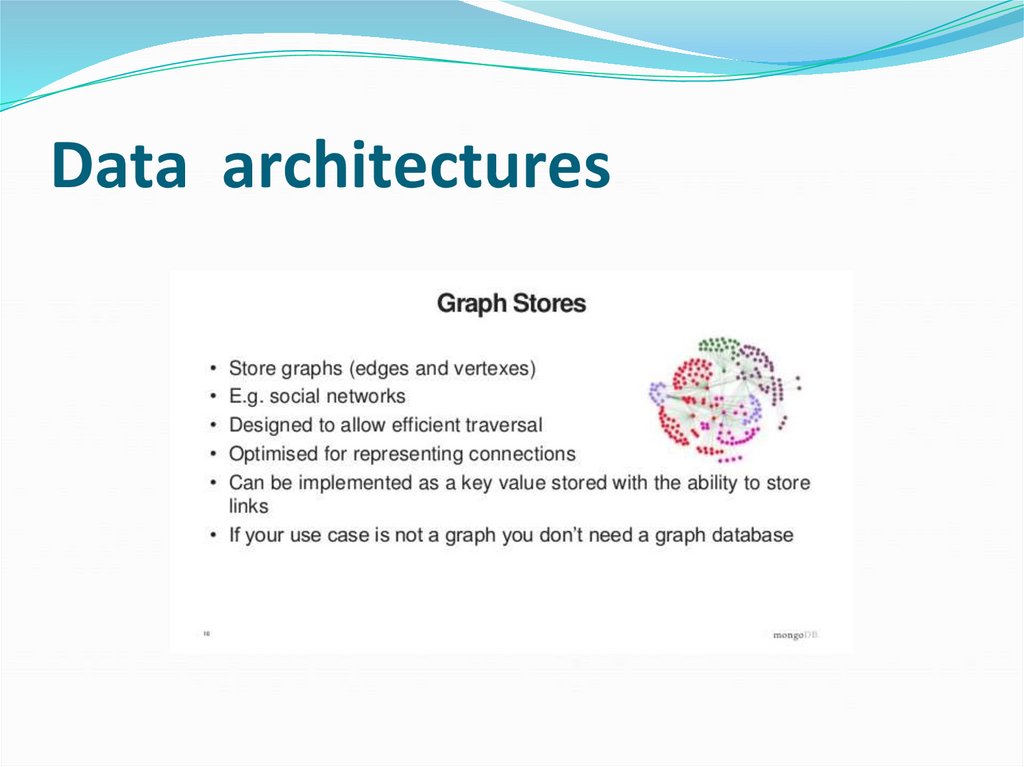
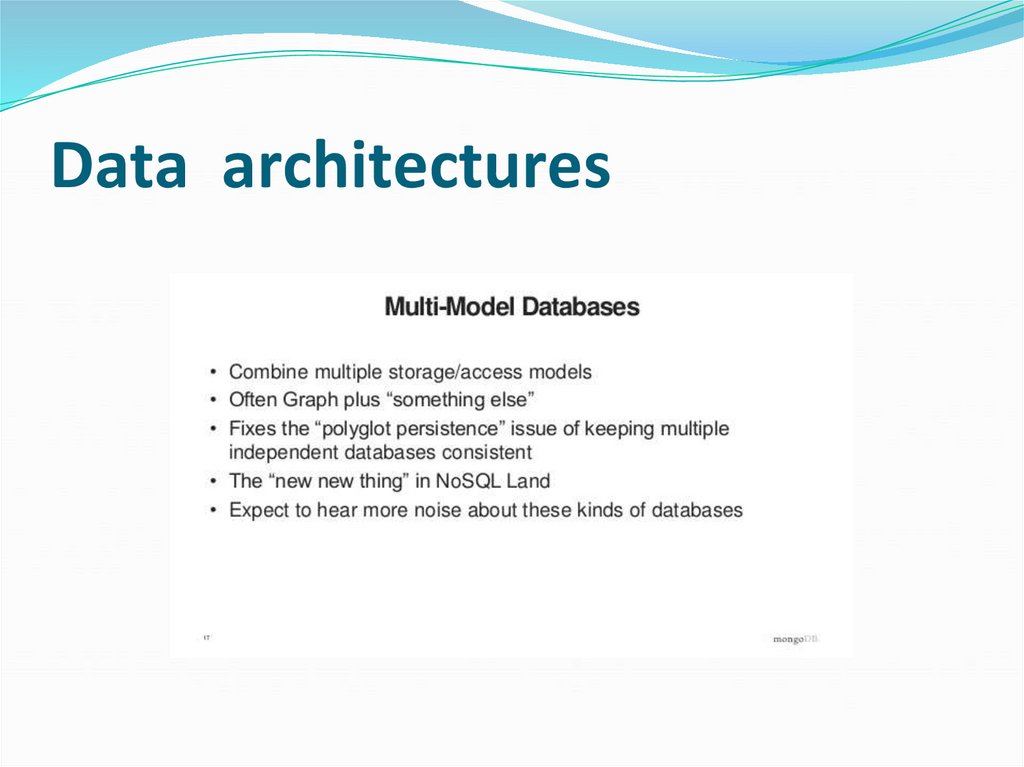
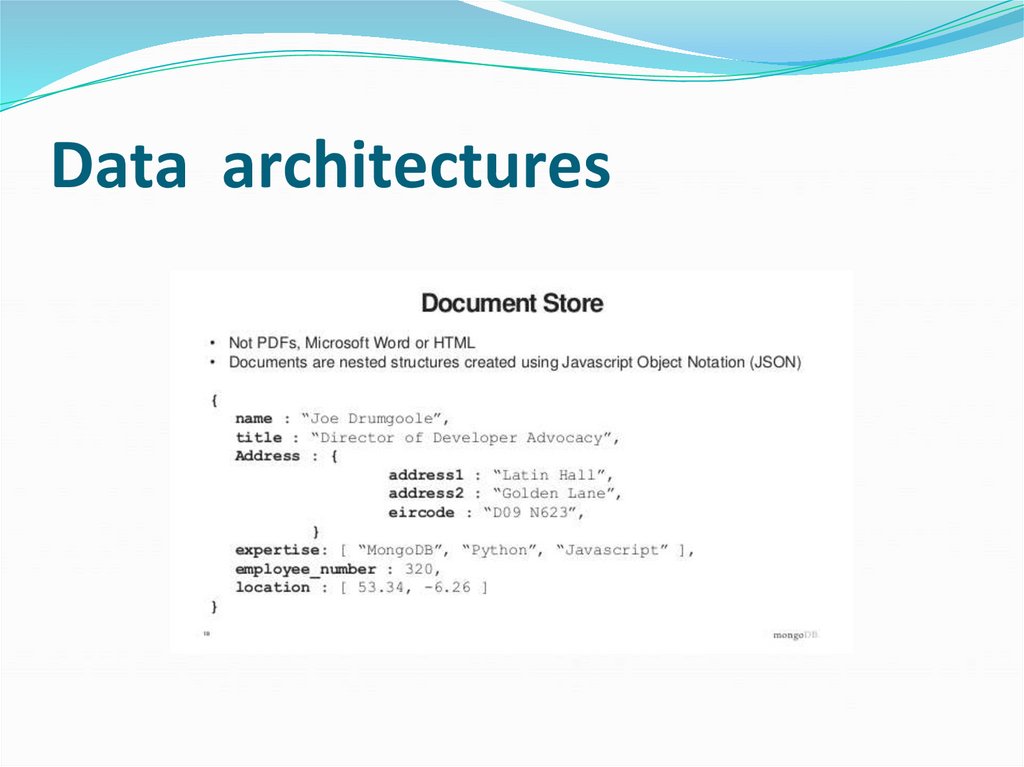
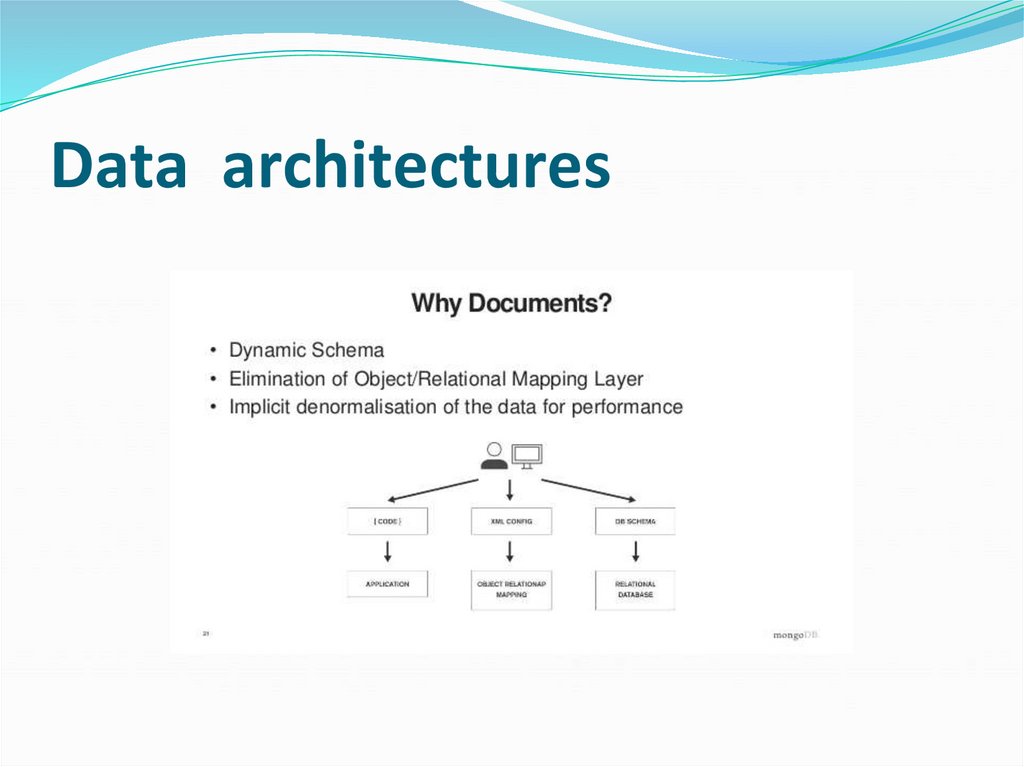
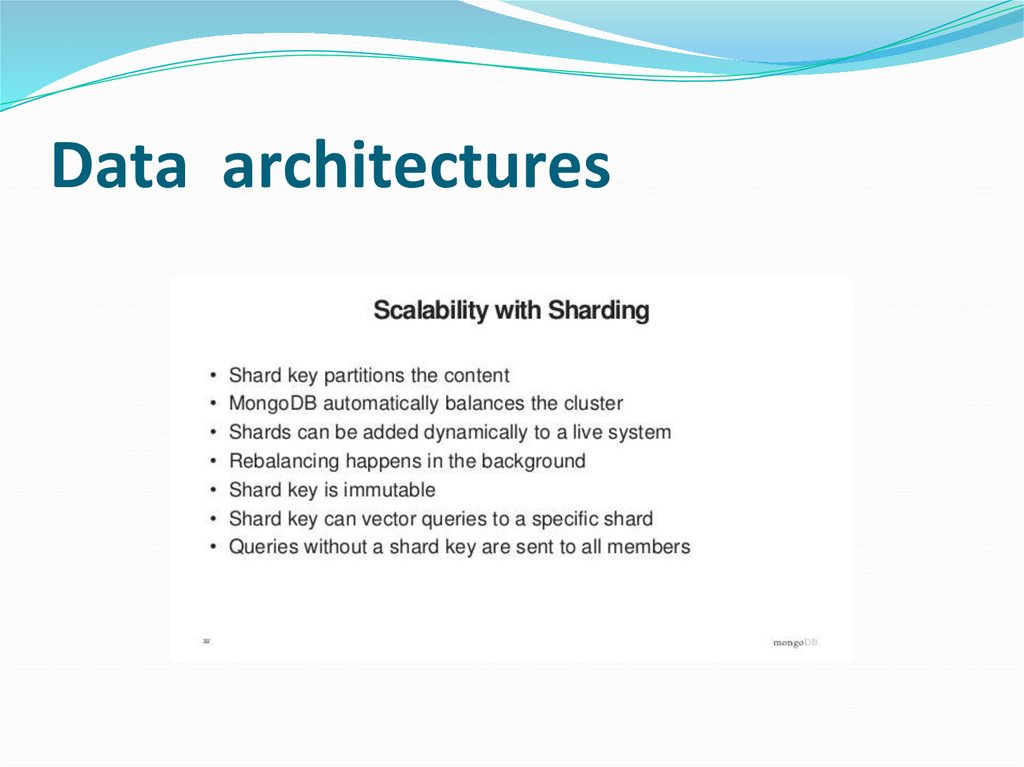
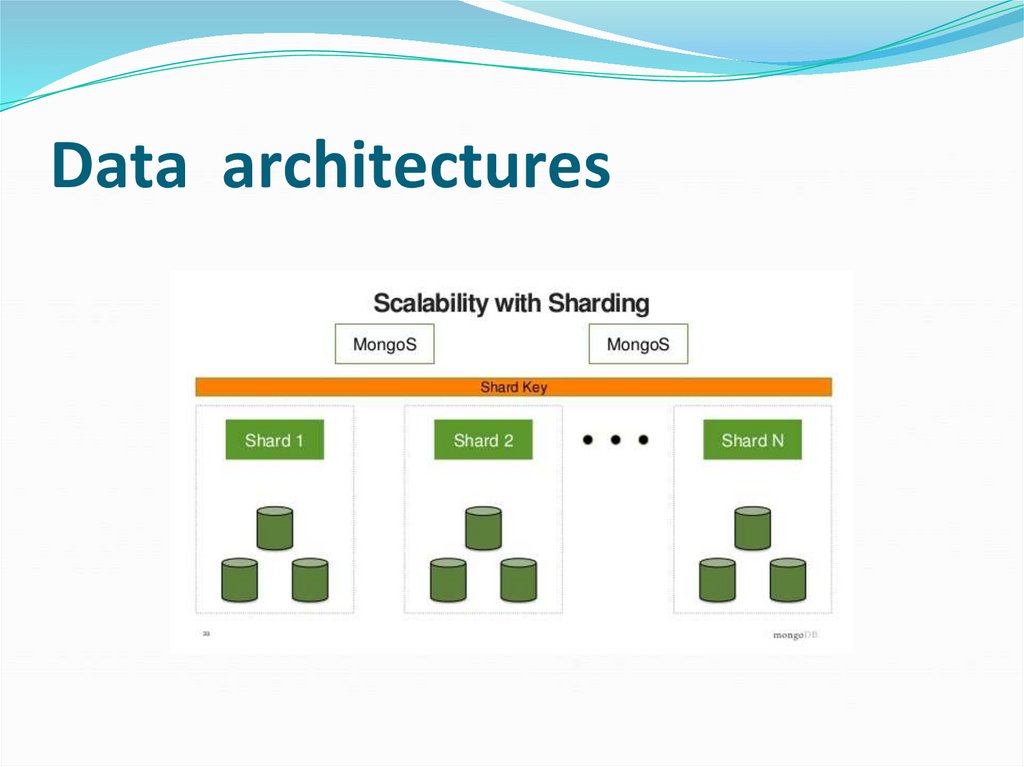
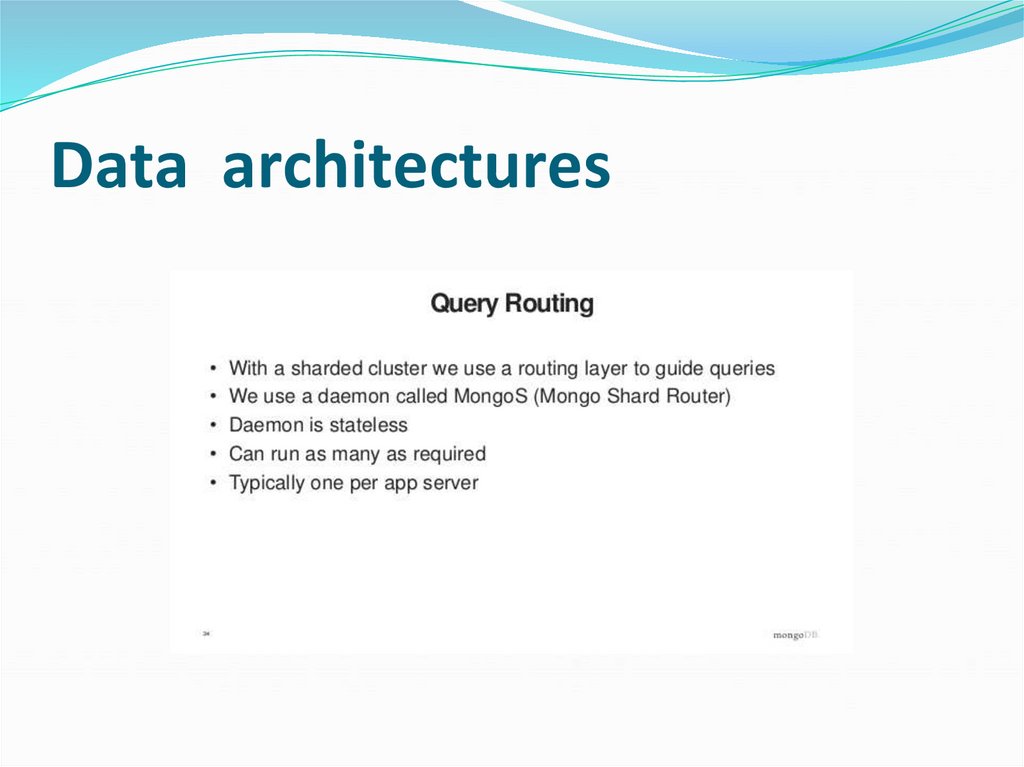
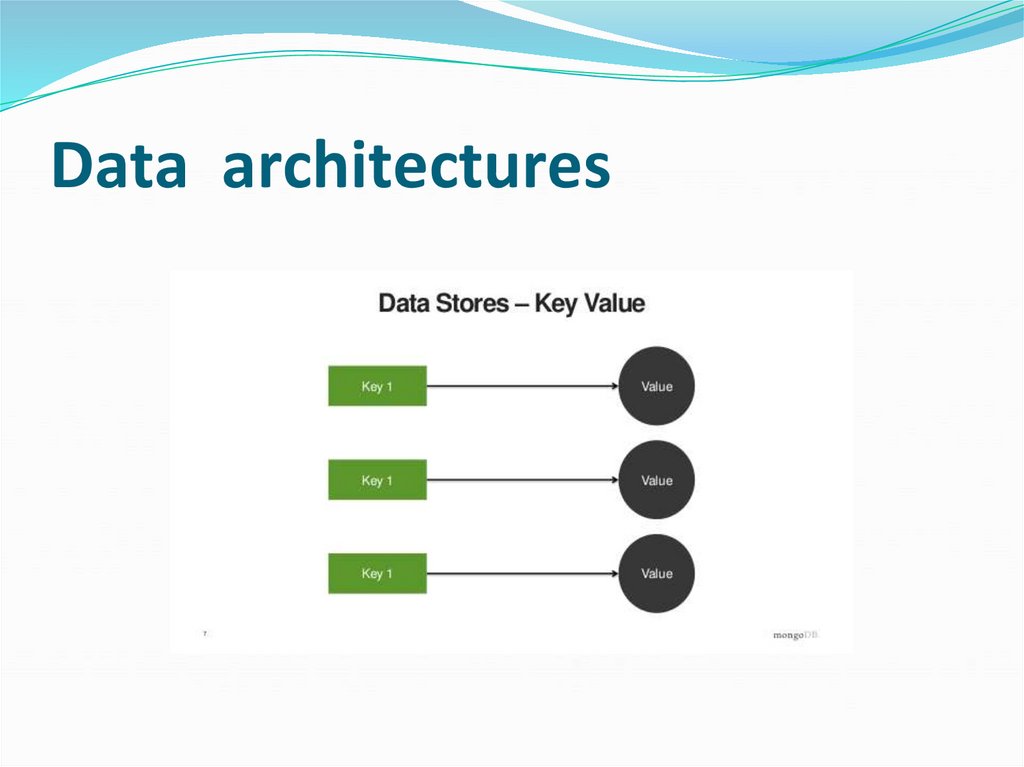
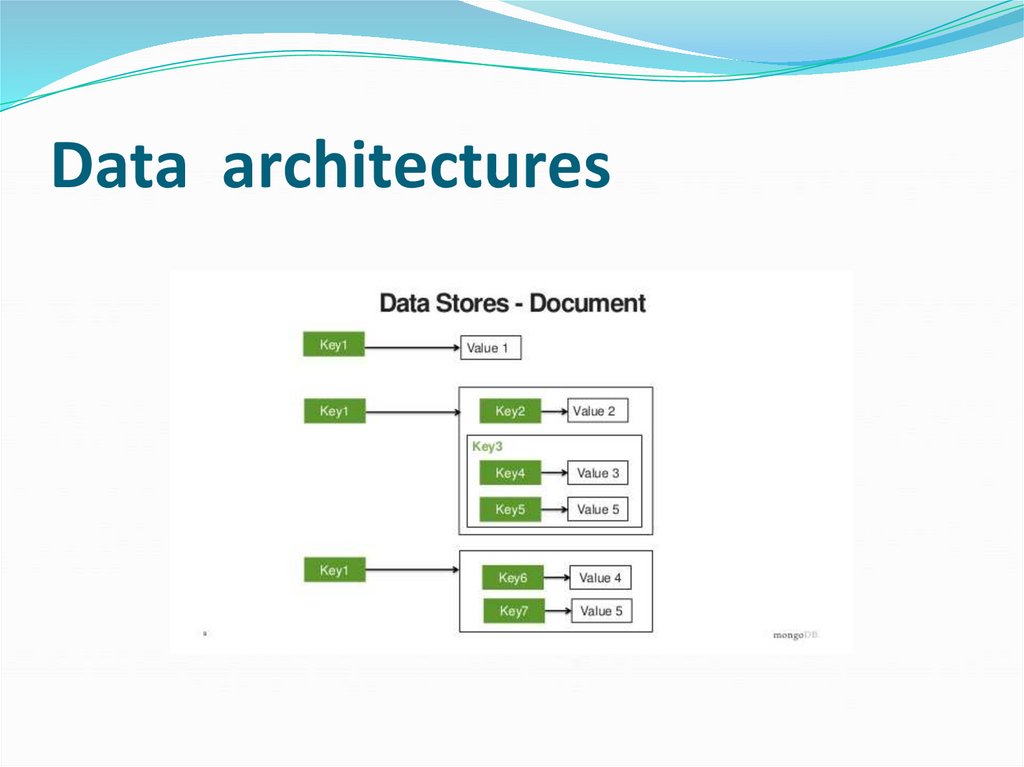
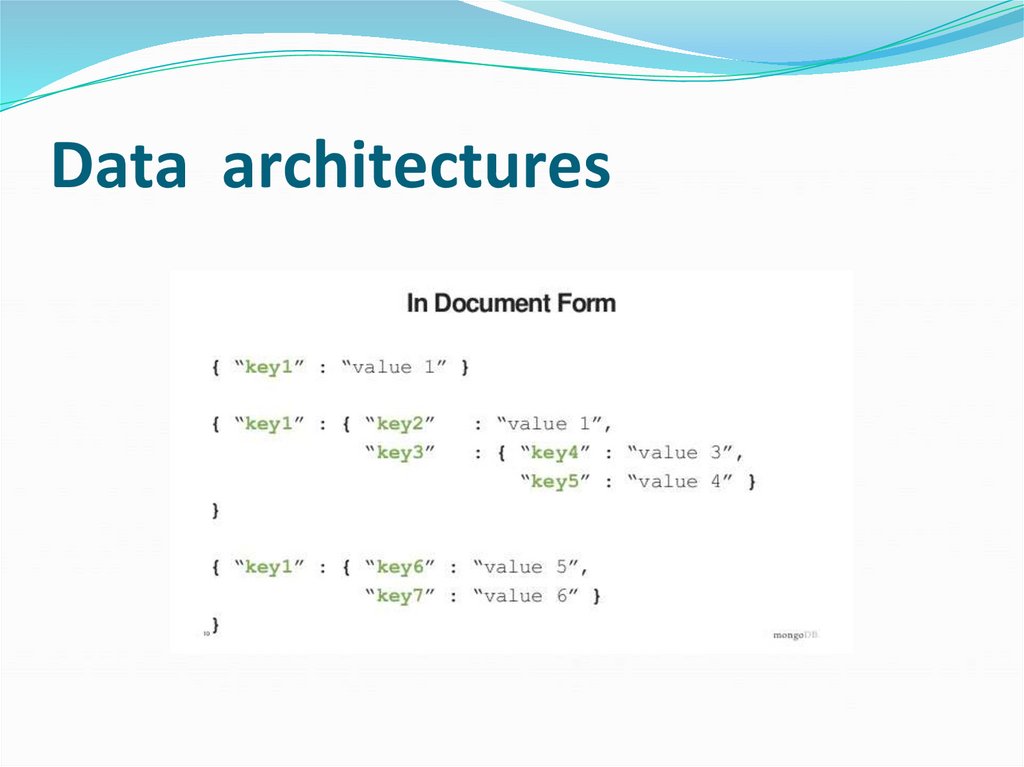
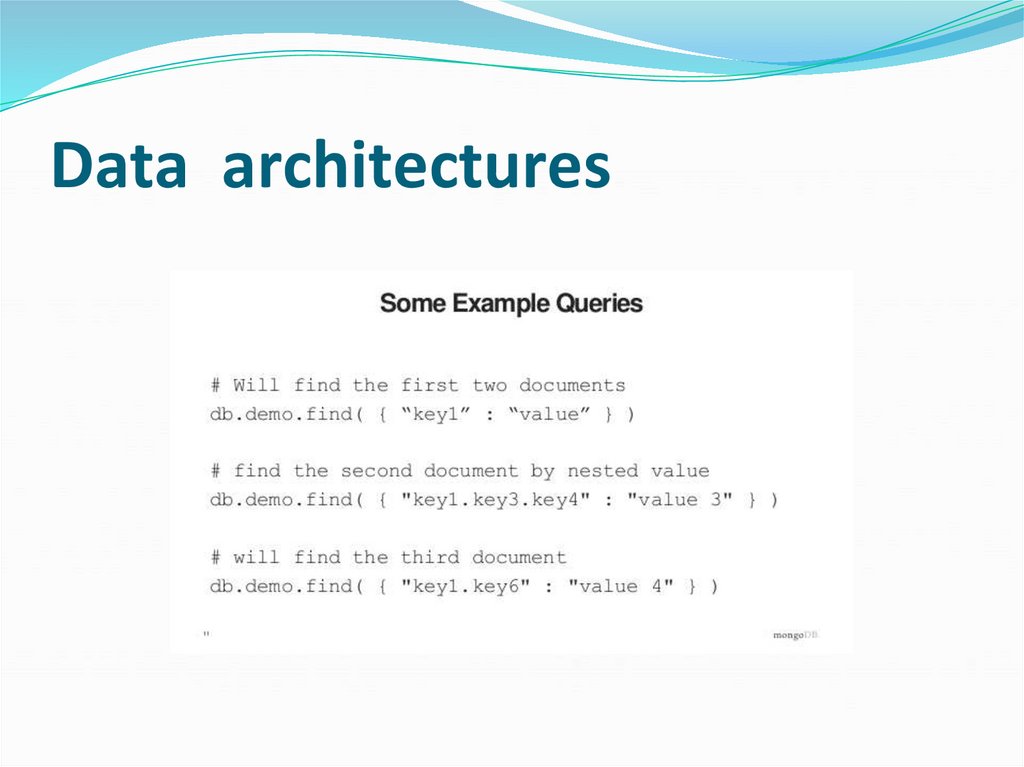
● NoSQL (Not-only-SQL) architecture● SQL + NoSQL = Yes !
145. Data architectures
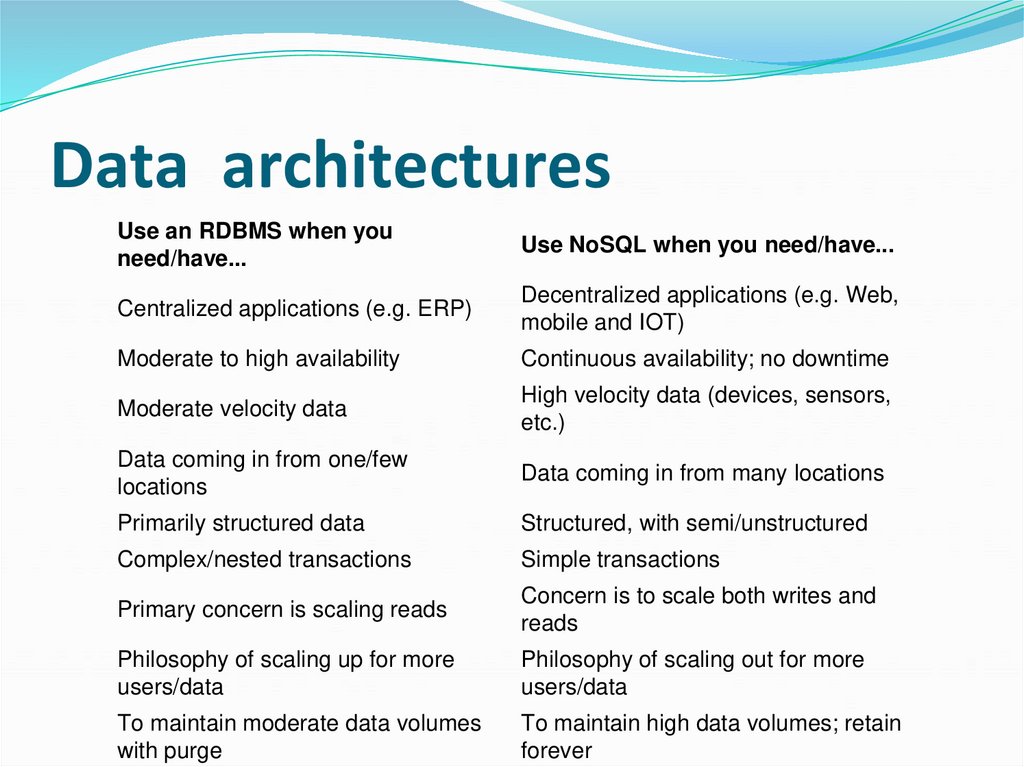
Use an RDBMS when youneed/have...
Use NoSQL when you need/have...
Centralized applications (e.g. ERP)
Decentralized applications (e.g. Web,
mobile and IOT)
Moderate to high availability
Continuous availability; no downtime
Moderate velocity data
High velocity data (devices, sensors,
etc.)
Data coming in from one/few
locations
Data coming in from many locations
Primarily structured data
Structured, with semi/unstructured
Complex/nested transactions
Simple transactions
Primary concern is scaling reads
Concern is to scale both writes and
reads
Philosophy of scaling up for more
users/data
Philosophy of scaling out for more
users/data
To maintain moderate data volumes
with purge
To maintain high data volumes; retain
forever
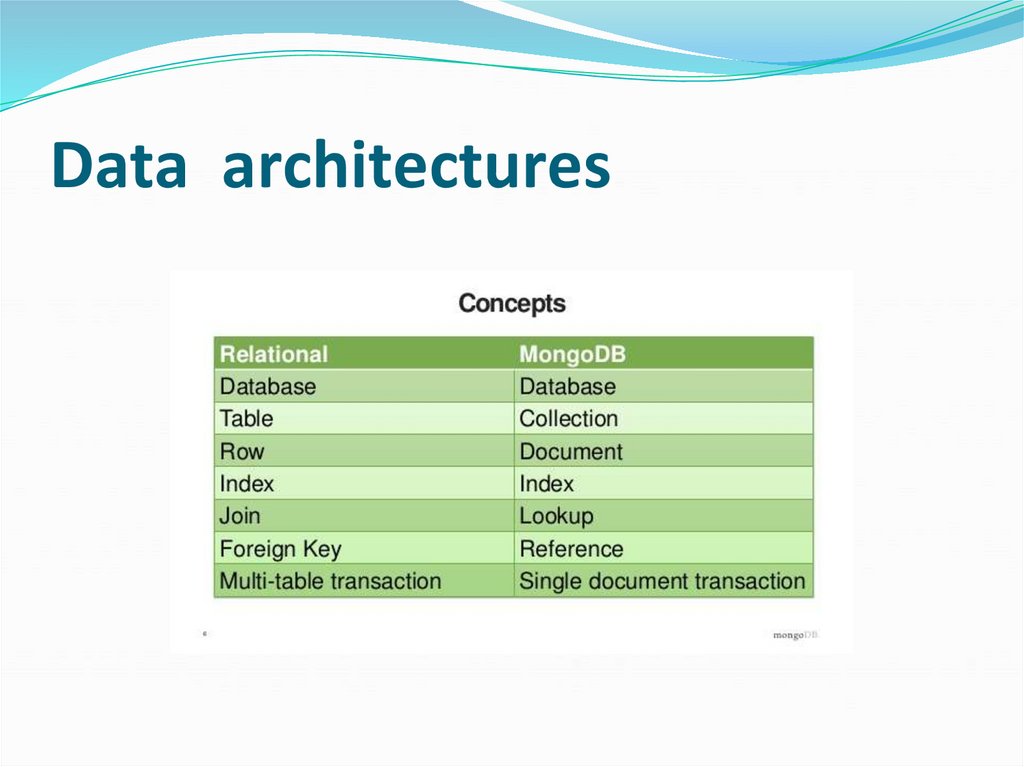
146. Data architectures
147. Data architectures
● NoSQL DB architecture Differ From Each Other● Architecture:
148. Data architectures
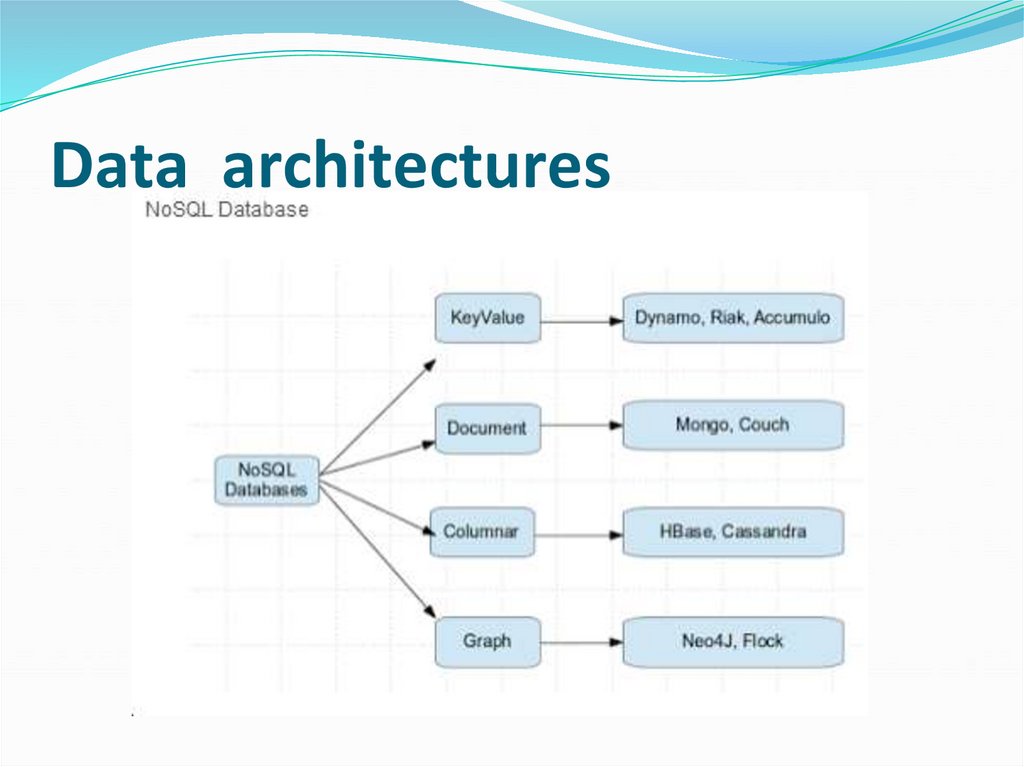
Data Model● NoSQL DB are classified by the data model they support
● Data Distribution Model
● NoSQL DB are classified also how they support
● Cassandra support:
149. Data architectures
150. Data architectures
151. Data architectures
152. Data architectures
153. Data architectures
154. Data architectures
155. Data architectures
156. Data architectures
157. Data architectures
158. Data architectures
159. Data architectures
160. Data architectures
161. Data architectures
162. Data architectures
163. Data architectures
164. Data architectures
165. Data architectures
166. Data architectures
167. Data architectures
168. Data architectures
169. Data architectures
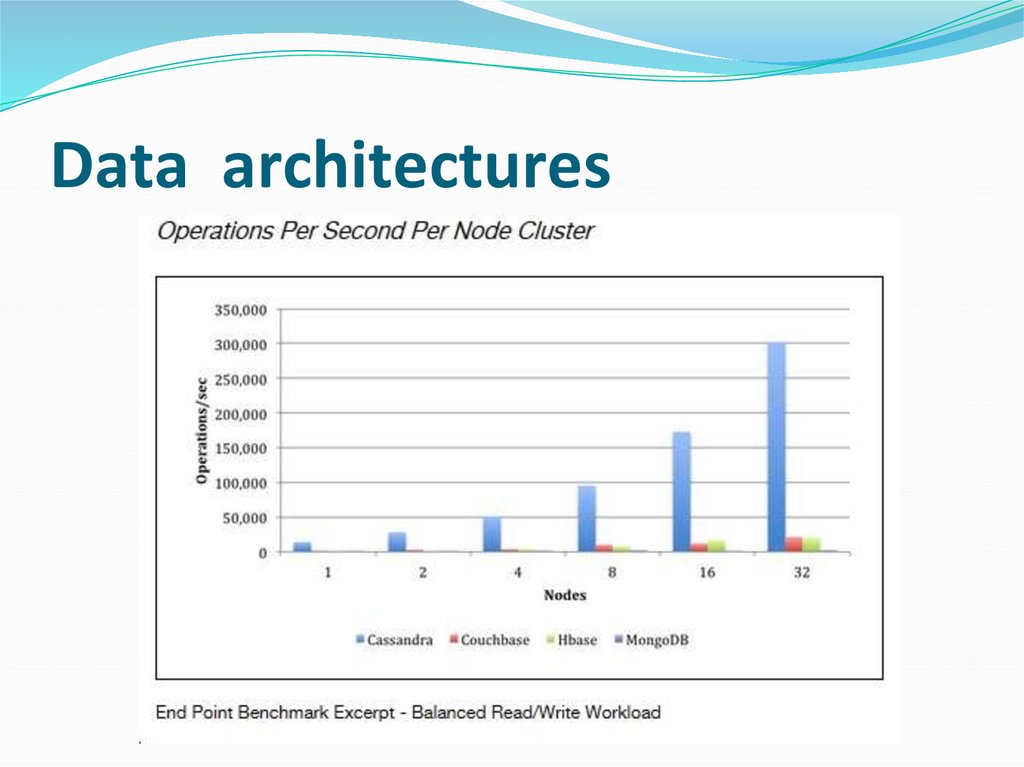
● Development Model● Stress-tested on operations typical to real-world applications
170. Data architectures
171. Data architectures
● NoSQL DBs focus on172. Data architectures
173. Data architectures
174. Data architectures
175. Data architectures
176. Data architectures
177. Data architectures
178. Data architectures
179. Data architectures
180. Data architectures
181. Data architectures
182. Data architectures
183. Data architectures
184. Data architectures
185. Data architectures
186. Data architectures
187. Data architectures
188. Data architectures
189. Data architectures
190. Data architectures
● Benefits of NoSQL (Cassandra)191. Data architectures
● NoSQL Adoption in the Enterprise - the need of:● .
192. Data architectures
● How to Implement NoSQL● New Applications:
● Augmentation:
● Full Replace:
193. Data architectures
● How to Implement NoSQL● New Applications:
● Augmentation:
● Full Replace:
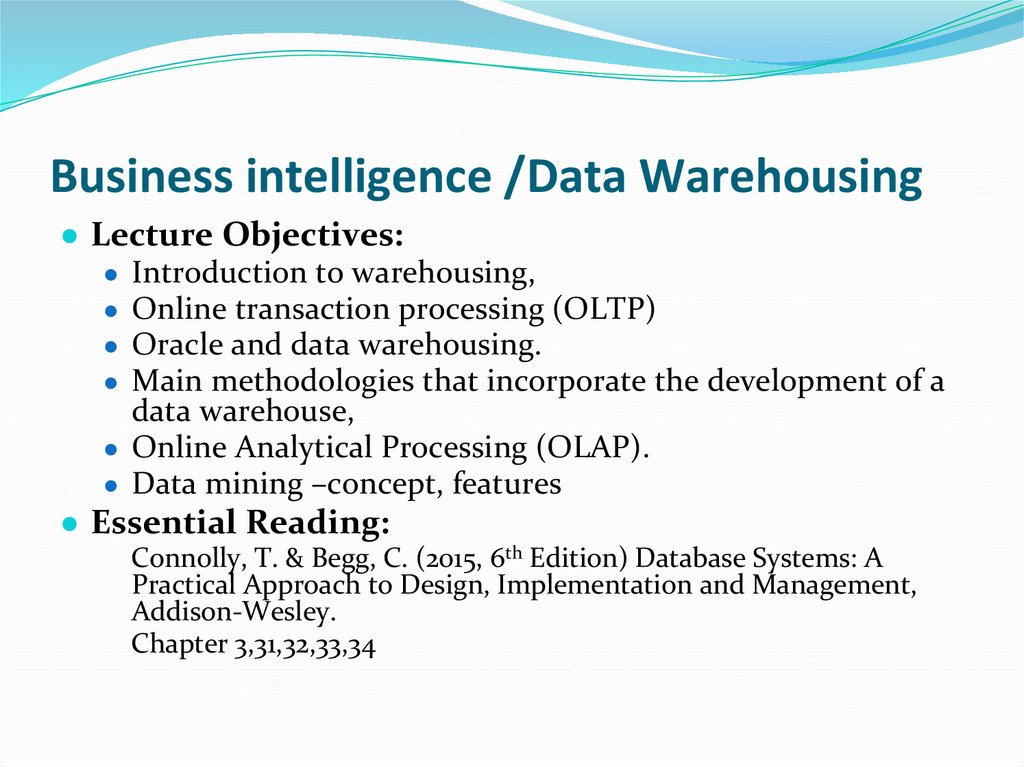
194. Business intelligence /Data Warehousing
● Lecture Objectives:● Introduction to warehousing,
● Online transaction processing (OLTP)
● Oracle and data warehousing.
● Main methodologies that incorporate the development of a
data warehouse,
● Online Analytical Processing (OLAP).
● Data mining –concept, features
● Essential Reading:
Connolly, T. & Begg, C. (2015, 6th Edition) Database Systems: A
Practical Approach to Design, Implementation and Management,
Addison-Wesley.
Chapter 3,31,32,33,34
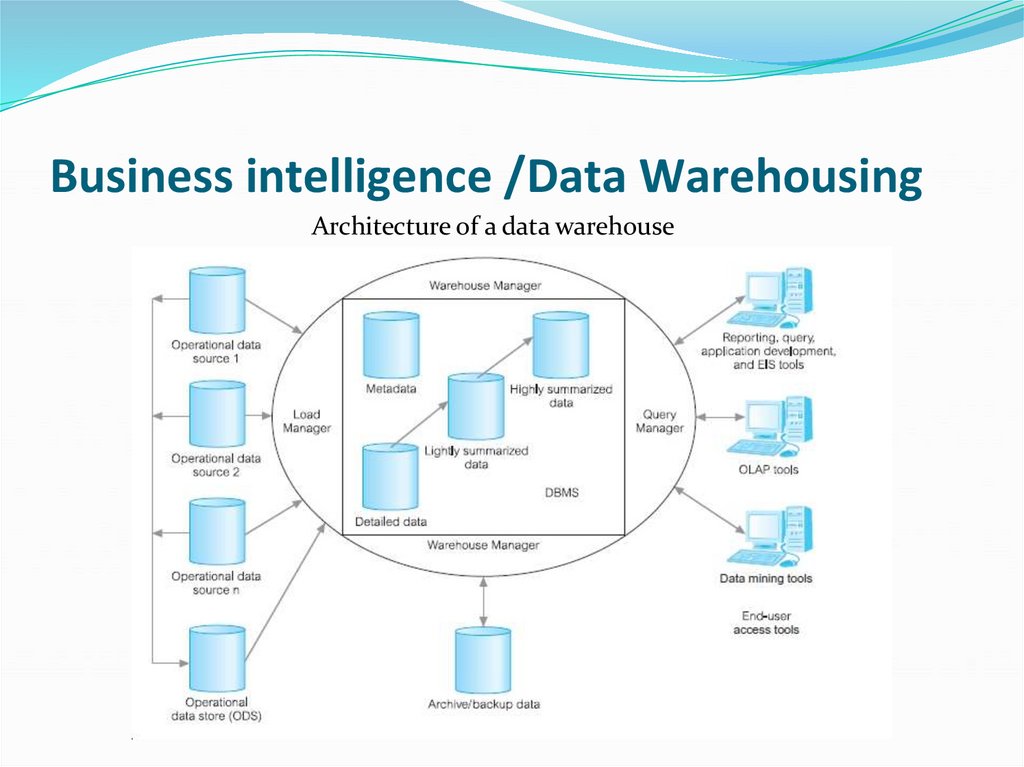
195. Business intelligence /Data Warehousing
Architecture of a data warehouse196. Business intelligence
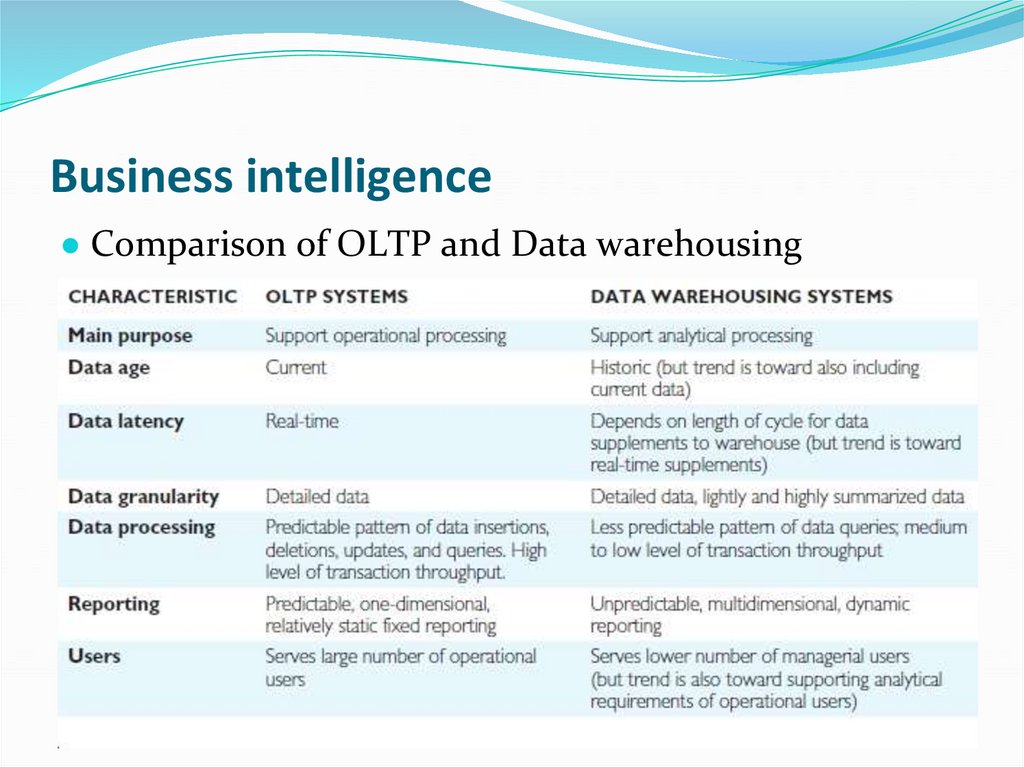
● Comparison of OLTP and Data warehousing197. Business intelligence
● Online analytical processing (OLAP)● OLAP Applications
● Finance
● Online Transaction Processing (OLTP)
● Online Analytical Processing (OLAP)
● OLTP and OLAP are not completely discrete.
198. Business intelligence /Data Warehousing
● Data warehousing● Decision support systems (DSS) …
199. Business intelligence /Data Warehousing
● Two types of queries were added to SQL to handleOLAP.
● – with cube
● – with rollup
● For large-scale datasets,
200. Business intelligence /Data Warehousing
● Rollup, a key operation in OLAP queries● In data warehouse, -recursive hierarchies proved to
be problematic.
● aggregate is not permitted to be wrapped within
SQL recursion.
201. Business intelligence /Data Warehousing
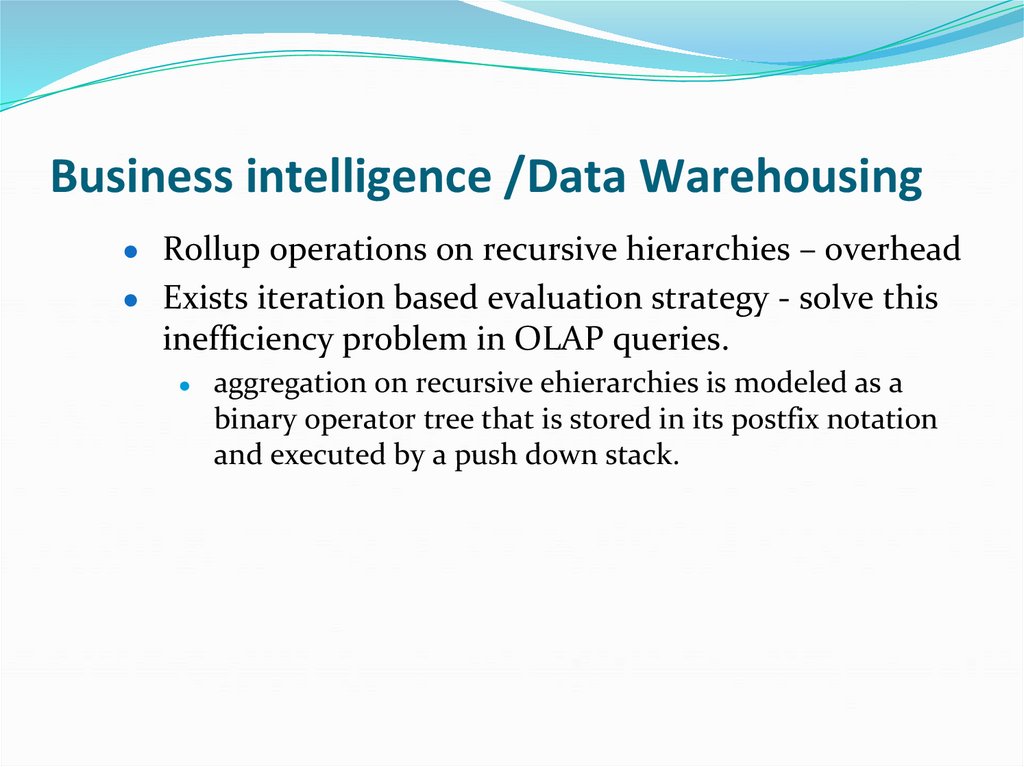
● Rollup operations on recursive hierarchies – overhead● Exists iteration based evaluation strategy - solve this
inefficiency problem in OLAP queries.
aggregation on recursive ehierarchies is modeled as a
binary operator tree that is stored in its postfix notation
and executed by a push down stack.
202. Business intelligence /Data Warehousing
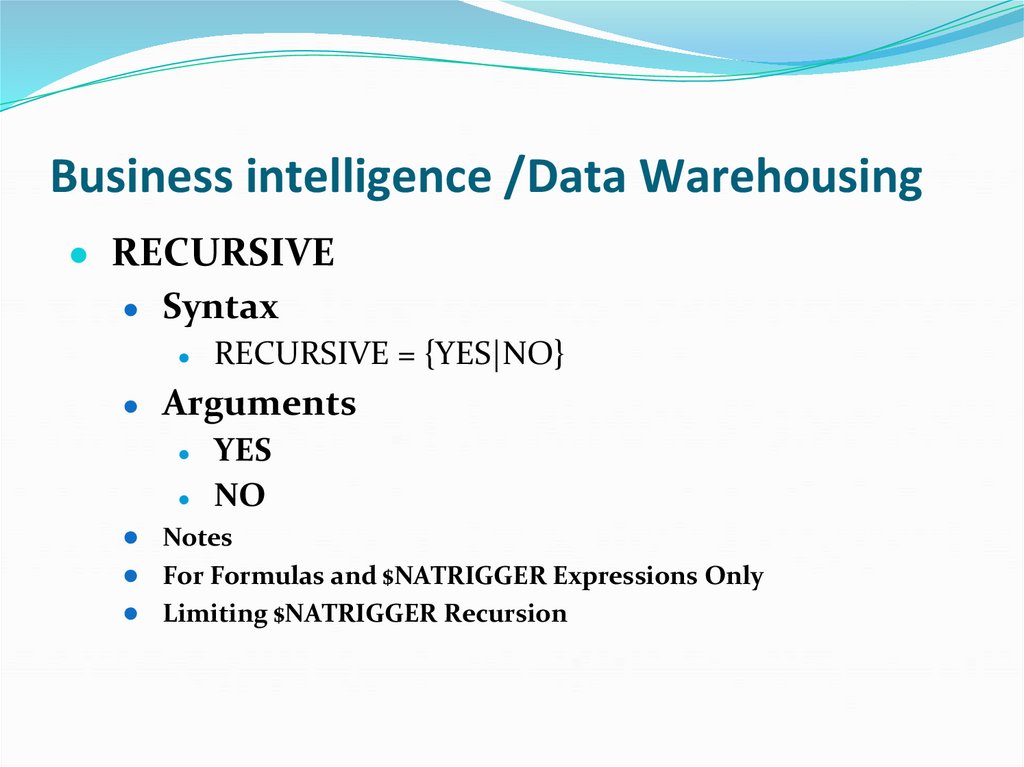
● RECURSIVE● Syntax
RECURSIVE = {YES|NO}
Arguments
YES
NO
● Notes
● For Formulas and $NATRIGGER Expressions Only
● Limiting $NATRIGGER Recursion
203. Business intelligence /Data Warehousing
204. Business intelligence /Data Warehousing
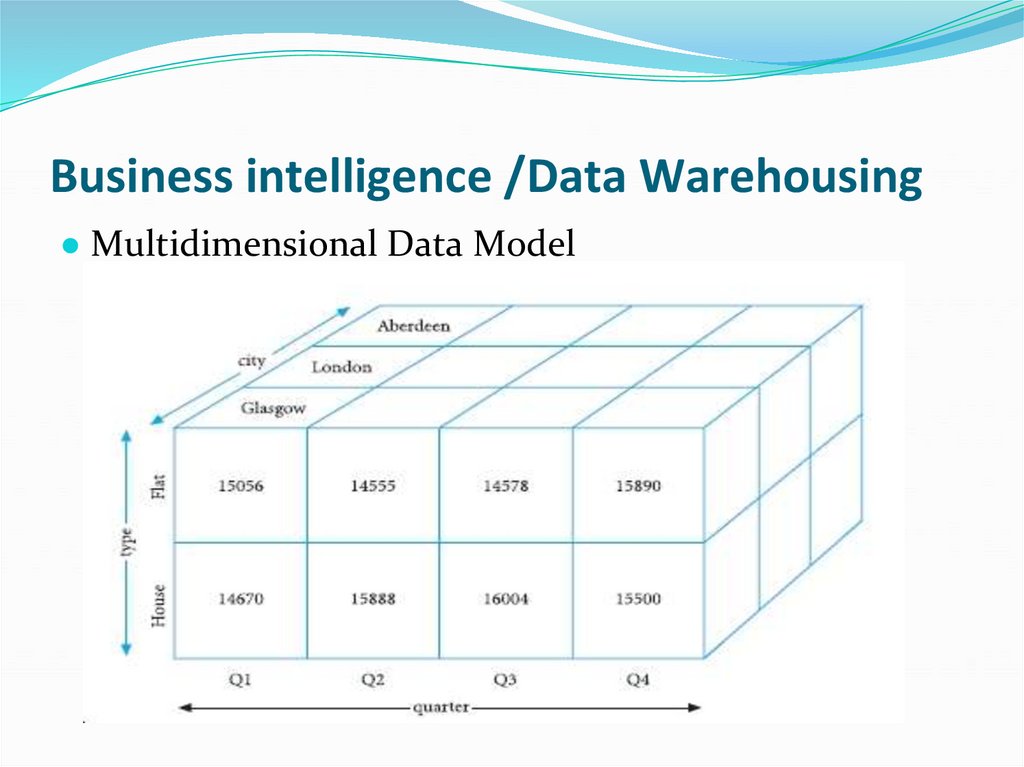
● Multidimensional Data Model205. Business intelligence /Data Warehousing
● Data Mining TechniquesOPERATIONS
TECHNIQUES
● Data Mining applications
● RETAIL/MARKETING
206. Business intelligence
● OLAP ServersMultidimensional OLAP (MOLAP);
Relational OLAP (ROLAP);
Hybrid OLAP (HOLAP);
Desktop OLAP (DOLAP).
OLAP extensions to the SQL
207. Business intelligence /Data Warehousing
● Data Mining and Data Warehousing● Oracle and Data warehousing, OLAP. Business
208. Big Data
● Lecture Objectives:● Introduction to Big Data and Analytics,
● Data Visualization,
● Essential Reading:
1.
Ohlhorst, F. 2013. Big Data Analytics: Turning Big Data
into Big Money. John Wiley & Sons. ISBN: 978-1118147597.
2. David Stodder Data Visualisation and Discovery for Better
Business Decisions. 2013 by TDWI (The Data
Warehousing InstituteTM), a division of 1105 Media, Inc.
209. Big Data
● Definition of Big Data and Analytics210. Big Data
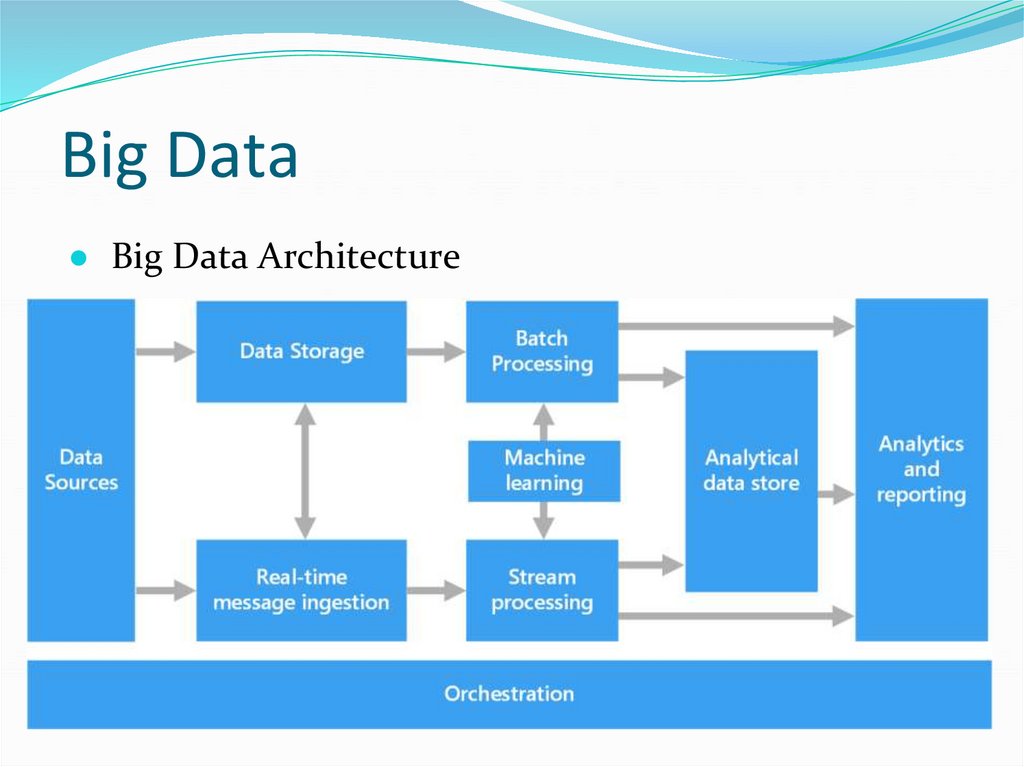
● Big Data Architecture211. Big Data
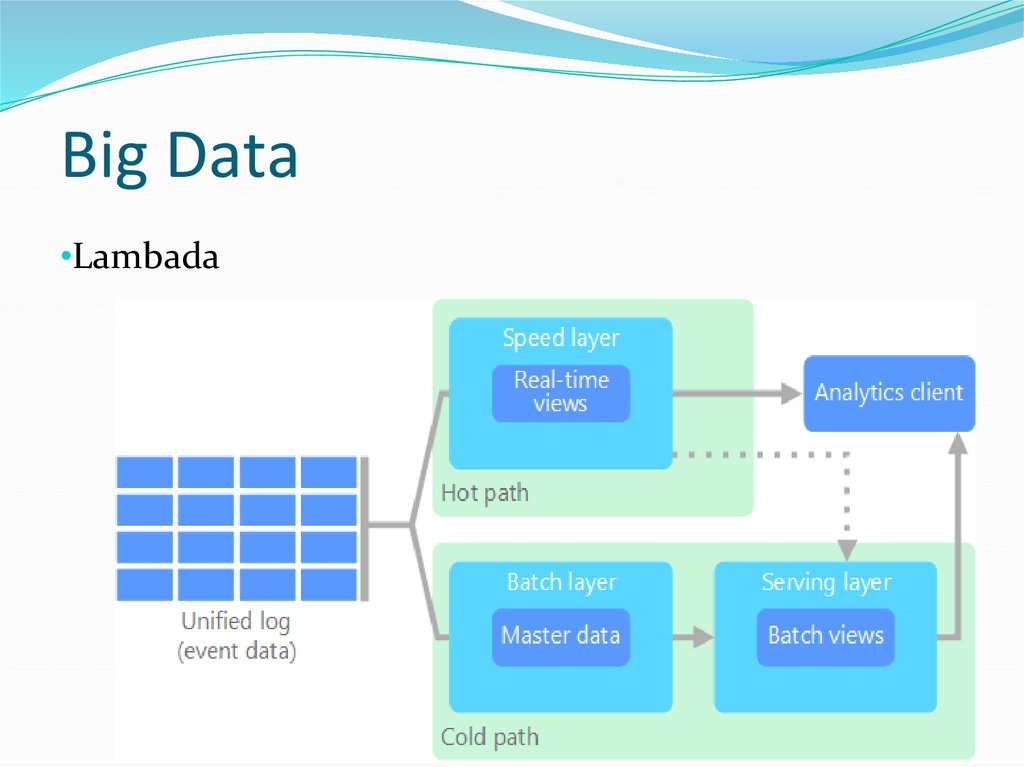
•Lambada212. Big Data
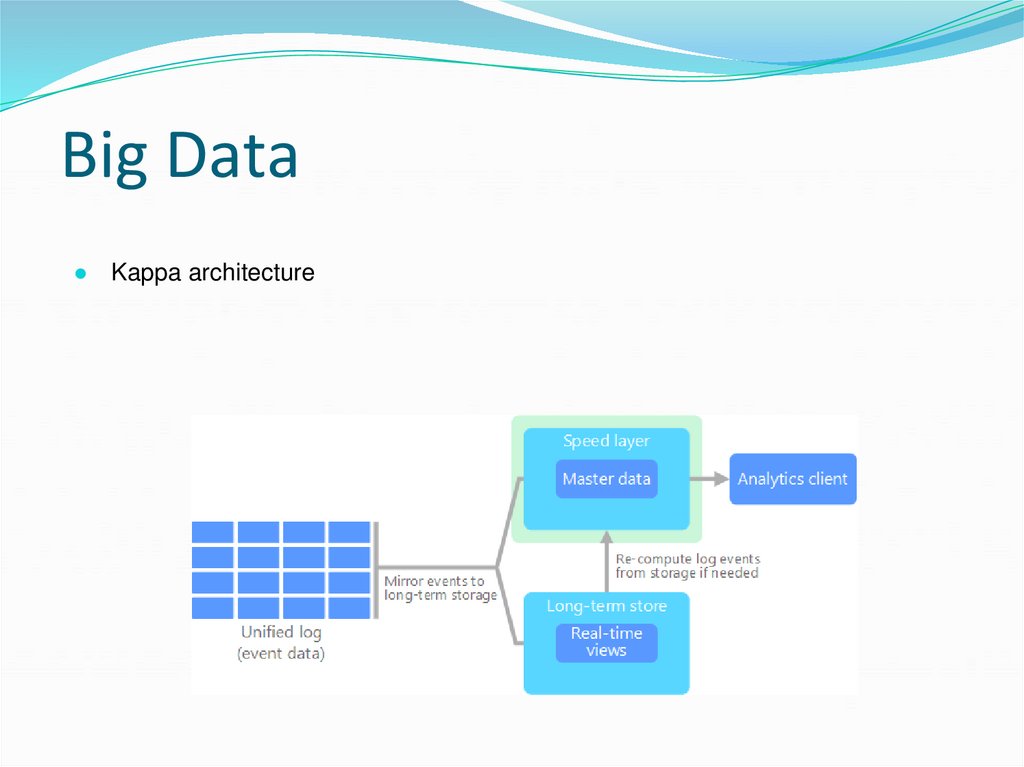
● Kappa architecture213. Big Data
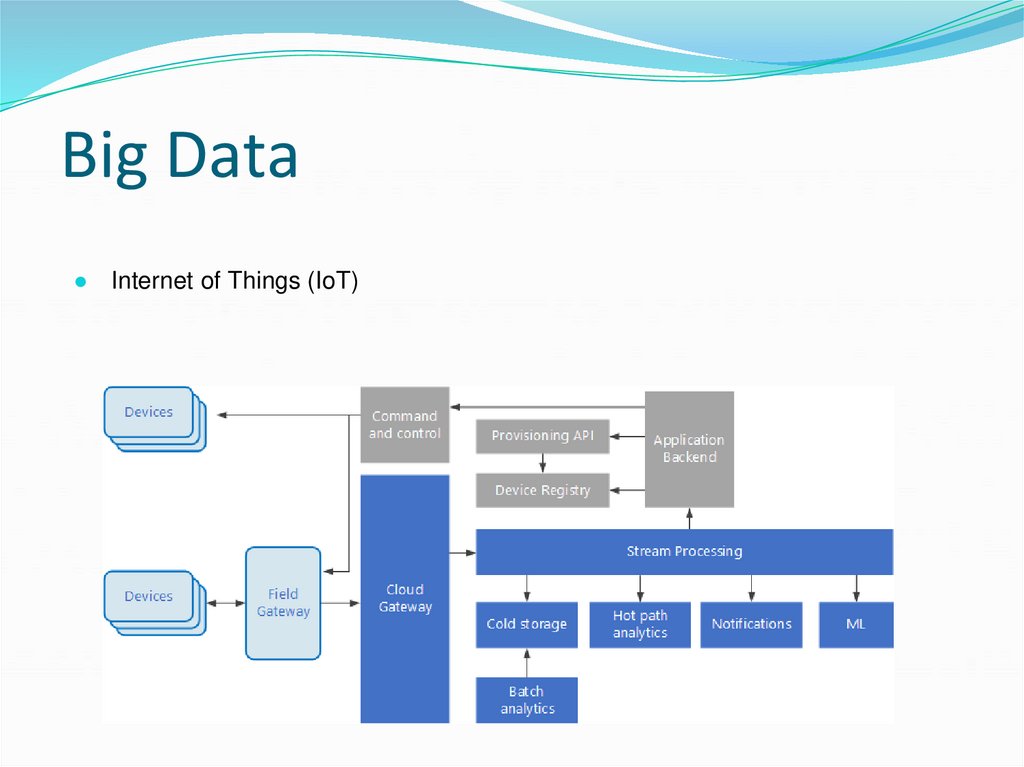
● Internet of Things (IoT)214. Big Data
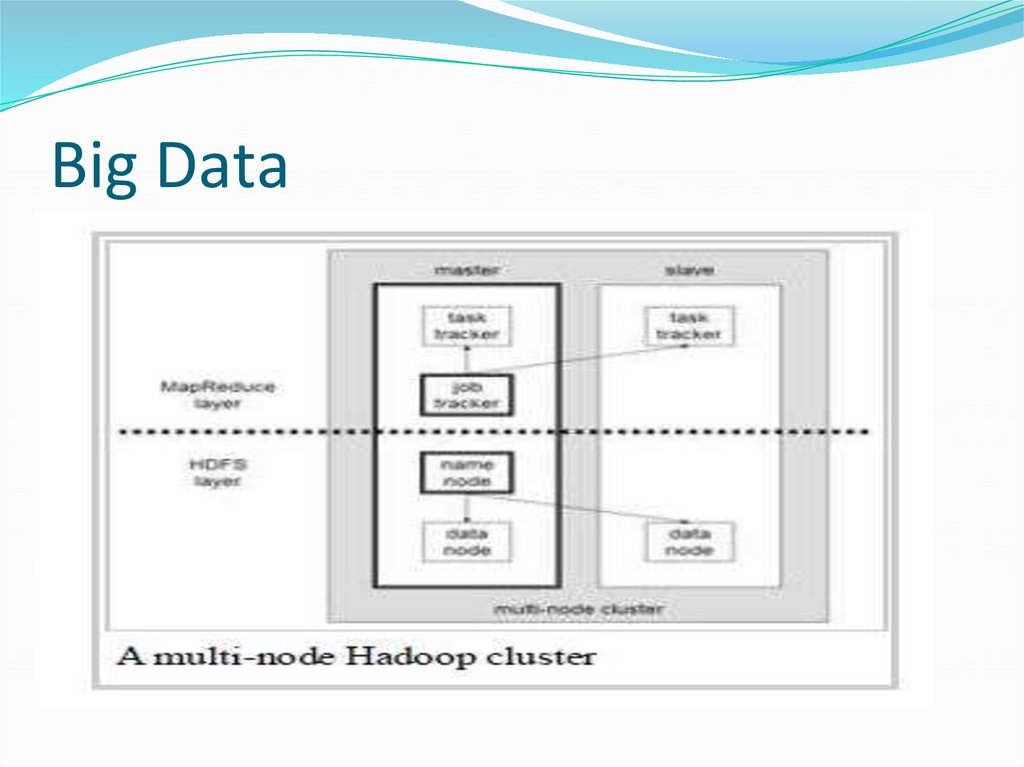
215. Big Data
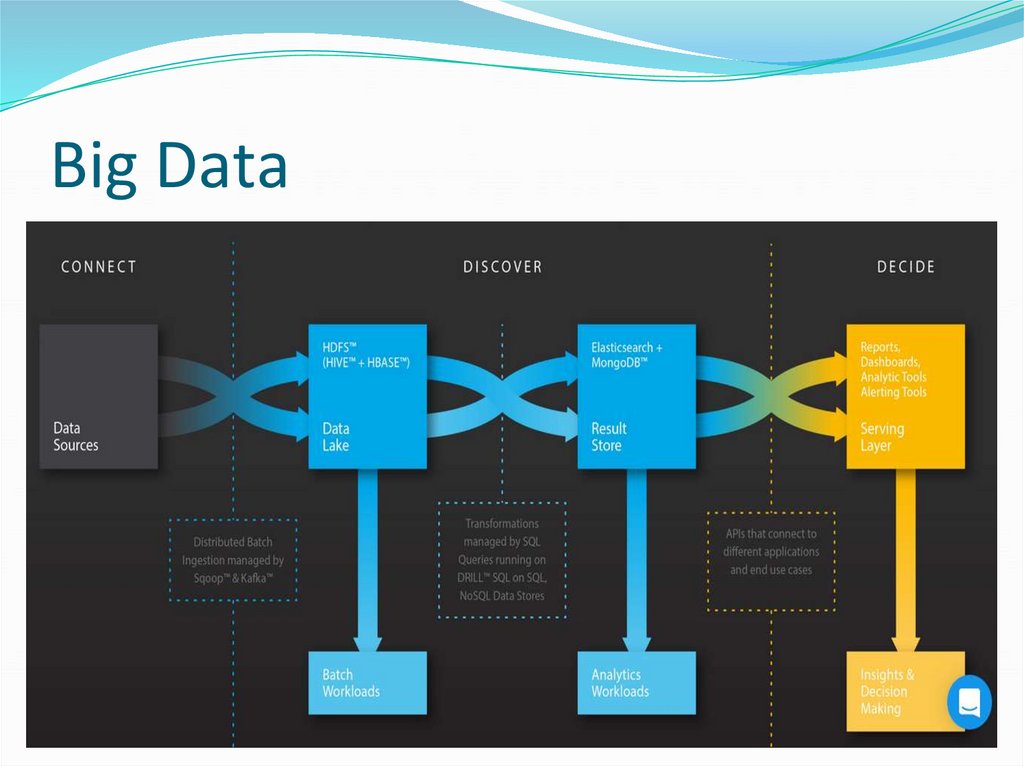
216. Big Data
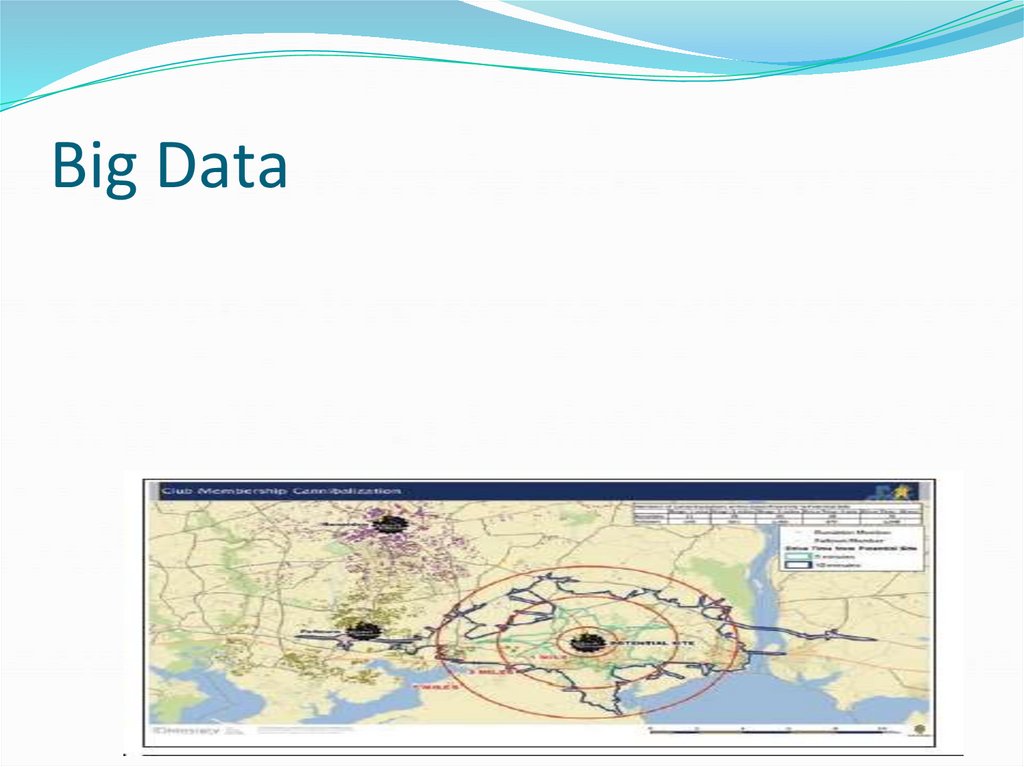
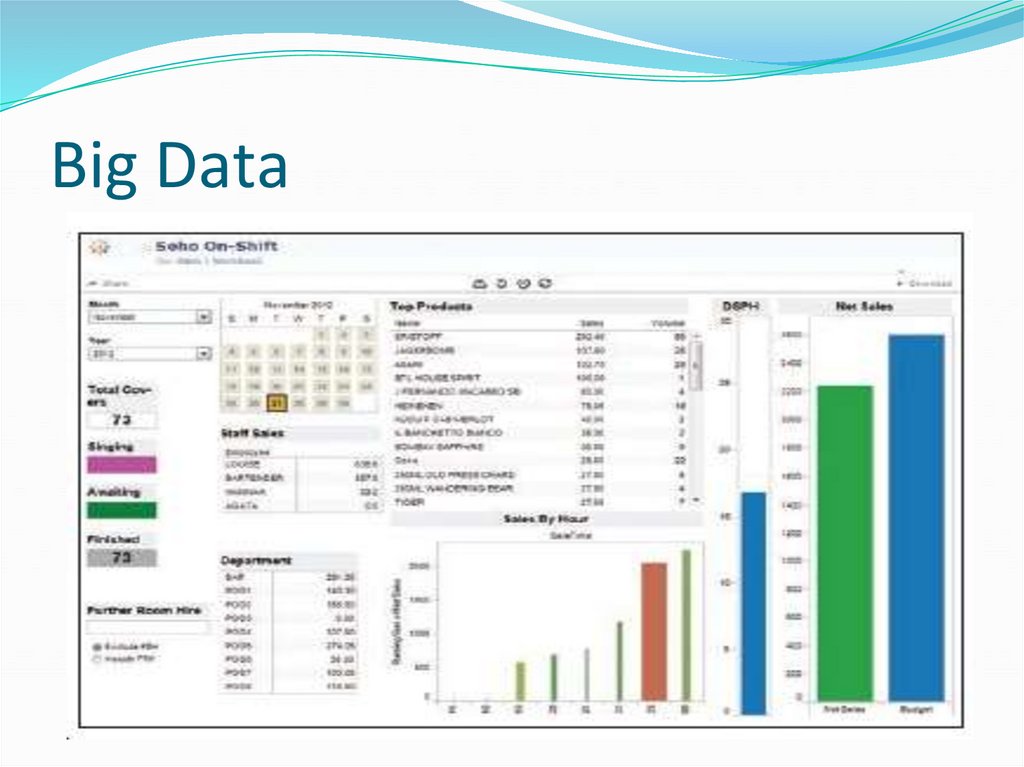
● Data Visualisation:217. Big Data
218. Big Data
219. Big Data
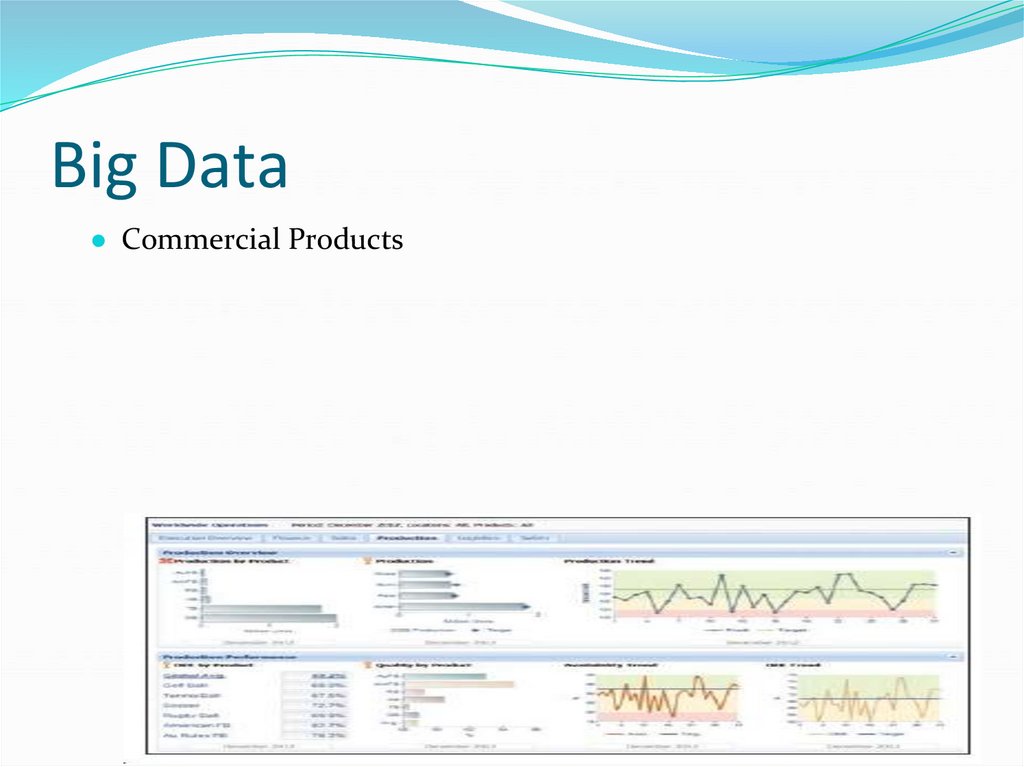
● Commercial Products220. Big Data
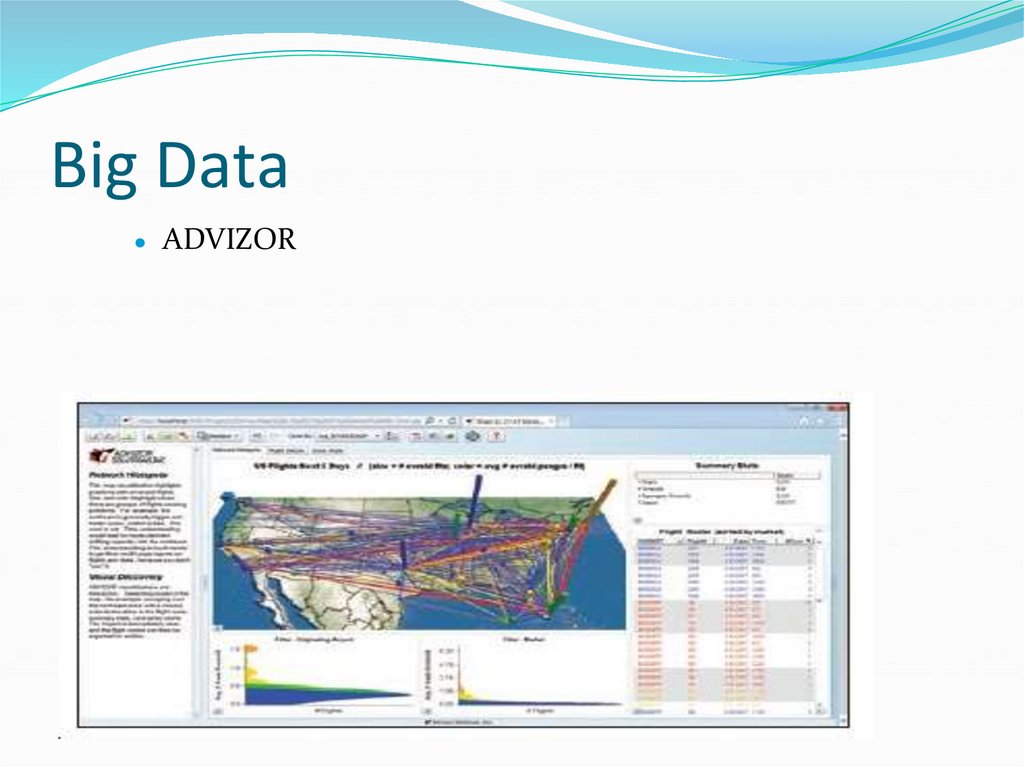
ADVIZOR
221. Big Data
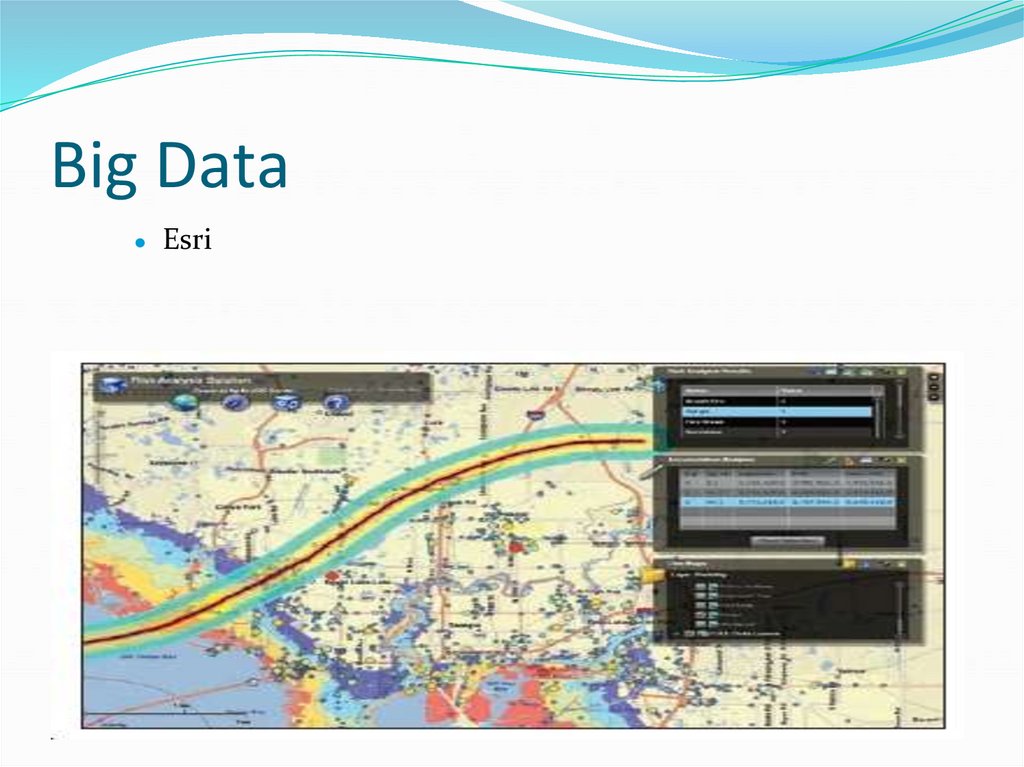
Esri
222. Big Data
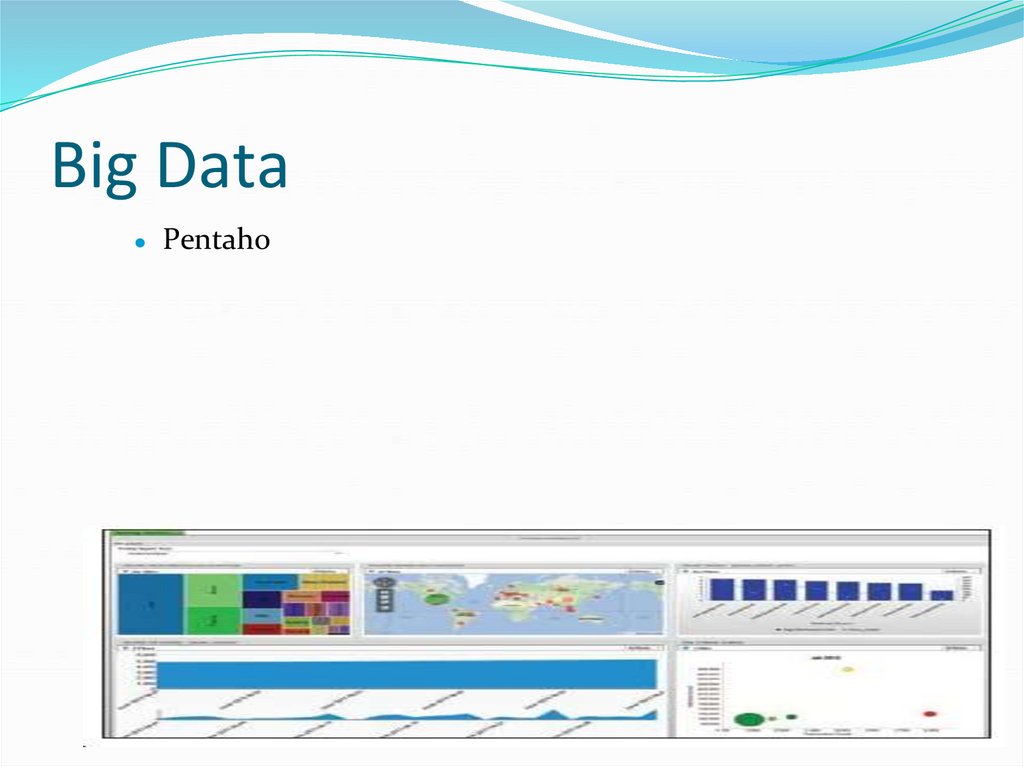
Pentaho
223. Big Data
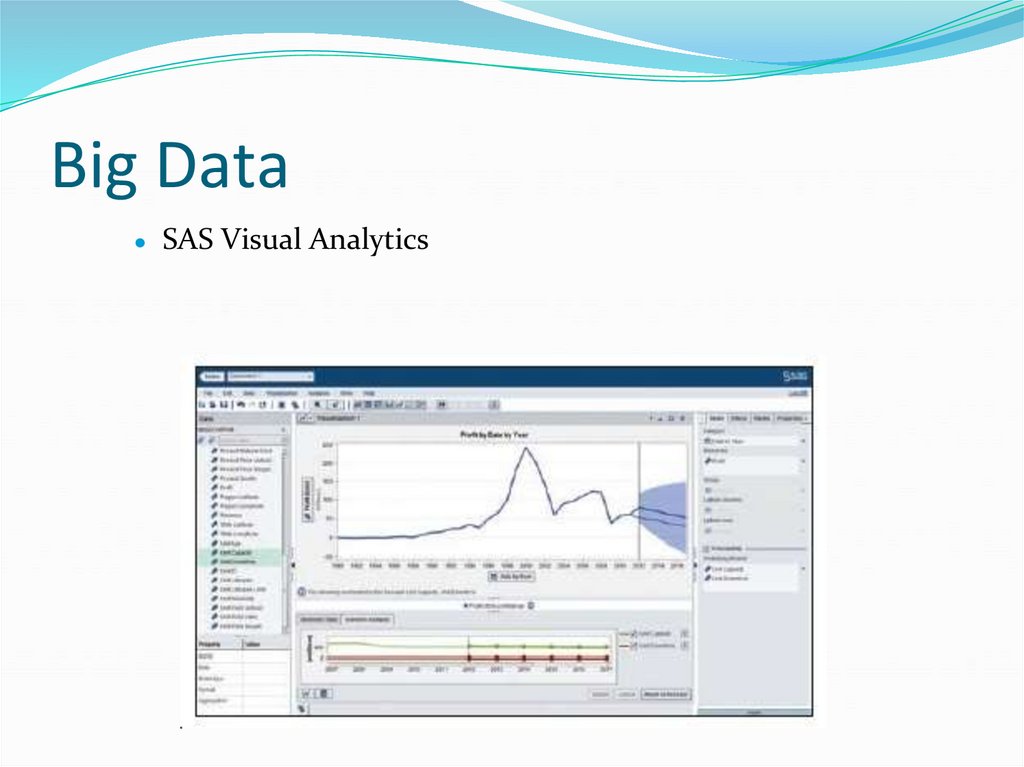
SAS Visual Analytics
224. Big Data
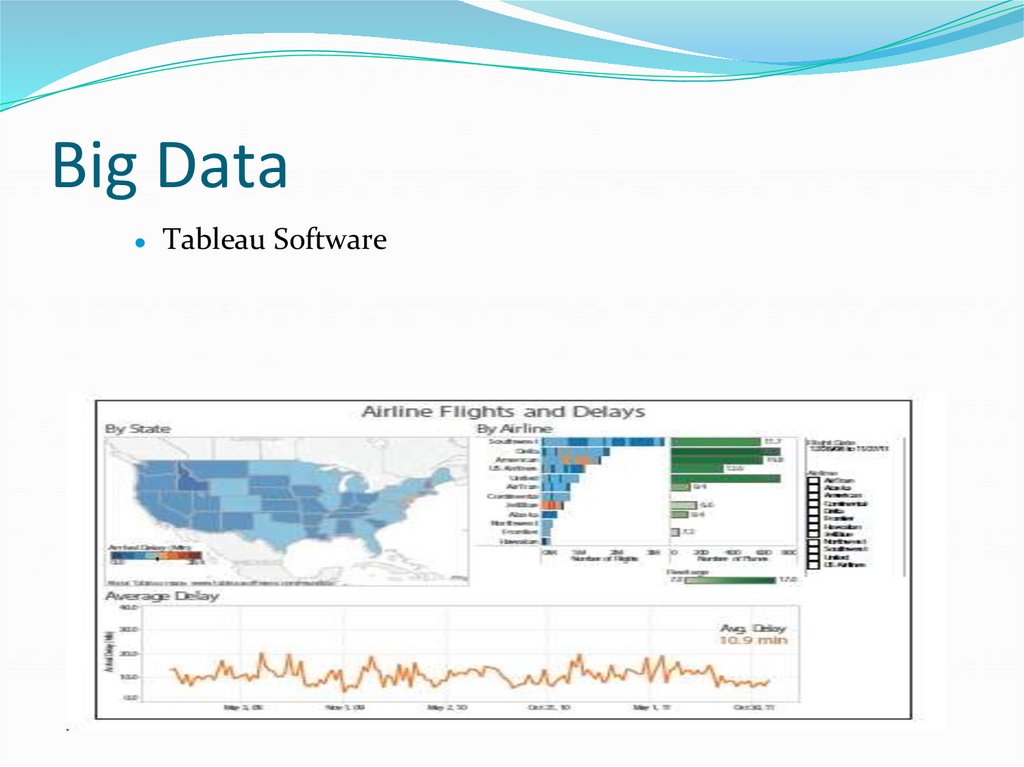
Tableau Software