 Программирование
Похожие презентации:







Intro to AI Platform
1.
Intro to AI PlatformLab 3: Object Detection
TA:Sihwa Lee
, Instructor: Prof.Jungwook Choi
(macto94@hanyang.ac.kr)
Hanyang University
2021 Fall
2.
Contents• SSD(Single Shot Detector) ?
• SSD Implementation
• TensorFlow Hub & TF Object Detection API ?
• Object Detection Inference Tutorial (1), (2)
3.
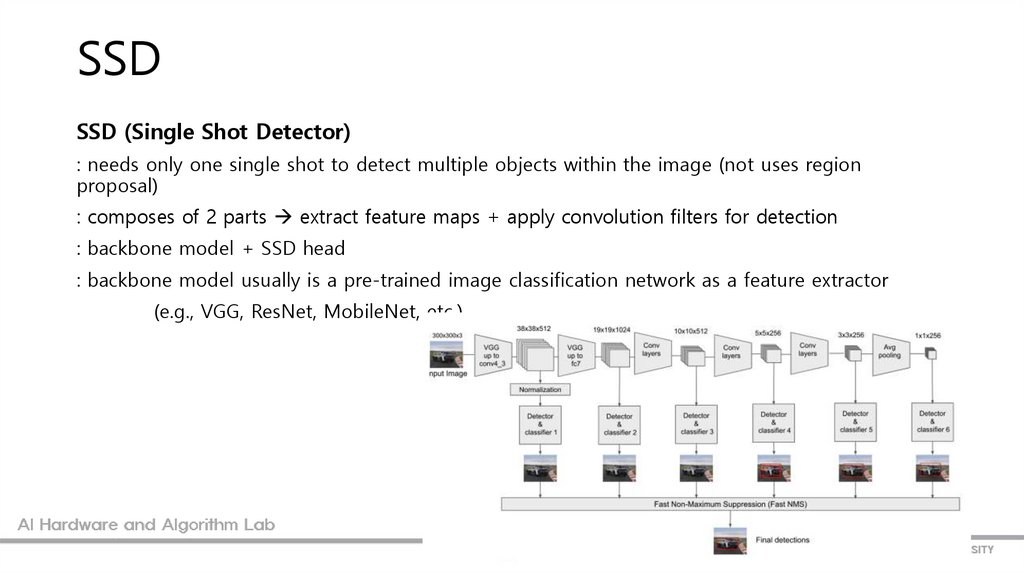
SSDSSD (Single Shot Detector)
: needs only one single shot to detect multiple objects within the image (not uses region
proposal)
: composes of 2 parts extract feature maps + apply convolution filters for detection
: backbone model + SSD head
: backbone model usually is a pre-trained image classification network as a feature extractor
(e.g., VGG, ResNet, MobileNet, etc.)
4.
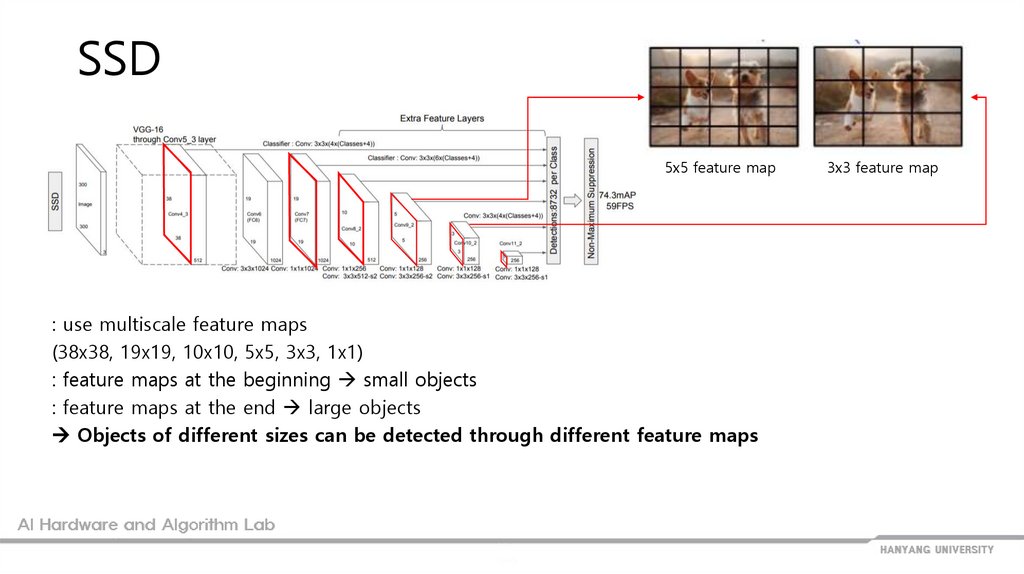
SSD5x5 feature map
: use multiscale feature maps
(38x38, 19x19, 10x10, 5x5, 3x3, 1x1)
: feature maps at the beginning small objects
: feature maps at the end large objects
Objects of different sizes can be detected through different feature maps
3x3 feature map
5.
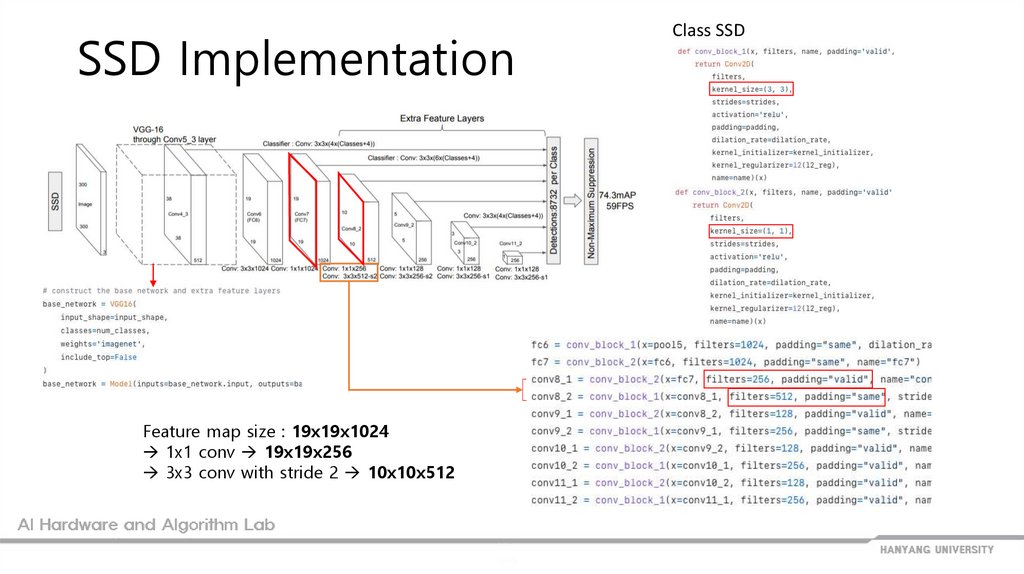
SSD ImplementationFeature map size : 19x19x1024
1x1 conv 19x19x256
3x3 conv with stride 2 10x10x512
Class SSD
6.
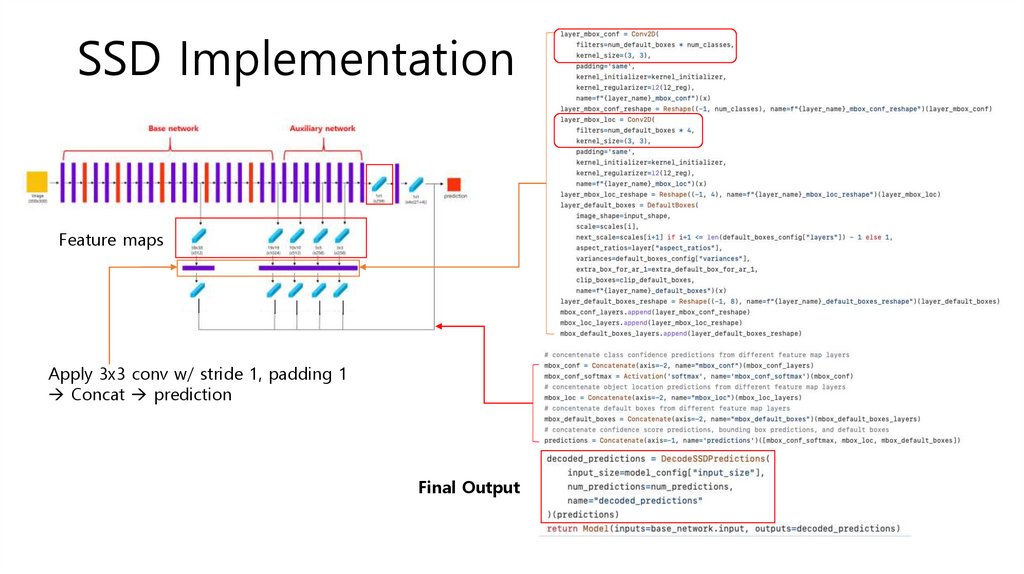
SSD ImplementationFeature maps
Apply 3x3 conv w/ stride 1, padding 1
Concat prediction
Final Output
7.
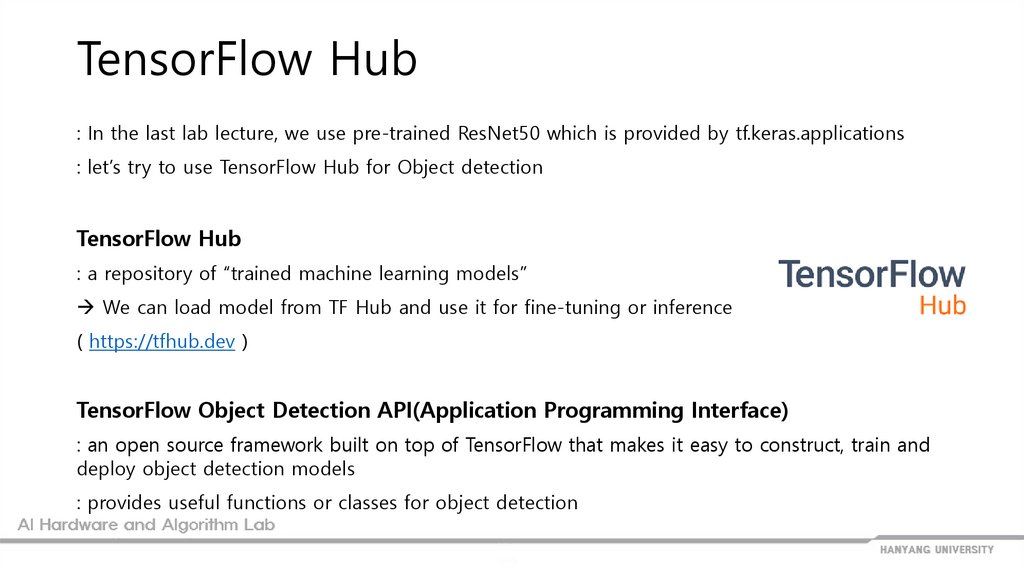
TensorFlow Hub: In the last lab lecture, we use pre-trained ResNet50 which is provided by tf.keras.applications
: let’s try to use TensorFlow Hub for Object detection
TensorFlow Hub
: a repository of “trained machine learning models”
We can load model from TF Hub and use it for fine-tuning or inference
( https://tfhub.dev )
TensorFlow Object Detection API(Application Programming Interface)
: an open source framework built on top of TensorFlow that makes it easy to construct, train and
deploy object detection models
: provides useful functions or classes for object detection
8.
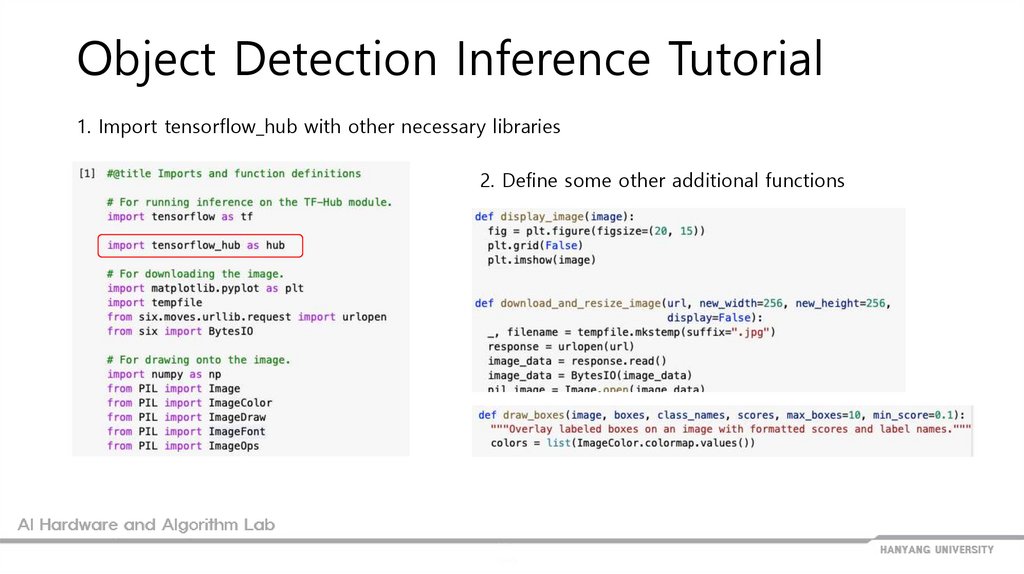
Object Detection Inference Tutorial1. Import tensorflow_hub with other necessary libraries
2. Define some other additional functions
9.
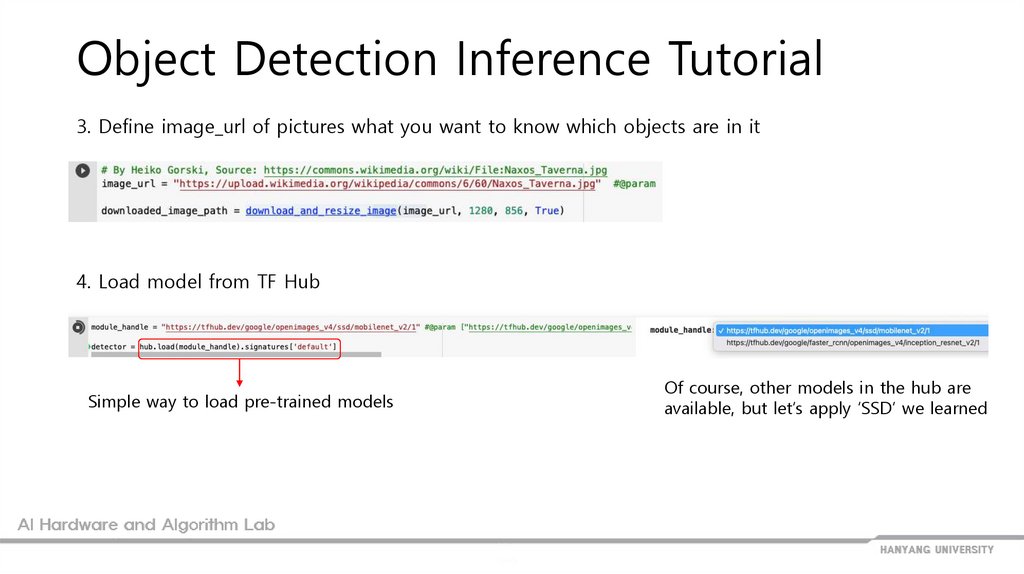
Object Detection Inference Tutorial3. Define image_url of pictures what you want to know which objects are in it
4. Load model from TF Hub
Simple way to load pre-trained models
Of course, other models in the hub are
available, but let’s apply ‘SSD’ we learned
10.
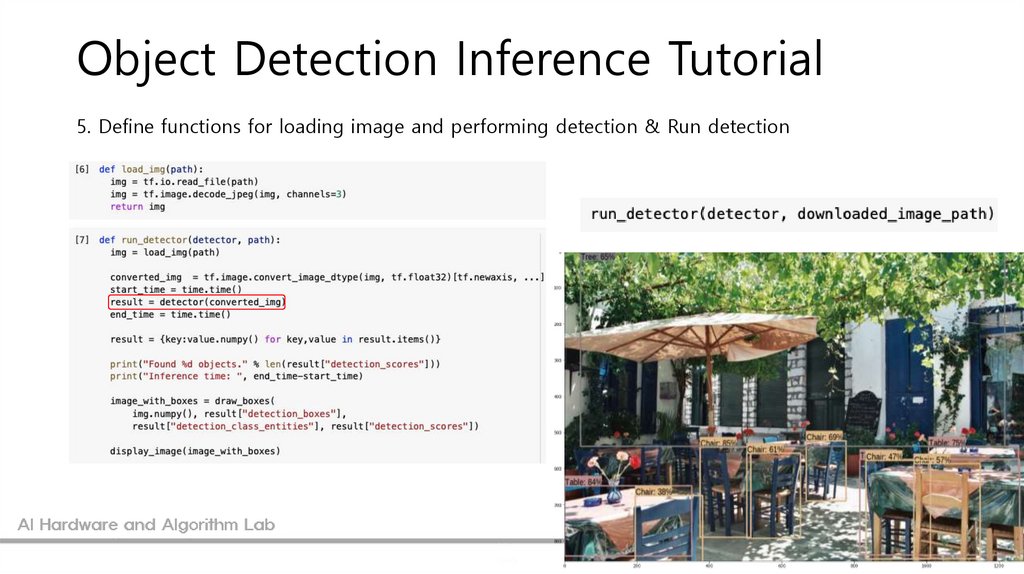
Object Detection Inference Tutorial5. Define functions for loading image and performing detection & Run detection
11.
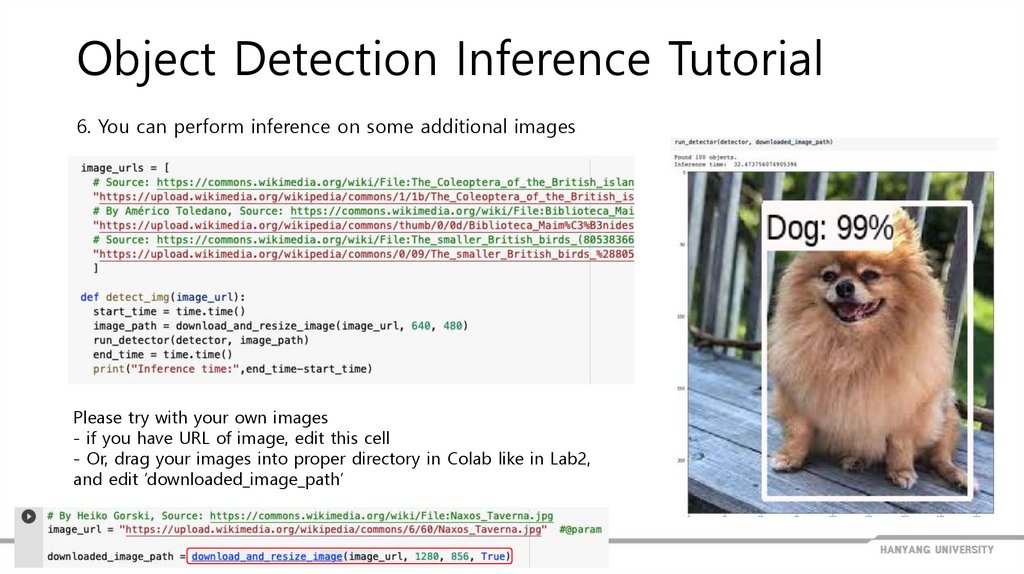
Object Detection Inference Tutorial6. You can perform inference on some additional images
Please try with your own images
- if you have URL of image, edit this cell
- Or, drag your images into proper directory in Colab like in Lab2,
and edit ‘downloaded_image_path’
12.
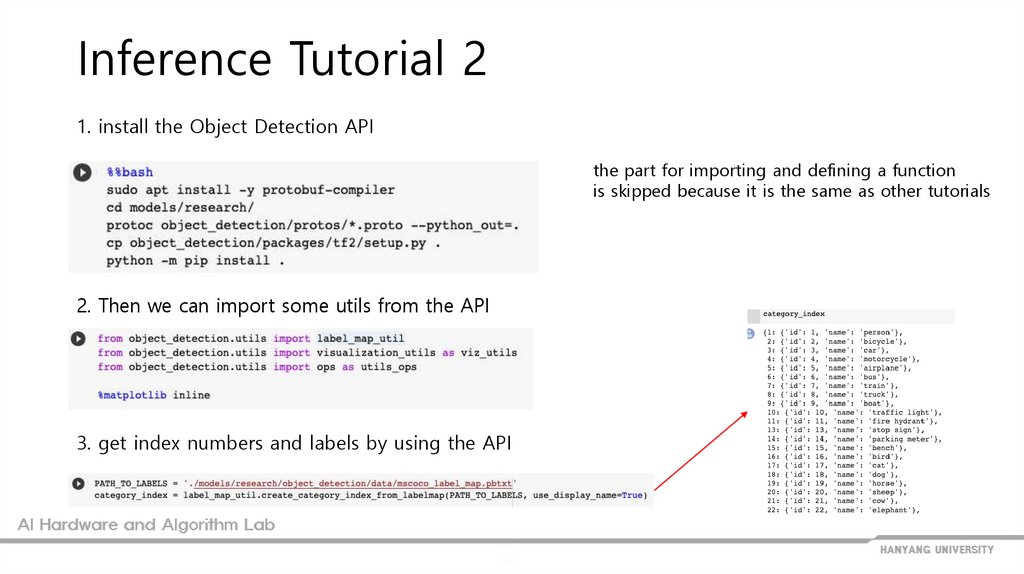
Inference Tutorial 21. install the Object Detection API
the part for importing and defining a function
is skipped because it is the same as other tutorials
2. Then we can import some utils from the API
3. get index numbers and labels by using the API
13.
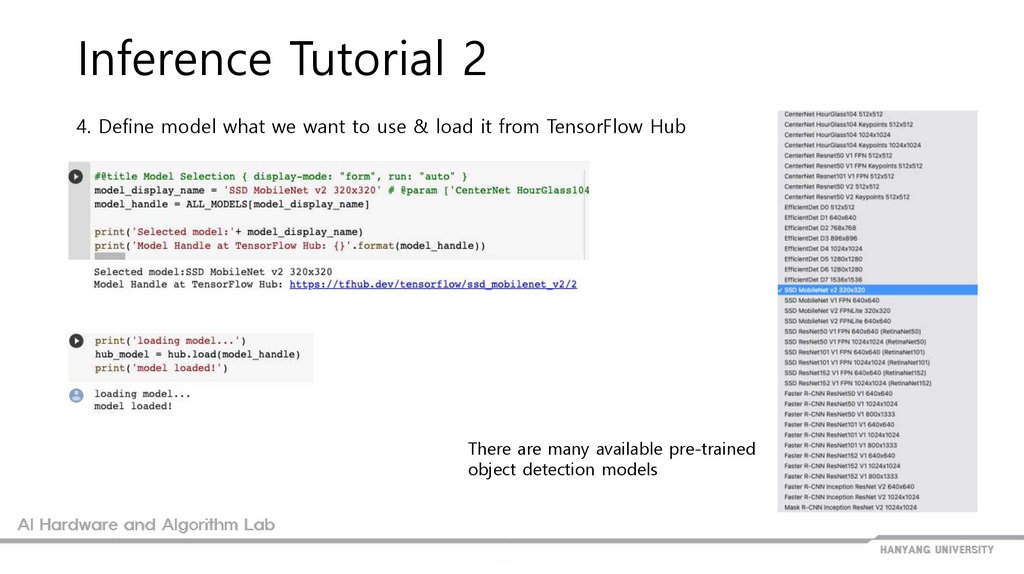
Inference Tutorial 24. Define model what we want to use & load it from TensorFlow Hub
There are many available pre-trained
object detection models
14.
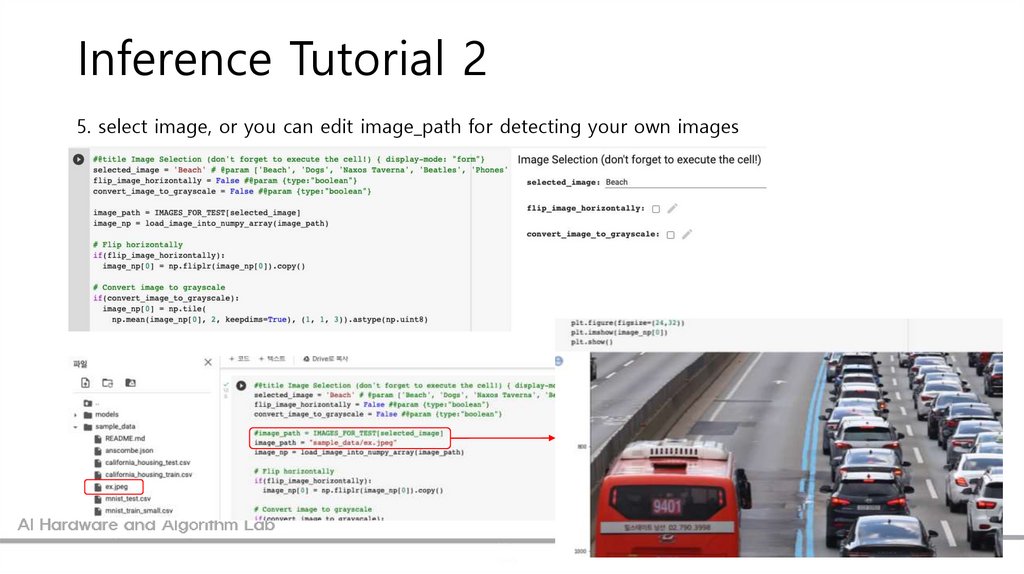
Inference Tutorial 25. select image, or you can edit image_path for detecting your own images
15.
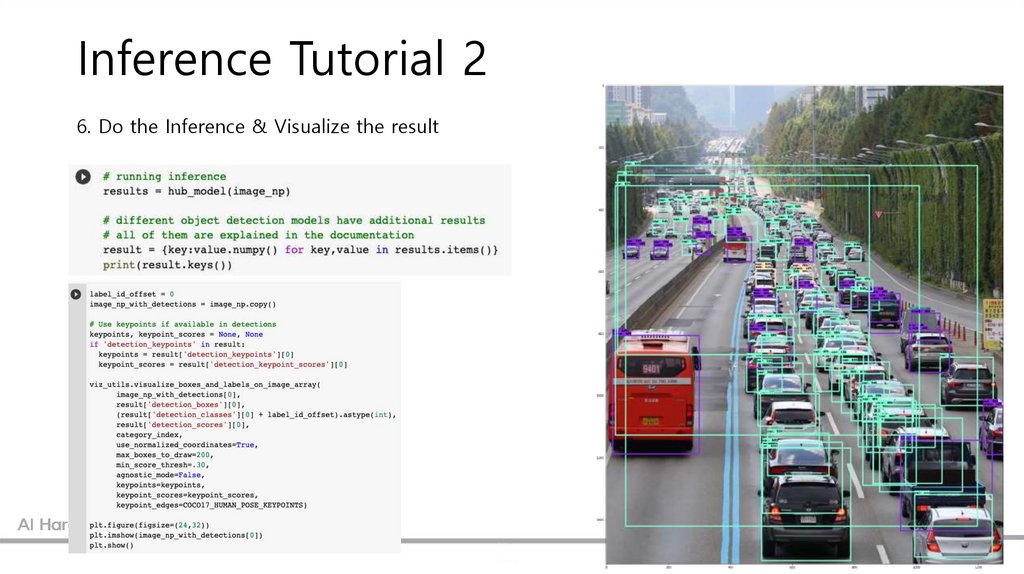
Inference Tutorial 26. Do the Inference & Visualize the result
16.
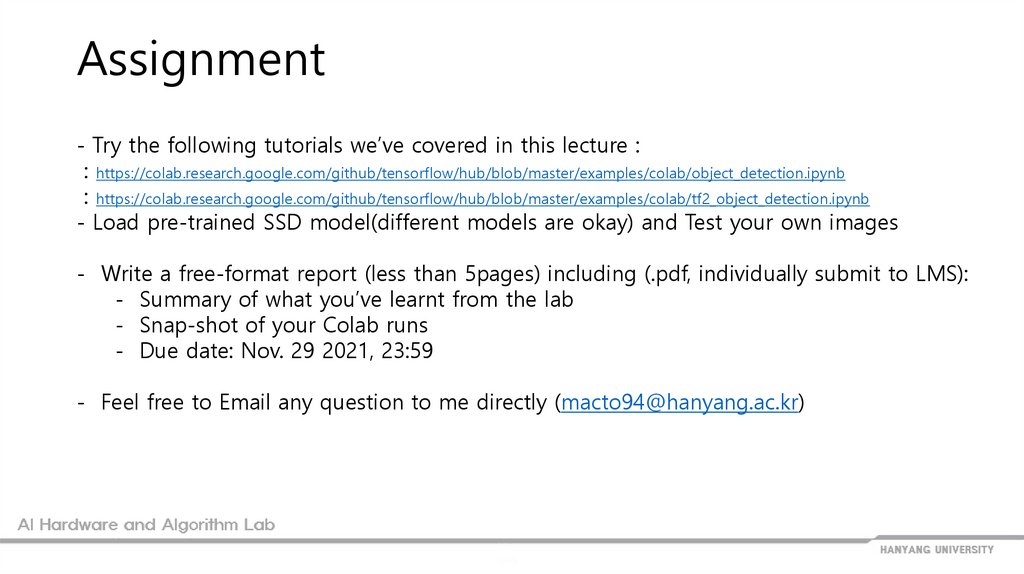
Assignment- Try the following tutorials we’ve covered in this lecture :
: https://colab.research.google.com/github/tensorflow/hub/blob/master/examples/colab/object_detection.ipynb
: https://colab.research.google.com/github/tensorflow/hub/blob/master/examples/colab/tf2_object_detection.ipynb
- Load pre-trained SSD model(different models are okay) and Test your own images
- Write a free-format report (less than 5pages) including (.pdf, individually submit to LMS):
- Summary of what you’ve learnt from the lab
- Snap-shot of your Colab runs
- Due date: Nov. 29 2021, 23:59
- Feel free to Email any question to me directly (macto94@hanyang.ac.kr)