


 Программное обеспечение
Похожие презентации:






Racing for life
1.
Racing For Life2.
LIS SOP for FinecareTM FIA Meter Plus——FinecareTM FIA Meter Plus
Racing For Life
3.
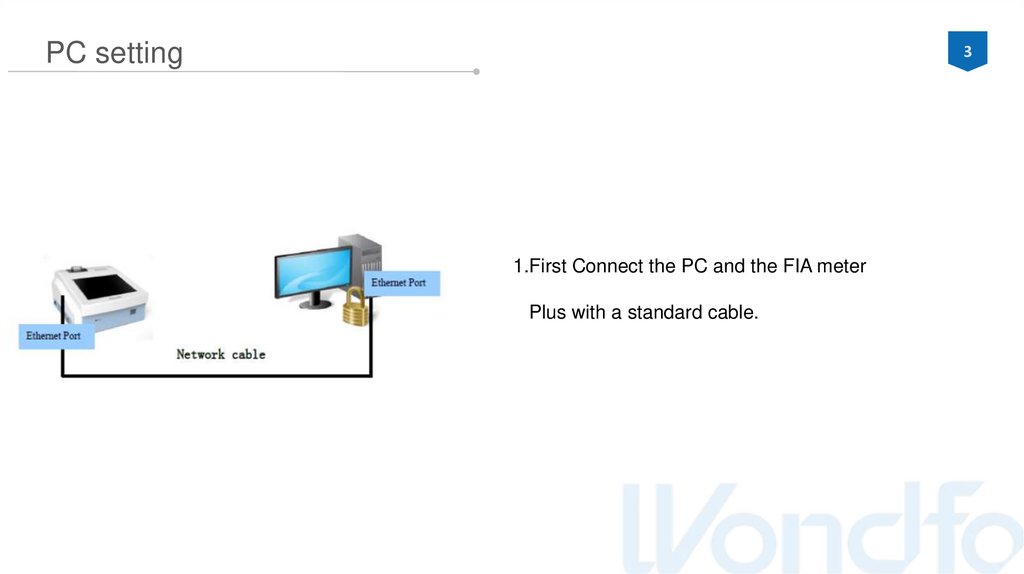
3PC setting
1.First Connect the PC and the FIA meter
Plus with a standard cable.
4.
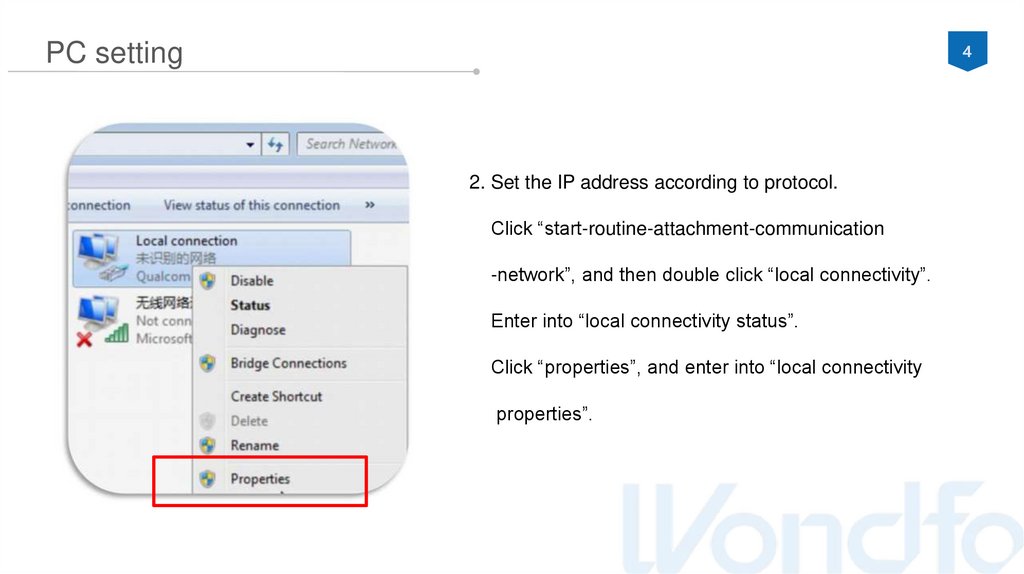
4PC setting
2. Set the IP address according to protocol.
Click “start-routine-attachment-communication
-network”, and then double click “local connectivity”.
Enter into “local connectivity status”.
Click “properties”, and enter into “local connectivity
properties”.
5.
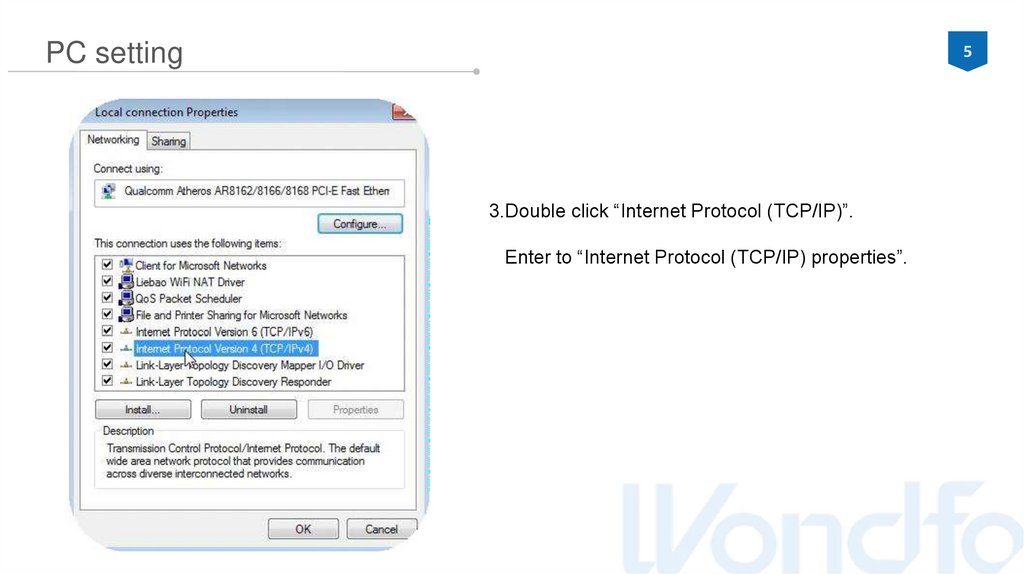
5PC setting
3.Double click “Internet Protocol (TCP/IP)”.
Enter to “Internet Protocol (TCP/IP) properties”.
6.
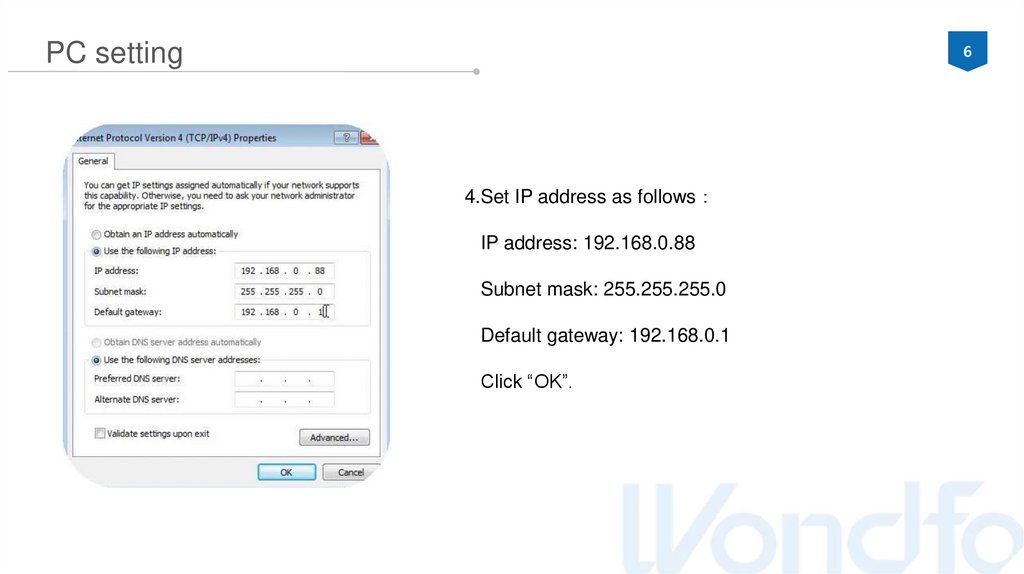
6PC setting
4.Set IP address as follows
IP address: 192.168.0.88
Subnet mask: 255.255.255.0
Default gateway: 192.168.0.1
Click “OK”.
7.
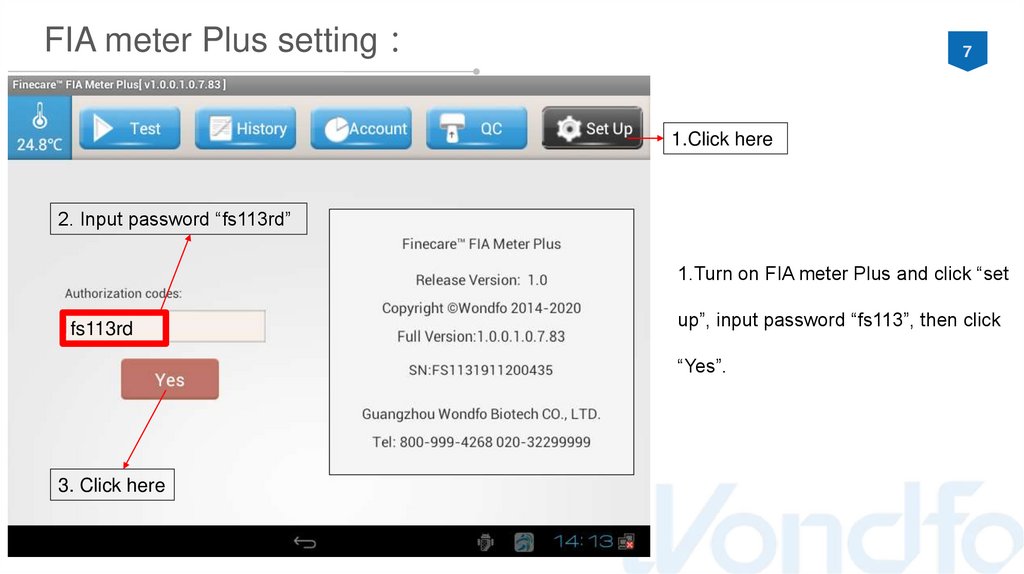
FIA meter Plus setting7
1.Click here
2. Input password “fs113rd”
1.Turn on FIA meter Plus and click “set
fs113rd
up”, input password “fs113”, then click
“Yes”.
3. Click here
8.
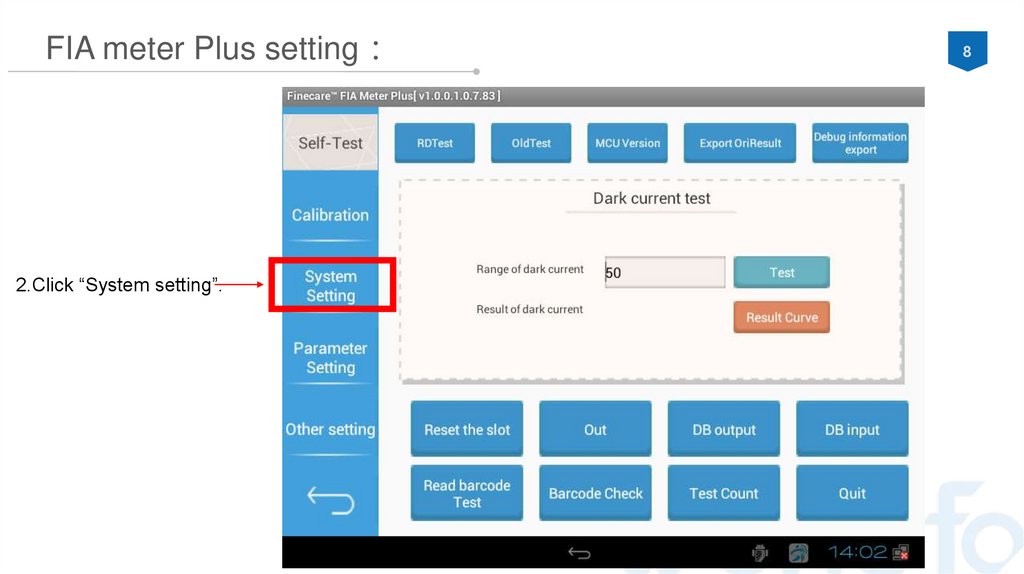
FIA meter Plus setting2.Click “System setting”.
8
9.
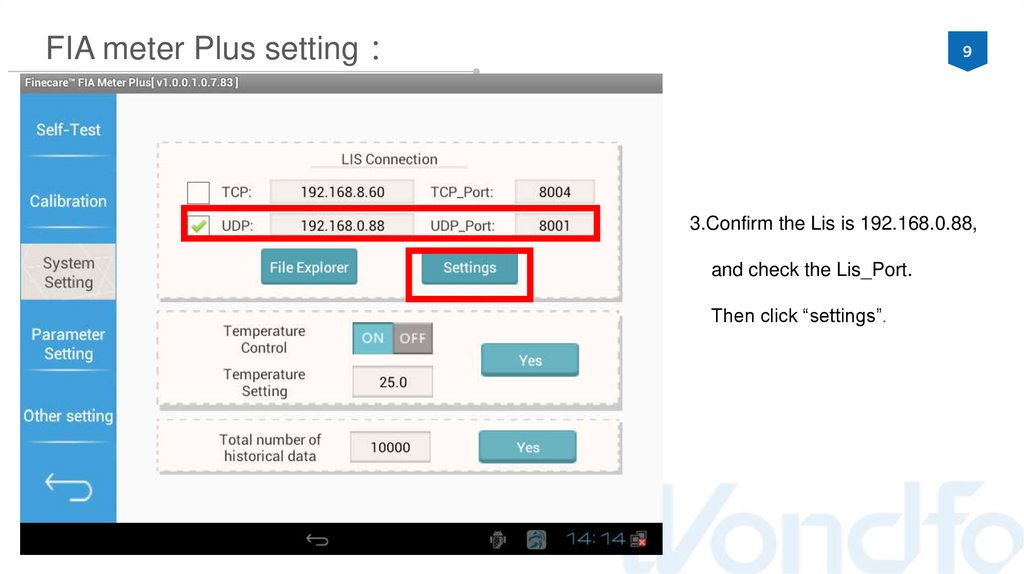
FIA meter Plus setting9
3.Confirm the Lis is 192.168.0.88,
and check the Lis_Port.
Then click “settings”.
10.
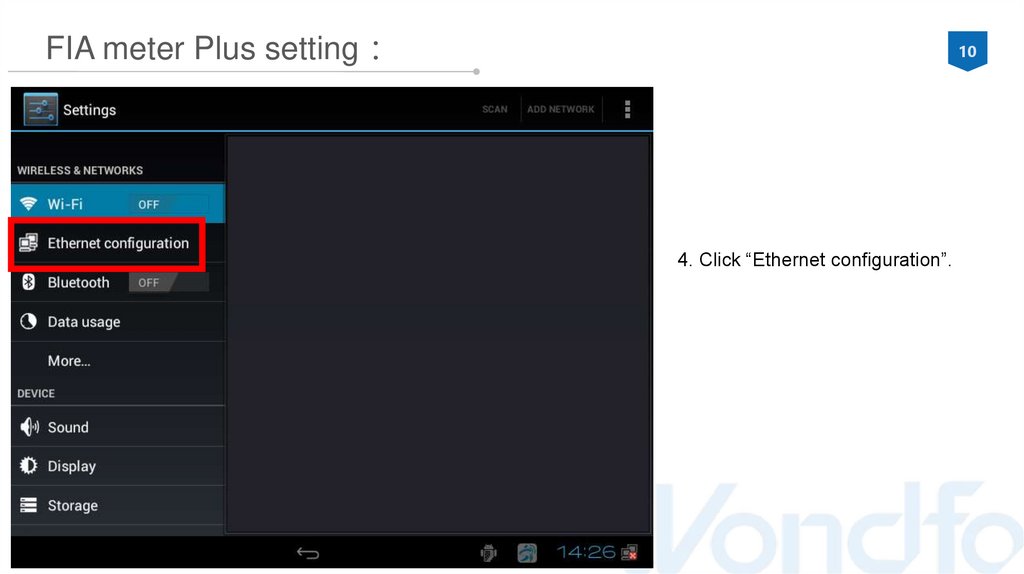
FIA meter Plus setting10
4. Click “Ethernet configuration”.
11.
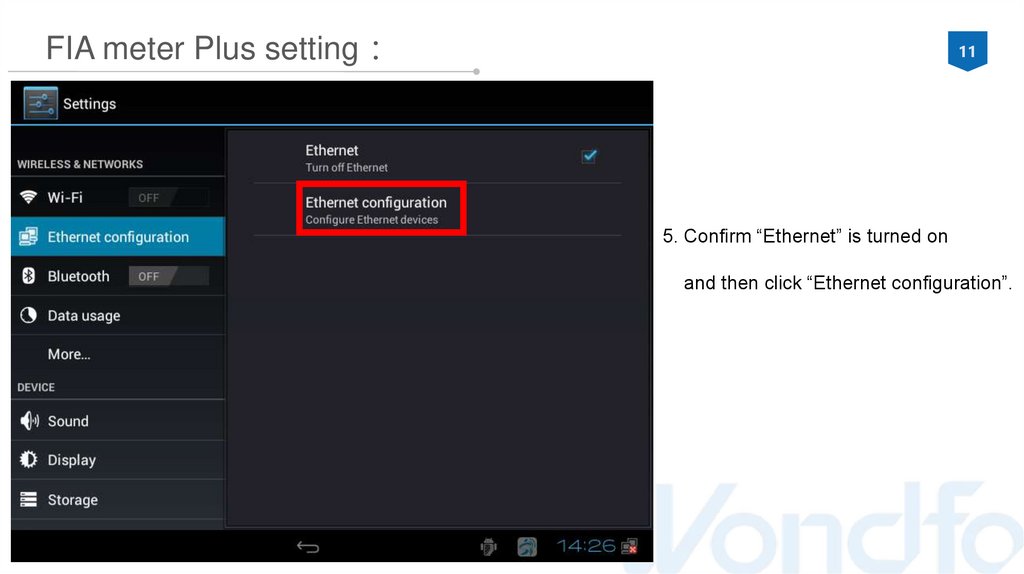
FIA meter Plus setting11
5. Confirm “Ethernet” is turned on
and then click “Ethernet configuration”.
12.
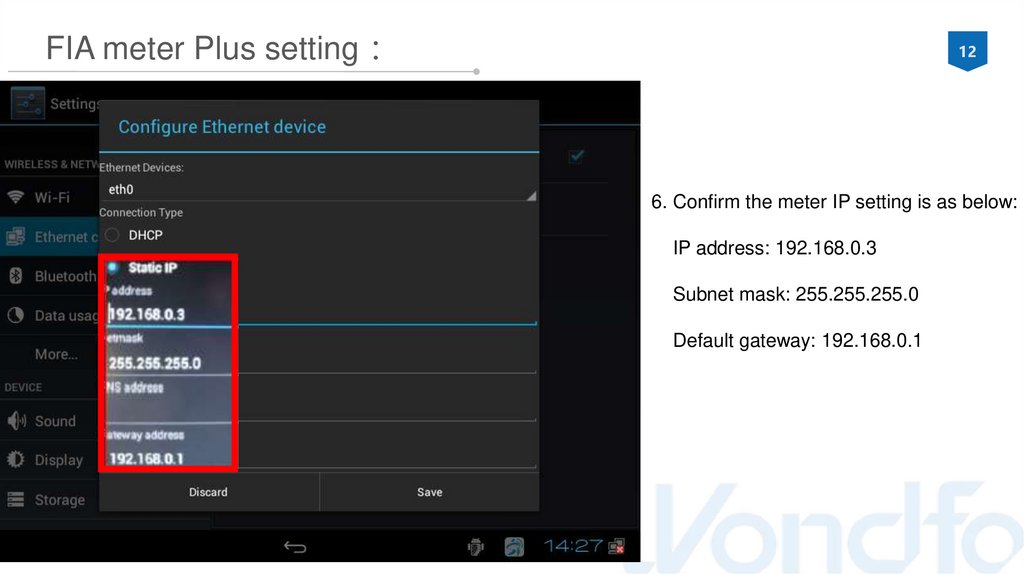
FIA meter Plus setting12
6. Confirm the meter IP setting is as below:
IP address: 192.168.0.3
Subnet mask: 255.255.255.0
Default gateway: 192.168.0.1
13.
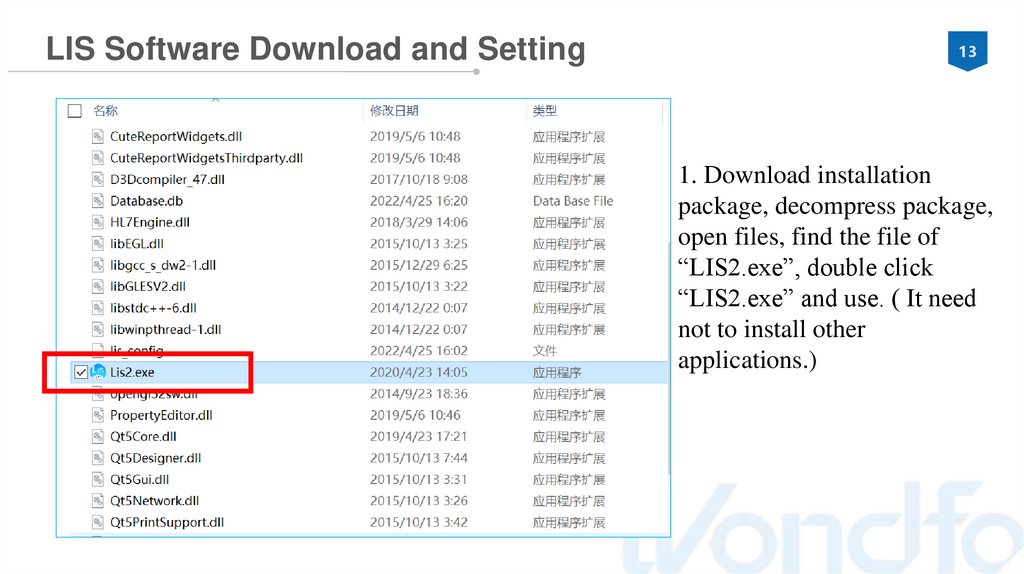
LIS Software Download and Setting13
1. Download installation
package, decompress package,
open files, find the file of
“LIS2.exe”, double click
“LIS2.exe” and use. ( It need
not to install other
applications.)
14.
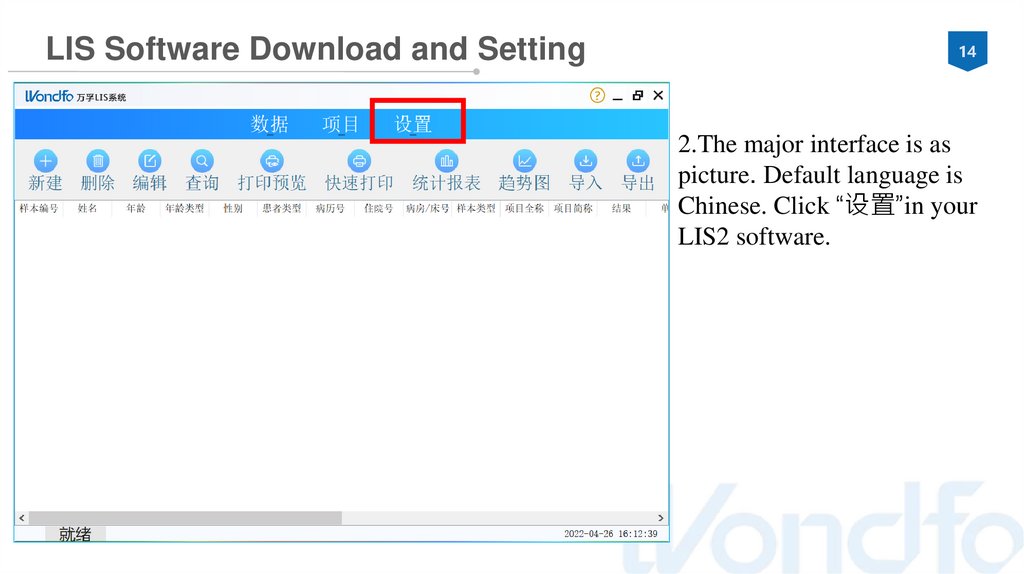
LIS Software Download and Setting14
2.The major interface is as
picture. Default language is
Chinese. Click “设置”in your
LIS2 software.
15.
LIS Software Download and Setting15
①
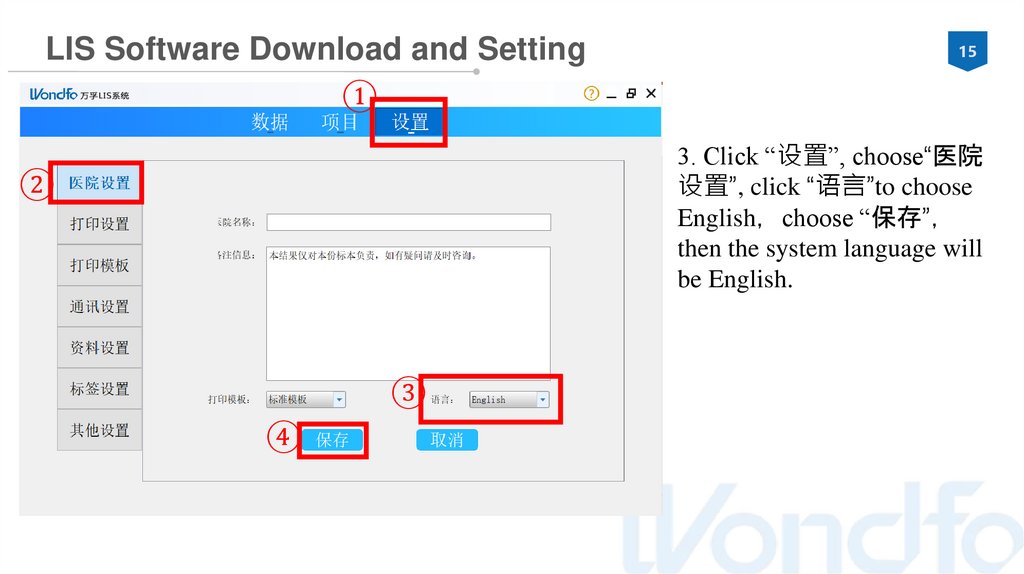
3. Click “设置”, choose“医院
设置”, click “语言”to choose
English choose “保存”
then the system language will
be English.
②
③
④
16.
LIS Software Download and Setting16
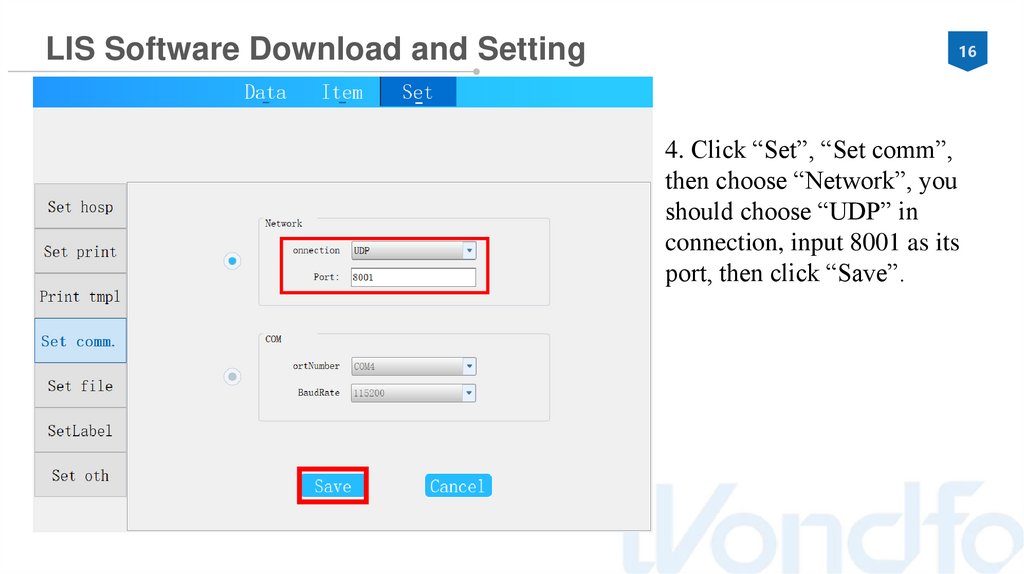
4. Click “Set”, “Set comm”,
then choose “Network”, you
should choose “UDP” in
connection, input 8001 as its
port, then click “Save”.
17.
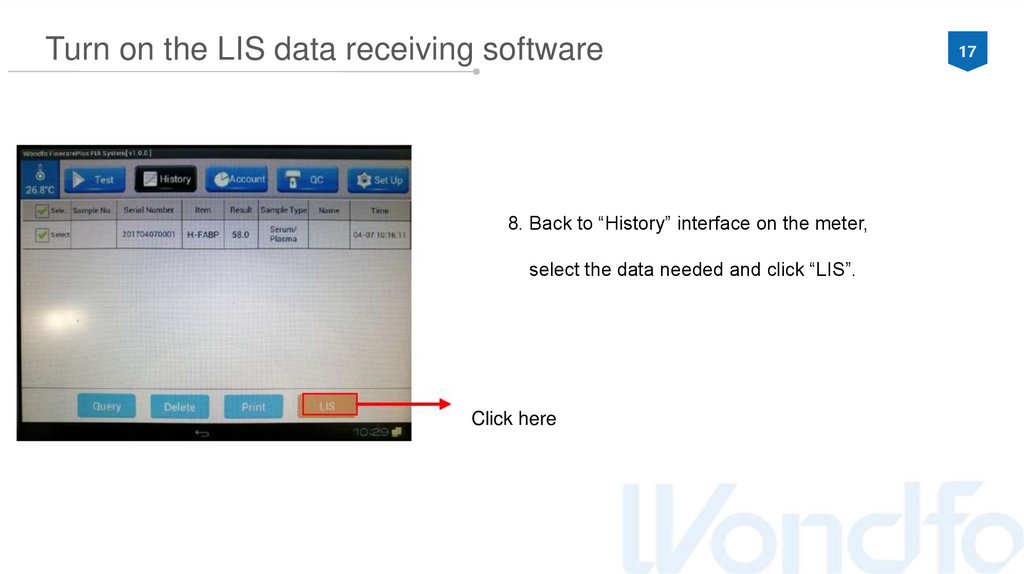
Turn on the LIS data receiving software8. Back to “History” interface on the meter,
select the data needed and click “LIS”.
Click here
17
18.
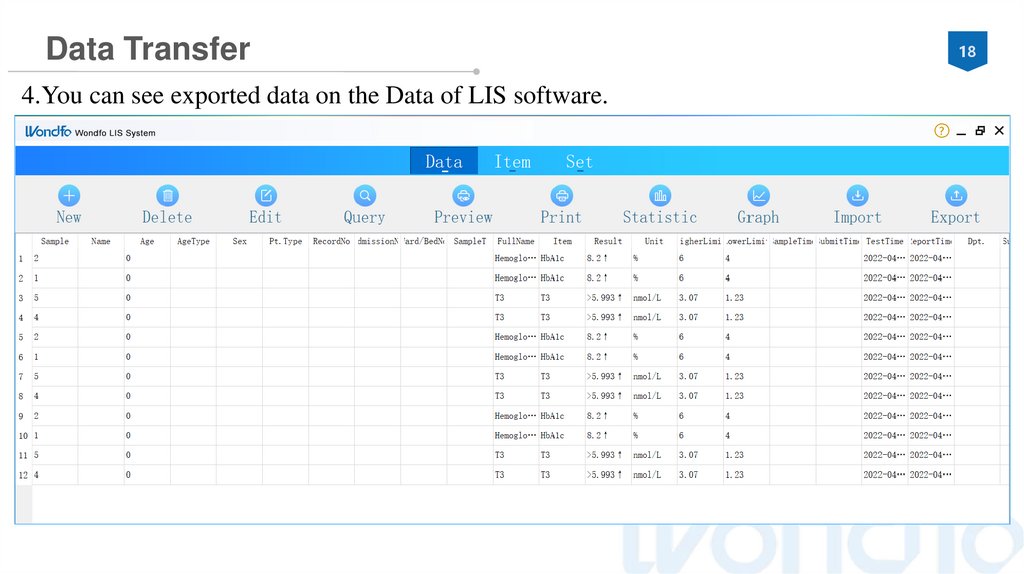
Data Transfer4.You can see exported data on the Data of LIS software.
18
19.
THANK YOU!Racing For Life
+86-2032296083
http://en.wondfo.com
.cn
customerservice@wondfo.com.c
n