 Реклама
Похожие презентации:









Activating the Big Tool feature
1.
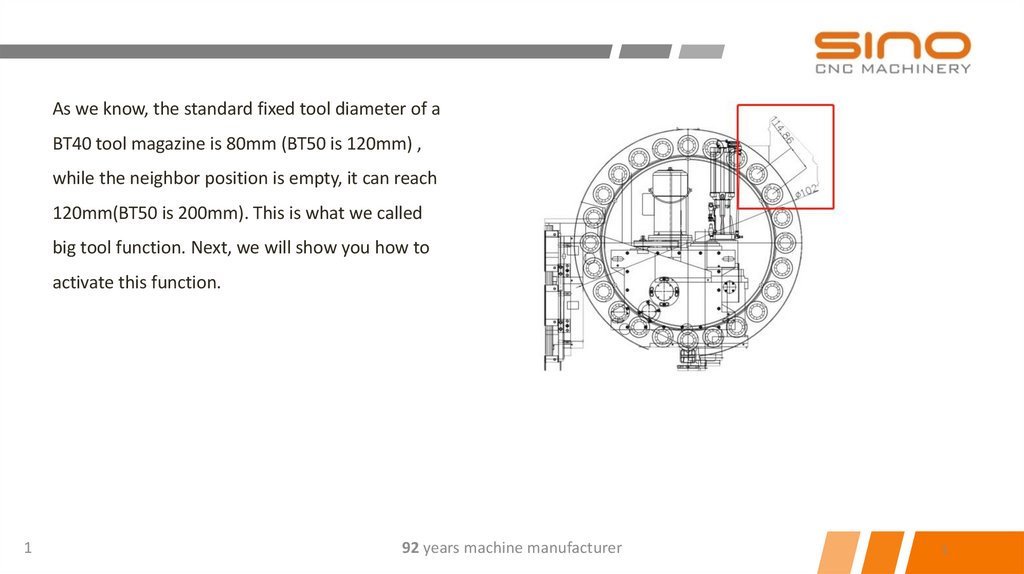
As we know, the standard fixed tool diameter of aBT40 tool magazine is 80mm (BT50 is 120mm) ,
while the neighbor position is empty, it can reach
120mm(BT50 is 200mm). This is what we called
big tool function. Next, we will show you how to
activate this function.
1
92 years machine manufacturer
1
2.
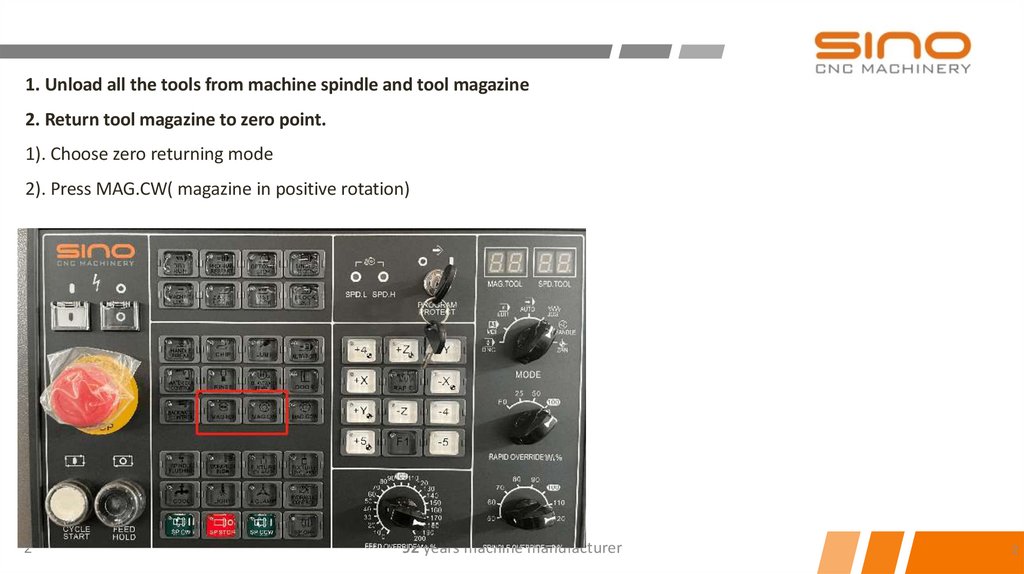
1. Unload all the tools from machine spindle and tool magazine2. Return tool magazine to zero point.
1). Choose zero returning mode
2). Press MAG.CW( magazine in positive rotation)
2
92 years machine manufacturer
2
3.
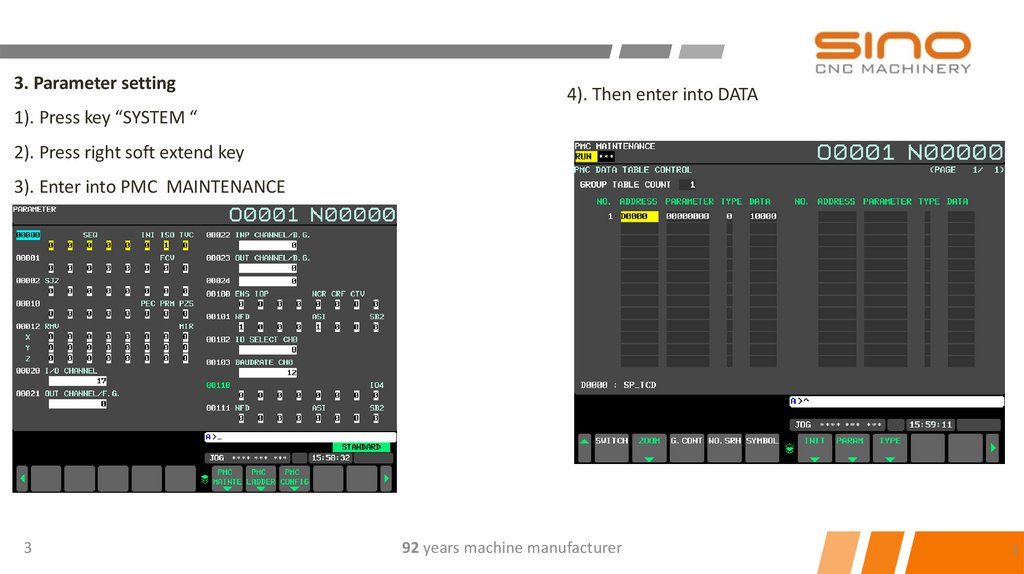
3. Parameter setting4). Then enter into DATA
1). Press key “SYSTEM “
2). Press right soft extend key
3). Enter into PMC MAINTENANCE
3
92 years machine manufacturer
3
4.
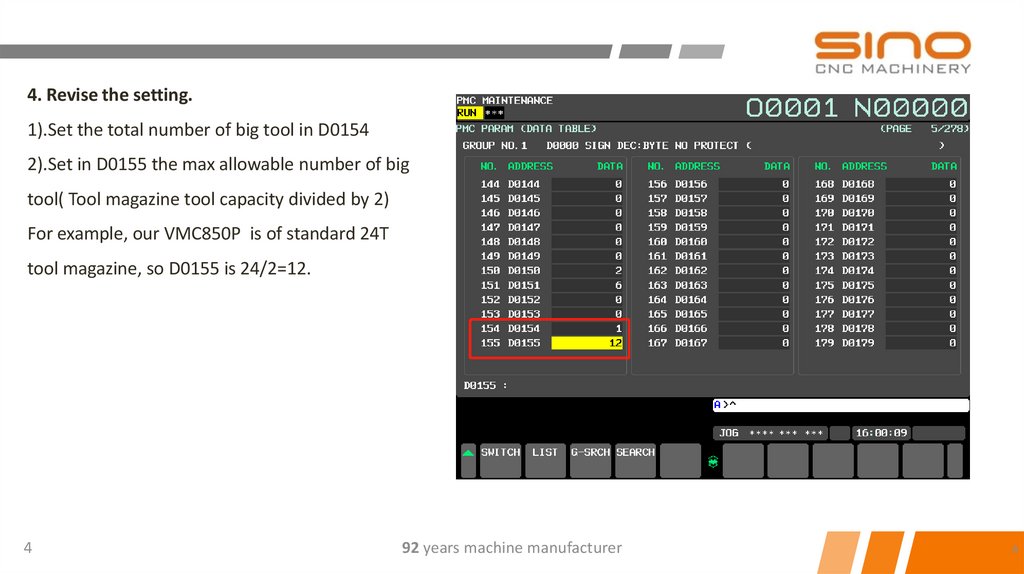
4. Revise the setting.1).Set the total number of big tool in D0154
2).Set in D0155 the max allowable number of big
tool( Tool magazine tool capacity divided by 2)
For example, our VMC850P is of standard 24T
tool magazine, so D0155 is 24/2=12.
4
92 years machine manufacturer
4
5.
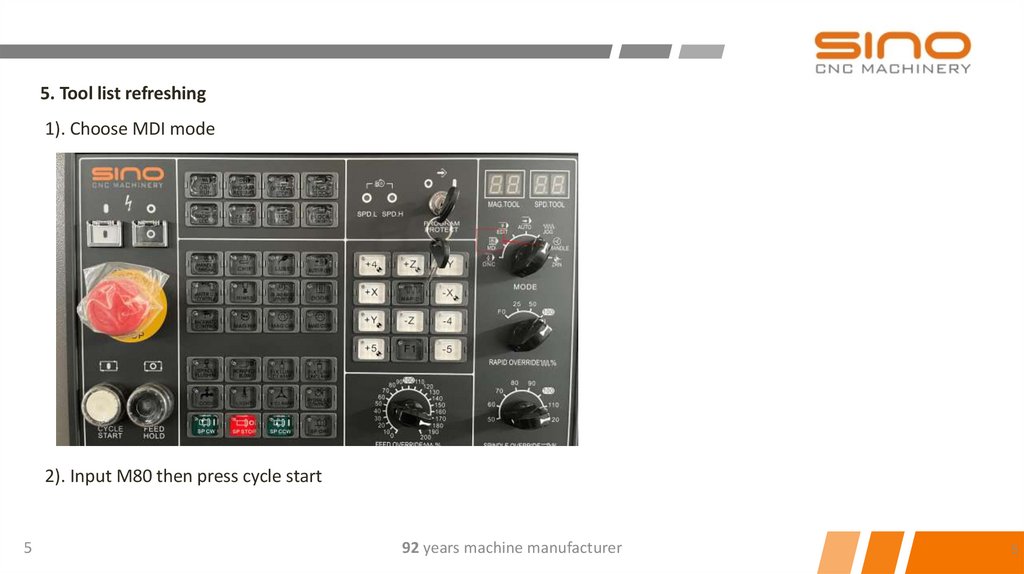
5. Tool list refreshing1). Choose MDI mode
2). Input M80 then press cycle start
5
92 years machine manufacturer
5
6.
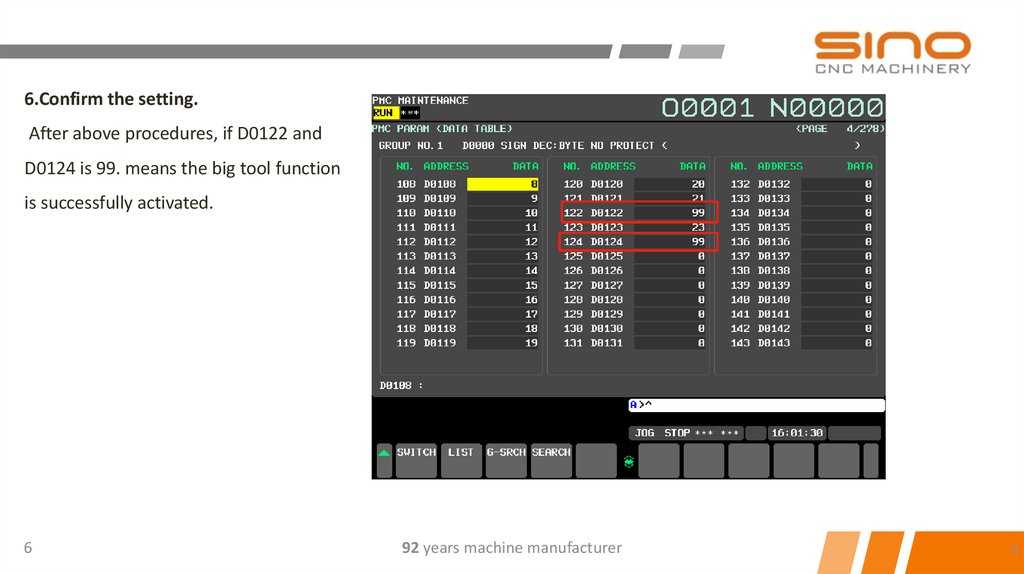
6.Confirm the setting.After above procedures, if D0122 and
D0124 is 99. means the big tool function
is successfully activated.
6
92 years machine manufacturer
6