 Программное обеспечение
 Бизнес
Похожие презентации:






Submission of Quotations for Materials via GEP SMART: Supplier Guide
1.
Submission of quotation formaterials via GEP SMART
Guides for Suppliers
INTERNAL
7/11/2025
2.
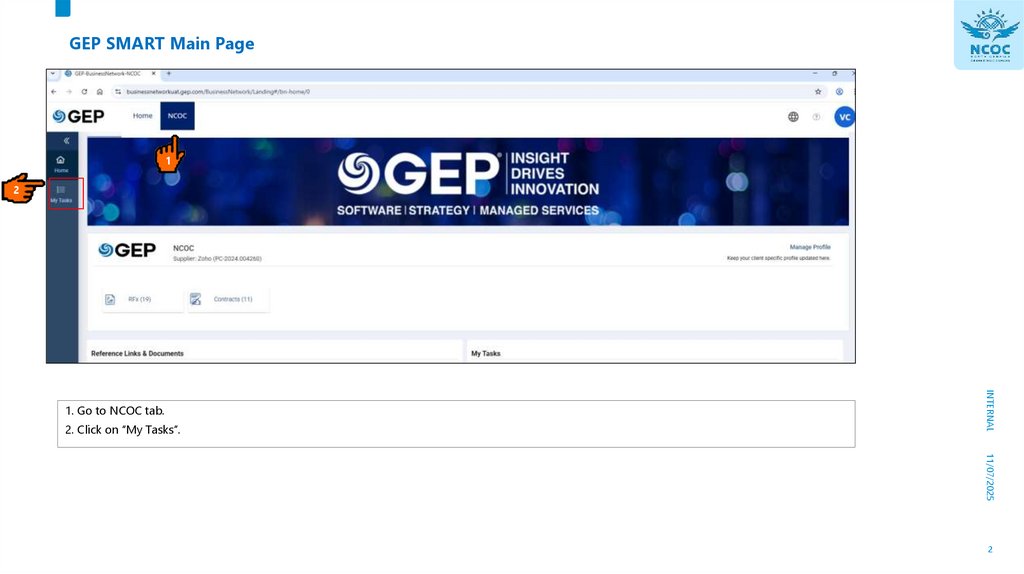
GEP SMART Main Page1
2
2. Click on “My Tasks”.
INTERNAL
1. Go to NCOC tab.
11/07/2025
2
3.
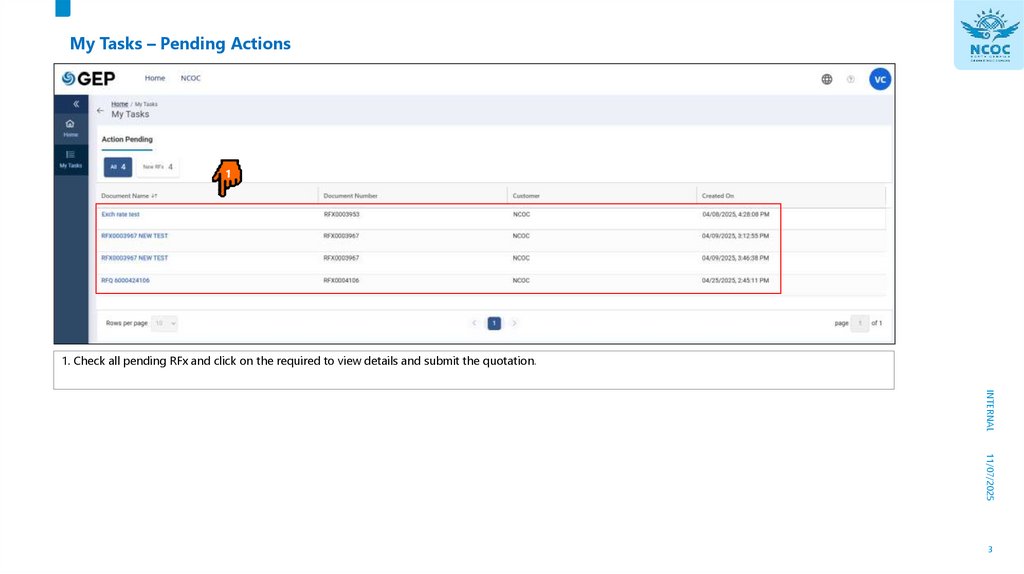
My Tasks – Pending Actions1. Check all pending RFx and click on the required to view details and submit the quotation.
INTERNAL
11/07/2025
3
4.
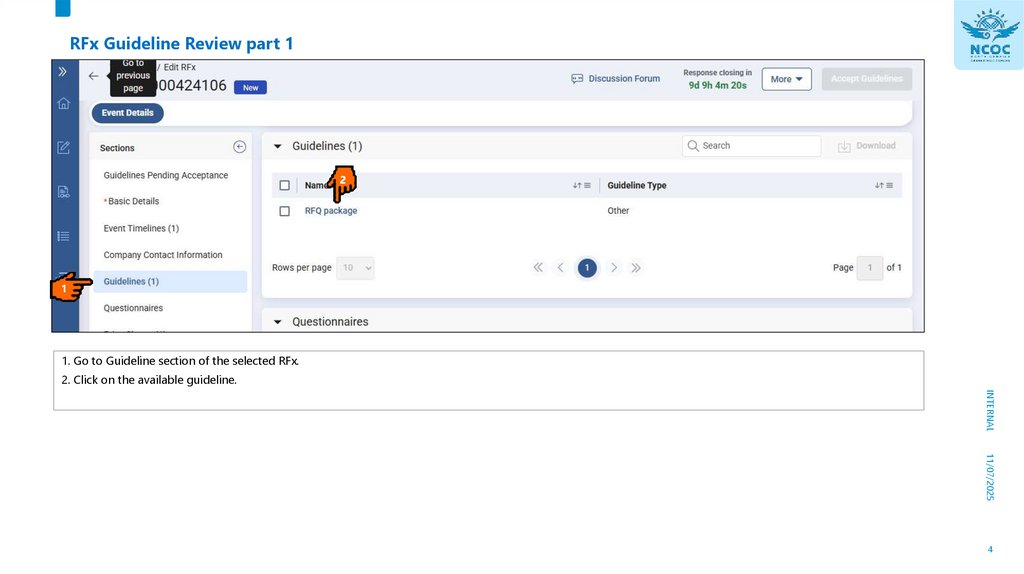
RFx Guideline Review part 11
1. Go to Guideline section of the selected RFx.
2. Click on the available guideline.
INTERNAL
11/07/2025
4
5.
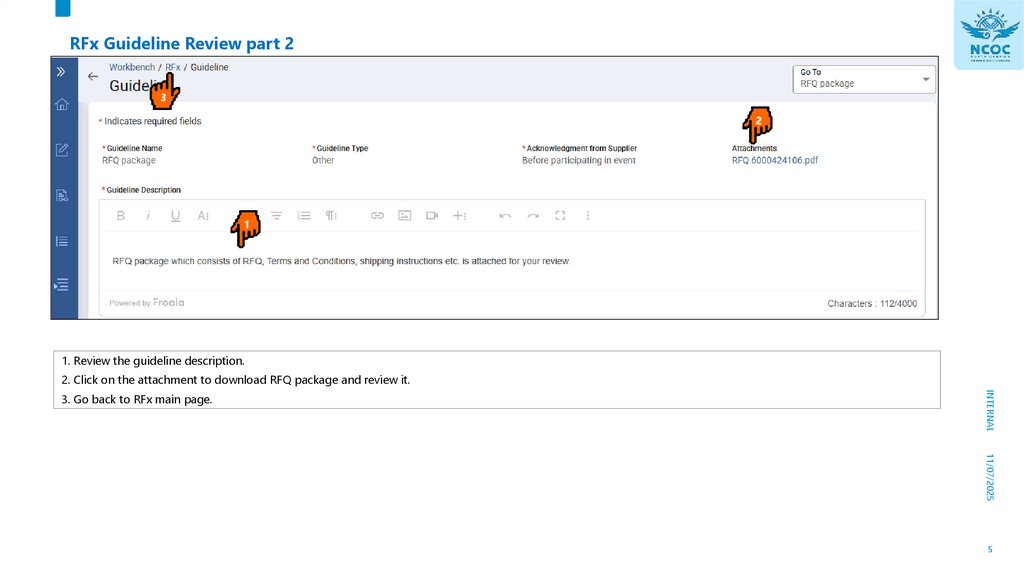
RFx Guideline Review part 23
1. Review the guideline description.
2. Click on the attachment to download RFQ package and review it.
INTERNAL
3. Go back to RFx main page.
11/07/2025
5
6.
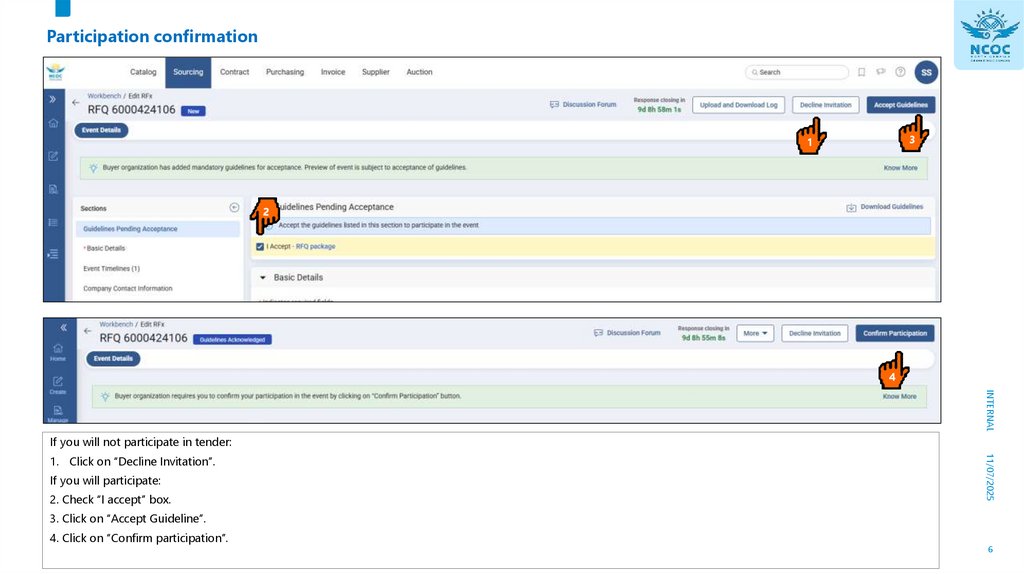
Participation confirmation3
1
4
INTERNAL
If you will not participate in tender:
If you will participate:
2. Check “I accept” box.
11/07/2025
1. Click on “Decline Invitation”.
3. Click on “Accept Guideline”.
4. Click on “Confirm participation”.
6
7.
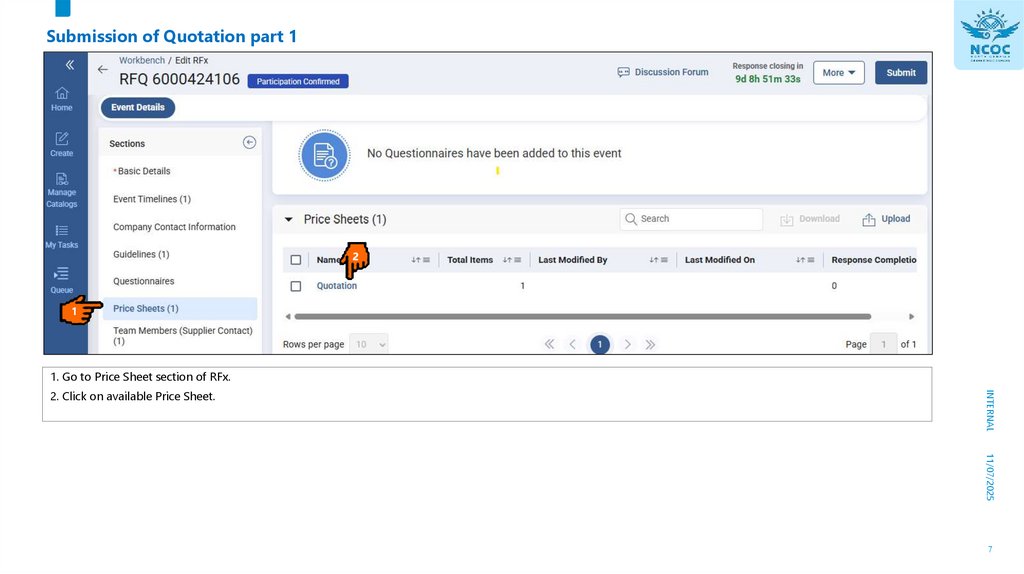
Submission of Quotation part 11
1. Go to Price Sheet section of RFx.
INTERNAL
2. Click on available Price Sheet.
11/07/2025
7
8.
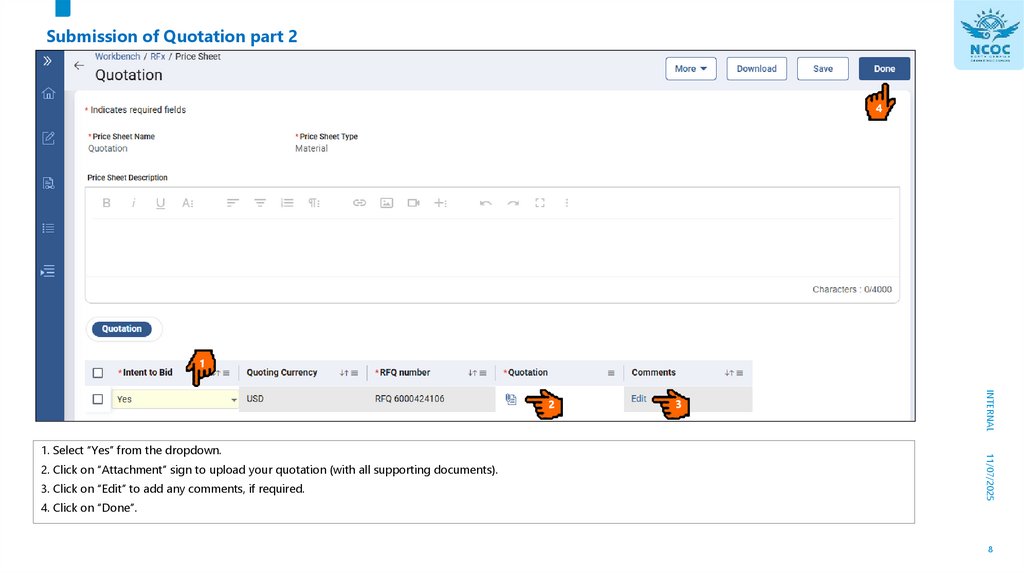
Submission of Quotation part 24
INTERNAL
2. Click on “Attachment” sign to upload your quotation (with all supporting documents).
3. Click on “Edit” to add any comments, if required.
4. Click on “Done”.
11/07/2025
1. Select “Yes” from the dropdown.
8
9.
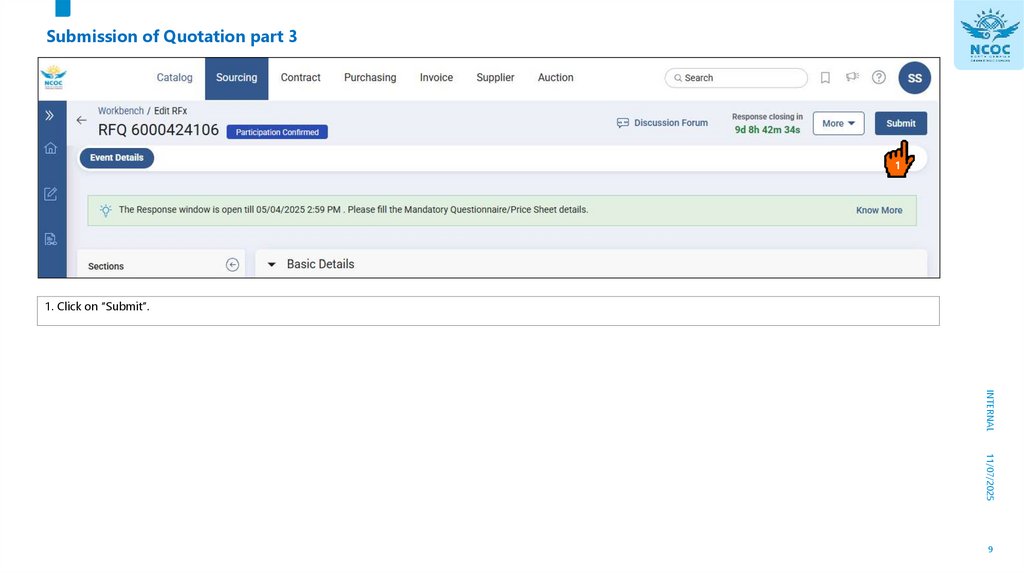
Submission of Quotation part 31
1. Click on “Submit”.
INTERNAL
11/07/2025
9