
 Программное обеспечение
Похожие презентации:






Object Detection for Vehicle Monitoring
1. Object Detection for Vehicle Monitoring
Teaching Assistant: Jumale Abdi JilloDate: November 20, 2025
Topic: Training Custom Object Detection Models with Roboflow
2. Today’s Agenda
• What We'll Learn Today:Theory: What is Object Detection?
Hands-On: Dataset Preparation with Roboflow
Practice: Training Custom Detection Model
Demo: Real-time Vehicle Detection
Goal: By the end, you'll train your own
car/truck detector!
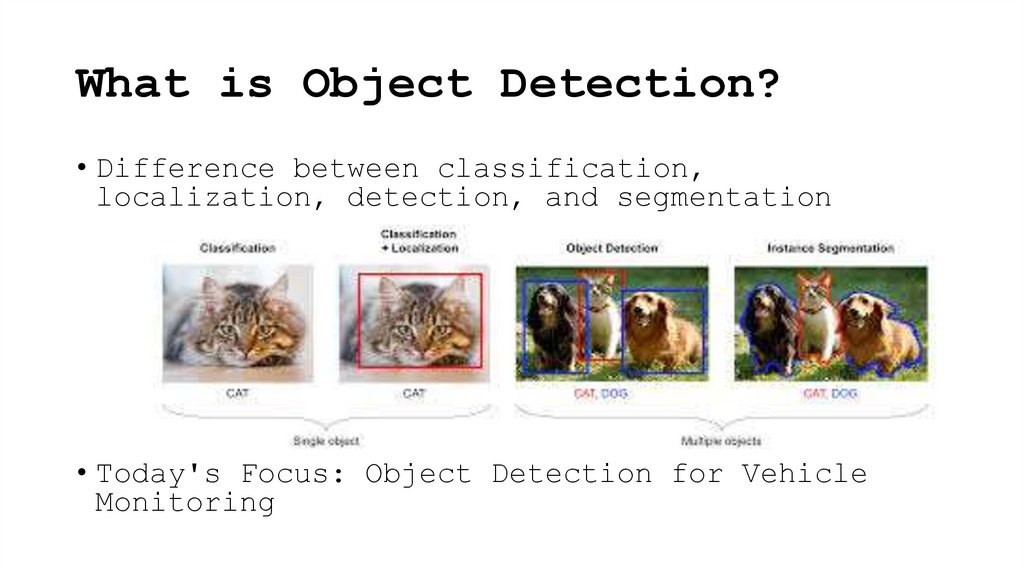
3. What is Object Detection?
• Difference between classification,localization, detection, and segmentation
• Today's Focus: Object Detection for Vehicle
Monitoring
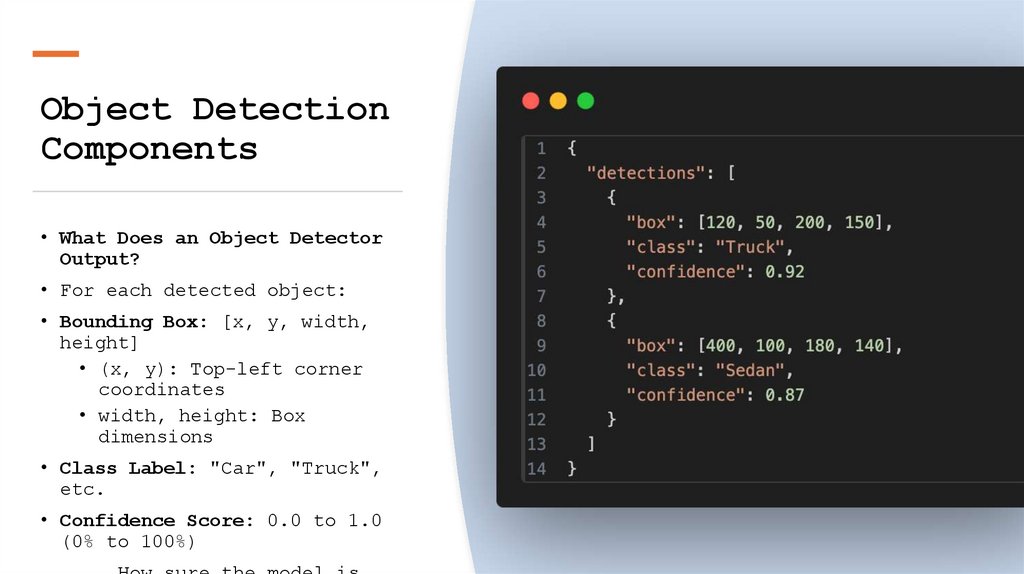
4. Object Detection Components
• What Does an Object DetectorOutput?
• For each detected object:
• Bounding Box: [x, y, width,
height]
• (x, y): Top-left corner
coordinates
• width, height: Box
dimensions
• Class Label: "Car", "Truck",
etc.
• Confidence Score: 0.0 to 1.0
(0% to 100%)
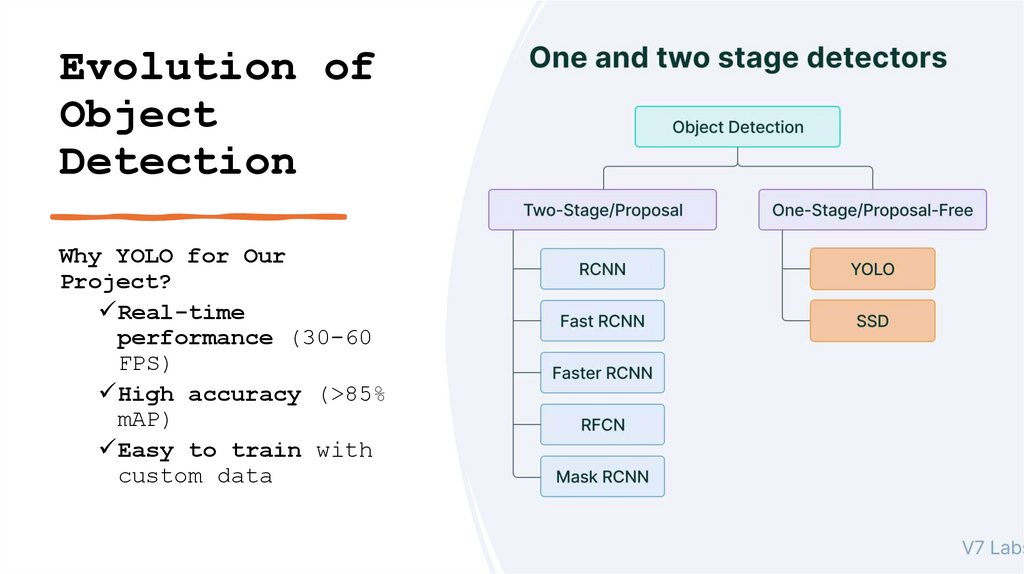
5. Evolution of Object Detection
Why YOLO for OurProject?
Real-time
performance (30-60
FPS)
High accuracy (>85%
mAP)
Easy to train with
custom data
6. RCNN Region-Based Convolutional Neural Network
RCNN RegionBasedConvolutional
Neural Network
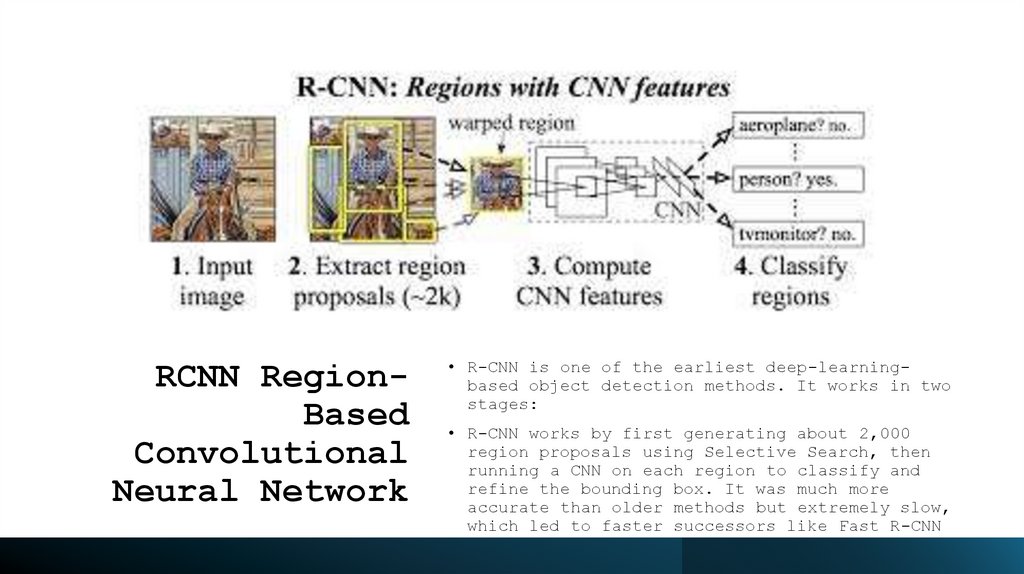
• R-CNN is one of the earliest deep-learningbased object detection methods. It works in two
stages:
• R-CNN works by first generating about 2,000
region proposals using Selective Search, then
running a CNN on each region to classify and
refine the bounding box. It was much more
accurate than older methods but extremely slow,
which led to faster successors like Fast R-CNN
and Faster R-CNN.
7. Fast RCNN
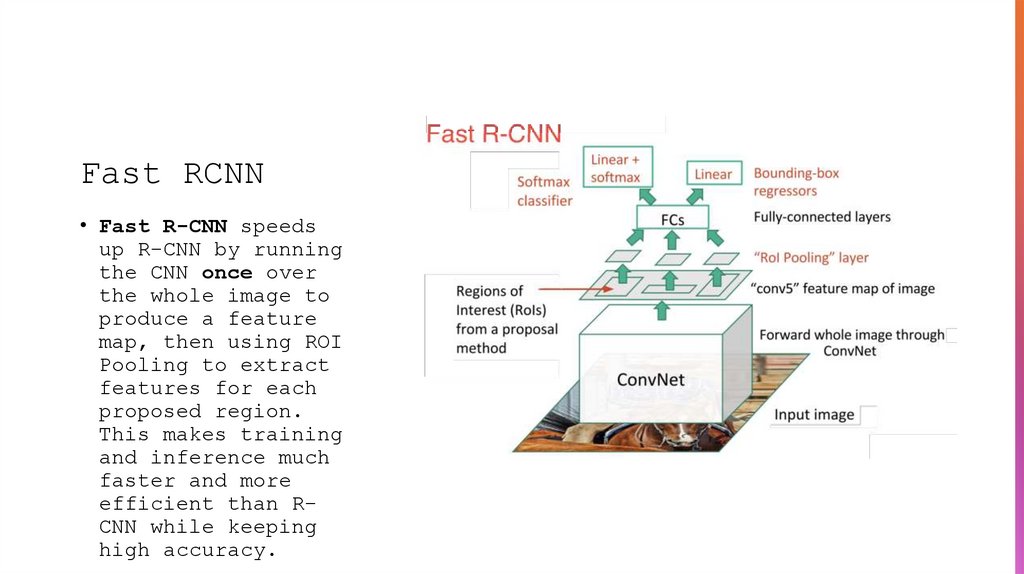
• Fast R-CNN speedsup R-CNN by running
the CNN once over
the whole image to
produce a feature
map, then using ROI
Pooling to extract
features for each
proposed region.
This makes training
and inference much
faster and more
efficient than RCNN while keeping
high accuracy.
8. Faster RCNN
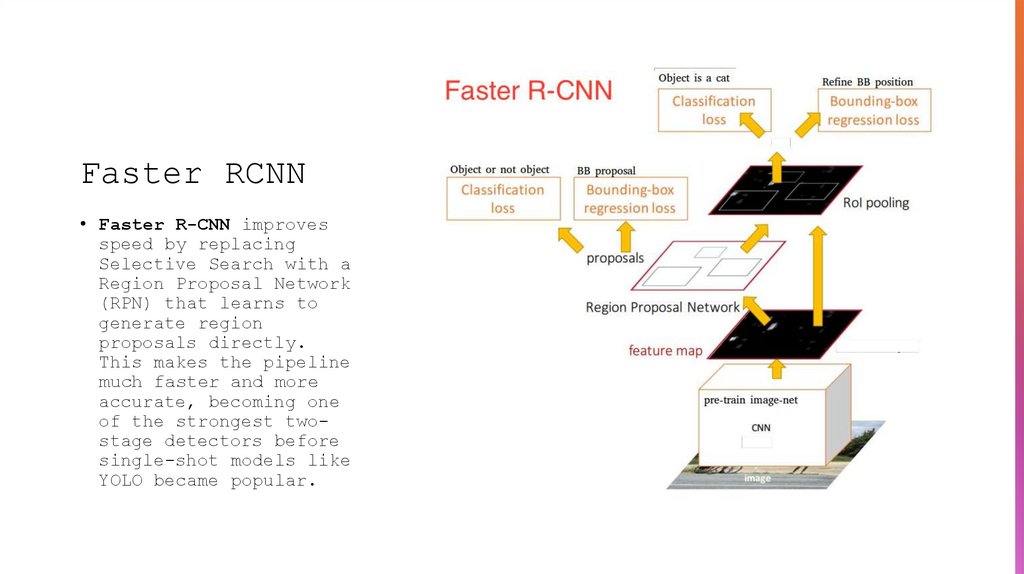
• Faster R-CNN improvesspeed by replacing
Selective Search with a
Region Proposal Network
(RPN) that learns to
generate region
proposals directly.
This makes the pipeline
much faster and more
accurate, becoming one
of the strongest twostage detectors before
single-shot models like
YOLO became popular.
9. YOLO(You Only Look Once)
• What is YOLO?• YOLO is a real-time object detection model that finds
what is in an image and where it is; all in one single
pass through a neural network.
• Why is it fast?
• Because YOLO does:
• One forward pass
• One network
• Predicts bounding boxes + class labels at the same time
Unlike older models that used 2 steps (region proposal →
classification)
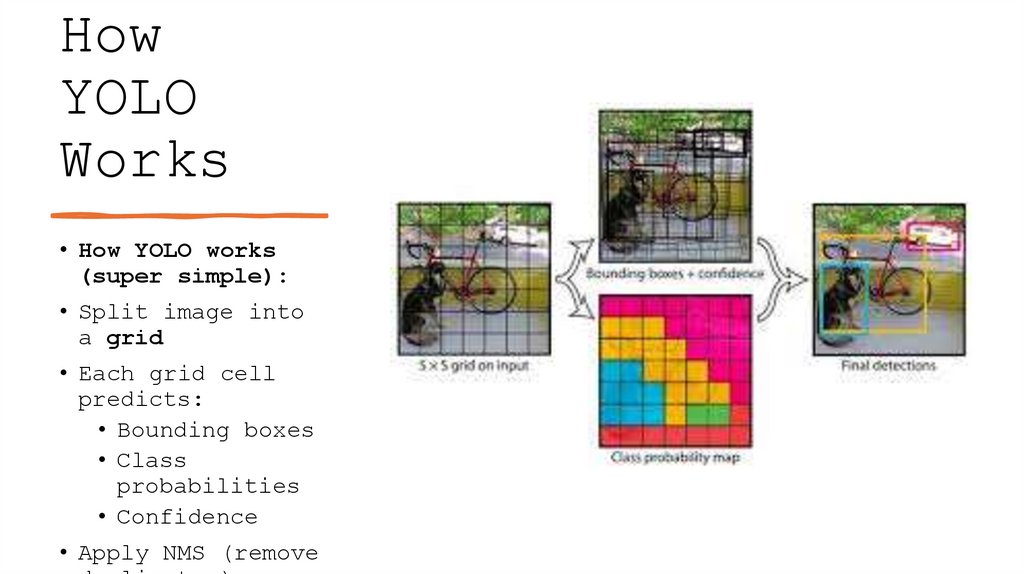
10. How YOLO Works
• How YOLO works(super simple):
• Split image into
a grid
• Each grid cell
predicts:
• Bounding boxes
• Class
probabilities
• Confidence
• Apply NMS (remove
11. YOLO Evolution
YOLO (You Only Look Once) started withJoseph Redmon’s early versions (v1–
v3), which introduced real-time
single-shot object detection.
YOLO
Evoluti
on
Later, community researchers extended
it with YOLOv4 and YOLOv7 for better
accuracy.
Ultralytics then took over the modern
development, releasing YOLOv5 through
YOLOv12 — focusing on easier training,
anchor-free design, multi-task support
(detect/segment/pose), and optimized
models for real-world deployment and
IoT devices.
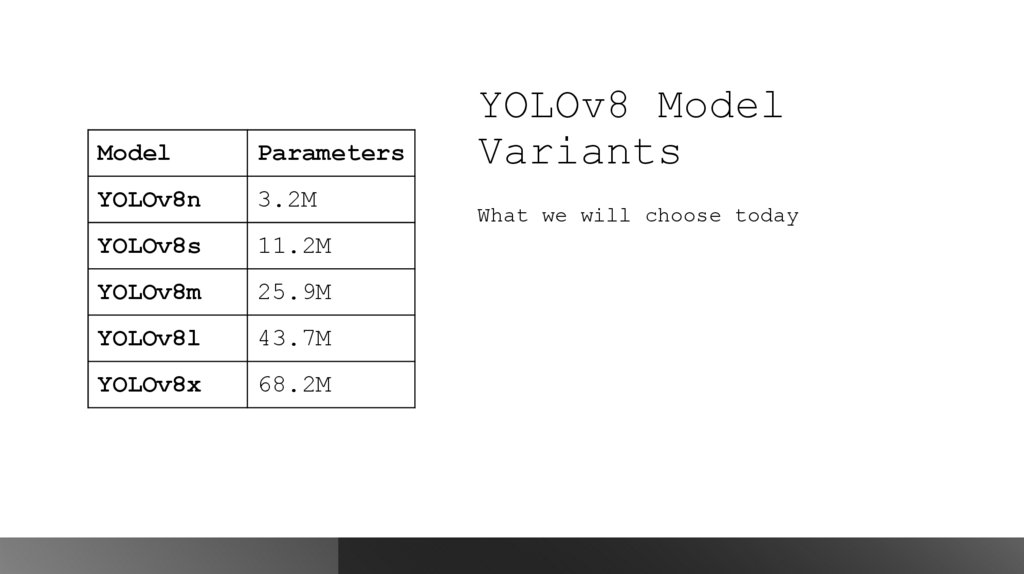
12. YOLOv8 Model Variants
ModelParameters
YOLOv8n
3.2M
YOLOv8s
11.2M
YOLOv8m
25.9M
YOLOv8l
43.7M
YOLOv8x
68.2M
YOLOv8 Model
Variants
What we will choose today
13. Training Requirements
What You Need to Train YOLO• 1. Dataset:
• Images: 200-1000+
labelled images
• Annotations: Bounding
boxes for each object
• Format: YOLO format (txt
files) or COCO JSON
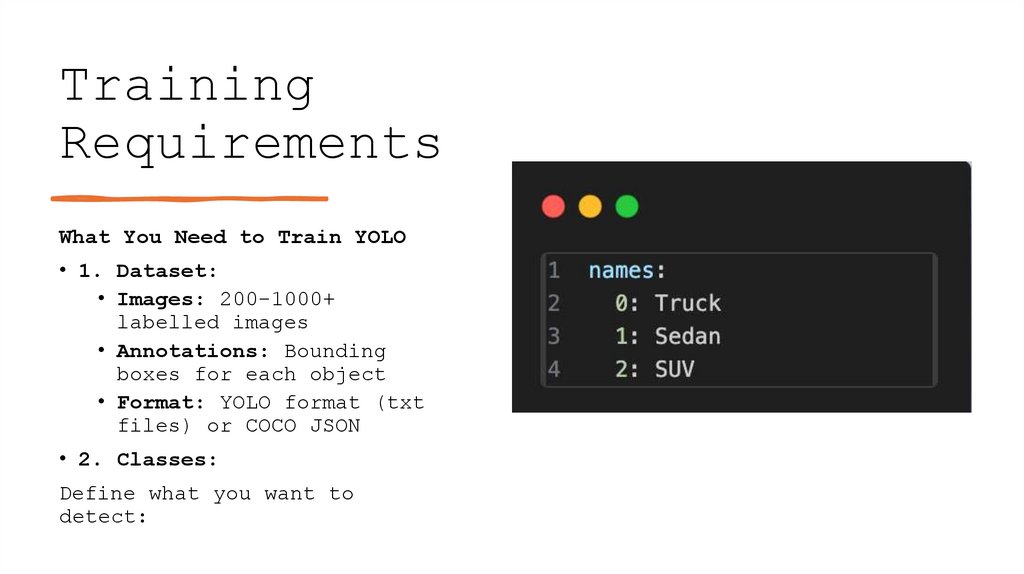
• 2. Classes:
Define what you want to
detect:
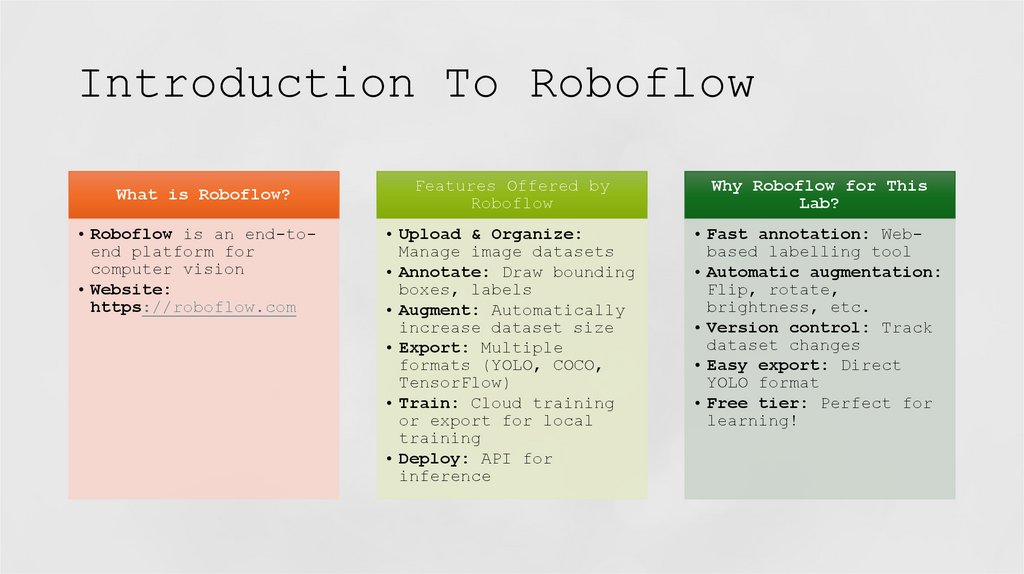
14. Introduction To Roboflow
What is Roboflow?• Roboflow is an end-toend platform for
computer vision
• Website:
https://roboflow.com
Features Offered by
Roboflow
Why Roboflow for This
Lab?
• Upload & Organize:
Manage image datasets
• Annotate: Draw bounding
boxes, labels
• Augment: Automatically
increase dataset size
• Export: Multiple
formats (YOLO, COCO,
TensorFlow)
• Train: Cloud training
or export for local
training
• Deploy: API for
inference
• Fast annotation: Webbased labelling tool
• Automatic augmentation:
Flip, rotate,
brightness, etc.
• Version control: Track
dataset changes
• Easy export: Direct
YOLO format
• Free tier: Perfect for
learning!
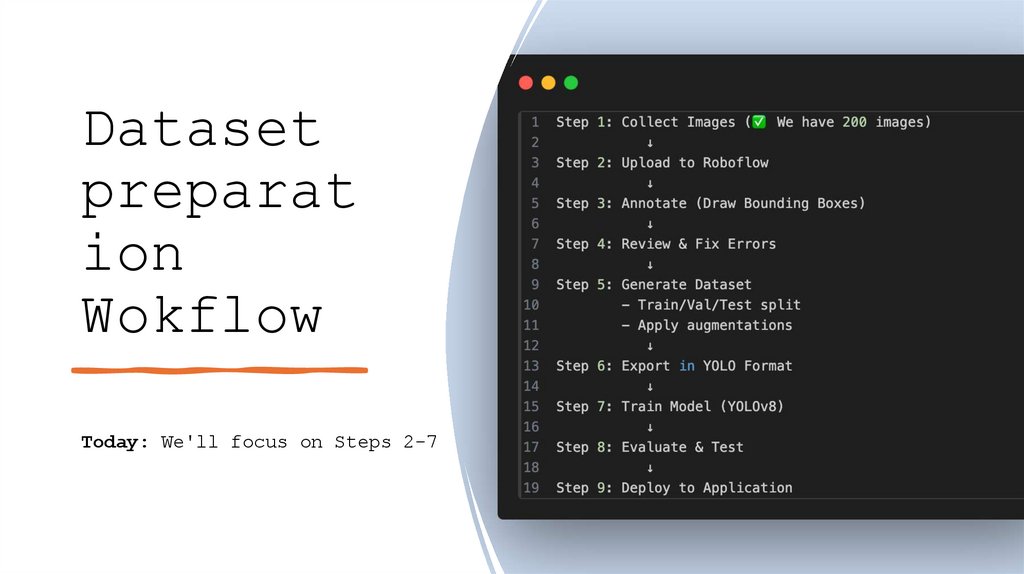
15. Dataset preparation Wokflow
Datasetpreparat
ion
Wokflow
Today: We'll focus on Steps 2-7
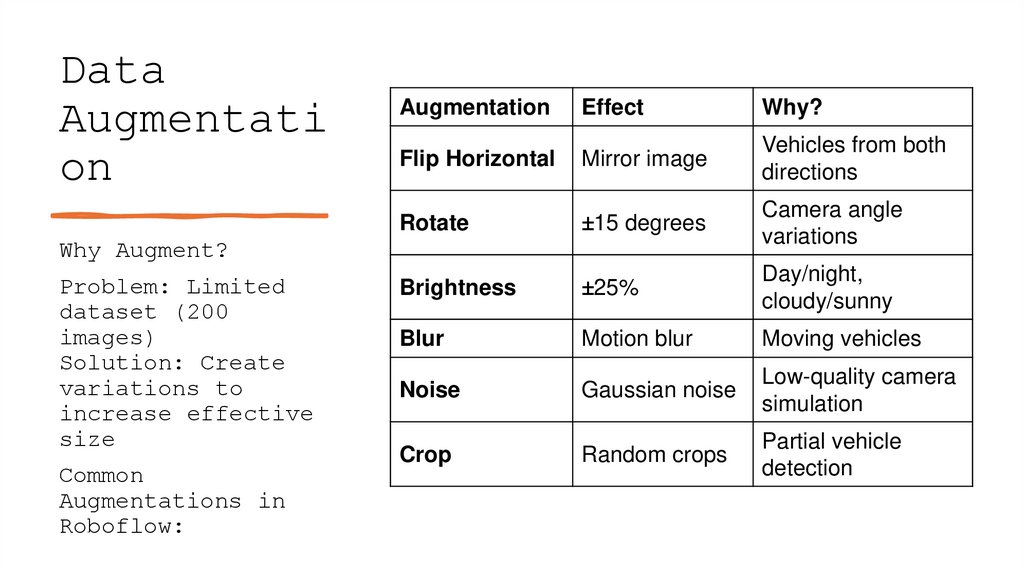
16. Data Augmentation
DataAugmentati
on
Augmentation
Effect
Why?
Flip Horizontal
Mirror image
Vehicles from both
directions
Rotate
±15 degrees
Camera angle
variations
Brightness
±25%
Day/night,
cloudy/sunny
Blur
Motion blur
Moving vehicles
Noise
Gaussian noise
Low-quality camera
simulation
Crop
Random crops
Partial vehicle
detection
Why Augment?
Problem: Limited
dataset (200
images)
Solution: Create
variations to
increase effective
size
Common
Augmentations in
Roboflow:
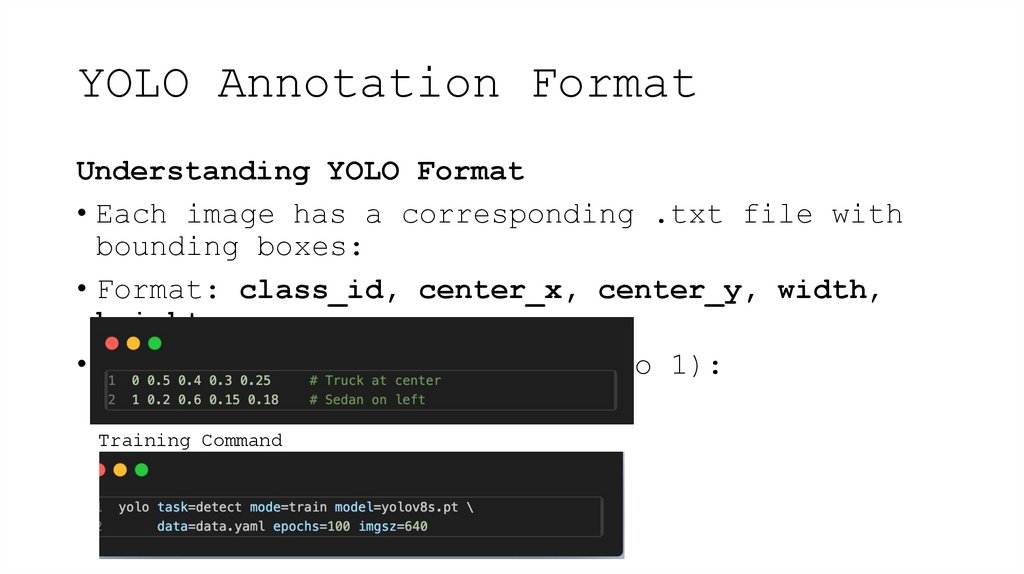
17. YOLO Annotation Format
Understanding YOLO Format• Each image has a corresponding .txt file with
bounding boxes:
• Format: class_id, center_x, center_y, width,
height
• All values are normalized (0 to 1):
Training Command
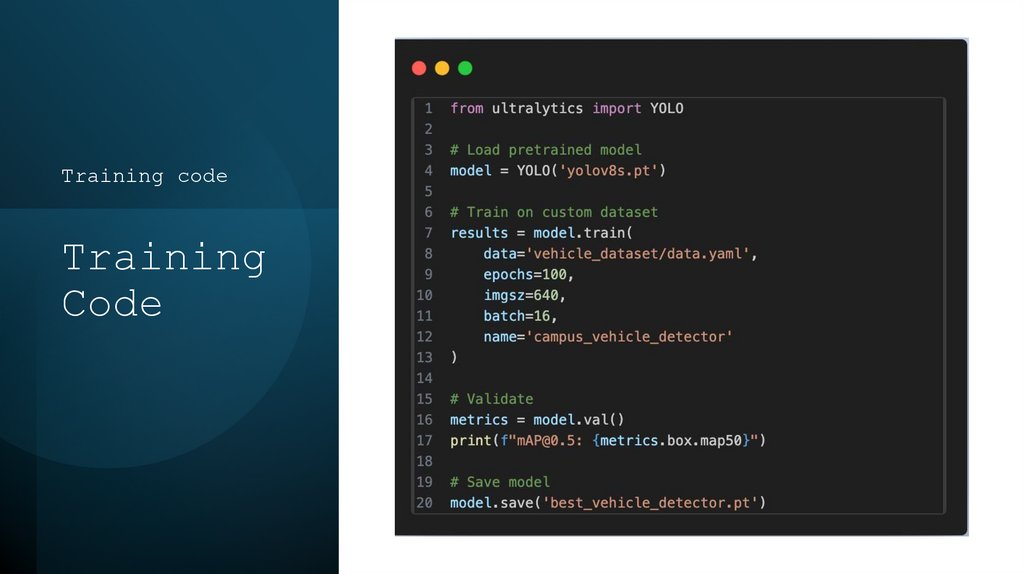
18. Training Code
Training codeTraining
Code