


Похожие презентации:







How to install the Windows 8.1 on DOS version E10-30
1. How to install the Windows 8.1 on DOS version E10-30
2. I. Configure in the BIOS setup
3. Configure in the BIOS setup
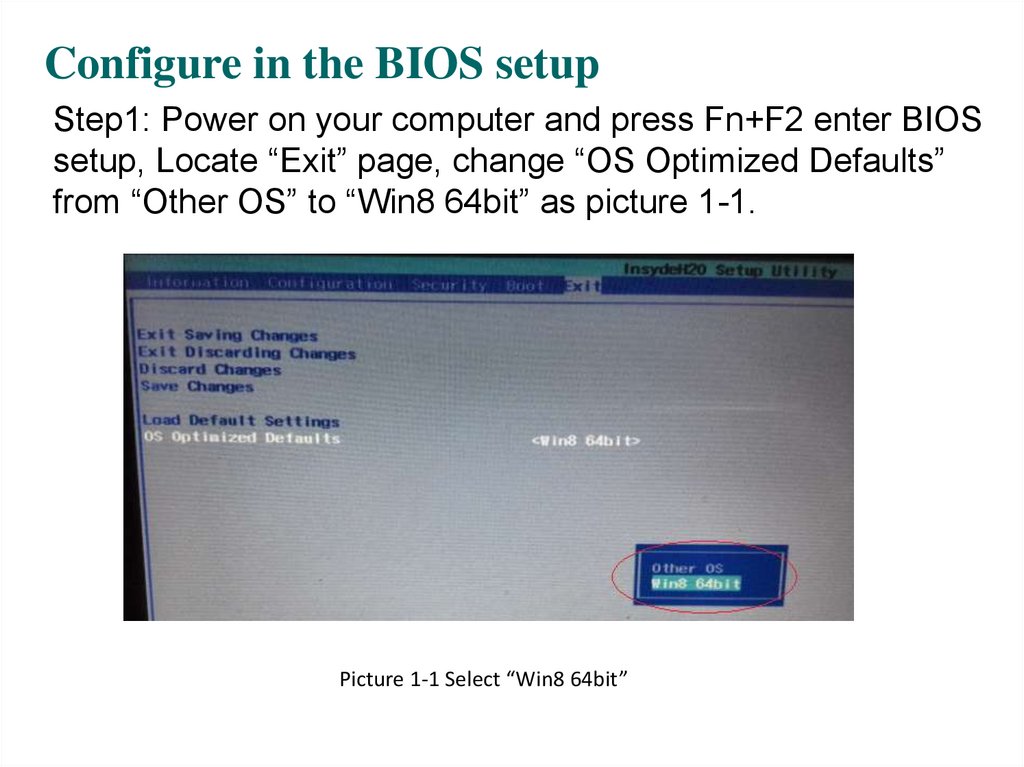
Step1: Power on your computer and press Fn+F2 enter BIOSsetup, Locate “Exit” page, change “OS Optimized Defaults”
from “Other OS” to “Win8 64bit” as picture 1-1.
Picture 1-1 Select “Win8 64bit”
4. Configure in the BIOS setup (Continue)
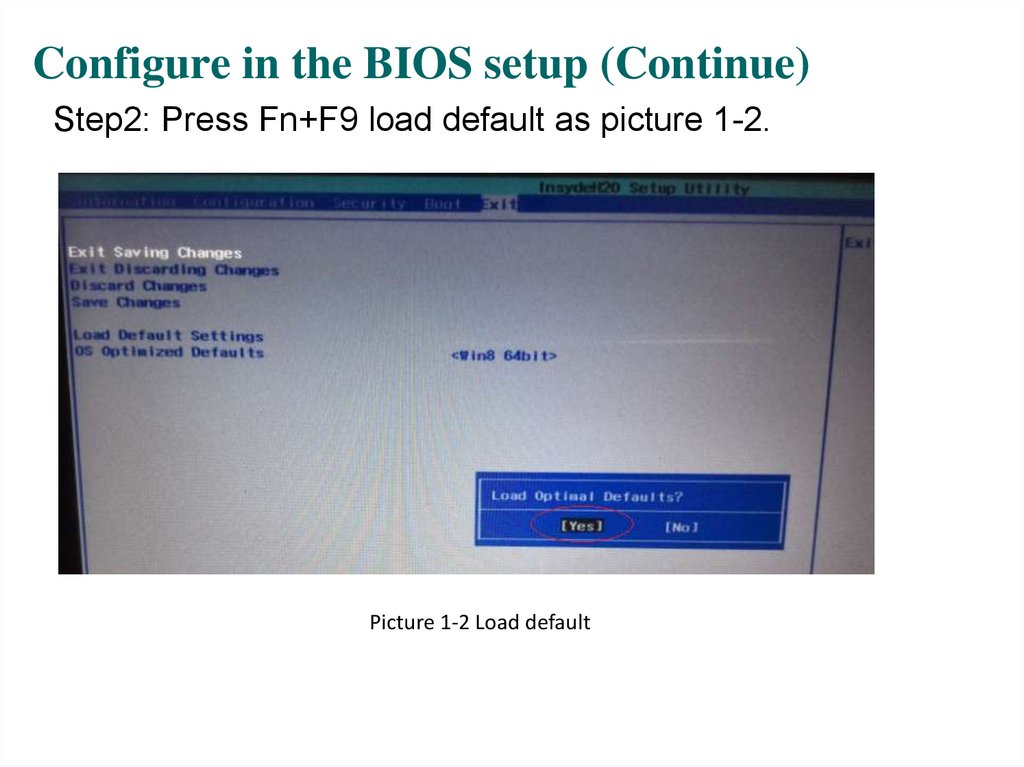
Step2: Press Fn+F9 load default as picture 1-2.Picture 1-2 Load default
5. Configure in the BIOS setup (Continue)
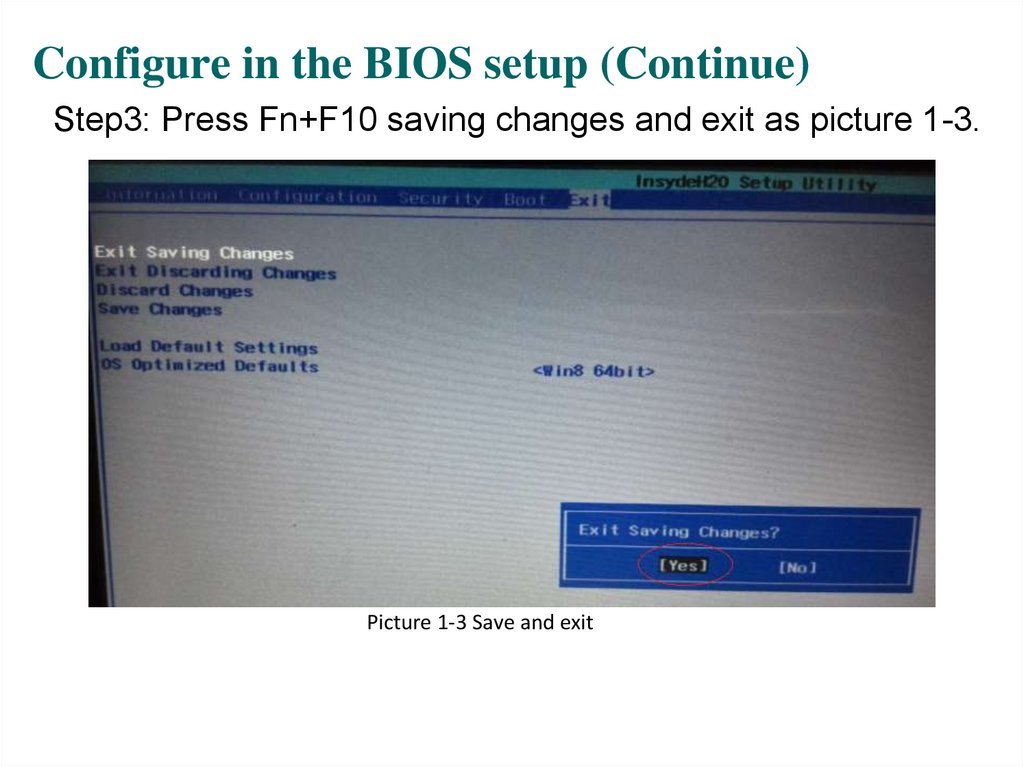
Step3: Press Fn+F10 saving changes and exit as picture 1-3.Picture 1-3 Save and exit
6. II. Install Windows 8.1
7. Install Windows 8.1
Plug USB CD/DVD-ROM with Windows 8.1 disk, power onyour computer and press Fn+F12, select boot from USB
CD/DVD-ROM as picture 1-4, and then start to Windows
install.
Picture 1-4 Boot from USB CD/DVD-ROM